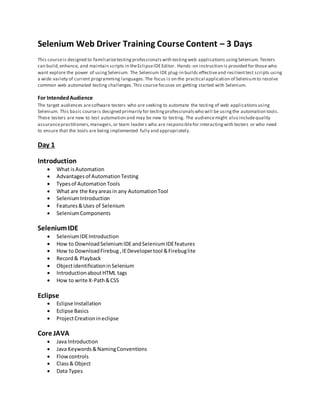
Selenium Web Driver Training Course Content – 3 Days
This courseis designed to familiarizetestingprofessionalswith testingweb applications usingSelenium. Testers
can build,enhance, and maintain scripts in theEclipseIDEEditor. Hands -on instruction is provided for those who
want explore the power of usingSelenium. The Selenium IDE plug-in builds effectiveand resilienttest scripts using
a wide variety of current programming languages.The focus is on the practical application of Seleniumto resolve
common web automated testing challenges.This course focuses on getting started with Selenium.
For IntendedAudience
The target audiences aresoftware testers who are seeking to automate the testing of web applicationsusing
Selenium. This basic courseis designed primarily for testingprofessionalswho will be usingthe automation tools.
These testers are new to test automation and may be new to testing. The audiencemight also includequality
assurancepractitioners,managers,or team leaders who are responsiblefor interactingwith testers or who need
to ensure that the tools are being implemented fully and appropriately.
Day 1
Introduction
 What isAutomation
 Advantagesof AutomationTesting
 Typesof AutomationTools
 What are the Keyareas in any AutomationTool
 SeleniumIntroduction
 Features&Uses of Selenium
 SeleniumComponents
SeleniumIDE
 SeleniumIDEIntroduction
 How to DownloadSeleniumIDEandSeleniumIDEfeatures
 How to DownloadFirebug ,IEDevelopertool &Firebuglite
 Record& Playback
 ObjectidentificationinSelenium
 IntroductionaboutHTML tags
 How to write X-Path&CSS
Eclipse
 Eclipse Installation
 Eclipse Basics
 ProjectCreationineclipse
Core JAVA
 Java Introduction
 Java Keywords&NamingConventions
 Flowcontrols
 Class& Object
 Data Types
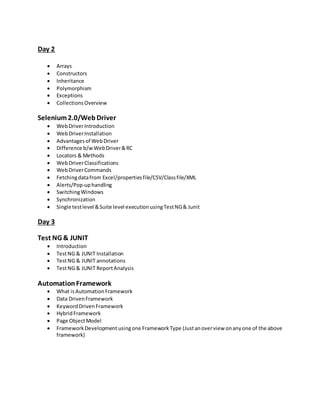
Day 2
 Arrays
 Constructors
 Inheritance
 Polymorphism
 Exceptions
 CollectionsOverview
Selenium2.0/Web Driver
 WebDriverIntroduction
 WebDriverInstallation
 Advantagesof WebDriver
 Difference b/w WebDriver&RC
 Locators & Methods
 WebDriverClassifications
 WebDriverCommands
 Fetchingdatafrom Excel/propertiesfile/CSV/Classfile/XML
 Alerts/Pop-uphandling
 SwitchingWindows
 Synchronization
 Single testlevel &Suite level execution usingTestNG& Junit
Day 3
Test NG & JUNIT
 Introduction
 TestNG & JUNIT Installation
 TestNG & JUNIT annotations
 TestNG & JUNIT ReportAnalysis
AutomationFramework
 What isAutomationFramework
 Data DrivenFramework
 KeywordDrivenFramework
 HybridFramework
 Page ObjectModel
 FrameworkDevelopment usingone FrameworkType (Justanoverview onanyone of the above
framework)

Selenium training course_content_3_days

  • 1.
    Selenium Web DriverTraining Course Content – 3 Days This courseis designed to familiarizetestingprofessionalswith testingweb applications usingSelenium. Testers can build,enhance, and maintain scripts in theEclipseIDEEditor. Hands -on instruction is provided for those who want explore the power of usingSelenium. The Selenium IDE plug-in builds effectiveand resilienttest scripts using a wide variety of current programming languages.The focus is on the practical application of Seleniumto resolve common web automated testing challenges.This course focuses on getting started with Selenium. For IntendedAudience The target audiences aresoftware testers who are seeking to automate the testing of web applicationsusing Selenium. This basic courseis designed primarily for testingprofessionalswho will be usingthe automation tools. These testers are new to test automation and may be new to testing. The audiencemight also includequality assurancepractitioners,managers,or team leaders who are responsiblefor interactingwith testers or who need to ensure that the tools are being implemented fully and appropriately. Day 1 Introduction  What isAutomation  Advantagesof AutomationTesting  Typesof AutomationTools  What are the Keyareas in any AutomationTool  SeleniumIntroduction  Features&Uses of Selenium  SeleniumComponents SeleniumIDE  SeleniumIDEIntroduction  How to DownloadSeleniumIDEandSeleniumIDEfeatures  How to DownloadFirebug ,IEDevelopertool &Firebuglite  Record& Playback  ObjectidentificationinSelenium  IntroductionaboutHTML tags  How to write X-Path&CSS Eclipse  Eclipse Installation  Eclipse Basics  ProjectCreationineclipse Core JAVA  Java Introduction  Java Keywords&NamingConventions  Flowcontrols  Class& Object  Data Types
  • 2.
    Day 2  Arrays Constructors  Inheritance  Polymorphism  Exceptions  CollectionsOverview Selenium2.0/Web Driver  WebDriverIntroduction  WebDriverInstallation  Advantagesof WebDriver  Difference b/w WebDriver&RC  Locators & Methods  WebDriverClassifications  WebDriverCommands  Fetchingdatafrom Excel/propertiesfile/CSV/Classfile/XML  Alerts/Pop-uphandling  SwitchingWindows  Synchronization  Single testlevel &Suite level execution usingTestNG& Junit Day 3 Test NG & JUNIT  Introduction  TestNG & JUNIT Installation  TestNG & JUNIT annotations  TestNG & JUNIT ReportAnalysis AutomationFramework  What isAutomationFramework  Data DrivenFramework  KeywordDrivenFramework  HybridFramework  Page ObjectModel  FrameworkDevelopment usingone FrameworkType (Justanoverview onanyone of the above framework)