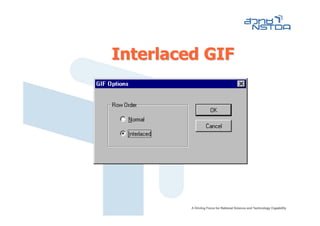
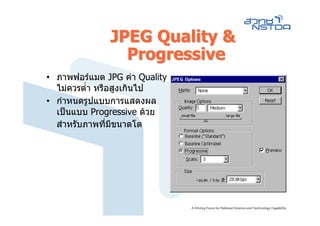
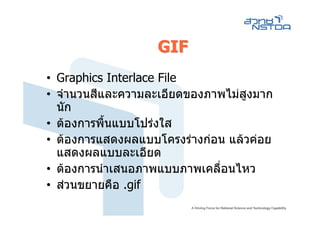
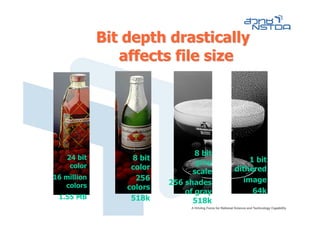
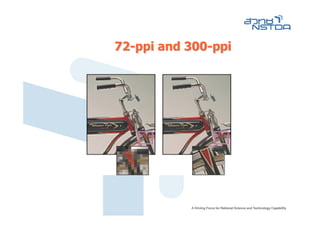
Bit depth drastically
affects file size
8 bit
24 bit 8 bit 1 bit
color gray
color dithered
scale
16 million 256 image
colors 256 shades
colors 64k
of gray
1.55 MB 518k 518k
Color Mode
• Acolor mode determines the color
model used to display and print images.
• Common models include
– RGB (red, green, blue)
– CMYK (cyan, magenta, yellow, black)
–…
43.
RGB model
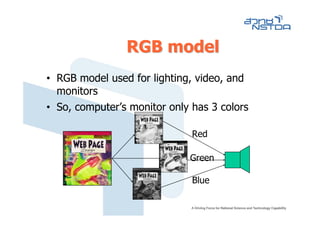
• RGBmodel used for lighting, video, and
monitors
• So, computer’s monitor only has 3 colors
Red
Green
Blue
44.
CMYK model
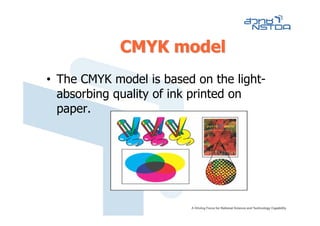
• TheCMYK model is based on the light-
absorbing quality of ink printed on
paper.
45.
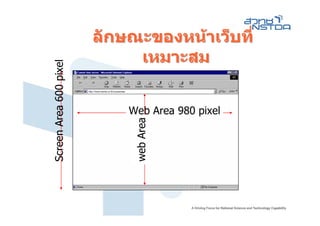
ลักษณะของหนาเว็บที่
เหมาะสม
• หนาเว็บที่เหมาะสม ไมมขอกําหนดที่ชดเจน
ี ั
ควรคํานึงถึง
– กลุมเปาหมาย (Personal/Business)
– ลักษณะของคอมพิวเตอรทกลุมเปาหมายใช (Screen
ี่
Area ของจอภาพ)
• Screen Area ที่เหมาะสมในปจจุบัน คือ
1024 x 768 pixels
• Web Area ทีเหมาะสมคือ
่
– ความยาวไมเกิน 980 pixel
– ความสูงไมมีขอกําหนดตายตัว แตสวน Header ของเว็บ
ไมควรเกินครึ่งหนึ่งของพื้นทีที่เหลือ
่
XNView
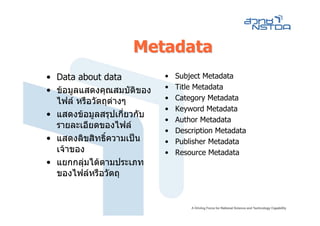
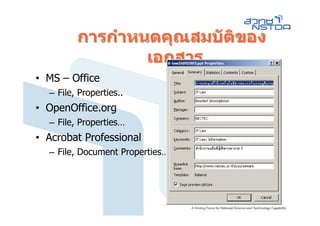
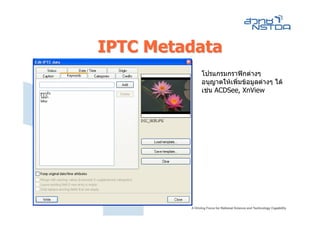
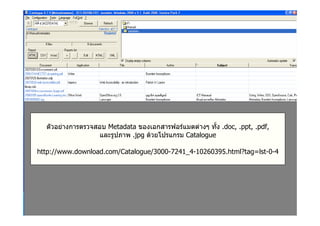
Image Metadata
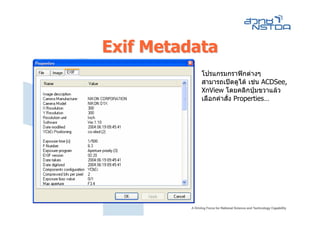
• Exchangeable Image File Format (Exif)
Metadata
– ระบุอตโนมัติเมื่อมีการถายภาพดวยกลองดิจิทัล
ั
– พัฒนาโดย Japan Electronic Industries
Development Association (JEIDA)
• International Press Telecommunications
Council (IPTC) Metadata
– Metadata ที่ผูใชสามารถบันทึกเพิ่มเติมได
– พัฒนาโดย International Press
Telecommunications Council
What is CSS?
•CSS stands for Cascading Style Sheets
• Styles define how to display HTML elements
• Styles are normally stored in Style Sheets
• External Style Sheets can save you a lot of
work
• External Style Sheets are stored in CSS files
• Multiple style definitions will cascade into one
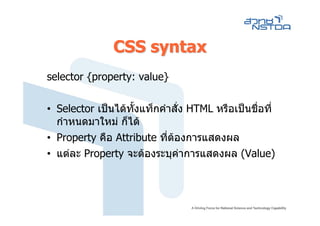
CSS syntax
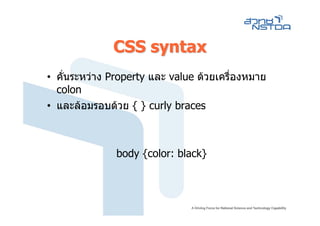
• คั่นระหวางProperty และ value ดวยเครื่องหมาย
colon
• และลอมรอบดวย { } curly braces
body {color: black}
82.
CSS syntax
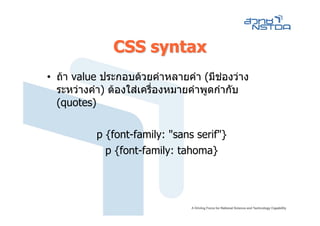
• ถาvalue ประกอบดวยคําหลายคํา (มีชองวาง
ระหวางคํา) ตองใสเครื่องหมายคําพูดกํากับ
(quotes)
p {font-family: "sans serif"}
p {font-family: tahoma}
83.
CSS syntax
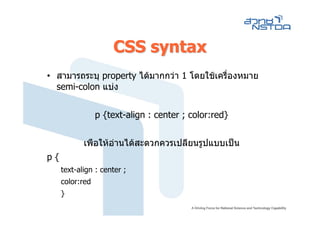
• สามารถระบุproperty ไดมากกวา 1 โดยใชเครืองหมาย
่
semi-colon แบง
p {text-align : center ; color:red}
เพือใหอานไดสะดวกควรเปลียนรูปแบบเปน
p{
text-align : center ;
color:red
}
84.
CSS syntax
• สามารถจัดกลุมSelector หลายๆ ตัว เมือมี
Property เดียวกัน ดวยเครื่องหมาย comma
h1 { color: green}
h2 { color: green }
h1,h2,h3,h4,h5,h6 h3 { color: green }
{ h4 { color: green }
h5 { color: green }
color: green h6 { color: green }
}
85.
Class Selector
• แท็กHTMl แตละ Tag สามารถกําหนดรูปแบบการ
แสดงแตกตางกันได โดยการสราง Class selector
ดังนี้
p.right {text-align: right}
p.center {text-align: center}
• ขึ้นตนดวย Tag ตามดวยจุด และตอดวย Attribute
• ไมอนุญาตใหขึ้นตนชือ class ดวยตัวเลข
่
86.
Class Selector
• การใชงาน
<pclass="right">
This paragraph will be right-aligned.
</p>
<p class="center">
This paragraph will be center-aligned.
</p>
87.
Class Selector
• กรณีท่ีAttribute เดียวกัน และตองการประกาศใช
กับทุก Tag สามารถกําหนด Certain Class ไดดังนี้
.center {text-align: center}
88.
Class Selector
• การใชCertain Class มีรปแบบดังนี้
ู
<h1 class="center">
This heading will be center-aligned
</h1>
<p class="center">
This paragraph will also be center-aligned.
</p>
89.
ID Selector
• Selectorทีไมใชแท็กคําสั่งของ HTML เรียกวา ID Selector
่
• ประกาศขึ้นตนดวยเครื่องหมาย #
• หามใชตัวเลขขึ้นตนชือ
่
#green {color: green}
<h1 id="green">Some text</h1>
<p id="green">Some text</p>
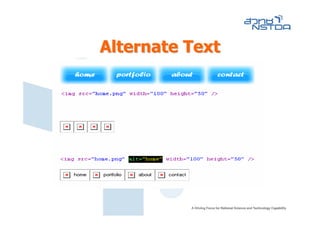
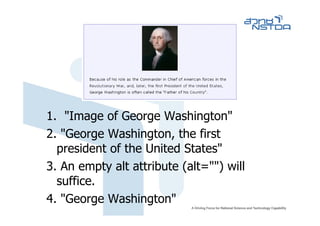
1. "Image ofGeorge Washington"
2. "George Washington, the first
president of the United States"
3. An empty alt attribute (alt="") will
suffice.
4. "George Washington"
99.
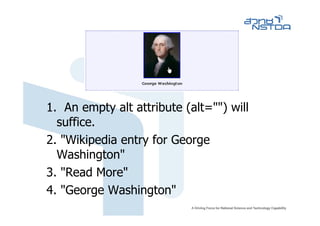
1. An emptyalt attribute (alt="") will
suffice.
2. "Wikipedia entry for George
Washington"
3. "Read More"
4. "George Washington"
100.
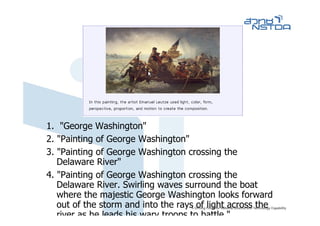
1. "George Washington"
2."Painting of George Washington"
3. "Painting of George Washington crossing the
Delaware River"
4. "Painting of George Washington crossing the
Delaware River. Swirling waves surround the boat
where the majestic George Washington looks forward
out of the storm and into the rays of light across the
river as he leads his wary troops to battle "
101.
1. "Employment Application"
2."PDF File"
3. "PDF icon"
4. The content of the image is presented
in context, so (alt="") is appropriate.
102.
1. "decorative line"
2. "Beginning of footer"
3. "separator"
4. alt="" will suffice
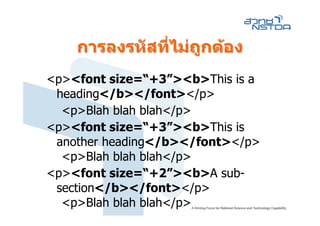
การลงรหัสทีไมถกตอง
่ ไม ู
<p><font size=“+3”><b>This is a
heading</b></font></p>
<p>Blah blah blah</p>
<p><font size=“+3”><b>This is
another heading</b></font></p>
<p>Blah blah blah</p>
<p><font size=“+2”><b>A sub-
section</b></font></p>
<p>Blah blah blah</p>
111.
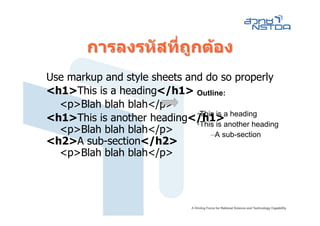
การลงรหัสทีถกตอง
่ ู
Use markup and style sheets and do so properly
<h1>This is a heading</h1> Outline:
<p>Blah blah blah</p>
<h1>This is another heading</h1>a heading
•This is
•This is another heading
<p>Blah blah blah</p> –A sub-section
<h2>A sub-section</h2>
<p>Blah blah blah</p>
112.
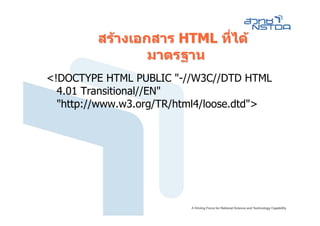
สรางเอกสาร HTML ที่ได
มาตรฐาน
<!DOCTYPE HTML PUBLIC "-//W3C//DTD HTML
4.01 Transitional//EN"
"http://www.w3.org/TR/html4/loose.dtd">