Slide
Web Hosting and
Deployment
Dr. Susan Elliott Sim
ses@drsusansim.org
May 6, 2014
1
Ask Questions!
2
May 6, 2014 Slide
Overview
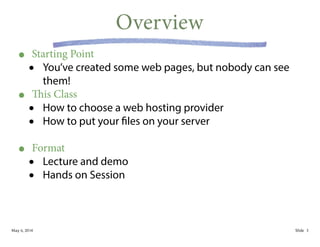
• Starting Point
• You’ve created some web pages, but nobody can see
them!
• This Class
• How to choose a web hosting provider
• How to put your files on your server
!
• Format
• Lecture and demo
• Hands on Session
3
May 6, 2014 Slide
Choosing a Web Hosting Provider
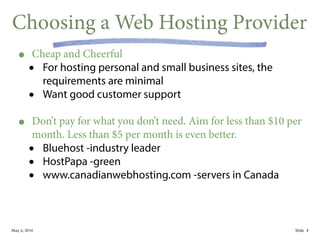
• Cheap and Cheerful
• For hosting personal and small business sites, the
requirements are minimal
• Want good customer support
!
• Don’t pay for what you don’t need. Aim for less than $10 per
month. Less than $5 per month is even better.
• Bluehost -industry leader
• HostPapa -green
• www.canadianwebhosting.com -servers in Canada
4
May 6, 2014 Slide
Choosing a Domain Name
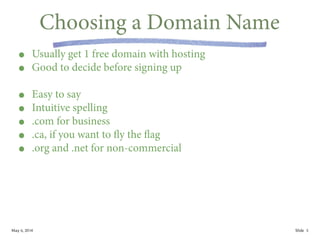
• Usually get 1 free domain with hosting
• Good to decide before signing up
!
• Easy to say
• Intuitive spelling
• .com for business
• .ca, if you want to fly the flag
• .org and .net for non-commercial
5
May 6, 2014 Slide
Deploying Your Web Site
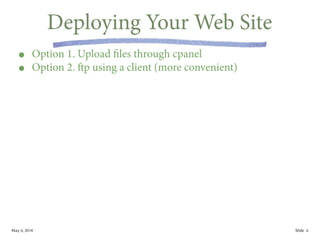
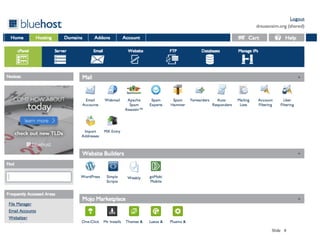
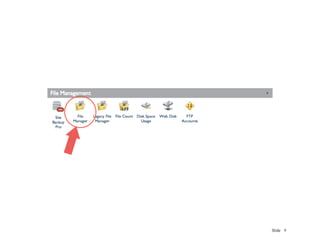
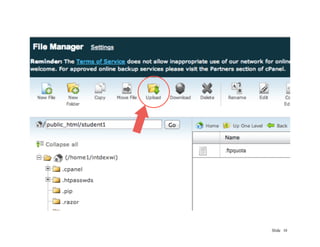
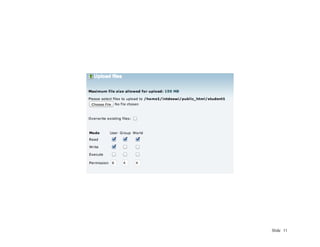
• Option 1. Upload files through cpanel
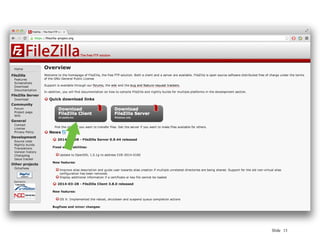
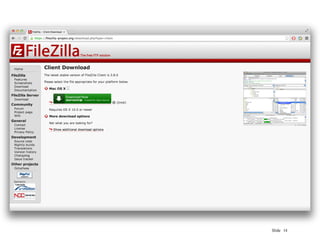
• Option 2. ftp using a client (more convenient)
6
CSC301, Winter, 2014 Slide
cpanel
7
Slide 8
Slide 9
Slide 10
Slide 11
CSC301, Winter, 2014 Slide
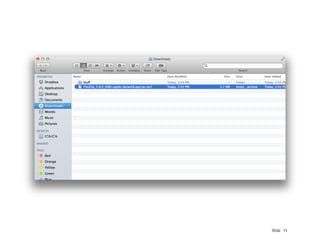
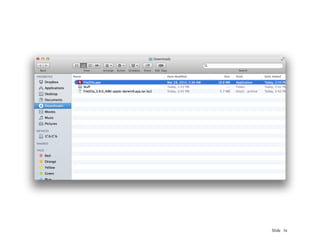
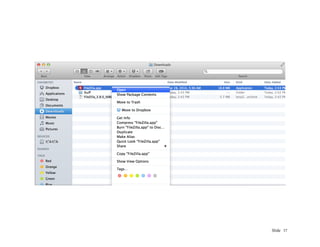
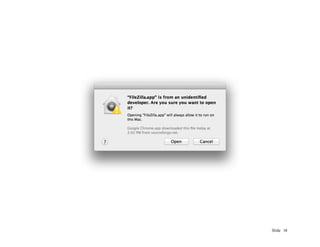
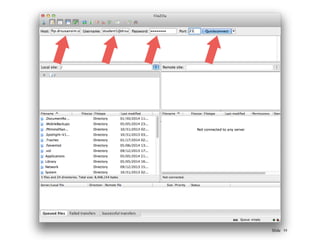
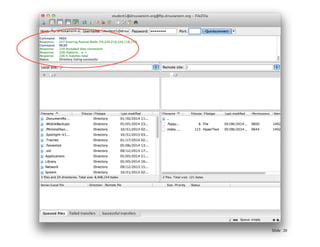
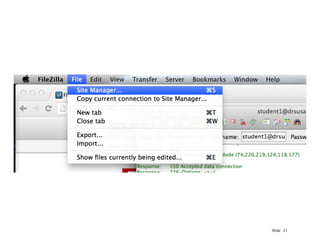
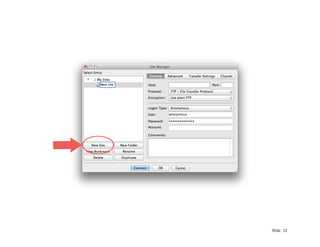
ftp Using a Client
12
Slide 13
Slide 14
Slide 15
Slide 16
Slide 17
Slide 18
Slide 19
Slide 20
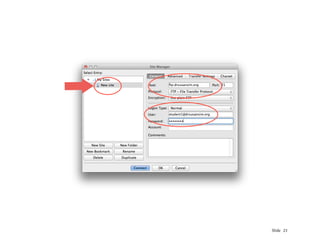
Slide 21
Slide 22
Slide 23
May 6, 2014 Slide
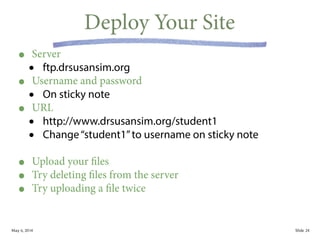
Deploy Your Site
• Server
• ftp.drsusansim.org
• Username and password
• On sticky note
• URL
• http://www.drsusansim.org/student1
• Change“student1”to username on sticky note
!
• Upload your files
• Try deleting files from the server
• Try uploading a file twice
24
May 6, 2014 Slide
Upcoming Seminar
• Social Media Panel
• Date: Wednesday, May 21
• Time: 7-11pm
• Place: Extreme Startups, 639 Queen St W
!
• Sponsors
• Shopify
• Hootsuite
• Extreme Startups
25

Web Site Hosting and Deployment

  • 1.
    Slide Web Hosting and Deployment Dr.Susan Elliott Sim ses@drsusansim.org May 6, 2014 1
  • 2.
  • 3.
    May 6, 2014Slide Overview • Starting Point • You’ve created some web pages, but nobody can see them! • This Class • How to choose a web hosting provider • How to put your files on your server ! • Format • Lecture and demo • Hands on Session 3
  • 4.
    May 6, 2014Slide Choosing a Web Hosting Provider • Cheap and Cheerful • For hosting personal and small business sites, the requirements are minimal • Want good customer support ! • Don’t pay for what you don’t need. Aim for less than $10 per month. Less than $5 per month is even better. • Bluehost -industry leader • HostPapa -green • www.canadianwebhosting.com -servers in Canada 4
  • 5.
    May 6, 2014Slide Choosing a Domain Name • Usually get 1 free domain with hosting • Good to decide before signing up ! • Easy to say • Intuitive spelling • .com for business • .ca, if you want to fly the flag • .org and .net for non-commercial 5
  • 6.
    May 6, 2014Slide Deploying Your Web Site • Option 1. Upload files through cpanel • Option 2. ftp using a client (more convenient) 6
  • 7.
    CSC301, Winter, 2014Slide cpanel 7
  • 8.
  • 9.
  • 10.
  • 11.
  • 12.
    CSC301, Winter, 2014Slide ftp Using a Client 12
  • 13.
  • 14.
  • 15.
  • 16.
  • 17.
  • 18.
  • 19.
  • 20.
  • 21.
  • 22.
  • 23.
  • 24.
    May 6, 2014Slide Deploy Your Site • Server • ftp.drsusansim.org • Username and password • On sticky note • URL • http://www.drsusansim.org/student1 • Change“student1”to username on sticky note ! • Upload your files • Try deleting files from the server • Try uploading a file twice 24
  • 25.
    May 6, 2014Slide Upcoming Seminar • Social Media Panel • Date: Wednesday, May 21 • Time: 7-11pm • Place: Extreme Startups, 639 Queen St W ! • Sponsors • Shopify • Hootsuite • Extreme Startups 25