HAProxy Load Balancer
Introduction Load Balancing is a technique to spread work between two or more computers, network links, CPUs, hard drives, or other resources, in order to get optimal resource utilization, maximize throughput, and minimize response time. Load balancer is a tool that directs a client to the least busy or most appropriate Web server among several servers that contain mirrored contents.
Why is load balancing of servers needed? The web server may not be able to handle high volumes of incoming traffic.  The users will have to wait until the web server is free to process their requests. There may be a situation where upgrading the server hardware will no longer be cost effective.
Load-balancing techniques Three types of load balancers exist: Hardware appliances Network switches Software
Load-balancing techniques A hardware appliance-based load balancer is a closed box. A network switch-based load balancer uses a Layer2 or Layer3 switch to integrate the load-balancing service. A software load balancer is software which you can install on a dedicated server.
How to achive load balancing? More servers need to be added to distribute the load among the group of servers, which is also known as a server cluster.  The load distribution among these servers is known as load balancing. Load balancing applies to all types of servers (application server, database server).
Software Load Balancers Haproxy Pure Load Balancer (PLB)‏ Perlbal Pound Pen
Haproxy Load Balancer HAProxy is a free, very fast and reliable solution offering high availability, load balancing, and proxying for TCP and HTTP-based applications.
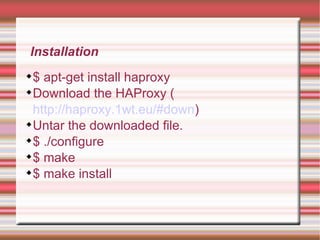
Installation $ apt-get install haproxy Download the HAProxy ( http://haproxy.1wt.eu/#down )‏ Untar the downloaded file. $ ./configure $ make $ make install
HAProxy Status
Examples http://www.mobshare.in
listen webfarm 192.168.1.1:80 mode http balance roundrobin cookie SERVERID insert indirect option httpchk HEAD /index.html HTTP/1.0 server webA 192.168.1.11:80 cookie A check server webB 192.168.1.12:80 cookie B check port 81 inter 2000 server webC 192.168.1.13:80 cookie C check server webD 192.168.1.14:80 cookie D check server bkpA  192.168.1.15:80 cookie A check  backup server bkpB  192.168.1.16:80 cookie B check  backup http://www.mobshare.in
http://www.mobshare.in Updating... 503 Service Unavailable No server is available to handle this request.
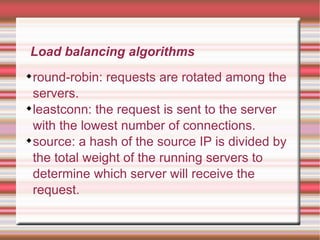
Load balancing algorithms round-robin: requests are rotated among the servers. leastconn: the request is sent to the server with the lowest number of connections. source: a hash of the source IP is divided by the total weight of the running servers to determine which server will receive the request.
Load balancing algorithms... uri: the part of the URL up to a question mark is hashed and used to choose a server that will handle the request. url_param: can be used to check certain parts of the URL, for example values sent via POST requests; for example a request which specifies a user_id parameter with a certain value can get directed to the same server using the url_param method.
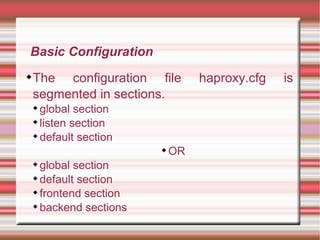
Basic Configuration The configuration file haproxy.cfg is segmented in sections. global section listen section default section OR global section default section frontend section backend sections
Global Section Example  global daemon quiet nbproc  2 pidfile /var/run/haproxy-private.pid   user  haproxy group  public
Default Section Example  defaults  log global mode http option httplog option forwardfor
Listen Section Example  listen webfarm 192.168.1.1:80 mode http balance roundrobin cookie SERVERID insert indirect option httpchk HEAD /index.html HTTP/1.0 server webA 192.168.1.11:80 cookie A check server webB 192.168.1.12:80 cookie B check server webC 192.168.1.13:80 cookie C check server webD 192.168.1.14:80 cookie D check
Frontend Section Example  frontend myfrontend *:80 log  global maxconn 25000 option forwardfor acl acl_example1 url_sub example1 acl acl_example2 url_sub example2 use_backend example1_farm if acl_example1 use_backend example2_farm if acl_example2 default_backend default_farm
Backend Sections Example  backend example1_farm mode http balance roundrobin server server1 192.168.1.1:80 check server server2 192.168.1.2:80 check backend example2_farm mode http balance roundrobin server server3 10.0.0.3:80 check server server4 10.0.0.4:80 check backend default_farm mode http balance roundrobin server server5 192.168.1.5:80 check server server6 192.168.1.6:80 check

Web Server Load Balancer

  • 1.
  • 2.
    Introduction Load Balancingis a technique to spread work between two or more computers, network links, CPUs, hard drives, or other resources, in order to get optimal resource utilization, maximize throughput, and minimize response time. Load balancer is a tool that directs a client to the least busy or most appropriate Web server among several servers that contain mirrored contents.
  • 3.
    Why is loadbalancing of servers needed? The web server may not be able to handle high volumes of incoming traffic. The users will have to wait until the web server is free to process their requests. There may be a situation where upgrading the server hardware will no longer be cost effective.
  • 4.
    Load-balancing techniques Threetypes of load balancers exist: Hardware appliances Network switches Software
  • 5.
    Load-balancing techniques Ahardware appliance-based load balancer is a closed box. A network switch-based load balancer uses a Layer2 or Layer3 switch to integrate the load-balancing service. A software load balancer is software which you can install on a dedicated server.
  • 6.
    How to achiveload balancing? More servers need to be added to distribute the load among the group of servers, which is also known as a server cluster. The load distribution among these servers is known as load balancing. Load balancing applies to all types of servers (application server, database server).
  • 7.
    Software Load BalancersHaproxy Pure Load Balancer (PLB)‏ Perlbal Pound Pen
  • 8.
    Haproxy Load BalancerHAProxy is a free, very fast and reliable solution offering high availability, load balancing, and proxying for TCP and HTTP-based applications.
  • 9.
    Installation $ apt-getinstall haproxy Download the HAProxy ( http://haproxy.1wt.eu/#down )‏ Untar the downloaded file. $ ./configure $ make $ make install
  • 10.
  • 11.
  • 12.
    listen webfarm 192.168.1.1:80mode http balance roundrobin cookie SERVERID insert indirect option httpchk HEAD /index.html HTTP/1.0 server webA 192.168.1.11:80 cookie A check server webB 192.168.1.12:80 cookie B check port 81 inter 2000 server webC 192.168.1.13:80 cookie C check server webD 192.168.1.14:80 cookie D check server bkpA 192.168.1.15:80 cookie A check backup server bkpB 192.168.1.16:80 cookie B check backup http://www.mobshare.in
  • 13.
    http://www.mobshare.in Updating... 503Service Unavailable No server is available to handle this request.
  • 14.
    Load balancing algorithmsround-robin: requests are rotated among the servers. leastconn: the request is sent to the server with the lowest number of connections. source: a hash of the source IP is divided by the total weight of the running servers to determine which server will receive the request.
  • 15.
    Load balancing algorithms...uri: the part of the URL up to a question mark is hashed and used to choose a server that will handle the request. url_param: can be used to check certain parts of the URL, for example values sent via POST requests; for example a request which specifies a user_id parameter with a certain value can get directed to the same server using the url_param method.
  • 16.
    Basic Configuration Theconfiguration file haproxy.cfg is segmented in sections. global section listen section default section OR global section default section frontend section backend sections
  • 17.
    Global Section Example global daemon quiet nbproc 2 pidfile /var/run/haproxy-private.pid user haproxy group public
  • 18.
    Default Section Example defaults log global mode http option httplog option forwardfor
  • 19.
    Listen Section Example listen webfarm 192.168.1.1:80 mode http balance roundrobin cookie SERVERID insert indirect option httpchk HEAD /index.html HTTP/1.0 server webA 192.168.1.11:80 cookie A check server webB 192.168.1.12:80 cookie B check server webC 192.168.1.13:80 cookie C check server webD 192.168.1.14:80 cookie D check
  • 20.
    Frontend Section Example frontend myfrontend *:80 log global maxconn 25000 option forwardfor acl acl_example1 url_sub example1 acl acl_example2 url_sub example2 use_backend example1_farm if acl_example1 use_backend example2_farm if acl_example2 default_backend default_farm
  • 21.
    Backend Sections Example backend example1_farm mode http balance roundrobin server server1 192.168.1.1:80 check server server2 192.168.1.2:80 check backend example2_farm mode http balance roundrobin server server3 10.0.0.3:80 check server server4 10.0.0.4:80 check backend default_farm mode http balance roundrobin server server5 192.168.1.5:80 check server server6 192.168.1.6:80 check