Web Requests
Goodbye Knowledge Cutoff, Hello World! This is your AI assistant's web browser. Just enter a
URL. Google, Wiki, GitHub
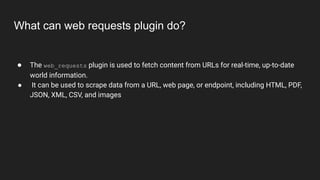
What can web requests plugin do?
● The web_requests plugin is used to fetch content from URLs for real-time, up-to-date
world information.
● It can be used to scrape data from a URL, web page, or endpoint, including HTML, PDF,
JSON, XML, CSV, and images
Here's a basic guide on how to use it:
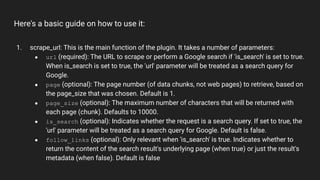
1. scrape_url: This is the main function of the plugin. It takes a number of parameters:
● url (required): The URL to scrape or perform a Google search if 'is_search' is set to true.
When is_search is set to true, the 'url' parameter will be treated as a search query for
Google.
● page (optional): The page number (of data chunks, not web pages) to retrieve, based on
the page_size that was chosen. Default is 1.
● page_size (optional): The maximum number of characters that will be returned with
each page (chunk). Defaults to 10000.
● is_search (optional): Indicates whether the request is a search query. If set to true, the
'url' parameter will be treated as a search query for Google. Default is false.
● follow_links (optional): Only relevant when 'is_search' is true. Indicates whether to
return the content of the search result's underlying page (when true) or just the result's
metadata (when false). Default is false
Here's a basic guide on how to use it:
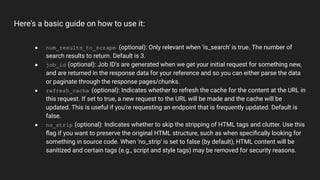
● num_results_to_scrape (optional): Only relevant when 'is_search' is true. The number of
search results to return. Default is 3.
● job_id (optional): Job ID's are generated when we get your initial request for something new,
and are returned in the response data for your reference and so you can either parse the data
or paginate through the response pages/chunks.
● refresh_cache (optional): Indicates whether to refresh the cache for the content at the URL in
this request. If set to true, a new request to the URL will be made and the cache will be
updated. This is useful if you're requesting an endpoint that is frequently updated. Default is
false.
● no_strip (optional): Indicates whether to skip the stripping of HTML tags and clutter. Use this
flag if you want to preserve the original HTML structure, such as when specifically looking for
something in source code. When 'no_strip' is set to false (by default), HTML content will be
sanitized and certain tags (e.g., script and style tags) may be removed for security reasons.
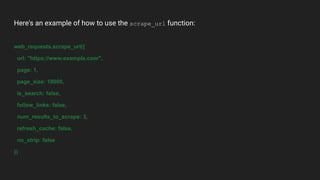
Here's an example of how to use the scrape_url function:
web_requests.scrape_url({
url: "https://www.example.com",
page: 1,
page_size: 10000,
is_search: false,
follow_links: false,
num_results_to_scrape: 3,
refresh_cache: false,
no_strip: false
})
Example Prompts
● give me email and contact of best divorce lawyers in san Francisco
● research https://prometheusapartments.com and list out the of executives in a table
. then identify which one would be best to pitch digital marketing services and craft
an introduction email listing service offering with estimates price
● research how to get any product in Costco as a vendor and how long it usually takes

Web Requests ChatGPT Plugin

  • 1.
    Web Requests Goodbye KnowledgeCutoff, Hello World! This is your AI assistant's web browser. Just enter a URL. Google, Wiki, GitHub
  • 2.
    What can webrequests plugin do? ● The web_requests plugin is used to fetch content from URLs for real-time, up-to-date world information. ● It can be used to scrape data from a URL, web page, or endpoint, including HTML, PDF, JSON, XML, CSV, and images
  • 3.
    Here's a basicguide on how to use it: 1. scrape_url: This is the main function of the plugin. It takes a number of parameters: ● url (required): The URL to scrape or perform a Google search if 'is_search' is set to true. When is_search is set to true, the 'url' parameter will be treated as a search query for Google. ● page (optional): The page number (of data chunks, not web pages) to retrieve, based on the page_size that was chosen. Default is 1. ● page_size (optional): The maximum number of characters that will be returned with each page (chunk). Defaults to 10000. ● is_search (optional): Indicates whether the request is a search query. If set to true, the 'url' parameter will be treated as a search query for Google. Default is false. ● follow_links (optional): Only relevant when 'is_search' is true. Indicates whether to return the content of the search result's underlying page (when true) or just the result's metadata (when false). Default is false
  • 4.
    Here's a basicguide on how to use it: ● num_results_to_scrape (optional): Only relevant when 'is_search' is true. The number of search results to return. Default is 3. ● job_id (optional): Job ID's are generated when we get your initial request for something new, and are returned in the response data for your reference and so you can either parse the data or paginate through the response pages/chunks. ● refresh_cache (optional): Indicates whether to refresh the cache for the content at the URL in this request. If set to true, a new request to the URL will be made and the cache will be updated. This is useful if you're requesting an endpoint that is frequently updated. Default is false. ● no_strip (optional): Indicates whether to skip the stripping of HTML tags and clutter. Use this flag if you want to preserve the original HTML structure, such as when specifically looking for something in source code. When 'no_strip' is set to false (by default), HTML content will be sanitized and certain tags (e.g., script and style tags) may be removed for security reasons.
  • 5.
    Here's an exampleof how to use the scrape_url function: web_requests.scrape_url({ url: "https://www.example.com", page: 1, page_size: 10000, is_search: false, follow_links: false, num_results_to_scrape: 3, refresh_cache: false, no_strip: false })
  • 6.
    Example Prompts ● giveme email and contact of best divorce lawyers in san Francisco ● research https://prometheusapartments.com and list out the of executives in a table . then identify which one would be best to pitch digital marketing services and craft an introduction email listing service offering with estimates price ● research how to get any product in Costco as a vendor and how long it usually takes