WEB NAVIGATION SYSTEMS FOR
INFORMATION SEEKING
Jack Zheng
An elective module for
IT 6753 Advanced Web Concepts and Applications
http://jackzheng.net/teaching/it6753/
Overview
 User experience, information architecture, and web navigation
 An evaluation framework to examine major web navigation
systems from a human information behavior and user interface
perspective.
 Advantages and weaknesses of major types of web navigation
system.
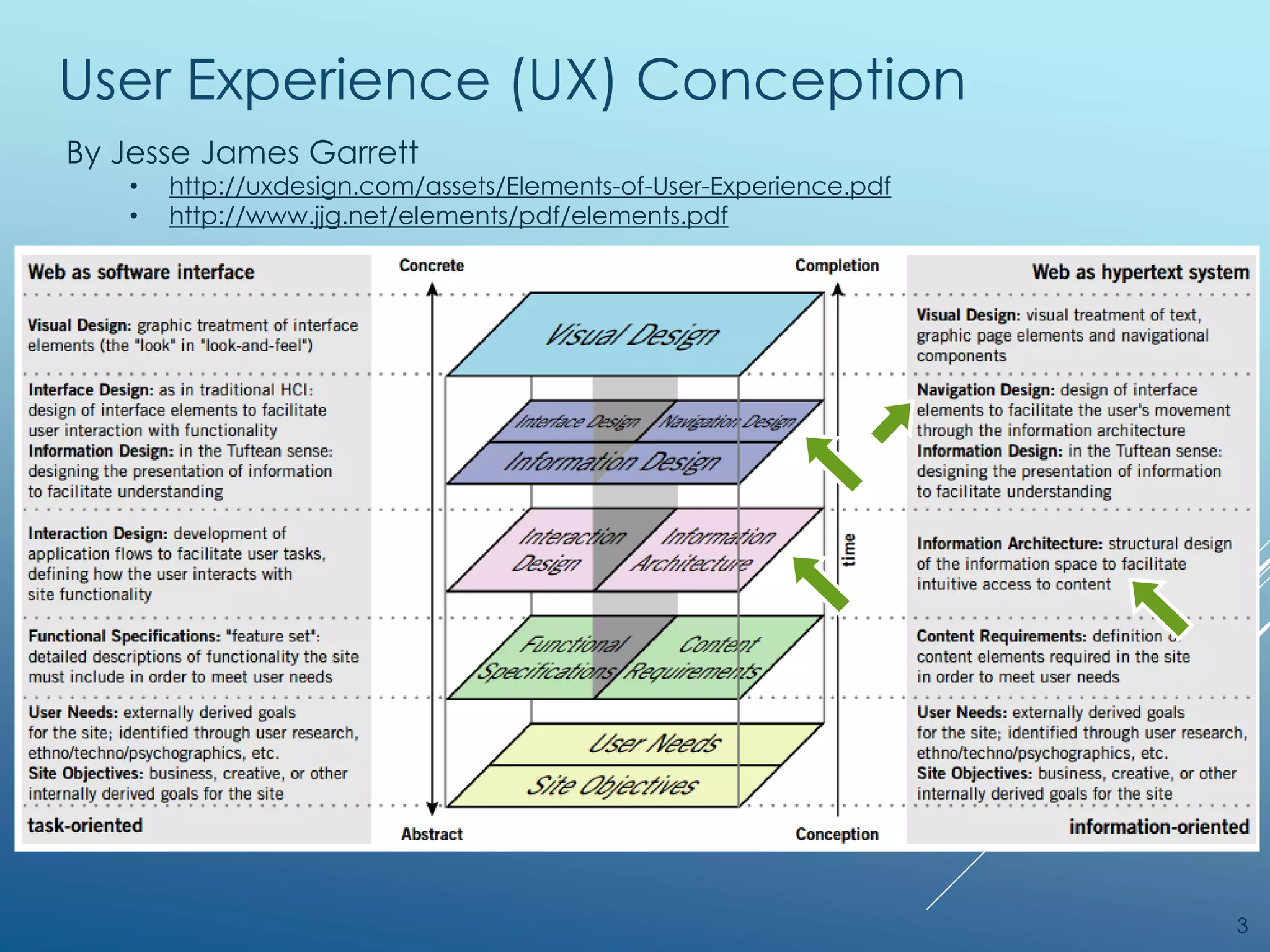
User Experience (UX) Conception
3
By Jesse James Garrett
• http://uxdesign.com/assets/Elements-of-User-Experience.pdf
• http://www.jjg.net/elements/pdf/elements.pdf
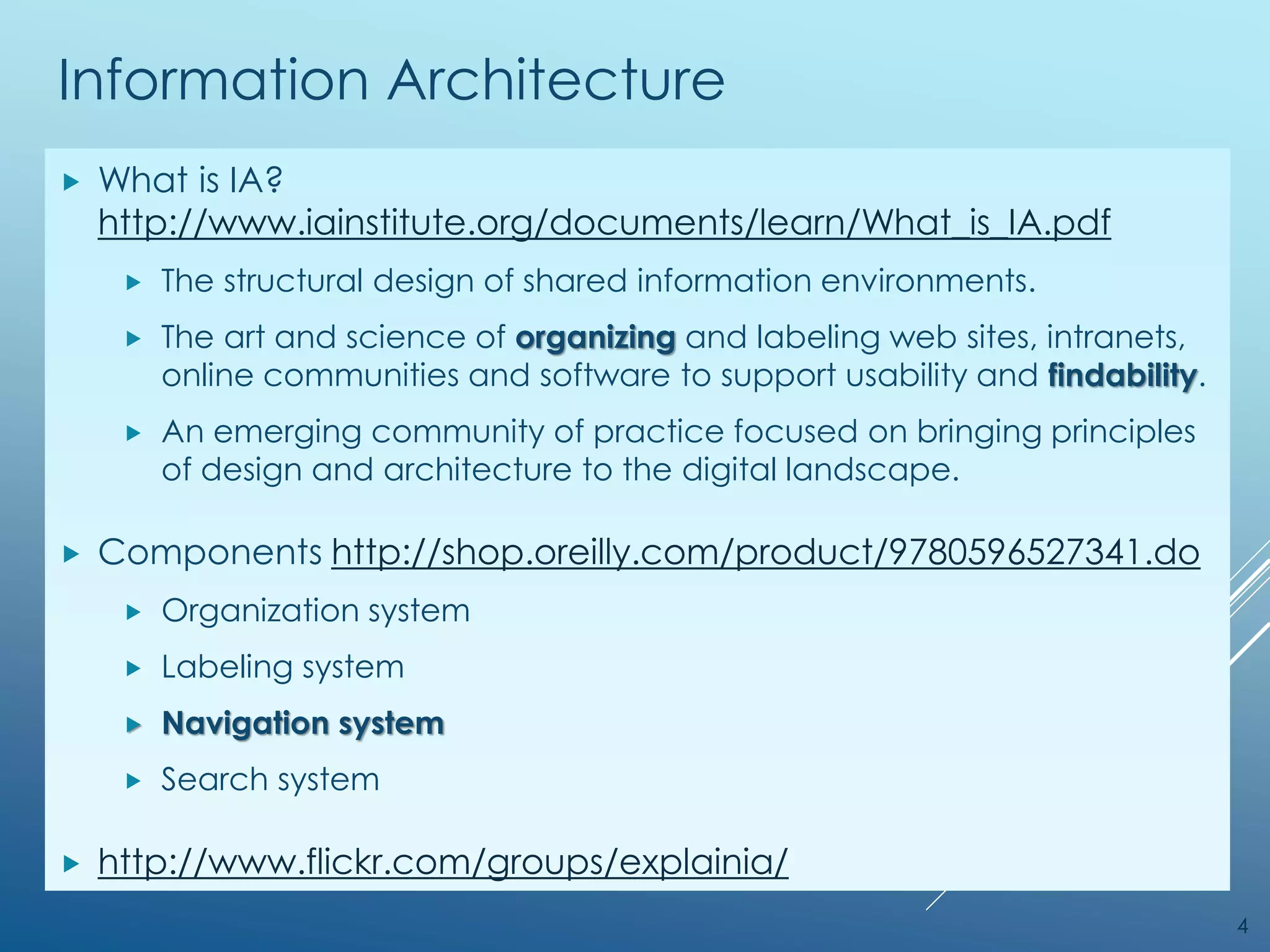
Information Architecture
 What is IA?
http://www.iainstitute.org/documents/learn/What_is_IA.pdf
 The structural design of shared information environments.
 The art and science of organizing and labeling web sites, intranets,
online communities and software to support usability and findability.
 An emerging community of practice focused on bringing principles
of design and architecture to the digital landscape.
 Components http://shop.oreilly.com/product/9780596527341.do
 Organization system
 Labeling system
 Navigation system
 Search system
 http://www.flickr.com/groups/explainia/
4
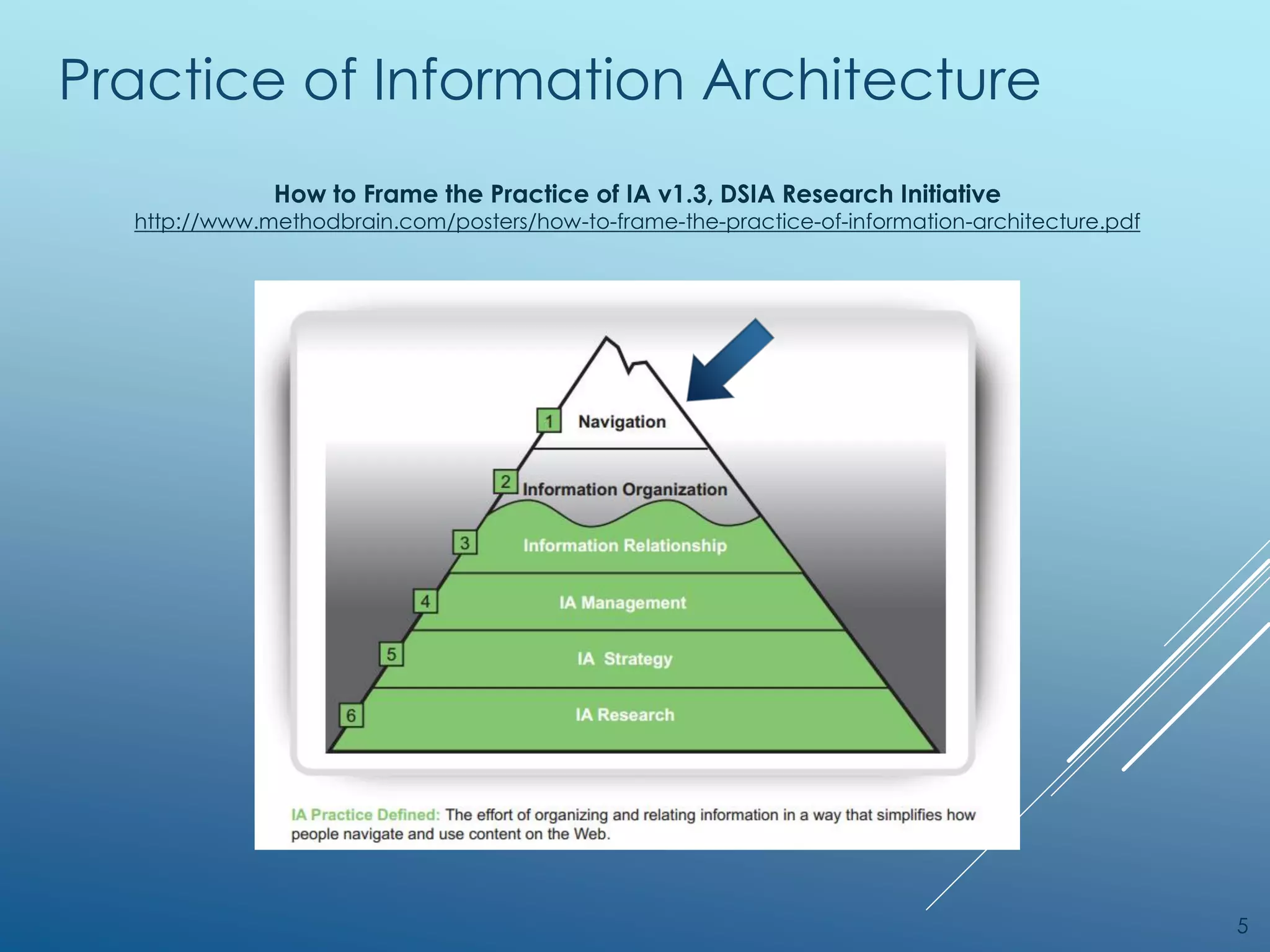
Practice of Information Architecture
5
How to Frame the Practice of IA v1.3, DSIA Research Initiative
http://www.methodbrain.com/posters/how-to-frame-the-practice-of-information-architecture.pdf
Web Information Seeking
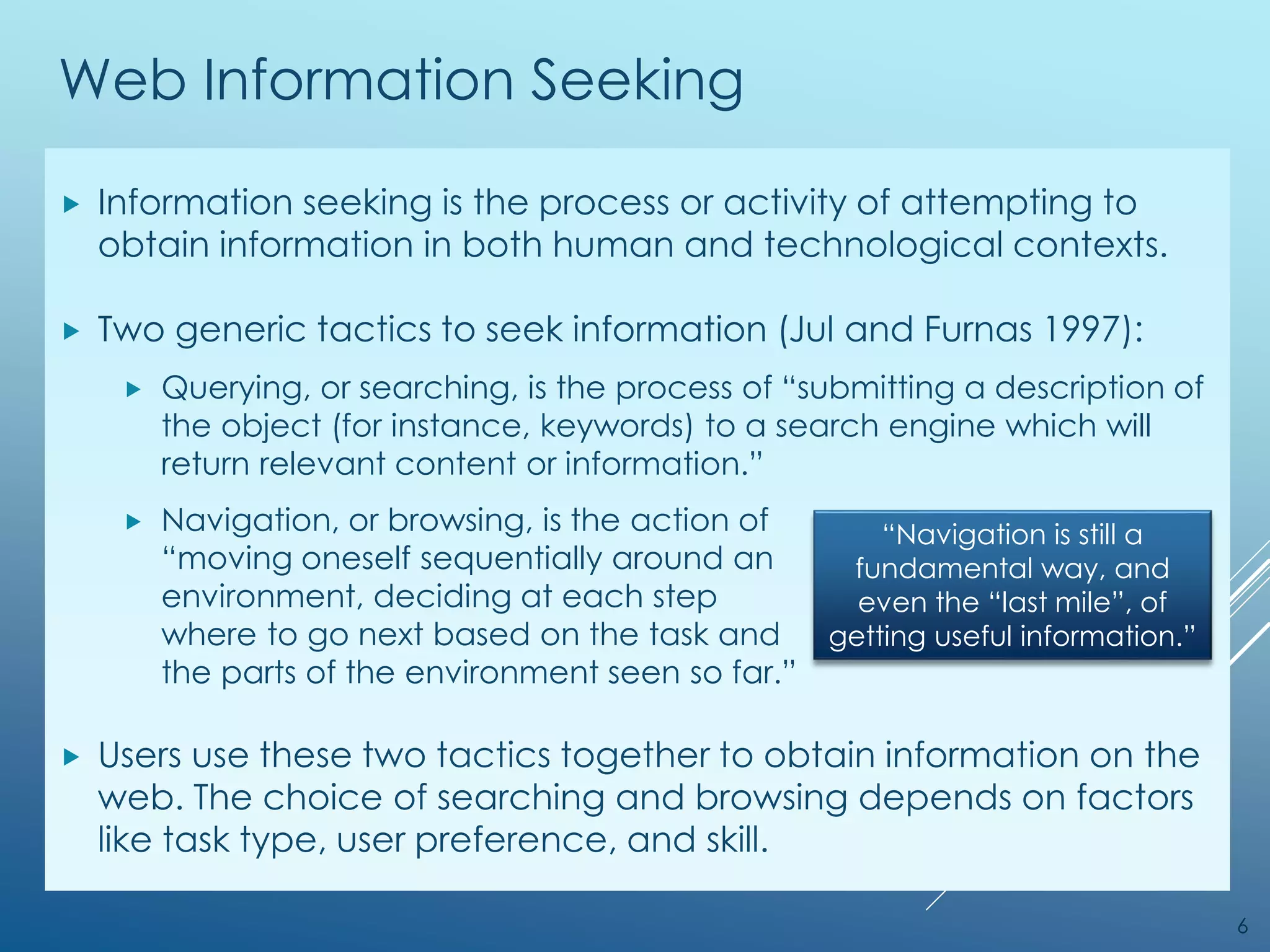
 Information seeking is the process or activity of attempting to
obtain information in both human and technological contexts.
 Two generic tactics to seek information (Jul and Furnas 1997):
 Querying, or searching, is the process of “submitting a description of
the object (for instance, keywords) to a search engine which will
return relevant content or information.”
 Navigation, or browsing, is the action of
“moving oneself sequentially around an
environment, deciding at each step
where to go next based on the task and
the parts of the environment seen so far.”
 Users use these two tactics together to obtain information on the
web. The choice of searching and browsing depends on factors
like task type, user preference, and skill.
6
“Navigation is still a
fundamental way, and
even the “last mile”, of
getting useful information.”
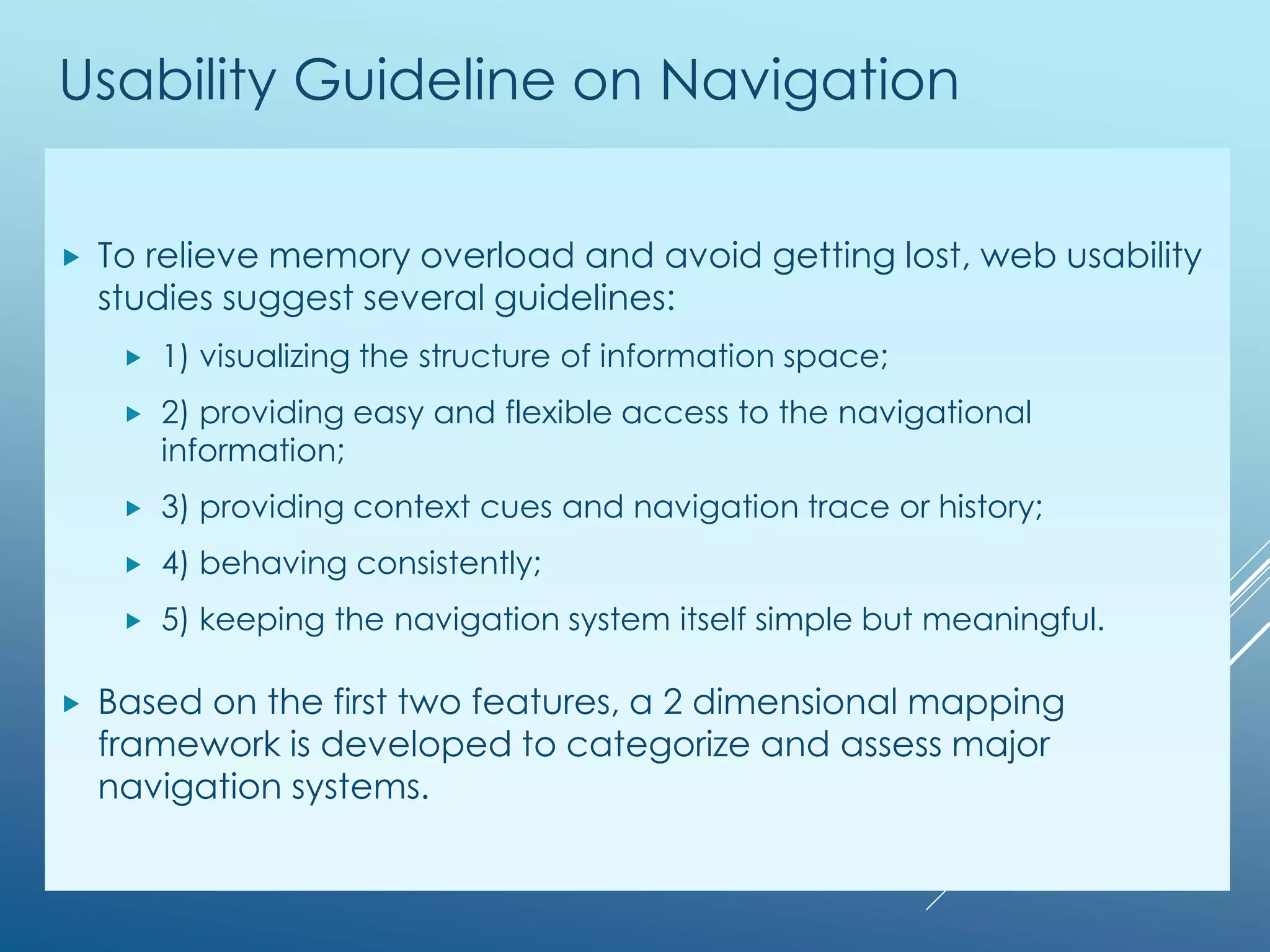
Usability Guideline on Navigation
 To relieve memory overload and avoid getting lost, web usability
studies suggest several guidelines:
 1) visualizing the structure of information space;
 2) providing easy and flexible access to the navigational
information;
 3) providing context cues and navigation trace or history;
 4) behaving consistently;
 5) keeping the navigation system itself simple but meaningful.
 Based on the first two features, a 2 dimensional mapping
framework is developed to categorize and assess major
navigation systems.
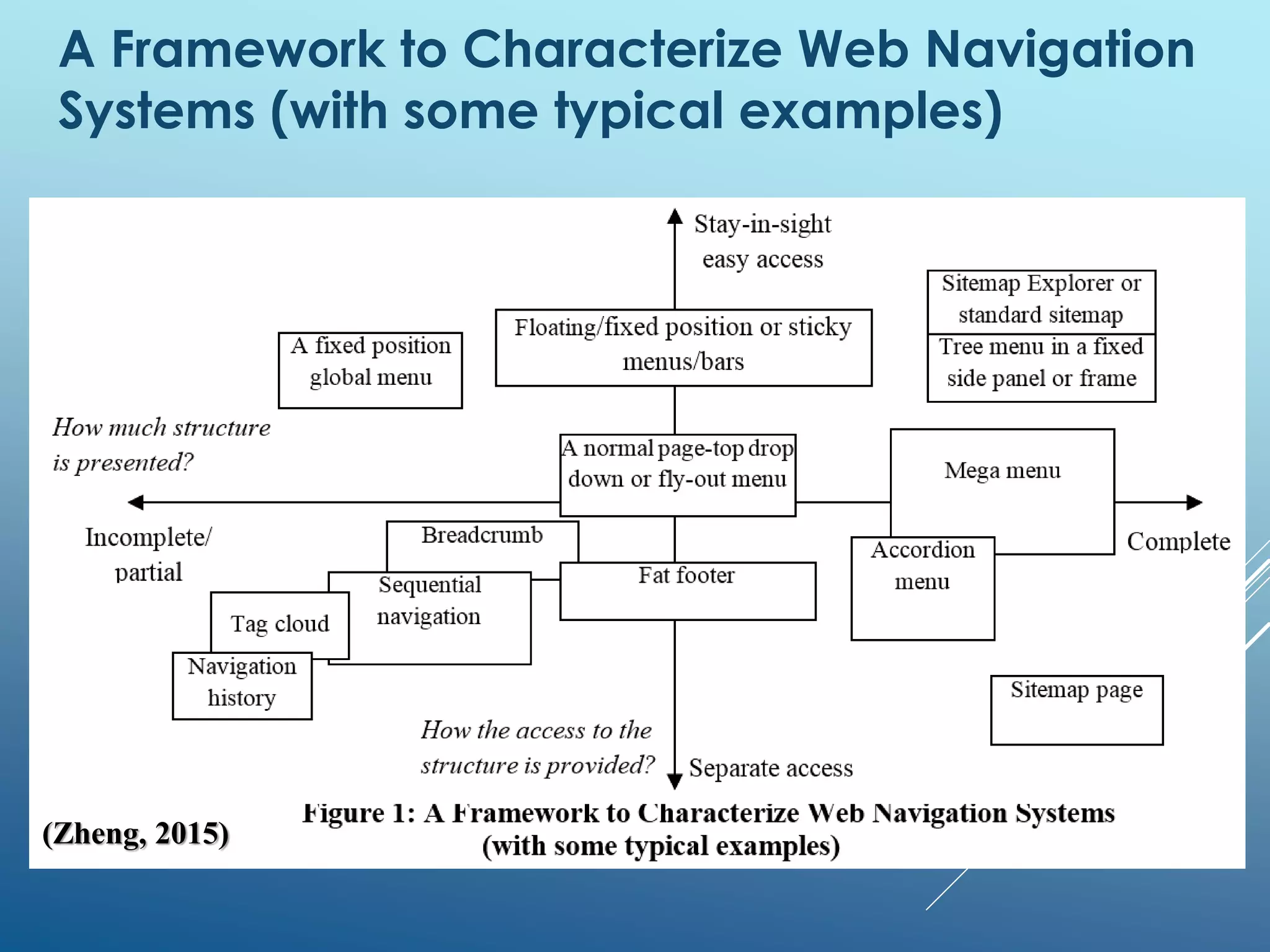
A Framework to Characterize Web Navigation
Systems (with some typical examples)
(Zheng, 2015)
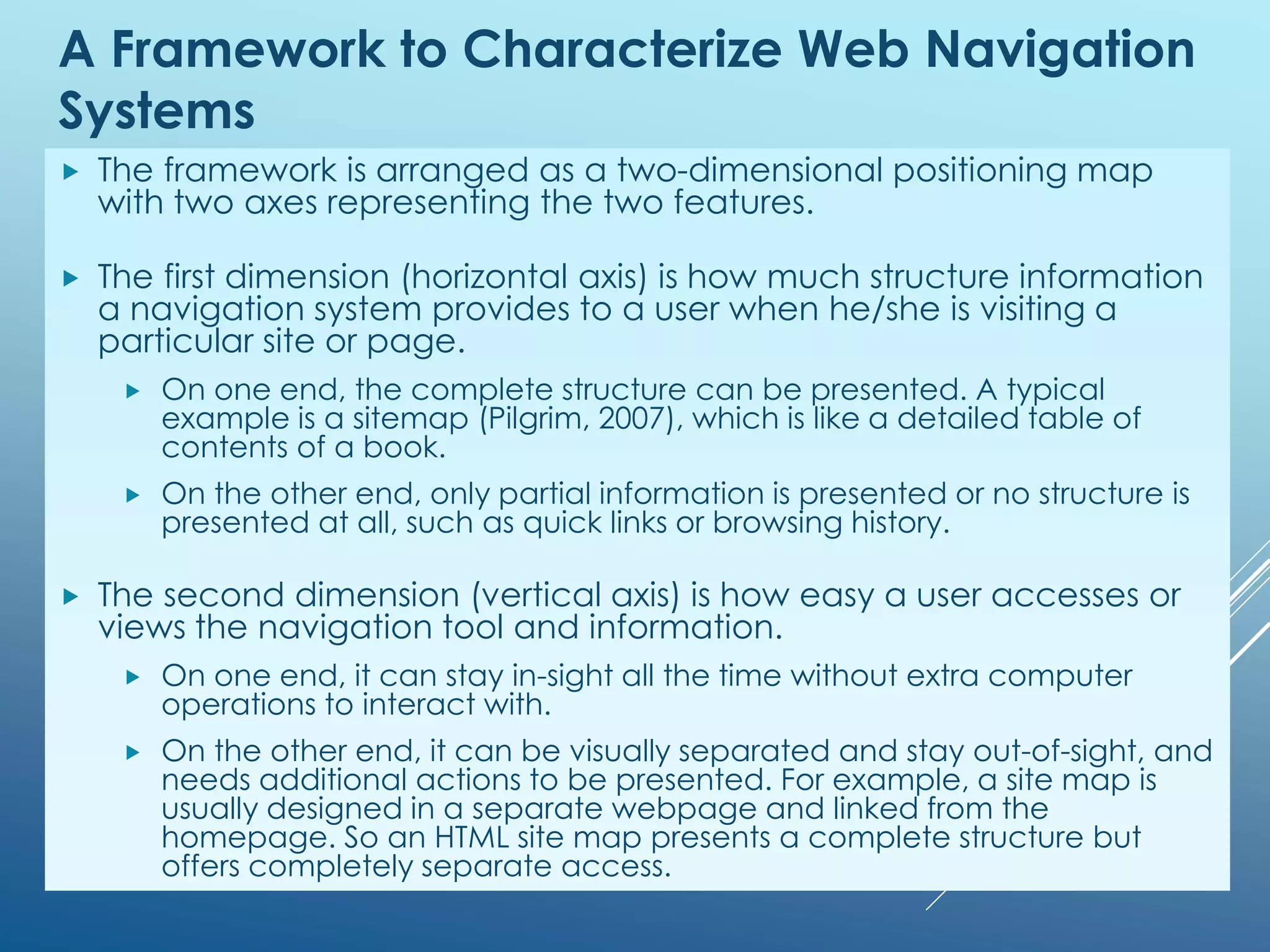
A Framework to Characterize Web Navigation
Systems
 The framework is arranged as a two-dimensional positioning map
with two axes representing the two features.
 The first dimension (horizontal axis) is how much structure information
a navigation system provides to a user when he/she is visiting a
particular site or page.
 On one end, the complete structure can be presented. A typical
example is a sitemap (Pilgrim, 2007), which is like a detailed table of
contents of a book.
 On the other end, only partial information is presented or no structure is
presented at all, such as quick links or browsing history.
 The second dimension (vertical axis) is how easy a user accesses or
views the navigation tool and information.
 On one end, it can stay in-sight all the time without extra computer
operations to interact with.
 On the other end, it can be visually separated and stay out-of-sight, and
needs additional actions to be presented. For example, a site map is
usually designed in a separate webpage and linked from the
homepage. So an HTML site map presents a complete structure but
offers completely separate access.
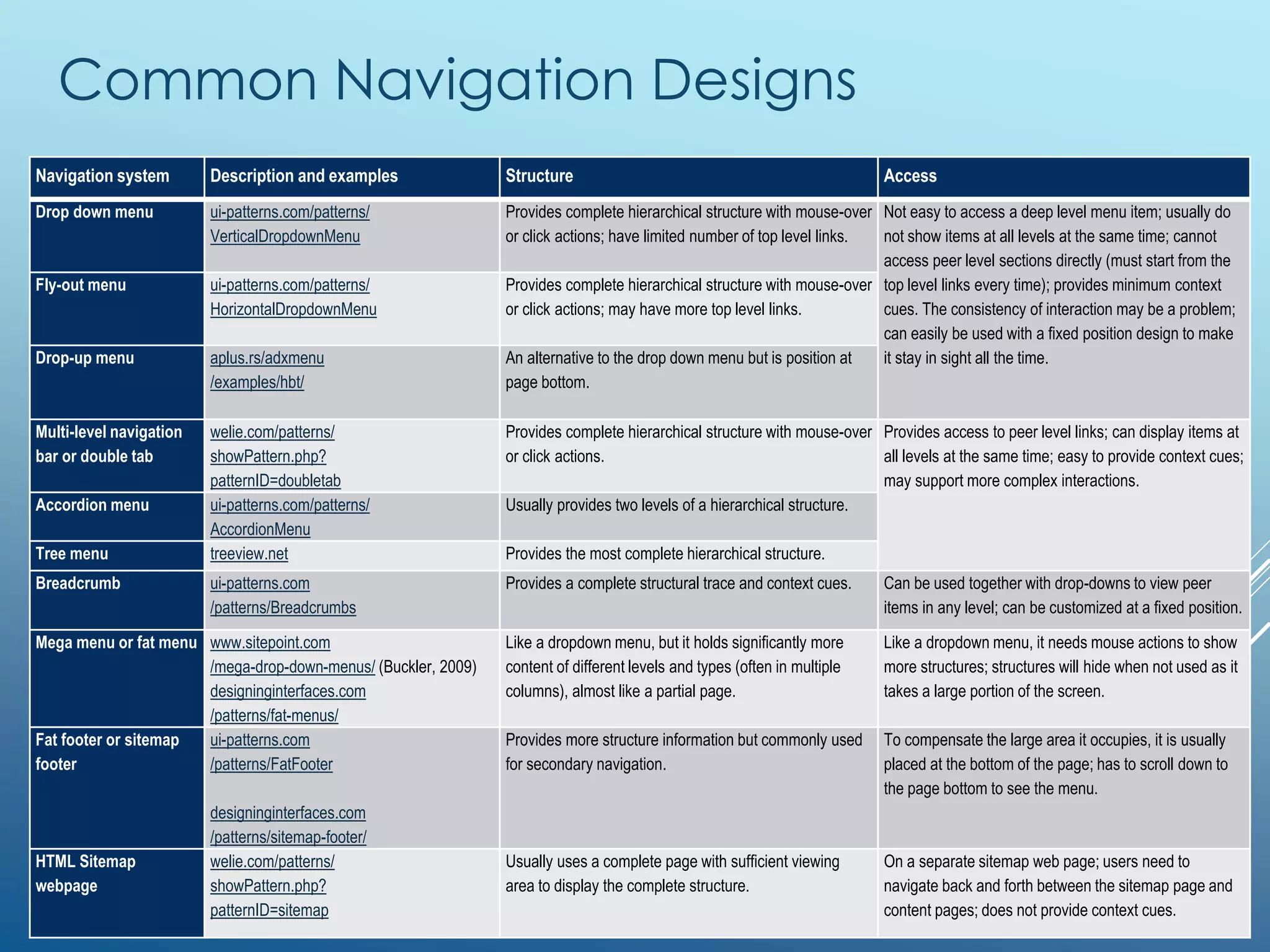
Common Navigation Designs
Navigation system Description and examples Structure Access
Drop down menu ui-patterns.com/patterns/
VerticalDropdownMenu
Provides complete hierarchical structure with mouse-over
or click actions; have limited number of top level links.
Not easy to access a deep level menu item; usually do
not show items at all levels at the same time; cannot
access peer level sections directly (must start from the
top level links every time); provides minimum context
cues. The consistency of interaction may be a problem;
can easily be used with a fixed position design to make
it stay in sight all the time.
Fly-out menu ui-patterns.com/patterns/
HorizontalDropdownMenu
Provides complete hierarchical structure with mouse-over
or click actions; may have more top level links.
Drop-up menu aplus.rs/adxmenu
/examples/hbt/
An alternative to the drop down menu but is position at
page bottom.
Multi-level navigation
bar or double tab
welie.com/patterns/
showPattern.php?
patternID=doubletab
Provides complete hierarchical structure with mouse-over
or click actions.
Provides access to peer level links; can display items at
all levels at the same time; easy to provide context cues;
may support more complex interactions.
Accordion menu ui-patterns.com/patterns/
AccordionMenu
Usually provides two levels of a hierarchical structure.
Tree menu treeview.net Provides the most complete hierarchical structure.
Breadcrumb ui-patterns.com
/patterns/Breadcrumbs
Provides a complete structural trace and context cues. Can be used together with drop-downs to view peer
items in any level; can be customized at a fixed position.
Mega menu or fat menu www.sitepoint.com
/mega-drop-down-menus/ (Buckler, 2009)
designinginterfaces.com
/patterns/fat-menus/
Like a dropdown menu, but it holds significantly more
content of different levels and types (often in multiple
columns), almost like a partial page.
Like a dropdown menu, it needs mouse actions to show
more structures; structures will hide when not used as it
takes a large portion of the screen.
Fat footer or sitemap
footer
ui-patterns.com
/patterns/FatFooter
designinginterfaces.com
/patterns/sitemap-footer/
Provides more structure information but commonly used
for secondary navigation.
To compensate the large area it occupies, it is usually
placed at the bottom of the page; has to scroll down to
the page bottom to see the menu.
HTML Sitemap
webpage
welie.com/patterns/
showPattern.php?
patternID=sitemap
Usually uses a complete page with sufficient viewing
area to display the complete structure.
On a separate sitemap web page; users need to
navigate back and forth between the sitemap page and
content pages; does not provide context cues.
References
 Zheng, G. (2015). Web Navigation Systems for Information
Seeking. In M. Khosrow-Pour (Ed.), Encyclopedia of Information
Science and Technology, Third Edition (pp. 7693-7701). Hershey,
PA: Information Science Reference.
 https://www.researchgate.net/publication/265685771_Web_Naviga
tion_Systems_for_Information_Seeking
 http://www.igi-global.com/chapter/web-navigation-systems-for-
information-seeking/112472
 Jul, S., & Furnas, G. W. (1997). Navigation in Electronic Worlds: A
CHI 97 Workshop Report. SIGCHI Bulletin, 29(4), 44–49.
 Morville, P., & Rosenfeld L. (2006). Information Architecture for the
World Wide Web. Sebastopol, CA: O'Reilly Media.
Selected Resources
 Kalbach, J. (2007). Designing Web Navigation: Optimizing the User Experience. Sebastopol, CA:
O'Reilly Media.
 Articles
 Miller, E. (2014). Five Rules of Effective Website Navigation Design. About.com Graphic Design. Retrieved May 2,
2014, from http://graphicdesign.about.com/od/effectivewebsites/a/web_navigation.htm
 Dunn, Z. (2009, September 14). Principles of Effective Web Navigation. Build Internet. Retrieved from
http://buildinternet.com/2009/09/principles-of-effective-web-navigation/
 Hixon, J. (2012). Progressive And Responsive Navigation. Retrieved from
http://coding.smashingmagazine.com/2012/02/13/progressive-and-responsive-navigation/
 Patterns and cases
 UI Patterns. (2014). Design patterns: Navigation. Retrieved from http://ui-patterns.com/patterns?category_id=1
 The Smashing Editorial. (2012). Web Design Navigation Showcases. Retrieved from
http://www.smashingmagazine.com/web-design-navigation-showcases/
 Mesker, M. (2012). Scalable Navigation Patterns in Responsive Web Design. Retrieved from
http://www.palantir.net/blog/scalable-navigation-patterns-responsive-web-design
 Frost, B. (2012). Responsive Navigation Patterns. Retrieved from http://bradfrostweb.com/blog/web/responsive-
nav-patterns/
 Frost, B. (2012). Complex Navigation Patterns for Responsive Design. Retrieved from
http://bradfrostweb.com/blog/web/complex-navigation-patterns-for-responsive-design/
 Quince. (2014). Navigation Patterns. Retrieved from http://quince.infragistics.com/#/Search$tag=Navigation
12

Web navigation systems for information seeking (updated in Feb 2015)

  • 1.
    WEB NAVIGATION SYSTEMSFOR INFORMATION SEEKING Jack Zheng An elective module for IT 6753 Advanced Web Concepts and Applications http://jackzheng.net/teaching/it6753/
  • 2.
    Overview  User experience,information architecture, and web navigation  An evaluation framework to examine major web navigation systems from a human information behavior and user interface perspective.  Advantages and weaknesses of major types of web navigation system.
  • 3.
    User Experience (UX)Conception 3 By Jesse James Garrett • http://uxdesign.com/assets/Elements-of-User-Experience.pdf • http://www.jjg.net/elements/pdf/elements.pdf
  • 4.
    Information Architecture  Whatis IA? http://www.iainstitute.org/documents/learn/What_is_IA.pdf  The structural design of shared information environments.  The art and science of organizing and labeling web sites, intranets, online communities and software to support usability and findability.  An emerging community of practice focused on bringing principles of design and architecture to the digital landscape.  Components http://shop.oreilly.com/product/9780596527341.do  Organization system  Labeling system  Navigation system  Search system  http://www.flickr.com/groups/explainia/ 4
  • 5.
    Practice of InformationArchitecture 5 How to Frame the Practice of IA v1.3, DSIA Research Initiative http://www.methodbrain.com/posters/how-to-frame-the-practice-of-information-architecture.pdf
  • 6.
    Web Information Seeking Information seeking is the process or activity of attempting to obtain information in both human and technological contexts.  Two generic tactics to seek information (Jul and Furnas 1997):  Querying, or searching, is the process of “submitting a description of the object (for instance, keywords) to a search engine which will return relevant content or information.”  Navigation, or browsing, is the action of “moving oneself sequentially around an environment, deciding at each step where to go next based on the task and the parts of the environment seen so far.”  Users use these two tactics together to obtain information on the web. The choice of searching and browsing depends on factors like task type, user preference, and skill. 6 “Navigation is still a fundamental way, and even the “last mile”, of getting useful information.”
  • 7.
    Usability Guideline onNavigation  To relieve memory overload and avoid getting lost, web usability studies suggest several guidelines:  1) visualizing the structure of information space;  2) providing easy and flexible access to the navigational information;  3) providing context cues and navigation trace or history;  4) behaving consistently;  5) keeping the navigation system itself simple but meaningful.  Based on the first two features, a 2 dimensional mapping framework is developed to categorize and assess major navigation systems.
  • 8.
    A Framework toCharacterize Web Navigation Systems (with some typical examples) (Zheng, 2015)
  • 9.
    A Framework toCharacterize Web Navigation Systems  The framework is arranged as a two-dimensional positioning map with two axes representing the two features.  The first dimension (horizontal axis) is how much structure information a navigation system provides to a user when he/she is visiting a particular site or page.  On one end, the complete structure can be presented. A typical example is a sitemap (Pilgrim, 2007), which is like a detailed table of contents of a book.  On the other end, only partial information is presented or no structure is presented at all, such as quick links or browsing history.  The second dimension (vertical axis) is how easy a user accesses or views the navigation tool and information.  On one end, it can stay in-sight all the time without extra computer operations to interact with.  On the other end, it can be visually separated and stay out-of-sight, and needs additional actions to be presented. For example, a site map is usually designed in a separate webpage and linked from the homepage. So an HTML site map presents a complete structure but offers completely separate access.
  • 10.
    Common Navigation Designs Navigationsystem Description and examples Structure Access Drop down menu ui-patterns.com/patterns/ VerticalDropdownMenu Provides complete hierarchical structure with mouse-over or click actions; have limited number of top level links. Not easy to access a deep level menu item; usually do not show items at all levels at the same time; cannot access peer level sections directly (must start from the top level links every time); provides minimum context cues. The consistency of interaction may be a problem; can easily be used with a fixed position design to make it stay in sight all the time. Fly-out menu ui-patterns.com/patterns/ HorizontalDropdownMenu Provides complete hierarchical structure with mouse-over or click actions; may have more top level links. Drop-up menu aplus.rs/adxmenu /examples/hbt/ An alternative to the drop down menu but is position at page bottom. Multi-level navigation bar or double tab welie.com/patterns/ showPattern.php? patternID=doubletab Provides complete hierarchical structure with mouse-over or click actions. Provides access to peer level links; can display items at all levels at the same time; easy to provide context cues; may support more complex interactions. Accordion menu ui-patterns.com/patterns/ AccordionMenu Usually provides two levels of a hierarchical structure. Tree menu treeview.net Provides the most complete hierarchical structure. Breadcrumb ui-patterns.com /patterns/Breadcrumbs Provides a complete structural trace and context cues. Can be used together with drop-downs to view peer items in any level; can be customized at a fixed position. Mega menu or fat menu www.sitepoint.com /mega-drop-down-menus/ (Buckler, 2009) designinginterfaces.com /patterns/fat-menus/ Like a dropdown menu, but it holds significantly more content of different levels and types (often in multiple columns), almost like a partial page. Like a dropdown menu, it needs mouse actions to show more structures; structures will hide when not used as it takes a large portion of the screen. Fat footer or sitemap footer ui-patterns.com /patterns/FatFooter designinginterfaces.com /patterns/sitemap-footer/ Provides more structure information but commonly used for secondary navigation. To compensate the large area it occupies, it is usually placed at the bottom of the page; has to scroll down to the page bottom to see the menu. HTML Sitemap webpage welie.com/patterns/ showPattern.php? patternID=sitemap Usually uses a complete page with sufficient viewing area to display the complete structure. On a separate sitemap web page; users need to navigate back and forth between the sitemap page and content pages; does not provide context cues.
  • 11.
    References  Zheng, G.(2015). Web Navigation Systems for Information Seeking. In M. Khosrow-Pour (Ed.), Encyclopedia of Information Science and Technology, Third Edition (pp. 7693-7701). Hershey, PA: Information Science Reference.  https://www.researchgate.net/publication/265685771_Web_Naviga tion_Systems_for_Information_Seeking  http://www.igi-global.com/chapter/web-navigation-systems-for- information-seeking/112472  Jul, S., & Furnas, G. W. (1997). Navigation in Electronic Worlds: A CHI 97 Workshop Report. SIGCHI Bulletin, 29(4), 44–49.  Morville, P., & Rosenfeld L. (2006). Information Architecture for the World Wide Web. Sebastopol, CA: O'Reilly Media.
  • 12.
    Selected Resources  Kalbach,J. (2007). Designing Web Navigation: Optimizing the User Experience. Sebastopol, CA: O'Reilly Media.  Articles  Miller, E. (2014). Five Rules of Effective Website Navigation Design. About.com Graphic Design. Retrieved May 2, 2014, from http://graphicdesign.about.com/od/effectivewebsites/a/web_navigation.htm  Dunn, Z. (2009, September 14). Principles of Effective Web Navigation. Build Internet. Retrieved from http://buildinternet.com/2009/09/principles-of-effective-web-navigation/  Hixon, J. (2012). Progressive And Responsive Navigation. Retrieved from http://coding.smashingmagazine.com/2012/02/13/progressive-and-responsive-navigation/  Patterns and cases  UI Patterns. (2014). Design patterns: Navigation. Retrieved from http://ui-patterns.com/patterns?category_id=1  The Smashing Editorial. (2012). Web Design Navigation Showcases. Retrieved from http://www.smashingmagazine.com/web-design-navigation-showcases/  Mesker, M. (2012). Scalable Navigation Patterns in Responsive Web Design. Retrieved from http://www.palantir.net/blog/scalable-navigation-patterns-responsive-web-design  Frost, B. (2012). Responsive Navigation Patterns. Retrieved from http://bradfrostweb.com/blog/web/responsive- nav-patterns/  Frost, B. (2012). Complex Navigation Patterns for Responsive Design. Retrieved from http://bradfrostweb.com/blog/web/complex-navigation-patterns-for-responsive-design/  Quince. (2014). Navigation Patterns. Retrieved from http://quince.infragistics.com/#/Search$tag=Navigation 12