hasen@microcis.net July 03, 2013Hassen poreya
Trainer, Cresco Solution
Afghanistan Workforce
Development Program
PHP
Hypertext Pre-Processor
PHP
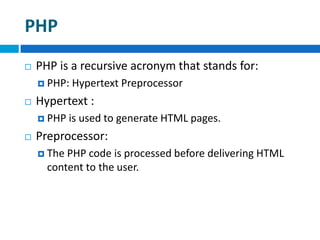
 PHP is a recursive acronym that stands for:
 PHP: Hypertext Preprocessor
 Hypertext :
 PHP is used to generate HTML pages.
 Preprocessor:
 The PHP code is processed before delivering HTML
content to the user.
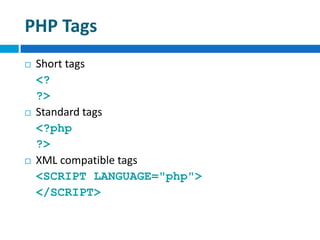
PHP Tags
 Short tags
<?
?>
 Standard tags
<?php
?>
 XML compatible tags
<SCRIPT LANGUAGE="php">
</SCRIPT>
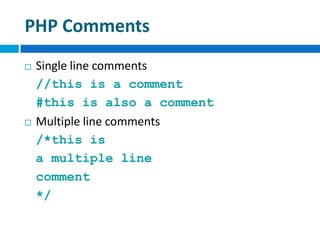
PHP Comments
 Single line comments
//this is a comment
#this is also a comment
 Multiple line comments
/*this is
a multiple line
comment
*/
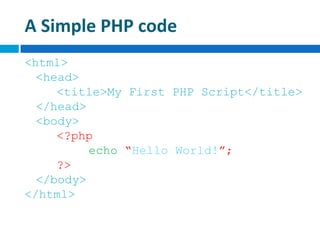
A Simple PHP code
<html>
<head>
<title>My First PHP Script</title>
</head>
<body>
<?php
echo “Hello World!”;
?>
</body>
</html>
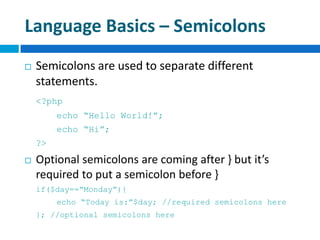
Language Basics – Semicolons
 Semicolons are used to separate different
statements.
<?php
echo “Hello World!”;
echo “Hi”;
?>
 Optional semicolons are coming after } but it’s
required to put a semicolon before }
if($day==“Monday”){
echo “Today is:”$day; //required semicolons here
}; //optional semicolons here
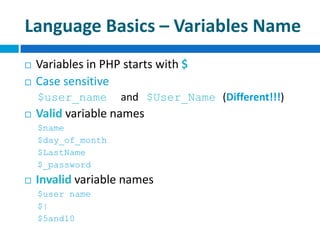
Language Basics – Variables Name
 Variables in PHP starts with $
 Case sensitive
$user_name and $User_Name (Different!!!)
 Valid variable names
$name
$day_of_month
$LastName
$_password
 Invalid variable names
$user name
$|
$5and10
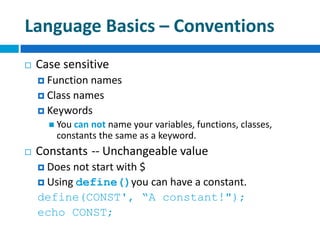
Language Basics – Conventions
 Case sensitive
 Function names
 Class names
 Keywords
 You can not name your variables, functions, classes,
constants the same as a keyword.
 Constants -- Unchangeable value
 Does not start with $
 Using define()you can have a constant.
define(CONST', “A constant!");
echo CONST;
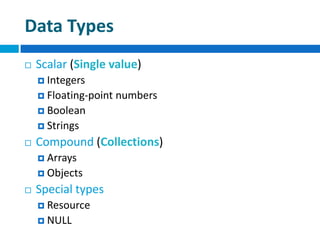
Data Types
 Scalar (Single value)
 Integers
 Floating-point numbers
 Boolean
 Strings
 Compound (Collections)
 Arrays
 Objects
 Special types
 Resource
 NULL
Integers
 Range [-2,147,483,648 to 2,147,483,647]
 Decimal
e.g. 2008
-123
 Octal numbers: a leading 0 and a sequence of digits
0-7
e.g. +0123
 Hexadecimal numbers: begin with 0x, followed by a
sequence of digits (0-9) or letters (A-F).
e.g. 0xFF
0x10
Floating-point Numbers
 Point (Decimal-point, floating-point)
 15 digits of accuracy
e.g.
0.61829384258
12.5
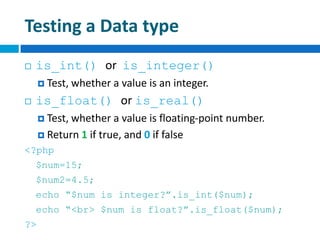
Testing a Data type
 is_int() or is_integer()
 Test, whether a value is an integer.
 is_float() or is_real()
 Test, whether a value is floating-point number.
 Return 1 if true, and 0 if false
<?php
$num=15;
$num2=4.5;
echo “$num is integer?”.is_int($num);
echo “<br> $num is float?”.is_float($num);
?>
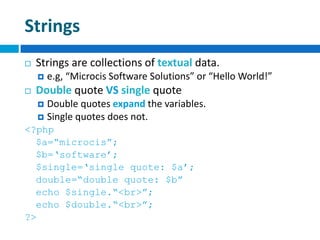
Strings
 Strings are collections of textual data.
 e.g, “Microcis Software Solutions” or “Hello World!”
 Double quote VS single quote
 Double quotes expand the variables.
 Single quotes does not.
<?php
$a=“microcis”;
$b=„software‟;
$single=„single quote: $a‟;
double=“double quote: $b”
echo $single.“<br>”;
echo $double.“<br>”;
?>
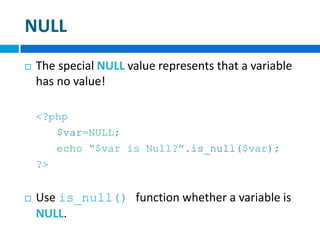
NULL
 The special NULL value represents that a variable
has no value!
<?php
$var=NULL;
echo “$var is Null?”.is_null($var);
?>
 Use is_null() function whether a variable is
NULL.
Boolean
 A Boolean can be either TRUE or FALSE.
 The following values are considered FALSE
 The boolean(FALSE);
 The integer 0
 The float 0.0
 The empty string or string “0”
 The special type NULL
 An array with no elements
 An object with no value or functions
Boolean
 Every other value is considered as TRUE.
 -1 is considered TRUE, like any other non-zero number.
 Use is_bool() function to test whether a value
return true or false.
 Note: “something” is a string, not boolean; but it is
considered as boolean true.
Arrays
Arrays
 Array is series of objects which all have the same size
and type.
 Each object in an array is called an array element.
 A group of values
<?php
$city[0]=“Herat”;
$city[1]=“Kabul”;
$city[2]=“Mazar”;
?>
 You can also create an array using array()
$color=array(“Red”, “Green”, “Blue”);
print “$city[0] is $color[1]”;
Types of Arrays
 Associative arrays
 Numeric arrays
 Multidimensional arrays
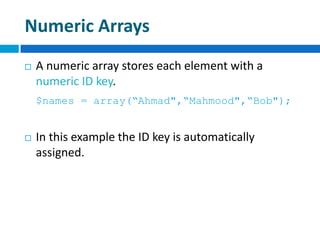
Numeric Arrays
 A numeric array stores each element with a
numeric ID key.
$names = array(“Ahmad",“Mahmood",“Bob");
 In this example the ID key is automatically
assigned.
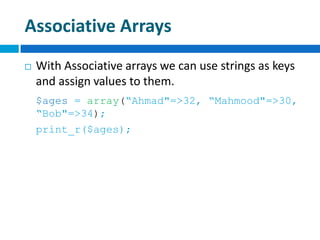
Associative Arrays
 With Associative arrays we can use strings as keys
and assign values to them.
$ages = array(“Ahmad"=>32, “Mahmood"=>30,
“Bob"=>34);
print_r($ages);
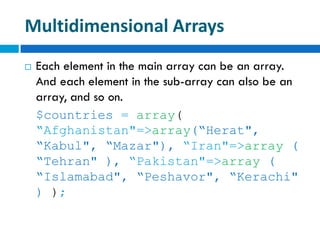
Multidimensional Arrays
 Each element in the main array can be an array.
And each element in the sub-array can also be an
array, and so on.
$countries = array(
“Afghanistan"=>array(“Herat",
“Kabul", “Mazar"), “Iran"=>array (
“Tehran" ), “Pakistan"=>array (
“Islamabad", “Peshavor", “Kerachi"
) );
Array Functions
print_r() function
 You can see the structure and values of any array
by using print_r() function.
print_r($fruit_basket);
 Output:
Array
(
[red] => apple
[orange] => orange
[yellow] => banana
[green] => pear
)
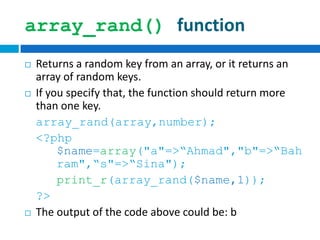
array_rand() function
 Returns a random key from an array, or it returns an
array of random keys.
 If you specify that, the function should return more
than one key.
array_rand(array,number);
<?php
$name=array("a"=>“Ahmad","b"=>“Bah
ram",“s"=>“Sina");
print_r(array_rand($name,1));
?>
 The output of the code above could be: b
Shuffle() function
 The shuffle() function randomizes the order
of the elements in the array.
shuffle(array);
<?php
$colors = array(“r" => “red", "b"
=> “blue", “g" => “green");
shuffle($colors);
print_r($colors);
?>
Output: Array ( [0] => blue [1] => green [2] => red )
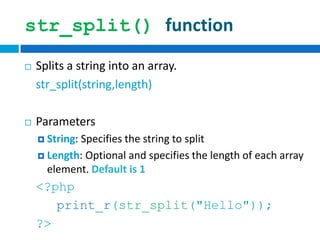
str_split() function
 Splits a string into an array.
str_split(string,length)
 Parameters
 String: Specifies the string to split
 Length: Optional and specifies the length of each array
element. Default is 1
<?php
print_r(str_split("Hello"));
?>
str_split() function
 The output of the code above will be:
Array
(
[0] => H
[1] => e
[2] => l
[3] => l
[4] => o
)
Let’s codesomething
hasen@microcis.net July 03, 2013Hassen poreya
Trainer, Cresco Solution
Any Questions!

Web app development_php_04

  • 1.
    hasen@microcis.net July 03,2013Hassen poreya Trainer, Cresco Solution Afghanistan Workforce Development Program PHP Hypertext Pre-Processor
  • 2.
    PHP  PHP isa recursive acronym that stands for:  PHP: Hypertext Preprocessor  Hypertext :  PHP is used to generate HTML pages.  Preprocessor:  The PHP code is processed before delivering HTML content to the user.
  • 3.
    PHP Tags  Shorttags <? ?>  Standard tags <?php ?>  XML compatible tags <SCRIPT LANGUAGE="php"> </SCRIPT>
  • 4.
    PHP Comments  Singleline comments //this is a comment #this is also a comment  Multiple line comments /*this is a multiple line comment */
  • 5.
    A Simple PHPcode <html> <head> <title>My First PHP Script</title> </head> <body> <?php echo “Hello World!”; ?> </body> </html>
  • 6.
    Language Basics –Semicolons  Semicolons are used to separate different statements. <?php echo “Hello World!”; echo “Hi”; ?>  Optional semicolons are coming after } but it’s required to put a semicolon before } if($day==“Monday”){ echo “Today is:”$day; //required semicolons here }; //optional semicolons here
  • 7.
    Language Basics –Variables Name  Variables in PHP starts with $  Case sensitive $user_name and $User_Name (Different!!!)  Valid variable names $name $day_of_month $LastName $_password  Invalid variable names $user name $| $5and10
  • 8.
    Language Basics –Conventions  Case sensitive  Function names  Class names  Keywords  You can not name your variables, functions, classes, constants the same as a keyword.  Constants -- Unchangeable value  Does not start with $  Using define()you can have a constant. define(CONST', “A constant!"); echo CONST;
  • 9.
    Data Types  Scalar(Single value)  Integers  Floating-point numbers  Boolean  Strings  Compound (Collections)  Arrays  Objects  Special types  Resource  NULL
  • 10.
    Integers  Range [-2,147,483,648to 2,147,483,647]  Decimal e.g. 2008 -123  Octal numbers: a leading 0 and a sequence of digits 0-7 e.g. +0123  Hexadecimal numbers: begin with 0x, followed by a sequence of digits (0-9) or letters (A-F). e.g. 0xFF 0x10
  • 11.
    Floating-point Numbers  Point(Decimal-point, floating-point)  15 digits of accuracy e.g. 0.61829384258 12.5
  • 12.
    Testing a Datatype  is_int() or is_integer()  Test, whether a value is an integer.  is_float() or is_real()  Test, whether a value is floating-point number.  Return 1 if true, and 0 if false <?php $num=15; $num2=4.5; echo “$num is integer?”.is_int($num); echo “<br> $num is float?”.is_float($num); ?>
  • 13.
    Strings  Strings arecollections of textual data.  e.g, “Microcis Software Solutions” or “Hello World!”  Double quote VS single quote  Double quotes expand the variables.  Single quotes does not. <?php $a=“microcis”; $b=„software‟; $single=„single quote: $a‟; double=“double quote: $b” echo $single.“<br>”; echo $double.“<br>”; ?>
  • 14.
    NULL  The specialNULL value represents that a variable has no value! <?php $var=NULL; echo “$var is Null?”.is_null($var); ?>  Use is_null() function whether a variable is NULL.
  • 15.
    Boolean  A Booleancan be either TRUE or FALSE.  The following values are considered FALSE  The boolean(FALSE);  The integer 0  The float 0.0  The empty string or string “0”  The special type NULL  An array with no elements  An object with no value or functions
  • 16.
    Boolean  Every othervalue is considered as TRUE.  -1 is considered TRUE, like any other non-zero number.  Use is_bool() function to test whether a value return true or false.  Note: “something” is a string, not boolean; but it is considered as boolean true.
  • 17.
  • 18.
    Arrays  Array isseries of objects which all have the same size and type.  Each object in an array is called an array element.  A group of values <?php $city[0]=“Herat”; $city[1]=“Kabul”; $city[2]=“Mazar”; ?>  You can also create an array using array() $color=array(“Red”, “Green”, “Blue”); print “$city[0] is $color[1]”;
  • 19.
    Types of Arrays Associative arrays  Numeric arrays  Multidimensional arrays
  • 20.
    Numeric Arrays  Anumeric array stores each element with a numeric ID key. $names = array(“Ahmad",“Mahmood",“Bob");  In this example the ID key is automatically assigned.
  • 21.
    Associative Arrays  WithAssociative arrays we can use strings as keys and assign values to them. $ages = array(“Ahmad"=>32, “Mahmood"=>30, “Bob"=>34); print_r($ages);
  • 22.
    Multidimensional Arrays  Eachelement in the main array can be an array. And each element in the sub-array can also be an array, and so on. $countries = array( “Afghanistan"=>array(“Herat", “Kabul", “Mazar"), “Iran"=>array ( “Tehran" ), “Pakistan"=>array ( “Islamabad", “Peshavor", “Kerachi" ) );
  • 23.
  • 24.
    print_r() function  Youcan see the structure and values of any array by using print_r() function. print_r($fruit_basket);  Output: Array ( [red] => apple [orange] => orange [yellow] => banana [green] => pear )
  • 25.
    array_rand() function  Returnsa random key from an array, or it returns an array of random keys.  If you specify that, the function should return more than one key. array_rand(array,number); <?php $name=array("a"=>“Ahmad","b"=>“Bah ram",“s"=>“Sina"); print_r(array_rand($name,1)); ?>  The output of the code above could be: b
  • 26.
    Shuffle() function  Theshuffle() function randomizes the order of the elements in the array. shuffle(array); <?php $colors = array(“r" => “red", "b" => “blue", “g" => “green"); shuffle($colors); print_r($colors); ?> Output: Array ( [0] => blue [1] => green [2] => red )
  • 27.
    str_split() function  Splitsa string into an array. str_split(string,length)  Parameters  String: Specifies the string to split  Length: Optional and specifies the length of each array element. Default is 1 <?php print_r(str_split("Hello")); ?>
  • 28.
    str_split() function  Theoutput of the code above will be: Array ( [0] => H [1] => e [2] => l [3] => l [4] => o )
  • 29.
  • 30.
    hasen@microcis.net July 03,2013Hassen poreya Trainer, Cresco Solution Any Questions!