hasen@microcis.net June 29, 2013Hassen poreya
Trainer, Cresco Solution
Afghanistan Workforce
Development Program
The Network, Internet and Web
HTML
You may have answers for
 What is Network?
 What is Internet – www?
 What is a programming language?
 What is a scripting language?
The Network
 Network is connection between two or several
same things.
 In computer technology Network is a group of
computers that can communicate with one
another.
 A node can be any devices capable of sending and
/ or receiving data.
The Internet
 The Internet is a global system of interconnected
computer networks
 It began on 1960 as an experiment funded by U.S.,
DOD (Department of Defense)—nuclear attack.
 Only defense and special academic members could
gain access.
 Known as ARPANet (Advance Research Project
Agency Network of the DOD).
The Internet – Web
 Some physicist at CERN (European Organization for
Nuclear Research) released an authoring language
for creating and sharing electronic documents over
the Internet.
 And so was born HTML, Browser, and the Web.
 First browser by University of Illinois students
(Mosaic) – Simple
 1993 real Internet
WWW
 World Wide Web
 Is a system of interlinked hypertext documents
accessed via the Internet.
 With a web browser, one can view web pages that
may contain text, images, videos, and other
multimedia, and navigate between them via
hyperlinks.
Programming Language
 Programming languages can be used to create
programs that control the behavior of a machine.
 They tells the machine (could be a computer,
mobile phone, or even your watch) what to do and
how to show the output to the user.
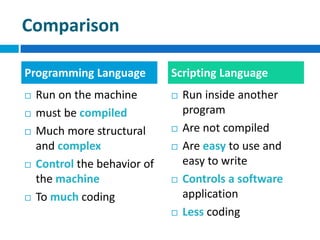
Comparison
 Run on the machine
 must be compiled
 Much more structural
and complex
 Control the behavior of
the machine
 To much coding
 Run inside another
program
 Are not compiled
 Are easy to use and
easy to write
 Controls a software
application
 Less coding
Programming Language Scripting Language
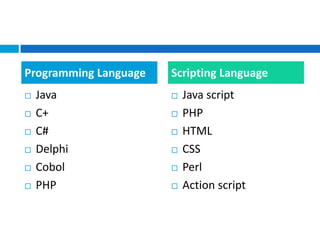
 Java
 C+
 C#
 Delphi
 Cobol
 PHP
 Java script
 PHP
 HTML
 CSS
 Perl
 Action script
Programming Language Scripting Language
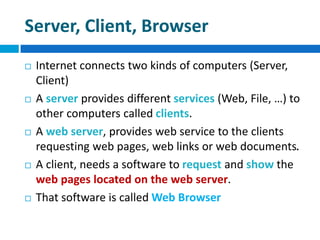
Server, Client, Browser
 Internet connects two kinds of computers (Server,
Client)
 A server provides different services (Web, File, …) to
other computers called clients.
 A web server, provides web service to the clients
requesting web pages, web links or web documents.
 A client, needs a software to request and show the
web pages located on the web server.
 That software is called Web Browser
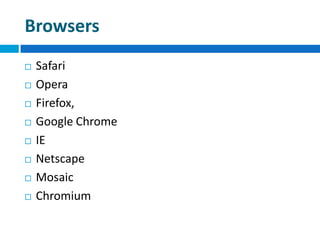
Browsers
 Safari
 Opera
 Firefox,
 Google Chrome
 IE
 Netscape
 Mosaic
 Chromium
W3C
 World Wide Web Consortium
 An international community where members of
different organizations, work together to develop
Web standards.
 W3C does not have a single physical headquarters.
There are three institutions, that "host" W3C
 MIT (in Cambridge, MA, USA)
 ERCIM (in Sophia-Antipolis, France)
 and Keio University (near Tokyo, Japan).
HTML
 Hypertext Markup Language
 Hypertext is text which contains hyperlinks to
other texts documents and enables the reader to
access and navigate any interlinked text document.
HTML
 Hyper is the opposite of linear. Old-fashioned
computer programs were necessarily linear - that
is, they had a specific order.
 Text is just what you're looking at now.
 Mark-up is what is done to the text to change its
appearance. For instance, "marking up" your text
with <b> before it and </b> after it will put that
text in bold.
 Language is just that. HTML is the language that
browsers read in order to understand web pages.
Other Mark-up Languages
 XML
 SGML
 XHTML
 DHTML
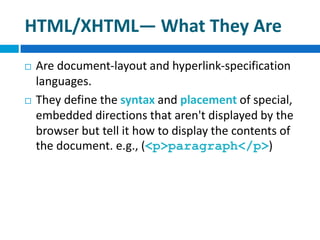
HTML/XHTML— What They Are
 Are document-layout and hyperlink-specification
languages.
 They define the syntax and placement of special,
embedded directions that aren't displayed by the
browser but tell it how to display the contents of
the document. e.g., (<p>paragraph</p>)
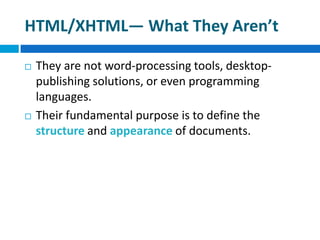
HTML/XHTML— What They Aren’t
 They are not word-processing tools, desktop-
publishing solutions, or even programming
languages.
 Their fundamental purpose is to define the
structure and appearance of documents.
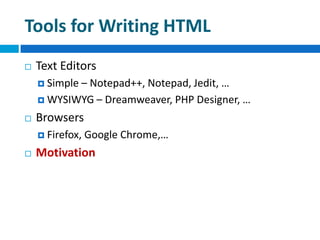
Tools for Writing HTML
 Text Editors
 Simple – Notepad++, Notepad, Jedit, …
 WYSIWYG – Dreamweaver, PHP Designer, …
 Browsers
 Firefox, Google Chrome,…
 Motivation
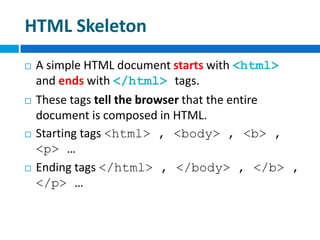
HTML Skeleton
 A simple HTML document starts with <html>
and ends with </html> tags.
 These tags tell the browser that the entire
document is composed in HTML.
 Starting tags <html> , <body> , <b> ,
<p> …
 Ending tags </html> , </body> , </b> ,
</p> …
HTML Structure
 HTML and XHTML documents are consist of text,
which defines the content of the document, and
tags, which define the structure and appearance
of the document.
 The structure of an HTML document is quite
simple, consisting of an outer <html> tag
enclosing the document head <head> and body
<body>.
HTML Structure
 The head is where you give your document a title
and where you indicate other parameters the
browser may use when displaying the document.
 The body is where you put the actual contents of
the document.
 Each starting tag, ends with the same tag with a
“/” character before the word which is defined by.
For example, a document starts with <html> and
ends with </html> or <body> </body>.
Tags (Elements) and Syntaxes
 Every tag is consists of a tag name, sometimes
followed by an optional list of tag attributes, all
placed between opening < and closing > brackets.
 Tags also can be put inside the affected segment of
another tag (nested) for multiple tag effects on a
single segment of the document.
 For instance, <p><b>your text goes here </b></p>
The output would be a bold paragraph.
Tags (Elements)
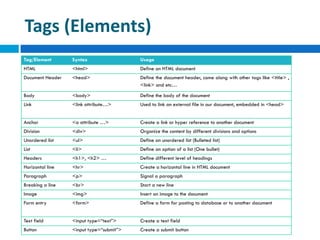
Tag/Element Syntax Usage
HTML <html> Define an HTML document
Document Header <head> Define the document header, come along with other tags like <title> ,
<link> and etc…
Body <body> Define the body of the document
Link <link attribute…> Used to link an external file in our document, embedded in <head>
Anchor <a attribute …> Create a link or hyper reference to another document
Division <div> Organize the content by different divisions and options
Unordered list <ul> Define an unordered list (Bulleted list)
List <li> Define an option of a list (One bullet)
Headers <h1>, <h2> … Define different level of headings
Horizontal line <hr> Create a horizontal line in HTML document
Paragraph <p> Signal a paragraph
Breaking a line <br> Start a new line
Image <img> Insert an image to the document
Form entry <form> Define a form for posting to database or to another document
Text field <input type=“text”> Create a text field
Button <input type=“submit”> Create a submit button
Conclusion
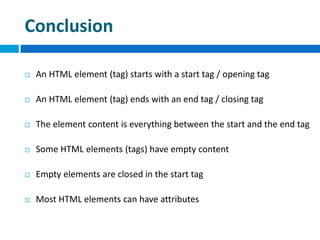
 An HTML element (tag) starts with a start tag / opening tag
 An HTML element (tag) ends with an end tag / closing tag
 The element content is everything between the start and the end tag
 Some HTML elements (tags) have empty content
 Empty elements are closed in the start tag
 Most HTML elements can have attributes
Let’s code something
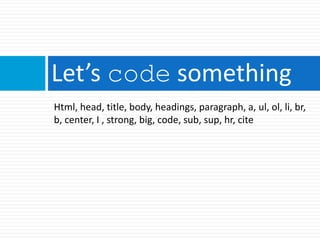
Html, head, title, body, headings, paragraph, a, ul, ol, li, br,
b, center, I , strong, big, code, sub, sup, hr, cite
hasen@microcis.net June 29, 2013Hassen poreya
Trainer, Cresco Solution
Any Questions!

Web app development_html_01

  • 1.
    hasen@microcis.net June 29,2013Hassen poreya Trainer, Cresco Solution Afghanistan Workforce Development Program The Network, Internet and Web HTML
  • 2.
    You may haveanswers for  What is Network?  What is Internet – www?  What is a programming language?  What is a scripting language?
  • 3.
    The Network  Networkis connection between two or several same things.  In computer technology Network is a group of computers that can communicate with one another.  A node can be any devices capable of sending and / or receiving data.
  • 4.
    The Internet  TheInternet is a global system of interconnected computer networks  It began on 1960 as an experiment funded by U.S., DOD (Department of Defense)—nuclear attack.  Only defense and special academic members could gain access.  Known as ARPANet (Advance Research Project Agency Network of the DOD).
  • 5.
    The Internet –Web  Some physicist at CERN (European Organization for Nuclear Research) released an authoring language for creating and sharing electronic documents over the Internet.  And so was born HTML, Browser, and the Web.  First browser by University of Illinois students (Mosaic) – Simple  1993 real Internet
  • 6.
    WWW  World WideWeb  Is a system of interlinked hypertext documents accessed via the Internet.  With a web browser, one can view web pages that may contain text, images, videos, and other multimedia, and navigate between them via hyperlinks.
  • 7.
    Programming Language  Programminglanguages can be used to create programs that control the behavior of a machine.  They tells the machine (could be a computer, mobile phone, or even your watch) what to do and how to show the output to the user.
  • 8.
    Comparison  Run onthe machine  must be compiled  Much more structural and complex  Control the behavior of the machine  To much coding  Run inside another program  Are not compiled  Are easy to use and easy to write  Controls a software application  Less coding Programming Language Scripting Language
  • 9.
     Java  C+ C#  Delphi  Cobol  PHP  Java script  PHP  HTML  CSS  Perl  Action script Programming Language Scripting Language
  • 10.
    Server, Client, Browser Internet connects two kinds of computers (Server, Client)  A server provides different services (Web, File, …) to other computers called clients.  A web server, provides web service to the clients requesting web pages, web links or web documents.  A client, needs a software to request and show the web pages located on the web server.  That software is called Web Browser
  • 11.
    Browsers  Safari  Opera Firefox,  Google Chrome  IE  Netscape  Mosaic  Chromium
  • 12.
    W3C  World WideWeb Consortium  An international community where members of different organizations, work together to develop Web standards.  W3C does not have a single physical headquarters. There are three institutions, that "host" W3C  MIT (in Cambridge, MA, USA)  ERCIM (in Sophia-Antipolis, France)  and Keio University (near Tokyo, Japan).
  • 13.
    HTML  Hypertext MarkupLanguage  Hypertext is text which contains hyperlinks to other texts documents and enables the reader to access and navigate any interlinked text document.
  • 14.
    HTML  Hyper isthe opposite of linear. Old-fashioned computer programs were necessarily linear - that is, they had a specific order.  Text is just what you're looking at now.  Mark-up is what is done to the text to change its appearance. For instance, "marking up" your text with <b> before it and </b> after it will put that text in bold.  Language is just that. HTML is the language that browsers read in order to understand web pages.
  • 15.
    Other Mark-up Languages XML  SGML  XHTML  DHTML
  • 16.
    HTML/XHTML— What TheyAre  Are document-layout and hyperlink-specification languages.  They define the syntax and placement of special, embedded directions that aren't displayed by the browser but tell it how to display the contents of the document. e.g., (<p>paragraph</p>)
  • 17.
    HTML/XHTML— What TheyAren’t  They are not word-processing tools, desktop- publishing solutions, or even programming languages.  Their fundamental purpose is to define the structure and appearance of documents.
  • 18.
    Tools for WritingHTML  Text Editors  Simple – Notepad++, Notepad, Jedit, …  WYSIWYG – Dreamweaver, PHP Designer, …  Browsers  Firefox, Google Chrome,…  Motivation
  • 19.
    HTML Skeleton  Asimple HTML document starts with <html> and ends with </html> tags.  These tags tell the browser that the entire document is composed in HTML.  Starting tags <html> , <body> , <b> , <p> …  Ending tags </html> , </body> , </b> , </p> …
  • 20.
    HTML Structure  HTMLand XHTML documents are consist of text, which defines the content of the document, and tags, which define the structure and appearance of the document.  The structure of an HTML document is quite simple, consisting of an outer <html> tag enclosing the document head <head> and body <body>.
  • 21.
    HTML Structure  Thehead is where you give your document a title and where you indicate other parameters the browser may use when displaying the document.  The body is where you put the actual contents of the document.  Each starting tag, ends with the same tag with a “/” character before the word which is defined by. For example, a document starts with <html> and ends with </html> or <body> </body>.
  • 22.
    Tags (Elements) andSyntaxes  Every tag is consists of a tag name, sometimes followed by an optional list of tag attributes, all placed between opening < and closing > brackets.  Tags also can be put inside the affected segment of another tag (nested) for multiple tag effects on a single segment of the document.  For instance, <p><b>your text goes here </b></p> The output would be a bold paragraph.
  • 23.
    Tags (Elements) Tag/Element SyntaxUsage HTML <html> Define an HTML document Document Header <head> Define the document header, come along with other tags like <title> , <link> and etc… Body <body> Define the body of the document Link <link attribute…> Used to link an external file in our document, embedded in <head> Anchor <a attribute …> Create a link or hyper reference to another document Division <div> Organize the content by different divisions and options Unordered list <ul> Define an unordered list (Bulleted list) List <li> Define an option of a list (One bullet) Headers <h1>, <h2> … Define different level of headings Horizontal line <hr> Create a horizontal line in HTML document Paragraph <p> Signal a paragraph Breaking a line <br> Start a new line Image <img> Insert an image to the document Form entry <form> Define a form for posting to database or to another document Text field <input type=“text”> Create a text field Button <input type=“submit”> Create a submit button
  • 24.
    Conclusion  An HTMLelement (tag) starts with a start tag / opening tag  An HTML element (tag) ends with an end tag / closing tag  The element content is everything between the start and the end tag  Some HTML elements (tags) have empty content  Empty elements are closed in the start tag  Most HTML elements can have attributes
  • 25.
    Let’s code something Html,head, title, body, headings, paragraph, a, ul, ol, li, br, b, center, I , strong, big, code, sub, sup, hr, cite
  • 26.
    hasen@microcis.net June 29,2013Hassen poreya Trainer, Cresco Solution Any Questions!