Php & mySQL
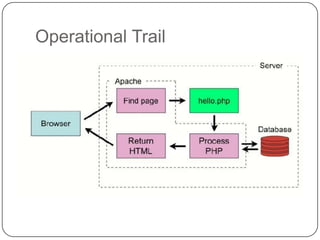
Operational Trail
Why PHP
 Open Source
 Very good support
 C/Java like language
 Cross Platform (Windows, Linux, Unix)
 Powerful, robust and scalable
PHP Elements
 Variables: placeholders for unknown or changing
    values
   Arrays: a variable to hold multiple values
   Conditional Statements: decision making
   Loops: perform repetitive task
   Functions: perform preset task or sub task
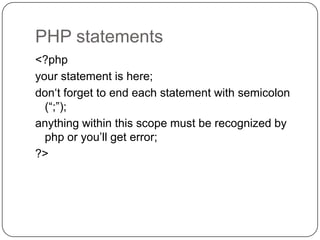
PHP statements
<?php
your statement is here;
don„t forget to end each statement with semicolon
  (“;”);
anything within this scope must be recognized by
  php or you‟ll get error;
?>
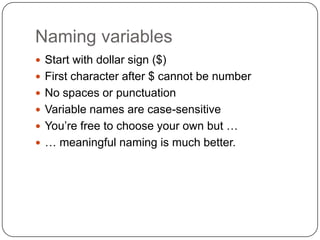
Naming variables
 Start with dollar sign ($)
 First character after $ cannot be number
 No spaces or punctuation
 Variable names are case-sensitive
 You‟re free to choose your own but …
 … meaningful naming is much better.
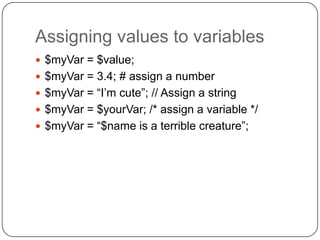
Assigning values to variables
 $myVar = $value;
 $myVar = 3.4; # assign a number
 $myVar = “I‟m cute”; // Assign a string
 $myVar = $yourVar; /* assign a variable */
 $myVar = “$name is a terrible creature”;
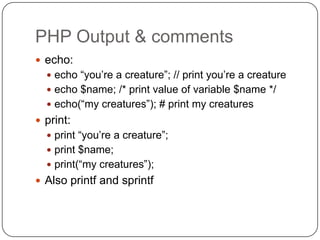
PHP Output & comments
 echo:
   echo “you‟re a creature”; // print you‟re a creature
   echo $name; /* print value of variable $name */
   echo(“my creatures”); # print my creatures
 print:
   print “you‟re a creature”;
   print $name;
   print(“my creatures”);
 Also printf and sprintf
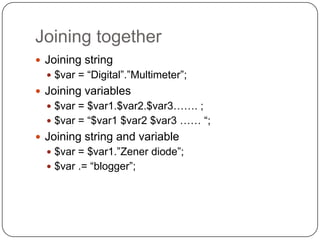
Joining together
 Joining string
   $var = “Digital”.”Multimeter”;
 Joining variables
   $var = $var1.$var2.$var3……. ;
   $var = “$var1 $var2 $var3 …… “;
 Joining string and variable
   $var = $var1.”Zener diode”;
   $var .= “blogger”;
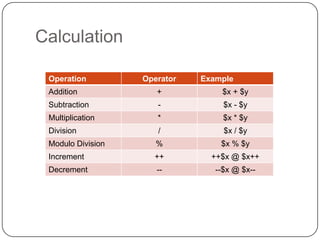
Calculation

 Operation         Operator   Example
 Addition             +           $x + $y
 Subtraction          -            $x - $y
 Multiplication       *            $x * $y
 Division             /            $x / $y
 Modulo Division      %           $x % $y
 Increment           ++         ++$x @ $x++
 Decrement            --         --$x @ $x--
Array
 Declaration
   $RGBcolor = array(“red”, “Blue”, “Green);
   $mycar[] = “Rapide”;
 Access
   $myarray[element number]
 Functions
   array_pop(); array_push(); array_rand();
   array_reverse; count(array); sort(array);
   print_r(array)
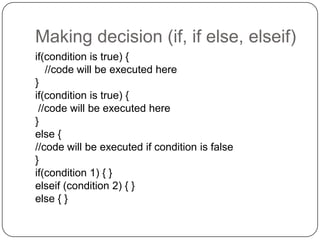
Making decision (if, if else, elseif)
if(condition is true) {
   //code will be executed here
}
if(condition is true) {
 //code will be executed here
}
else {
//code will be executed if condition is false
}
if(condition 1) { }
elseif (condition 2) { }
else { }
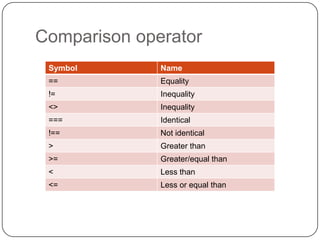
Comparison operator
 Symbol       Name
 ==           Equality
 !=           Inequality
 <>           Inequality
 ===          Identical
 !==          Not identical
 >            Greater than
 >=           Greater/equal than
 <            Less than
 <=           Less or equal than
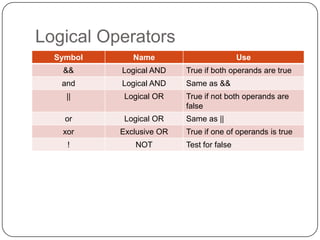
Logical Operators
  Symbol      Name                         Use
   &&      Logical AND    True if both operands are true
   and     Logical AND    Same as &&
    ||      Logical OR    True if not both operands are
                          false
    or      Logical OR    Same as ||
   xor     Exclusive OR   True if one of operands is true
    !         NOT         Test for false
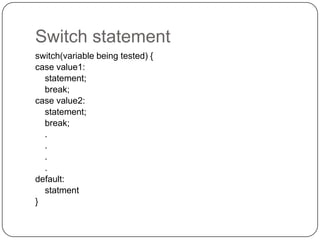
Switch statement
switch(variable being tested) {
case value1:
  statement;
  break;
case value2:
  statement;
  break;
  .
  .
  .
  .
default:
  statment
}
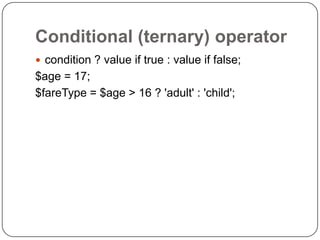
Conditional (ternary) operator
 condition ? value if true : value if false;
$age = 17;
$fareType = $age > 16 ? 'adult' : 'child';
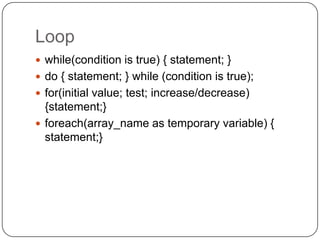
Loop
 while(condition is true) { statement; }
 do { statement; } while (condition is true);
 for(initial value; test; increase/decrease)
  {statement;}
 foreach(array_name as temporary variable) {
  statement;}
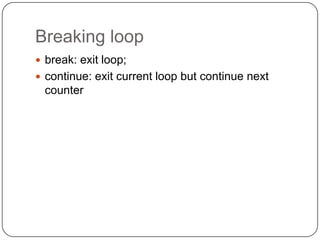
Breaking loop
 break: exit loop;
 continue: exit current loop but continue next
 counter
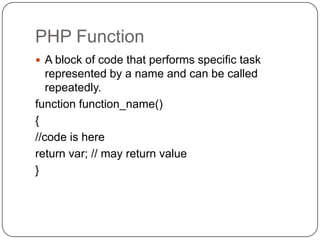
PHP Function
 A block of code that performs specific task
   represented by a name and can be called
   repeatedly.
function function_name()
{
//code is here
return var; // may return value
}
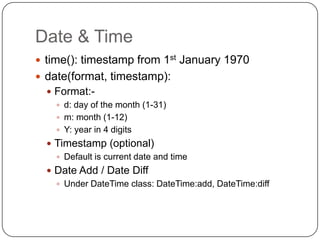
Date & Time
 time(): timestamp from 1st January 1970
 date(format, timestamp):
   Format:-
     d: day of the month (1-31)
     m: month (1-12)
     Y: year in 4 digits
   Timestamp (optional)
     Default is current date and time
   Date Add / Date Diff
     Under DateTime class: DateTime:add, DateTime:diff
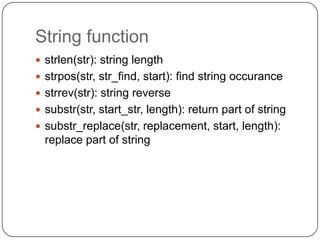
String function
 strlen(str): string length
 strpos(str, str_find, start): find string occurance
 strrev(str): string reverse
 substr(str, start_str, length): return part of string
 substr_replace(str, replacement, start, length):
  replace part of string
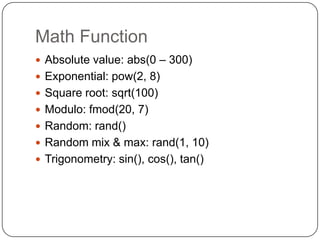
Math Function
 Absolute value: abs(0 – 300)
 Exponential: pow(2, 8)
 Square root: sqrt(100)
 Modulo: fmod(20, 7)
 Random: rand()
 Random mix & max: rand(1, 10)
 Trigonometry: sin(), cos(), tan()
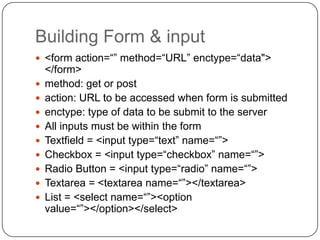
Building Form & input
 <form action=“” method=“URL” enctype=“data">
    </form>
   method: get or post
   action: URL to be accessed when form is submitted
   enctype: type of data to be submit to the server
   All inputs must be within the form
   Textfield = <input type=“text” name=“”>
   Checkbox = <input type=“checkbox” name=“”>
   Radio Button = <input type=“radio” name=“”>
   Textarea = <textarea name=“”></textarea>
   List = <select name=“”><option
    value=“”></option></select>
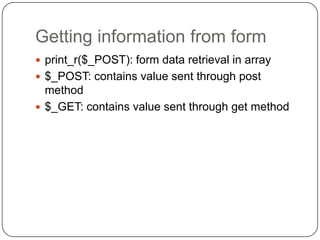
Getting information from form
 print_r($_POST): form data retrieval in array
 $_POST: contains value sent through post
  method
 $_GET: contains value sent through get method
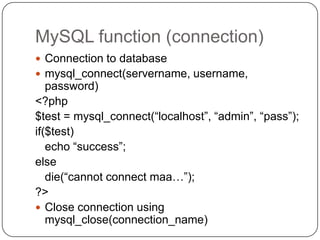
MySQL function (connection)
 Connection to database
 mysql_connect(servername, username,
   password)
<?php
$test = mysql_connect(“localhost”, “admin”, “pass”);
if($test)
   echo “success”;
else
   die(“cannot connect maa…”);
?>
 Close connection using
   mysql_close(connection_name)
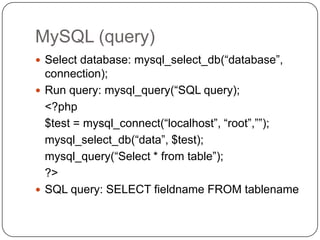
MySQL (query)
 Select database: mysql_select_db(“database”,
  connection);
 Run query: mysql_query(“SQL query);
  <?php
  $test = mysql_connect(“localhost”, “root”,””);
  mysql_select_db(“data”, $test);
  mysql_query(“Select * from table”);
  ?>
 SQL query: SELECT fieldname FROM tablename
MySQL (Display query)
 mysql_fetch_array($result)
 $result is array of data
 Example:
  <?php
      $result = mysql_query(“MySQL select
  query”);
      while($row = mysql_fetch_array($result)) {
            echo $row[„fieldname‟];
      }
  ?>
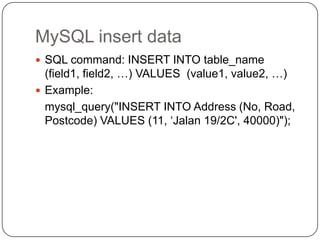
MySQL insert data
 SQL command: INSERT INTO table_name
  (field1, field2, …) VALUES (value1, value2, …)
 Example:
  mysql_query("INSERT INTO Address (No, Road,
  Postcode) VALUES (11, „Jalan 19/2C', 40000)");
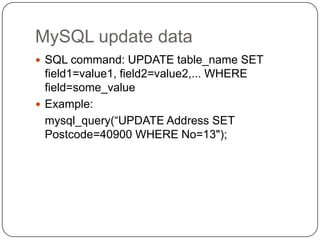
MySQL update data
 SQL command: UPDATE table_name SET
  field1=value1, field2=value2,... WHERE
  field=some_value
 Example:
  mysql_query(“UPDATE Address SET
  Postcode=40900 WHERE No=13");
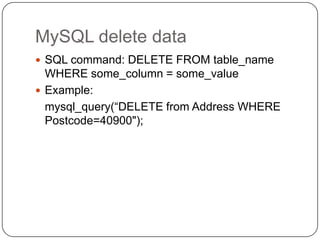
MySQL delete data
 SQL command: DELETE FROM table_name
  WHERE some_column = some_value
 Example:
  mysql_query(“DELETE from Address WHERE
  Postcode=40900");
File input/output

Php & my sql

  • 1.
  • 2.
  • 3.
    Why PHP  OpenSource  Very good support  C/Java like language  Cross Platform (Windows, Linux, Unix)  Powerful, robust and scalable
  • 4.
    PHP Elements  Variables:placeholders for unknown or changing values  Arrays: a variable to hold multiple values  Conditional Statements: decision making  Loops: perform repetitive task  Functions: perform preset task or sub task
  • 5.
    PHP statements <?php your statementis here; don„t forget to end each statement with semicolon (“;”); anything within this scope must be recognized by php or you‟ll get error; ?>
  • 6.
    Naming variables  Startwith dollar sign ($)  First character after $ cannot be number  No spaces or punctuation  Variable names are case-sensitive  You‟re free to choose your own but …  … meaningful naming is much better.
  • 7.
    Assigning values tovariables  $myVar = $value;  $myVar = 3.4; # assign a number  $myVar = “I‟m cute”; // Assign a string  $myVar = $yourVar; /* assign a variable */  $myVar = “$name is a terrible creature”;
  • 8.
    PHP Output &comments  echo:  echo “you‟re a creature”; // print you‟re a creature  echo $name; /* print value of variable $name */  echo(“my creatures”); # print my creatures  print:  print “you‟re a creature”;  print $name;  print(“my creatures”);  Also printf and sprintf
  • 9.
    Joining together  Joiningstring  $var = “Digital”.”Multimeter”;  Joining variables  $var = $var1.$var2.$var3……. ;  $var = “$var1 $var2 $var3 …… “;  Joining string and variable  $var = $var1.”Zener diode”;  $var .= “blogger”;
  • 10.
    Calculation Operation Operator Example Addition + $x + $y Subtraction - $x - $y Multiplication * $x * $y Division / $x / $y Modulo Division % $x % $y Increment ++ ++$x @ $x++ Decrement -- --$x @ $x--
  • 11.
    Array  Declaration  $RGBcolor = array(“red”, “Blue”, “Green);  $mycar[] = “Rapide”;  Access  $myarray[element number]  Functions  array_pop(); array_push(); array_rand(); array_reverse; count(array); sort(array); print_r(array)
  • 12.
    Making decision (if,if else, elseif) if(condition is true) { //code will be executed here } if(condition is true) { //code will be executed here } else { //code will be executed if condition is false } if(condition 1) { } elseif (condition 2) { } else { }
  • 13.
    Comparison operator Symbol Name == Equality != Inequality <> Inequality === Identical !== Not identical > Greater than >= Greater/equal than < Less than <= Less or equal than
  • 14.
    Logical Operators Symbol Name Use && Logical AND True if both operands are true and Logical AND Same as && || Logical OR True if not both operands are false or Logical OR Same as || xor Exclusive OR True if one of operands is true ! NOT Test for false
  • 15.
    Switch statement switch(variable beingtested) { case value1: statement; break; case value2: statement; break; . . . . default: statment }
  • 16.
    Conditional (ternary) operator condition ? value if true : value if false; $age = 17; $fareType = $age > 16 ? 'adult' : 'child';
  • 17.
    Loop  while(condition istrue) { statement; }  do { statement; } while (condition is true);  for(initial value; test; increase/decrease) {statement;}  foreach(array_name as temporary variable) { statement;}
  • 18.
    Breaking loop  break:exit loop;  continue: exit current loop but continue next counter
  • 19.
    PHP Function  Ablock of code that performs specific task represented by a name and can be called repeatedly. function function_name() { //code is here return var; // may return value }
  • 20.
    Date & Time time(): timestamp from 1st January 1970  date(format, timestamp):  Format:-  d: day of the month (1-31)  m: month (1-12)  Y: year in 4 digits  Timestamp (optional)  Default is current date and time  Date Add / Date Diff  Under DateTime class: DateTime:add, DateTime:diff
  • 21.
    String function  strlen(str):string length  strpos(str, str_find, start): find string occurance  strrev(str): string reverse  substr(str, start_str, length): return part of string  substr_replace(str, replacement, start, length): replace part of string
  • 22.
    Math Function  Absolutevalue: abs(0 – 300)  Exponential: pow(2, 8)  Square root: sqrt(100)  Modulo: fmod(20, 7)  Random: rand()  Random mix & max: rand(1, 10)  Trigonometry: sin(), cos(), tan()
  • 23.
    Building Form &input  <form action=“” method=“URL” enctype=“data"> </form>  method: get or post  action: URL to be accessed when form is submitted  enctype: type of data to be submit to the server  All inputs must be within the form  Textfield = <input type=“text” name=“”>  Checkbox = <input type=“checkbox” name=“”>  Radio Button = <input type=“radio” name=“”>  Textarea = <textarea name=“”></textarea>  List = <select name=“”><option value=“”></option></select>
  • 24.
    Getting information fromform  print_r($_POST): form data retrieval in array  $_POST: contains value sent through post method  $_GET: contains value sent through get method
  • 25.
    MySQL function (connection) Connection to database  mysql_connect(servername, username, password) <?php $test = mysql_connect(“localhost”, “admin”, “pass”); if($test) echo “success”; else die(“cannot connect maa…”); ?>  Close connection using mysql_close(connection_name)
  • 26.
    MySQL (query)  Selectdatabase: mysql_select_db(“database”, connection);  Run query: mysql_query(“SQL query); <?php $test = mysql_connect(“localhost”, “root”,””); mysql_select_db(“data”, $test); mysql_query(“Select * from table”); ?>  SQL query: SELECT fieldname FROM tablename
  • 27.
    MySQL (Display query) mysql_fetch_array($result)  $result is array of data  Example: <?php $result = mysql_query(“MySQL select query”); while($row = mysql_fetch_array($result)) { echo $row[„fieldname‟]; } ?>
  • 28.
    MySQL insert data SQL command: INSERT INTO table_name (field1, field2, …) VALUES (value1, value2, …)  Example: mysql_query("INSERT INTO Address (No, Road, Postcode) VALUES (11, „Jalan 19/2C', 40000)");
  • 29.
    MySQL update data SQL command: UPDATE table_name SET field1=value1, field2=value2,... WHERE field=some_value  Example: mysql_query(“UPDATE Address SET Postcode=40900 WHERE No=13");
  • 30.
    MySQL delete data SQL command: DELETE FROM table_name WHERE some_column = some_value  Example: mysql_query(“DELETE from Address WHERE Postcode=40900");
  • 31.