PopUp handling in Selenium 2.x

                By
           Aparna Naik
       www.DestinationQA.com


                                    1
            www.destinationqa.com
Agenda
Different types of PopUps

Handling JavaScript PopUps

Webdriver Alerts API

Java AWT Robot class to handle windows popups

Other ways to handle Popups


                                                2
                 www.destinationqa.com
PopUps
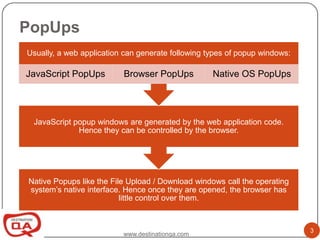
Usually, a web application can generate following types of popup windows:

JavaScript PopUps         Browser PopUps           Native OS PopUps


 JavaScript popup windows are generated by the web application code.
             Hence they can be controlled by the browser.


Native Popups like the File Upload / Download windows call the operating
system’s native interface. Hence once they are opened, the browser has
                          little control over them.


                                                                            3
                          www.destinationqa.com
Handling JavaScript PopUps

Selenium provides an API to handle
JavaScript PopUps.
  Alert alert = driver.switchTo().alert();


The Alert API allows various operations
on the Alert object:
  accept(), dismiss(), getText(),sendKeys()


                                              4
                 www.destinationqa.com
Handling Browser and Native OS
PopUps

As Selenium does not provide support to
these kind of Popups, we need to
explore other options. There are several
ways to handle such popups like:
• Setup Browser Profiles
• Use Java.awt.Robot toolkit
• Use external program like AutoIT

                                           5
              www.destinationqa.com
Setup Browser Defaults
A useful way to handle popups is to set the
Browser Defaults to disable popups wherever
possible. This can usually be done for popups
which ask whether a File should be
downloaded.


                                                6
                  www.destinationqa.com
Handling File Download windows
When a file is to be downloaded, browser will
ask you where the file is to be saved.
Usually, this option can also be set to a default
location to avoid this popup.


                                                    7
                   www.destinationqa.com
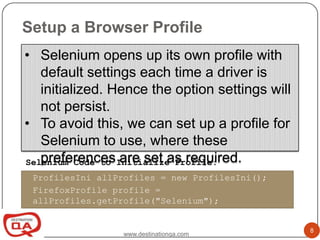
Setup a Browser Profile
• Selenium opens up its own profile with
   default settings each time a driver is
   initialized. Hence the option settings will
   not persist.
• To avoid this, we can set up a profile for
   Selenium to use, where these
   preferences are set as required.
Selenium Code to Initialize Profile:
 ProfilesIni allProfiles = new ProfilesIni();
 FirefoxProfile profile =
 allProfiles.getProfile("Selenium");


                                                 8
                  www.destinationqa.com
The Java AWT Robot Class

This class can generate native input events to the underlying
OS using the Keyboard and Mouse Interfaces

Methods in this class can be effectively used to do the minimal
interaction with native popups occurring in Web Applications.

Some of the useful API provided are:

 • keyPress();
 • mousePress();
 • Mousemove();

                                                                  9
                       www.destinationqa.com
The Java AWT Robot Class Contd..

Although the Robot Class can be used to interact
with PopUps, there are some limitations like:

• All interactions happen using either
  Keyboard events or screen
  coordinates.
• Keyboard events handle 1 character at
  a time (no Strings)
• Cannot capture object properties using
  this class.

                  www.destinationqa.com            10
Using External Programs (AutoIT)

AutoIT is a tool that can automate the
Windows GUI.
AutoIT generates an executable file that
can be called from the Selenium script.
AutoIT Code Example:
 WinWaitActive("Choose File to Upload")
      Send("D:test.jpeg")
      Send("{ENTER}")

                 Download AutoIT at:
         http://www.autoitscript.com/site/autoit/downloads/


                      www.destinationqa.com                   11
Thank You…
Aparna Naik
Email: naik.aparna@destinationqa.com
Tel: +91 99233 50980


                                               12
                       www.destinationqa.com

Selenium Webdriver pop up handling

  • 1.
    PopUp handling inSelenium 2.x By Aparna Naik www.DestinationQA.com 1 www.destinationqa.com
  • 2.
    Agenda Different types ofPopUps Handling JavaScript PopUps Webdriver Alerts API Java AWT Robot class to handle windows popups Other ways to handle Popups 2 www.destinationqa.com
  • 3.
    PopUps Usually, a webapplication can generate following types of popup windows: JavaScript PopUps Browser PopUps Native OS PopUps JavaScript popup windows are generated by the web application code. Hence they can be controlled by the browser. Native Popups like the File Upload / Download windows call the operating system’s native interface. Hence once they are opened, the browser has little control over them. 3 www.destinationqa.com
  • 4.
    Handling JavaScript PopUps Seleniumprovides an API to handle JavaScript PopUps. Alert alert = driver.switchTo().alert(); The Alert API allows various operations on the Alert object: accept(), dismiss(), getText(),sendKeys() 4 www.destinationqa.com
  • 5.
    Handling Browser andNative OS PopUps As Selenium does not provide support to these kind of Popups, we need to explore other options. There are several ways to handle such popups like: • Setup Browser Profiles • Use Java.awt.Robot toolkit • Use external program like AutoIT 5 www.destinationqa.com
  • 6.
    Setup Browser Defaults Auseful way to handle popups is to set the Browser Defaults to disable popups wherever possible. This can usually be done for popups which ask whether a File should be downloaded. 6 www.destinationqa.com
  • 7.
    Handling File Downloadwindows When a file is to be downloaded, browser will ask you where the file is to be saved. Usually, this option can also be set to a default location to avoid this popup. 7 www.destinationqa.com
  • 8.
    Setup a BrowserProfile • Selenium opens up its own profile with default settings each time a driver is initialized. Hence the option settings will not persist. • To avoid this, we can set up a profile for Selenium to use, where these preferences are set as required. Selenium Code to Initialize Profile: ProfilesIni allProfiles = new ProfilesIni(); FirefoxProfile profile = allProfiles.getProfile("Selenium"); 8 www.destinationqa.com
  • 9.
    The Java AWTRobot Class This class can generate native input events to the underlying OS using the Keyboard and Mouse Interfaces Methods in this class can be effectively used to do the minimal interaction with native popups occurring in Web Applications. Some of the useful API provided are: • keyPress(); • mousePress(); • Mousemove(); 9 www.destinationqa.com
  • 10.
    The Java AWTRobot Class Contd.. Although the Robot Class can be used to interact with PopUps, there are some limitations like: • All interactions happen using either Keyboard events or screen coordinates. • Keyboard events handle 1 character at a time (no Strings) • Cannot capture object properties using this class. www.destinationqa.com 10
  • 11.
    Using External Programs(AutoIT) AutoIT is a tool that can automate the Windows GUI. AutoIT generates an executable file that can be called from the Selenium script. AutoIT Code Example: WinWaitActive("Choose File to Upload") Send("D:test.jpeg") Send("{ENTER}") Download AutoIT at: http://www.autoitscript.com/site/autoit/downloads/ www.destinationqa.com 11
  • 12.
    Thank You… Aparna Naik Email:naik.aparna@destinationqa.com Tel: +91 99233 50980 12 www.destinationqa.com