Chapter 10: XML


        Database System Concepts, 1 st Ed.
©VNS InfoSolutions Private Limited, Varanasi(UP), India 221002
        See www.vnsispl.com for conditions on re-use
XML
              s Structure of XML Data
              s XML Document Schema
              s Querying and Transformation
              s Application Program Interfaces to XML
              s Storage of XML Data
              s XML Applications


Database System Concepts – 1 st Ed.           10.2   ©VNS InfoSolutions Private Limited, Varanasi(UP), India 22100
Introduction
              s XML: Extensible Markup Language
              s Defined by the WWW Consortium (W3C)
              s Derived from SGML (Standard Generalized Markup Language), but
                   simpler to use than SGML
              s Documents have tags giving extra information about sections of the
                   document
                     q   E.g. <title> XML </title> <slide> Introduction …</slide>
              s Extensible, unlike HTML
                     q   Users can add new tags, and separately specify how the tag should be
                         handled for display


Database System Concepts – 1 st Ed.                 10.3   ©VNS InfoSolutions Private Limited, Varanasi(UP), India 22100
XML Introduction (Cont.)
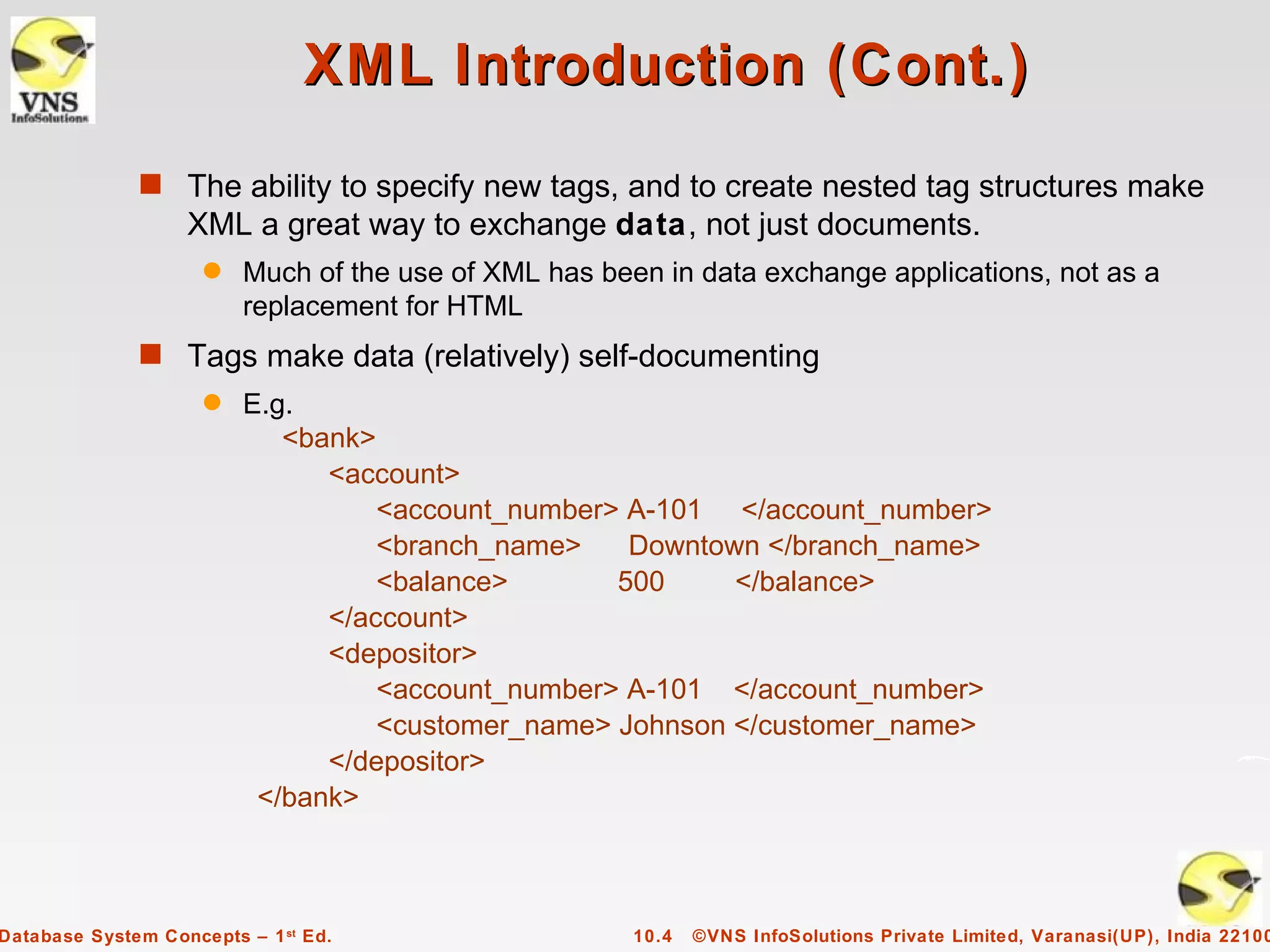
              s The ability to specify new tags, and to create nested tag structures make
                   XML a great way to exchange data, not just documents.
                     q   Much of the use of XML has been in data exchange applications, not as a
                         replacement for HTML
              s Tags make data (relatively) self-documenting
                     q   E.g.
                            <bank>
                               <account>
                                   <account_number> A-101 </account_number>
                                   <branch_name>    Downtown </branch_name>
                                   <balance>       500     </balance>
                               </account>
                               <depositor>
                                   <account_number> A-101 </account_number>
                                   <customer_name> Johnson </customer_name>
                               </depositor>
                          </bank>


Database System Concepts – 1 st Ed.                    10.4   ©VNS InfoSolutions Private Limited, Varanasi(UP), India 22100
XML: Motivation
              s Data interchange is critical in today’s networked world
                     q   Examples:
                              Banking: funds transfer
                              Order processing (especially inter-company orders)
                              Scientific data
                                – Chemistry: ChemML, …
                                – Genetics:      BSML (Bio-Sequence Markup Language), …
                     q   Paper flow of information between organizations is being replaced by
                         electronic flow of information
              s Each application area has its own set of standards for representing
                   information
              s XML has become the basis for all new generation data interchange
                   formats


Database System Concepts – 1 st Ed.                      10.5   ©VNS InfoSolutions Private Limited, Varanasi(UP), India 22100
XML Motivation (Cont.)
              s Earlier generation formats were based on plain text with line headers
                   indicating the meaning of fields
                     q   Similar in concept to email headers
                     q   Does not allow for nested structures, no standard “type” language
                     q   Tied too closely to low level document structure (lines, spaces, etc)
              s Each XML based standard defines what are valid elements, using
                     q    XML type specification languages to specify the syntax
                              DTD (Document Type Descriptors)
                              XML Schema
                     q   Plus textual descriptions of the semantics
              s XML allows new tags to be defined as required
                     q   However, this may be constrained by DTDs
              s A wide variety of tools is available for parsing, browsing and querying XML
                   documents/data


Database System Concepts – 1 st Ed.                   10.6   ©VNS InfoSolutions Private Limited, Varanasi(UP), India 22100
Comparison with Relational Data
              s Inefficient: tags, which in effect represent schema information, are
                   repeated
              s Better than relational tuples as a data-exchange format
                     q   Unlike relational tuples, XML data is self-documenting due to
                         presence of tags
                     q   Non-rigid format: tags can be added
                     q   Allows nested structures
                     q   Wide acceptance, not only in database systems, but also in
                         browsers, tools, and applications


Database System Concepts – 1 st Ed.                 10.7   ©VNS InfoSolutions Private Limited, Varanasi(UP), India 22100
Structure of XML Data
              s Tag: label for a section of data
              s Element: section of data beginning with <tagname> and ending with
                   matching </tagname>
              s Elements must be properly nested
                     q   Proper nesting
                              <account> … <balance> …. </balance> </account>
                     q   Improper nesting
                              <account> … <balance> …. </account> </balance>
                     q   Formally: every start tag must have a unique matching end tag,
                         that is in the context of the same parent element.
              s Every document must have a single top-level element


Database System Concepts – 1 st Ed.                 10.8   ©VNS InfoSolutions Private Limited, Varanasi(UP), India 22100
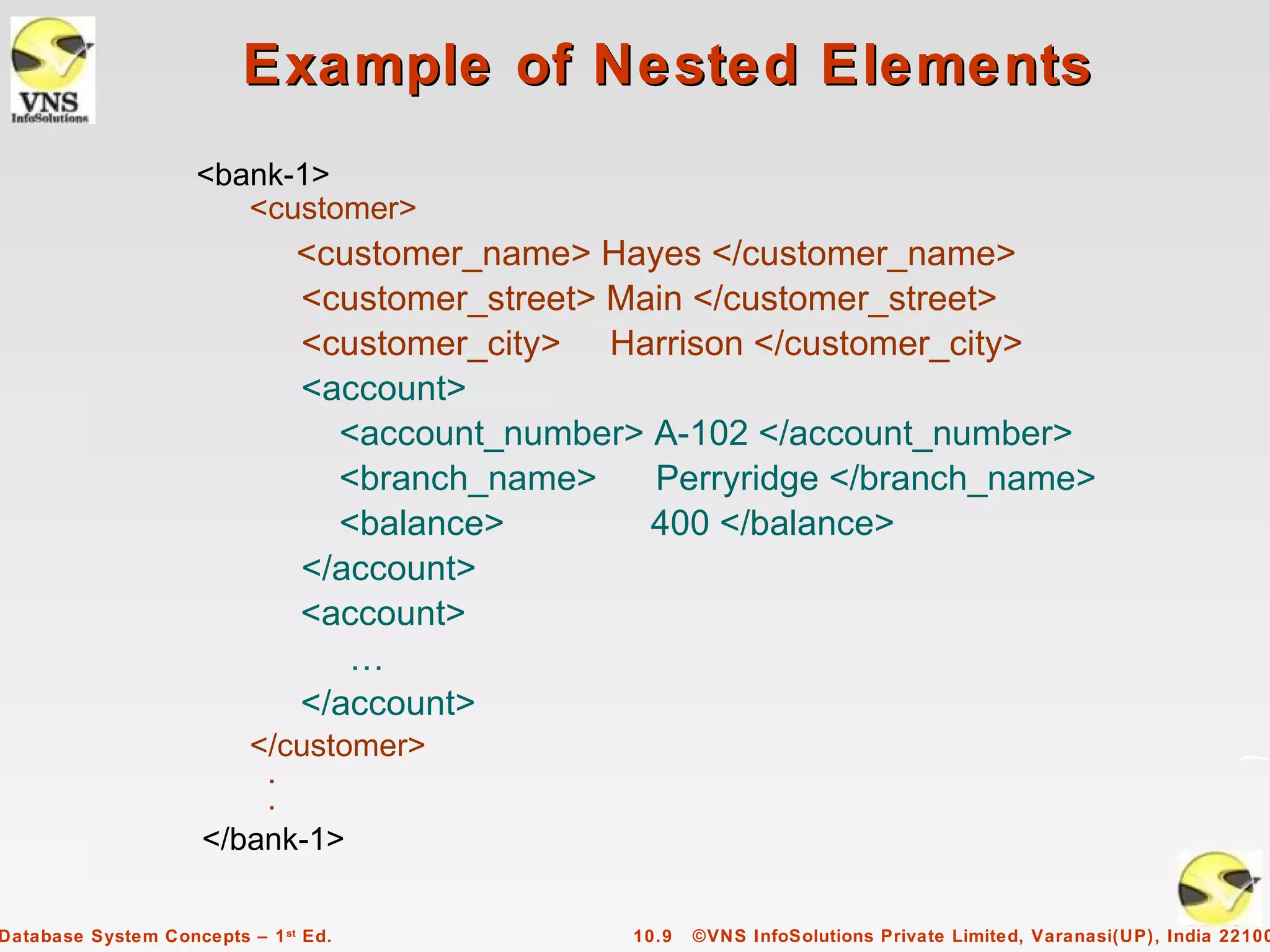
Example of Nested Elements
                    <bank-1>
                       <customer>
                               <customer_name> Hayes </customer_name>
                               <customer_street> Main </customer_street>
                               <customer_city> Harrison </customer_city>
                               <account>
                                 <account_number> A-102 </account_number>
                                 <branch_name>     Perryridge </branch_name>
                                 <balance>         400 </balance>
                               </account>
                               <account>
                                  …
                               </account>
                        </customer>
                         .
                         .
                     </bank-1>

Database System Concepts – 1 st Ed.              10.9   ©VNS InfoSolutions Private Limited, Varanasi(UP), India 22100
Motivation for Nesting
              s Nesting of data is useful in data transfer
                     q   Example: elements representing customer_id, customer_name, and
                         address nested within an order element
              s Nesting is not supported, or discouraged, in relational databases
                     q   With multiple orders, customer name and address are stored
                         redundantly
                     q   normalization replaces nested structures in each order by foreign key
                         into table storing customer name and address information
                     q   Nesting is supported in object-relational databases
              s But nesting is appropriate when transferring data
                     q   External application does not have direct access to data referenced
                         by a foreign key


Database System Concepts – 1 st Ed.                 10.10 ©VNS InfoSolutions Private Limited, Varanasi(UP), India 22100
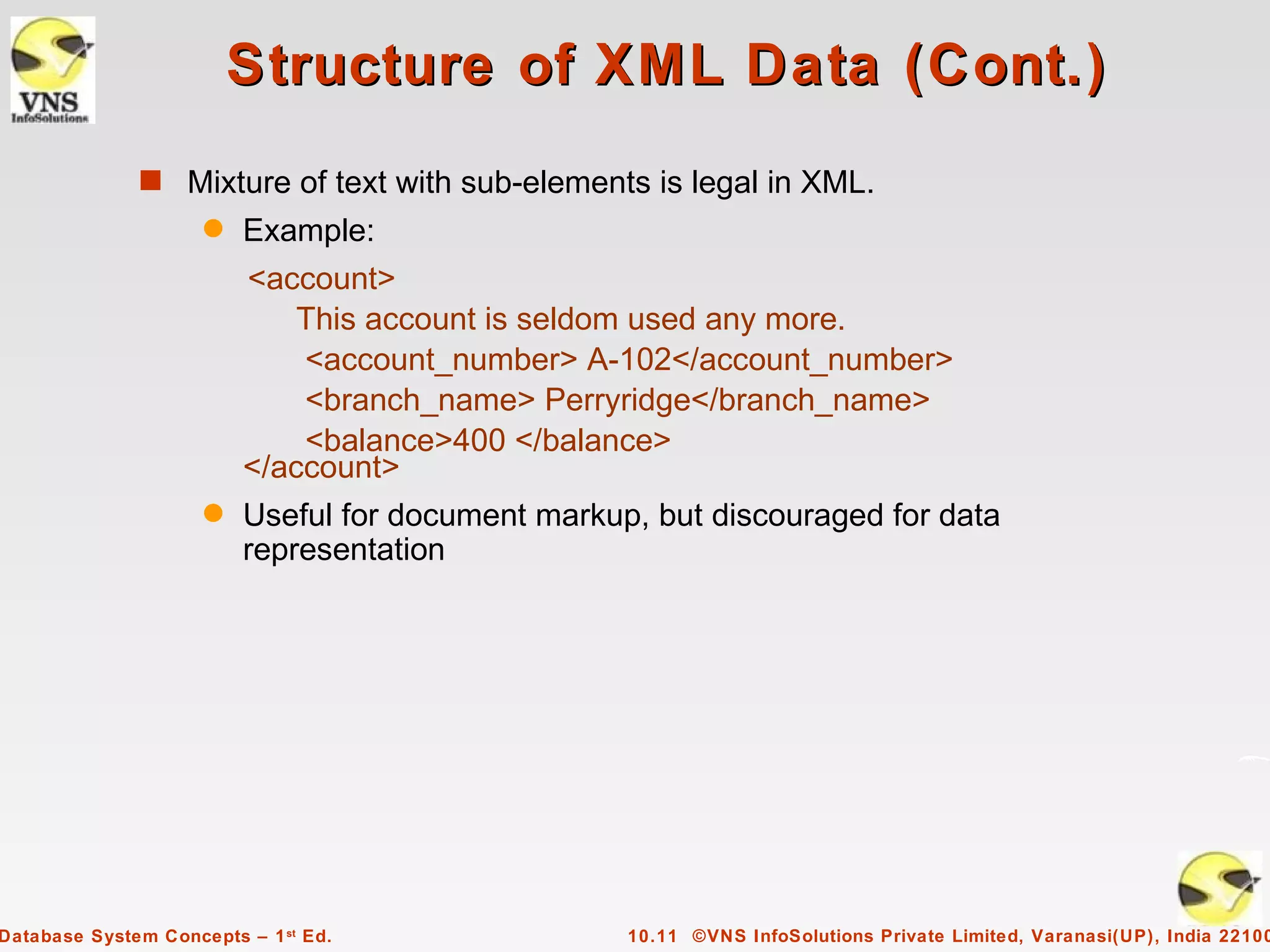
Structure of XML Data (Cont.)
              s Mixture of text with sub-elements is legal in XML.
                     q   Example:
                         <account>
                             This account is seldom used any more.
                             <account_number> A-102</account_number>
                             <branch_name> Perryridge</branch_name>
                             <balance>400 </balance>
                         </account>
                     q   Useful for document markup, but discouraged for data
                         representation


Database System Concepts – 1 st Ed.                10.11 ©VNS InfoSolutions Private Limited, Varanasi(UP), India 22100
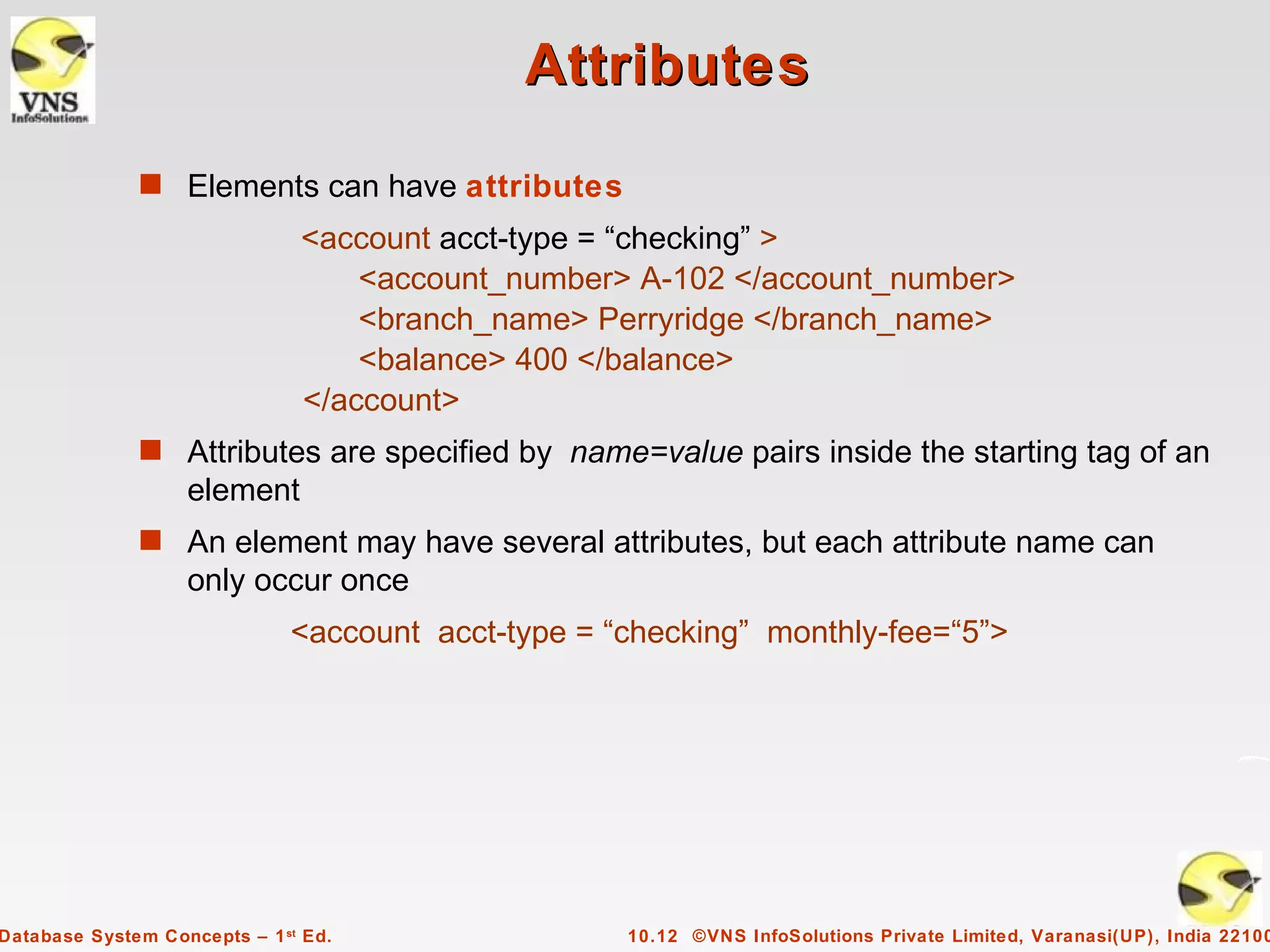
Attributes
              s Elements can have attributes
                               <account acct-type = “checking” >
                                   <account_number> A-102 </account_number>
                                   <branch_name> Perryridge </branch_name>
                                   <balance> 400 </balance>
                               </account>
              s Attributes are specified by name=value pairs inside the starting tag of an
                   element
              s An element may have several attributes, but each attribute name can
                   only occur once
                              <account acct-type = “checking” monthly-fee=“5”>


Database System Concepts – 1 st Ed.                 10.12 ©VNS InfoSolutions Private Limited, Varanasi(UP), India 22100
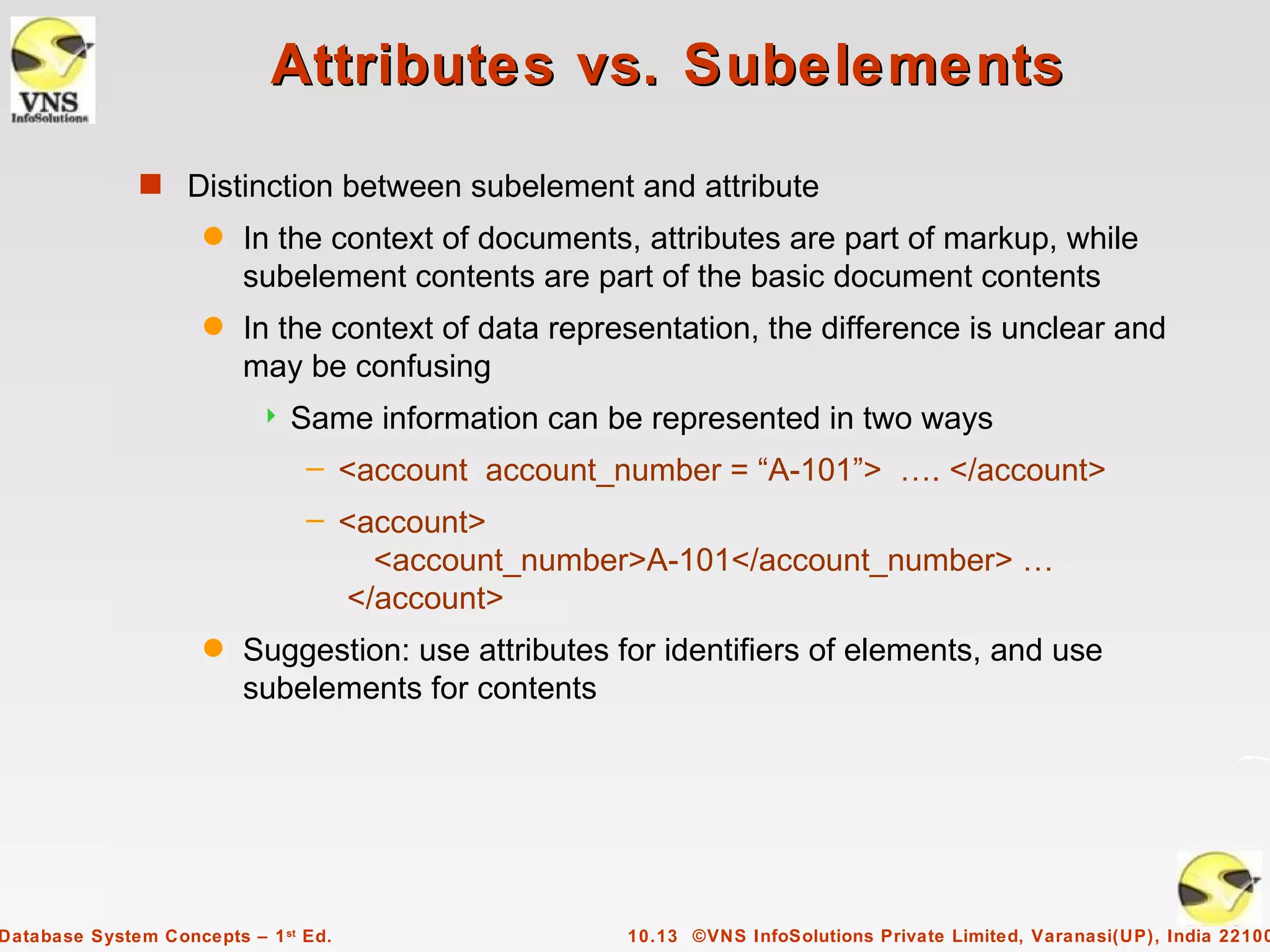
Attributes vs. Subelements
              s Distinction between subelement and attribute
                     q   In the context of documents, attributes are part of markup, while
                         subelement contents are part of the basic document contents
                     q   In the context of data representation, the difference is unclear and
                         may be confusing
                              Same information can be represented in two ways
                                – <account account_number = “A-101”> …. </account>
                                – <account>
                                    <account_number>A-101</account_number> …
                                  </account>
                     q   Suggestion: use attributes for identifiers of elements, and use
                         subelements for contents


Database System Concepts – 1 st Ed.                  10.13 ©VNS InfoSolutions Private Limited, Varanasi(UP), India 22100
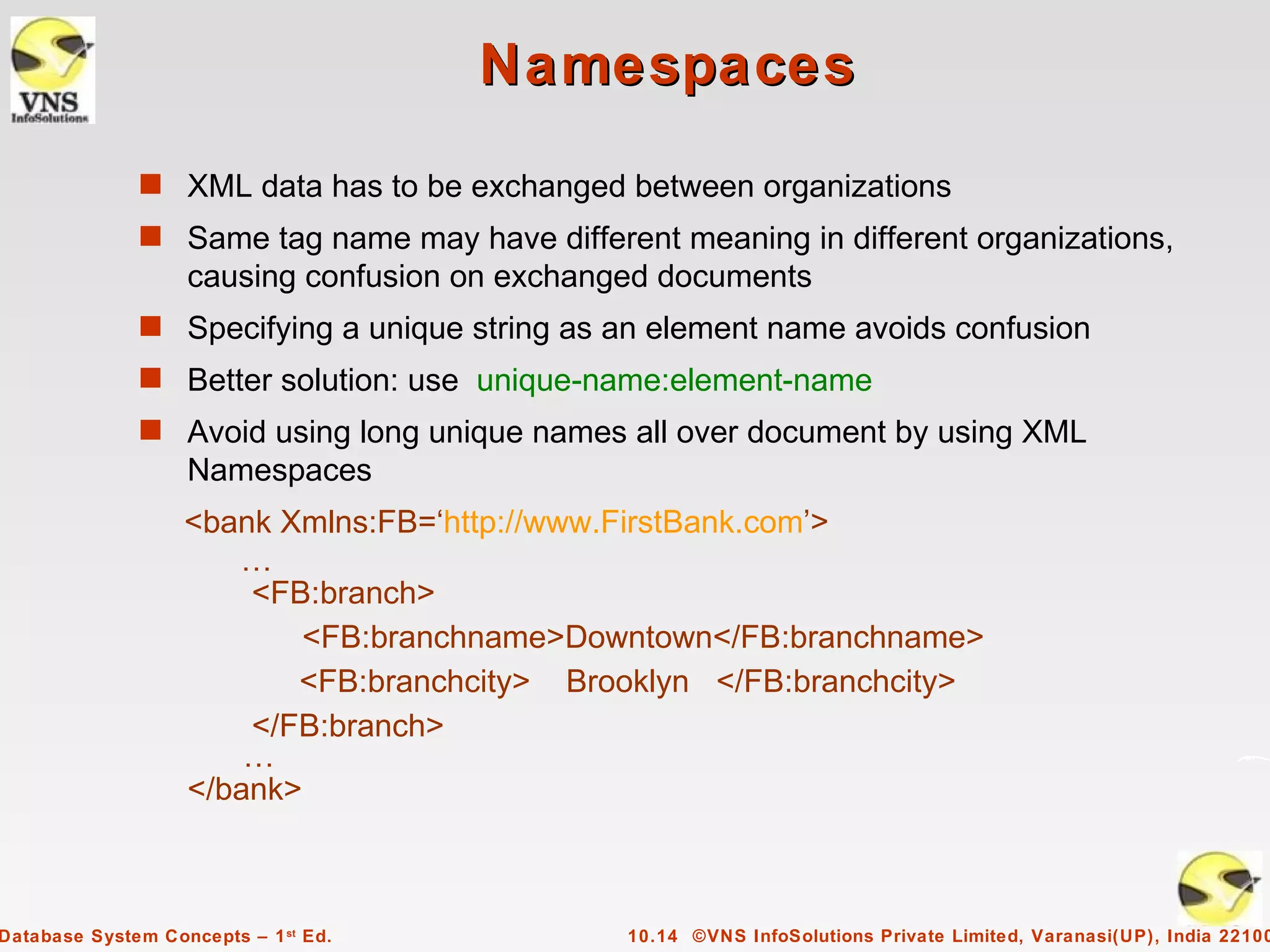
Namespaces
              s XML data has to be exchanged between organizations
              s Same tag name may have different meaning in different organizations,
                   causing confusion on exchanged documents
              s Specifying a unique string as an element name avoids confusion
              s Better solution: use unique-name:element-name
              s Avoid using long unique names all over document by using XML
                   Namespaces
                   <bank Xmlns:FB=‘http://www.FirstBank.com’>
                      …
                       <FB:branch>
                           <FB:branchname>Downtown</FB:branchname>
                          <FB:branchcity> Brooklyn </FB:branchcity>
                       </FB:branch>
                       …
                   </bank>


Database System Concepts – 1 st Ed.            10.14 ©VNS InfoSolutions Private Limited, Varanasi(UP), India 22100
More on XML Syntax
              s Elements without subelements or text content can be abbreviated by
                   ending the start tag with a /> and deleting the end tag
                     q   <account number=“A-101” branch=“Perryridge” balance=“200 />
              s To store string data that may contain tags, without the tags being
                   interpreted as subelements, use CDATA as below
                     q   <![CDATA[<account> … </account>]]>
                     Here, <account> and </account> are treated as just strings
                     CDATA stands for “character data”


Database System Concepts – 1 st Ed.               10.15 ©VNS InfoSolutions Private Limited, Varanasi(UP), India 22100
XML Document Schema
              s Database schemas constrain what information can be stored, and the
                   data types of stored values
              s XML documents are not required to have an associated schema
              s However, schemas are very important for XML data exchange
                     q   Otherwise, a site cannot automatically interpret data received from
                         another site
              s Two mechanisms for specifying XML schema
                     q   Document Type Definition (DTD)
                              Widely used
                     q   XML Schema
                              Newer, increasing use


Database System Concepts – 1 st Ed.                    10.16 ©VNS InfoSolutions Private Limited, Varanasi(UP), India 22100
Document Type Definition (DTD)
              s The type of an XML document can be specified using a DTD
              s DTD constraints structure of XML data
                     q   What elements can occur
                     q   What attributes can/must an element have
                     q   What subelements can/must occur inside each element, and how
                         many times.
              s DTD does not constrain data types
                     q   All values represented as strings in XML
              s DTD syntax
                     q   <!ELEMENT element (subelements-specification) >
                     q   <!ATTLIST element (attributes) >


Database System Concepts – 1 st Ed.                 10.17 ©VNS InfoSolutions Private Limited, Varanasi(UP), India 22100
Element Specification in DTD
              s    Subelements can be specified as
                     q   names of elements, or
                     q   #PCDATA (parsed character data), i.e., character strings
                     q   EMPTY (no subelements) or ANY (anything can be a subelement)
              s    Example
                      <! ELEMENT depositor (customer_name account_number)>
                      <! ELEMENT customer_name (#PCDATA)>
                      <! ELEMENT account_number (#PCDATA)>
              s    Subelement specification may have regular expressions
                     <!ELEMENT bank ( ( account | customer | depositor)+)>
                              Notation:
                                – “|” - alternatives
                                – “+” - 1 or more occurrences
                                – “*” - 0 or more occurrences


Database System Concepts – 1 st Ed.                    10.18 ©VNS InfoSolutions Private Limited, Varanasi(UP), India 22100
Bank DTD

                   <!DOCTYPE bank [
                      <!ELEMENT bank ( ( account | customer | depositor)+)>
                      <!ELEMENT account (account_number branch_name balance)>
                      <! ELEMENT customer(customer_name customer_street
                                                                   customer_city)>
                      <! ELEMENT depositor (customer_name account_number)>
                      <! ELEMENT account_number (#PCDATA)>
                      <! ELEMENT branch_name (#PCDATA)>
                      <! ELEMENT balance(#PCDATA)>
                      <! ELEMENT customer_name(#PCDATA)>
                      <! ELEMENT customer_street(#PCDATA)>
                      <! ELEMENT customer_city(#PCDATA)>
                   ]>


Database System Concepts – 1 st Ed.            10.19 ©VNS InfoSolutions Private Limited, Varanasi(UP), India 22100
Attribute Specification in DTD
              s Attribute specification : for each attribute
                     q   Name
                     q   Type of attribute
                              CDATA
                              ID (identifier) or IDREF (ID reference) or IDREFS (multiple IDREFs)
                                –     more on this later
                     q   Whether
                              mandatory (#REQUIRED)
                              has a default value (value),
                              or neither (#IMPLIED)
              s Examples
                     q   <!ATTLIST account acct-type CDATA “checking”>
                     q   <!ATTLIST customer
                            customer_id ID     # REQUIRED
                            accounts    IDREFS # REQUIRED >
Database System Concepts – 1 st Ed.                        10.20 ©VNS InfoSolutions Private Limited, Varanasi(UP), India 22100
IDs and IDREFs
              s An element can have at most one attribute of type ID
              s The ID attribute value of each element in an XML document must be
                   distinct
                     q   Thus the ID attribute value is an object identifier
              s An attribute of type IDREF must contain the ID value of an element in
                   the same document
              s An attribute of type IDREFS contains a set of (0 or more) ID values.
                   Each ID value must contain the ID value of an element in the same
                   document


Database System Concepts – 1 st Ed.                   10.21 ©VNS InfoSolutions Private Limited, Varanasi(UP), India 22100
Bank DTD with Attributes
              s Bank DTD with ID and IDREF attribute types.
                         <!DOCTYPE bank-2[
                            <!ELEMENT account (branch, balance)>
                            <!ATTLIST account
                                 account_number ID          # REQUIRED
                                 owners            IDREFS # REQUIRED>
                            <!ELEMENT customer(customer_name, customer_street,
                                                                    customer_city)>
                            <!ATTLIST customer
                                  customer_id       ID      # REQUIRED
                                  accounts         IDREFS # REQUIRED>
                            … declarations for branch, balance, customer_name,
                                               customer_street and customer_city
                         ]>


Database System Concepts – 1 st Ed.               10.22 ©VNS InfoSolutions Private Limited, Varanasi(UP), India 22100
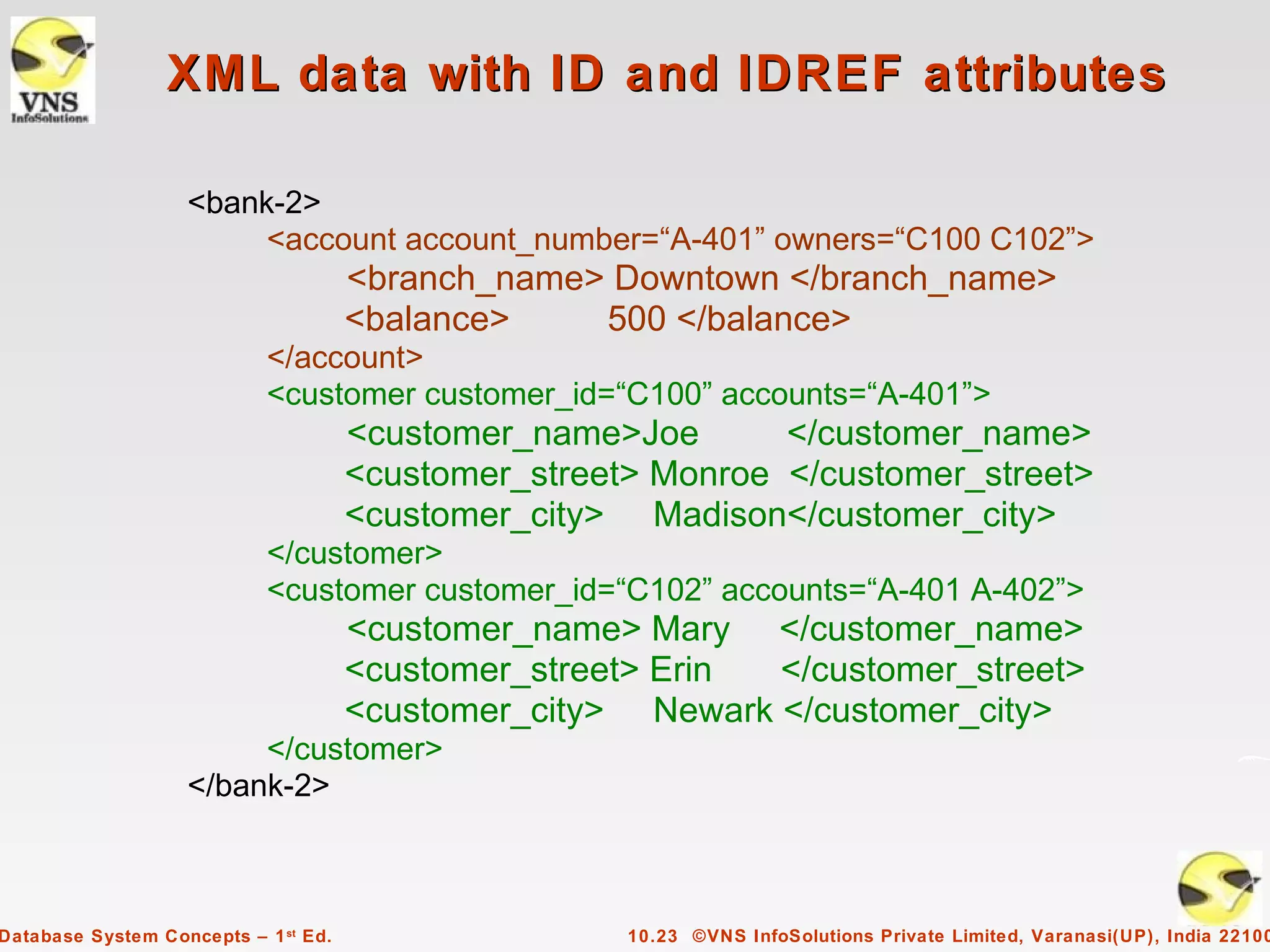
XML data with ID and IDREF attributes

                   <bank-2>
                        <account account_number=“A-401” owners=“C100 C102”>
                                      <branch_name> Downtown </branch_name>
                                      <balance>    500 </balance>
                            </account>
                            <customer customer_id=“C100” accounts=“A-401”>
                                      <customer_name>Joe       </customer_name>
                                      <customer_street> Monroe </customer_street>
                                      <customer_city> Madison</customer_city>
                            </customer>
                            <customer customer_id=“C102” accounts=“A-401 A-402”>
                                      <customer_name> Mary </customer_name>
                                      <customer_street> Erin </customer_street>
                                      <customer_city> Newark </customer_city>
                        </customer>
                   </bank-2>


Database System Concepts – 1 st Ed.                   10.23 ©VNS InfoSolutions Private Limited, Varanasi(UP), India 22100
Limitations of DTDs
              s No typing of text elements and attributes
                     q   All values are strings, no integers, reals, etc.
              s Difficult to specify unordered sets of subelements
                     q   Order is usually irrelevant in databases (unlike in the document-
                         layout environment from which XML evolved)
                     q   (A | B)* allows specification of an unordered set, but
                              Cannot ensure that each of A and B occurs only once
              s IDs and IDREFs are untyped
                     q   The owners attribute of an account may contain a reference to
                         another account, which is meaningless
                              owners attribute should ideally be constrained to refer to
                               customer elements


Database System Concepts – 1 st Ed.                    10.24 ©VNS InfoSolutions Private Limited, Varanasi(UP), India 22100
XML Schema
              s XML Schema is a more sophisticated schema language which
                   addresses the drawbacks of DTDs. Supports
                     q   Typing of values
                              E.g. integer, string, etc
                              Also, constraints on min/max values
                     q   User-defined, comlex types
                     q   Many more features, including
                              uniqueness and foreign key constraints, inheritance
              s XML Schema is itself specified in XML syntax, unlike DTDs
                     q   More-standard representation, but verbose
              s XML Scheme is integrated with namespaces
              s BUT: XML Schema is significantly more complicated than DTDs.


Database System Concepts – 1 st Ed.                        10.25 ©VNS InfoSolutions Private Limited, Varanasi(UP), India 22100
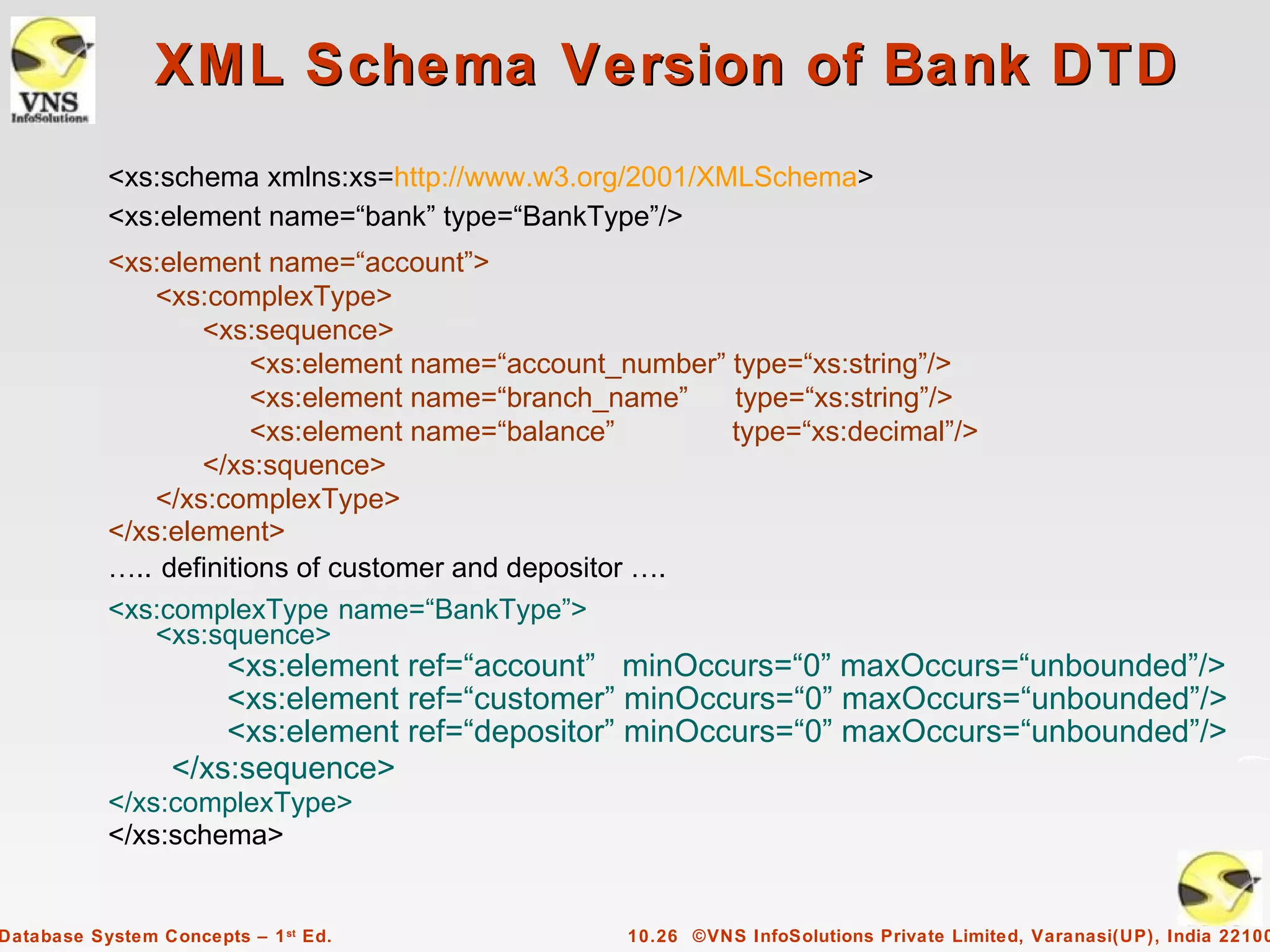
XML Schema Version of Bank DTD
           <xs:schema xmlns:xs=http://www.w3.org/2001/XMLSchema>
           <xs:element name=“bank” type=“BankType”/>
           <xs:element name=“account”>
               <xs:complexType>
                   <xs:sequence>
                       <xs:element name=“account_number” type=“xs:string”/>
                       <xs:element name=“branch_name”    type=“xs:string”/>
                       <xs:element name=“balance”        type=“xs:decimal”/>
                   </xs:squence>
               </xs:complexType>
           </xs:element>
           ….. definitions of customer and depositor ….
           <xs:complexType name=“BankType”>
               <xs:squence>
                      <xs:element ref=“account” minOccurs=“0” maxOccurs=“unbounded”/>
                      <xs:element ref=“customer” minOccurs=“0” maxOccurs=“unbounded”/>
                      <xs:element ref=“depositor” minOccurs=“0” maxOccurs=“unbounded”/>
                  </xs:sequence>
           </xs:complexType>
           </xs:schema>


Database System Concepts – 1 st Ed.              10.26 ©VNS InfoSolutions Private Limited, Varanasi(UP), India 22100
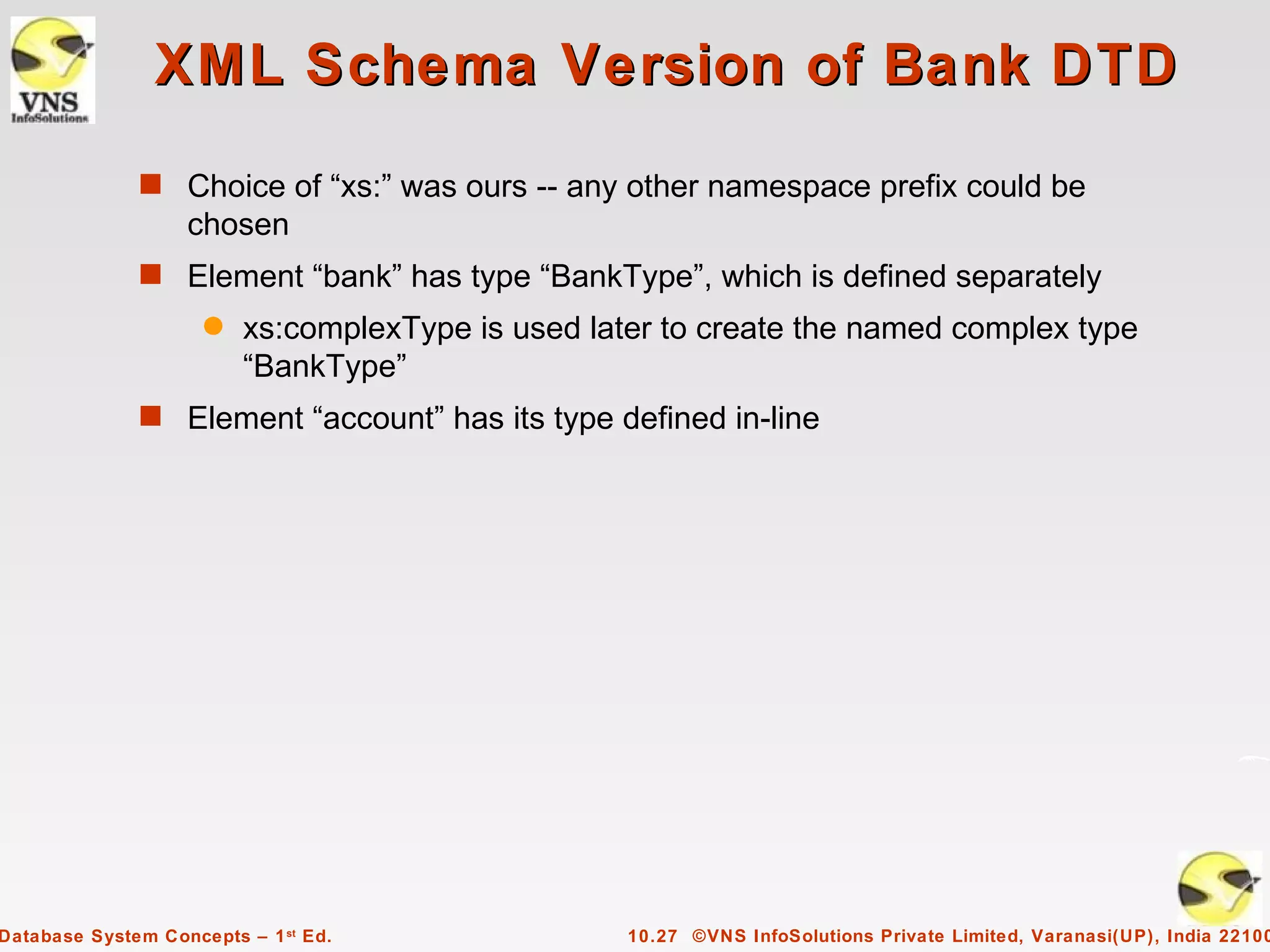
XML Schema Version of Bank DTD
              s Choice of “xs:” was ours -- any other namespace prefix could be
                   chosen
              s Element “bank” has type “BankType”, which is defined separately
                     q   xs:complexType is used later to create the named complex type
                         “BankType”
              s Element “account” has its type defined in-line


Database System Concepts – 1 st Ed.                10.27 ©VNS InfoSolutions Private Limited, Varanasi(UP), India 22100
More features of XML Schema
              s Attributes specified by xs:attribute tag:
                     q   <xs:attribute name = “account_number”/>
                     q   adding the attribute use = “required” means value must be
                         specified
              s Key constraint: “account numbers form a key for account elements
                   under the root bank element:
                        <xs:key name = “accountKey”>
                                  <xs:selector xpath = “]bank/account”/>
                                  <xs:field xpath = “account_number”/>
                        <xs:key>
              s Foreign key constraint from depositor to account:
                            <xs:keyref name = “depositorAccountKey” refer=“accountKey”>
                                     <xs:selector xpath = “]bank/account”/>
                                     <xs:field xpath = “account_number”/>
                            <xs:keyref>


Database System Concepts – 1 st Ed.                10.28 ©VNS InfoSolutions Private Limited, Varanasi(UP), India 22100
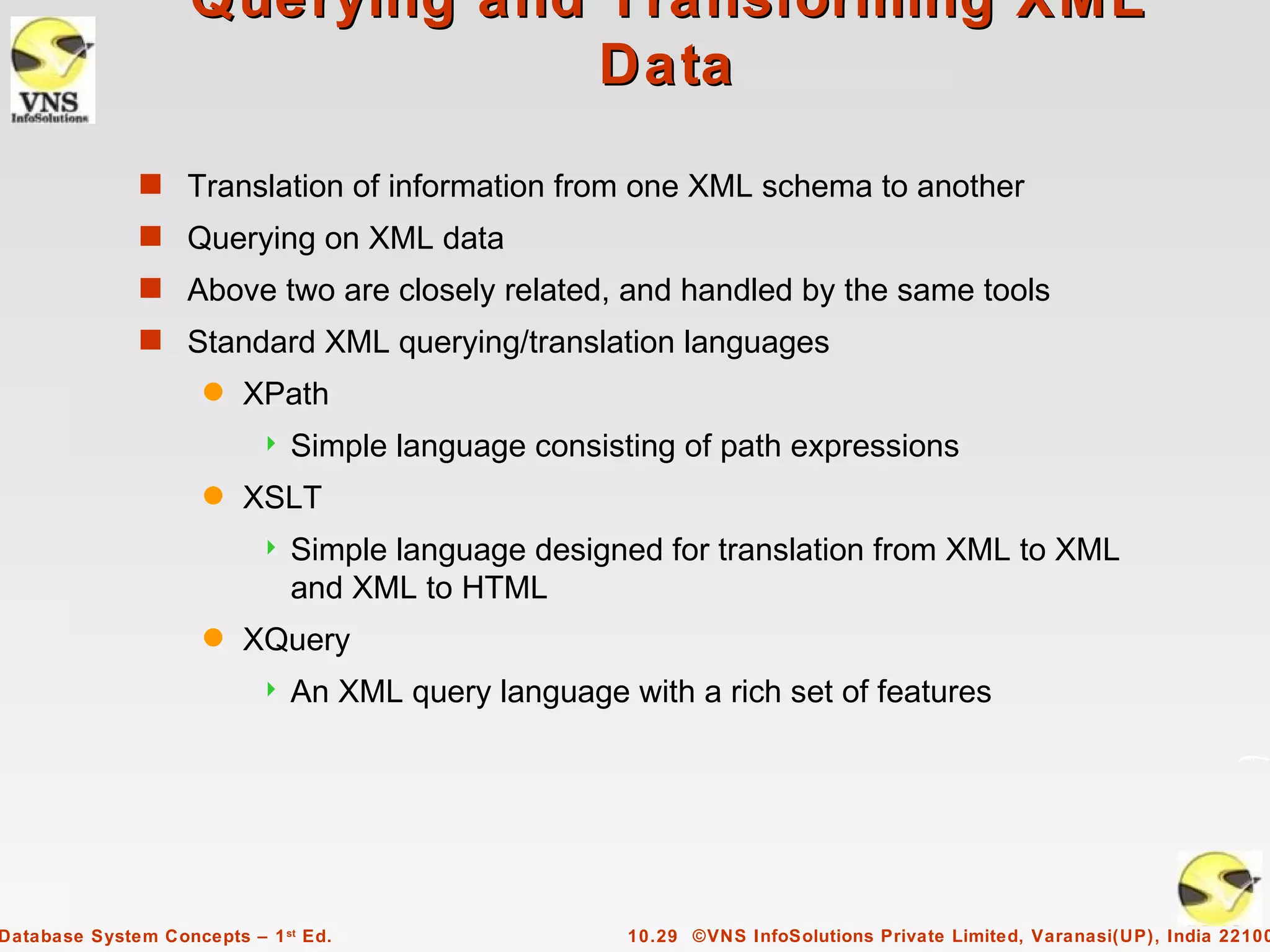
Querying and Transforming XML
                                 Data
              s Translation of information from one XML schema to another
              s Querying on XML data
              s Above two are closely related, and handled by the same tools
              s Standard XML querying/translation languages
                     q   XPath
                              Simple language consisting of path expressions
                     q   XSLT
                              Simple language designed for translation from XML to XML
                               and XML to HTML
                     q   XQuery
                              An XML query language with a rich set of features


Database System Concepts – 1 st Ed.                   10.29 ©VNS InfoSolutions Private Limited, Varanasi(UP), India 22100
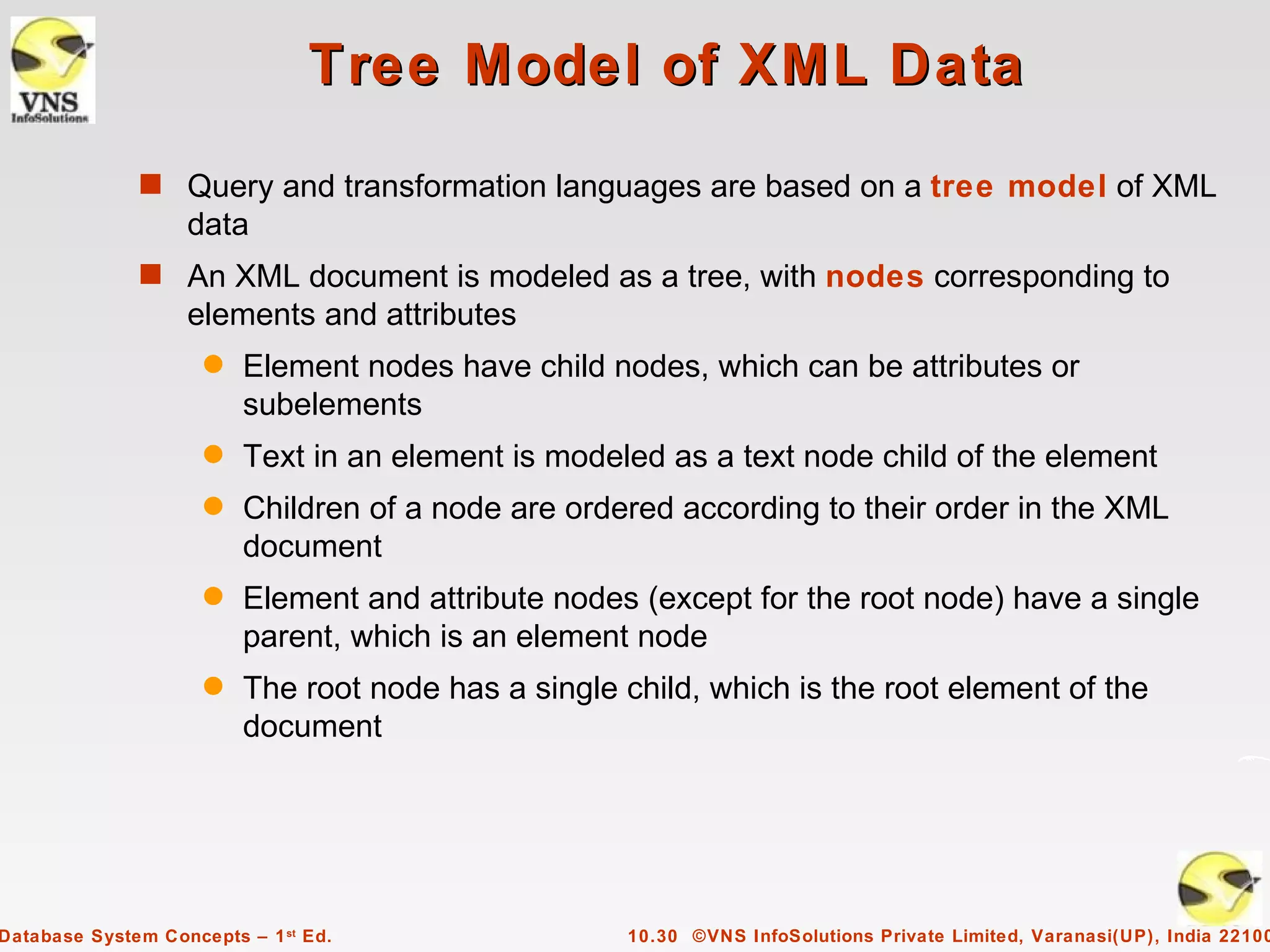
Tree Model of XML Data
              s Query and transformation languages are based on a tree model of XML
                   data
              s An XML document is modeled as a tree, with nodes corresponding to
                   elements and attributes
                     q   Element nodes have child nodes, which can be attributes or
                         subelements
                     q   Text in an element is modeled as a text node child of the element
                     q   Children of a node are ordered according to their order in the XML
                         document
                     q   Element and attribute nodes (except for the root node) have a single
                         parent, which is an element node
                     q   The root node has a single child, which is the root element of the
                         document


Database System Concepts – 1 st Ed.                  10.30 ©VNS InfoSolutions Private Limited, Varanasi(UP), India 22100
XPath
              s XPath is used to address (select) parts of documents using
                    path expressions
              s A path expression is a sequence of steps separated by “/”
                     q   Think of file names in a directory hierarchy
              s Result of path expression: set of values that along with their
                   containing elements/attributes match the specified path
              s E.g.       /bank-2/customer/customer_name evaluated on the
                   bank-2 data we saw earlier returns
                     <customer_name>Joe</customer_name>
                     <customer_name>Mary</customer_name>
              s E.g.         /bank-2/customer/customer_name/text( )
                      returns the same names, but without the enclosing tags


Database System Concepts – 1 st Ed.                  10.31 ©VNS InfoSolutions Private Limited, Varanasi(UP), India 22100
XPath (Cont.)
              s The initial “/” denotes root of the document (above the top-level tag)
              s Path expressions are evaluated left to right
                     q   Each step operates on the set of instances produced by the previous
                         step
              s Selection predicates may follow any step in a path, in [ ]
                     q   E.g.         /bank-2/account[balance > 400]
                              returns account elements with a balance value greater than 400
                              /bank-2/account[balance] returns account elements containing a
                               balance subelement
              s Attributes are accessed using “@”
                     q   E.g. /bank-2/account[balance > 400]/@account_number
                              returns the account numbers of accounts with balance > 400
                     q   IDREF attributes are not dereferenced automatically (more on this
                         later)


Database System Concepts – 1 st Ed.                      10.32 ©VNS InfoSolutions Private Limited, Varanasi(UP), India 22100
Functions in XPath
              s XPath provides several functions
                     q   The function count() at the end of a path counts the number of
                         elements in the set generated by the path
                              E.g. /bank-2/account[count(./customer) > 2]
                                – Returns accounts with > 2 customers
                     q   Also function for testing position (1, 2, ..) of node w.r.t. siblings
              s Boolean connectives and and or and function not() can be used in
                   predicates
              s IDREFs can be referenced using function id()
                     q   id() can also be applied to sets of references such as IDREFS and
                         even to strings containing multiple references separated by blanks
                     q   E.g. /bank-2/account/id(@owner)
                              returns all customers referred to from the owners attribute of
                               account elements.


Database System Concepts – 1 st Ed.                    10.33 ©VNS InfoSolutions Private Limited, Varanasi(UP), India 22100
More XPath Features
              s Operator “|” used to implement union
                     q   E.g. /bank-2/account/id(@owner) | /bank-2/loan/id(@borrower)
                              Gives customers with either accounts or loans
                              However, “|” cannot be nested inside other operators.
              s “//” can be used to skip multiple levels of nodes
                     q   E.g. /bank-2//customer_name
                              finds any customer_name element anywhere under the
                               /bank-2 element, regardless of the element in which it is
                               contained.
              s A step in the path can go to parents, siblings, ancestors and
                   descendants of the nodes generated by the previous step, not just
                   to the children
                     q   “//”, described above, is a short from for specifying “all
                         descendants”
                     q   “..” specifies the parent.
              s doc(name) returns the root of a named document


Database System Concepts – 1 st Ed.                    10.34 ©VNS InfoSolutions Private Limited, Varanasi(UP), India 22100
XQuery
              s XQuery is a general purpose query language for XML data
              s Currently being standardized by the World Wide Web Consortium
                   (W3C)
                     q   The textbook description is based on a January 2005 draft of the
                         standard. The final version may differ, but major features likely to
                         stay unchanged.
              s XQuery is derived from the Quilt query language, which itself borrows
                   from SQL, XQL and XML-QL
              s XQuery uses a
                       for … let … where … order by …result …
                   syntax
                      for    SQL from
                      where  SQL where
                      order by  SQL order by
                          result  SQL select
                         let allows temporary variables, and has no equivalent in SQL


Database System Concepts – 1 st Ed.                  10.35 ©VNS InfoSolutions Private Limited, Varanasi(UP), India 22100
FLWOR Syntax in XQuery
              s For clause uses XPath expressions, and variable in for clause ranges over
                   values in the set returned by XPath
              s Simple FLWOR expression in XQuery
                     q   find all accounts with balance > 400, with each result enclosed in an
                         <account_number> .. </account_number> tag
                             for     $x in /bank-2/account
                             let       $acctno := $x/@account_number
                             where $x/balance > 400
                             return <account_number> { $acctno } </account_number>
                     q   Items in the return clause are XML text unless enclosed in {}, in which
                         case they are evaluated
              s Let clause not really needed in this query, and selection can be done In
                   XPath. Query can be written as:
                            for $x in /bank-2/account[balance>400]
                            return <account_number> { $x/@account_number }
                                                       </account_number>


Database System Concepts – 1 st Ed.                 10.36 ©VNS InfoSolutions Private Limited, Varanasi(UP), India 22100
Joins
              s Joins are specified in a manner very similar to SQL
                   for $a in /bank/account,
                       $c in /bank/customer,
                       $d in /bank/depositor
                    where $a/account_number = $d/account_number
                       and $c/customer_name = $d/customer_name
                    return <cust_acct> { $c $a } </cust_acct>
              s The same query can be expressed with the selections specified as
                   XPath selections:
                      for $a in /bank/account
                          $c in /bank/customer
                          $d in /bank/depositor[
                                  account_number = $a/account_number and
                                  customer_name = $c/customer_name]
                      return <cust_acct> { $c $a } </cust_acct>


Database System Concepts – 1 st Ed.             10.37 ©VNS InfoSolutions Private Limited, Varanasi(UP), India 22100
Nested Queries
        s The following query converts data from the flat structure for bank
            information into the nested structure used in bank-1
             <bank-1> {
                for $c in /bank/customer
                return
                   <customer>
                     { $c/* }
                     { for $d in /bank/depositor[customer_name = $c/customer_name],
                         $a in /bank/account[account_number=$d/account_number]
                     return $a }
                  </customer>
            } </bank-1>
        s $c/* denotes all the children of the node to which $c is bound, without the
             enclosing top-level tag
        s $c/text() gives text content of an element without any subelements / tags


Database System Concepts – 1 st Ed.            10.38 ©VNS InfoSolutions Private Limited, Varanasi(UP), India 22100
Sorting in XQuery
    s    The order by clause can be used at the end of any expression. E.g. to return
         customers sorted by name
               for $c in /bank/customer
               order by $c/customer_name
         return <customer> { $c/* } </customer>
    s    Use order by $c/customer_name to sort in descending order
    s    Can sort at multiple levels of nesting (sort by customer_name, and by account_number
         within each customer)
           <bank-1> {
               for $c in /bank/customer
                  order by $c/customer_name
                  return
                      <customer>
                            { $c/* }
                               { for $d in /bank/depositor[customer_name=$c/customer_name],
                                         $a in /bank/account[account_number=$d/account_number] }
                               order by $a/account_number
                          return <account> $a/* </account>
                    </customer>
          } </bank-1>

Database System Concepts – 1 st Ed.                    10.39 ©VNS InfoSolutions Private Limited, Varanasi(UP), India 22100
Functions and Other XQuery
                                   Features

              s User defined functions with the type system of XMLSchema
                      function balances(xs:string $c) returns list(xs:decimal*) {
                       for $d in /bank/depositor[customer_name = $c],
                           $a in /bank/account[account_number = $d/account_number]
                       return $a/balance
                     }
              s Types are optional for function parameters and return values
              s The * (as in decimal*) indicates a sequence of values of that type
              s Universal and existential quantification in where clause predicates
                     q   some $e in path satisfies P
                     q   every $e in path satisfies P
              s XQuery also supports If-then-else clauses


Database System Concepts – 1 st Ed.               10.40 ©VNS InfoSolutions Private Limited, Varanasi(UP), India 22100
XSLT
              s A stylesheet stores formatting options for a document, usually
                   separately from document
                     q   E.g. an HTML style sheet may specify font colors and sizes for
                         headings, etc.
              s The XML Stylesheet Language (XSL) was originally designed for
                   generating HTML from XML
              s XSLT is a general-purpose transformation language
                     q   Can translate XML to XML, and XML to HTML
              s XSLT transformations are expressed using rules called templates
                     q   Templates combine selection using XPath with construction of
                         results


Database System Concepts – 1 st Ed.                 10.41 ©VNS InfoSolutions Private Limited, Varanasi(UP), India 22100
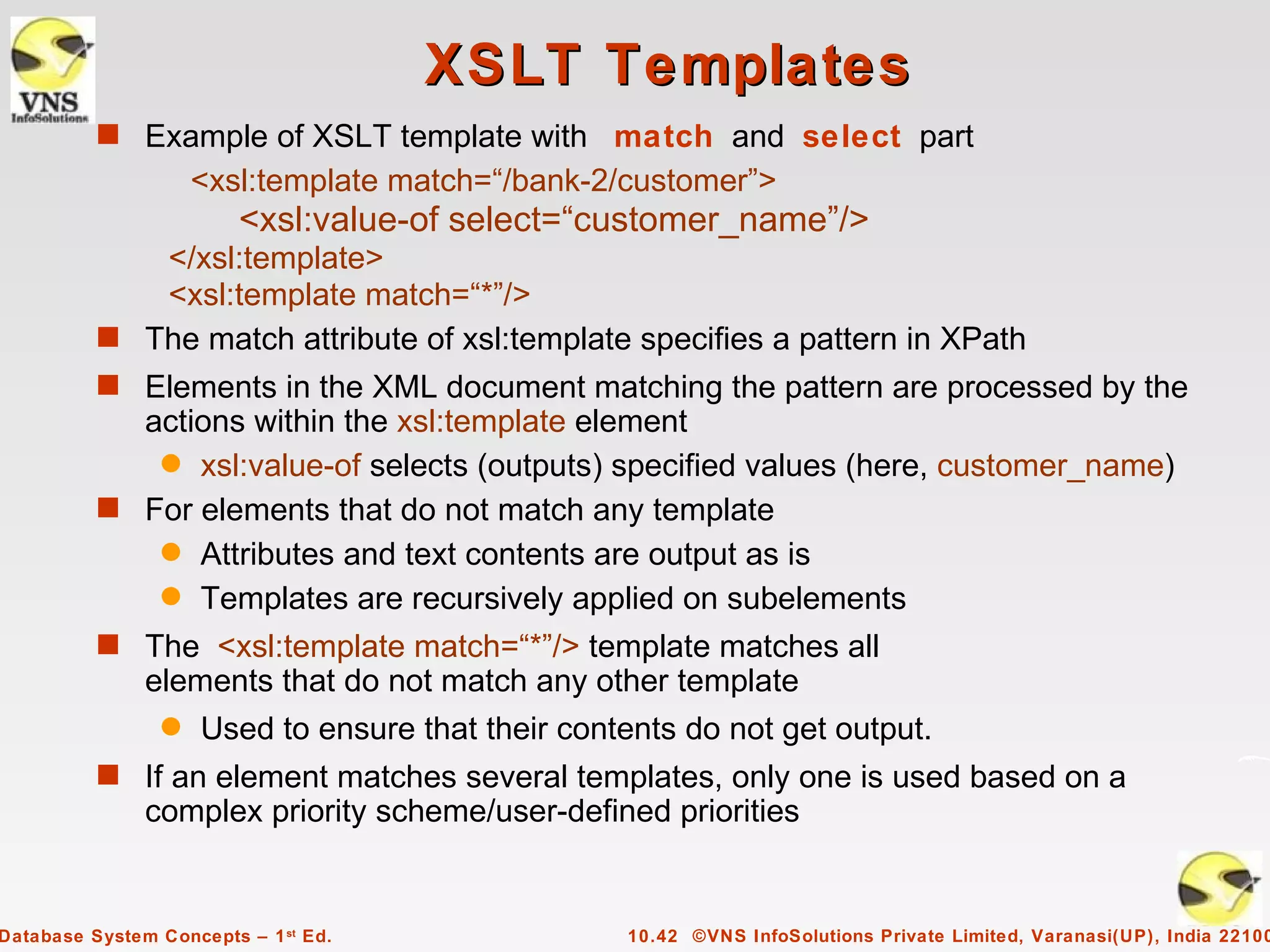
XSLT Templates
          s Example of XSLT template with match and select part
                     <xsl:template match=“/bank-2/customer”>
                         <xsl:value-of select=“customer_name”/>
             </xsl:template>
             <xsl:template match=“*”/>
          s The match attribute of xsl:template specifies a pattern in XPath
          s Elements in the XML document matching the pattern are processed by the
            actions within the xsl:template element
             q xsl:value-of selects (outputs) specified values (here, customer_name)
          s For elements that do not match any template
             q Attributes and text contents are output as is
             q Templates are recursively applied on subelements
          s The <xsl:template match=“*”/> template matches all
               elements that do not match any other template
                 q   Used to ensure that their contents do not get output.
          s If an element matches several templates, only one is used based on a
               complex priority scheme/user-defined priorities


Database System Concepts – 1 st Ed.                10.42 ©VNS InfoSolutions Private Limited, Varanasi(UP), India 22100
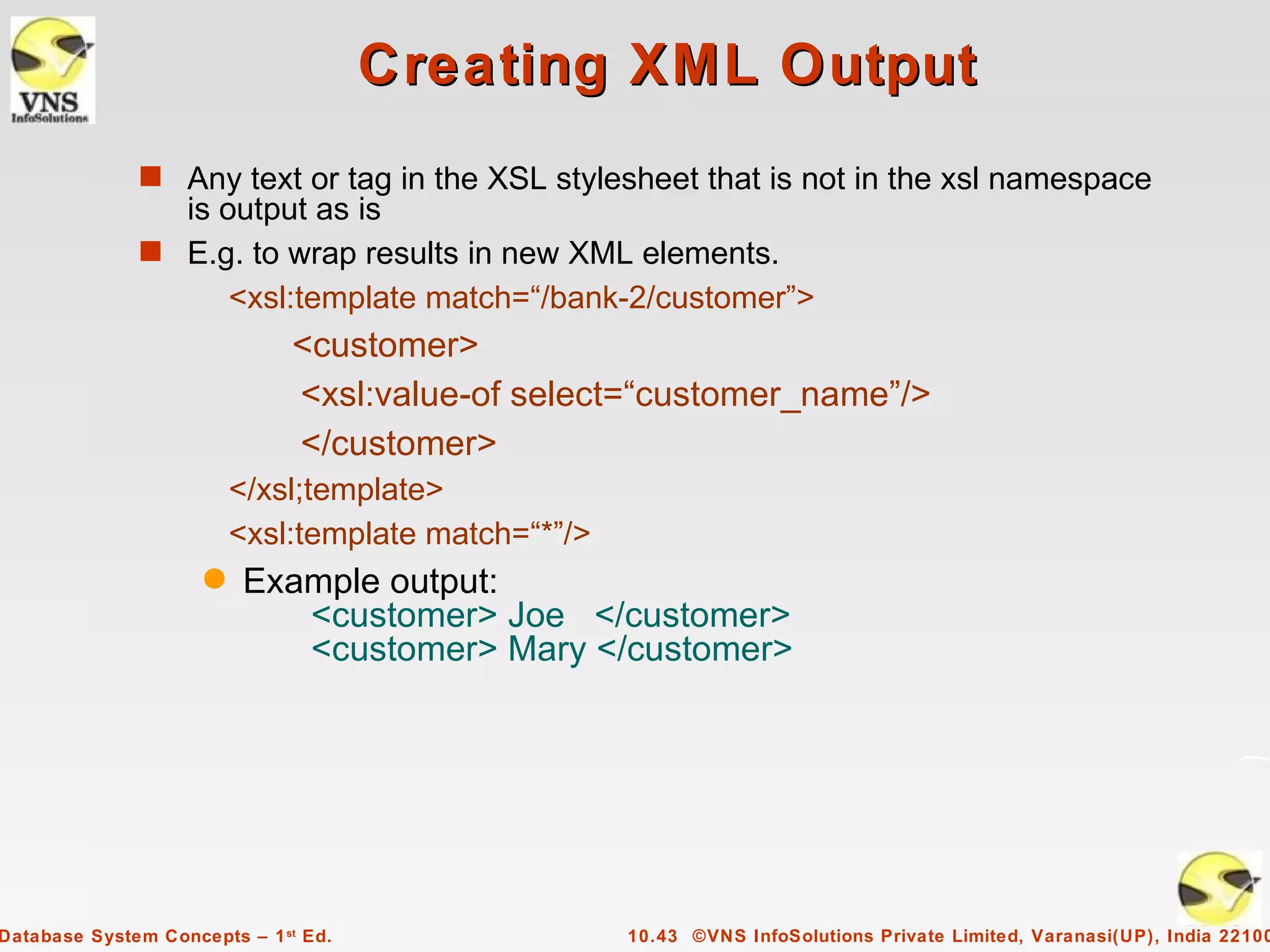
Creating XML Output
              s Any text or tag in the XSL stylesheet that is not in the xsl namespace
                is output as is
              s E.g. to wrap results in new XML elements.
                    <xsl:template match=“/bank-2/customer”>
                              <customer>
                              <xsl:value-of select=“customer_name”/>
                              </customer>
                         </xsl;template>
                         <xsl:template match=“*”/>
                     q   Example output:
                            <customer> Joe </customer>
                            <customer> Mary </customer>


Database System Concepts – 1 st Ed.                  10.43 ©VNS InfoSolutions Private Limited, Varanasi(UP), India 22100
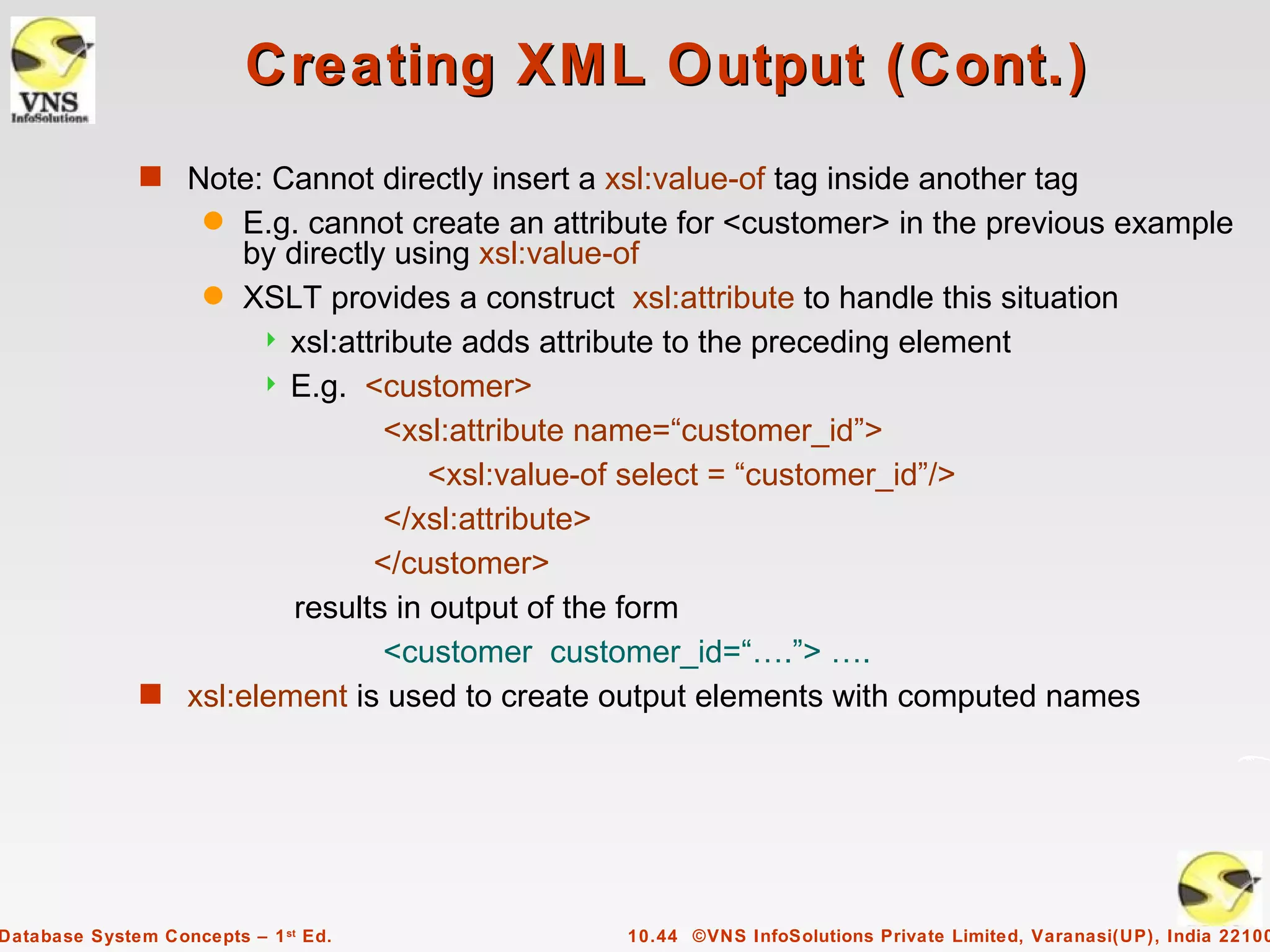
Creating XML Output (Cont.)
              s Note: Cannot directly insert a xsl:value-of tag inside another tag
                     q
                    E.g. cannot create an attribute for <customer> in the previous example
                    by directly using xsl:value-of
                 q XSLT provides a construct xsl:attribute to handle this situation
                       xsl:attribute adds attribute to the preceding element
                       E.g. <customer>

                                <xsl:attribute name=“customer_id”>
                                   <xsl:value-of select = “customer_id”/>
                                </xsl:attribute>
                               </customer>
                        results in output of the form
                                <customer customer_id=“….”> ….
              s xsl:element is used to create output elements with computed names


Database System Concepts – 1 st Ed.              10.44 ©VNS InfoSolutions Private Limited, Varanasi(UP), India 22100
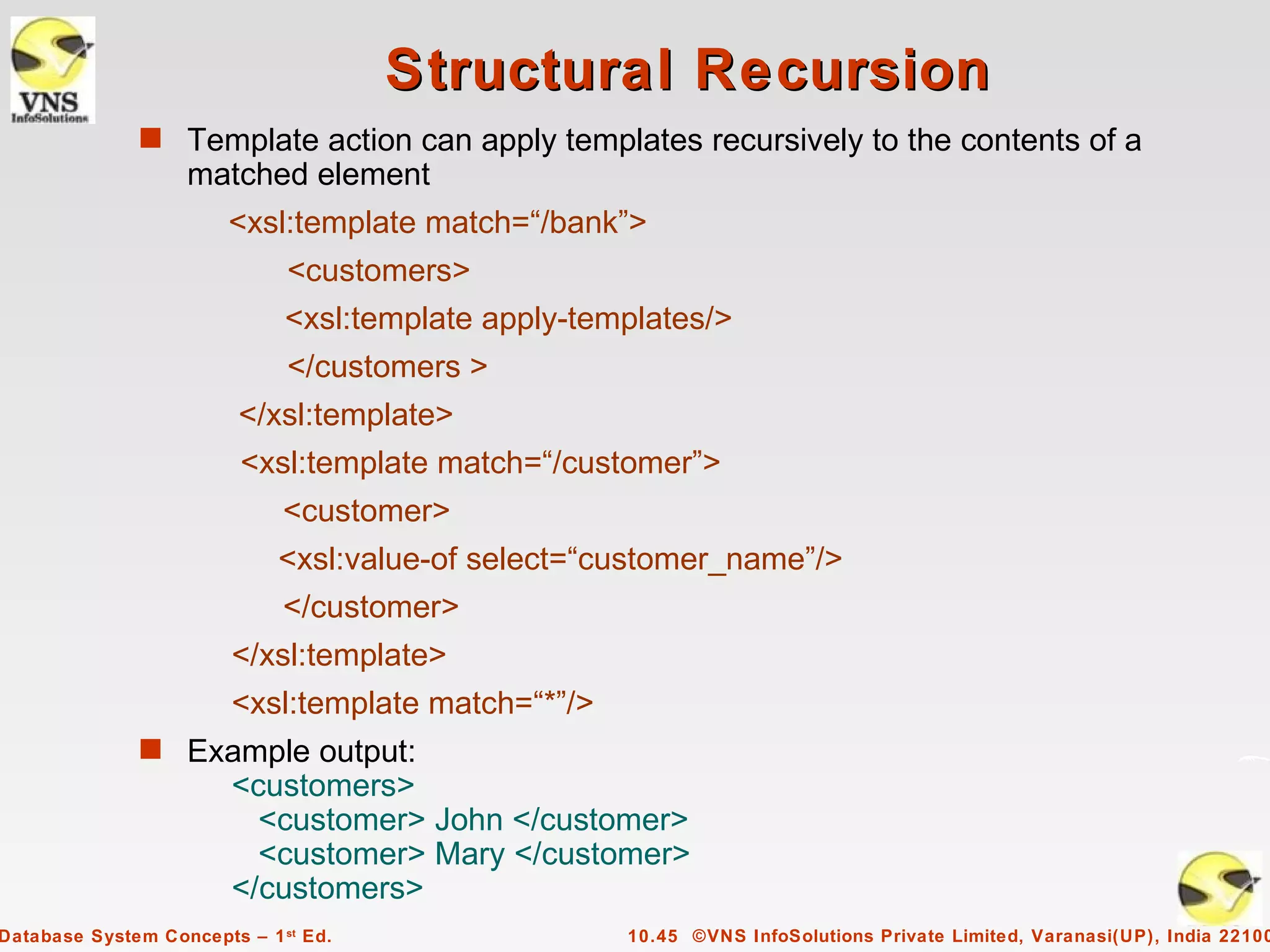
Structural Recursion
              s Template action can apply templates recursively to the contents of a
                   matched element
                        <xsl:template match=“/bank”>
                              <customers>
                              <xsl:template apply-templates/>
                              </customers >
                         </xsl:template>
                         <xsl:template match=“/customer”>
                             <customer>
                             <xsl:value-of select=“customer_name”/>
                             </customer>
                        </xsl:template>
                        <xsl:template match=“*”/>
              s Example output:
                        <customers>
                          <customer> John </customer>
                          <customer> Mary </customer>
                        </customers>
Database System Concepts – 1 st Ed.                  10.45 ©VNS InfoSolutions Private Limited, Varanasi(UP), India 22100
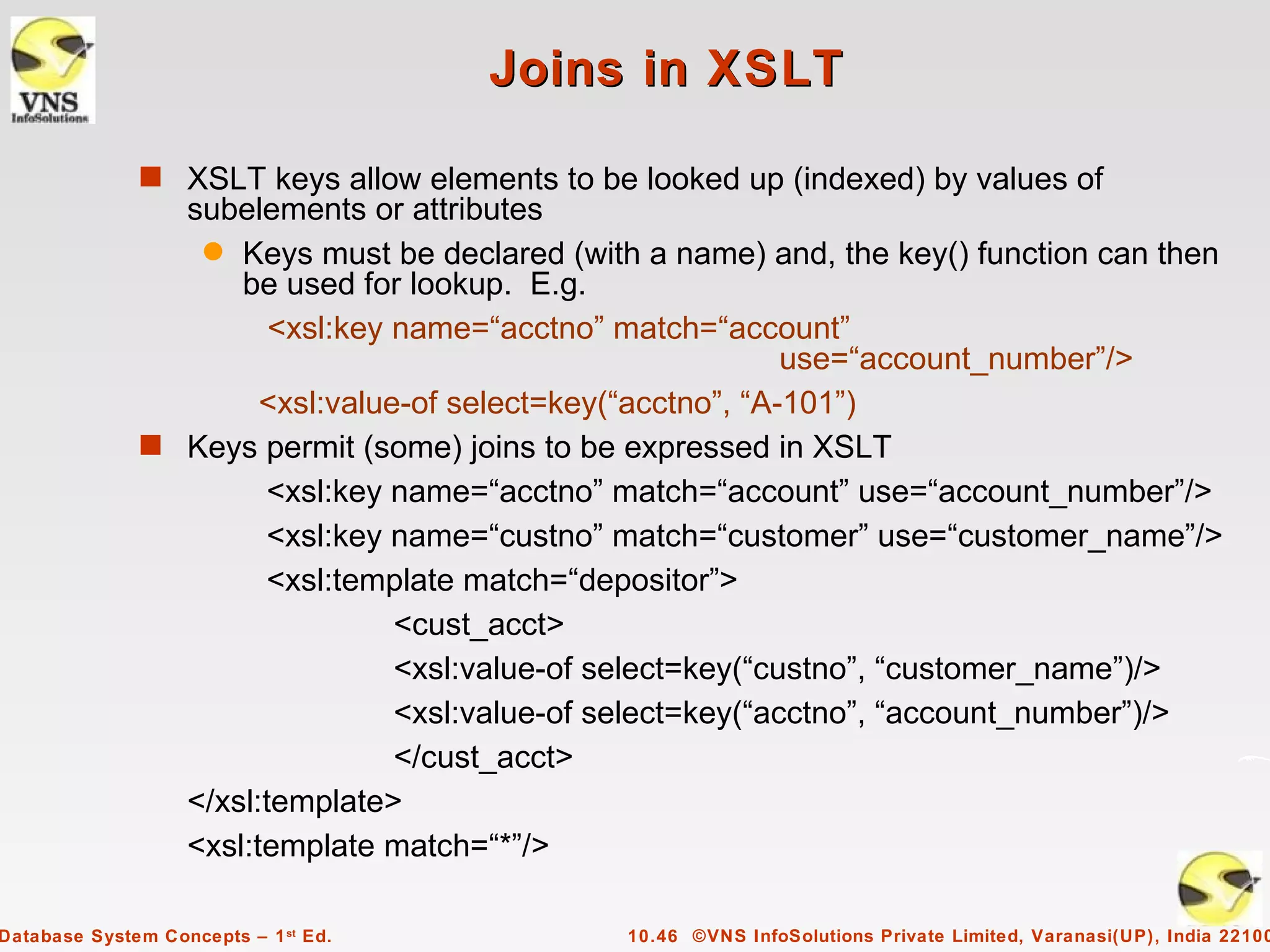
Joins in XSLT

              s XSLT keys allow elements to be looked up (indexed) by values of
                subelements or attributes
                 q Keys must be declared (with a name) and, the key() function can then
                    be used for lookup. E.g.
                       <xsl:key name=“acctno” match=“account”
                                                            use=“account_number”/>
                      <xsl:value-of select=key(“acctno”, “A-101”)
              s Keys permit (some) joins to be expressed in XSLT
                      <xsl:key name=“acctno” match=“account” use=“account_number”/>
                      <xsl:key name=“custno” match=“customer” use=“customer_name”/>
                      <xsl:template match=“depositor”>
                                <cust_acct>
                                <xsl:value-of select=key(“custno”, “customer_name”)/>
                                <xsl:value-of select=key(“acctno”, “account_number”)/>
                                </cust_acct>
                </xsl:template>
                <xsl:template match=“*”/>

Database System Concepts – 1 st Ed.           10.46 ©VNS InfoSolutions Private Limited, Varanasi(UP), India 22100
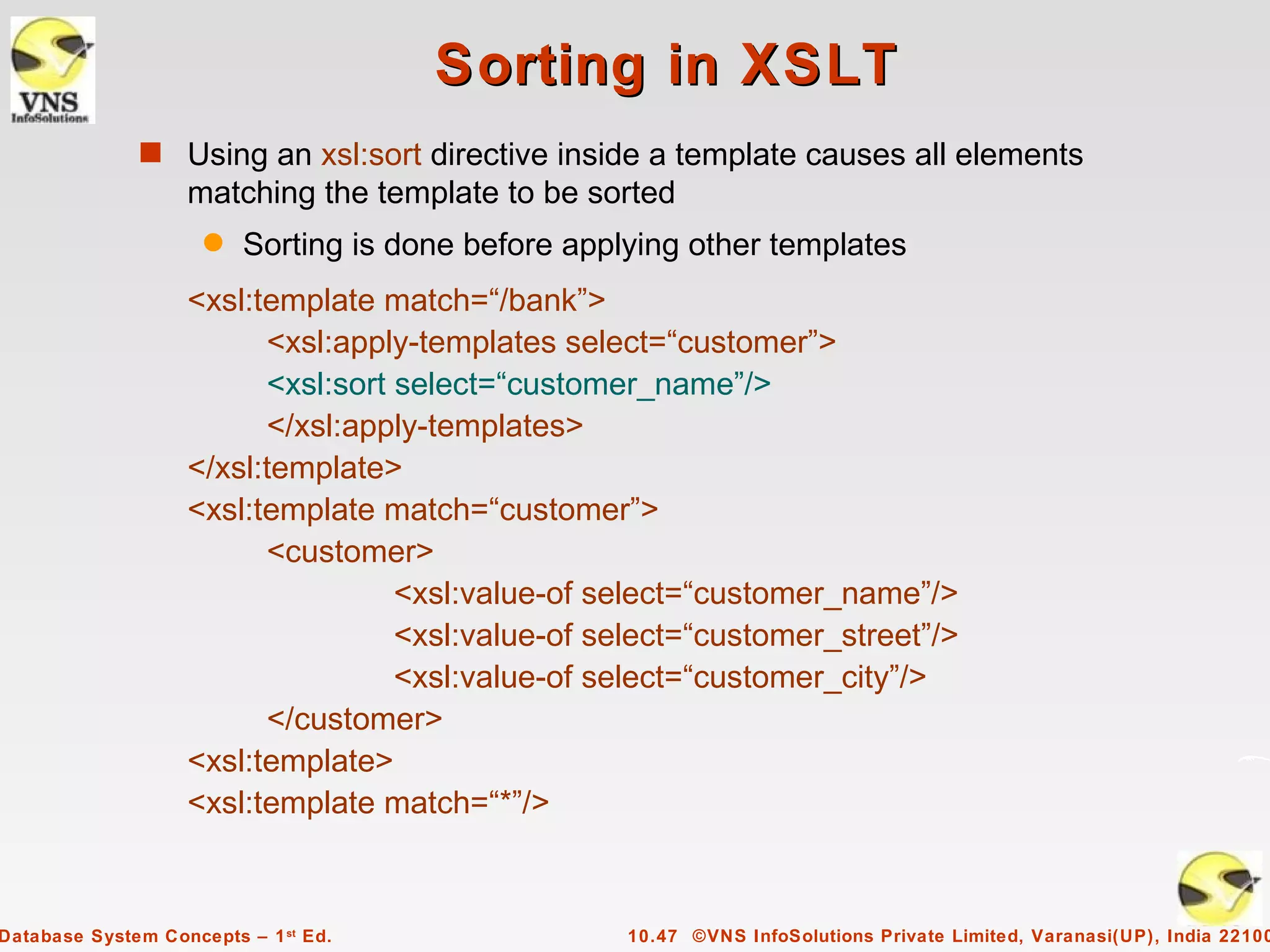
Sorting in XSLT
              s Using an xsl:sort directive inside a template causes all elements
                   matching the template to be sorted
                     q   Sorting is done before applying other templates
                   <xsl:template match=“/bank”>
                         <xsl:apply-templates select=“customer”>
                         <xsl:sort select=“customer_name”/>
                         </xsl:apply-templates>
                   </xsl:template>
                   <xsl:template match=“customer”>
                         <customer>
                                   <xsl:value-of select=“customer_name”/>
                                   <xsl:value-of select=“customer_street”/>
                                   <xsl:value-of select=“customer_city”/>
                         </customer>
                   <xsl:template>
                   <xsl:template match=“*”/>


Database System Concepts – 1 st Ed.                 10.47 ©VNS InfoSolutions Private Limited, Varanasi(UP), India 22100
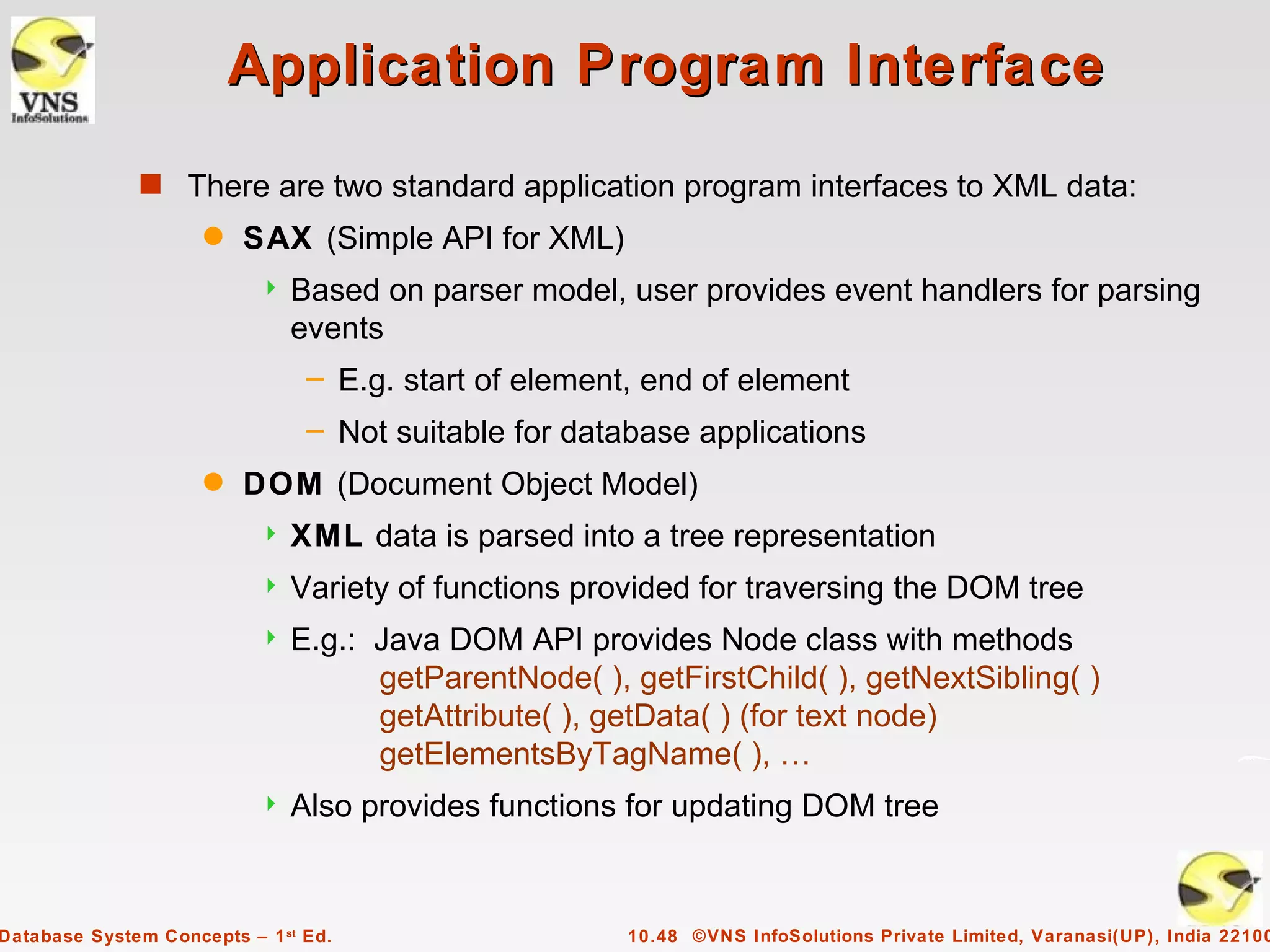
Application Program Interface
              s There are two standard application program interfaces to XML data:
                     q   SAX (Simple API for XML)
                              Based on parser model, user provides event handlers for parsing
                               events
                                – E.g. start of element, end of element
                                – Not suitable for database applications
                     q   DOM (Document Object Model)
                              XML data is parsed into a tree representation
                              Variety of functions provided for traversing the DOM tree
                              E.g.: Java DOM API provides Node class with methods
                                     getParentNode( ), getFirstChild( ), getNextSibling( )
                                     getAttribute( ), getData( ) (for text node)
                                     getElementsByTagName( ), …
                              Also provides functions for updating DOM tree


Database System Concepts – 1 st Ed.                    10.48 ©VNS InfoSolutions Private Limited, Varanasi(UP), India 22100
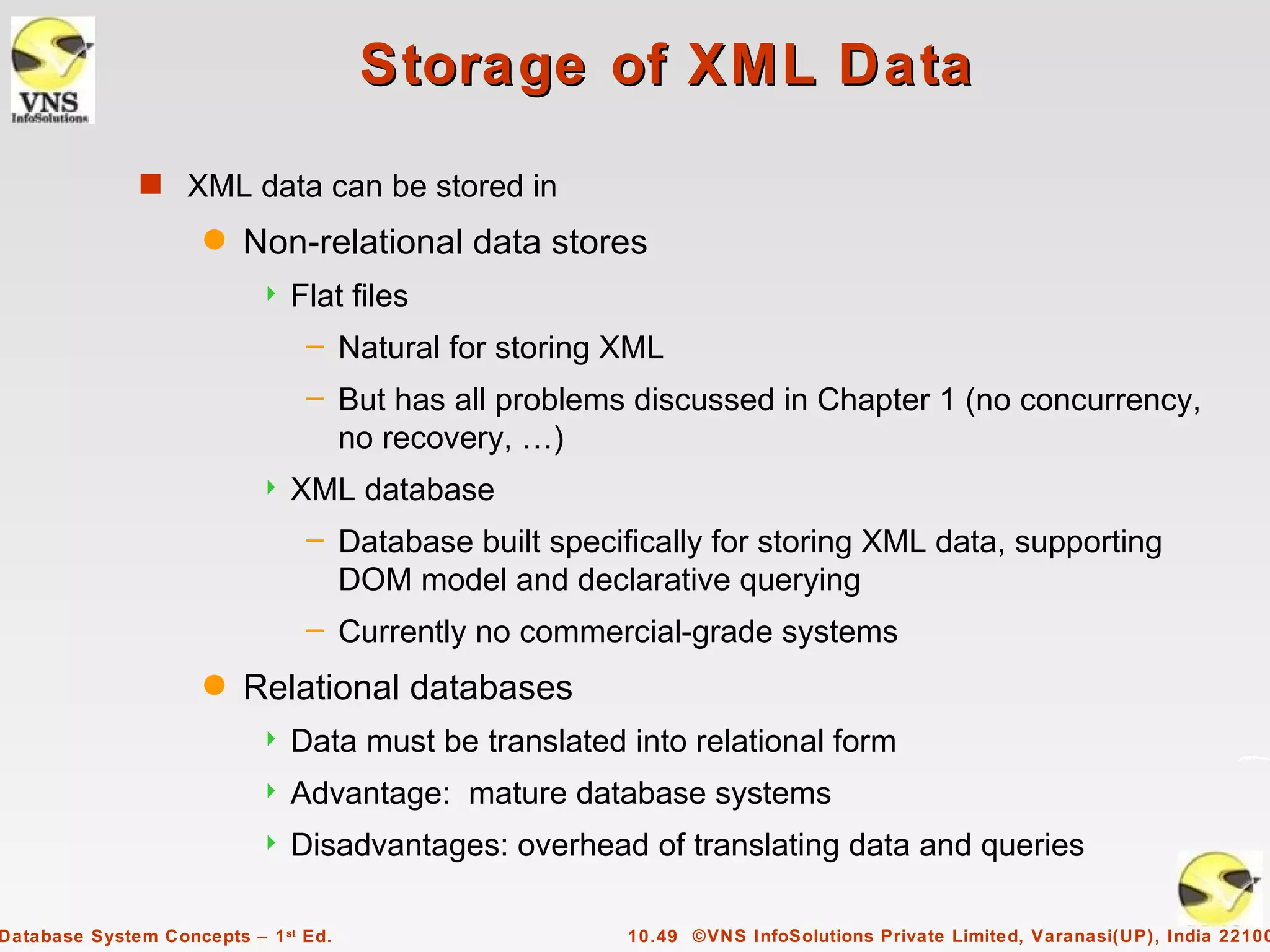
Storage of XML Data
              s XML data can be stored in
                     q   Non-relational data stores
                              Flat files
                                – Natural for storing XML
                                – But has all problems discussed in Chapter 1 (no concurrency,
                                  no recovery, …)
                              XML database
                                – Database built specifically for storing XML data, supporting
                                  DOM model and declarative querying
                                – Currently no commercial-grade systems
                     q   Relational databases
                              Data must be translated into relational form
                              Advantage: mature database systems
                              Disadvantages: overhead of translating data and queries

Database System Concepts – 1 st Ed.                    10.49 ©VNS InfoSolutions Private Limited, Varanasi(UP), India 22100
Storage of XML in Relational
                                 Databases
              s Alternatives:
                     q   String Representation
                     q   Tree Representation
                     q   Map to relations


Database System Concepts – 1 st Ed.              10.50 ©VNS InfoSolutions Private Limited, Varanasi(UP), India 22100
String Representation
              s Store each top level element as a string field of a tuple in a relational
                   database
                     q   Use a single relation to store all elements, or
                     q   Use a separate relation for each top-level element type
                              E.g. account, customer, depositor relations
                                – Each with a string-valued attribute to store the element
              s Indexing:
                     q   Store values of subelements/attributes to be indexed as extra fields
                         of the relation, and build indices on these fields
                              E.g. customer_name or account_number
                     q   Some database systems support function indices, which use the
                         result of a function as the key value.
                              The function should return the value of the required subelement/
                               attribute


Database System Concepts – 1 st Ed.                    10.51 ©VNS InfoSolutions Private Limited, Varanasi(UP), India 22100
String Representation (Cont.)
              s Benefits:
                     q   Can store any XML data even without DTD
                     q   As long as there are many top-level elements in a document,
                         strings are small compared to full document
                              Allows fast access to individual elements.
              s Drawback: Need to parse strings to access values inside the elements
                     q   Parsing is slow.


Database System Concepts – 1 st Ed.                    10.52 ©VNS InfoSolutions Private Limited, Varanasi(UP), India 22100
Tree Representation
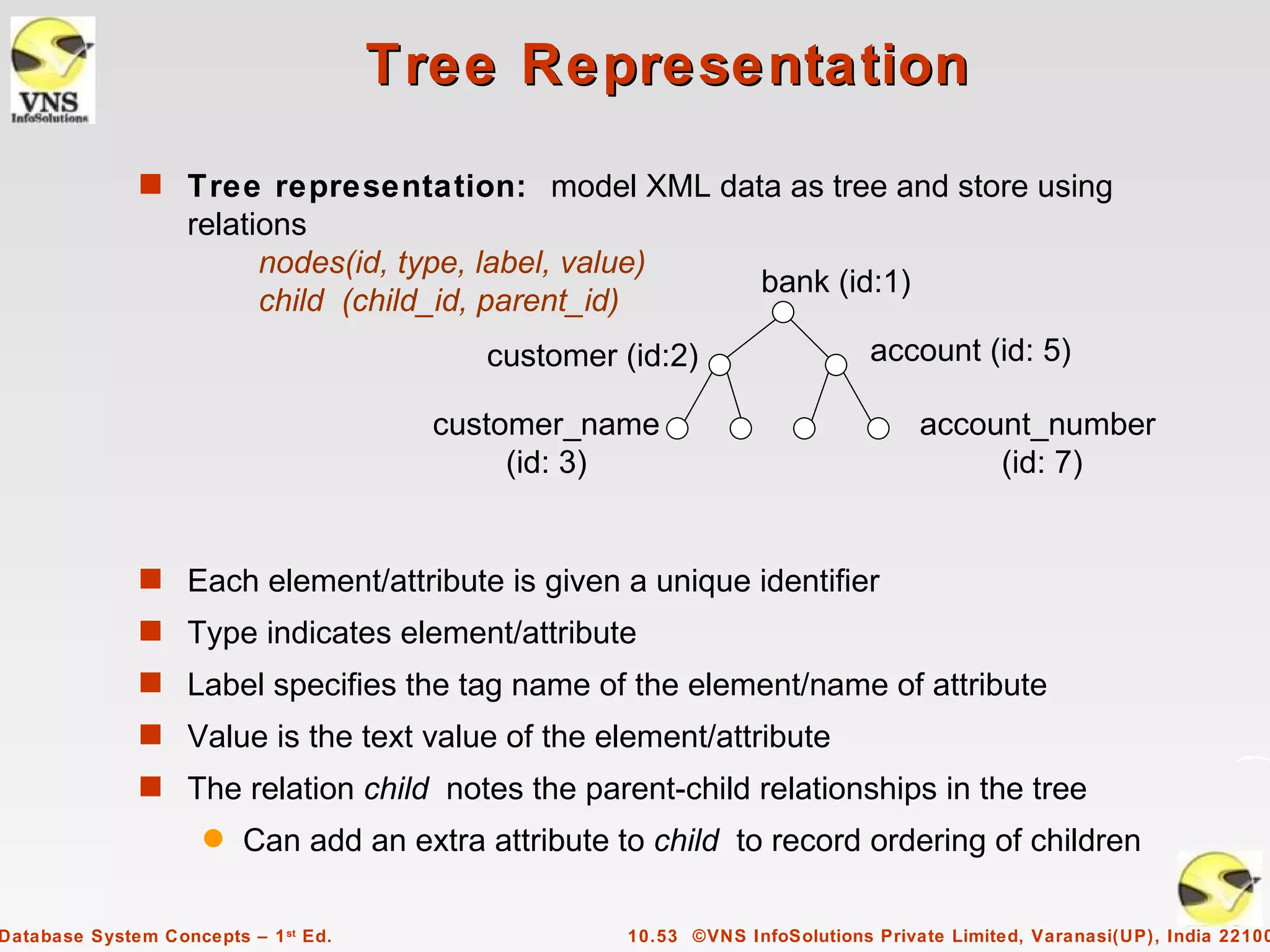
              s Tree representation: model XML data as tree and store using
                   relations
                         nodes(id, type, label, value)
                                                                  bank (id:1)
                         child (child_id, parent_id)
                                           customer (id:2)                    account (id: 5)

                                        customer_name                              account_number
                                             (id: 3)                                    (id: 7)


              s Each element/attribute is given a unique identifier
              s Type indicates element/attribute
              s Label specifies the tag name of the element/name of attribute
              s Value is the text value of the element/attribute
              s The relation child notes the parent-child relationships in the tree
                     q   Can add an extra attribute to child to record ordering of children

Database System Concepts – 1 st Ed.                  10.53 ©VNS InfoSolutions Private Limited, Varanasi(UP), India 22100
Tree Representation (Cont.)
              s Benefit: Can store any XML data, even without DTD
              s Drawbacks:
                     q   Data is broken up into too many pieces, increasing space
                         overheads
                     q   Even simple queries require a large number of joins, which can be
                         slow


Database System Concepts – 1 st Ed.                10.54 ©VNS InfoSolutions Private Limited, Varanasi(UP), India 22100
Mapping XML Data to Relations
              s Relation created for each element type whose schema is known:
                     q   An id attribute to store a unique id for each element
                     q   A relation attribute corresponding to each element attribute
                     q   A parent_id attribute to keep track of parent element
                              As in the tree representation
                              Position information (ith child) can be store too
              s All subelements that occur only once can become relation attributes
                     q   For text-valued subelements, store the text as attribute value
                     q   For complex subelements, can store the id of the subelement
              s Subelements that can occur multiple times represented in a separate table
                     q   Similar to handling of multivalued attributes when converting ER
                         diagrams to tables


Database System Concepts – 1 st Ed.                     10.55 ©VNS InfoSolutions Private Limited, Varanasi(UP), India 22100
Storing XML Data in Relational
                                Systems
              s Publishing: process of converting relational data to an XML format
              s Shredding: process of converting an XML document into a set of
                   tuples to be inserted into one or more relations
              s XML-enabled database systems support automated publishing and
                   shredding
              s Some systems offer native storage of XML data using the xml data
                   type. Special internal data structures and indices are used for
                   efficiency


Database System Concepts – 1 st Ed.                10.56 ©VNS InfoSolutions Private Limited, Varanasi(UP), India 22100
SQL/XML
              s New standard SQL extension that allows creation of nested XML
                   output
                     q   Each output tuple is mapped to an XML element row
                     <bank>
                         <account>
                            <row>
                                      <account_number> A-101 </account_number>
                                      <branch_name> Downtown </branch_name>
                                      <balance> 500 </balance>
                            </row>
                         …. more rows if there are more output tuples …
                         </account>
                     </bank>


Database System Concepts – 1 st Ed.                 10.57 ©VNS InfoSolutions Private Limited, Varanasi(UP), India 22100
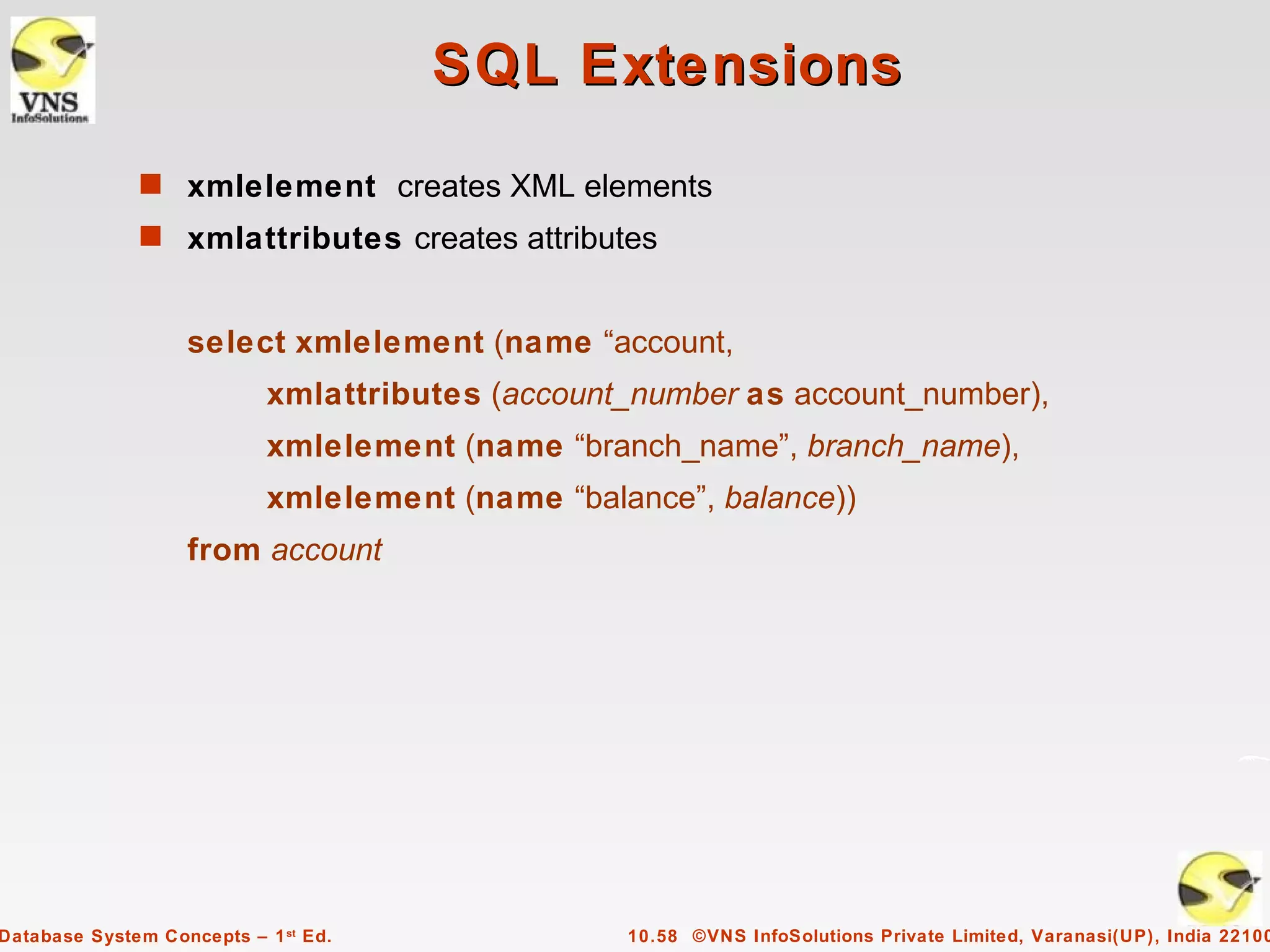
SQL Extensions
              s xmlelement creates XML elements
              s xmlattributes creates attributes


                   select xmlelement (name “account,
                            xmlattributes (account_number as account_number),
                            xmlelement (name “branch_name”, branch_name),
                            xmlelement (name “balance”, balance))
                   from account


Database System Concepts – 1 st Ed.               10.58 ©VNS InfoSolutions Private Limited, Varanasi(UP), India 22100
Web Services
              s The Simple Object Access Protocol (SOAP) standard:
                     q   Invocation of procedures across applications with distinct
                         databases
                     q   XML used to represent procedure input and output
              s A Web service is a site providing a collection of SOAP procedures
                     q   Described using the Web Services Description Language (WSDL)
                     q   Directories of Web services are described using the Universal
                         Description, Discovery, and Integration (UDDI) standard


Database System Concepts – 1 st Ed.                 10.59 ©VNS InfoSolutions Private Limited, Varanasi(UP), India 22100

VNSISPL_DBMS_Concepts_ch10

  • 1.
    Chapter 10: XML Database System Concepts, 1 st Ed. ©VNS InfoSolutions Private Limited, Varanasi(UP), India 221002 See www.vnsispl.com for conditions on re-use
  • 2.
    XML s Structure of XML Data s XML Document Schema s Querying and Transformation s Application Program Interfaces to XML s Storage of XML Data s XML Applications Database System Concepts – 1 st Ed. 10.2 ©VNS InfoSolutions Private Limited, Varanasi(UP), India 22100
  • 3.
    Introduction s XML: Extensible Markup Language s Defined by the WWW Consortium (W3C) s Derived from SGML (Standard Generalized Markup Language), but simpler to use than SGML s Documents have tags giving extra information about sections of the document q E.g. <title> XML </title> <slide> Introduction …</slide> s Extensible, unlike HTML q Users can add new tags, and separately specify how the tag should be handled for display Database System Concepts – 1 st Ed. 10.3 ©VNS InfoSolutions Private Limited, Varanasi(UP), India 22100
  • 4.
    XML Introduction (Cont.) s The ability to specify new tags, and to create nested tag structures make XML a great way to exchange data, not just documents. q Much of the use of XML has been in data exchange applications, not as a replacement for HTML s Tags make data (relatively) self-documenting q E.g. <bank> <account> <account_number> A-101 </account_number> <branch_name> Downtown </branch_name> <balance> 500 </balance> </account> <depositor> <account_number> A-101 </account_number> <customer_name> Johnson </customer_name> </depositor> </bank> Database System Concepts – 1 st Ed. 10.4 ©VNS InfoSolutions Private Limited, Varanasi(UP), India 22100
  • 5.
    XML: Motivation s Data interchange is critical in today’s networked world q Examples:  Banking: funds transfer  Order processing (especially inter-company orders)  Scientific data – Chemistry: ChemML, … – Genetics: BSML (Bio-Sequence Markup Language), … q Paper flow of information between organizations is being replaced by electronic flow of information s Each application area has its own set of standards for representing information s XML has become the basis for all new generation data interchange formats Database System Concepts – 1 st Ed. 10.5 ©VNS InfoSolutions Private Limited, Varanasi(UP), India 22100
  • 6.
    XML Motivation (Cont.) s Earlier generation formats were based on plain text with line headers indicating the meaning of fields q Similar in concept to email headers q Does not allow for nested structures, no standard “type” language q Tied too closely to low level document structure (lines, spaces, etc) s Each XML based standard defines what are valid elements, using q XML type specification languages to specify the syntax  DTD (Document Type Descriptors)  XML Schema q Plus textual descriptions of the semantics s XML allows new tags to be defined as required q However, this may be constrained by DTDs s A wide variety of tools is available for parsing, browsing and querying XML documents/data Database System Concepts – 1 st Ed. 10.6 ©VNS InfoSolutions Private Limited, Varanasi(UP), India 22100
  • 7.
    Comparison with RelationalData s Inefficient: tags, which in effect represent schema information, are repeated s Better than relational tuples as a data-exchange format q Unlike relational tuples, XML data is self-documenting due to presence of tags q Non-rigid format: tags can be added q Allows nested structures q Wide acceptance, not only in database systems, but also in browsers, tools, and applications Database System Concepts – 1 st Ed. 10.7 ©VNS InfoSolutions Private Limited, Varanasi(UP), India 22100
  • 8.
    Structure of XMLData s Tag: label for a section of data s Element: section of data beginning with <tagname> and ending with matching </tagname> s Elements must be properly nested q Proper nesting  <account> … <balance> …. </balance> </account> q Improper nesting  <account> … <balance> …. </account> </balance> q Formally: every start tag must have a unique matching end tag, that is in the context of the same parent element. s Every document must have a single top-level element Database System Concepts – 1 st Ed. 10.8 ©VNS InfoSolutions Private Limited, Varanasi(UP), India 22100
  • 9.
    Example of NestedElements <bank-1> <customer> <customer_name> Hayes </customer_name> <customer_street> Main </customer_street> <customer_city> Harrison </customer_city> <account> <account_number> A-102 </account_number> <branch_name> Perryridge </branch_name> <balance> 400 </balance> </account> <account> … </account> </customer> . . </bank-1> Database System Concepts – 1 st Ed. 10.9 ©VNS InfoSolutions Private Limited, Varanasi(UP), India 22100
  • 10.
    Motivation for Nesting s Nesting of data is useful in data transfer q Example: elements representing customer_id, customer_name, and address nested within an order element s Nesting is not supported, or discouraged, in relational databases q With multiple orders, customer name and address are stored redundantly q normalization replaces nested structures in each order by foreign key into table storing customer name and address information q Nesting is supported in object-relational databases s But nesting is appropriate when transferring data q External application does not have direct access to data referenced by a foreign key Database System Concepts – 1 st Ed. 10.10 ©VNS InfoSolutions Private Limited, Varanasi(UP), India 22100
  • 11.
    Structure of XMLData (Cont.) s Mixture of text with sub-elements is legal in XML. q Example: <account> This account is seldom used any more. <account_number> A-102</account_number> <branch_name> Perryridge</branch_name> <balance>400 </balance> </account> q Useful for document markup, but discouraged for data representation Database System Concepts – 1 st Ed. 10.11 ©VNS InfoSolutions Private Limited, Varanasi(UP), India 22100
  • 12.
    Attributes s Elements can have attributes <account acct-type = “checking” > <account_number> A-102 </account_number> <branch_name> Perryridge </branch_name> <balance> 400 </balance> </account> s Attributes are specified by name=value pairs inside the starting tag of an element s An element may have several attributes, but each attribute name can only occur once <account acct-type = “checking” monthly-fee=“5”> Database System Concepts – 1 st Ed. 10.12 ©VNS InfoSolutions Private Limited, Varanasi(UP), India 22100
  • 13.
    Attributes vs. Subelements s Distinction between subelement and attribute q In the context of documents, attributes are part of markup, while subelement contents are part of the basic document contents q In the context of data representation, the difference is unclear and may be confusing  Same information can be represented in two ways – <account account_number = “A-101”> …. </account> – <account> <account_number>A-101</account_number> … </account> q Suggestion: use attributes for identifiers of elements, and use subelements for contents Database System Concepts – 1 st Ed. 10.13 ©VNS InfoSolutions Private Limited, Varanasi(UP), India 22100
  • 14.
    Namespaces s XML data has to be exchanged between organizations s Same tag name may have different meaning in different organizations, causing confusion on exchanged documents s Specifying a unique string as an element name avoids confusion s Better solution: use unique-name:element-name s Avoid using long unique names all over document by using XML Namespaces <bank Xmlns:FB=‘http://www.FirstBank.com’> … <FB:branch> <FB:branchname>Downtown</FB:branchname> <FB:branchcity> Brooklyn </FB:branchcity> </FB:branch> … </bank> Database System Concepts – 1 st Ed. 10.14 ©VNS InfoSolutions Private Limited, Varanasi(UP), India 22100
  • 15.
    More on XMLSyntax s Elements without subelements or text content can be abbreviated by ending the start tag with a /> and deleting the end tag q <account number=“A-101” branch=“Perryridge” balance=“200 /> s To store string data that may contain tags, without the tags being interpreted as subelements, use CDATA as below q <![CDATA[<account> … </account>]]> Here, <account> and </account> are treated as just strings CDATA stands for “character data” Database System Concepts – 1 st Ed. 10.15 ©VNS InfoSolutions Private Limited, Varanasi(UP), India 22100
  • 16.
    XML Document Schema s Database schemas constrain what information can be stored, and the data types of stored values s XML documents are not required to have an associated schema s However, schemas are very important for XML data exchange q Otherwise, a site cannot automatically interpret data received from another site s Two mechanisms for specifying XML schema q Document Type Definition (DTD)  Widely used q XML Schema  Newer, increasing use Database System Concepts – 1 st Ed. 10.16 ©VNS InfoSolutions Private Limited, Varanasi(UP), India 22100
  • 17.
    Document Type Definition(DTD) s The type of an XML document can be specified using a DTD s DTD constraints structure of XML data q What elements can occur q What attributes can/must an element have q What subelements can/must occur inside each element, and how many times. s DTD does not constrain data types q All values represented as strings in XML s DTD syntax q <!ELEMENT element (subelements-specification) > q <!ATTLIST element (attributes) > Database System Concepts – 1 st Ed. 10.17 ©VNS InfoSolutions Private Limited, Varanasi(UP), India 22100
  • 18.
    Element Specification inDTD s Subelements can be specified as q names of elements, or q #PCDATA (parsed character data), i.e., character strings q EMPTY (no subelements) or ANY (anything can be a subelement) s Example <! ELEMENT depositor (customer_name account_number)> <! ELEMENT customer_name (#PCDATA)> <! ELEMENT account_number (#PCDATA)> s Subelement specification may have regular expressions <!ELEMENT bank ( ( account | customer | depositor)+)>  Notation: – “|” - alternatives – “+” - 1 or more occurrences – “*” - 0 or more occurrences Database System Concepts – 1 st Ed. 10.18 ©VNS InfoSolutions Private Limited, Varanasi(UP), India 22100
  • 19.
    Bank DTD <!DOCTYPE bank [ <!ELEMENT bank ( ( account | customer | depositor)+)> <!ELEMENT account (account_number branch_name balance)> <! ELEMENT customer(customer_name customer_street customer_city)> <! ELEMENT depositor (customer_name account_number)> <! ELEMENT account_number (#PCDATA)> <! ELEMENT branch_name (#PCDATA)> <! ELEMENT balance(#PCDATA)> <! ELEMENT customer_name(#PCDATA)> <! ELEMENT customer_street(#PCDATA)> <! ELEMENT customer_city(#PCDATA)> ]> Database System Concepts – 1 st Ed. 10.19 ©VNS InfoSolutions Private Limited, Varanasi(UP), India 22100
  • 20.
    Attribute Specification inDTD s Attribute specification : for each attribute q Name q Type of attribute  CDATA  ID (identifier) or IDREF (ID reference) or IDREFS (multiple IDREFs) – more on this later q Whether  mandatory (#REQUIRED)  has a default value (value),  or neither (#IMPLIED) s Examples q <!ATTLIST account acct-type CDATA “checking”> q <!ATTLIST customer customer_id ID # REQUIRED accounts IDREFS # REQUIRED > Database System Concepts – 1 st Ed. 10.20 ©VNS InfoSolutions Private Limited, Varanasi(UP), India 22100
  • 21.
    IDs and IDREFs s An element can have at most one attribute of type ID s The ID attribute value of each element in an XML document must be distinct q Thus the ID attribute value is an object identifier s An attribute of type IDREF must contain the ID value of an element in the same document s An attribute of type IDREFS contains a set of (0 or more) ID values. Each ID value must contain the ID value of an element in the same document Database System Concepts – 1 st Ed. 10.21 ©VNS InfoSolutions Private Limited, Varanasi(UP), India 22100
  • 22.
    Bank DTD withAttributes s Bank DTD with ID and IDREF attribute types. <!DOCTYPE bank-2[ <!ELEMENT account (branch, balance)> <!ATTLIST account account_number ID # REQUIRED owners IDREFS # REQUIRED> <!ELEMENT customer(customer_name, customer_street, customer_city)> <!ATTLIST customer customer_id ID # REQUIRED accounts IDREFS # REQUIRED> … declarations for branch, balance, customer_name, customer_street and customer_city ]> Database System Concepts – 1 st Ed. 10.22 ©VNS InfoSolutions Private Limited, Varanasi(UP), India 22100
  • 23.
    XML data withID and IDREF attributes <bank-2> <account account_number=“A-401” owners=“C100 C102”> <branch_name> Downtown </branch_name> <balance> 500 </balance> </account> <customer customer_id=“C100” accounts=“A-401”> <customer_name>Joe </customer_name> <customer_street> Monroe </customer_street> <customer_city> Madison</customer_city> </customer> <customer customer_id=“C102” accounts=“A-401 A-402”> <customer_name> Mary </customer_name> <customer_street> Erin </customer_street> <customer_city> Newark </customer_city> </customer> </bank-2> Database System Concepts – 1 st Ed. 10.23 ©VNS InfoSolutions Private Limited, Varanasi(UP), India 22100
  • 24.
    Limitations of DTDs s No typing of text elements and attributes q All values are strings, no integers, reals, etc. s Difficult to specify unordered sets of subelements q Order is usually irrelevant in databases (unlike in the document- layout environment from which XML evolved) q (A | B)* allows specification of an unordered set, but  Cannot ensure that each of A and B occurs only once s IDs and IDREFs are untyped q The owners attribute of an account may contain a reference to another account, which is meaningless  owners attribute should ideally be constrained to refer to customer elements Database System Concepts – 1 st Ed. 10.24 ©VNS InfoSolutions Private Limited, Varanasi(UP), India 22100
  • 25.
    XML Schema s XML Schema is a more sophisticated schema language which addresses the drawbacks of DTDs. Supports q Typing of values  E.g. integer, string, etc  Also, constraints on min/max values q User-defined, comlex types q Many more features, including  uniqueness and foreign key constraints, inheritance s XML Schema is itself specified in XML syntax, unlike DTDs q More-standard representation, but verbose s XML Scheme is integrated with namespaces s BUT: XML Schema is significantly more complicated than DTDs. Database System Concepts – 1 st Ed. 10.25 ©VNS InfoSolutions Private Limited, Varanasi(UP), India 22100
  • 26.
    XML Schema Versionof Bank DTD <xs:schema xmlns:xs=http://www.w3.org/2001/XMLSchema> <xs:element name=“bank” type=“BankType”/> <xs:element name=“account”> <xs:complexType> <xs:sequence> <xs:element name=“account_number” type=“xs:string”/> <xs:element name=“branch_name” type=“xs:string”/> <xs:element name=“balance” type=“xs:decimal”/> </xs:squence> </xs:complexType> </xs:element> ….. definitions of customer and depositor …. <xs:complexType name=“BankType”> <xs:squence> <xs:element ref=“account” minOccurs=“0” maxOccurs=“unbounded”/> <xs:element ref=“customer” minOccurs=“0” maxOccurs=“unbounded”/> <xs:element ref=“depositor” minOccurs=“0” maxOccurs=“unbounded”/> </xs:sequence> </xs:complexType> </xs:schema> Database System Concepts – 1 st Ed. 10.26 ©VNS InfoSolutions Private Limited, Varanasi(UP), India 22100
  • 27.
    XML Schema Versionof Bank DTD s Choice of “xs:” was ours -- any other namespace prefix could be chosen s Element “bank” has type “BankType”, which is defined separately q xs:complexType is used later to create the named complex type “BankType” s Element “account” has its type defined in-line Database System Concepts – 1 st Ed. 10.27 ©VNS InfoSolutions Private Limited, Varanasi(UP), India 22100
  • 28.
    More features ofXML Schema s Attributes specified by xs:attribute tag: q <xs:attribute name = “account_number”/> q adding the attribute use = “required” means value must be specified s Key constraint: “account numbers form a key for account elements under the root bank element: <xs:key name = “accountKey”> <xs:selector xpath = “]bank/account”/> <xs:field xpath = “account_number”/> <xs:key> s Foreign key constraint from depositor to account: <xs:keyref name = “depositorAccountKey” refer=“accountKey”> <xs:selector xpath = “]bank/account”/> <xs:field xpath = “account_number”/> <xs:keyref> Database System Concepts – 1 st Ed. 10.28 ©VNS InfoSolutions Private Limited, Varanasi(UP), India 22100
  • 29.
    Querying and TransformingXML Data s Translation of information from one XML schema to another s Querying on XML data s Above two are closely related, and handled by the same tools s Standard XML querying/translation languages q XPath  Simple language consisting of path expressions q XSLT  Simple language designed for translation from XML to XML and XML to HTML q XQuery  An XML query language with a rich set of features Database System Concepts – 1 st Ed. 10.29 ©VNS InfoSolutions Private Limited, Varanasi(UP), India 22100
  • 30.
    Tree Model ofXML Data s Query and transformation languages are based on a tree model of XML data s An XML document is modeled as a tree, with nodes corresponding to elements and attributes q Element nodes have child nodes, which can be attributes or subelements q Text in an element is modeled as a text node child of the element q Children of a node are ordered according to their order in the XML document q Element and attribute nodes (except for the root node) have a single parent, which is an element node q The root node has a single child, which is the root element of the document Database System Concepts – 1 st Ed. 10.30 ©VNS InfoSolutions Private Limited, Varanasi(UP), India 22100
  • 31.
    XPath s XPath is used to address (select) parts of documents using path expressions s A path expression is a sequence of steps separated by “/” q Think of file names in a directory hierarchy s Result of path expression: set of values that along with their containing elements/attributes match the specified path s E.g. /bank-2/customer/customer_name evaluated on the bank-2 data we saw earlier returns <customer_name>Joe</customer_name> <customer_name>Mary</customer_name> s E.g. /bank-2/customer/customer_name/text( ) returns the same names, but without the enclosing tags Database System Concepts – 1 st Ed. 10.31 ©VNS InfoSolutions Private Limited, Varanasi(UP), India 22100
  • 32.
    XPath (Cont.) s The initial “/” denotes root of the document (above the top-level tag) s Path expressions are evaluated left to right q Each step operates on the set of instances produced by the previous step s Selection predicates may follow any step in a path, in [ ] q E.g. /bank-2/account[balance > 400]  returns account elements with a balance value greater than 400  /bank-2/account[balance] returns account elements containing a balance subelement s Attributes are accessed using “@” q E.g. /bank-2/account[balance > 400]/@account_number  returns the account numbers of accounts with balance > 400 q IDREF attributes are not dereferenced automatically (more on this later) Database System Concepts – 1 st Ed. 10.32 ©VNS InfoSolutions Private Limited, Varanasi(UP), India 22100
  • 33.
    Functions in XPath s XPath provides several functions q The function count() at the end of a path counts the number of elements in the set generated by the path  E.g. /bank-2/account[count(./customer) > 2] – Returns accounts with > 2 customers q Also function for testing position (1, 2, ..) of node w.r.t. siblings s Boolean connectives and and or and function not() can be used in predicates s IDREFs can be referenced using function id() q id() can also be applied to sets of references such as IDREFS and even to strings containing multiple references separated by blanks q E.g. /bank-2/account/id(@owner)  returns all customers referred to from the owners attribute of account elements. Database System Concepts – 1 st Ed. 10.33 ©VNS InfoSolutions Private Limited, Varanasi(UP), India 22100
  • 34.
    More XPath Features s Operator “|” used to implement union q E.g. /bank-2/account/id(@owner) | /bank-2/loan/id(@borrower)  Gives customers with either accounts or loans  However, “|” cannot be nested inside other operators. s “//” can be used to skip multiple levels of nodes q E.g. /bank-2//customer_name  finds any customer_name element anywhere under the /bank-2 element, regardless of the element in which it is contained. s A step in the path can go to parents, siblings, ancestors and descendants of the nodes generated by the previous step, not just to the children q “//”, described above, is a short from for specifying “all descendants” q “..” specifies the parent. s doc(name) returns the root of a named document Database System Concepts – 1 st Ed. 10.34 ©VNS InfoSolutions Private Limited, Varanasi(UP), India 22100
  • 35.
    XQuery s XQuery is a general purpose query language for XML data s Currently being standardized by the World Wide Web Consortium (W3C) q The textbook description is based on a January 2005 draft of the standard. The final version may differ, but major features likely to stay unchanged. s XQuery is derived from the Quilt query language, which itself borrows from SQL, XQL and XML-QL s XQuery uses a for … let … where … order by …result … syntax for  SQL from where  SQL where order by  SQL order by result  SQL select let allows temporary variables, and has no equivalent in SQL Database System Concepts – 1 st Ed. 10.35 ©VNS InfoSolutions Private Limited, Varanasi(UP), India 22100
  • 36.
    FLWOR Syntax inXQuery s For clause uses XPath expressions, and variable in for clause ranges over values in the set returned by XPath s Simple FLWOR expression in XQuery q find all accounts with balance > 400, with each result enclosed in an <account_number> .. </account_number> tag for $x in /bank-2/account let $acctno := $x/@account_number where $x/balance > 400 return <account_number> { $acctno } </account_number> q Items in the return clause are XML text unless enclosed in {}, in which case they are evaluated s Let clause not really needed in this query, and selection can be done In XPath. Query can be written as: for $x in /bank-2/account[balance>400] return <account_number> { $x/@account_number } </account_number> Database System Concepts – 1 st Ed. 10.36 ©VNS InfoSolutions Private Limited, Varanasi(UP), India 22100
  • 37.
    Joins s Joins are specified in a manner very similar to SQL for $a in /bank/account, $c in /bank/customer, $d in /bank/depositor where $a/account_number = $d/account_number and $c/customer_name = $d/customer_name return <cust_acct> { $c $a } </cust_acct> s The same query can be expressed with the selections specified as XPath selections: for $a in /bank/account $c in /bank/customer $d in /bank/depositor[ account_number = $a/account_number and customer_name = $c/customer_name] return <cust_acct> { $c $a } </cust_acct> Database System Concepts – 1 st Ed. 10.37 ©VNS InfoSolutions Private Limited, Varanasi(UP), India 22100
  • 38.
    Nested Queries s The following query converts data from the flat structure for bank information into the nested structure used in bank-1 <bank-1> { for $c in /bank/customer return <customer> { $c/* } { for $d in /bank/depositor[customer_name = $c/customer_name], $a in /bank/account[account_number=$d/account_number] return $a } </customer> } </bank-1> s $c/* denotes all the children of the node to which $c is bound, without the enclosing top-level tag s $c/text() gives text content of an element without any subelements / tags Database System Concepts – 1 st Ed. 10.38 ©VNS InfoSolutions Private Limited, Varanasi(UP), India 22100
  • 39.
    Sorting in XQuery s The order by clause can be used at the end of any expression. E.g. to return customers sorted by name for $c in /bank/customer order by $c/customer_name return <customer> { $c/* } </customer> s Use order by $c/customer_name to sort in descending order s Can sort at multiple levels of nesting (sort by customer_name, and by account_number within each customer) <bank-1> { for $c in /bank/customer order by $c/customer_name return <customer> { $c/* } { for $d in /bank/depositor[customer_name=$c/customer_name], $a in /bank/account[account_number=$d/account_number] } order by $a/account_number return <account> $a/* </account> </customer> } </bank-1> Database System Concepts – 1 st Ed. 10.39 ©VNS InfoSolutions Private Limited, Varanasi(UP), India 22100
  • 40.
    Functions and OtherXQuery Features s User defined functions with the type system of XMLSchema function balances(xs:string $c) returns list(xs:decimal*) { for $d in /bank/depositor[customer_name = $c], $a in /bank/account[account_number = $d/account_number] return $a/balance } s Types are optional for function parameters and return values s The * (as in decimal*) indicates a sequence of values of that type s Universal and existential quantification in where clause predicates q some $e in path satisfies P q every $e in path satisfies P s XQuery also supports If-then-else clauses Database System Concepts – 1 st Ed. 10.40 ©VNS InfoSolutions Private Limited, Varanasi(UP), India 22100
  • 41.
    XSLT s A stylesheet stores formatting options for a document, usually separately from document q E.g. an HTML style sheet may specify font colors and sizes for headings, etc. s The XML Stylesheet Language (XSL) was originally designed for generating HTML from XML s XSLT is a general-purpose transformation language q Can translate XML to XML, and XML to HTML s XSLT transformations are expressed using rules called templates q Templates combine selection using XPath with construction of results Database System Concepts – 1 st Ed. 10.41 ©VNS InfoSolutions Private Limited, Varanasi(UP), India 22100
  • 42.
    XSLT Templates s Example of XSLT template with match and select part <xsl:template match=“/bank-2/customer”> <xsl:value-of select=“customer_name”/> </xsl:template> <xsl:template match=“*”/> s The match attribute of xsl:template specifies a pattern in XPath s Elements in the XML document matching the pattern are processed by the actions within the xsl:template element q xsl:value-of selects (outputs) specified values (here, customer_name) s For elements that do not match any template q Attributes and text contents are output as is q Templates are recursively applied on subelements s The <xsl:template match=“*”/> template matches all elements that do not match any other template q Used to ensure that their contents do not get output. s If an element matches several templates, only one is used based on a complex priority scheme/user-defined priorities Database System Concepts – 1 st Ed. 10.42 ©VNS InfoSolutions Private Limited, Varanasi(UP), India 22100
  • 43.
    Creating XML Output s Any text or tag in the XSL stylesheet that is not in the xsl namespace is output as is s E.g. to wrap results in new XML elements. <xsl:template match=“/bank-2/customer”> <customer> <xsl:value-of select=“customer_name”/> </customer> </xsl;template> <xsl:template match=“*”/> q Example output: <customer> Joe </customer> <customer> Mary </customer> Database System Concepts – 1 st Ed. 10.43 ©VNS InfoSolutions Private Limited, Varanasi(UP), India 22100
  • 44.
    Creating XML Output(Cont.) s Note: Cannot directly insert a xsl:value-of tag inside another tag q E.g. cannot create an attribute for <customer> in the previous example by directly using xsl:value-of q XSLT provides a construct xsl:attribute to handle this situation  xsl:attribute adds attribute to the preceding element  E.g. <customer> <xsl:attribute name=“customer_id”> <xsl:value-of select = “customer_id”/> </xsl:attribute> </customer> results in output of the form <customer customer_id=“….”> …. s xsl:element is used to create output elements with computed names Database System Concepts – 1 st Ed. 10.44 ©VNS InfoSolutions Private Limited, Varanasi(UP), India 22100
  • 45.
    Structural Recursion s Template action can apply templates recursively to the contents of a matched element <xsl:template match=“/bank”> <customers> <xsl:template apply-templates/> </customers > </xsl:template> <xsl:template match=“/customer”> <customer> <xsl:value-of select=“customer_name”/> </customer> </xsl:template> <xsl:template match=“*”/> s Example output: <customers> <customer> John </customer> <customer> Mary </customer> </customers> Database System Concepts – 1 st Ed. 10.45 ©VNS InfoSolutions Private Limited, Varanasi(UP), India 22100
  • 46.
    Joins in XSLT s XSLT keys allow elements to be looked up (indexed) by values of subelements or attributes q Keys must be declared (with a name) and, the key() function can then be used for lookup. E.g. <xsl:key name=“acctno” match=“account” use=“account_number”/> <xsl:value-of select=key(“acctno”, “A-101”) s Keys permit (some) joins to be expressed in XSLT <xsl:key name=“acctno” match=“account” use=“account_number”/> <xsl:key name=“custno” match=“customer” use=“customer_name”/> <xsl:template match=“depositor”> <cust_acct> <xsl:value-of select=key(“custno”, “customer_name”)/> <xsl:value-of select=key(“acctno”, “account_number”)/> </cust_acct> </xsl:template> <xsl:template match=“*”/> Database System Concepts – 1 st Ed. 10.46 ©VNS InfoSolutions Private Limited, Varanasi(UP), India 22100
  • 47.
    Sorting in XSLT s Using an xsl:sort directive inside a template causes all elements matching the template to be sorted q Sorting is done before applying other templates <xsl:template match=“/bank”> <xsl:apply-templates select=“customer”> <xsl:sort select=“customer_name”/> </xsl:apply-templates> </xsl:template> <xsl:template match=“customer”> <customer> <xsl:value-of select=“customer_name”/> <xsl:value-of select=“customer_street”/> <xsl:value-of select=“customer_city”/> </customer> <xsl:template> <xsl:template match=“*”/> Database System Concepts – 1 st Ed. 10.47 ©VNS InfoSolutions Private Limited, Varanasi(UP), India 22100
  • 48.
    Application Program Interface s There are two standard application program interfaces to XML data: q SAX (Simple API for XML)  Based on parser model, user provides event handlers for parsing events – E.g. start of element, end of element – Not suitable for database applications q DOM (Document Object Model)  XML data is parsed into a tree representation  Variety of functions provided for traversing the DOM tree  E.g.: Java DOM API provides Node class with methods getParentNode( ), getFirstChild( ), getNextSibling( ) getAttribute( ), getData( ) (for text node) getElementsByTagName( ), …  Also provides functions for updating DOM tree Database System Concepts – 1 st Ed. 10.48 ©VNS InfoSolutions Private Limited, Varanasi(UP), India 22100
  • 49.
    Storage of XMLData s XML data can be stored in q Non-relational data stores  Flat files – Natural for storing XML – But has all problems discussed in Chapter 1 (no concurrency, no recovery, …)  XML database – Database built specifically for storing XML data, supporting DOM model and declarative querying – Currently no commercial-grade systems q Relational databases  Data must be translated into relational form  Advantage: mature database systems  Disadvantages: overhead of translating data and queries Database System Concepts – 1 st Ed. 10.49 ©VNS InfoSolutions Private Limited, Varanasi(UP), India 22100
  • 50.
    Storage of XMLin Relational Databases s Alternatives: q String Representation q Tree Representation q Map to relations Database System Concepts – 1 st Ed. 10.50 ©VNS InfoSolutions Private Limited, Varanasi(UP), India 22100
  • 51.
    String Representation s Store each top level element as a string field of a tuple in a relational database q Use a single relation to store all elements, or q Use a separate relation for each top-level element type  E.g. account, customer, depositor relations – Each with a string-valued attribute to store the element s Indexing: q Store values of subelements/attributes to be indexed as extra fields of the relation, and build indices on these fields  E.g. customer_name or account_number q Some database systems support function indices, which use the result of a function as the key value.  The function should return the value of the required subelement/ attribute Database System Concepts – 1 st Ed. 10.51 ©VNS InfoSolutions Private Limited, Varanasi(UP), India 22100
  • 52.
    String Representation (Cont.) s Benefits: q Can store any XML data even without DTD q As long as there are many top-level elements in a document, strings are small compared to full document  Allows fast access to individual elements. s Drawback: Need to parse strings to access values inside the elements q Parsing is slow. Database System Concepts – 1 st Ed. 10.52 ©VNS InfoSolutions Private Limited, Varanasi(UP), India 22100
  • 53.
    Tree Representation s Tree representation: model XML data as tree and store using relations nodes(id, type, label, value) bank (id:1) child (child_id, parent_id) customer (id:2) account (id: 5) customer_name account_number (id: 3) (id: 7) s Each element/attribute is given a unique identifier s Type indicates element/attribute s Label specifies the tag name of the element/name of attribute s Value is the text value of the element/attribute s The relation child notes the parent-child relationships in the tree q Can add an extra attribute to child to record ordering of children Database System Concepts – 1 st Ed. 10.53 ©VNS InfoSolutions Private Limited, Varanasi(UP), India 22100
  • 54.
    Tree Representation (Cont.) s Benefit: Can store any XML data, even without DTD s Drawbacks: q Data is broken up into too many pieces, increasing space overheads q Even simple queries require a large number of joins, which can be slow Database System Concepts – 1 st Ed. 10.54 ©VNS InfoSolutions Private Limited, Varanasi(UP), India 22100
  • 55.
    Mapping XML Datato Relations s Relation created for each element type whose schema is known: q An id attribute to store a unique id for each element q A relation attribute corresponding to each element attribute q A parent_id attribute to keep track of parent element  As in the tree representation  Position information (ith child) can be store too s All subelements that occur only once can become relation attributes q For text-valued subelements, store the text as attribute value q For complex subelements, can store the id of the subelement s Subelements that can occur multiple times represented in a separate table q Similar to handling of multivalued attributes when converting ER diagrams to tables Database System Concepts – 1 st Ed. 10.55 ©VNS InfoSolutions Private Limited, Varanasi(UP), India 22100
  • 56.
    Storing XML Datain Relational Systems s Publishing: process of converting relational data to an XML format s Shredding: process of converting an XML document into a set of tuples to be inserted into one or more relations s XML-enabled database systems support automated publishing and shredding s Some systems offer native storage of XML data using the xml data type. Special internal data structures and indices are used for efficiency Database System Concepts – 1 st Ed. 10.56 ©VNS InfoSolutions Private Limited, Varanasi(UP), India 22100
  • 57.
    SQL/XML s New standard SQL extension that allows creation of nested XML output q Each output tuple is mapped to an XML element row <bank> <account> <row> <account_number> A-101 </account_number> <branch_name> Downtown </branch_name> <balance> 500 </balance> </row> …. more rows if there are more output tuples … </account> </bank> Database System Concepts – 1 st Ed. 10.57 ©VNS InfoSolutions Private Limited, Varanasi(UP), India 22100
  • 58.
    SQL Extensions s xmlelement creates XML elements s xmlattributes creates attributes select xmlelement (name “account, xmlattributes (account_number as account_number), xmlelement (name “branch_name”, branch_name), xmlelement (name “balance”, balance)) from account Database System Concepts – 1 st Ed. 10.58 ©VNS InfoSolutions Private Limited, Varanasi(UP), India 22100
  • 59.
    Web Services s The Simple Object Access Protocol (SOAP) standard: q Invocation of procedures across applications with distinct databases q XML used to represent procedure input and output s A Web service is a site providing a collection of SOAP procedures q Described using the Web Services Description Language (WSDL) q Directories of Web services are described using the Universal Description, Discovery, and Integration (UDDI) standard Database System Concepts – 1 st Ed. 10.59 ©VNS InfoSolutions Private Limited, Varanasi(UP), India 22100