VLAN
VLAN
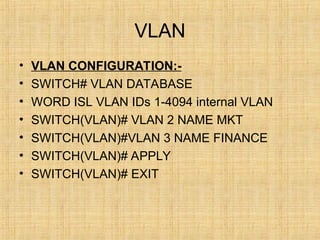
• VLAN CONFIGURATION:-
• SWITCH# VLAN DATABASE
• WORD ISL VLAN IDs 1-4094 internal VLAN
• SWITCH(VLAN)# VLAN 2 NAME MKT
• SWITCH(VLAN)#VLAN 3 NAME FINANCE
• SWITCH(VLAN)# APPLY
• SWITCH(VLAN)# EXIT
VLAN
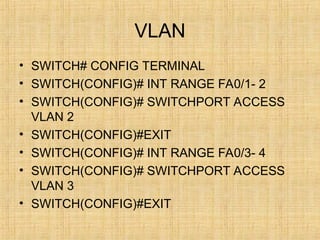
• SWITCH# CONFIG TERMINAL
• SWITCH(CONFIG)# INT RANGE FA0/1- 2
• SWITCH(CONFIG)# SWITCHPORT ACCESS
VLAN 2
• SWITCH(CONFIG)#EXIT
• SWITCH(CONFIG)# INT RANGE FA0/3- 4
• SWITCH(CONFIG)# SWITCHPORT ACCESS
VLAN 3
• SWITCH(CONFIG)#EXIT
VLAN
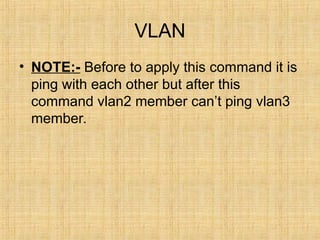
• NOTE:- Before to apply this command it is
ping with each other but after this
command vlan2 member can’t ping vlan3
member.
INTER VALN
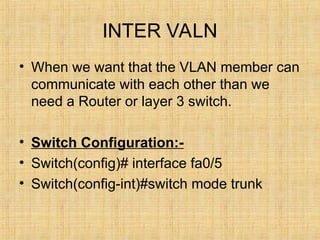
• When we want that the VLAN member can
communicate with each other than we
need a Router or layer 3 switch.
• Switch Configuration:-
• Switch(config)# interface fa0/5
• Switch(config-int)#switch mode trunk
INTER VLAN
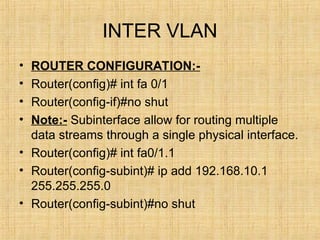
• ROUTER CONFIGURATION:-
• Router(config)# int fa 0/1
• Router(config-if)#no shut
• Note:- Subinterface allow for routing multiple
data streams through a single physical interface.
• Router(config)# int fa0/1.1
• Router(config-subint)# ip add 192.168.10.1
255.255.255.0
• Router(config-subint)#no shut
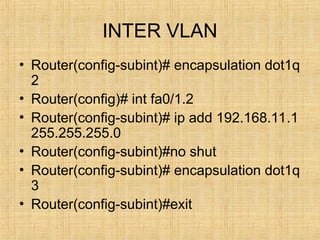
INTER VLAN
• Router(config-subint)# encapsulation dot1q
2
• Router(config)# int fa0/1.2
• Router(config-subint)# ip add 192.168.11.1
255.255.255.0
• Router(config-subint)#no shut
• Router(config-subint)# encapsulation dot1q
3
• Router(config-subint)#exit
Troubleshooting
• 2950# show interface fa0/1 switchport
• 2950# show interface trunk
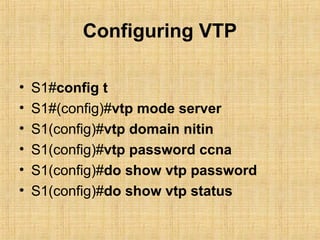
Configuring VTP
• S1#config t
• S1#(config)#vtp mode server
• S1(config)#vtp domain nitin
• S1(config)#vtp password ccna
• S1(config)#do show vtp password
• S1(config)#do show vtp status
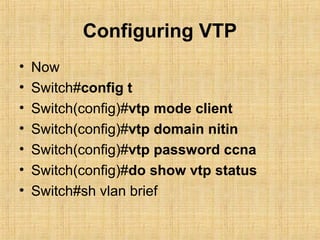
Configuring VTP
• Now
• Switch#config t
• Switch(config)#vtp mode client
• Switch(config)#vtp domain nitin
• Switch(config)#vtp password ccna
• Switch(config)#do show vtp status
• Switch#sh vlan brief
VTP Concept
• (Vlan Trunking Protocol):- As the size of the
network for a small or medium sized business
grows, the management involved in maintaining
the network grows.
• Managing VLAN information on many
switches ,we can use the VTP of cisco catalyst
switches.
• VTP tasks –VLAN creation, deletion &
synchronization.
• VTP allows a network manager to configure a
switch so that it will propagate VLAN
configuration to other switches in the network.
VTP
1. VTP SERVER
2. VTP CLIENT
3. VTP TRANSPARENT MODE
Note:- VTP only learns about normal range VLANs (VLAN
ID 1 to 1005)
Extended –range VLANS (ID > 1005) are not supported by
VTP.
Benefits OF VTP:- VLAN configuration consistency across
the network.
Accurate tracking & monitoring of VLANS.
Dynamic reporting of added VLANS across Network.
VTP
• VTP Domain:- Consists of one or more
interconnected switches. All switches in a
Domain, Share VLAN configuration details using
VTP advertisement.
• A router or layer 3 switch defines the boundary
of each domain.
• VTP advertisement:- VTP uses a hierarchy of
advertisements, to distribute & synchronize the
VLAN configuration Across a VTP domain.
• Switches share information about VLANs using
VTP advertisement (Messages).
VTP
• VTP Modes:-
• VTP server:- VTP servers advertise the VTP
domain VLAN information to other VTP enabled
switches in the same VTP domain.
• VTP servers store the VLAN information for the
entire domain in NVRAM.
• The server is where VLANs can be created,
deleted or renamed for the domain.
VTP
• VTP Client:-
• VTP clients function similar to the way VTP
servers do, but we can’t create, change or delete
VLANs on a VTP client.
• A VTP client stores VLAN information for the
entire domain only while the switch is on.
• A switch reset deletes the vlan information.
• You must configure a switch to change its VTP
mode to the client.
VTP
• VTP transparent:- VTP transparent
mode switches forward VTP
advertisements to VTP clients & VTP
servers, but do not originate or otherwise
process VTP advertisement.
• VLANs that are created ,renamed or
deleted on a VTP transparent mode switch
are local to that switch only.
VTP
• VTP Pruning:- VTP pruning increases available
network bandwidth by restricting flooded traffic
to trunk links that the traffic must use to reach
the destination devices.
• Without VTP pruning, a switch floods broadcast,
multicast & unknown unicast traffic across all
trunk links within a VLAN in a VTP domian.
• (It prevents unnecessary flooding of broadcast
information from one VLAN across all trunks in a
VTP Domain.)
VTP
• MD5 Digest:- Hashing is a one way
encryption of data & MD5 digest is a hash
algorithm.
• VTP hashes VTP data & password to
generate a unique 15 byte MD5 (or data
string).
• VTP adds the Hash to VTP message &
neighbor switches use the hash to validate
the message.
VTP
• VTP configuration Revision Number:-
• It is a 32 bit number that indicates the level of
revision for a VTP frame.
• Each time a VLAn is added or removed , the
configuration revision number increments.
• Note:- A VTP domain name change dose not
increment the revision number , it reset the
revision number to zero.
• Switch# Show VTP counters.
• 2950#config t
• 2950(config)#vlan 10
• 2950(config-vlan)#name Accounting
• 2950(config-vlan)#exit
• 2950(config)#int fa0/2
• 2950(config-if)#switchport mode access
• 2950(config-if)#switchport access vlan 10
• 2950#delete flash:vlan.dat
• Note:- Removes entire VLAN database
From Flash memory.
• Make sure there is no space between the
colon(: ) and the characters vlan.dat. You
can potentially erase the entire contents of
flash memory with this command if the
syntax is not correct.
• 2950#show vlan
• 2950#show vlan brief
• 2950(config)# no ip domain-lookup
• (Turns of checking for DNS entries on
spelling mistake)
TRUNK CONNECTION
• Trunk connection are capable of carrying traffic for multiple
VLANS.
• In Order to support trunking , the original Ethernet frame
must be modified to carry VLAN info.
• This is to ensure that the broadcast integrity is maintained.
• Cisco supoorts 4 trunk methods to maintain VLAN
integrity.
• 1. Cisco’s Proprietary Inters witch Link Protocol for Ethernet.
• 2. IEEE’s 802.1q ,commonly refereed to as dot1q for
Ethernet.
• 3.LAN for ATM.
• 4. 802.10 for FDDI (Proprietary Cisco implementation.)

VLAN network setup and Configuration.ppt

  • 1.
  • 2.
    VLAN • VLAN CONFIGURATION:- •SWITCH# VLAN DATABASE • WORD ISL VLAN IDs 1-4094 internal VLAN • SWITCH(VLAN)# VLAN 2 NAME MKT • SWITCH(VLAN)#VLAN 3 NAME FINANCE • SWITCH(VLAN)# APPLY • SWITCH(VLAN)# EXIT
  • 3.
    VLAN • SWITCH# CONFIGTERMINAL • SWITCH(CONFIG)# INT RANGE FA0/1- 2 • SWITCH(CONFIG)# SWITCHPORT ACCESS VLAN 2 • SWITCH(CONFIG)#EXIT • SWITCH(CONFIG)# INT RANGE FA0/3- 4 • SWITCH(CONFIG)# SWITCHPORT ACCESS VLAN 3 • SWITCH(CONFIG)#EXIT
  • 4.
    VLAN • NOTE:- Beforeto apply this command it is ping with each other but after this command vlan2 member can’t ping vlan3 member.
  • 5.
    INTER VALN • Whenwe want that the VLAN member can communicate with each other than we need a Router or layer 3 switch. • Switch Configuration:- • Switch(config)# interface fa0/5 • Switch(config-int)#switch mode trunk
  • 6.
    INTER VLAN • ROUTERCONFIGURATION:- • Router(config)# int fa 0/1 • Router(config-if)#no shut • Note:- Subinterface allow for routing multiple data streams through a single physical interface. • Router(config)# int fa0/1.1 • Router(config-subint)# ip add 192.168.10.1 255.255.255.0 • Router(config-subint)#no shut
  • 7.
    INTER VLAN • Router(config-subint)#encapsulation dot1q 2 • Router(config)# int fa0/1.2 • Router(config-subint)# ip add 192.168.11.1 255.255.255.0 • Router(config-subint)#no shut • Router(config-subint)# encapsulation dot1q 3 • Router(config-subint)#exit
  • 8.
    Troubleshooting • 2950# showinterface fa0/1 switchport • 2950# show interface trunk
  • 9.
    Configuring VTP • S1#configt • S1#(config)#vtp mode server • S1(config)#vtp domain nitin • S1(config)#vtp password ccna • S1(config)#do show vtp password • S1(config)#do show vtp status
  • 10.
    Configuring VTP • Now •Switch#config t • Switch(config)#vtp mode client • Switch(config)#vtp domain nitin • Switch(config)#vtp password ccna • Switch(config)#do show vtp status • Switch#sh vlan brief
  • 11.
    VTP Concept • (VlanTrunking Protocol):- As the size of the network for a small or medium sized business grows, the management involved in maintaining the network grows. • Managing VLAN information on many switches ,we can use the VTP of cisco catalyst switches. • VTP tasks –VLAN creation, deletion & synchronization. • VTP allows a network manager to configure a switch so that it will propagate VLAN configuration to other switches in the network.
  • 12.
    VTP 1. VTP SERVER 2.VTP CLIENT 3. VTP TRANSPARENT MODE Note:- VTP only learns about normal range VLANs (VLAN ID 1 to 1005) Extended –range VLANS (ID > 1005) are not supported by VTP. Benefits OF VTP:- VLAN configuration consistency across the network. Accurate tracking & monitoring of VLANS. Dynamic reporting of added VLANS across Network.
  • 13.
    VTP • VTP Domain:-Consists of one or more interconnected switches. All switches in a Domain, Share VLAN configuration details using VTP advertisement. • A router or layer 3 switch defines the boundary of each domain. • VTP advertisement:- VTP uses a hierarchy of advertisements, to distribute & synchronize the VLAN configuration Across a VTP domain. • Switches share information about VLANs using VTP advertisement (Messages).
  • 14.
    VTP • VTP Modes:- •VTP server:- VTP servers advertise the VTP domain VLAN information to other VTP enabled switches in the same VTP domain. • VTP servers store the VLAN information for the entire domain in NVRAM. • The server is where VLANs can be created, deleted or renamed for the domain.
  • 15.
    VTP • VTP Client:- •VTP clients function similar to the way VTP servers do, but we can’t create, change or delete VLANs on a VTP client. • A VTP client stores VLAN information for the entire domain only while the switch is on. • A switch reset deletes the vlan information. • You must configure a switch to change its VTP mode to the client.
  • 16.
    VTP • VTP transparent:-VTP transparent mode switches forward VTP advertisements to VTP clients & VTP servers, but do not originate or otherwise process VTP advertisement. • VLANs that are created ,renamed or deleted on a VTP transparent mode switch are local to that switch only.
  • 17.
    VTP • VTP Pruning:-VTP pruning increases available network bandwidth by restricting flooded traffic to trunk links that the traffic must use to reach the destination devices. • Without VTP pruning, a switch floods broadcast, multicast & unknown unicast traffic across all trunk links within a VLAN in a VTP domian. • (It prevents unnecessary flooding of broadcast information from one VLAN across all trunks in a VTP Domain.)
  • 18.
    VTP • MD5 Digest:-Hashing is a one way encryption of data & MD5 digest is a hash algorithm. • VTP hashes VTP data & password to generate a unique 15 byte MD5 (or data string). • VTP adds the Hash to VTP message & neighbor switches use the hash to validate the message.
  • 19.
    VTP • VTP configurationRevision Number:- • It is a 32 bit number that indicates the level of revision for a VTP frame. • Each time a VLAn is added or removed , the configuration revision number increments. • Note:- A VTP domain name change dose not increment the revision number , it reset the revision number to zero. • Switch# Show VTP counters.
  • 20.
    • 2950#config t •2950(config)#vlan 10 • 2950(config-vlan)#name Accounting • 2950(config-vlan)#exit • 2950(config)#int fa0/2 • 2950(config-if)#switchport mode access • 2950(config-if)#switchport access vlan 10
  • 21.
    • 2950#delete flash:vlan.dat •Note:- Removes entire VLAN database From Flash memory. • Make sure there is no space between the colon(: ) and the characters vlan.dat. You can potentially erase the entire contents of flash memory with this command if the syntax is not correct.
  • 22.
    • 2950#show vlan •2950#show vlan brief • 2950(config)# no ip domain-lookup • (Turns of checking for DNS entries on spelling mistake)
  • 23.
    TRUNK CONNECTION • Trunkconnection are capable of carrying traffic for multiple VLANS. • In Order to support trunking , the original Ethernet frame must be modified to carry VLAN info. • This is to ensure that the broadcast integrity is maintained. • Cisco supoorts 4 trunk methods to maintain VLAN integrity. • 1. Cisco’s Proprietary Inters witch Link Protocol for Ethernet. • 2. IEEE’s 802.1q ,commonly refereed to as dot1q for Ethernet. • 3.LAN for ATM. • 4. 802.10 for FDDI (Proprietary Cisco implementation.)