Maximizing Efficiencies
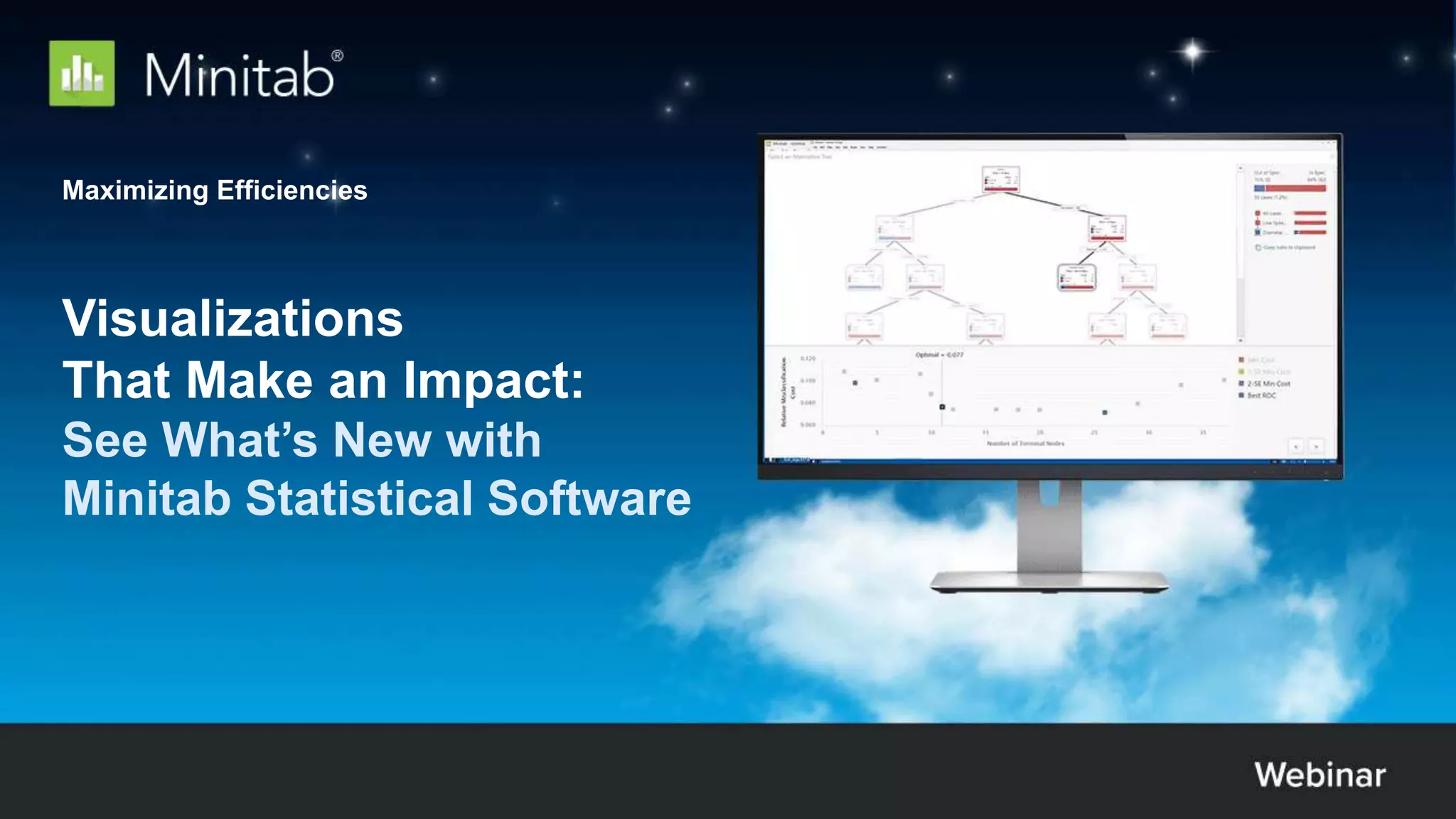
Visualizations
That Make an Impact:
See What’s New with
Minitab Statistical Software
© 2020 Minitab, LLC.
Jenn studies how organizations solve
analytical problems to ensure that
Minitab delivers on our commitment to
make data analytics easier.
As a classically trained statistician, Jenn
has worked, trained and consulted in the
field of analytics for over 25 years.
Meet the Presenter:
Jenn Atlas
Global Market Development Manager
© 2020 Minitab, LLC.
AGENDA
Introduction to Solutions Analytics
Visualizations with Impact:
See What’s New with Minitab Statistical Software
Statistical Process Control and Predictive Analytics
- Upcoming Webinars
Jenn Atlas
Global Market
Development
Manager
Mark Ellis
Area Marketing
Manager
3
© 2020 Minitab, LLC.
How Do Minitab’s Solutions Analytics Help Your Business Succeed?
4
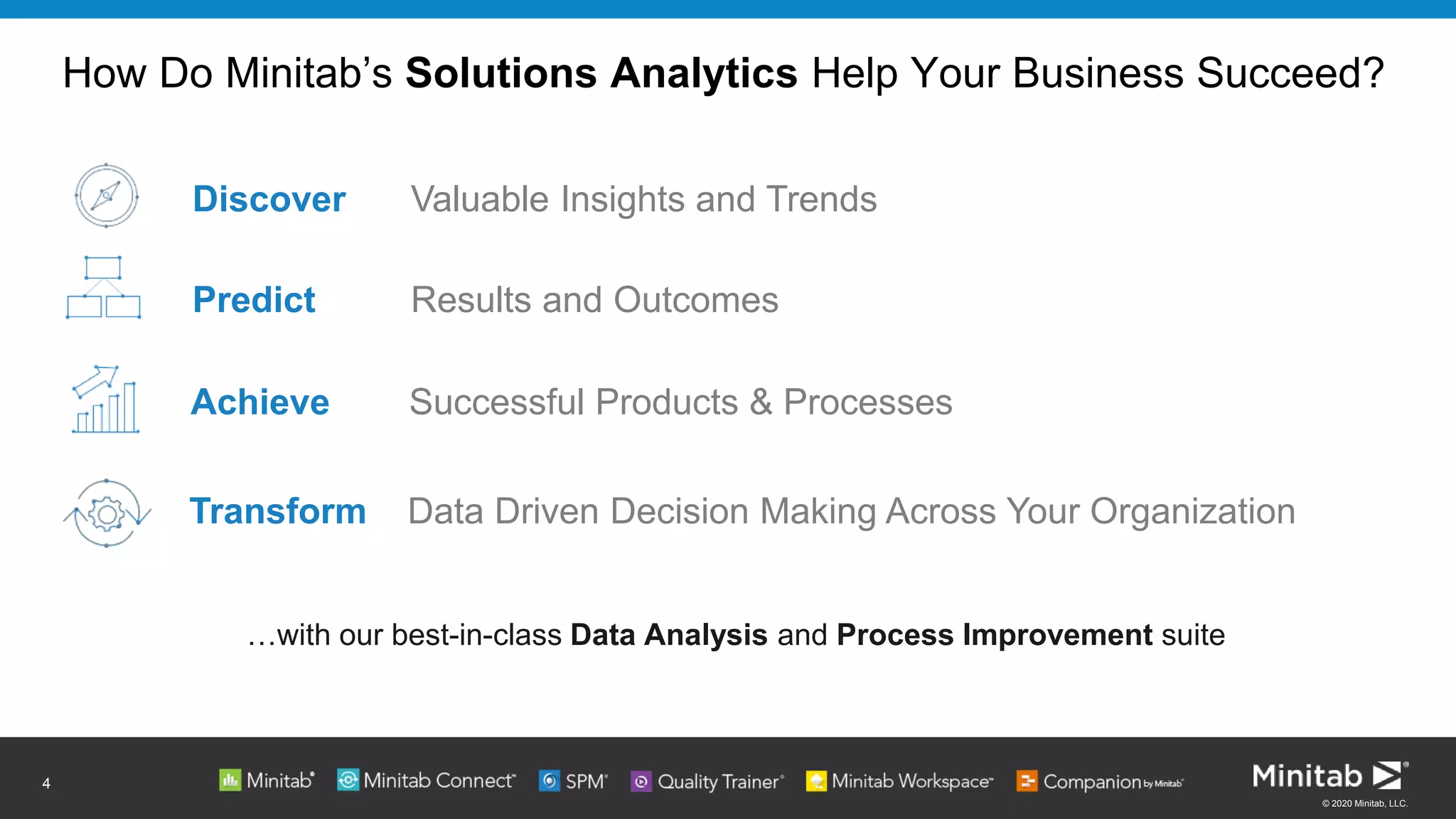
Discover Valuable Insights and Trends
Predict Results and Outcomes
Achieve Successful Products & Processes
Transform Data Driven Decision Making Across Your Organization
…with our best-in-class Data Analysis and Process Improvement suite
Solutions analytics is our integrated approach
to enable organizations to make better decisions
that drive business excellence
Software & services used by over 85% of the Fortune 500
© 2020 Minitab, LLC.
6
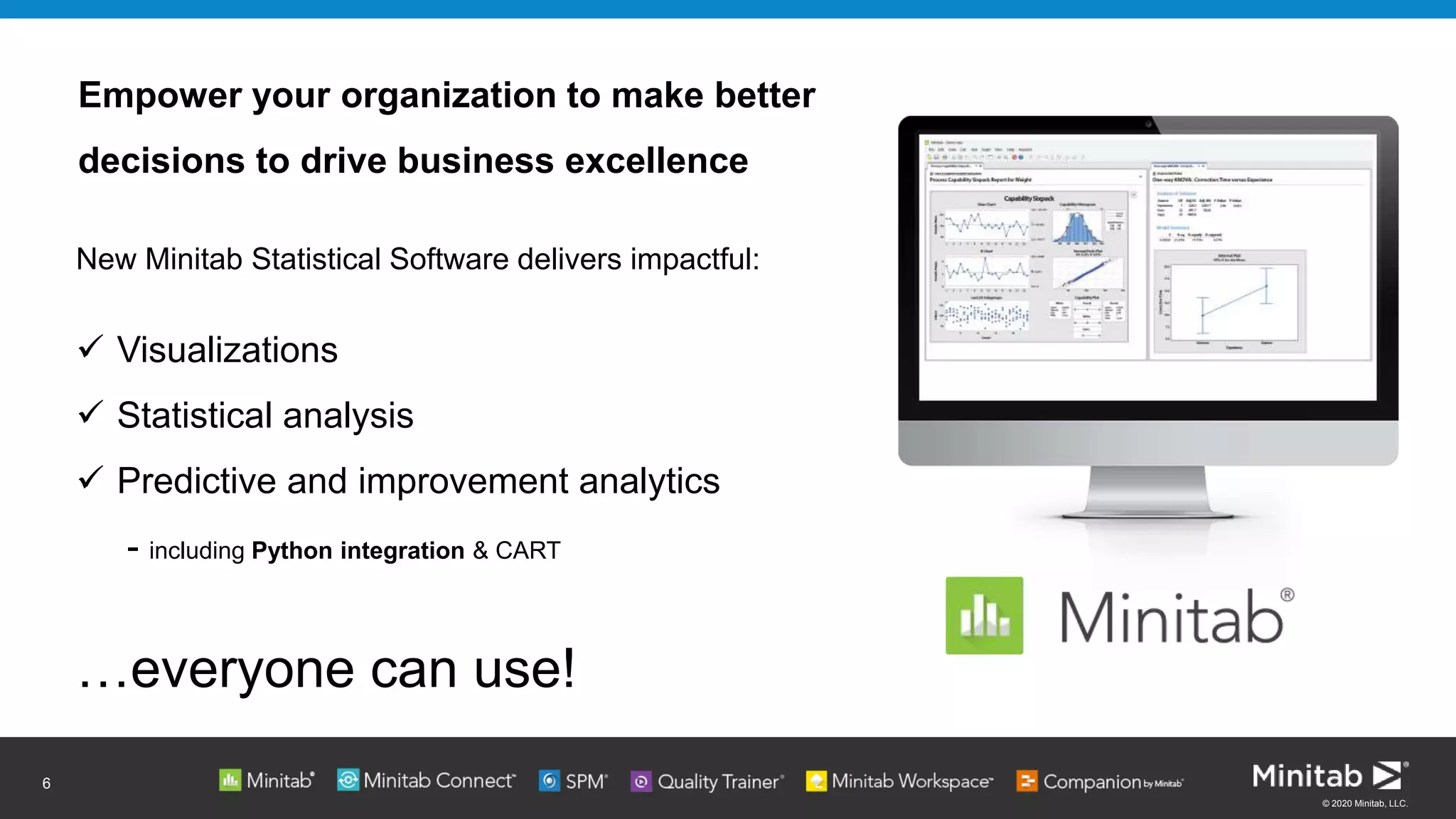
Empower your organization to make better
decisions to drive business excellence
New Minitab Statistical Software delivers impactful:
 Visualizations
 Statistical analysis
 Predictive and improvement analytics
- including Python integration & CART
…everyone can use!
© 2020 Minitab, LLC.
7
© 2020 Minitab, LLC.
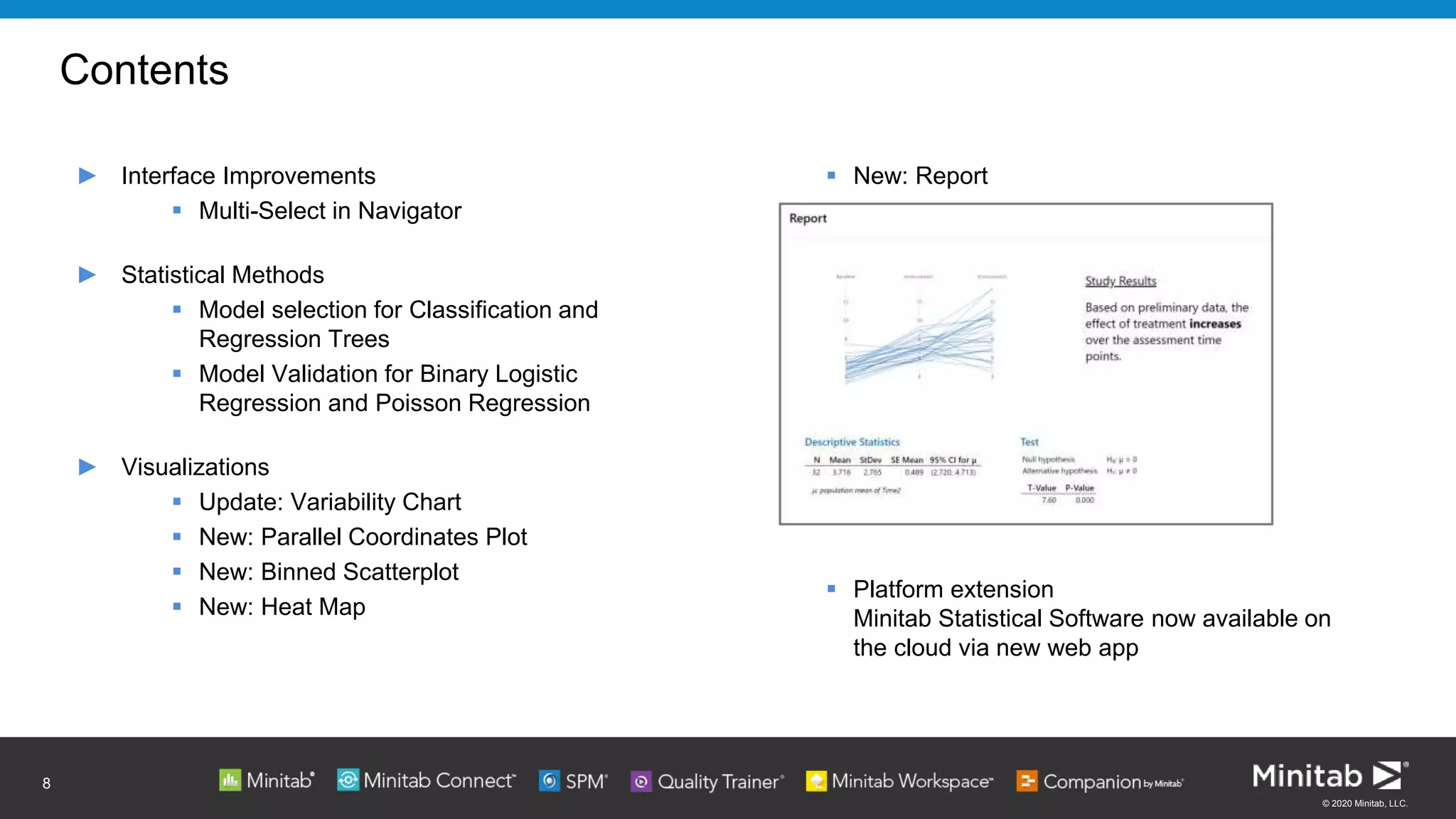
 New: Report
 Platform extension
Minitab Statistical Software now available on
the cloud via new web app
Contents
► Interface Improvements
 Multi-Select in Navigator
► Statistical Methods
 Model selection for Classification and
Regression Trees
 Model Validation for Binary Logistic
Regression and Poisson Regression
► Visualizations
 Update: Variability Chart
 New: Parallel Coordinates Plot
 New: Binned Scatterplot
 New: Heat Map
8
© 2020 Minitab, LLC.
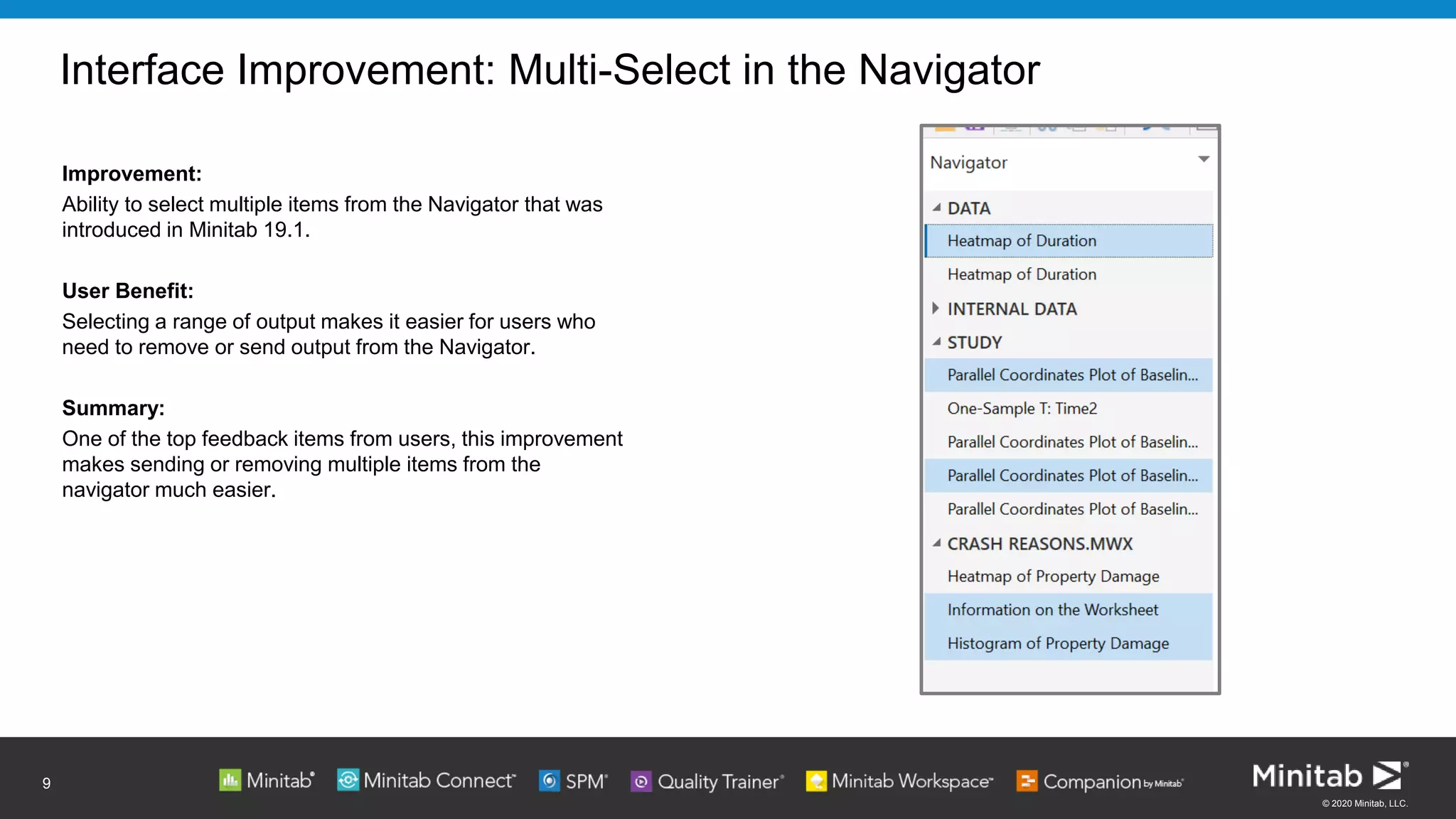
Interface Improvement: Multi-Select in the Navigator
Improvement:
Ability to select multiple items from the Navigator that was
introduced in Minitab 19.1.
User Benefit:
Selecting a range of output makes it easier for users who
need to remove or send output from the Navigator.
Summary:
One of the top feedback items from users, this improvement
makes sending or removing multiple items from the
navigator much easier.
9
Click to add text
© 2020 Minitab, LLC.
10
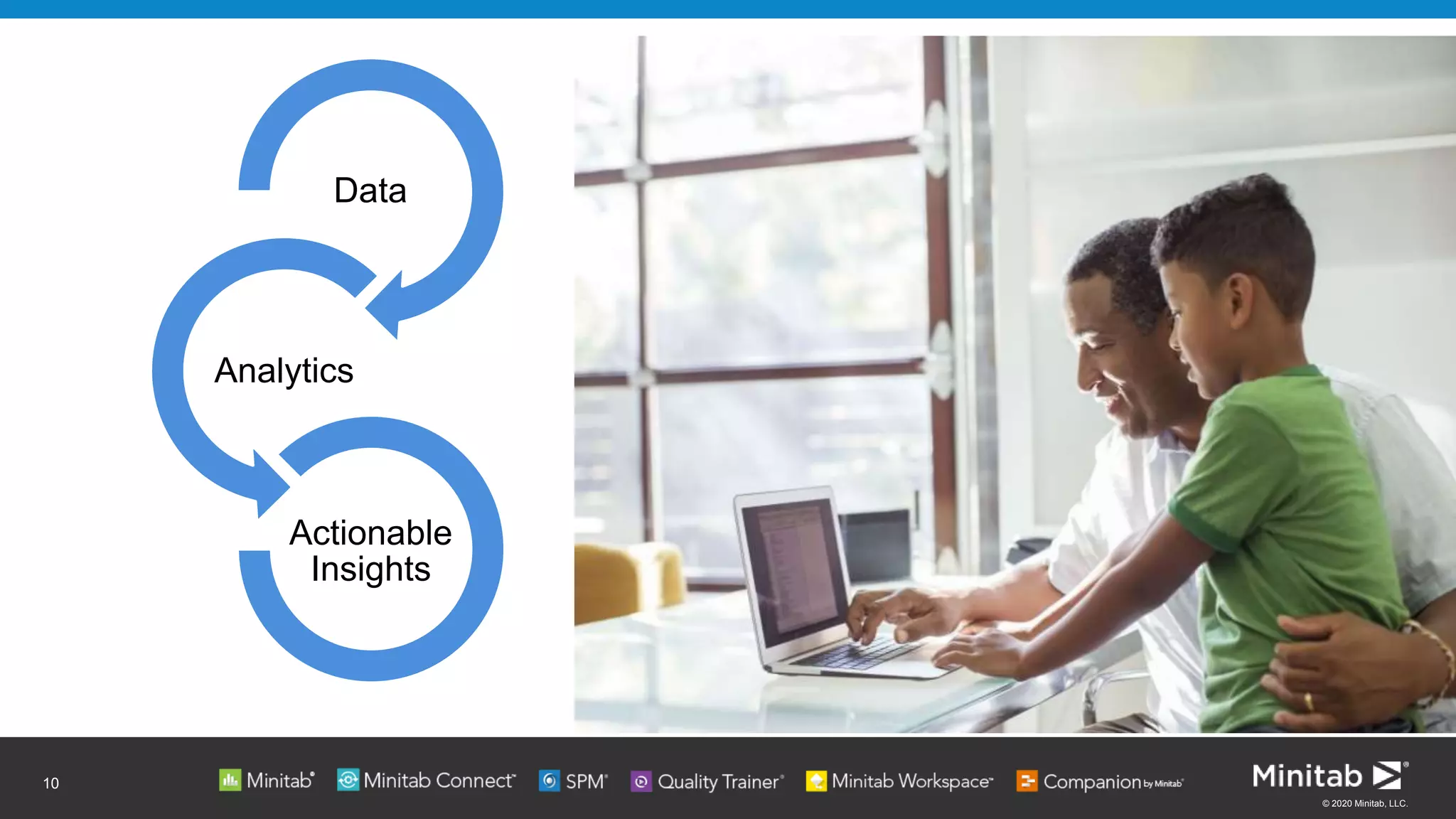
Data
Analytics
Actionable
Insights
© 2020 Minitab, LLC.
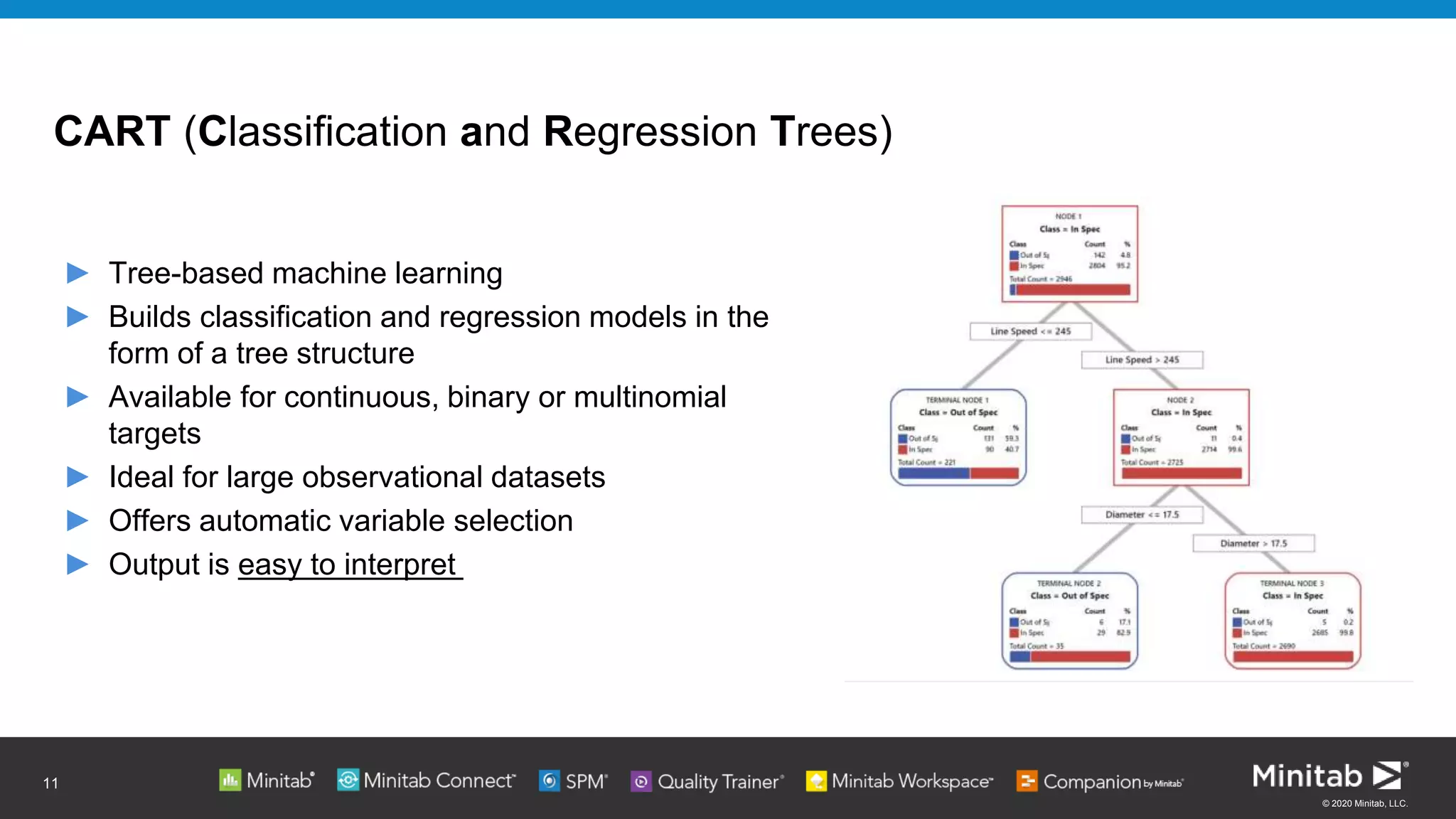
CART (Classification and Regression Trees)​
► Tree-based machine learning​
► Builds classification and regression models in the
form of a tree structure
► Available for continuous, binary or multinomial
targets​
► Ideal for large observational datasets​
► Offers automatic variable selection​
► Output is easy to interpret
11
© 2020 Minitab, LLC.
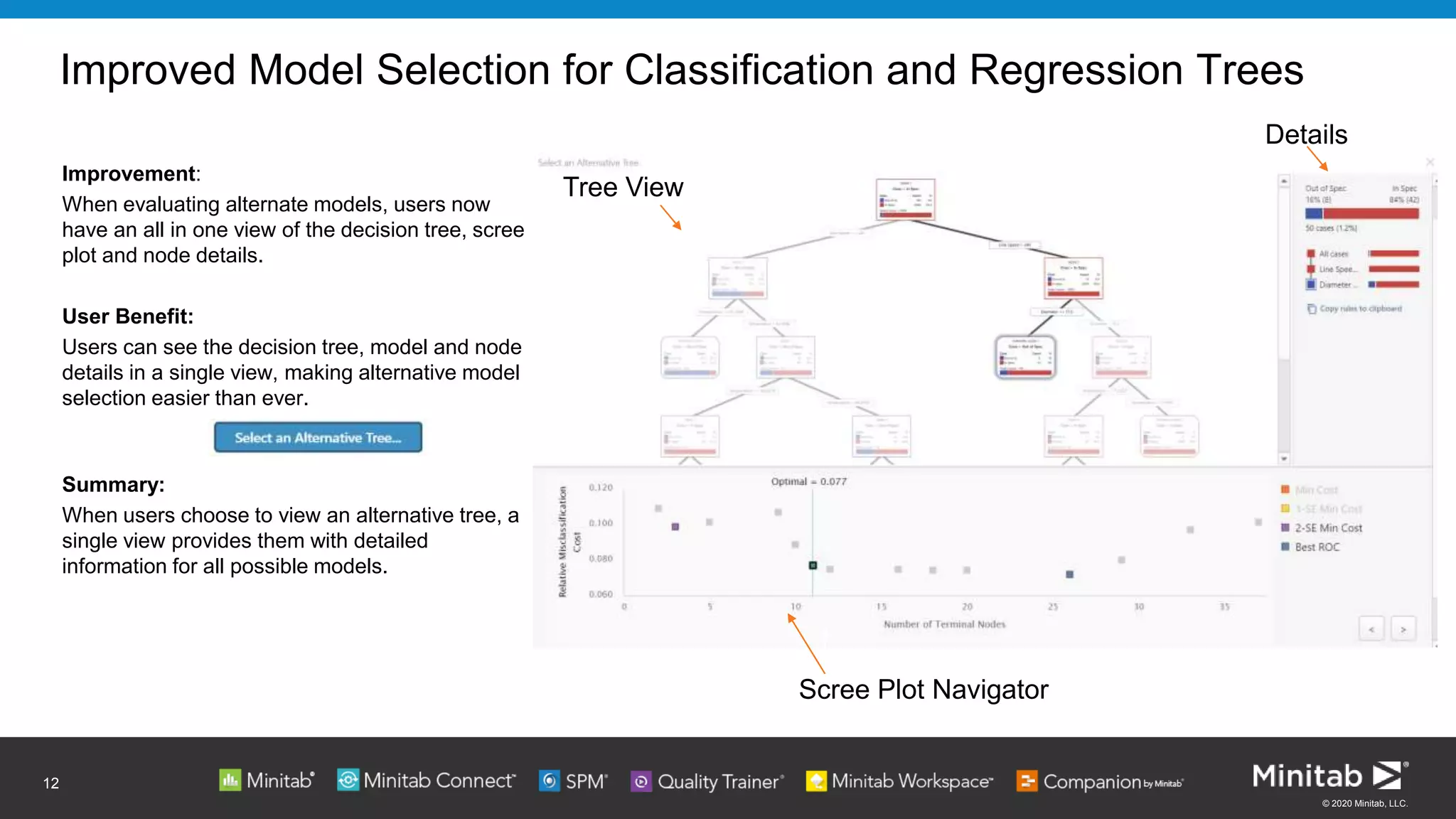
Improved Model Selection for Classification and Regression Trees
Improvement:
When evaluating alternate models, users now
have an all in one view of the decision tree, scree
plot and node details.
User Benefit:
Users can see the decision tree, model and node
details in a single view, making alternative model
selection easier than ever.
Summary:
When users choose to view an alternative tree, a
single view provides them with detailed
information for all possible models.
12
Scree Plot Navigator
Details
Tree View
© 2020 Minitab, LLC.
MODEL VALIDATION
Ensuring your models fit well
13
© 2020 Minitab, LLC.
Validation
Data is usually split into a training set and a test set:
► Training (or learn) data is used to create the model and
estimate the model coefficients.
► Test data is used to assess model performance. It is used to
produce fitted values, which are then compared to the
corresponding observed responses in the test data to assess the
model’s predictive ability.
14
© 2020 Minitab, LLC.
Validation: Reinforcing Predictions
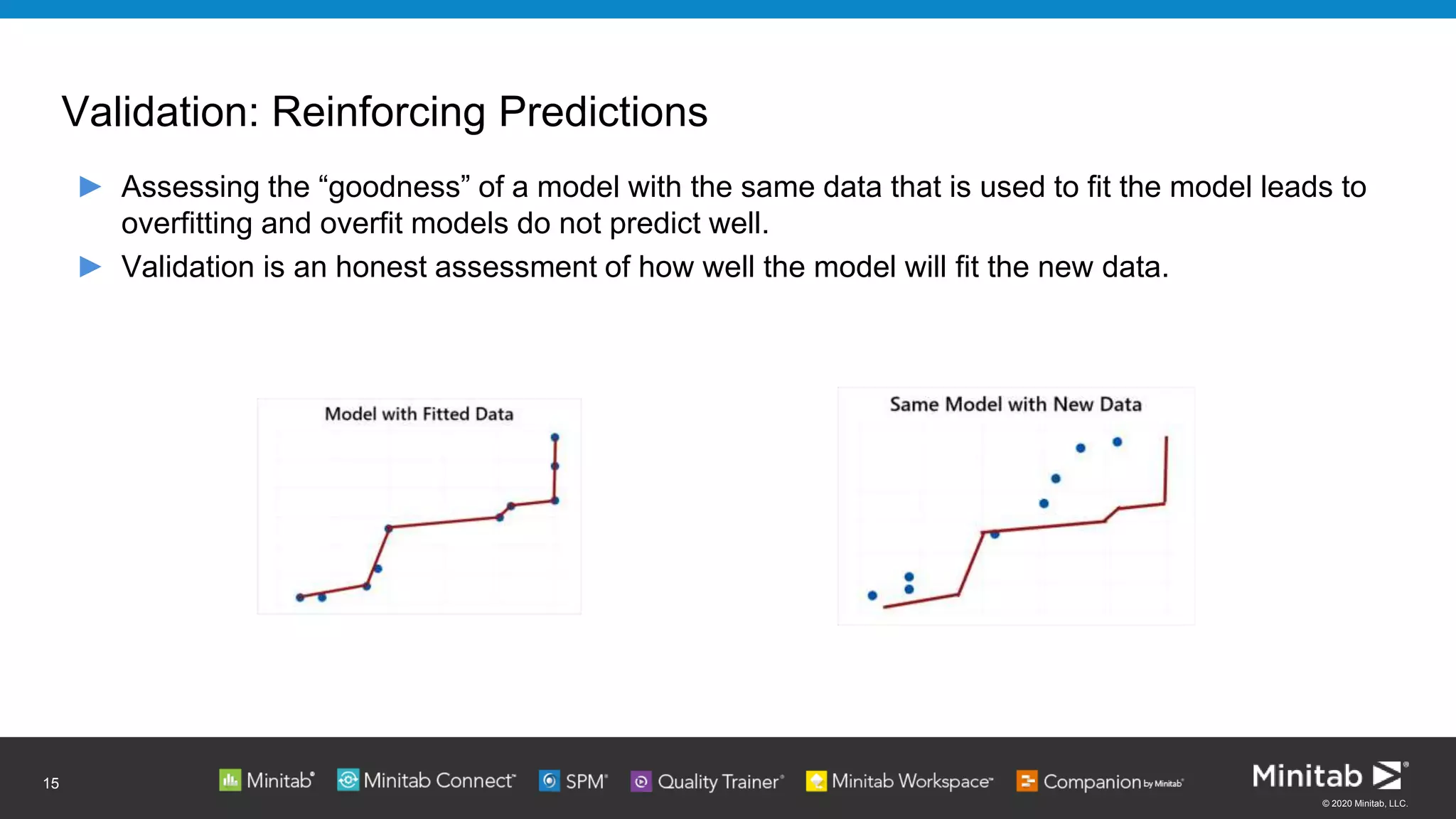
► Assessing the “goodness” of a model with the same data that is used to fit the model leads to
overfitting and overfit models do not predict well.
► Validation is an honest assessment of how well the model will fit the new data.
15
© 2020 Minitab, LLC.
Model Validation in Binary Logistic Regression and Poisson Regression
Improvement:
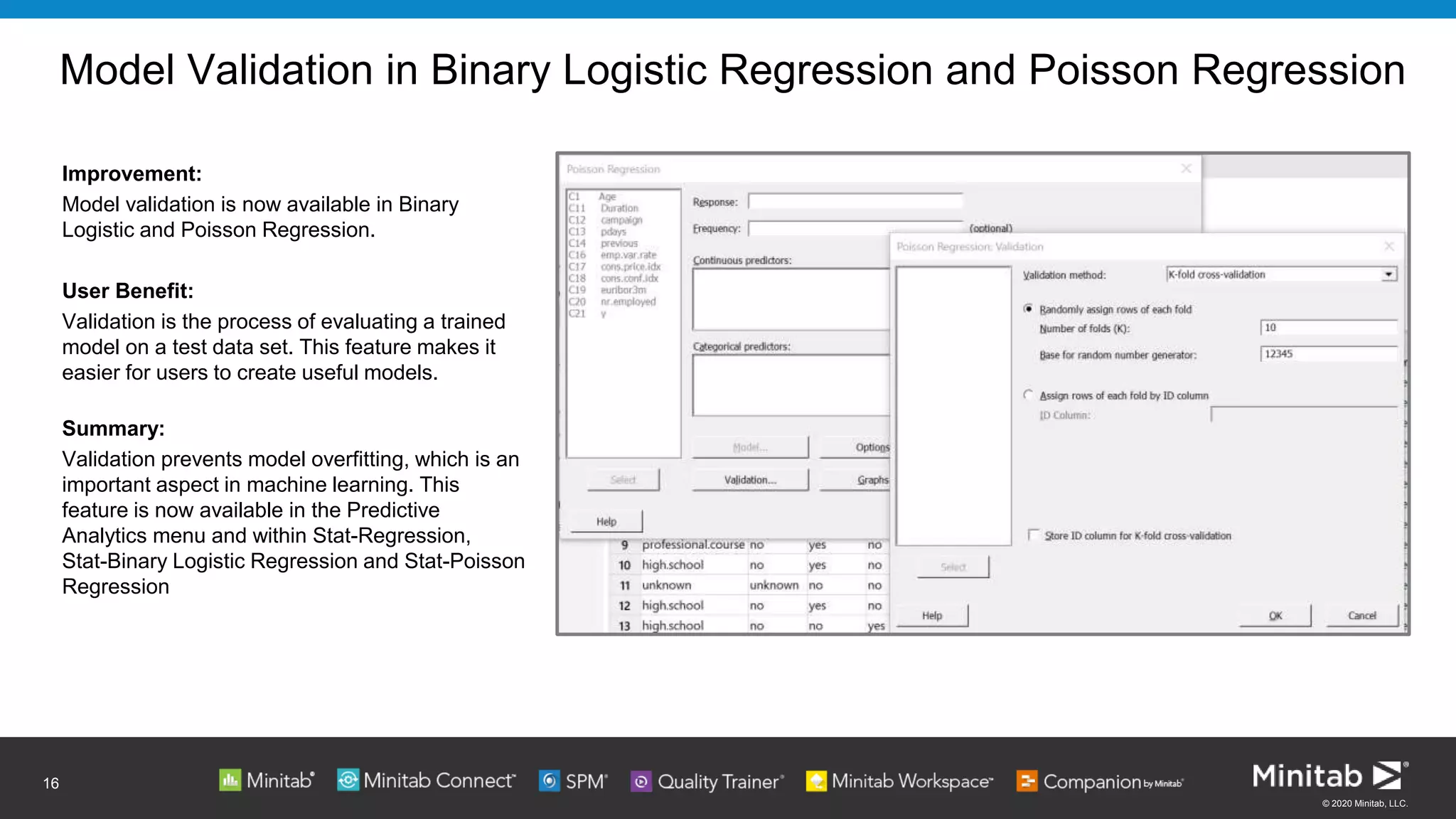
Model validation is now available in Binary
Logistic and Poisson Regression.
User Benefit:
Validation is the process of evaluating a trained
model on a test data set. This feature makes it
easier for users to create useful models.
Summary:
Validation prevents model overfitting, which is an
important aspect in machine learning. This
feature is now available in the Predictive
Analytics menu and within Stat-Regression,
Stat-Binary Logistic Regression and Stat-Poisson
Regression
16
© 2020 Minitab, LLC.
Visualizations: Variability Chart
Improvement:
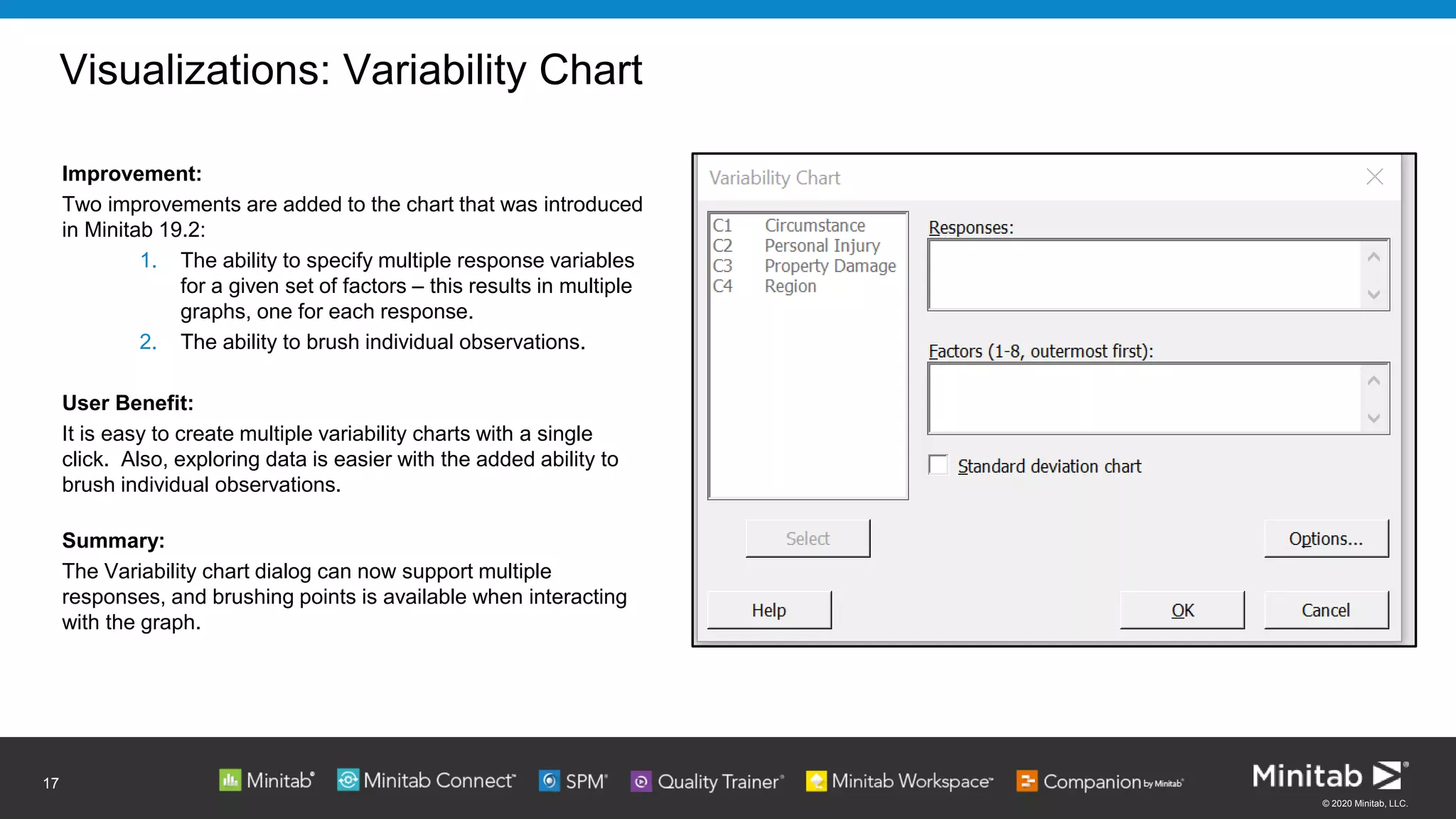
Two improvements are added to the chart that was introduced
in Minitab 19.2:
1. The ability to specify multiple response variables
for a given set of factors – this results in multiple
graphs, one for each response.
2. The ability to brush individual observations.
User Benefit:
It is easy to create multiple variability charts with a single
click. Also, exploring data is easier with the added ability to
brush individual observations.
Summary:
The Variability chart dialog can now support multiple
responses, and brushing points is available when interacting
with the graph.
17
© 2020 Minitab, LLC.
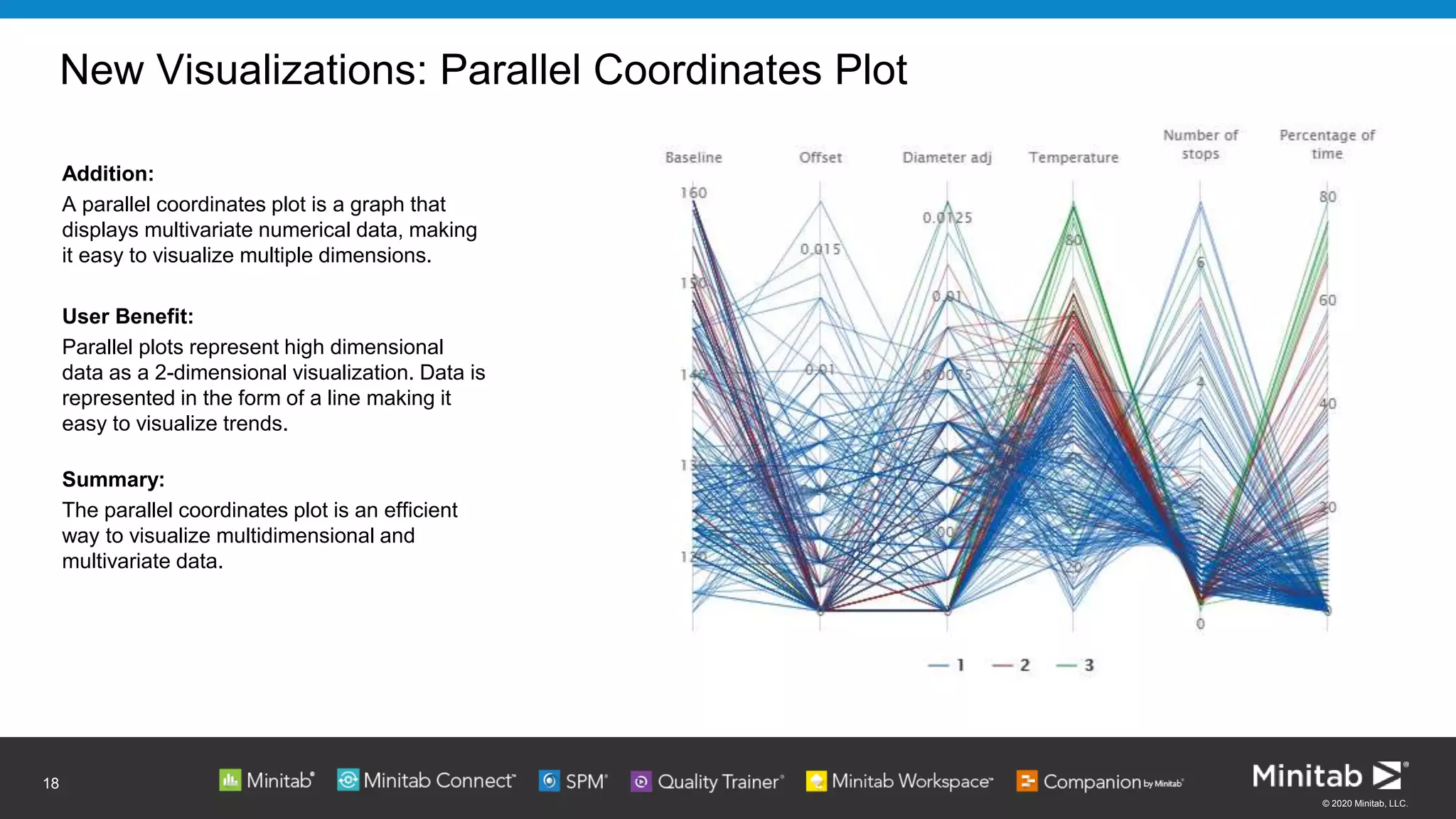
New Visualizations: Parallel Coordinates Plot
Addition:
A parallel coordinates plot is a graph that
displays multivariate numerical data, making
it easy to visualize multiple dimensions.
User Benefit:
Parallel plots represent high dimensional
data as a 2-dimensional visualization. Data is
represented in the form of a line making it
easy to visualize trends.
Summary:
The parallel coordinates plot is an efficient
way to visualize multidimensional and
multivariate data.
18
© 2020 Minitab, LLC.
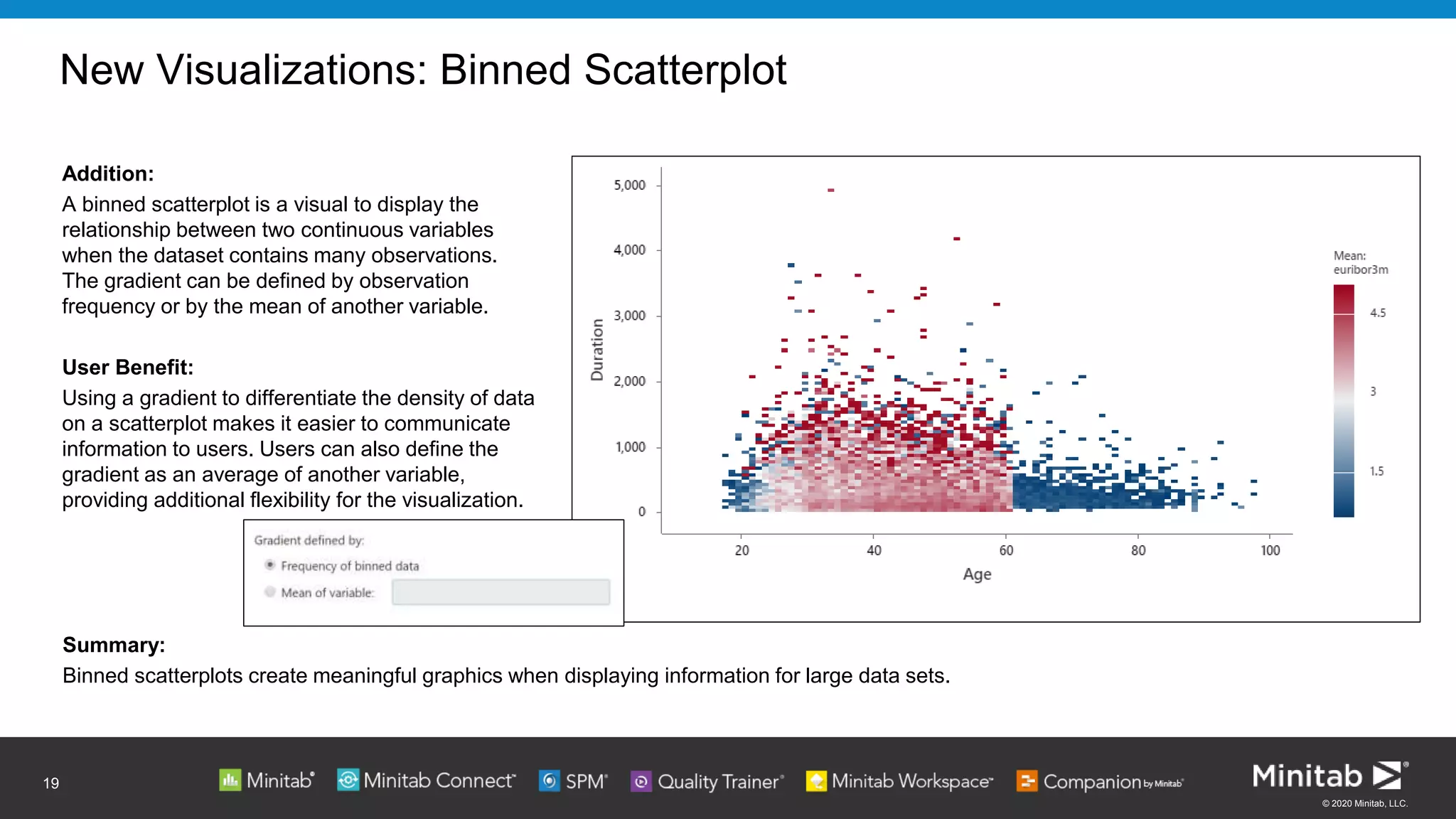
New Visualizations: Binned Scatterplot
Addition:
A binned scatterplot is a visual to display the
relationship between two continuous variables
when the dataset contains many observations.
The gradient can be defined by observation
frequency or by the mean of another variable.
User Benefit:
Using a gradient to differentiate the density of data
on a scatterplot makes it easier to communicate
information to users. Users can also define the
gradient as an average of another variable,
providing additional flexibility for the visualization.
19
Summary:
Binned scatterplots create meaningful graphics when displaying information for large data sets.
© 2020 Minitab, LLC.
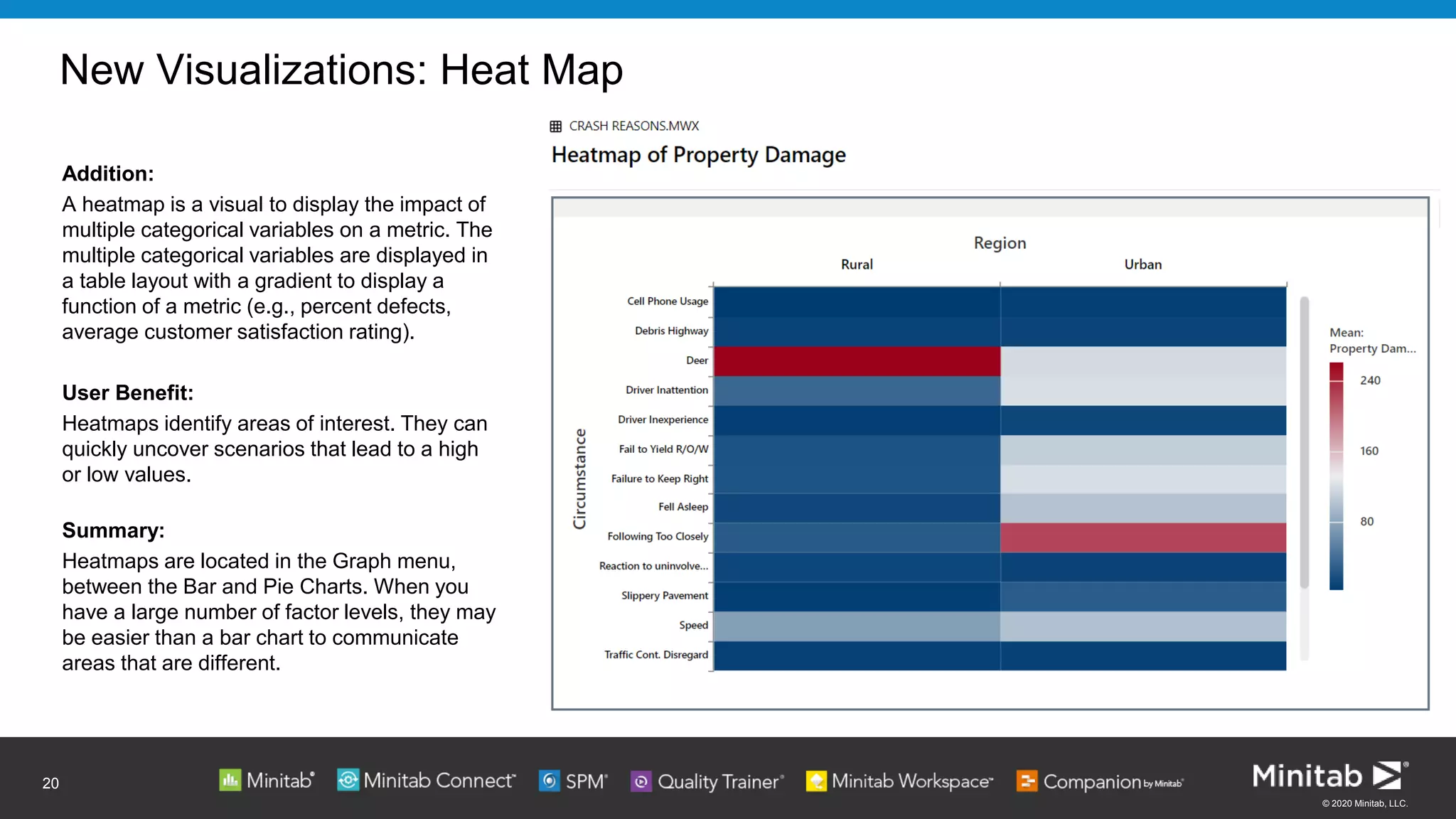
New Visualizations: Heat Map
Addition:
A heatmap is a visual to display the impact of
multiple categorical variables on a metric. The
multiple categorical variables are displayed in
a table layout with a gradient to display a
function of a metric (e.g., percent defects,
average customer satisfaction rating).
User Benefit:
Heatmaps identify areas of interest. They can
quickly uncover scenarios that lead to a high
or low values.
Summary:
Heatmaps are located in the Graph menu,
between the Bar and Pie Charts. When you
have a large number of factor levels, they may
be easier than a bar chart to communicate
areas that are different.
20
© 2020 Minitab, LLC.
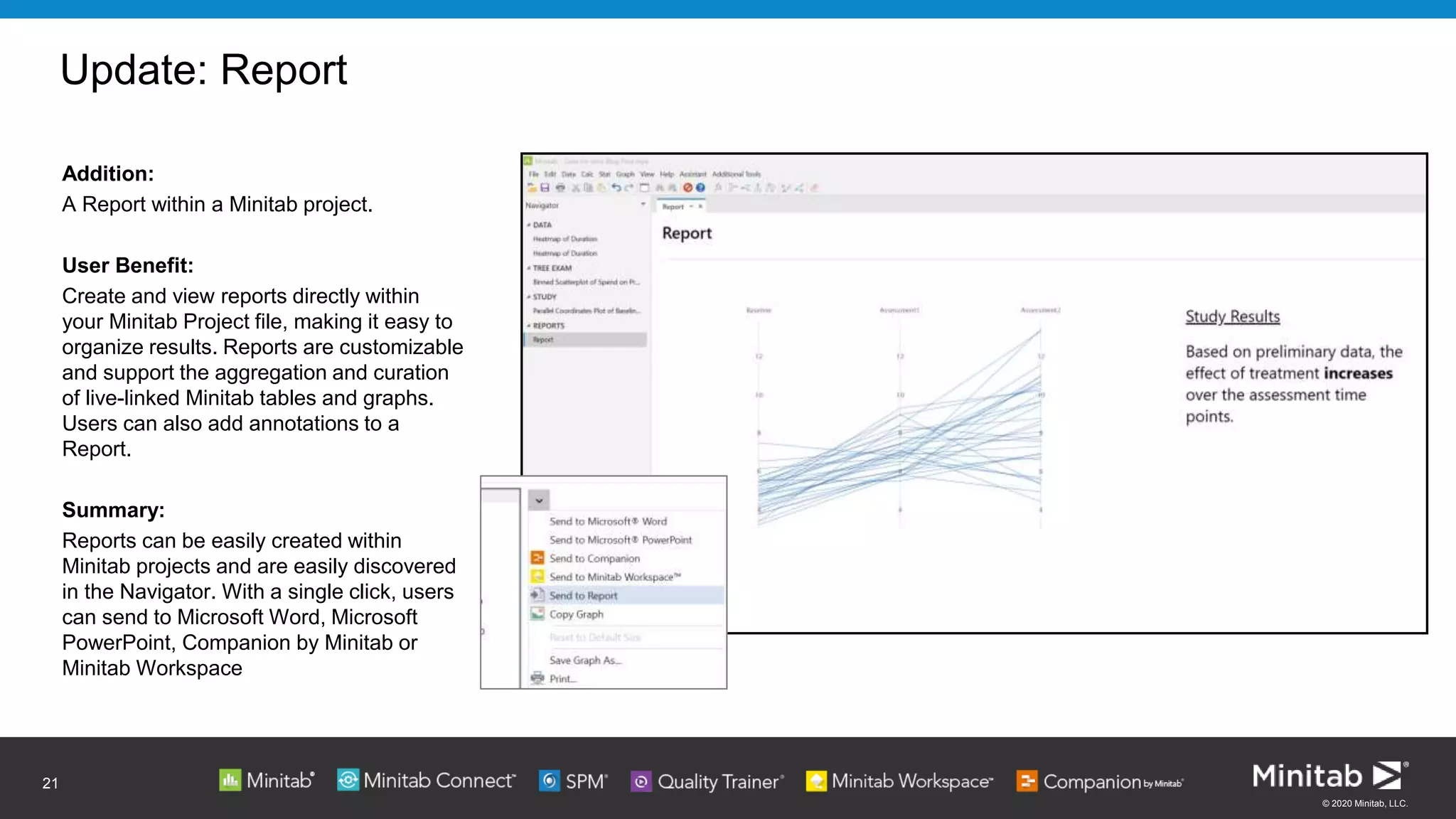
Update: Report
21
Addition:
A Report within a Minitab project.
User Benefit:
Create and view reports directly within
your Minitab Project file, making it easy to
organize results. Reports are customizable
and support the aggregation and curation
of live-linked Minitab tables and graphs.
Users can also add annotations to a
Report.
Summary:
Reports can be easily created within
Minitab projects and are easily discovered
in the Navigator. With a single click, users
can send to Microsoft Word, Microsoft
PowerPoint, Companion by Minitab or
Minitab Workspace
© 2020 Minitab, LLC.
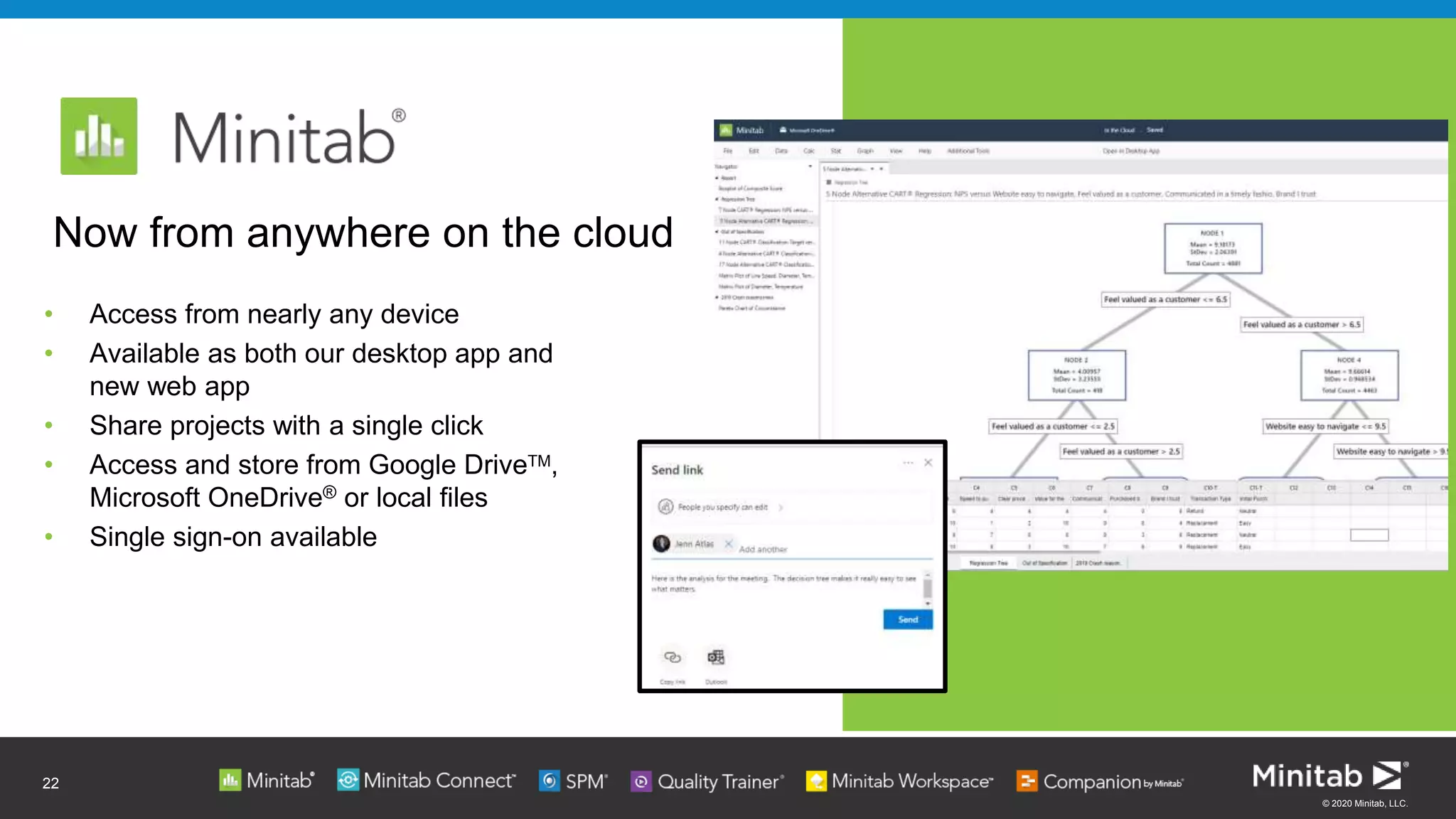
• Access from nearly any device
• Available as both our desktop app and
new web app
• Share projects with a single click
• Access and store from Google DriveTM,
Microsoft OneDrive® or local files
• Single sign-on available
22
Now from anywhere on the cloud
© 2020 Minitab, LLC.
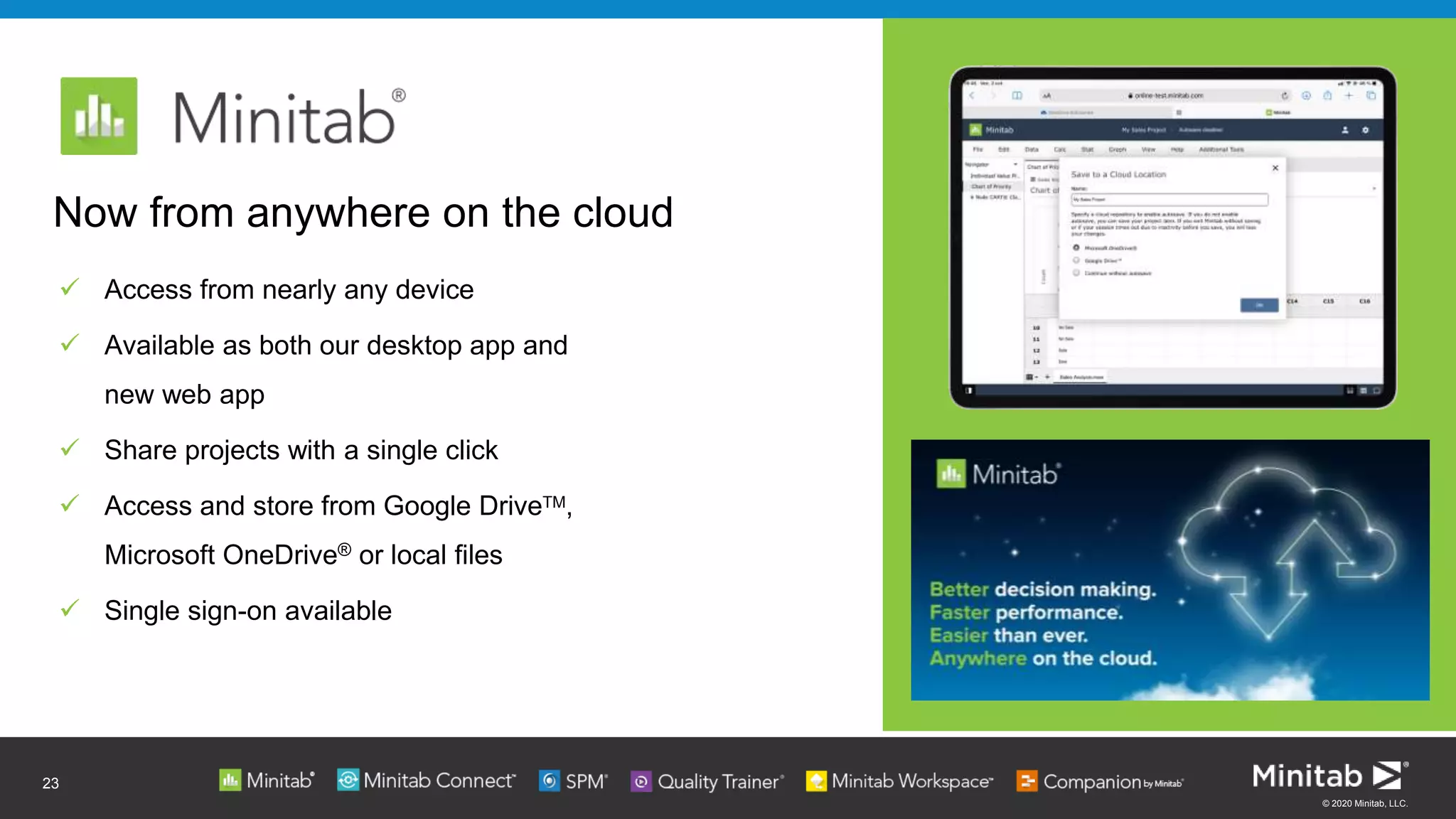
 Access from nearly any device
 Available as both our desktop app and
new web app
 Share projects with a single click
 Access and store from Google DriveTM,
Microsoft OneDrive® or local files
 Single sign-on available
23
Now from anywhere on the cloud
© 2020 Minitab, LLC.
Start Your 30-Day
Free Trial Today
Just visit:
minitab.com/trial >>
© 2020 Minitab, LLC.
Continue learning with our free webinar series
INCLUDING:
• November 18
Streaming Analytics: Introducing the Next Generation of Statistical
Process Control
• December 2
Tips & Tricks for CART in Minitab Statistical Software
• December 9
Time-to-Market and Design for Reliability at the Speed of Light in
Signify [Case Study]
info.minitab.com/resources/webinars/webinar-Wednesdays >>
Minitab Training is available
worldwide! Learn more at
minitab.com/training >>
25
© 2020 Minitab, LLC.
ACHIEVE YOUR VISION OF SUCCESS
WITH MINITAB'S UNIQUE, INTEGRATED APPROACH OF
SOLUTIONS ANALYTICS >>
Supported by our Software & Services
Training >> Statistical Consulting >> Support >>
Our integrated approach to providing software and services that enable
organizations to make better decisions that drive business excellence.
26
Project Oversight >>Predictive Modeling >> Visual Business Tools >>Online Training >>Data Analysis >> Data Transformation​ >>
Thank you!
Webinar on-demand
Replay your Webinar >>
Discover. Predict. Achieve. Transform

Visualizations that make an impact - see what s new in minitab statistical software

  • 1.
    Maximizing Efficiencies Visualizations That Makean Impact: See What’s New with Minitab Statistical Software
  • 2.
    © 2020 Minitab,LLC. Jenn studies how organizations solve analytical problems to ensure that Minitab delivers on our commitment to make data analytics easier. As a classically trained statistician, Jenn has worked, trained and consulted in the field of analytics for over 25 years. Meet the Presenter: Jenn Atlas Global Market Development Manager
  • 3.
    © 2020 Minitab,LLC. AGENDA Introduction to Solutions Analytics Visualizations with Impact: See What’s New with Minitab Statistical Software Statistical Process Control and Predictive Analytics - Upcoming Webinars Jenn Atlas Global Market Development Manager Mark Ellis Area Marketing Manager 3
  • 4.
    © 2020 Minitab,LLC. How Do Minitab’s Solutions Analytics Help Your Business Succeed? 4 Discover Valuable Insights and Trends Predict Results and Outcomes Achieve Successful Products & Processes Transform Data Driven Decision Making Across Your Organization …with our best-in-class Data Analysis and Process Improvement suite
  • 5.
    Solutions analytics isour integrated approach to enable organizations to make better decisions that drive business excellence Software & services used by over 85% of the Fortune 500
  • 6.
    © 2020 Minitab,LLC. 6 Empower your organization to make better decisions to drive business excellence New Minitab Statistical Software delivers impactful:  Visualizations  Statistical analysis  Predictive and improvement analytics - including Python integration & CART …everyone can use!
  • 7.
  • 8.
    © 2020 Minitab,LLC.  New: Report  Platform extension Minitab Statistical Software now available on the cloud via new web app Contents ► Interface Improvements  Multi-Select in Navigator ► Statistical Methods  Model selection for Classification and Regression Trees  Model Validation for Binary Logistic Regression and Poisson Regression ► Visualizations  Update: Variability Chart  New: Parallel Coordinates Plot  New: Binned Scatterplot  New: Heat Map 8
  • 9.
    © 2020 Minitab,LLC. Interface Improvement: Multi-Select in the Navigator Improvement: Ability to select multiple items from the Navigator that was introduced in Minitab 19.1. User Benefit: Selecting a range of output makes it easier for users who need to remove or send output from the Navigator. Summary: One of the top feedback items from users, this improvement makes sending or removing multiple items from the navigator much easier. 9 Click to add text
  • 10.
    © 2020 Minitab,LLC. 10 Data Analytics Actionable Insights
  • 11.
    © 2020 Minitab,LLC. CART (Classification and Regression Trees)​ ► Tree-based machine learning​ ► Builds classification and regression models in the form of a tree structure ► Available for continuous, binary or multinomial targets​ ► Ideal for large observational datasets​ ► Offers automatic variable selection​ ► Output is easy to interpret 11
  • 12.
    © 2020 Minitab,LLC. Improved Model Selection for Classification and Regression Trees Improvement: When evaluating alternate models, users now have an all in one view of the decision tree, scree plot and node details. User Benefit: Users can see the decision tree, model and node details in a single view, making alternative model selection easier than ever. Summary: When users choose to view an alternative tree, a single view provides them with detailed information for all possible models. 12 Scree Plot Navigator Details Tree View
  • 13.
    © 2020 Minitab,LLC. MODEL VALIDATION Ensuring your models fit well 13
  • 14.
    © 2020 Minitab,LLC. Validation Data is usually split into a training set and a test set: ► Training (or learn) data is used to create the model and estimate the model coefficients. ► Test data is used to assess model performance. It is used to produce fitted values, which are then compared to the corresponding observed responses in the test data to assess the model’s predictive ability. 14
  • 15.
    © 2020 Minitab,LLC. Validation: Reinforcing Predictions ► Assessing the “goodness” of a model with the same data that is used to fit the model leads to overfitting and overfit models do not predict well. ► Validation is an honest assessment of how well the model will fit the new data. 15
  • 16.
    © 2020 Minitab,LLC. Model Validation in Binary Logistic Regression and Poisson Regression Improvement: Model validation is now available in Binary Logistic and Poisson Regression. User Benefit: Validation is the process of evaluating a trained model on a test data set. This feature makes it easier for users to create useful models. Summary: Validation prevents model overfitting, which is an important aspect in machine learning. This feature is now available in the Predictive Analytics menu and within Stat-Regression, Stat-Binary Logistic Regression and Stat-Poisson Regression 16
  • 17.
    © 2020 Minitab,LLC. Visualizations: Variability Chart Improvement: Two improvements are added to the chart that was introduced in Minitab 19.2: 1. The ability to specify multiple response variables for a given set of factors – this results in multiple graphs, one for each response. 2. The ability to brush individual observations. User Benefit: It is easy to create multiple variability charts with a single click. Also, exploring data is easier with the added ability to brush individual observations. Summary: The Variability chart dialog can now support multiple responses, and brushing points is available when interacting with the graph. 17
  • 18.
    © 2020 Minitab,LLC. New Visualizations: Parallel Coordinates Plot Addition: A parallel coordinates plot is a graph that displays multivariate numerical data, making it easy to visualize multiple dimensions. User Benefit: Parallel plots represent high dimensional data as a 2-dimensional visualization. Data is represented in the form of a line making it easy to visualize trends. Summary: The parallel coordinates plot is an efficient way to visualize multidimensional and multivariate data. 18
  • 19.
    © 2020 Minitab,LLC. New Visualizations: Binned Scatterplot Addition: A binned scatterplot is a visual to display the relationship between two continuous variables when the dataset contains many observations. The gradient can be defined by observation frequency or by the mean of another variable. User Benefit: Using a gradient to differentiate the density of data on a scatterplot makes it easier to communicate information to users. Users can also define the gradient as an average of another variable, providing additional flexibility for the visualization. 19 Summary: Binned scatterplots create meaningful graphics when displaying information for large data sets.
  • 20.
    © 2020 Minitab,LLC. New Visualizations: Heat Map Addition: A heatmap is a visual to display the impact of multiple categorical variables on a metric. The multiple categorical variables are displayed in a table layout with a gradient to display a function of a metric (e.g., percent defects, average customer satisfaction rating). User Benefit: Heatmaps identify areas of interest. They can quickly uncover scenarios that lead to a high or low values. Summary: Heatmaps are located in the Graph menu, between the Bar and Pie Charts. When you have a large number of factor levels, they may be easier than a bar chart to communicate areas that are different. 20
  • 21.
    © 2020 Minitab,LLC. Update: Report 21 Addition: A Report within a Minitab project. User Benefit: Create and view reports directly within your Minitab Project file, making it easy to organize results. Reports are customizable and support the aggregation and curation of live-linked Minitab tables and graphs. Users can also add annotations to a Report. Summary: Reports can be easily created within Minitab projects and are easily discovered in the Navigator. With a single click, users can send to Microsoft Word, Microsoft PowerPoint, Companion by Minitab or Minitab Workspace
  • 22.
    © 2020 Minitab,LLC. • Access from nearly any device • Available as both our desktop app and new web app • Share projects with a single click • Access and store from Google DriveTM, Microsoft OneDrive® or local files • Single sign-on available 22 Now from anywhere on the cloud
  • 23.
    © 2020 Minitab,LLC.  Access from nearly any device  Available as both our desktop app and new web app  Share projects with a single click  Access and store from Google DriveTM, Microsoft OneDrive® or local files  Single sign-on available 23 Now from anywhere on the cloud
  • 24.
    © 2020 Minitab,LLC. Start Your 30-Day Free Trial Today Just visit: minitab.com/trial >>
  • 25.
    © 2020 Minitab,LLC. Continue learning with our free webinar series INCLUDING: • November 18 Streaming Analytics: Introducing the Next Generation of Statistical Process Control • December 2 Tips & Tricks for CART in Minitab Statistical Software • December 9 Time-to-Market and Design for Reliability at the Speed of Light in Signify [Case Study] info.minitab.com/resources/webinars/webinar-Wednesdays >> Minitab Training is available worldwide! Learn more at minitab.com/training >> 25
  • 26.
    © 2020 Minitab,LLC. ACHIEVE YOUR VISION OF SUCCESS WITH MINITAB'S UNIQUE, INTEGRATED APPROACH OF SOLUTIONS ANALYTICS >> Supported by our Software & Services Training >> Statistical Consulting >> Support >> Our integrated approach to providing software and services that enable organizations to make better decisions that drive business excellence. 26 Project Oversight >>Predictive Modeling >> Visual Business Tools >>Online Training >>Data Analysis >> Data Transformation​ >>
  • 27.
    Thank you! Webinar on-demand Replayyour Webinar >> Discover. Predict. Achieve. Transform

Editor's Notes

  • #9 Here is the list of topics we will cover today- I think you will find all of them helpful to you in some way.
  • #11 One focus for this release was to make predictive analytics accessible to more users. When it comes to analyzing data, some methods certainly seem easier than others. But we believe that analytics is for everyone- and that includes methods that can be categorized as Machine Learning. While model building might initially seem intimidating to you- it’s not as hard as you might think. Machine Learning and Predictive Analytics continue to play a role in initiatives like digital transformation, and while these methods have broad application, they shouldn’t only be tools for data scientists. Let me show you the enhancements around machine learning.
  • #12 So we first introduced Classification and Regression trees in the spring of 2020 release of Minitab Statistical Software, and we’ve added to it now in 20. but many of you may not have experienced it yet, so let me introduce it if this is new to you. CART is a decision tree algorithm that is used for both regression and classification problems. The main idea behind CART is that we divide the predictor variables- or I should say we partition them into different regions so that the dependent variable (also known as the target variable) can be predicted more accurately. Think about CART as another useful tool for your toolbox- one that does not require many assumptions and can be done quite quickly.
  • #13 Perform Faster The all-in-one view allows the user to explore potential models without jumping from window to window: Evaluate and select alternative models based on performance and complexity, using the Scree Plot Navigator Examine the selected model in Tree View, including which predictor variables were brought into the model, where optimal splits were made, and node performance Highlight an individual node in Tree View to zoom in on Node Detail: lineage or path to the node, counts, and performance summary
  • #14 Another area where we have improved is for Model Validation. This is an important component of ML- and is something that is cumbersome for many data analysts- so they may skip this important step in their predictive modeling work.
  • #16 And this really helps you with Better Decision making because Validation prevents overfitting, and incorporating it gives a more conservative, and often more realistic view of model performance. As you can see here with this illustration, on the left I can fit a model to data, but when I try to apply that same model to new data my results are not as wonderful. Overfitting means that a model does a good job of predicting the data that was used to build the model, but a poor job of predicting new data - which is often the goal of building the model in the first place.
  • #17  I realize we are not going into great detail during this webinar, but if you would like more information, I strongly suggest you check out the machine learning webinar we have- it’s on demand so you can watch it any time- and it is available on our website under Events.
  • #19 Variables measured on the same subject or unit are connected by a line, making it easy to visualize trends or patterns.
  • #21 For example, it is easy to see that overall Urban has higher damage than Rural, but that Deer, which cause significant damage are only a problem in Rural areas