
Traditional licensed software
VS
Software-as-a-Service
(SaaS)
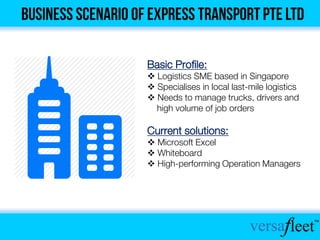
Basic Profile:
 Logistics SME based in Singapore
 Specialises in local last-mile logistics
 Needs to manage trucks, drivers and
high volume of job orders
Current solutions:
 Microsoft Excel
 Whiteboard
 High-performing Operation Managers
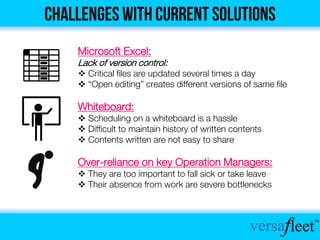
Microsoft Excel:
Lack of version control:
 Critical files are updated several times a day
 “Open editing” creates different versions of same file
Whiteboard:
 Scheduling on a whiteboard is a hassle
 Difficult to maintain history of written contents
 Contents written are not easy to share
Over-reliance on key Operation Managers:
 They are too important to fall sick or take leave
 Their absence from work are severe bottlenecks
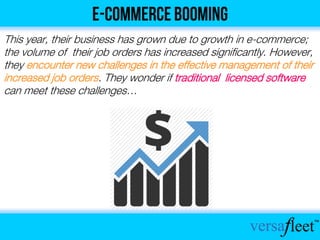
This year, their business has grown due to growth in e-commerce;
the volume of their job orders has increased significantly. However,
they encounter new challenges in the effective management of their
increased job orders. They wonder if traditional licensed software
can meet these challenges…
After much research, Express Transport Pte Ltd found out that
traditional licensed software is not the best solution as they have
their own problems…
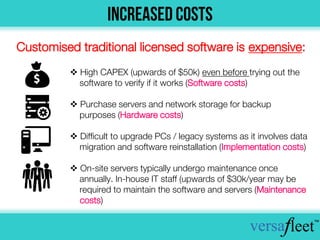
 High CAPEX (upwards of $50k) even before trying out the
software to verify if it works (Software costs)
 Purchase servers and network storage for backup
purposes (Hardware costs)
 Difficult to upgrade PCs / legacy systems as it involves data
migration and software reinstallation (Implementation costs)
 On-site servers typically undergo maintenance once
annually. In-house IT staff (upwards of $30k/year may be
required to maintain the software and servers (Maintenance
costs)
Customised traditional licensed software is expensive:
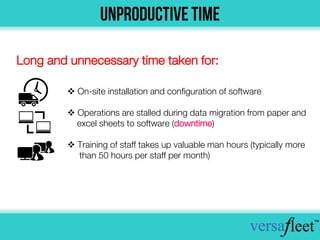
 On-site installation and configuration of software
 Operations are stalled during data migration from paper and
excel sheets to software (downtime)
 Training of staff takes up valuable man hours (typically more
than 50 hours per staff per month)
Long and unnecessary time taken for:
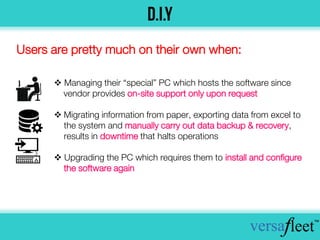
 Managing their “special” PC which hosts the software since
vendor provides on-site support only upon request
 Migrating information from paper, exporting data from excel to
the system and manually carry out data backup & recovery,
results in downtime that halts operations
 Upgrading the PC which requires them to install and configure
the software again
Users are pretty much on their own when:
Lower Costs Saves Time
Accessibility
& Availability
Ease Of
Upgrading
Backup &
Data Recovery
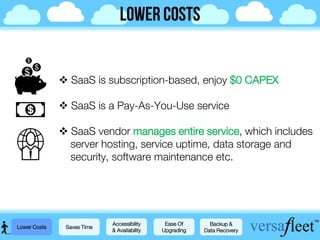
 SaaS is subscription-based, enjoy $0 CAPEX
 SaaS is a Pay-As-You-Use service
 SaaS vendor manages entire service, which includes
server hosting, service uptime, data storage and
security, software maintenance etc.
Lower Costs Saves Time
Accessibility
& Availability
Ease Of
Upgrading
Backup &
Data Recovery…
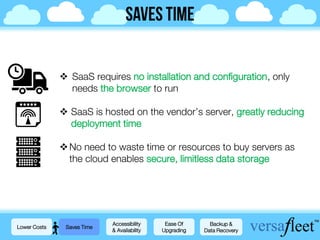
 SaaS requires no installation and configuration, only
needs the browser to run
 SaaS is hosted on the vendor’s server, greatly reducing
deployment time
No need to waste time or resources to buy servers as
the cloud enables secure, limitless data storage
Lower Costs Saves Time
Accessibility
& Availability
Ease Of
Upgrading
Backup &
Data Recovery
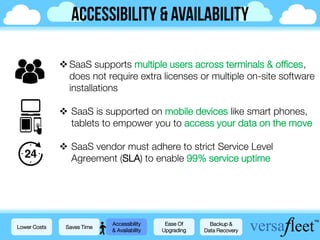
SaaS supports multiple users across terminals & offices,
does not require extra licenses or multiple on-site software
installations
 SaaS is supported on mobile devices like smart phones,
tablets to empower you to access your data on the move
 SaaS vendor must adhere to strict Service Level
Agreement (SLA) to enable 99% service uptime
Lower Costs Saves Time
Accessibility
& Availability
Ease Of
Upgrading
Backup &
Data Recovery
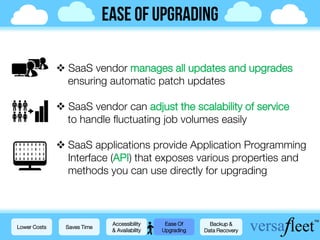
 SaaS vendor manages all updates and upgrades
ensuring automatic patch updates
 SaaS vendor can adjust the scalability of service
to handle fluctuating job volumes easily
 SaaS applications provide Application Programming
Interface (API) that exposes various properties and
methods you can use directly for upgrading
Lower Costs Saves Time
Accessibility
& Availability
Ease Of
Upgrading
Backup &
Data Recovery
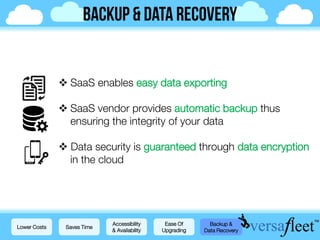
 SaaS enables easy data exporting
 SaaS vendor provides automatic backup thus
ensuring the integrity of your data
 Data security is guaranteed through data encryption
in the cloud
Lower Costs Saves Time
Accessibility
& Availability
Ease Of
Upgrading
Backup &
Data Recovery
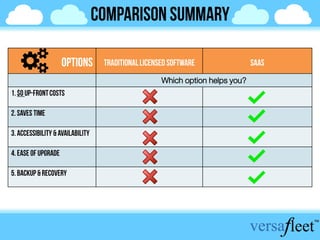
Which option helps you?
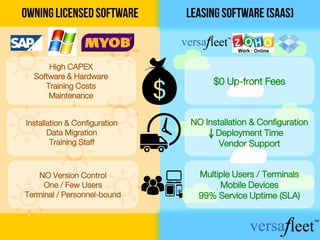
$0 Up-front Fees
NO Installation & Configuration
Deployment Time
Vendor Support
Multiple Users / Terminals
Mobile Devices
99% Service Uptime (SLA)
High CAPEX
Software & Hardware
Training Costs
Maintenance
Installation & Configuration
Data Migration
Training Staff
NO Version Control
One / Few Users
Terminal / Personnel-bound
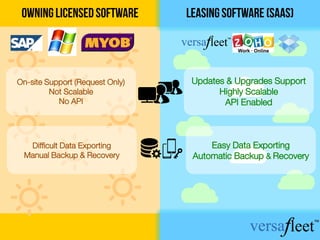
Updates & Upgrades Support
Highly Scalable
API Enabled
Easy Data Exporting
Automatic Backup & Recovery
On-site Support (Request Only)
Not Scalable
No API
Difficult Data Exporting
Manual Backup & Recovery
TM
Logistics Operations Made Easy
Visit us at versafleet.sg today!
Email: jan.donyada@sypherlabs.com Thank you!

VersaFleet SaaS Slides

  • 1.
  • 2.
    Basic Profile:  LogisticsSME based in Singapore  Specialises in local last-mile logistics  Needs to manage trucks, drivers and high volume of job orders Current solutions:  Microsoft Excel  Whiteboard  High-performing Operation Managers
  • 3.
    Microsoft Excel: Lack ofversion control:  Critical files are updated several times a day  “Open editing” creates different versions of same file Whiteboard:  Scheduling on a whiteboard is a hassle  Difficult to maintain history of written contents  Contents written are not easy to share Over-reliance on key Operation Managers:  They are too important to fall sick or take leave  Their absence from work are severe bottlenecks
  • 4.
    This year, theirbusiness has grown due to growth in e-commerce; the volume of their job orders has increased significantly. However, they encounter new challenges in the effective management of their increased job orders. They wonder if traditional licensed software can meet these challenges…
  • 5.
    After much research,Express Transport Pte Ltd found out that traditional licensed software is not the best solution as they have their own problems…
  • 6.
     High CAPEX(upwards of $50k) even before trying out the software to verify if it works (Software costs)  Purchase servers and network storage for backup purposes (Hardware costs)  Difficult to upgrade PCs / legacy systems as it involves data migration and software reinstallation (Implementation costs)  On-site servers typically undergo maintenance once annually. In-house IT staff (upwards of $30k/year may be required to maintain the software and servers (Maintenance costs) Customised traditional licensed software is expensive:
  • 7.
     On-site installationand configuration of software  Operations are stalled during data migration from paper and excel sheets to software (downtime)  Training of staff takes up valuable man hours (typically more than 50 hours per staff per month) Long and unnecessary time taken for:
  • 8.
     Managing their“special” PC which hosts the software since vendor provides on-site support only upon request  Migrating information from paper, exporting data from excel to the system and manually carry out data backup & recovery, results in downtime that halts operations  Upgrading the PC which requires them to install and configure the software again Users are pretty much on their own when:
  • 10.
    Lower Costs SavesTime Accessibility & Availability Ease Of Upgrading Backup & Data Recovery
  • 11.
     SaaS issubscription-based, enjoy $0 CAPEX  SaaS is a Pay-As-You-Use service  SaaS vendor manages entire service, which includes server hosting, service uptime, data storage and security, software maintenance etc. Lower Costs Saves Time Accessibility & Availability Ease Of Upgrading Backup & Data Recovery…
  • 12.
     SaaS requiresno installation and configuration, only needs the browser to run  SaaS is hosted on the vendor’s server, greatly reducing deployment time No need to waste time or resources to buy servers as the cloud enables secure, limitless data storage Lower Costs Saves Time Accessibility & Availability Ease Of Upgrading Backup & Data Recovery
  • 13.
    SaaS supports multipleusers across terminals & offices, does not require extra licenses or multiple on-site software installations  SaaS is supported on mobile devices like smart phones, tablets to empower you to access your data on the move  SaaS vendor must adhere to strict Service Level Agreement (SLA) to enable 99% service uptime Lower Costs Saves Time Accessibility & Availability Ease Of Upgrading Backup & Data Recovery
  • 14.
     SaaS vendormanages all updates and upgrades ensuring automatic patch updates  SaaS vendor can adjust the scalability of service to handle fluctuating job volumes easily  SaaS applications provide Application Programming Interface (API) that exposes various properties and methods you can use directly for upgrading Lower Costs Saves Time Accessibility & Availability Ease Of Upgrading Backup & Data Recovery
  • 15.
     SaaS enableseasy data exporting  SaaS vendor provides automatic backup thus ensuring the integrity of your data  Data security is guaranteed through data encryption in the cloud Lower Costs Saves Time Accessibility & Availability Ease Of Upgrading Backup & Data Recovery
  • 16.
  • 17.
    $0 Up-front Fees NOInstallation & Configuration Deployment Time Vendor Support Multiple Users / Terminals Mobile Devices 99% Service Uptime (SLA) High CAPEX Software & Hardware Training Costs Maintenance Installation & Configuration Data Migration Training Staff NO Version Control One / Few Users Terminal / Personnel-bound
  • 18.
    Updates & UpgradesSupport Highly Scalable API Enabled Easy Data Exporting Automatic Backup & Recovery On-site Support (Request Only) Not Scalable No API Difficult Data Exporting Manual Backup & Recovery
  • 19.
    TM Logistics Operations MadeEasy Visit us at versafleet.sg today! Email: jan.donyada@sypherlabs.com Thank you!