
To Cloud or not to Cloud
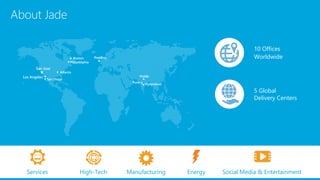
About Jade
Pune
San Jose
San Diego
Noida
Atlanta
Hyderabad
Reading
10 Offices
Worldwide
5 Global
Delivery Centers
Services High-Tech Manufacturing Energy Social Media & Entertainment
Boston
Los Angeles
Philadelphia
Agenda
Background
Cloud - general landscape
Life on a non-cloud environment
ERP solutions dilemma
Advantages of moving to Cloud
Disadvantages of moving to Cloud
Summary
Background
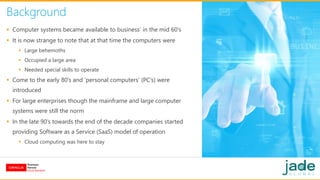
 Computer systems became available to business’ in the mid 60’s
 It is now strange to note that at that time the computers were
 Large behemoths
 Occupied a large area
 Needed special skills to operate
 Come to the early 80’s and ‘personal computers’ (PC’s) were
introduced
 For large enterprises though the mainframe and large computer
systems were still the norm
 In the late 90’s towards the end of the decade companies started
providing Software as a Service (SaaS) model of operation
 Cloud computing was here to stay
Non-Cloud Scenario
 On-premise hardware manages and has various software
installs
 Headcount - to manage these systems and related
equipment
 Periodic review for upgrades of both hardware and
software is
 Expensive
 Time consuming
 Takes focus away from day-to-day business
 Adds capital cost
 Adds operational expense for upkeep and maintenance
 Not core business
Life In a Non-Cloud Environment
 Here are a few specialized functions that would need
additional coverage/ hardware/ skilled resource
 Document scanning
 Bar coding
 Process low and automation
 These would all need additional resources and involve
costs – initial and ongoing
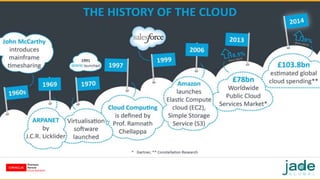
Evolution of the Cloud
 Salesforce was a pioneer in the larger business function coverage
with a ‘true’ Cloud offering
 Many other companies tried to follow suit, but it was not until the
mid 2000’s that offering began to proliferate
 Today many of the offerings are in SaaS and are deployed to users
in a subscription mode
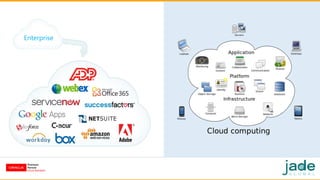
 Here are a few notable
 Salesforce
 NetSuite
 Amazon Web Services (AWS)
 Zuora
 Coupa
Enterprise
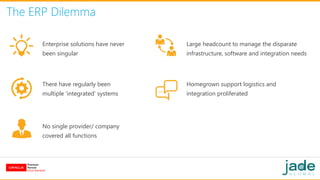
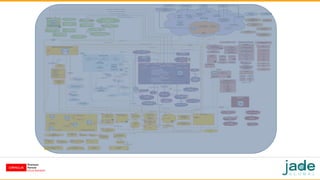
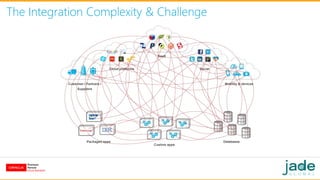
The ERP Dilemma
Enterprise solutions have never
been singular
There have regularly been
multiple ‘integrated’ systems
No single provider/ company
covered all functions
Homegrown support logistics and
integration proliferated
Large headcount to manage the disparate
infrastructure, software and integration needs
The Integration Complexity & Challenge
ERP – Oracle Applications
 E-Business Suite – R12 - has been around since 2007
 Prior to that there was 11i, released in 2000
 Currently Oracle supports and manages both R12 and Cloud ERP
 Cloud ERP was released in 2011
 Then called Fusion Applications
 They introduced the version of Cloud ERP with CRM then HCM
followed by ERP
 The initial versions were still in controlled release so the first
commercially available version was Release 4
 Current release is 11 (soon 12 will also be released)
 More confusion with EBS-R12 and Cloud Release 12
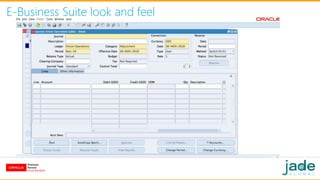
E-Business Suite look and feel
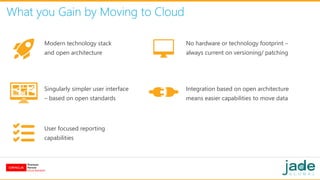
What you Gain by Moving to Cloud
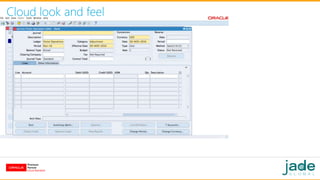
Modern technology stack
and open architecture
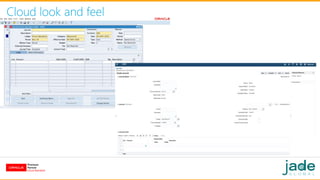
Singularly simpler user interface
– based on open standards
User focused reporting
capabilities
Integration based on open architecture
means easier capabilities to move data
No hardware or technology footprint –
always current on versioning/ patching
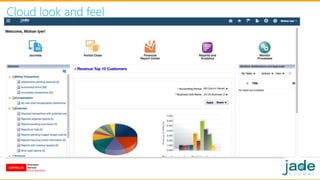
Cloud look and feel
Cloud look and feel
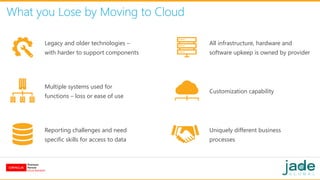
What you Lose by Moving to Cloud
Legacy and older technologies –
with harder to support components
Multiple systems used for
functions – loss or ease of use
Reporting challenges and need
specific skills for access to data
Customization capability
All infrastructure, hardware and
software upkeep is owned by provider
Uniquely different business
processes
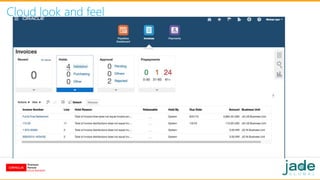
Cloud look and feel
Cloud look and feel
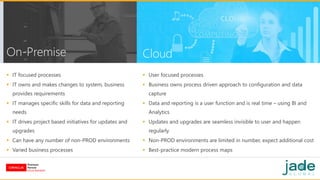
On-Premise
 IT focused processes
 IT owns and makes changes to system, business
provides requirements
 IT manages specific skills for data and reporting
needs
 IT drives project based initiatives for updates and
upgrades
 Can have any number of non-PROD environments
 Varied business processes
 User focused processes
 Business owns process driven approach to configuration and data
capture
 Data and reporting is a user function and is real time – using BI and
Analytics
 Updates and upgrades are seamless invisible to user and happen
regularly
 Non-PROD environments are limited in number, expect additional cost
 Best-practice modern process maps
Cloud
Summary
 There is no right answer that is clear the decision is always based on
your individual
 It is surely a possibility that if you are using only financials then the
answer maybe easy
 If you have complex manufacturing or distribution functions in your
enterprise then the answer is not easy
 Here are a selective list of functions that are easy to migrate to the
Cloud
 Finance
 Human Capital Management
 Sales
 To name a few ….
Contact Us
Connect With Us
Visit us at www.jadeglobal.com
Email us at marketing@jadeglobal.com
Call us at 1-877-JADE4IT

To Cloud or not to Cloud

  • 1.
    To Cloud ornot to Cloud
  • 2.
    About Jade Pune San Jose SanDiego Noida Atlanta Hyderabad Reading 10 Offices Worldwide 5 Global Delivery Centers Services High-Tech Manufacturing Energy Social Media & Entertainment Boston Los Angeles Philadelphia
  • 3.
    Agenda Background Cloud - generallandscape Life on a non-cloud environment ERP solutions dilemma Advantages of moving to Cloud Disadvantages of moving to Cloud Summary
  • 4.
    Background  Computer systemsbecame available to business’ in the mid 60’s  It is now strange to note that at that time the computers were  Large behemoths  Occupied a large area  Needed special skills to operate  Come to the early 80’s and ‘personal computers’ (PC’s) were introduced  For large enterprises though the mainframe and large computer systems were still the norm  In the late 90’s towards the end of the decade companies started providing Software as a Service (SaaS) model of operation  Cloud computing was here to stay
  • 5.
    Non-Cloud Scenario  On-premisehardware manages and has various software installs  Headcount - to manage these systems and related equipment  Periodic review for upgrades of both hardware and software is  Expensive  Time consuming  Takes focus away from day-to-day business  Adds capital cost  Adds operational expense for upkeep and maintenance  Not core business
  • 6.
    Life In aNon-Cloud Environment  Here are a few specialized functions that would need additional coverage/ hardware/ skilled resource  Document scanning  Bar coding  Process low and automation  These would all need additional resources and involve costs – initial and ongoing
  • 7.
    Evolution of theCloud  Salesforce was a pioneer in the larger business function coverage with a ‘true’ Cloud offering  Many other companies tried to follow suit, but it was not until the mid 2000’s that offering began to proliferate  Today many of the offerings are in SaaS and are deployed to users in a subscription mode  Here are a few notable  Salesforce  NetSuite  Amazon Web Services (AWS)  Zuora  Coupa
  • 9.
  • 11.
    The ERP Dilemma Enterprisesolutions have never been singular There have regularly been multiple ‘integrated’ systems No single provider/ company covered all functions Homegrown support logistics and integration proliferated Large headcount to manage the disparate infrastructure, software and integration needs
  • 13.
  • 14.
    ERP – OracleApplications  E-Business Suite – R12 - has been around since 2007  Prior to that there was 11i, released in 2000  Currently Oracle supports and manages both R12 and Cloud ERP  Cloud ERP was released in 2011  Then called Fusion Applications  They introduced the version of Cloud ERP with CRM then HCM followed by ERP  The initial versions were still in controlled release so the first commercially available version was Release 4  Current release is 11 (soon 12 will also be released)  More confusion with EBS-R12 and Cloud Release 12
  • 15.
  • 16.
    What you Gainby Moving to Cloud Modern technology stack and open architecture Singularly simpler user interface – based on open standards User focused reporting capabilities Integration based on open architecture means easier capabilities to move data No hardware or technology footprint – always current on versioning/ patching
  • 17.
  • 18.
  • 19.
    What you Loseby Moving to Cloud Legacy and older technologies – with harder to support components Multiple systems used for functions – loss or ease of use Reporting challenges and need specific skills for access to data Customization capability All infrastructure, hardware and software upkeep is owned by provider Uniquely different business processes
  • 20.
  • 21.
  • 22.
    On-Premise  IT focusedprocesses  IT owns and makes changes to system, business provides requirements  IT manages specific skills for data and reporting needs  IT drives project based initiatives for updates and upgrades  Can have any number of non-PROD environments  Varied business processes  User focused processes  Business owns process driven approach to configuration and data capture  Data and reporting is a user function and is real time – using BI and Analytics  Updates and upgrades are seamless invisible to user and happen regularly  Non-PROD environments are limited in number, expect additional cost  Best-practice modern process maps Cloud
  • 23.
    Summary  There isno right answer that is clear the decision is always based on your individual  It is surely a possibility that if you are using only financials then the answer maybe easy  If you have complex manufacturing or distribution functions in your enterprise then the answer is not easy  Here are a selective list of functions that are easy to migrate to the Cloud  Finance  Human Capital Management  Sales  To name a few ….
  • 24.
    Contact Us Connect WithUs Visit us at www.jadeglobal.com Email us at marketing@jadeglobal.com Call us at 1-877-JADE4IT