Copyright © Allyn & Bacon 2008Copyright © Allyn & Bacon 2008
Using Technology inUsing Technology in
the Classroomthe Classroom
Gary G. Bitter & Jane M. LegacyGary G. Bitter & Jane M. Legacy
ChapterThirteen
This multimedia product and its contents are protected under copyright law. The following are
prohibited by law:
• Any public performance or display, including transmission of any image over a network;
• Preparation of any derivative work, including the extraction, in whole or in part, of any images;
• Any rental, lease, or lending of the program
Copyright © Allyn & Bacon 2
ChapterThirteen
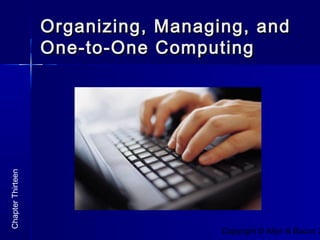
Organizing, Managing, andOrganizing, Managing, and
One-to-One ComputingOne-to-One Computing
Copyright © Allyn & Bacon 2
Focus Questions:Focus Questions:
 What are some considerations behind the choice toWhat are some considerations behind the choice to
group computers together into labs versus puttinggroup computers together into labs versus putting
them into individual classrooms?them into individual classrooms?
 How can collaboration with colleagues lead to moreHow can collaboration with colleagues lead to more
student opportunities to use technology?student opportunities to use technology?
 How might the physical conditions of a classroomHow might the physical conditions of a classroom
and educational philosophy of a teacher affect howand educational philosophy of a teacher affect how
computers are placed?computers are placed?
ChapterThirteen
Copyright © Allyn & Bacon 2
Focus Questions:Focus Questions:
 How can teachers make the most with theHow can teachers make the most with the
computers that are available?computers that are available?
 How can teachers utilize parents, senior citizens,How can teachers utilize parents, senior citizens,
and students to help with technology integration?and students to help with technology integration?
 What is the role of the media lab in schools?What is the role of the media lab in schools?
 What is the purpose of One-to-One computing?What is the purpose of One-to-One computing?
ChapterThirteen
Copyright © Allyn & Bacon 2
Focus Questions:Focus Questions:
 What are key issues when undertaking a One-to-What are key issues when undertaking a One-to-
One computer initiative?One computer initiative?
 What are the pros and cons of a computerWhat are the pros and cons of a computer
laboratory?laboratory?
 What are the pros and cons of one computer to aWhat are the pros and cons of one computer to a
classroom?classroom?
ChapterThirteen
Copyright © Allyn & Bacon 2
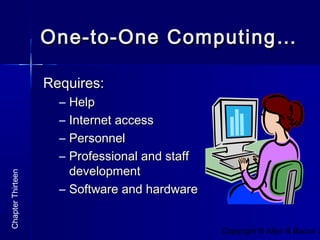
One-to-One Computing…One-to-One Computing…
Requires:Requires:
– HelpHelp
– Internet accessInternet access
– PersonnelPersonnel
– Professional and staffProfessional and staff
developmentdevelopment
– Software and hardwareSoftware and hardware
ChapterThirteen
Copyright © Allyn & Bacon 2
Organizing the LearningOrganizing the Learning
Environment…Environment…
Computer LabComputer Lab
oror
Classroom Setting?Classroom Setting?
ChapterThirteen
Copyright © Allyn & Bacon 2
Classroom Setting…Classroom Setting…
 Room ArrangementRoom Arrangement
 Technical ProceduresTechnical Procedures
 Scheduling Computer UseScheduling Computer Use
 AssistanceAssistance
 TeamworkTeamwork
ChapterThirteen
Copyright © Allyn & Bacon 2
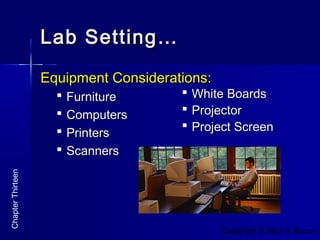
Lab Setting…Lab Setting…
Equipment Considerations:Equipment Considerations:
 FurnitureFurniture
 ComputersComputers
 PrintersPrinters
 ScannersScanners
ChapterThirteen
 White BoardsWhite Boards
 ProjectorProjector
 Project ScreenProject Screen
Copyright © Allyn & Bacon 2
Lab Setting…Lab Setting…
 Preplanning andPreplanning and
Pre-instructingPre-instructing
 AssistanceAssistance
 Teamwork andTeamwork and
CreativeCreative
SchedulingScheduling
ChapterThirteen
Copyright © Allyn & Bacon 2
Basic Lab Procedures…Basic Lab Procedures…
 Traffic and Communication PatternsTraffic and Communication Patterns
 Help SignalsHelp Signals
 Group Attention SignalsGroup Attention Signals
 Time to ExitTime to Exit
 Volunteer HelpersVolunteer Helpers
 File StorageFile Storage
ChapterThirteen
Copyright © Allyn & Bacon 2
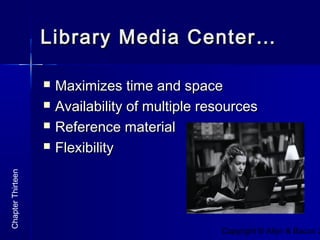
Library Media Center…Library Media Center…
 Maximizes time and spaceMaximizes time and space
 Availability of multiple resourcesAvailability of multiple resources
 Reference materialReference material
 FlexibilityFlexibility
ChapterThirteen
Copyright © Allyn & Bacon 2008Copyright © Allyn & Bacon 2008
THE ENDTHE END
Prepared by Carolyn RoyPrepared by Carolyn Roy
ChapterThirteen

Using Technology in the Classroom, Chapter 13

  • 1.
    Copyright © Allyn& Bacon 2008Copyright © Allyn & Bacon 2008 Using Technology inUsing Technology in the Classroomthe Classroom Gary G. Bitter & Jane M. LegacyGary G. Bitter & Jane M. Legacy ChapterThirteen This multimedia product and its contents are protected under copyright law. The following are prohibited by law: • Any public performance or display, including transmission of any image over a network; • Preparation of any derivative work, including the extraction, in whole or in part, of any images; • Any rental, lease, or lending of the program
  • 2.
    Copyright © Allyn& Bacon 2 ChapterThirteen Organizing, Managing, andOrganizing, Managing, and One-to-One ComputingOne-to-One Computing
  • 3.
    Copyright © Allyn& Bacon 2 Focus Questions:Focus Questions:  What are some considerations behind the choice toWhat are some considerations behind the choice to group computers together into labs versus puttinggroup computers together into labs versus putting them into individual classrooms?them into individual classrooms?  How can collaboration with colleagues lead to moreHow can collaboration with colleagues lead to more student opportunities to use technology?student opportunities to use technology?  How might the physical conditions of a classroomHow might the physical conditions of a classroom and educational philosophy of a teacher affect howand educational philosophy of a teacher affect how computers are placed?computers are placed? ChapterThirteen
  • 4.
    Copyright © Allyn& Bacon 2 Focus Questions:Focus Questions:  How can teachers make the most with theHow can teachers make the most with the computers that are available?computers that are available?  How can teachers utilize parents, senior citizens,How can teachers utilize parents, senior citizens, and students to help with technology integration?and students to help with technology integration?  What is the role of the media lab in schools?What is the role of the media lab in schools?  What is the purpose of One-to-One computing?What is the purpose of One-to-One computing? ChapterThirteen
  • 5.
    Copyright © Allyn& Bacon 2 Focus Questions:Focus Questions:  What are key issues when undertaking a One-to-What are key issues when undertaking a One-to- One computer initiative?One computer initiative?  What are the pros and cons of a computerWhat are the pros and cons of a computer laboratory?laboratory?  What are the pros and cons of one computer to aWhat are the pros and cons of one computer to a classroom?classroom? ChapterThirteen
  • 6.
    Copyright © Allyn& Bacon 2 One-to-One Computing…One-to-One Computing… Requires:Requires: – HelpHelp – Internet accessInternet access – PersonnelPersonnel – Professional and staffProfessional and staff developmentdevelopment – Software and hardwareSoftware and hardware ChapterThirteen
  • 7.
    Copyright © Allyn& Bacon 2 Organizing the LearningOrganizing the Learning Environment…Environment… Computer LabComputer Lab oror Classroom Setting?Classroom Setting? ChapterThirteen
  • 8.
    Copyright © Allyn& Bacon 2 Classroom Setting…Classroom Setting…  Room ArrangementRoom Arrangement  Technical ProceduresTechnical Procedures  Scheduling Computer UseScheduling Computer Use  AssistanceAssistance  TeamworkTeamwork ChapterThirteen
  • 9.
    Copyright © Allyn& Bacon 2 Lab Setting…Lab Setting… Equipment Considerations:Equipment Considerations:  FurnitureFurniture  ComputersComputers  PrintersPrinters  ScannersScanners ChapterThirteen  White BoardsWhite Boards  ProjectorProjector  Project ScreenProject Screen
  • 10.
    Copyright © Allyn& Bacon 2 Lab Setting…Lab Setting…  Preplanning andPreplanning and Pre-instructingPre-instructing  AssistanceAssistance  Teamwork andTeamwork and CreativeCreative SchedulingScheduling ChapterThirteen
  • 11.
    Copyright © Allyn& Bacon 2 Basic Lab Procedures…Basic Lab Procedures…  Traffic and Communication PatternsTraffic and Communication Patterns  Help SignalsHelp Signals  Group Attention SignalsGroup Attention Signals  Time to ExitTime to Exit  Volunteer HelpersVolunteer Helpers  File StorageFile Storage ChapterThirteen
  • 12.
    Copyright © Allyn& Bacon 2 Library Media Center…Library Media Center…  Maximizes time and spaceMaximizes time and space  Availability of multiple resourcesAvailability of multiple resources  Reference materialReference material  FlexibilityFlexibility ChapterThirteen
  • 13.
    Copyright © Allyn& Bacon 2008Copyright © Allyn & Bacon 2008 THE ENDTHE END Prepared by Carolyn RoyPrepared by Carolyn Roy ChapterThirteen