Using CSS Paging to Render DITA Documents
Eliot Kimber
Contrext
DITA Europe 2017
About the Author
• Independent consultant focusing on DITA
analysis, design, and implementation
• Doing SGML and XML for cough 30 years cough
• Founding member of the DITA Technical
Committee
• Founding member of the XML Working Group
• Co-editor of HyTime standard (ISO/IEC 10744)
• Primary developer and founder of the DITA for
Publishers project
• Author of DITA for Practitioners, Vol 1 (XML Press)
11/1/2017 DITA Europe 2017 2
Agenda
• What is CSS Pagination?
• Why is it interesting?
• Implementation challenges
• Using it with DITA
• Demo (?)
• Summary and conclusions
11/1/2017 DITA Europe 2017 3
WHAT IS CSS PAGINATION?
11/1/2017 DITA Europe 2017 4
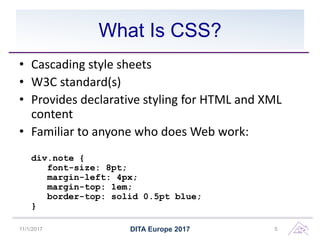
What Is CSS?
• Cascading style sheets
• W3C standard(s)
• Provides declarative styling for HTML and XML
content
• Familiar to anyone who does Web work:
div.note {
font-size: 8pt;
margin-left: 4px;
margin-top: 1em;
border-top: solid 0.5pt blue;
}
11/1/2017 DITA Europe 2017 5
CSS for Pagination
• Original CSS specification did not directly
address paged media
• CSS Pagination effort adds features needed to
do paged layout:
– Page masters and page sequences
– Generated text for page edge regions
– Page number references
– Additional typographic effects
11/1/2017 DITA Europe 2017 6
Current State of CSS Paging
• As of November 2017:
• Pagination specifications are still drafts
• Design is incomplete and in flux
• No open-source implementation
• Proprietary extensions needed to meet all layout
requirements
• Optimized for use with HTML
• Not really practical to apply it directly to arbitrary
XML
11/1/2017 DITA Europe 2017 7
WHY IS CSS PAGINATION
INTERESTING?
11/1/2017 DITA Europe 2017 8
Short Version: It’s Easier and
Cheaper
Despite the limitations of the CSS pagination
design, unfinished state of the specs, and lack of
open-source implementations, CSS for
pagination is so much easier to use and easier to
sell that the value is quite compelling.
Having done FO for decades, having now done
CSS pagination, I would choose CSS over FO
every time, for any XML pagination project.
11/1/2017 DITA Europe 2017 9
Easier Than FO
• CSS is objectively much easier to use than FO
– Syntax is easier
– Technology is familiar to all
• Separates transformation concern from
formatting concern
• Input to pagination can be HTML augmented as
required to meet paging requirements
• Easier to generate different page layouts (e.g.,
rotated pages, foldouts) than with PDF2
transform
11/1/2017 DITA Europe 2017 10
Easier to Staff
• Anyone familiar with CSS can learn pagination
styling with appropriate guidance
• No shortage of CSS skills in marketplace
• CSS is (and is seen as) more mainstream
• FO is becoming a niche technology
11/1/2017 DITA Europe 2017 11
Potential To Share Styling With
Web Deliverables
• Can share common CSS modules between Web
and paged outputs
• Makes it easier to coordinate and synchronize
print and online styles

• Can have a single base DITA-to-HTML transform
– Small extensions to augment the HTML to enable
paging
• Avoids need for completely separate PDF
transform
11/1/2017 DITA Europe 2017 12
IMPLEMENTATION
CHALLENGES
11/1/2017 DITA Europe 2017 13
Transforms Still Required
• CSS cannot reorder the markup
• CSS cannot synthesize structures
• Elements used in running heads and feet are
consumed—cannot also be shown in main
flow
• CSS cannot style elements based on
properties of descendants or following sibling
11/1/2017 DITA Europe 2017 14
Need to Generate “Augmented
HTML”
• Need to augment the HTML to support
pagination:
• Add elements for running heads, feet, edge tabs,
etc.
• Add wrappers as needed for page master
application
• Add @class values as needed to enable styling
– Elements affected by descendants or following siblings
– To make CSS selectors simpler
11/1/2017 DITA Europe 2017 15
HTML Augmentation Simpler Than
FO Generation
• The XSLT required to do augmentation is much
simpler than the XSLT needed for FO
generation
• Can be a post-process applied to Web HTML
• Can be a small extension to Open Toolkit Web
HTML transform
• Largely independent of the styling details
• Minimizes amount of XSLT work needed to do
pagination styling
11/1/2017 DITA Europe 2017 16
CSS Page Edge Model Is
Limited
• CSS model for page edge regions (running
heads and feet) has some design limitations
and is underspecified.
• Don’t have full control over the placement of
content in the page header and footer
• Usually not a problem but can be in some
specific cases
11/1/2017 DITA Europe 2017 17
CSS Keep Model Limited
• No “keep together always” or “keep with next
always” options
• Limits ability to control page breaks without
proprietary extensions
11/1/2017 DITA Europe 2017 18
A Few XSL-FO Features Are
Missing from the CSS Design
• Mandatory keep-together
• Table markers
• Collapsing of page references for index entries
11/1/2017 DITA Europe 2017 19
CSS Specs Are Hard To Read
• The CSS specification is spread across a large
number of separate documents
• Pagination specs are in various draft stages
and are under active development
• Can be hard to find and understand all the
different parts
• No cohesive guide to CSS pagination as of
November 2017
11/1/2017 DITA Europe 2017 20
Implementations are Not Free
• No open-source, free-for-commercial use
implementations
• However, value of commercial options is clear
• Unlikely that browser vendors will implement
CSS pagination
11/1/2017 DITA Europe 2017 21
Can Be a Challenge to Debug
• Can be hard to find syntax errors in CSS
• Editors don’t always report errors clearly
• Processors don’t always report errors clearly
• Browsers may not recognize or validate
paging-specific properties
• Browsers will not recognize or validate
proprietary extension properties
11/1/2017 DITA Europe 2017 22
USING WITH DITA
11/1/2017 DITA Europe 2017 23
Not Too Hard With Open Toolkit
• Several options currently available:
• DITA Community org.dita-community.css-pdf
plugin
• oXygenXML Chemistry
• XML Rocks dita-ot-pdf-css-page plugin
11/1/2017 DITA Europe 2017 24
My Approach:
Extend HTML5 Transform
• DITA Community plugin: org.dita-
community.css-pdf
• Extends org.dita.html5
• Provides paging-specific CSS stylesheets
• Extends HTML5 transform
• Still in early development but easy to extend
and modify
11/1/2017 DITA Europe 2017 25
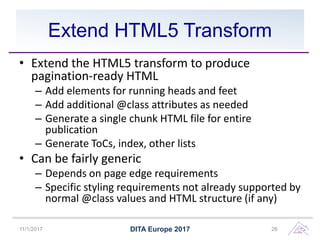
Extend HTML5 Transform
• Extend the HTML5 transform to produce
pagination-ready HTML
– Add elements for running heads and feet
– Add additional @class attributes as needed
– Generate a single chunk HTML file for entire
publication
– Generate ToCs, index, other lists
• Can be fairly generic
– Depends on page edge requirements
– Specific styling requirements not already supported by
normal @class values and HTML structure (if any)
11/1/2017 DITA Europe 2017 26
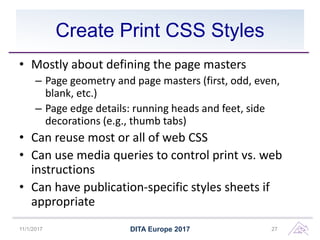
Create Print CSS Styles
• Mostly about defining the page masters
– Page geometry and page masters (first, odd, even,
blank, etc.)
– Page edge details: running heads and feet, side
decorations (e.g., thumb tabs)
• Can reuse most or all of web CSS
• Can use media queries to control print vs. web
instructions
• Can have publication-specific styles sheets if
appropriate
11/1/2017 DITA Europe 2017 27
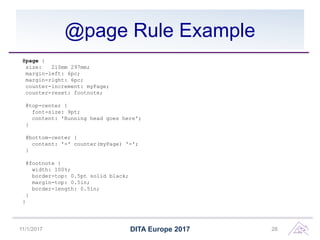
@page Rule Example
@page {
size: 210mm 297mm;
margin-left: 6pc;
margin-right: 6pc;
counter-increment: myPage;
counter-reset: footnote;
@top-center {
font-size: 9pt;
content: 'Running head goes here';
}
@bottom-center {
content: '-' counter(myPage) '-';
}
@footnote {
width: 100%;
border-top: 0.5pt solid black;
margin-top: 0.5in;
border-length: 0.5in;
}
}
11/1/2017 DITA Europe 2017 28
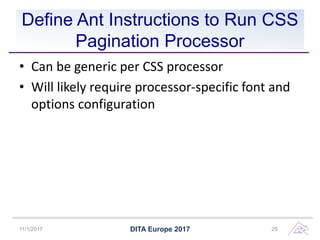
Define Ant Instructions to Run CSS
Pagination Processor
• Can be generic per CSS processor
• Will likely require processor-specific font and
options configuration
11/1/2017 DITA Europe 2017 29
Another Approach: Generate XSL-
FO based on CSS styling
• oXygen Chemistry plugin
• See Radu’s talk from DITA OT Day 2017
11/1/2017 DITA Europe 2017 30
CSS PAGINATION
PROCESSORS
11/1/2017 DITA Europe 2017 31
Antenna House Formatter
• Offers separately-priced CSS pagination feature
• Very complete implementation with many
important extensions
• Can output “area tree” document
– Enables multi-pass processes
– Allows for ad-hoc fixing of CSS or AHF limitations
• Have used in challenging project, can attest to the
quality of the product
• https://www.antennahouse.com
11/1/2017 DITA Europe 2017 32
Prince
• One of the first CSS pagination

implementations
• Used by many commercial publishers
• Have not used it myself
• Free license for non-commercial use
• https://www.princexml.com
11/1/2017 DITA Europe 2017 33
Vivliostyle
• Chief designer is also a key contributor to the CSS
Pagination spec
• Javascript implementation
• Can use in-browser or as standalone server
• Provides needed extensions
• Not as mature as Prince or Antenna House
Formatter
• Free in-browser pagination for non-commercial
use
• http://vivliostyle.com/
11/1/2017 DITA Europe 2017 34
PDF Reactor
• Java library
• Designed to integrate PDF generation into
Web apps
• http://www.pdfreactor.com/
11/1/2017 DITA Europe 2017 35
Oxygen Chemistry Plugin
• Translates CSS styling to FO under the covers
• Uses FOP (or any FO engine) as the underlying
formatter
• Styles the DITA XML directly
• Somewhat experimental
• Can be used if you have an OxygenXML license
• https://www.oxygenxml.com/
11/1/2017 DITA Europe 2017 36
SUMMARY
11/1/2017 DITA Europe 2017 37
CSS Is Compelling Alternative to
XSL-FO
• Easier to learn
• Easier to use
• Separates transform concern from styling
concern
• Better coordination with Web deliverables
• Minimizes amount of XSLT required
11/1/2017 DITA Europe 2017 38
CSS Specs Need Work
• CSS Pagination specs are in progress and
various stages of completeness and stability
• CSS specs are spread over many individual
docs
• Currently no comprehensive guide to CSS
pagination
11/1/2017 DITA Europe 2017 39
CSS Pagination Not 100%
Complete
• Missing some features found in XSL-FO
• Implementations don’t necessarily provide all
the extensions you might need
11/1/2017 DITA Europe 2017 40
No One Free Solution Today
• No open-source implementation that allows
commercial use
– Vivliostyle offers free in-browser pagination for
non-commercial use
• Commercial options all provide good value
• Several commercial options to choose from
• Tools are improving
• Update: Weasy Print, http://weasyprint.org/ is
free open-source. Features are limited.
11/1/2017 DITA Europe 2017 41
Conclusion: Move to CSS
Pagination if You Can
• Seems like a no brainer if you have budget for
a processor
• If you’re already using Antenna House
Formatter then cost is small increment over
current license costs
• If you’re using Oxygen then Oxygen CSS
pagination solution is available to you now
11/1/2017 DITA Europe 2017 42
Demo
If time permits
DITA Europe 201710/29/17 43
Questions?
11/1/2017 DITA Europe 2017 44
Resources
• CSS pagination specification:
https://www.w3.org/TR/css3-page
• DITA Community CSS PDF plugin:
https://github.com/dita-community/org.dita-
community.css-pdf
• Antenna House Formatter:
https://www.antennahouse.com
• OxygenXML: http://oxygenxml.com
• Prince: https://www.princexml.com/
• Vivliostyle: http://vivliostyle.com/
• Weasy Print, http://weasyprint.org/
11/1/2017 DITA Europe 2017 45

Using CSS Paging to Render DITA Documents

  • 1.
    Using CSS Pagingto Render DITA Documents Eliot Kimber Contrext DITA Europe 2017
  • 2.
    About the Author •Independent consultant focusing on DITA analysis, design, and implementation • Doing SGML and XML for cough 30 years cough • Founding member of the DITA Technical Committee • Founding member of the XML Working Group • Co-editor of HyTime standard (ISO/IEC 10744) • Primary developer and founder of the DITA for Publishers project • Author of DITA for Practitioners, Vol 1 (XML Press) 11/1/2017 DITA Europe 2017 2
  • 3.
    Agenda • What isCSS Pagination? • Why is it interesting? • Implementation challenges • Using it with DITA • Demo (?) • Summary and conclusions 11/1/2017 DITA Europe 2017 3
  • 4.
    WHAT IS CSSPAGINATION? 11/1/2017 DITA Europe 2017 4
  • 5.
    What Is CSS? •Cascading style sheets • W3C standard(s) • Provides declarative styling for HTML and XML content • Familiar to anyone who does Web work: div.note { font-size: 8pt; margin-left: 4px; margin-top: 1em; border-top: solid 0.5pt blue; } 11/1/2017 DITA Europe 2017 5
  • 6.
    CSS for Pagination •Original CSS specification did not directly address paged media • CSS Pagination effort adds features needed to do paged layout: – Page masters and page sequences – Generated text for page edge regions – Page number references – Additional typographic effects 11/1/2017 DITA Europe 2017 6
  • 7.
    Current State ofCSS Paging • As of November 2017: • Pagination specifications are still drafts • Design is incomplete and in flux • No open-source implementation • Proprietary extensions needed to meet all layout requirements • Optimized for use with HTML • Not really practical to apply it directly to arbitrary XML 11/1/2017 DITA Europe 2017 7
  • 8.
    WHY IS CSSPAGINATION INTERESTING? 11/1/2017 DITA Europe 2017 8
  • 9.
    Short Version: It’sEasier and Cheaper Despite the limitations of the CSS pagination design, unfinished state of the specs, and lack of open-source implementations, CSS for pagination is so much easier to use and easier to sell that the value is quite compelling. Having done FO for decades, having now done CSS pagination, I would choose CSS over FO every time, for any XML pagination project. 11/1/2017 DITA Europe 2017 9
  • 10.
    Easier Than FO •CSS is objectively much easier to use than FO – Syntax is easier – Technology is familiar to all • Separates transformation concern from formatting concern • Input to pagination can be HTML augmented as required to meet paging requirements • Easier to generate different page layouts (e.g., rotated pages, foldouts) than with PDF2 transform 11/1/2017 DITA Europe 2017 10
  • 11.
    Easier to Staff •Anyone familiar with CSS can learn pagination styling with appropriate guidance • No shortage of CSS skills in marketplace • CSS is (and is seen as) more mainstream • FO is becoming a niche technology 11/1/2017 DITA Europe 2017 11
  • 12.
    Potential To ShareStyling With Web Deliverables • Can share common CSS modules between Web and paged outputs • Makes it easier to coordinate and synchronize print and online styles • Can have a single base DITA-to-HTML transform – Small extensions to augment the HTML to enable paging • Avoids need for completely separate PDF transform 11/1/2017 DITA Europe 2017 12
  • 13.
  • 14.
    Transforms Still Required •CSS cannot reorder the markup • CSS cannot synthesize structures • Elements used in running heads and feet are consumed—cannot also be shown in main flow • CSS cannot style elements based on properties of descendants or following sibling 11/1/2017 DITA Europe 2017 14
  • 15.
    Need to Generate“Augmented HTML” • Need to augment the HTML to support pagination: • Add elements for running heads, feet, edge tabs, etc. • Add wrappers as needed for page master application • Add @class values as needed to enable styling – Elements affected by descendants or following siblings – To make CSS selectors simpler 11/1/2017 DITA Europe 2017 15
  • 16.
    HTML Augmentation SimplerThan FO Generation • The XSLT required to do augmentation is much simpler than the XSLT needed for FO generation • Can be a post-process applied to Web HTML • Can be a small extension to Open Toolkit Web HTML transform • Largely independent of the styling details • Minimizes amount of XSLT work needed to do pagination styling 11/1/2017 DITA Europe 2017 16
  • 17.
    CSS Page EdgeModel Is Limited • CSS model for page edge regions (running heads and feet) has some design limitations and is underspecified. • Don’t have full control over the placement of content in the page header and footer • Usually not a problem but can be in some specific cases 11/1/2017 DITA Europe 2017 17
  • 18.
    CSS Keep ModelLimited • No “keep together always” or “keep with next always” options • Limits ability to control page breaks without proprietary extensions 11/1/2017 DITA Europe 2017 18
  • 19.
    A Few XSL-FOFeatures Are Missing from the CSS Design • Mandatory keep-together • Table markers • Collapsing of page references for index entries 11/1/2017 DITA Europe 2017 19
  • 20.
    CSS Specs AreHard To Read • The CSS specification is spread across a large number of separate documents • Pagination specs are in various draft stages and are under active development • Can be hard to find and understand all the different parts • No cohesive guide to CSS pagination as of November 2017 11/1/2017 DITA Europe 2017 20
  • 21.
    Implementations are NotFree • No open-source, free-for-commercial use implementations • However, value of commercial options is clear • Unlikely that browser vendors will implement CSS pagination 11/1/2017 DITA Europe 2017 21
  • 22.
    Can Be aChallenge to Debug • Can be hard to find syntax errors in CSS • Editors don’t always report errors clearly • Processors don’t always report errors clearly • Browsers may not recognize or validate paging-specific properties • Browsers will not recognize or validate proprietary extension properties 11/1/2017 DITA Europe 2017 22
  • 23.
    USING WITH DITA 11/1/2017DITA Europe 2017 23
  • 24.
    Not Too HardWith Open Toolkit • Several options currently available: • DITA Community org.dita-community.css-pdf plugin • oXygenXML Chemistry • XML Rocks dita-ot-pdf-css-page plugin 11/1/2017 DITA Europe 2017 24
  • 25.
    My Approach: Extend HTML5Transform • DITA Community plugin: org.dita- community.css-pdf • Extends org.dita.html5 • Provides paging-specific CSS stylesheets • Extends HTML5 transform • Still in early development but easy to extend and modify 11/1/2017 DITA Europe 2017 25
  • 26.
    Extend HTML5 Transform •Extend the HTML5 transform to produce pagination-ready HTML – Add elements for running heads and feet – Add additional @class attributes as needed – Generate a single chunk HTML file for entire publication – Generate ToCs, index, other lists • Can be fairly generic – Depends on page edge requirements – Specific styling requirements not already supported by normal @class values and HTML structure (if any) 11/1/2017 DITA Europe 2017 26
  • 27.
    Create Print CSSStyles • Mostly about defining the page masters – Page geometry and page masters (first, odd, even, blank, etc.) – Page edge details: running heads and feet, side decorations (e.g., thumb tabs) • Can reuse most or all of web CSS • Can use media queries to control print vs. web instructions • Can have publication-specific styles sheets if appropriate 11/1/2017 DITA Europe 2017 27
  • 28.
    @page Rule Example @page{ size: 210mm 297mm; margin-left: 6pc; margin-right: 6pc; counter-increment: myPage; counter-reset: footnote; @top-center { font-size: 9pt; content: 'Running head goes here'; } @bottom-center { content: '-' counter(myPage) '-'; } @footnote { width: 100%; border-top: 0.5pt solid black; margin-top: 0.5in; border-length: 0.5in; } } 11/1/2017 DITA Europe 2017 28
  • 29.
    Define Ant Instructionsto Run CSS Pagination Processor • Can be generic per CSS processor • Will likely require processor-specific font and options configuration 11/1/2017 DITA Europe 2017 29
  • 30.
    Another Approach: GenerateXSL- FO based on CSS styling • oXygen Chemistry plugin • See Radu’s talk from DITA OT Day 2017 11/1/2017 DITA Europe 2017 30
  • 31.
  • 32.
    Antenna House Formatter •Offers separately-priced CSS pagination feature • Very complete implementation with many important extensions • Can output “area tree” document – Enables multi-pass processes – Allows for ad-hoc fixing of CSS or AHF limitations • Have used in challenging project, can attest to the quality of the product • https://www.antennahouse.com 11/1/2017 DITA Europe 2017 32
  • 33.
    Prince • One ofthe first CSS pagination implementations • Used by many commercial publishers • Have not used it myself • Free license for non-commercial use • https://www.princexml.com 11/1/2017 DITA Europe 2017 33
  • 34.
    Vivliostyle • Chief designeris also a key contributor to the CSS Pagination spec • Javascript implementation • Can use in-browser or as standalone server • Provides needed extensions • Not as mature as Prince or Antenna House Formatter • Free in-browser pagination for non-commercial use • http://vivliostyle.com/ 11/1/2017 DITA Europe 2017 34
  • 35.
    PDF Reactor • Javalibrary • Designed to integrate PDF generation into Web apps • http://www.pdfreactor.com/ 11/1/2017 DITA Europe 2017 35
  • 36.
    Oxygen Chemistry Plugin •Translates CSS styling to FO under the covers • Uses FOP (or any FO engine) as the underlying formatter • Styles the DITA XML directly • Somewhat experimental • Can be used if you have an OxygenXML license • https://www.oxygenxml.com/ 11/1/2017 DITA Europe 2017 36
  • 37.
  • 38.
    CSS Is CompellingAlternative to XSL-FO • Easier to learn • Easier to use • Separates transform concern from styling concern • Better coordination with Web deliverables • Minimizes amount of XSLT required 11/1/2017 DITA Europe 2017 38
  • 39.
    CSS Specs NeedWork • CSS Pagination specs are in progress and various stages of completeness and stability • CSS specs are spread over many individual docs • Currently no comprehensive guide to CSS pagination 11/1/2017 DITA Europe 2017 39
  • 40.
    CSS Pagination Not100% Complete • Missing some features found in XSL-FO • Implementations don’t necessarily provide all the extensions you might need 11/1/2017 DITA Europe 2017 40
  • 41.
    No One FreeSolution Today • No open-source implementation that allows commercial use – Vivliostyle offers free in-browser pagination for non-commercial use • Commercial options all provide good value • Several commercial options to choose from • Tools are improving • Update: Weasy Print, http://weasyprint.org/ is free open-source. Features are limited. 11/1/2017 DITA Europe 2017 41
  • 42.
    Conclusion: Move toCSS Pagination if You Can • Seems like a no brainer if you have budget for a processor • If you’re already using Antenna House Formatter then cost is small increment over current license costs • If you’re using Oxygen then Oxygen CSS pagination solution is available to you now 11/1/2017 DITA Europe 2017 42
  • 43.
    Demo If time permits DITAEurope 201710/29/17 43
  • 44.
  • 45.
    Resources • CSS paginationspecification: https://www.w3.org/TR/css3-page • DITA Community CSS PDF plugin: https://github.com/dita-community/org.dita- community.css-pdf • Antenna House Formatter: https://www.antennahouse.com • OxygenXML: http://oxygenxml.com • Prince: https://www.princexml.com/ • Vivliostyle: http://vivliostyle.com/ • Weasy Print, http://weasyprint.org/ 11/1/2017 DITA Europe 2017 45