User
eXperience.
         design

           created & presented by: divya bhatia
What?
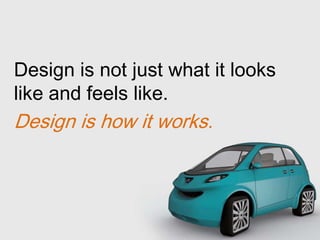
Design is not just what it looks
like and feels like.
Design is how it works.
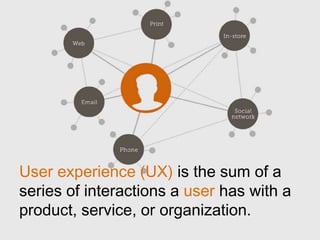
User experience (UX) is the sum of a
series of interactions a user has with a
product, service, or organization.
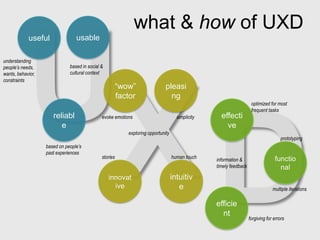
what & how of UXD
            useful               usable

understanding
people’s needs,               based in social &
wants, behavior,              cultural context
constraints
                                                        “wow”                 pleasi
                                                        factor                  ng
                                                                                                                     optimized for most
                                                                                                                     frequent tasks
                      reliabl                 evoke emotions                         simplicity     effecti
                         e                                                                            ve
                                                           exploring opportunity
                                                                                                                                      prototyping
                   based on people’s
                   past experiences
                                              stories                              human touch                                    functio
                                                                                                  information &
                                                                                                  timely feedback                   nal
                                                  innovat                          intuitiv
                                                    ive                               e                                          multiple iterations

                                                                                                  efficie
                                                                                                    nt
                                                                                                                    forgiving for errors
Generally, those who are
outside the discipline of design
assume that what designers do
is decoration.


Good Design is problem solving
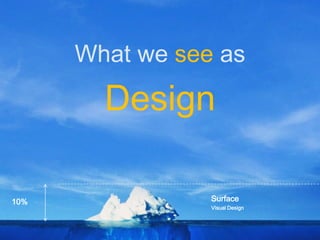
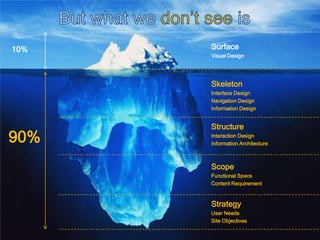
What we see as

        Design

10%              Surface
                 Visual Design
10%   Surface
      Visual Design


      Skeleton
      Interface Design
      Navigation Design
      Information Design


      Structure
90%   Interaction Design
      Information Architecture


      Scope
      Functional Specs
      Content Requirement


      Strategy
      User Needs
      Site Objectives
How?
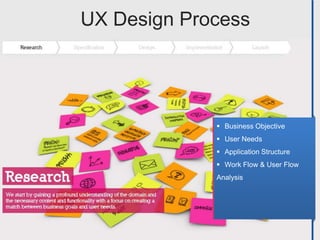
UX Design Process


              Business Objective
              User Needs
              Application Structure
              Work Flow & User Flow
             Analysis
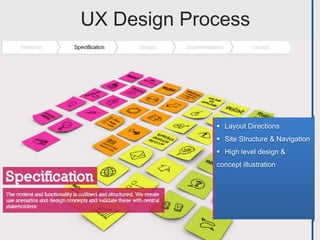
UX Design Process


              Layout Directions
              Site Structure & Navigation
              High level design &
             concept illustration
UX Design Process


              Defines content &
             functionality
              Detailed Design without
             styling such
                   as images & colors [ex
             .Wireframes]
UX Design Process


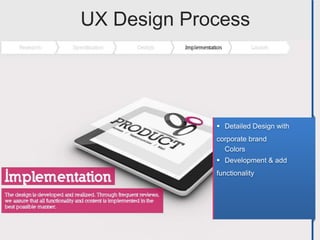
              Detailed Design with
             corporate brand
               Colors
              Development & add
             functionality
UX Design Process
Why?
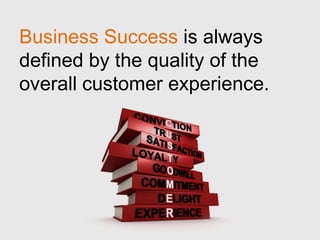
Business Success is always
defined by the quality of the
overall customer experience.
Websites that are hard to use
frustrate customers, forfeit
revenue and decrease brands
value.
Good design
is the most
important way
to differentiate
ourselves
from our
competitors.
Savings
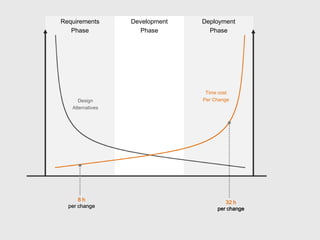
Requirements      Development   Deployment
   Phase            Phase         Phase


                                 Time cost
      Design                    Per Change
   Alternatives


      8h                                32 h
  per change                         per change
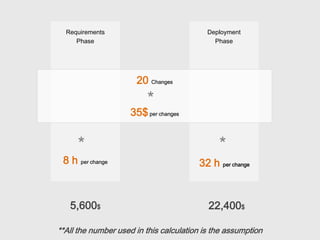
Requirements                             Deployment
     Phase                                   Phase


                      20 Changes
                         *
                    35$ per changes


     *                                        *
 8 h per change                         32 h per change


   5,600$                                  22,400$

**All the number used in this calculation is the assumption
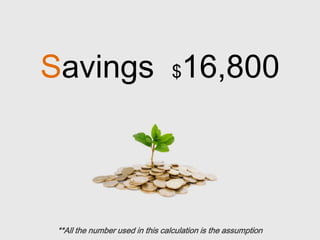
Savings $16,800


 **All the number used in this calculation is the assumption
Design is so critical. It should be
on the agenda of every meeting
in every single department.
Examples
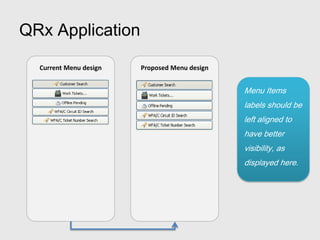
QRx Application

  Current Menu design   Proposed Menu design


                                               Menu Items
                                               labels should be
                                               left aligned to
                                               have better
                                               visibility, as
                                               displayed here.
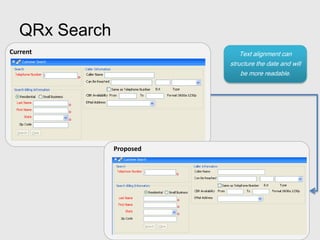
QRx Search
Current                        Text alignment can
                           structure the date and will
                               be more readable.


                Proposed
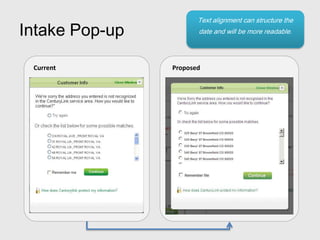
Text alignment can structure the
Intake Pop-up          date and will be more readable.


 Current        Proposed
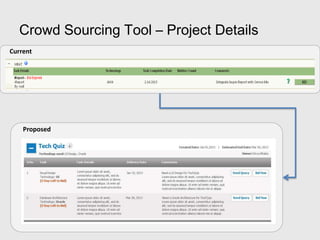
Crowd Sourcing Tool – Project Details
Current


    Proposed
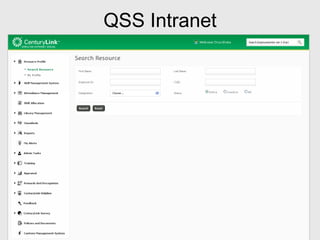
QSS Intranet
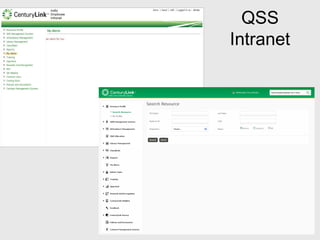
QSS
Intranet
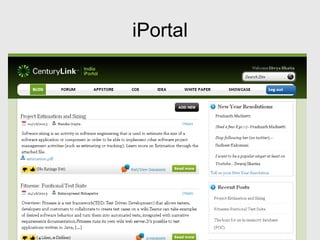
iPortal
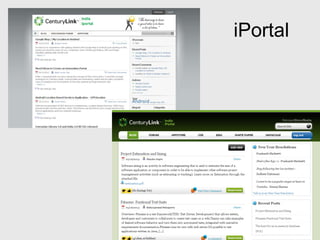
iPortal
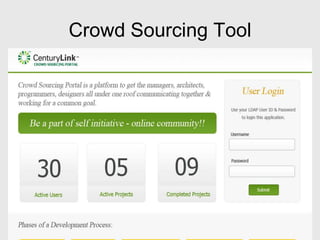
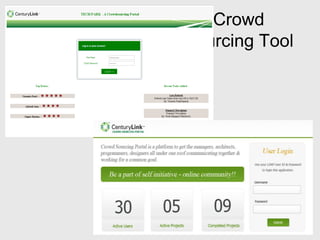
Crowd Sourcing Tool
Crowd
Sourcing Tool
Questi   ns
Thank You!

User Experience Design [UXD]

  • 1.
    User eXperience. design created & presented by: divya bhatia
  • 2.
  • 3.
    Design is notjust what it looks like and feels like. Design is how it works.
  • 4.
    User experience (UX)is the sum of a series of interactions a user has with a product, service, or organization.
  • 5.
    what & howof UXD useful usable understanding people’s needs, based in social & wants, behavior, cultural context constraints “wow” pleasi factor ng optimized for most frequent tasks reliabl evoke emotions simplicity effecti e ve exploring opportunity prototyping based on people’s past experiences stories human touch functio information & timely feedback nal innovat intuitiv ive e multiple iterations efficie nt forgiving for errors
  • 6.
    Generally, those whoare outside the discipline of design assume that what designers do is decoration. Good Design is problem solving
  • 7.
    What we seeas Design 10% Surface Visual Design
  • 8.
    10% Surface Visual Design Skeleton Interface Design Navigation Design Information Design Structure 90% Interaction Design Information Architecture Scope Functional Specs Content Requirement Strategy User Needs Site Objectives
  • 9.
  • 10.
    UX Design Process  Business Objective  User Needs  Application Structure  Work Flow & User Flow Analysis
  • 11.
    UX Design Process  Layout Directions  Site Structure & Navigation  High level design & concept illustration
  • 12.
    UX Design Process  Defines content & functionality  Detailed Design without styling such as images & colors [ex .Wireframes]
  • 13.
    UX Design Process  Detailed Design with corporate brand Colors  Development & add functionality
  • 14.
  • 15.
  • 16.
    Business Success isalways defined by the quality of the overall customer experience.
  • 17.
    Websites that arehard to use frustrate customers, forfeit revenue and decrease brands value.
  • 18.
    Good design is themost important way to differentiate ourselves from our competitors.
  • 19.
  • 20.
    Requirements Development Deployment Phase Phase Phase Time cost Design Per Change Alternatives 8h 32 h per change per change
  • 21.
    Requirements Deployment Phase Phase 20 Changes * 35$ per changes * * 8 h per change 32 h per change 5,600$ 22,400$ **All the number used in this calculation is the assumption
  • 22.
    Savings $16,800 **Allthe number used in this calculation is the assumption
  • 23.
    Design is socritical. It should be on the agenda of every meeting in every single department.
  • 24.
  • 25.
    QRx Application Current Menu design Proposed Menu design Menu Items labels should be left aligned to have better visibility, as displayed here.
  • 26.
    QRx Search Current Text alignment can structure the date and will be more readable. Proposed
  • 27.
    Text alignment canstructure the Intake Pop-up date and will be more readable. Current Proposed
  • 28.
    Crowd Sourcing Tool– Project Details Current Proposed
  • 29.
  • 30.
  • 31.
  • 32.
  • 33.
  • 34.
  • 35.
  • 36.

Editor's Notes

  • #4 Add an example – Water or tea pot up side down
  • #7 I is to be removed
  • #18 Examples…
  • #22 Assume notes…