Hank Preston, ccie 38336
Developer Evangelist
@hfpreston
A Network Programmability Basics Presentation
Useful Python Libraries for Network
Engineers
Network Programmability Basics/Programming Fundamentals/Python Part 3: Useful Python Libraries for Network Engineers
© 2018 Cisco and/or its affiliates. All rights reserved. Cisco Public
• Libraries to Work with Data
• XML, JSON, YAML
• CSV
• YANG
• API Libraries
• REST APIs
• NETCONF
• CLI
• SNMP
• Configuration Management
• NAPALM
• Ansible
• Salt
• Nornir
• Some Other Stuff
• Dev/Test Environment – virlutils
• Network Testing - PyATS
Topics to Cover
© 2018 Cisco and/or its affiliates. All rights reserved. Cisco Public
Libraries to Work with Data
© 2018 Cisco and/or its affiliates. All rights reserved. Cisco Public
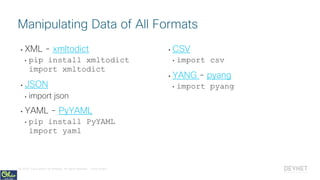
• XML - xmltodict
• pip install xmltodict
import xmltodict
• JSON
• import json
• YAML - PyYAML
• pip install PyYAML
import yaml
• CSV
• import csv
• YANG - pyang
• import pyang
Manipulating Data of All Formats
© 2018 Cisco and/or its affiliates. All rights reserved. Cisco Public
• Easily work with XML data
• Convert from XML -> Dict*
and back
• xmltodict.parse(xml_data)
• xmltodict.unparse(dict)
• Python includes a native
Markup (html/xml) interfaces
as well
• More powerful, but also more
complex
* Technically to an OrderedDict
# Import the xmltodict library
import xmltodict
# Open the sample xml file and read it into variable
with open("xml_example.xml") as f:
xml_example = f.read()
# Print the raw XML data
print(xml_example)
# Parse the XML into a Python dictionary
xml_dict = xmltodict.parse(xml_example)
# Save the interface name into a variable using XML nodes as
keys
int_name = xml_dict["interface"]["name"]
# Print the interface name
print(int_name)
# Change the IP address of the interface
xml_dict["interface"]["ipv4"]["address"]["ip"] = "192.168.0.2"
# Revert to the XML string version of the dictionary
print(xmltodict.unparse(xml_dict))
Treat XML like
Python Dictionaries
with xmltodict
data_manipulation/xml/xml_example.py
https://pypi.python.org/pypi/xmltodict
© 2018 Cisco and/or its affiliates. All rights reserved. Cisco Public
• JSON and Python go
together like peanut butter
and jelly
• json.loads(json_data)
• json.dumps(object)
• JSON Objects convert to
Dictionaries
• JSON Arrays convert to
Lists
# Import the jsontodict library
import json
# Open the sample json file and read it into variable
with open("json_example.json") as f:
json_example = f.read()
# Print the raw json data
print(json_example)
# Parse the json into a Python dictionary
json_dict = json.loads(json_example)
# Save the interface name into a variable
int_name = json_dict["interface"]["name"]
# Print the interface name
print(int_name)
# Change the IP address of the interface
json_dict["interface"]["ipv4"]["address"][0]["ip"] = 
"192.168.0.2"
# Revert to the json string version of the dictionary
print(json.dumps(json_dict))
To JSON and back
again with json
data_manipulation/json/json_example.py
https://docs.python.org/3/library/json.html
# Import the jsontodict library
import json
# Open the sample json file and read it into variable
with open("json_example.json") as f:
json_example = f.read()
# Print the raw json data
print(json_example)
# Parse the json into a Python dictionary
json_dict = json.loads(json_example)
# Save the interface name into a variable
int_name = json_dict["interface"]["name"]
# Print the interface name
print(int_name)
# Change the IP address of the interface
json_dict["interface"]["ipv4"]["address"][0]["ip"] = 
"192.168.0.2"
# Revert to the json string version of the dictionary
print(json.dumps(json_dict))
© 2018 Cisco and/or its affiliates. All rights reserved. Cisco Public
• Easily convert a YAML file
to a Python Object
• yaml.load(yaml_data)
• yaml.dump(object)
• YAML Objects become
Dictionaries
• YAML Lists become Lists
# Import the yamltodict library
import yaml
# Open the sample yaml file and read it into variable
with open("yaml_example.yaml") as f:
yaml_example = f.read()
# Print the raw yaml data
print(yaml_example)
# Parse the yaml into a Python dictionary
yaml_dict = yaml.load(yaml_example)
# Save the interface name into a variable
int_name = yaml_dict["interface"]["name"]
# Print the interface name
print(int_name)
# Change the IP address of the interface
yaml_dict["interface"]["ipv4"]["address"][0]["ip"] = 
"192.168.0.2"
# Revert to the yaml string version of the dictionary
print(yaml.dump(yaml_dict, default_flow_style=False))
YAML? Yep, Python
Can Do That Too!
data_manipulation/yaml/yaml_example.py
https://pypi.python.org/pypi/PyYAML/3.12
# Import the yamltodict library
import yaml
# Open the sample yaml file and read it into variable
with open("yaml_example.yaml") as f:
yaml_example = f.read()
# Print the raw yaml data
print(yaml_example)
# Parse the yaml into a Python dictionary
yaml_dict = yaml.load(yaml_example)
# Save the interface name into a variable
int_name = yaml_dict["interface"]["name"]
# Print the interface name
print(int_name)
# Change the IP address of the interface
yaml_dict["interface"]["ipv4"]["address"][0]["ip"] = 
"192.168.0.2"
# Revert to the yaml string version of the dictionary
print(yaml.dump(yaml_dict, default_flow_style=False))
© 2018 Cisco and/or its affiliates. All rights reserved. Cisco Public
• Treat CSV data as lists
• csv.reader(file_object
)
• Efficiently processes large
files without memory issues
• Options for header rows
and different formats
# Import the csv library
import csv
# Open the sample csv file and print it to screen
with open("csv_example.csv") as f:
print(f.read())
# Open the sample csv file, and create a csv.reader
object
with open("csv_example.csv") as f:
csv_python = csv.reader(f)
# Loop over each row in csv and leverage the data
in code
for row in csv_python:
print("{device} is in {location} " 
"and has IP {ip}.".format(
device = row[0],
location = row[2],
ip = row[1]
)
)
Import Spreadsheets
and Data with csv
data_manipulation/csv/csv_example.py
https://docs.python.org/3/library/csv.html
# Import the csv library
import csv
# Open the sample csv file and print it to screen
with open("csv_example.csv") as f:
print(f.read())
# Open the sample csv file, and create a csv.reader
object
with open("csv_example.csv") as f:
csv_python = csv.reader(f)
# Loop over each row in csv and leverage the data
# in code
for row in csv_python:
print("{device} is in {location} " 
"and has IP {ip}.".format(
device = row[0],
location = row[2],
ip = row[1]
)
)
© 2018 Cisco and/or its affiliates. All rights reserved. Cisco Public
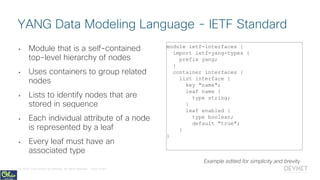
• Module that is a self-contained
top-level hierarchy of nodes
• Uses containers to group related
nodes
• Lists to identify nodes that are
stored in sequence
• Each individual attribute of a node
is represented by a leaf
• Every leaf must have an
associated type
module ietf-interfaces {
import ietf-yang-types {
prefix yang;
}
container interfaces {
list interface {
key "name";
leaf name {
type string;
}
leaf enabled {
type boolean;
default "true";
}
}
YANG Data Modeling Language - IETF Standard
Example edited for simplicity and brevity
© 2018 Cisco and/or its affiliates. All rights reserved. Cisco Public
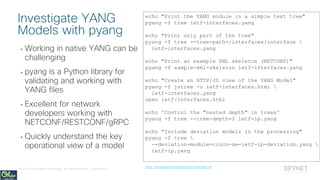
• Working in native YANG can be
challenging
• pyang is a Python library for
validating and working with
YANG files
• Excellent for network
developers working with
NETCONF/RESTCONF/gRPC
• Quickly understand the key
operational view of a model
echo "Print the YANG module in a simple text tree"
pyang -f tree ietf-interfaces.yang
echo "Print only part of the tree"
pyang -f tree --tree-path=/interfaces/interface 
ietf-interfaces.yang
echo "Print an example XML skeleton (NETCONF)"
pyang -f sample-xml-skeleton ietf-interfaces.yang
echo "Create an HTTP/JS view of the YANG Model"
pyang -f jstree -o ietf-interfaces.html 
ietf-interfaces.yang
open ietf-interfaces.html
echo 'Control the "nested depth" in trees'
pyang -f tree --tree-depth=2 ietf-ip.yang
echo "Include deviation models in the processing"
pyang -f tree 
--deviation-module=cisco-xe-ietf-ip-deviation.yang 
ietf-ip.yang
Investigate YANG
Models with pyang
data_manipulation/yang/pyang-examples.sh
© 2018 Cisco and/or its affiliates. All rights reserved. Cisco Public
API Libraries
© 2018 Cisco and/or its affiliates. All rights reserved. Cisco Public
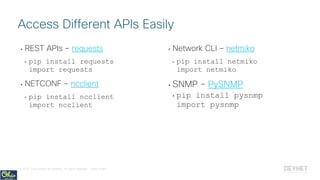
• REST APIs – requests
• pip install requests
import requests
• NETCONF – ncclient
• pip install ncclient
import ncclient
• Network CLI – netmiko
• pip install netmiko
import netmiko
• SNMP – PySNMP
• pip install pysnmp
import pysnmp
Access Different APIs Easily
© 2018 Cisco and/or its affiliates. All rights reserved. Cisco Public
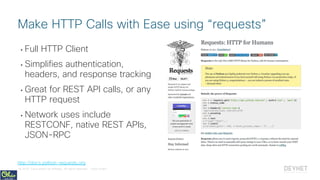
• Full HTTP Client
• Simplifies authentication,
headers, and response tracking
• Great for REST API calls, or any
HTTP request
• Network uses include
RESTCONF, native REST APIs,
JSON-RPC
Make HTTP Calls with Ease using “requests”
http://docs.python-requests.org
© 2018 Cisco and/or its affiliates. All rights reserved. Cisco Public
Example: Retrieving
Configuration Details with
RESTCONF
© 2018 Cisco and/or its affiliates. All rights reserved. Cisco Public
# Import libraries
import requests, urllib3, yaml
# Open and read in the mgmt IPs for the demo infrastructure
with open("../../setup/default_inventory.yaml") as f:
devices = yaml.load(f.read())["all"]["children"]
core1_ip = devices["core"]["hosts"]["core1"]["ansible_host"]
username, password = "cisco", "cisco"
# Setup base variable for request
restconf_headers = {"Accept": "application/yang-data+json"}
restconf_base = "https://{ip}/restconf/data"
interface_url = restconf_base + "/interfaces/interface={int_name}"
# Create URL and send RESTCONF request to core1 for GigE2 Config
url = interface_url.format(ip = core1_ip, int_name = "GigabitEthernet2")
r = requests.get(url,
headers = restconf_headers,
auth=(username, password),
verify=False)
RESTCONF: Basic Request for Device Data 1/2
device_apis/rest/restconf_example1.pyCode edited for display on slide
# Import libraries
import requests, yaml
# Open and read in the mgmt IPs for the demo infrastructure
with open("../../setup/default_inventory.yaml") as f:
devices = yaml.load(f.read())["all"]["children"]
core1_ip = devices["core"]["hosts"]["core1"]["ansible_host"]
username, password = "cisco", "cisco"
# Setup base variable for request
restconf_headers = {"Accept": "application/yang-data+json"}
restconf_base = "https://{ip}/restconf/data"
interface_url = restconf_base + "/interfaces/interface={int_name}"
# Create URL and send RESTCONF request to core1 for GigE2 Config
url = interface_url.format(ip = core1_ip, int_name = "GigabitEthernet2")
r = requests.get(url,
headers = restconf_headers,
auth=(username, password),
verify=False)
© 2018 Cisco and/or its affiliates. All rights reserved. Cisco Public
RESTCONF: Basic Request for Device Data 2/2
device_apis/rest/restconf_example1.pyCode edited for display on slide
# Print returned data
print(r.text)
# Process JSON data into Python Dictionary and use
interface = r.json()["ietf-interfaces:interface"]
print("The interface {name} has ip address {ip}/{mask}".format(
name = interface["name"],
ip = interface["ietf-ip:ipv4"]["address"][0]["ip"],
mask = interface["ietf-ip:ipv4"]["address"][0]["netmask"],
)
)
© 2018 Cisco and/or its affiliates. All rights reserved. Cisco Public
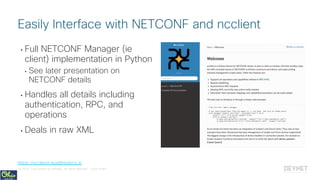
• Full NETCONF Manager (ie
client) implementation in Python
• See later presentation on
NETCONF details
• Handles all details including
authentication, RPC, and
operations
• Deals in raw XML
Easily Interface with NETCONF and ncclient
https://ncclient.readthedocs.io
© 2018 Cisco and/or its affiliates. All rights reserved. Cisco Public
Example: Retrieving
Configuration Details with
NETCONF
© 2018 Cisco and/or its affiliates. All rights reserved. Cisco Public
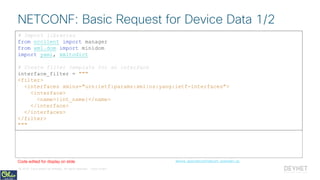
# Import libraries
from ncclient import manager
from xml.dom import minidom
import yaml, xmltodict
# Create filter template for an interface
interface_filter = """
<filter>
<interfaces xmlns="urn:ietf:params:xml:ns:yang:ietf-interfaces">
<interface>
<name>{int_name}</name>
</interface>
</interfaces>
</filter>
"""
NETCONF: Basic Request for Device Data 1/2
device_apis/netconf/netconf_example1.pyCode edited for display on slide
# Import libraries
from ncclient import manager
from xml.dom import minidom
import yaml, xmltodict
# Create filter template for an interface
interface_filter = """
<filter>
<interfaces xmlns="urn:ietf:params:xml:ns:yang:ietf-interfaces">
<interface>
<name>{int_name}</name>
</interface>
</interfaces>
</filter>
"""
© 2018 Cisco and/or its affiliates. All rights reserved. Cisco Public
# Open NETCONF connection to device
with manager.connect(host=core1_ip, username=username, password=password,
hostkey_verify=False) as m:
# Create desired NETCONF filter and <get-config>
filter = interface_filter.format(int_name = "GigabitEthernet2")
r = m.get_config("running", filter)
# Process the XML data into Python Dictionary and use
interface = xmltodict.parse(r.xml)
interface = interface["rpc-reply"]["data"]["interfaces"]["interface"]
print("The interface {name} has ip address {ip}/{mask}".format(
name = interface["name"]["#text"],
ip = interface["ipv4"]["address"]["ip"],
mask = interface["ipv4"]["address"]["netmask"],
)
)
NETCONF: Basic Request for Device Data 2/2
device_apis/netconf/netconf_example1.pyCode edited for display on slide
# Open NETCONF connection to device
with manager.connect(host=core1_ip, username=username, password=password,
hostkey_verify=False) as m:
# Create desired NETCONF filter and <get-config>
filter = interface_filter.format(int_name = "GigabitEthernet2")
r = m.get_config("running", filter)
# Process the XML data into Python Dictionary and use
interface = xmltodict.parse(r.xml)
interface = interface["rpc-reply"]["data"]["interfaces"]["interface"]
print("The interface {name} has ip address {ip}/{mask}".format(
name = interface["name"]["#text"],
ip = interface["ipv4"]["address"]["ip"],
mask = interface["ipv4"]["address"]["netmask"],
)
)
© 2018 Cisco and/or its affiliates. All rights reserved. Cisco Public
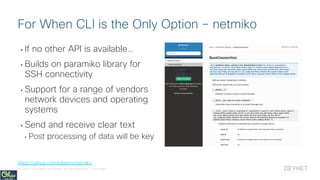
• If no other API is available…
• Builds on paramiko library for
SSH connectivity
• Support for a range of vendors
network devices and operating
systems
• Send and receive clear text
• Post processing of data will be key
For When CLI is the Only Option – netmiko
https://github.com/ktbyers/netmiko
© 2018 Cisco and/or its affiliates. All rights reserved. Cisco Public
Example: Retrieving
Configuration Details with
CLI
© 2018 Cisco and/or its affiliates. All rights reserved. Cisco Public
# Import libraries
from netmiko import ConnectHandler
import re, yaml
# Open and read in the mgmt IPs for the demo infrastructure
with open("../../setup/default_inventory.yaml") as f:
devices = yaml.load(f.read())["all"]["children"]
core1 = {
"ip": devices["core"]["hosts"]["core1"]["ansible_host"],
"device_type": "cisco_ios"
}
username, password = "cisco", "cisco"
# Create a CLI command template
show_interface_config_temp = "show running-config interface {}"
CLI: Basic Request for Device Data 1/3
device_apis/cli/netmiko_example1.pyCode edited for display on slide
# Import libraries
from netmiko import ConnectHandler
import re, yaml
# Open and read in the mgmt IPs for the demo infrastructure
with open("../../setup/default_inventory.yaml") as f:
devices = yaml.load(f.read())["all"]["children"]
core1 = {
"ip": devices["core"]["hosts"]["core1"]["ansible_host"],
"device_type": "cisco_ios"
}
username, password = "cisco", "cisco"
# Create a CLI command template
show_interface_config_temp = "show running-config interface {}"
© 2018 Cisco and/or its affiliates. All rights reserved. Cisco Public
# Open CLI connection to device
with ConnectHandler(ip=core1["ip"],
username=username,
password=password,
device_type=core1["device_type"]) as ch:
# Create desired CLI command and send to device
command = show_interface_config_temp.format("GigabitEthernet2")
interface = ch.send_command(command)
# Print the raw command output to the screen
print(interface)
CLI: Basic Request for Device Data 2/3
device_apis/cli/netmiko_example1.pyCode edited for display on slide
# Open CLI connection to device
with ConnectHandler(ip=core1["ip"],
username=username,
password=password,
device_type=core1["device_type"]) as ch:
# Create desired CLI command and send to device
command = show_interface_config_temp.format("GigabitEthernet2")
interface = ch.send_command(command)
# Print the raw command output to the screen
print(interface)
© 2018 Cisco and/or its affiliates. All rights reserved. Cisco Public
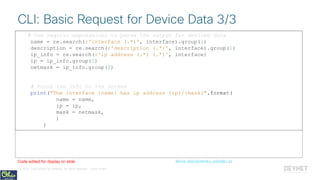
# Use regular expressions to parse the output for desired data
name = re.search(r'interface (.*)', interface).group(1)
description = re.search(r'description (.*)', interface).group(1)
ip_info = re.search(r'ip address (.*) (.*)', interface)
ip = ip_info.group(1)
netmask = ip_info.group(2)
# Print the info to the screen
print("The interface {name} has ip address {ip}/{mask}".format(
name = name,
ip = ip,
mask = netmask,
)
)
CLI: Basic Request for Device Data 3/3
device_apis/cli/netmiko_example1.pyCode edited for display on slide
# Use regular expressions to parse the output for desired data
name = re.search(r'interface (.*)', interface).group(1)
description = re.search(r'description (.*)', interface).group(1)
ip_info = re.search(r'ip address (.*) (.*)', interface)
ip = ip_info.group(1)
netmask = ip_info.group(2)
# Print the info to the screen
print("The interface {name} has ip address {ip}/{mask}".format(
name = name,
ip = ip,
mask = netmask,
)
)
© 2018 Cisco and/or its affiliates. All rights reserved. Cisco Public
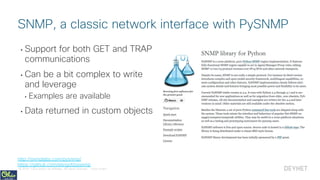
• Support for both GET and TRAP
communications
• Can be a bit complex to write
and leverage
• Examples are available
• Data returned in custom objects
SNMP, a classic network interface with PySNMP
http://snmplabs.com/pysnmp/
https://github.com/etingof/pysnmp
© 2018 Cisco and/or its affiliates. All rights reserved. Cisco Public
Example: Making an SNMP
Query
© 2018 Cisco and/or its affiliates. All rights reserved. Cisco Public
# Import libraries
from pysnmp.hlapi import *
import yaml
# Open and read in the mgmt IPs for the demo infrastructure
with open("../../setup/default_inventory.yaml") as f:
devices = yaml.load(f.read())["all"]["children"]
core1_ip = devices["core"]["hosts"]["core1"]["ansible_host"]
ro_community, rw_community = "public", "private"
SNMP: Basic SNMP Query 1/2
device_apis/snmp/pysnmp_example1.pyCode edited for display on slide
# Import libraries
from pysnmp.hlapi import *
import yaml
# Open and read in the mgmt IPs for the demo infrastructure
with open("../../setup/default_inventory.yaml") as f:
devices = yaml.load(f.read())["all"]["children"]
core1_ip = devices["core"]["hosts"]["core1"]["ansible_host"]
ro_community, rw_community = "public", "private"
© 2018 Cisco and/or its affiliates. All rights reserved. Cisco Public
# Setup SNMP connection and query a MIB
iterator = getCmd(SnmpEngine(),
CommunityData(ro_community),
UdpTransportTarget((core1_ip, 161)),
ContextData(),
ObjectType(ObjectIdentity('SNMPv2-MIB', 'sysDescr', 0)))
# Process the query
errorIndication, errorStatus, errorIndex, varBinds = next(iterator)
# Check for errors, and if OK, print returned result
if errorIndication: # SNMP engine errors
print(errorIndication)
else:
if errorStatus: # SNMP agent errors
print('%s at %s' % (errorStatus.prettyPrint(),
varBinds[int(errorIndex)-1] if errorIndex else '?'))
else:
for varBind in varBinds: # SNMP response contents
print(' = '.join([x.prettyPrint() for x in varBind]))
SNMP: Basic SNMP Query 2/2
device_apis/snmp/pysnmp_example1.pyCode edited for display on slide
# Setup SNMP connection and query a MIB
iterator = getCmd(SnmpEngine(),
CommunityData(ro_community),
UdpTransportTarget((core1_ip, 161)),
ContextData(),
ObjectType(ObjectIdentity('SNMPv2-MIB', 'sysDescr', 0)))
# Process the query
errorIndication, errorStatus, errorIndex, varBinds = next(iterator)
# Check for errors, and if OK, print returned result
if errorIndication: # SNMP engine errors
print(errorIndication)
else:
if errorStatus: # SNMP agent errors
print('%s at %s' % (errorStatus.prettyPrint(),
varBinds[int(errorIndex)-1] if errorIndex else '?'))
else:
for varBind in varBinds: # SNMP response contents
print(' = '.join([x.prettyPrint() for x in varBind]))
© 2018 Cisco and/or its affiliates. All rights reserved. Cisco Public
Configuration Management
– Leveraging other peoples
code
© 2018 Cisco and/or its affiliates. All rights reserved. Cisco Public
Designed for Network Automation
• NAPALM
• Library providing a standard set of
functions for working with different
network OS’s
• Nornir
• New automation framework
focused on being Python native.
Can leverage other tools like
NAPALM.
Designed for Server Automation
• Ansible
• Declarative, agent-less automation
framework for managing
configuration. Robust support for
network platforms
• Salt
• Configuration management and
remote code execution engine.
Network automation options in
development.
Open Source Python projects for full network
config management
© 2018 Cisco and/or its affiliates. All rights reserved. Cisco Public
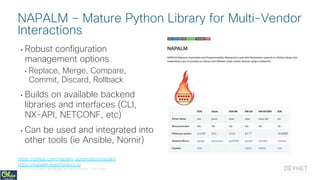
• Robust configuration
management options
• Replace, Merge, Compare,
Commit, Discard, Rollback
• Builds on available backend
libraries and interfaces (CLI,
NX-API, NETCONF, etc)
• Can be used and integrated into
other tools (ie Ansible, Nornir)
NAPALM – Mature Python Library for Multi-Vendor
Interactions
https://github.com/napalm-automation/napalm
https://napalm.readthedocs.io
© 2018 Cisco and/or its affiliates. All rights reserved. Cisco Public
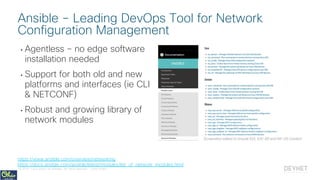
• Agentless – no edge software
installation needed
• Support for both old and new
platforms and interfaces (ie CLI
& NETCONF)
• Robust and growing library of
network modules
Ansible – Leading DevOps Tool for Network
Configuration Management
https://www.ansible.com/overview/networking
https://docs.ansible.com/ansible/latest/modules/list_of_network_modules.html
Screenshot edited to include IOS, IOS-XR and NX-OS Content
© 2018 Cisco and/or its affiliates. All rights reserved. Cisco Public
Demo: Managing Network
Configurations with Ansible
© 2018 Cisco and/or its affiliates. All rights reserved. Cisco Public
Some Other Stuff
© 2018 Cisco and/or its affiliates. All rights reserved. Cisco Public
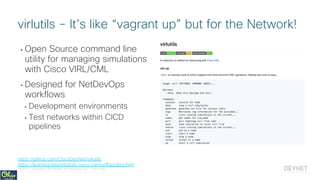
• Open Source command line
utility for managing simulations
with Cisco VIRL/CML
• Designed for NetDevOps
workflows
• Development environments
• Test networks within CICD
pipelines
virlutils – It’s like “vagrant up” but for the Network!
https://github.com/CiscoDevNet/virlutils
https://learningnetworkstore.cisco.com/virlfaq/aboutVirl
© 2018 Cisco and/or its affiliates. All rights reserved. Cisco Public
Demo: Driving your network
simulation through CLI with
virlutils
© 2018 Cisco and/or its affiliates. All rights reserved. Cisco Public
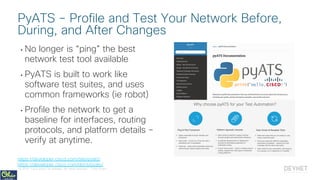
• No longer is “ping” the best
network test tool available
• PyATS is built to work like
software test suites, and uses
common frameworks (ie robot)
• Profile the network to get a
baseline for interfaces, routing
protocols, and platform details –
verify at anytime.
PyATS – Profile and Test Your Network Before,
During, and After Changes
https://developer.cisco.com/site/pyats/
https://developer.cisco.com/docs/pyats/
© 2018 Cisco and/or its affiliates. All rights reserved. Cisco Public
Summing up
© 2018 Cisco and/or its affiliates. All rights reserved. Cisco Public
• Libraries to Work with Data
• XML, JSON, YAML
• CSV
• YANG
• API Libraries
• REST APIs
• NETCONF
• CLI
• SNMP
• Configuration Management
• NAPALM
• Ansible
• Salt
• Nornir
• Some Other Stuff
• Dev/Test Environment – virlutils
• Network Testing - PyATS
Review…
© 2018 Cisco and/or its affiliates. All rights reserved. Cisco Public
• Complete the full Network
Programmability Basics Course
• http://cs.co/netprog_basics
• Run the examples and
exercises yourself!
• Bonus Examples!
• Join DevNet for so much more!
• Learning Labs
• Development Sandboxes
• Code Samples and API Guides
Looking for more about Network Automation?
© 2018 Cisco and/or its affiliates. All rights reserved. Cisco Public
Got more questions? Stay in touch!
hapresto@cisco.com
@hfpreston
http://github.com/hpreston
@CiscoDevNet
facebook.com/ciscodevnet/
http://github.com/CiscoDevNet
Hank Preston developer.cisco.com
Useful Python Libraries for Network Engineers - PyOhio 2018

Useful Python Libraries for Network Engineers - PyOhio 2018

  • 1.
    Hank Preston, ccie38336 Developer Evangelist @hfpreston A Network Programmability Basics Presentation Useful Python Libraries for Network Engineers Network Programmability Basics/Programming Fundamentals/Python Part 3: Useful Python Libraries for Network Engineers
  • 2.
    © 2018 Ciscoand/or its affiliates. All rights reserved. Cisco Public • Libraries to Work with Data • XML, JSON, YAML • CSV • YANG • API Libraries • REST APIs • NETCONF • CLI • SNMP • Configuration Management • NAPALM • Ansible • Salt • Nornir • Some Other Stuff • Dev/Test Environment – virlutils • Network Testing - PyATS Topics to Cover
  • 3.
    © 2018 Ciscoand/or its affiliates. All rights reserved. Cisco Public Libraries to Work with Data
  • 4.
    © 2018 Ciscoand/or its affiliates. All rights reserved. Cisco Public • XML - xmltodict • pip install xmltodict import xmltodict • JSON • import json • YAML - PyYAML • pip install PyYAML import yaml • CSV • import csv • YANG - pyang • import pyang Manipulating Data of All Formats
  • 5.
    © 2018 Ciscoand/or its affiliates. All rights reserved. Cisco Public • Easily work with XML data • Convert from XML -> Dict* and back • xmltodict.parse(xml_data) • xmltodict.unparse(dict) • Python includes a native Markup (html/xml) interfaces as well • More powerful, but also more complex * Technically to an OrderedDict # Import the xmltodict library import xmltodict # Open the sample xml file and read it into variable with open("xml_example.xml") as f: xml_example = f.read() # Print the raw XML data print(xml_example) # Parse the XML into a Python dictionary xml_dict = xmltodict.parse(xml_example) # Save the interface name into a variable using XML nodes as keys int_name = xml_dict["interface"]["name"] # Print the interface name print(int_name) # Change the IP address of the interface xml_dict["interface"]["ipv4"]["address"]["ip"] = "192.168.0.2" # Revert to the XML string version of the dictionary print(xmltodict.unparse(xml_dict)) Treat XML like Python Dictionaries with xmltodict data_manipulation/xml/xml_example.py https://pypi.python.org/pypi/xmltodict
  • 6.
    © 2018 Ciscoand/or its affiliates. All rights reserved. Cisco Public • JSON and Python go together like peanut butter and jelly • json.loads(json_data) • json.dumps(object) • JSON Objects convert to Dictionaries • JSON Arrays convert to Lists # Import the jsontodict library import json # Open the sample json file and read it into variable with open("json_example.json") as f: json_example = f.read() # Print the raw json data print(json_example) # Parse the json into a Python dictionary json_dict = json.loads(json_example) # Save the interface name into a variable int_name = json_dict["interface"]["name"] # Print the interface name print(int_name) # Change the IP address of the interface json_dict["interface"]["ipv4"]["address"][0]["ip"] = "192.168.0.2" # Revert to the json string version of the dictionary print(json.dumps(json_dict)) To JSON and back again with json data_manipulation/json/json_example.py https://docs.python.org/3/library/json.html # Import the jsontodict library import json # Open the sample json file and read it into variable with open("json_example.json") as f: json_example = f.read() # Print the raw json data print(json_example) # Parse the json into a Python dictionary json_dict = json.loads(json_example) # Save the interface name into a variable int_name = json_dict["interface"]["name"] # Print the interface name print(int_name) # Change the IP address of the interface json_dict["interface"]["ipv4"]["address"][0]["ip"] = "192.168.0.2" # Revert to the json string version of the dictionary print(json.dumps(json_dict))
  • 7.
    © 2018 Ciscoand/or its affiliates. All rights reserved. Cisco Public • Easily convert a YAML file to a Python Object • yaml.load(yaml_data) • yaml.dump(object) • YAML Objects become Dictionaries • YAML Lists become Lists # Import the yamltodict library import yaml # Open the sample yaml file and read it into variable with open("yaml_example.yaml") as f: yaml_example = f.read() # Print the raw yaml data print(yaml_example) # Parse the yaml into a Python dictionary yaml_dict = yaml.load(yaml_example) # Save the interface name into a variable int_name = yaml_dict["interface"]["name"] # Print the interface name print(int_name) # Change the IP address of the interface yaml_dict["interface"]["ipv4"]["address"][0]["ip"] = "192.168.0.2" # Revert to the yaml string version of the dictionary print(yaml.dump(yaml_dict, default_flow_style=False)) YAML? Yep, Python Can Do That Too! data_manipulation/yaml/yaml_example.py https://pypi.python.org/pypi/PyYAML/3.12 # Import the yamltodict library import yaml # Open the sample yaml file and read it into variable with open("yaml_example.yaml") as f: yaml_example = f.read() # Print the raw yaml data print(yaml_example) # Parse the yaml into a Python dictionary yaml_dict = yaml.load(yaml_example) # Save the interface name into a variable int_name = yaml_dict["interface"]["name"] # Print the interface name print(int_name) # Change the IP address of the interface yaml_dict["interface"]["ipv4"]["address"][0]["ip"] = "192.168.0.2" # Revert to the yaml string version of the dictionary print(yaml.dump(yaml_dict, default_flow_style=False))
  • 8.
    © 2018 Ciscoand/or its affiliates. All rights reserved. Cisco Public • Treat CSV data as lists • csv.reader(file_object ) • Efficiently processes large files without memory issues • Options for header rows and different formats # Import the csv library import csv # Open the sample csv file and print it to screen with open("csv_example.csv") as f: print(f.read()) # Open the sample csv file, and create a csv.reader object with open("csv_example.csv") as f: csv_python = csv.reader(f) # Loop over each row in csv and leverage the data in code for row in csv_python: print("{device} is in {location} " "and has IP {ip}.".format( device = row[0], location = row[2], ip = row[1] ) ) Import Spreadsheets and Data with csv data_manipulation/csv/csv_example.py https://docs.python.org/3/library/csv.html # Import the csv library import csv # Open the sample csv file and print it to screen with open("csv_example.csv") as f: print(f.read()) # Open the sample csv file, and create a csv.reader object with open("csv_example.csv") as f: csv_python = csv.reader(f) # Loop over each row in csv and leverage the data # in code for row in csv_python: print("{device} is in {location} " "and has IP {ip}.".format( device = row[0], location = row[2], ip = row[1] ) )
  • 9.
    © 2018 Ciscoand/or its affiliates. All rights reserved. Cisco Public • Module that is a self-contained top-level hierarchy of nodes • Uses containers to group related nodes • Lists to identify nodes that are stored in sequence • Each individual attribute of a node is represented by a leaf • Every leaf must have an associated type module ietf-interfaces { import ietf-yang-types { prefix yang; } container interfaces { list interface { key "name"; leaf name { type string; } leaf enabled { type boolean; default "true"; } } YANG Data Modeling Language - IETF Standard Example edited for simplicity and brevity
  • 10.
    © 2018 Ciscoand/or its affiliates. All rights reserved. Cisco Public • Working in native YANG can be challenging • pyang is a Python library for validating and working with YANG files • Excellent for network developers working with NETCONF/RESTCONF/gRPC • Quickly understand the key operational view of a model echo "Print the YANG module in a simple text tree" pyang -f tree ietf-interfaces.yang echo "Print only part of the tree" pyang -f tree --tree-path=/interfaces/interface ietf-interfaces.yang echo "Print an example XML skeleton (NETCONF)" pyang -f sample-xml-skeleton ietf-interfaces.yang echo "Create an HTTP/JS view of the YANG Model" pyang -f jstree -o ietf-interfaces.html ietf-interfaces.yang open ietf-interfaces.html echo 'Control the "nested depth" in trees' pyang -f tree --tree-depth=2 ietf-ip.yang echo "Include deviation models in the processing" pyang -f tree --deviation-module=cisco-xe-ietf-ip-deviation.yang ietf-ip.yang Investigate YANG Models with pyang data_manipulation/yang/pyang-examples.sh
  • 11.
    © 2018 Ciscoand/or its affiliates. All rights reserved. Cisco Public API Libraries
  • 12.
    © 2018 Ciscoand/or its affiliates. All rights reserved. Cisco Public • REST APIs – requests • pip install requests import requests • NETCONF – ncclient • pip install ncclient import ncclient • Network CLI – netmiko • pip install netmiko import netmiko • SNMP – PySNMP • pip install pysnmp import pysnmp Access Different APIs Easily
  • 13.
    © 2018 Ciscoand/or its affiliates. All rights reserved. Cisco Public • Full HTTP Client • Simplifies authentication, headers, and response tracking • Great for REST API calls, or any HTTP request • Network uses include RESTCONF, native REST APIs, JSON-RPC Make HTTP Calls with Ease using “requests” http://docs.python-requests.org
  • 14.
    © 2018 Ciscoand/or its affiliates. All rights reserved. Cisco Public Example: Retrieving Configuration Details with RESTCONF
  • 15.
    © 2018 Ciscoand/or its affiliates. All rights reserved. Cisco Public # Import libraries import requests, urllib3, yaml # Open and read in the mgmt IPs for the demo infrastructure with open("../../setup/default_inventory.yaml") as f: devices = yaml.load(f.read())["all"]["children"] core1_ip = devices["core"]["hosts"]["core1"]["ansible_host"] username, password = "cisco", "cisco" # Setup base variable for request restconf_headers = {"Accept": "application/yang-data+json"} restconf_base = "https://{ip}/restconf/data" interface_url = restconf_base + "/interfaces/interface={int_name}" # Create URL and send RESTCONF request to core1 for GigE2 Config url = interface_url.format(ip = core1_ip, int_name = "GigabitEthernet2") r = requests.get(url, headers = restconf_headers, auth=(username, password), verify=False) RESTCONF: Basic Request for Device Data 1/2 device_apis/rest/restconf_example1.pyCode edited for display on slide # Import libraries import requests, yaml # Open and read in the mgmt IPs for the demo infrastructure with open("../../setup/default_inventory.yaml") as f: devices = yaml.load(f.read())["all"]["children"] core1_ip = devices["core"]["hosts"]["core1"]["ansible_host"] username, password = "cisco", "cisco" # Setup base variable for request restconf_headers = {"Accept": "application/yang-data+json"} restconf_base = "https://{ip}/restconf/data" interface_url = restconf_base + "/interfaces/interface={int_name}" # Create URL and send RESTCONF request to core1 for GigE2 Config url = interface_url.format(ip = core1_ip, int_name = "GigabitEthernet2") r = requests.get(url, headers = restconf_headers, auth=(username, password), verify=False)
  • 16.
    © 2018 Ciscoand/or its affiliates. All rights reserved. Cisco Public RESTCONF: Basic Request for Device Data 2/2 device_apis/rest/restconf_example1.pyCode edited for display on slide # Print returned data print(r.text) # Process JSON data into Python Dictionary and use interface = r.json()["ietf-interfaces:interface"] print("The interface {name} has ip address {ip}/{mask}".format( name = interface["name"], ip = interface["ietf-ip:ipv4"]["address"][0]["ip"], mask = interface["ietf-ip:ipv4"]["address"][0]["netmask"], ) )
  • 17.
    © 2018 Ciscoand/or its affiliates. All rights reserved. Cisco Public • Full NETCONF Manager (ie client) implementation in Python • See later presentation on NETCONF details • Handles all details including authentication, RPC, and operations • Deals in raw XML Easily Interface with NETCONF and ncclient https://ncclient.readthedocs.io
  • 18.
    © 2018 Ciscoand/or its affiliates. All rights reserved. Cisco Public Example: Retrieving Configuration Details with NETCONF
  • 19.
    © 2018 Ciscoand/or its affiliates. All rights reserved. Cisco Public # Import libraries from ncclient import manager from xml.dom import minidom import yaml, xmltodict # Create filter template for an interface interface_filter = """ <filter> <interfaces xmlns="urn:ietf:params:xml:ns:yang:ietf-interfaces"> <interface> <name>{int_name}</name> </interface> </interfaces> </filter> """ NETCONF: Basic Request for Device Data 1/2 device_apis/netconf/netconf_example1.pyCode edited for display on slide # Import libraries from ncclient import manager from xml.dom import minidom import yaml, xmltodict # Create filter template for an interface interface_filter = """ <filter> <interfaces xmlns="urn:ietf:params:xml:ns:yang:ietf-interfaces"> <interface> <name>{int_name}</name> </interface> </interfaces> </filter> """
  • 20.
    © 2018 Ciscoand/or its affiliates. All rights reserved. Cisco Public # Open NETCONF connection to device with manager.connect(host=core1_ip, username=username, password=password, hostkey_verify=False) as m: # Create desired NETCONF filter and <get-config> filter = interface_filter.format(int_name = "GigabitEthernet2") r = m.get_config("running", filter) # Process the XML data into Python Dictionary and use interface = xmltodict.parse(r.xml) interface = interface["rpc-reply"]["data"]["interfaces"]["interface"] print("The interface {name} has ip address {ip}/{mask}".format( name = interface["name"]["#text"], ip = interface["ipv4"]["address"]["ip"], mask = interface["ipv4"]["address"]["netmask"], ) ) NETCONF: Basic Request for Device Data 2/2 device_apis/netconf/netconf_example1.pyCode edited for display on slide # Open NETCONF connection to device with manager.connect(host=core1_ip, username=username, password=password, hostkey_verify=False) as m: # Create desired NETCONF filter and <get-config> filter = interface_filter.format(int_name = "GigabitEthernet2") r = m.get_config("running", filter) # Process the XML data into Python Dictionary and use interface = xmltodict.parse(r.xml) interface = interface["rpc-reply"]["data"]["interfaces"]["interface"] print("The interface {name} has ip address {ip}/{mask}".format( name = interface["name"]["#text"], ip = interface["ipv4"]["address"]["ip"], mask = interface["ipv4"]["address"]["netmask"], ) )
  • 21.
    © 2018 Ciscoand/or its affiliates. All rights reserved. Cisco Public • If no other API is available… • Builds on paramiko library for SSH connectivity • Support for a range of vendors network devices and operating systems • Send and receive clear text • Post processing of data will be key For When CLI is the Only Option – netmiko https://github.com/ktbyers/netmiko
  • 22.
    © 2018 Ciscoand/or its affiliates. All rights reserved. Cisco Public Example: Retrieving Configuration Details with CLI
  • 23.
    © 2018 Ciscoand/or its affiliates. All rights reserved. Cisco Public # Import libraries from netmiko import ConnectHandler import re, yaml # Open and read in the mgmt IPs for the demo infrastructure with open("../../setup/default_inventory.yaml") as f: devices = yaml.load(f.read())["all"]["children"] core1 = { "ip": devices["core"]["hosts"]["core1"]["ansible_host"], "device_type": "cisco_ios" } username, password = "cisco", "cisco" # Create a CLI command template show_interface_config_temp = "show running-config interface {}" CLI: Basic Request for Device Data 1/3 device_apis/cli/netmiko_example1.pyCode edited for display on slide # Import libraries from netmiko import ConnectHandler import re, yaml # Open and read in the mgmt IPs for the demo infrastructure with open("../../setup/default_inventory.yaml") as f: devices = yaml.load(f.read())["all"]["children"] core1 = { "ip": devices["core"]["hosts"]["core1"]["ansible_host"], "device_type": "cisco_ios" } username, password = "cisco", "cisco" # Create a CLI command template show_interface_config_temp = "show running-config interface {}"
  • 24.
    © 2018 Ciscoand/or its affiliates. All rights reserved. Cisco Public # Open CLI connection to device with ConnectHandler(ip=core1["ip"], username=username, password=password, device_type=core1["device_type"]) as ch: # Create desired CLI command and send to device command = show_interface_config_temp.format("GigabitEthernet2") interface = ch.send_command(command) # Print the raw command output to the screen print(interface) CLI: Basic Request for Device Data 2/3 device_apis/cli/netmiko_example1.pyCode edited for display on slide # Open CLI connection to device with ConnectHandler(ip=core1["ip"], username=username, password=password, device_type=core1["device_type"]) as ch: # Create desired CLI command and send to device command = show_interface_config_temp.format("GigabitEthernet2") interface = ch.send_command(command) # Print the raw command output to the screen print(interface)
  • 25.
    © 2018 Ciscoand/or its affiliates. All rights reserved. Cisco Public # Use regular expressions to parse the output for desired data name = re.search(r'interface (.*)', interface).group(1) description = re.search(r'description (.*)', interface).group(1) ip_info = re.search(r'ip address (.*) (.*)', interface) ip = ip_info.group(1) netmask = ip_info.group(2) # Print the info to the screen print("The interface {name} has ip address {ip}/{mask}".format( name = name, ip = ip, mask = netmask, ) ) CLI: Basic Request for Device Data 3/3 device_apis/cli/netmiko_example1.pyCode edited for display on slide # Use regular expressions to parse the output for desired data name = re.search(r'interface (.*)', interface).group(1) description = re.search(r'description (.*)', interface).group(1) ip_info = re.search(r'ip address (.*) (.*)', interface) ip = ip_info.group(1) netmask = ip_info.group(2) # Print the info to the screen print("The interface {name} has ip address {ip}/{mask}".format( name = name, ip = ip, mask = netmask, ) )
  • 26.
    © 2018 Ciscoand/or its affiliates. All rights reserved. Cisco Public • Support for both GET and TRAP communications • Can be a bit complex to write and leverage • Examples are available • Data returned in custom objects SNMP, a classic network interface with PySNMP http://snmplabs.com/pysnmp/ https://github.com/etingof/pysnmp
  • 27.
    © 2018 Ciscoand/or its affiliates. All rights reserved. Cisco Public Example: Making an SNMP Query
  • 28.
    © 2018 Ciscoand/or its affiliates. All rights reserved. Cisco Public # Import libraries from pysnmp.hlapi import * import yaml # Open and read in the mgmt IPs for the demo infrastructure with open("../../setup/default_inventory.yaml") as f: devices = yaml.load(f.read())["all"]["children"] core1_ip = devices["core"]["hosts"]["core1"]["ansible_host"] ro_community, rw_community = "public", "private" SNMP: Basic SNMP Query 1/2 device_apis/snmp/pysnmp_example1.pyCode edited for display on slide # Import libraries from pysnmp.hlapi import * import yaml # Open and read in the mgmt IPs for the demo infrastructure with open("../../setup/default_inventory.yaml") as f: devices = yaml.load(f.read())["all"]["children"] core1_ip = devices["core"]["hosts"]["core1"]["ansible_host"] ro_community, rw_community = "public", "private"
  • 29.
    © 2018 Ciscoand/or its affiliates. All rights reserved. Cisco Public # Setup SNMP connection and query a MIB iterator = getCmd(SnmpEngine(), CommunityData(ro_community), UdpTransportTarget((core1_ip, 161)), ContextData(), ObjectType(ObjectIdentity('SNMPv2-MIB', 'sysDescr', 0))) # Process the query errorIndication, errorStatus, errorIndex, varBinds = next(iterator) # Check for errors, and if OK, print returned result if errorIndication: # SNMP engine errors print(errorIndication) else: if errorStatus: # SNMP agent errors print('%s at %s' % (errorStatus.prettyPrint(), varBinds[int(errorIndex)-1] if errorIndex else '?')) else: for varBind in varBinds: # SNMP response contents print(' = '.join([x.prettyPrint() for x in varBind])) SNMP: Basic SNMP Query 2/2 device_apis/snmp/pysnmp_example1.pyCode edited for display on slide # Setup SNMP connection and query a MIB iterator = getCmd(SnmpEngine(), CommunityData(ro_community), UdpTransportTarget((core1_ip, 161)), ContextData(), ObjectType(ObjectIdentity('SNMPv2-MIB', 'sysDescr', 0))) # Process the query errorIndication, errorStatus, errorIndex, varBinds = next(iterator) # Check for errors, and if OK, print returned result if errorIndication: # SNMP engine errors print(errorIndication) else: if errorStatus: # SNMP agent errors print('%s at %s' % (errorStatus.prettyPrint(), varBinds[int(errorIndex)-1] if errorIndex else '?')) else: for varBind in varBinds: # SNMP response contents print(' = '.join([x.prettyPrint() for x in varBind]))
  • 30.
    © 2018 Ciscoand/or its affiliates. All rights reserved. Cisco Public Configuration Management – Leveraging other peoples code
  • 31.
    © 2018 Ciscoand/or its affiliates. All rights reserved. Cisco Public Designed for Network Automation • NAPALM • Library providing a standard set of functions for working with different network OS’s • Nornir • New automation framework focused on being Python native. Can leverage other tools like NAPALM. Designed for Server Automation • Ansible • Declarative, agent-less automation framework for managing configuration. Robust support for network platforms • Salt • Configuration management and remote code execution engine. Network automation options in development. Open Source Python projects for full network config management
  • 32.
    © 2018 Ciscoand/or its affiliates. All rights reserved. Cisco Public • Robust configuration management options • Replace, Merge, Compare, Commit, Discard, Rollback • Builds on available backend libraries and interfaces (CLI, NX-API, NETCONF, etc) • Can be used and integrated into other tools (ie Ansible, Nornir) NAPALM – Mature Python Library for Multi-Vendor Interactions https://github.com/napalm-automation/napalm https://napalm.readthedocs.io
  • 33.
    © 2018 Ciscoand/or its affiliates. All rights reserved. Cisco Public • Agentless – no edge software installation needed • Support for both old and new platforms and interfaces (ie CLI & NETCONF) • Robust and growing library of network modules Ansible – Leading DevOps Tool for Network Configuration Management https://www.ansible.com/overview/networking https://docs.ansible.com/ansible/latest/modules/list_of_network_modules.html Screenshot edited to include IOS, IOS-XR and NX-OS Content
  • 34.
    © 2018 Ciscoand/or its affiliates. All rights reserved. Cisco Public Demo: Managing Network Configurations with Ansible
  • 35.
    © 2018 Ciscoand/or its affiliates. All rights reserved. Cisco Public Some Other Stuff
  • 36.
    © 2018 Ciscoand/or its affiliates. All rights reserved. Cisco Public • Open Source command line utility for managing simulations with Cisco VIRL/CML • Designed for NetDevOps workflows • Development environments • Test networks within CICD pipelines virlutils – It’s like “vagrant up” but for the Network! https://github.com/CiscoDevNet/virlutils https://learningnetworkstore.cisco.com/virlfaq/aboutVirl
  • 37.
    © 2018 Ciscoand/or its affiliates. All rights reserved. Cisco Public Demo: Driving your network simulation through CLI with virlutils
  • 38.
    © 2018 Ciscoand/or its affiliates. All rights reserved. Cisco Public • No longer is “ping” the best network test tool available • PyATS is built to work like software test suites, and uses common frameworks (ie robot) • Profile the network to get a baseline for interfaces, routing protocols, and platform details – verify at anytime. PyATS – Profile and Test Your Network Before, During, and After Changes https://developer.cisco.com/site/pyats/ https://developer.cisco.com/docs/pyats/
  • 39.
    © 2018 Ciscoand/or its affiliates. All rights reserved. Cisco Public Summing up
  • 40.
    © 2018 Ciscoand/or its affiliates. All rights reserved. Cisco Public • Libraries to Work with Data • XML, JSON, YAML • CSV • YANG • API Libraries • REST APIs • NETCONF • CLI • SNMP • Configuration Management • NAPALM • Ansible • Salt • Nornir • Some Other Stuff • Dev/Test Environment – virlutils • Network Testing - PyATS Review…
  • 41.
    © 2018 Ciscoand/or its affiliates. All rights reserved. Cisco Public • Complete the full Network Programmability Basics Course • http://cs.co/netprog_basics • Run the examples and exercises yourself! • Bonus Examples! • Join DevNet for so much more! • Learning Labs • Development Sandboxes • Code Samples and API Guides Looking for more about Network Automation?
  • 42.
    © 2018 Ciscoand/or its affiliates. All rights reserved. Cisco Public Got more questions? Stay in touch! hapresto@cisco.com @hfpreston http://github.com/hpreston @CiscoDevNet facebook.com/ciscodevnet/ http://github.com/CiscoDevNet Hank Preston developer.cisco.com