Python: Build Your Security Tools
Presented By
Ahmed Elshaer
Security Operation Specialist
Agenda
● Simple Examples To Help You Develop Tools with Python
– Basics Of Python Scripting Language
– SSH Client
– IP Addresses and Subnetting
– Databases
– Argparse
– Scapy
– Web Automation
Basics
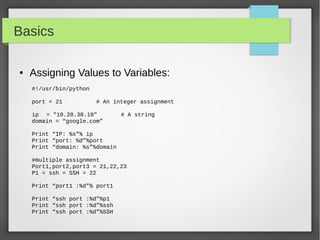
● Assigning Values to Variables:
#!/usr/bin/python
port = 21 # An integer assignment
ip = "10.20.30.10" # A string
domain = “google.com”
Print “IP: %s”% ip
Print “port: %d”%port
Print “domain: %s”%domain
#multiple assignment
Port1,port2,port3 = 21,22,23
P1 = ssh = SSH = 22
Print “port1 :%d”% port1
Print “ssh port :%d”%p1
Print “ssh port :%d”%ssh
Print “ssh port :%d”%SSH
Basics
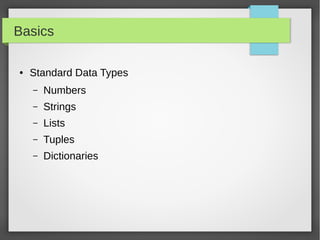
● Standard Data Types
– Numbers
– Strings
– Lists
– Tuples
– Dictionaries
Basics
● Strings
#!/usr/bin/python
Ip = '192.168.56.101'
Domain = 'google.com'
print "ip: ", ip
Print 'this ip:',ip + “ points to :”,domain
print "This is first 3 digit: ", ip[:3]
print "This is last 3 digit: ", domain[-3:]
#formating
Print 'IP:%s and Domain: %s'%(ip,domain)
Print 'IP: {0} and Domain: {1}'.format(ip, domain)
Basics
● String Special Operation
#!/usr/bin/python
Ip = '192.168.56.101'
Port = '22'
#concatenation
Print ip +” “ + port
#repetition
Print '-'*5
#slicing
Print “first 3 digit: ”, ip[0:3]
#in or not in
Print '192' in ip
#formating
Print 'ip:%s port:%s'%(ip,port)
Basics
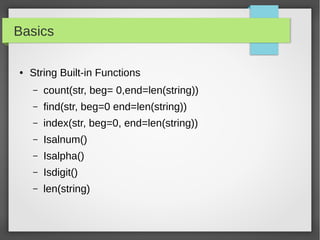
● String Built-in Functions
– count(str, beg= 0,end=len(string))
– find(str, beg=0 end=len(string))
– index(str, beg=0, end=len(string))
– Isalnum()
– Isalpha()
– Isdigit()
– len(string)
Basics
● Lists
#!/usr/bin/python
portList = [21, 22, 23, 25, 80]
ipList = ['10.20.20.1', '10.20.20.2', '10.20.20.3', '10.20.20.4']
print "Port1: ", portList[0]
print "IP2: ", ipList[1]
#updating ipList
ipList[1] = '10.10.10.2'
#delete element
del ipList[0]
print 'ipList have %d Ips'%len(ipList)
Basics
● Built-in List Methods
– list.append(obj)
– list.count(obj)
– list.extend(seq)
– list.index(obj)
– list.insert(index, obj)
– list.pop(obj=list[-1])
– list.remove(obj)
– list.reverse()
– list.sort([func])
Basics
● Tuples
#!/usr/bin/python
tup1 = ()
tup1 = ('192.168.1.10', '192.168.1.20')
tup2 = (21, 22, 23, 25, 80)
print "first ip tup1[0]: ", tup1[0]
print "first 3 ports tup2[0:2]: ", tup2[0:2]
Print 'length of ip tuple: %d'% len(tup1)
#delete
del tup1
#convert list to tuple
l1 = [80,443]
t2 = tuple(l1)
Print 'list: ', l1
Print 'tuple: ',t2
Basics
● Dictionaries
#!/usr/bin/python
server = {'Name': 'Nessus', 'IP': '192.168.56.101', 'Port': 8834}
print "server['Name']: ", server['Name']
print "server['IP']: ", server['IP']
print "server['IP']: ", server['Port']
#update element
Server['IP'] = '192.168.56.102'
print "server['IP']: ", server['IP']
del server['Name'] # remove entry with key 'Name'
server.clear() # remove all entries in server
del server # delete entire dictionary
Basics
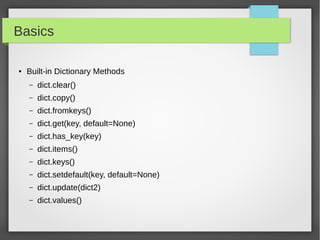
● Built-in Dictionary Methods
– dict.clear()
– dict.copy()
– dict.fromkeys()
– dict.get(key, default=None)
– dict.has_key(key)
– dict.items()
– dict.keys()
– dict.setdefault(key, default=None)
– dict.update(dict2)
– dict.values()
Basics
● Loops
#!/usr/bin/python
IPs = ['10.10.10.1', '10.10.10.2', '10.10.10.3']
for ip in IPs:
print 'Current IP :', ip
Servers = [('10.10.10.1', 22), ('10.10.10.2', 22)]
for ip, port in Servers:
print 'IP:%s port:%d'%(ip,port)
for port in range(21,444):
print 'Port:%d '%port
port = 21
while (port < 1024):
print 'The current port is:', port
port = port + 1
Basics
● Functions
def functionname( parameters ):
"function_docstring"
function_suite
return [expression]
#!/usr/bin/python
# Function definition is here
def scanIP(host, port ):
"This prints a passed string into this function"
Print 'Scanning Host:%s on Port:%s'%(host, port)
return
# Now you can call scanIP function
scanIP('10.10.10.2', 22)
scanIP('10.20.30.1', 80)
Basics
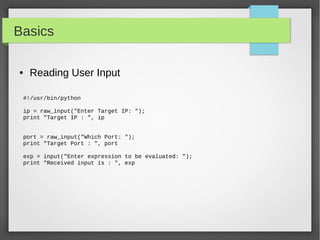
● Reading User Input
#!/usr/bin/python
ip = raw_input("Enter Target IP: ");
print "Target IP : ", ip
port = raw_input("Which Port: ");
print "Target Port : ", port
exp = input("Enter expression to be evaluated: ");
print "Received input is : ", exp
Basics
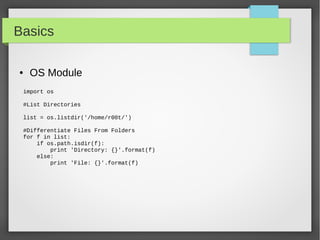
● OS Module
import os
#List Directories
list = os.listdir('/home/r00t/')
#Differentiate Files From Folders
for f in list:
if os.path.isdir(f):
print 'Directory: {}'.format(f)
else:
print 'File: {}'.format(f)
Basics
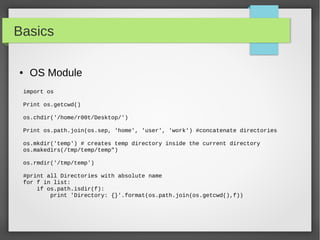
● OS Module
import os
Print os.getcwd()
os.chdir('/home/r00t/Desktop/')
Print os.path.join(os.sep, 'home', 'user', 'work') #concatenate directories
os.mkdir('temp') # creates temp directory inside the current directory
os.makedirs(/tmp/temp/temp")
os.rmdir('/tmp/temp')
#print all Directories with absolute name
for f in list:
if os.path.isdir(f):
print 'Directory: {}'.format(os.path.join(os.getcwd(),f))
Basics
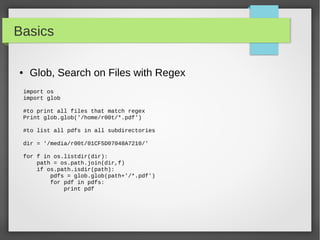
● Glob, Search on Files with Regex
import os
import glob
#to print all files that match regex
Print glob.glob('/home/r00t/*.pdf')
#to list all pdfs in all subdirectories
dir = '/media/r00t/01CF5D07048A7210/'
for f in os.listdir(dir):
path = os.path.join(dir,f)
if os.path.isdir(path):
pdfs = glob.glob(path+'/*.pdf')
for pdf in pdfs:
print pdf
Basics
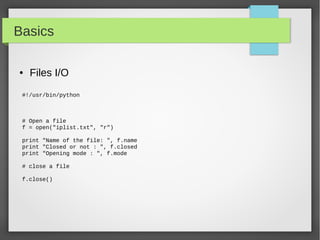
● Files I/O
#!/usr/bin/python
# Open a file
f = open("iplist.txt", "r")
print "Name of the file: ", f.name
print "Closed or not : ", f.closed
print "Opening mode : ", f.mode
# close a file
f.close()
Basics
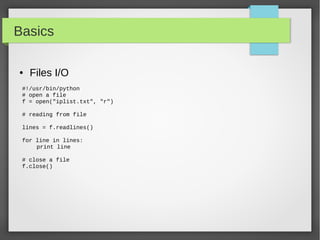
● Files I/O
#!/usr/bin/python
# open a file
f = open("iplist.txt", "r")
# reading from file
lines = f.readlines()
for line in lines:
print line
# close a file
f.close()
Basics
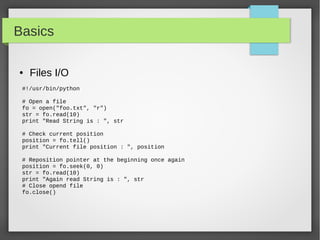
● Files I/O
#!/usr/bin/python
# Open a file
fo = open("foo.txt", "r")
str = fo.read(10)
print "Read String is : ", str
# Check current position
position = fo.tell()
print "Current file position : ", position
# Reposition pointer at the beginning once again
position = fo.seek(0, 0)
str = fo.read(10)
print "Again read String is : ", str
# Close opend file
fo.close()
Basics
● Files I/O
#!/usr/bin/python
# open a file
f = open("iplist.txt", "w")
#to write a string to file
f.write( "10.10.20.10n");
f.flush()
# to write sequence of strings
ips = ['10.20.30.10n', '10.20.10.30n']
f.writelines(ips)
# close opend file
fo.close()
Basics
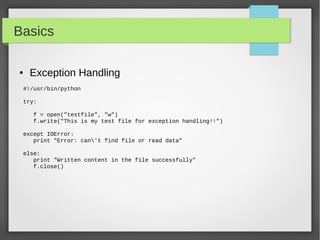
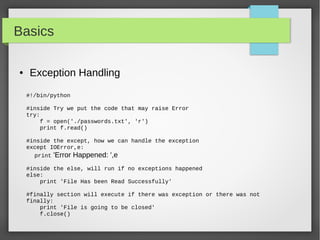
● Exception Handling
#!/usr/bin/python
try:
f = open("testfile", "w")
f.write("This is my test file for exception handling!!")
except IOError:
print "Error: can't find file or read data"
else:
print "Written content in the file successfully"
f.close()
Basics
#!/bin/python
#inside Try we put the code that may raise Error
try:
f = open('./passwords.txt', 'r')
print f.read()
#inside the except, how we can handle the exception
except IOError,e:
print 'Error Happened: ',e
#inside the else, will run if no exceptions happened
else:
print 'File Has been Read Successfully'
#finally section will execute if there was exception or there was not
finally:
print 'File is going to be closed'
f.close()
● Exception Handling
SSH: Paramiko
● To connect to SSH Server:
– Import SSH Module Like Paramiko
– Create Object from SSH Agent
– You may want to load your system Host keys
– Connect to the SSH Server
– Run any commands you want
– Get the output if you want
– Close the connection
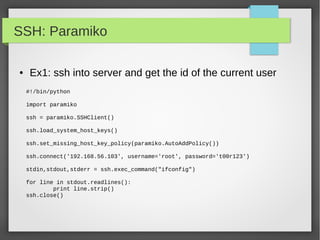
SSH: Paramiko
● Ex1: ssh into server and get the id of the current user
#!/bin/python
import paramiko
ssh = paramiko.SSHClient()
ssh.load_system_host_keys()
ssh.set_missing_host_key_policy(paramiko.AutoAddPolicy())
ssh.connect('192.168.56.103', username='root', password='t00r123')
stdin,stdout,stderr = ssh.exec_command("ifconfig")
for line in stdout.readlines():
print line.strip()
ssh.close()
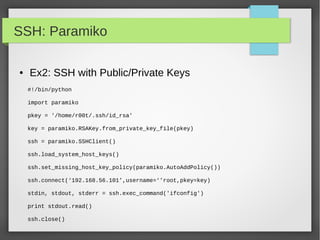
SSH: Paramiko
● Ex2: SSH with Public/Private Keys
#!/bin/python
import paramiko
pkey = '/home/r00t/.ssh/id_rsa'
key = paramiko.RSAKey.from_private_key_file(pkey)
ssh = paramiko.SSHClient()
ssh.load_system_host_keys()
ssh.set_missing_host_key_policy(paramiko.AutoAddPolicy())
ssh.connect(‘192.168.56.101’,username=‘’root,pkey=key)
stdin, stdout, stderr = ssh.exec_command('ifconfig')
print stdout.read()
ssh.close()
SSH: Paramiko
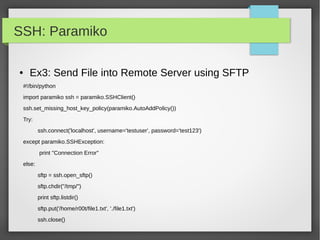
● Ex3: Send File into Remote Server using SFTP
#!/bin/python
import paramiko ssh = paramiko.SSHClient()
ssh.set_missing_host_key_policy(paramiko.AutoAddPolicy())
Try:
ssh.connect('localhost', username='testuser', password='test123')
except paramiko.SSHException:
print "Connection Error"
else:
sftp = ssh.open_sftp()
sftp.chdir("/tmp/")
print sftp.listdir()
sftp.put('/home/r00t/file1.txt', './file1.txt')
ssh.close()
IP Addresses, Subnets, Ranges
● What If You Want to Run Task on Many IP Addresses?
● Do a Port Scanning On Subnets.
● Run Command on multiple Servers/Routers
● Send a configuration file into a Set of Servers
● Eventually you will need library that understand Subnets
and IP Ranges.
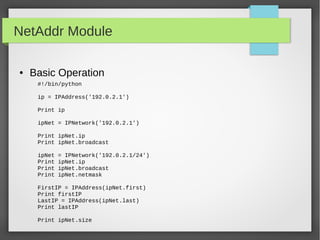
NetAddr Module
● Basic Operation
#!/bin/python
ip = IPAddress('192.0.2.1')
Print ip
ipNet = IPNetwork('192.0.2.1')
Print ipNet.ip
Print ipNet.broadcast
ipNet = IPNetwork('192.0.2.1/24')
Print ipNet.ip
Print ipNet.broadcast
Print ipNet.netmask
FirstIP = IPAddress(ipNet.first)
Print firstIP
LastIP = IPAddress(ipNet.last)
Print lastIP
Print ipNet.size
NetAddr Module
● List Operation
ipNet = IPNetwork('192.0.2.1/28')
IpList = list(ipNet)
Print “IP List size: ”,len(ipList)
# you can do list indexing or slicing
#iterate through all the subnet from network address into the broadcast
address
for ip in IPNetwork('192.168.56.0/29'):
print '%s' % ip
#iterate through the valid hosts, [network address+1:broadcast-1]
for ip in IPNetwork('192.0.2.0/23').iter_hosts():
print '%s' % ip
#Check IPRange
r1 = IPRange('192.0.2.1', '192.0.2.15')
r1.cidrs()
addrs = list(r1)
NetAddr Module
● Summarizing list of addresses
#!/bin/python
ip_list = [ip for ip in IPNetwork('192.0.2.0/24') ]
ip_list.extend([str(ip) for ip in IPNetwork('192.0.3.0/24')])
ip_list.append(IPNetwork('192.0.4.0/25'))
ip_list.append(IPNetwork('192.0.4.128/25'))
len(ip_list)
cidr_merge(ip_list)
NetAddr Module
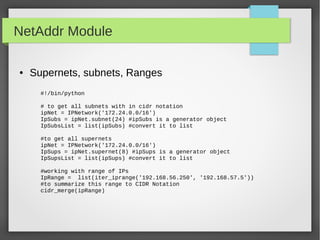
● Supernets, subnets, Ranges
#!/bin/python
# to get all subnets with in cidr notation
ipNet = IPNetwork('172.24.0.0/16')
IpSubs = ipNet.subnet(24) #ipSubs is a generator object
IpSubsList = list(ipSubs) #convert it to list
#to get all supernets
ipNet = IPNetwork('172.24.0.0/16')
IpSups = ipNet.supernet(8) #ipSups is a generator object
IpSupsList = list(ipSups) #convert it to list
#working with range of IPs
IpRange = list(iter_iprange('192.168.56.250', '192.168.57.5'))
#to summarize this range to CIDR Notation
cidr_merge(ipRange)
NetAddr Module
● Comparing IP Addresses
IPAddress('192.0.2.1') == IPAddress('192.0.2.1')
IPAddress('192.0.2.1') < IPAddress('192.0.2.2')
IPAddress('192.0.2.2') > IPAddress('192.0.2.1')
IPNetwork('192.0.2.0/24') == IPNetwork('192.0.2.112/24')
IPNetwork('192.0.2.0/24').ip == IPNetwork('192.0.2.112/24')
ipIPNetwork('192.0.2.0/24').cidr == IPNetwork('192.0.2.112/24').cidr
IPAddress('192.0.2.0') == IPNetwork('192.0.2.0/32')
IPAddress('192.0.2.0') == IPNetwork('192.0.2.0/32')[0]
IPAddress('192.0.2.0') == IPNetwork('192.0.2.0/32').ip
IPRange('192.0.2.0', '192.0.2.255') == IPNetwork('192.0.2.0/24')
https://pythonhosted.org/netaddr/tutorial_01.html
NetAddr Module
● Powerful Operations with IPSets
r1 = IPRange('192.0.2.1', '192.0.2.15')
addrs = list(r1)
subnets = r1.cidrs()
set1 = IPSet(r1.cidrs())
ips = [IPAddress('192.0.2.1'), '192.0.2.2/31', IPNetwork('192.0.2.4/31'),
IPAddress('192.0.2.6'), IPAddress('192.0.2.7'), '192.0.2.8', '192.0.2.9',
IPAddress('192.0.2.10'), IPAddress('192.0.2.11'), IPNetwork('192.0.2.12/30')]
set2 = IPSet(ips)
set1 == set2
https://pythonhosted.org/netaddr/tutorial_03.html
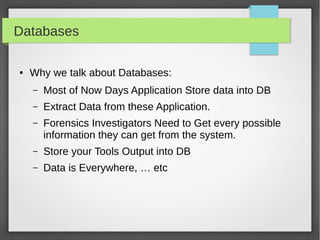
Databases
● Why we talk about Databases:
– Most of Now Days Application Store data into DB
– Extract Data from these Application.
– Forensics Investigators Need to Get every possible
information they can get from the system.
– Store your Tools Output into DB
– Data is Everywhere, … etc
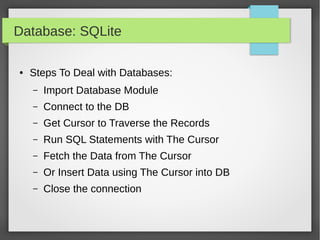
Database: SQLite
● Steps To Deal with Databases:
– Import Database Module
– Connect to the DB
– Get Cursor to Traverse the Records
– Run SQL Statements with The Cursor
– Fetch the Data from The Cursor
– Or Insert Data using The Cursor into DB
– Close the connection
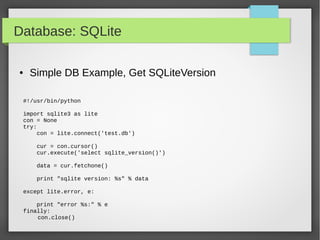
Database: SQLite
#!/usr/bin/python
import sqlite3 as lite
con = None
try:
con = lite.connect('test.db')
cur = con.cursor()
cur.execute('select sqlite_version()')
data = cur.fetchone()
print "sqlite version: %s" % data
except lite.error, e:
print "error %s:" % e
finally:
con.close()
● Simple DB Example, Get SQLiteVersion
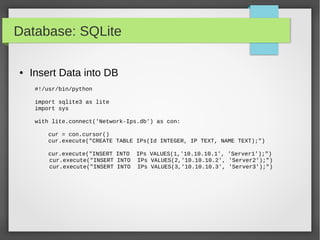
Database: SQLite
● Insert Data into DB
#!/usr/bin/python
import sqlite3 as lite
import sys
with lite.connect('Network-Ips.db') as con:
cur = con.cursor()
cur.execute("CREATE TABLE IPs(Id INTEGER, IP TEXT, NAME TEXT);")
cur.execute("INSERT INTO IPs VALUES(1,'10.10.10.1', 'Server1');")
cur.execute("INSERT INTO IPs VALUES(2,'10.10.10.2', 'Server2');")
cur.execute("INSERT INTO IPs VALUES(3,'10.10.10.3', 'Server3');")
Database: SQLite
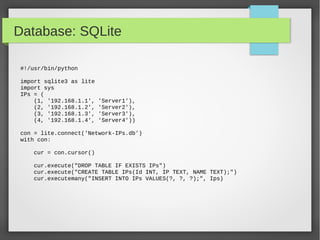
#!/usr/bin/python
import sqlite3 as lite
import sys
IPs = (
(1, '192.168.1.1', 'Server1'),
(2, '192.168.1.2', 'Server2'),
(3, '192.168.1.3', 'Server3'),
(4, '192.168.1.4', 'Server4'))
con = lite.connect('Network-IPs.db')
with con:
cur = con.cursor()
cur.execute("DROP TABLE IF EXISTS IPs")
cur.execute("CREATE TABLE IPs(Id INT, IP TEXT, NAME TEXT);")
cur.executemany("INSERT INTO IPs VALUES(?, ?, ?);", Ips)
Database: SQLite
#!/usr/bin/python
import sqlite3 as lite
Ips = (('10.10.10.1','tst1'),('10.10.10.2','tst2'),('10.10.10.3','tst3'))
with lite.connect('Network-IP.db') as con:
cur = con.cursor()
#cur.execute("CREATE TABLE IPs(Id INTEGER primary key autoincrement , IP
TEXT, NAME TEXT);")
cur.execute("INSERT INTO Ips(IP,NAME) VALUES('10.10.10.4', 'Server4');")
cur.execute("INSERT INTO IPs(IP,NAME) VALUES(?,?);",ips[0])
cur.executemany("INSERT INTO IPs_Table (IP,Name) VALUES(?,?);", ips)
● Using Primary Key auto increment
Database: SQLite
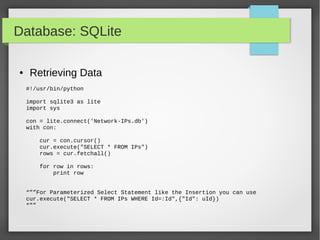
● Retrieving Data
#!/usr/bin/python
import sqlite3 as lite
import sys
con = lite.connect('Network-IPs.db')
with con:
cur = con.cursor()
cur.execute("SELECT * FROM IPs")
rows = cur.fetchall()
for row in rows:
print row
“””For Parameterized Select Statement like the Insertion you can use
cur.execute("SELECT * FROM IPs WHERE Id=:Id",{"Id": uId})
“””
Database: SQLite
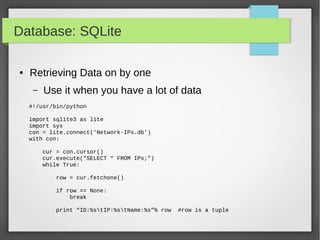
● Retrieving Data on by one
– Use it when you have a lot of data
#!/usr/bin/python
import sqlite3 as lite
import sys
con = lite.connect('Network-IPs.db')
with con:
cur = con.cursor()
cur.execute("SELECT * FROM IPs;")
while True:
row = cur.fetchone()
if row == None:
break
print “ID:%stIP:%stName:%s”% row #row is a tuple
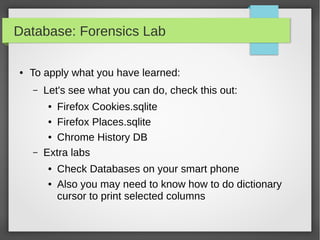
Database: Forensics Lab
● To apply what you have learned:
– Let's see what you can do, check this out:
● Firefox Cookies.sqlite
● Firefox Places.sqlite
● Chrome History DB
– Extra labs
● Check Databases on your smart phone
● Also you may need to know how to do dictionary
cursor to print selected columns
Argparse: Module
● Parser for command-line options and arguments.
● Build tools with user-friendly command-line scripts.
● What we want to achieve is something like this:
python -h
usage: python [option] ... [-c cmd | -m mod | file | -] [arg] ...
Options and arguments (and corresponding environment variables):
-B : don't write .py[co] files on import; also PYTHONDONTWRITEBYTECODE=x
-c cmd : program passed in as string (terminates option list)
-d : debug output from parser; also PYTHONDEBUG=x
-E : ignore PYTHON* environment variables (such as PYTHONPATH)
-h : print this help message and exit (also --help)
Argparse: Module
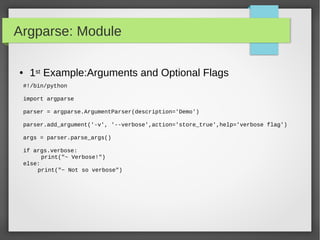
● 1st Example:Arguments and Optional Flags
#!/bin/python
import argparse
parser = argparse.ArgumentParser(description='Demo')
parser.add_argument('-v', '--verbose',action='store_true',help='verbose flag')
args = parser.parse_args()
if args.verbose:
print("~ Verbose!")
else:
print("~ Not so verbose")
Argparse: Module
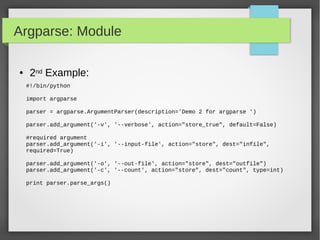
● 2nd Example:
#!/bin/python
import argparse
parser = argparse.ArgumentParser(description='Demo 2 for argparse ')
parser.add_argument('-v', '--verbose', action="store_true", default=False)
#required argument
parser.add_argument('-i', '--input-file', action="store", dest="infile",
required=True)
parser.add_argument('-o', '--out-file', action="store", dest="outfile")
parser.add_argument('-c', '--count', action="store", dest="count", type=int)
print parser.parse_args()
Argparse: Module
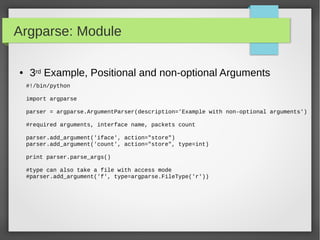
● 3rd Example, Positional and non-optional Arguments
#!/bin/python
import argparse
parser = argparse.ArgumentParser(description='Example with non-optional arguments')
#required arguments, interface name, packets count
parser.add_argument('iface', action="store")
parser.add_argument('count', action="store", type=int)
print parser.parse_args()
#type can also take a file with access mode
#parser.add_argument('f', type=argparse.FileType('r'))
Scapy: Module
● What we can do with scapy:
– Packet Capturing, Crafting and Manipulation
– Network Traffic Analysis Tools
– Sniffing The Credentials of Clear Text Protocols
– Fuzzing Protocols and IDS / IPS Testing
– Wireless Discovery Tools Like:
● Hidden Network Discovery
● Client Preferred Networks Detection
– Anything you can thinks of that related to Packets
Scapy: Module
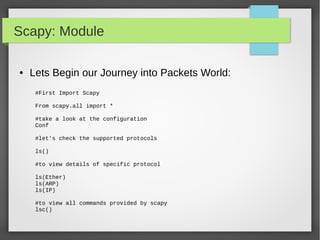
● Lets Begin our Journey into Packets World:
#First Import Scapy
From scapy.all import *
#take a look at the configuration
Conf
#let's check the supported protocols
ls()
#to view details of specific protocol
ls(Ether)
ls(ARP)
ls(IP)
#to view all commands provided by scapy
lsc()
Scapy: Module
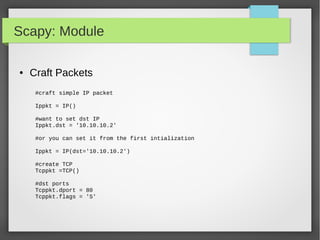
● Craft Packets
#craft simple IP packet
Ippkt = IP()
#want to set dst IP
Ippkt.dst = '10.10.10.2'
#or you can set it from the first intialization
Ippkt = IP(dst='10.10.10.2')
#create TCP
Tcppkt =TCP()
#dst ports
Tcppkt.dport = 80
Tcppkt.flags = 'S'
Scapy: Module
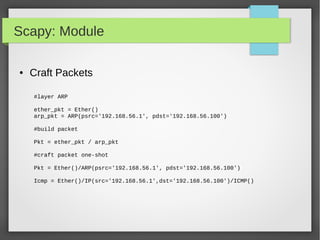
● Craft Packets
#layer ARP
ether_pkt = Ether()
arp_pkt = ARP(psrc='192.168.56.1', pdst='192.168.56.100')
#build packet
Pkt = ether_pkt / arp_pkt
#craft packet one-shot
Pkt = Ether()/ARP(psrc='192.168.56.1', pdst='192.168.56.100')
Icmp = Ether()/IP(src='192.168.56.1',dst='192.168.56.100')/ICMP()
Scapy: Module
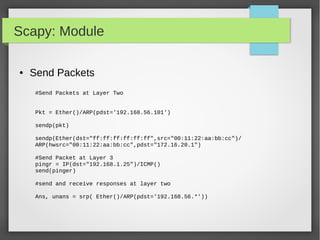
● Send Packets
#Send Packets at Layer Two
Pkt = Ether()/ARP(pdst='192.168.56.101')
sendp(pkt)
sendp(Ether(dst="ff:ff:ff:ff:ff:ff",src="00:11:22:aa:bb:cc")/
ARP(hwsrc="00:11:22:aa:bb:cc",pdst="172.16.20.1")
#Send Packet at Layer 3
pingr = IP(dst="192.168.1.25")/ICMP()
send(pinger)
#send and receive responses at layer two
Ans, unans = srp( Ether()/ARP(pdst='192.168.56.*'))
Scapy: Module
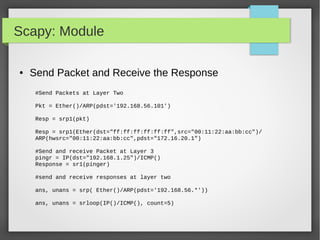
● Send Packet and Receive the Response
#Send Packets at Layer Two
Pkt = Ether()/ARP(pdst='192.168.56.101')
Resp = srp1(pkt)
Resp = srp1(Ether(dst="ff:ff:ff:ff:ff:ff",src="00:11:22:aa:bb:cc")/
ARP(hwsrc="00:11:22:aa:bb:cc",pdst="172.16.20.1")
#Send and receive Packet at Layer 3
pingr = IP(dst="192.168.1.25")/ICMP()
Response = sr1(pinger)
#send and receive responses at layer two
ans, unans = srp( Ether()/ARP(pdst='192.168.56.*'))
ans, unans = srloop(IP()/ICMP(), count=5)
Scapy: Module
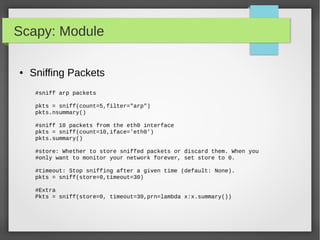
● Sniffing Packets
#sniff arp packets
pkts = sniff(count=5,filter="arp")
pkts.nsummary()
#sniff 10 packets from the eth0 interface
pkts = sniff(count=10,iface='eth0')
pkts.summary()
#store: Whether to store sniffed packets or discard them. When you
#only want to monitor your network forever, set store to 0.
#timeout: Stop sniffing after a given time (default: None).
pkts = sniff(store=0,timeout=30)
#Extra
Pkts = sniff(store=0, timeout=30,prn=lambda x:x.summary())
Scapy: Module
● Custom Actions on Captured Packet
## Import Scapy module
from scapy.all import *
## Create a Packet Count var
PacketCount = 0
## Define our Custom Action function
def customAction(packet):
global packetCount
packetCount += 1
Return "{}) {} → {}".format(packetCount, packet[0][1].src, packet[0][1].dst)
## Setup sniff, filtering for IP traffic
sniff(filter="ip",prn=customAction)
Scapy: Module
● Simple Script to Monitor ARP Packets
from scapy.all import *
def arp_display(pkt):
if pkt[ARP].op == 1: #who-has (request)
X= "Request: {} is asking about {} “.format(pkt[ARP].psrc,pkt[ARP].pdst)
Return x
if pkt[ARP].op == 2: #is-at (response)
X = "*Response: {} has address {}".format(pkt[ARP].hwsrc,pkt[ARP].psrc)
Print x
sniff(prn=arp_display, filter="arp", store=0, count=10)
Scapy: Module
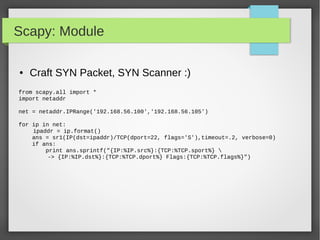
● Craft SYN Packet, SYN Scanner :)
from scapy.all import *
import netaddr
net = netaddr.IPRange('192.168.56.100','192.168.56.105')
for ip in net:
ipaddr = ip.format()
ans = sr1(IP(dst=ipaddr)/TCP(dport=22, flags='S'),timeout=.2, verbose=0)
if ans:
print ans.sprintf("{IP:%IP.src%}:{TCP:%TCP.sport%} 
-> {IP:%IP.dst%}:{TCP:%TCP.dport%} Flags:{TCP:%TCP.flags%}")
Scapy: Module
● Craft Christmas Tree Packets, Xmas Scan :D
from scapy.all import *
import random
pkts = IP(dst="192.168.56.105")/TCP()
# Start lighting up those bits!
pkts[TCP].flags = "UFP"
List = [21,22,23,25,80,443,8835]
Random.shuffle(list)
pkts[TCP].dport = list
ans, unans = sr(pkts, iface='vboxnet0', timeout=.2)
#the answers packet which have RST Flag Tells you the closed Ports
#unanswered packets means the Port is open
Scapy: Module
● DNS Query packet
#DNS Query
Pkt =IP(dst="8.8.8.8")/UDP(dport=53)/DNS(rd=1,qd=DNSQR(qname="google.com"))
answer = sr1(pkt)
print answer[DNS].summary()
#extract qname and rdata from the answer packet
Print “Domain: ”+ answer[DNSQR].qname
Print “Reource: ”+ answer[DNSRR].rdata
Scapy: Module
● Extract All Query Domain Name and There Resolve Data
pkts = sniff(offline='dns-misc.pcap', prn=getDNSInfo)
#pkts = rdpcap('dns-misc.pcap')
def getDNSInfo(pkt):
if pkt.haslayer(DNSRR):
print pkt[DNSQR].sprintf("Domain: {DNSQR:%DNSQR.qname%}")
rr = pkt[DNSRR]
while True:
if rr:
print rr.sprintf("--> Resource:{DNSRR:%DNSRR.rdata%}")
rr = rr.payload
else:
break
Scapy: Module
● Importing packets from trace files with scapy
packets = rdpcap('Home-01.cap')
packets.nsummary()
# or you can read it with sniff with offline argument
packets = sniff(offline='Home-01.cap')
#manipulating Packets
def customAction(packet):
packet[Ether].dst = '00:11:22:aa:bb:cc'
packet[Ether].src = '00:11:22:aa:bb:cc'
sniff(offline='IBGP_adjacency.cap', prn=customAction)
Scapy: Module
● Extract FTP Credentials
#!/bin/python
import sys
from scapy.all import *
def packetHandler(pkt):
if pkt.haslayer(TCP) and pkt.getlayer(TCP).dport == 21:
if pkt.haslayer(Raw) and pkt[Raw].load:
Load = pkt[Raw].load
if "USER" in load or "PASS" in load:
print load.rstrip()
#live packets or read from file
Pkts = rdpcap('ftp-capture.pcap')
#sniff(iface=sys.argv[1], prn=packetHandler)
For pkt in pkts:
packetHandler(pkt)
Scapy: Module
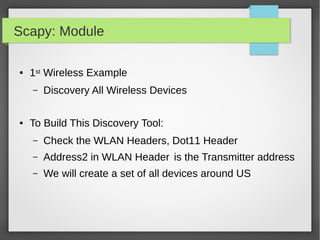
● 1st Wireless Example
– Discovery All Wireless Devices
● To Build This Discovery Tool:
– Check the WLAN Headers, Dot11 Header
– Address2 in WLAN Header is the Transmitter address
– We will create a set of all devices around US
Scapy: Module
#!/bin/python
import sys
from scapy.all import *
devices = set()
def packetHandler(pkt):
if pkt.haslayer(Dot11):
dot11_layer = pkt.getlayer(Dot11)
if dot11_layer.addr2 and (dot11_layer.addr2 not in devices):
devices.add(dot11_layer.addr2)
print len(devices), str(dot11_layer.addr2).upper()
sniff(iface = sys.argv[1], count = int(sys.argv[2]), prn = packetHandler)
● 1st Wireless Example:
Scapy: Module
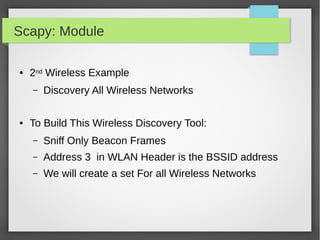
● 2nd Wireless Example
– Discovery All Wireless Networks
● To Build This Wireless Discovery Tool:
– Sniff Only Beacon Frames
– Address 3 in WLAN Header is the BSSID address
– We will create a set For all Wireless Networks
Scapy: Module
#!/bin/python
import sys
from scapy.all import *
ssids = set()
def packetHandler(pkt):
if pkt.haslayer(Dot11Beacon):
if pkt.info and (pkt.info not in ssids):
ssids.add(pkt.info)
print len(ssids), str(pkt.addr3).upper() , pkt.info
sniff(iface=sys.argv[1], count=int(sys.argv[2]), prn=packetHandler)
● 2nd Wireless Example:
Scapy: Module
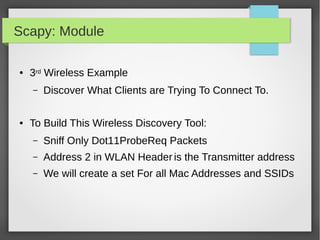
● 3rd Wireless Example
– Discover What Clients are Trying To Connect To.
● To Build This Wireless Discovery Tool:
– Sniff Only Dot11ProbeReq Packets
– Address 2 in WLAN Header is the Transmitter address
– We will create a set For all Mac Addresses and SSIDs
Scapy: Module
#!/bin/python
import sys
from scapy.all import *
clientprobes = set()
def packetHandler(pkt):
if pkt.haslayer(Dot11ProbeReq):
if len(pkt.info) > 0:
testcase = pkt.addr2 + '---' + pkt.info
if testcase not in clientprobes:
clientprobes.add(testcase)
print "New ProbeReq Found: ", pkt.addr2 + ' ' + pkt.info
sniff(iface=sys.argv[1], count=sys.argv[2], prn=packetHandler)
● 3rd Wireless Example:
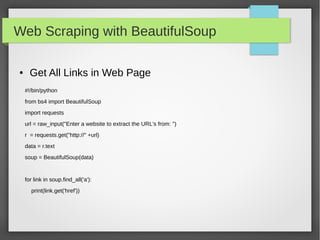
Web Scraping with BeautifulSoup
● Get All Links in Web Page
#!/bin/python
from bs4 import BeautifulSoup
import requests
url = raw_input("Enter a website to extract the URL's from: ")
r = requests.get("http://" +url)
data = r.text
soup = BeautifulSoup(data)
for link in soup.find_all('a'):
print(link.get('href'))
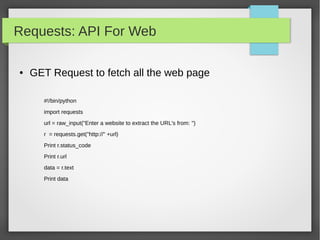
Requests: API For Web
● GET Request to fetch all the web page
#!/bin/python
import requests
url = raw_input("Enter a website to extract the URL's from: ")
r = requests.get("http://" +url)
Print r.status_code
Print r.url
data = r.text
Print data
Requests: API For Web
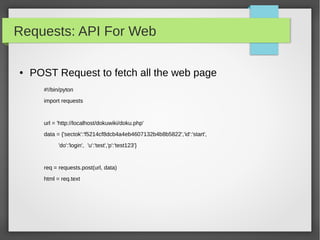
● POST Request to fetch all the web page
#!/bin/pyton
import requests
url = 'http://localhost/dokuwiki/doku.php'
data = {'sectok':'f5214cf8dcb4a4eb4607132b4b8b5822','id':'start',
'do':'login', 'u':'test','p':'test123'}
req = requests.post(url, data)
html = req.text
Python
Python

Python build your security tools.pdf

  • 1.
    Python: Build YourSecurity Tools Presented By Ahmed Elshaer Security Operation Specialist
  • 2.
    Agenda ● Simple ExamplesTo Help You Develop Tools with Python – Basics Of Python Scripting Language – SSH Client – IP Addresses and Subnetting – Databases – Argparse – Scapy – Web Automation
  • 3.
    Basics ● Assigning Valuesto Variables: #!/usr/bin/python port = 21 # An integer assignment ip = "10.20.30.10" # A string domain = “google.com” Print “IP: %s”% ip Print “port: %d”%port Print “domain: %s”%domain #multiple assignment Port1,port2,port3 = 21,22,23 P1 = ssh = SSH = 22 Print “port1 :%d”% port1 Print “ssh port :%d”%p1 Print “ssh port :%d”%ssh Print “ssh port :%d”%SSH
  • 4.
    Basics ● Standard DataTypes – Numbers – Strings – Lists – Tuples – Dictionaries
  • 5.
    Basics ● Strings #!/usr/bin/python Ip ='192.168.56.101' Domain = 'google.com' print "ip: ", ip Print 'this ip:',ip + “ points to :”,domain print "This is first 3 digit: ", ip[:3] print "This is last 3 digit: ", domain[-3:] #formating Print 'IP:%s and Domain: %s'%(ip,domain) Print 'IP: {0} and Domain: {1}'.format(ip, domain)
  • 6.
    Basics ● String SpecialOperation #!/usr/bin/python Ip = '192.168.56.101' Port = '22' #concatenation Print ip +” “ + port #repetition Print '-'*5 #slicing Print “first 3 digit: ”, ip[0:3] #in or not in Print '192' in ip #formating Print 'ip:%s port:%s'%(ip,port)
  • 7.
    Basics ● String Built-inFunctions – count(str, beg= 0,end=len(string)) – find(str, beg=0 end=len(string)) – index(str, beg=0, end=len(string)) – Isalnum() – Isalpha() – Isdigit() – len(string)
  • 8.
    Basics ● Lists #!/usr/bin/python portList =[21, 22, 23, 25, 80] ipList = ['10.20.20.1', '10.20.20.2', '10.20.20.3', '10.20.20.4'] print "Port1: ", portList[0] print "IP2: ", ipList[1] #updating ipList ipList[1] = '10.10.10.2' #delete element del ipList[0] print 'ipList have %d Ips'%len(ipList)
  • 9.
    Basics ● Built-in ListMethods – list.append(obj) – list.count(obj) – list.extend(seq) – list.index(obj) – list.insert(index, obj) – list.pop(obj=list[-1]) – list.remove(obj) – list.reverse() – list.sort([func])
  • 10.
    Basics ● Tuples #!/usr/bin/python tup1 =() tup1 = ('192.168.1.10', '192.168.1.20') tup2 = (21, 22, 23, 25, 80) print "first ip tup1[0]: ", tup1[0] print "first 3 ports tup2[0:2]: ", tup2[0:2] Print 'length of ip tuple: %d'% len(tup1) #delete del tup1 #convert list to tuple l1 = [80,443] t2 = tuple(l1) Print 'list: ', l1 Print 'tuple: ',t2
  • 11.
    Basics ● Dictionaries #!/usr/bin/python server ={'Name': 'Nessus', 'IP': '192.168.56.101', 'Port': 8834} print "server['Name']: ", server['Name'] print "server['IP']: ", server['IP'] print "server['IP']: ", server['Port'] #update element Server['IP'] = '192.168.56.102' print "server['IP']: ", server['IP'] del server['Name'] # remove entry with key 'Name' server.clear() # remove all entries in server del server # delete entire dictionary
  • 12.
    Basics ● Built-in DictionaryMethods – dict.clear() – dict.copy() – dict.fromkeys() – dict.get(key, default=None) – dict.has_key(key) – dict.items() – dict.keys() – dict.setdefault(key, default=None) – dict.update(dict2) – dict.values()
  • 13.
    Basics ● Loops #!/usr/bin/python IPs =['10.10.10.1', '10.10.10.2', '10.10.10.3'] for ip in IPs: print 'Current IP :', ip Servers = [('10.10.10.1', 22), ('10.10.10.2', 22)] for ip, port in Servers: print 'IP:%s port:%d'%(ip,port) for port in range(21,444): print 'Port:%d '%port port = 21 while (port < 1024): print 'The current port is:', port port = port + 1
  • 14.
    Basics ● Functions def functionname(parameters ): "function_docstring" function_suite return [expression] #!/usr/bin/python # Function definition is here def scanIP(host, port ): "This prints a passed string into this function" Print 'Scanning Host:%s on Port:%s'%(host, port) return # Now you can call scanIP function scanIP('10.10.10.2', 22) scanIP('10.20.30.1', 80)
  • 15.
    Basics ● Reading UserInput #!/usr/bin/python ip = raw_input("Enter Target IP: "); print "Target IP : ", ip port = raw_input("Which Port: "); print "Target Port : ", port exp = input("Enter expression to be evaluated: "); print "Received input is : ", exp
  • 16.
    Basics ● OS Module importos #List Directories list = os.listdir('/home/r00t/') #Differentiate Files From Folders for f in list: if os.path.isdir(f): print 'Directory: {}'.format(f) else: print 'File: {}'.format(f)
  • 17.
    Basics ● OS Module importos Print os.getcwd() os.chdir('/home/r00t/Desktop/') Print os.path.join(os.sep, 'home', 'user', 'work') #concatenate directories os.mkdir('temp') # creates temp directory inside the current directory os.makedirs(/tmp/temp/temp") os.rmdir('/tmp/temp') #print all Directories with absolute name for f in list: if os.path.isdir(f): print 'Directory: {}'.format(os.path.join(os.getcwd(),f))
  • 18.
    Basics ● Glob, Searchon Files with Regex import os import glob #to print all files that match regex Print glob.glob('/home/r00t/*.pdf') #to list all pdfs in all subdirectories dir = '/media/r00t/01CF5D07048A7210/' for f in os.listdir(dir): path = os.path.join(dir,f) if os.path.isdir(path): pdfs = glob.glob(path+'/*.pdf') for pdf in pdfs: print pdf
  • 19.
    Basics ● Files I/O #!/usr/bin/python #Open a file f = open("iplist.txt", "r") print "Name of the file: ", f.name print "Closed or not : ", f.closed print "Opening mode : ", f.mode # close a file f.close()
  • 20.
    Basics ● Files I/O #!/usr/bin/python #open a file f = open("iplist.txt", "r") # reading from file lines = f.readlines() for line in lines: print line # close a file f.close()
  • 21.
    Basics ● Files I/O #!/usr/bin/python #Open a file fo = open("foo.txt", "r") str = fo.read(10) print "Read String is : ", str # Check current position position = fo.tell() print "Current file position : ", position # Reposition pointer at the beginning once again position = fo.seek(0, 0) str = fo.read(10) print "Again read String is : ", str # Close opend file fo.close()
  • 22.
    Basics ● Files I/O #!/usr/bin/python #open a file f = open("iplist.txt", "w") #to write a string to file f.write( "10.10.20.10n"); f.flush() # to write sequence of strings ips = ['10.20.30.10n', '10.20.10.30n'] f.writelines(ips) # close opend file fo.close()
  • 23.
    Basics ● Exception Handling #!/usr/bin/python try: f= open("testfile", "w") f.write("This is my test file for exception handling!!") except IOError: print "Error: can't find file or read data" else: print "Written content in the file successfully" f.close()
  • 24.
    Basics #!/bin/python #inside Try weput the code that may raise Error try: f = open('./passwords.txt', 'r') print f.read() #inside the except, how we can handle the exception except IOError,e: print 'Error Happened: ',e #inside the else, will run if no exceptions happened else: print 'File Has been Read Successfully' #finally section will execute if there was exception or there was not finally: print 'File is going to be closed' f.close() ● Exception Handling
  • 25.
    SSH: Paramiko ● Toconnect to SSH Server: – Import SSH Module Like Paramiko – Create Object from SSH Agent – You may want to load your system Host keys – Connect to the SSH Server – Run any commands you want – Get the output if you want – Close the connection
  • 26.
    SSH: Paramiko ● Ex1:ssh into server and get the id of the current user #!/bin/python import paramiko ssh = paramiko.SSHClient() ssh.load_system_host_keys() ssh.set_missing_host_key_policy(paramiko.AutoAddPolicy()) ssh.connect('192.168.56.103', username='root', password='t00r123') stdin,stdout,stderr = ssh.exec_command("ifconfig") for line in stdout.readlines(): print line.strip() ssh.close()
  • 27.
    SSH: Paramiko ● Ex2:SSH with Public/Private Keys #!/bin/python import paramiko pkey = '/home/r00t/.ssh/id_rsa' key = paramiko.RSAKey.from_private_key_file(pkey) ssh = paramiko.SSHClient() ssh.load_system_host_keys() ssh.set_missing_host_key_policy(paramiko.AutoAddPolicy()) ssh.connect(‘192.168.56.101’,username=‘’root,pkey=key) stdin, stdout, stderr = ssh.exec_command('ifconfig') print stdout.read() ssh.close()
  • 28.
    SSH: Paramiko ● Ex3:Send File into Remote Server using SFTP #!/bin/python import paramiko ssh = paramiko.SSHClient() ssh.set_missing_host_key_policy(paramiko.AutoAddPolicy()) Try: ssh.connect('localhost', username='testuser', password='test123') except paramiko.SSHException: print "Connection Error" else: sftp = ssh.open_sftp() sftp.chdir("/tmp/") print sftp.listdir() sftp.put('/home/r00t/file1.txt', './file1.txt') ssh.close()
  • 29.
    IP Addresses, Subnets,Ranges ● What If You Want to Run Task on Many IP Addresses? ● Do a Port Scanning On Subnets. ● Run Command on multiple Servers/Routers ● Send a configuration file into a Set of Servers ● Eventually you will need library that understand Subnets and IP Ranges.
  • 30.
    NetAddr Module ● BasicOperation #!/bin/python ip = IPAddress('192.0.2.1') Print ip ipNet = IPNetwork('192.0.2.1') Print ipNet.ip Print ipNet.broadcast ipNet = IPNetwork('192.0.2.1/24') Print ipNet.ip Print ipNet.broadcast Print ipNet.netmask FirstIP = IPAddress(ipNet.first) Print firstIP LastIP = IPAddress(ipNet.last) Print lastIP Print ipNet.size
  • 31.
    NetAddr Module ● ListOperation ipNet = IPNetwork('192.0.2.1/28') IpList = list(ipNet) Print “IP List size: ”,len(ipList) # you can do list indexing or slicing #iterate through all the subnet from network address into the broadcast address for ip in IPNetwork('192.168.56.0/29'): print '%s' % ip #iterate through the valid hosts, [network address+1:broadcast-1] for ip in IPNetwork('192.0.2.0/23').iter_hosts(): print '%s' % ip #Check IPRange r1 = IPRange('192.0.2.1', '192.0.2.15') r1.cidrs() addrs = list(r1)
  • 32.
    NetAddr Module ● Summarizinglist of addresses #!/bin/python ip_list = [ip for ip in IPNetwork('192.0.2.0/24') ] ip_list.extend([str(ip) for ip in IPNetwork('192.0.3.0/24')]) ip_list.append(IPNetwork('192.0.4.0/25')) ip_list.append(IPNetwork('192.0.4.128/25')) len(ip_list) cidr_merge(ip_list)
  • 33.
    NetAddr Module ● Supernets,subnets, Ranges #!/bin/python # to get all subnets with in cidr notation ipNet = IPNetwork('172.24.0.0/16') IpSubs = ipNet.subnet(24) #ipSubs is a generator object IpSubsList = list(ipSubs) #convert it to list #to get all supernets ipNet = IPNetwork('172.24.0.0/16') IpSups = ipNet.supernet(8) #ipSups is a generator object IpSupsList = list(ipSups) #convert it to list #working with range of IPs IpRange = list(iter_iprange('192.168.56.250', '192.168.57.5')) #to summarize this range to CIDR Notation cidr_merge(ipRange)
  • 34.
    NetAddr Module ● ComparingIP Addresses IPAddress('192.0.2.1') == IPAddress('192.0.2.1') IPAddress('192.0.2.1') < IPAddress('192.0.2.2') IPAddress('192.0.2.2') > IPAddress('192.0.2.1') IPNetwork('192.0.2.0/24') == IPNetwork('192.0.2.112/24') IPNetwork('192.0.2.0/24').ip == IPNetwork('192.0.2.112/24') ipIPNetwork('192.0.2.0/24').cidr == IPNetwork('192.0.2.112/24').cidr IPAddress('192.0.2.0') == IPNetwork('192.0.2.0/32') IPAddress('192.0.2.0') == IPNetwork('192.0.2.0/32')[0] IPAddress('192.0.2.0') == IPNetwork('192.0.2.0/32').ip IPRange('192.0.2.0', '192.0.2.255') == IPNetwork('192.0.2.0/24') https://pythonhosted.org/netaddr/tutorial_01.html
  • 35.
    NetAddr Module ● PowerfulOperations with IPSets r1 = IPRange('192.0.2.1', '192.0.2.15') addrs = list(r1) subnets = r1.cidrs() set1 = IPSet(r1.cidrs()) ips = [IPAddress('192.0.2.1'), '192.0.2.2/31', IPNetwork('192.0.2.4/31'), IPAddress('192.0.2.6'), IPAddress('192.0.2.7'), '192.0.2.8', '192.0.2.9', IPAddress('192.0.2.10'), IPAddress('192.0.2.11'), IPNetwork('192.0.2.12/30')] set2 = IPSet(ips) set1 == set2 https://pythonhosted.org/netaddr/tutorial_03.html
  • 36.
    Databases ● Why wetalk about Databases: – Most of Now Days Application Store data into DB – Extract Data from these Application. – Forensics Investigators Need to Get every possible information they can get from the system. – Store your Tools Output into DB – Data is Everywhere, … etc
  • 37.
    Database: SQLite ● StepsTo Deal with Databases: – Import Database Module – Connect to the DB – Get Cursor to Traverse the Records – Run SQL Statements with The Cursor – Fetch the Data from The Cursor – Or Insert Data using The Cursor into DB – Close the connection
  • 38.
    Database: SQLite #!/usr/bin/python import sqlite3as lite con = None try: con = lite.connect('test.db') cur = con.cursor() cur.execute('select sqlite_version()') data = cur.fetchone() print "sqlite version: %s" % data except lite.error, e: print "error %s:" % e finally: con.close() ● Simple DB Example, Get SQLiteVersion
  • 39.
    Database: SQLite ● InsertData into DB #!/usr/bin/python import sqlite3 as lite import sys with lite.connect('Network-Ips.db') as con: cur = con.cursor() cur.execute("CREATE TABLE IPs(Id INTEGER, IP TEXT, NAME TEXT);") cur.execute("INSERT INTO IPs VALUES(1,'10.10.10.1', 'Server1');") cur.execute("INSERT INTO IPs VALUES(2,'10.10.10.2', 'Server2');") cur.execute("INSERT INTO IPs VALUES(3,'10.10.10.3', 'Server3');")
  • 40.
    Database: SQLite #!/usr/bin/python import sqlite3as lite import sys IPs = ( (1, '192.168.1.1', 'Server1'), (2, '192.168.1.2', 'Server2'), (3, '192.168.1.3', 'Server3'), (4, '192.168.1.4', 'Server4')) con = lite.connect('Network-IPs.db') with con: cur = con.cursor() cur.execute("DROP TABLE IF EXISTS IPs") cur.execute("CREATE TABLE IPs(Id INT, IP TEXT, NAME TEXT);") cur.executemany("INSERT INTO IPs VALUES(?, ?, ?);", Ips)
  • 41.
    Database: SQLite #!/usr/bin/python import sqlite3as lite Ips = (('10.10.10.1','tst1'),('10.10.10.2','tst2'),('10.10.10.3','tst3')) with lite.connect('Network-IP.db') as con: cur = con.cursor() #cur.execute("CREATE TABLE IPs(Id INTEGER primary key autoincrement , IP TEXT, NAME TEXT);") cur.execute("INSERT INTO Ips(IP,NAME) VALUES('10.10.10.4', 'Server4');") cur.execute("INSERT INTO IPs(IP,NAME) VALUES(?,?);",ips[0]) cur.executemany("INSERT INTO IPs_Table (IP,Name) VALUES(?,?);", ips) ● Using Primary Key auto increment
  • 42.
    Database: SQLite ● RetrievingData #!/usr/bin/python import sqlite3 as lite import sys con = lite.connect('Network-IPs.db') with con: cur = con.cursor() cur.execute("SELECT * FROM IPs") rows = cur.fetchall() for row in rows: print row “””For Parameterized Select Statement like the Insertion you can use cur.execute("SELECT * FROM IPs WHERE Id=:Id",{"Id": uId}) “””
  • 43.
    Database: SQLite ● RetrievingData on by one – Use it when you have a lot of data #!/usr/bin/python import sqlite3 as lite import sys con = lite.connect('Network-IPs.db') with con: cur = con.cursor() cur.execute("SELECT * FROM IPs;") while True: row = cur.fetchone() if row == None: break print “ID:%stIP:%stName:%s”% row #row is a tuple
  • 44.
    Database: Forensics Lab ●To apply what you have learned: – Let's see what you can do, check this out: ● Firefox Cookies.sqlite ● Firefox Places.sqlite ● Chrome History DB – Extra labs ● Check Databases on your smart phone ● Also you may need to know how to do dictionary cursor to print selected columns
  • 45.
    Argparse: Module ● Parserfor command-line options and arguments. ● Build tools with user-friendly command-line scripts. ● What we want to achieve is something like this: python -h usage: python [option] ... [-c cmd | -m mod | file | -] [arg] ... Options and arguments (and corresponding environment variables): -B : don't write .py[co] files on import; also PYTHONDONTWRITEBYTECODE=x -c cmd : program passed in as string (terminates option list) -d : debug output from parser; also PYTHONDEBUG=x -E : ignore PYTHON* environment variables (such as PYTHONPATH) -h : print this help message and exit (also --help)
  • 46.
    Argparse: Module ● 1stExample:Arguments and Optional Flags #!/bin/python import argparse parser = argparse.ArgumentParser(description='Demo') parser.add_argument('-v', '--verbose',action='store_true',help='verbose flag') args = parser.parse_args() if args.verbose: print("~ Verbose!") else: print("~ Not so verbose")
  • 47.
    Argparse: Module ● 2ndExample: #!/bin/python import argparse parser = argparse.ArgumentParser(description='Demo 2 for argparse ') parser.add_argument('-v', '--verbose', action="store_true", default=False) #required argument parser.add_argument('-i', '--input-file', action="store", dest="infile", required=True) parser.add_argument('-o', '--out-file', action="store", dest="outfile") parser.add_argument('-c', '--count', action="store", dest="count", type=int) print parser.parse_args()
  • 48.
    Argparse: Module ● 3rdExample, Positional and non-optional Arguments #!/bin/python import argparse parser = argparse.ArgumentParser(description='Example with non-optional arguments') #required arguments, interface name, packets count parser.add_argument('iface', action="store") parser.add_argument('count', action="store", type=int) print parser.parse_args() #type can also take a file with access mode #parser.add_argument('f', type=argparse.FileType('r'))
  • 49.
    Scapy: Module ● Whatwe can do with scapy: – Packet Capturing, Crafting and Manipulation – Network Traffic Analysis Tools – Sniffing The Credentials of Clear Text Protocols – Fuzzing Protocols and IDS / IPS Testing – Wireless Discovery Tools Like: ● Hidden Network Discovery ● Client Preferred Networks Detection – Anything you can thinks of that related to Packets
  • 50.
    Scapy: Module ● LetsBegin our Journey into Packets World: #First Import Scapy From scapy.all import * #take a look at the configuration Conf #let's check the supported protocols ls() #to view details of specific protocol ls(Ether) ls(ARP) ls(IP) #to view all commands provided by scapy lsc()
  • 51.
    Scapy: Module ● CraftPackets #craft simple IP packet Ippkt = IP() #want to set dst IP Ippkt.dst = '10.10.10.2' #or you can set it from the first intialization Ippkt = IP(dst='10.10.10.2') #create TCP Tcppkt =TCP() #dst ports Tcppkt.dport = 80 Tcppkt.flags = 'S'
  • 52.
    Scapy: Module ● CraftPackets #layer ARP ether_pkt = Ether() arp_pkt = ARP(psrc='192.168.56.1', pdst='192.168.56.100') #build packet Pkt = ether_pkt / arp_pkt #craft packet one-shot Pkt = Ether()/ARP(psrc='192.168.56.1', pdst='192.168.56.100') Icmp = Ether()/IP(src='192.168.56.1',dst='192.168.56.100')/ICMP()
  • 53.
    Scapy: Module ● SendPackets #Send Packets at Layer Two Pkt = Ether()/ARP(pdst='192.168.56.101') sendp(pkt) sendp(Ether(dst="ff:ff:ff:ff:ff:ff",src="00:11:22:aa:bb:cc")/ ARP(hwsrc="00:11:22:aa:bb:cc",pdst="172.16.20.1") #Send Packet at Layer 3 pingr = IP(dst="192.168.1.25")/ICMP() send(pinger) #send and receive responses at layer two Ans, unans = srp( Ether()/ARP(pdst='192.168.56.*'))
  • 54.
    Scapy: Module ● SendPacket and Receive the Response #Send Packets at Layer Two Pkt = Ether()/ARP(pdst='192.168.56.101') Resp = srp1(pkt) Resp = srp1(Ether(dst="ff:ff:ff:ff:ff:ff",src="00:11:22:aa:bb:cc")/ ARP(hwsrc="00:11:22:aa:bb:cc",pdst="172.16.20.1") #Send and receive Packet at Layer 3 pingr = IP(dst="192.168.1.25")/ICMP() Response = sr1(pinger) #send and receive responses at layer two ans, unans = srp( Ether()/ARP(pdst='192.168.56.*')) ans, unans = srloop(IP()/ICMP(), count=5)
  • 55.
    Scapy: Module ● SniffingPackets #sniff arp packets pkts = sniff(count=5,filter="arp") pkts.nsummary() #sniff 10 packets from the eth0 interface pkts = sniff(count=10,iface='eth0') pkts.summary() #store: Whether to store sniffed packets or discard them. When you #only want to monitor your network forever, set store to 0. #timeout: Stop sniffing after a given time (default: None). pkts = sniff(store=0,timeout=30) #Extra Pkts = sniff(store=0, timeout=30,prn=lambda x:x.summary())
  • 56.
    Scapy: Module ● CustomActions on Captured Packet ## Import Scapy module from scapy.all import * ## Create a Packet Count var PacketCount = 0 ## Define our Custom Action function def customAction(packet): global packetCount packetCount += 1 Return "{}) {} → {}".format(packetCount, packet[0][1].src, packet[0][1].dst) ## Setup sniff, filtering for IP traffic sniff(filter="ip",prn=customAction)
  • 57.
    Scapy: Module ● SimpleScript to Monitor ARP Packets from scapy.all import * def arp_display(pkt): if pkt[ARP].op == 1: #who-has (request) X= "Request: {} is asking about {} “.format(pkt[ARP].psrc,pkt[ARP].pdst) Return x if pkt[ARP].op == 2: #is-at (response) X = "*Response: {} has address {}".format(pkt[ARP].hwsrc,pkt[ARP].psrc) Print x sniff(prn=arp_display, filter="arp", store=0, count=10)
  • 58.
    Scapy: Module ● CraftSYN Packet, SYN Scanner :) from scapy.all import * import netaddr net = netaddr.IPRange('192.168.56.100','192.168.56.105') for ip in net: ipaddr = ip.format() ans = sr1(IP(dst=ipaddr)/TCP(dport=22, flags='S'),timeout=.2, verbose=0) if ans: print ans.sprintf("{IP:%IP.src%}:{TCP:%TCP.sport%} -> {IP:%IP.dst%}:{TCP:%TCP.dport%} Flags:{TCP:%TCP.flags%}")
  • 59.
    Scapy: Module ● CraftChristmas Tree Packets, Xmas Scan :D from scapy.all import * import random pkts = IP(dst="192.168.56.105")/TCP() # Start lighting up those bits! pkts[TCP].flags = "UFP" List = [21,22,23,25,80,443,8835] Random.shuffle(list) pkts[TCP].dport = list ans, unans = sr(pkts, iface='vboxnet0', timeout=.2) #the answers packet which have RST Flag Tells you the closed Ports #unanswered packets means the Port is open
  • 60.
    Scapy: Module ● DNSQuery packet #DNS Query Pkt =IP(dst="8.8.8.8")/UDP(dport=53)/DNS(rd=1,qd=DNSQR(qname="google.com")) answer = sr1(pkt) print answer[DNS].summary() #extract qname and rdata from the answer packet Print “Domain: ”+ answer[DNSQR].qname Print “Reource: ”+ answer[DNSRR].rdata
  • 61.
    Scapy: Module ● ExtractAll Query Domain Name and There Resolve Data pkts = sniff(offline='dns-misc.pcap', prn=getDNSInfo) #pkts = rdpcap('dns-misc.pcap') def getDNSInfo(pkt): if pkt.haslayer(DNSRR): print pkt[DNSQR].sprintf("Domain: {DNSQR:%DNSQR.qname%}") rr = pkt[DNSRR] while True: if rr: print rr.sprintf("--> Resource:{DNSRR:%DNSRR.rdata%}") rr = rr.payload else: break
  • 62.
    Scapy: Module ● Importingpackets from trace files with scapy packets = rdpcap('Home-01.cap') packets.nsummary() # or you can read it with sniff with offline argument packets = sniff(offline='Home-01.cap') #manipulating Packets def customAction(packet): packet[Ether].dst = '00:11:22:aa:bb:cc' packet[Ether].src = '00:11:22:aa:bb:cc' sniff(offline='IBGP_adjacency.cap', prn=customAction)
  • 63.
    Scapy: Module ● ExtractFTP Credentials #!/bin/python import sys from scapy.all import * def packetHandler(pkt): if pkt.haslayer(TCP) and pkt.getlayer(TCP).dport == 21: if pkt.haslayer(Raw) and pkt[Raw].load: Load = pkt[Raw].load if "USER" in load or "PASS" in load: print load.rstrip() #live packets or read from file Pkts = rdpcap('ftp-capture.pcap') #sniff(iface=sys.argv[1], prn=packetHandler) For pkt in pkts: packetHandler(pkt)
  • 64.
    Scapy: Module ● 1stWireless Example – Discovery All Wireless Devices ● To Build This Discovery Tool: – Check the WLAN Headers, Dot11 Header – Address2 in WLAN Header is the Transmitter address – We will create a set of all devices around US
  • 65.
    Scapy: Module #!/bin/python import sys fromscapy.all import * devices = set() def packetHandler(pkt): if pkt.haslayer(Dot11): dot11_layer = pkt.getlayer(Dot11) if dot11_layer.addr2 and (dot11_layer.addr2 not in devices): devices.add(dot11_layer.addr2) print len(devices), str(dot11_layer.addr2).upper() sniff(iface = sys.argv[1], count = int(sys.argv[2]), prn = packetHandler) ● 1st Wireless Example:
  • 66.
    Scapy: Module ● 2ndWireless Example – Discovery All Wireless Networks ● To Build This Wireless Discovery Tool: – Sniff Only Beacon Frames – Address 3 in WLAN Header is the BSSID address – We will create a set For all Wireless Networks
  • 67.
    Scapy: Module #!/bin/python import sys fromscapy.all import * ssids = set() def packetHandler(pkt): if pkt.haslayer(Dot11Beacon): if pkt.info and (pkt.info not in ssids): ssids.add(pkt.info) print len(ssids), str(pkt.addr3).upper() , pkt.info sniff(iface=sys.argv[1], count=int(sys.argv[2]), prn=packetHandler) ● 2nd Wireless Example:
  • 68.
    Scapy: Module ● 3rdWireless Example – Discover What Clients are Trying To Connect To. ● To Build This Wireless Discovery Tool: – Sniff Only Dot11ProbeReq Packets – Address 2 in WLAN Header is the Transmitter address – We will create a set For all Mac Addresses and SSIDs
  • 69.
    Scapy: Module #!/bin/python import sys fromscapy.all import * clientprobes = set() def packetHandler(pkt): if pkt.haslayer(Dot11ProbeReq): if len(pkt.info) > 0: testcase = pkt.addr2 + '---' + pkt.info if testcase not in clientprobes: clientprobes.add(testcase) print "New ProbeReq Found: ", pkt.addr2 + ' ' + pkt.info sniff(iface=sys.argv[1], count=sys.argv[2], prn=packetHandler) ● 3rd Wireless Example:
  • 70.
    Web Scraping withBeautifulSoup ● Get All Links in Web Page #!/bin/python from bs4 import BeautifulSoup import requests url = raw_input("Enter a website to extract the URL's from: ") r = requests.get("http://" +url) data = r.text soup = BeautifulSoup(data) for link in soup.find_all('a'): print(link.get('href'))
  • 71.
    Requests: API ForWeb ● GET Request to fetch all the web page #!/bin/python import requests url = raw_input("Enter a website to extract the URL's from: ") r = requests.get("http://" +url) Print r.status_code Print r.url data = r.text Print data
  • 72.
    Requests: API ForWeb ● POST Request to fetch all the web page #!/bin/pyton import requests url = 'http://localhost/dokuwiki/doku.php' data = {'sectok':'f5214cf8dcb4a4eb4607132b4b8b5822','id':'start', 'do':'login', 'u':'test','p':'test123'} req = requests.post(url, data) html = req.text
  • 73.
  • 74.