Upgrading from SharePoint
2010 to SharePoint 2013
                       Jerry Yasir
                        SharePoint MVP
Who Am I?
SharePoint Server MVP Since 2009
SharePoint Practice Lead at US TECH Solutions (Jersey City, NJ)
Founder of the Largest SharePoint User Group in Middle East Riyadh
SharePoint User Group RSUG  Co-Lead SharePoint Pakistan User Group
Microsoft Certified Trainer (MCT) since 2008.
MCITP SharePoint Admin 2010, MCPD SharePoint Developer 2010 & MCTS
SharePoint 2010 Configuration & Development
MCTS WSS 3.0, SharePoint Server 2007, MCITP, MCTS Silverlight 4 Development,
Project Server 2007 & 2010, MCTS Project Professional 2007 & 2010, MCPD.NET,
MCSD.NET MCAD.NET
Email: yasir.attiq@gmail.com, MSN: yasi_butt@hotmail.com
Twitter: @jerry_yasir   Facebook: yasir.attiq (Jerry Yasir)
Blog: http://jerryyasir.wordpress.com
Overview – My Company                                                         3
   Leading global consulting company, offering domain led IT
    Consulting services for more than 12 years .
   Development centers and COE’s in the US and India.
   IT consultants deployed globally on various projects.
   Access to a unique portfolio of innovative technologies that
    reduce IT project cost, timescales and risk.
   A large and diverse pool of resources with expertise on various
    technologies and at various levels.
   Specially Designed Skill & Career Development Programs
   Technology partnerships with leading OEM’s like Microsoft,
    Oracle and IBM.


      ©US Tech Solutions, 2012                      www.ustechsolutions.com
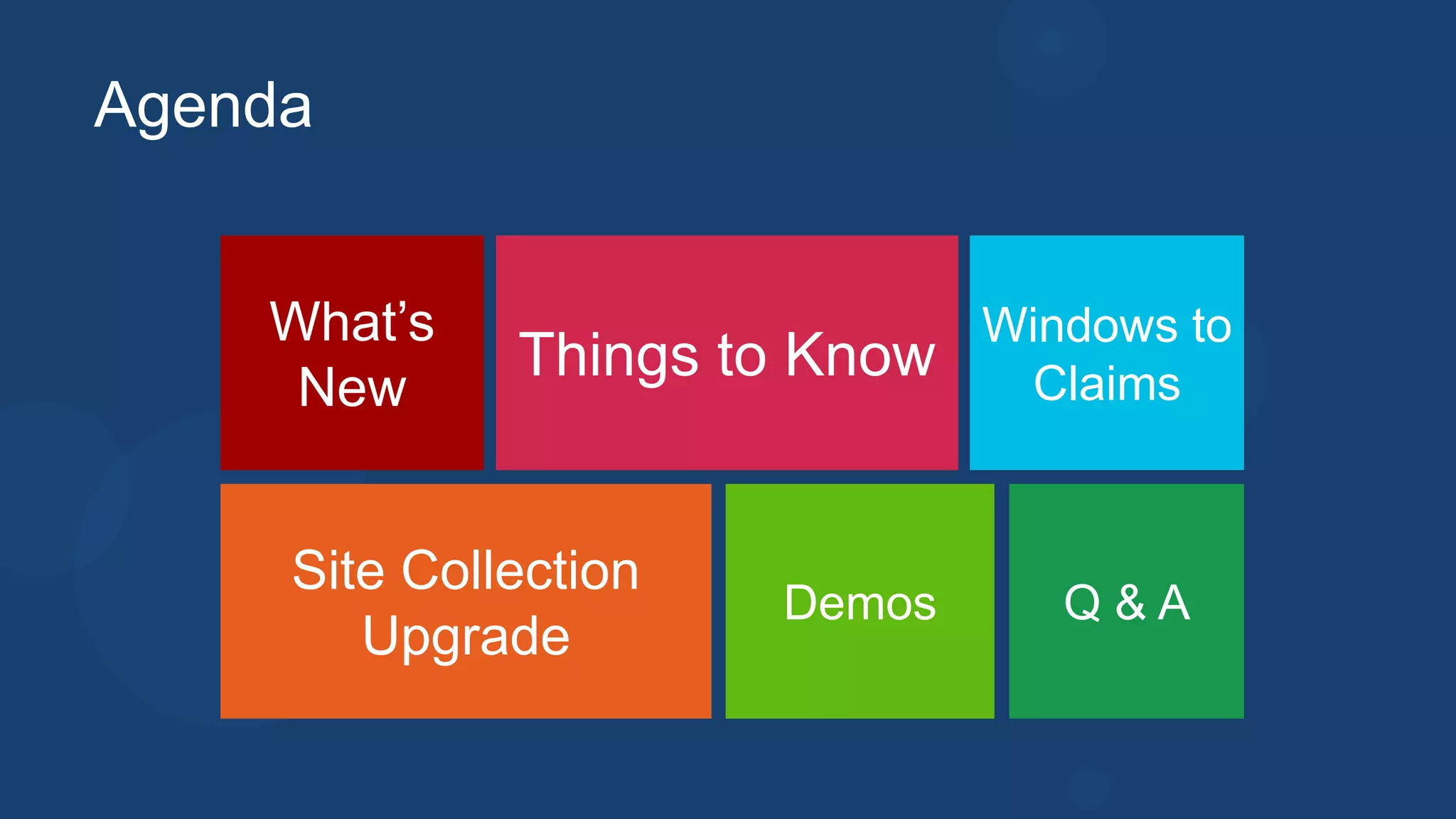
Agenda


    What’s                     Windows to
              Things to Know    Claims
     New


     Site Collection
                       Demos      Q&A
        Upgrade
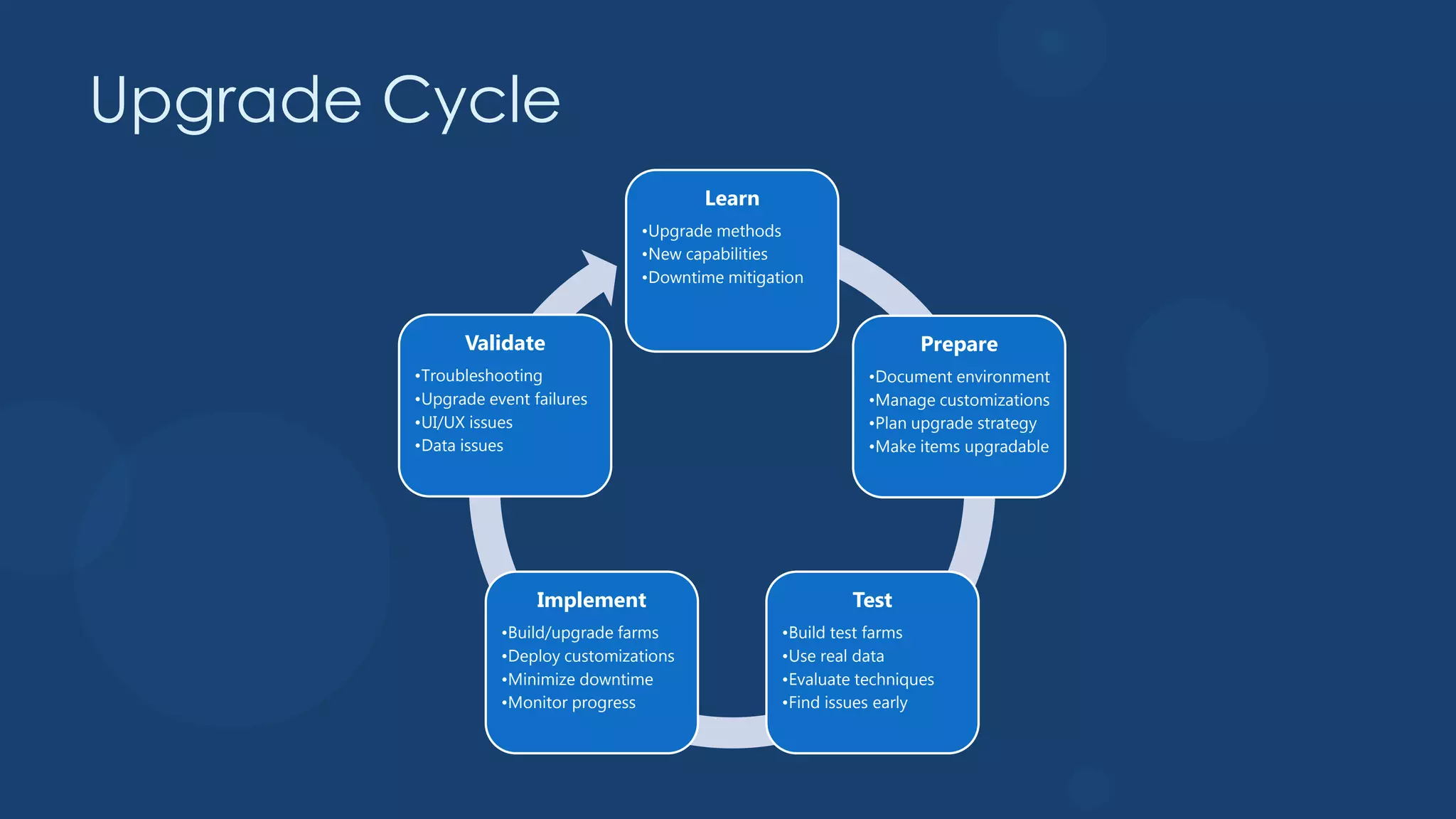
Upgrade Cycle
                                            Learn
                                    •Upgrade methods
                                    •New capabilities
                                    •Downtime mitigation


              Validate                                                 Prepare
        •Troubleshooting                                        •Document environment
        •Upgrade event failures                                 •Manage customizations
        •UI/UX issues                                           •Plan upgrade strategy
        •Data issues                                            •Make items upgradable


                        Implement                             Test
                   •Build/upgrade farms              •Build test farms
                   •Deploy customizations            •Use real data
                   •Minimize downtime                •Evaluate techniques
                   •Monitor progress                 •Find issues early
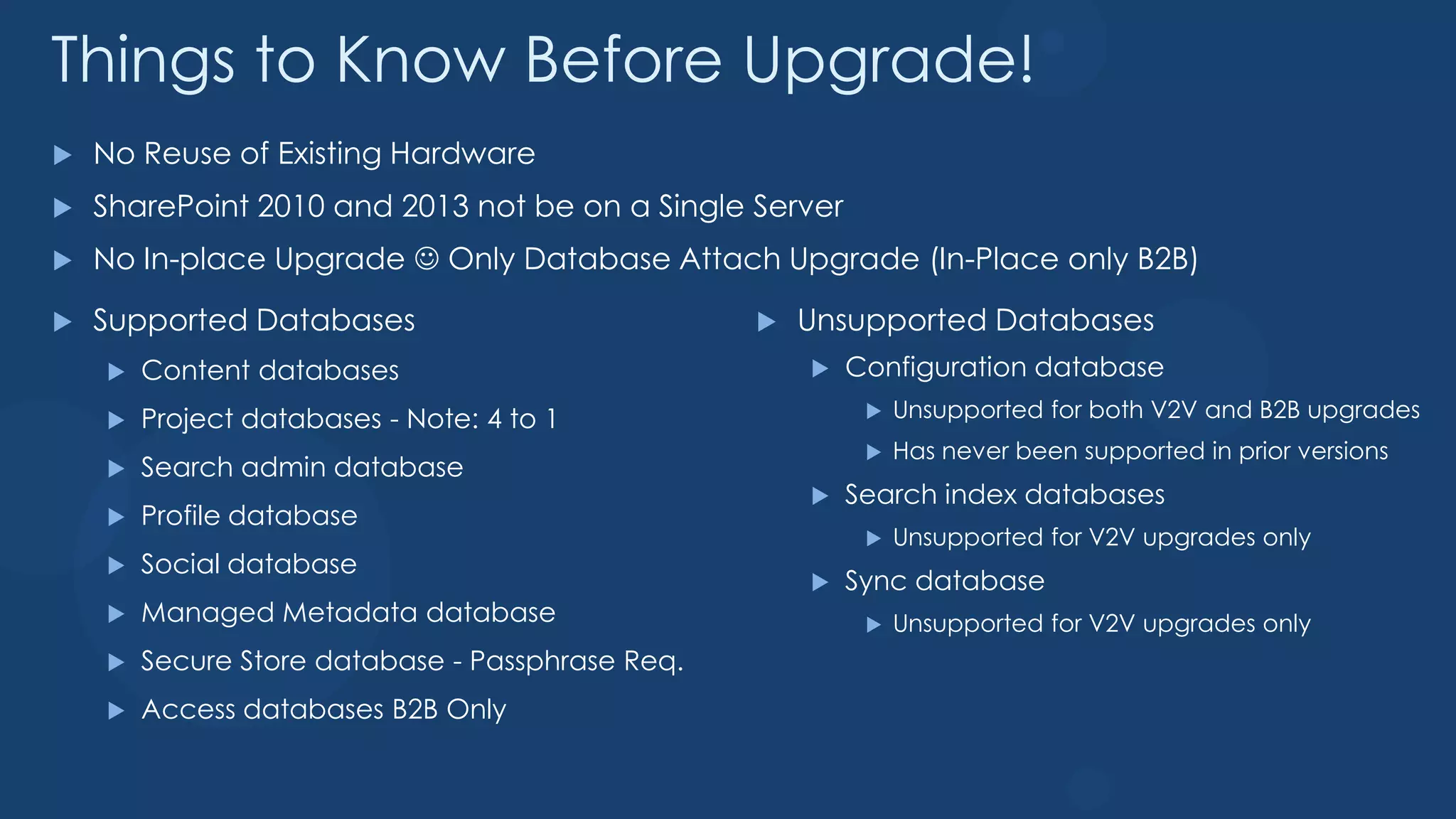
Things to Know Before Upgrade!
   No Reuse of Existing Hardware
   SharePoint 2010 and 2013 not be on a Single Server
   No In-place Upgrade  Only Database Attach Upgrade (In-Place only B2B)

   Supported Databases                              Unsupported Databases
       Content databases                                Configuration database
       Project databases - Note: 4 to 1                      Unsupported for both V2V and B2B upgrades
                                                              Has never been supported in prior versions
       Search admin database
                                                         Search index databases
       Profile database
                                                              Unsupported for V2V upgrades only
       Social database
                                                         Sync database
       Managed Metadata database                             Unsupported for V2V upgrades only
       Secure Store database - Passphrase Req.
       Access databases B2B Only
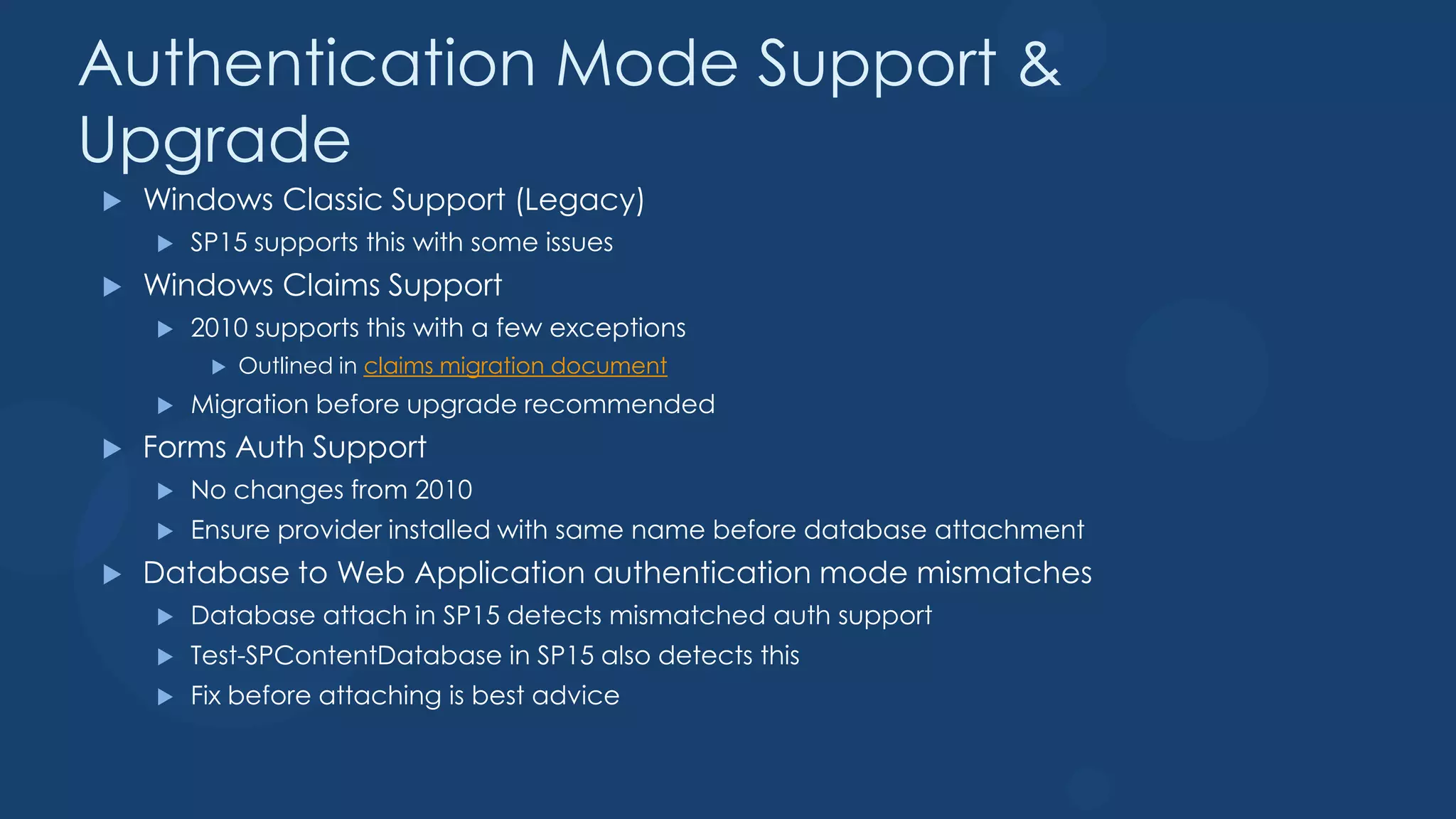
Authentication Mode Support &
Upgrade
   Windows Classic Support (Legacy)
       SP15 supports this with some issues
   Windows Claims Support
       2010 supports this with a few exceptions
            Outlined in claims migration document
       Migration before upgrade recommended
   Forms Auth Support
       No changes from 2010
       Ensure provider installed with same name before database attachment
   Database to Web Application authentication mode mismatches
       Database attach in SP15 detects mismatched auth support
       Test-SPContentDatabase in SP15 also detects this
       Fix before attaching is best advice
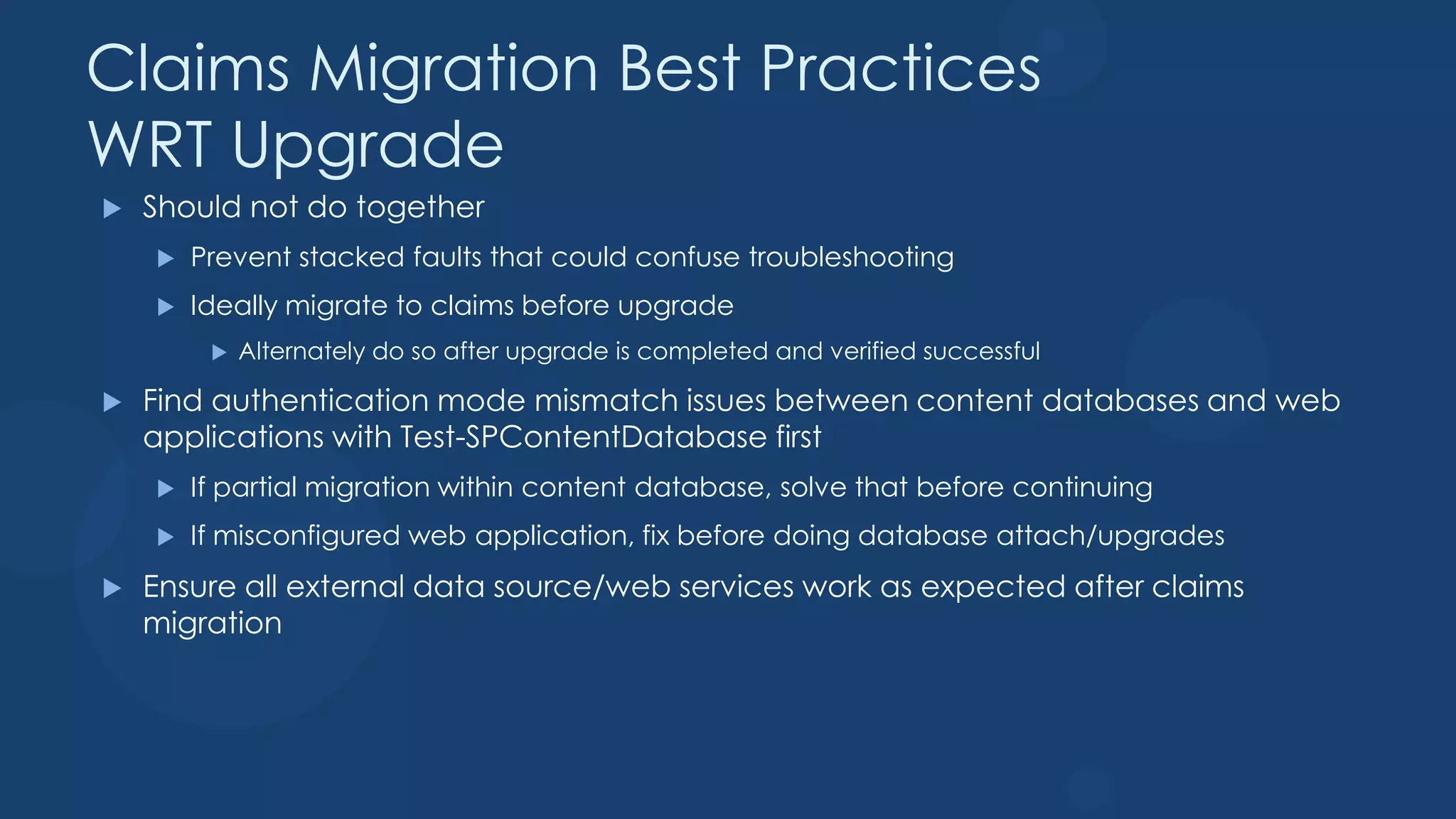
Claims Migration Best Practices
WRT Upgrade
   Should not do together
       Prevent stacked faults that could confuse troubleshooting
       Ideally migrate to claims before upgrade
            Alternately do so after upgrade is completed and verified successful

   Find authentication mode mismatch issues between content databases and web
    applications with Test-SPContentDatabase first
       If partial migration within content database, solve that before continuing
       If misconfigured web application, fix before doing database attach/upgrades
   Ensure all external data source/web services work as expected after claims
    migration
Convert from Windows to Claims

    Do it in 2010 Farm – Much Better approach
        Use Direct PowerShell Script for all users
        Use Code Provided by Conversion Document and Test with users
    Do it in 2013 by Creating Windows Claim Web App then use
     Convert-SPWebApplication to change from Windows to Claims
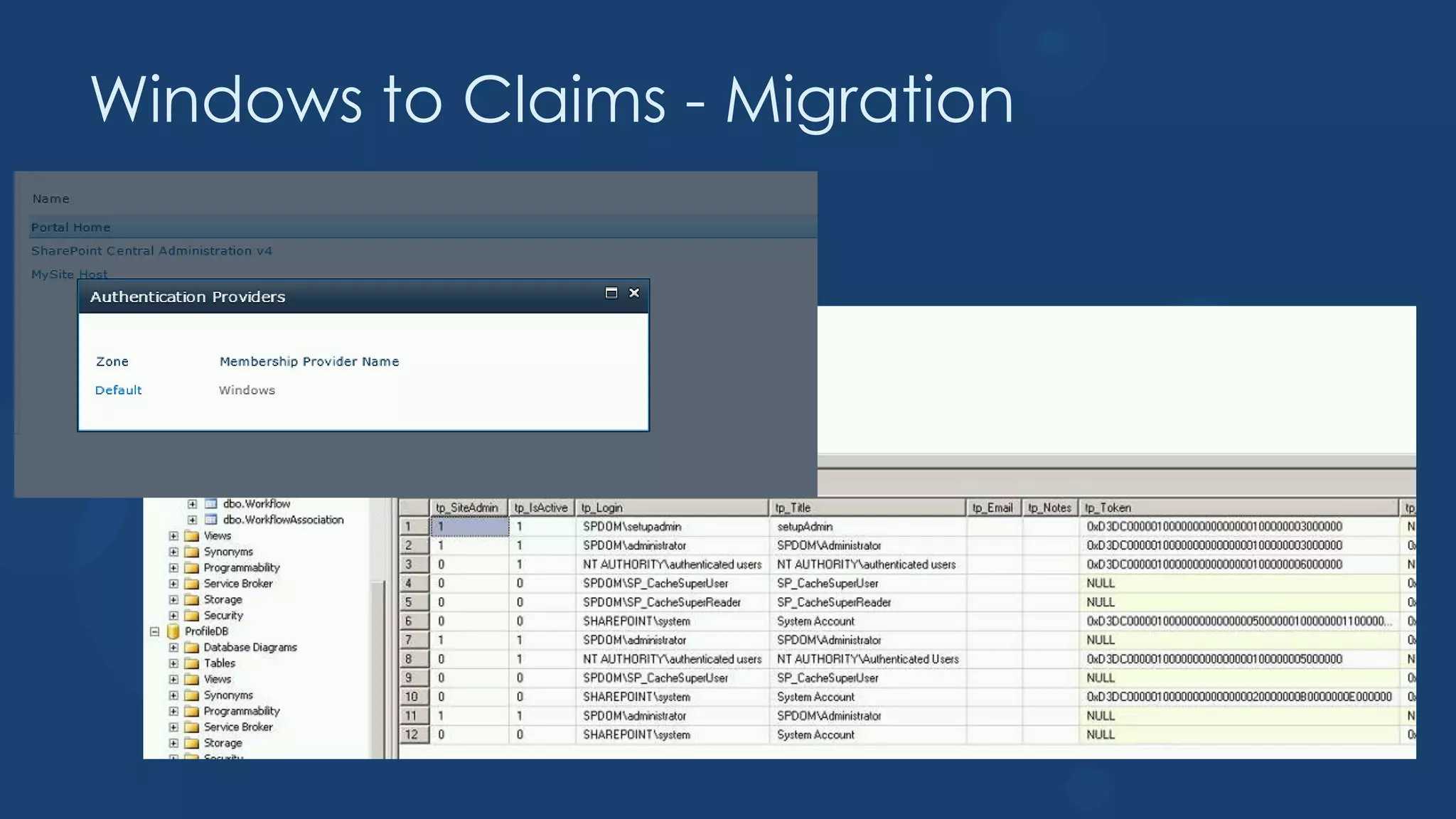
Windows to Claims - Migration
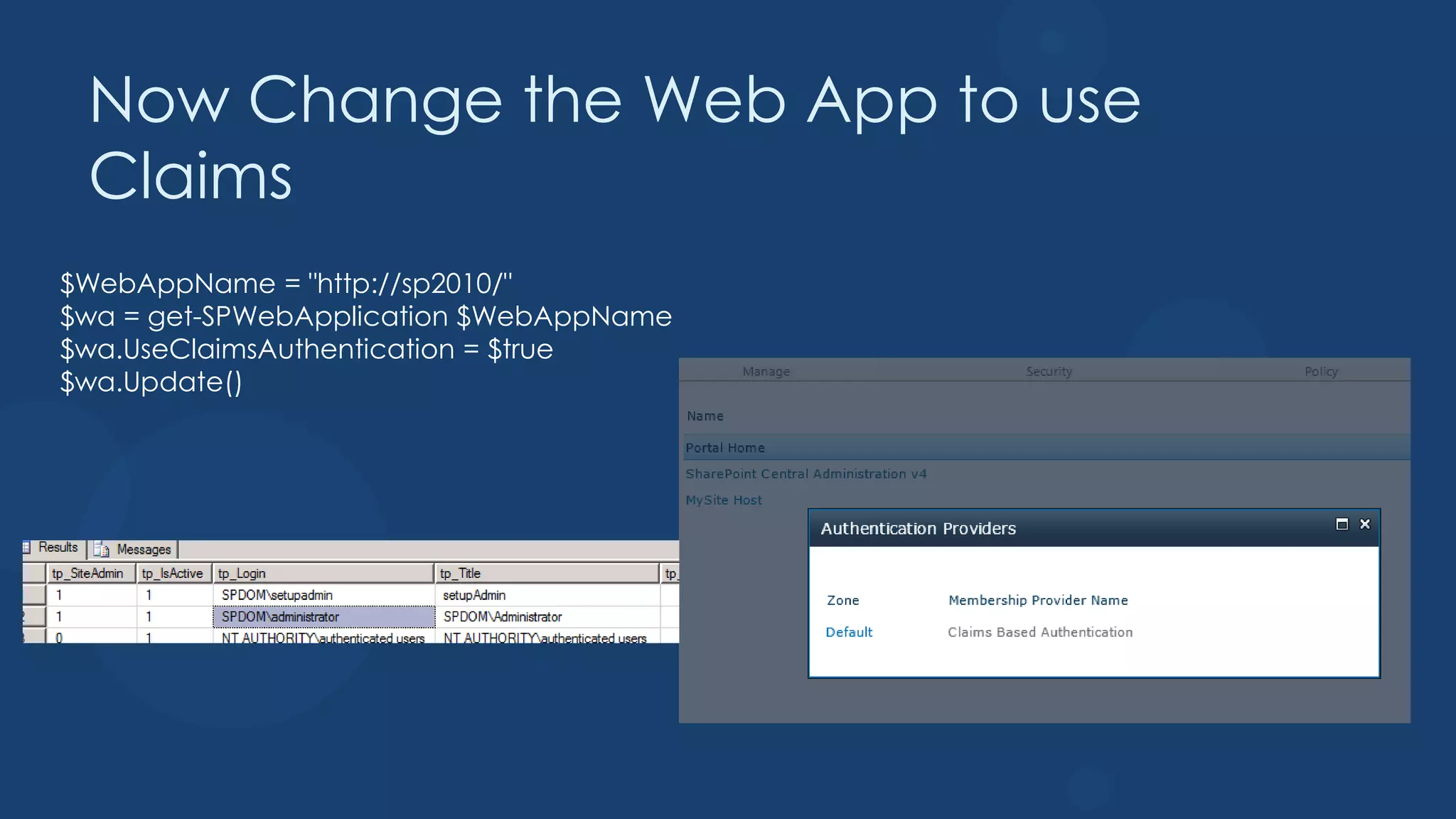
Now Change the Web App to use
 Claims
$WebAppName = "http://sp2010/"
$wa = get-SPWebApplication $WebAppName
$wa.UseClaimsAuthentication = $true
$wa.Update()
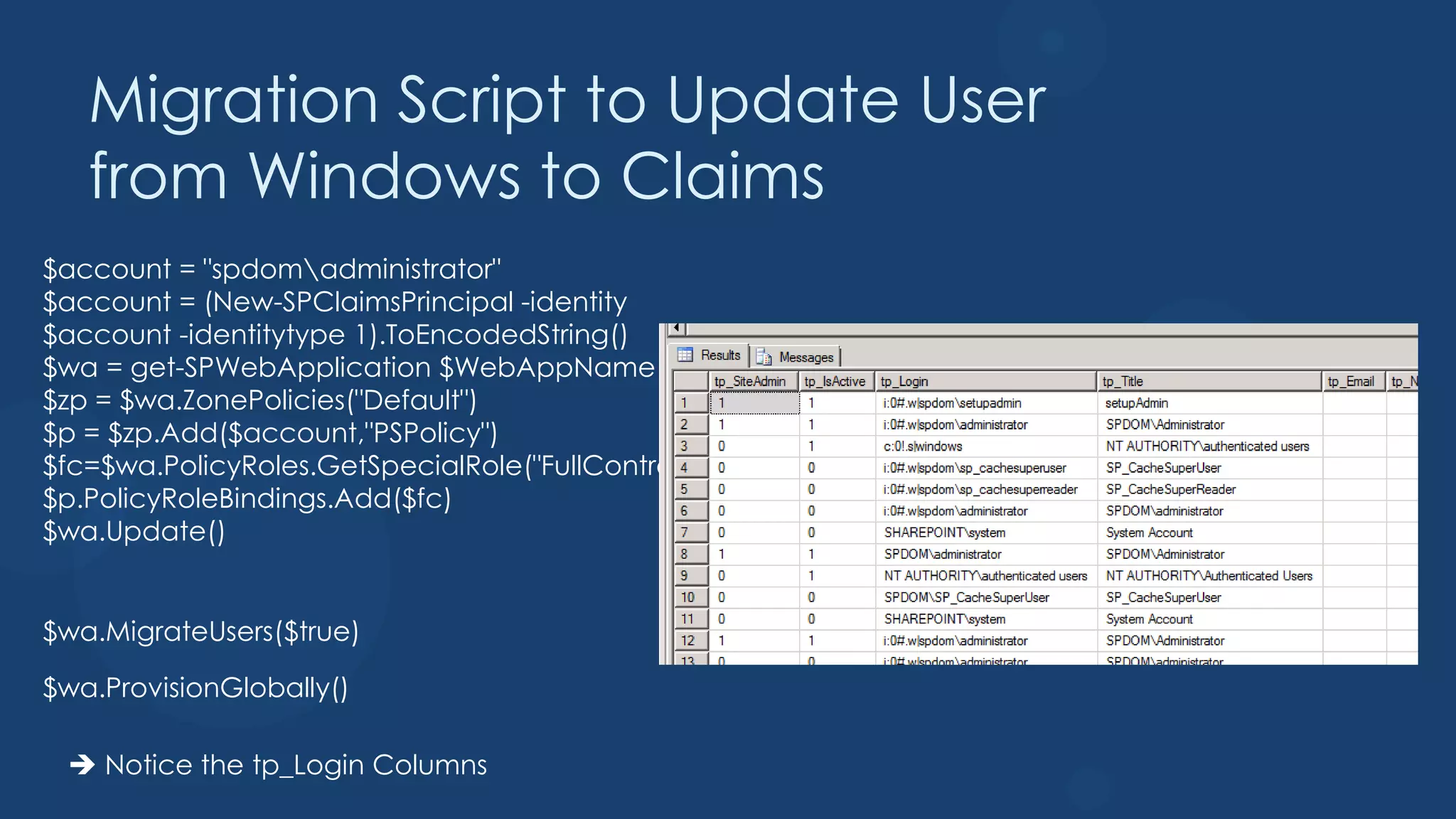
Migration Script to Update User
   from Windows to Claims
$account = "spdomadministrator"
$account = (New-SPClaimsPrincipal -identity
$account -identitytype 1).ToEncodedString()
$wa = get-SPWebApplication $WebAppName
$zp = $wa.ZonePolicies("Default")
$p = $zp.Add($account,"PSPolicy")
$fc=$wa.PolicyRoles.GetSpecialRole("FullControl")
$p.PolicyRoleBindings.Add($fc)
$wa.Update()


$wa.MigrateUsers($true)

$wa.ProvisionGlobally()

  Notice the tp_Login Columns
You will get access denied so
   update you site cache users
$webapp = Get-SPWebApplication http://sp2010
$webapp.Properties["portalsuperuseraccount"] = "i:0#.w|spdomsp_cachesuperuser"
$webapp.Properties["portalsuperreaderaccount"] = "i:0#.w|spdomsp_cachesuperreader"
$webapp.Update()

Make sure you test with other users
Demo
Converting Windows to Claims
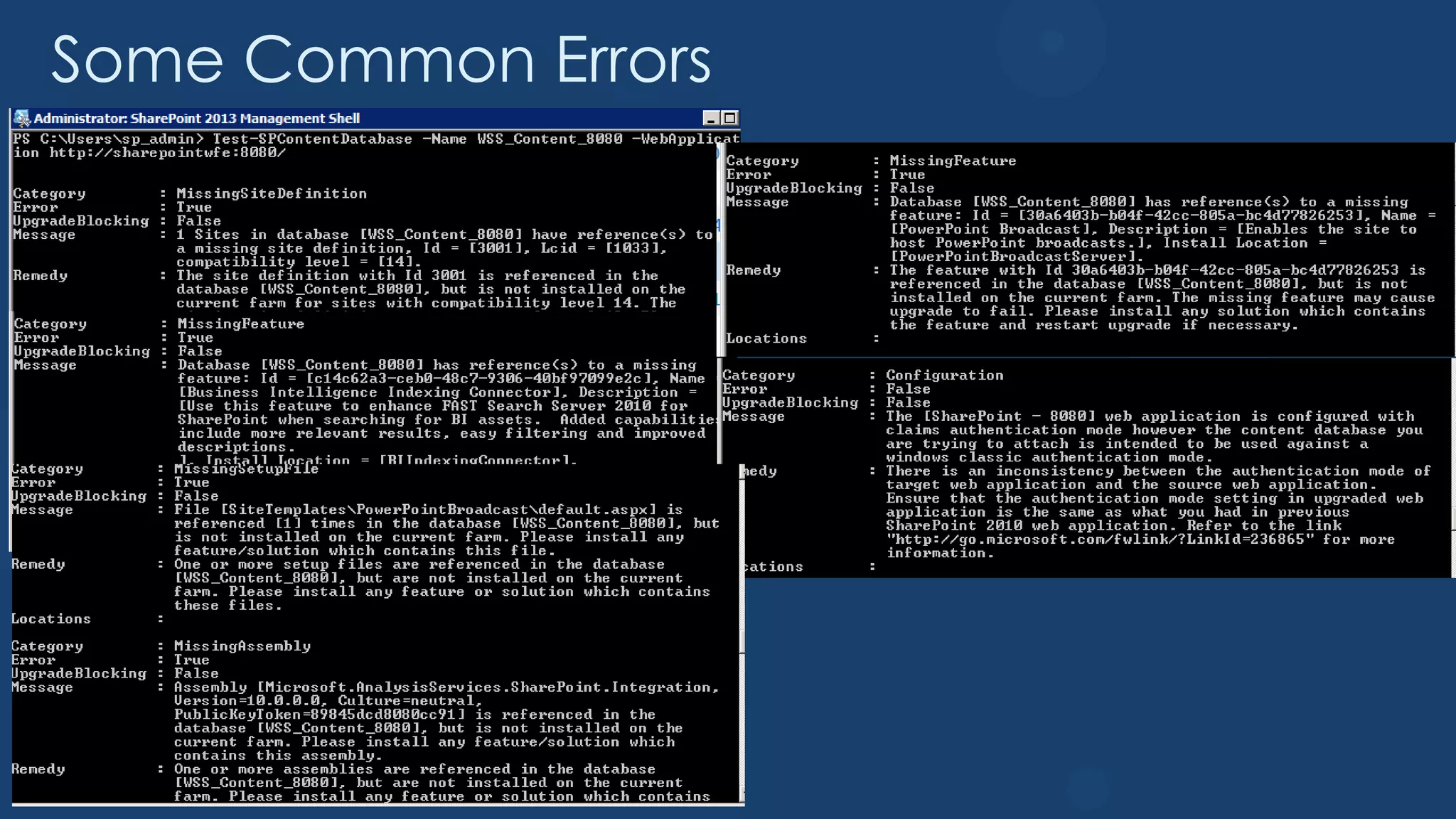
Some Common Errors
Demo
Upgrading Content Databases
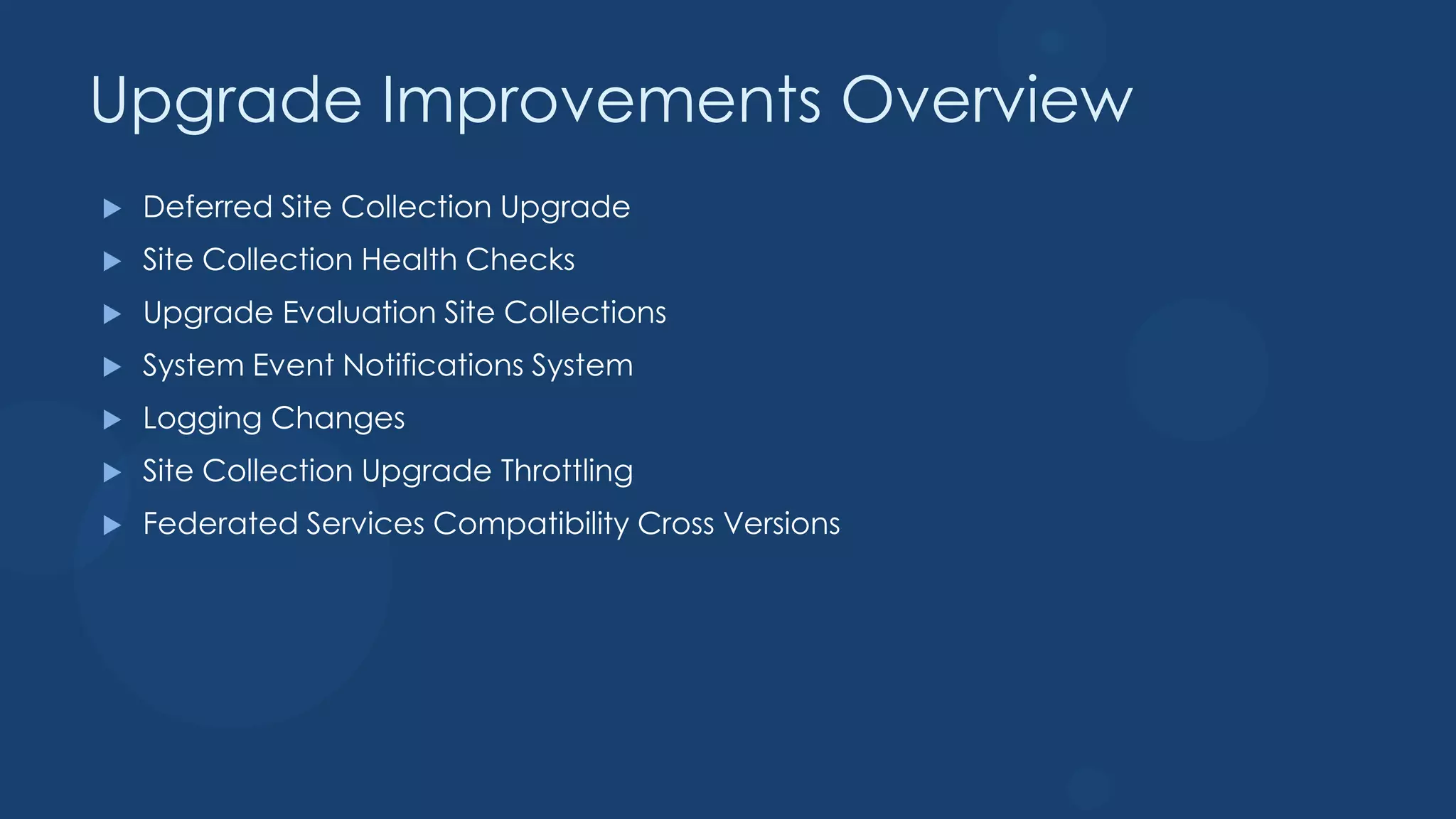
Upgrade Improvements Overview
   Deferred Site Collection Upgrade
   Site Collection Health Checks
   Upgrade Evaluation Site Collections
   System Event Notifications System
   Logging Changes
   Site Collection Upgrade Throttling
   Federated Services Compatibility Cross Versions
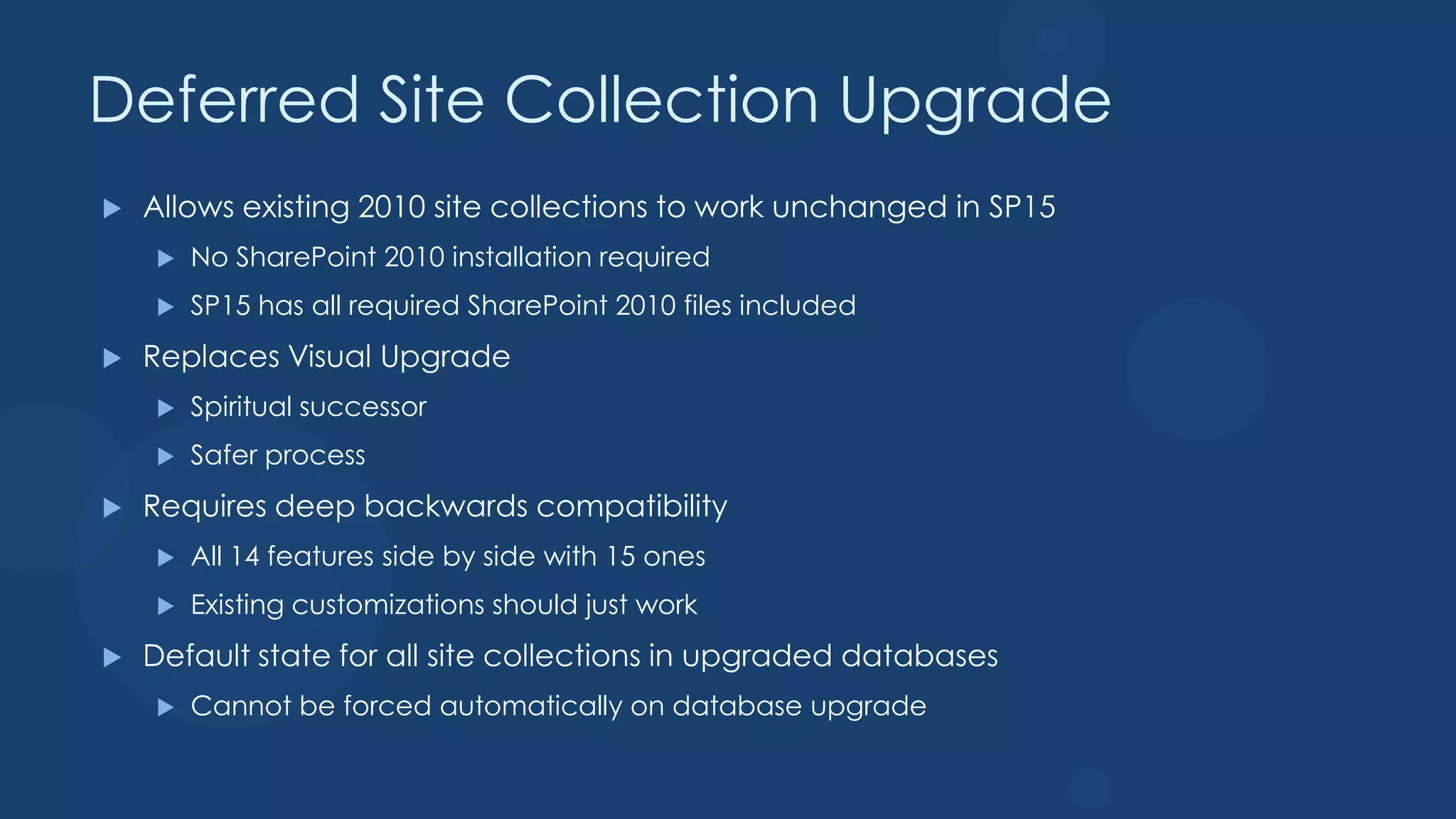
Deferred Site Collection Upgrade
   Allows existing 2010 site collections to work unchanged in SP15
       No SharePoint 2010 installation required
       SP15 has all required SharePoint 2010 files included
   Replaces Visual Upgrade
       Spiritual successor
       Safer process
   Requires deep backwards compatibility
       All 14 features side by side with 15 ones
       Existing customizations should just work
   Default state for all site collections in upgraded databases
       Cannot be forced automatically on database upgrade
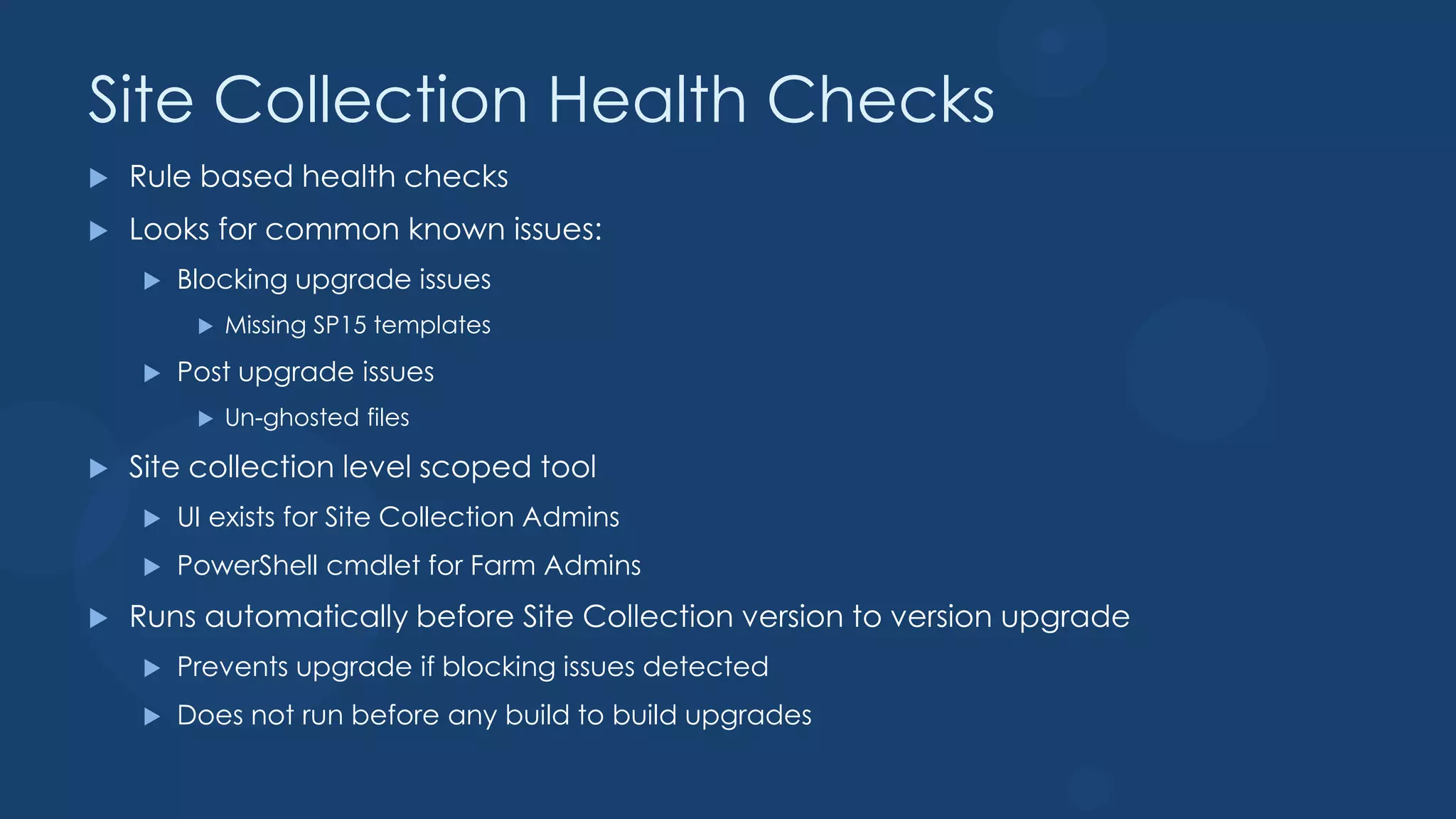
Site Collection Health Checks
   Rule based health checks
   Looks for common known issues:
       Blocking upgrade issues
            Missing SP15 templates
       Post upgrade issues
            Un-ghosted files

   Site collection level scoped tool
       UI exists for Site Collection Admins
       PowerShell cmdlet for Farm Admins
   Runs automatically before Site Collection version to version upgrade
       Prevents upgrade if blocking issues detected
       Does not run before any build to build upgrades
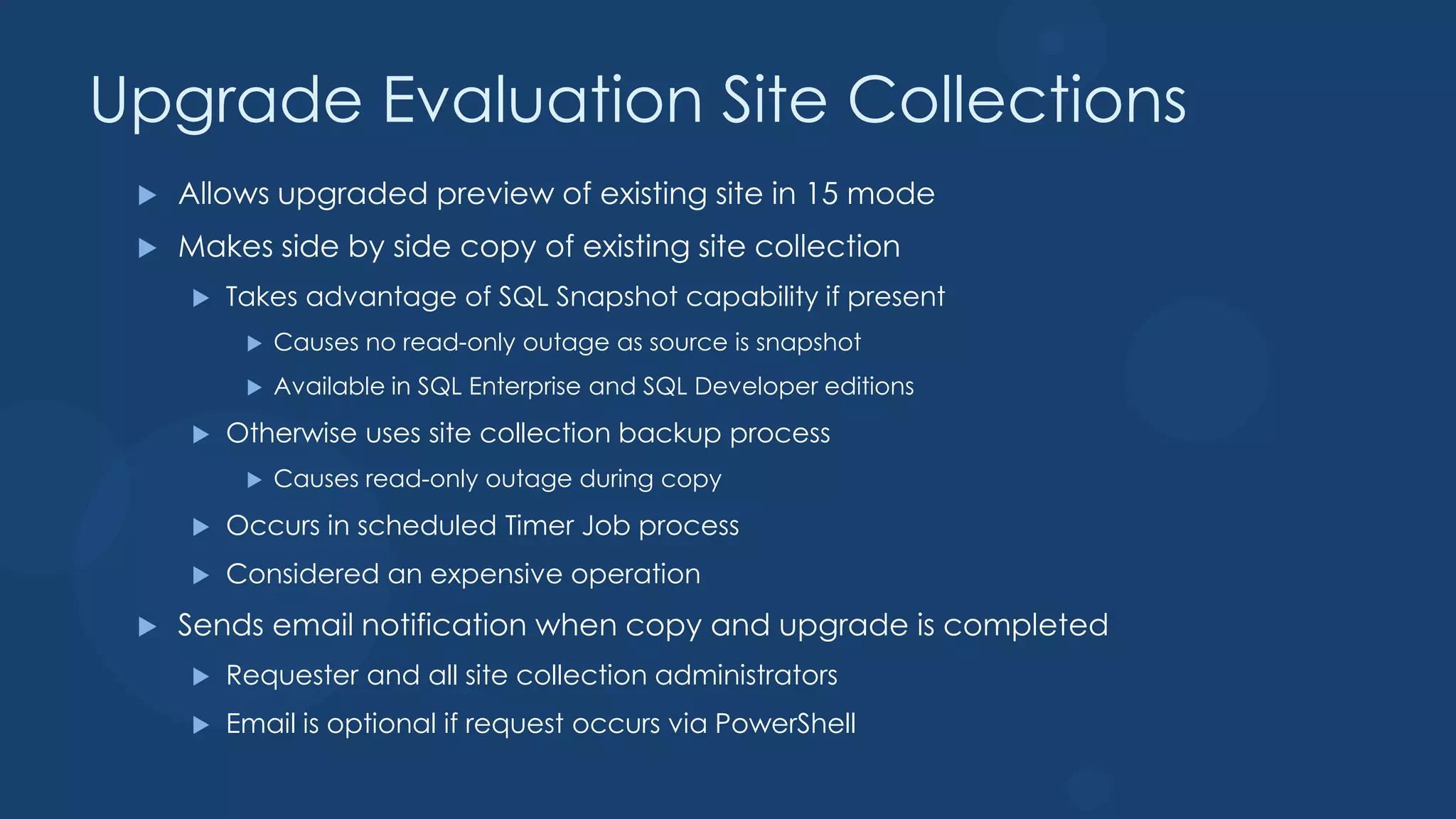
Upgrade Evaluation Site Collections
    Allows upgraded preview of existing site in 15 mode
    Makes side by side copy of existing site collection
        Takes advantage of SQL Snapshot capability if present
             Causes no read-only outage as source is snapshot
             Available in SQL Enterprise and SQL Developer editions
        Otherwise uses site collection backup process
             Causes read-only outage during copy
        Occurs in scheduled Timer Job process
        Considered an expensive operation
    Sends email notification when copy and upgrade is completed
        Requester and all site collection administrators
        Email is optional if request occurs via PowerShell
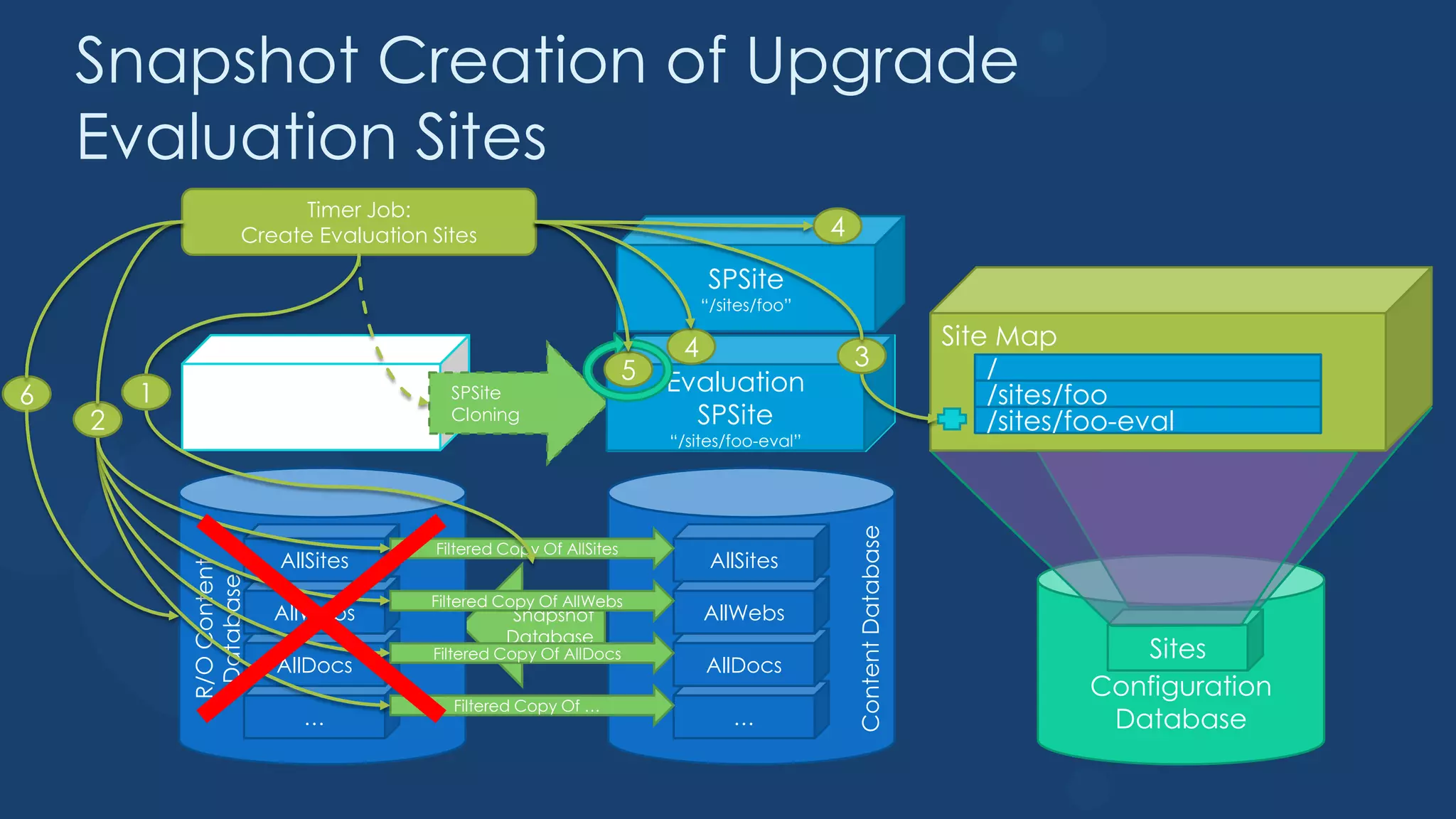
Snapshot Creation of Upgrade
    Evaluation Sites
                            Timer Job:
                      Create Evaluation Sites                                                4
                                                                             SPSite
                                                                            “/sites/foo”

                                                                          4                                         Site Map
                                                                     5                           3                      /
6       1                                                                Evaluation
                                                                           Clone                                        /sites/foo
                           SPSite          SPSite
    2                     “/sites/foo”
                                           Cloning                         SPSite                                       /sites/foo-eval
                                                                         “/sites/foo-eval”


                                                                                                 Content Database
                                         Filtered Copy Of AllSites
                           AllSites                                           AllSites
            R/O Content
             Database


                                         Filtered Copy Of AllWebs
                           AllWebs                 Snapshot                  AllWebs
                                                  Database
                                         Filtered Copy Of AllDocs                                                                  Sites
                           AllDocs                                           AllDocs
                                                                                                                                Configuration
                                           Filtered Copy Of …
                               …                                                 …                                               Database
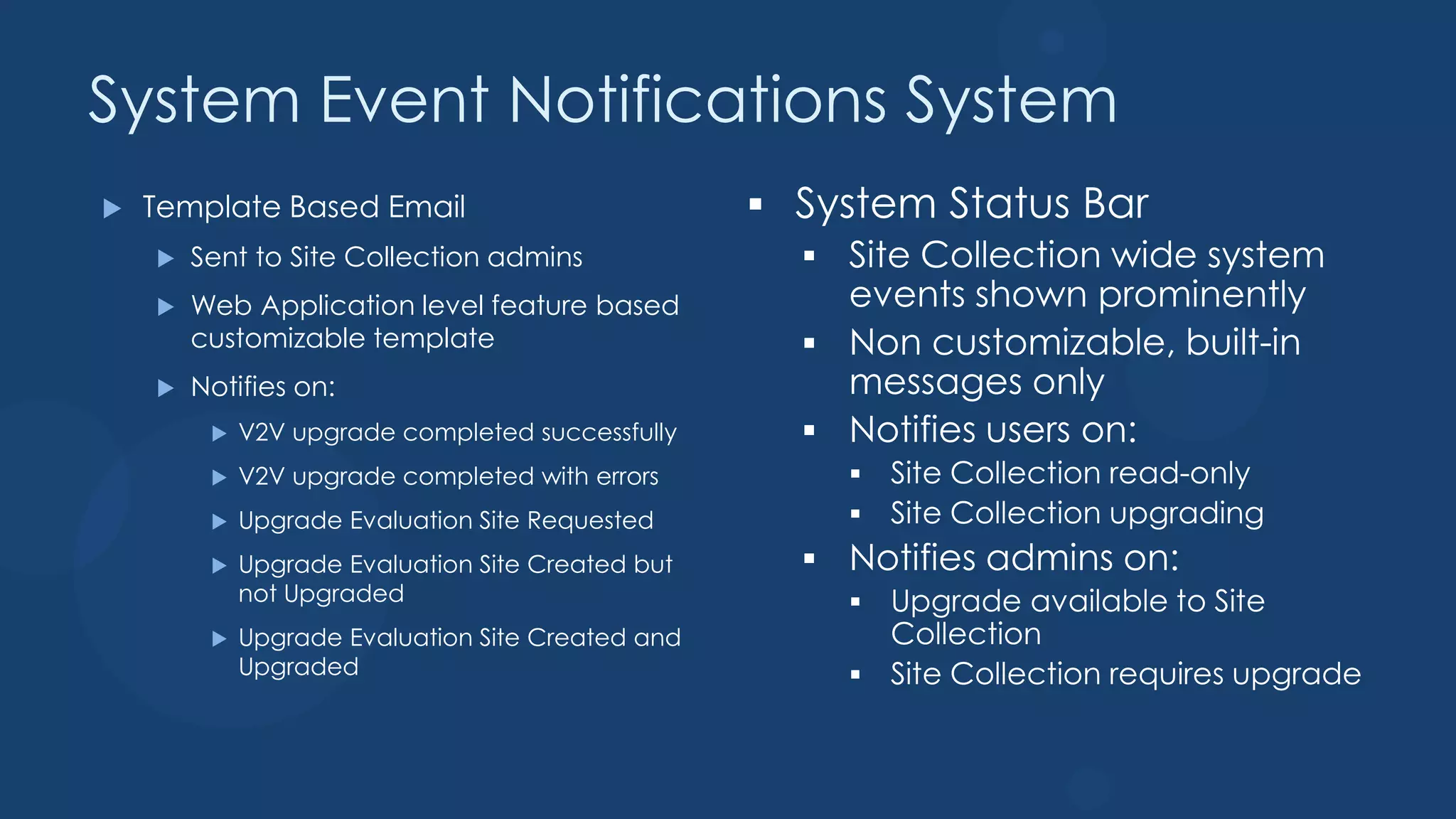
System Event Notifications System
   Template Based Email
       Sent to Site Collection admins
       Web Application level feature based
        customizable template
       Notifies on:
            V2V upgrade completed successfully
            V2V upgrade completed with errors
            Upgrade Evaluation Site Requested
            Upgrade Evaluation Site Created but
             not Upgraded
            Upgrade Evaluation Site Created and
             Upgraded
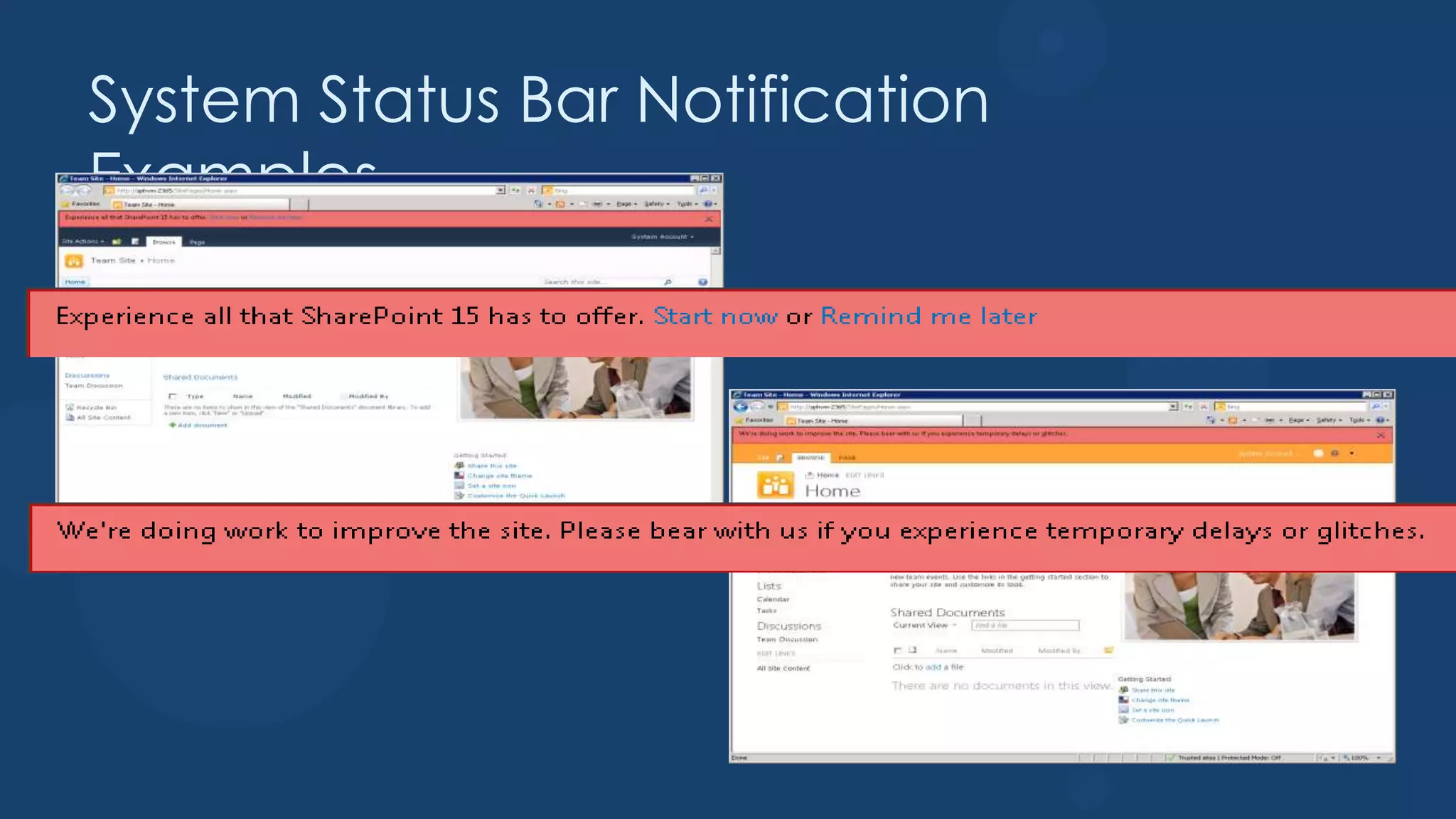
System Status Bar Notification
Examples
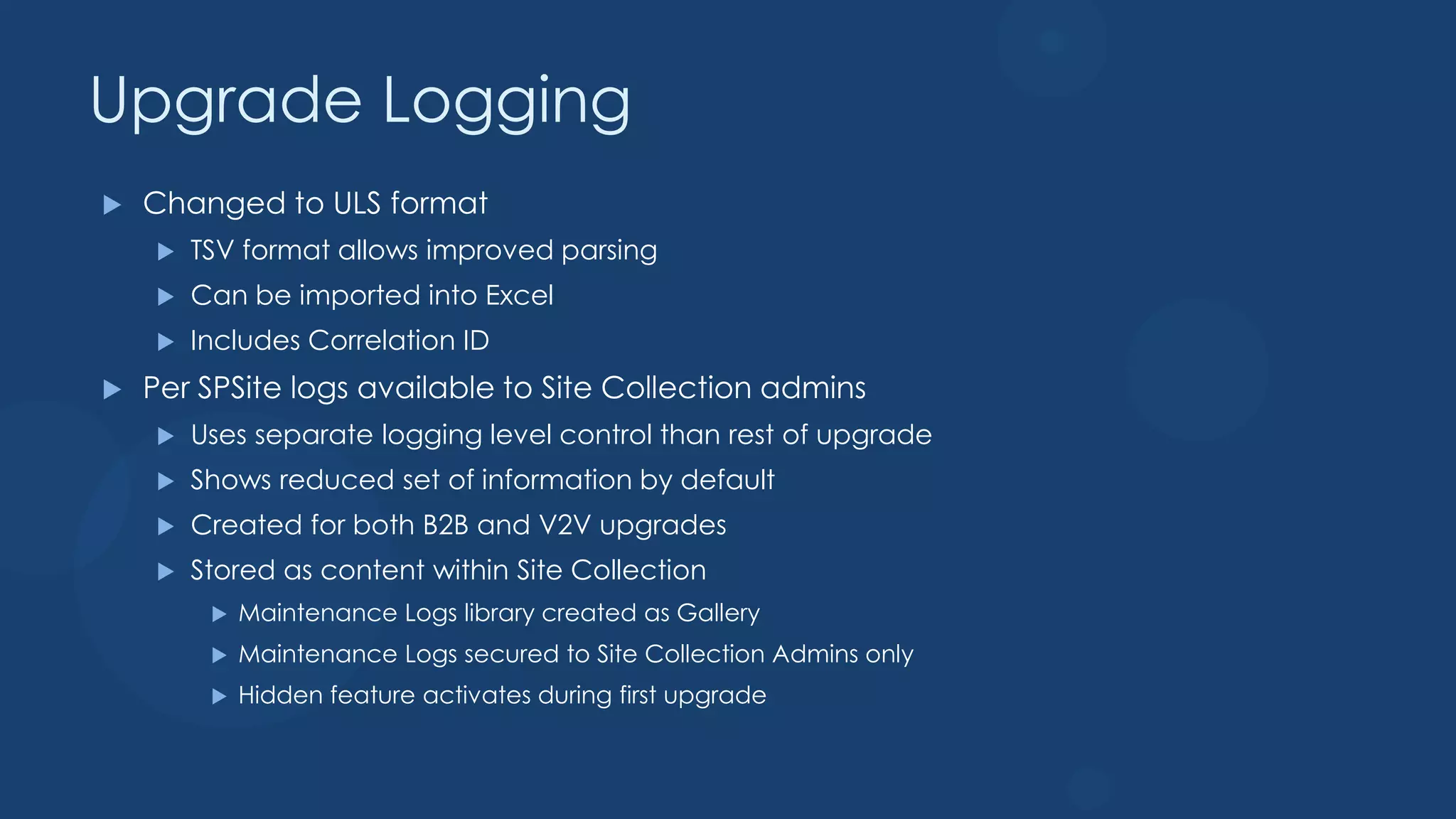
Upgrade Logging
   Changed to ULS format
       TSV format allows improved parsing
       Can be imported into Excel
       Includes Correlation ID
   Per SPSite logs available to Site Collection admins
       Uses separate logging level control than rest of upgrade
       Shows reduced set of information by default
       Created for both B2B and V2V upgrades
       Stored as content within Site Collection
            Maintenance Logs library created as Gallery
            Maintenance Logs secured to Site Collection Admins only
            Hidden feature activates during first upgrade
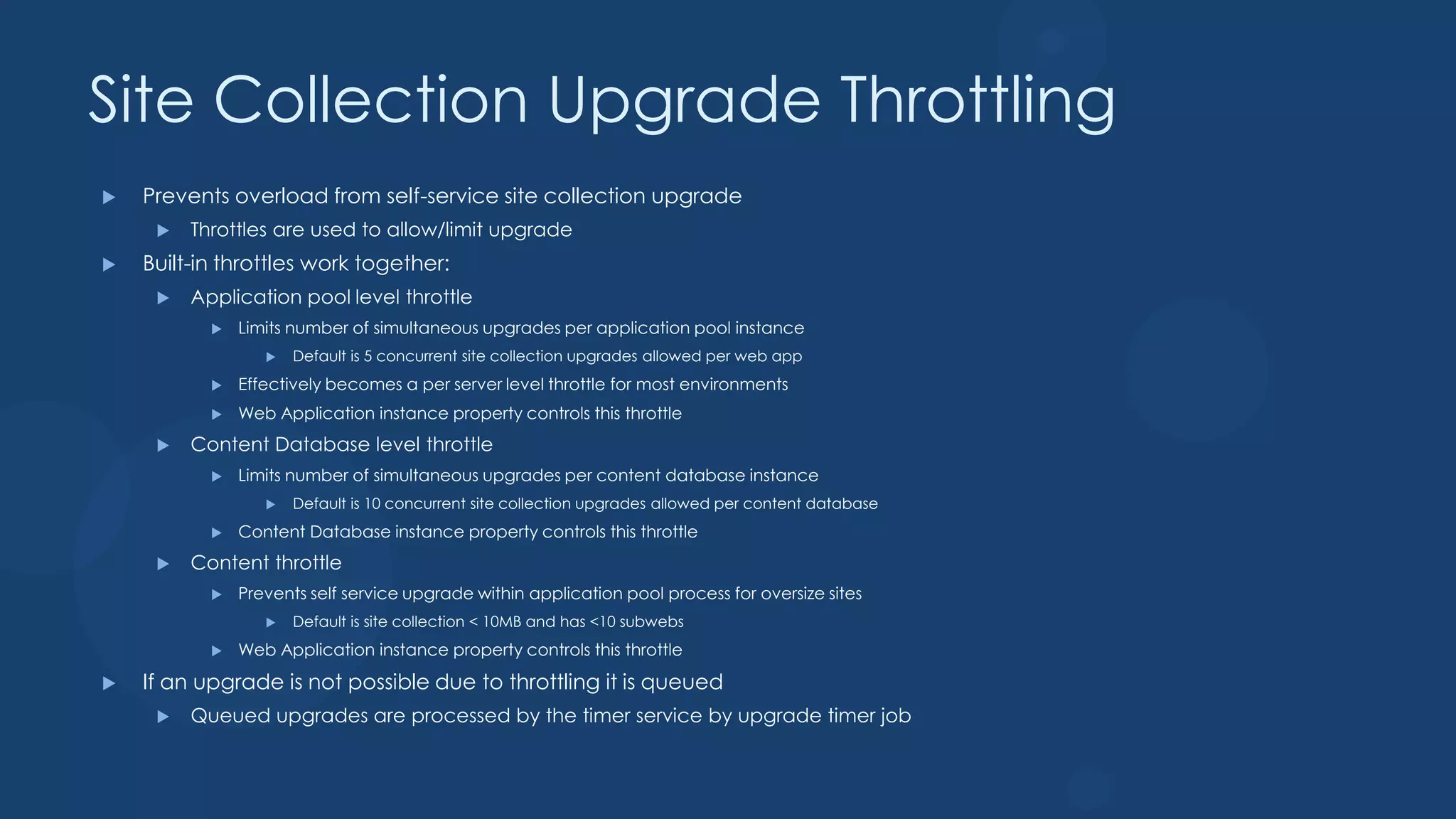
Site Collection Upgrade Throttling
   Prevents overload from self-service site collection upgrade
        Throttles are used to allow/limit upgrade
   Built-in throttles work together:
        Application pool level throttle
              Limits number of simultaneous upgrades per application pool instance
                     Default is 5 concurrent site collection upgrades allowed per web app
              Effectively becomes a per server level throttle for most environments
              Web Application instance property controls this throttle
        Content Database level throttle
              Limits number of simultaneous upgrades per content database instance
                     Default is 10 concurrent site collection upgrades allowed per content database
              Content Database instance property controls this throttle
        Content throttle
              Prevents self service upgrade within application pool process for oversize sites
                     Default is site collection < 10MB and has <10 subwebs
              Web Application instance property controls this throttle
   If an upgrade is not possible due to throttling it is queued
        Queued upgrades are processed by the timer service by upgrade timer job
Learn Upgrade
DEFERRED SITE COLLECTION UPGRADE
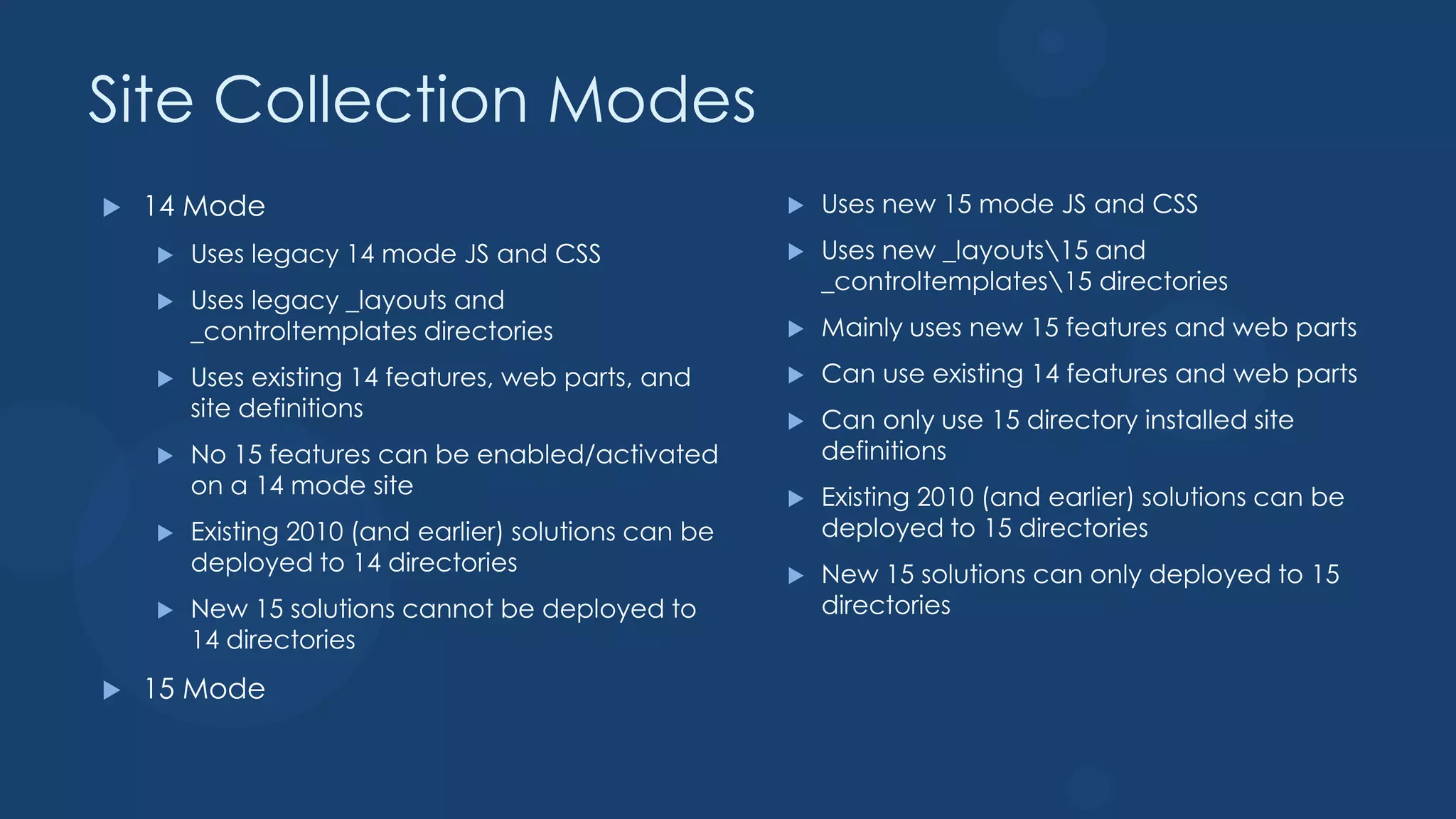
Site Collection Modes
   14 Mode                                               Uses new 15 mode JS and CSS
       Uses legacy 14 mode JS and CSS                    Uses new _layouts15 and
                                                           _controltemplates15 directories
       Uses legacy _layouts and
        _controltemplates directories                     Mainly uses new 15 features and web parts
       Uses existing 14 features, web parts, and         Can use existing 14 features and web parts
        site definitions                                  Can only use 15 directory installed site
       No 15 features can be enabled/activated            definitions
        on a 14 mode site                                 Existing 2010 (and earlier) solutions can be
       Existing 2010 (and earlier) solutions can be       deployed to 15 directories
        deployed to 14 directories                        New 15 solutions can only deployed to 15
       New 15 solutions cannot be deployed to             directories
        14 directories
   15 Mode
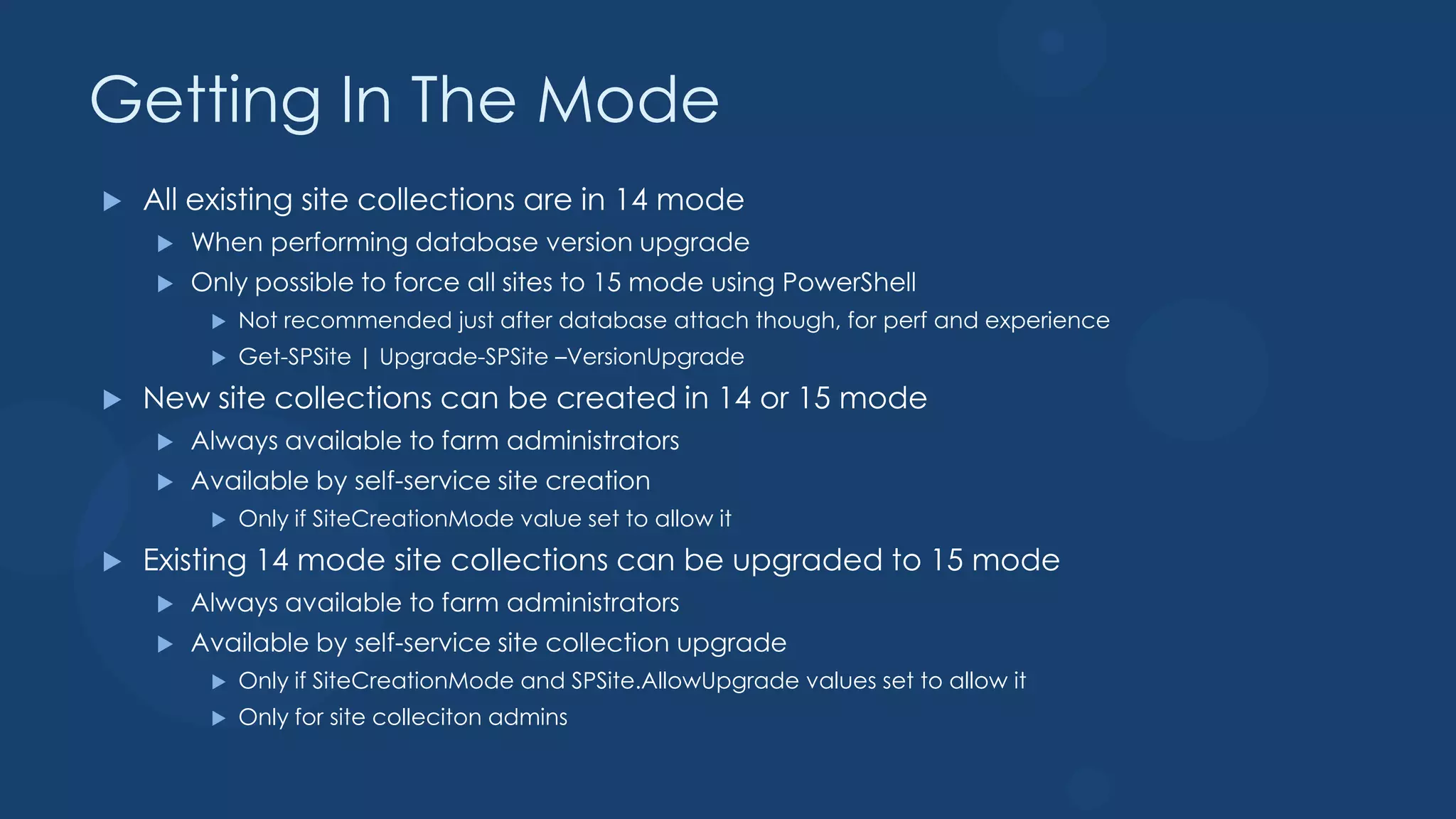
Getting In The Mode
   All existing site collections are in 14 mode
       When performing database version upgrade
       Only possible to force all sites to 15 mode using PowerShell
            Not recommended just after database attach though, for perf and experience
            Get-SPSite | Upgrade-SPSite –VersionUpgrade
   New site collections can be created in 14 or 15 mode
       Always available to farm administrators
       Available by self-service site creation
            Only if SiteCreationMode value set to allow it
   Existing 14 mode site collections can be upgraded to 15 mode
       Always available to farm administrators
       Available by self-service site collection upgrade
            Only if SiteCreationMode and SPSite.AllowUpgrade values set to allow it
            Only for site colleciton admins
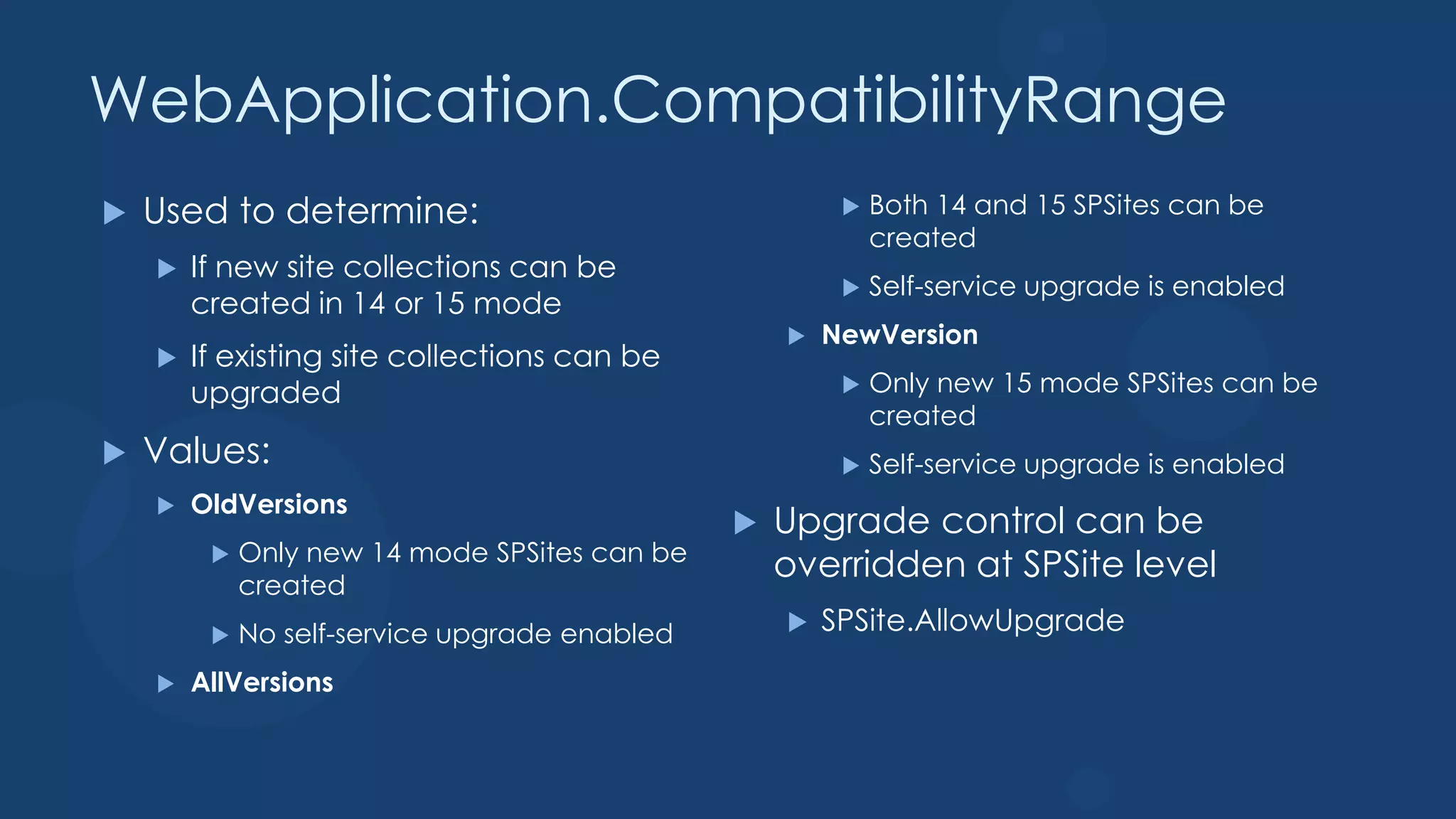
WebApplication.CompatibilityRange
   Used to determine:                                     Both 14 and 15 SPSites can be
                                                            created
       If new site collections can be
                                                           Self-service upgrade is enabled
        created in 14 or 15 mode
                                                      NewVersion
       If existing site collections can be
        upgraded                                           Only new 15 mode SPSites can be
                                                            created
   Values:                                                Self-service upgrade is enabled
       OldVersions
                                                  Upgrade control can be
             Only new 14 mode SPSites can be
         
             created
                                                   overridden at SPSite level
            No self-service upgrade enabled          SPSite.AllowUpgrade

       AllVersions
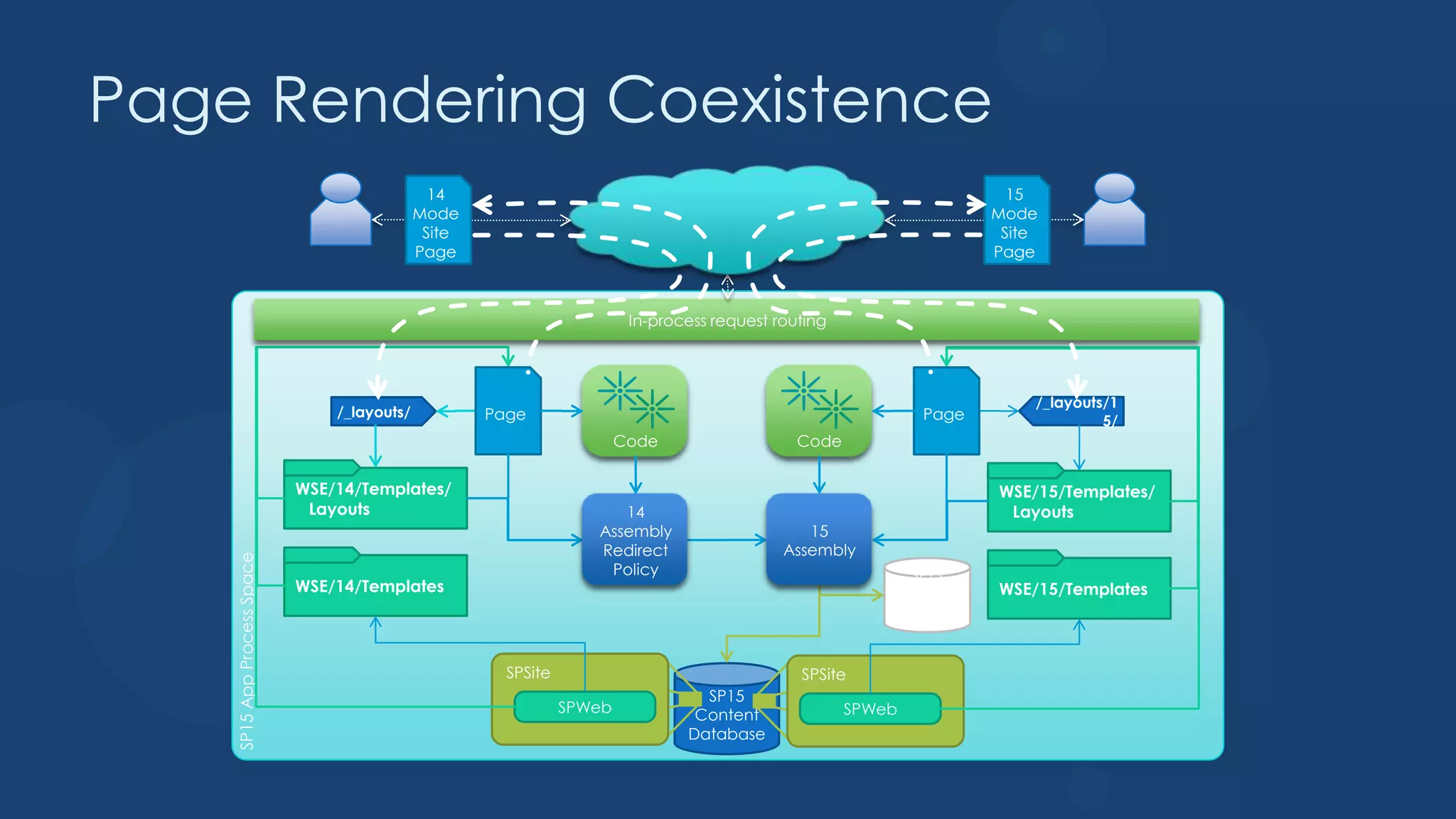
Page Rendering Coexistence
                                                14                                                                         15
                                              Mode                                                                       Mode
                                               Site                                                                       Site
                                              Page                                                                       Page


                                                                          In-process request routing


                                                                                                                             /_layouts/1
                                 /_layouts/           Page                                                       Page                 5/
                                                                         Code                   Code

                             WSE/14/Templates/                                                                           WSE/15/Templates/
                              Layouts                                  14                                                 Layouts
                                                                    Assembly                     15
                                                                    Redirect                  Assembly
    SP15 App Process Space


                                                                     Policy                                      SP15
                             WSE/14/Templates                                                                   Config   WSE/15/Templates
                                                                                                               Databas
                                                                                                                  e


                                                        SPSite                                  SPSite
                                                                                   SP15
                                                                 SPWeb            Content              SPWeb
                                                                                 Database
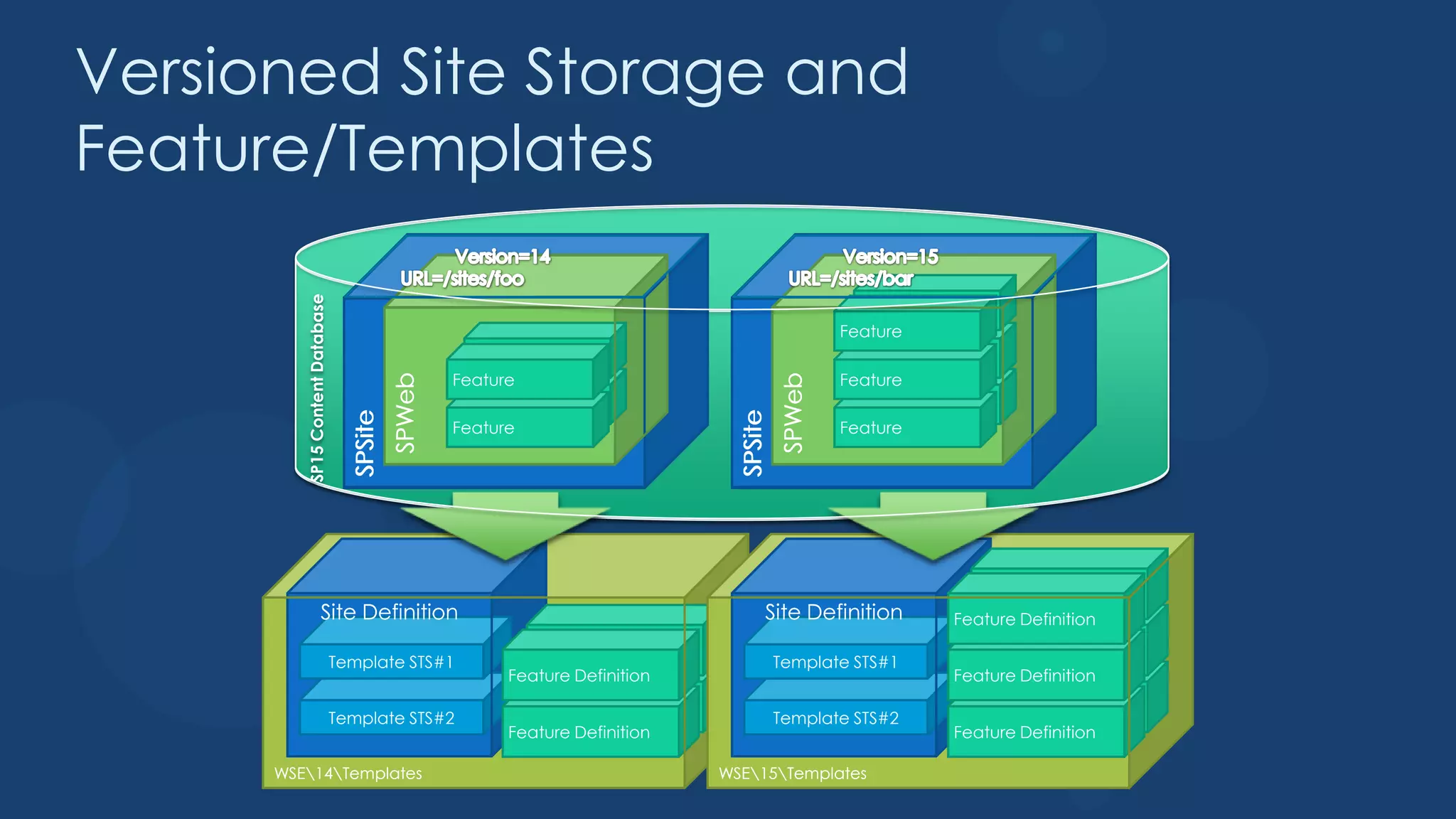
Versioned Site Storage and
Feature/Templates

         SP15 Content Database                                                                       Feature
                                                                                                   Feature
                                                      Feature                                        Feature
                                                    Feature                                        Feature
                                            SPWeb


                                                                                           SPWeb
                                                      Feature                                        Feature
                                   SPSite


                                                                                  SPSite
                                                    Feature                                        Feature


                                                                                                                 Feature Definition
                       Site Definition                                                 Site Definition         Feature Definition
                                                            Feature Definition                                   Feature Definition
                                 Template STS#1                                            Template STS#1
                                                          Feature Definition                                   Feature Definition
                                                            Feature Definition                                   Feature Definition
                                 Template STS#2                                            Template STS#2
                                                          Feature Definition                                   Feature Definition

      WSE14Templates                                                           WSE15Templates
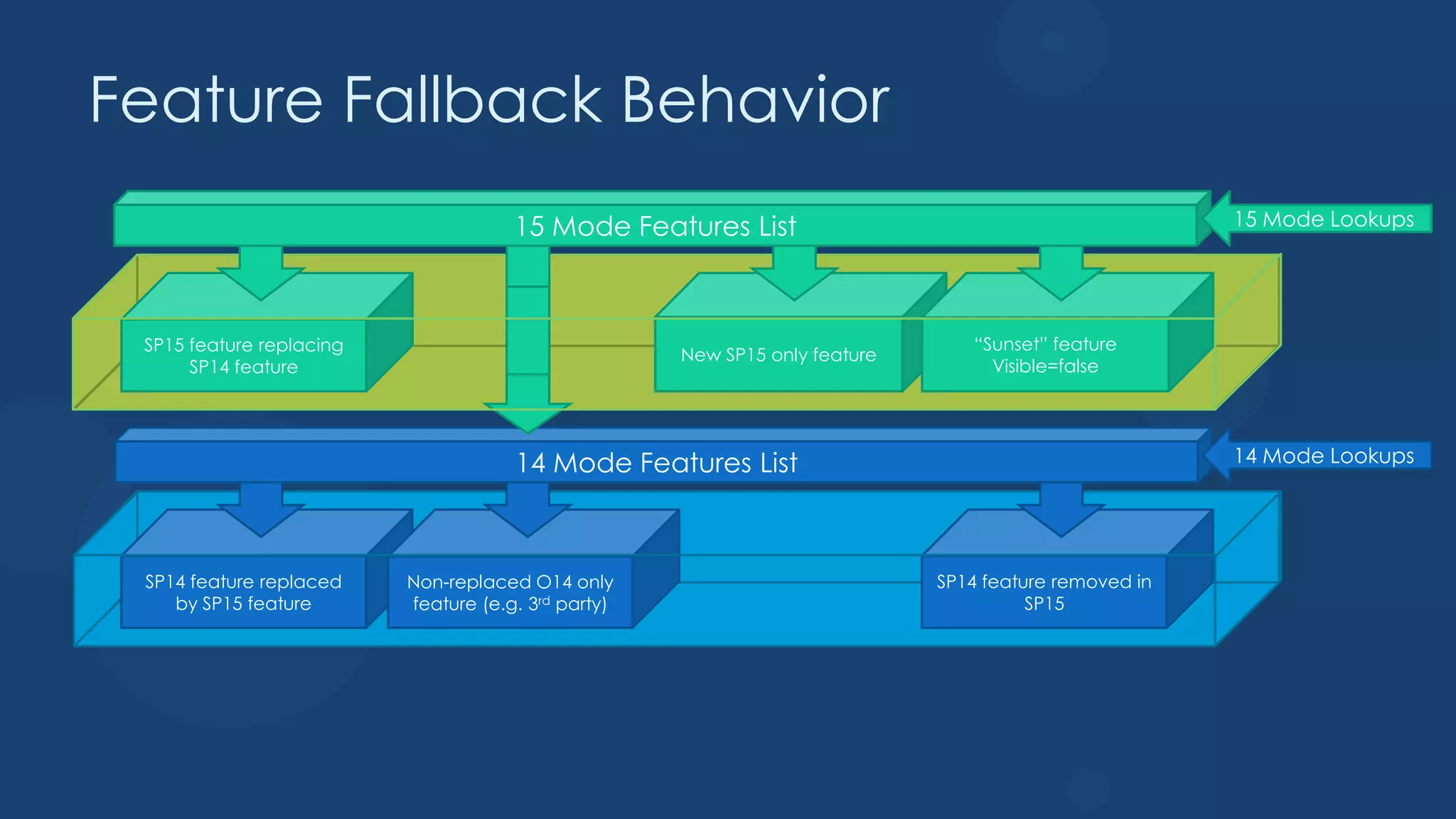
Feature Fallback Behavior
                                      15 Mode Features List                                            15 Mode Lookups


 SP15 feature replacing                                                         “Sunset” feature
                                                     New SP15 only feature
      SP14 feature                                                                Visible=false


                                      14 Mode Features List                                            14 Mode Lookups


 SP14 feature replaced    Non-replaced O14 only                              SP14 feature removed in
    by SP15 feature       feature (e.g. 3rd party)                                     SP15
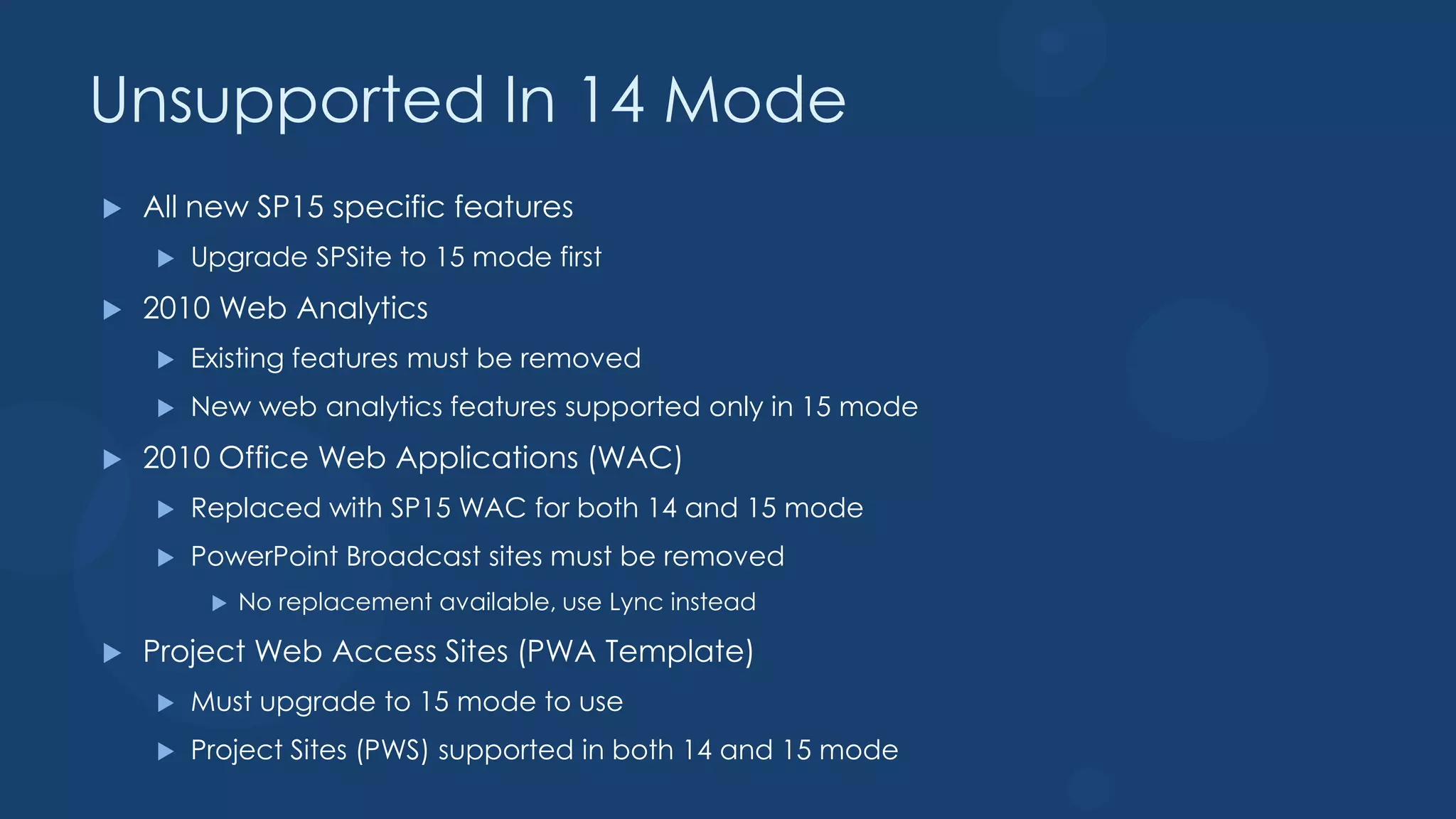
Unsupported In 14 Mode
   All new SP15 specific features
       Upgrade SPSite to 15 mode first
   2010 Web Analytics
       Existing features must be removed
       New web analytics features supported only in 15 mode
   2010 Office Web Applications (WAC)
       Replaced with SP15 WAC for both 14 and 15 mode
       PowerPoint Broadcast sites must be removed
            No replacement available, use Lync instead

   Project Web Access Sites (PWA Template)
       Must upgrade to 15 mode to use
       Project Sites (PWS) supported in both 14 and 15 mode
Using Self-Service Site
Collection Upgrade
Database Changes
   Security improvements
       New application roles on all databases
            Replaces requiring DB_Owner role for normal use
                  DB_Owner or equivalent rights still required to perform database upgrades
            Running accounts no longer have schema modification rights
            Note: Roles exist in beta 1 but the upgrade to change this does not exist in Beta 1
   Runtime content database optimizations
       Sparse column support allows wider lists
            This results in a longer running database upgrade action depending on source data
       Shredded store to support file edits
            This results in a longer running database upgrade action depending on source data
   Upgrade depth improvements
       Upgrade of content database schema is separated from site collection upgrade
            Allows faster database upgrade performance
Upgrading Services
   15 WAC now on separate farm
       Consumable only by SP15 farms
            New WOPI protocol support only exists starting with SP15
       Works in both 14 and 15 mode for Site Collections
            New WAC functionality for editing documents shows up in 14 mode
   User Defined Functions no longer work in Excel Services
       This is due to changes around how WAC is designed
Farm Admin Upgrade
Summary
 What’s New in Upgrade
  Need New Hardware
  Database Attach Upgrade Only
  Move Service Apps First then Content Databases
  Deferred Site Collection Upgrade
  Self Service Site Collection Upgrade
  Upgrade Evaluation Site
  PowerShell for Super Admin
Q&A
Thank You

Upgrading to SharePoint 2013

  • 1.
    Upgrading from SharePoint 2010to SharePoint 2013 Jerry Yasir SharePoint MVP
  • 2.
    Who Am I? SharePointServer MVP Since 2009 SharePoint Practice Lead at US TECH Solutions (Jersey City, NJ) Founder of the Largest SharePoint User Group in Middle East Riyadh SharePoint User Group RSUG  Co-Lead SharePoint Pakistan User Group Microsoft Certified Trainer (MCT) since 2008. MCITP SharePoint Admin 2010, MCPD SharePoint Developer 2010 & MCTS SharePoint 2010 Configuration & Development MCTS WSS 3.0, SharePoint Server 2007, MCITP, MCTS Silverlight 4 Development, Project Server 2007 & 2010, MCTS Project Professional 2007 & 2010, MCPD.NET, MCSD.NET MCAD.NET Email: yasir.attiq@gmail.com, MSN: yasi_butt@hotmail.com Twitter: @jerry_yasir Facebook: yasir.attiq (Jerry Yasir) Blog: http://jerryyasir.wordpress.com
  • 3.
    Overview – MyCompany 3  Leading global consulting company, offering domain led IT Consulting services for more than 12 years .  Development centers and COE’s in the US and India.  IT consultants deployed globally on various projects.  Access to a unique portfolio of innovative technologies that reduce IT project cost, timescales and risk.  A large and diverse pool of resources with expertise on various technologies and at various levels.  Specially Designed Skill & Career Development Programs  Technology partnerships with leading OEM’s like Microsoft, Oracle and IBM. ©US Tech Solutions, 2012 www.ustechsolutions.com
  • 4.
    Agenda What’s Windows to Things to Know Claims New Site Collection Demos Q&A Upgrade
  • 5.
    Upgrade Cycle Learn •Upgrade methods •New capabilities •Downtime mitigation Validate Prepare •Troubleshooting •Document environment •Upgrade event failures •Manage customizations •UI/UX issues •Plan upgrade strategy •Data issues •Make items upgradable Implement Test •Build/upgrade farms •Build test farms •Deploy customizations •Use real data •Minimize downtime •Evaluate techniques •Monitor progress •Find issues early
  • 6.
    Things to KnowBefore Upgrade!  No Reuse of Existing Hardware  SharePoint 2010 and 2013 not be on a Single Server  No In-place Upgrade  Only Database Attach Upgrade (In-Place only B2B)  Supported Databases  Unsupported Databases  Content databases  Configuration database  Project databases - Note: 4 to 1  Unsupported for both V2V and B2B upgrades  Has never been supported in prior versions  Search admin database  Search index databases  Profile database  Unsupported for V2V upgrades only  Social database  Sync database  Managed Metadata database  Unsupported for V2V upgrades only  Secure Store database - Passphrase Req.  Access databases B2B Only
  • 7.
    Authentication Mode Support& Upgrade  Windows Classic Support (Legacy)  SP15 supports this with some issues  Windows Claims Support  2010 supports this with a few exceptions  Outlined in claims migration document  Migration before upgrade recommended  Forms Auth Support  No changes from 2010  Ensure provider installed with same name before database attachment  Database to Web Application authentication mode mismatches  Database attach in SP15 detects mismatched auth support  Test-SPContentDatabase in SP15 also detects this  Fix before attaching is best advice
  • 8.
    Claims Migration BestPractices WRT Upgrade  Should not do together  Prevent stacked faults that could confuse troubleshooting  Ideally migrate to claims before upgrade  Alternately do so after upgrade is completed and verified successful  Find authentication mode mismatch issues between content databases and web applications with Test-SPContentDatabase first  If partial migration within content database, solve that before continuing  If misconfigured web application, fix before doing database attach/upgrades  Ensure all external data source/web services work as expected after claims migration
  • 9.
    Convert from Windowsto Claims  Do it in 2010 Farm – Much Better approach  Use Direct PowerShell Script for all users  Use Code Provided by Conversion Document and Test with users  Do it in 2013 by Creating Windows Claim Web App then use Convert-SPWebApplication to change from Windows to Claims
  • 10.
    Windows to Claims- Migration
  • 11.
    Now Change theWeb App to use Claims $WebAppName = "http://sp2010/" $wa = get-SPWebApplication $WebAppName $wa.UseClaimsAuthentication = $true $wa.Update()
  • 12.
    Migration Script toUpdate User from Windows to Claims $account = "spdomadministrator" $account = (New-SPClaimsPrincipal -identity $account -identitytype 1).ToEncodedString() $wa = get-SPWebApplication $WebAppName $zp = $wa.ZonePolicies("Default") $p = $zp.Add($account,"PSPolicy") $fc=$wa.PolicyRoles.GetSpecialRole("FullControl") $p.PolicyRoleBindings.Add($fc) $wa.Update() $wa.MigrateUsers($true) $wa.ProvisionGlobally()  Notice the tp_Login Columns
  • 13.
    You will getaccess denied so update you site cache users $webapp = Get-SPWebApplication http://sp2010 $webapp.Properties["portalsuperuseraccount"] = "i:0#.w|spdomsp_cachesuperuser" $webapp.Properties["portalsuperreaderaccount"] = "i:0#.w|spdomsp_cachesuperreader" $webapp.Update() Make sure you test with other users
  • 14.
  • 15.
  • 16.
  • 17.
    Upgrade Improvements Overview  Deferred Site Collection Upgrade  Site Collection Health Checks  Upgrade Evaluation Site Collections  System Event Notifications System  Logging Changes  Site Collection Upgrade Throttling  Federated Services Compatibility Cross Versions
  • 18.
    Deferred Site CollectionUpgrade  Allows existing 2010 site collections to work unchanged in SP15  No SharePoint 2010 installation required  SP15 has all required SharePoint 2010 files included  Replaces Visual Upgrade  Spiritual successor  Safer process  Requires deep backwards compatibility  All 14 features side by side with 15 ones  Existing customizations should just work  Default state for all site collections in upgraded databases  Cannot be forced automatically on database upgrade
  • 19.
    Site Collection HealthChecks  Rule based health checks  Looks for common known issues:  Blocking upgrade issues  Missing SP15 templates  Post upgrade issues  Un-ghosted files  Site collection level scoped tool  UI exists for Site Collection Admins  PowerShell cmdlet for Farm Admins  Runs automatically before Site Collection version to version upgrade  Prevents upgrade if blocking issues detected  Does not run before any build to build upgrades
  • 20.
    Upgrade Evaluation SiteCollections  Allows upgraded preview of existing site in 15 mode  Makes side by side copy of existing site collection  Takes advantage of SQL Snapshot capability if present  Causes no read-only outage as source is snapshot  Available in SQL Enterprise and SQL Developer editions  Otherwise uses site collection backup process  Causes read-only outage during copy  Occurs in scheduled Timer Job process  Considered an expensive operation  Sends email notification when copy and upgrade is completed  Requester and all site collection administrators  Email is optional if request occurs via PowerShell
  • 21.
    Snapshot Creation ofUpgrade Evaluation Sites Timer Job: Create Evaluation Sites 4 SPSite “/sites/foo” 4 Site Map 5 3 / 6 1 Evaluation Clone /sites/foo SPSite SPSite 2 “/sites/foo” Cloning SPSite /sites/foo-eval “/sites/foo-eval” Content Database Filtered Copy Of AllSites AllSites AllSites R/O Content Database Filtered Copy Of AllWebs AllWebs Snapshot AllWebs Database Filtered Copy Of AllDocs Sites AllDocs AllDocs Configuration Filtered Copy Of … … … Database
  • 22.
    System Event NotificationsSystem  Template Based Email  Sent to Site Collection admins  Web Application level feature based customizable template  Notifies on:  V2V upgrade completed successfully  V2V upgrade completed with errors  Upgrade Evaluation Site Requested  Upgrade Evaluation Site Created but not Upgraded  Upgrade Evaluation Site Created and Upgraded
  • 23.
    System Status BarNotification Examples
  • 24.
    Upgrade Logging  Changed to ULS format  TSV format allows improved parsing  Can be imported into Excel  Includes Correlation ID  Per SPSite logs available to Site Collection admins  Uses separate logging level control than rest of upgrade  Shows reduced set of information by default  Created for both B2B and V2V upgrades  Stored as content within Site Collection  Maintenance Logs library created as Gallery  Maintenance Logs secured to Site Collection Admins only  Hidden feature activates during first upgrade
  • 25.
    Site Collection UpgradeThrottling  Prevents overload from self-service site collection upgrade  Throttles are used to allow/limit upgrade  Built-in throttles work together:  Application pool level throttle  Limits number of simultaneous upgrades per application pool instance  Default is 5 concurrent site collection upgrades allowed per web app  Effectively becomes a per server level throttle for most environments  Web Application instance property controls this throttle  Content Database level throttle  Limits number of simultaneous upgrades per content database instance  Default is 10 concurrent site collection upgrades allowed per content database  Content Database instance property controls this throttle  Content throttle  Prevents self service upgrade within application pool process for oversize sites  Default is site collection < 10MB and has <10 subwebs  Web Application instance property controls this throttle  If an upgrade is not possible due to throttling it is queued  Queued upgrades are processed by the timer service by upgrade timer job
  • 26.
    Learn Upgrade DEFERRED SITECOLLECTION UPGRADE
  • 27.
    Site Collection Modes  14 Mode  Uses new 15 mode JS and CSS  Uses legacy 14 mode JS and CSS  Uses new _layouts15 and _controltemplates15 directories  Uses legacy _layouts and _controltemplates directories  Mainly uses new 15 features and web parts  Uses existing 14 features, web parts, and  Can use existing 14 features and web parts site definitions  Can only use 15 directory installed site  No 15 features can be enabled/activated definitions on a 14 mode site  Existing 2010 (and earlier) solutions can be  Existing 2010 (and earlier) solutions can be deployed to 15 directories deployed to 14 directories  New 15 solutions can only deployed to 15  New 15 solutions cannot be deployed to directories 14 directories  15 Mode
  • 28.
    Getting In TheMode  All existing site collections are in 14 mode  When performing database version upgrade  Only possible to force all sites to 15 mode using PowerShell  Not recommended just after database attach though, for perf and experience  Get-SPSite | Upgrade-SPSite –VersionUpgrade  New site collections can be created in 14 or 15 mode  Always available to farm administrators  Available by self-service site creation  Only if SiteCreationMode value set to allow it  Existing 14 mode site collections can be upgraded to 15 mode  Always available to farm administrators  Available by self-service site collection upgrade  Only if SiteCreationMode and SPSite.AllowUpgrade values set to allow it  Only for site colleciton admins
  • 29.
    WebApplication.CompatibilityRange  Used to determine:  Both 14 and 15 SPSites can be created  If new site collections can be  Self-service upgrade is enabled created in 14 or 15 mode  NewVersion  If existing site collections can be upgraded  Only new 15 mode SPSites can be created  Values:  Self-service upgrade is enabled  OldVersions  Upgrade control can be Only new 14 mode SPSites can be  created overridden at SPSite level  No self-service upgrade enabled  SPSite.AllowUpgrade  AllVersions
  • 30.
    Page Rendering Coexistence 14 15 Mode Mode Site Site Page Page In-process request routing /_layouts/1 /_layouts/ Page Page 5/ Code Code WSE/14/Templates/ WSE/15/Templates/ Layouts 14 Layouts Assembly 15 Redirect Assembly SP15 App Process Space Policy SP15 WSE/14/Templates Config WSE/15/Templates Databas e SPSite SPSite SP15 SPWeb Content SPWeb Database
  • 31.
    Versioned Site Storageand Feature/Templates SP15 Content Database Feature Feature Feature Feature Feature Feature SPWeb SPWeb Feature Feature SPSite SPSite Feature Feature Feature Definition Site Definition Site Definition Feature Definition Feature Definition Feature Definition Template STS#1 Template STS#1 Feature Definition Feature Definition Feature Definition Feature Definition Template STS#2 Template STS#2 Feature Definition Feature Definition WSE14Templates WSE15Templates
  • 32.
    Feature Fallback Behavior 15 Mode Features List 15 Mode Lookups SP15 feature replacing “Sunset” feature New SP15 only feature SP14 feature Visible=false 14 Mode Features List 14 Mode Lookups SP14 feature replaced Non-replaced O14 only SP14 feature removed in by SP15 feature feature (e.g. 3rd party) SP15
  • 33.
    Unsupported In 14Mode  All new SP15 specific features  Upgrade SPSite to 15 mode first  2010 Web Analytics  Existing features must be removed  New web analytics features supported only in 15 mode  2010 Office Web Applications (WAC)  Replaced with SP15 WAC for both 14 and 15 mode  PowerPoint Broadcast sites must be removed  No replacement available, use Lync instead  Project Web Access Sites (PWA Template)  Must upgrade to 15 mode to use  Project Sites (PWS) supported in both 14 and 15 mode
  • 34.
  • 35.
    Database Changes  Security improvements  New application roles on all databases  Replaces requiring DB_Owner role for normal use  DB_Owner or equivalent rights still required to perform database upgrades  Running accounts no longer have schema modification rights  Note: Roles exist in beta 1 but the upgrade to change this does not exist in Beta 1  Runtime content database optimizations  Sparse column support allows wider lists  This results in a longer running database upgrade action depending on source data  Shredded store to support file edits  This results in a longer running database upgrade action depending on source data  Upgrade depth improvements  Upgrade of content database schema is separated from site collection upgrade  Allows faster database upgrade performance
  • 36.
    Upgrading Services  15 WAC now on separate farm  Consumable only by SP15 farms  New WOPI protocol support only exists starting with SP15  Works in both 14 and 15 mode for Site Collections  New WAC functionality for editing documents shows up in 14 mode  User Defined Functions no longer work in Excel Services  This is due to changes around how WAC is designed
  • 37.
  • 38.
    Summary What’s Newin Upgrade Need New Hardware Database Attach Upgrade Only Move Service Apps First then Content Databases Deferred Site Collection Upgrade Self Service Site Collection Upgrade Upgrade Evaluation Site PowerShell for Super Admin
  • 39.
  • 40.

Editor's Notes

  • #26 OldVersions, NewVersion, AllVersions