
SharePoint 2010 Upgrade & Patching
Strategies

Joel Oleson
Solutions Manager
http://www.sharepointjoel.com
@joeloleson
Who is SharePoint Joel?

                          11+ Year SharePoint Veteran


                          Twitter: @joeloleson
                          Find me on Facebook, LinkedIn
                          Blog: SharePointJoel.com
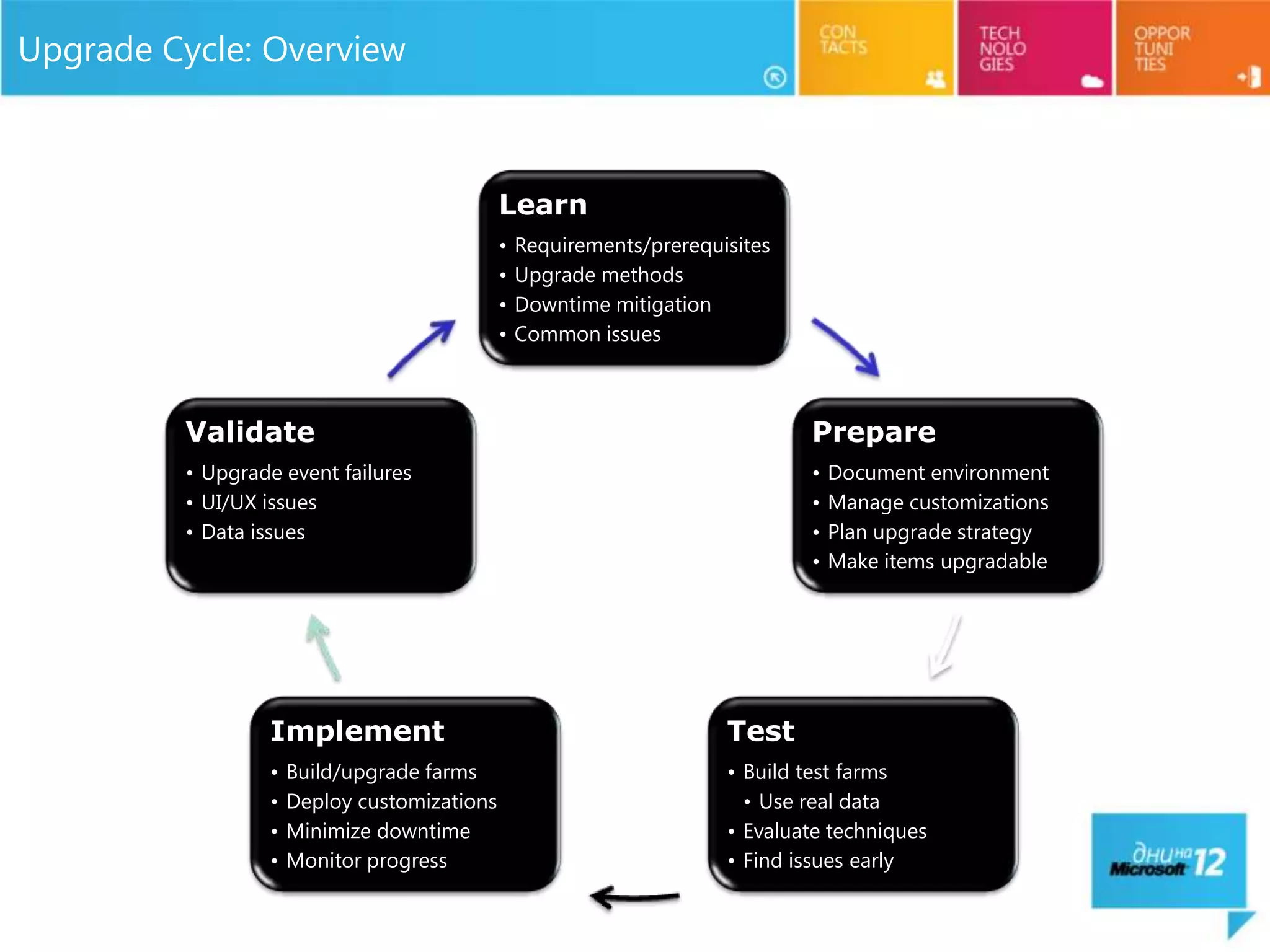
Upgrade Cycle: Overview


                                             Learn
                                             •   Requirements/prerequisites
                                             •   Upgrade methods
                                             •   Downtime mitigation
                                             •   Common issues


         Validate                                                             Prepare
         • Upgrade event failures                                             •   Document environment
         • UI/UX issues                                                       •   Manage customizations
         • Data issues                                                        •   Plan upgrade strategy
                                                                              •   Make items upgradable


                 Implement                                            Test
                 •   Build/upgrade farms                              • Build test farms
                 •   Deploy customizations                              • Use real data
                 •   Minimize downtime                                • Evaluate techniques
                 •   Monitor progress                                 • Find issues early
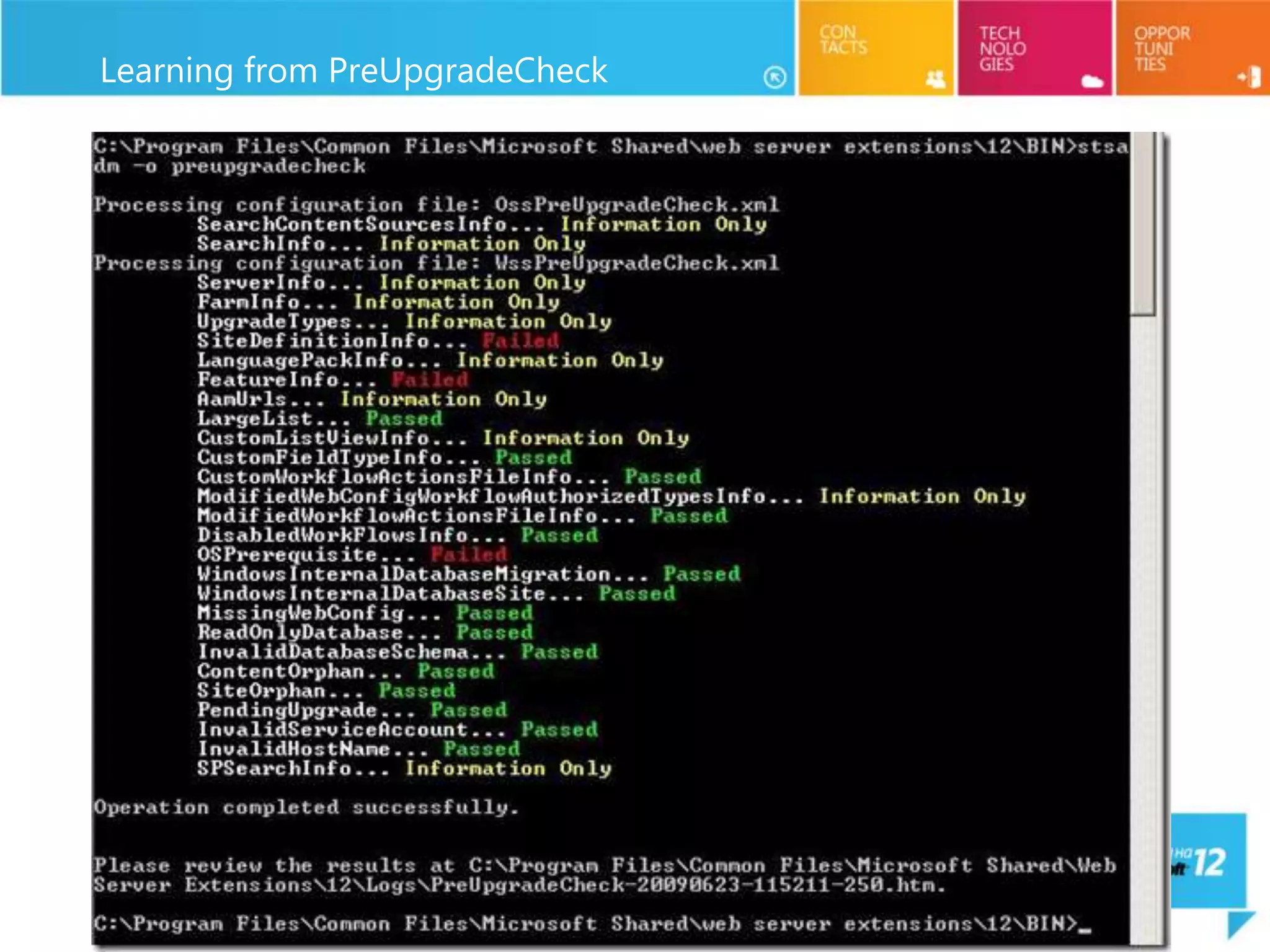
Learning from PreUpgradeCheck
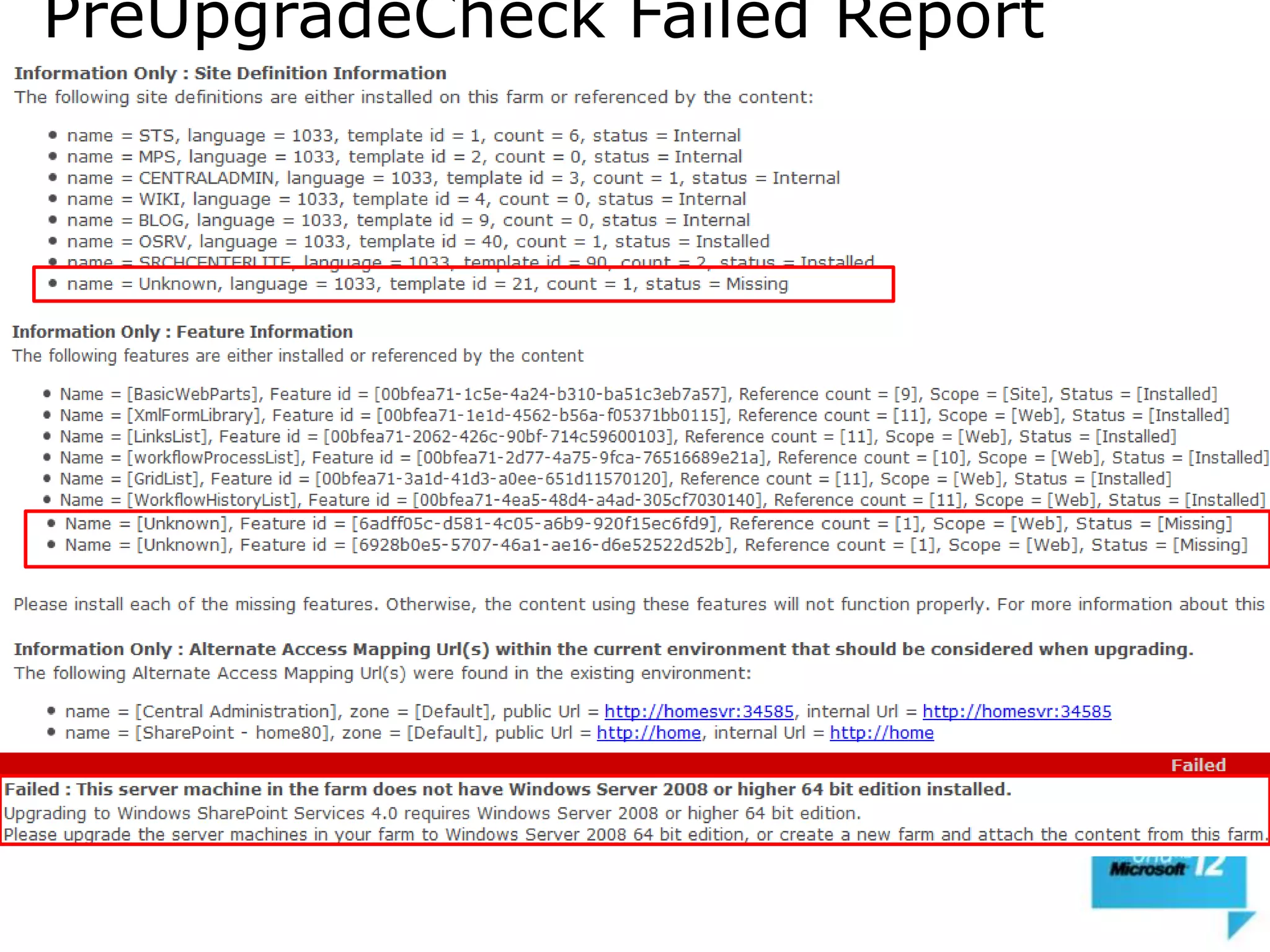
PreUpgradeCheck Failed Report
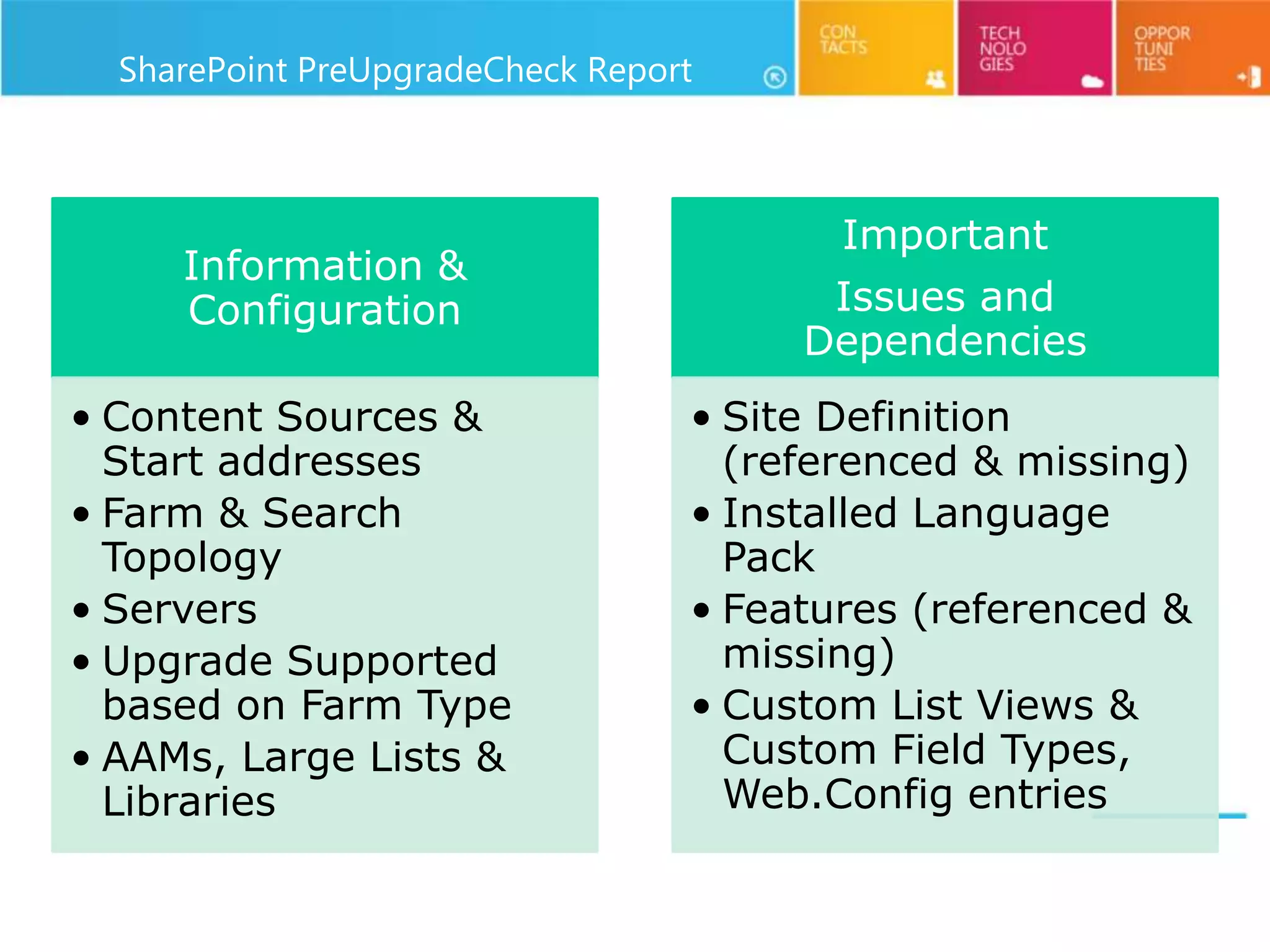
SharePoint PreUpgradeCheck Report


                                         Important
     Information &
     Configuration                      Issues and
                                       Dependencies
• Content Sources &               • Site Definition
  Start addresses                   (referenced & missing)
• Farm & Search                   • Installed Language
  Topology                          Pack
• Servers                         • Features (referenced &
• Upgrade Supported                 missing)
  based on Farm Type              • Custom List Views &
• AAMs, Large Lists &               Custom Field Types,
  Libraries                         Web.Config entries
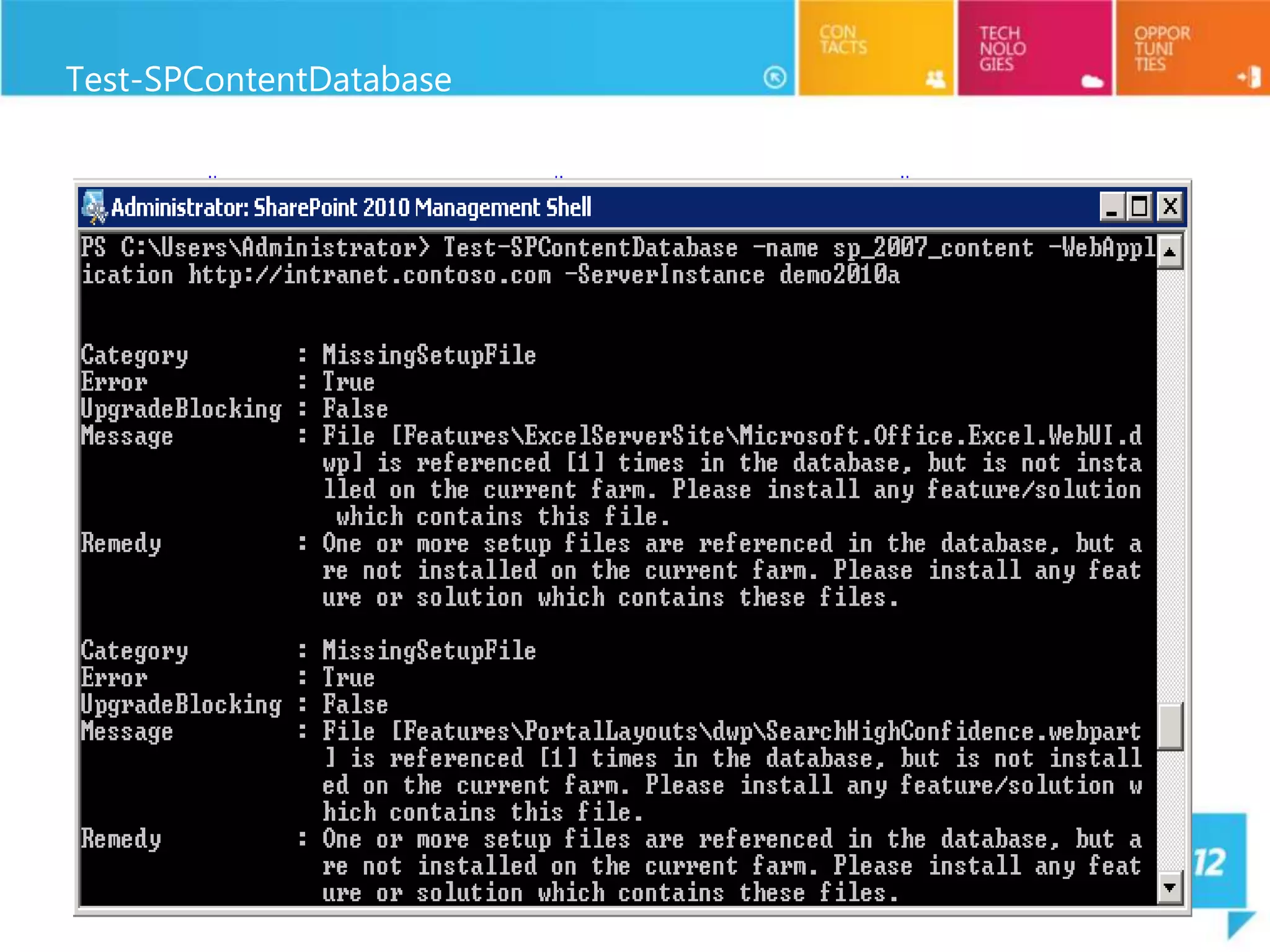
Test-SPContentDatabase
Getting All Your Dependencies


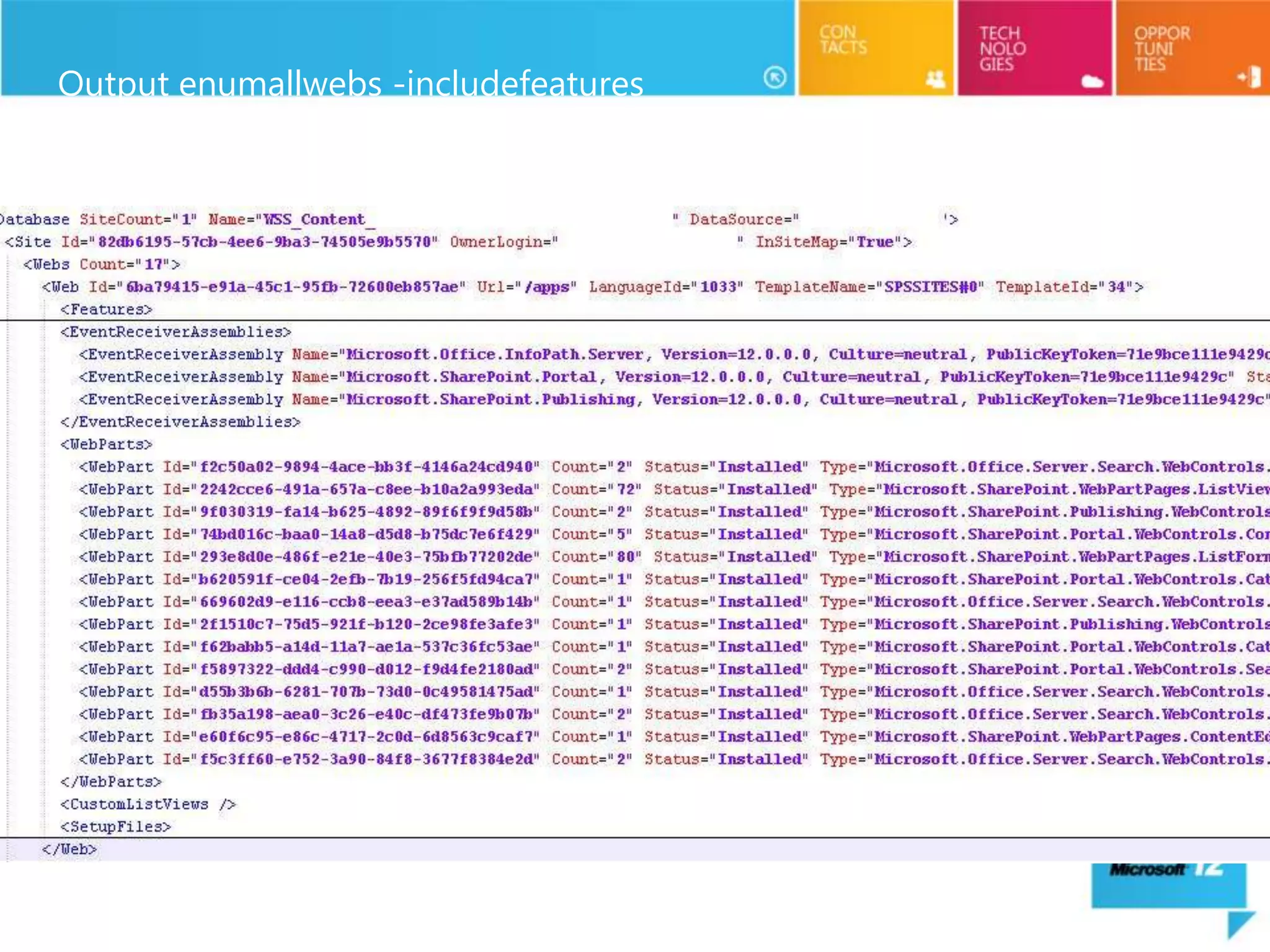
EnumallWebs has some added enhancements. These are very applicable for gathering
  what you need out of your farm.
stsadm.exe -o enumallwebs
        [ -databasename <database name>]
        [ -databaseserver <database server name>]
        [ -includefeatures ]
        [ -includesetupfiles ]
        [ -includewebparts ]
        [ -includeeventreceivers ]
        [ -includecustomlistview ]


stsadm -o enumallwebs -includefeatures -includesetupfiles -includewebparts -
  includeeventreceivers -includecustomlistview > enumallwebs.xml
Output enumallwebs -includefeatures
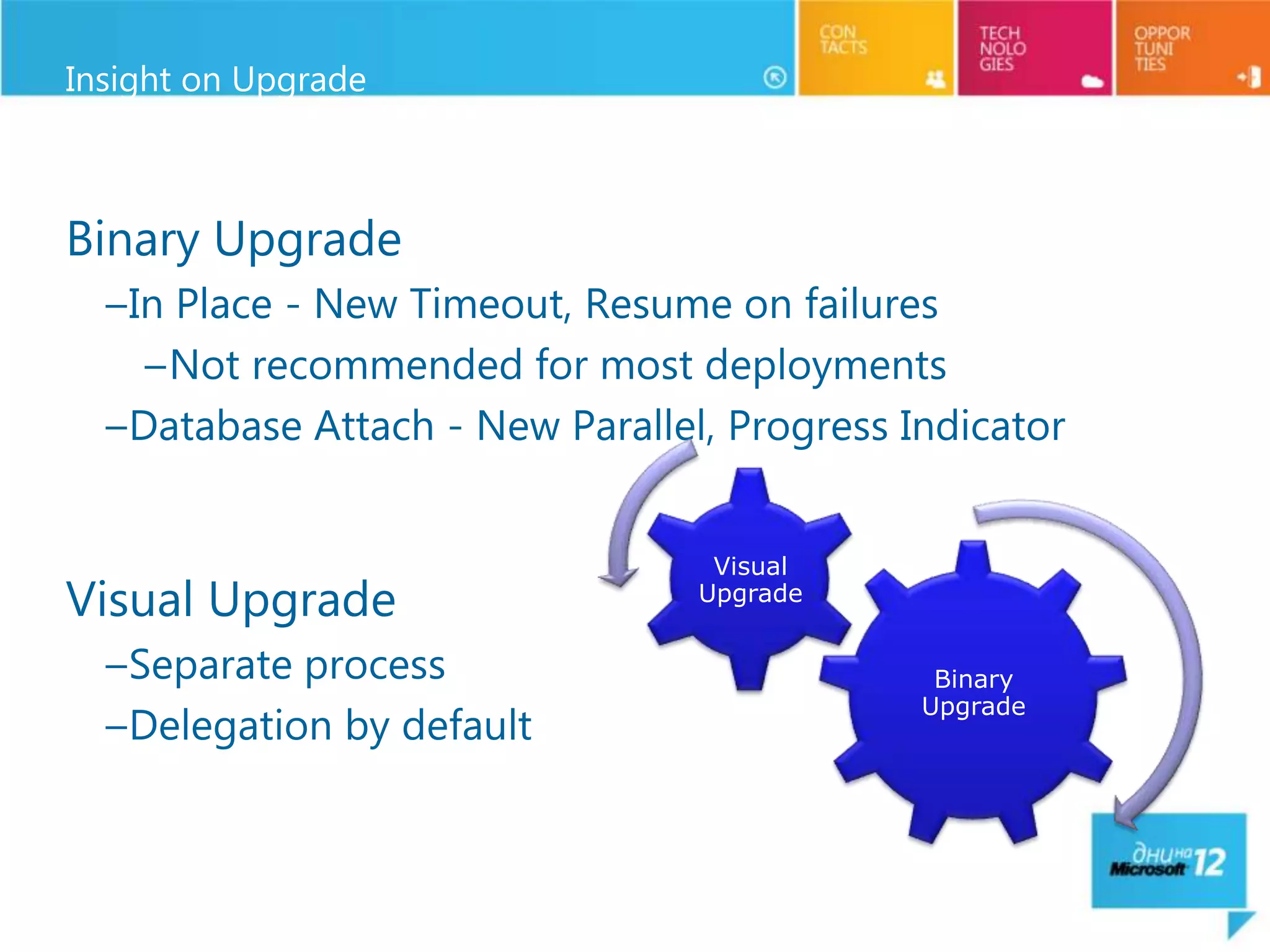
Insight on Upgrade


Binary Upgrade
  –In Place - New Timeout, Resume on failures
    –Not recommended for most deployments
  –Database Attach - New Parallel, Progress Indicator


                                  Visual
Visual Upgrade                   Upgrade


  –Separate process                           Binary
                                             Upgrade
  –Delegation by default
In-Place Upgrade

All-at-once upgrade
  – Must upgrade the whole farm at one time
  – No SP 2007 and SP2010 in same farm
  – Schedule downtime

Simplest approach, but *most risky*!
  – No going back

Resume Upgrade if problems occur
Recommendations
  – Run Test-SPContentDatabase from SP 2010 farm against databases
  – Do a full farm backup before you start!
Database Attach Upgrade


Safer, Requires more planning (A good thing)
Upgrade is done on a separate 2010 farm
  – Done database-by-database
  – Can be used with 2nd step visual upgrade

Use Test-SPContentDatabase (PowerShell cmdlet) to test
 database first
To attach
  – Mount-SPContentDatabase (PowerShell)
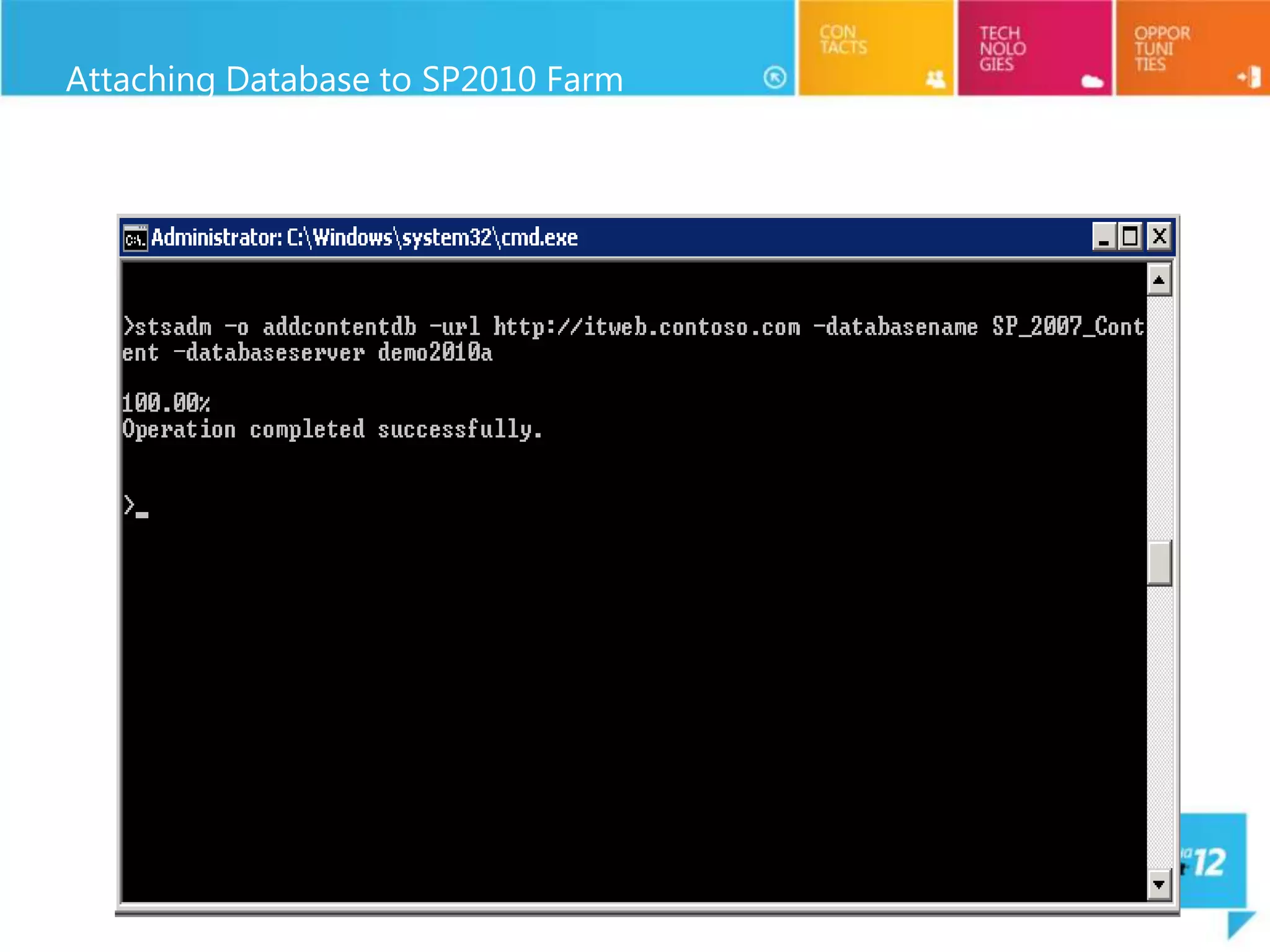
  – STSADM –o Addcontentdb operation

Parallel database upgrades are possible
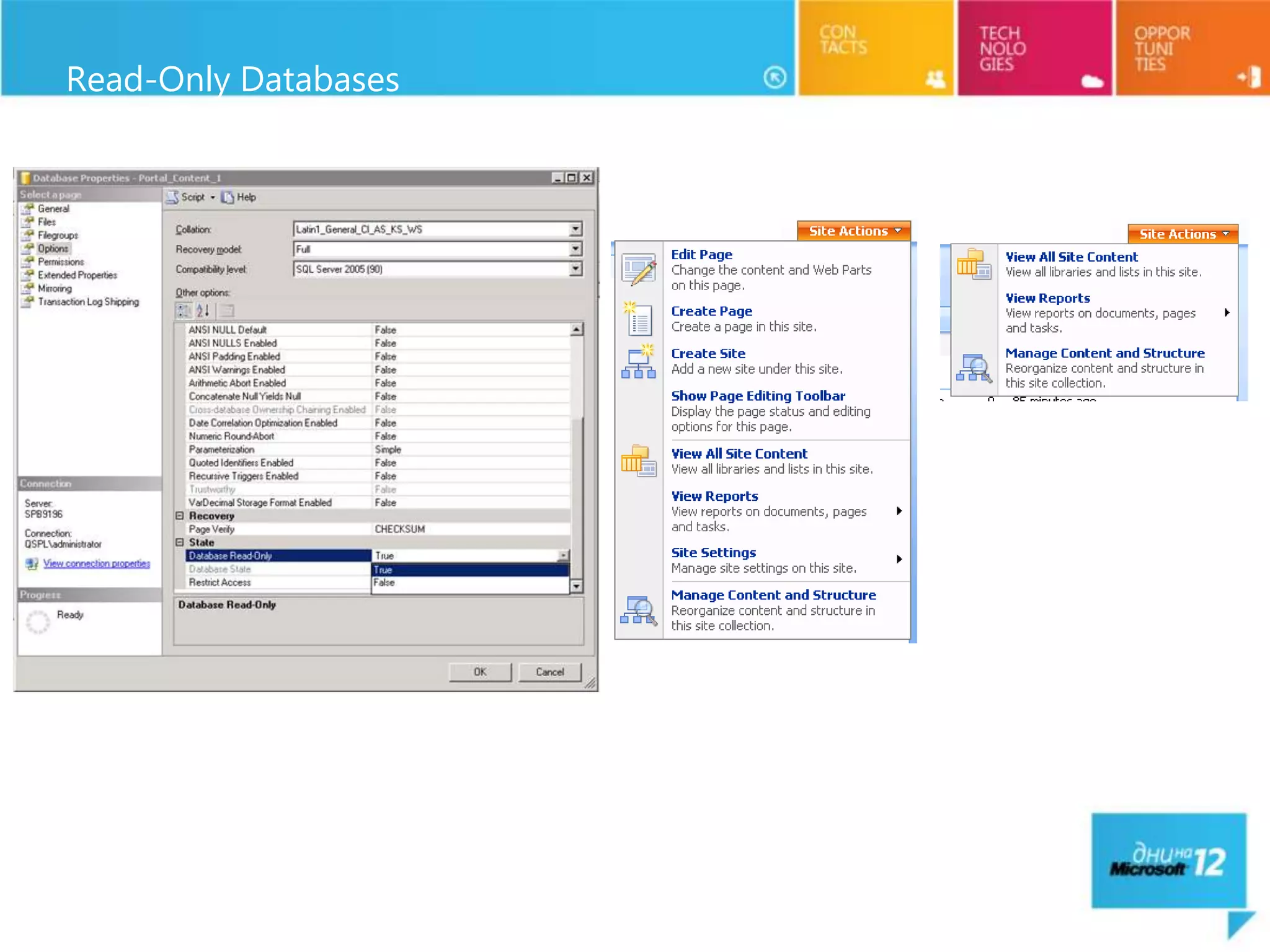
Read-Only Databases
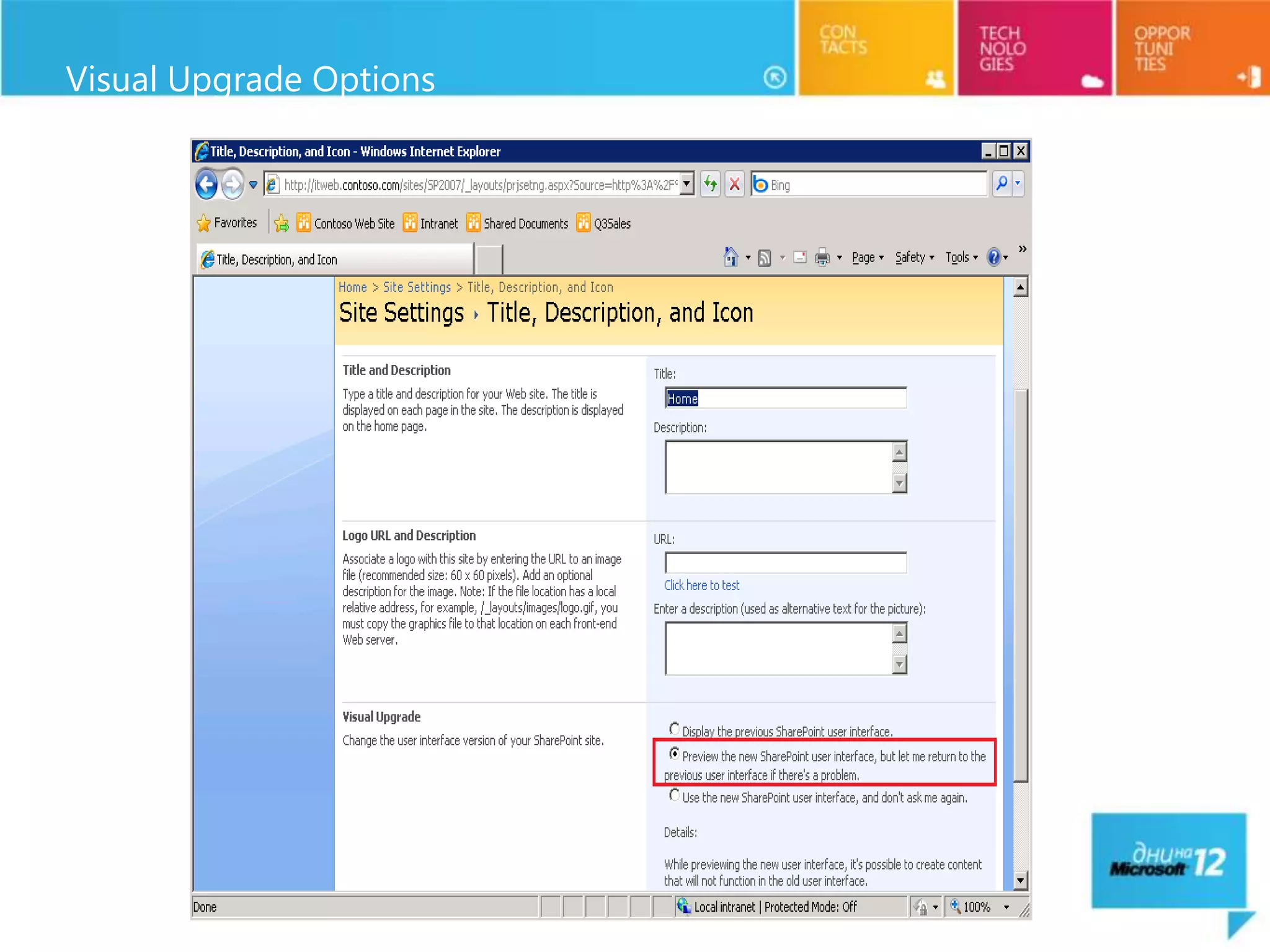
Visual Upgrade


  Stay in 2007 (default) or force move to 2010 UI
     –2010 ships 2007 Master pages and CSS
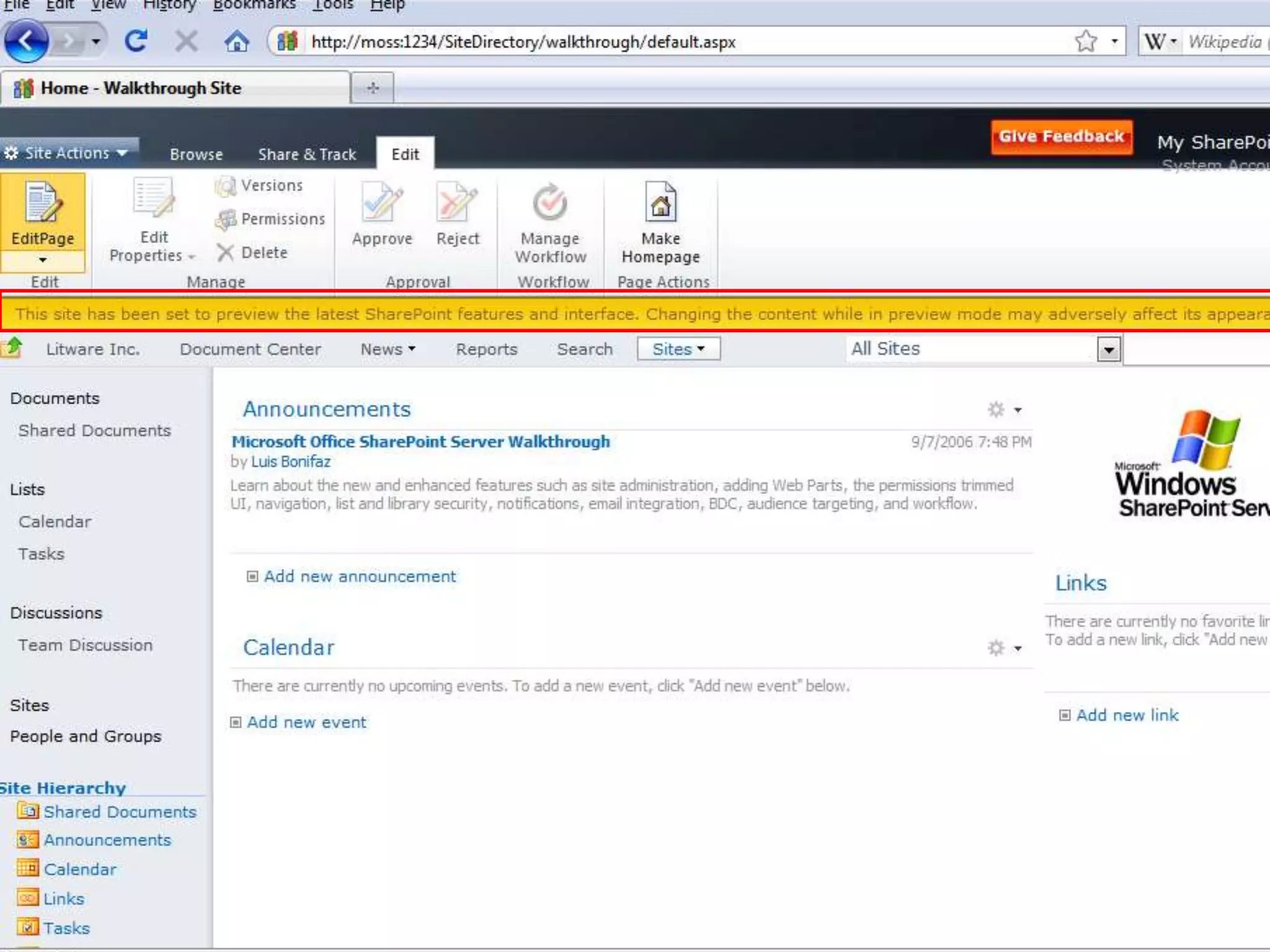
     –UI Preview capability

  Farm admin or site admin controlled
     –Web level setting

  Some items not 2007 UI compatible
     –My site host
     –PWA site collection
     –Report Server web parts
Attaching Database to SP2010 Farm
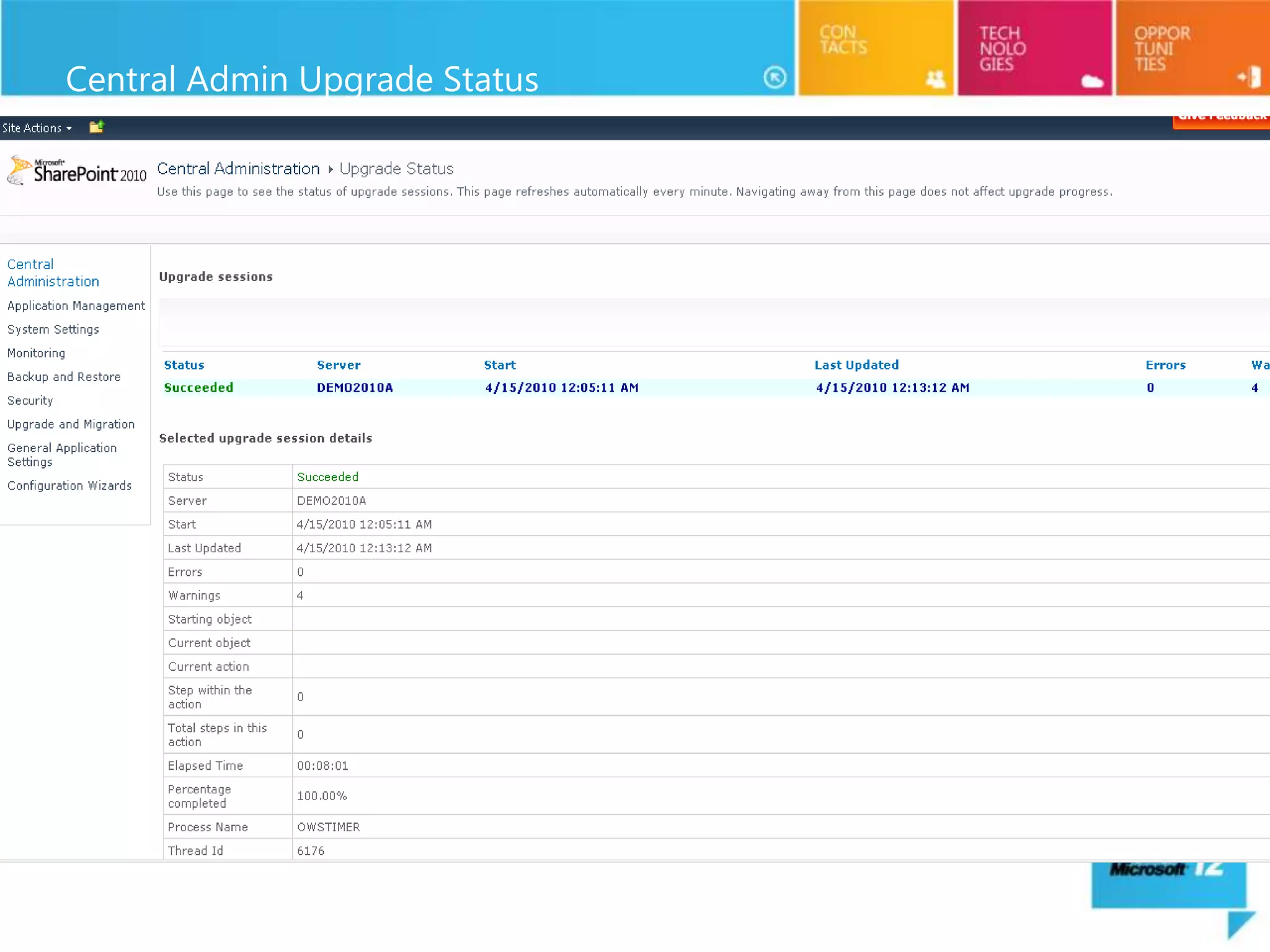
Central Admin Upgrade Status
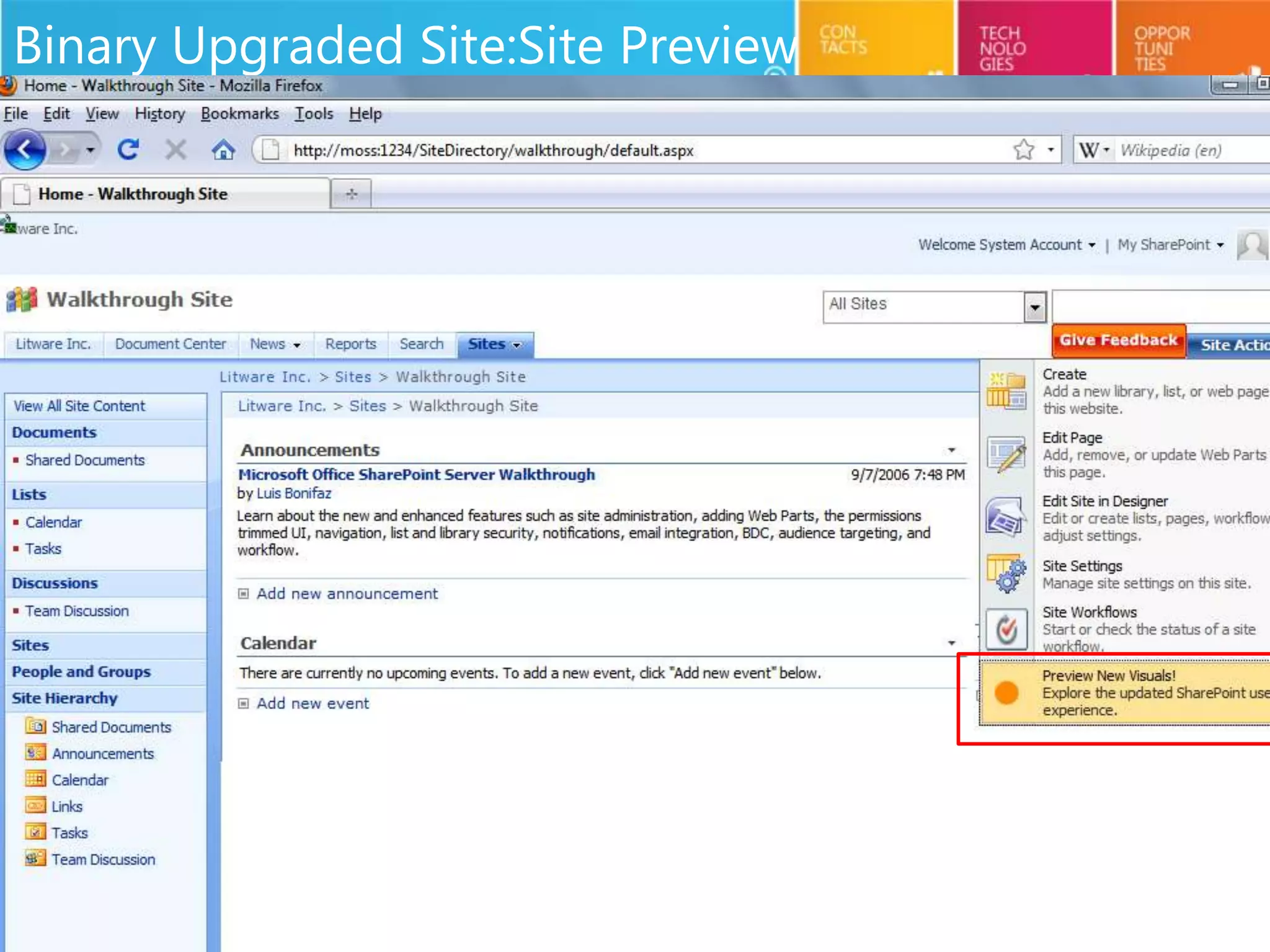
Binary Upgraded Site:Site Preview
Visual Upgrade Options
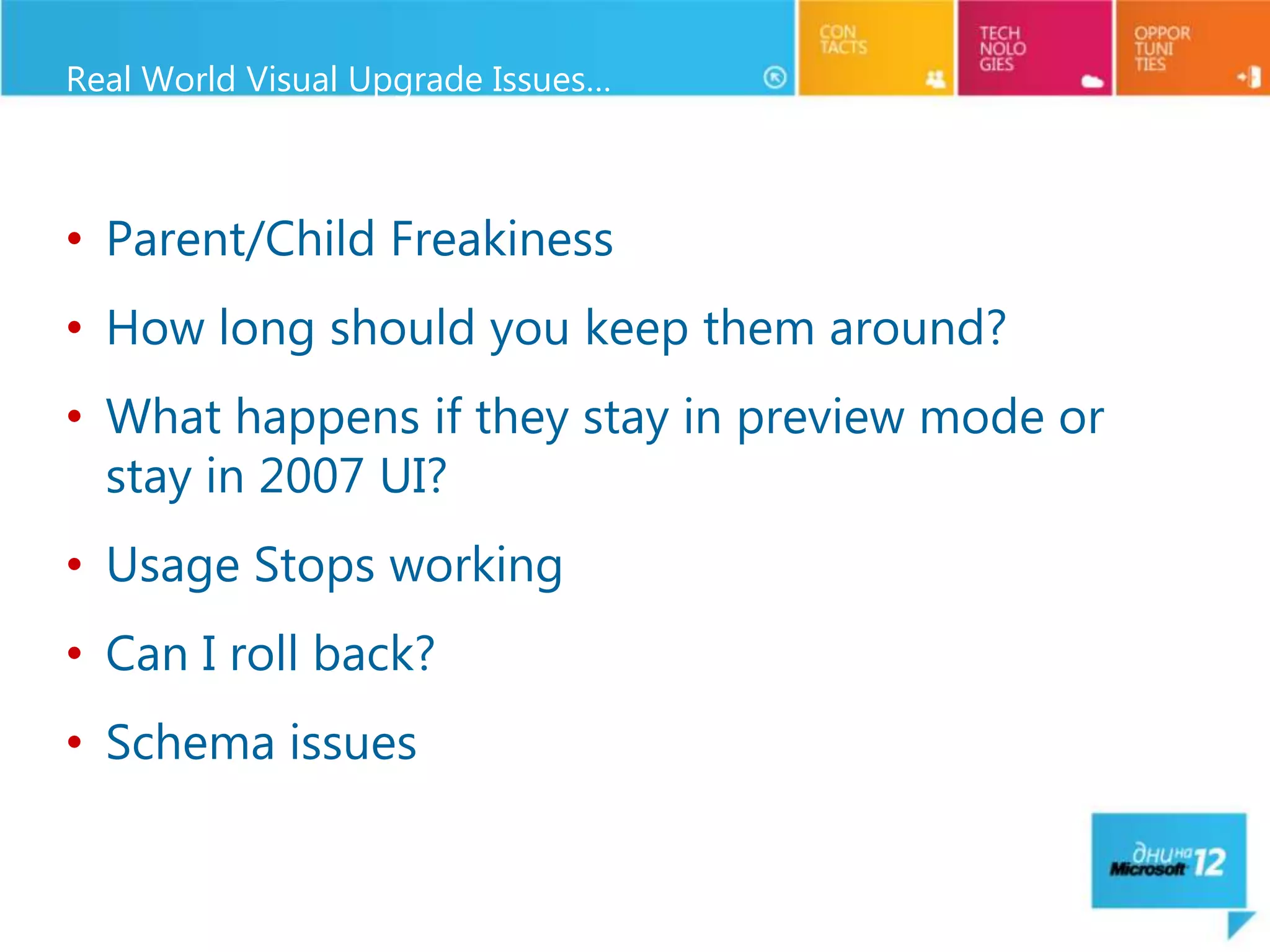
Real World Visual Upgrade Issues…


• Parent/Child Freakiness
• How long should you keep them around?
• What happens if they stay in preview mode or
  stay in 2007 UI?
• Usage Stops working
• Can I roll back?
• Schema issues
Common Upgrade Failure Issues & Recovery


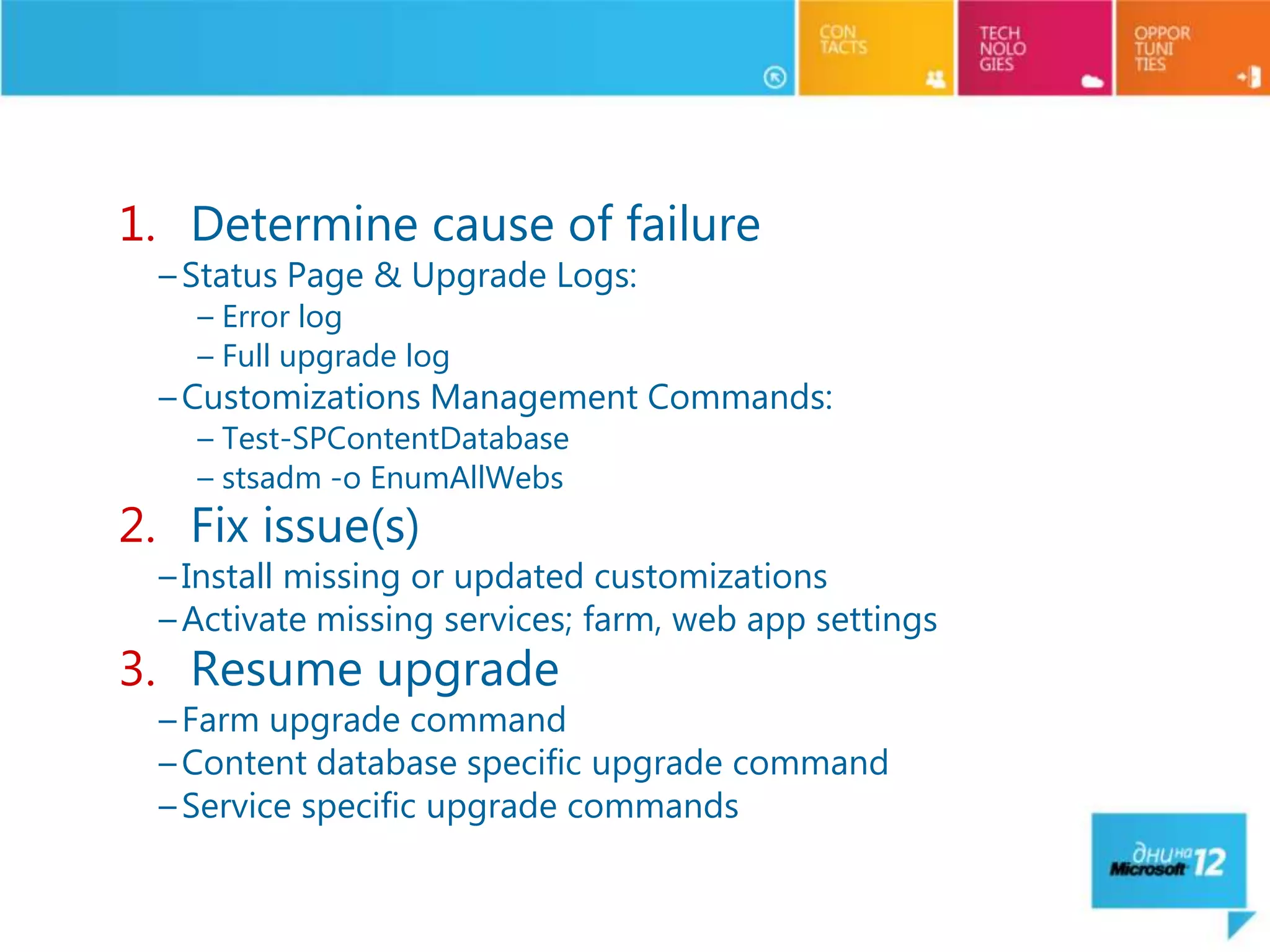
   1. Determine cause of failure
     – Status Page & Upgrade Logs:
       – Error log
       – Full upgrade log
     – Customizations Management Commands:
       – Test-SPContentDatabase
       – stsadm -o EnumAllWebs
   2. Fix issue(s)
     – Install missing or updated customizations
     – Activate missing services; farm, web app settings
   3. Resume upgrade
     – Farm upgrade command
     – Content database specific upgrade command
     – Service specific upgrade commands
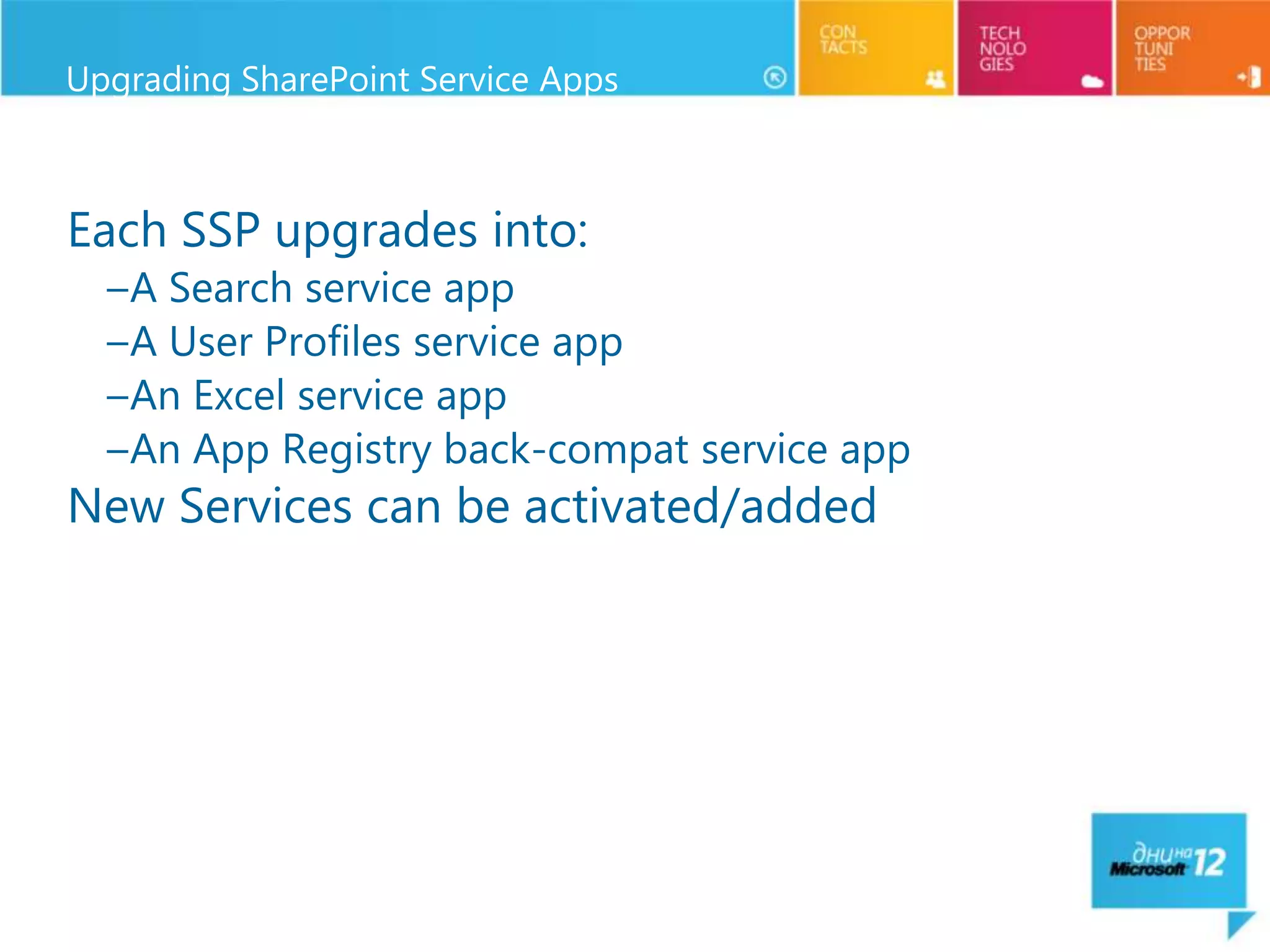
Upgrading SharePoint Service Apps


Each SSP upgrades into:
  –A Search service app
  –A User Profiles service app
  –An Excel service app
  –An App Registry back-compat service app
New Services can be activated/added
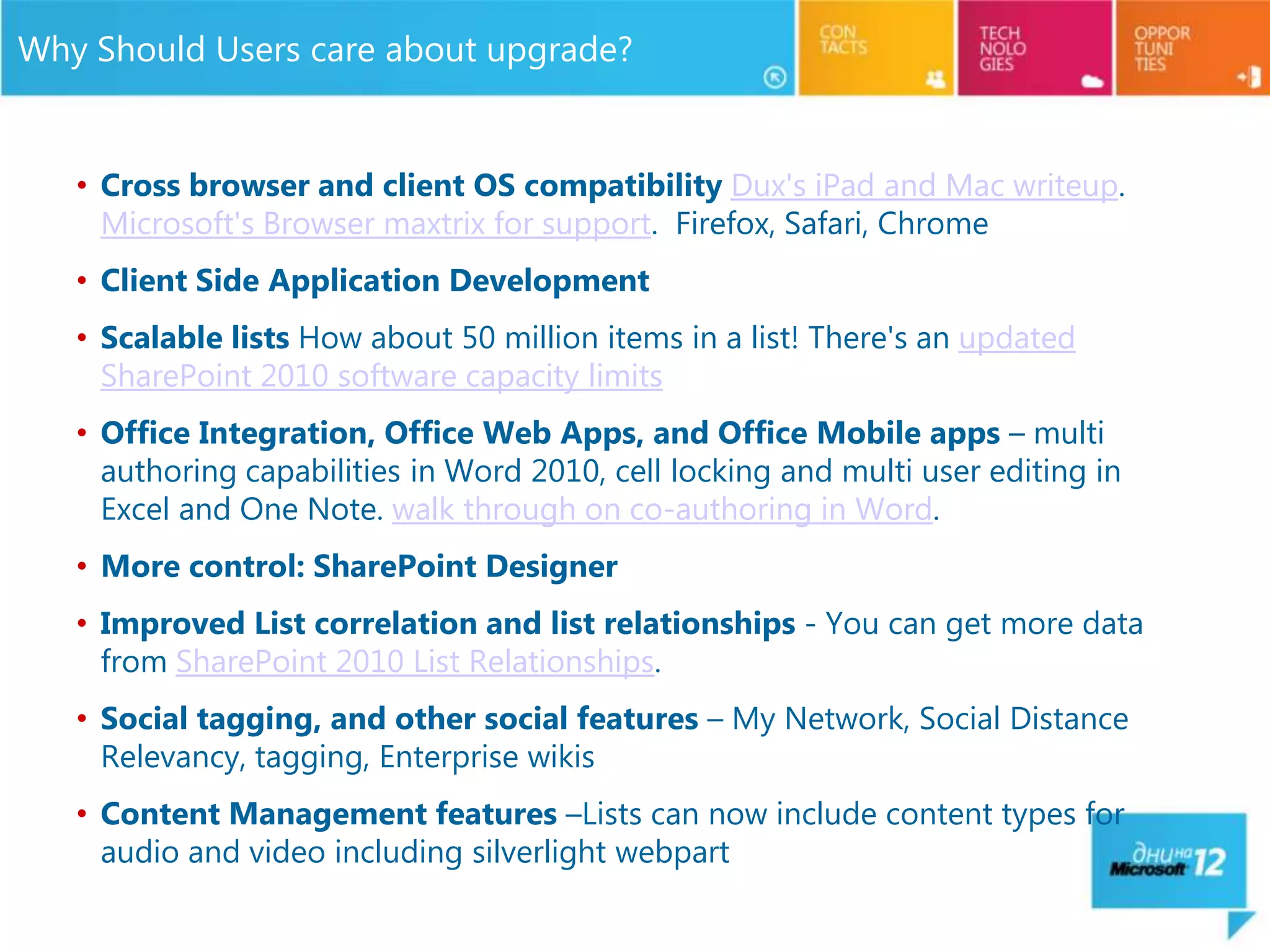
Why Should Users care about upgrade?


   • Cross browser and client OS compatibility Dux's iPad and Mac writeup.
     Microsoft's Browser maxtrix for support. Firefox, Safari, Chrome
   • Client Side Application Development
   • Scalable lists How about 50 million items in a list! There's an updated
     SharePoint 2010 software capacity limits
   • Office Integration, Office Web Apps, and Office Mobile apps – multi
     authoring capabilities in Word 2010, cell locking and multi user editing in
     Excel and One Note. walk through on co-authoring in Word.
   • More control: SharePoint Designer
   • Improved List correlation and list relationships - You can get more data
     from SharePoint 2010 List Relationships.
   • Social tagging, and other social features – My Network, Social Distance
     Relevancy, tagging, Enterprise wikis
   • Content Management features –Lists can now include content types for
     audio and video including silverlight webpart
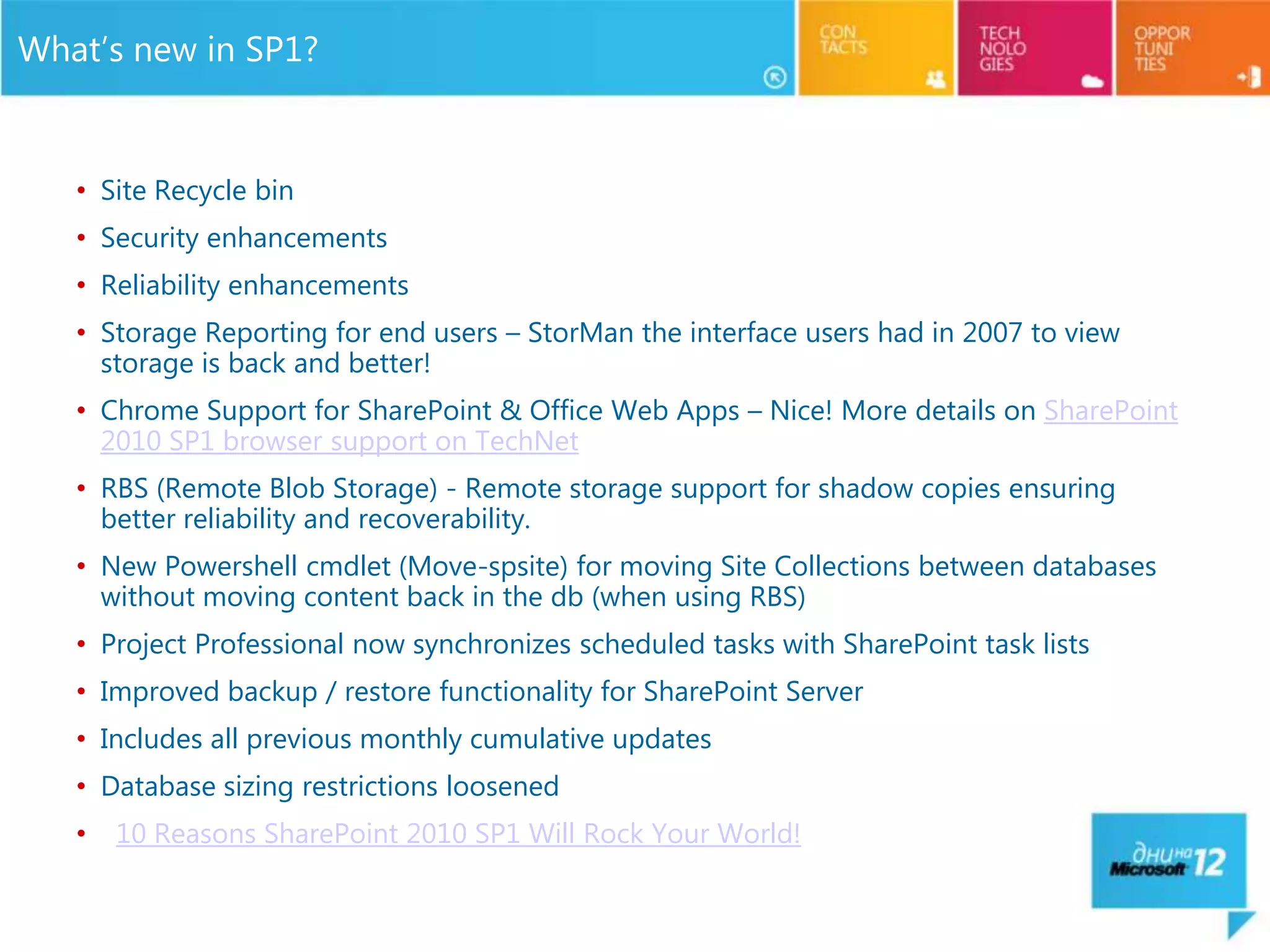
What’s new in SP1?


   • Site Recycle bin
   • Security enhancements
   • Reliability enhancements
   • Storage Reporting for end users – StorMan the interface users had in 2007 to view
     storage is back and better!
   • Chrome Support for SharePoint & Office Web Apps – Nice! More details on SharePoint
     2010 SP1 browser support on TechNet
   • RBS (Remote Blob Storage) - Remote storage support for shadow copies ensuring
     better reliability and recoverability.
   • New Powershell cmdlet (Move-spsite) for moving Site Collections between databases
     without moving content back in the db (when using RBS)
   • Project Professional now synchronizes scheduled tasks with SharePoint task lists
   • Improved backup / restore functionality for SharePoint Server
   • Includes all previous monthly cumulative updates
   • Database sizing restrictions loosened
   •   10 Reasons SharePoint 2010 SP1 Will Rock Your World!
Fab 40


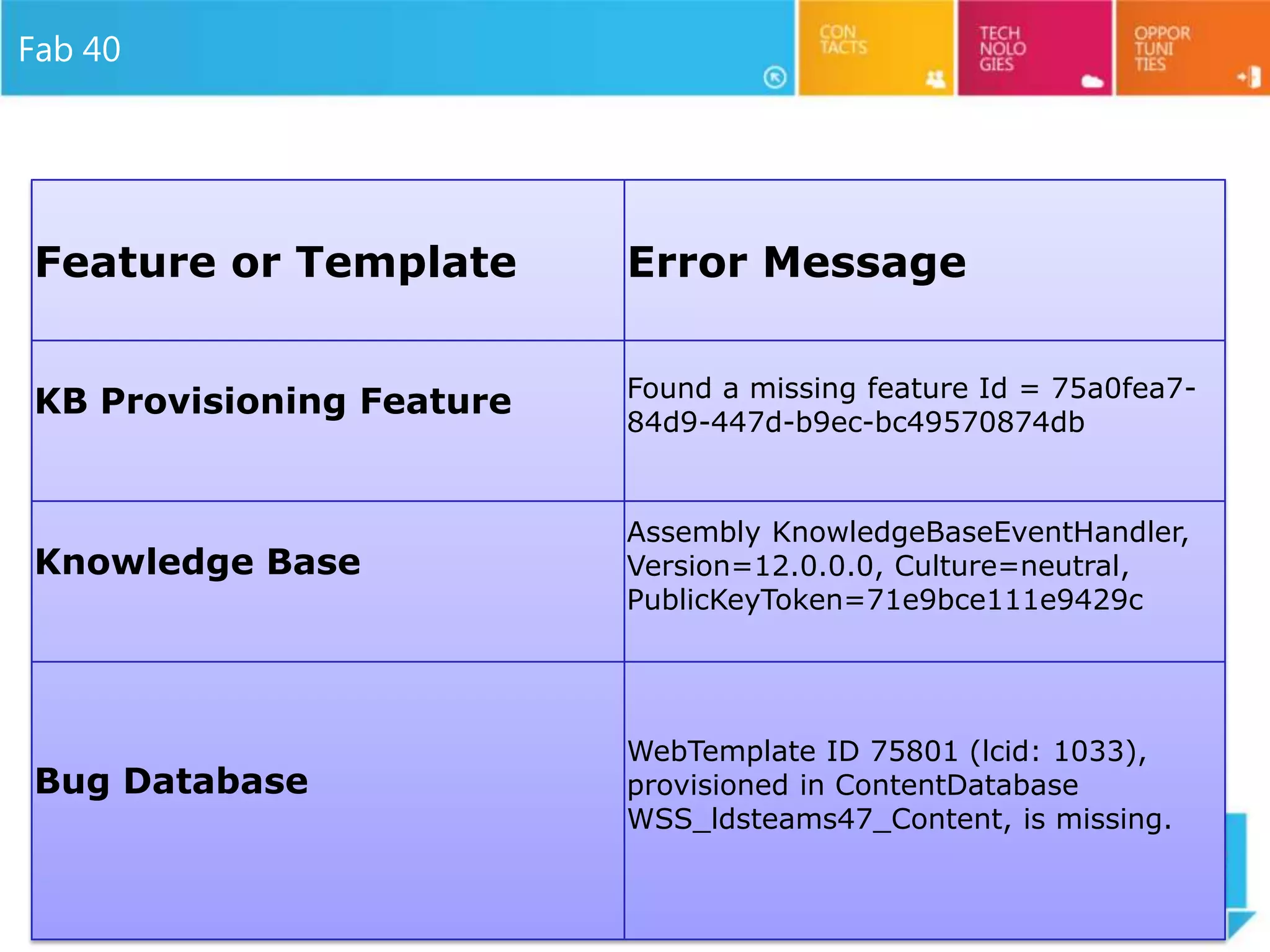
Feature or Template       Error Message

                          Found a missing feature Id = 75a0fea7-
KB Provisioning Feature
                          84d9-447d-b9ec-bc49570874db


                          Assembly KnowledgeBaseEventHandler,
Knowledge Base            Version=12.0.0.0, Culture=neutral,
                          PublicKeyToken=71e9bce111e9429c


                          WebTemplate ID 75801 (lcid: 1033),
Bug Database              provisioned in ContentDatabase
                          WSS_ldsteams47_Content, is missing.
Fab 40 lessons learned

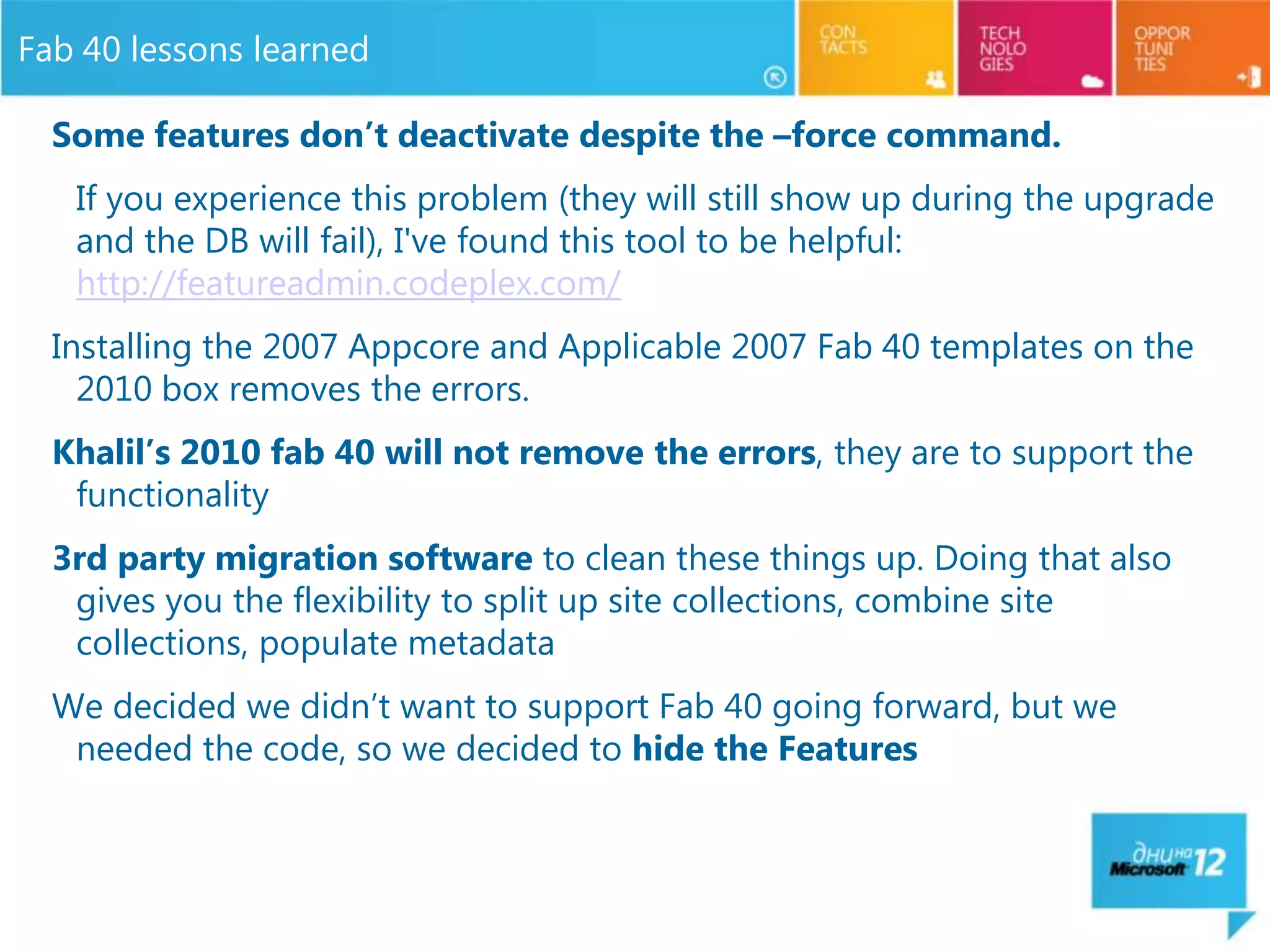
  Some features don’t deactivate despite the –force command.
   If you experience this problem (they will still show up during the upgrade
   and the DB will fail), I've found this tool to be helpful:
   http://featureadmin.codeplex.com/
  Installing the 2007 Appcore and Applicable 2007 Fab 40 templates on the
    2010 box removes the errors.
  Khalil’s 2010 fab 40 will not remove the errors, they are to support the
   functionality
  3rd party migration software to clean these things up. Doing that also
   gives you the flexibility to split up site collections, combine site
   collections, populate metadata
  We decided we didn’t want to support Fab 40 going forward, but we
   needed the code, so we decided to hide the Features
Don’t forget to submit
your feedback and win a
great Nokia smartphone
and Kindle e-reader!

SharePoint 2010 Upgrade Strategies and Best Practices - MS Days Bulgaria - Joel Oleson

  • 1.
    SharePoint 2010 Upgrade& Patching Strategies Joel Oleson Solutions Manager http://www.sharepointjoel.com @joeloleson
  • 2.
    Who is SharePointJoel? 11+ Year SharePoint Veteran Twitter: @joeloleson Find me on Facebook, LinkedIn Blog: SharePointJoel.com
  • 3.
    Upgrade Cycle: Overview Learn • Requirements/prerequisites • Upgrade methods • Downtime mitigation • Common issues Validate Prepare • Upgrade event failures • Document environment • UI/UX issues • Manage customizations • Data issues • Plan upgrade strategy • Make items upgradable Implement Test • Build/upgrade farms • Build test farms • Deploy customizations • Use real data • Minimize downtime • Evaluate techniques • Monitor progress • Find issues early
  • 4.
  • 5.
  • 6.
    SharePoint PreUpgradeCheck Report Important Information & Configuration Issues and Dependencies • Content Sources & • Site Definition Start addresses (referenced & missing) • Farm & Search • Installed Language Topology Pack • Servers • Features (referenced & • Upgrade Supported missing) based on Farm Type • Custom List Views & • AAMs, Large Lists & Custom Field Types, Libraries Web.Config entries
  • 7.
  • 8.
    Getting All YourDependencies EnumallWebs has some added enhancements. These are very applicable for gathering what you need out of your farm. stsadm.exe -o enumallwebs [ -databasename <database name>] [ -databaseserver <database server name>] [ -includefeatures ] [ -includesetupfiles ] [ -includewebparts ] [ -includeeventreceivers ] [ -includecustomlistview ] stsadm -o enumallwebs -includefeatures -includesetupfiles -includewebparts - includeeventreceivers -includecustomlistview > enumallwebs.xml
  • 9.
  • 10.
    Insight on Upgrade BinaryUpgrade –In Place - New Timeout, Resume on failures –Not recommended for most deployments –Database Attach - New Parallel, Progress Indicator Visual Visual Upgrade Upgrade –Separate process Binary Upgrade –Delegation by default
  • 11.
    In-Place Upgrade All-at-once upgrade – Must upgrade the whole farm at one time – No SP 2007 and SP2010 in same farm – Schedule downtime Simplest approach, but *most risky*! – No going back Resume Upgrade if problems occur Recommendations – Run Test-SPContentDatabase from SP 2010 farm against databases – Do a full farm backup before you start!
  • 12.
    Database Attach Upgrade Safer,Requires more planning (A good thing) Upgrade is done on a separate 2010 farm – Done database-by-database – Can be used with 2nd step visual upgrade Use Test-SPContentDatabase (PowerShell cmdlet) to test database first To attach – Mount-SPContentDatabase (PowerShell) – STSADM –o Addcontentdb operation Parallel database upgrades are possible
  • 13.
  • 14.
    Visual Upgrade Stay in 2007 (default) or force move to 2010 UI –2010 ships 2007 Master pages and CSS –UI Preview capability Farm admin or site admin controlled –Web level setting Some items not 2007 UI compatible –My site host –PWA site collection –Report Server web parts
  • 15.
  • 16.
  • 17.
  • 18.
  • 20.
    Real World VisualUpgrade Issues… • Parent/Child Freakiness • How long should you keep them around? • What happens if they stay in preview mode or stay in 2007 UI? • Usage Stops working • Can I roll back? • Schema issues
  • 21.
    Common Upgrade FailureIssues & Recovery 1. Determine cause of failure – Status Page & Upgrade Logs: – Error log – Full upgrade log – Customizations Management Commands: – Test-SPContentDatabase – stsadm -o EnumAllWebs 2. Fix issue(s) – Install missing or updated customizations – Activate missing services; farm, web app settings 3. Resume upgrade – Farm upgrade command – Content database specific upgrade command – Service specific upgrade commands
  • 22.
    Upgrading SharePoint ServiceApps Each SSP upgrades into: –A Search service app –A User Profiles service app –An Excel service app –An App Registry back-compat service app New Services can be activated/added
  • 23.
    Why Should Userscare about upgrade? • Cross browser and client OS compatibility Dux's iPad and Mac writeup. Microsoft's Browser maxtrix for support. Firefox, Safari, Chrome • Client Side Application Development • Scalable lists How about 50 million items in a list! There's an updated SharePoint 2010 software capacity limits • Office Integration, Office Web Apps, and Office Mobile apps – multi authoring capabilities in Word 2010, cell locking and multi user editing in Excel and One Note. walk through on co-authoring in Word. • More control: SharePoint Designer • Improved List correlation and list relationships - You can get more data from SharePoint 2010 List Relationships. • Social tagging, and other social features – My Network, Social Distance Relevancy, tagging, Enterprise wikis • Content Management features –Lists can now include content types for audio and video including silverlight webpart
  • 24.
    What’s new inSP1? • Site Recycle bin • Security enhancements • Reliability enhancements • Storage Reporting for end users – StorMan the interface users had in 2007 to view storage is back and better! • Chrome Support for SharePoint & Office Web Apps – Nice! More details on SharePoint 2010 SP1 browser support on TechNet • RBS (Remote Blob Storage) - Remote storage support for shadow copies ensuring better reliability and recoverability. • New Powershell cmdlet (Move-spsite) for moving Site Collections between databases without moving content back in the db (when using RBS) • Project Professional now synchronizes scheduled tasks with SharePoint task lists • Improved backup / restore functionality for SharePoint Server • Includes all previous monthly cumulative updates • Database sizing restrictions loosened • 10 Reasons SharePoint 2010 SP1 Will Rock Your World!
  • 25.
    Fab 40 Feature orTemplate Error Message Found a missing feature Id = 75a0fea7- KB Provisioning Feature 84d9-447d-b9ec-bc49570874db Assembly KnowledgeBaseEventHandler, Knowledge Base Version=12.0.0.0, Culture=neutral, PublicKeyToken=71e9bce111e9429c WebTemplate ID 75801 (lcid: 1033), Bug Database provisioned in ContentDatabase WSS_ldsteams47_Content, is missing.
  • 26.
    Fab 40 lessonslearned Some features don’t deactivate despite the –force command. If you experience this problem (they will still show up during the upgrade and the DB will fail), I've found this tool to be helpful: http://featureadmin.codeplex.com/ Installing the 2007 Appcore and Applicable 2007 Fab 40 templates on the 2010 box removes the errors. Khalil’s 2010 fab 40 will not remove the errors, they are to support the functionality 3rd party migration software to clean these things up. Doing that also gives you the flexibility to split up site collections, combine site collections, populate metadata We decided we didn’t want to support Fab 40 going forward, but we needed the code, so we decided to hide the Features
  • 27.
    Don’t forget tosubmit your feedback and win a great Nokia smartphone and Kindle e-reader!