*nix for developers
part 1
@mitemitreski
http://www.mitemitreski.com/
8.April.2014
tricode talks
Agenda
Short history
Overview of var commands
Demo of simple use cases
Short history
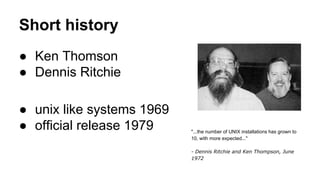
● Ken Thomson
● Dennis Ritchie
● unix like systems 1969
● official release 1979 "...the number of UNIX installations has grown to
10, with more expected..."
- Dennis Ritchie and Ken Thompson, June
1972
Linux
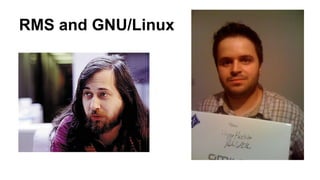
RMS and GNU/Linux
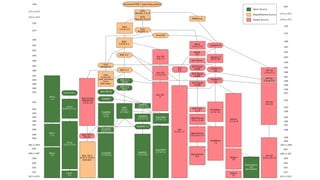
All the flavours
● Multiprocess
● Multi-user
● Timesharing
● Different command between flavours
Start-up
init tab
systemv
crond
http://en.wikipedia.org/wiki/Init
Runlevel
>runlevel
Operating System Default runlevel
AIX 2
CentOS 3 (console/server) or 5 (graphical/desktop)[5]
Debian 2[6]
Gentoo Linux 3[7]
Mac OS X 3
Mandriva Linux 3 (console/server) or 5 (graphical/desktop)
Red Hat Enterprise Linux / Fedora 3 (console/server) or 5 (graphical/desktop)[8]
Solaris 3[9]
Ubuntu (Server and Desktop) 2[6]
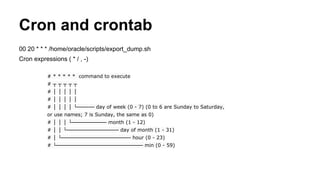
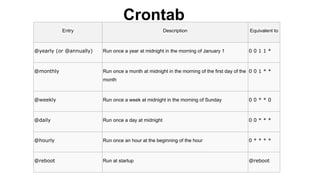
Cron and crontab
00 20 * * * /home/oracle/scripts/export_dump.sh
Cron expressions ( * / , -)
# * * * * * command to execute
# ┬ ┬ ┬ ┬ ┬
# │ │ │ │ │
# │ │ │ │ │
# │ │ │ │ └───── day of week (0 - 7) (0 to 6 are Sunday to Saturday,
or use names; 7 is Sunday, the same as 0)
# │ │ │ └────────── month (1 - 12)
# │ │ └─────────────── day of month (1 - 31)
# │ └──────────────────── hour (0 - 23)
# └───────────────────────── min (0 - 59)
Entry Description Equivalent to
@yearly (or @annually) Run once a year at midnight in the morning of January 1 0 0 1 1 *
@monthly Run once a month at midnight in the morning of the first day of the
month
0 0 1 * *
@weekly Run once a week at midnight in the morning of Sunday 0 0 * * 0
@daily Run once a day at midnight 0 0 * * *
@hourly Run once an hour at the beginning of the hour 0 * * * *
@reboot Run at startup @reboot
Crontab
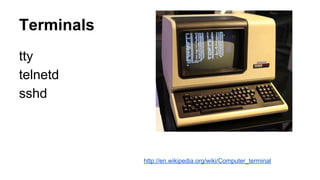
Terminals
tty
telnetd
sshd
http://en.wikipedia.org/wiki/Computer_terminal
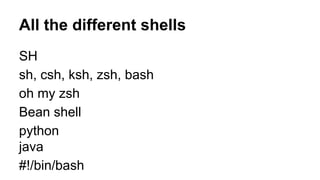
All the different shells
SH
sh, csh, ksh, zsh, bash
oh my zsh
Bean shell
python
java
#!/bin/bash
Bash
bash
bashrc
bash_profile
/etc bash related
.bash_history
List
ls -alf
ls -r
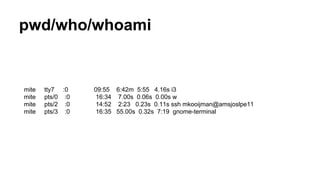
pwd/who/whoami
mite tty7 :0 09:55 6:42m 5:55 4.16s i3
mite pts/0 :0 16:34 7.00s 0.06s 0.00s w
mite pts/2 :0 14:52 2:23 0.23s 0.11s ssh mkooijman@amsjoslpe11
mite pts/3 :0 16:35 55.00s 0.32s 7:19 gnome-terminal
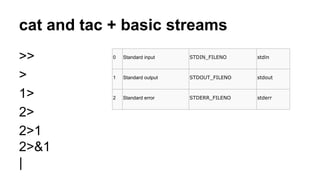
cat and tac + basic streams
>>
>
1>
2>
2>1
2>&1
|
0 Standard input STDIN_FILENO stdin
1 Standard output STDOUT_FILENO stdout
2 Standard error STDERR_FILENO stderr
ln and mv and rm
-f
-r
Important folders
/usr
/bin
/usr/bin/
/dev/null
/opt
/var
/tmp
/home
/proc
http://www.cs.duke.edu/csl/docs/sysadmin_course/sysadm-72.html
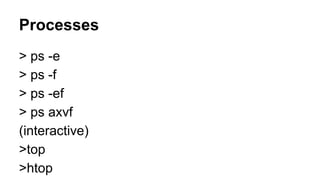
Processes
> ps -e
> ps -f
> ps -ef
> ps axvf
(interactive)
>top
>htop
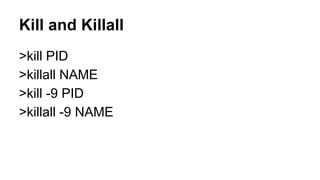
Kill and Killall
>kill PID
>killall NAME
>kill -9 PID
>killall -9 NAME
Job control
& Run the command in the background > long_cmd &
CTRL-Z Stop the foreground process [Ctrl-z] Stopped
jobs List background processes > jobs
%n Refers to the background number n > fg %1
bg Restart a stopped background process > bg [2] big_job &
fg Bring a background process to the foreground > fg %1
kill Kill a process > kill %2
CTRL-D logout
CTRL-S, CTRL-Q (scroll lock)
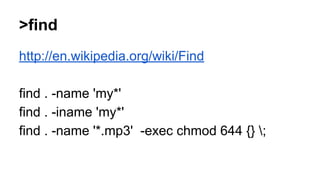
>find
http://en.wikipedia.org/wiki/Find
find . -name 'my*'
find . -iname 'my*'
find . -name '*.mp3' -exec chmod 644 {} ;
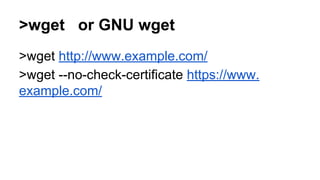
>wget or GNU wget
>wget http://www.example.com/
>wget --no-check-certificate https://www.
example.com/
>curl
>curl http://www.google.com
>curl -L http://www.google.com
>curl -o mygettext.html http://www.gnu.
org/software/gettext/manual/gettext.html
Xargs
find . -iname ‘*.php’ -print0 | xargs -0 svn add
Navigation and customization
Shift + page up/down
Ctrl + R
var customizations
Credits
Wikimedia foundation for the images used

Unix for developers