UNIX OS
Lecture V
Simonas Kareiva
Vilnius University
Faculty of Mathematics
and Informatics
Preparation of the material was supported by the project „Increasing Internationality in Study
Programs of the Department of Computer Science II“, project number VP1–2.2–ŠMM-07-K-
02-070, funded by The European Social Fund Agency and the Government of Lithuania.
Lecture V – outline
• Working with arrays
• Useful/bin/sh scripts
• Working with SSH and SCP
2
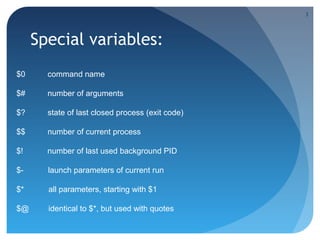
Special variables:
$0 command name
$# number of arguments
$? state of last closed process (exit code)
$$ number of current process
$! number of last used background PID
$- launch parameters of current run
$* all parameters, starting with $1
$@ identical to $*, but used with quotes
3
/bin/sh arrays
area[11]=23
area[13]=37
area[51]=UFOs
echo ${area[11]}
4
Array operations (exercise)
area[5]=`expr ${area[11]} + ${area[13]}`
area[6]=`expr ${area[11]} + ${area[51]}`
Where is the mistake?
5
Other methods
area2=( zero one two three four)
echo ${area2[0]}
area3=([17]=seventeen[24]=twenty four)
array1=( `cat "$filename" | tr 'n' ' '`)
read -a colors
base64_charset=( {A..Z} {a..z} {0..9} + / = )
6
No type
string=abcABC123ABCabc
echo ${string[@]} # abcABC123ABCabc
echo ${string[*]} # abcABC123ABCabc
echo ${string[0]} # abcABC123ABCabc
echo ${string[1]} #
echo ${#string[@]} # 1
7
Remember and use
array= ( zero one two three four five)
# Elementai: 0 1 2 3 4 5
echo ${array[0]} # zero
echo ${array:0} # zero
echo ${array:1} # ero
echo ${#array[0]} # 5
echo ${#array}
echo ${#array[1]} # 6
echo ${#array[*]} # 6
echo ${#array[@]} # 6
8
Operations with string
arrayZ=( one two three four five five )
echo ${arrayZ[@]:0} # one two three four five five
echo ${arrayZ[@]:1} # two three four five five
echo ${arrayZ[@]:1:2} # two three
echo ${arrayZ[@]#f*r} # one two three five five
echo ${arrayZ[@]##t*e} # one two four five five
echo ${arrayZ[@]%h*e} # one two t four five five
echo ${arrayZ[@]%%t*e} # one two four five five
9
Element replacement
echo ${arrayZ[@]%%t*e} # one two four five five
echo ${arrayZ[@]//iv/YY} # one two three four fYYe fYYe
echo ${arrayZ[@]//fi/} # one two three four ve ve
echo ${arrayZ[@]/#fi/XY} # one two three four XYve Xyve
echo ${arrayZ[@]/%ve/ZZ} # one two three four fiZZ fiZZ
echo ${arrayZ[@]/%o/XX} # one twXX three four five five
10
Slide #5 – useful scripts
Practical examples of how to benefit from scripts
Some of them are actually often used by lecturer
Please mind various external tools used
11
singleton
#!/bin/bash
echo "argument: $1"
RESULT=`/bin/ps xauwww | /bin/grep -v "$0" | /bin/grep "^$USER.*$1$"`
if [ -z "$RESULT" ] ; then
LC_MESSAGES=en_US $*
else
echo "Sorry, already running as:"
echo " $RESULT”
echo "singleton reports that $1 is already started”
fi
#end
12
mysqltcpdump
# tcpdump -i eth0 -s 0 -l -w - dst port 3306 | strings | perl -e '
while(<>) { chomp; next if /^[^ ]+[ ]*$/;
if(/^(SELECT|UPDATE|DELETE|INSERT|SET|COMMIT|ROLLBACK|
CREATE|DROP|ALTER)/i) {
if (defined $q) { print "$qn"; }
$q=$_;
} else {
$_ =~ s/^[ t]+//; $q.=" $_";
}
}'
13
#!/usr/bin/perl -w # camel code 
use strict;
$_='ev
al("seek040D
ATA,0, 0;");foreach(1..3)
{<DATA>;}my @camel1hump;my$camel;
my$Camel ;while( <DATA>){$_=sprintf("%-6
9s",$_);my@dromedary 1=split(//);if(defined($
_=<DATA>)){@camel1hum p=split(//);}while(@dromeda
ry1){my$camel1hump=0 ;my$CAMEL=3;if(defined($_=shif
t(@dromedary1 ))&&/S/){$camel1hump+=1<<$CAMEL;}
$CAMEL--;if(d efined($_=shift(@dromedary1))&&/S/){
$camel1hump+=1 <<$CAMEL;}$CAMEL--;if(defined($_=shift(
@camel1hump))&&/S/){$camel1hump+=1<<$CAMEL;}$CAMEL--;if(
defined($_=shift(@camel1hump))&&/S/){$camel1hump+=1<<$CAME
L;;}$camel.=(split(//,"040..m`{/J047134}L^7FX"))[$camel1h
ump];}$camel.="n";}@camel1hump=split(/n/,$camel);foreach(@
camel1hump){chomp;$Camel=$_;y/LJF7173175`047/061062063
064065066067070/;y/12345678/JL7F175173047`/;$_=reverse;
print"$_040$Cameln";}foreach(@camel1hump){chomp;$Camel=$_;y
/LJF7173175`047/12345678/;y/12345678/JL7F1751730 47`/;
$_=reverse;print"040$_$Cameln";}';;s/s*//g;;eval; eval
("seek040DATA,0,0;");undef$/;$_=<DATA>;s/s*//g;( );;s
;^.*_;;;map{eval"print"$_"";}/.{4}/g; __DATA__ 124
1 501450401651631450401571 460401 410
40143141 1551451 540401 51155 141
1471450 40151156 040141 16316 3
157143 15114116 41511 57156
040167 1511641 50040 1201
45162 15404015 1163 04014
10401 641621 41144 145
15514 1162 15304 0157
146 04011 7047 1221
4515 11541 54171 040
046 01210116 316
315 714315 114
116 4145163 054
040 11115614 3056
040 12516314514 4040
1671 511641 500 40160
145162 155151
163163 1511
57156056
(unused…)
14
movies
#!/bin/bash
# Made by ioccatflashdancedotcx
# Version 1.6,
if [ -n "$(ls 2>/dev/null *001|grep *001)" ]; then
rar x *01.rar
if [ -n "$(ls 2>/dev/null *bin)" ]; then
for i in *bin ; do vcdxrip -p --bin-file="$i" ; done
mv *mpg cd.mpg; rm *cue *bin *.xml _cdi_cdi_* _extra_svcdinfo.txt &>/dev/null
fi
fi
if [ -n "$(ls 2>/dev/null *01.rar|grep *01.rar)" ]; then
rar x *01.rar
if [ -n "$(ls 2>/dev/null *bin)" ]; then
for i in *bin ; do vcdxrip -p --bin-file="$i" ; done
mv *mpg cd.mpg; rm *cue *bin *.xml _cdi_cdi_* _extra_svcdinfo.txt &>/dev/null
fi
fi
if [ -n "$(ls 2>/dev/null *.rar|grep *.rar)" ]; then
rar x *rar
if [ -n "$(ls 2>/dev/null *bin)" ]; then
for i in *bin ; do vcdxrip -p --bin-file="$i" ; done
mv *mpg cd.mpg; rm *cue *bin *.xml _cdi_cdi_* _extra_svcdinfo.txt &>/dev/null
fi
fi
15
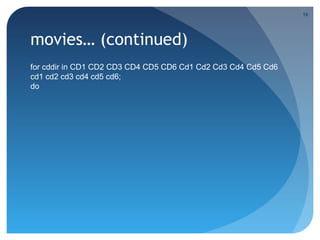
movies… (continued)
for cddir in CD1 CD2 CD3 CD4 CD5 CD6 Cd1 Cd2 Cd3 Cd4 Cd5 Cd6
cd1 cd2 cd3 cd4 cd5 cd6;
do
16
if cd ${cddir} &>/dev/null; then
if [ -n "$(ls 2>/dev/null *001|grep *001)" ]; then
rar x *001
if [ -n "$(ls 2>/dev/null *bin)" ]; then
for i in *bin ; do vcdxrip -p --bin-file="$i" ; done
if [ -n "$(ls 2>/dev/null avseq02.mpg)" ]; then
rm avseq01.mpg
fi
mv *mpg ../${cddir}.mpg
rm *cue *bin *.xml _cdi_cdi_* _extra_svcdinfo.txt &>/dev/null
cd ..
for i in ${cddir}.mpg ; do mv -- $i `echo $i|tr A-Z a-z` ; done
elif [ -n "$(ls 2>/dev/null *mpg)" ]; then
mv *mpg ../${cddir}.mpg
cd ..
for i in ${cddir}.mpg ; do mv -- $i `echo $i|tr A-Z a-z` ; done
elif [ -n "$(ls 2>/dev/null *avi)" ]; then
mv *avi ../${cddir}.avi
cd ..
for i in ${cddir}.avi ; do mv -- $i `echo $i|tr A-Z a-z` ; done
fi
else…
17
movies… (enough already?)else
if [ -n "$(ls 2>/dev/null *01.rar|grep *01.rar)" ]; then
rar x *01.rar
if [ -n "$(ls 2>/dev/null *bin)" ]; then
for i in *bin ; do vcdxrip -p --bin-file="$i" ; done
if [ -n "$(ls 2>/dev/null avseq02.mpg)" ]; then
rm avseq01.mpg
fi
mv *mpg ../${cddir}.mpg
rm *cue *bin *.xml _cdi_cdi_* _extra_svcdinfo.txt &>/dev/null
cd ..
for i in ${cddir}.mpg ; do mv -- $i `echo $i|tr A-Z a-z` ; done
elif [ -n "$(ls 2>/dev/null *mpg)" ]; then
mv *mpg ../${cddir}.mpg
cd ..
for i in ${cddir}.mpg ; do mv -- $i `echo $i|tr A-Z a-z` ; done
elif [ -n "$(ls 2>/dev/null *avi)" ]; then
mv *avi ../${cddir}.avi
cd ..
for i in ${cddir}.avi ; do mv -- $i `echo $i|tr A-Z a-z` ; done
fi
else
if [ -n "$(ls 2>/dev/null *.rar|grep *.rar)" ]; then
rar x *rar
if [ -n "$(ls 2>/dev/null *bin)" ]; then
for i in *bin ; do vcdxrip -p --bin-file="$i" ; done
if [ -n "$(ls 2>/dev/null avseq02.mpg)" ]; then
rm avseq01.mpg
fi
mv *mpg ../${cddir}.mpg
rm *cue *bin *.xml _cdi_cdi_* _extra_svcdinfo.txt &>/dev/null
cd ..
for i in ${cddir}.mpg ; do mv -- $i `echo $i|tr A-Z a-z` ; done
elif [ -n "$(ls 2>/dev/null *mpg)" ]; then
mv *mpg ../${cddir}.mpg
cd ..
for i in ${cddir}.mpg ; do mv -- $i `echo $i|tr A-Z a-z` ; done
elif [ -n "$(ls 2>/dev/null *avi)" ]; then
mv *avi ../${cddir}.avi
cd ..
for i in ${cddir}.avi ; do mv -- $i `echo $i|tr A-Z a-z` ; done
fi
fi
fi
fi
fi
done
18
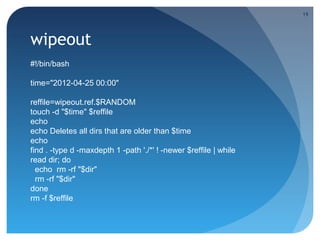
wipeout
#!/bin/bash
time="2012-04-25 00:00"
reffile=wipeout.ref.$RANDOM
touch -d "$time" $reffile
echo
echo Deletes all dirs that are older than $time
echo
find . -type d -maxdepth 1 -path './*' ! -newer $reffile | while
read dir; do
echo rm -rf "$dir"
rm -rf "$dir"
done
rm -f $reffile
19
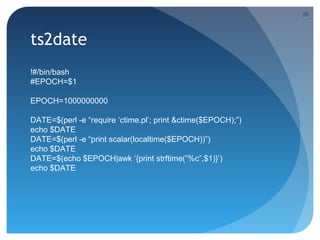
ts2date
!#/bin/bash
#EPOCH=$1
EPOCH=1000000000
DATE=$(perl -e “require ‘ctime.pl’; print &ctime($EPOCH);”)
echo $DATE
DATE=$(perl -e “print scalar(localtime($EPOCH))”)
echo $DATE
DATE=$(echo $EPOCH|awk ‘{print strftime(”%c”,$1)}’)
echo $DATE
20
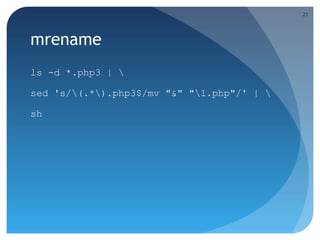
mrename
ls -d *.php3 | 
sed 's/(.*).php3$/mv "&" "1.php"/' | 
sh
21
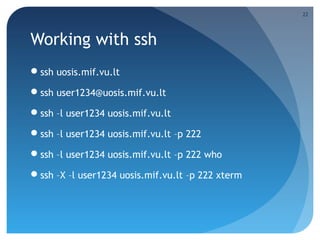
Working with ssh
ssh uosis.mif.vu.lt
ssh user1234@uosis.mif.vu.lt
ssh –l user1234 uosis.mif.vu.lt
ssh –l user1234 uosis.mif.vu.lt –p 222
ssh –l user1234 uosis.mif.vu.lt –p 222 who
ssh –X –l user1234 uosis.mif.vu.lt –p 222 xterm
22
What is SSH?
SSH - Secure SHell
Remote command execution
SSL numbering
Port forwarding
 X environment port forwarding (X-forwarding)
23
SCP – secure copy
scp user@host:/path/file /local/file
scp /local/file user@host:/path/
scp user@host1:/file user@host2:/file
scp * user@host
24
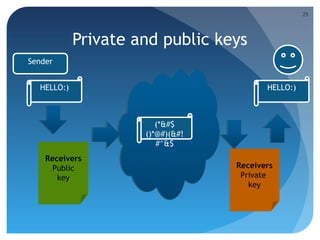
Private and public keys
Sender
Receivers
Public
key
HELLO:)
Receivers
Private
key
HELLO:)
(*&#$
()*@#)(&#!
#^&$
25
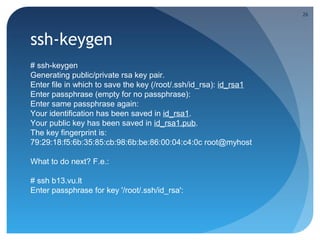
ssh-keygen
# ssh-keygen
Generating public/private rsa key pair.
Enter file in which to save the key (/root/.ssh/id_rsa): id_rsa1
Enter passphrase (empty for no passphrase):
Enter same passphrase again:
Your identification has been saved in id_rsa1.
Your public key has been saved in id_rsa1.pub.
The key fingerprint is:
79:29:18:f5:6b:35:85:cb:98:6b:be:86:00:04:c4:0c root@myhost
What to do next? F.e.:
# ssh b13.vu.lt
Enter passphrase for key '/root/.ssh/id_rsa':
26
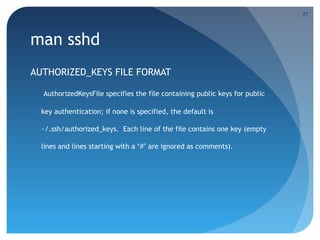
man sshd
AUTHORIZED_KEYS FILE FORMAT
AuthorizedKeysFile specifies the file containing public keys for public
key authentication; if none is specified, the default is
~/.ssh/authorized_keys. Each line of the file contains one key (empty
lines and lines starting with a ‘#’ are ignored as comments).
27
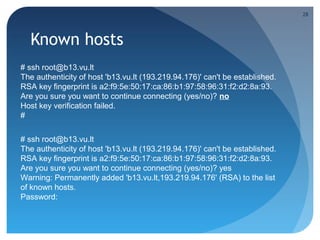
Known hosts
# ssh root@b13.vu.lt
The authenticity of host 'b13.vu.lt (193.219.94.176)' can't be established.
RSA key fingerprint is a2:f9:5e:50:17:ca:86:b1:97:58:96:31:f2:d2:8a:93.
Are you sure you want to continue connecting (yes/no)? no
Host key verification failed.
#
# ssh root@b13.vu.lt
The authenticity of host 'b13.vu.lt (193.219.94.176)' can't be established.
RSA key fingerprint is a2:f9:5e:50:17:ca:86:b1:97:58:96:31:f2:d2:8a:93.
Are you sure you want to continue connecting (yes/no)? yes
Warning: Permanently added 'b13.vu.lt,193.219.94.176' (RSA) to the list
of known hosts.
Password:
28
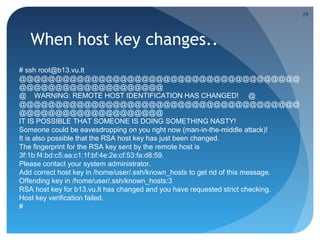
When host key changes..
# ssh root@b13.vu.lt
@@@@@@@@@@@@@@@@@@@@@@@@@@@@@@@@@@@@@@@
@@@@@@@@@@@@@@@@@@@@
@ WARNING: REMOTE HOST IDENTIFICATION HAS CHANGED! @
@@@@@@@@@@@@@@@@@@@@@@@@@@@@@@@@@@@@@@@
@@@@@@@@@@@@@@@@@@@@
IT IS POSSIBLE THAT SOMEONE IS DOING SOMETHING NASTY!
Someone could be eavesdropping on you right now (man-in-the-middle attack)!
It is also possible that the RSA host key has just been changed.
The fingerprint for the RSA key sent by the remote host is
3f:1b:f4:bd:c5:aa:c1:1f:bf:4e:2e:cf:53:fa:d8:59.
Please contact your system administrator.
Add correct host key in /home/user/.ssh/known_hosts to get rid of this message.
Offending key in /home/user/.ssh/known_hosts:3
RSA host key for b13.vu.lt has changed and you have requested strict checking.
Host key verification failed.
#
29
Port forwarding
ssh –R [bind_address:]port:host:hostport
ssh -L [bind_address:]port:host:hostport
30
Security
anti-sec:~/pwn/xpl# ./0pen0wn -h xx.yy.143.133 -p 22
[+] 0wn0wn – anti-sec group
[+] Target: xx.yy.143.133
[+] SSH Port: 22
[~~~~~~~~~~~~~~~~~~~~~~~~~~~~~~~~>]
sh-3.2# export HISTFILE=/dev/null
sh-3.2# id
uid=0(root) gid=0(root)
groups=0(root),1(bin),2(daemon),3(sys),4(adm),6(disk),10(wheel)
sh-3.2# uname -a
Linux xx.yy.net 2.6.24.5-grsec-hostnoc-4.0.0-x86_64-libata
#1 SMP Mon Aug 25 15:56:12 EDT 2012 x86_64 x86_64 x86_64
GNU/Linux
31
Conclusions
Arrays are just piles of variables without any type and
comfortable operators
It’s a good practice to script repetitive tasks
Always keep track of the external tools you’re using.
They may get outdated or vulnerable to third party
intervention
32

Unix 5 en

  • 1.
    UNIX OS Lecture V SimonasKareiva Vilnius University Faculty of Mathematics and Informatics Preparation of the material was supported by the project „Increasing Internationality in Study Programs of the Department of Computer Science II“, project number VP1–2.2–ŠMM-07-K- 02-070, funded by The European Social Fund Agency and the Government of Lithuania.
  • 2.
    Lecture V –outline • Working with arrays • Useful/bin/sh scripts • Working with SSH and SCP 2
  • 3.
    Special variables: $0 commandname $# number of arguments $? state of last closed process (exit code) $$ number of current process $! number of last used background PID $- launch parameters of current run $* all parameters, starting with $1 $@ identical to $*, but used with quotes 3
  • 4.
  • 5.
    Array operations (exercise) area[5]=`expr${area[11]} + ${area[13]}` area[6]=`expr ${area[11]} + ${area[51]}` Where is the mistake? 5
  • 6.
    Other methods area2=( zeroone two three four) echo ${area2[0]} area3=([17]=seventeen[24]=twenty four) array1=( `cat "$filename" | tr 'n' ' '`) read -a colors base64_charset=( {A..Z} {a..z} {0..9} + / = ) 6
  • 7.
    No type string=abcABC123ABCabc echo ${string[@]}# abcABC123ABCabc echo ${string[*]} # abcABC123ABCabc echo ${string[0]} # abcABC123ABCabc echo ${string[1]} # echo ${#string[@]} # 1 7
  • 8.
    Remember and use array=( zero one two three four five) # Elementai: 0 1 2 3 4 5 echo ${array[0]} # zero echo ${array:0} # zero echo ${array:1} # ero echo ${#array[0]} # 5 echo ${#array} echo ${#array[1]} # 6 echo ${#array[*]} # 6 echo ${#array[@]} # 6 8
  • 9.
    Operations with string arrayZ=(one two three four five five ) echo ${arrayZ[@]:0} # one two three four five five echo ${arrayZ[@]:1} # two three four five five echo ${arrayZ[@]:1:2} # two three echo ${arrayZ[@]#f*r} # one two three five five echo ${arrayZ[@]##t*e} # one two four five five echo ${arrayZ[@]%h*e} # one two t four five five echo ${arrayZ[@]%%t*e} # one two four five five 9
  • 10.
    Element replacement echo ${arrayZ[@]%%t*e}# one two four five five echo ${arrayZ[@]//iv/YY} # one two three four fYYe fYYe echo ${arrayZ[@]//fi/} # one two three four ve ve echo ${arrayZ[@]/#fi/XY} # one two three four XYve Xyve echo ${arrayZ[@]/%ve/ZZ} # one two three four fiZZ fiZZ echo ${arrayZ[@]/%o/XX} # one twXX three four five five 10
  • 11.
    Slide #5 –useful scripts Practical examples of how to benefit from scripts Some of them are actually often used by lecturer Please mind various external tools used 11
  • 12.
    singleton #!/bin/bash echo "argument: $1" RESULT=`/bin/psxauwww | /bin/grep -v "$0" | /bin/grep "^$USER.*$1$"` if [ -z "$RESULT" ] ; then LC_MESSAGES=en_US $* else echo "Sorry, already running as:" echo " $RESULT” echo "singleton reports that $1 is already started” fi #end 12
  • 13.
    mysqltcpdump # tcpdump -ieth0 -s 0 -l -w - dst port 3306 | strings | perl -e ' while(<>) { chomp; next if /^[^ ]+[ ]*$/; if(/^(SELECT|UPDATE|DELETE|INSERT|SET|COMMIT|ROLLBACK| CREATE|DROP|ALTER)/i) { if (defined $q) { print "$qn"; } $q=$_; } else { $_ =~ s/^[ t]+//; $q.=" $_"; } }' 13
  • 14.
    #!/usr/bin/perl -w #camel code  use strict; $_='ev al("seek040D ATA,0, 0;");foreach(1..3) {<DATA>;}my @camel1hump;my$camel; my$Camel ;while( <DATA>){$_=sprintf("%-6 9s",$_);my@dromedary 1=split(//);if(defined($ _=<DATA>)){@camel1hum p=split(//);}while(@dromeda ry1){my$camel1hump=0 ;my$CAMEL=3;if(defined($_=shif t(@dromedary1 ))&&/S/){$camel1hump+=1<<$CAMEL;} $CAMEL--;if(d efined($_=shift(@dromedary1))&&/S/){ $camel1hump+=1 <<$CAMEL;}$CAMEL--;if(defined($_=shift( @camel1hump))&&/S/){$camel1hump+=1<<$CAMEL;}$CAMEL--;if( defined($_=shift(@camel1hump))&&/S/){$camel1hump+=1<<$CAME L;;}$camel.=(split(//,"040..m`{/J047134}L^7FX"))[$camel1h ump];}$camel.="n";}@camel1hump=split(/n/,$camel);foreach(@ camel1hump){chomp;$Camel=$_;y/LJF7173175`047/061062063 064065066067070/;y/12345678/JL7F175173047`/;$_=reverse; print"$_040$Cameln";}foreach(@camel1hump){chomp;$Camel=$_;y /LJF7173175`047/12345678/;y/12345678/JL7F1751730 47`/; $_=reverse;print"040$_$Cameln";}';;s/s*//g;;eval; eval ("seek040DATA,0,0;");undef$/;$_=<DATA>;s/s*//g;( );;s ;^.*_;;;map{eval"print"$_"";}/.{4}/g; __DATA__ 124 1 501450401651631450401571 460401 410 40143141 1551451 540401 51155 141 1471450 40151156 040141 16316 3 157143 15114116 41511 57156 040167 1511641 50040 1201 45162 15404015 1163 04014 10401 641621 41144 145 15514 1162 15304 0157 146 04011 7047 1221 4515 11541 54171 040 046 01210116 316 315 714315 114 116 4145163 054 040 11115614 3056 040 12516314514 4040 1671 511641 500 40160 145162 155151 163163 1511 57156056 (unused…) 14
  • 15.
    movies #!/bin/bash # Made byioccatflashdancedotcx # Version 1.6, if [ -n "$(ls 2>/dev/null *001|grep *001)" ]; then rar x *01.rar if [ -n "$(ls 2>/dev/null *bin)" ]; then for i in *bin ; do vcdxrip -p --bin-file="$i" ; done mv *mpg cd.mpg; rm *cue *bin *.xml _cdi_cdi_* _extra_svcdinfo.txt &>/dev/null fi fi if [ -n "$(ls 2>/dev/null *01.rar|grep *01.rar)" ]; then rar x *01.rar if [ -n "$(ls 2>/dev/null *bin)" ]; then for i in *bin ; do vcdxrip -p --bin-file="$i" ; done mv *mpg cd.mpg; rm *cue *bin *.xml _cdi_cdi_* _extra_svcdinfo.txt &>/dev/null fi fi if [ -n "$(ls 2>/dev/null *.rar|grep *.rar)" ]; then rar x *rar if [ -n "$(ls 2>/dev/null *bin)" ]; then for i in *bin ; do vcdxrip -p --bin-file="$i" ; done mv *mpg cd.mpg; rm *cue *bin *.xml _cdi_cdi_* _extra_svcdinfo.txt &>/dev/null fi fi 15
  • 16.
    movies… (continued) for cddirin CD1 CD2 CD3 CD4 CD5 CD6 Cd1 Cd2 Cd3 Cd4 Cd5 Cd6 cd1 cd2 cd3 cd4 cd5 cd6; do 16
  • 17.
    if cd ${cddir}&>/dev/null; then if [ -n "$(ls 2>/dev/null *001|grep *001)" ]; then rar x *001 if [ -n "$(ls 2>/dev/null *bin)" ]; then for i in *bin ; do vcdxrip -p --bin-file="$i" ; done if [ -n "$(ls 2>/dev/null avseq02.mpg)" ]; then rm avseq01.mpg fi mv *mpg ../${cddir}.mpg rm *cue *bin *.xml _cdi_cdi_* _extra_svcdinfo.txt &>/dev/null cd .. for i in ${cddir}.mpg ; do mv -- $i `echo $i|tr A-Z a-z` ; done elif [ -n "$(ls 2>/dev/null *mpg)" ]; then mv *mpg ../${cddir}.mpg cd .. for i in ${cddir}.mpg ; do mv -- $i `echo $i|tr A-Z a-z` ; done elif [ -n "$(ls 2>/dev/null *avi)" ]; then mv *avi ../${cddir}.avi cd .. for i in ${cddir}.avi ; do mv -- $i `echo $i|tr A-Z a-z` ; done fi else… 17
  • 18.
    movies… (enough already?)else if[ -n "$(ls 2>/dev/null *01.rar|grep *01.rar)" ]; then rar x *01.rar if [ -n "$(ls 2>/dev/null *bin)" ]; then for i in *bin ; do vcdxrip -p --bin-file="$i" ; done if [ -n "$(ls 2>/dev/null avseq02.mpg)" ]; then rm avseq01.mpg fi mv *mpg ../${cddir}.mpg rm *cue *bin *.xml _cdi_cdi_* _extra_svcdinfo.txt &>/dev/null cd .. for i in ${cddir}.mpg ; do mv -- $i `echo $i|tr A-Z a-z` ; done elif [ -n "$(ls 2>/dev/null *mpg)" ]; then mv *mpg ../${cddir}.mpg cd .. for i in ${cddir}.mpg ; do mv -- $i `echo $i|tr A-Z a-z` ; done elif [ -n "$(ls 2>/dev/null *avi)" ]; then mv *avi ../${cddir}.avi cd .. for i in ${cddir}.avi ; do mv -- $i `echo $i|tr A-Z a-z` ; done fi else if [ -n "$(ls 2>/dev/null *.rar|grep *.rar)" ]; then rar x *rar if [ -n "$(ls 2>/dev/null *bin)" ]; then for i in *bin ; do vcdxrip -p --bin-file="$i" ; done if [ -n "$(ls 2>/dev/null avseq02.mpg)" ]; then rm avseq01.mpg fi mv *mpg ../${cddir}.mpg rm *cue *bin *.xml _cdi_cdi_* _extra_svcdinfo.txt &>/dev/null cd .. for i in ${cddir}.mpg ; do mv -- $i `echo $i|tr A-Z a-z` ; done elif [ -n "$(ls 2>/dev/null *mpg)" ]; then mv *mpg ../${cddir}.mpg cd .. for i in ${cddir}.mpg ; do mv -- $i `echo $i|tr A-Z a-z` ; done elif [ -n "$(ls 2>/dev/null *avi)" ]; then mv *avi ../${cddir}.avi cd .. for i in ${cddir}.avi ; do mv -- $i `echo $i|tr A-Z a-z` ; done fi fi fi fi fi done 18
  • 19.
    wipeout #!/bin/bash time="2012-04-25 00:00" reffile=wipeout.ref.$RANDOM touch -d"$time" $reffile echo echo Deletes all dirs that are older than $time echo find . -type d -maxdepth 1 -path './*' ! -newer $reffile | while read dir; do echo rm -rf "$dir" rm -rf "$dir" done rm -f $reffile 19
  • 20.
    ts2date !#/bin/bash #EPOCH=$1 EPOCH=1000000000 DATE=$(perl -e “require‘ctime.pl’; print &ctime($EPOCH);”) echo $DATE DATE=$(perl -e “print scalar(localtime($EPOCH))”) echo $DATE DATE=$(echo $EPOCH|awk ‘{print strftime(”%c”,$1)}’) echo $DATE 20
  • 21.
    mrename ls -d *.php3| sed 's/(.*).php3$/mv "&" "1.php"/' | sh 21
  • 22.
    Working with ssh sshuosis.mif.vu.lt ssh user1234@uosis.mif.vu.lt ssh –l user1234 uosis.mif.vu.lt ssh –l user1234 uosis.mif.vu.lt –p 222 ssh –l user1234 uosis.mif.vu.lt –p 222 who ssh –X –l user1234 uosis.mif.vu.lt –p 222 xterm 22
  • 23.
    What is SSH? SSH- Secure SHell Remote command execution SSL numbering Port forwarding  X environment port forwarding (X-forwarding) 23
  • 24.
    SCP – securecopy scp user@host:/path/file /local/file scp /local/file user@host:/path/ scp user@host1:/file user@host2:/file scp * user@host 24
  • 25.
    Private and publickeys Sender Receivers Public key HELLO:) Receivers Private key HELLO:) (*&#$ ()*@#)(&#! #^&$ 25
  • 26.
    ssh-keygen # ssh-keygen Generating public/privatersa key pair. Enter file in which to save the key (/root/.ssh/id_rsa): id_rsa1 Enter passphrase (empty for no passphrase): Enter same passphrase again: Your identification has been saved in id_rsa1. Your public key has been saved in id_rsa1.pub. The key fingerprint is: 79:29:18:f5:6b:35:85:cb:98:6b:be:86:00:04:c4:0c root@myhost What to do next? F.e.: # ssh b13.vu.lt Enter passphrase for key '/root/.ssh/id_rsa': 26
  • 27.
    man sshd AUTHORIZED_KEYS FILEFORMAT AuthorizedKeysFile specifies the file containing public keys for public key authentication; if none is specified, the default is ~/.ssh/authorized_keys. Each line of the file contains one key (empty lines and lines starting with a ‘#’ are ignored as comments). 27
  • 28.
    Known hosts # sshroot@b13.vu.lt The authenticity of host 'b13.vu.lt (193.219.94.176)' can't be established. RSA key fingerprint is a2:f9:5e:50:17:ca:86:b1:97:58:96:31:f2:d2:8a:93. Are you sure you want to continue connecting (yes/no)? no Host key verification failed. # # ssh root@b13.vu.lt The authenticity of host 'b13.vu.lt (193.219.94.176)' can't be established. RSA key fingerprint is a2:f9:5e:50:17:ca:86:b1:97:58:96:31:f2:d2:8a:93. Are you sure you want to continue connecting (yes/no)? yes Warning: Permanently added 'b13.vu.lt,193.219.94.176' (RSA) to the list of known hosts. Password: 28
  • 29.
    When host keychanges.. # ssh root@b13.vu.lt @@@@@@@@@@@@@@@@@@@@@@@@@@@@@@@@@@@@@@@ @@@@@@@@@@@@@@@@@@@@ @ WARNING: REMOTE HOST IDENTIFICATION HAS CHANGED! @ @@@@@@@@@@@@@@@@@@@@@@@@@@@@@@@@@@@@@@@ @@@@@@@@@@@@@@@@@@@@ IT IS POSSIBLE THAT SOMEONE IS DOING SOMETHING NASTY! Someone could be eavesdropping on you right now (man-in-the-middle attack)! It is also possible that the RSA host key has just been changed. The fingerprint for the RSA key sent by the remote host is 3f:1b:f4:bd:c5:aa:c1:1f:bf:4e:2e:cf:53:fa:d8:59. Please contact your system administrator. Add correct host key in /home/user/.ssh/known_hosts to get rid of this message. Offending key in /home/user/.ssh/known_hosts:3 RSA host key for b13.vu.lt has changed and you have requested strict checking. Host key verification failed. # 29
  • 30.
    Port forwarding ssh –R[bind_address:]port:host:hostport ssh -L [bind_address:]port:host:hostport 30
  • 31.
    Security anti-sec:~/pwn/xpl# ./0pen0wn -hxx.yy.143.133 -p 22 [+] 0wn0wn – anti-sec group [+] Target: xx.yy.143.133 [+] SSH Port: 22 [~~~~~~~~~~~~~~~~~~~~~~~~~~~~~~~~>] sh-3.2# export HISTFILE=/dev/null sh-3.2# id uid=0(root) gid=0(root) groups=0(root),1(bin),2(daemon),3(sys),4(adm),6(disk),10(wheel) sh-3.2# uname -a Linux xx.yy.net 2.6.24.5-grsec-hostnoc-4.0.0-x86_64-libata #1 SMP Mon Aug 25 15:56:12 EDT 2012 x86_64 x86_64 x86_64 GNU/Linux 31
  • 32.
    Conclusions Arrays are justpiles of variables without any type and comfortable operators It’s a good practice to script repetitive tasks Always keep track of the external tools you’re using. They may get outdated or vulnerable to third party intervention 32