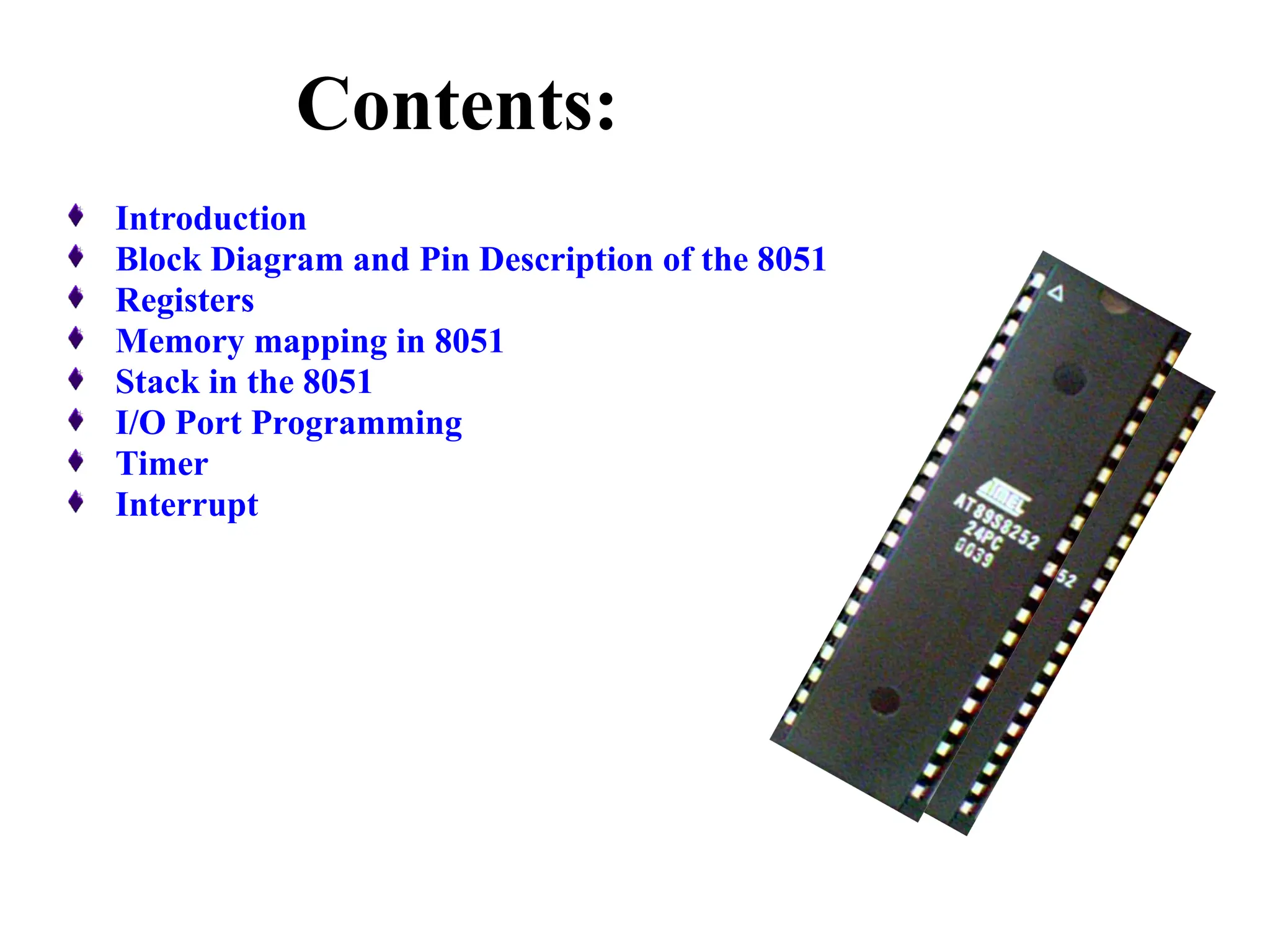
Contents:
Introduction
Block Diagram and Pin Description of the 8051
Registers
Memory mapping in 8051
Stack in the 8051
I/O Port Programming
Timer
Interrupt
Why do we need to learn
Microprocessors/controllers?
• The microprocessor is the core of computer
systems.
• Nowadays many communication, digital
entertainment, portable devices, are
controlled by them.
• A designer should know what types of
components he needs, ways to reduce
production costs and product reliable.
Different aspects of a
microprocessor/controller
• Hardware :Interface to the real world
• Software :order how to deal with inputs
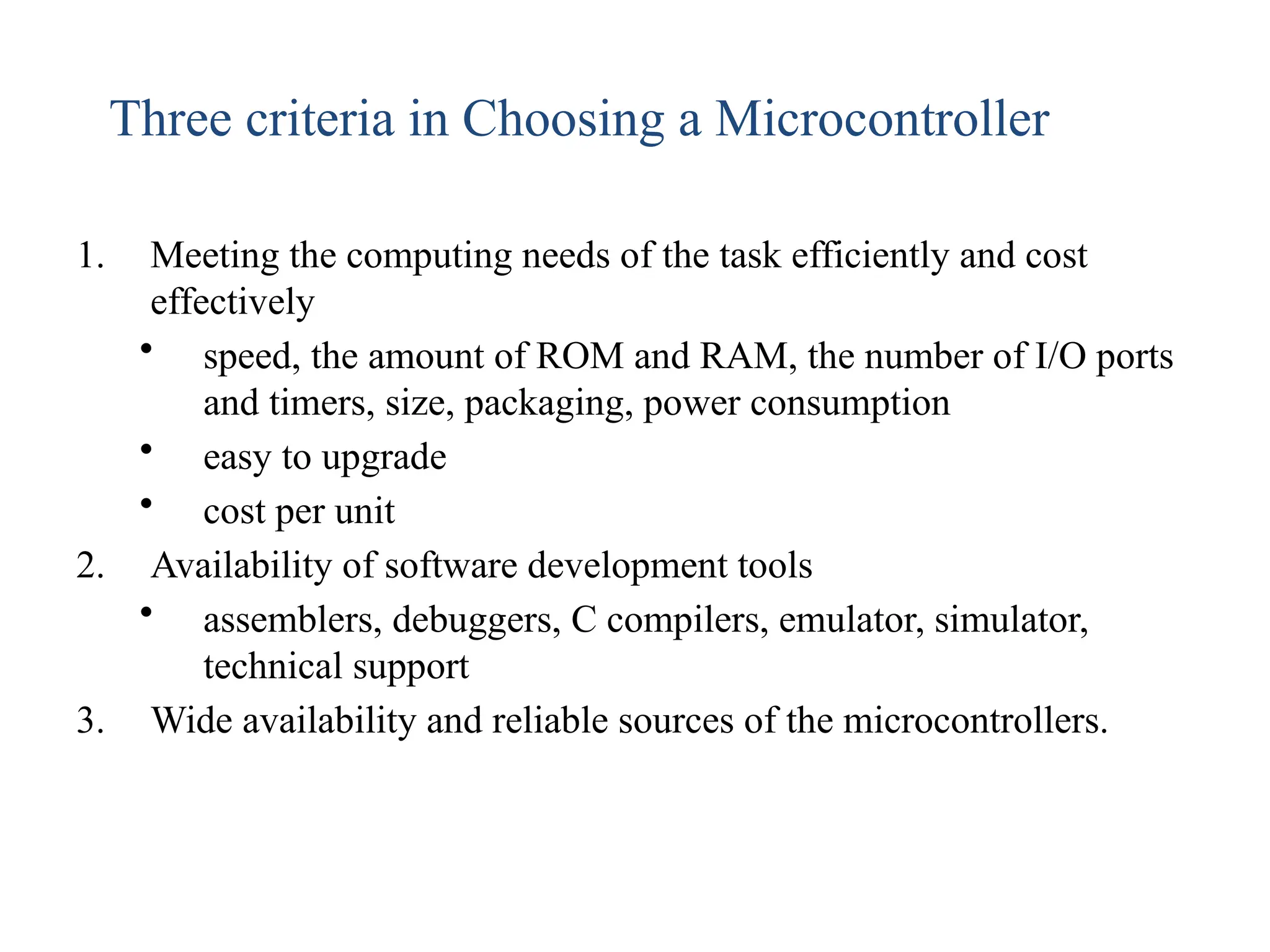
1. Meeting the computing needs of the task efficiently and cost
effectively
• speed, the amount of ROM and RAM, the number of I/O ports
and timers, size, packaging, power consumption
• easy to upgrade
• cost per unit
2. Availability of software development tools
• assemblers, debuggers, C compilers, emulator, simulator,
technical support
3. Wide availability and reliable sources of the microcontrollers.
Three criteria in Choosing a Microcontroller
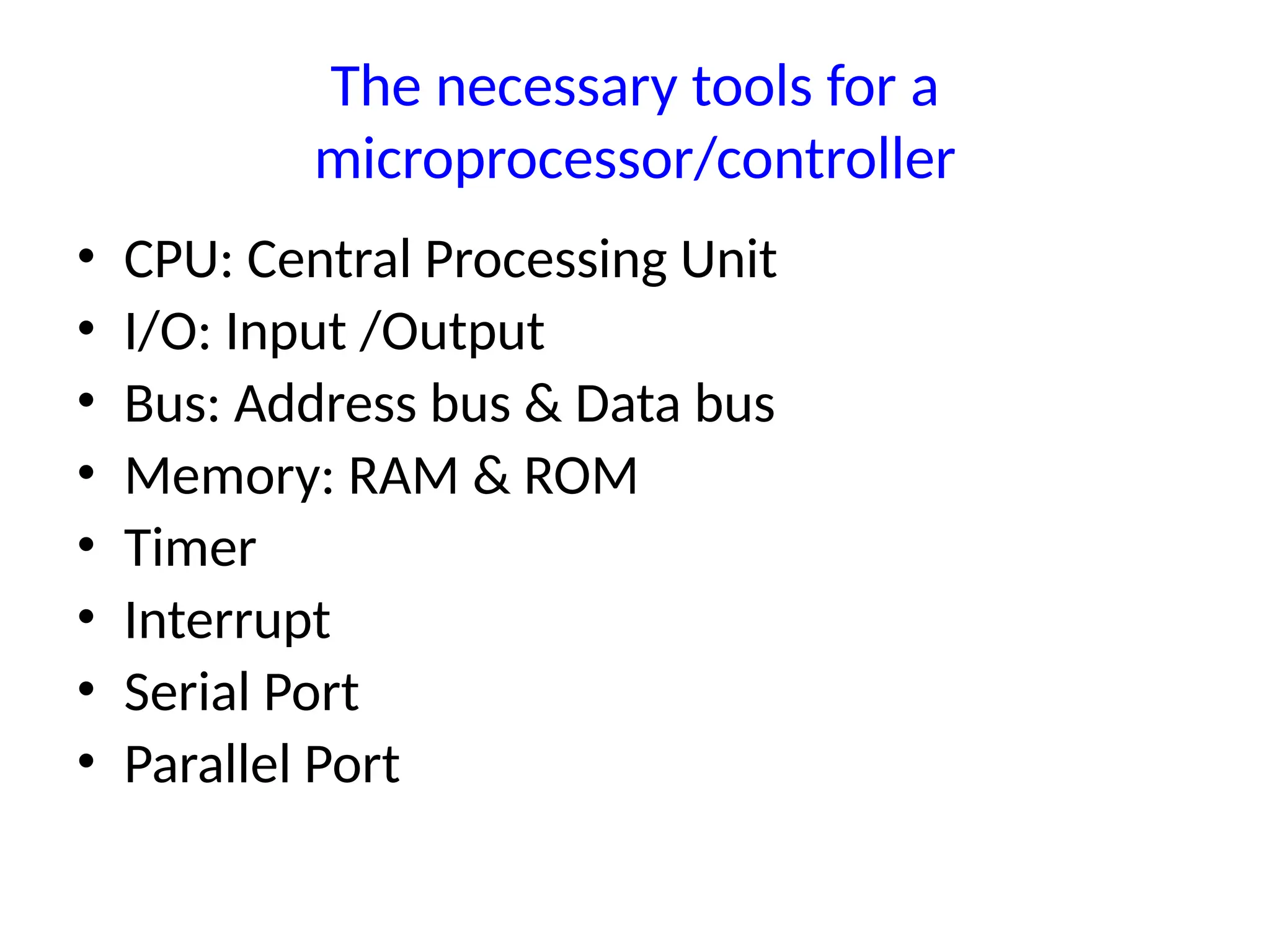
The necessary tools for a
microprocessor/controller
• CPU: Central Processing Unit
• I/O: Input /Output
• Bus: Address bus & Data bus
• Memory: RAM & ROM
• Timer
• Interrupt
• Serial Port
• Parallel Port
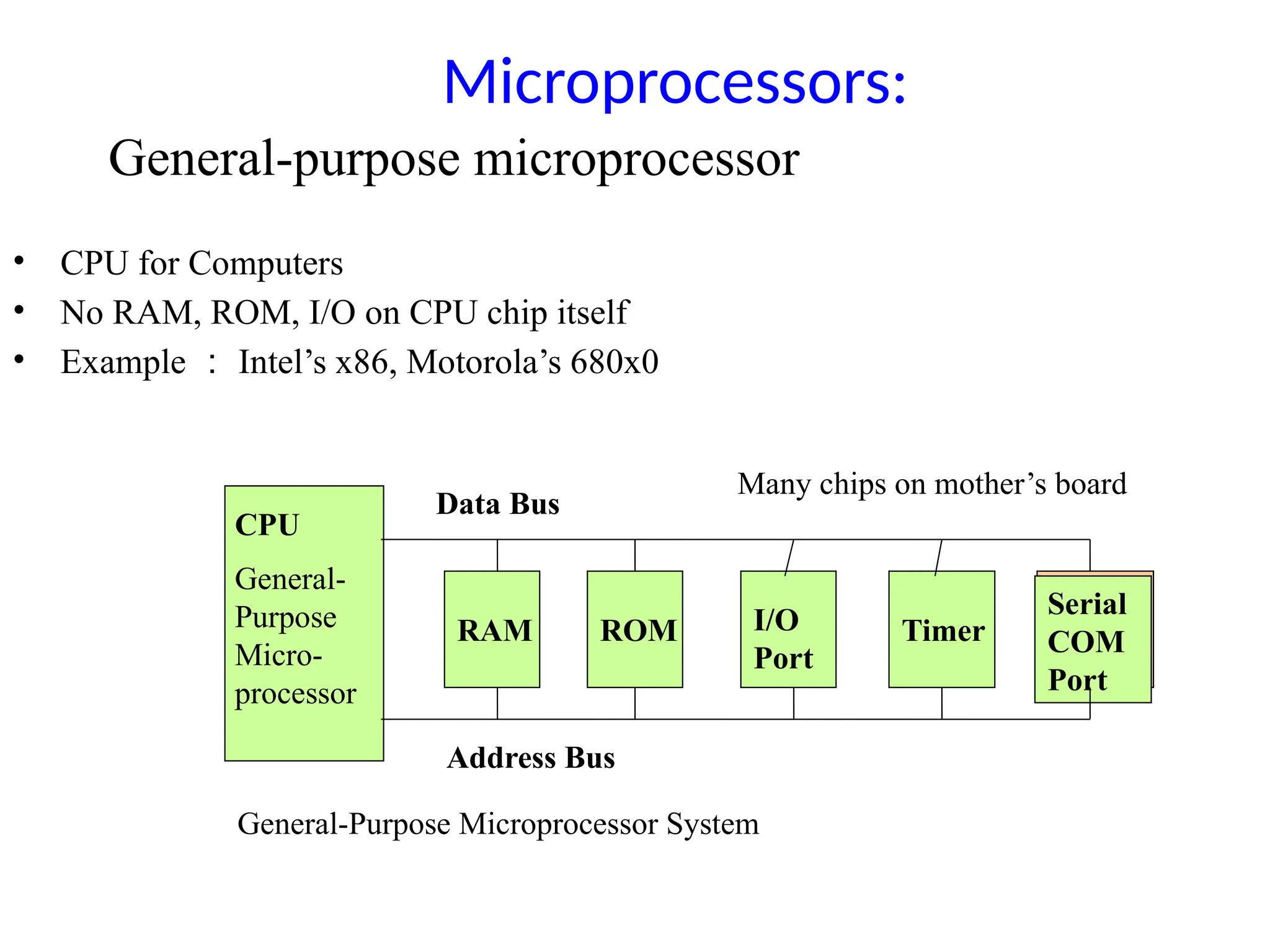
CPU
General-
Purpose
Micro-
processor
RAM ROM I/O
Port
Timer
Serial
COM
Port
Data Bus
Address Bus
General-Purpose Microprocessor System
Microprocessors:
• CPU for Computers
• No RAM, ROM, I/O on CPU chip itself
• Example : Intel’s x86, Motorola’s 680x0
Many chips on mother’s board
General-purpose microprocessor
RAM ROM
I/O
Port
Timer
Serial
COM
Port
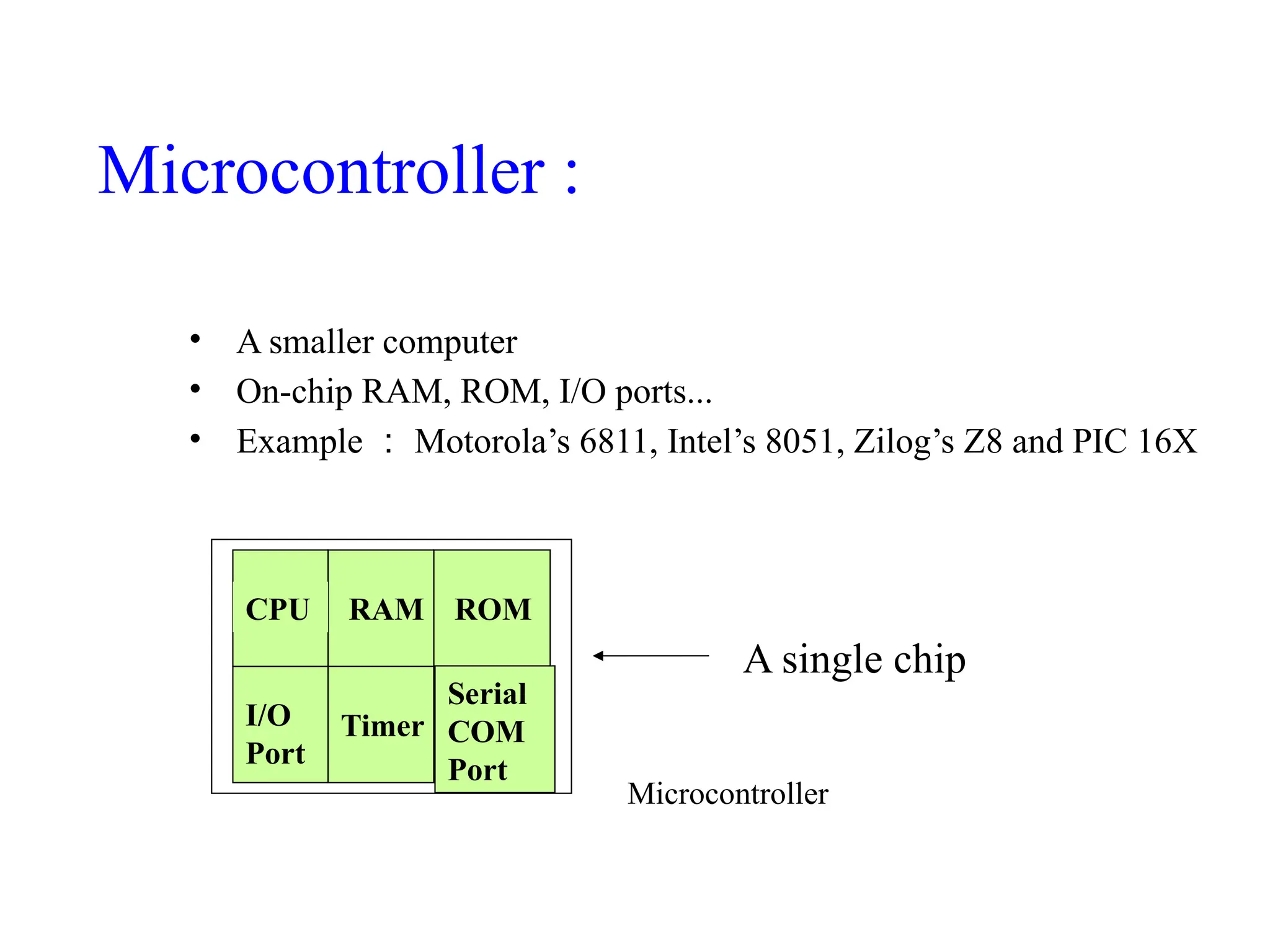
Microcontroller
CPU
• A smaller computer
• On-chip RAM, ROM, I/O ports...
• Example : Motorola’s 6811, Intel’s 8051, Zilog’s Z8 and PIC 16X
A single chip
Microcontroller :
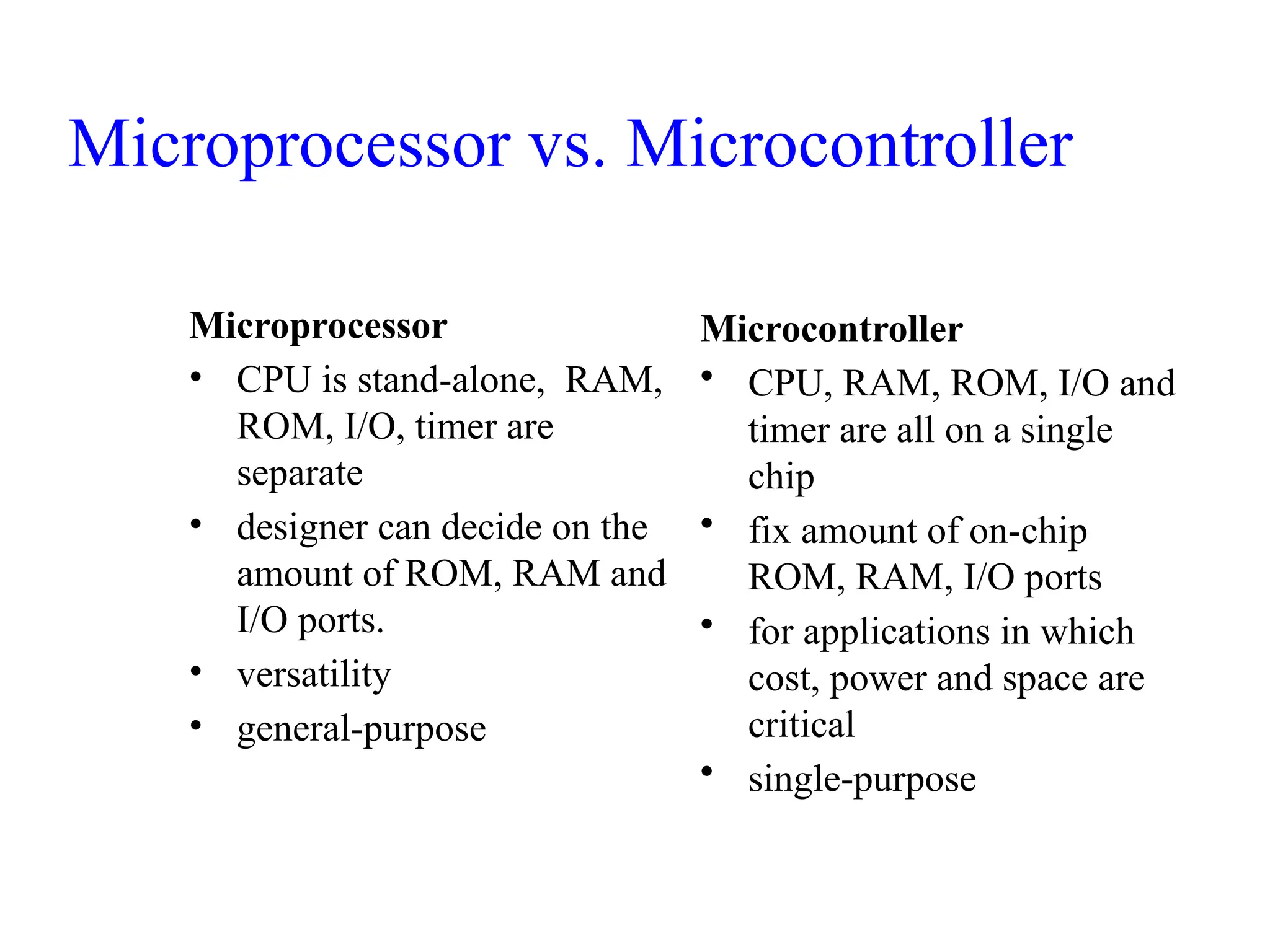
Microprocessor
• CPU is stand-alone, RAM,
ROM, I/O, timer are
separate
• designer can decide on the
amount of ROM, RAM and
I/O ports.
• versatility
• general-purpose
Microcontroller
• CPU, RAM, ROM, I/O and
timer are all on a single
chip
• fix amount of on-chip
ROM, RAM, I/O ports
• for applications in which
cost, power and space are
critical
• single-purpose
Microprocessor vs. Microcontroller
The 8051 microcontroller
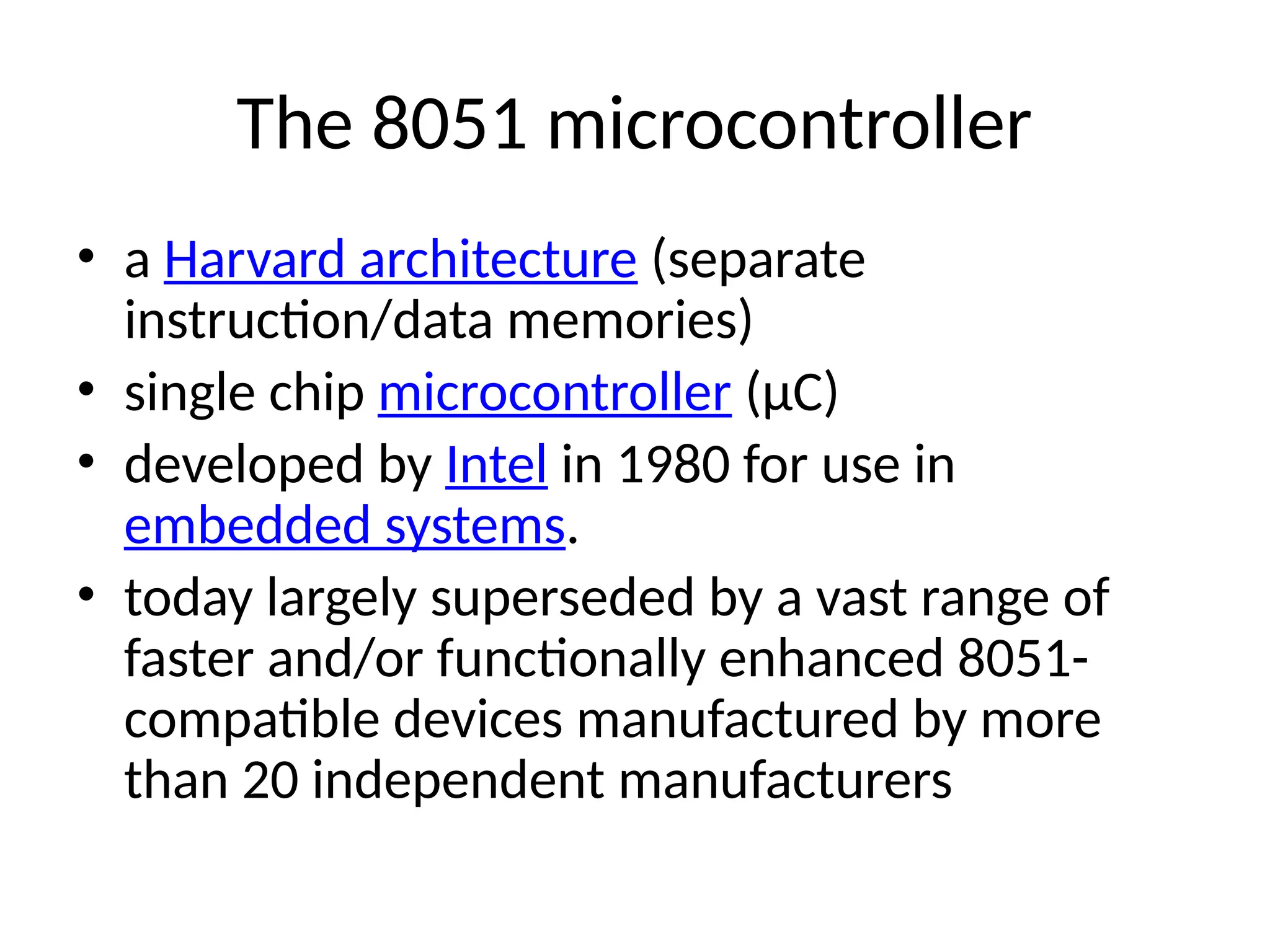
• a Harvard architecture (separate
instruction/data memories)
• single chip microcontroller (µC)
• developed by Intel in 1980 for use in
embedded systems.
• today largely superseded by a vast range of
faster and/or functionally enhanced 8051-
compatible devices manufactured by more
than 20 independent manufacturers
Block Diagram
CPU
On-chip
RAM
On-chip
ROM for
program
code
4 I/O Ports
Timer 0
Serial
Port
OSC
Interrupt
Control
External interrupts
Timer 1
Timer/Counter
Bus
Control
TxD RxD
P0 P1 P2 P3
Address/Data
Counter
Inputs
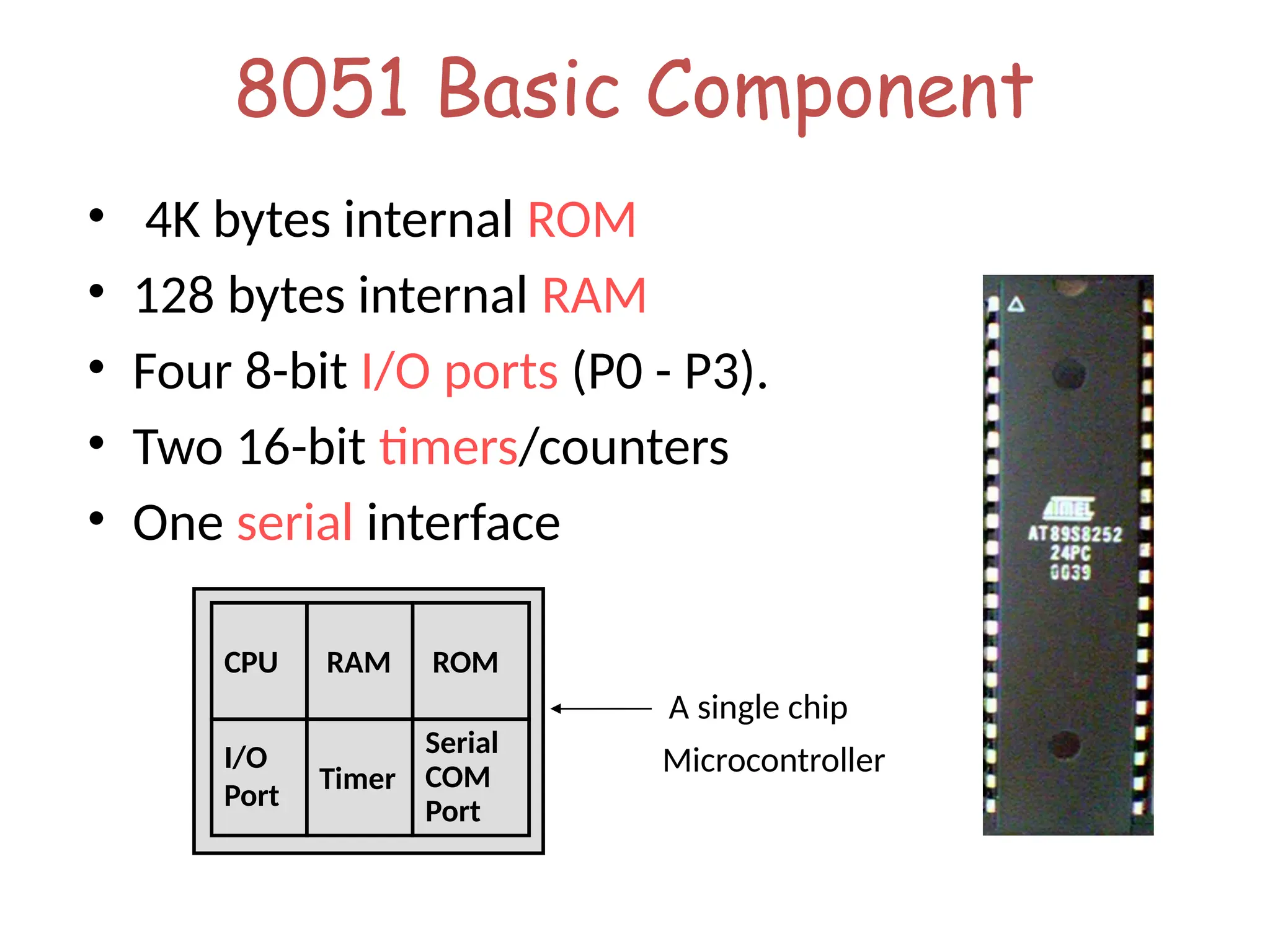
8051 Basic Component
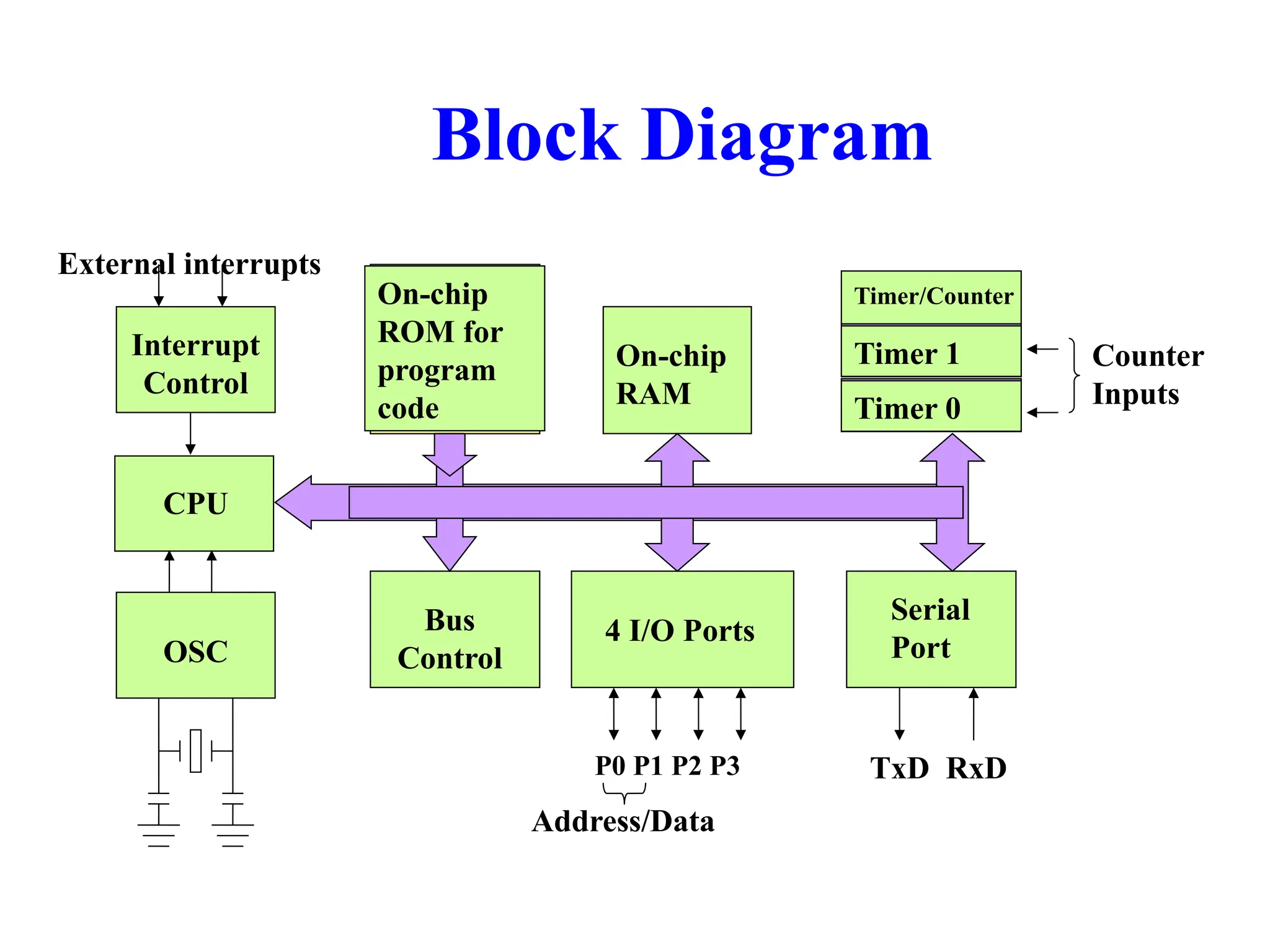
• 4K bytes internal ROM
• 128 bytes internal RAM
• Four 8-bit I/O ports (P0 - P3).
• Two 16-bit timers/counters
• One serial interface
RAM
I/O
Port
Timer
Serial
COM
Port
Microcontroller
CPU
A single chip
ROM
Other 8051 featurs
• only 1 On chip oscillator (external crystal)
• 6 interrupt sources (2 external , 3 internal, Reset)
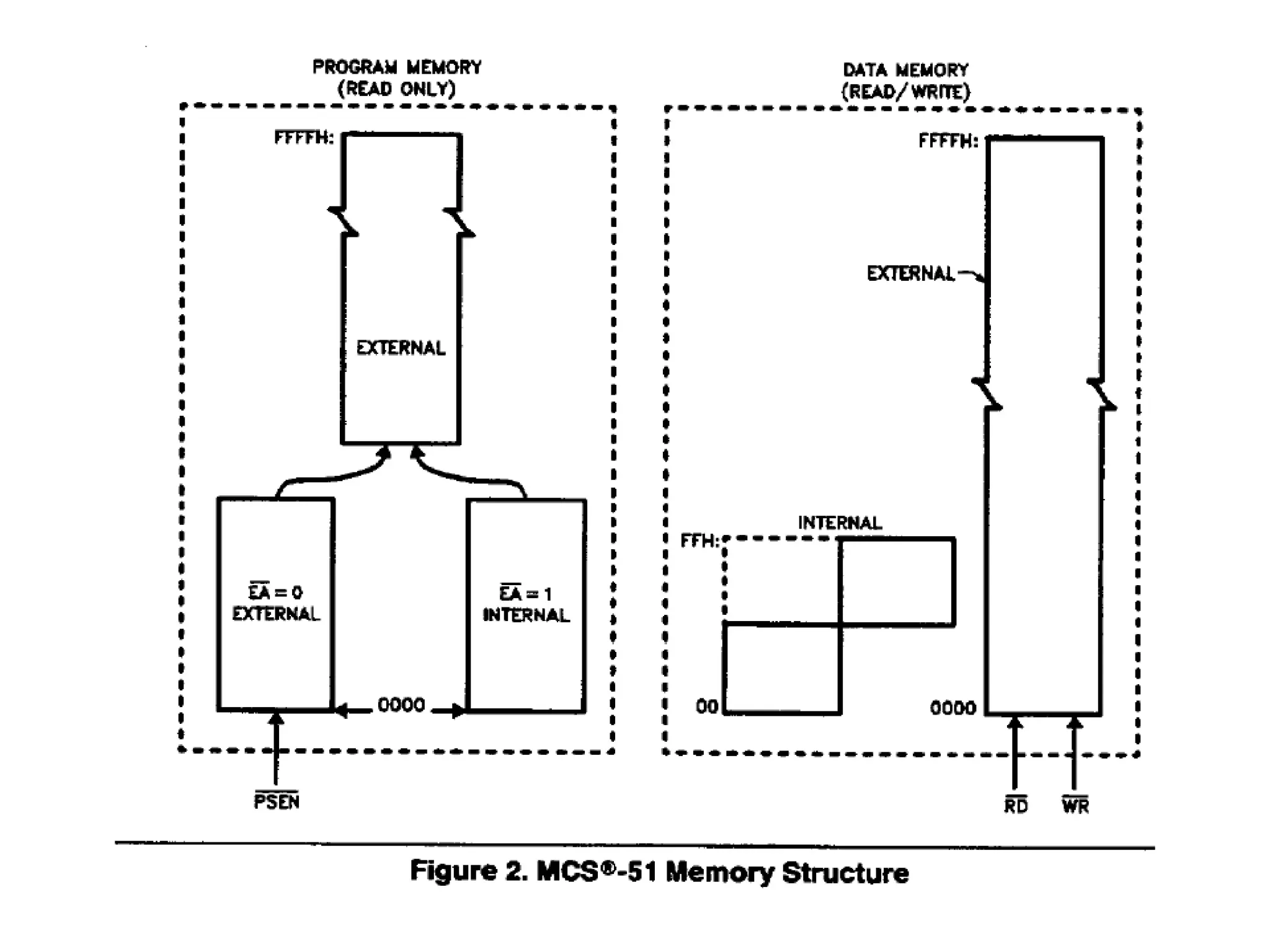
• 64K external code (program) memory(only read)PSEN
• 64K external data memory(can be read and write) by RD,WR
• Code memory is selectable by EA (internal or external)
• We may have External memory as data and code
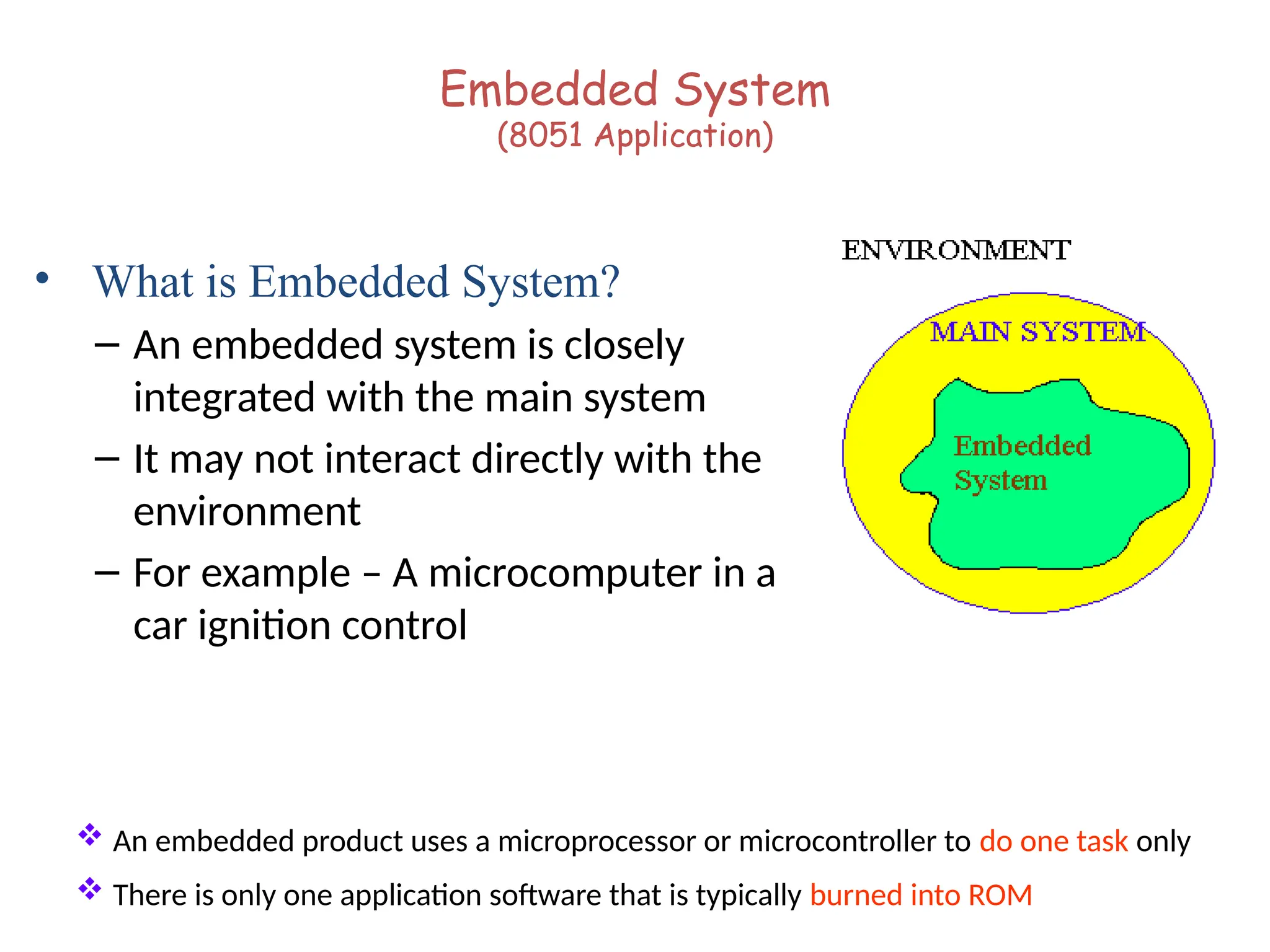
Embedded System
(8051 Application)
• What is Embedded System?
– An embedded system is closely
integrated with the main system
– It may not interact directly with the
environment
– For example – A microcomputer in a
car ignition control
 An embedded product uses a microprocessor or microcontroller to do one task only
 There is only one application software that is typically burned into ROM
Examples of Embedded Systems
• Keyboard
• Printer
• video game player
• MP3 music players
• Embedded memories to keep configuration
information
• Mobile phone units
• Domestic (home) appliances
• Data switches
• Automotive controls
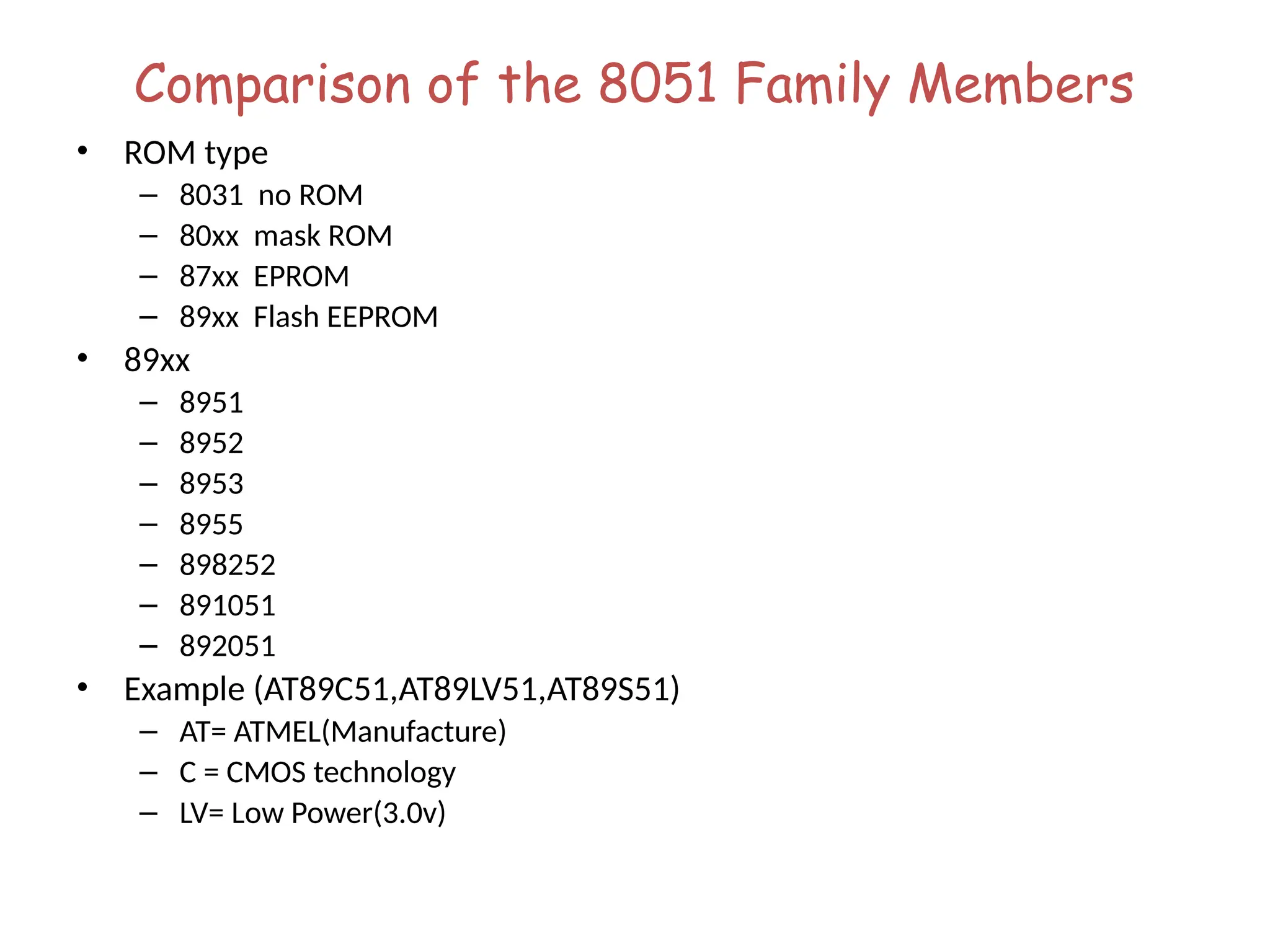
Comparison of the 8051 Family Members
• ROM type
– 8031 no ROM
– 80xx mask ROM
– 87xx EPROM
– 89xx Flash EEPROM
• 89xx
– 8951
– 8952
– 8953
– 8955
– 898252
– 891051
– 892051
• Example (AT89C51,AT89LV51,AT89S51)
– AT= ATMEL(Manufacture)
– C = CMOS technology
– LV= Low Power(3.0v)
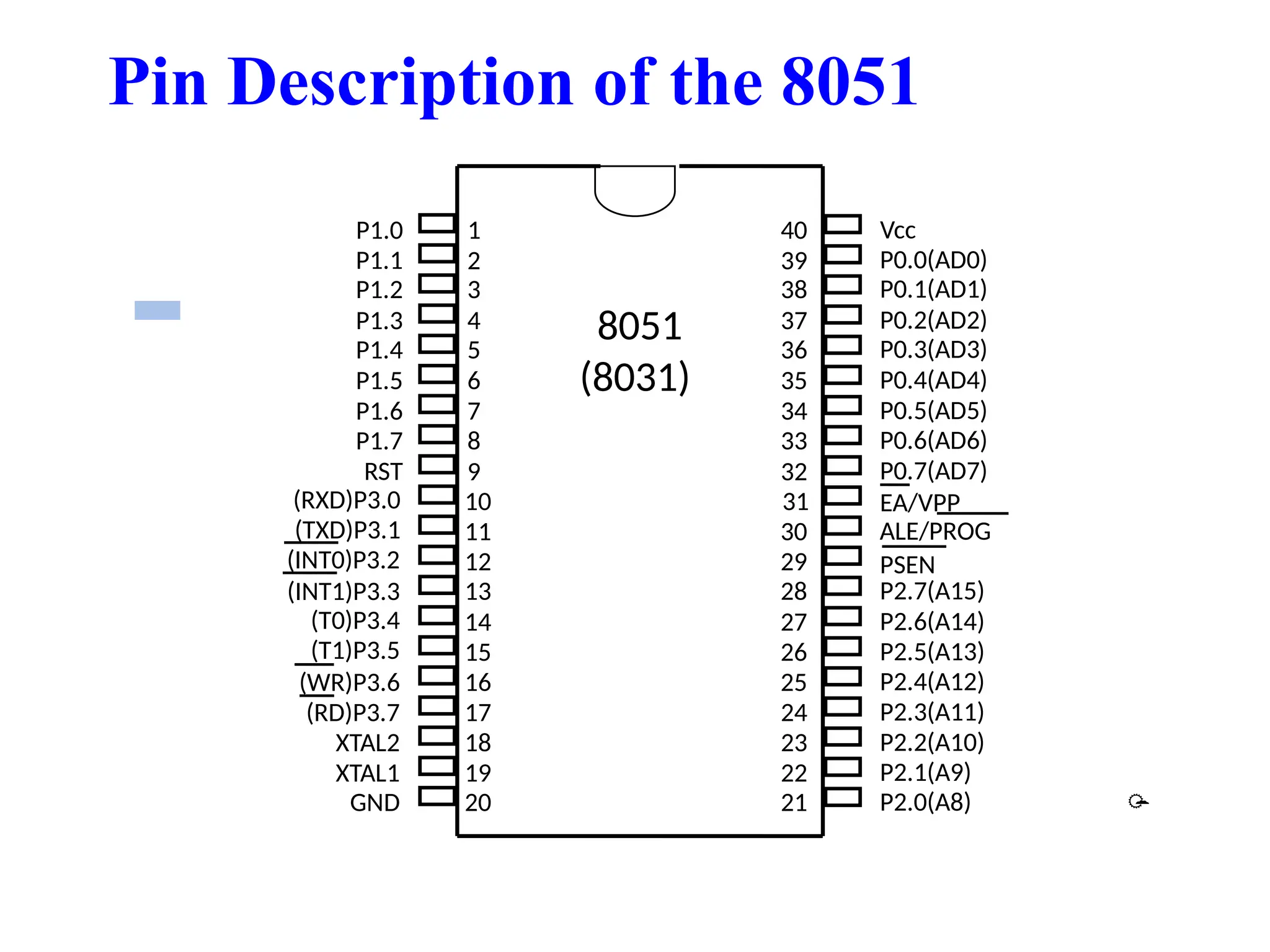
Pin Description of the 8051
1
2
3
4
5
6
7
8
9
10
11
12
13
14
15
16
17
18
19
20
40
39
38
37
36
35
34
33
32
31
30
29
28
27
26
25
24
23
22
21
P1.0
P1.1
P1.2
P1.3
P1.4
P1.5
P1.6
P1.7
RST
(RXD)P3.0
(TXD)P3.1
(T0)P3.4
(T1)P3.5
XTAL2
XTAL1
GND
(INT0)P3.2
(INT1)P3.3
(RD)P3.7
(WR)P3.6
Vcc
P0.0(AD0)
P0.1(AD1)
P0.2(AD2)
P0.3(AD3)
P0.4(AD4)
P0.5(AD5)
P0.6(AD6)
P0.7(AD7)
EA/VPP
ALE/PROG
PSEN
P2.7(A15)
P2.6(A14)
P2.5(A13)
P2.4(A12)
P2.3(A11)
P2.2(A10)
P2.1(A9)
P2.0(A8)
8051
(8031)

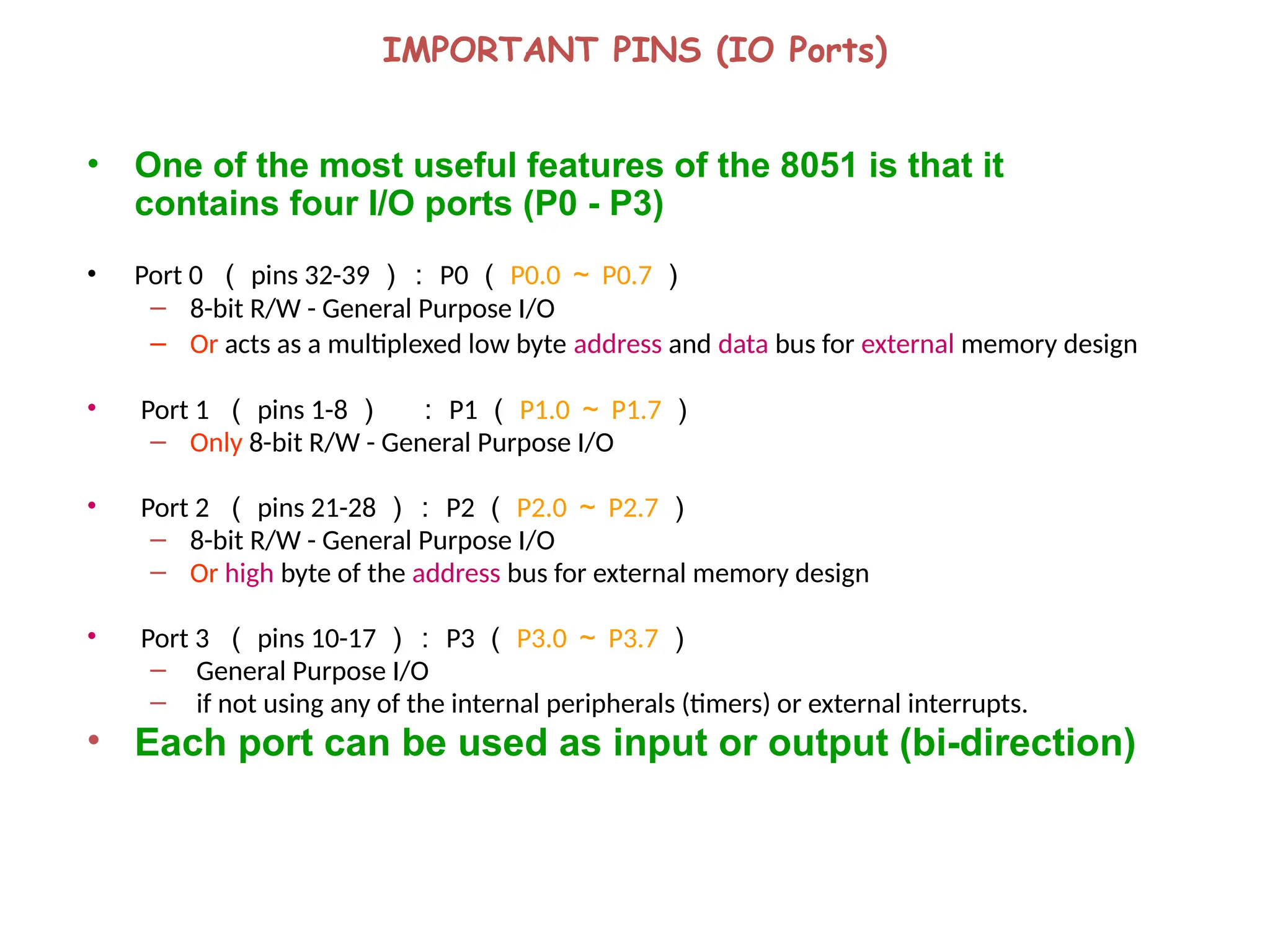
IMPORTANT PINS (IO Ports)
• One of the most useful features of the 8051 is that it
contains four I/O ports (P0 - P3)
• Port 0 ( pins 32-39 ): P0 ( P0.0 ~ P0.7 )
– 8-bit R/W - General Purpose I/O
– Or acts as a multiplexed low byte address and data bus for external memory design
• Port 1 ( pins 1-8 ) : P1 ( P1.0 ~ P1.7 )
– Only 8-bit R/W - General Purpose I/O
• Port 2 ( pins 21-28 ): P2 ( P2.0 ~ P2.7 )
– 8-bit R/W - General Purpose I/O
– Or high byte of the address bus for external memory design
• Port 3 ( pins 10-17 ): P3 ( P3.0 ~ P3.7 )
– General Purpose I/O
– if not using any of the internal peripherals (timers) or external interrupts.
• Each port can be used as input or output (bi-direction)
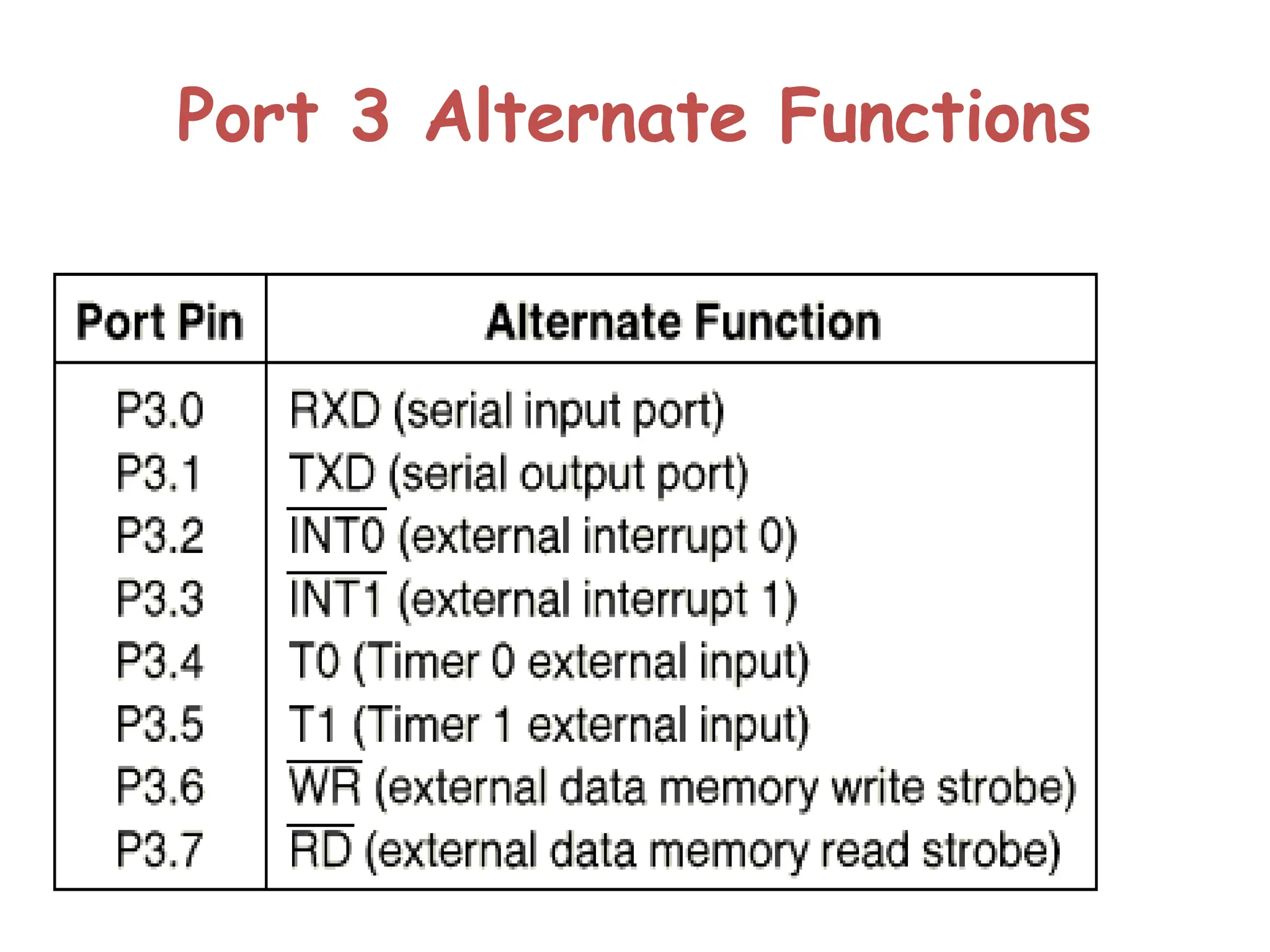
Port 3 Alternate Functions
IMPORTANT PINS
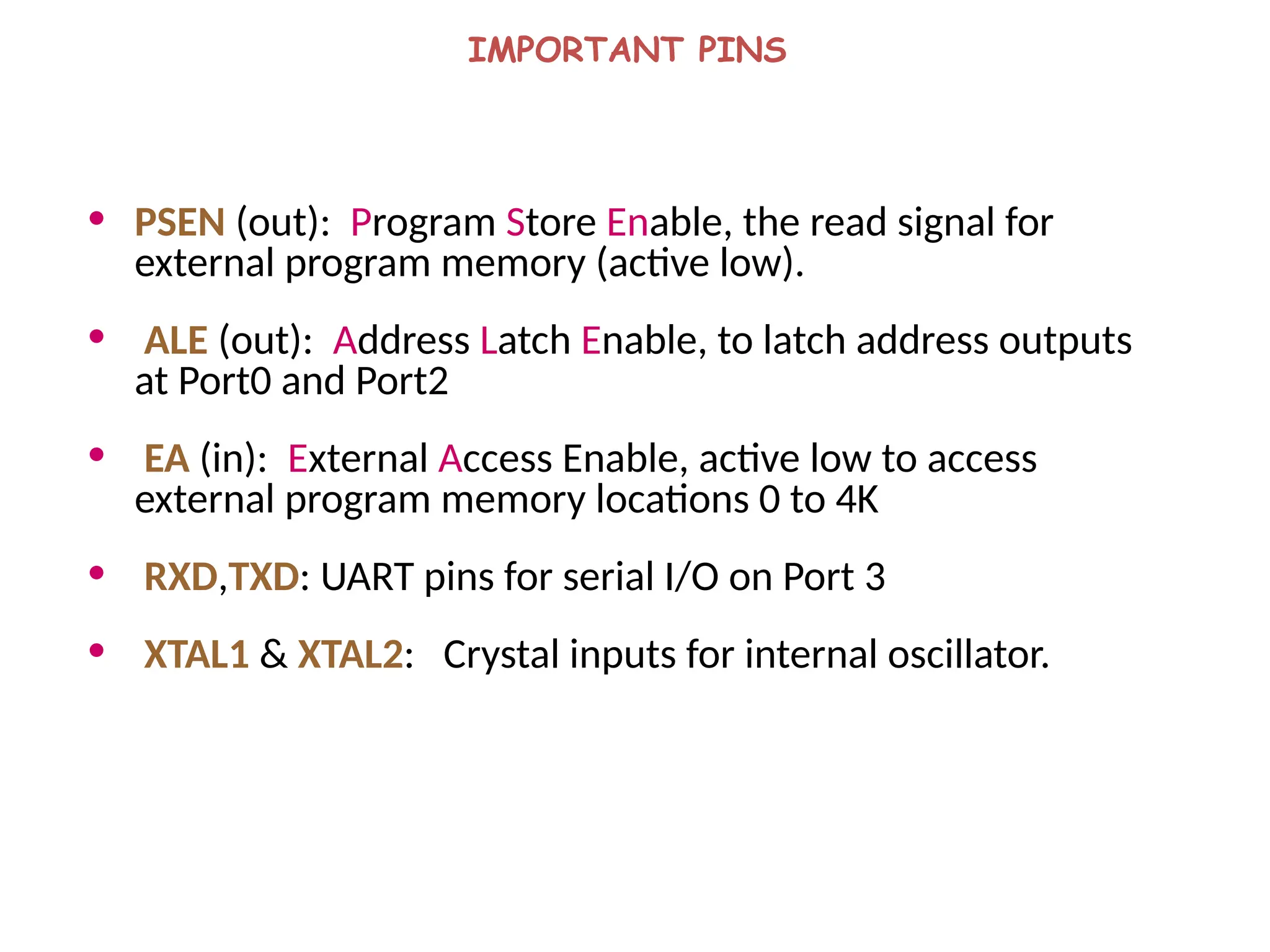
• PSEN (out): Program Store Enable, the read signal for
external program memory (active low).
• ALE (out): Address Latch Enable, to latch address outputs
at Port0 and Port2
• EA (in): External Access Enable, active low to access
external program memory locations 0 to 4K
• RXD,TXD: UART pins for serial I/O on Port 3
• XTAL1 & XTAL2: Crystal inputs for internal oscillator.
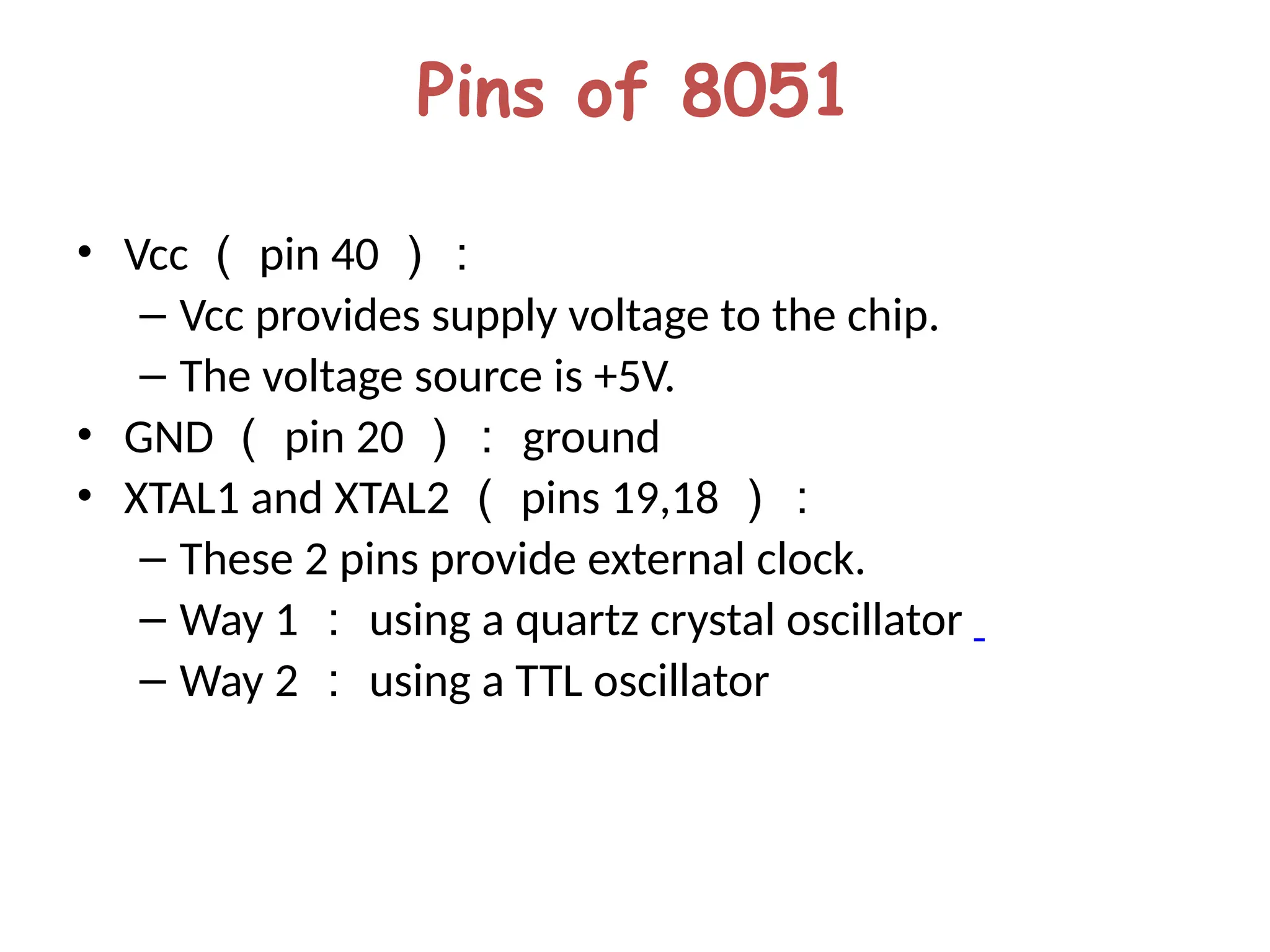
Pins of 8051
• Vcc ( pin 40 ):
– Vcc provides supply voltage to the chip.
– The voltage source is +5V.
• GND ( pin 20 ): ground
• XTAL1 and XTAL2 ( pins 19,18 ):
– These 2 pins provide external clock.
– Way 1 : using a quartz crystal oscillator
– Way 2 : using a TTL oscillator
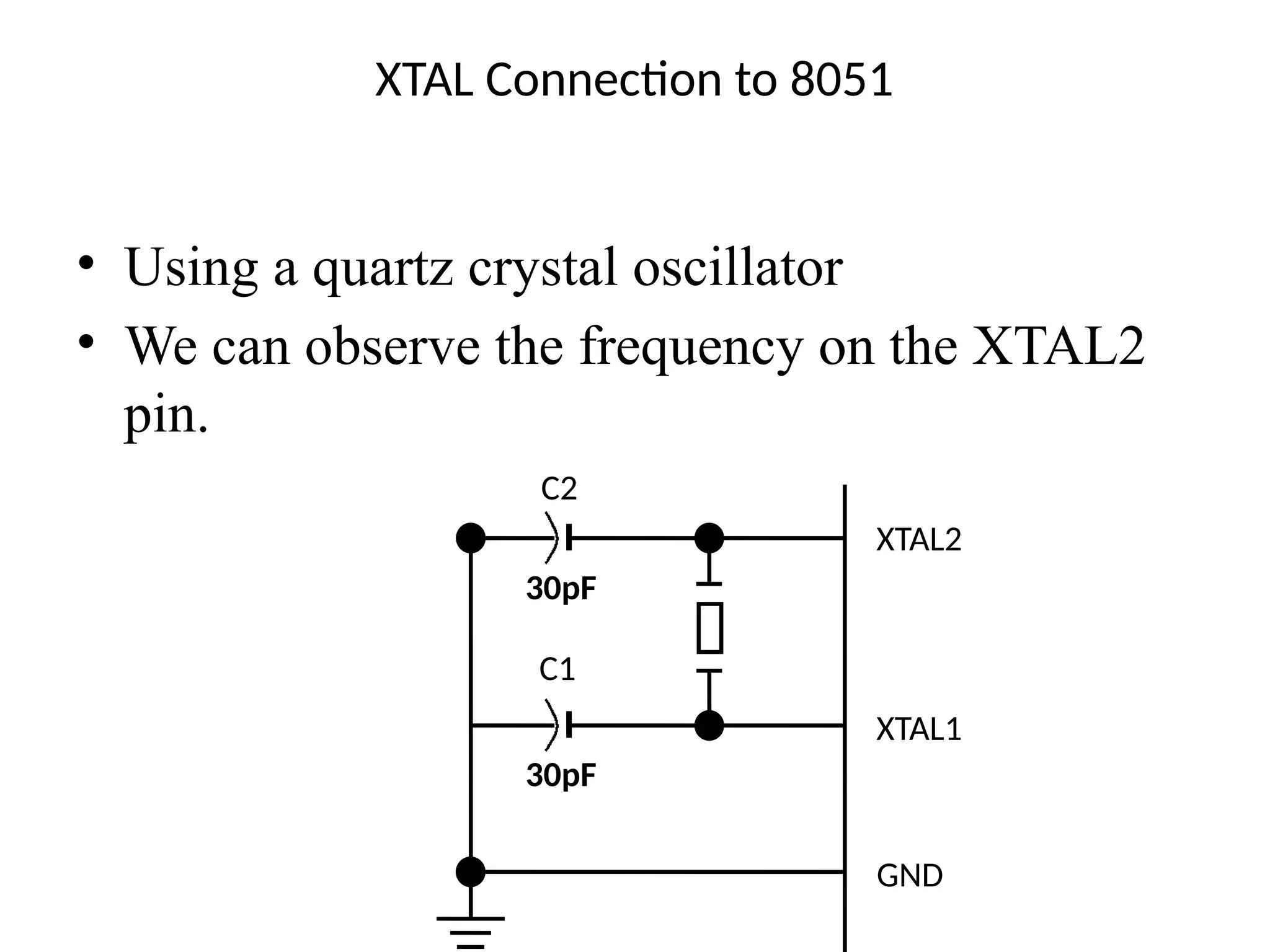
XTAL Connection to 8051
• Using a quartz crystal oscillator
• We can observe the frequency on the XTAL2
pin.
C2
30pF
C1
30pF
XTAL2
XTAL1
GND
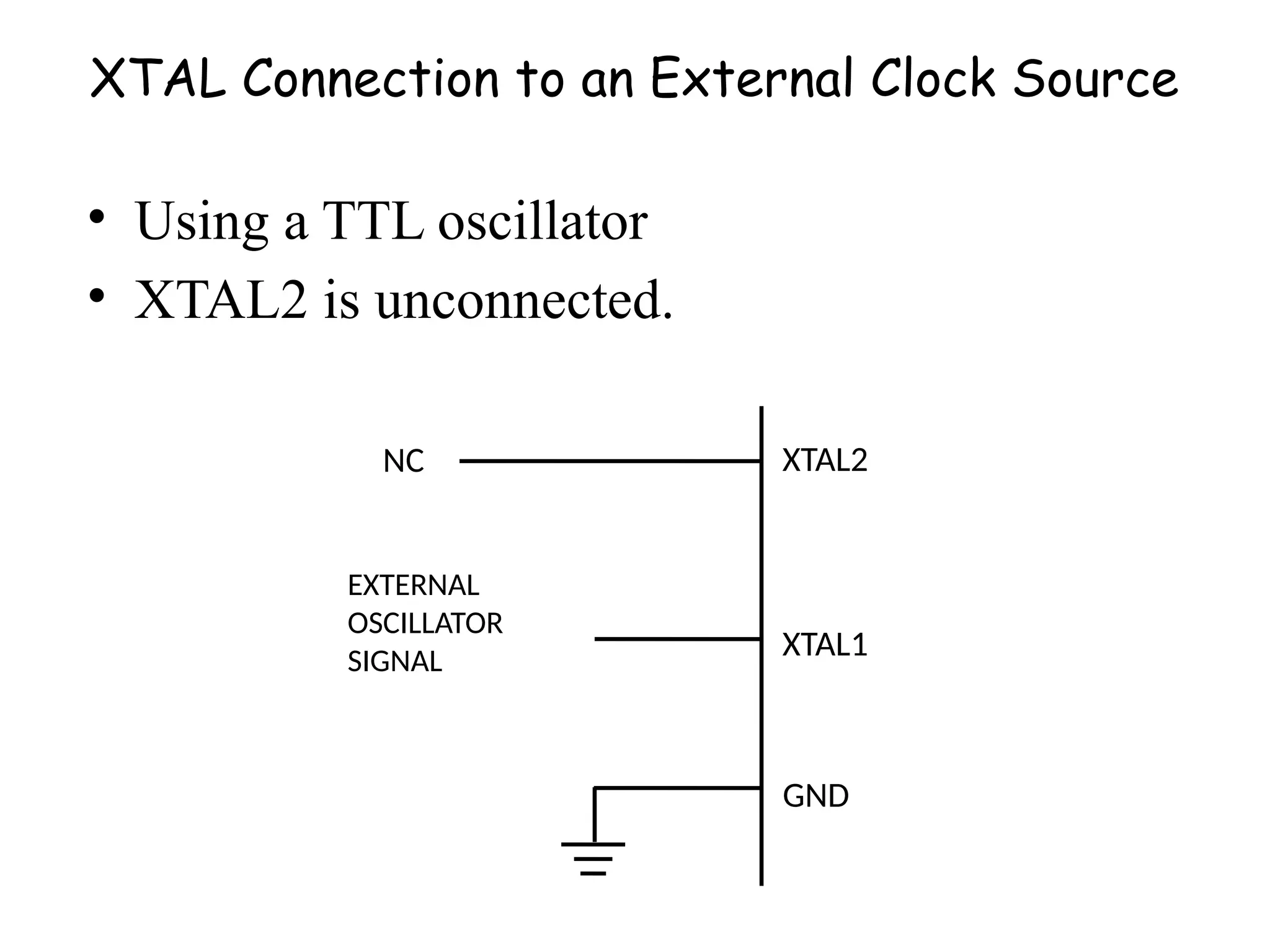
XTAL Connection to an External Clock Source
• Using a TTL oscillator
• XTAL2 is unconnected.
NC
EXTERNAL
OSCILLATOR
SIGNAL
XTAL2
XTAL1
GND
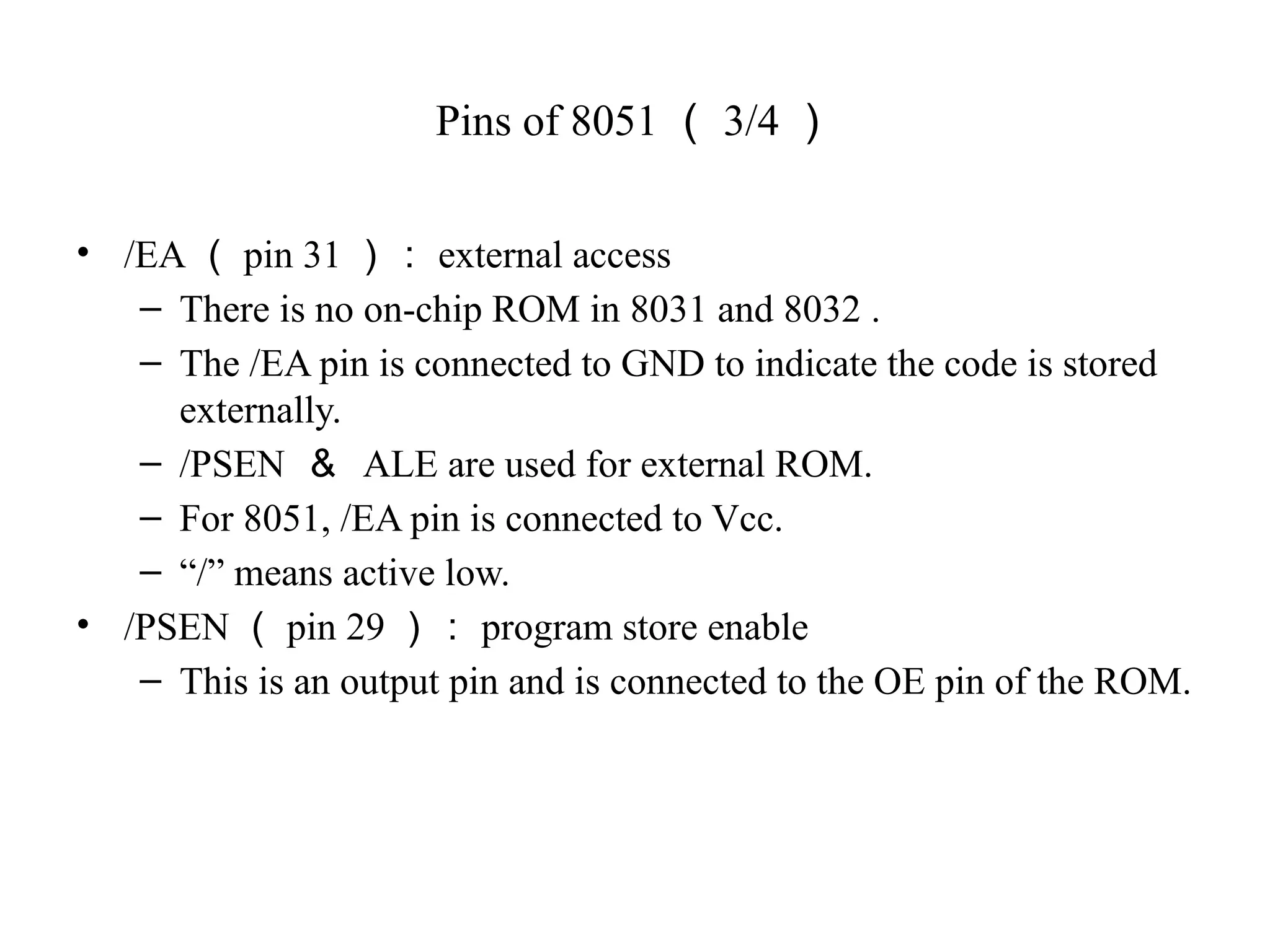
Pins of 8051 ( 3/4 )
• /EA ( pin 31 ): external access
– There is no on-chip ROM in 8031 and 8032 .
– The /EA pin is connected to GND to indicate the code is stored
externally.
– /PSEN & ALE are used for external ROM.
– For 8051, /EA pin is connected to Vcc.
– “/” means active low.
• /PSEN ( pin 29 ): program store enable
– This is an output pin and is connected to the OE pin of the ROM.
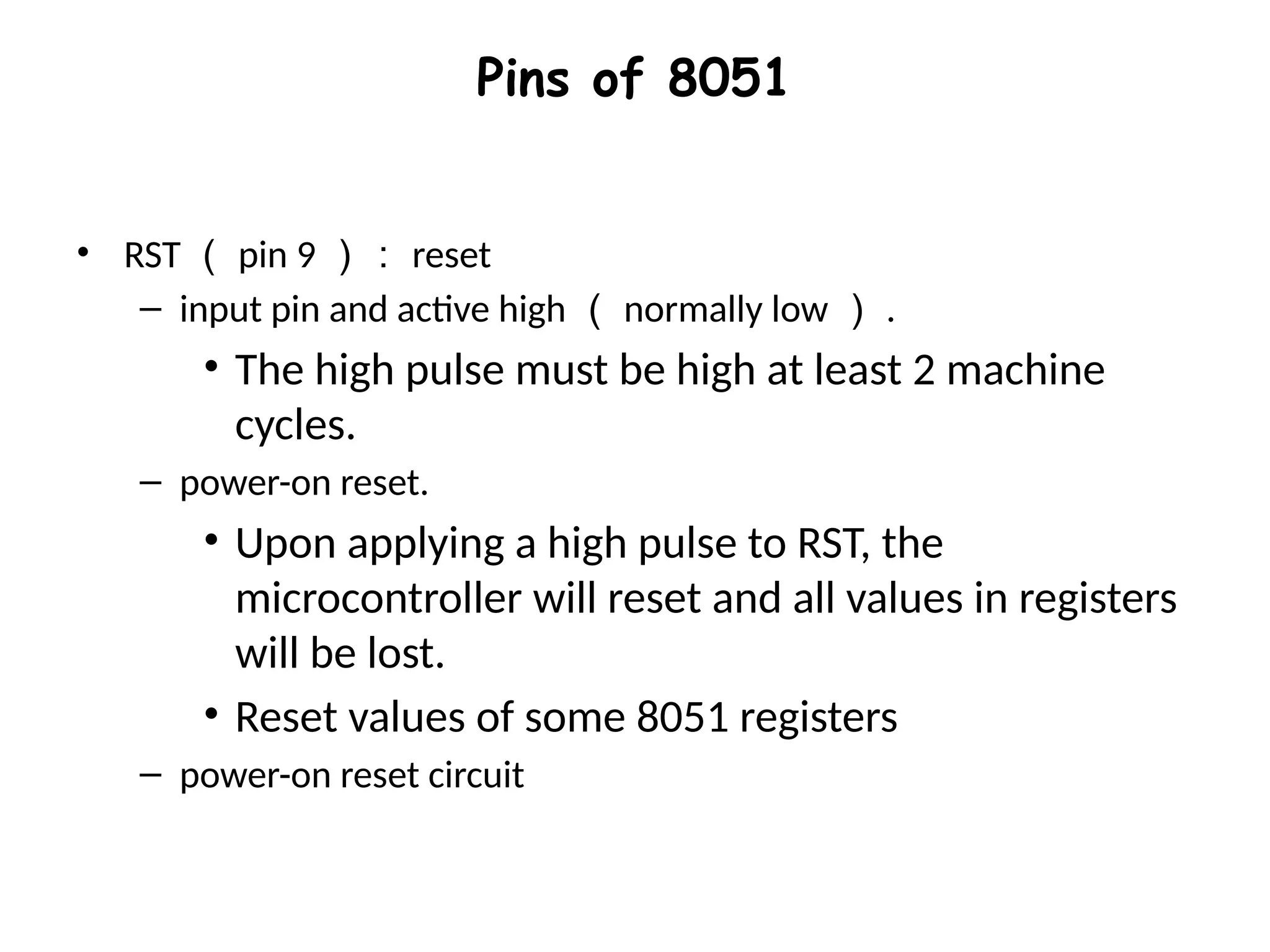
Pins of 8051
• RST ( pin 9 ): reset
– input pin and active high ( normally low ) .
• The high pulse must be high at least 2 machine
cycles.
– power-on reset.
• Upon applying a high pulse to RST, the
microcontroller will reset and all values in registers
will be lost.
• Reset values of some 8051 registers
– power-on reset circuit
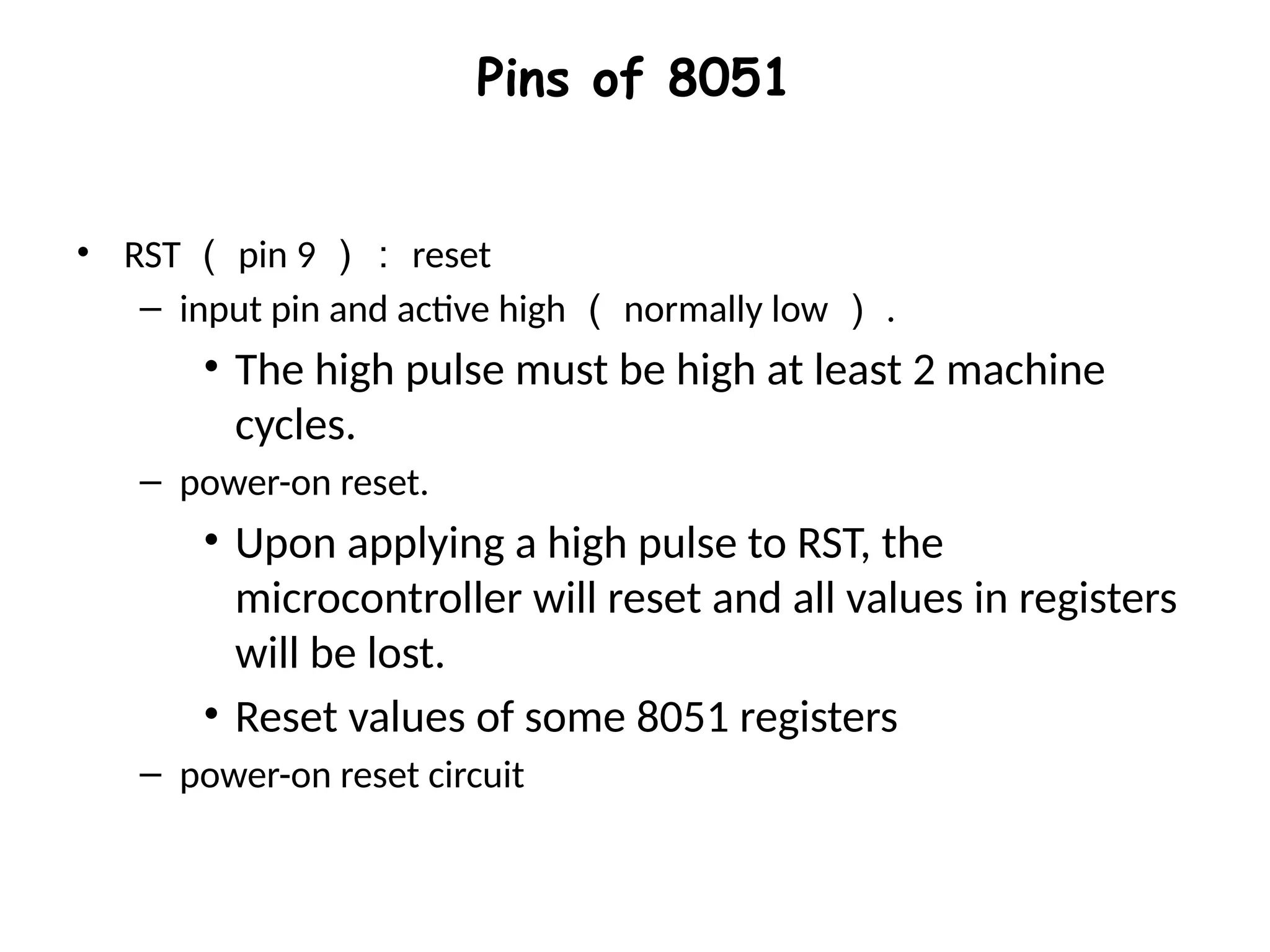
Pins of 8051
• RST ( pin 9 ): reset
– input pin and active high ( normally low ) .
• The high pulse must be high at least 2 machine
cycles.
– power-on reset.
• Upon applying a high pulse to RST, the
microcontroller will reset and all values in registers
will be lost.
• Reset values of some 8051 registers
– power-on reset circuit
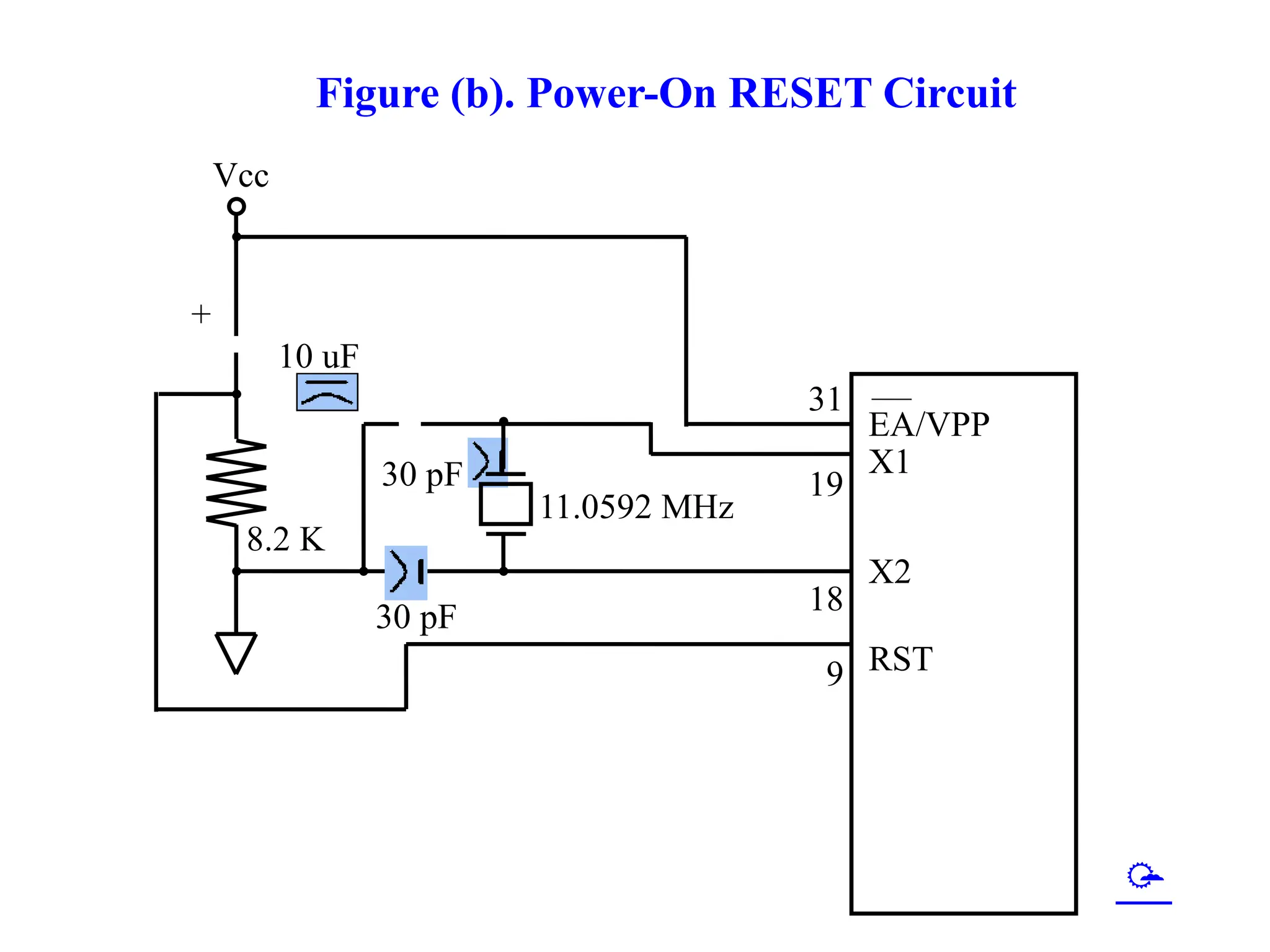
Figure (b). Power-On RESET Circuit
30 pF
30 pF
8.2 K
10 uF
+
Vcc
11.0592 MHz
EA/VPP
X1
X2
RST
31
19
18
9

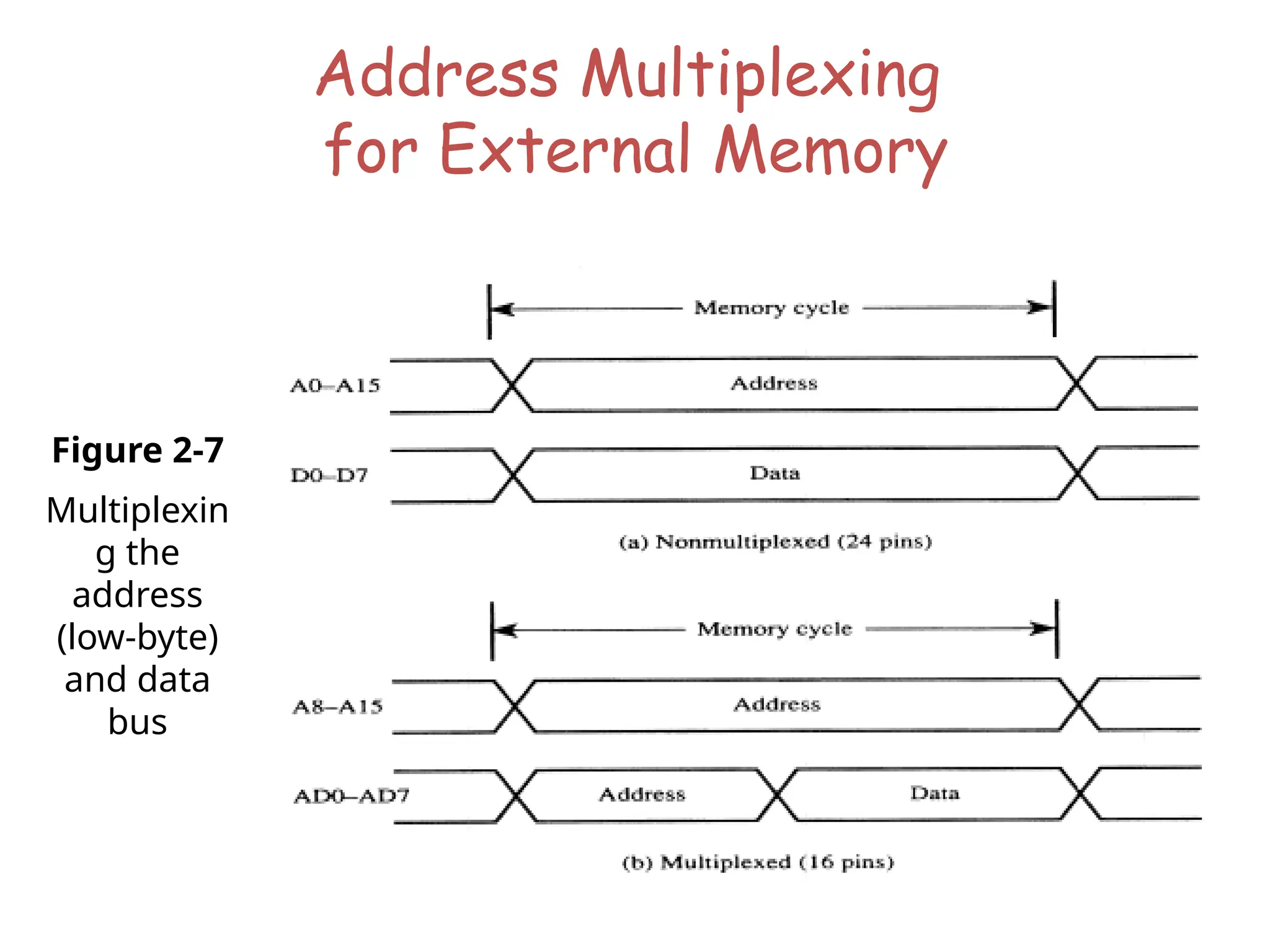
Address Multiplexing
for External Memory
Figure 2-7
Multiplexin
g the
address
(low-byte)
and data
bus
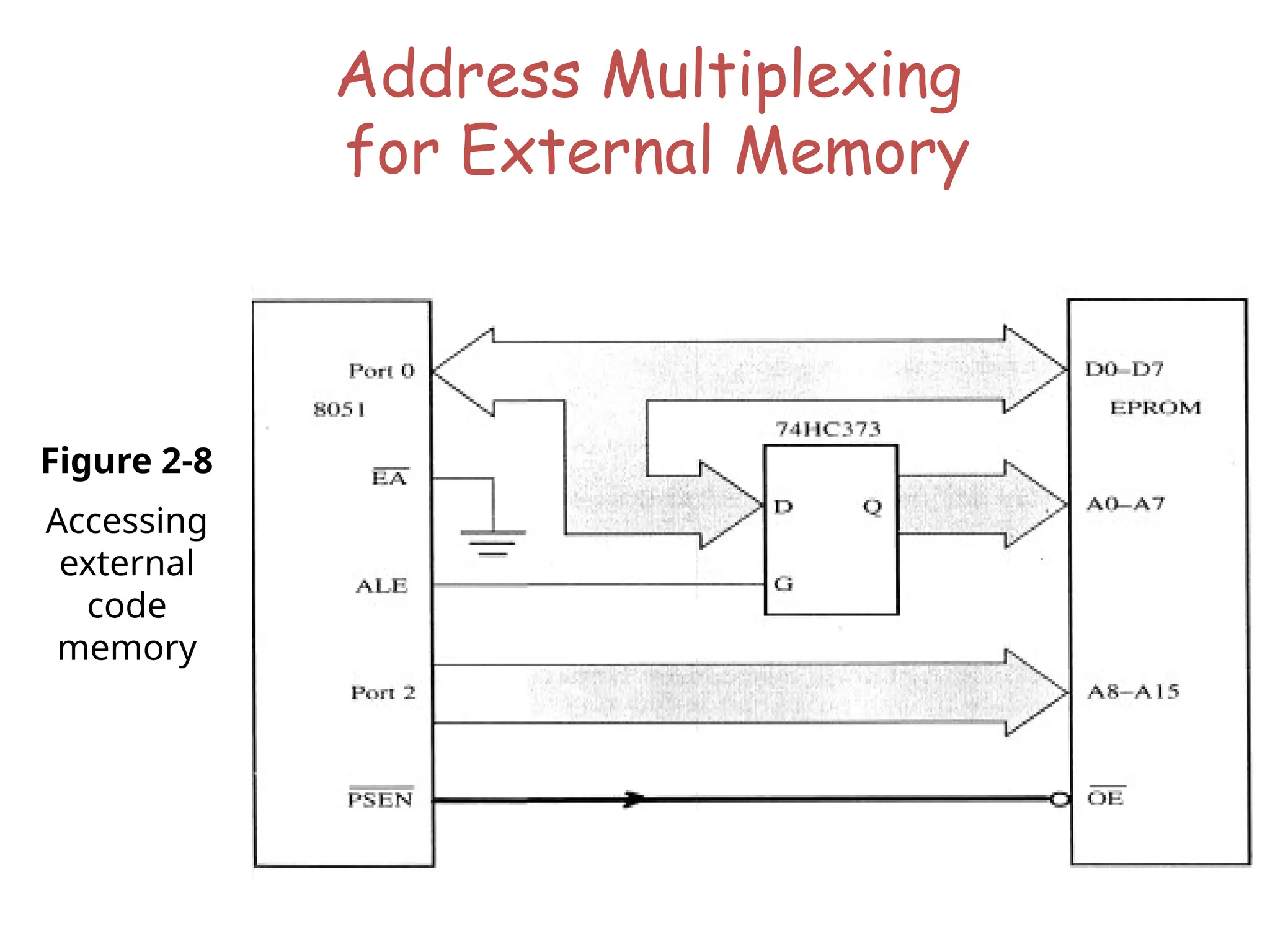
Address Multiplexing
for External Memory
Figure 2-8
Accessing
external
code
memory
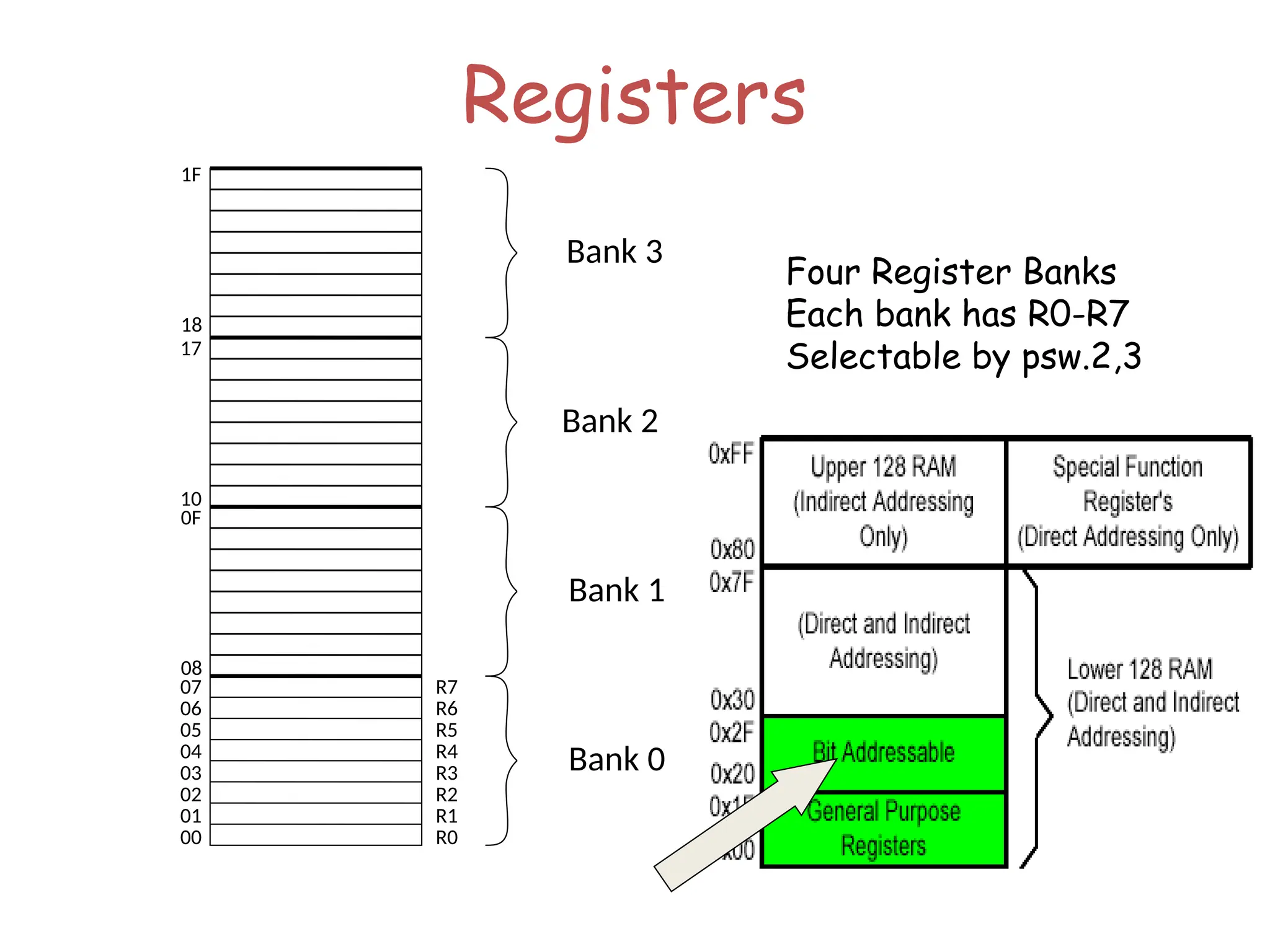
Registers
07
06
05
04
03
02
01
00
R7
R6
R5
R4
R3
R2
R1
R0
0F
08
17
10
1F
18
Bank 3
Bank 2
Bank 1
Bank 0
Four Register Banks
Each bank has R0-R7
Selectable by psw.2,3
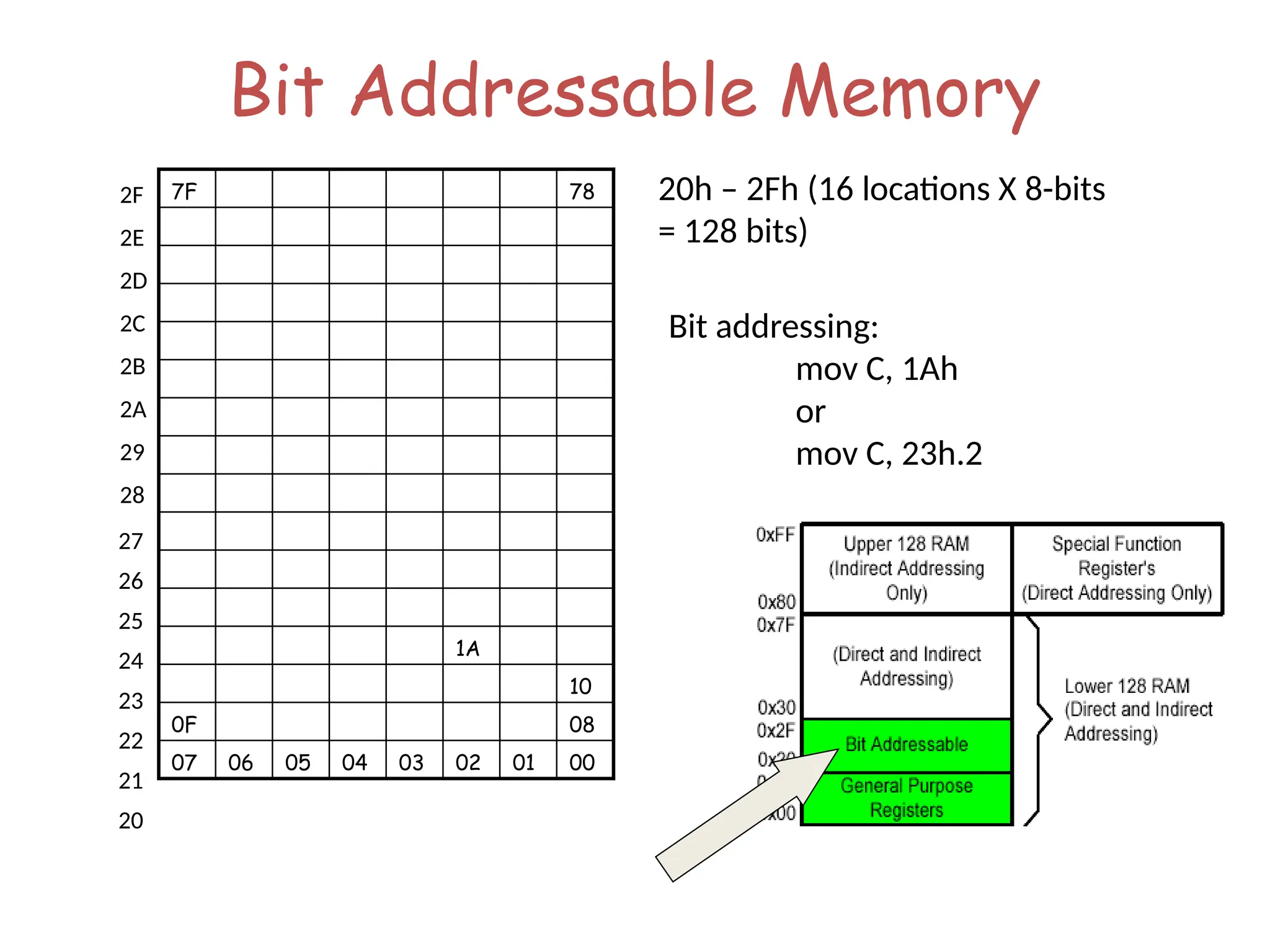
Bit Addressable Memory
20h – 2Fh (16 locations X 8-bits
= 128 bits)
7F 78
1A
10
0F 08
07 06 05 04 03 02 01 00
27
26
25
24
23
22
21
20
2F
2E
2D
2C
2B
2A
29
28
Bit addressing:
mov C, 1Ah
or
mov C, 23h.2
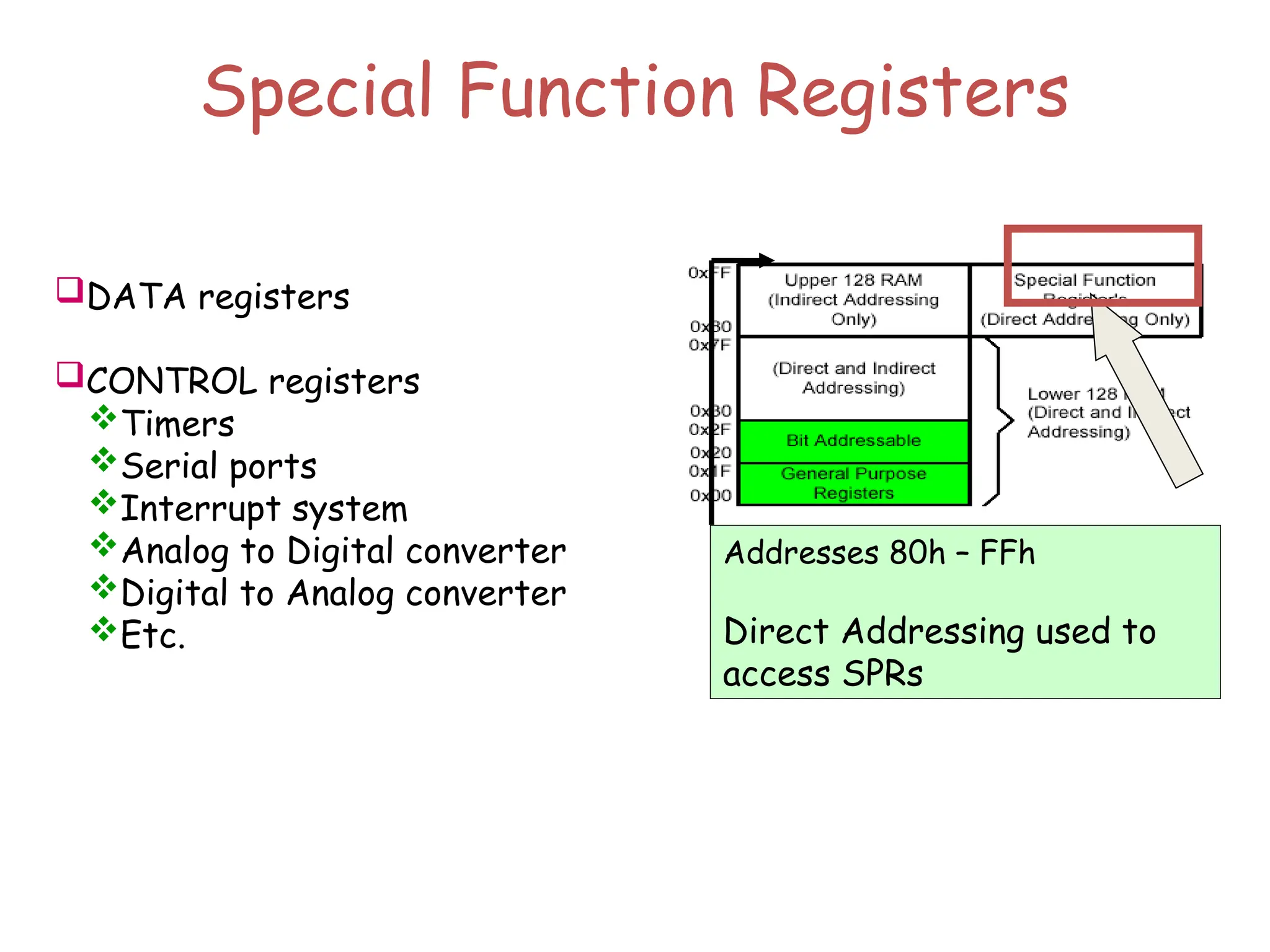
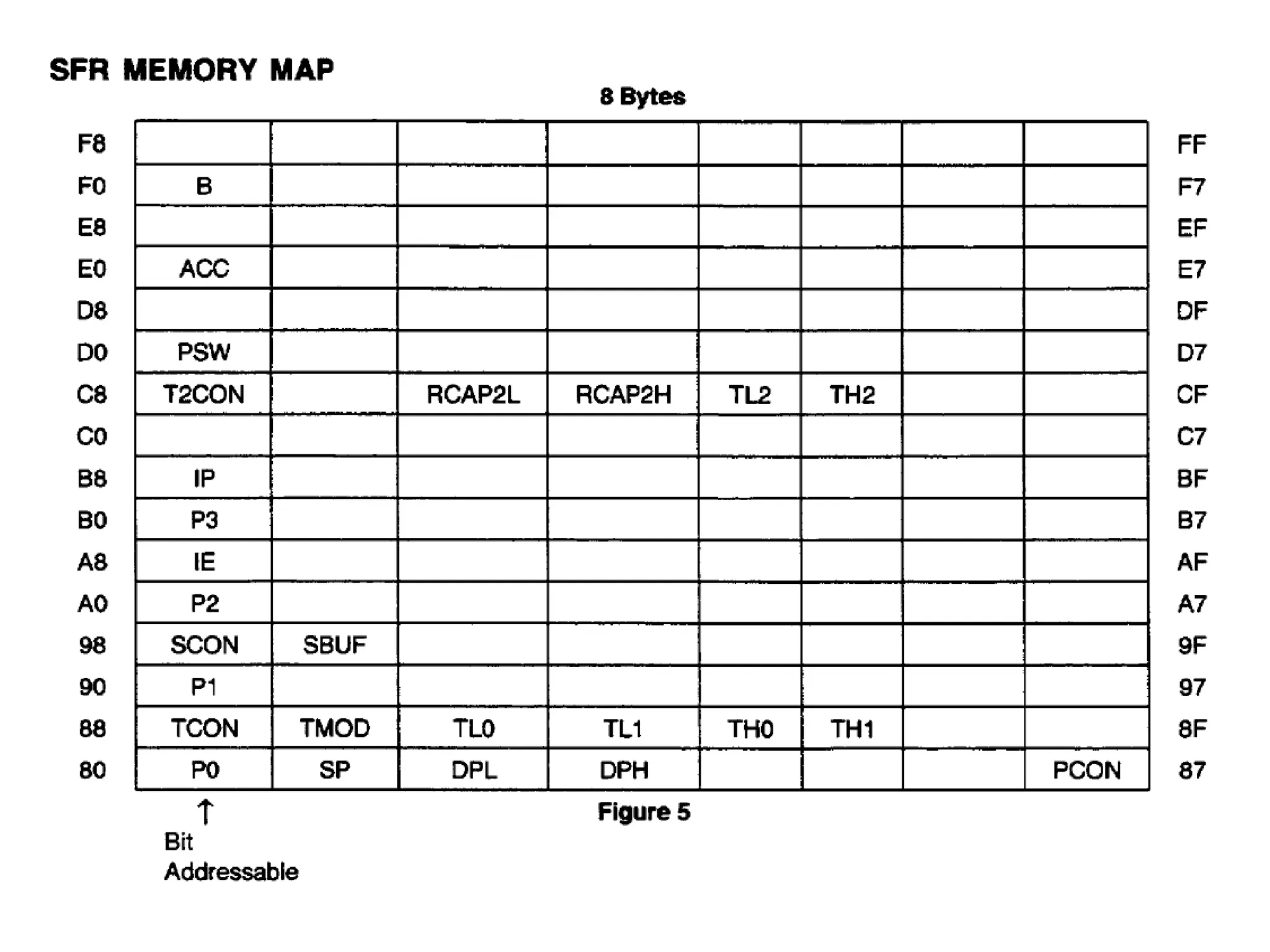
Special Function Registers
DATA registers
CONTROL registers
Timers
Serial ports
Interrupt system
Analog to Digital converter
Digital to Analog converter
Etc.
Addresses 80h – FFh
Direct Addressing used to
access SPRs
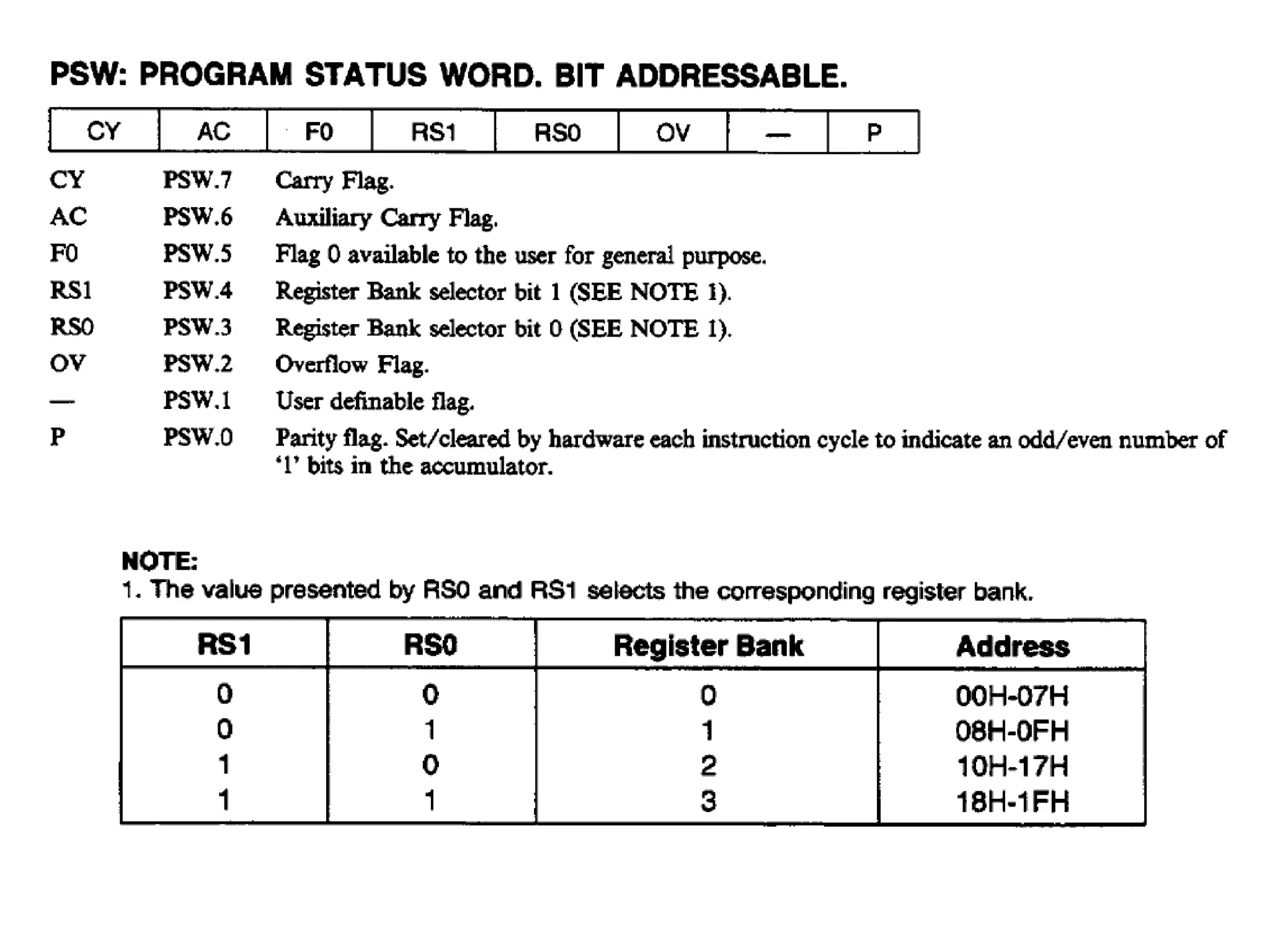
 Active bank selected by PSW [RS1,RS0] bit
 Permits fast “context switching” in interrupt
service routines (ISR).
Register Banks
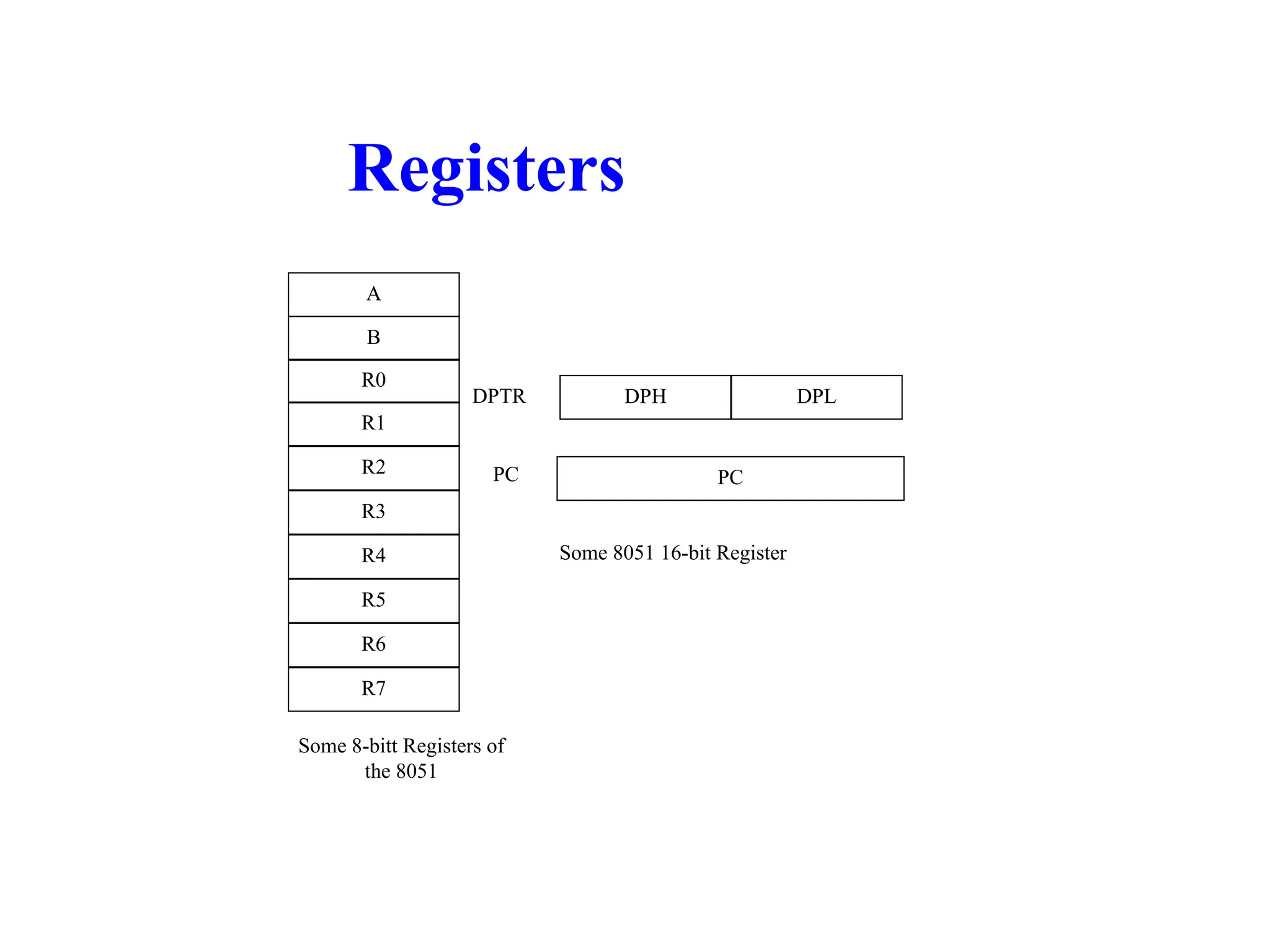
Registers
A
B
R0
R1
R3
R4
R2
R5
R7
R6
DPH DPL
PC
DPTR
PC
Some 8051 16-bit Register
Some 8-bitt Registers of
the 8051
8051
timer/counter
Timers /Counters Programming
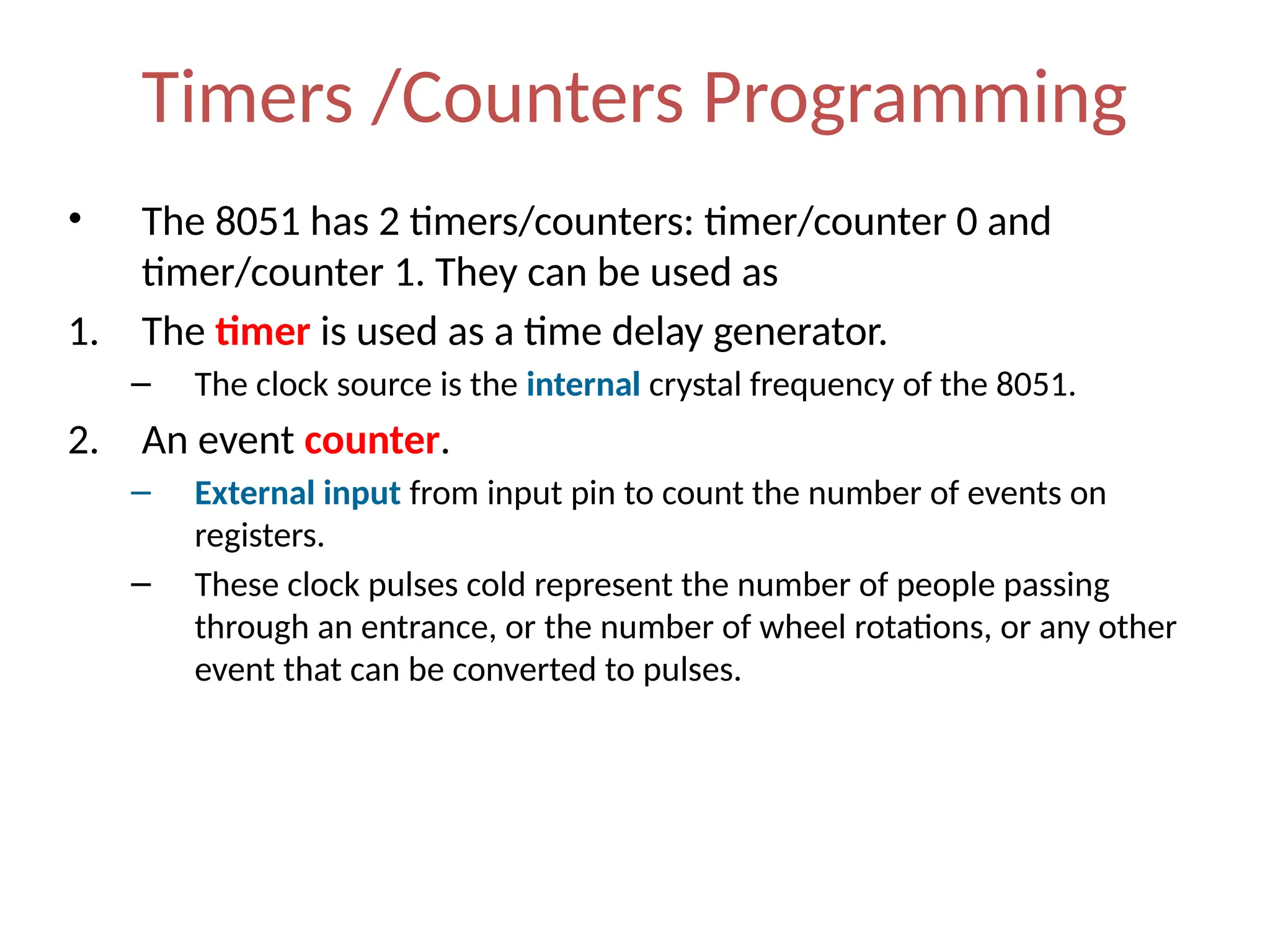
• The 8051 has 2 timers/counters: timer/counter 0 and
timer/counter 1. They can be used as
1. The timer is used as a time delay generator.
– The clock source is the internal crystal frequency of the 8051.
2. An event counter.
– External input from input pin to count the number of events on
registers.
– These clock pulses cold represent the number of people passing
through an entrance, or the number of wheel rotations, or any other
event that can be converted to pulses.
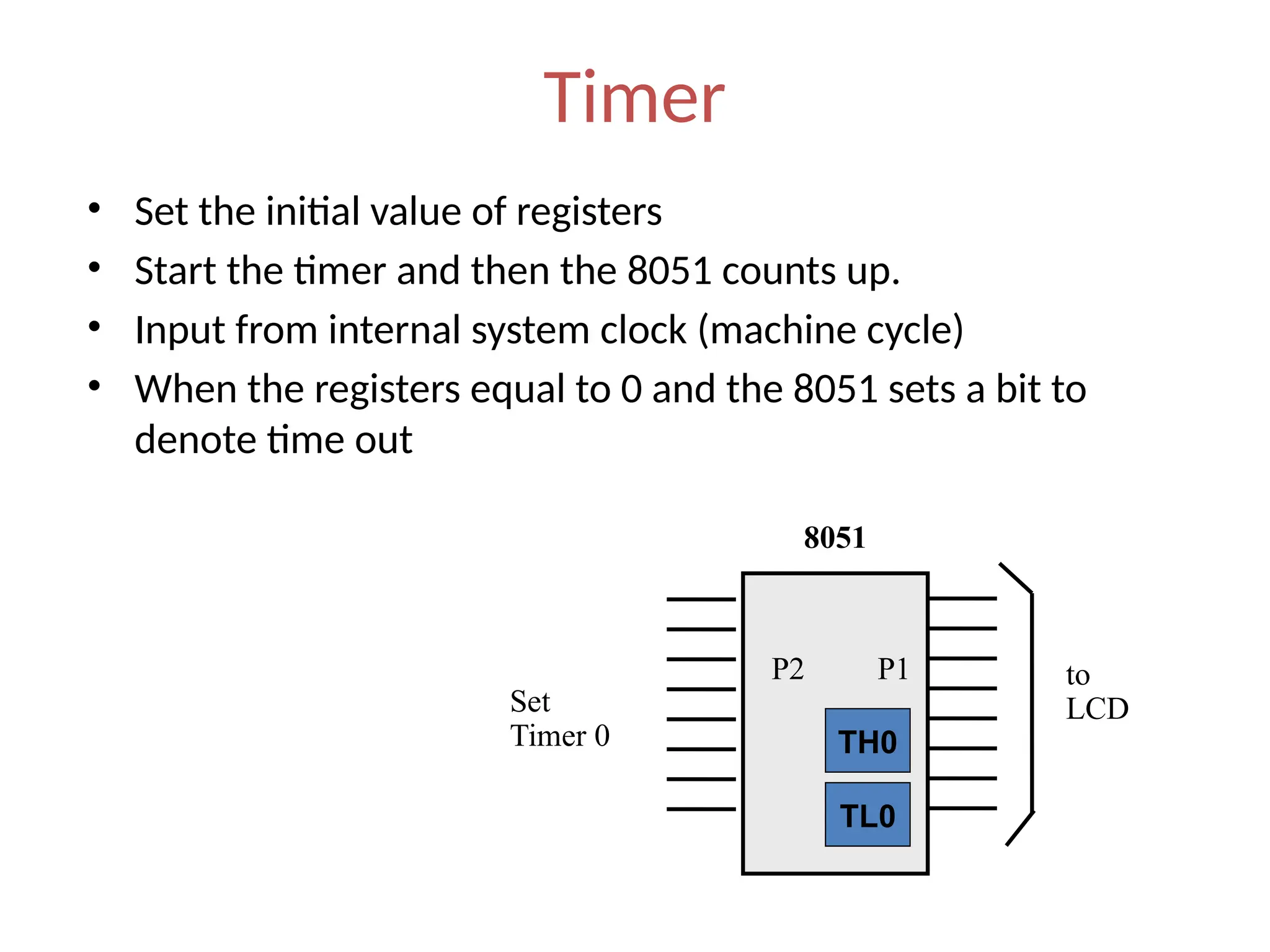
Timer
• Set the initial value of registers
• Start the timer and then the 8051 counts up.
• Input from internal system clock (machine cycle)
• When the registers equal to 0 and the 8051 sets a bit to
denote time out
to
LCD
P1
8051
TL0
TH0
P2
Set
Timer 0
Counter
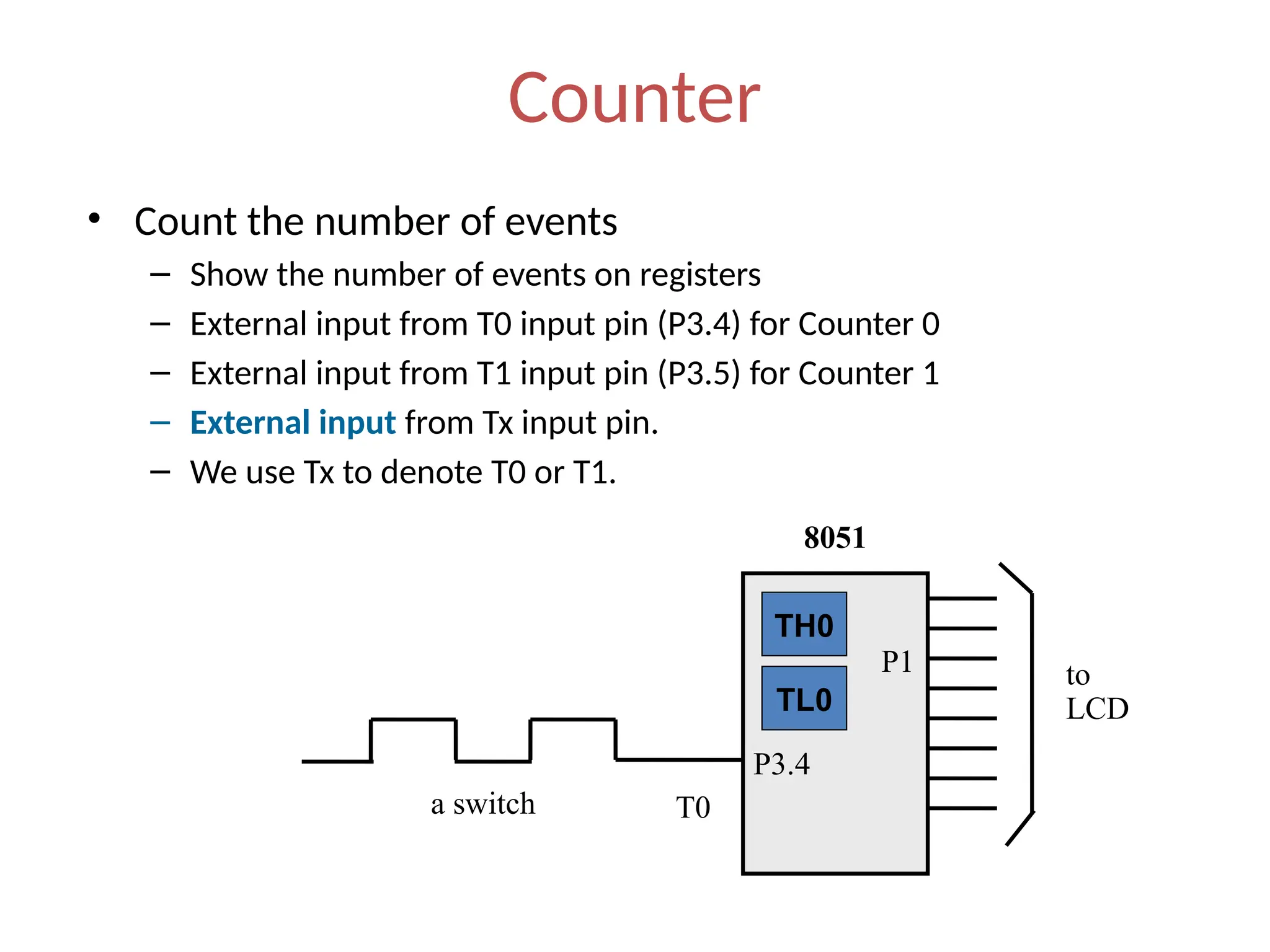
• Count the number of events
– Show the number of events on registers
– External input from T0 input pin (P3.4) for Counter 0
– External input from T1 input pin (P3.5) for Counter 1
– External input from Tx input pin.
– We use Tx to denote T0 or T1.
T0
to
LCD
P3.4
P1
8051
a switch
TL0
TH0
Registers Used in Timer/Counter
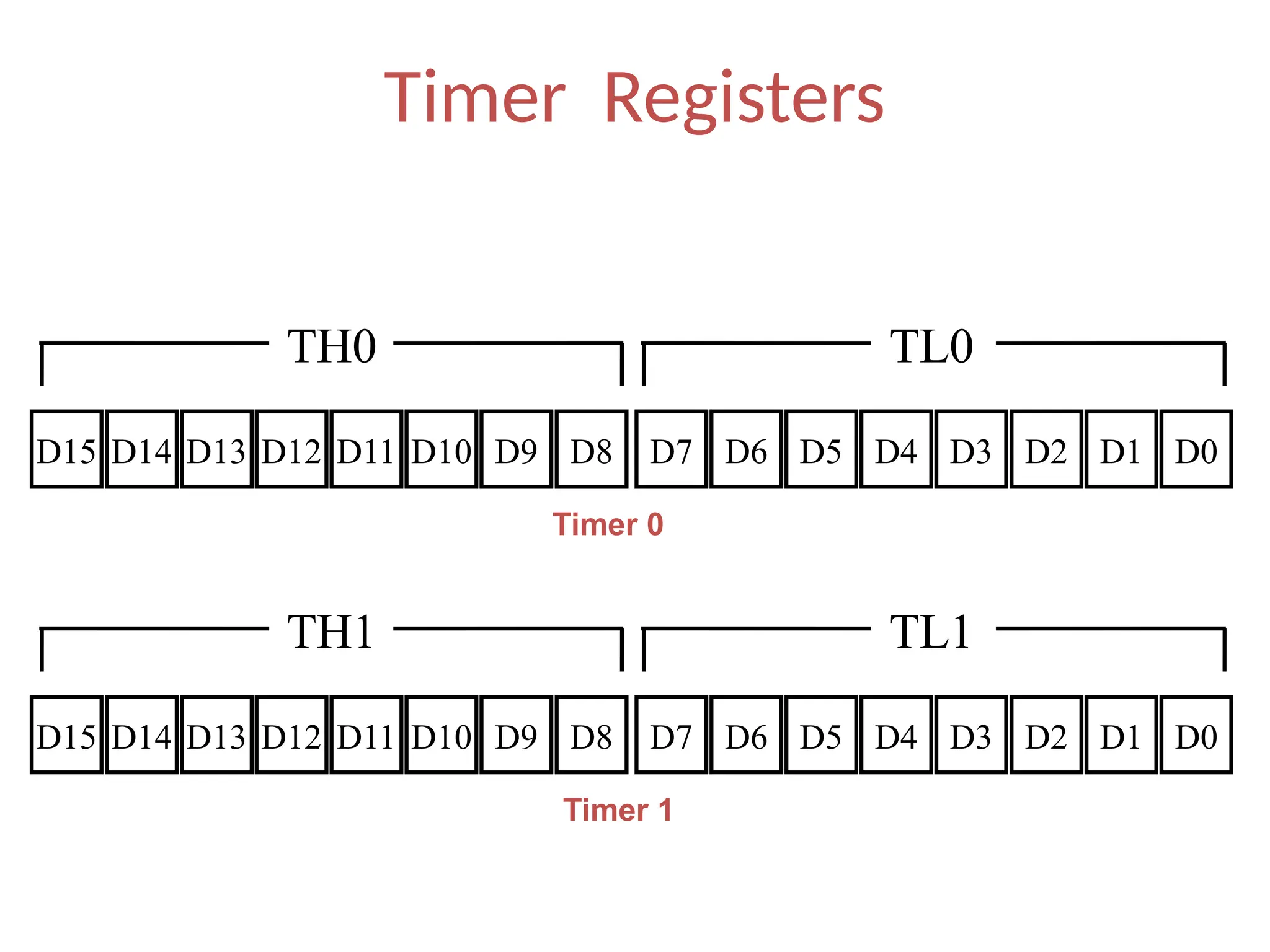
• TH0, TL0, TH1, TL1
• TMOD (Timer mode register)
• TCON (Timer control register)
• Since 8052 has 3 timers/counters, the formats
of these control registers are different.
– T2CON (Timer 2 control register), TH2 and TL2 used
for 8052 only.
Basic Registers of the Timer
• Both timer 0 and timer 1 are 16 bits wide.
– These registers stores
• the time delay as a timer
• the number of events as a counter
– Timer 0: TH0 & TL0
• Timer 0 high byte, timer 0 low byte
– Timer 1: TH1 & TL1
• Timer 1 high byte, timer 1 low byte
– Each 16-bit timer can be accessed as two separate
registers of low byte and high byte.
Basic Registers of the Timer
• Both timer 0 and timer 1 are 16 bits wide.
– These registers stores
• the time delay as a timer
• the number of events as a counter
– Timer 0: TH0 & TL0
• Timer 0 high byte, timer 0 low byte
– Timer 1: TH1 & TL1
• Timer 1 high byte, timer 1 low byte
– Each 16-bit timer can be accessed as two separate
registers of low byte and high byte.
Timer Registers
D15 D8
D9
D10
D11
D12
D13
D14 D7 D0
D1
D2
D3
D4
D5
D6
TH0 TL0
D15 D8
D9
D10
D11
D12
D13
D14 D7 D0
D1
D2
D3
D4
D5
D6
TH1 TL1
Timer 0
Timer 1
TMOD Register
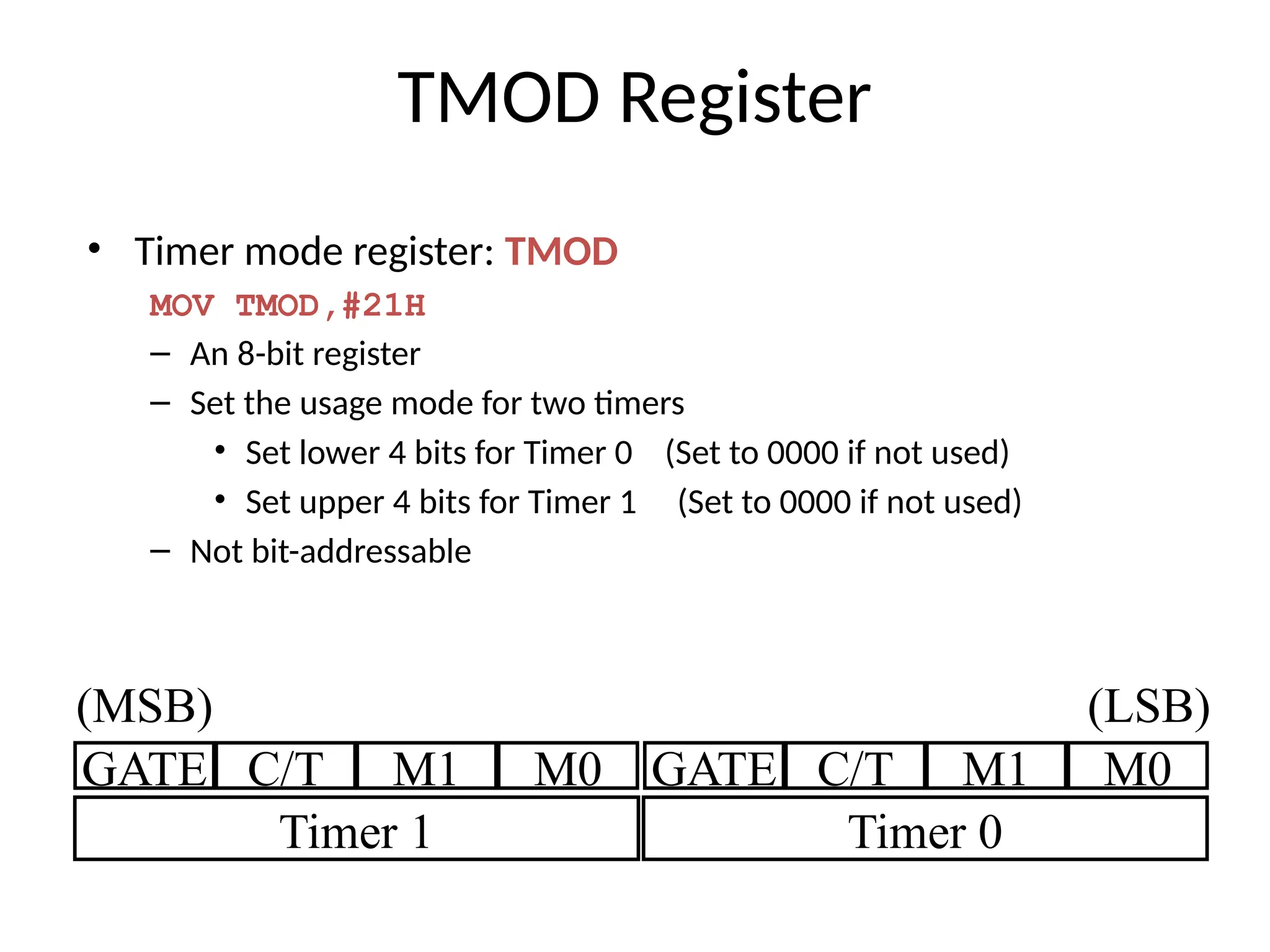
• Timer mode register: TMOD
MOV TMOD,#21H
– An 8-bit register
– Set the usage mode for two timers
• Set lower 4 bits for Timer 0 (Set to 0000 if not used)
• Set upper 4 bits for Timer 1 (Set to 0000 if not used)
– Not bit-addressable
GATE C/T M1 M0 GATE C/T M1 M0
Timer 1 Timer 0
(MSB) (LSB)
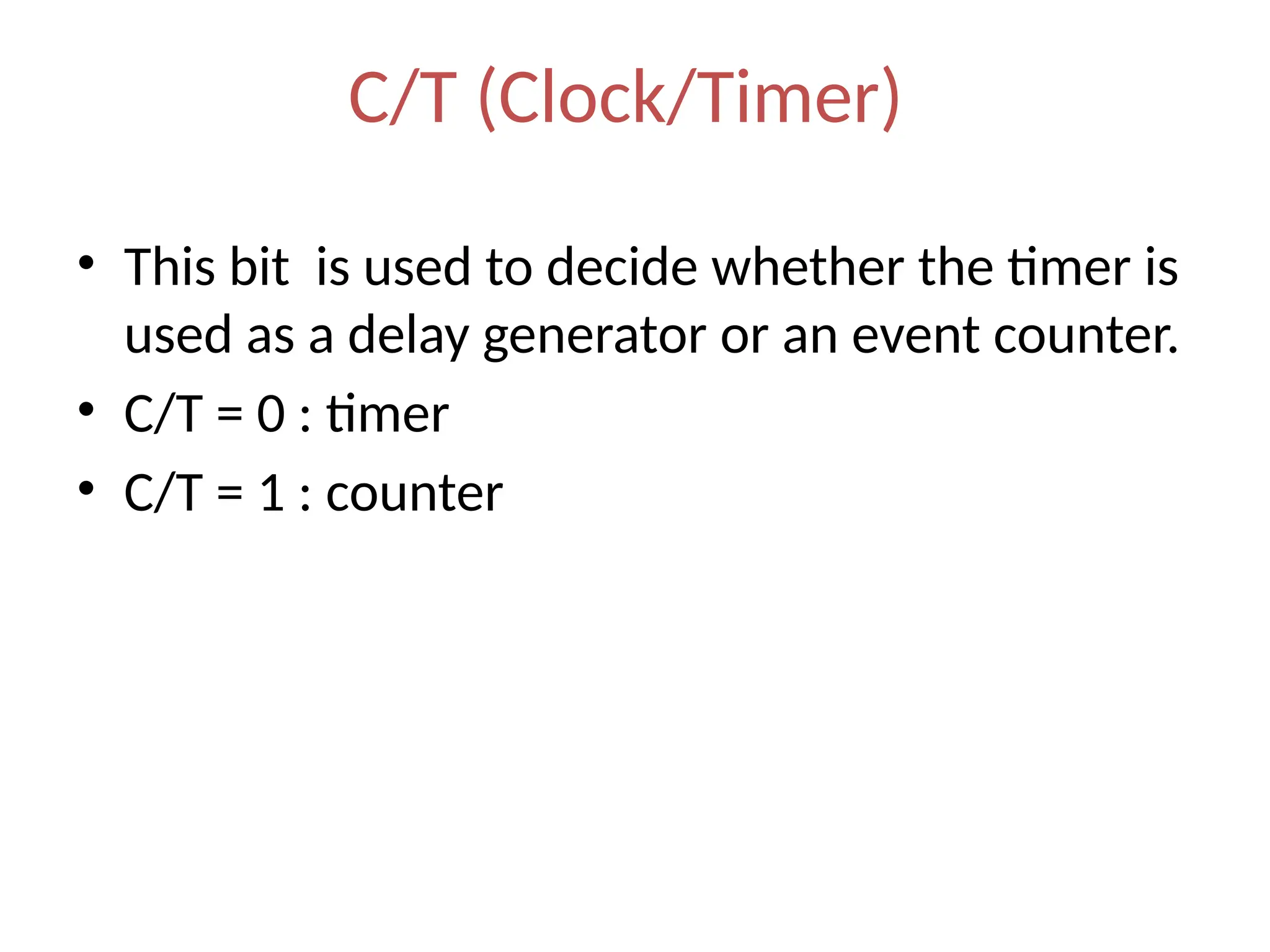
C/T (Clock/Timer)
• This bit is used to decide whether the timer is
used as a delay generator or an event counter.
• C/T = 0 : timer
• C/T = 1 : counter
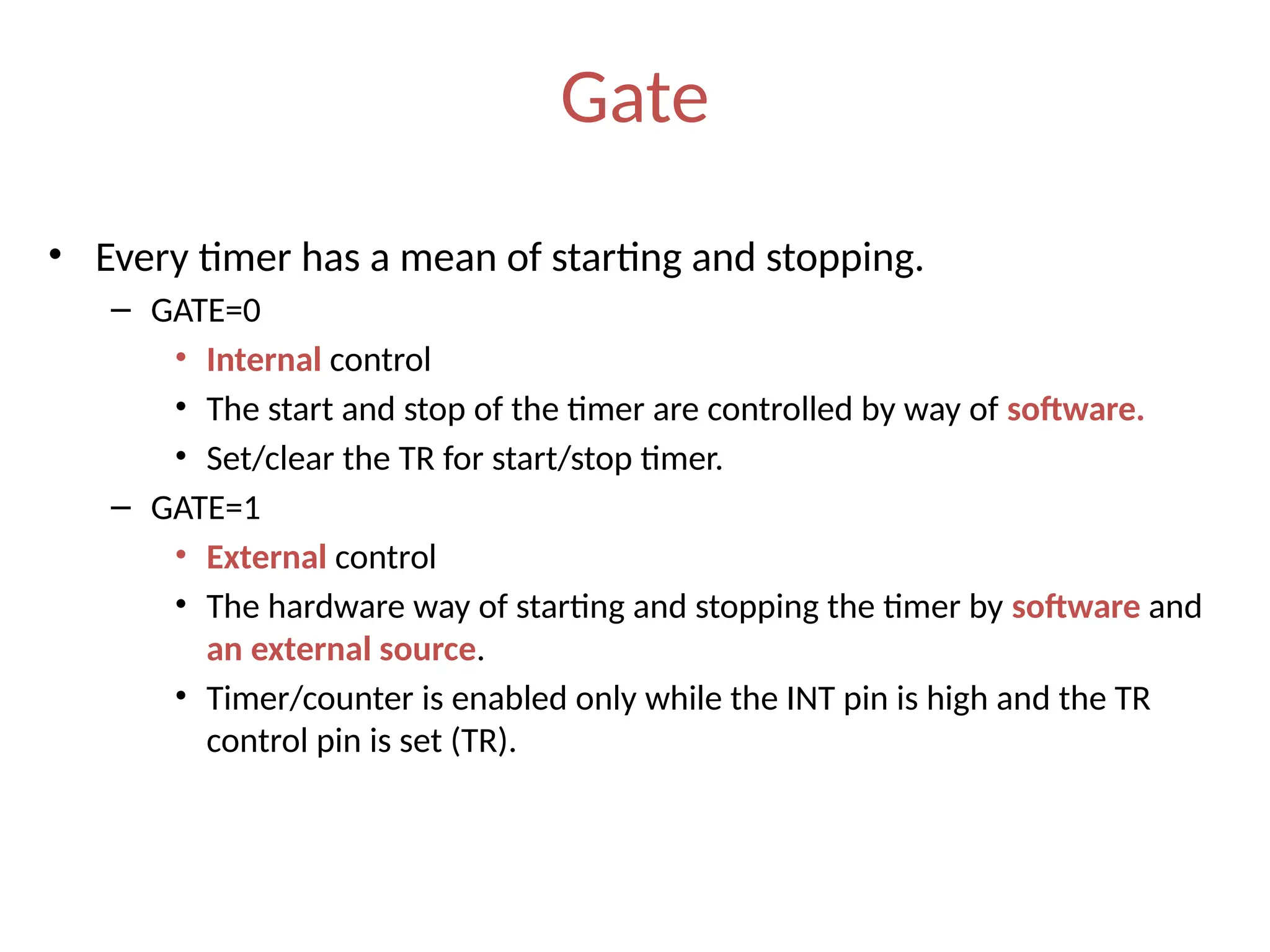
Gate
• Every timer has a mean of starting and stopping.
– GATE=0
• Internal control
• The start and stop of the timer are controlled by way of software.
• Set/clear the TR for start/stop timer.
– GATE=1
• External control
• The hardware way of starting and stopping the timer by software and
an external source.
• Timer/counter is enabled only while the INT pin is high and the TR
control pin is set (TR).
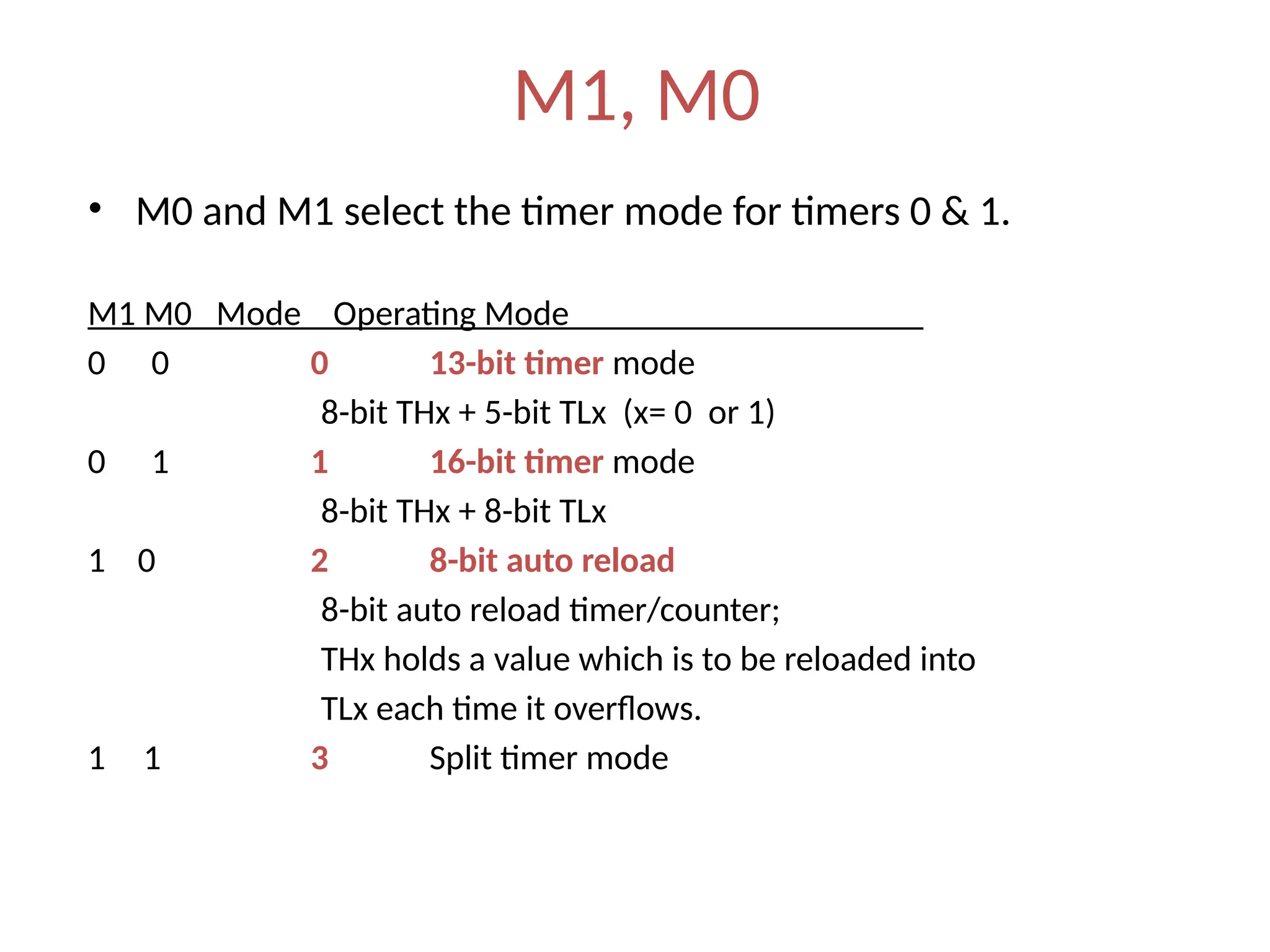
M1, M0
• M0 and M1 select the timer mode for timers 0 & 1.
M1 M0 Mode Operating Mode
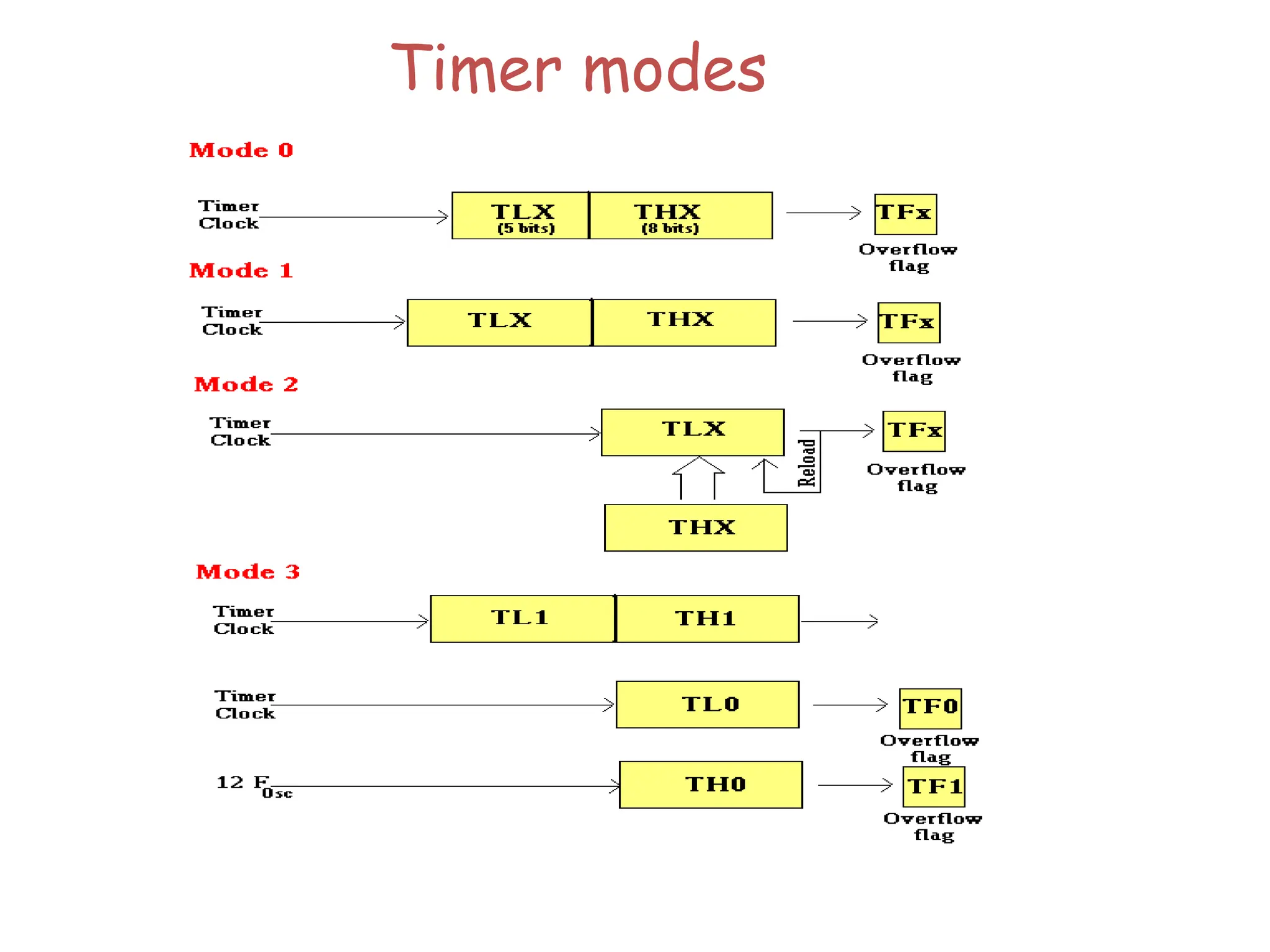
0 0 0 13-bit timer mode
8-bit THx + 5-bit TLx (x= 0 or 1)
0 1 1 16-bit timer mode
8-bit THx + 8-bit TLx
1 0 2 8-bit auto reload
8-bit auto reload timer/counter;
THx holds a value which is to be reloaded into
TLx each time it overflows.
1 1 3 Split timer mode
Timer modes
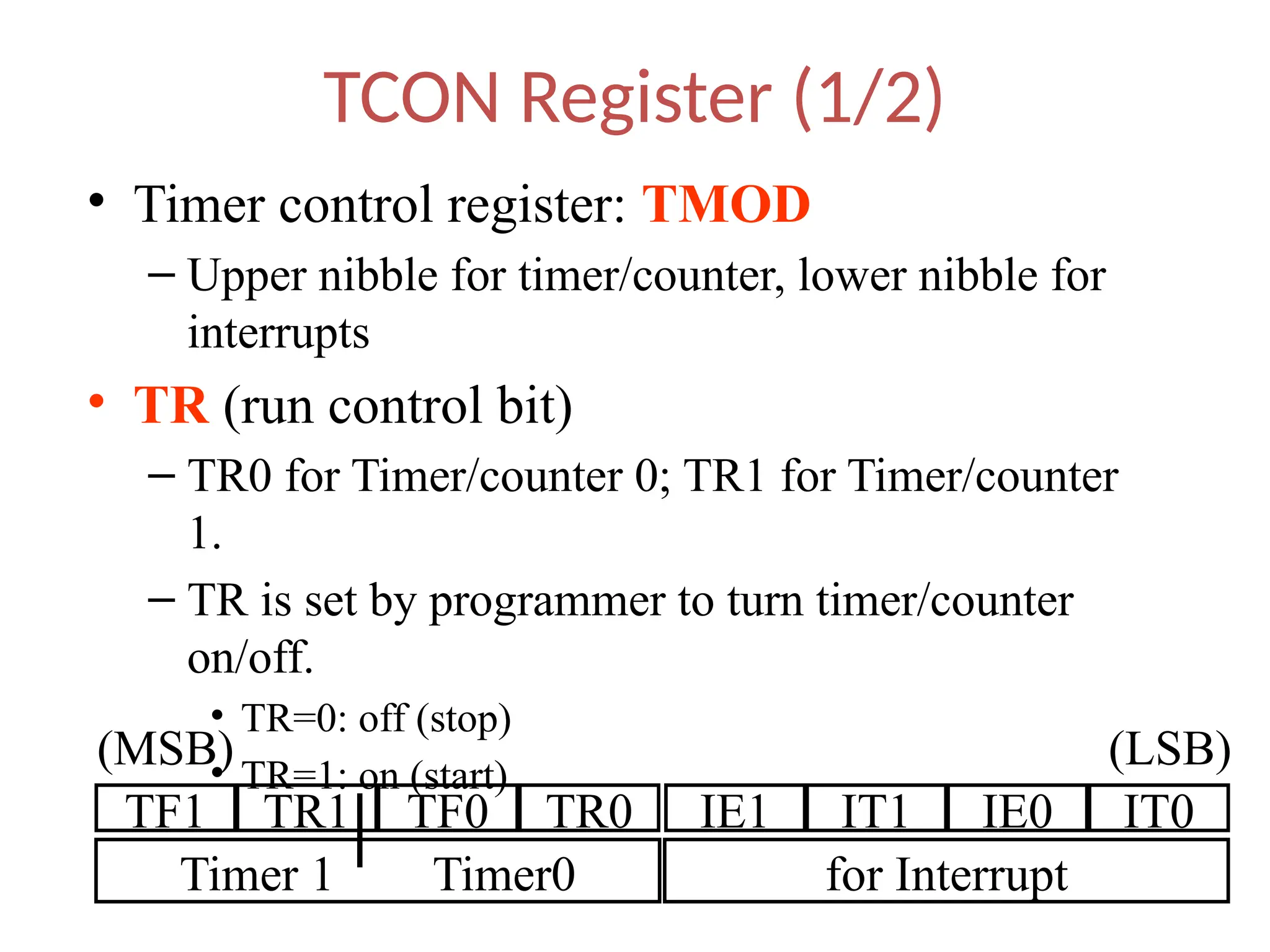
TCON Register (1/2)
• Timer control register: TMOD
– Upper nibble for timer/counter, lower nibble for
interrupts
• TR (run control bit)
– TR0 for Timer/counter 0; TR1 for Timer/counter
1.
– TR is set by programmer to turn timer/counter
on/off.
• TR=0: off (stop)
• TR=1: on (start)
TF1 TR1 TF0 TR0 IE1 IT1 IE0 IT0
Timer 1 Timer0 for Interrupt
(MSB) (LSB)
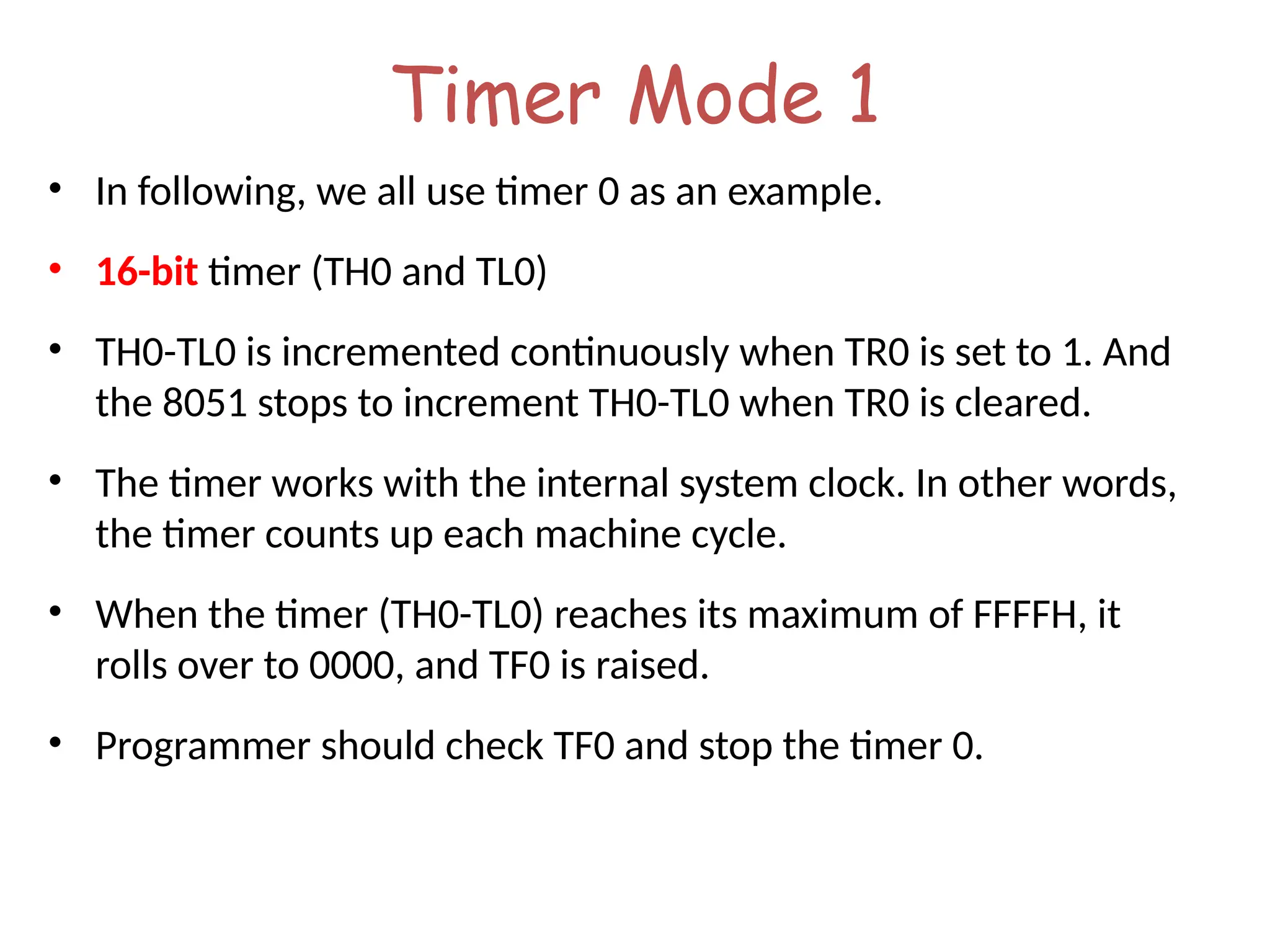
Timer Mode 1
• In following, we all use timer 0 as an example.
• 16-bit timer (TH0 and TL0)
• TH0-TL0 is incremented continuously when TR0 is set to 1. And
the 8051 stops to increment TH0-TL0 when TR0 is cleared.
• The timer works with the internal system clock. In other words,
the timer counts up each machine cycle.
• When the timer (TH0-TL0) reaches its maximum of FFFFH, it
rolls over to 0000, and TF0 is raised.
• Programmer should check TF0 and stop the timer 0.
Unit two and unit three pptx for btech ece

  • 2.
    Contents: Introduction Block Diagram andPin Description of the 8051 Registers Memory mapping in 8051 Stack in the 8051 I/O Port Programming Timer Interrupt
  • 3.
    Why do weneed to learn Microprocessors/controllers? • The microprocessor is the core of computer systems. • Nowadays many communication, digital entertainment, portable devices, are controlled by them. • A designer should know what types of components he needs, ways to reduce production costs and product reliable.
  • 4.
    Different aspects ofa microprocessor/controller • Hardware :Interface to the real world • Software :order how to deal with inputs
  • 5.
    1. Meeting thecomputing needs of the task efficiently and cost effectively • speed, the amount of ROM and RAM, the number of I/O ports and timers, size, packaging, power consumption • easy to upgrade • cost per unit 2. Availability of software development tools • assemblers, debuggers, C compilers, emulator, simulator, technical support 3. Wide availability and reliable sources of the microcontrollers. Three criteria in Choosing a Microcontroller
  • 6.
    The necessary toolsfor a microprocessor/controller • CPU: Central Processing Unit • I/O: Input /Output • Bus: Address bus & Data bus • Memory: RAM & ROM • Timer • Interrupt • Serial Port • Parallel Port
  • 7.
    CPU General- Purpose Micro- processor RAM ROM I/O Port Timer Serial COM Port DataBus Address Bus General-Purpose Microprocessor System Microprocessors: • CPU for Computers • No RAM, ROM, I/O on CPU chip itself • Example : Intel’s x86, Motorola’s 680x0 Many chips on mother’s board General-purpose microprocessor
  • 8.
    RAM ROM I/O Port Timer Serial COM Port Microcontroller CPU • Asmaller computer • On-chip RAM, ROM, I/O ports... • Example : Motorola’s 6811, Intel’s 8051, Zilog’s Z8 and PIC 16X A single chip Microcontroller :
  • 9.
    Microprocessor • CPU isstand-alone, RAM, ROM, I/O, timer are separate • designer can decide on the amount of ROM, RAM and I/O ports. • versatility • general-purpose Microcontroller • CPU, RAM, ROM, I/O and timer are all on a single chip • fix amount of on-chip ROM, RAM, I/O ports • for applications in which cost, power and space are critical • single-purpose Microprocessor vs. Microcontroller
  • 10.
    The 8051 microcontroller •a Harvard architecture (separate instruction/data memories) • single chip microcontroller (µC) • developed by Intel in 1980 for use in embedded systems. • today largely superseded by a vast range of faster and/or functionally enhanced 8051- compatible devices manufactured by more than 20 independent manufacturers
  • 11.
    Block Diagram CPU On-chip RAM On-chip ROM for program code 4I/O Ports Timer 0 Serial Port OSC Interrupt Control External interrupts Timer 1 Timer/Counter Bus Control TxD RxD P0 P1 P2 P3 Address/Data Counter Inputs
  • 12.
    8051 Basic Component •4K bytes internal ROM • 128 bytes internal RAM • Four 8-bit I/O ports (P0 - P3). • Two 16-bit timers/counters • One serial interface RAM I/O Port Timer Serial COM Port Microcontroller CPU A single chip ROM
  • 13.
    Other 8051 featurs •only 1 On chip oscillator (external crystal) • 6 interrupt sources (2 external , 3 internal, Reset) • 64K external code (program) memory(only read)PSEN • 64K external data memory(can be read and write) by RD,WR • Code memory is selectable by EA (internal or external) • We may have External memory as data and code
  • 14.
    Embedded System (8051 Application) •What is Embedded System? – An embedded system is closely integrated with the main system – It may not interact directly with the environment – For example – A microcomputer in a car ignition control  An embedded product uses a microprocessor or microcontroller to do one task only  There is only one application software that is typically burned into ROM
  • 15.
    Examples of EmbeddedSystems • Keyboard • Printer • video game player • MP3 music players • Embedded memories to keep configuration information • Mobile phone units • Domestic (home) appliances • Data switches • Automotive controls
  • 16.
    Comparison of the8051 Family Members • ROM type – 8031 no ROM – 80xx mask ROM – 87xx EPROM – 89xx Flash EEPROM • 89xx – 8951 – 8952 – 8953 – 8955 – 898252 – 891051 – 892051 • Example (AT89C51,AT89LV51,AT89S51) – AT= ATMEL(Manufacture) – C = CMOS technology – LV= Low Power(3.0v)
  • 17.
    Pin Description ofthe 8051 1 2 3 4 5 6 7 8 9 10 11 12 13 14 15 16 17 18 19 20 40 39 38 37 36 35 34 33 32 31 30 29 28 27 26 25 24 23 22 21 P1.0 P1.1 P1.2 P1.3 P1.4 P1.5 P1.6 P1.7 RST (RXD)P3.0 (TXD)P3.1 (T0)P3.4 (T1)P3.5 XTAL2 XTAL1 GND (INT0)P3.2 (INT1)P3.3 (RD)P3.7 (WR)P3.6 Vcc P0.0(AD0) P0.1(AD1) P0.2(AD2) P0.3(AD3) P0.4(AD4) P0.5(AD5) P0.6(AD6) P0.7(AD7) EA/VPP ALE/PROG PSEN P2.7(A15) P2.6(A14) P2.5(A13) P2.4(A12) P2.3(A11) P2.2(A10) P2.1(A9) P2.0(A8) 8051 (8031) 
  • 18.
    IMPORTANT PINS (IOPorts) • One of the most useful features of the 8051 is that it contains four I/O ports (P0 - P3) • Port 0 ( pins 32-39 ): P0 ( P0.0 ~ P0.7 ) – 8-bit R/W - General Purpose I/O – Or acts as a multiplexed low byte address and data bus for external memory design • Port 1 ( pins 1-8 ) : P1 ( P1.0 ~ P1.7 ) – Only 8-bit R/W - General Purpose I/O • Port 2 ( pins 21-28 ): P2 ( P2.0 ~ P2.7 ) – 8-bit R/W - General Purpose I/O – Or high byte of the address bus for external memory design • Port 3 ( pins 10-17 ): P3 ( P3.0 ~ P3.7 ) – General Purpose I/O – if not using any of the internal peripherals (timers) or external interrupts. • Each port can be used as input or output (bi-direction)
  • 19.
  • 20.
    IMPORTANT PINS • PSEN(out): Program Store Enable, the read signal for external program memory (active low). • ALE (out): Address Latch Enable, to latch address outputs at Port0 and Port2 • EA (in): External Access Enable, active low to access external program memory locations 0 to 4K • RXD,TXD: UART pins for serial I/O on Port 3 • XTAL1 & XTAL2: Crystal inputs for internal oscillator.
  • 21.
    Pins of 8051 •Vcc ( pin 40 ): – Vcc provides supply voltage to the chip. – The voltage source is +5V. • GND ( pin 20 ): ground • XTAL1 and XTAL2 ( pins 19,18 ): – These 2 pins provide external clock. – Way 1 : using a quartz crystal oscillator – Way 2 : using a TTL oscillator
  • 22.
    XTAL Connection to8051 • Using a quartz crystal oscillator • We can observe the frequency on the XTAL2 pin. C2 30pF C1 30pF XTAL2 XTAL1 GND
  • 23.
    XTAL Connection toan External Clock Source • Using a TTL oscillator • XTAL2 is unconnected. NC EXTERNAL OSCILLATOR SIGNAL XTAL2 XTAL1 GND
  • 24.
    Pins of 8051( 3/4 ) • /EA ( pin 31 ): external access – There is no on-chip ROM in 8031 and 8032 . – The /EA pin is connected to GND to indicate the code is stored externally. – /PSEN & ALE are used for external ROM. – For 8051, /EA pin is connected to Vcc. – “/” means active low. • /PSEN ( pin 29 ): program store enable – This is an output pin and is connected to the OE pin of the ROM.
  • 25.
    Pins of 8051 •RST ( pin 9 ): reset – input pin and active high ( normally low ) . • The high pulse must be high at least 2 machine cycles. – power-on reset. • Upon applying a high pulse to RST, the microcontroller will reset and all values in registers will be lost. • Reset values of some 8051 registers – power-on reset circuit
  • 26.
    Pins of 8051 •RST ( pin 9 ): reset – input pin and active high ( normally low ) . • The high pulse must be high at least 2 machine cycles. – power-on reset. • Upon applying a high pulse to RST, the microcontroller will reset and all values in registers will be lost. • Reset values of some 8051 registers – power-on reset circuit
  • 27.
    Figure (b). Power-OnRESET Circuit 30 pF 30 pF 8.2 K 10 uF + Vcc 11.0592 MHz EA/VPP X1 X2 RST 31 19 18 9 
  • 28.
    Address Multiplexing for ExternalMemory Figure 2-7 Multiplexin g the address (low-byte) and data bus
  • 29.
    Address Multiplexing for ExternalMemory Figure 2-8 Accessing external code memory
  • 31.
    Registers 07 06 05 04 03 02 01 00 R7 R6 R5 R4 R3 R2 R1 R0 0F 08 17 10 1F 18 Bank 3 Bank 2 Bank1 Bank 0 Four Register Banks Each bank has R0-R7 Selectable by psw.2,3
  • 32.
    Bit Addressable Memory 20h– 2Fh (16 locations X 8-bits = 128 bits) 7F 78 1A 10 0F 08 07 06 05 04 03 02 01 00 27 26 25 24 23 22 21 20 2F 2E 2D 2C 2B 2A 29 28 Bit addressing: mov C, 1Ah or mov C, 23h.2
  • 33.
    Special Function Registers DATAregisters CONTROL registers Timers Serial ports Interrupt system Analog to Digital converter Digital to Analog converter Etc. Addresses 80h – FFh Direct Addressing used to access SPRs
  • 35.
     Active bankselected by PSW [RS1,RS0] bit  Permits fast “context switching” in interrupt service routines (ISR). Register Banks
  • 37.
    Registers A B R0 R1 R3 R4 R2 R5 R7 R6 DPH DPL PC DPTR PC Some 805116-bit Register Some 8-bitt Registers of the 8051
  • 38.
  • 39.
    Timers /Counters Programming •The 8051 has 2 timers/counters: timer/counter 0 and timer/counter 1. They can be used as 1. The timer is used as a time delay generator. – The clock source is the internal crystal frequency of the 8051. 2. An event counter. – External input from input pin to count the number of events on registers. – These clock pulses cold represent the number of people passing through an entrance, or the number of wheel rotations, or any other event that can be converted to pulses.
  • 40.
    Timer • Set theinitial value of registers • Start the timer and then the 8051 counts up. • Input from internal system clock (machine cycle) • When the registers equal to 0 and the 8051 sets a bit to denote time out to LCD P1 8051 TL0 TH0 P2 Set Timer 0
  • 41.
    Counter • Count thenumber of events – Show the number of events on registers – External input from T0 input pin (P3.4) for Counter 0 – External input from T1 input pin (P3.5) for Counter 1 – External input from Tx input pin. – We use Tx to denote T0 or T1. T0 to LCD P3.4 P1 8051 a switch TL0 TH0
  • 42.
    Registers Used inTimer/Counter • TH0, TL0, TH1, TL1 • TMOD (Timer mode register) • TCON (Timer control register) • Since 8052 has 3 timers/counters, the formats of these control registers are different. – T2CON (Timer 2 control register), TH2 and TL2 used for 8052 only.
  • 43.
    Basic Registers ofthe Timer • Both timer 0 and timer 1 are 16 bits wide. – These registers stores • the time delay as a timer • the number of events as a counter – Timer 0: TH0 & TL0 • Timer 0 high byte, timer 0 low byte – Timer 1: TH1 & TL1 • Timer 1 high byte, timer 1 low byte – Each 16-bit timer can be accessed as two separate registers of low byte and high byte.
  • 44.
    Basic Registers ofthe Timer • Both timer 0 and timer 1 are 16 bits wide. – These registers stores • the time delay as a timer • the number of events as a counter – Timer 0: TH0 & TL0 • Timer 0 high byte, timer 0 low byte – Timer 1: TH1 & TL1 • Timer 1 high byte, timer 1 low byte – Each 16-bit timer can be accessed as two separate registers of low byte and high byte.
  • 45.
    Timer Registers D15 D8 D9 D10 D11 D12 D13 D14D7 D0 D1 D2 D3 D4 D5 D6 TH0 TL0 D15 D8 D9 D10 D11 D12 D13 D14 D7 D0 D1 D2 D3 D4 D5 D6 TH1 TL1 Timer 0 Timer 1
  • 46.
    TMOD Register • Timermode register: TMOD MOV TMOD,#21H – An 8-bit register – Set the usage mode for two timers • Set lower 4 bits for Timer 0 (Set to 0000 if not used) • Set upper 4 bits for Timer 1 (Set to 0000 if not used) – Not bit-addressable GATE C/T M1 M0 GATE C/T M1 M0 Timer 1 Timer 0 (MSB) (LSB)
  • 47.
    C/T (Clock/Timer) • Thisbit is used to decide whether the timer is used as a delay generator or an event counter. • C/T = 0 : timer • C/T = 1 : counter
  • 48.
    Gate • Every timerhas a mean of starting and stopping. – GATE=0 • Internal control • The start and stop of the timer are controlled by way of software. • Set/clear the TR for start/stop timer. – GATE=1 • External control • The hardware way of starting and stopping the timer by software and an external source. • Timer/counter is enabled only while the INT pin is high and the TR control pin is set (TR).
  • 49.
    M1, M0 • M0and M1 select the timer mode for timers 0 & 1. M1 M0 Mode Operating Mode 0 0 0 13-bit timer mode 8-bit THx + 5-bit TLx (x= 0 or 1) 0 1 1 16-bit timer mode 8-bit THx + 8-bit TLx 1 0 2 8-bit auto reload 8-bit auto reload timer/counter; THx holds a value which is to be reloaded into TLx each time it overflows. 1 1 3 Split timer mode
  • 50.
  • 51.
    TCON Register (1/2) •Timer control register: TMOD – Upper nibble for timer/counter, lower nibble for interrupts • TR (run control bit) – TR0 for Timer/counter 0; TR1 for Timer/counter 1. – TR is set by programmer to turn timer/counter on/off. • TR=0: off (stop) • TR=1: on (start) TF1 TR1 TF0 TR0 IE1 IT1 IE0 IT0 Timer 1 Timer0 for Interrupt (MSB) (LSB)
  • 52.
    Timer Mode 1 •In following, we all use timer 0 as an example. • 16-bit timer (TH0 and TL0) • TH0-TL0 is incremented continuously when TR0 is set to 1. And the 8051 stops to increment TH0-TL0 when TR0 is cleared. • The timer works with the internal system clock. In other words, the timer counts up each machine cycle. • When the timer (TH0-TL0) reaches its maximum of FFFFH, it rolls over to 0000, and TF0 is raised. • Programmer should check TF0 and stop the timer 0.
Editor's Notes

  • #7 Intel’s x86: 8086,8088,80386,80486, Pentium Motorola’s 680x0: 68000, 68010, 68020,68030,6040
  • #9 versatility 多用途的: any number of applications for PC