   Cursors : OPEN CLOSE and FETCH
   Creation of User Defined Function
   Creation of Stored Procedure
 Types of cursor
 Cursor Predicates
 Referencing cursor variable
 Code
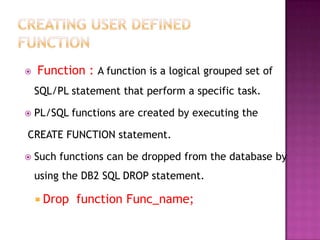
   Function : A function is a logical grouped set of
    SQL/PL statement that perform a specific task.

   PL/SQL functions are created by executing the

CREATE FUNCTION statement.

   Such functions can be dropped from the database by
    using the DB2 SQL DROP statement.

     Drop   function Func_name;
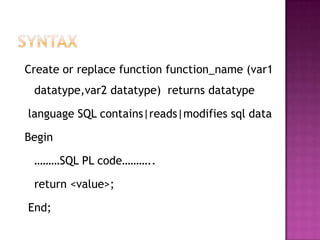
Create or replace function function_name (var1
 datatype,var2 datatype) returns datatype

language SQL contains|reads|modifies sql data

Begin

 ………SQL PL code………..

 return <value>;

End;
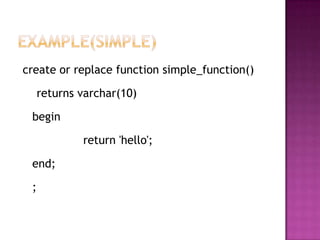
create or replace function simple_function()

     returns varchar(10)

 begin

             return 'hello';

 end;

 ;
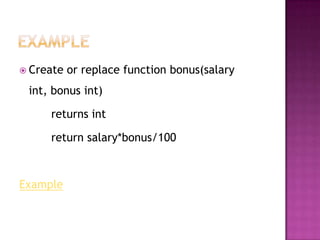
 Create   or replace function bonus(salary
 int, bonus int)

     returns int

     return salary*bonus/100


Example
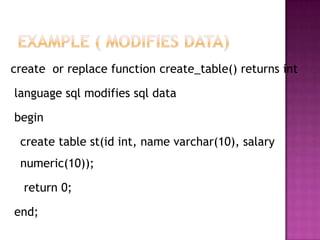
create or replace function create_table() returns int

language sql modifies sql data

begin

 create table st(id int, name varchar(10), salary
 numeric(10));

  return 0;

end;
 Function   also used to return table.


 Code
 Function_get.txt
 Stored     Procedure is a logical grouped set
  of SQL/PL statement that perform a
  specific task.

 It   can help to improve application
  performance and reduce database access
  traffic.
 Support    procedural construct in high level PL
 like C, c++ and java etc.

 Are   stored in databases and run on DB2
 server.

 Easily   call whenever required(call statement)
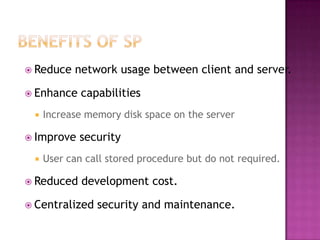
 Reduce   network usage between client and server.

 Enhance    capabilities
    Increase memory disk space on the server

 Improve   security
    User can call stored procedure but do not required.

 Reduced    development cost.

 Centralized   security and maintenance.
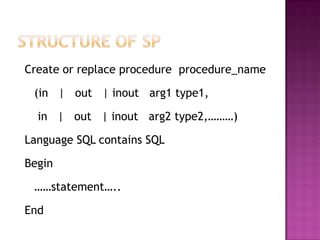
Create or replace procedure procedure_name

 (in | out | inout arg1 type1,

  in | out | inout arg2 type2,………)

Language SQL contains SQL

Begin

 ……statement…..

End
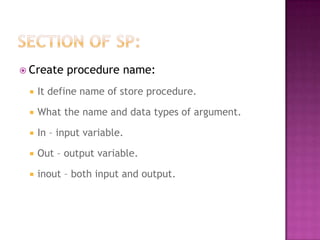
 Create   procedure name:
    It define name of store procedure.

    What the name and data types of argument.

    In – input variable.

    Out – output variable.

    inout – both input and output.
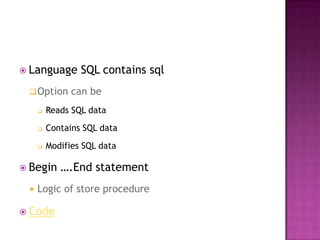
 Language       SQL contains sql
  Option      can be
        Reads SQL data
        Contains SQL data
        Modifies SQL data

 Begin     ….End statement
    Logic of store procedure

 Code
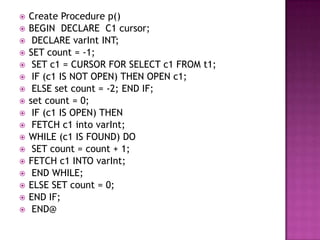
   Create Procedure p()
   BEGIN DECLARE C1 cursor;
    DECLARE varInt INT;
   SET count = -1;
    SET c1 = CURSOR FOR SELECT c1 FROM t1;
    IF (c1 IS NOT OPEN) THEN OPEN c1;
    ELSE set count = -2; END IF;
   set count = 0;
    IF (c1 IS OPEN) THEN
    FETCH c1 into varInt;
   WHILE (c1 IS FOUND) DO
    SET count = count + 1;
   FETCH c1 INTO varInt;
    END WHILE;
   ELSE SET count = 0;
   END IF;
    END@
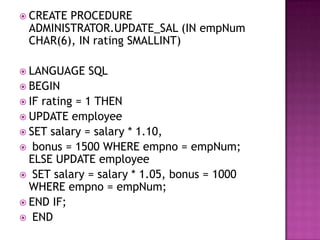
 CREATE PROCEDURE
  ADMINISTRATOR.UPDATE_SAL (IN empNum
  CHAR(6), IN rating SMALLINT)

 LANGUAGE   SQL
 BEGIN
 IFrating = 1 THEN
 UPDATE employee
 SET salary = salary * 1.10,
 bonus = 1500 WHERE empno = empNum;
  ELSE UPDATE employee
 SET salary = salary * 1.05, bonus = 1000
  WHERE empno = empNum;
 END IF;
 END

Unit 3(rdbms)

  • 2.
    Cursors : OPEN CLOSE and FETCH  Creation of User Defined Function  Creation of Stored Procedure
  • 3.
     Types ofcursor  Cursor Predicates  Referencing cursor variable  Code
  • 4.
    Function : A function is a logical grouped set of SQL/PL statement that perform a specific task.  PL/SQL functions are created by executing the CREATE FUNCTION statement.  Such functions can be dropped from the database by using the DB2 SQL DROP statement.  Drop function Func_name;
  • 5.
    Create or replacefunction function_name (var1 datatype,var2 datatype) returns datatype language SQL contains|reads|modifies sql data Begin ………SQL PL code……….. return <value>; End;
  • 6.
    create or replacefunction simple_function() returns varchar(10) begin return 'hello'; end; ;
  • 7.
     Create or replace function bonus(salary int, bonus int) returns int return salary*bonus/100 Example
  • 8.
    create or replacefunction create_table() returns int language sql modifies sql data begin create table st(id int, name varchar(10), salary numeric(10)); return 0; end;
  • 9.
     Function also used to return table.  Code  Function_get.txt
  • 10.
     Stored Procedure is a logical grouped set of SQL/PL statement that perform a specific task.  It can help to improve application performance and reduce database access traffic.
  • 11.
     Support procedural construct in high level PL like C, c++ and java etc.  Are stored in databases and run on DB2 server.  Easily call whenever required(call statement)
  • 12.
     Reduce network usage between client and server.  Enhance capabilities  Increase memory disk space on the server  Improve security  User can call stored procedure but do not required.  Reduced development cost.  Centralized security and maintenance.
  • 13.
    Create or replaceprocedure procedure_name (in | out | inout arg1 type1, in | out | inout arg2 type2,………) Language SQL contains SQL Begin ……statement….. End
  • 14.
     Create procedure name:  It define name of store procedure.  What the name and data types of argument.  In – input variable.  Out – output variable.  inout – both input and output.
  • 15.
     Language SQL contains sql  Option can be  Reads SQL data  Contains SQL data  Modifies SQL data  Begin ….End statement  Logic of store procedure  Code
  • 16.
    Create Procedure p()  BEGIN DECLARE C1 cursor;  DECLARE varInt INT;  SET count = -1;  SET c1 = CURSOR FOR SELECT c1 FROM t1;  IF (c1 IS NOT OPEN) THEN OPEN c1;  ELSE set count = -2; END IF;  set count = 0;  IF (c1 IS OPEN) THEN  FETCH c1 into varInt;  WHILE (c1 IS FOUND) DO  SET count = count + 1;  FETCH c1 INTO varInt;  END WHILE;  ELSE SET count = 0;  END IF;  END@
  • 17.
     CREATE PROCEDURE ADMINISTRATOR.UPDATE_SAL (IN empNum CHAR(6), IN rating SMALLINT)  LANGUAGE SQL  BEGIN  IFrating = 1 THEN  UPDATE employee  SET salary = salary * 1.10,  bonus = 1500 WHERE empno = empNum; ELSE UPDATE employee  SET salary = salary * 1.05, bonus = 1000 WHERE empno = empNum;  END IF;  END