Understanding Computer
Vision Syndrome: Causes,
Symptoms, and Prevention
Introduction :
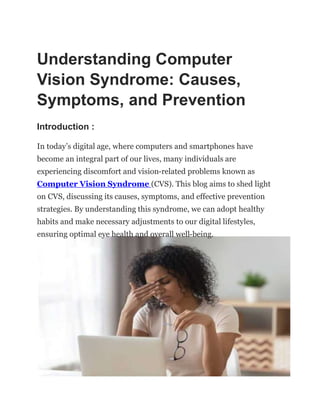
In today’s digital age, where computers and smartphones have
become an integral part of our lives, many individuals are
experiencing discomfort and vision-related problems known as
Computer Vision Syndrome (CVS). This blog aims to shed light
on CVS, discussing its causes, symptoms, and effective prevention
strategies. By understanding this syndrome, we can adopt healthy
habits and make necessary adjustments to our digital lifestyles,
ensuring optimal eye health and overall well-being.
I. What is Computer Vision Syndrome? :
Computer Vision Syndrome, also referred to as Digital Eye Strain, is a
condition that arises from prolonged and intense use of digital devices
such as computers, tablets, and smartphones. CVS encompasses a
range of ocular and musculoskeletal symptoms caused by excessive
screen time and poor visual ergonomics.
II. Causes of Computer Vision Syndrome :
1. Prolonged screen time: Spending extended periods staring at
digital screens without taking sufficient breaks strains the eyes and
leads to CVS symptoms.
2. Blue light exposure: The high-energy visible light emitted by
digital screens can cause eye fatigue and disrupt sleep patterns.
3. Poor lighting conditions: Insufficient ambient lighting or
excessive glare on screens can contribute to eye strain.
4. Improper viewing distances and angles: Viewing screens too
closely or at awkward angles can strain the eyes and neck muscles.
5. Uncorrected vision problems: Pre-existing vision conditions such
as nearsightedness, farsightedness, or astigmatism, when
uncorrected, can exacerbate CVS symptoms.
III. Symptoms of Computer Vision Syndrome :
1. Eyestrain: A common symptom characterized by eye discomfort,
fatigue, and dryness.
2. Headaches: Persistent headaches, especially around the temples
or forehead, can be attributed to CVS.
3. Blurred vision: Vision may become blurry or unfocused after
prolonged screen use.
4. Dry eyes: Reduced blinking while focusing on screens can result
in dry, irritated eyes.
5. Neck and shoulder pain: Poor posture while using digital devices
can lead to muscle strain and tension.
6. Double vision: Difficulty in maintaining clear vision can cause
overlapping or ghost images.
7. Light sensitivity: Increased sensitivity to light, also known as
photophobia, is a typical symptom of CVS.
8. Difficulty focusing: Trouble shifting focus between screens and
other objects can be a sign of CVS.
IV. Preventive Measures for Computer Vision Syndrome :
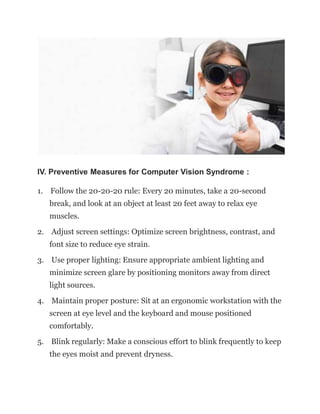
1. Follow the 20-20-20 rule: Every 20 minutes, take a 20-second
break, and look at an object at least 20 feet away to relax eye
muscles.
2. Adjust screen settings: Optimize screen brightness, contrast, and
font size to reduce eye strain.
3. Use proper lighting: Ensure appropriate ambient lighting and
minimize screen glare by positioning monitors away from direct
light sources.
4. Maintain proper posture: Sit at an ergonomic workstation with the
screen at eye level and the keyboard and mouse positioned
comfortably.
5. Blink regularly: Make a conscious effort to blink frequently to keep
the eyes moist and prevent dryness.
6. Consider blue light filters: Apply screen filters or wear blue
light-filtering glasses to minimize exposure to harmful blue light.
7. Regular eye examinations: Get routine eye exams to identify and
correct any vision issues that may contribute to CVS.
8. Take regular breaks: Incorporate short breaks throughout the
day to rest your eyes and stretch your body.
9. Exercise your eyes: Perform eye exercises, such as focusing on
distant objects and blinking rapidly, to reduce eye strain.
10. Limit screen time before bed: Avoid screens for at least an hour
before bedtime to promote better sleep quality.
Conclusion :
Computer Vision Syndrome is a prevalent condition affecting
individuals who spend significant time in front of digital screens. By
understanding the causes, recognizing the symptoms, and adopting
preventive measures, we can minimize the risk of CVS and protect our
eye health. Remember to practice good visual ergonomics, take regular
breaks, and prioritize self-care to ensure a healthier and more
comfortable digital experience. By incorporating these habits into our
daily routines, we can maintain optimal eye health and overall
wellbeing in the digital era. Bynocs also has lazy eye treatment, etc.

Understanding-Computer-Vision-Syndrome.ppt

  • 1.
    Understanding Computer Vision Syndrome:Causes, Symptoms, and Prevention Introduction : In today’s digital age, where computers and smartphones have become an integral part of our lives, many individuals are experiencing discomfort and vision-related problems known as Computer Vision Syndrome (CVS). This blog aims to shed light on CVS, discussing its causes, symptoms, and effective prevention strategies. By understanding this syndrome, we can adopt healthy habits and make necessary adjustments to our digital lifestyles, ensuring optimal eye health and overall well-being.
  • 2.
    I. What isComputer Vision Syndrome? : Computer Vision Syndrome, also referred to as Digital Eye Strain, is a condition that arises from prolonged and intense use of digital devices such as computers, tablets, and smartphones. CVS encompasses a range of ocular and musculoskeletal symptoms caused by excessive screen time and poor visual ergonomics. II. Causes of Computer Vision Syndrome : 1. Prolonged screen time: Spending extended periods staring at digital screens without taking sufficient breaks strains the eyes and leads to CVS symptoms. 2. Blue light exposure: The high-energy visible light emitted by digital screens can cause eye fatigue and disrupt sleep patterns. 3. Poor lighting conditions: Insufficient ambient lighting or excessive glare on screens can contribute to eye strain. 4. Improper viewing distances and angles: Viewing screens too closely or at awkward angles can strain the eyes and neck muscles. 5. Uncorrected vision problems: Pre-existing vision conditions such as nearsightedness, farsightedness, or astigmatism, when uncorrected, can exacerbate CVS symptoms.
  • 3.
    III. Symptoms ofComputer Vision Syndrome : 1. Eyestrain: A common symptom characterized by eye discomfort, fatigue, and dryness. 2. Headaches: Persistent headaches, especially around the temples or forehead, can be attributed to CVS. 3. Blurred vision: Vision may become blurry or unfocused after prolonged screen use. 4. Dry eyes: Reduced blinking while focusing on screens can result in dry, irritated eyes. 5. Neck and shoulder pain: Poor posture while using digital devices can lead to muscle strain and tension. 6. Double vision: Difficulty in maintaining clear vision can cause overlapping or ghost images. 7. Light sensitivity: Increased sensitivity to light, also known as photophobia, is a typical symptom of CVS. 8. Difficulty focusing: Trouble shifting focus between screens and other objects can be a sign of CVS.
  • 4.
    IV. Preventive Measuresfor Computer Vision Syndrome : 1. Follow the 20-20-20 rule: Every 20 minutes, take a 20-second break, and look at an object at least 20 feet away to relax eye muscles. 2. Adjust screen settings: Optimize screen brightness, contrast, and font size to reduce eye strain. 3. Use proper lighting: Ensure appropriate ambient lighting and minimize screen glare by positioning monitors away from direct light sources. 4. Maintain proper posture: Sit at an ergonomic workstation with the screen at eye level and the keyboard and mouse positioned comfortably. 5. Blink regularly: Make a conscious effort to blink frequently to keep the eyes moist and prevent dryness.
  • 5.
    6. Consider bluelight filters: Apply screen filters or wear blue light-filtering glasses to minimize exposure to harmful blue light. 7. Regular eye examinations: Get routine eye exams to identify and correct any vision issues that may contribute to CVS. 8. Take regular breaks: Incorporate short breaks throughout the day to rest your eyes and stretch your body. 9. Exercise your eyes: Perform eye exercises, such as focusing on distant objects and blinking rapidly, to reduce eye strain. 10. Limit screen time before bed: Avoid screens for at least an hour before bedtime to promote better sleep quality.
  • 6.
    Conclusion : Computer VisionSyndrome is a prevalent condition affecting individuals who spend significant time in front of digital screens. By understanding the causes, recognizing the symptoms, and adopting preventive measures, we can minimize the risk of CVS and protect our eye health. Remember to practice good visual ergonomics, take regular breaks, and prioritize self-care to ensure a healthier and more comfortable digital experience. By incorporating these habits into our daily routines, we can maintain optimal eye health and overall wellbeing in the digital era. Bynocs also has lazy eye treatment, etc.