UI/UX
Design
Aroyewun Babajide
2017
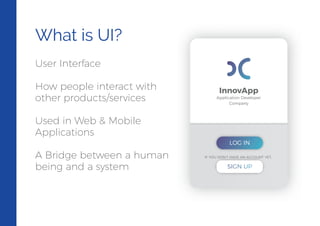
What is UI?
User Interface
How people interact with
other products/services
Used in Web & Mobile
Applications
A Bridge between a human
being and a system
InnovApp
Application Developer
Company
LOG IN
IF YOU DON’T HAVE AN ACCOUNT YET...
SIGN UP
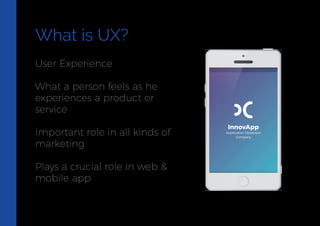
What is UX?
User Experience
What a person feels as he
experiences a product or
service
Important role in all kinds of
marketing
Plays a crucial role in web &
mobile app
InnovApp
Application Developer
Company
What is UXD?
User Experience Design focuses on anticipating what users might need to do.
Design of websites, computers, appliances, machines, mobile communication
devices, software applications with the focus on the user experience and
interaction.
UI brings together concepts from interaction design, visual design and
information architecture
UI Design is the process of taking the way a machine works and translating it to
the way a person thinks.
Types of Design
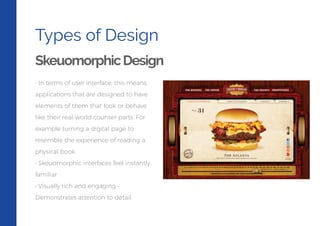
SkeuomorphicDesign
• In terms of user interface, this means
applications that are designed to have
elements of them that look or behave
like their real-world counter-parts. For
example turning a digital page to
resemble the experience of reading a
physical book.
• Skeuomorphic interfaces feel instantly
familiar
• Visually rich and engaging •
Demonstrates attention to detail
Types of Design
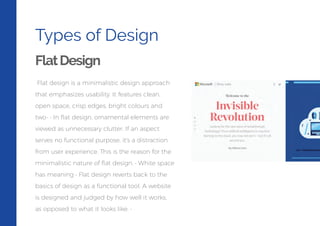
FlatDesign
Flat design is a minimalistic design approach
that emphasizes usability. It features clean,
open space, crisp edges, bright colours and
two- • In flat design, ornamental elements are
viewed as unnecessary clutter. If an aspect
serves no functional purpose, it's a distraction
from user experience. This is the reason for the
minimalistic nature of flat design. • White space
has meaning • Flat design reverts back to the
basics of design as a functional tool. A website
is designed and judged by how well it works,
as opposed to what it looks like. •
Types of Design
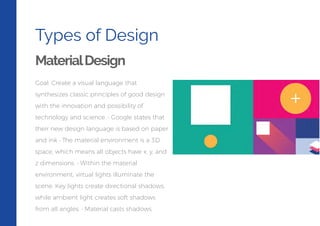
MaterialDesign
Goal: Create a visual language that
synthesizes classic principles of good design
with the innovation and possibility of
technology and science. • Google states that
their new design language is based on paper
and ink • The material environment is a 3D
space, which means all objects have x, y, and
z dimensions. • Within the material
environment, virtual lights illuminate the
scene. Key lights create directional shadows,
while ambient light creates soft shadows
from all angles. • Material casts shadows.
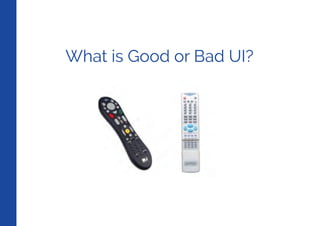
What is Good or Bad UI?
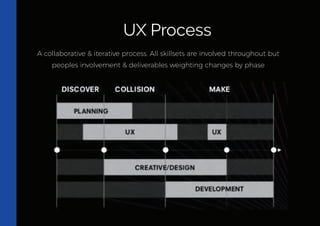
A collaborative & iterative process. All skillsets are involved throughout but
peoples involvement & deliverables weighting changes by phase
UX Process
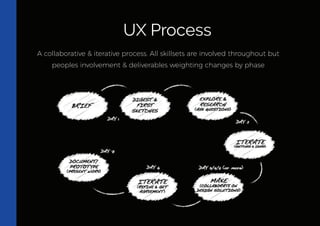
A collaborative & iterative process. All skillsets are involved throughout but
peoples involvement & deliverables weighting changes by phase
UX Process
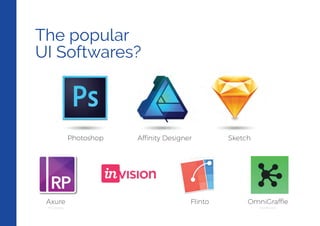
The popular
UI Softwares?
Affinity DesignerPhotoshop
Axure
Prototypes Wireframes
Flinto OmniGraffle
Sketch
UI/UX Terms
Everyone Should Know
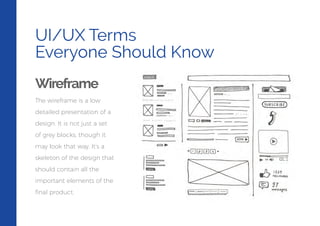
Wireframe
The wireframe is a low
detailed presentation of a
design. It is not just a set
of grey blocks, though it
may look that way. It’s a
skeleton of the design that
should contain all the
important elements of the
final product.
UI/UX Terms
Everyone Should Know
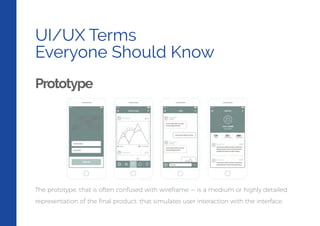
Prototype
The prototype, that is often confused with wireframe — is a medium or highly detailed
representation of the final product, that simulates user interaction with the interface.
UI/UX Terms
Everyone Should Know
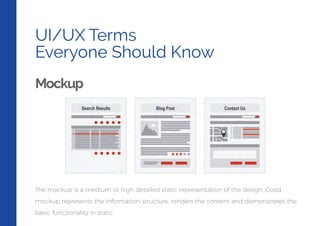
Mockup
The mockup is a medium or high detailed static representation of the design. Good
mockup represents the information structure, renders the content and demonstrates the
basic functionality in static.
UI/UX Terms
Everyone Should Know
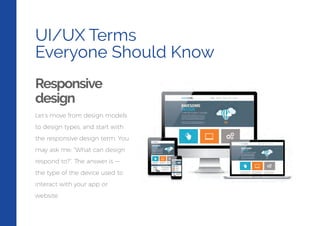
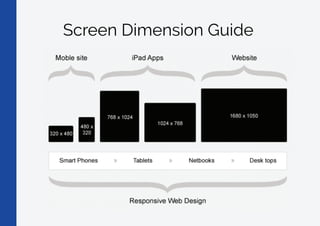
Responsive
design
Let’s move from design models
to design types, and start with
the responsive design term. You
may ask me: “What can design
respond to?”. The answer is —
the type of the device used to
interact with your app or
website.
Screen Dimension Guide
UI/UX Design Glossary
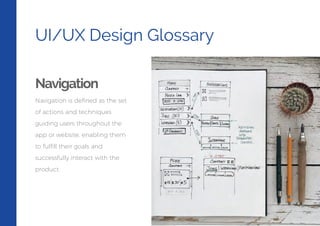
Navigation
Navigation is defined as the set
of actions and techniques
guiding users throughout the
app or website, enabling them
to fulfill their goals and
successfully interact with the
product.
UI/UX Design Glossary
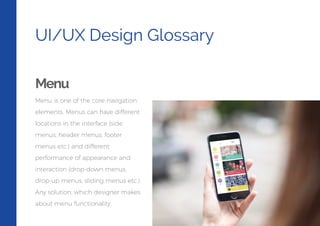
Menu
Menu is one of the core navigation
elements. Menus can have different
locations in the interface (side
menus, header menus, footer
menus etc.) and different
performance of appearance and
interaction (drop-down menus,
drop-up menus, sliding menus etc.)
Any solution, which designer makes
about menu functionality,
UI/UX Design Glossary
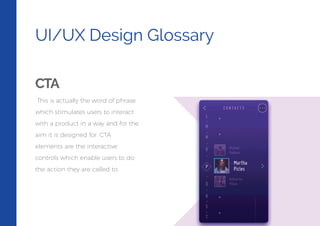
CTA
This is actually the word of phrase
which stimulates users to interact
with a product in a way and for the
aim it is designed for. CTA
elements are the interactive
controls which enable users to do
the action they are called to.
UI/UX Design Glossary
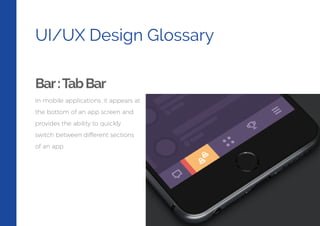
Bar:TabBar
In mobile applications, it appears at
the bottom of an app screen and
provides the ability to quickly
switch between different sections
of an app.
UI/UX Design Glossary
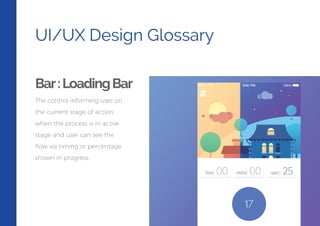
Bar:LoadingBar
The control informing user on
the current stage of action,
when the process is in active
stage and user can see the
flow via timing or percentage
shown in progress.
UI/UX Design Glossary
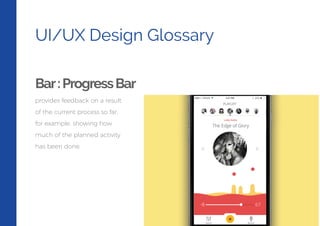
Bar:ProgressBar
provides feedback on a result
of the current process so far,
for example, showing how
much of the planned activity
has been done.
UI/UX Design Glossary
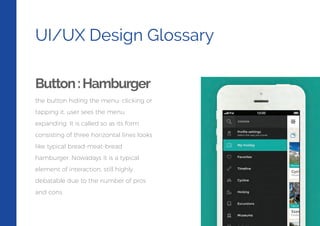
Button:Hamburger
the button hiding the menu: clicking or
tapping it, user sees the menu
expanding. It is called so as its form
consisting of three horizontal lines looks
like typical bread-meat-bread
hamburger. Nowadays it is a typical
element of interaction, still highly
debatable due to the number of pros
and cons.
UI/UX Design Glossary
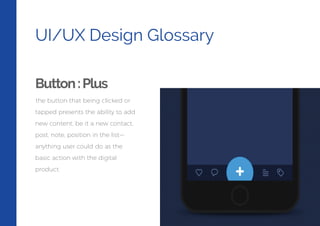
Button:Plus
the button that being clicked or
tapped presents the ability to add
new content, be it a new contact,
post, note, position in the list—
anything user could do as the
basic action with the digital
product.
UI/UX Design Glossary
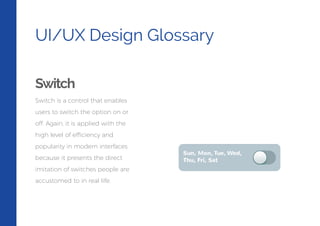
Switch
Switch is a control that enables
users to switch the option on or
off. Again, it is applied with the
high level of efficiency and
popularity in modern interfaces
because it presents the direct
imitation of switches people are
accustomed to in real life.
UI/UX Design Glossary
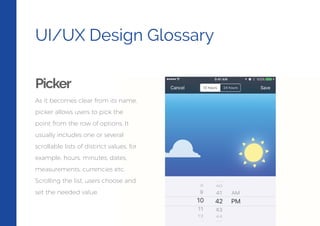
Picker
As it becomes clear from its name,
picker allows users to pick the
point from the row of options. It
usually includes one or several
scrollable lists of distinct values, for
example, hours, minutes, dates,
measurements, currencies etc.
Scrolling the list, users choose and
set the needed value.
UI/UX Design Glossary
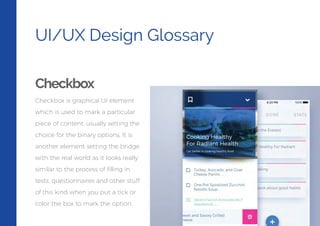
Checkbox
Checkbox is graphical UI element
which is used to mark a particular
piece of content, usually setting the
choice for the binary options. It is
another element setting the bridge
with the real world as it looks really
similar to the process of filling in
tests, questionnaires and other stuff
of this kind when you put a tick or
color the box to mark the option.

Understanding UI/UX Design by Aroyewun Babajide

  • 1.
  • 2.
    What is UI? UserInterface How people interact with other products/services Used in Web & Mobile Applications A Bridge between a human being and a system InnovApp Application Developer Company LOG IN IF YOU DON’T HAVE AN ACCOUNT YET... SIGN UP
  • 3.
    What is UX? UserExperience What a person feels as he experiences a product or service Important role in all kinds of marketing Plays a crucial role in web & mobile app InnovApp Application Developer Company
  • 4.
    What is UXD? UserExperience Design focuses on anticipating what users might need to do. Design of websites, computers, appliances, machines, mobile communication devices, software applications with the focus on the user experience and interaction. UI brings together concepts from interaction design, visual design and information architecture UI Design is the process of taking the way a machine works and translating it to the way a person thinks.
  • 5.
    Types of Design SkeuomorphicDesign •In terms of user interface, this means applications that are designed to have elements of them that look or behave like their real-world counter-parts. For example turning a digital page to resemble the experience of reading a physical book. • Skeuomorphic interfaces feel instantly familiar • Visually rich and engaging • Demonstrates attention to detail
  • 6.
    Types of Design FlatDesign Flatdesign is a minimalistic design approach that emphasizes usability. It features clean, open space, crisp edges, bright colours and two- • In flat design, ornamental elements are viewed as unnecessary clutter. If an aspect serves no functional purpose, it's a distraction from user experience. This is the reason for the minimalistic nature of flat design. • White space has meaning • Flat design reverts back to the basics of design as a functional tool. A website is designed and judged by how well it works, as opposed to what it looks like. •
  • 7.
    Types of Design MaterialDesign Goal:Create a visual language that synthesizes classic principles of good design with the innovation and possibility of technology and science. • Google states that their new design language is based on paper and ink • The material environment is a 3D space, which means all objects have x, y, and z dimensions. • Within the material environment, virtual lights illuminate the scene. Key lights create directional shadows, while ambient light creates soft shadows from all angles. • Material casts shadows.
  • 8.
    What is Goodor Bad UI?
  • 9.
    A collaborative &iterative process. All skillsets are involved throughout but peoples involvement & deliverables weighting changes by phase UX Process
  • 10.
    A collaborative &iterative process. All skillsets are involved throughout but peoples involvement & deliverables weighting changes by phase UX Process
  • 11.
    The popular UI Softwares? AffinityDesignerPhotoshop Axure Prototypes Wireframes Flinto OmniGraffle Sketch
  • 12.
    UI/UX Terms Everyone ShouldKnow Wireframe The wireframe is a low detailed presentation of a design. It is not just a set of grey blocks, though it may look that way. It’s a skeleton of the design that should contain all the important elements of the final product.
  • 13.
    UI/UX Terms Everyone ShouldKnow Prototype The prototype, that is often confused with wireframe — is a medium or highly detailed representation of the final product, that simulates user interaction with the interface.
  • 14.
    UI/UX Terms Everyone ShouldKnow Mockup The mockup is a medium or high detailed static representation of the design. Good mockup represents the information structure, renders the content and demonstrates the basic functionality in static.
  • 15.
    UI/UX Terms Everyone ShouldKnow Responsive design Let’s move from design models to design types, and start with the responsive design term. You may ask me: “What can design respond to?”. The answer is — the type of the device used to interact with your app or website.
  • 16.
  • 17.
    UI/UX Design Glossary Navigation Navigationis defined as the set of actions and techniques guiding users throughout the app or website, enabling them to fulfill their goals and successfully interact with the product.
  • 18.
    UI/UX Design Glossary Menu Menuis one of the core navigation elements. Menus can have different locations in the interface (side menus, header menus, footer menus etc.) and different performance of appearance and interaction (drop-down menus, drop-up menus, sliding menus etc.) Any solution, which designer makes about menu functionality,
  • 19.
    UI/UX Design Glossary CTA Thisis actually the word of phrase which stimulates users to interact with a product in a way and for the aim it is designed for. CTA elements are the interactive controls which enable users to do the action they are called to.
  • 20.
    UI/UX Design Glossary Bar:TabBar Inmobile applications, it appears at the bottom of an app screen and provides the ability to quickly switch between different sections of an app.
  • 21.
    UI/UX Design Glossary Bar:LoadingBar Thecontrol informing user on the current stage of action, when the process is in active stage and user can see the flow via timing or percentage shown in progress.
  • 22.
    UI/UX Design Glossary Bar:ProgressBar providesfeedback on a result of the current process so far, for example, showing how much of the planned activity has been done.
  • 23.
    UI/UX Design Glossary Button:Hamburger thebutton hiding the menu: clicking or tapping it, user sees the menu expanding. It is called so as its form consisting of three horizontal lines looks like typical bread-meat-bread hamburger. Nowadays it is a typical element of interaction, still highly debatable due to the number of pros and cons.
  • 24.
    UI/UX Design Glossary Button:Plus thebutton that being clicked or tapped presents the ability to add new content, be it a new contact, post, note, position in the list— anything user could do as the basic action with the digital product.
  • 25.
    UI/UX Design Glossary Switch Switchis a control that enables users to switch the option on or off. Again, it is applied with the high level of efficiency and popularity in modern interfaces because it presents the direct imitation of switches people are accustomed to in real life.
  • 26.
    UI/UX Design Glossary Picker Asit becomes clear from its name, picker allows users to pick the point from the row of options. It usually includes one or several scrollable lists of distinct values, for example, hours, minutes, dates, measurements, currencies etc. Scrolling the list, users choose and set the needed value.
  • 27.
    UI/UX Design Glossary Checkbox Checkboxis graphical UI element which is used to mark a particular piece of content, usually setting the choice for the binary options. It is another element setting the bridge with the real world as it looks really similar to the process of filling in tests, questionnaires and other stuff of this kind when you put a tick or color the box to mark the option.