uberSVN : IntroductionWe will begin in a few moments
uberSVN : Introduction
Outline3What is uberSVN
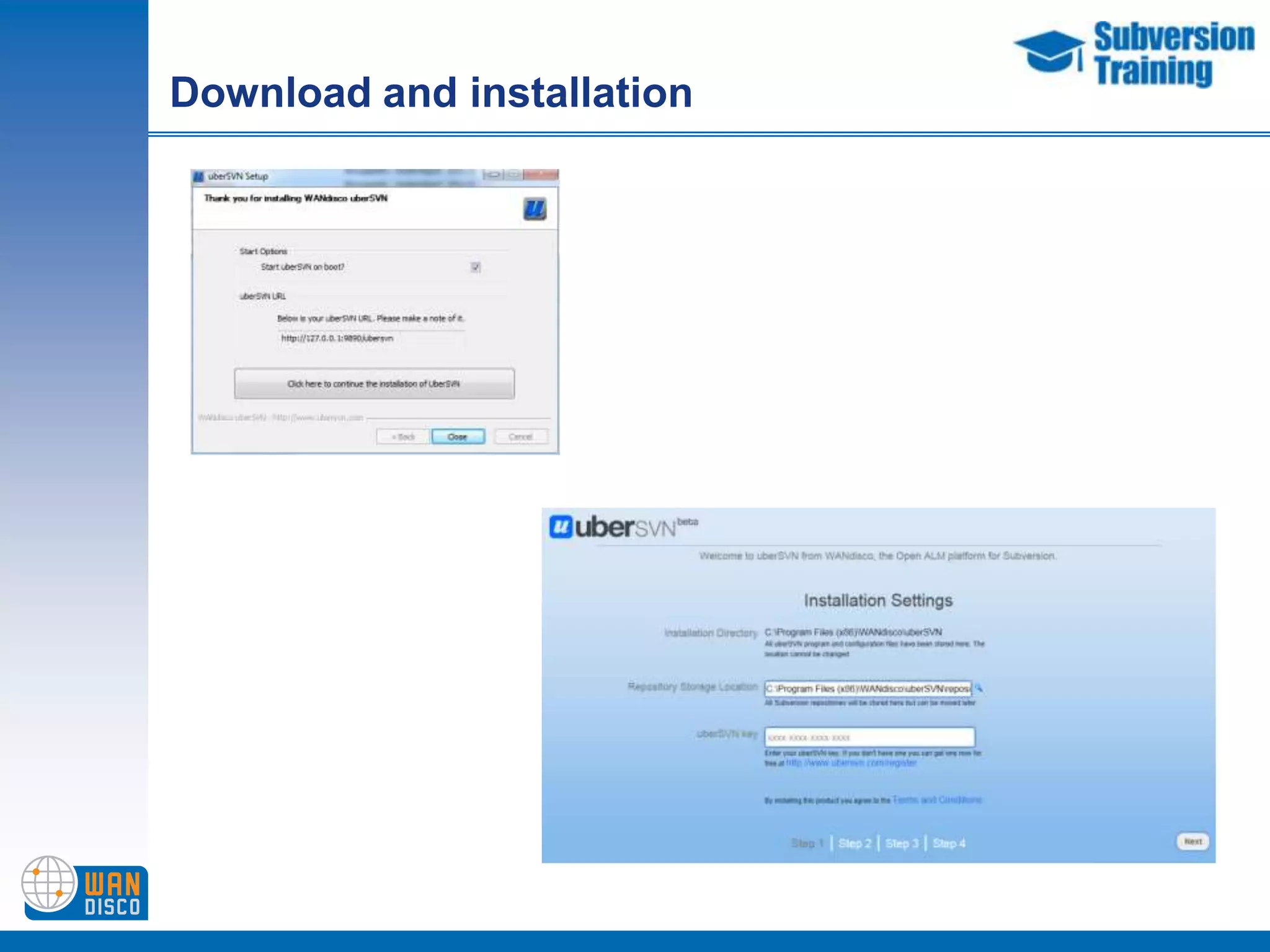
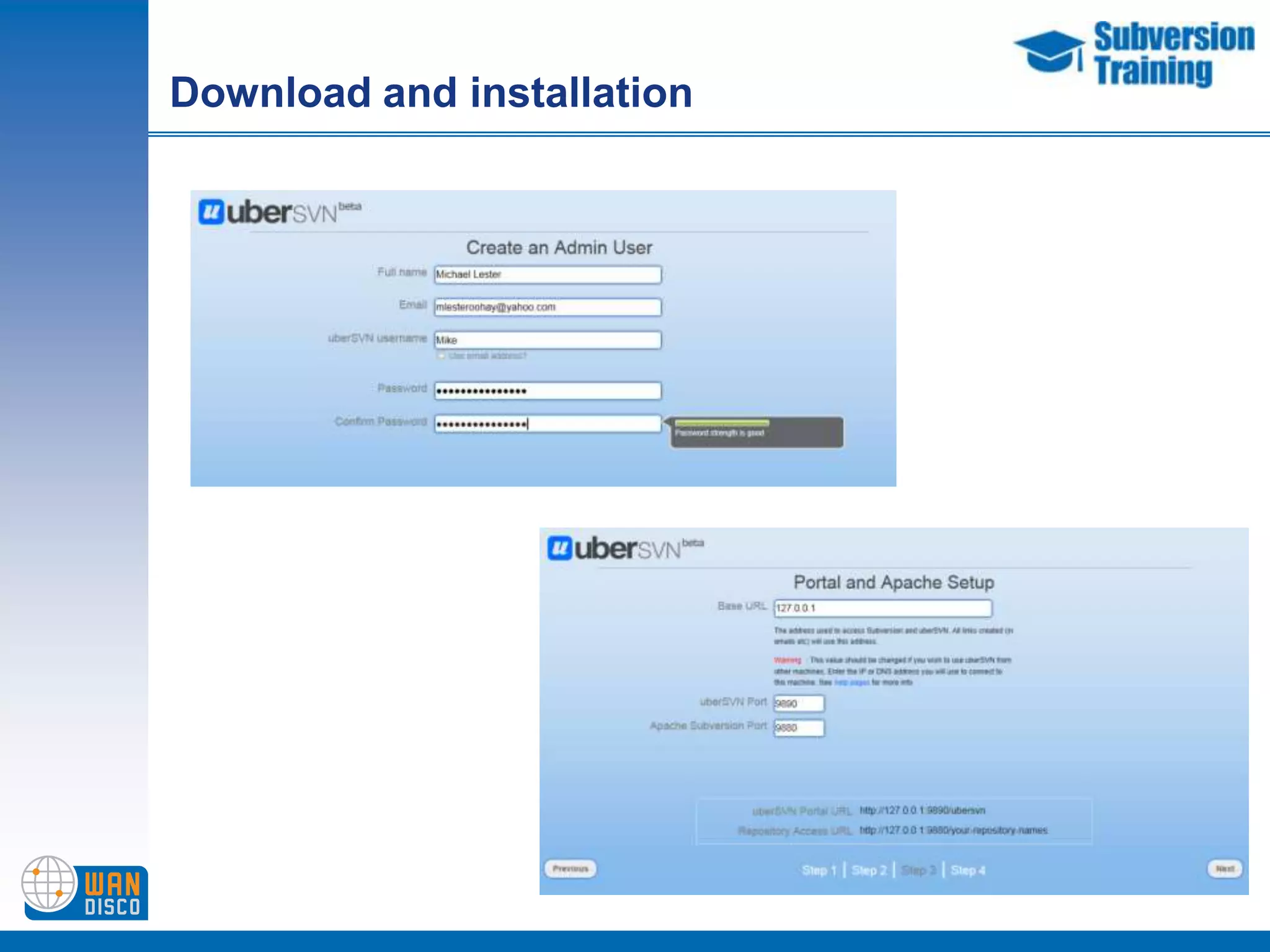
Download and installation
Major features
Adding repositories
Adding users and groups
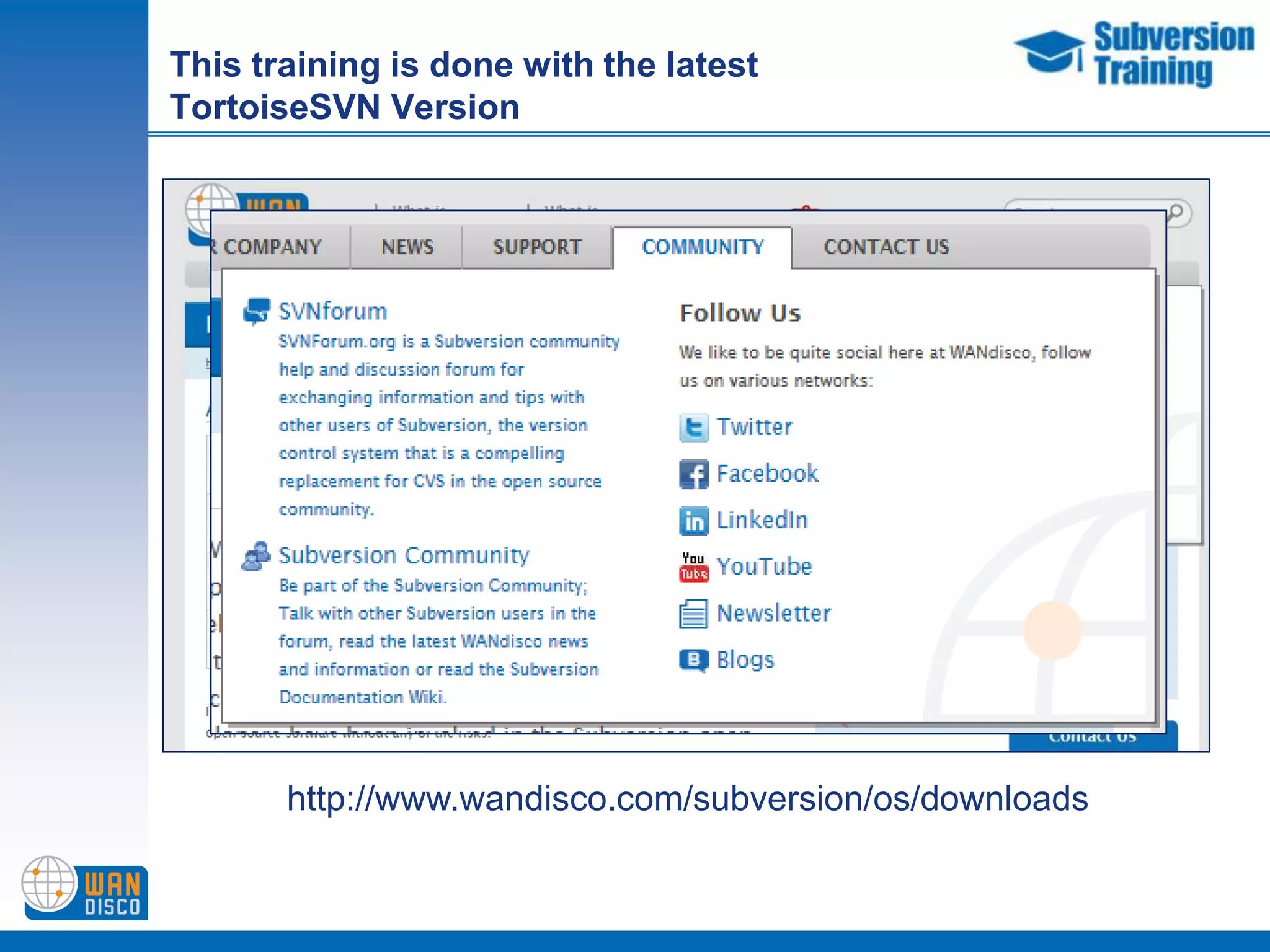
    Demonstration of main featuresThis training is done with the latest TortoiseSVN Versionhttp://www.wandisco.com/subversion/os/downloads
What is uberSVNOpen ALM (application lifecycle management ) PlatformOrganized around development teams and their activities
Create and manage your teams administer Subversion
Navigate to any of the other applications integrated into platform
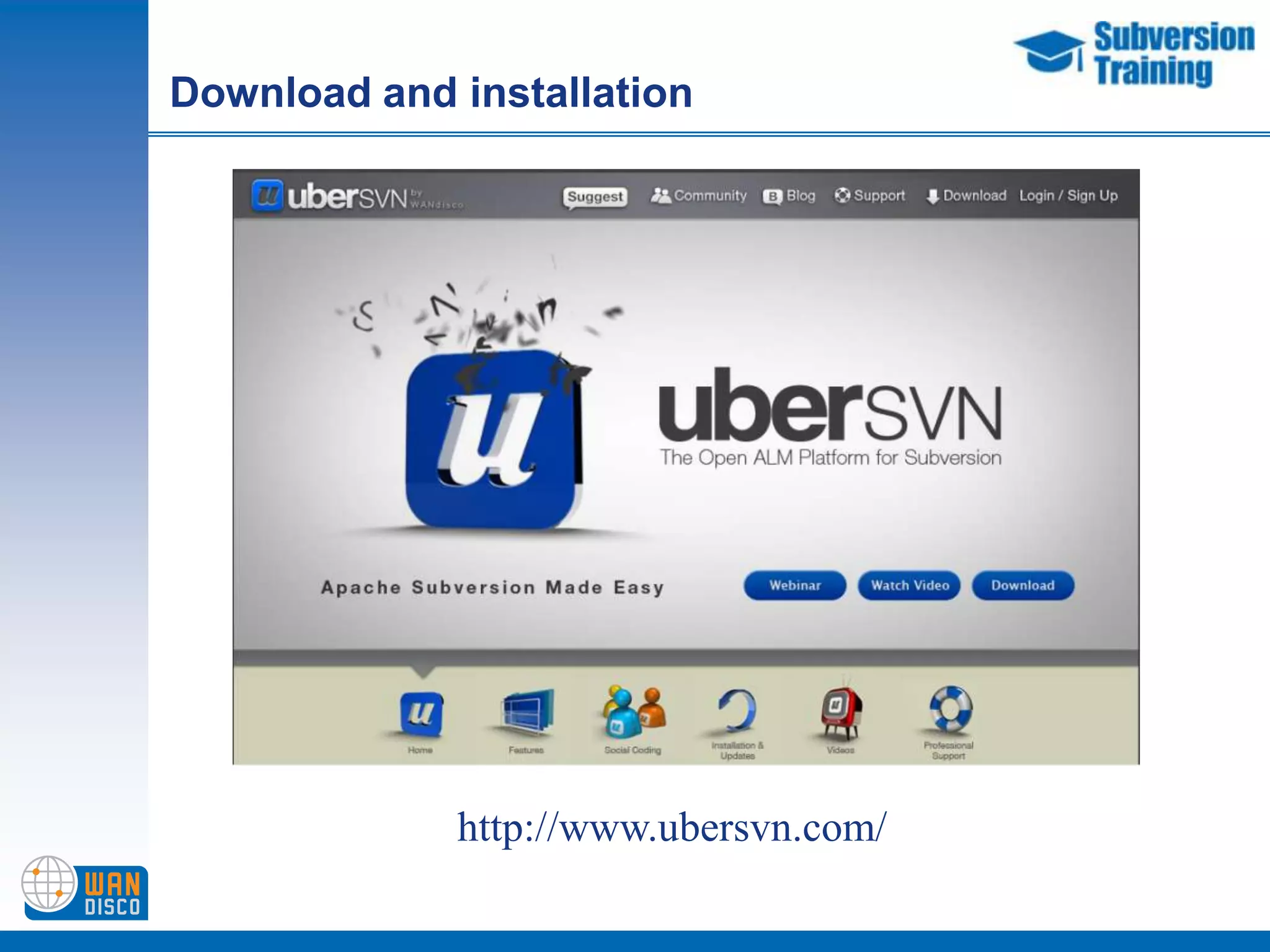
Easily extend it to include new onesDownload and installationhttp://www.ubersvn.com/
Download and installationhttp://www.ubersvn.com/
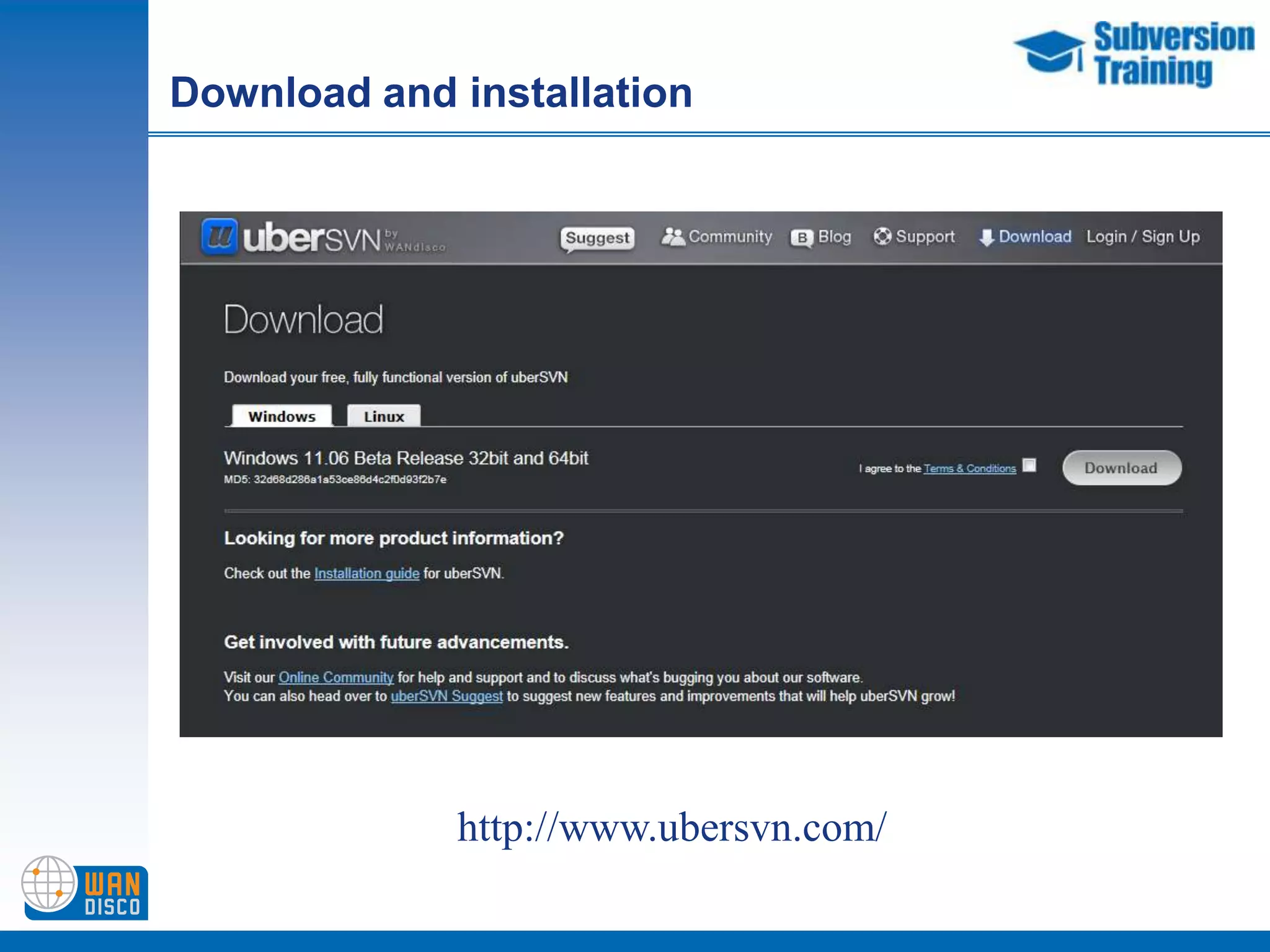
Download and installation
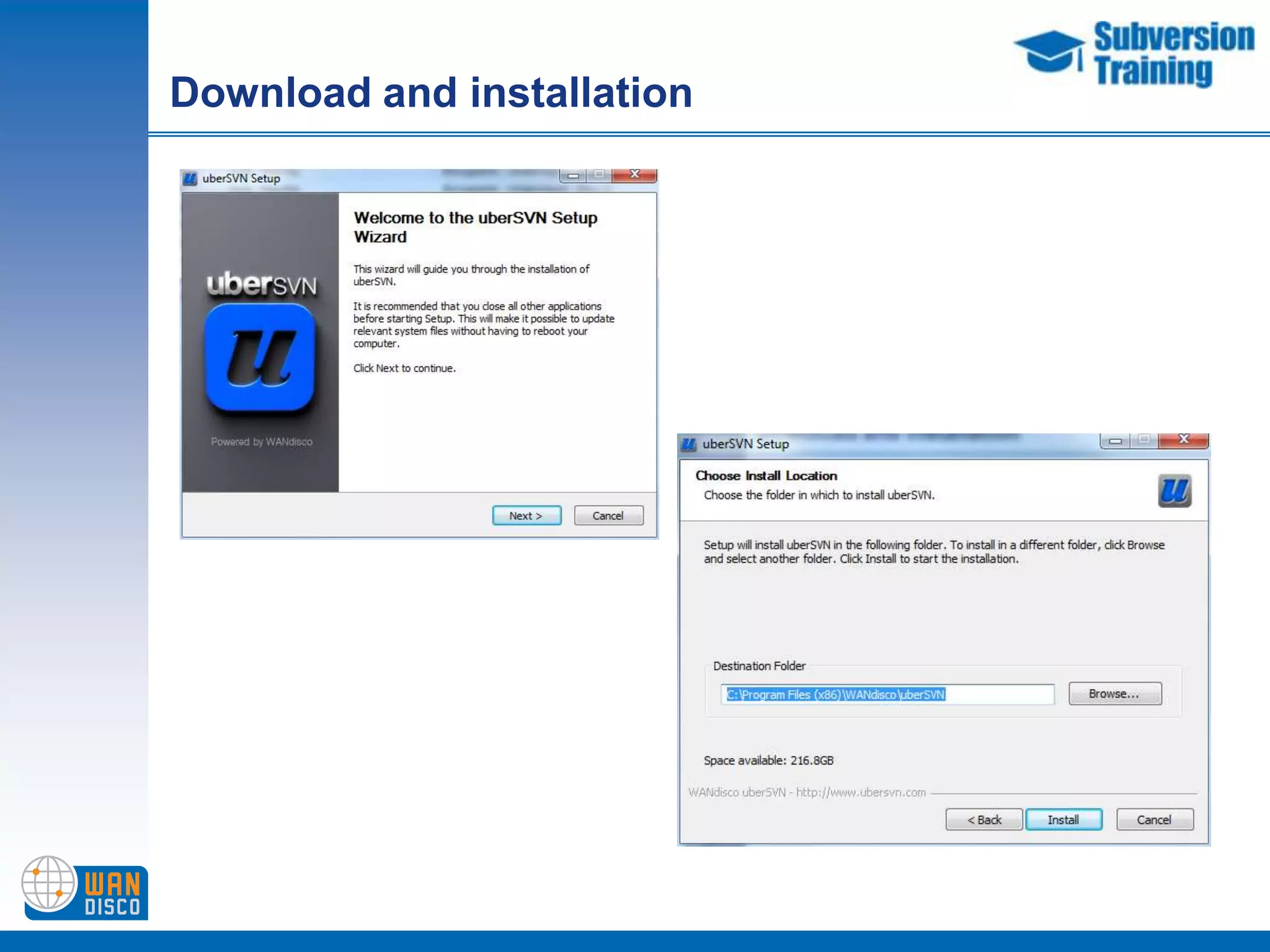
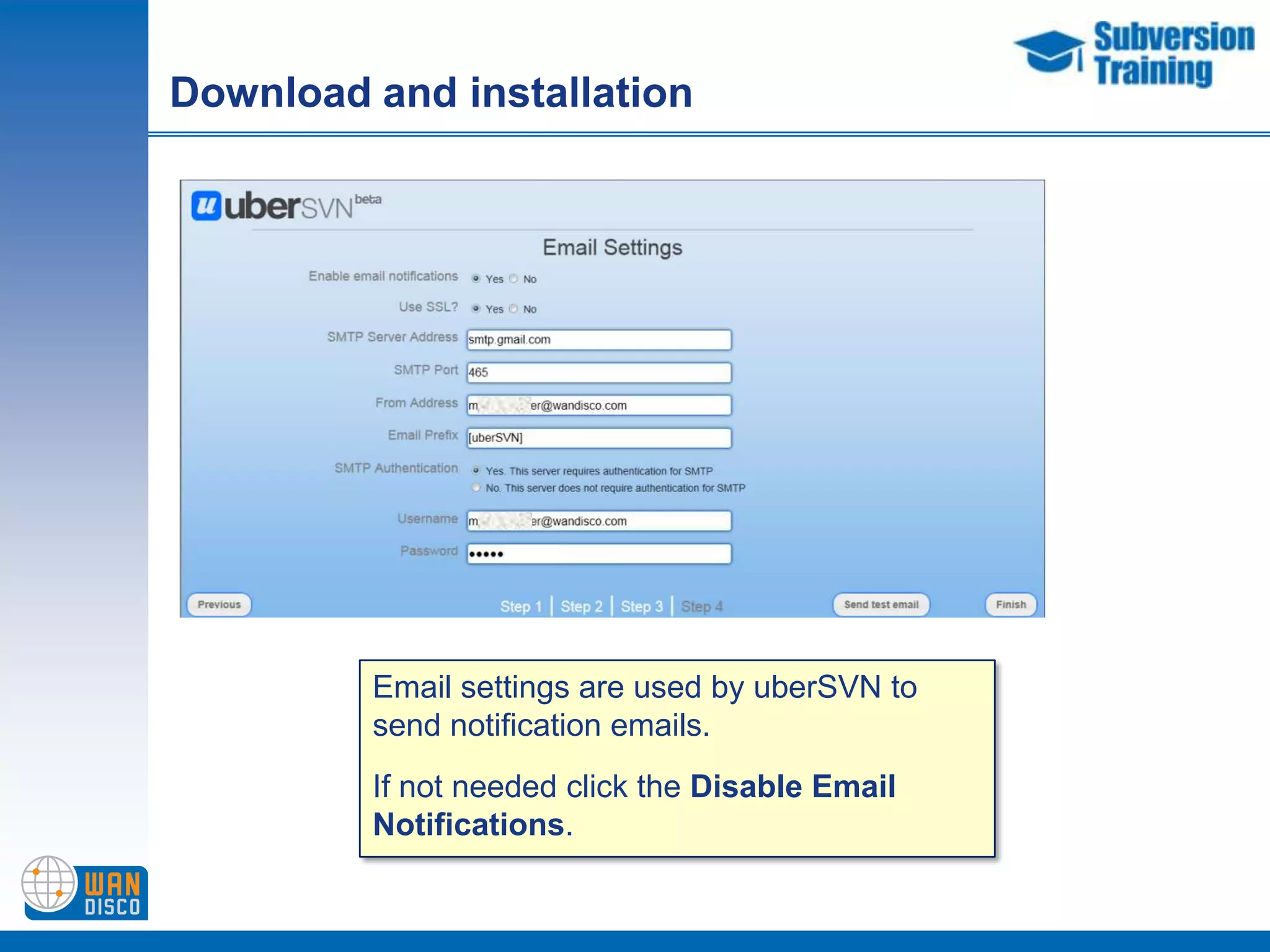
Download and installationEmail settings are used by uberSVN to send notification emails.If not needed click the Disable Email Notifications.
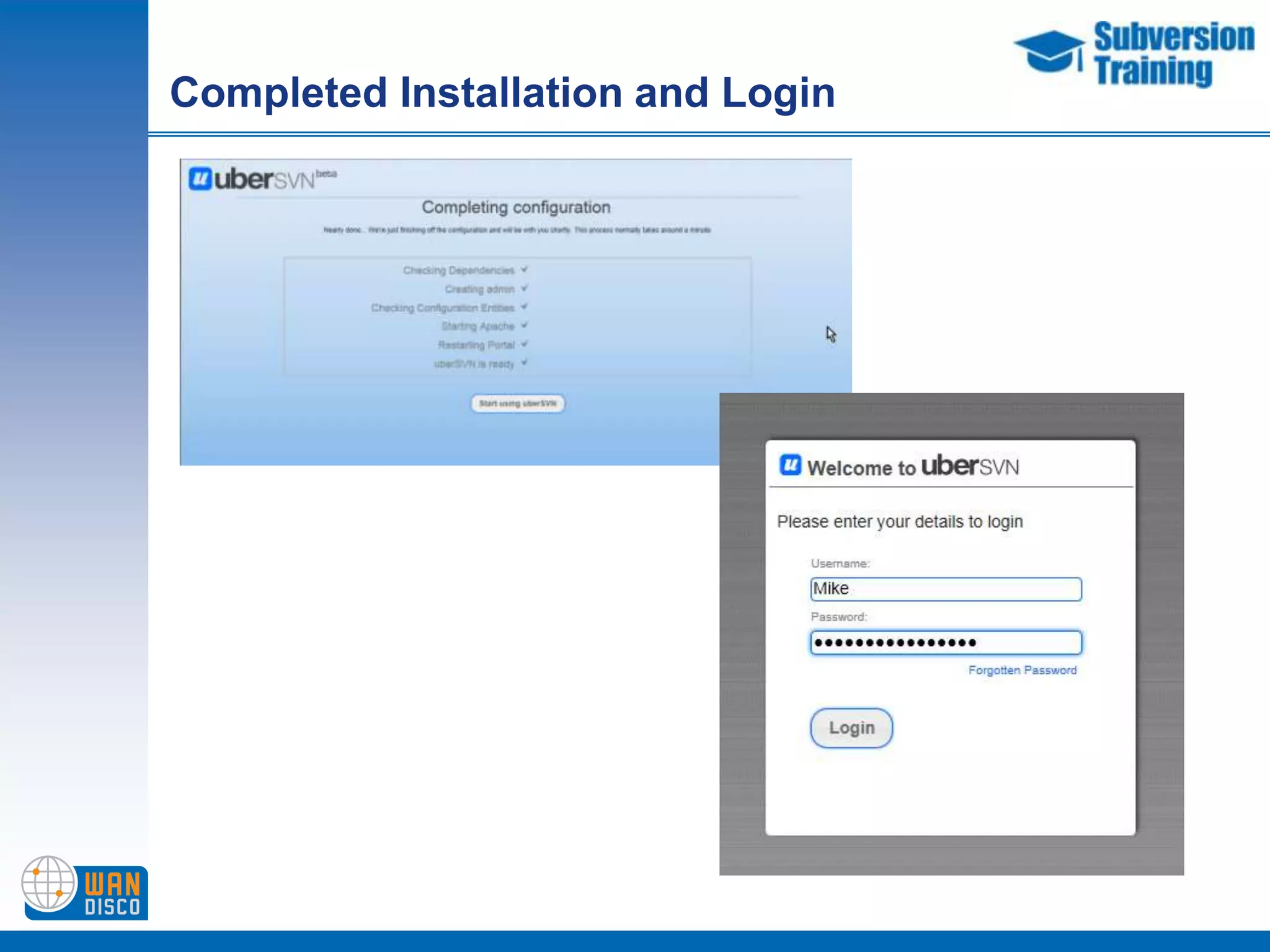
Completed Installation and Login
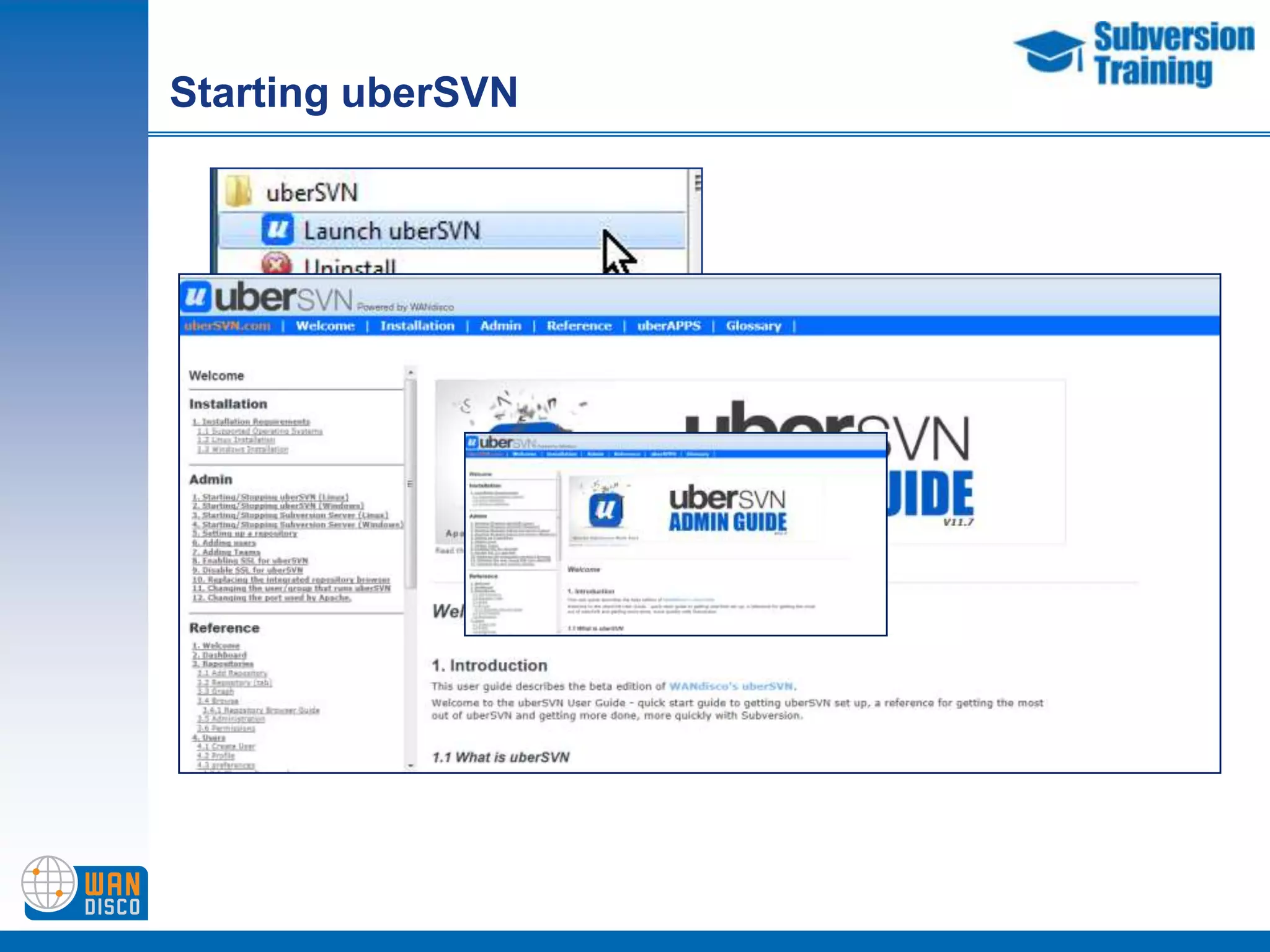
Starting uberSVNYou can also look at thedocumentation from here
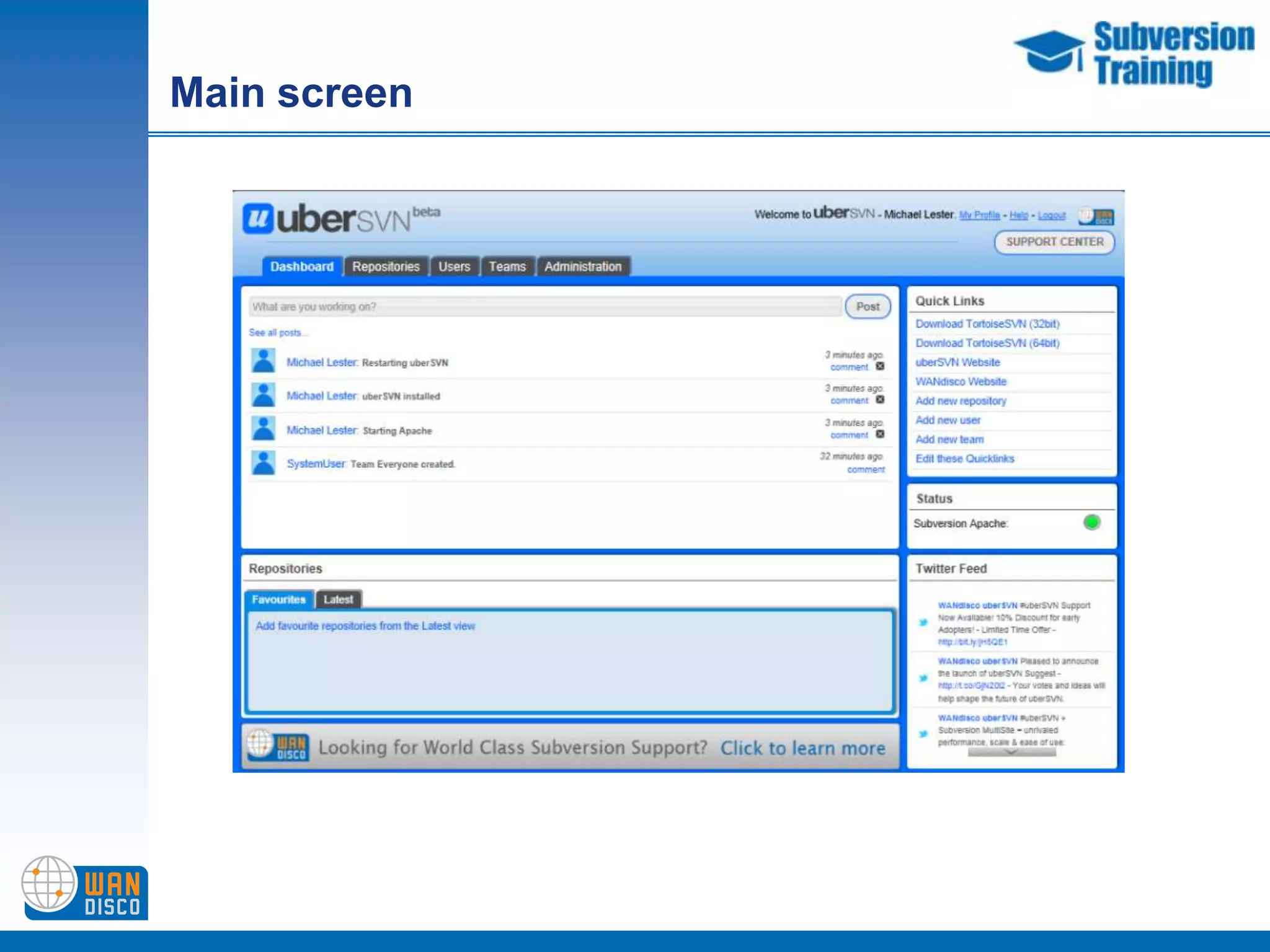
Main screen
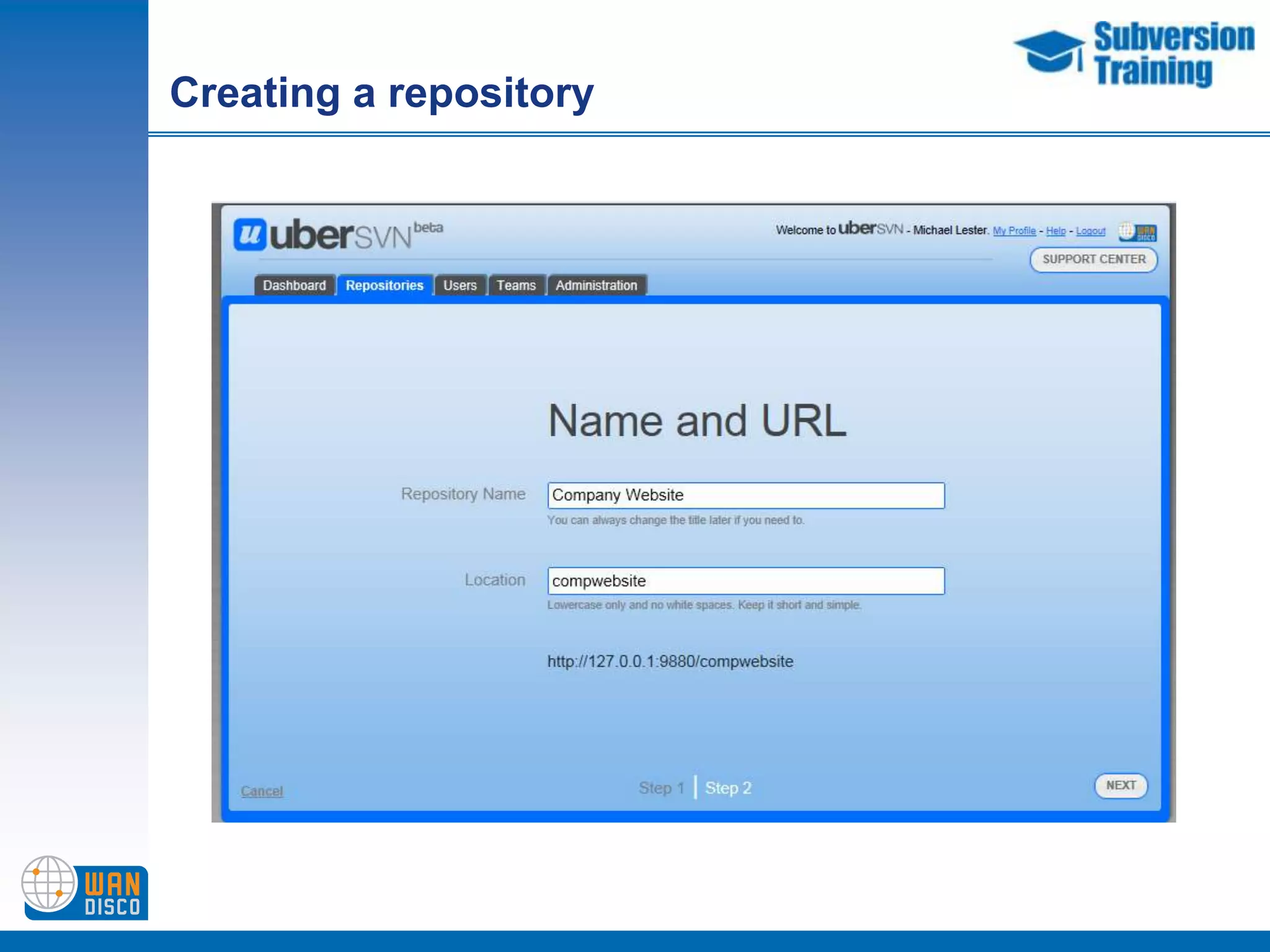
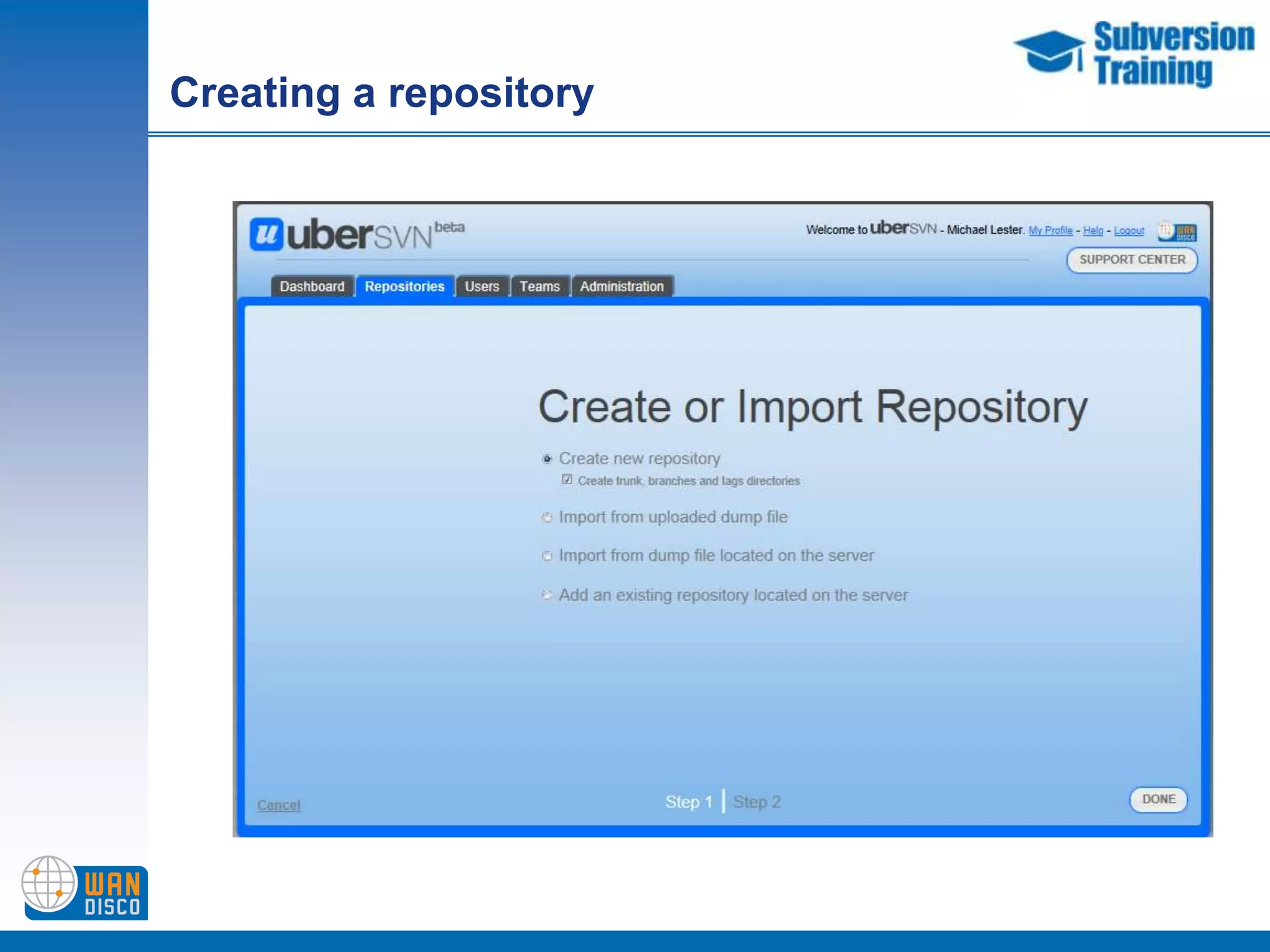
Creating a repository
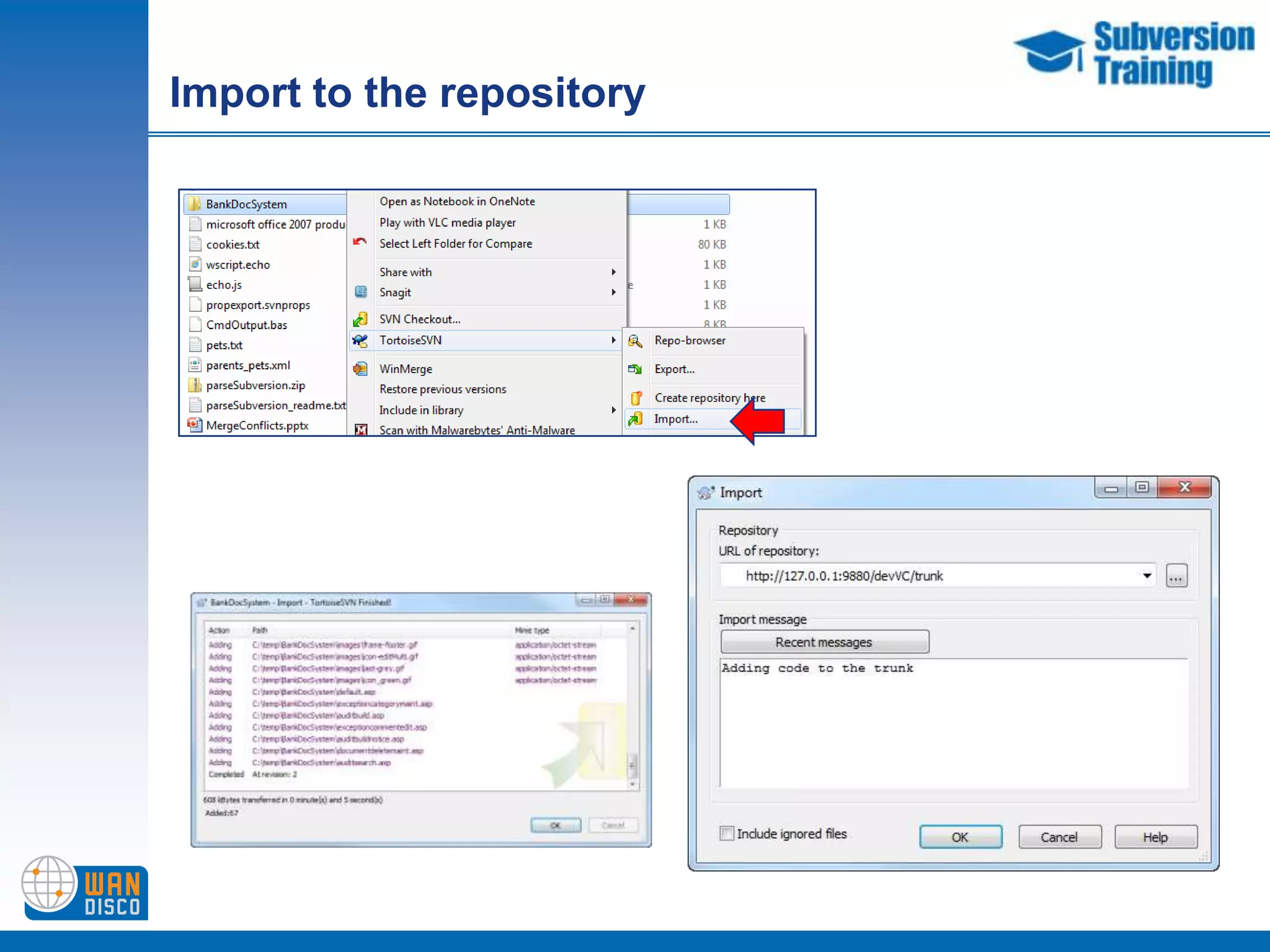
Import to the repository
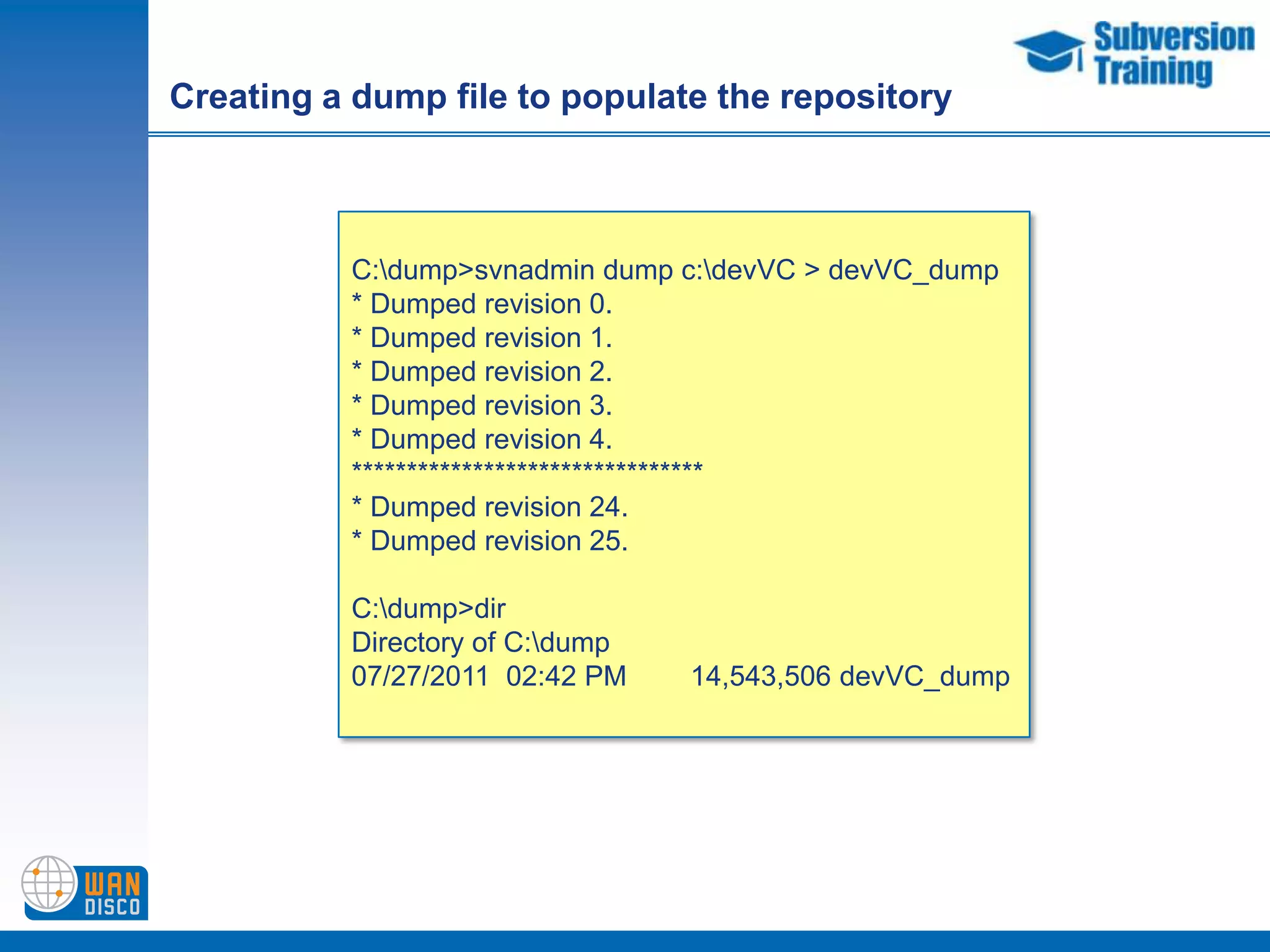
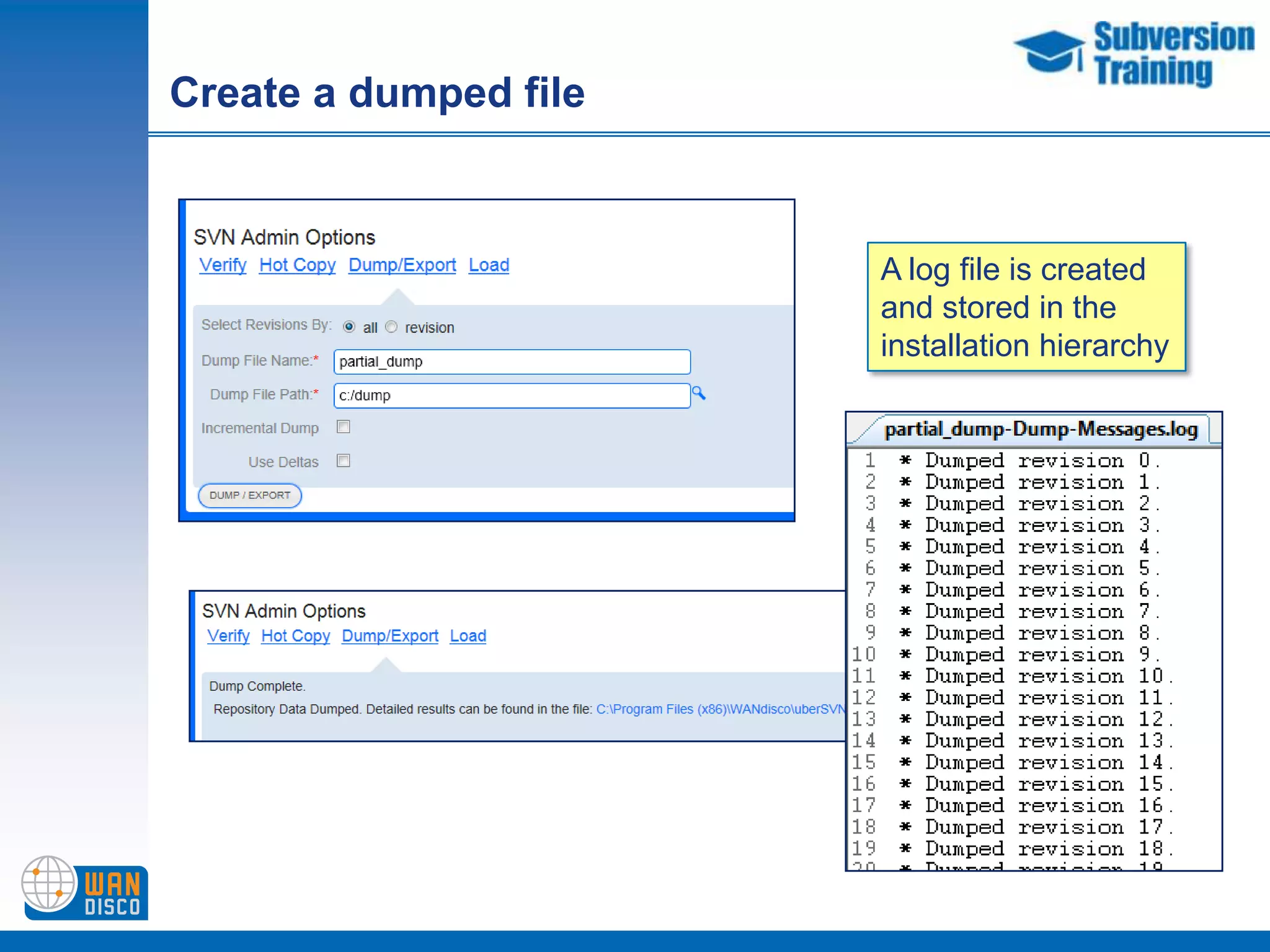
Creating a dump file to populate the repositoryC:\dump>svnadmin dump c:\devVC > devVC_dump* Dumped revision 0.* Dumped revision 1.* Dumped revision 2.* Dumped revision 3.* Dumped revision 4.********************************* Dumped revision 24.* Dumped revision 25.C:\dump>dirDirectory of C:\dump07/27/2011  02:42 PM        14,543,506 devVC_dump
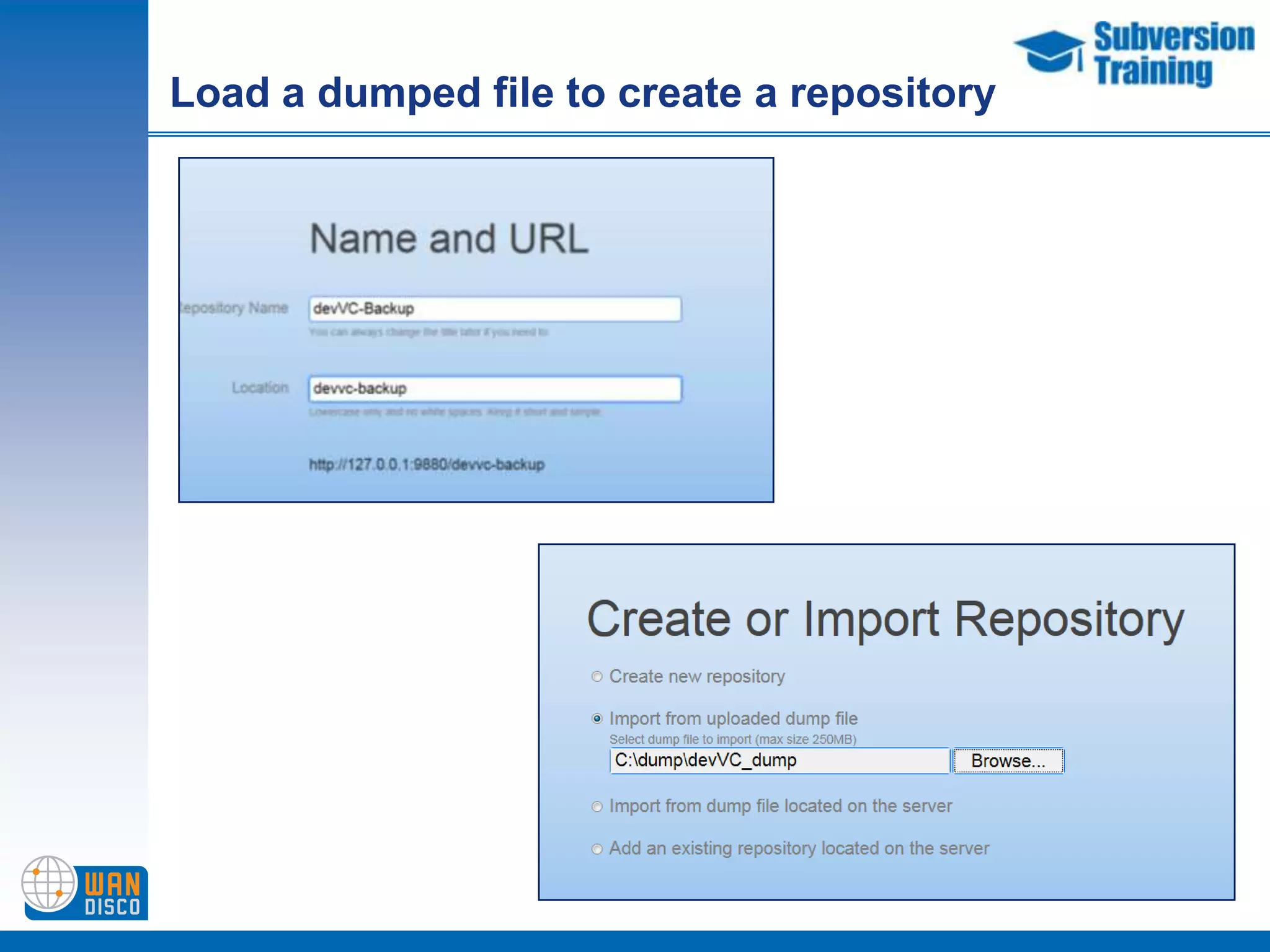
Load a dumped file to create a repository
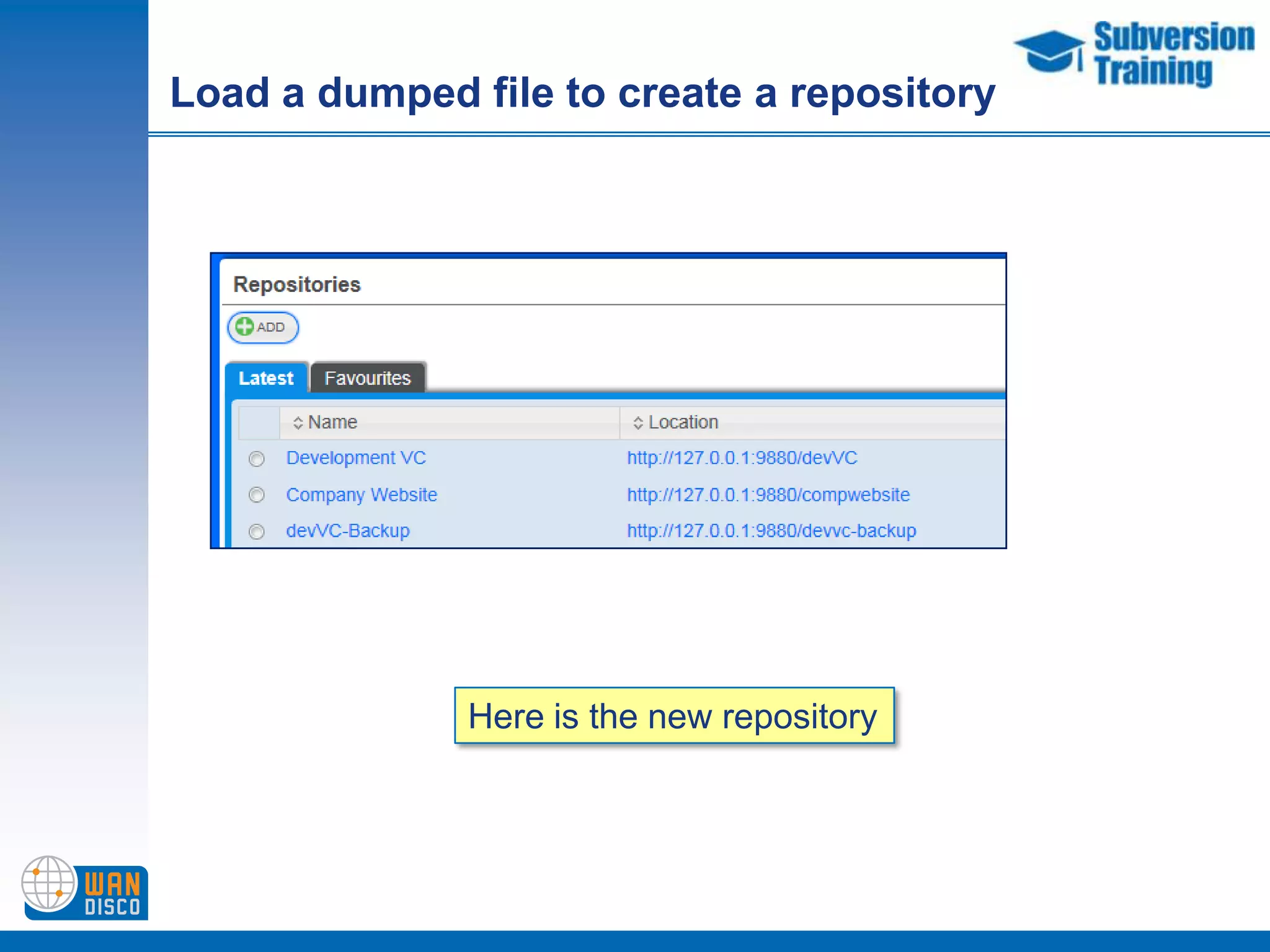
Load a dumped file to create a repositoryHere is the new repository
Create a dumped file A log file is createdand stored in the installation hierarchy
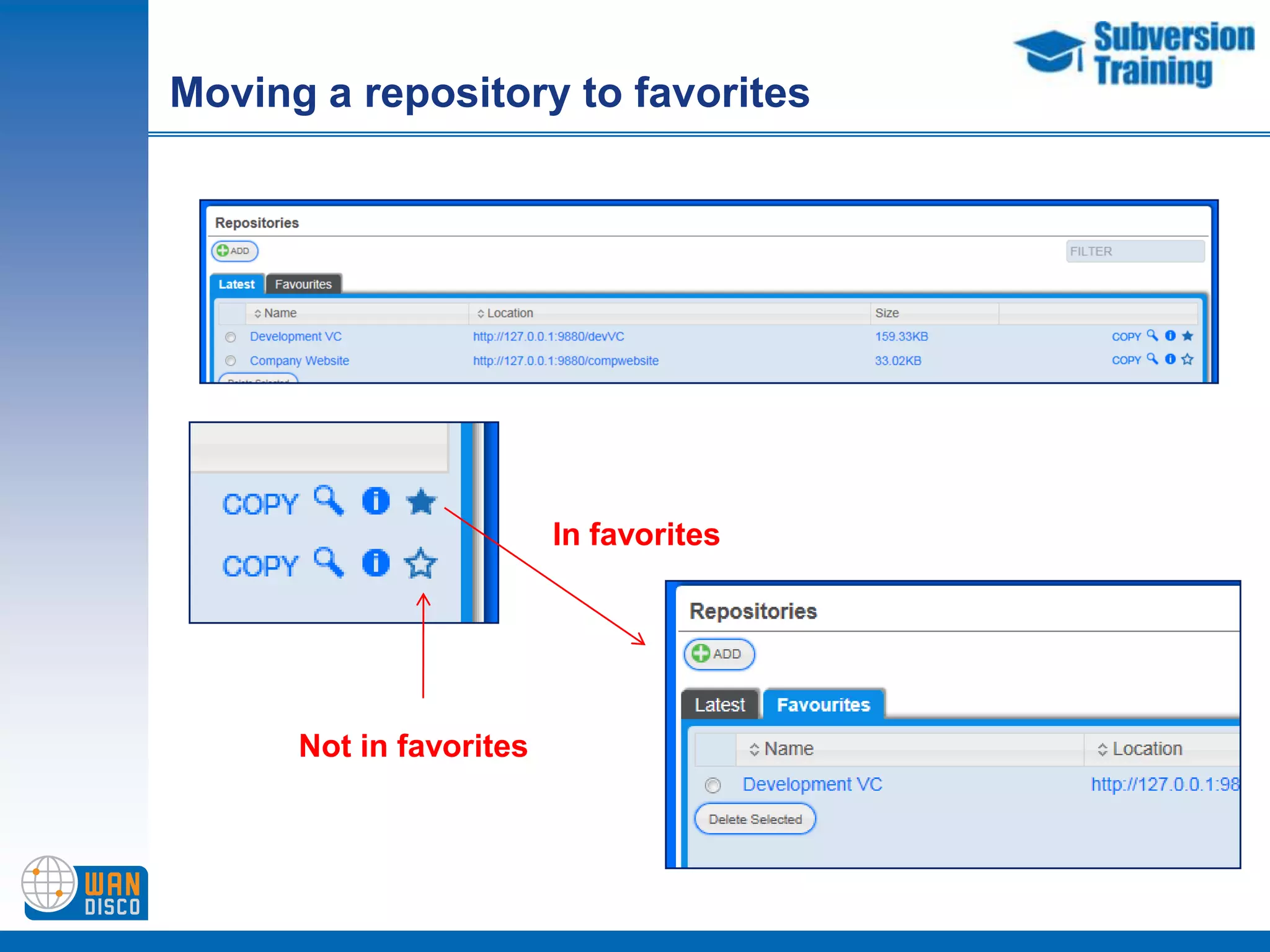
Moving a repository to favoritesIn favoritesNot in favorites
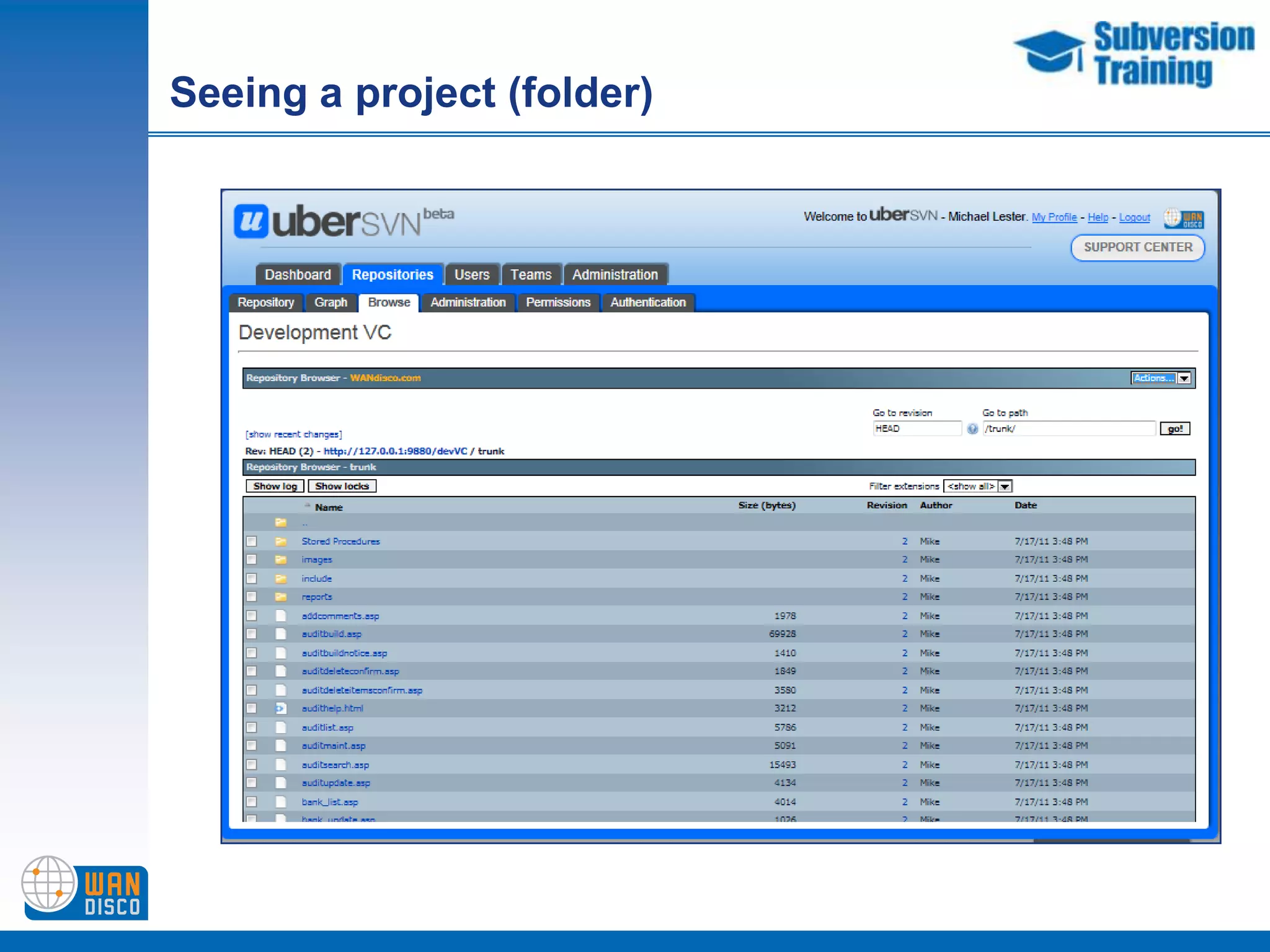
Seeing a project (folder)
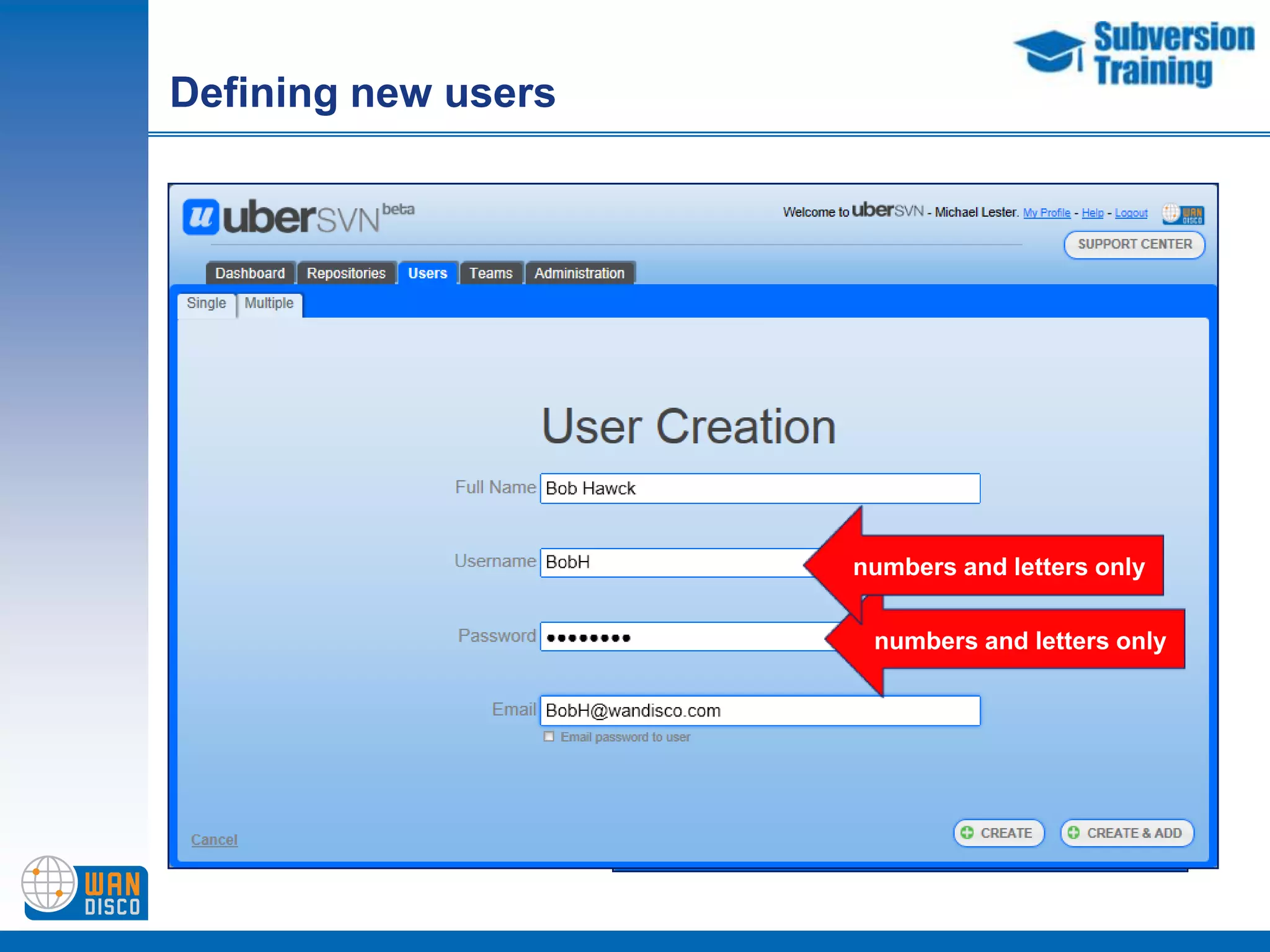
Defining new usersnumbers and letters onlynumbers and letters only
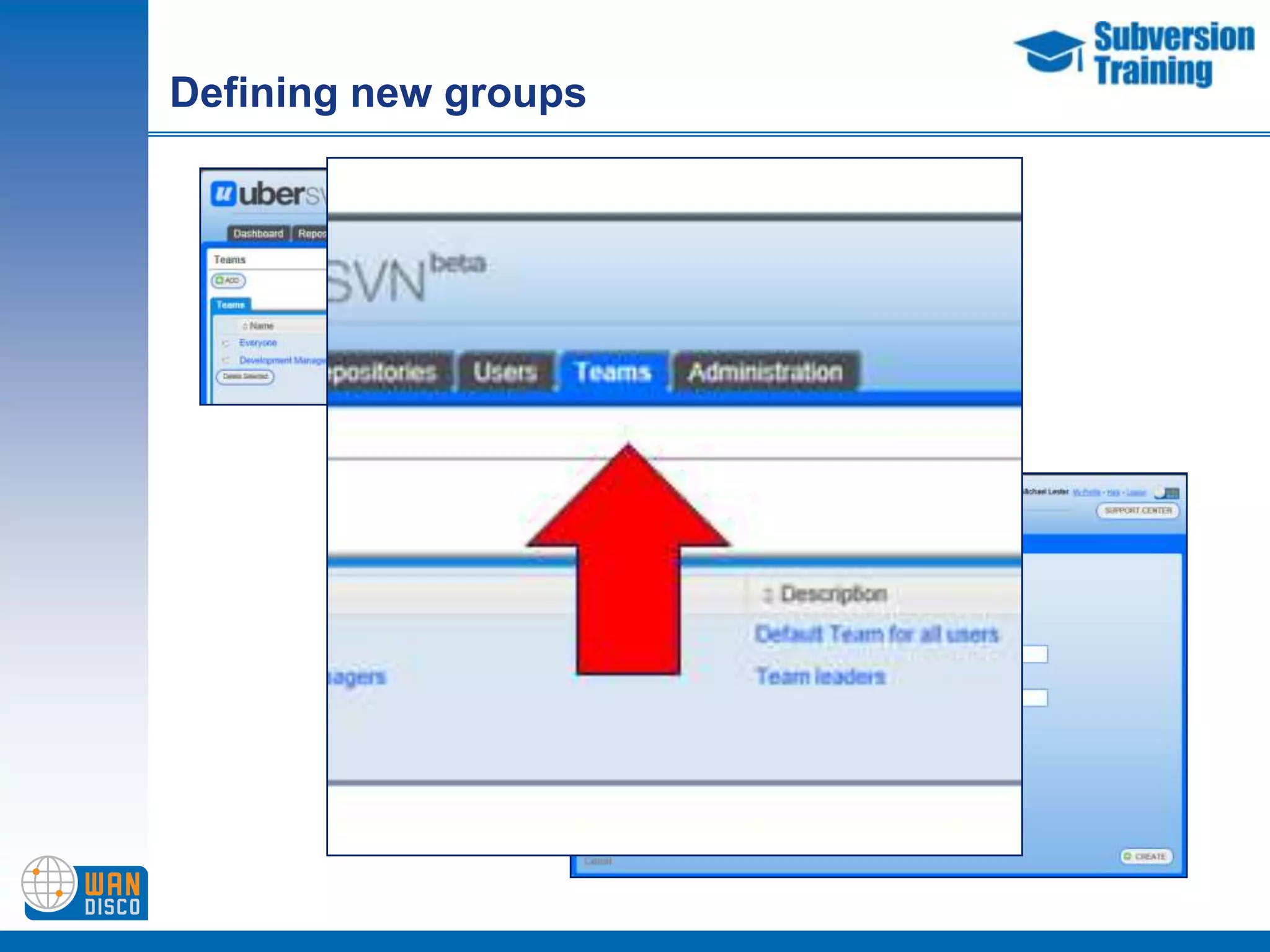
Defining new groups
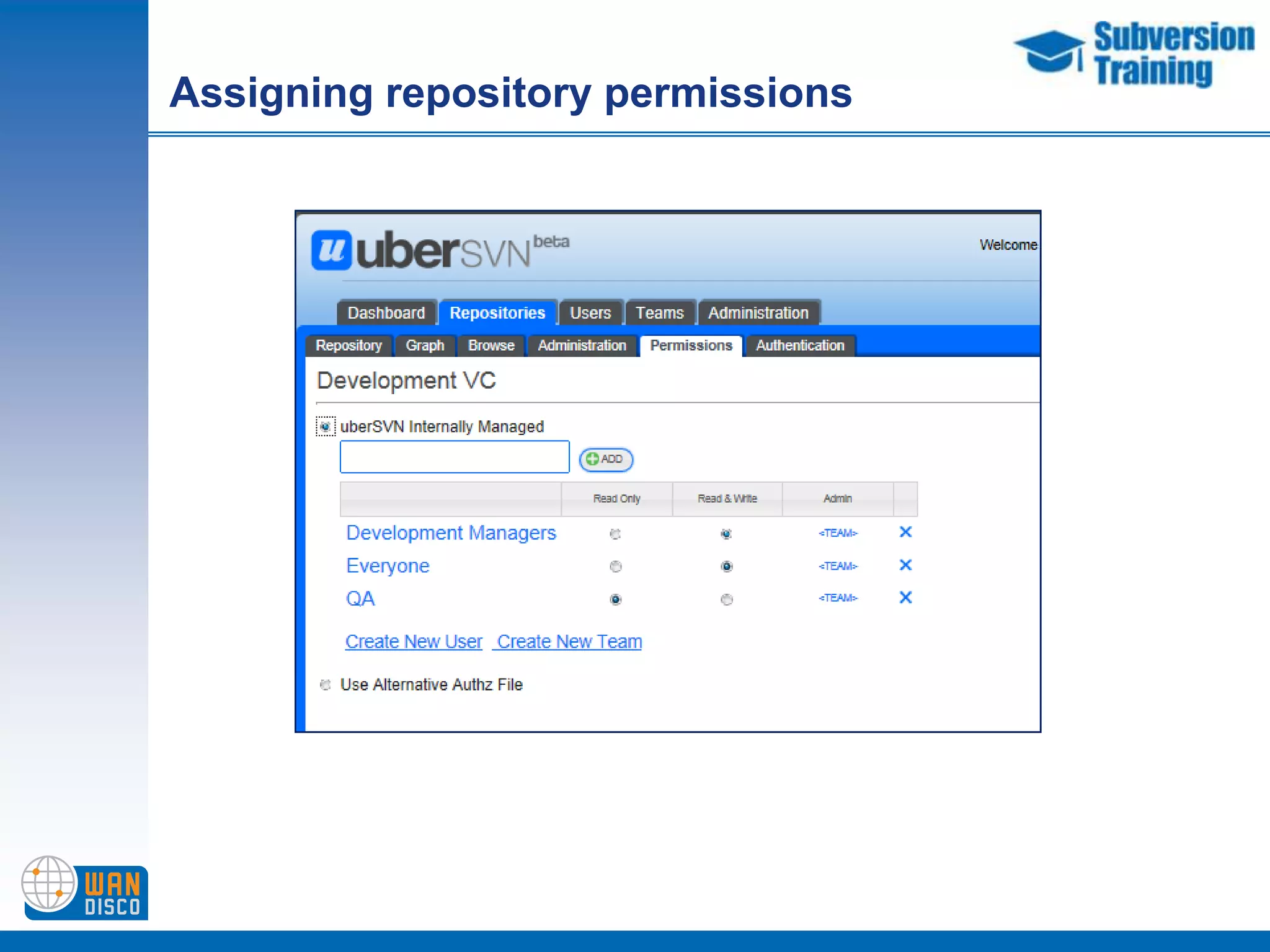
Assigning repository permissions
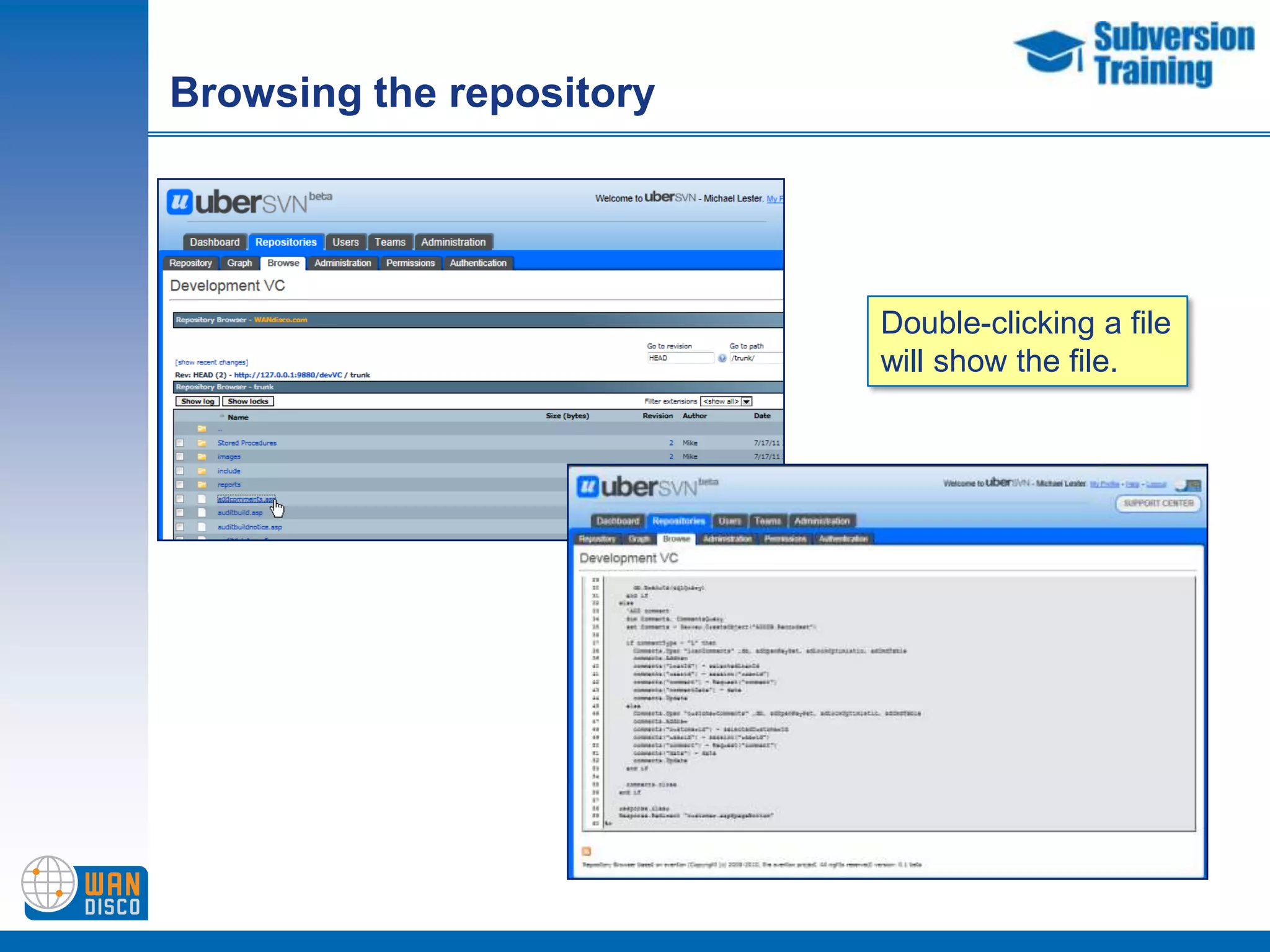
Browsing the repositoryDouble-clicking a filewill show the file.
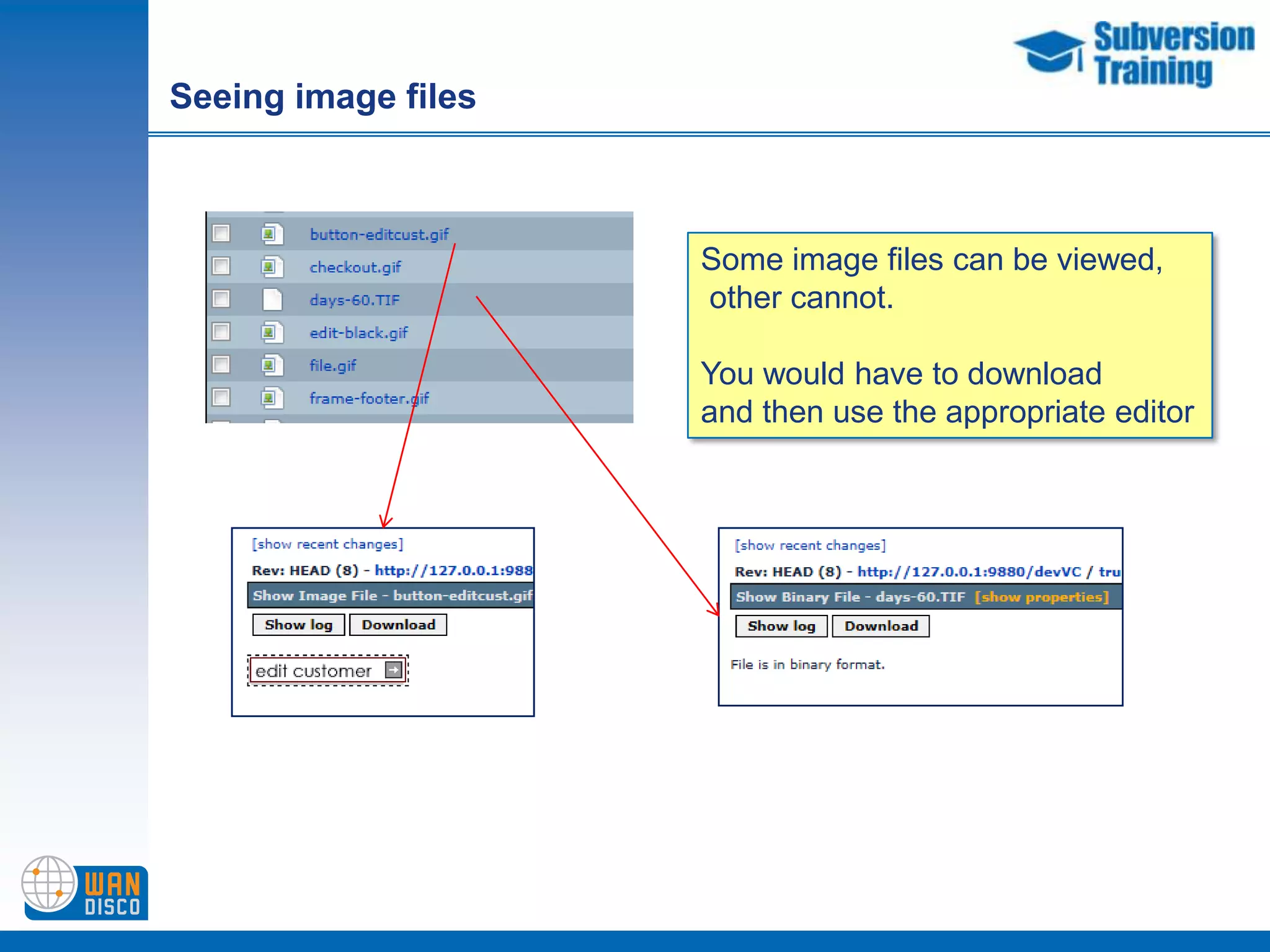
Seeing image filesSome image files can be viewed, other cannot.You would have to downloadand then use the appropriate editor
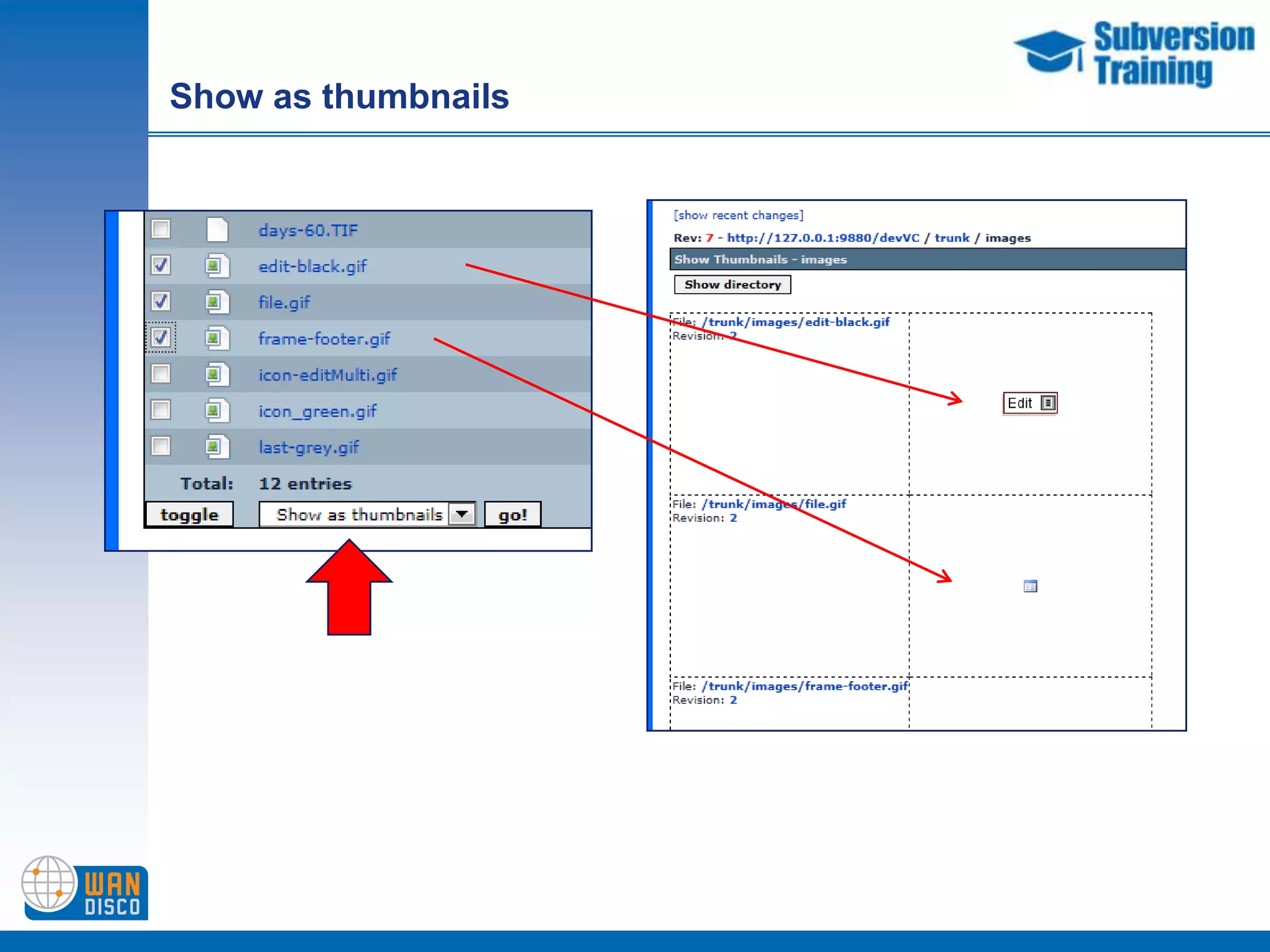
Show as thumbnails
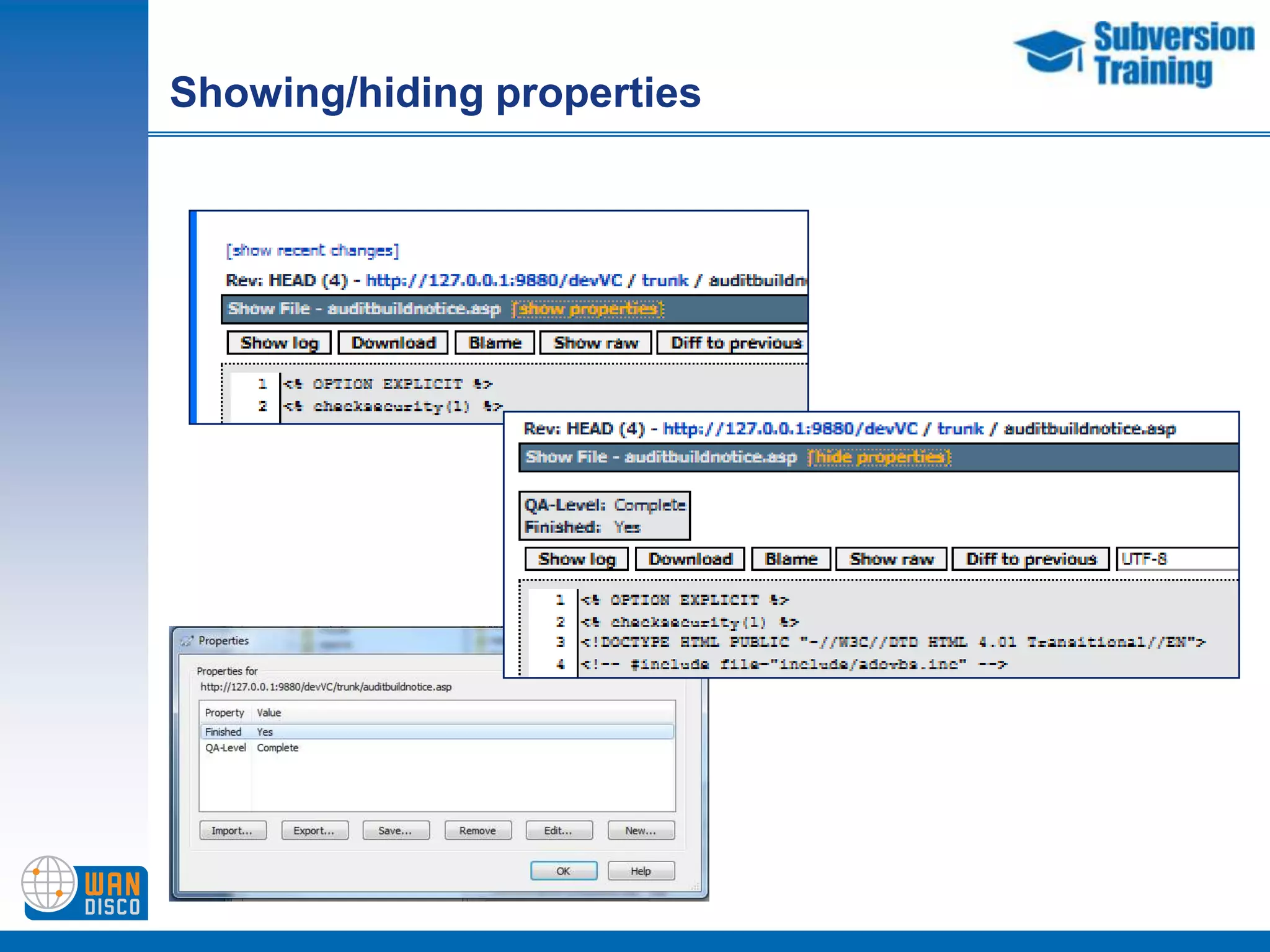
Showing/hiding properties
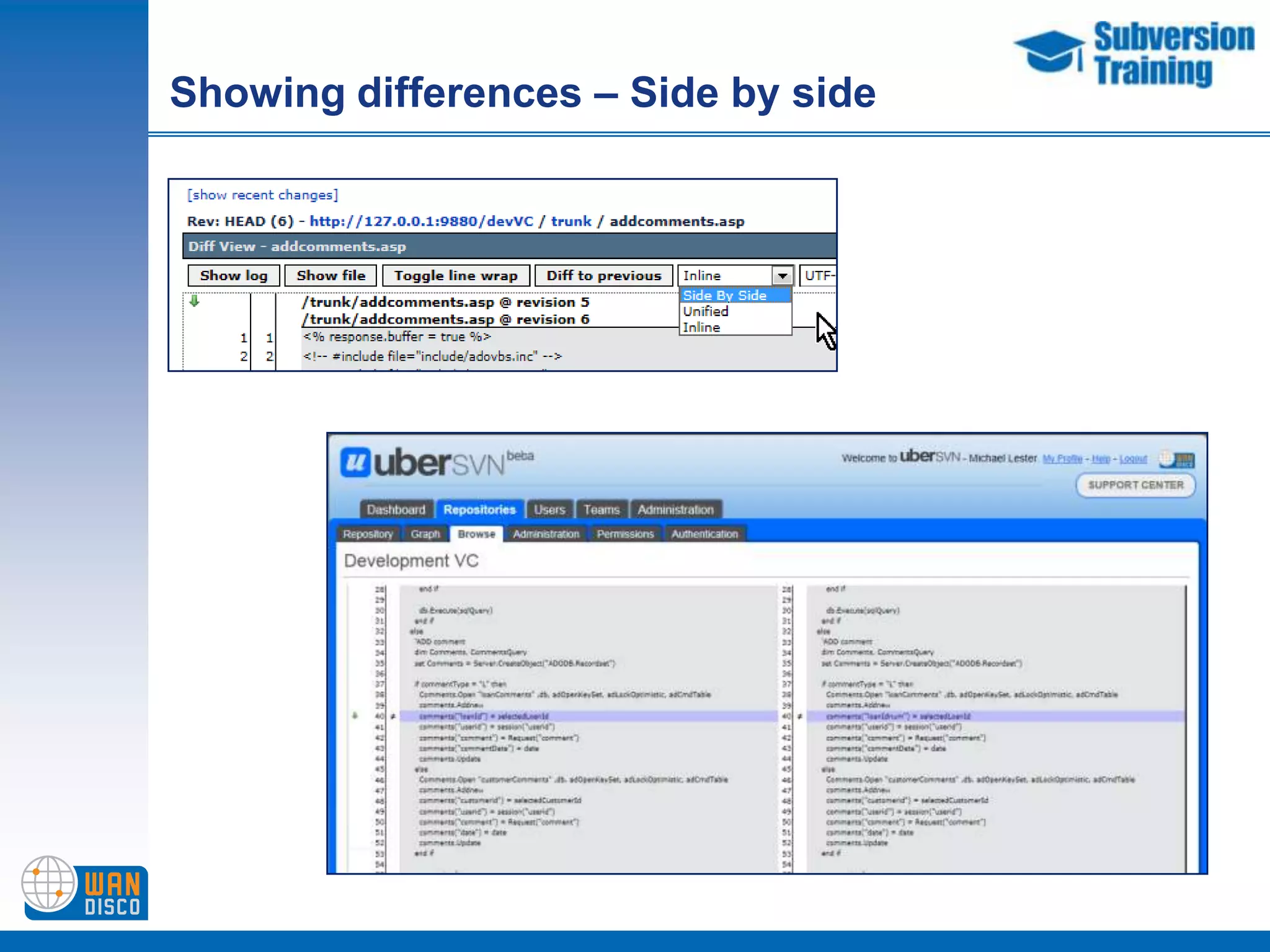
Showing differences – Side by side
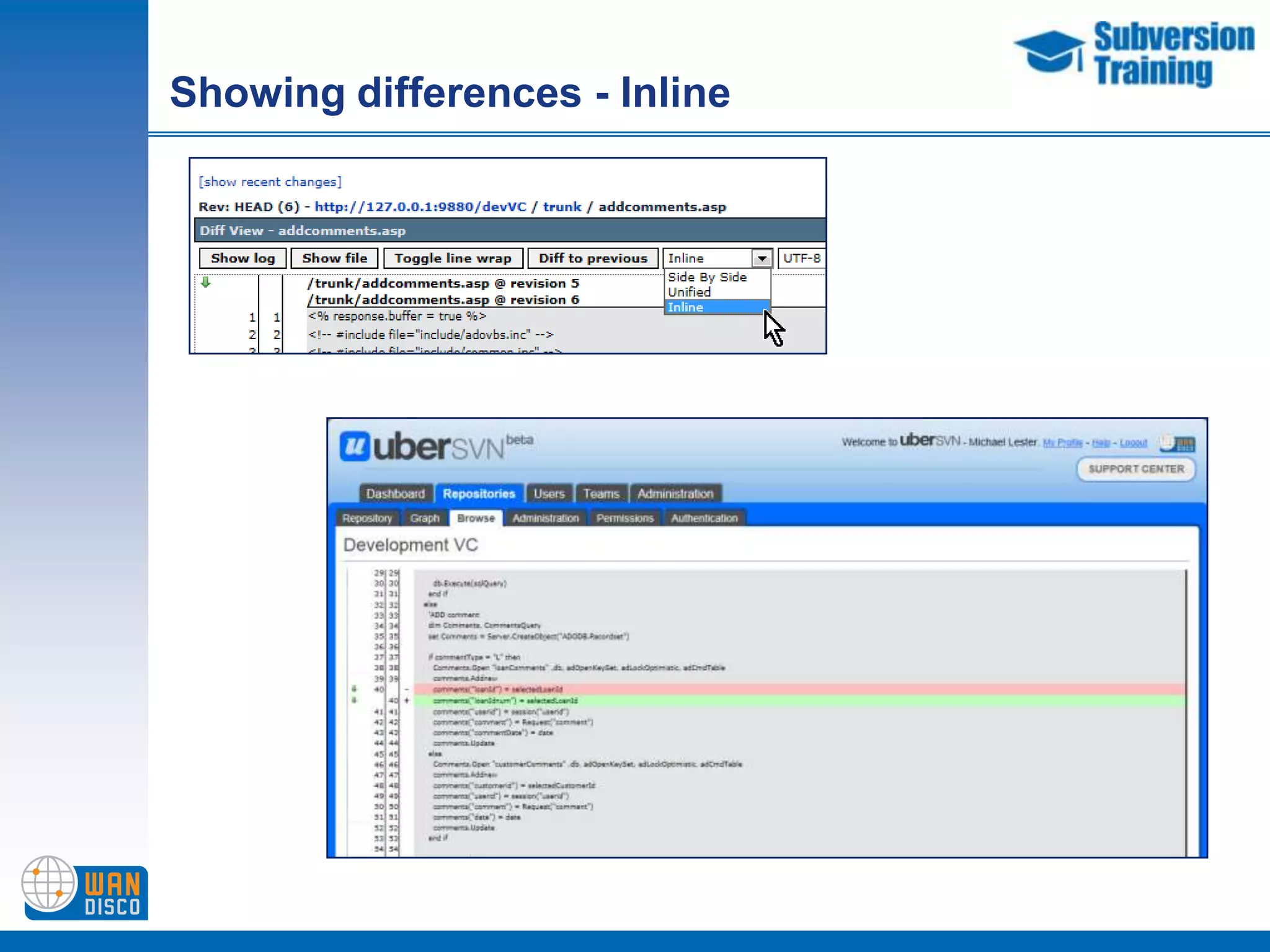
Showing differences - Inline
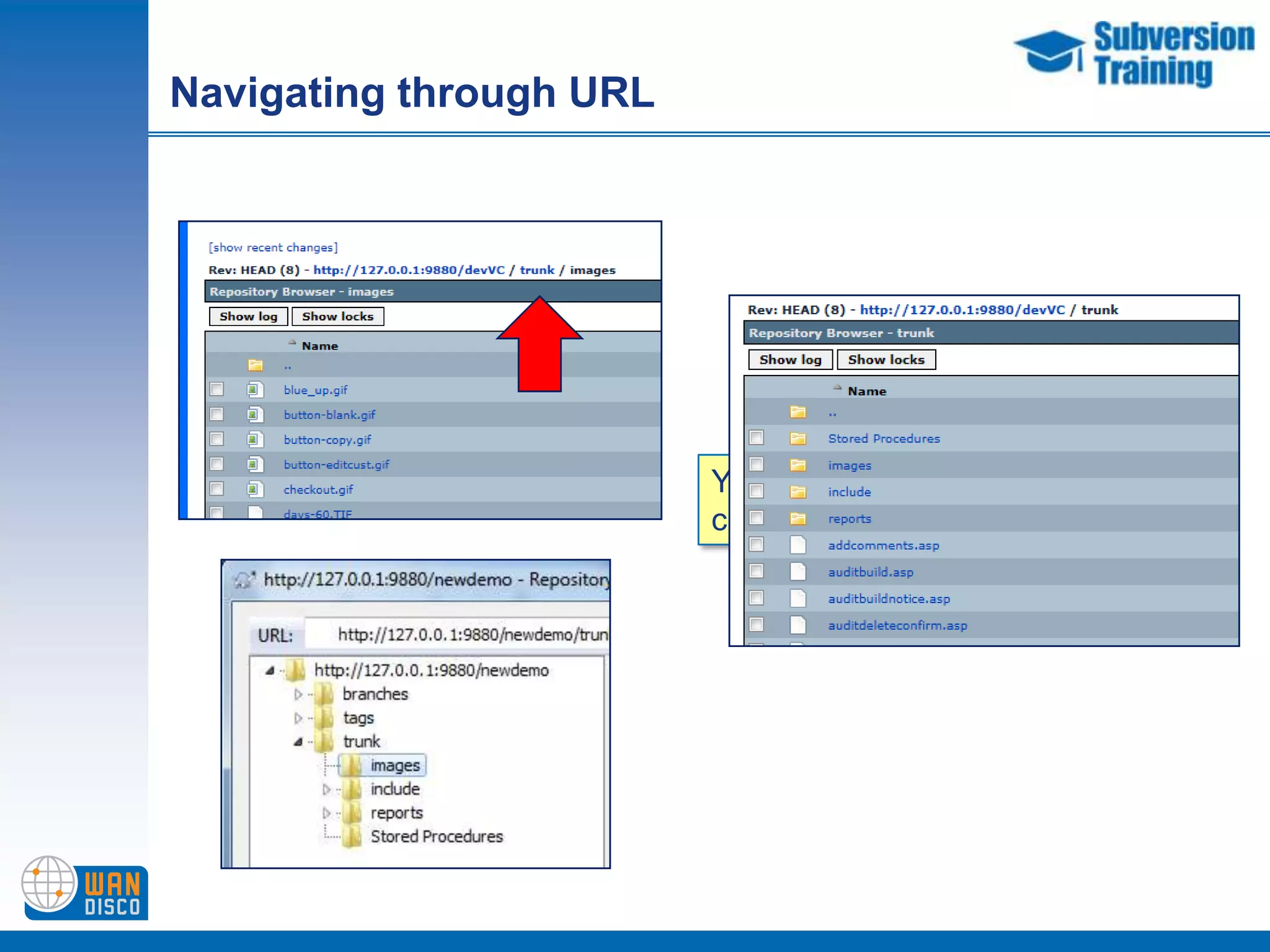
Navigating through URLYou can move back the URL chain by selecting earlier levels
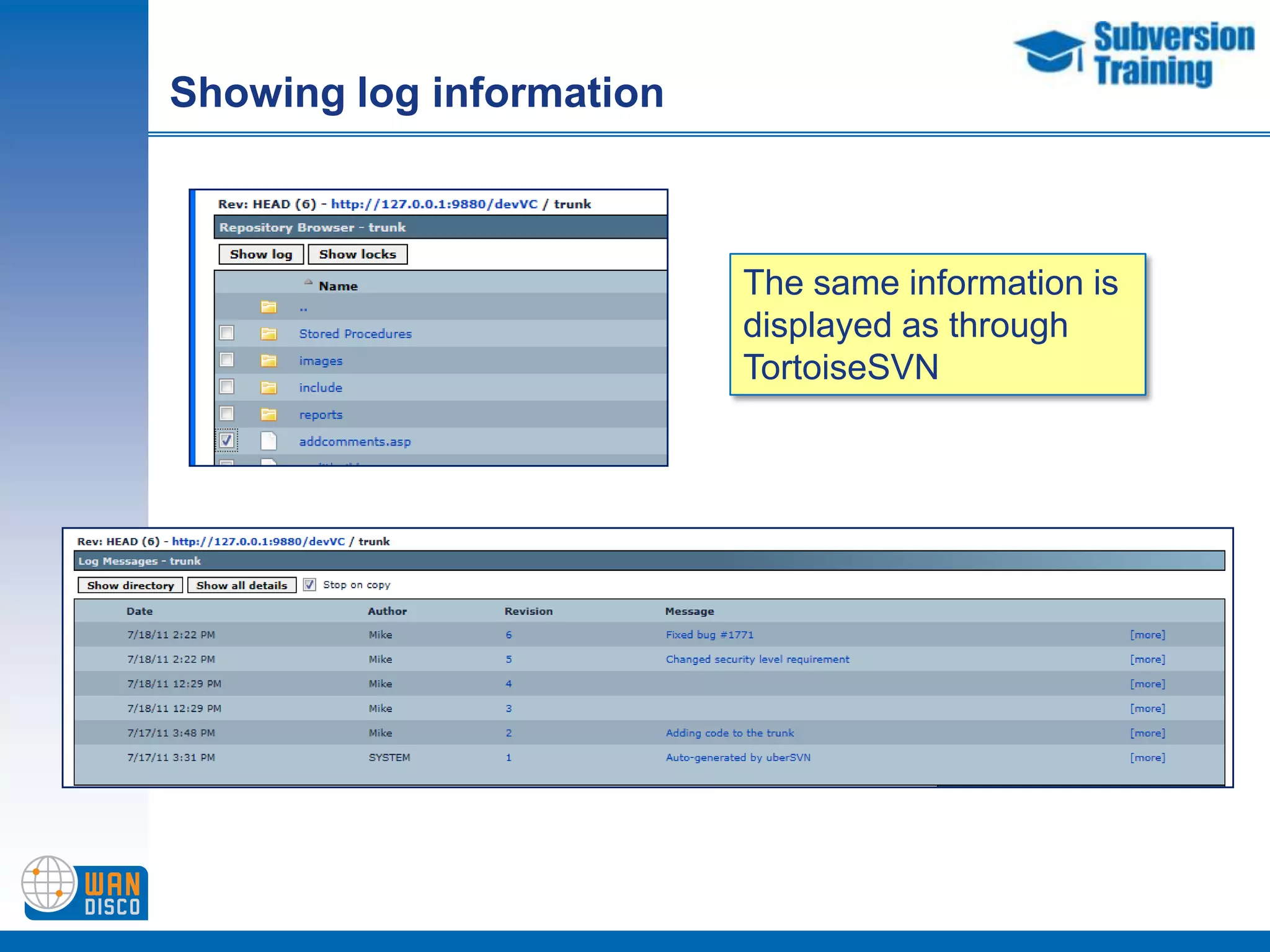
Showing log informationThe same information is displayed as through TortoiseSVN
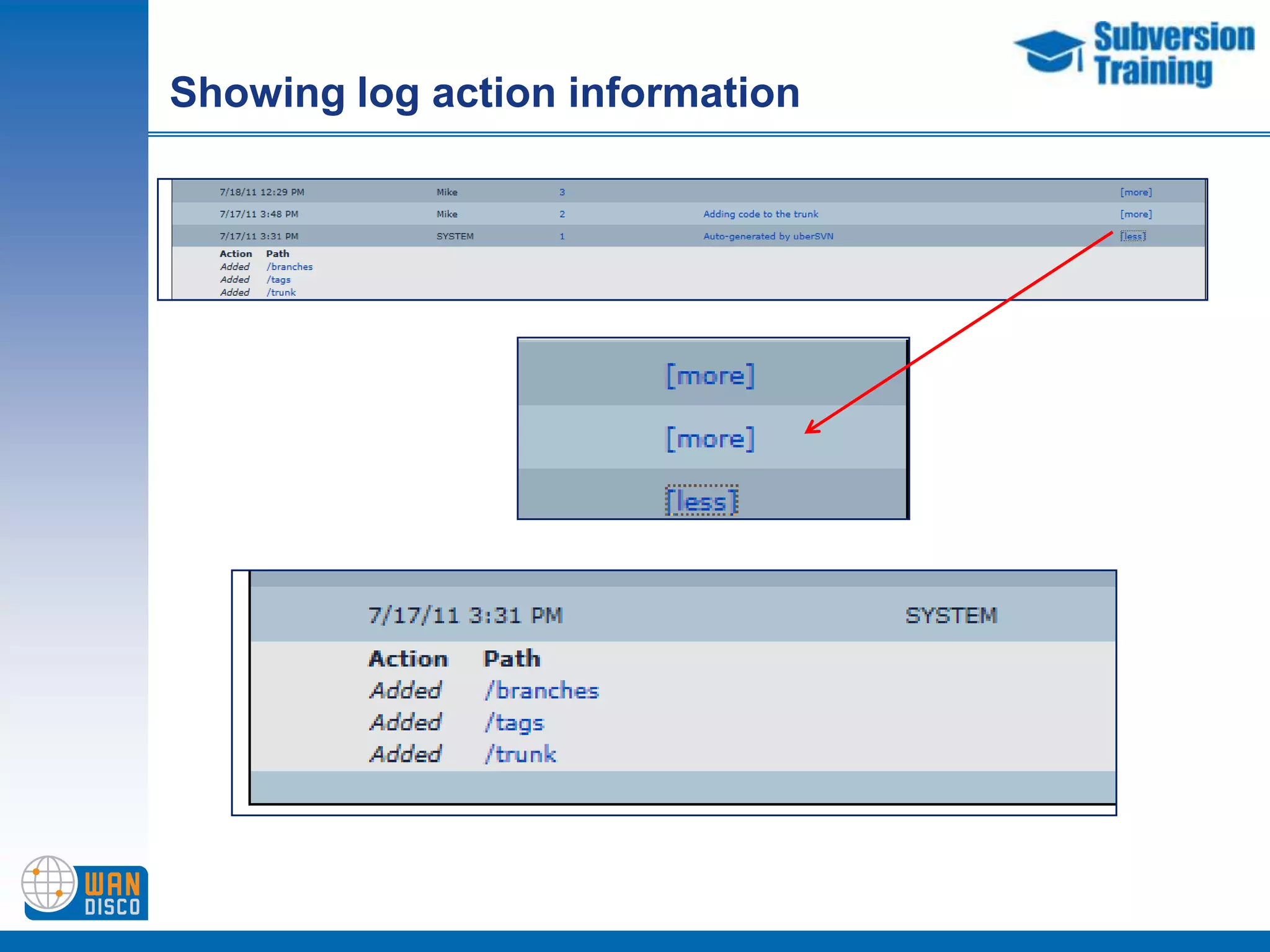
Showing log action information
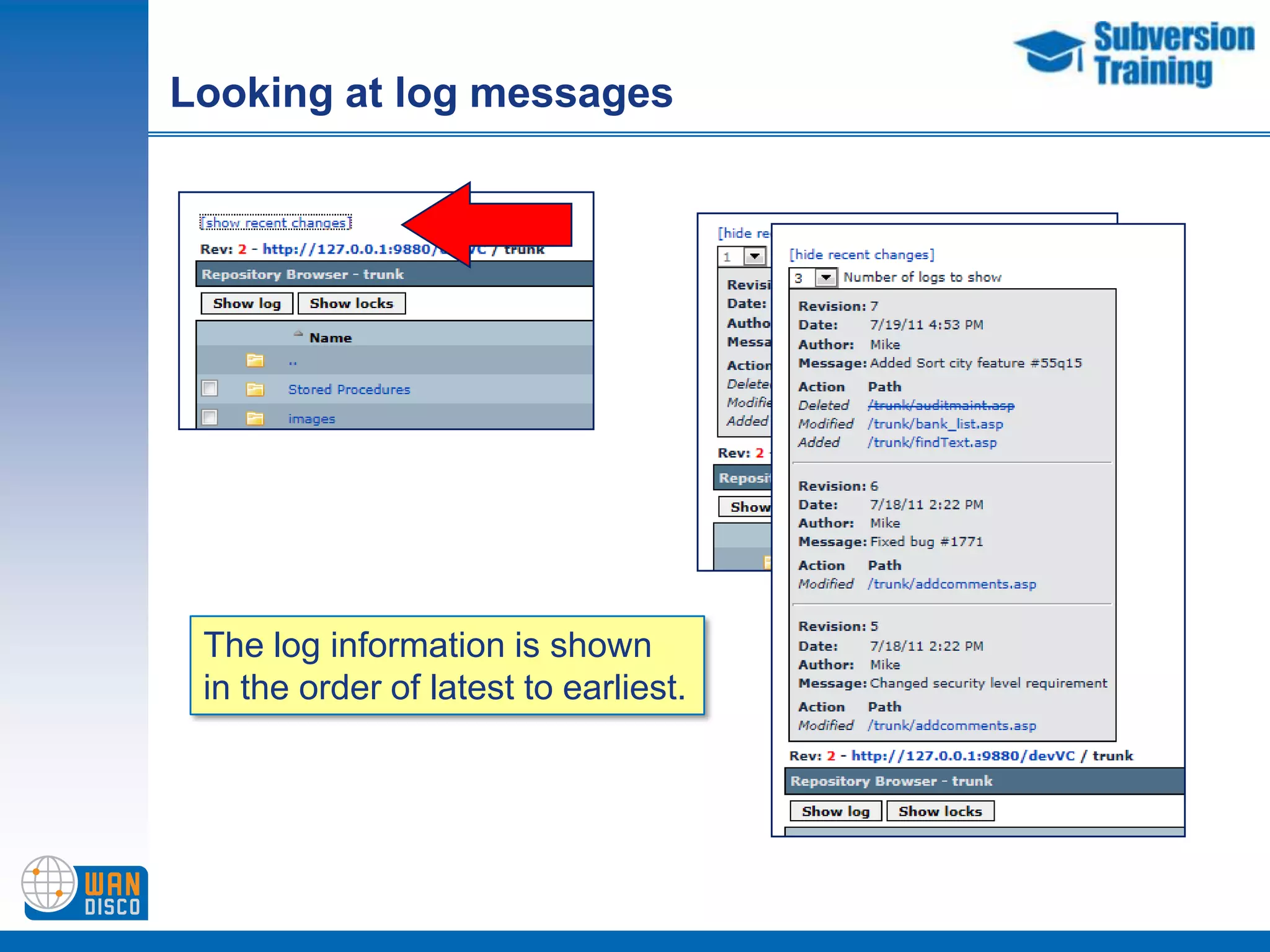
Looking at log messagesThe log information is shown in the order of latest to earliest.
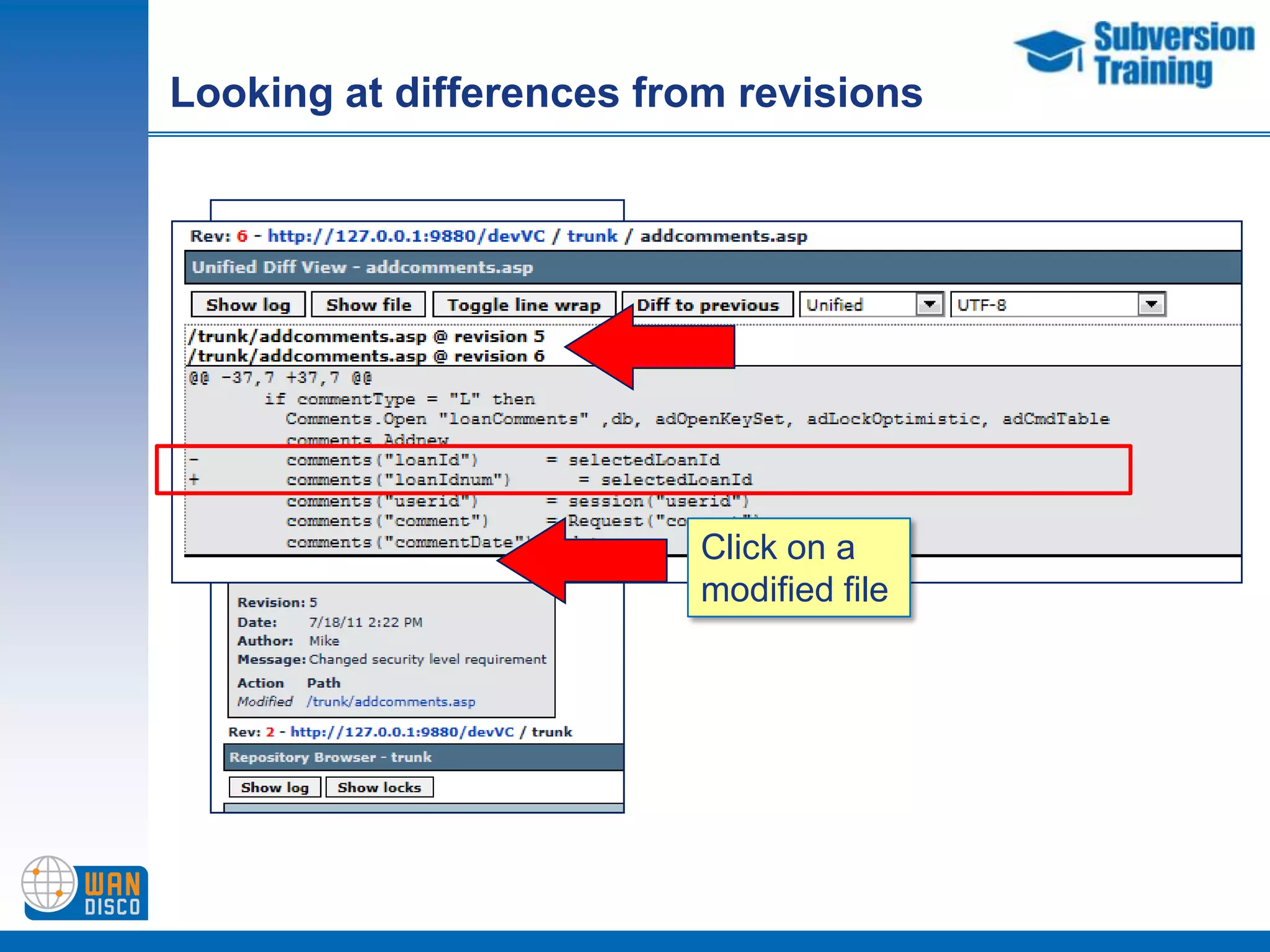
Looking at differences from revisionsClick on a modified file
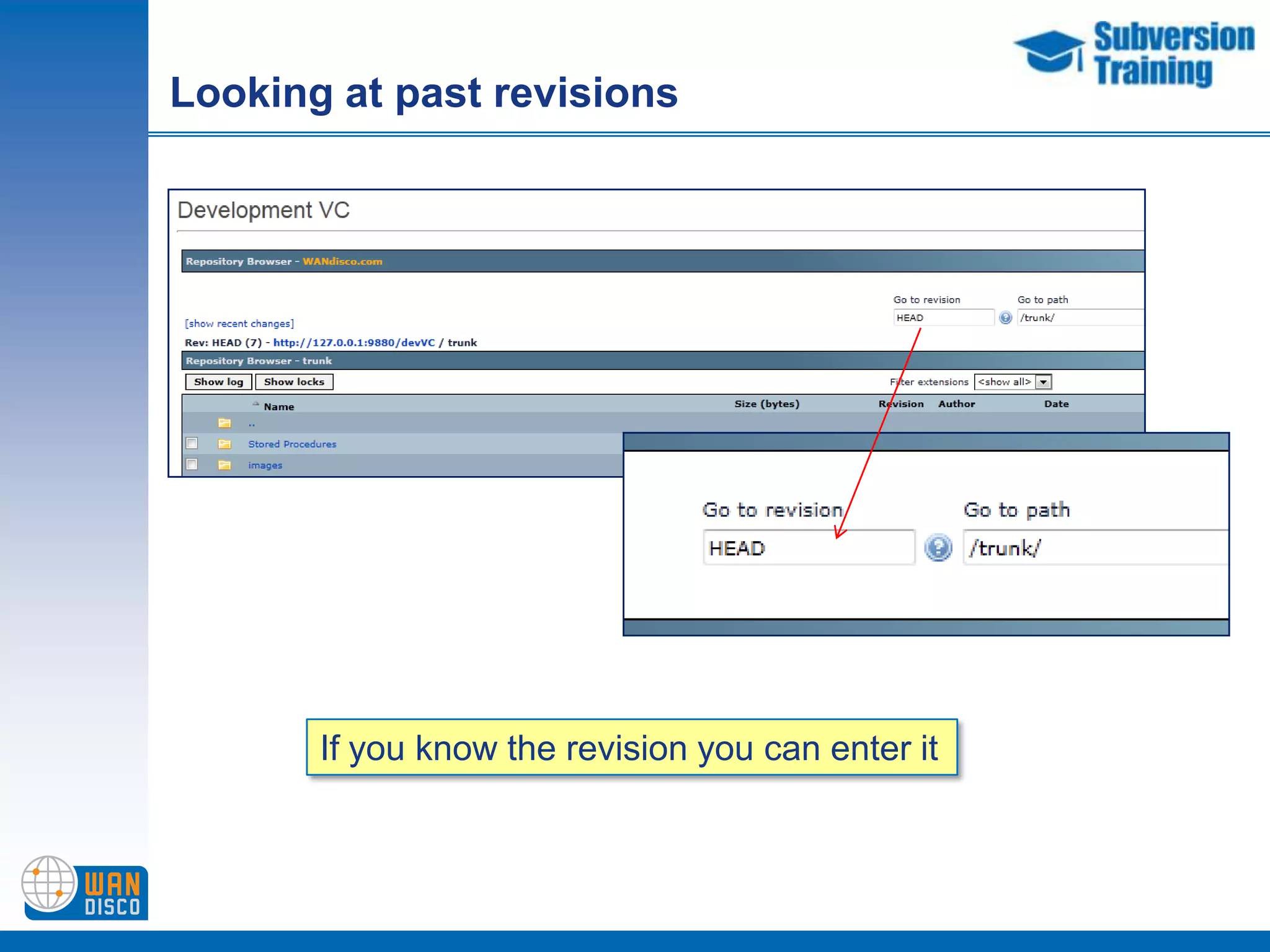
Looking at past revisionsIf you know the revision you can enter it
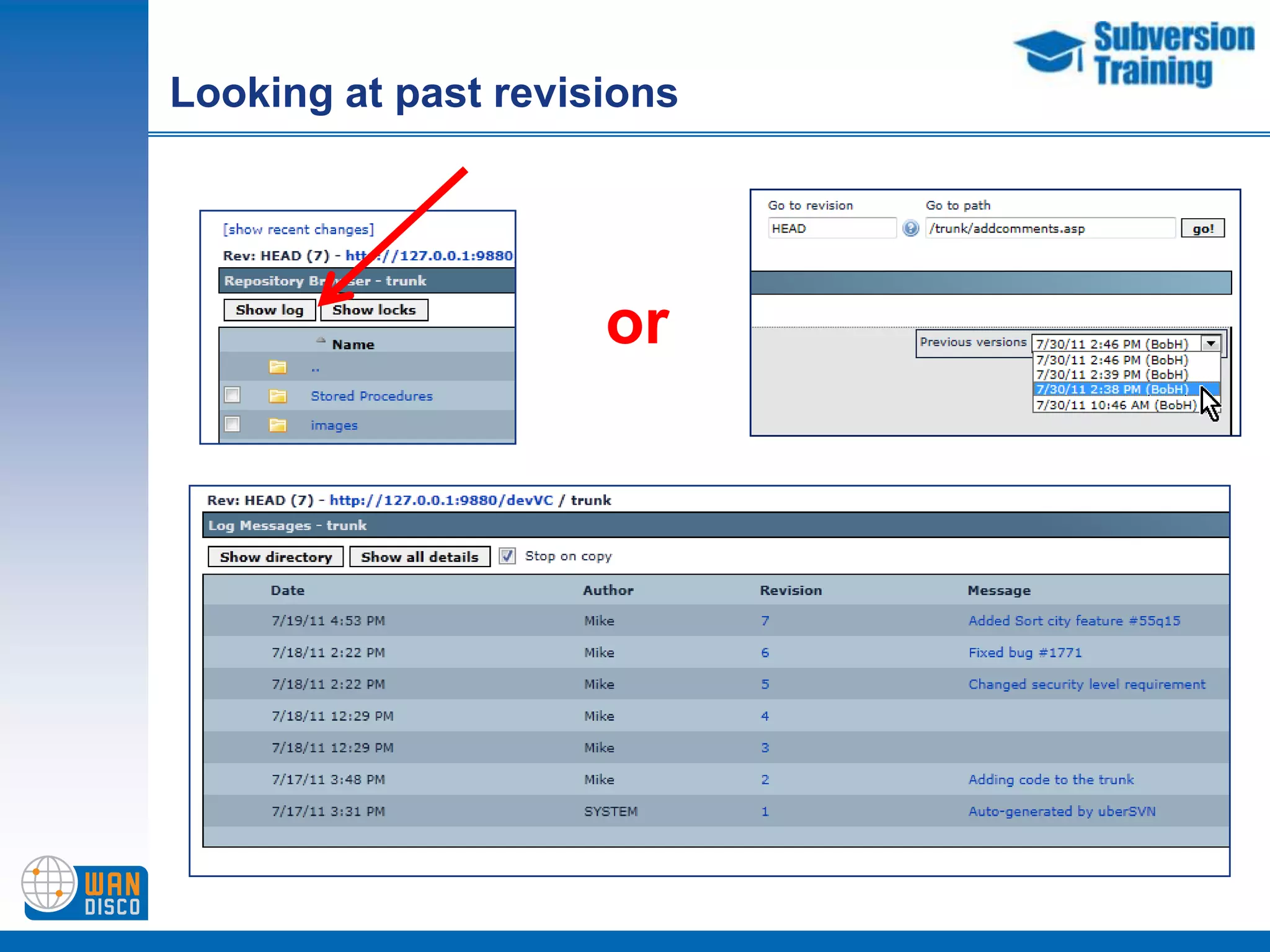
Looking at past revisionsor
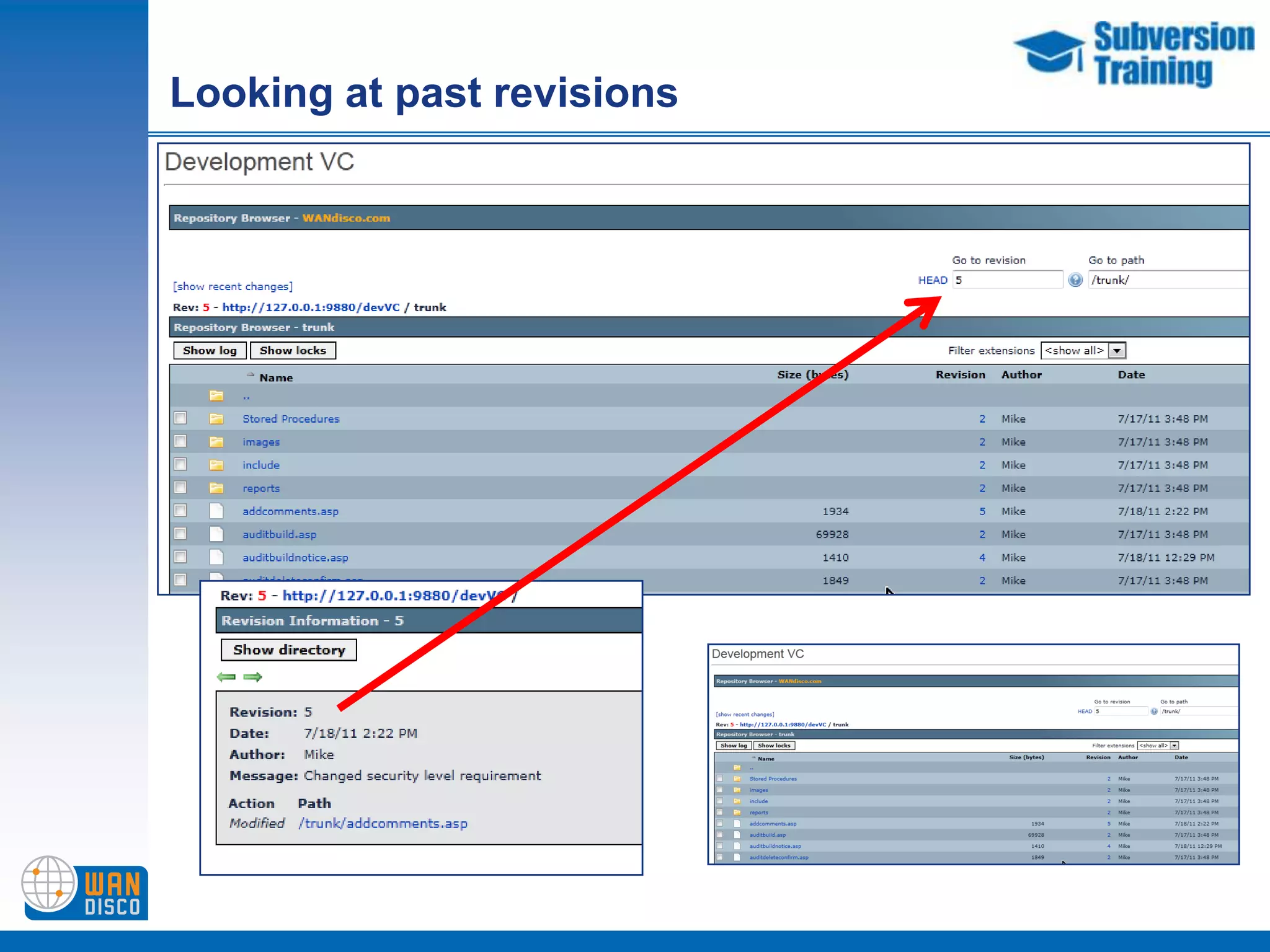
Looking at past revisions
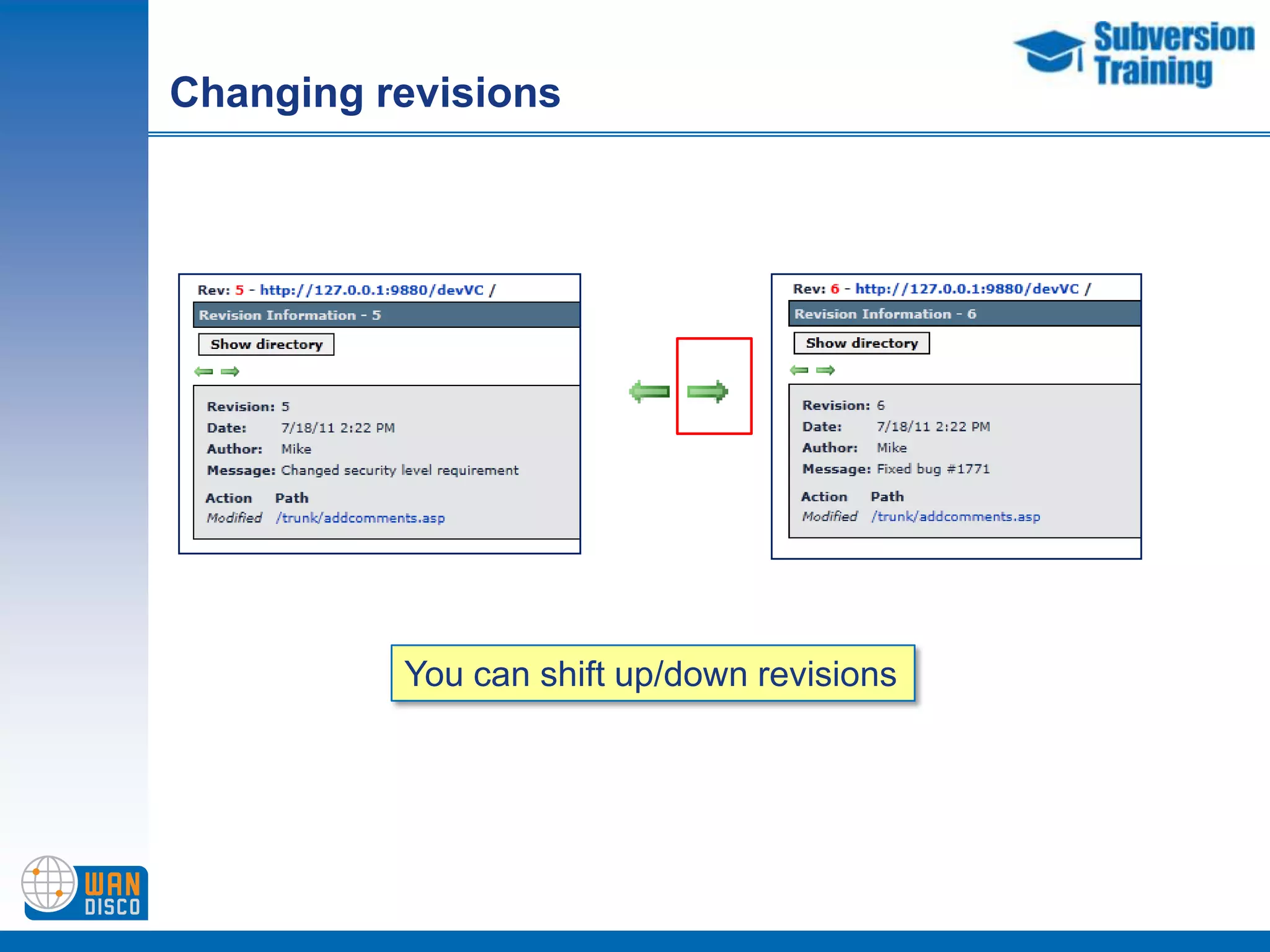
Changing revisionsYou can shift up/down revisions
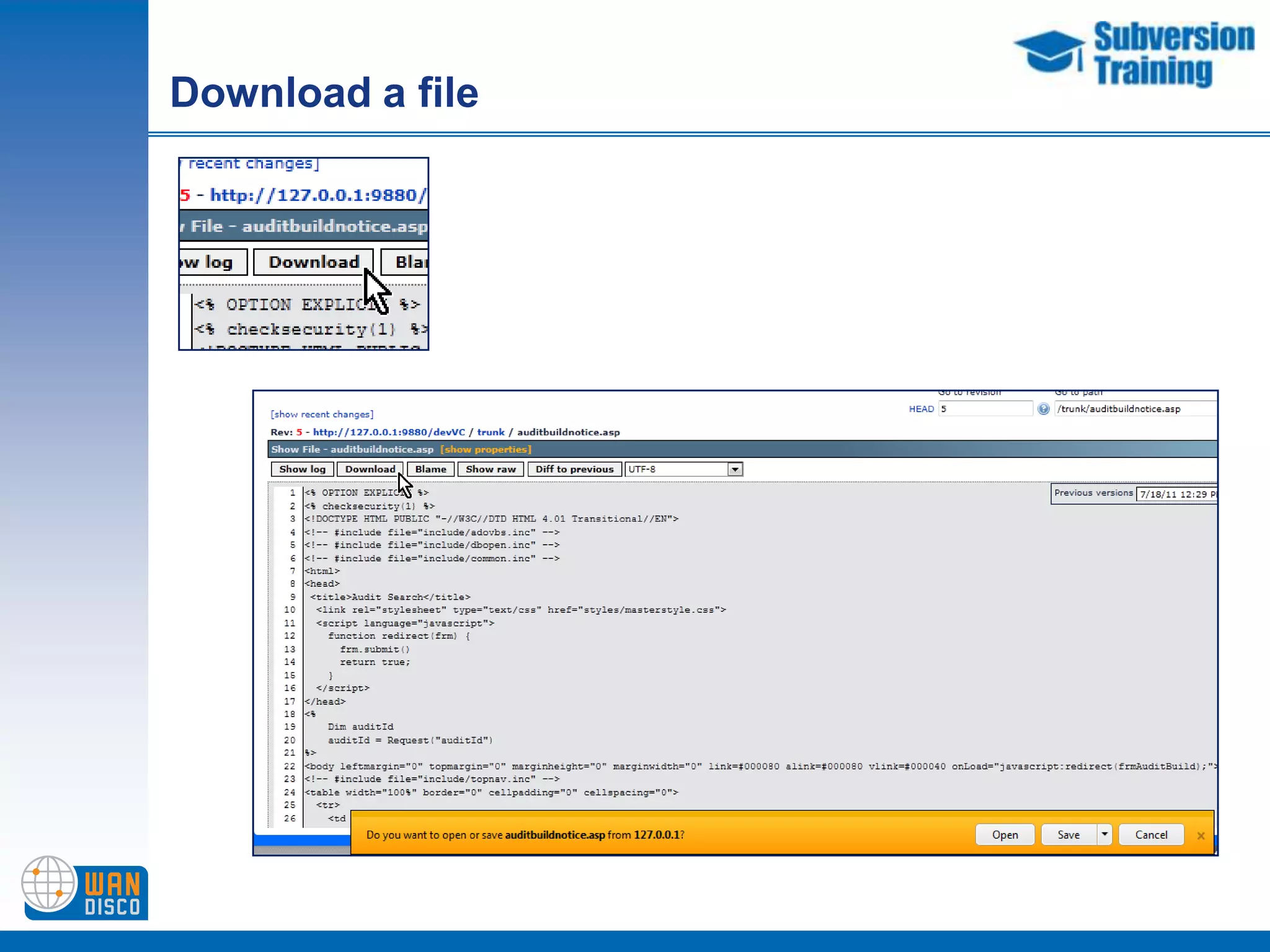
Download a file
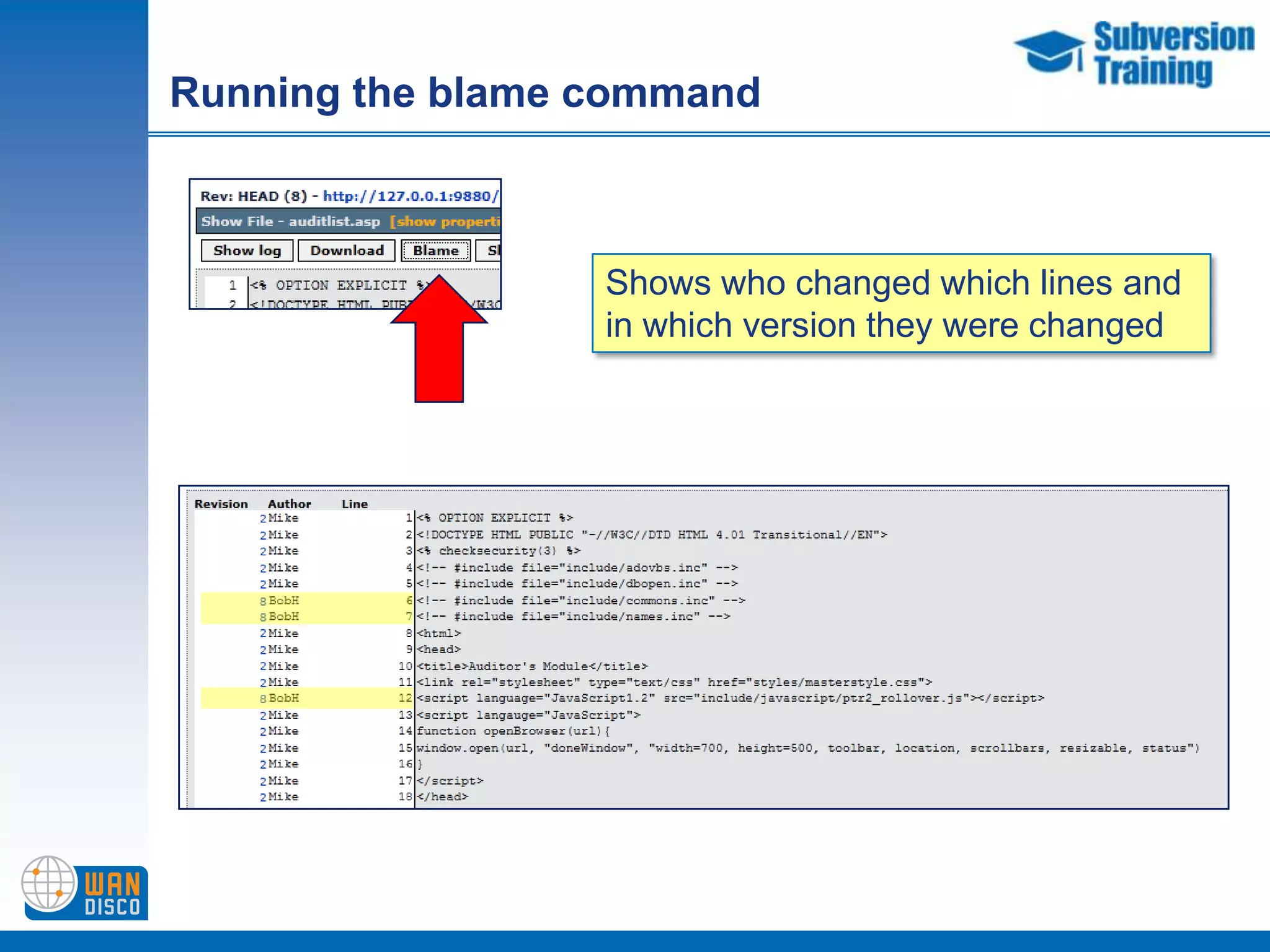
Running the blame commandShows who changed which lines and in which version they were changed

uberSVN introduction by WANdisco

Editor's Notes