a marketer’s guide
TyPograPhY
A quick guide to the more common typography styles,
and what they might be useful for in your marketing.
The minefield of choice – how
do I decide what font to use?
Firstly, there’s whole books been written on typography,
which have only just scratched the surface. The problem
is that there’s so many different fonts out there.
Our job as designers is to choose for you, unless you
already have brand guidelines in place. However, what
follows is a quick guide to the more common typography
styles, and what they might be useful for in your
marketing communications.
TyPograPhY
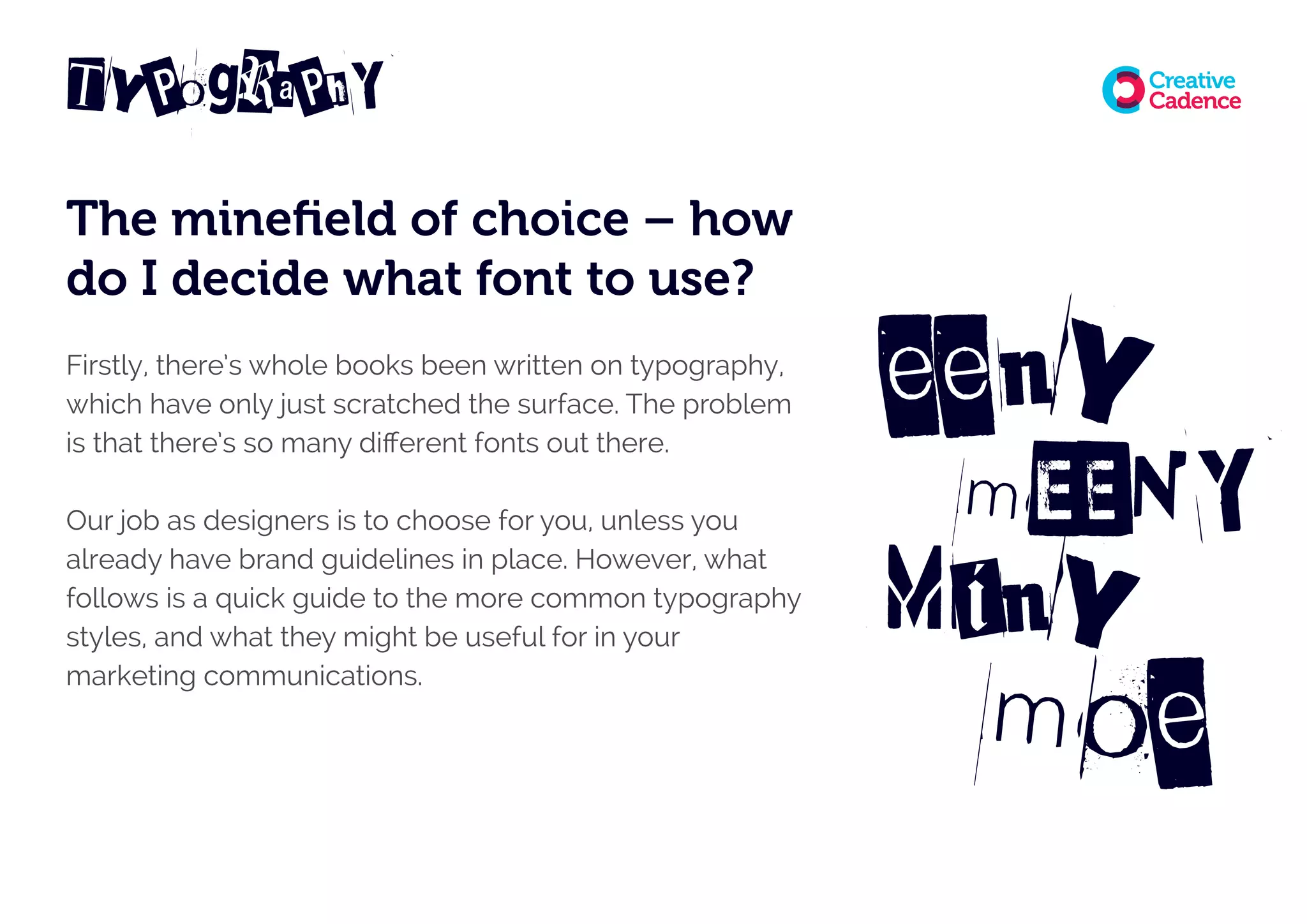
eeny
moe
Miny
mEENY
Sans Serif
This body copy font is an example. Clean, easy to read, no extra
‘tops’, ‘feet’ or ‘twiddly bits’ to the characters. Arial and Helvetica
are examples of this.
Sans serif fonts are great for body copy in print and online
situations. They can also be used bold and chunky for headlines
and the condensed or extended versions can give headlines
a different feel, depending what you’re after.
TyPograPhY
TyPograPhY
Serif
This font does have the extra ‘tops’, ‘feet’ & ‘twiddly bits’ to the
characters (the serifs). Times and Garamond are classic examples
of this. Serif fonts also work really well for body copy in print.
The fact they’ve been used for centuries in newspapers and books
proves this. They can be a lot harder to read online though, but
are great for use as headings and in some logo situations.
Do think about what your business does though. Serif fonts can give
a traditional, trustworthy feel, but you don’t necessarily want this if
you’re an ultra modern high-flying tech startup!
TyPograPhY
Slab Serif
Serifs tend to be straighter and chunkier, rather than slender and
tapered. Not for use in large areas of body copy, but you can get
away with larger pull-out quotes, subheadings and headings.
Lubalin Graph is a great example.
We used this for the logo design of our client Desynit.
TyPograPhY
The ‘others’
Now we get into fonts which will very much depend on your business
type, your clients, and who you’re communicating to. You wouldn’t
really use any of the following for reams of body copy, but instead
use for large headline messages, single words and logotypes:
Hand drawn
Often with a rough, sketched style, these can be used to
give a handwritten feel to communications in headlines or
even quotes. Often used by charities, sustainable industry
organisations or very public or family facing companies or
venues that need to communicate fun and warmth.
They try to feel like they are very much talking to you.
TyPograPhY
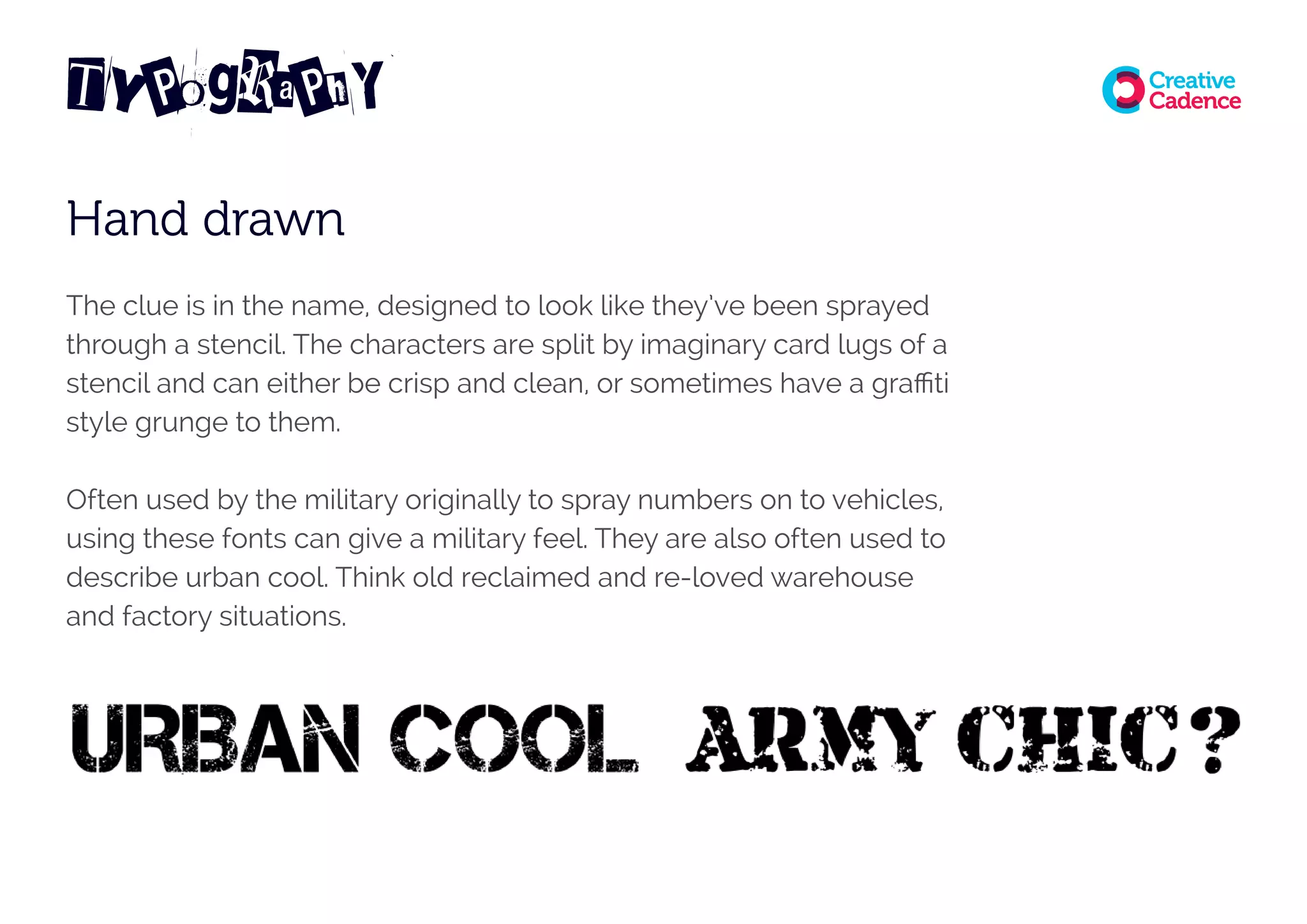
Hand drawn
The clue is in the name, designed to look like they’ve been sprayed
through a stencil. The characters are split by imaginary card lugs of a
stencil and can either be crisp and clean, or sometimes have a graffiti
style grunge to them.
Often used by the military originally to spray numbers on to vehicles,
using these fonts can give a military feel. They are also often used to
describe urban cool. Think old reclaimed and re-loved warehouse
and factory situations.
TyPograPhY
Blackletter
I can’t remember actually ever using this style of font, but it’s
interesting to talk about them anyway. The preserve of student
rock band logos, they originate from very early manuscript lettering
in the twelfth century. Illegible for body copy, they should possibly
only be used for logotypes.
Newspapers such as the Daily Mail and The New York Times still
use this kind of font in their masthead. They have dramatic thick
and thin strokes and elaborate serifs. Think Motörhead!
TyPograPhY
Typewriter and Monospace
In Monospace fonts, all the characters occupy the same amount of horizontal
space. They originate from early computers and computer terminals, which
had limited graphics capabilities. Many modern computers and text editors,
especially for HTML in web coding still use a Monospace font as the default.
Quick and easy to render and read, but not very attractive. They can give
a ‘typewriter’ or ‘classic computer’ feel to a design piece if required. Some
typewriter style fonts have now been developed with slightly rough or blurred
edges, which soften them a bit. They’re now quite pleasant to use in some
headline situations and I’ve used this style in a logotype in the past for a
reclaimed clothes shop.
TyPograPhY
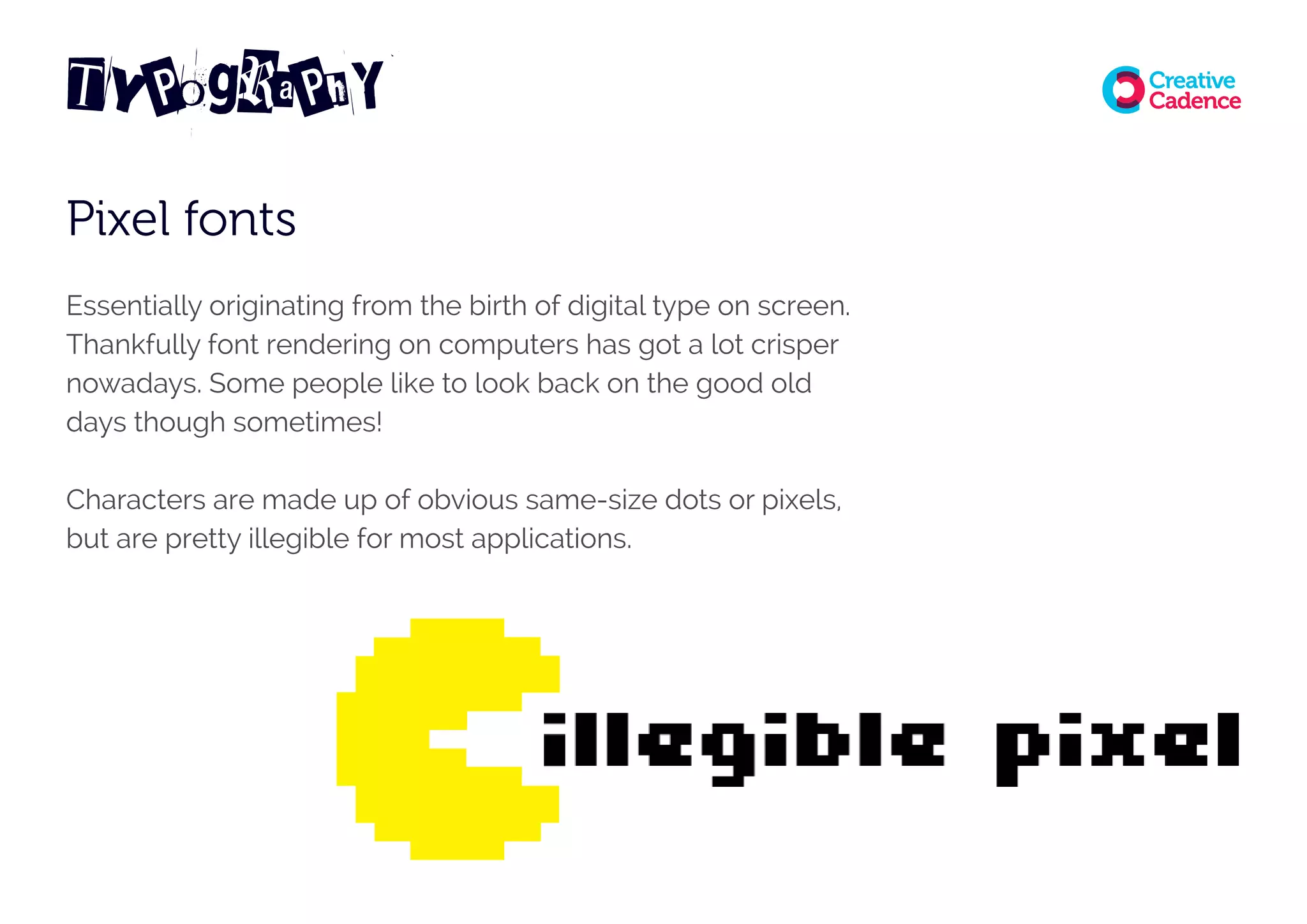
Pixel fonts
Essentially originating from the birth of digital type on screen.
Thankfully font rendering on computers has got a lot crisper
nowadays. Some people like to look back on the good old
days though sometimes!
Characters are made up of obvious same-size dots or pixels,
but are pretty illegible for most applications.
TyPograPhY
Calligraphic
Calligraphic fonts try to emulate the thick and thin
characteristics of a traditional metal pen nib and ink.
Great for use in logos, depending on your industry, they add
an element of warmth and style, in a similar way to script
fonts (see below). Use sparingly though, I think is the key.
TyPograPhY
Script
Script fonts are thinner, less formal, more handwritten forms
of calligraphy fonts. The preserve of many a wedding invite,
the characters can often join together into one fluid line.
Upper case letters tend to have larger, extra flourishes
and elegant curls or swashes.
TyPograPhY
Too many to mention
As I said at the beginning, it’s difficult to do more than scratch
the surface of choice here. There’s hundreds of just sans serif
fonts, different weights, some condensed, some extended,
some rounded edged and much more.
Fonts are also beginning to cross over, so there’ll be rough
grunge stencilled versions of script or serif fonts and more.
Licensing and ownership
You can actually get some half-decent free fonts off the web
nowadays, but keep an eye on the licensing agreements.
I get many ‘free’ fonts from a preferred website, but the license
states that they are “free for commercial use”. This means I can
use them for a business purpose. I’m doing commercial work,
so I need to make sure they have a commercial license.
A lot of ‘free’ fonts are only free for personal use, so you need
to watch this. Many clients also don’t realise that if I buy a font,
for use in their work, I can’t just give it to them. If I’ve bought
it, then the licence sits with me, for my use. If a client wants to
own a font for their use, then they need to buy and download
to their system, so that the licence officially sits with them,
for their use.
TyPograPhY
does
FREE?
mean
really
Free
Web fonts
When buying a font for your business, bear in mind whether you
want to use it on your website. A font will normally have a print
font and a web font, both with their own licenses for usage in the
relevant environment.
Another option nowadays is to use Google fonts. You can download
fonts for print use and embed these fonts in your website. These are
free, open-source fonts optimised for the web. There’s not quite as
much choice, but there’s a good many options under the categories
of serif, sans serif, handwriting, display and monospace. This has an
advantage in a larger organisation, where employees need access
to a certain font for documents and presentations.
Adobe also run a similar system called Adobe Typekit, but this is a
subscription based service for print and web fonts.
TyPograPhY
iT
need
foR
Web?
Designer tips
(that we shouldn’t really give away!)
Our job as designers is to use typography, along with
graphic elements, colour and photography to bring
your marketing communications to life.
We hope that you’ll value the knowledge we have in
this field. I’ve been pouring over Letraset catalogues
and online font libraries for twenty years now. It’s nerdy,
but I can distinguish a Frutiger Roman from a Helvetica
Neue on a poster when I’m walking down the street!
That said, here follows a few tips to help you …
TyPograPhY
SecReT
TiPs
Tip 1
Write with CAPITAL LETTERS sparingly. The odd word or two, or
short headline. Lots of capital letters are quite hard to read in long
batches, so keep it short.
Tip 2
Avoid manually stretching or squashing fonts too much in a layout.
Try to use a proper version of the font that has been designed as a
condensed or extended font originally. Manually doing this can look
odd or amateurish. Not what the poor type designer intended us to
do with his or her beautiful work!
TyPograPhY
Tip 3
Don’t make a body copy font too small in print or web situations.
It’s not got to be too tiring for the reader to read.
Also bear in mind if your working for a business who’s predominant
target audience might have dyslexia or learning difficulties. In this
case, accessibility guidelines should be adhered to. These include
making body copy in print no smaller than 12 or 14 point. You also
need to watch colour contrasts.
For example, don’t go putting white text on a pale yellow
background – it won’t pass accessibility standards and will be hard
for people to read. Another ‘no’ is splitting words at the end of
lines with hyphenation. You can find out more on typography and
accessibility rules at WebAIM.org
TyPograPhY
Tip 4
Try to avoid using too many different fonts in one piece of
communication.
You might use a unique font for headlines or large pull-out words,
but then use another more ‘sensible’ font for body copy. If you pick
a body copy font wisely (such as a sans-serif), the font family may
come with Light, Roman, Medium and Bold weights to it. This means
that even though it’s one font, you can use the different weights
to add interest or pull out subheadings for example, without using
too many different typefaces.
There are some situations where it might pay to go a little crazier,
but maybe leave that to the experts!
TyPograPhY

Typography – a marketer’s guide

  • 1.
    a marketer’s guide TyPograPhY Aquick guide to the more common typography styles, and what they might be useful for in your marketing.
  • 2.
    The minefield ofchoice – how do I decide what font to use? Firstly, there’s whole books been written on typography, which have only just scratched the surface. The problem is that there’s so many different fonts out there. Our job as designers is to choose for you, unless you already have brand guidelines in place. However, what follows is a quick guide to the more common typography styles, and what they might be useful for in your marketing communications. TyPograPhY eeny moe Miny mEENY
  • 3.
    Sans Serif This bodycopy font is an example. Clean, easy to read, no extra ‘tops’, ‘feet’ or ‘twiddly bits’ to the characters. Arial and Helvetica are examples of this. Sans serif fonts are great for body copy in print and online situations. They can also be used bold and chunky for headlines and the condensed or extended versions can give headlines a different feel, depending what you’re after. TyPograPhY
  • 4.
    TyPograPhY Serif This font doeshave the extra ‘tops’, ‘feet’ & ‘twiddly bits’ to the characters (the serifs). Times and Garamond are classic examples of this. Serif fonts also work really well for body copy in print. The fact they’ve been used for centuries in newspapers and books proves this. They can be a lot harder to read online though, but are great for use as headings and in some logo situations. Do think about what your business does though. Serif fonts can give a traditional, trustworthy feel, but you don’t necessarily want this if you’re an ultra modern high-flying tech startup!
  • 5.
    TyPograPhY Slab Serif Serifs tendto be straighter and chunkier, rather than slender and tapered. Not for use in large areas of body copy, but you can get away with larger pull-out quotes, subheadings and headings. Lubalin Graph is a great example. We used this for the logo design of our client Desynit.
  • 6.
    TyPograPhY The ‘others’ Now weget into fonts which will very much depend on your business type, your clients, and who you’re communicating to. You wouldn’t really use any of the following for reams of body copy, but instead use for large headline messages, single words and logotypes: Hand drawn Often with a rough, sketched style, these can be used to give a handwritten feel to communications in headlines or even quotes. Often used by charities, sustainable industry organisations or very public or family facing companies or venues that need to communicate fun and warmth. They try to feel like they are very much talking to you.
  • 7.
    TyPograPhY Hand drawn The clueis in the name, designed to look like they’ve been sprayed through a stencil. The characters are split by imaginary card lugs of a stencil and can either be crisp and clean, or sometimes have a graffiti style grunge to them. Often used by the military originally to spray numbers on to vehicles, using these fonts can give a military feel. They are also often used to describe urban cool. Think old reclaimed and re-loved warehouse and factory situations.
  • 8.
    TyPograPhY Blackletter I can’t rememberactually ever using this style of font, but it’s interesting to talk about them anyway. The preserve of student rock band logos, they originate from very early manuscript lettering in the twelfth century. Illegible for body copy, they should possibly only be used for logotypes. Newspapers such as the Daily Mail and The New York Times still use this kind of font in their masthead. They have dramatic thick and thin strokes and elaborate serifs. Think Motörhead!
  • 9.
    TyPograPhY Typewriter and Monospace InMonospace fonts, all the characters occupy the same amount of horizontal space. They originate from early computers and computer terminals, which had limited graphics capabilities. Many modern computers and text editors, especially for HTML in web coding still use a Monospace font as the default. Quick and easy to render and read, but not very attractive. They can give a ‘typewriter’ or ‘classic computer’ feel to a design piece if required. Some typewriter style fonts have now been developed with slightly rough or blurred edges, which soften them a bit. They’re now quite pleasant to use in some headline situations and I’ve used this style in a logotype in the past for a reclaimed clothes shop.
  • 10.
    TyPograPhY Pixel fonts Essentially originatingfrom the birth of digital type on screen. Thankfully font rendering on computers has got a lot crisper nowadays. Some people like to look back on the good old days though sometimes! Characters are made up of obvious same-size dots or pixels, but are pretty illegible for most applications.
  • 11.
    TyPograPhY Calligraphic Calligraphic fonts tryto emulate the thick and thin characteristics of a traditional metal pen nib and ink. Great for use in logos, depending on your industry, they add an element of warmth and style, in a similar way to script fonts (see below). Use sparingly though, I think is the key.
  • 12.
    TyPograPhY Script Script fonts arethinner, less formal, more handwritten forms of calligraphy fonts. The preserve of many a wedding invite, the characters can often join together into one fluid line. Upper case letters tend to have larger, extra flourishes and elegant curls or swashes.
  • 13.
    TyPograPhY Too many tomention As I said at the beginning, it’s difficult to do more than scratch the surface of choice here. There’s hundreds of just sans serif fonts, different weights, some condensed, some extended, some rounded edged and much more. Fonts are also beginning to cross over, so there’ll be rough grunge stencilled versions of script or serif fonts and more.
  • 14.
    Licensing and ownership Youcan actually get some half-decent free fonts off the web nowadays, but keep an eye on the licensing agreements. I get many ‘free’ fonts from a preferred website, but the license states that they are “free for commercial use”. This means I can use them for a business purpose. I’m doing commercial work, so I need to make sure they have a commercial license. A lot of ‘free’ fonts are only free for personal use, so you need to watch this. Many clients also don’t realise that if I buy a font, for use in their work, I can’t just give it to them. If I’ve bought it, then the licence sits with me, for my use. If a client wants to own a font for their use, then they need to buy and download to their system, so that the licence officially sits with them, for their use. TyPograPhY does FREE? mean really Free
  • 15.
    Web fonts When buyinga font for your business, bear in mind whether you want to use it on your website. A font will normally have a print font and a web font, both with their own licenses for usage in the relevant environment. Another option nowadays is to use Google fonts. You can download fonts for print use and embed these fonts in your website. These are free, open-source fonts optimised for the web. There’s not quite as much choice, but there’s a good many options under the categories of serif, sans serif, handwriting, display and monospace. This has an advantage in a larger organisation, where employees need access to a certain font for documents and presentations. Adobe also run a similar system called Adobe Typekit, but this is a subscription based service for print and web fonts. TyPograPhY iT need foR Web?
  • 16.
    Designer tips (that weshouldn’t really give away!) Our job as designers is to use typography, along with graphic elements, colour and photography to bring your marketing communications to life. We hope that you’ll value the knowledge we have in this field. I’ve been pouring over Letraset catalogues and online font libraries for twenty years now. It’s nerdy, but I can distinguish a Frutiger Roman from a Helvetica Neue on a poster when I’m walking down the street! That said, here follows a few tips to help you … TyPograPhY SecReT TiPs
  • 17.
    Tip 1 Write withCAPITAL LETTERS sparingly. The odd word or two, or short headline. Lots of capital letters are quite hard to read in long batches, so keep it short. Tip 2 Avoid manually stretching or squashing fonts too much in a layout. Try to use a proper version of the font that has been designed as a condensed or extended font originally. Manually doing this can look odd or amateurish. Not what the poor type designer intended us to do with his or her beautiful work! TyPograPhY
  • 18.
    Tip 3 Don’t makea body copy font too small in print or web situations. It’s not got to be too tiring for the reader to read. Also bear in mind if your working for a business who’s predominant target audience might have dyslexia or learning difficulties. In this case, accessibility guidelines should be adhered to. These include making body copy in print no smaller than 12 or 14 point. You also need to watch colour contrasts. For example, don’t go putting white text on a pale yellow background – it won’t pass accessibility standards and will be hard for people to read. Another ‘no’ is splitting words at the end of lines with hyphenation. You can find out more on typography and accessibility rules at WebAIM.org TyPograPhY
  • 19.
    Tip 4 Try toavoid using too many different fonts in one piece of communication. You might use a unique font for headlines or large pull-out words, but then use another more ‘sensible’ font for body copy. If you pick a body copy font wisely (such as a sans-serif), the font family may come with Light, Roman, Medium and Bold weights to it. This means that even though it’s one font, you can use the different weights to add interest or pull out subheadings for example, without using too many different typefaces. There are some situations where it might pay to go a little crazier, but maybe leave that to the experts! TyPograPhY