Types of Networks
• In computer networking, there are various types of networks
classified based on their size, range, and purpose. Here are the
most common types:
• 1.PAN
• 2.LAN
• 3.WLAN
• 4.MAN
• 5.WAN
• 6.CAN
• Some other types of network are
• 7.SAN
• 8.VPN
• 9.EPN
• 1. Personal Area Network (PAN)
• Description:
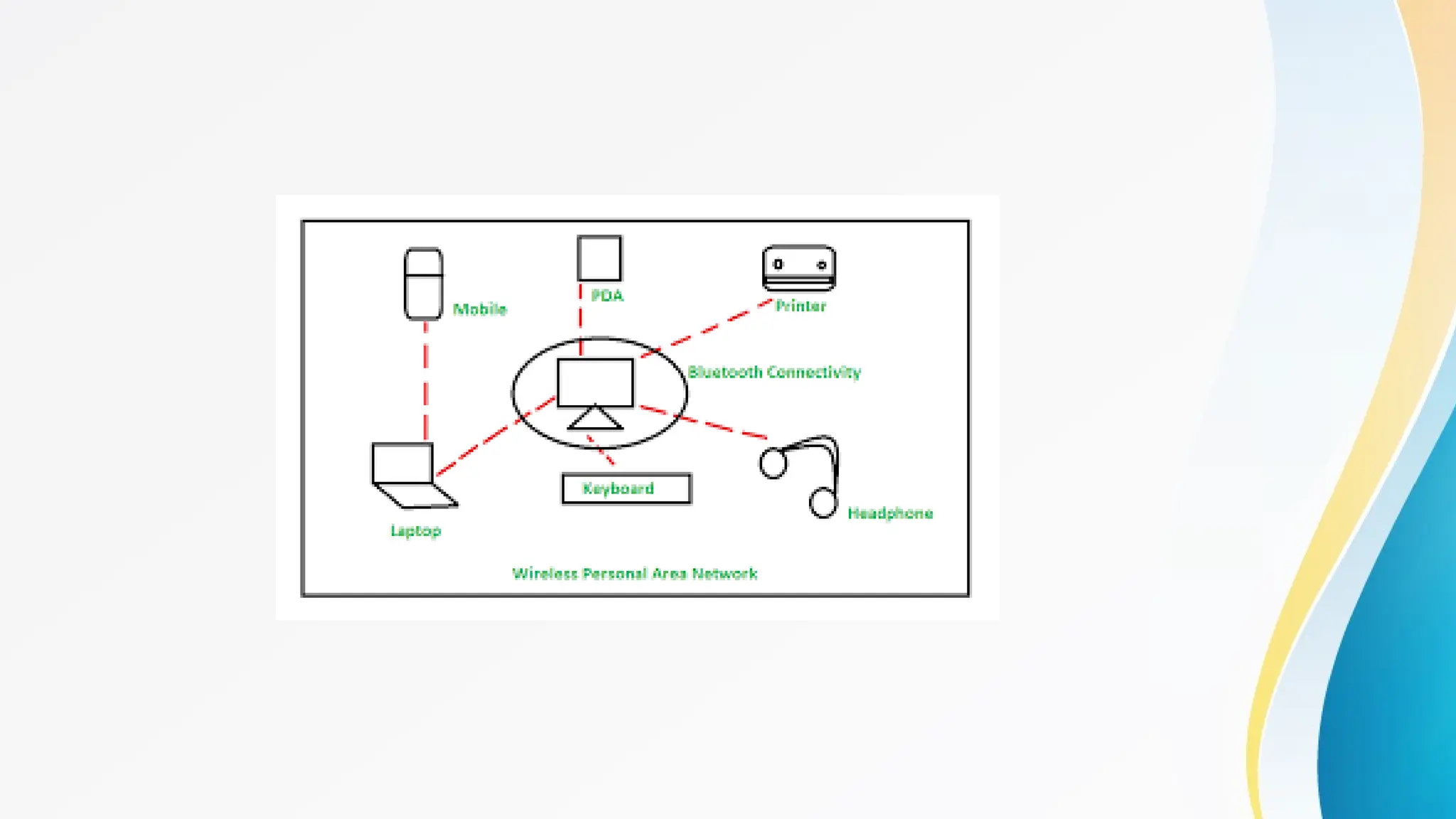
• A PAN is the smallest type of network, typically used for
connecting devices within a single person's workspace. It covers
a very limited area, usually a few meters.
• Examples:
• Connecting a smartphone to a laptop via Bluetooth.
• A smartwatch syncing data with a smartphone.
• Use Cases:
• Personal devices communication, such as transferring files
between a smartphone and a computer.
• Connecting peripheral devices like printers or headsets to a computer.
• Advantages:
• Convenience: Easy to set up and manage, typically requiring
minimal configuration.
• Cost-effective: Usually involves low-cost or built-in technologies
like Bluetooth or USB.
• Mobility: Devices can move within a small range without losing
connectivity.
• Disadvantages:
• Limited range: Covers a very small area, usually a few meters.
• Limited devices: Can only connect a few devices at a time.
• Security risks: May be vulnerable to unauthorized access if not properly
secured.
• 2. Local Area Network (LAN)
• Description:
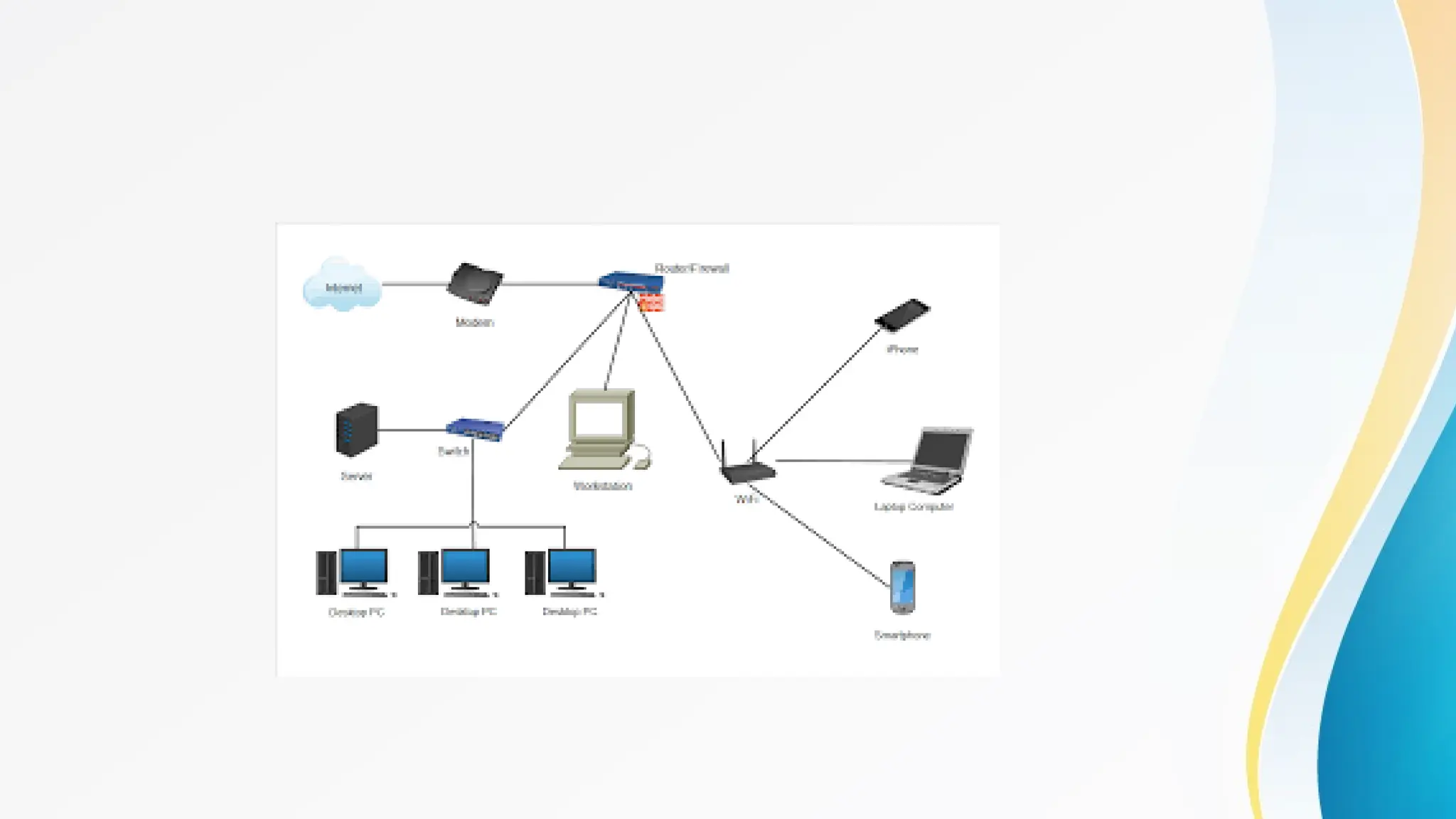
• A LAN connects devices within a small geographic area, such as a
home, office, or a building. LANs are commonly used for sharing
resources like files, printers, and internet connections among
connected devices.
• Examples:
• A home Wi-Fi network.
• A corporate network in an office building.
• Use Cases:
• Networking computers within a single building to share files and
printers.
• Connecting devices in a school or business for collaborative work.
• Advantages:
• High speed: Provides fast data transfer rates, making it suitable for
applications that require high bandwidth.
• Resource sharing: Allows multiple users to share resources like printers,
files, and internet connections.
• Scalability: Can easily expand by adding more devices or connecting
additional LANs.
• Disadvantages:
• Limited coverage: Only covers a small area, usually within a building or a
campus.
• Installation cost: Setting up a LAN, particularly in large buildings, can be
expensive due to cabling and equipment costs.
• Maintenance: Requires ongoing management and maintenance, including network
security and performance monitoring.
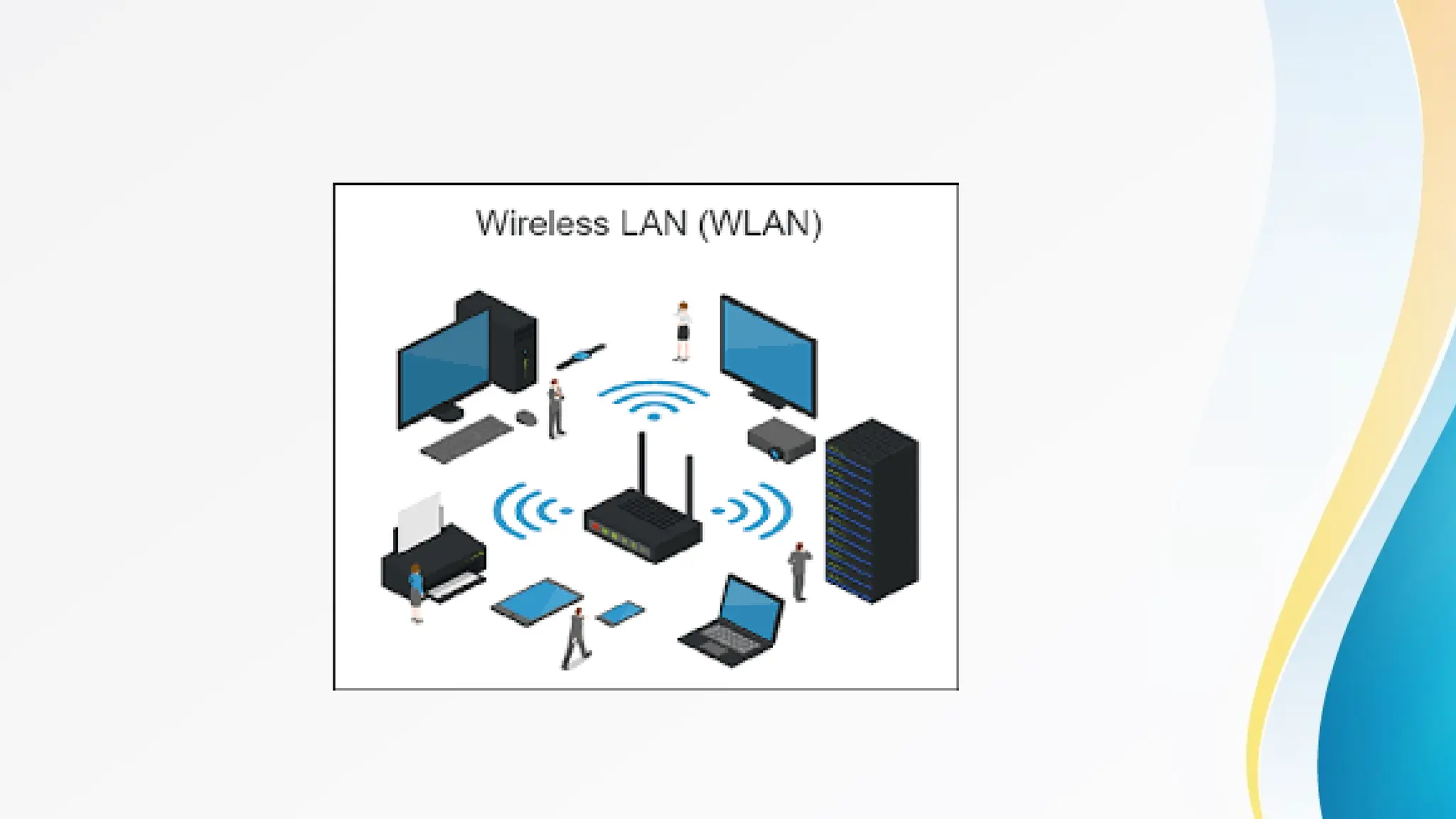
• 3. Wireless Local Area Network (WLAN)
• Description:
• WLAN is similar to a LAN but uses wireless technology (Wi-Fi) to
connect devices. WLANs provide the flexibility to connect multiple
devices without the need for physical cables.
• Examples:
• A Wi-Fi network in a home or coffee shop.
• Wireless networks in schools, libraries, or offices.
• Use Cases:
• Providing wireless internet access in homes, offices, and public
spaces.
• Connecting laptops, smartphones, and other wireless devices to the
network.
• Advantages:
• Mobility: Allows users to connect to the network from anywhere within the
wireless range.
• Easy installation: No need for extensive cabling, making it easier and
cheaper to set up compared to wired LANs.
• Flexibility: Devices can be easily added or removed from the network
without the need for additional cabling.
• Disadvantages:
• Interference: Susceptible to interference from other wireless devices,
physical obstructions, and radio frequency (RF) noise.
• Security: Wireless networks are more vulnerable to unauthorized access
and hacking if not properly secured.
• Limited range: Coverage is typically limited to the range of the Wi-Fi signal, which can
be affected by physical barriers
• 4. Metropolitan Area Network (MAN)
• Description:
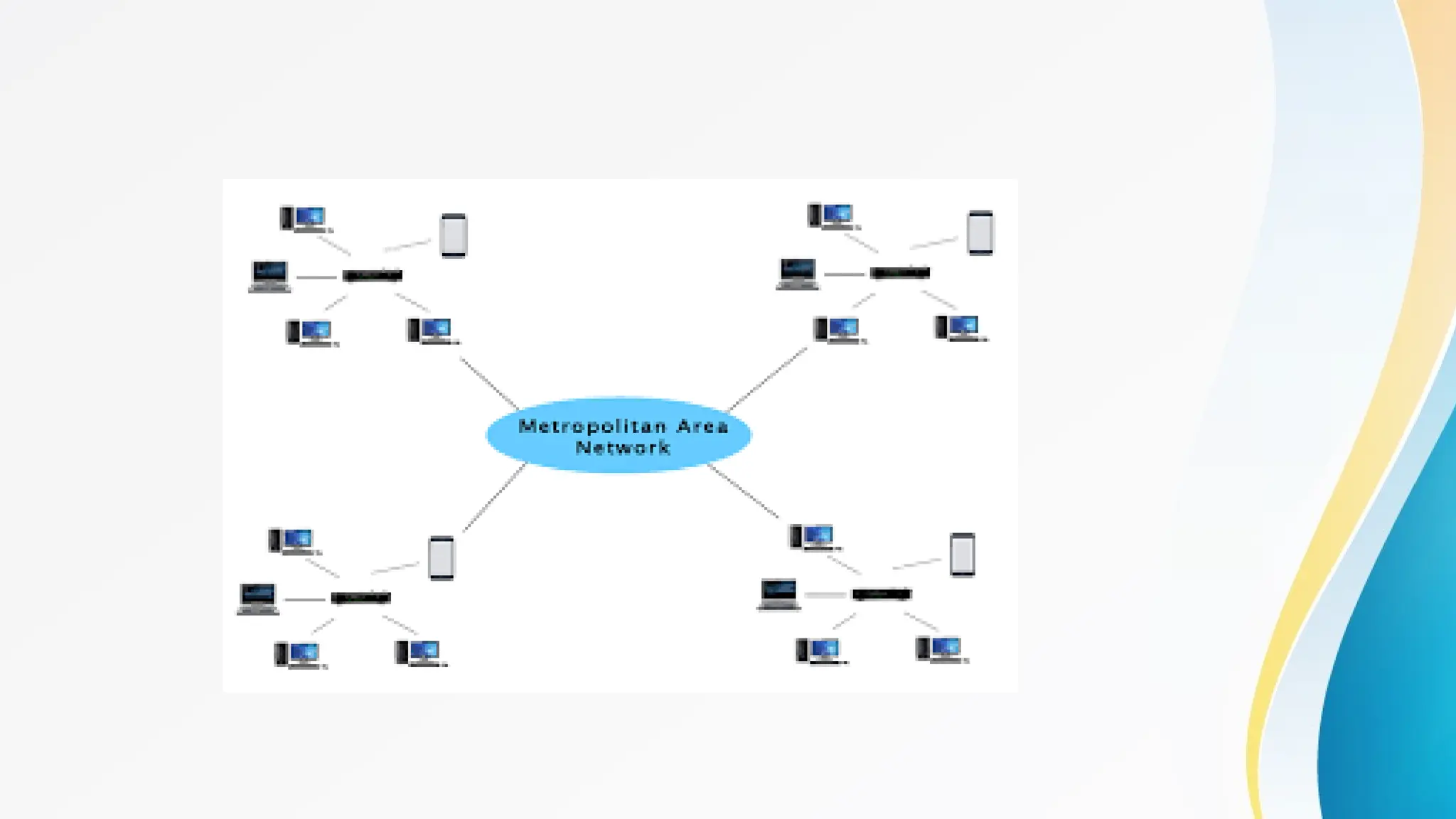
• A MAN spans a larger geographic area than a LAN, typically covering
a city or a large campus. MANs are designed to connect multiple
LANs within a metropolitan area, offering high-speed connectivity.
• Examples:
• A network that connects various government offices within a city.
• A network linking multiple campuses of a university within the same
city.
• Use Cases:
• Providing network connectivity across a city or large campus.
• Facilitating communication between offices or branches of an organization
within a metropolitan area.
• Advantages:
• Broad coverage: Extends over a larger area than a LAN, making it suitable
for city-wide or campus-wide networks.
• High-speed connections: Provides faster data transfer rates than WANs,
making it suitable for applications that require quick access to data.
• Efficient resource sharing: Allows for the centralized management of
resources and data across multiple locations.
• Disadvantages:
• Complexity: More complex to design, install, and manage than a LAN due
to the larger scale.
• Cost: Expensive to set up and maintain, particularly with the need for
specialized equipment and infrastructure.
• Security challenges: Requires robust security measures to protect against
unauthorized access and data breaches.
• 5. Wide Area Network (WAN)
• Description:
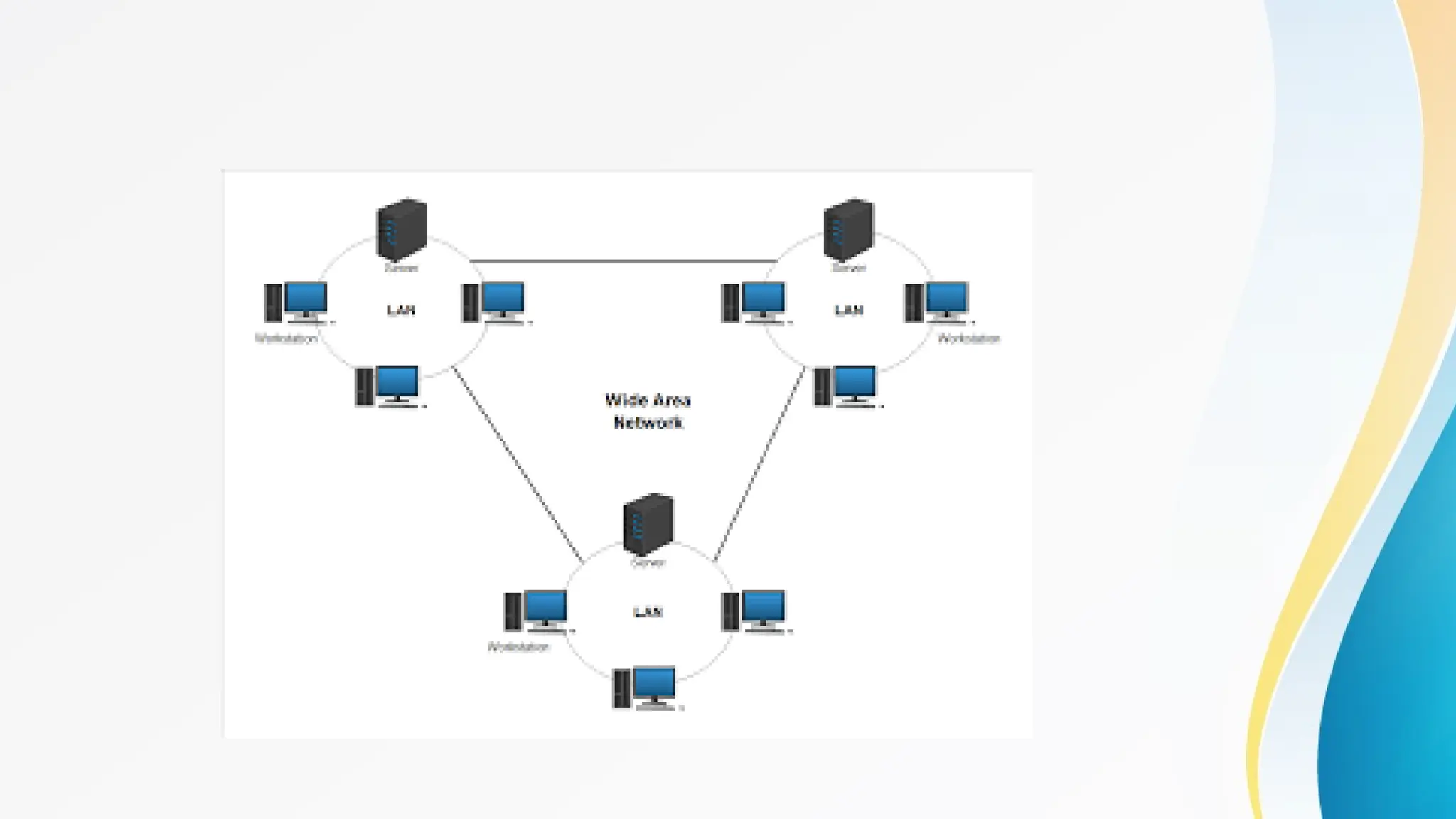
• A WAN covers a large geographic area, often a country or
continent. WANs are used to connect multiple LANs and MANs
over long distances, enabling communication and data sharing
across remote locations.
• Examples:
• The internet is the largest WAN, connecting millions of LANs and
smaller networks worldwide.
• A corporate WAN connecting offices in different cities or countries.
• Use Cases:
• Facilitating communication between offices in different cities or countries.
• Connecting branch offices to the headquarters in multinational corporations.
• Advantages:
• Global coverage: Can connect networks over vast distances, including
internationally.
• Resource sharing: Facilitates communication and resource sharing
across multiple locations, including different cities or countries.
• Scalability: Can easily expand to include new locations as an
organization grows.
• Disadvantages:
• Lower speeds: Generally offers lower data transfer rates compared to LANs and
MANs due to the long distances involved.
• High cost: Setting up and maintaining a WAN can be very expensive, particularly
due to the need for leased lines, satellite links, and other infrastructure.
• Complexity: Requires sophisticated technology and expertise to manage effectively,
particularly in terms of security and network management.
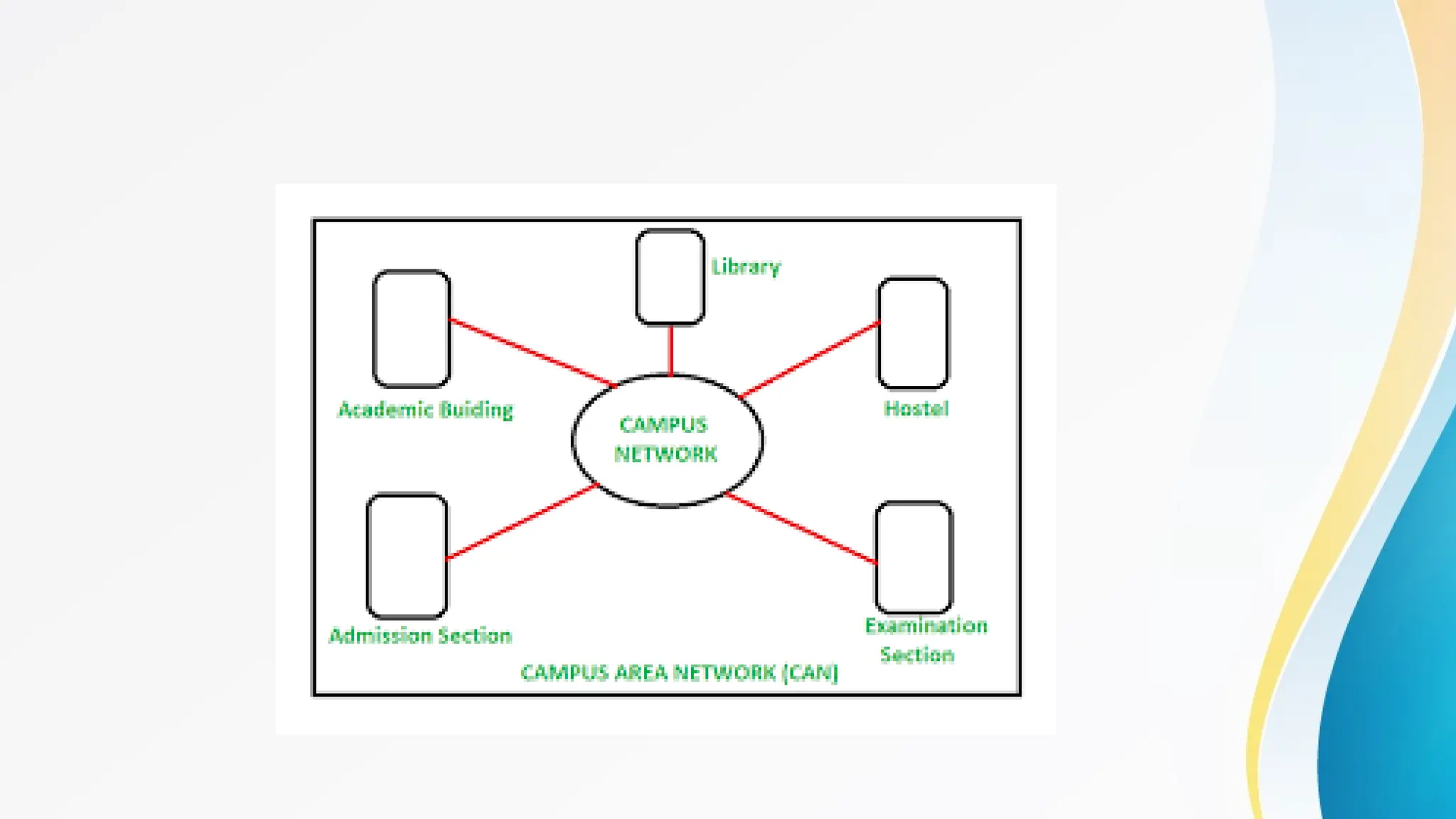
• 6. Campus Area Network (CAN)
• Description:
• A CAN is a network that spans multiple buildings within a specific
area, such as a university campus or a corporate campus. It is larger
than a LAN but smaller than a MAN.
• Examples:
• A network connecting various departments within a university campus.
• A network connecting different buildings within a corporate
headquarters.
• Use Cases:
• Connecting academic buildings, libraries, and residence halls within a university.
• Networking the different buildings of a corporate campus.
• Advantages:
• Centralized control: Easier to manage and maintain as all network
resources are within a confined area.
• Cost-effective: More cost-effective than setting up multiple separate
LANs for each building.
• High-speed communication: Provides high-speed data transfer within
the campus.
• Disadvantages:
• Limited to a specific area: Only useful within the geographic boundaries of the
campus.
• Maintenance required: Requires ongoing management and maintenance of the
network infrastructure.
• Potential for downtime: If not managed properly, a failure in the CAN can affect the
entire campus network.
• 7. Storage Area Network (SAN)
• Description:
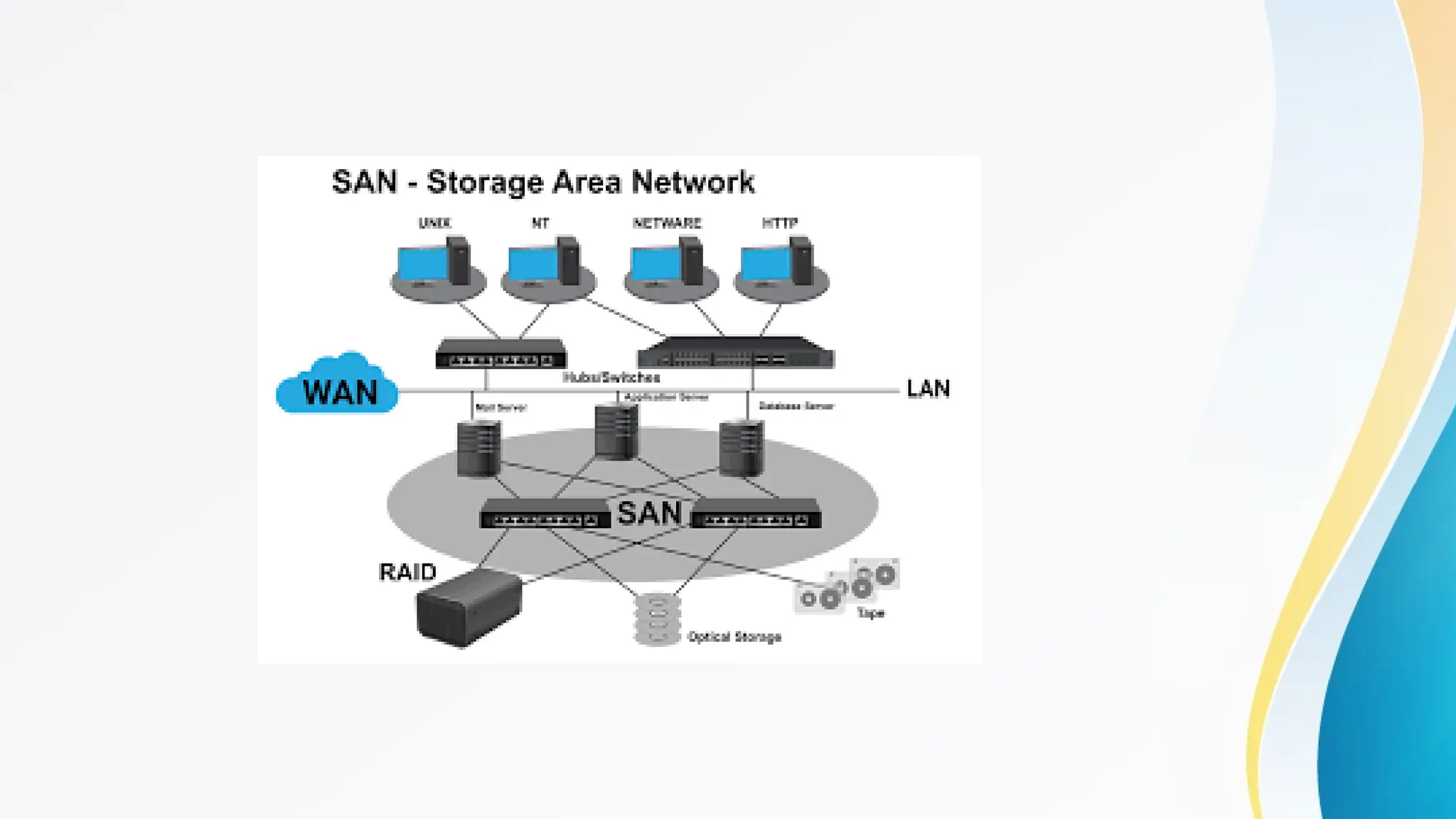
• A SAN is a specialized network that provides access to
consolidated, block-level data storage. SANs are used to connect
servers to storage devices, such as disk arrays and tape libraries.
• Examples:
• A SAN used in a data center to connect multiple servers to a
centralized storage system.
• A network that supports large-scale enterprise storage solutions.
• Use Cases:
• Providing high-speed, reliable access to storage resources in data centers.
• Facilitating data backup, archiving, and disaster recovery in enterprises.
• Advantages:
• High performance: Provides fast access to storage resources, essential
for applications requiring high data throughput.
• Scalability: Can easily scale to include more storage devices as needed.
• Reliability: Offers redundancy and failover capabilities, ensuring data
availability even in the event of hardware failure.
• Disadvantages:
• Cost: Expensive to set up and maintain due to the specialized hardware and
software required.
• Complexity: Requires specialized knowledge to manage and configure, particularly
as the network grows.
• Limited flexibility: Primarily designed for storage and may not support other types
of network traffic efficiently.
• 8. Virtual Private Network (VPN)
• Description:
• A VPN creates a secure, encrypted connection over a less
secure network, such as the internet. It is used to connect remote
users or branch offices to a private network.
• Examples:
• A VPN used by remote employees to securely access their
company's network.
• A VPN that allows users to bypass geographical restrictions on
the internet.
• Use Cases:
• Ensuring secure communication for remote workers.
• Protecting sensitive data during transmission over the internet.
• Advantages:
• Security: Provides a secure connection over the internet, protecting data
from unauthorized access.
• Remote access: Allows users to access the network from anywhere in the
world as long as they have an internet connection.
• Cost-effective: Eliminates the need for expensive leased lines by using the
internet as the transmission medium.
• Disadvantages:
• Performance: May suffer from latency and reduced speeds, particularly over
long distances or with heavy traffic.
• Complex setup: Requires proper configuration and management to ensure
security and optimal performance.
• Reliance on internet: The quality of the VPN connection depends on the quality
and reliability of the internet connection.
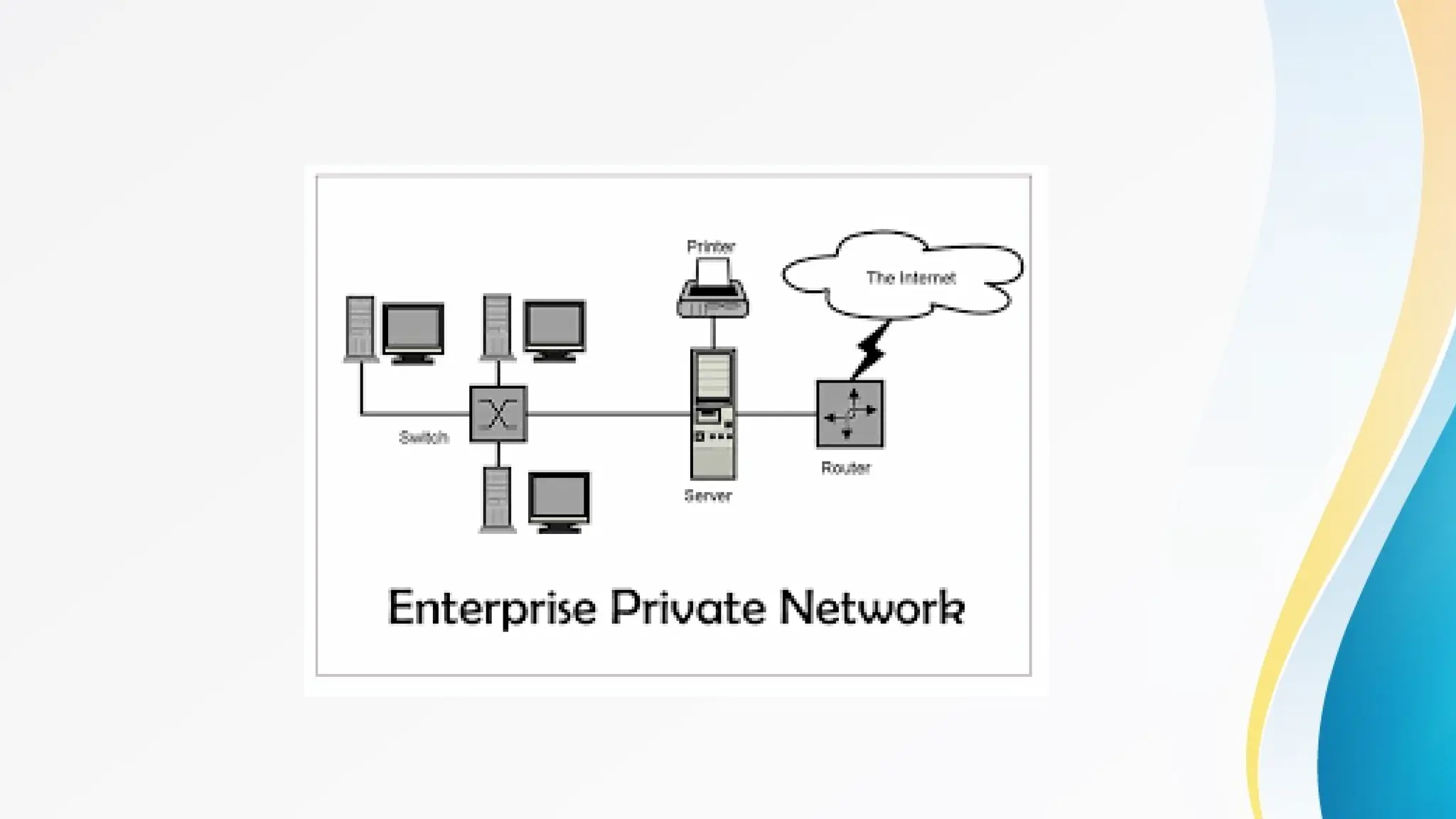
• 9. Enterprise Private Network (EPN)
• Description:
• An EPN is a network built and owned by an organization for exclusive
use by its employees and authorized personnel. It connects various
locations, such as branch offices, data centers, and remote offices.
• Examples:
• A corporate network that links multiple branch offices across different
regions.
• A private network connecting a company's headquarters with its data
center.
• Use Cases:
• Facilitating secure communication and data transfer within an organization.
• Managing and controlling network access and resources within a company.
• Advantages:
• Security: Provides a secure and controlled environment for organizational
communication.
• Customization: Can be tailored to meet the specific needs of the
organization, including specialized applications and services.
• Cost savings: Eliminates the need for third-party network services, reducing
ongoing costs.
• Disadvantages:
• High initial cost: Expensive to set up, particularly for large or geographically
dispersed organizations.
• Maintenance: Requires ongoing management, maintenance, and updates
to ensure security and performance.
• Limited flexibility: May be less adaptable to changes in organizational needs compared
to cloud-based solutions.
Thankyou
Made By Sukanya Rakshit

Types of Networks in Computer Networking

  • 1.
  • 2.
    • In computernetworking, there are various types of networks classified based on their size, range, and purpose. Here are the most common types: • 1.PAN • 2.LAN • 3.WLAN • 4.MAN • 5.WAN • 6.CAN • Some other types of network are • 7.SAN • 8.VPN • 9.EPN
  • 3.
    • 1. PersonalArea Network (PAN) • Description: • A PAN is the smallest type of network, typically used for connecting devices within a single person's workspace. It covers a very limited area, usually a few meters. • Examples: • Connecting a smartphone to a laptop via Bluetooth. • A smartwatch syncing data with a smartphone. • Use Cases: • Personal devices communication, such as transferring files between a smartphone and a computer. • Connecting peripheral devices like printers or headsets to a computer.
  • 5.
    • Advantages: • Convenience:Easy to set up and manage, typically requiring minimal configuration. • Cost-effective: Usually involves low-cost or built-in technologies like Bluetooth or USB. • Mobility: Devices can move within a small range without losing connectivity. • Disadvantages: • Limited range: Covers a very small area, usually a few meters. • Limited devices: Can only connect a few devices at a time. • Security risks: May be vulnerable to unauthorized access if not properly secured.
  • 6.
    • 2. LocalArea Network (LAN) • Description: • A LAN connects devices within a small geographic area, such as a home, office, or a building. LANs are commonly used for sharing resources like files, printers, and internet connections among connected devices. • Examples: • A home Wi-Fi network. • A corporate network in an office building. • Use Cases: • Networking computers within a single building to share files and printers. • Connecting devices in a school or business for collaborative work.
  • 8.
    • Advantages: • Highspeed: Provides fast data transfer rates, making it suitable for applications that require high bandwidth. • Resource sharing: Allows multiple users to share resources like printers, files, and internet connections. • Scalability: Can easily expand by adding more devices or connecting additional LANs. • Disadvantages: • Limited coverage: Only covers a small area, usually within a building or a campus. • Installation cost: Setting up a LAN, particularly in large buildings, can be expensive due to cabling and equipment costs. • Maintenance: Requires ongoing management and maintenance, including network security and performance monitoring.
  • 9.
    • 3. WirelessLocal Area Network (WLAN) • Description: • WLAN is similar to a LAN but uses wireless technology (Wi-Fi) to connect devices. WLANs provide the flexibility to connect multiple devices without the need for physical cables. • Examples: • A Wi-Fi network in a home or coffee shop. • Wireless networks in schools, libraries, or offices. • Use Cases: • Providing wireless internet access in homes, offices, and public spaces. • Connecting laptops, smartphones, and other wireless devices to the network.
  • 11.
    • Advantages: • Mobility:Allows users to connect to the network from anywhere within the wireless range. • Easy installation: No need for extensive cabling, making it easier and cheaper to set up compared to wired LANs. • Flexibility: Devices can be easily added or removed from the network without the need for additional cabling. • Disadvantages: • Interference: Susceptible to interference from other wireless devices, physical obstructions, and radio frequency (RF) noise. • Security: Wireless networks are more vulnerable to unauthorized access and hacking if not properly secured. • Limited range: Coverage is typically limited to the range of the Wi-Fi signal, which can be affected by physical barriers
  • 12.
    • 4. MetropolitanArea Network (MAN) • Description: • A MAN spans a larger geographic area than a LAN, typically covering a city or a large campus. MANs are designed to connect multiple LANs within a metropolitan area, offering high-speed connectivity. • Examples: • A network that connects various government offices within a city. • A network linking multiple campuses of a university within the same city. • Use Cases: • Providing network connectivity across a city or large campus. • Facilitating communication between offices or branches of an organization within a metropolitan area.
  • 14.
    • Advantages: • Broadcoverage: Extends over a larger area than a LAN, making it suitable for city-wide or campus-wide networks. • High-speed connections: Provides faster data transfer rates than WANs, making it suitable for applications that require quick access to data. • Efficient resource sharing: Allows for the centralized management of resources and data across multiple locations. • Disadvantages: • Complexity: More complex to design, install, and manage than a LAN due to the larger scale. • Cost: Expensive to set up and maintain, particularly with the need for specialized equipment and infrastructure. • Security challenges: Requires robust security measures to protect against unauthorized access and data breaches.
  • 15.
    • 5. WideArea Network (WAN) • Description: • A WAN covers a large geographic area, often a country or continent. WANs are used to connect multiple LANs and MANs over long distances, enabling communication and data sharing across remote locations. • Examples: • The internet is the largest WAN, connecting millions of LANs and smaller networks worldwide. • A corporate WAN connecting offices in different cities or countries. • Use Cases: • Facilitating communication between offices in different cities or countries. • Connecting branch offices to the headquarters in multinational corporations.
  • 17.
    • Advantages: • Globalcoverage: Can connect networks over vast distances, including internationally. • Resource sharing: Facilitates communication and resource sharing across multiple locations, including different cities or countries. • Scalability: Can easily expand to include new locations as an organization grows. • Disadvantages: • Lower speeds: Generally offers lower data transfer rates compared to LANs and MANs due to the long distances involved. • High cost: Setting up and maintaining a WAN can be very expensive, particularly due to the need for leased lines, satellite links, and other infrastructure. • Complexity: Requires sophisticated technology and expertise to manage effectively, particularly in terms of security and network management.
  • 18.
    • 6. CampusArea Network (CAN) • Description: • A CAN is a network that spans multiple buildings within a specific area, such as a university campus or a corporate campus. It is larger than a LAN but smaller than a MAN. • Examples: • A network connecting various departments within a university campus. • A network connecting different buildings within a corporate headquarters. • Use Cases: • Connecting academic buildings, libraries, and residence halls within a university. • Networking the different buildings of a corporate campus.
  • 20.
    • Advantages: • Centralizedcontrol: Easier to manage and maintain as all network resources are within a confined area. • Cost-effective: More cost-effective than setting up multiple separate LANs for each building. • High-speed communication: Provides high-speed data transfer within the campus. • Disadvantages: • Limited to a specific area: Only useful within the geographic boundaries of the campus. • Maintenance required: Requires ongoing management and maintenance of the network infrastructure. • Potential for downtime: If not managed properly, a failure in the CAN can affect the entire campus network.
  • 21.
    • 7. StorageArea Network (SAN) • Description: • A SAN is a specialized network that provides access to consolidated, block-level data storage. SANs are used to connect servers to storage devices, such as disk arrays and tape libraries. • Examples: • A SAN used in a data center to connect multiple servers to a centralized storage system. • A network that supports large-scale enterprise storage solutions. • Use Cases: • Providing high-speed, reliable access to storage resources in data centers. • Facilitating data backup, archiving, and disaster recovery in enterprises.
  • 23.
    • Advantages: • Highperformance: Provides fast access to storage resources, essential for applications requiring high data throughput. • Scalability: Can easily scale to include more storage devices as needed. • Reliability: Offers redundancy and failover capabilities, ensuring data availability even in the event of hardware failure. • Disadvantages: • Cost: Expensive to set up and maintain due to the specialized hardware and software required. • Complexity: Requires specialized knowledge to manage and configure, particularly as the network grows. • Limited flexibility: Primarily designed for storage and may not support other types of network traffic efficiently.
  • 24.
    • 8. VirtualPrivate Network (VPN) • Description: • A VPN creates a secure, encrypted connection over a less secure network, such as the internet. It is used to connect remote users or branch offices to a private network. • Examples: • A VPN used by remote employees to securely access their company's network. • A VPN that allows users to bypass geographical restrictions on the internet. • Use Cases: • Ensuring secure communication for remote workers. • Protecting sensitive data during transmission over the internet.
  • 26.
    • Advantages: • Security:Provides a secure connection over the internet, protecting data from unauthorized access. • Remote access: Allows users to access the network from anywhere in the world as long as they have an internet connection. • Cost-effective: Eliminates the need for expensive leased lines by using the internet as the transmission medium. • Disadvantages: • Performance: May suffer from latency and reduced speeds, particularly over long distances or with heavy traffic. • Complex setup: Requires proper configuration and management to ensure security and optimal performance. • Reliance on internet: The quality of the VPN connection depends on the quality and reliability of the internet connection.
  • 27.
    • 9. EnterprisePrivate Network (EPN) • Description: • An EPN is a network built and owned by an organization for exclusive use by its employees and authorized personnel. It connects various locations, such as branch offices, data centers, and remote offices. • Examples: • A corporate network that links multiple branch offices across different regions. • A private network connecting a company's headquarters with its data center. • Use Cases: • Facilitating secure communication and data transfer within an organization. • Managing and controlling network access and resources within a company.
  • 29.
    • Advantages: • Security:Provides a secure and controlled environment for organizational communication. • Customization: Can be tailored to meet the specific needs of the organization, including specialized applications and services. • Cost savings: Eliminates the need for third-party network services, reducing ongoing costs. • Disadvantages: • High initial cost: Expensive to set up, particularly for large or geographically dispersed organizations. • Maintenance: Requires ongoing management, maintenance, and updates to ensure security and performance. • Limited flexibility: May be less adaptable to changes in organizational needs compared to cloud-based solutions.
  • 30.