
Using Twitter for  Situational Awareness  By Tim Brice  National Weather Service WFO El Paso January 6, 2011
What is Social Media Put simply it is media for social interaction Or perhaps better defined as: Social media refers to online services that allow people to publicly create, share, and discuss information
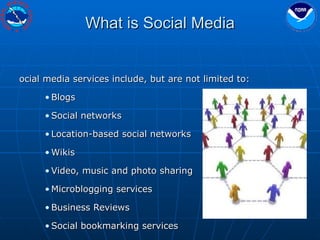
What is Social Media Social media services include, but are not limited to: Blogs Social networks Location-based social networks Wikis Video, music and photo sharing Microblogging services Business Reviews Social bookmarking services
Examples of Social Media
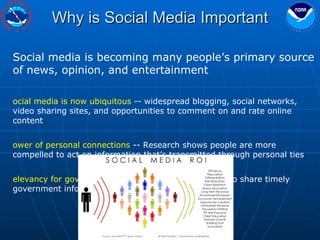
Why is Social Media Important Social media is becoming many people’s primary source of news, opinion, and entertainment Social media is now ubiquitous  -- widespread blogging, social networks, video sharing sites, and opportunities to comment on and rate online content  Power of personal connections  -- Research shows people are more compelled to act on information that’s transmitted through personal ties Relevancy for government  –- We can use social media to share timely government information with the people who need it
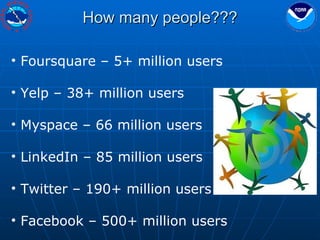
How many people??? Foursquare – 5+ million users Yelp – 38+ million users Myspace – 66 million users LinkedIn – 85 million users Twitter – 190+ million users Facebook – 500+ million users
Why should the NWS monitor  social media¹ Maintain situational awareness (more coming on this) Message awareness and control Rumor control Helps to put a “friendly” face on our agency 1 Blog entry from http://idisaster.wordpress.com/
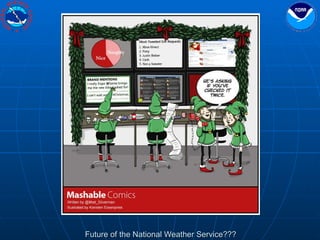
Future of the National Weather Service???
What is Twitter? According to  Twitter , Twitter is: “ without a doubt the best way to share and discover what is happening right now.” Perhaps a less biased description of Twitter would: “ Twitter  is a free  social networking  and  microblogging  service that enables its users to send and read messages known as  tweets .” -  Wikipedia
The advantages of Twitter Large user database 190+ million users around the world. 30+ million users in the U.S. Rich flexible Application Programming Interface (API) Easy to post tweets from various platforms Easy to retrieve and process tweets
What is a Tweet? It is a 140 character (or less) message that a user (tweeter) sends out that is posted on their Twitter home page and also sent to the tweeter’s subscribers called followers? Tweets can include: A simple text message Links to a picture Links to a web page
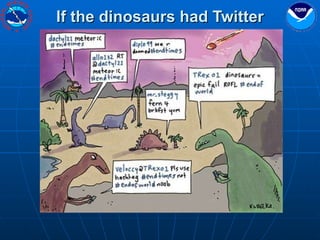
If the dinosaurs had Twitter
Using Twitter searches for situational awareness
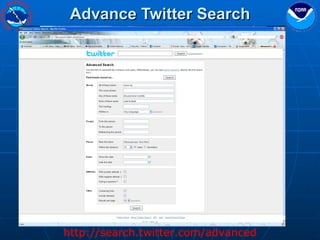
Advance Twitter Search http://search.twitter.com/advanced
Advance Twitter Search Advantages: No Twitter account needed It does do geo-location (not automatically though) Good control over what you are searching for Disadvantages: Only one search at a time Does not auto update automatically http://search.twitter.com/advanced
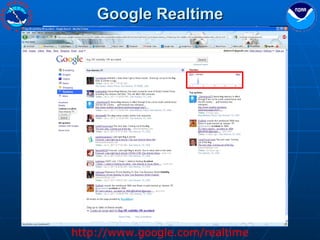
Google Realtime http://www.google.com/realtime
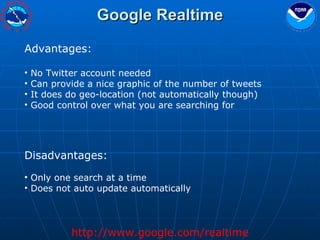
Google Realtime Advantages: No Twitter account needed Can provide a nice graphic of the number of tweets It does do geo-location (not automatically though) Good control over what you are searching for Disadvantages: Only one search at a time Does not auto update automatically http://www.google.com/realtime
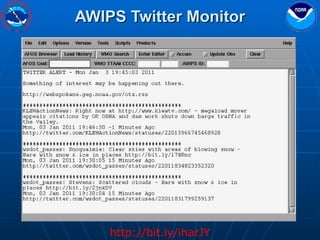
AWIPS Twitter Monitor http://bit.ly/iharJY
AWIPS Twitter Monitor http://bit.ly/iharJY Advantages: Easy to set-up and install  Limited number of returned tweets Available on AWIPS display You can customize what you search for Can search for words or users Disadvantages: Twitter account required Too many tweets can get annoying Limited number of returned tweets may miss some tweets
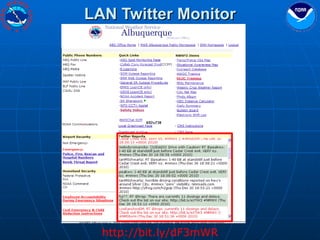
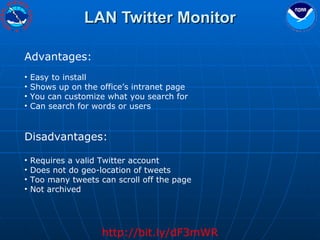
LAN Twitter Monitor http://bit.ly/dF3mWR
LAN Twitter Monitor http://bit.ly/dF3mWR Advantages: Easy to install Shows up on the office’s intranet page You can customize what you search for Can search for words or users Disadvantages: Requires a valid Twitter account Does not do geo-location of tweets Too many tweets can scroll off the page Not archived
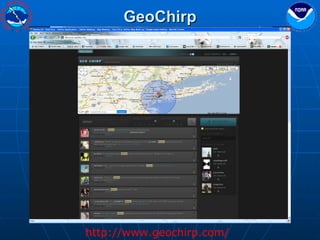
GeoChirp http://www.geochirp.com/
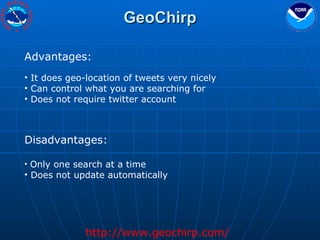
GeoChirp Advantages: It does geo-location of tweets very nicely Can control what you are searching for Does not require twitter account Disadvantages: Only one search at a time Does not update automatically http://www.geochirp.com/
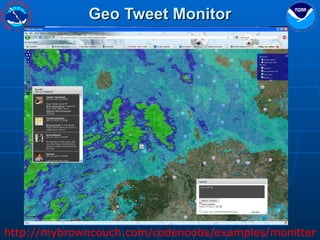
Geo Tweet Monitor http://mybrowncouch.com/codenoobs/examples/monitter
Geo Tweet Monitor Advantages: No Twitter account required One click geo-location built in Automatic updates Overlay the radar Disadvantages: A work in progress Can be flaky at times  May miss non geo-tagged Tweets http://mybrowncouch.com/codenoobs/examples/monitter
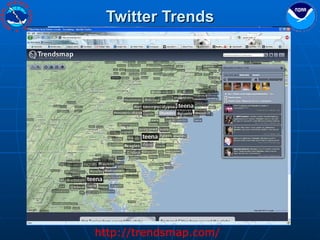
Twitter Trends http://trendsmap.com/
Twitter Trends Advantages: Build in geo-located searches Automatic update Provides timeline graphs of trending tweets No Twitter account needed Disadvantages: Only trends for large tweet populations (ie..big cities) Not sure of the update cycle (not very fast responding) Trending weather tweets can be covered up by other trending tweets http://trendsmap.com/
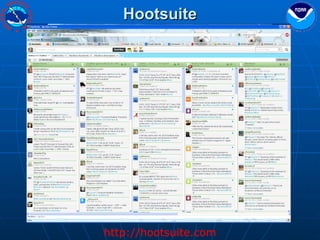
Hootsuite http://hootsuite.com
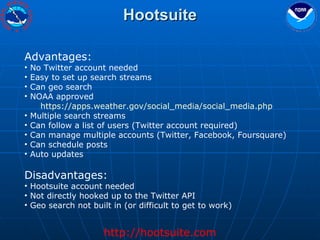
Hootsuite Advantages: No Twitter account needed Easy to set up search streams Can geo search NOAA approved https://apps.weather.gov/social_media/social_media.php   Multiple search streams Can follow a list of users (Twitter account required) Can manage multiple accounts (Twitter, Facebook, Foursquare) Can schedule posts Auto updates Disadvantages: Hootsuite account needed Not directly hooked up to the Twitter API Geo search not built in (or difficult to get to work) http://hootsuite.com
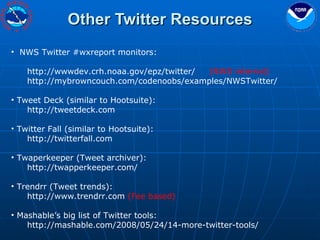
Other Twitter Resources NWS Twitter #wxreport monitors: http://wwwdev.crh.noaa.gov/epz/twitter/  (NWS internal)  http://mybrowncouch.com/codenoobs/examples/NWSTwitter/ Tweet Deck (similar to Hootsuite): http://tweetdeck.com Twitter Fall (similar to Hootsuite): http://twitterfall.com Twaperkeeper (Tweet archiver): http://twapperkeeper.com/ Trendrr (Tweet trends): http://www.trendrr.com  (Fee based) Mashable’s big list of Twitter tools: http://mashable.com/2008/05/24/14-more-twitter-tools/
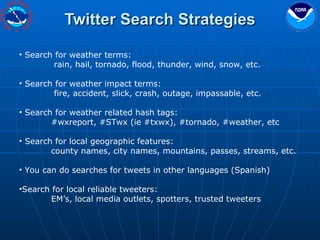
Twitter Search Strategies Search for weather terms:  rain, hail, tornado, flood, thunder, wind, snow, etc. Search for weather impact terms: fire, accident, slick, crash, outage, impassable, etc. Search for weather related hash tags: #wxreport, #STwx (ie #txwx), #tornado, #weather, etc Search for local geographic features: county names, city names, mountains, passes, streams, etc. You can do searches for tweets in other languages (Spanish)  Search for local reliable tweeters: EM’s, local media outlets, spotters, trusted tweeters
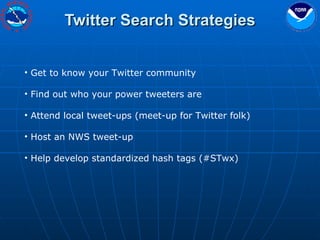
Twitter Search Strategies Get to know your Twitter community Find out who your power tweeters are Attend local tweet-ups (meet-up for Twitter folk) Host an NWS tweet-up Help develop standardized hash tags (#STwx)
Questions??? Tim Brice @timbrice17 [email_address] NWS – El Paso TX Advanced Twitter search: http://search.twitter.com/advanced   Google Realtime search: http://google.com/realtime   AWIPS Twitter Monitor: http://bit.ly/iharJY   LAN Twitter Monitor: http://bit.ly/dF3mWR   GeoTweet: http://www.geochirp.com/ Geo Tweet Monitor: http://mybrowncouch.com/codenoobs/examples/monitter Twitter Trends Map: http://trendsmap.com/ Hootsuite: https://apps.weather.gov/social_media/social_media.php   http://hootsuite.com

Twitter sm

  • 1.
    Using Twitter for Situational Awareness By Tim Brice National Weather Service WFO El Paso January 6, 2011
  • 2.
    What is SocialMedia Put simply it is media for social interaction Or perhaps better defined as: Social media refers to online services that allow people to publicly create, share, and discuss information
  • 3.
    What is SocialMedia Social media services include, but are not limited to: Blogs Social networks Location-based social networks Wikis Video, music and photo sharing Microblogging services Business Reviews Social bookmarking services
  • 4.
  • 5.
    Why is SocialMedia Important Social media is becoming many people’s primary source of news, opinion, and entertainment Social media is now ubiquitous -- widespread blogging, social networks, video sharing sites, and opportunities to comment on and rate online content Power of personal connections -- Research shows people are more compelled to act on information that’s transmitted through personal ties Relevancy for government –- We can use social media to share timely government information with the people who need it
  • 6.
    How many people???Foursquare – 5+ million users Yelp – 38+ million users Myspace – 66 million users LinkedIn – 85 million users Twitter – 190+ million users Facebook – 500+ million users
  • 7.
    Why should theNWS monitor social media¹ Maintain situational awareness (more coming on this) Message awareness and control Rumor control Helps to put a “friendly” face on our agency 1 Blog entry from http://idisaster.wordpress.com/
  • 8.
    Future of theNational Weather Service???
  • 9.
    What is Twitter?According to Twitter , Twitter is: “ without a doubt the best way to share and discover what is happening right now.” Perhaps a less biased description of Twitter would: “ Twitter is a free social networking and microblogging service that enables its users to send and read messages known as tweets .” - Wikipedia
  • 10.
    The advantages ofTwitter Large user database 190+ million users around the world. 30+ million users in the U.S. Rich flexible Application Programming Interface (API) Easy to post tweets from various platforms Easy to retrieve and process tweets
  • 11.
    What is aTweet? It is a 140 character (or less) message that a user (tweeter) sends out that is posted on their Twitter home page and also sent to the tweeter’s subscribers called followers? Tweets can include: A simple text message Links to a picture Links to a web page
  • 12.
    If the dinosaurshad Twitter
  • 13.
    Using Twitter searchesfor situational awareness
  • 14.
    Advance Twitter Searchhttp://search.twitter.com/advanced
  • 15.
    Advance Twitter SearchAdvantages: No Twitter account needed It does do geo-location (not automatically though) Good control over what you are searching for Disadvantages: Only one search at a time Does not auto update automatically http://search.twitter.com/advanced
  • 16.
  • 17.
    Google Realtime Advantages:No Twitter account needed Can provide a nice graphic of the number of tweets It does do geo-location (not automatically though) Good control over what you are searching for Disadvantages: Only one search at a time Does not auto update automatically http://www.google.com/realtime
  • 18.
    AWIPS Twitter Monitorhttp://bit.ly/iharJY
  • 19.
    AWIPS Twitter Monitorhttp://bit.ly/iharJY Advantages: Easy to set-up and install Limited number of returned tweets Available on AWIPS display You can customize what you search for Can search for words or users Disadvantages: Twitter account required Too many tweets can get annoying Limited number of returned tweets may miss some tweets
  • 20.
    LAN Twitter Monitorhttp://bit.ly/dF3mWR
  • 21.
    LAN Twitter Monitorhttp://bit.ly/dF3mWR Advantages: Easy to install Shows up on the office’s intranet page You can customize what you search for Can search for words or users Disadvantages: Requires a valid Twitter account Does not do geo-location of tweets Too many tweets can scroll off the page Not archived
  • 22.
  • 23.
    GeoChirp Advantages: Itdoes geo-location of tweets very nicely Can control what you are searching for Does not require twitter account Disadvantages: Only one search at a time Does not update automatically http://www.geochirp.com/
  • 24.
    Geo Tweet Monitorhttp://mybrowncouch.com/codenoobs/examples/monitter
  • 25.
    Geo Tweet MonitorAdvantages: No Twitter account required One click geo-location built in Automatic updates Overlay the radar Disadvantages: A work in progress Can be flaky at times May miss non geo-tagged Tweets http://mybrowncouch.com/codenoobs/examples/monitter
  • 26.
  • 27.
    Twitter Trends Advantages:Build in geo-located searches Automatic update Provides timeline graphs of trending tweets No Twitter account needed Disadvantages: Only trends for large tweet populations (ie..big cities) Not sure of the update cycle (not very fast responding) Trending weather tweets can be covered up by other trending tweets http://trendsmap.com/
  • 28.
  • 29.
    Hootsuite Advantages: NoTwitter account needed Easy to set up search streams Can geo search NOAA approved https://apps.weather.gov/social_media/social_media.php Multiple search streams Can follow a list of users (Twitter account required) Can manage multiple accounts (Twitter, Facebook, Foursquare) Can schedule posts Auto updates Disadvantages: Hootsuite account needed Not directly hooked up to the Twitter API Geo search not built in (or difficult to get to work) http://hootsuite.com
  • 30.
    Other Twitter ResourcesNWS Twitter #wxreport monitors: http://wwwdev.crh.noaa.gov/epz/twitter/ (NWS internal) http://mybrowncouch.com/codenoobs/examples/NWSTwitter/ Tweet Deck (similar to Hootsuite): http://tweetdeck.com Twitter Fall (similar to Hootsuite): http://twitterfall.com Twaperkeeper (Tweet archiver): http://twapperkeeper.com/ Trendrr (Tweet trends): http://www.trendrr.com (Fee based) Mashable’s big list of Twitter tools: http://mashable.com/2008/05/24/14-more-twitter-tools/
  • 31.
    Twitter Search StrategiesSearch for weather terms: rain, hail, tornado, flood, thunder, wind, snow, etc. Search for weather impact terms: fire, accident, slick, crash, outage, impassable, etc. Search for weather related hash tags: #wxreport, #STwx (ie #txwx), #tornado, #weather, etc Search for local geographic features: county names, city names, mountains, passes, streams, etc. You can do searches for tweets in other languages (Spanish) Search for local reliable tweeters: EM’s, local media outlets, spotters, trusted tweeters
  • 32.
    Twitter Search StrategiesGet to know your Twitter community Find out who your power tweeters are Attend local tweet-ups (meet-up for Twitter folk) Host an NWS tweet-up Help develop standardized hash tags (#STwx)
  • 33.
    Questions??? Tim Brice@timbrice17 [email_address] NWS – El Paso TX Advanced Twitter search: http://search.twitter.com/advanced Google Realtime search: http://google.com/realtime AWIPS Twitter Monitor: http://bit.ly/iharJY LAN Twitter Monitor: http://bit.ly/dF3mWR GeoTweet: http://www.geochirp.com/ Geo Tweet Monitor: http://mybrowncouch.com/codenoobs/examples/monitter Twitter Trends Map: http://trendsmap.com/ Hootsuite: https://apps.weather.gov/social_media/social_media.php http://hootsuite.com