Tutorial 1.6: Export heatmap image and table results
Export the results of the enrichment analysis as an image and as a table containing
the details of the statistic results
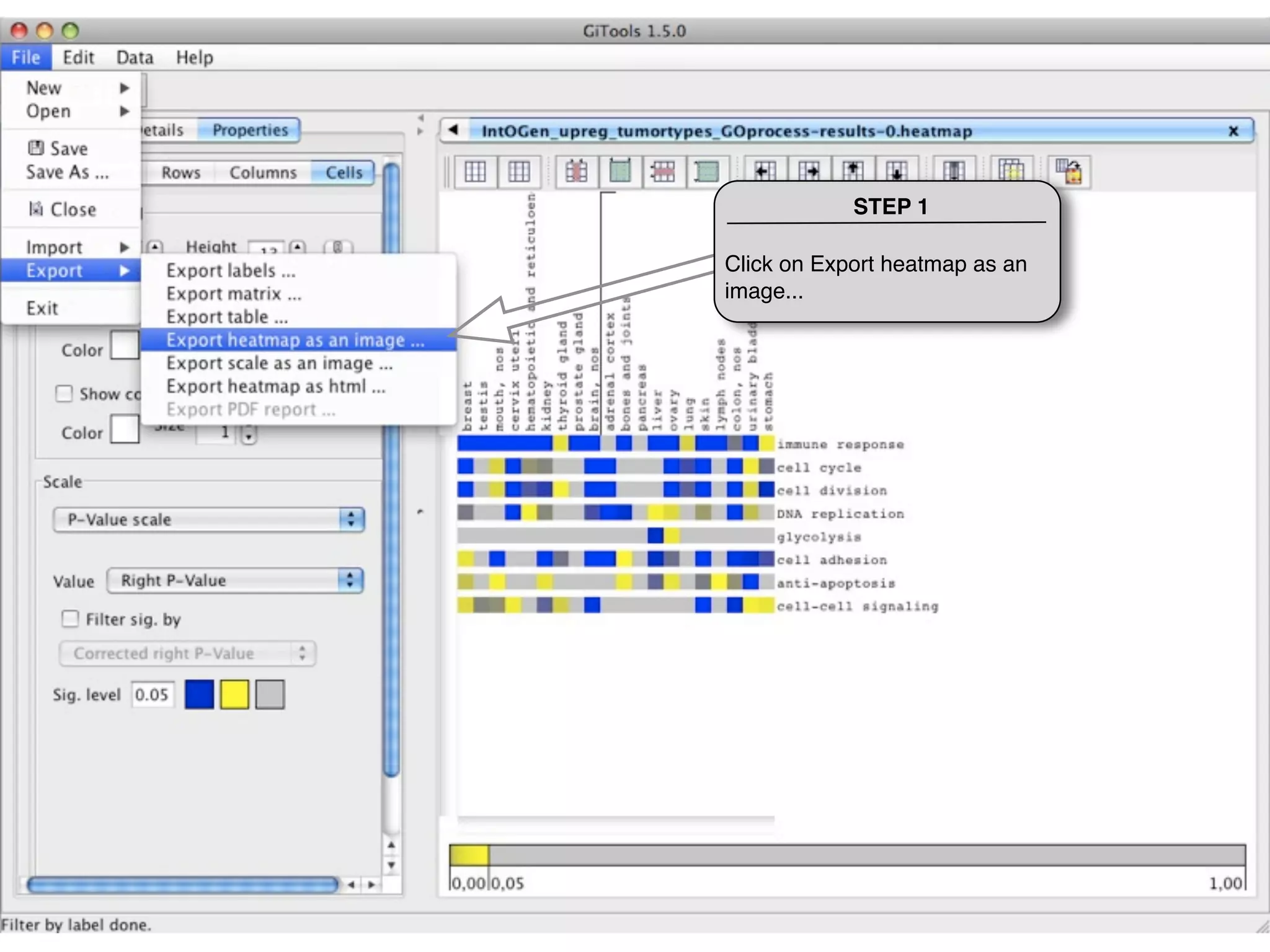
STEP 1

Click on Export heatmap as an
image...
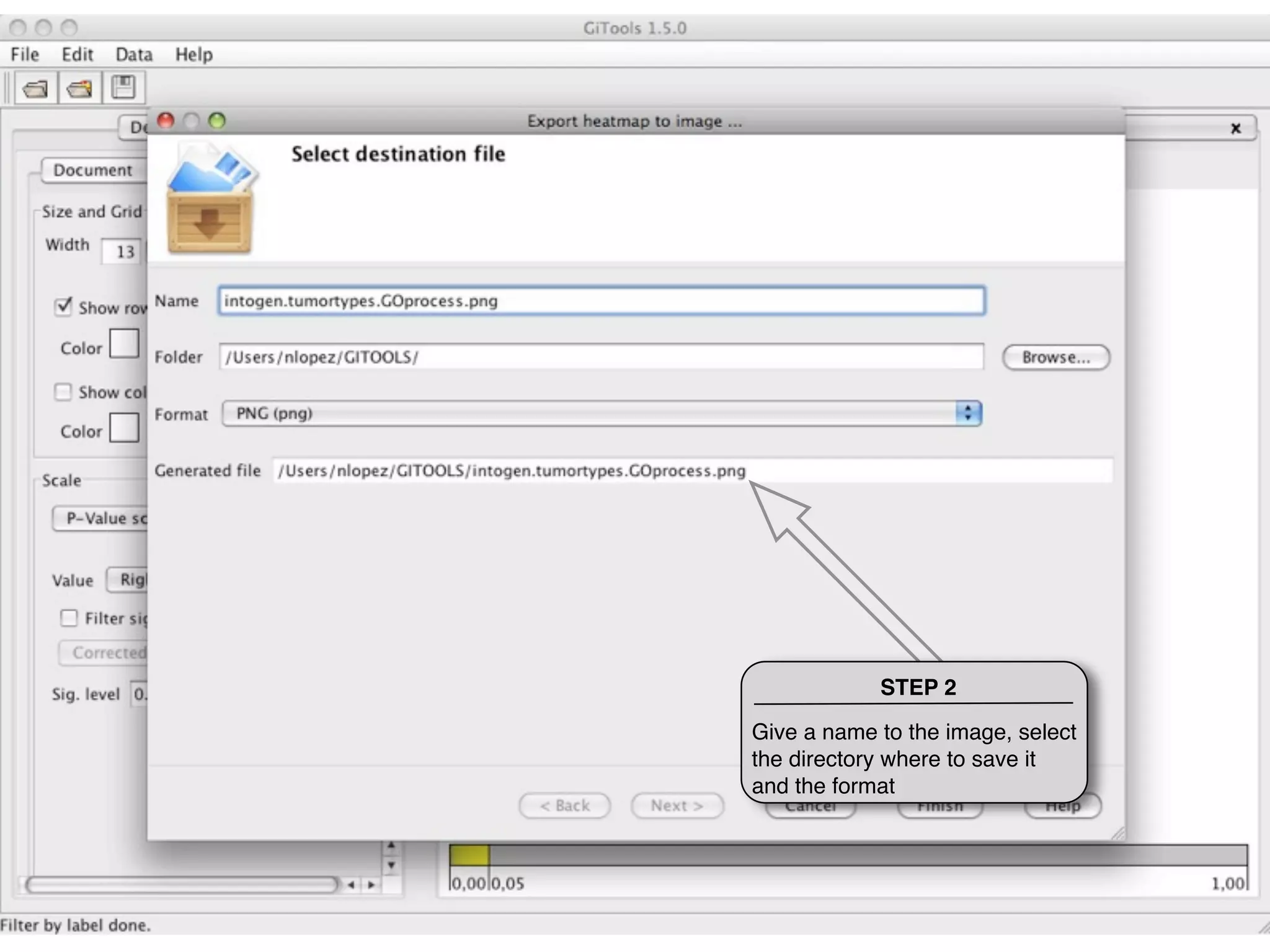
STEP 2

Give a name to the image, select
the directory where to save it
and the format
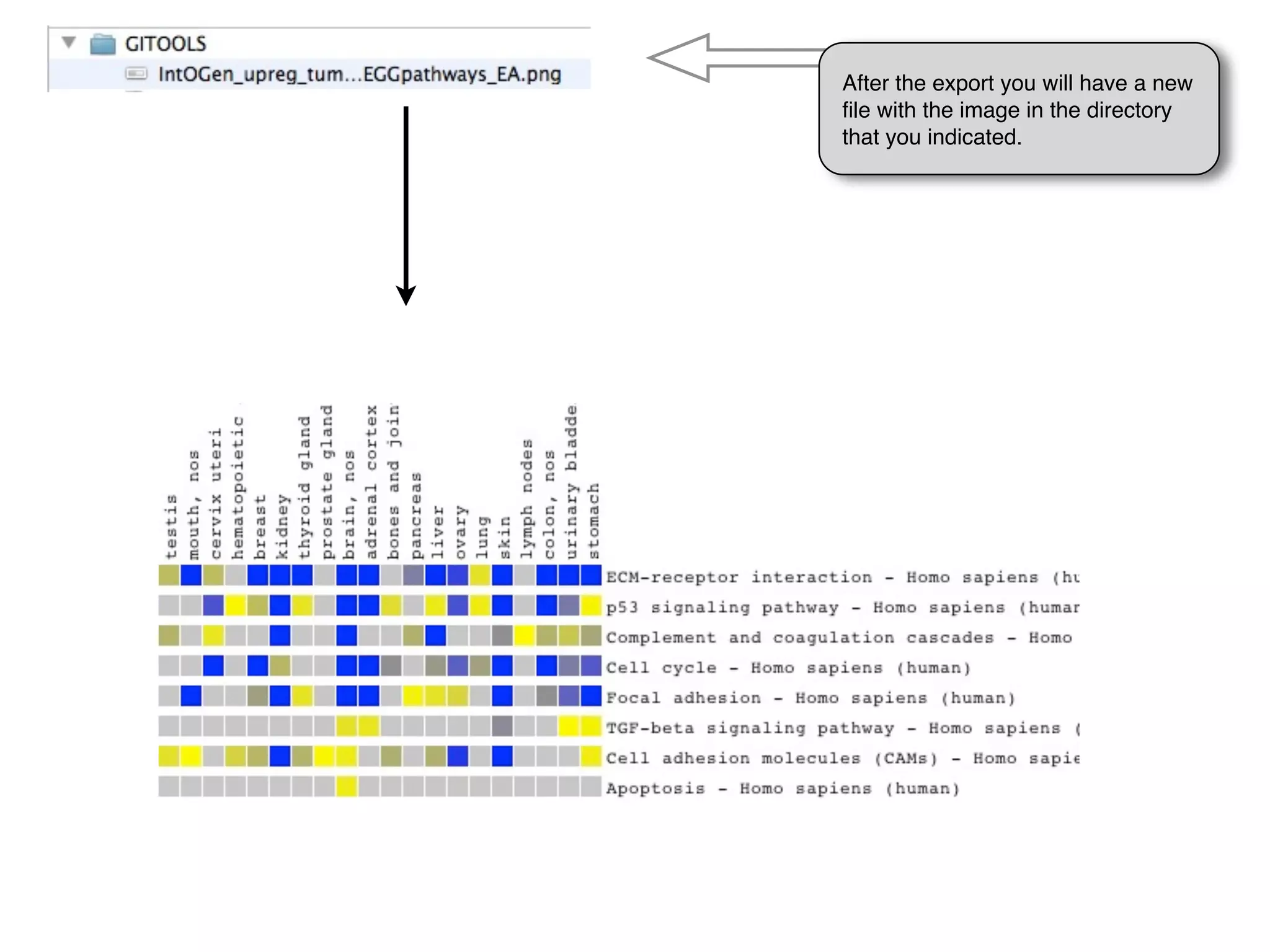
After the export you will have a new
file with the image in the directory
that you indicated.
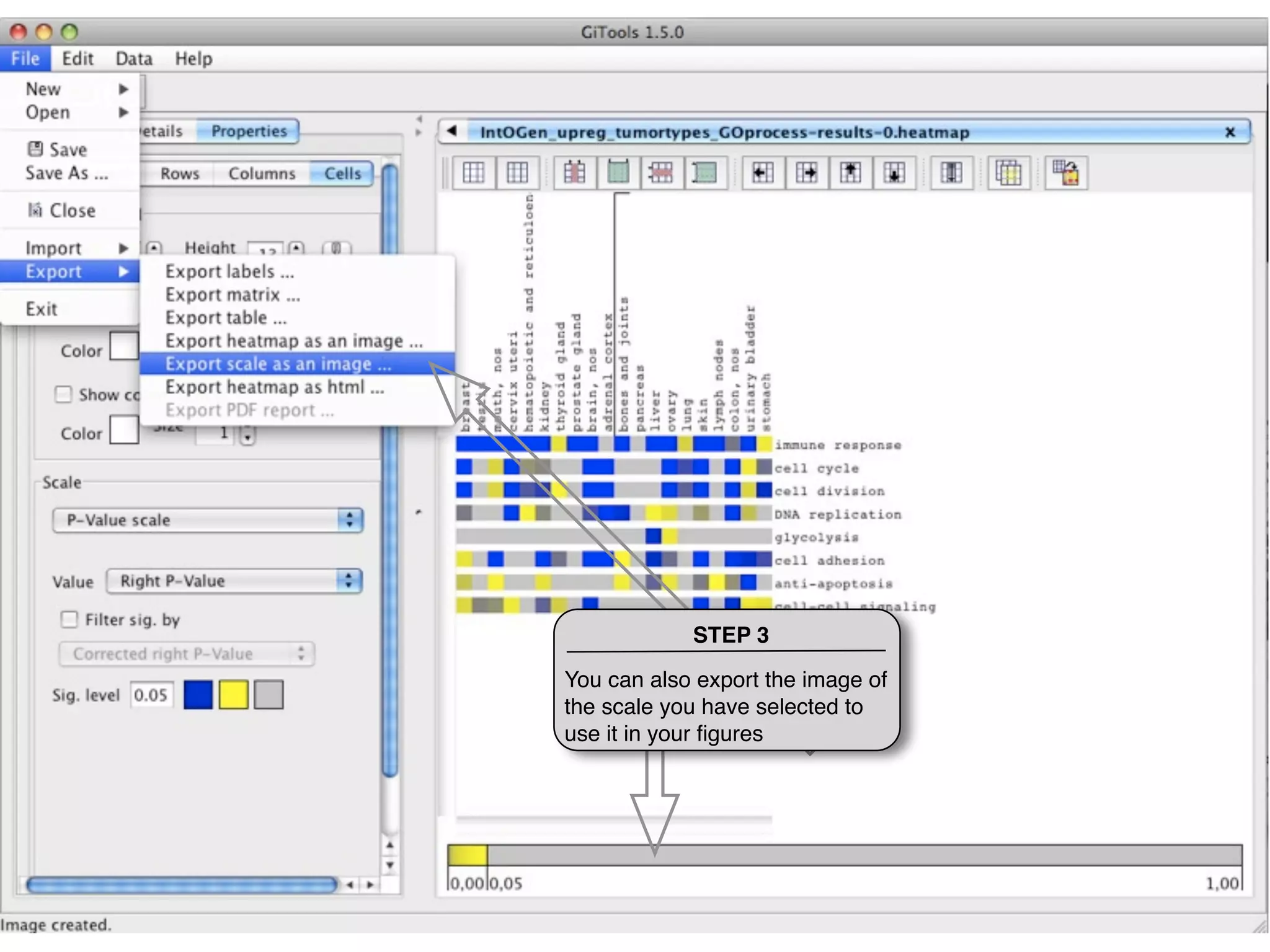
STEP 3

You can also export the image of
the scale you have selected to
use it in your figures
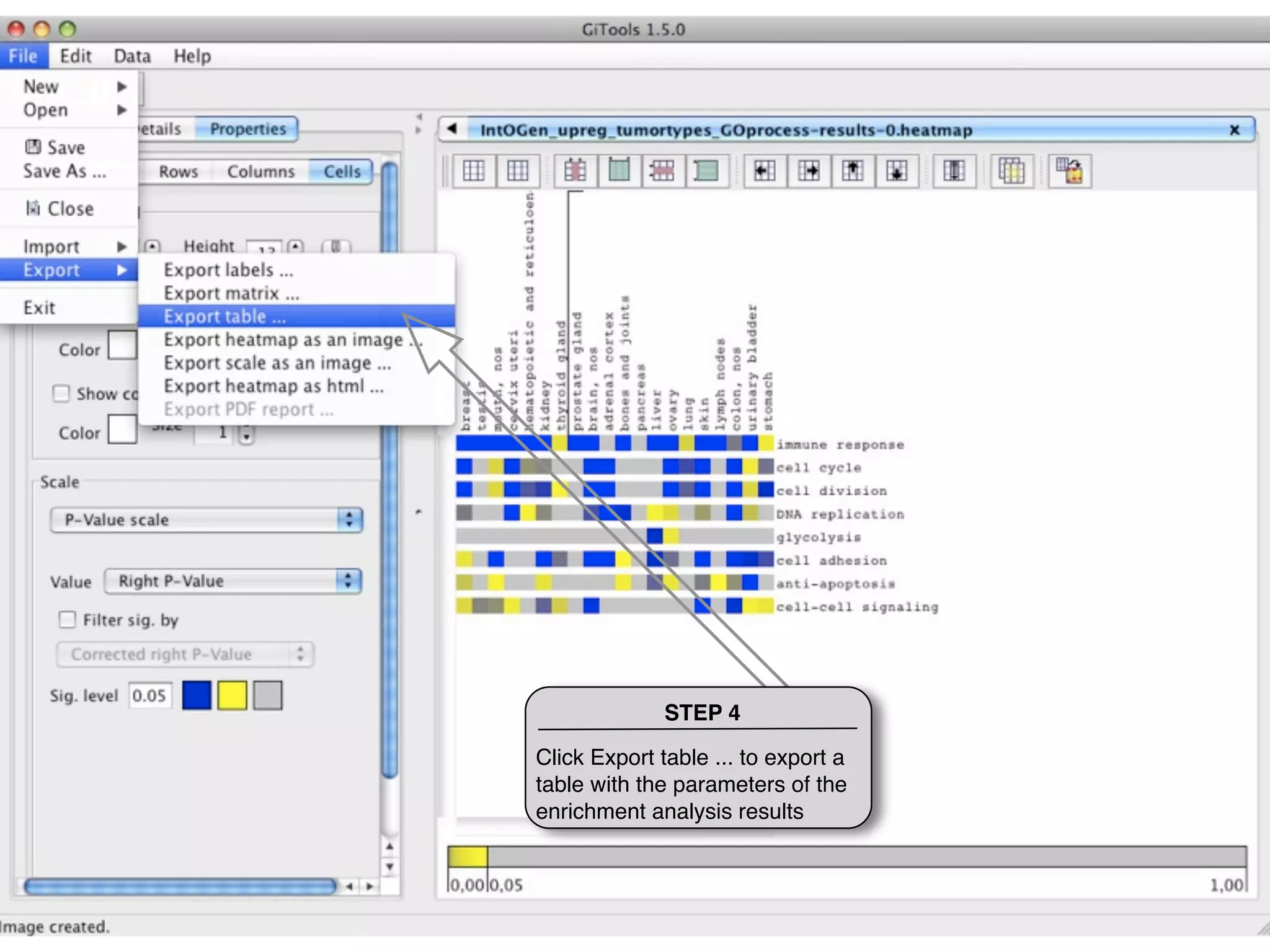
STEP 4

Click Export table ... to export a
table with the parameters of the
enrichment analysis results
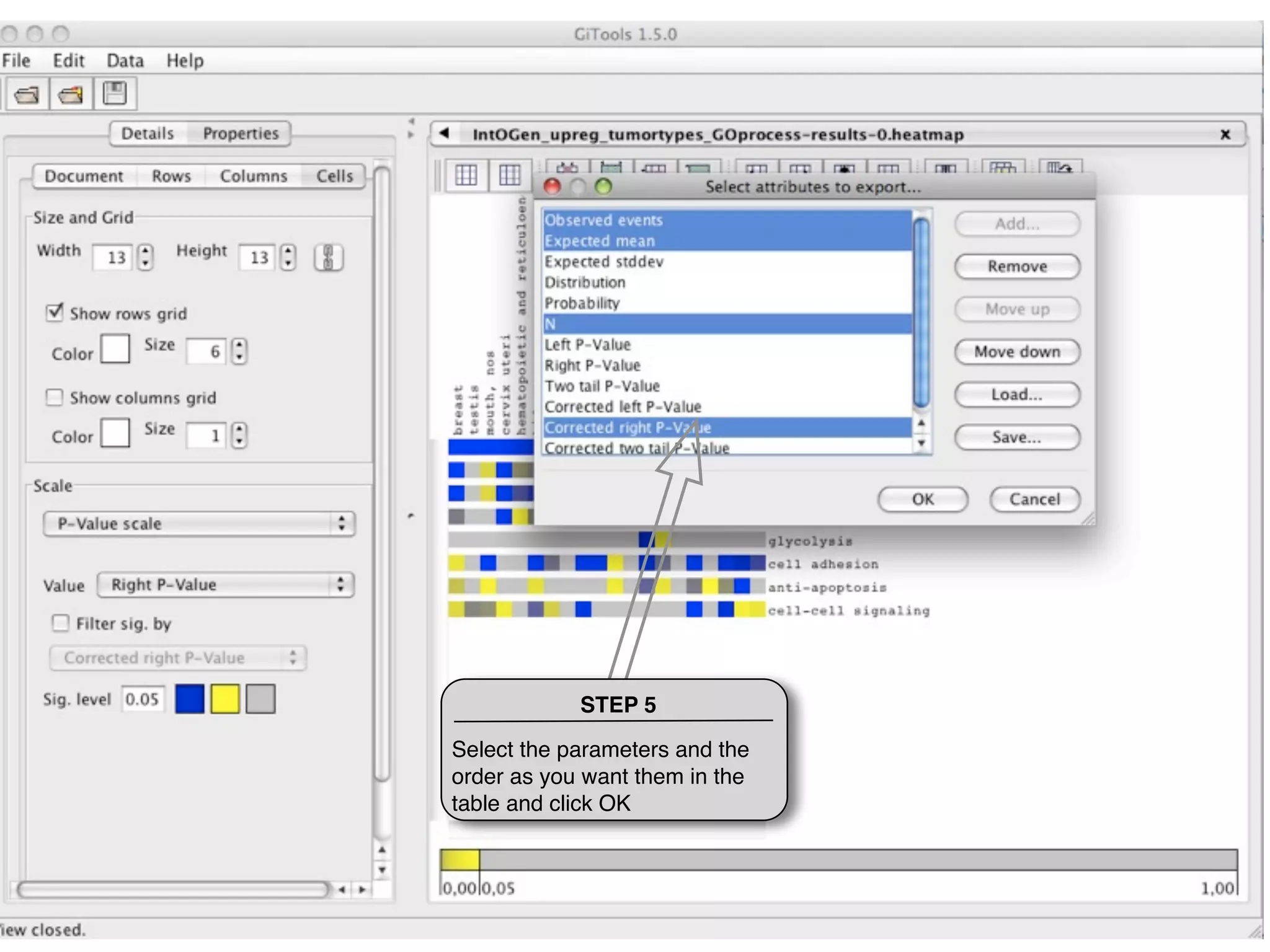
STEP 5

Select the parameters and the
order as you want them in the
table and click OK
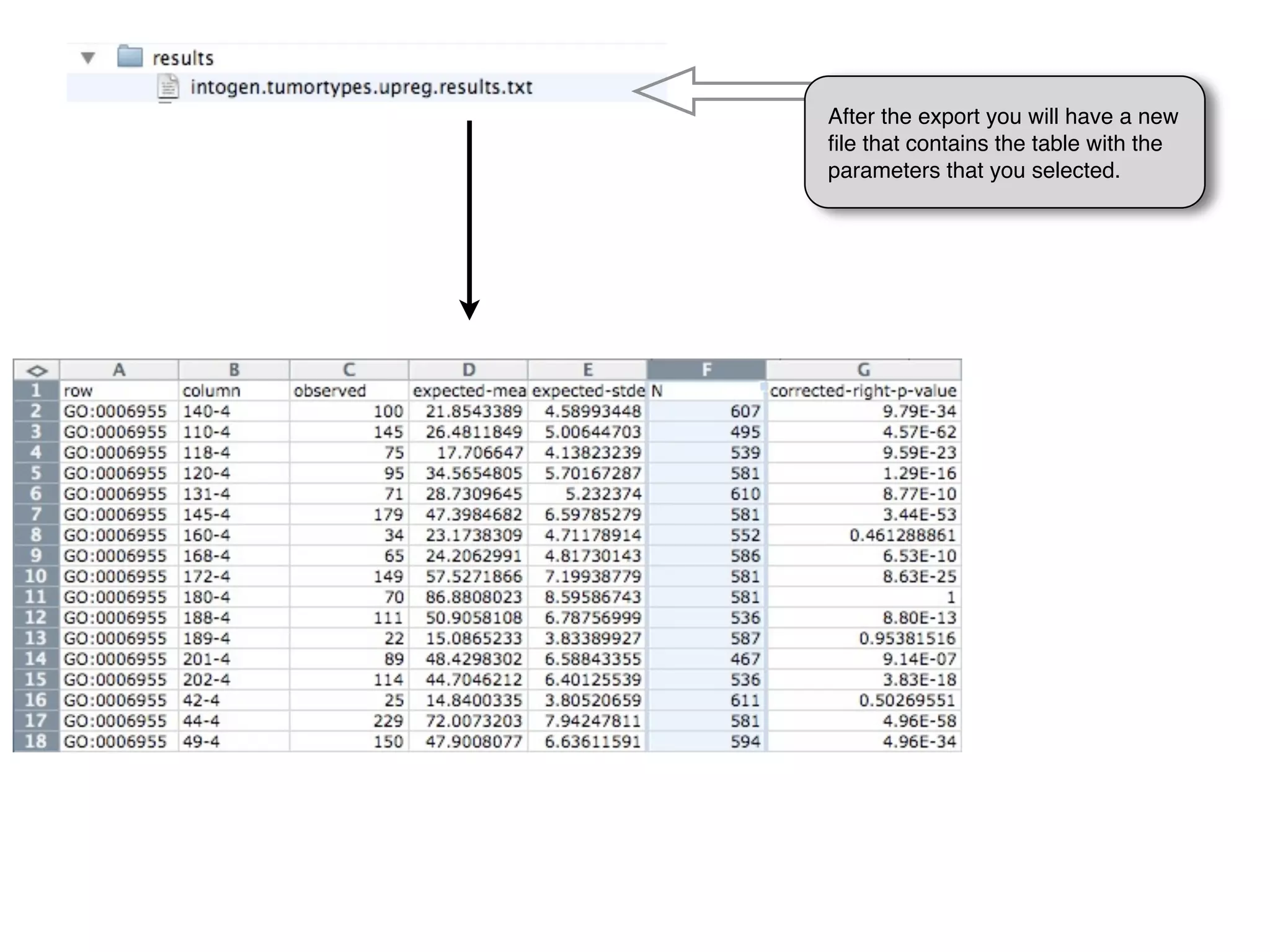
After the export you will have a new
file that contains the table with the
parameters that you selected.
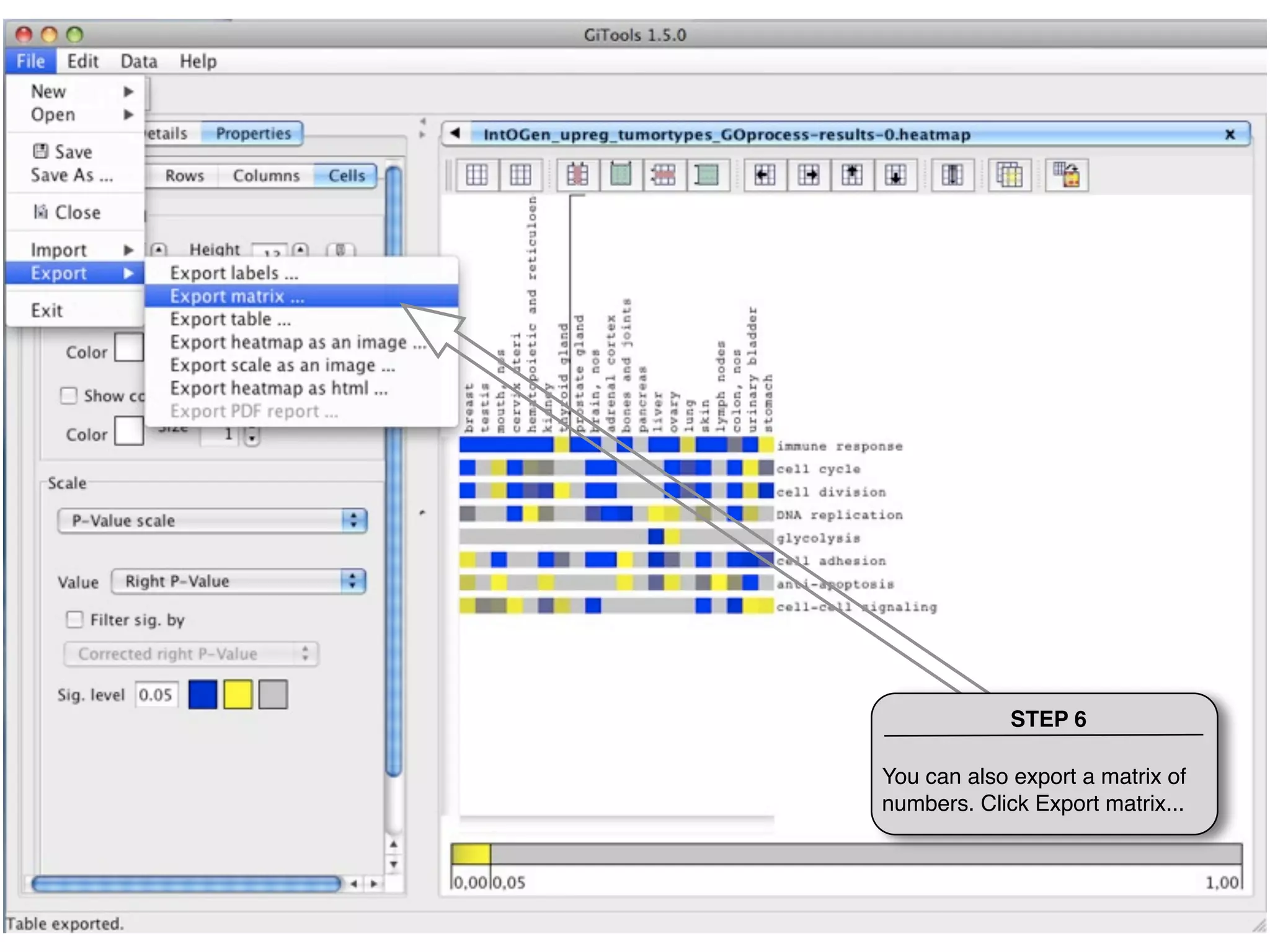
STEP 6

You can also export a matrix of
numbers. Click Export matrix...
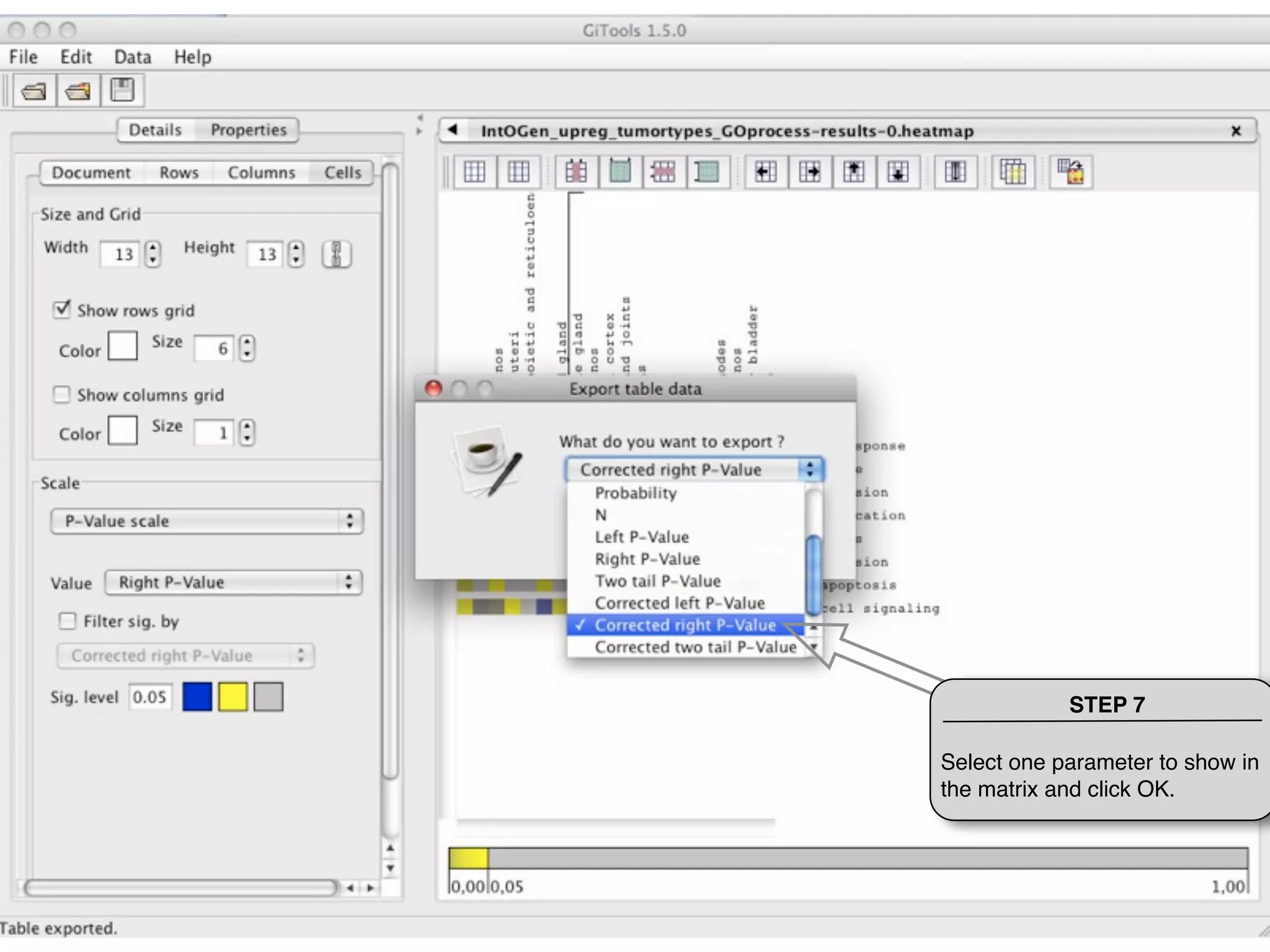
STEP 7

Select one parameter to show in
the matrix and click OK.
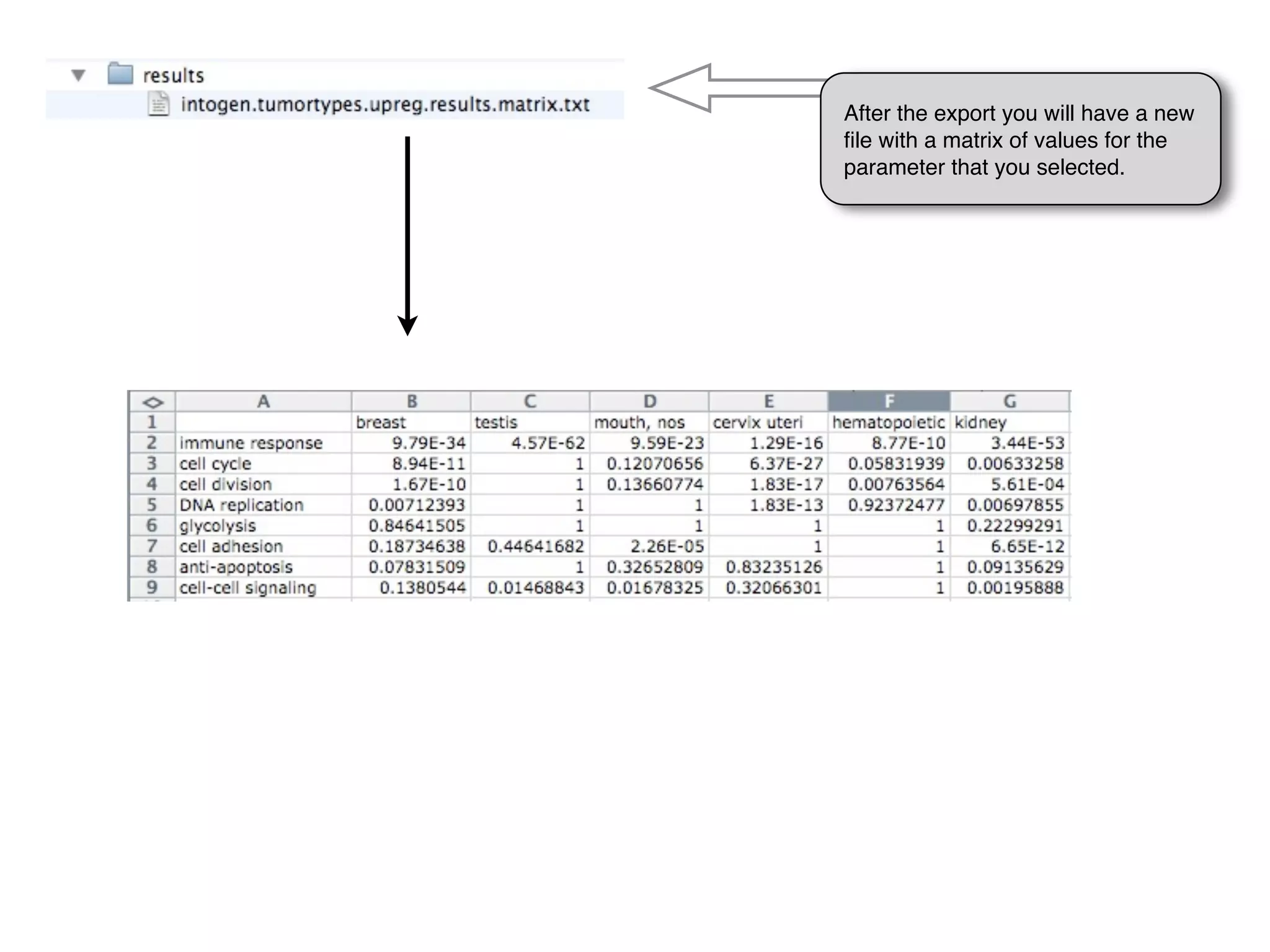
After the export you will have a new
file with a matrix of values for the
parameter that you selected.
THANKS FOR USING GITOOLS


    http://www.gitools.org

Tutorial 1.6 - Export heatmap image and table results

  • 1.
    Tutorial 1.6: Exportheatmap image and table results Export the results of the enrichment analysis as an image and as a table containing the details of the statistic results
  • 2.
    STEP 1 Click onExport heatmap as an image...
  • 3.
    STEP 2 Give aname to the image, select the directory where to save it and the format
  • 4.
    After the exportyou will have a new file with the image in the directory that you indicated.
  • 5.
    STEP 3 You canalso export the image of the scale you have selected to use it in your figures
  • 6.
    STEP 4 Click Exporttable ... to export a table with the parameters of the enrichment analysis results
  • 7.
    STEP 5 Select theparameters and the order as you want them in the table and click OK
  • 8.
    After the exportyou will have a new file that contains the table with the parameters that you selected.
  • 9.
    STEP 6 You canalso export a matrix of numbers. Click Export matrix...
  • 10.
    STEP 7 Select oneparameter to show in the matrix and click OK.
  • 11.
    After the exportyou will have a new file with a matrix of values for the parameter that you selected.
  • 12.
    THANKS FOR USINGGITOOLS http://www.gitools.org