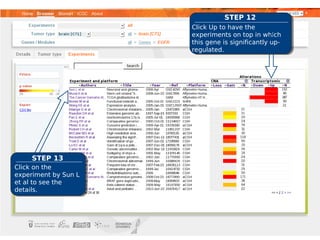
This document provides a tutorial on how to use the IntOGen website to prioritize a list of candidate cancer genes. It outlines 13 steps: 1) Go to the IntOGen website and click Browser; 2) Click Upload filter; 3) Select gene ID type; 4) Paste gene list; 5) Select cancer type; 6) View gene prioritization table; 7) Sort table by columns; 8) View gene alterations; 9) View detailed gene information; 10) View tumor type mutations; 11) View gene experiments; 12) Sort experiments; 13) View experiment details. The tutorial uses a list of 37 candidate glioblastoma genes to demonstrate how to analyze and prioritize genes based on cancer genomics