The Practical and Fun Guide to
 Assistive Technology i Public
 A i ti T h l         in P bli
             Schools


         Christopher R. Bugaj
          Sally Norton-Darr
         Free Powerpoint Templates
                                     Page 1
Today’s Topics
                  y
•   Professional Development
•   Conducting Consultations
    C d ti C          lt ti
•   Making Recommendations
•   Most Frequently Used Recommendations

          KWL activity – write down at least ONE thing
          about these topics (under the K and W only)

             Share with your neighbors at your table


                   Free Powerpoint Templates
                                                       Page 2
Professional Development
• What is that calendar thing?


                Free Powerpoint Templates
                                            Page 3
Professional Development

• Activity (10-15 minutes) –
           (10 15
  – You’re a team. What do the educators in your
    school district need to know to improve
    student performance without making their jobs
    more difficult?
     • Create a list of professional development topics


                   Free Powerpoint Templates
                                                          Page 4
Common Themes/Topics

• Exposure to Low-Tech strategies
               Low Tech strategies.
• Freeware, Shareware, what is already
  available
• UDL –
• Using tools already available (MS Office,
  Boardmaker, etc)
• AIM-Virginia & Bookshare.org (Accessible
  Materials))
• Switch use forFree Powerpoint Templates
                 Smartboard -
                                         Page 5
Professional Development

1.
1 Vast majority of PD workshops are for
   ALL Educators – This is good for all and
   gets the team “out there (Publicity Baby!)
                   out there”
2. Plant yourself in specialized team
   meetings and/or do workshops for
   specialized groups (SLPs, Autism, ID, etc.)
             NOTE: Whenever possible,
             NOTE Wh                 ibl
                     include administrators.

                 Free Powerpoint Templates
                                             Page 6
Let’s All Go to the Movies!

• DVDs
• Screen Capture Videos
  –P tS
    Prnt Scrn
  – Jing
  – www.screenjelly.com
• Video on the Internet


                Free Powerpoint Templates
                                            Page 7
Multi-Modal PD
•   Face to Face
•   Calendar
•   DVDs
•   Podcast on CD
•   Website
    – (http://lcps.org/at)
• Online Learning & Communities (ex Moodle)
                                (ex.
• Google Docs as follow-up

                      Free Powerpoint Templates
                                                  Page 8
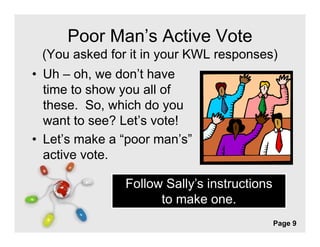
Poor Man’s Active Vote
 (You asked for it in your KWL responses)
• Uh – oh we don’t have
        oh,    don t
  time to show you all of
  these. So,
  these So which do you
  want to see? Let’s vote!
• Let’s make a “poor man’s”
  Let s         poor man s
  active vote.

               Follow Sally’s instructions
                     to make one
                               one.
               Free Powerpoint Templates
                                             Page 9
The Great Eight
 (Links to resources at the end of this presentation)

1. High-Contrast in Word
2. PhotoAlbum Feature of PowerPoint
   (
   (Show Google Docs here too)
               g                          )
3. Visual Schedules (Linear and Amorphous)
4.
4 Text to Speech
5. Social “Situation” Stories
6. Sound Record Feature of MS Word*
7. Graphic Organizers (paper, software, Internet)
8. Pacing Boards (Communication strategy)
                  Free Powerpoint Templates
                                                    Page 10
Consultations
• Once upon a time…
  We used to only do evaluations
• CONTACT US WITH ANY QUESTIONS
• WE are your colleagues (who don’t
  necessarily work in y
            y         your building)
                                  g)
         » Is this RTI, Child Study (Is funding going into RTI?
           What is the relationship between RTI and AT?)
         » How can the AT Team support ALL Students (even if
           not in special education)?
         » AT/UDL funding options only Sp Ed?

              http://bit.ly/atmontagevid
                Free Powerpoint Templates
                                                         Page 11
Consultations: Outcomes/Follow-up
• Always have at least one
  thing to t b f
  thi t try before you leave
                        l
  a consultation.


                        Recommendations can
                        ONLY be for what is
                        already available in the
                        educational environment.
               Free Powerpoint Templates
                                           Page 12
Consultations: Outcomes/Follow-up
• Follow-up with an e-mail
  summarizing your meeting
  – Good for your record keeping
  – Chart this for justification
                   j
    purposes


                      Evaluation as an outcome.
                      What if the student needs
                      more than what is already
                      available?
                   Free Powerpoint Templates
                                               Page 13
Pick an envelope!

• Activity – Everyone gets a scenario (case
  study). Get up and find your scenario in
  the room
      room.
• With the other people in your new group,
  develop a list of recommendations for this
  student (10-15 minutes)


                Free Powerpoint Templates
                                            Page 14
Let’s Share!
• Share your person and the
  recommendations you came up with:
  – Molly
  – Alex
  – Ms. Teacher
  –HHoward (L t’ l k at
            d (Let’s look t
  your homework!)
   (http://bit.ly/ttacatfun)
   (htt //bit l /tt    tf )

                 http://tinyurl.com/SLfunpractical
                 http://tinyurl com/SLfunpractical
                   Free Powerpoint Templates
                                                 Page 15
Homework!

• Go to Google Doc – http://bit.ly/ttacatfun
• Click on the “Math Resources” tab. Share
  at least one tool/strategy
               tool/strategy.
• Click on the “Communication” tab. Share
  at least one tool/strategy.
   tl    t     t l/ t t

                                      Remember t put
                                      R       b to t
                                      your initials after
                                        your strategy
                                             strategy.
                Free Powerpoint Templates
                                                     Page 16
Next time…

•   Conducting Individual Evaluations
•   Conducting Classroom Evaluations
•   Dissecting a R
    Di    ti     Report
                      t
•   Summertime!


                 Free Powerpoint Templates
                                             Page 17
High Contrast in Word
         g
• Tutorial – http://bit ly/highcontrasttutorial
             http://bit.ly/highcontrasttutorial

• P d
  Podcast – htt //bit l /53 di hi h
        t http://bit.ly/53audiohighcontrast
                                      t t

• Blog - http://bit.ly/episode53highcontrast

• Video - http://bit.ly/shiftaltprntscrn

                  Free Powerpoint Templates
                                                  Page 18
PhotoAlbum Feature of PowerPoint
• Tutorial - http://bit.ly/powerpointphotoalbum

• Podcast - http://bit.ly/ep39audiopowerpointphotoalbum

• Blog - http://bit.ly/ep39blogpowerpointphotoalbum

• Video - http://bit.ly/videopowerpointphotoalbum

• Implementation Ideas – http://bit.ly/attb102

                     Free Powerpoint Templates
                                                      Page 19
Visual Schedules
• Linear -
  – Blog: http://bit.ly/ep17linearvisualschedules
  – P d
    Podcast: htt //bit l / 17li
            t http://bit.ly/ep17linearvisualschedulesaudio
                                       i   l h d l     di


• Amorphous –
  – Blog: http://bit.ly/ep18amorphousvisualschedules
  – Podcast: http://bit.ly/ep18amorphousvisualschedulesaudio


                         Free Powerpoint Templates
                                                               Page 20
Text-to-Speech
• www.readplease.com –
 – Blog: http://bit.ly/readpleaseblog
 – Podcast: http://bit.ly/ep6readpleaseaudio
 – Video: http://bit.ly/readpleasevideo


• www.vozme.com -
 – Bl
   Blog: htt //bit l / 48
         http://bit.ly/ep48vozme
 – Podcast: http://bit.ly/ep48vozmeaudio
 – Vid
   Video: htt //bit l /
          http://bit.ly/vozmevideo
                              id
                 Free Powerpoint Templates
                                               Page 21
Social Situation Stories
•   http://www.polyxo.com/socialstories
       p        p y
•   http://www.region2library.org/SocialStories.htm
•   http://csefel.vanderbilt.edu/resources/strategies.html
•   http://www.thewatsoninstitute.org/teacher-
    resources2.jsp?pageId=2161392240601226415747290


                      Free Powerpoint Templates
                                                        Page 22
Sound Record in MS Word

• http://bit ly/recaudword
  http://bit.ly/recaudword
• http://tinyurl.com/quickrecord
• Bl and podcast htt //bit l /
  Blog d d           t http://bit.ly/gzpIvv
                                        I


                  Free Powerpoint Templates
                                              Page 23
Graphic Organizers
                     g

•   http://www.eduplace.com/graphicorganizer/
•   http://my.hrw.com/nsmedia/intgos/html/igo.htm
•   https://bubbl.us/
    https://bubbl us/
•   Blog and podcast: http://bit.ly/ifXSGJ


                   Free Powerpoint Templates
                                                Page 24
Pacing Board
                 g

• http://cmsweb1 loudoun k12 va us/509100
  http://cmsweb1.loudoun.k12.va.us/509100
  68152053/lib/50910068152053/Keeping%
  20Pace%207MB.wmv
  20Pace%207MB wmv
• http://attipscast.wordpress.com/tag/pacing
  -board/
   board/


                Free Powerpoint Templates
                                            Page 25
References

•   Bugaj, C.R. & Norton-Darr, S. (2010). The practical and fun guide to
    assistive technology in publics schools: building or improving your
    district’s AT team. Washington, D.C.: International Society for
    Technology in Education (ISTE).


                          Free Powerpoint Templates
                                                                    Page 26

TTAC Book Study Week 2

  • 1.
    The Practical andFun Guide to Assistive Technology i Public A i ti T h l in P bli Schools Christopher R. Bugaj Sally Norton-Darr Free Powerpoint Templates Page 1
  • 2.
    Today’s Topics y • Professional Development • Conducting Consultations C d ti C lt ti • Making Recommendations • Most Frequently Used Recommendations KWL activity – write down at least ONE thing about these topics (under the K and W only) Share with your neighbors at your table Free Powerpoint Templates Page 2
  • 3.
    Professional Development • Whatis that calendar thing? Free Powerpoint Templates Page 3
  • 4.
    Professional Development • Activity(10-15 minutes) – (10 15 – You’re a team. What do the educators in your school district need to know to improve student performance without making their jobs more difficult? • Create a list of professional development topics Free Powerpoint Templates Page 4
  • 5.
    Common Themes/Topics • Exposureto Low-Tech strategies Low Tech strategies. • Freeware, Shareware, what is already available • UDL – • Using tools already available (MS Office, Boardmaker, etc) • AIM-Virginia & Bookshare.org (Accessible Materials)) • Switch use forFree Powerpoint Templates Smartboard - Page 5
  • 6.
    Professional Development 1. 1 Vastmajority of PD workshops are for ALL Educators – This is good for all and gets the team “out there (Publicity Baby!) out there” 2. Plant yourself in specialized team meetings and/or do workshops for specialized groups (SLPs, Autism, ID, etc.) NOTE: Whenever possible, NOTE Wh ibl include administrators. Free Powerpoint Templates Page 6
  • 7.
    Let’s All Goto the Movies! • DVDs • Screen Capture Videos –P tS Prnt Scrn – Jing – www.screenjelly.com • Video on the Internet Free Powerpoint Templates Page 7
  • 8.
    Multi-Modal PD • Face to Face • Calendar • DVDs • Podcast on CD • Website – (http://lcps.org/at) • Online Learning & Communities (ex Moodle) (ex. • Google Docs as follow-up Free Powerpoint Templates Page 8
  • 9.
    Poor Man’s ActiveVote (You asked for it in your KWL responses) • Uh – oh we don’t have oh, don t time to show you all of these. So, these So which do you want to see? Let’s vote! • Let’s make a “poor man’s” Let s poor man s active vote. Follow Sally’s instructions to make one one. Free Powerpoint Templates Page 9
  • 10.
    The Great Eight (Links to resources at the end of this presentation) 1. High-Contrast in Word 2. PhotoAlbum Feature of PowerPoint ( (Show Google Docs here too) g ) 3. Visual Schedules (Linear and Amorphous) 4. 4 Text to Speech 5. Social “Situation” Stories 6. Sound Record Feature of MS Word* 7. Graphic Organizers (paper, software, Internet) 8. Pacing Boards (Communication strategy) Free Powerpoint Templates Page 10
  • 11.
    Consultations • Once upona time… We used to only do evaluations • CONTACT US WITH ANY QUESTIONS • WE are your colleagues (who don’t necessarily work in y y your building) g) » Is this RTI, Child Study (Is funding going into RTI? What is the relationship between RTI and AT?) » How can the AT Team support ALL Students (even if not in special education)? » AT/UDL funding options only Sp Ed? http://bit.ly/atmontagevid Free Powerpoint Templates Page 11
  • 12.
    Consultations: Outcomes/Follow-up • Alwayshave at least one thing to t b f thi t try before you leave l a consultation. Recommendations can ONLY be for what is already available in the educational environment. Free Powerpoint Templates Page 12
  • 13.
    Consultations: Outcomes/Follow-up • Follow-upwith an e-mail summarizing your meeting – Good for your record keeping – Chart this for justification j purposes Evaluation as an outcome. What if the student needs more than what is already available? Free Powerpoint Templates Page 13
  • 14.
    Pick an envelope! •Activity – Everyone gets a scenario (case study). Get up and find your scenario in the room room. • With the other people in your new group, develop a list of recommendations for this student (10-15 minutes) Free Powerpoint Templates Page 14
  • 15.
    Let’s Share! • Shareyour person and the recommendations you came up with: – Molly – Alex – Ms. Teacher –HHoward (L t’ l k at d (Let’s look t your homework!) (http://bit.ly/ttacatfun) (htt //bit l /tt tf ) http://tinyurl.com/SLfunpractical http://tinyurl com/SLfunpractical Free Powerpoint Templates Page 15
  • 16.
    Homework! • Go toGoogle Doc – http://bit.ly/ttacatfun • Click on the “Math Resources” tab. Share at least one tool/strategy tool/strategy. • Click on the “Communication” tab. Share at least one tool/strategy. tl t t l/ t t Remember t put R b to t your initials after your strategy strategy. Free Powerpoint Templates Page 16
  • 17.
    Next time… • Conducting Individual Evaluations • Conducting Classroom Evaluations • Dissecting a R Di ti Report t • Summertime! Free Powerpoint Templates Page 17
  • 18.
    High Contrast inWord g • Tutorial – http://bit ly/highcontrasttutorial http://bit.ly/highcontrasttutorial • P d Podcast – htt //bit l /53 di hi h t http://bit.ly/53audiohighcontrast t t • Blog - http://bit.ly/episode53highcontrast • Video - http://bit.ly/shiftaltprntscrn Free Powerpoint Templates Page 18
  • 19.
    PhotoAlbum Feature ofPowerPoint • Tutorial - http://bit.ly/powerpointphotoalbum • Podcast - http://bit.ly/ep39audiopowerpointphotoalbum • Blog - http://bit.ly/ep39blogpowerpointphotoalbum • Video - http://bit.ly/videopowerpointphotoalbum • Implementation Ideas – http://bit.ly/attb102 Free Powerpoint Templates Page 19
  • 20.
    Visual Schedules • Linear- – Blog: http://bit.ly/ep17linearvisualschedules – P d Podcast: htt //bit l / 17li t http://bit.ly/ep17linearvisualschedulesaudio i l h d l di • Amorphous – – Blog: http://bit.ly/ep18amorphousvisualschedules – Podcast: http://bit.ly/ep18amorphousvisualschedulesaudio Free Powerpoint Templates Page 20
  • 21.
    Text-to-Speech • www.readplease.com – – Blog: http://bit.ly/readpleaseblog – Podcast: http://bit.ly/ep6readpleaseaudio – Video: http://bit.ly/readpleasevideo • www.vozme.com - – Bl Blog: htt //bit l / 48 http://bit.ly/ep48vozme – Podcast: http://bit.ly/ep48vozmeaudio – Vid Video: htt //bit l / http://bit.ly/vozmevideo id Free Powerpoint Templates Page 21
  • 22.
    Social Situation Stories • http://www.polyxo.com/socialstories p p y • http://www.region2library.org/SocialStories.htm • http://csefel.vanderbilt.edu/resources/strategies.html • http://www.thewatsoninstitute.org/teacher- resources2.jsp?pageId=2161392240601226415747290 Free Powerpoint Templates Page 22
  • 23.
    Sound Record inMS Word • http://bit ly/recaudword http://bit.ly/recaudword • http://tinyurl.com/quickrecord • Bl and podcast htt //bit l / Blog d d t http://bit.ly/gzpIvv I Free Powerpoint Templates Page 23
  • 24.
    Graphic Organizers g • http://www.eduplace.com/graphicorganizer/ • http://my.hrw.com/nsmedia/intgos/html/igo.htm • https://bubbl.us/ https://bubbl us/ • Blog and podcast: http://bit.ly/ifXSGJ Free Powerpoint Templates Page 24
  • 25.
    Pacing Board g • http://cmsweb1 loudoun k12 va us/509100 http://cmsweb1.loudoun.k12.va.us/509100 68152053/lib/50910068152053/Keeping% 20Pace%207MB.wmv 20Pace%207MB wmv • http://attipscast.wordpress.com/tag/pacing -board/ board/ Free Powerpoint Templates Page 25
  • 26.
    References • Bugaj, C.R. & Norton-Darr, S. (2010). The practical and fun guide to assistive technology in publics schools: building or improving your district’s AT team. Washington, D.C.: International Society for Technology in Education (ISTE). Free Powerpoint Templates Page 26