
TowardsThePaperlessOffice

Editor's Notes

  • #3 The way I like to do things is through examples, and we’ll be showing plenty of them today.So today, I’ll spend about a third of the talk providing some of the history and theory behind the idea of the paperless officeI’m mainly going to draw on Richard Harper and Abigail Sellen’s book on The Myth of the Paperless office but also from the Science and Technology Studies literatureFrom my point of view, there are two “fronts” in the advance of the paperless office. The first is at the Human Computer Interface level – interfaces which has some of the affordances that using paper has. To do that, I’ll present some of the recent HCI innovations that I think has gone some way to achieve this.The second “front” is at the collaborative work level. And this is what I was originally aiming to write my talk on – which is the recent innovations that has happened in Web 2.0 space and what they mean for the paperless office. Before I start, please just ask if there’s something that you don’t understand or something that you want to know more about – especially when I show the examples later on.
  • #4 Simulating the Desktop to be more like a real desktop ...Bumptop
  • #5 Multi- touch screens. Has a lot of the affordances that paper has – easy to mark up, two people can work on it at the same time, real physicality to it. http://www.ted.com/index.php/talks/view/id/65
  • #6 Tagging photos - best example of that was flickr. You can assign keywords to each photo, and you can search for that tag.Tagging of files instead of putting them in folders(Google docs – moved from tagging to folders)
  • #7 Move to the Cloud -> and moving away from the cloud.Moving to remote desktop to work anywhereBuilt on the premise that web applications will be the predominate type of application that people will interact with.
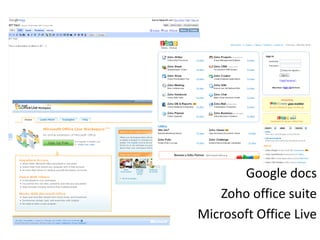
  • #8 Basic level – bringing documents online so that multiple people can collaborate and work on them at the same time. Google documents – sharing documents between colleagues. You can see who has edited it – and when. Also does version control. But lacks a lot of features that offline editors have. Allows multiple editors and sharing with collaborators