Becoming a Master of
Photoshop
What is Image Manipulation?
Simply put, Image
Manipulation is the process in
which we alter an image to
suit our needs. This can be
achieved both digitally and
traditionally.
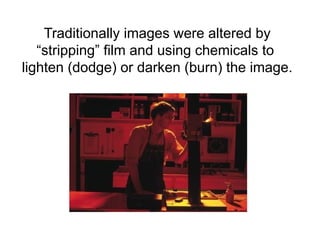
Traditionally images were altered by
“stripping” film and using chemicals to
lighten (dodge) or darken (burn) the image.
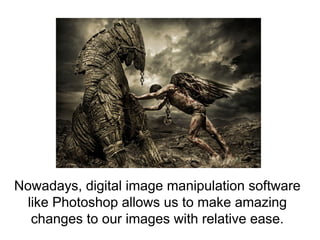
Nowadays, digital image manipulation software
like Photoshop allows us to make amazing
changes to our images with relative ease.
The most common tools used for image
manipulation in Photoshop are:
Layers
Selections (Various)
Brushes
Cloning
Healing Brush
Dodge & Burn
Colour Correction – Adjustments
Generative Fill (New AI Feature)
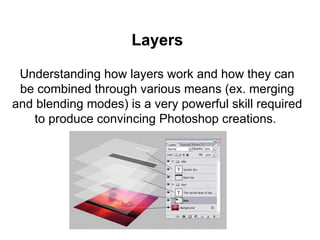
Layers
Understanding how layers work and how they can
be combined through various means (ex. merging
and blending modes) is a very powerful skill required
to produce convincing Photoshop creations.
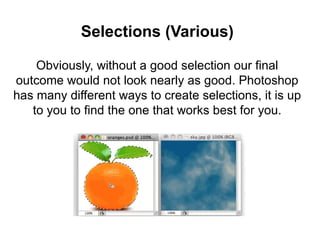
Selections (Various)
Obviously, without a good selection our final
outcome would not look nearly as good. Photoshop
has many different ways to create selections, it is up
to you to find the one that works best for you.
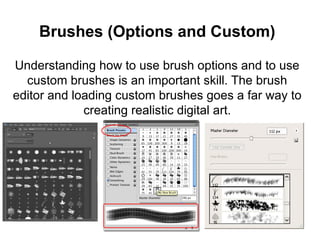
Brushes (Options and Custom)
Understanding how to use brush options and to use
custom brushes is an important skill. The brush
editor and loading custom brushes goes a far way to
creating realistic digital art.
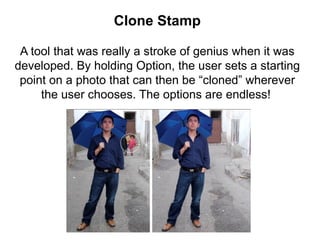
Clone Stamp
A tool that was really a stroke of genius when it was
developed. By holding Option, the user sets a starting
point on a photo that can then be “cloned” wherever
the user chooses. The options are endless!
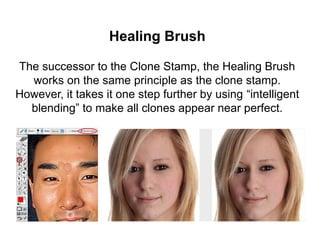
Healing Brush
The successor to the Clone Stamp, the Healing Brush
works on the same principle as the clone stamp.
However, it takes it one step further by using “intelligent
blending” to make all clones appear near perfect.
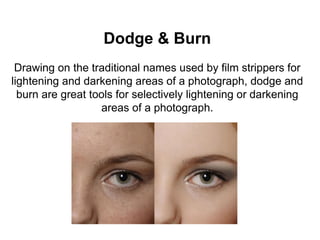
Dodge & Burn
Drawing on the traditional names used by film strippers for
lightening and darkening areas of a photograph, dodge and
burn are great tools for selectively lightening or darkening
areas of a photograph.
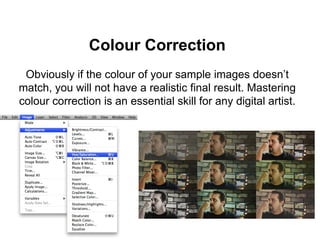
Colour Correction
Obviously if the colour of your sample images doesn’t
match, you will not have a realistic final result. Mastering
colour correction is an essential skill for any digital artist.
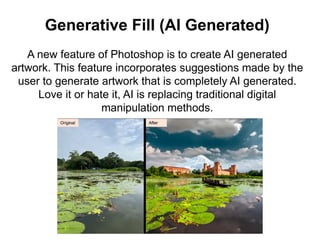
Generative Fill (AI Generated)
A new feature of Photoshop is to create AI generated
artwork. This feature incorporates suggestions made by the
user to generate artwork that is completely AI generated.
Love it or hate it, AI is replacing traditional digital
manipulation methods.
FOLLOW UP QUESTIONS
1. What is image manipulation?
2. What is the name of the traditional technique of
manipulating images.
3. Briefly explain how layers work in Photoshop.
4. What is the purpose of a selection?
5. How has AI changed the way we create digital art?

Tools and Tricks that can be used for Image Manipulation

  • 1.
    Becoming a Masterof Photoshop
  • 2.
    What is ImageManipulation?
  • 3.
    Simply put, Image Manipulationis the process in which we alter an image to suit our needs. This can be achieved both digitally and traditionally.
  • 4.
    Traditionally images werealtered by “stripping” film and using chemicals to lighten (dodge) or darken (burn) the image.
  • 5.
    Nowadays, digital imagemanipulation software like Photoshop allows us to make amazing changes to our images with relative ease.
  • 6.
    The most commontools used for image manipulation in Photoshop are: Layers Selections (Various) Brushes Cloning Healing Brush Dodge & Burn Colour Correction – Adjustments Generative Fill (New AI Feature)
  • 7.
    Layers Understanding how layerswork and how they can be combined through various means (ex. merging and blending modes) is a very powerful skill required to produce convincing Photoshop creations.
  • 8.
    Selections (Various) Obviously, withouta good selection our final outcome would not look nearly as good. Photoshop has many different ways to create selections, it is up to you to find the one that works best for you.
  • 9.
    Brushes (Options andCustom) Understanding how to use brush options and to use custom brushes is an important skill. The brush editor and loading custom brushes goes a far way to creating realistic digital art.
  • 10.
    Clone Stamp A toolthat was really a stroke of genius when it was developed. By holding Option, the user sets a starting point on a photo that can then be “cloned” wherever the user chooses. The options are endless!
  • 11.
    Healing Brush The successorto the Clone Stamp, the Healing Brush works on the same principle as the clone stamp. However, it takes it one step further by using “intelligent blending” to make all clones appear near perfect.
  • 12.
    Dodge & Burn Drawingon the traditional names used by film strippers for lightening and darkening areas of a photograph, dodge and burn are great tools for selectively lightening or darkening areas of a photograph.
  • 13.
    Colour Correction Obviously ifthe colour of your sample images doesn’t match, you will not have a realistic final result. Mastering colour correction is an essential skill for any digital artist.
  • 14.
    Generative Fill (AIGenerated) A new feature of Photoshop is to create AI generated artwork. This feature incorporates suggestions made by the user to generate artwork that is completely AI generated. Love it or hate it, AI is replacing traditional digital manipulation methods.
  • 15.
    FOLLOW UP QUESTIONS 1.What is image manipulation? 2. What is the name of the traditional technique of manipulating images. 3. Briefly explain how layers work in Photoshop. 4. What is the purpose of a selection? 5. How has AI changed the way we create digital art?