

Behavior-Driven Development (BDD)
And Automation Testing With
Cucumber
TRONG BUI & THONG NGUYEN
STC 2014
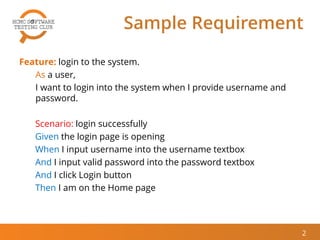
Sample Requirement
Feature: login to the system.
As a user,
I want to login into the system when I provide username and
password.
Scenario: login successfully
Given the login page is opening
When I input username into the username textbox
And I input valid password into the password textbox
And I click Login button
Then I am on the Home page
2
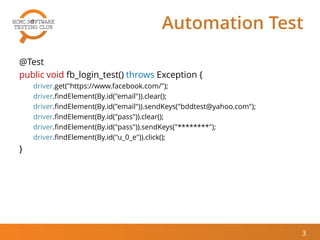
Automation Test
@Test
public void fb_login_test() throws Exception {
driver.get("https://www.facebook.com/");
driver.findElement(By.id("email")).clear();
driver.findElement(By.id("email")).sendKeys("bddtest@yahoo.com");
driver.findElement(By.id("pass")).clear();
driver.findElement(By.id("pass")).sendKeys("********");
driver.findElement(By.id("u_0_e")).click();
}
3
Automation Test?
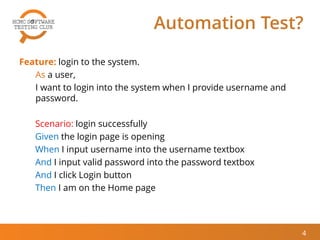
Feature: login to the system.
As a user,
I want to login into the system when I provide username and
password.
Scenario: login successfully
Given the login page is opening
When I input username into the username textbox
And I input valid password into the password textbox
And I click Login button
Then I am on the Home page
4
Behavior-Driven Development
(BDD)
And Automation Testing With
Cucumber
5
AGENDA
 Behavior-driven development
 Automation Testing with Cucumber
 BDD/Cucumber – Pros & Cons
 Q&A
6
7
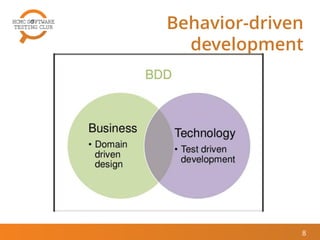
Behavior-driven development
Behavior-driven
development
8
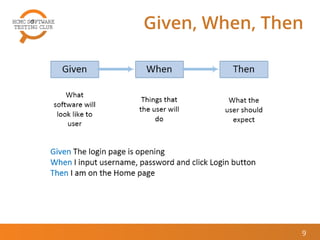
Given, When, Then
9
10
AUTOMATION TESTING WITH
CUCUMBER
Cucumber Approach
11
Given /^I launch "([^"]*)" page$/ do |page|
visit(page)
End
When /^I fill in "([^"]*)" with "([^"]*)"$/ do |field, value|
fill_in field, :with => value
end
Feature: Login to Email system.
As an employee, I want to login into my email system with
provided username and password.
Scenario: Verify that employee could login email system
Given I launch "https://accounts.google.com" page
When I fill in “Email " with “hcmc-stc-12-jul@gmail.com"
And I fill in “Passwd" with “hcmc-stc-passwd"
And I click on "signIn" button
Then I am on the “Home” page
Scenario Example in BDD
Format
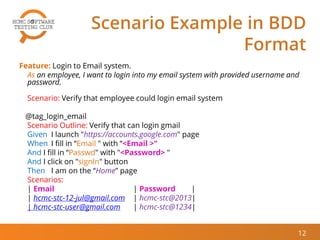
Feature: Login to Email system.
As an employee, I want to login into my email system with provided username and
password.
Scenario: Verify that employee could login email system
@tag_login_email
Scenario Outline: Verify that can login gmail
Given I launch "https://accounts.google.com" page
When I fill in “Email " with “<Email >"
And I fill in “Passwd" with "<Password> "
And I click on "signIn" button
Then I am on the “Home” page
Scenarios:
| Email | Password |
| hcmc-stc-12-jul@gmail.com | hcmc-stc@2013|
| hcmc-stc-user@gmail.com | hcmc-stc@1234|
12
Summary
13
Demo
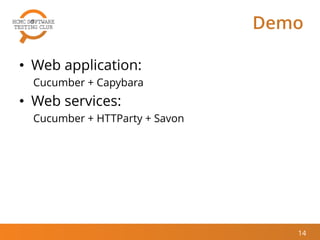
• Web application:
Cucumber + Capybara
• Web services:
Cucumber + HTTParty + Savon
14
Demo: Web Application
15
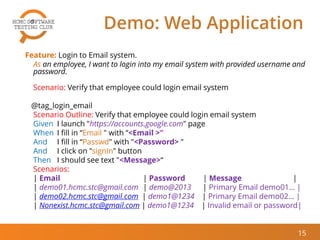
Feature: Login to Email system.
As an employee, I want to login into my email system with provided username and
password.
Scenario: Verify that employee could login email system
@tag_login_email
Scenario Outline: Verify that employee could login email system
Given I launch "https://accounts.google.com" page
When I fill in “Email " with “<Email >"
And I fill in “Passwd" with "<Password> "
And I click on "signIn" button
Then I should see text "<Message>“
Scenarios:
| Email | Password | Message |
| demo01.hcmc.stc@gmail.com | demo@2013 | Primary Email demo01… |
| demo02.hcmc.stc@gmail.com | demo1@1234 | Primary Email demo02… |
| Nonexist.hcmc.stc@gmail.com | demo1@1234 | Invalid email or password|
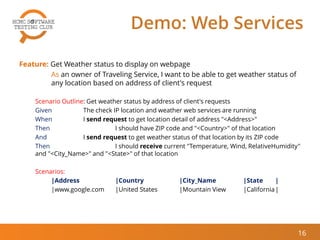
Demo: Web Services
Feature: Get Weather status to display on webpage
As an owner of Traveling Service, I want to be able to get weather status of
any location based on address of client's request
Scenario Outline: Get weather status by address of client's requests
Given The check IP location and weather web services are running
When I send request to get location detail of address "<Address>"
Then I should have ZIP code and "<Country>" of that location
And I send request to get weather status of that location by its ZIP code
Then I should receive current "Temperature, Wind, RelativeHumidity"
and "<City_Name>" and "<State>" of that location
Scenarios:
|Address |Country |City_Name |State |
|www.google.com |United States |Mountain View |California|
16
17
BDD/CUCUMBER – PROS &
CONS
18
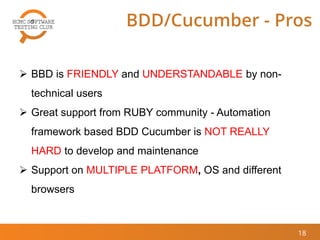
BDD/Cucumber - Pros
 BBD is FRIENDLY and UNDERSTANDABLE by non-
technical users
 Great support from RUBY community - Automation
framework based BDD Cucumber is NOT REALLY
HARD to develop and maintenance
 Support on MULTIPLE PLATFORM, OS and different
browsers
19
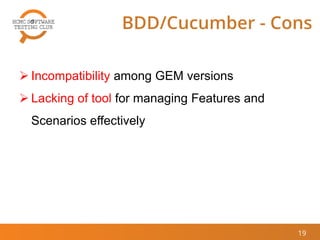
BDD/Cucumber - Cons
 Incompatibility among GEM versions
 Lacking of tool for managing Features and
Scenarios effectively
20
Q&A
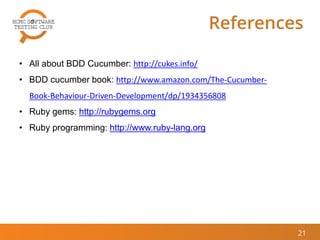
References
21
• All about BDD Cucumber: http://cukes.info/
• BDD cucumber book: http://www.amazon.com/The-Cucumber-
Book-Behaviour-Driven-Development/dp/1934356808
• Ruby gems: http://rubygems.org
• Ruby programming: http://www.ruby-lang.org
© 2014 HCMC Software Testing Club
THANK YOU

[Thong Nguyen & Trong Bui] Behavior Driven Development (BDD) and Automation Testing with Cucumber

  • 1.
    Behavior-Driven Development (BDD) AndAutomation Testing With Cucumber TRONG BUI & THONG NGUYEN STC 2014
  • 2.
    Sample Requirement Feature: loginto the system. As a user, I want to login into the system when I provide username and password. Scenario: login successfully Given the login page is opening When I input username into the username textbox And I input valid password into the password textbox And I click Login button Then I am on the Home page 2
  • 3.
    Automation Test @Test public voidfb_login_test() throws Exception { driver.get("https://www.facebook.com/"); driver.findElement(By.id("email")).clear(); driver.findElement(By.id("email")).sendKeys("bddtest@yahoo.com"); driver.findElement(By.id("pass")).clear(); driver.findElement(By.id("pass")).sendKeys("********"); driver.findElement(By.id("u_0_e")).click(); } 3
  • 4.
    Automation Test? Feature: loginto the system. As a user, I want to login into the system when I provide username and password. Scenario: login successfully Given the login page is opening When I input username into the username textbox And I input valid password into the password textbox And I click Login button Then I am on the Home page 4
  • 5.
  • 6.
    AGENDA  Behavior-driven development Automation Testing with Cucumber  BDD/Cucumber – Pros & Cons  Q&A 6
  • 7.
  • 8.
  • 9.
  • 10.
  • 11.
    Cucumber Approach 11 Given /^Ilaunch "([^"]*)" page$/ do |page| visit(page) End When /^I fill in "([^"]*)" with "([^"]*)"$/ do |field, value| fill_in field, :with => value end Feature: Login to Email system. As an employee, I want to login into my email system with provided username and password. Scenario: Verify that employee could login email system Given I launch "https://accounts.google.com" page When I fill in “Email " with “hcmc-stc-12-jul@gmail.com" And I fill in “Passwd" with “hcmc-stc-passwd" And I click on "signIn" button Then I am on the “Home” page
  • 12.
    Scenario Example inBDD Format Feature: Login to Email system. As an employee, I want to login into my email system with provided username and password. Scenario: Verify that employee could login email system @tag_login_email Scenario Outline: Verify that can login gmail Given I launch "https://accounts.google.com" page When I fill in “Email " with “<Email >" And I fill in “Passwd" with "<Password> " And I click on "signIn" button Then I am on the “Home” page Scenarios: | Email | Password | | hcmc-stc-12-jul@gmail.com | hcmc-stc@2013| | hcmc-stc-user@gmail.com | hcmc-stc@1234| 12
  • 13.
  • 14.
    Demo • Web application: Cucumber+ Capybara • Web services: Cucumber + HTTParty + Savon 14
  • 15.
    Demo: Web Application 15 Feature:Login to Email system. As an employee, I want to login into my email system with provided username and password. Scenario: Verify that employee could login email system @tag_login_email Scenario Outline: Verify that employee could login email system Given I launch "https://accounts.google.com" page When I fill in “Email " with “<Email >" And I fill in “Passwd" with "<Password> " And I click on "signIn" button Then I should see text "<Message>“ Scenarios: | Email | Password | Message | | demo01.hcmc.stc@gmail.com | demo@2013 | Primary Email demo01… | | demo02.hcmc.stc@gmail.com | demo1@1234 | Primary Email demo02… | | Nonexist.hcmc.stc@gmail.com | demo1@1234 | Invalid email or password|
  • 16.
    Demo: Web Services Feature:Get Weather status to display on webpage As an owner of Traveling Service, I want to be able to get weather status of any location based on address of client's request Scenario Outline: Get weather status by address of client's requests Given The check IP location and weather web services are running When I send request to get location detail of address "<Address>" Then I should have ZIP code and "<Country>" of that location And I send request to get weather status of that location by its ZIP code Then I should receive current "Temperature, Wind, RelativeHumidity" and "<City_Name>" and "<State>" of that location Scenarios: |Address |Country |City_Name |State | |www.google.com |United States |Mountain View |California| 16
  • 17.
  • 18.
    18 BDD/Cucumber - Pros BBD is FRIENDLY and UNDERSTANDABLE by non- technical users  Great support from RUBY community - Automation framework based BDD Cucumber is NOT REALLY HARD to develop and maintenance  Support on MULTIPLE PLATFORM, OS and different browsers
  • 19.
    19 BDD/Cucumber - Cons Incompatibility among GEM versions  Lacking of tool for managing Features and Scenarios effectively
  • 20.
  • 21.
    References 21 • All aboutBDD Cucumber: http://cukes.info/ • BDD cucumber book: http://www.amazon.com/The-Cucumber- Book-Behaviour-Driven-Development/dp/1934356808 • Ruby gems: http://rubygems.org • Ruby programming: http://www.ruby-lang.org
  • 22.
    © 2014 HCMCSoftware Testing Club THANK YOU