Story-Driven
Development
  with Cucumber


    Sean Cribbs
who am i

• Freelance Web Consultant
• Radiant Lead Dev
• Ruby, Javascript, Erlang
• Open-source contributor
  github.com/seancribbs
miscommunication
abstract
what’s important
who said what
miscommunication
      =
     waste
wrong
incorrectly
unnecessarily
“Agile”
user stories
Test-Driven
Development
Story-Driven
Development
stay lean
create value
minimum to satisfy
make, protect, save
      money
pop the
“why”stack
who are the
stakeholders?
improves
communication
bridge the
crevasse of doom
living
functional spec
stories = tests
http://cukes.info/
business-readable
       DSL
a Ruby library
integration tests
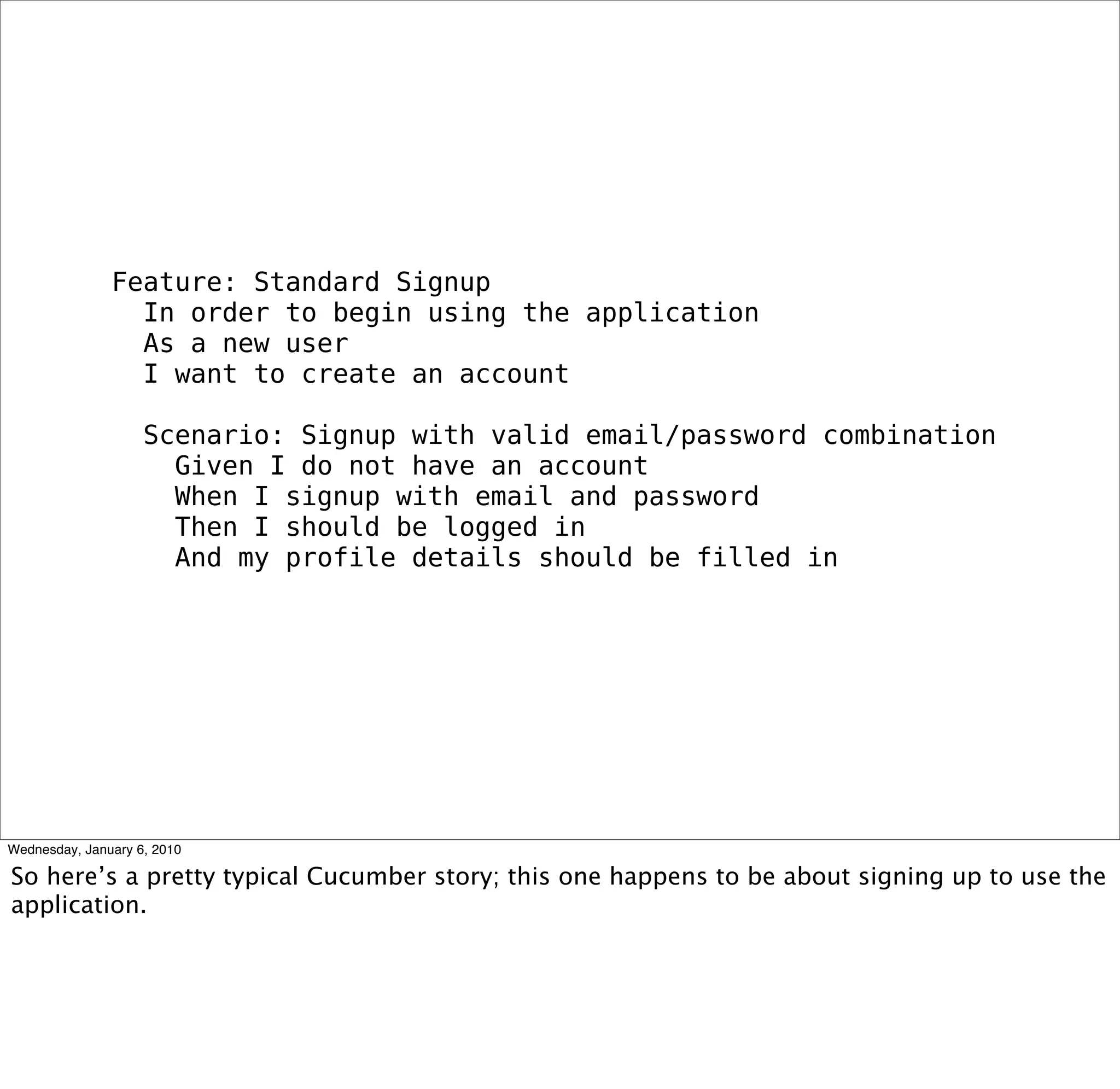
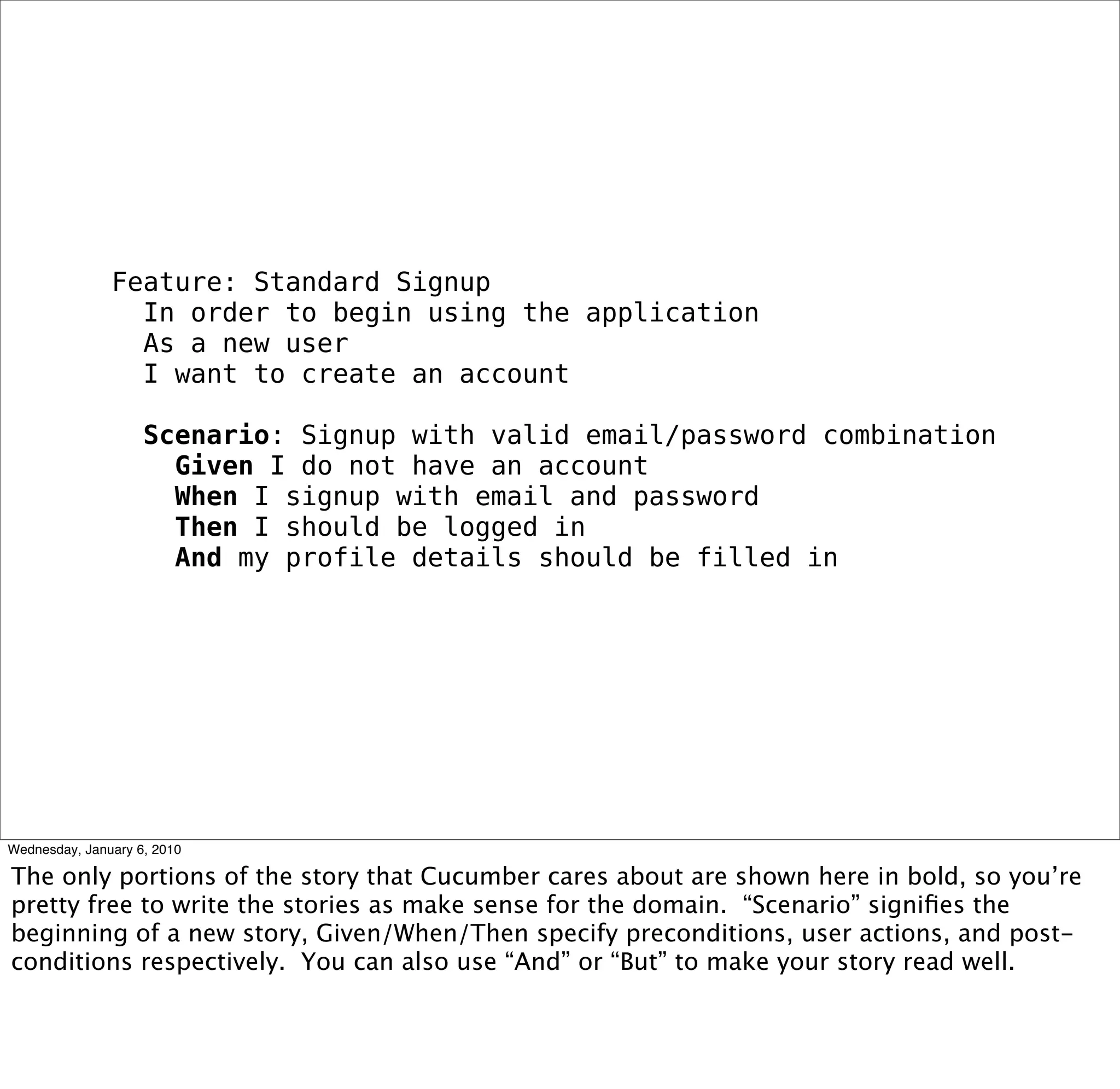
Feature: Standard Signup
 In order to begin using the application
 As a new user
 I want to create an account

 Scenario: Signup with valid email/password combination
  Given I do not have an account
  When I signup with email and password
  Then I should be logged in
  And my profile details should be filled in
Feature: Standard Signup
 In order to begin using the application
 As a new user
 I want to create an account

 Scenario: Signup with valid email/password combination
  Given I do not have an account
  When I signup with email and password
  Then I should be logged in
  And my profile details should be filled in
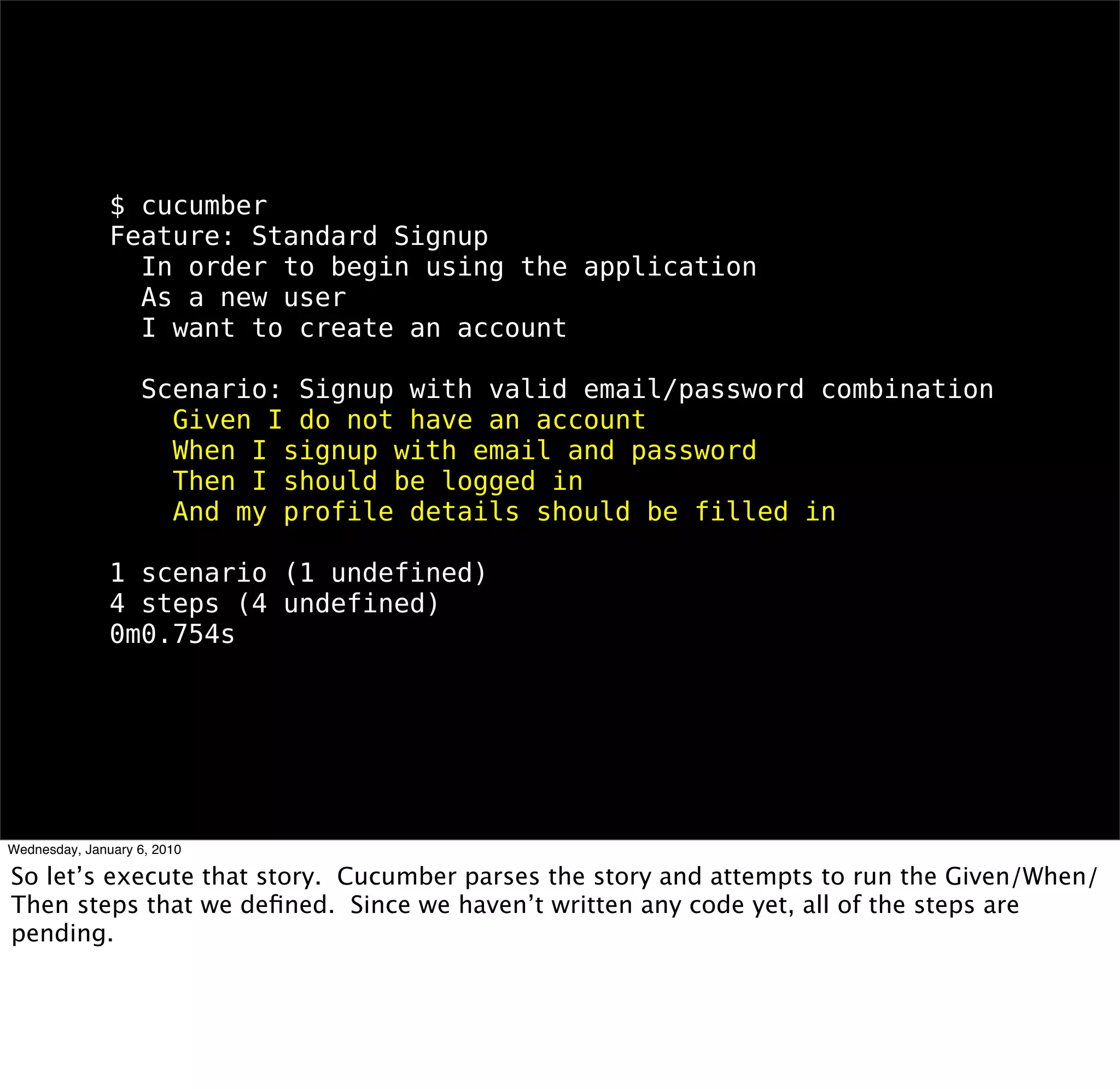
$ cucumber
Feature: Standard Signup
 In order to begin using the application
 As a new user
 I want to create an account

 Scenario: Signup with valid email/password combination
  Given I do not have an account
  When I signup with email and password
  Then I should be logged in
  And my profile details should be filled in

1 scenario (1 undefined)
4 steps (4 undefined)
0m0.754s
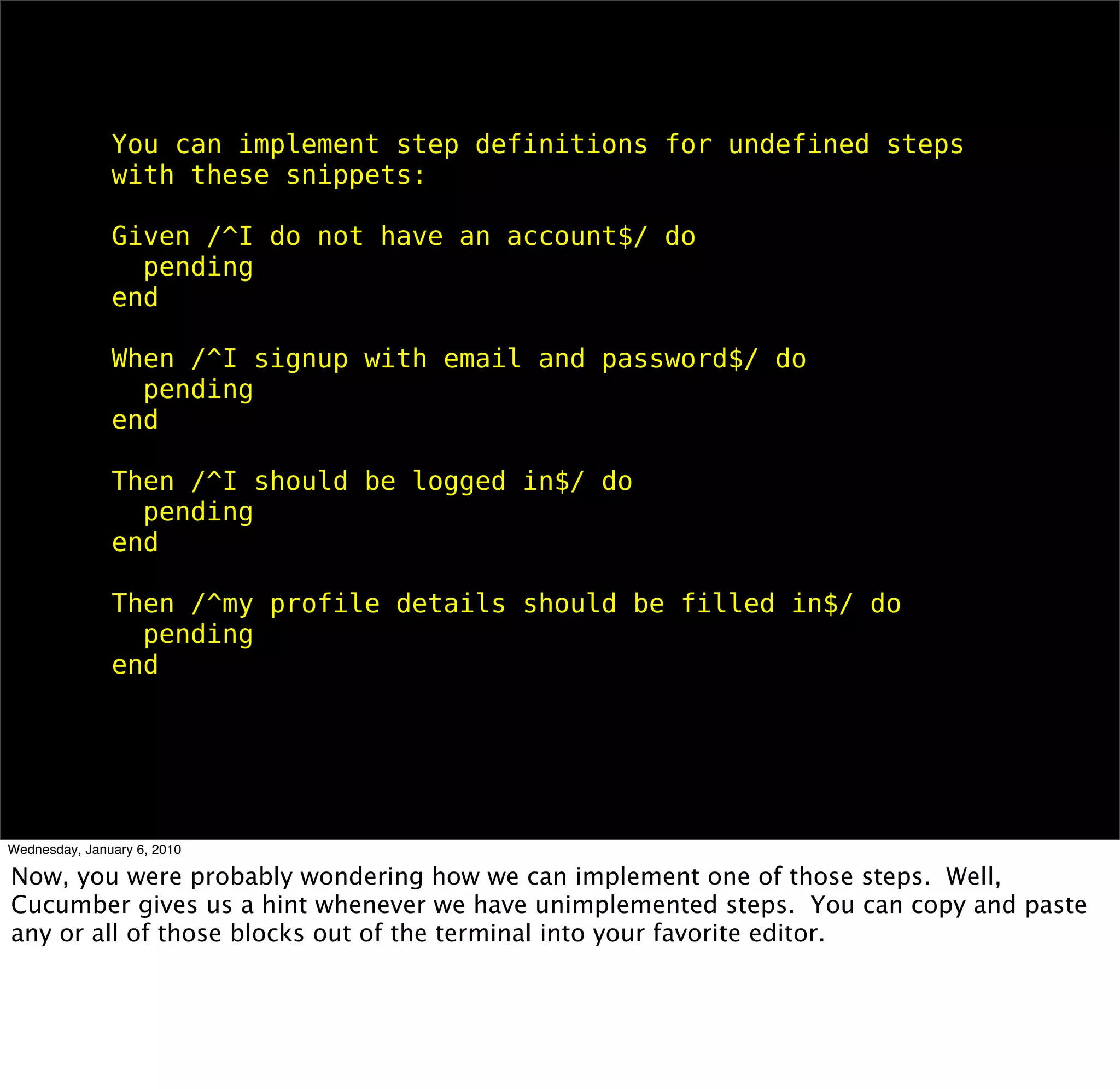
You can implement step definitions for undefined steps with these
snippets:

Given /^I do not have an account$/ do
 pending
end

When /^I signup with email and password$/ do
 pending
end

Then /^I should be logged in$/ do
 pending
end

Then /^my profile details should be filled in$/ do
 pending
end
Given /^I do not have an account$/ do
 User.count.should == 0
end
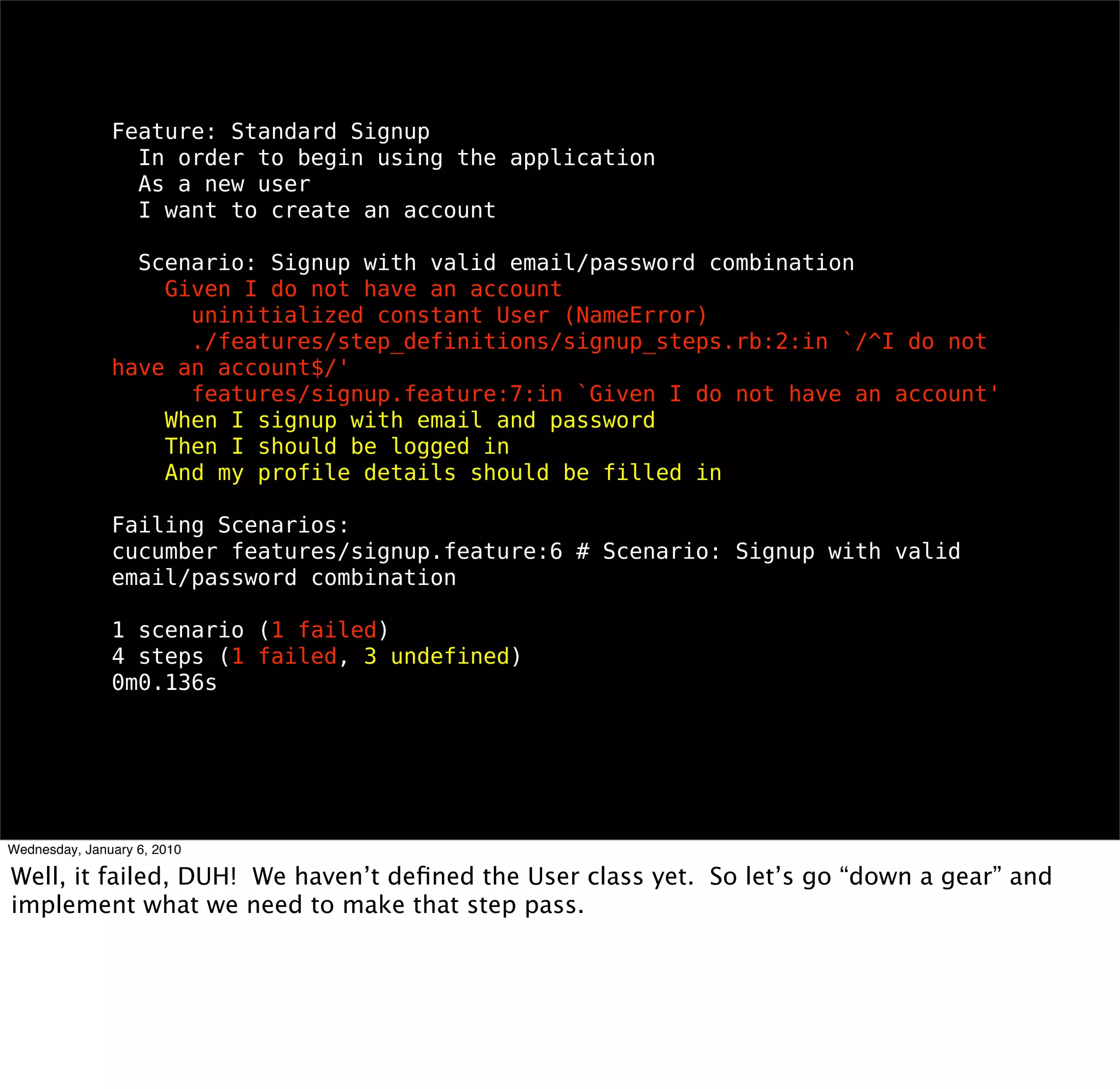
Feature: Standard Signup
 In order to begin using the application
 As a new user
 I want to create an account

 Scenario: Signup with valid email/password combination
  Given I do not have an account
    uninitialized constant User (NameError)
    ./features/step_definitions/signup_steps.rb:2:in `/^I do not have an
account$/'
    features/signup.feature:7:in `Given I do not have an account'
  When I signup with email and password
  Then I should be logged in
  And my profile details should be filled in

Failing Scenarios:
cucumber features/signup.feature:6 # Scenario: Signup with valid email/
password combination

1 scenario (1 failed)
4 steps (1 failed, 3 undefined)
0m0.136s
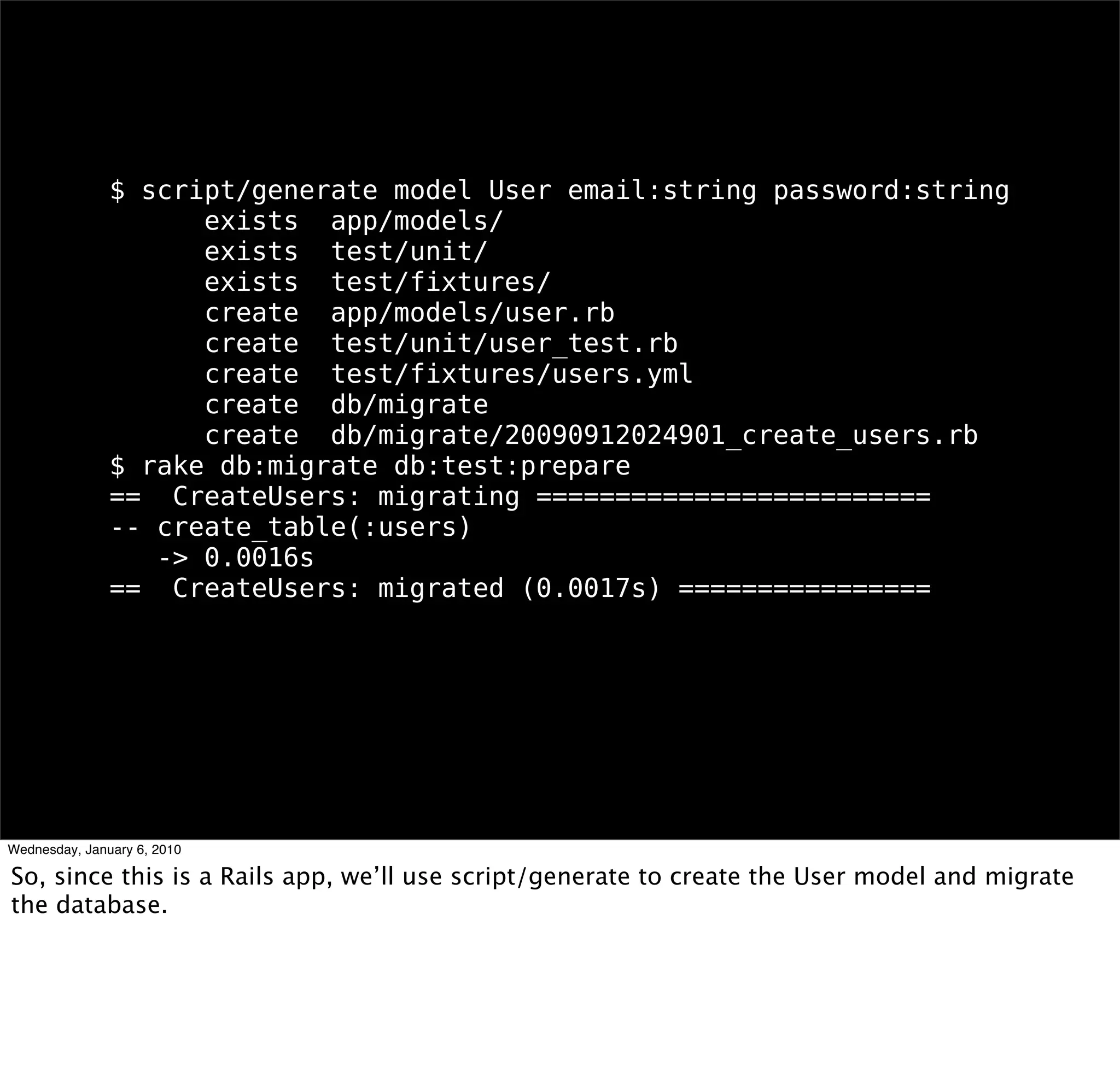
$ script/generate model User email:string password:string
    exists app/models/
    exists test/unit/
    exists test/fixtures/
    create app/models/user.rb
    create test/unit/user_test.rb
    create test/fixtures/users.yml
    create db/migrate
    create db/migrate/20090912024901_create_users.rb
$ rake db:migrate db:test:prepare
== CreateUsers: migrating =========================
-- create_table(:users)
  -> 0.0016s
== CreateUsers: migrated (0.0017s) ================
Feature: Standard Signup
 In order to begin using the application
 As a new user
 I want to create an account

 Scenario: Signup with valid email/password combination
  Given I do not have an account
  When I signup with email and password
  Then I should be logged in
  And my profile details should be filled in

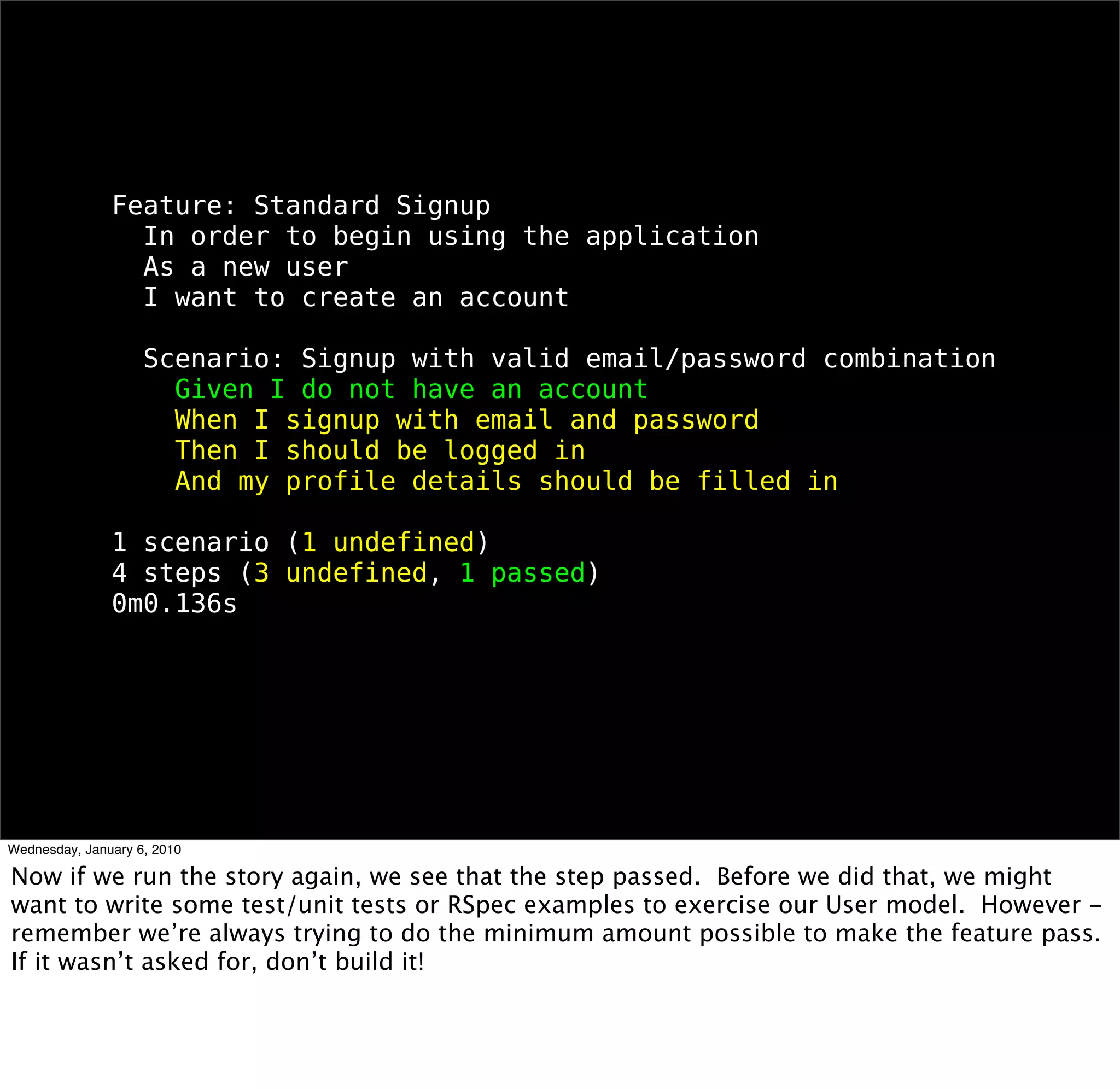
1 scenario (1 undefined)
4 steps (3 undefined, 1 passed)
0m0.136s
rinse and repeat
Feature: Standard Signup
 In order to begin using the application
 As a new user
 I want to create an account

 Scenario: Signup with valid email/password combination
  Given I do not have an account
  When I signup with email and password
  Then I should be logged in
  And my profile details should be filled in

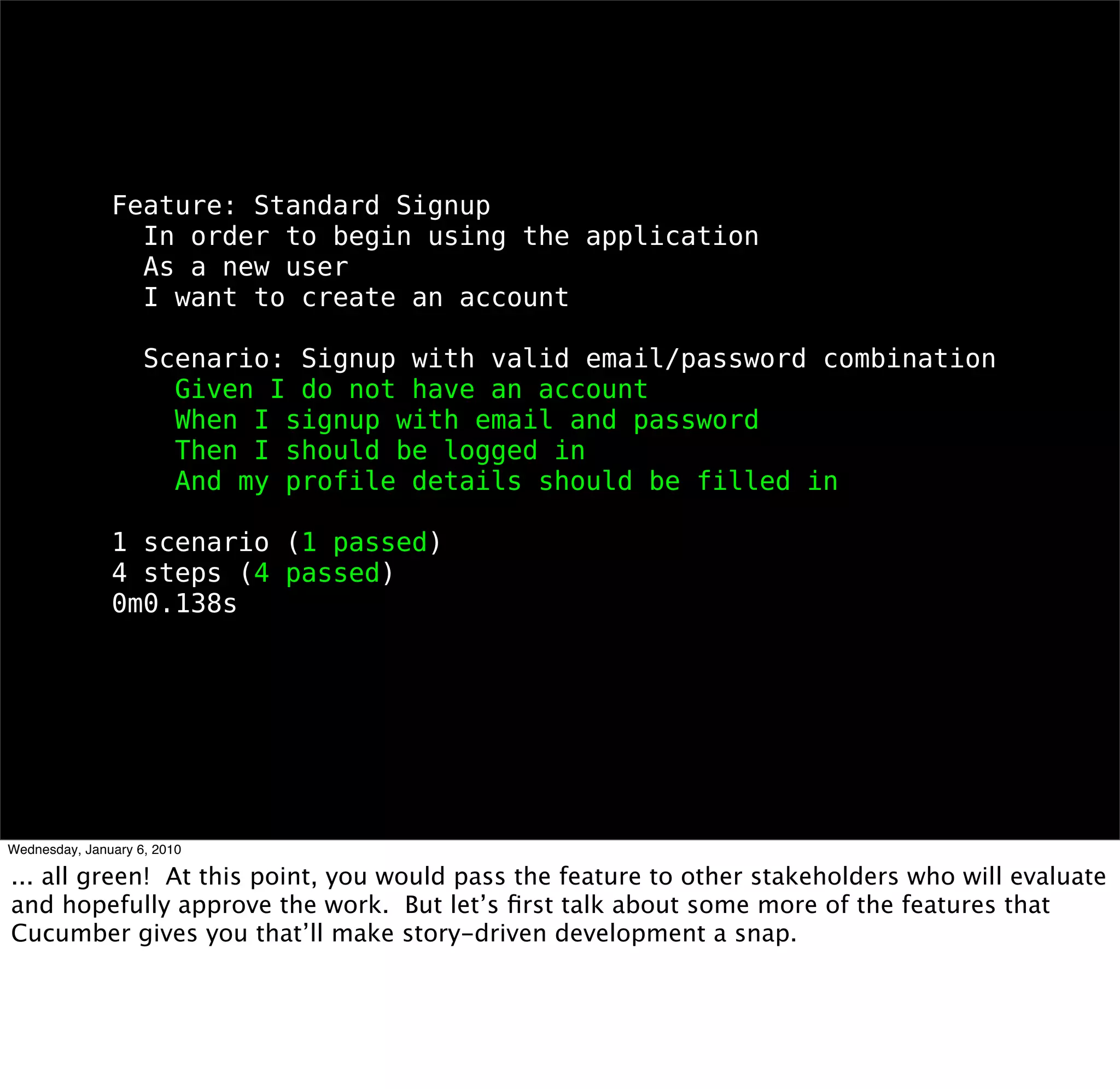
1 scenario (1 passed)
4 steps (4 passed)
0m0.138s
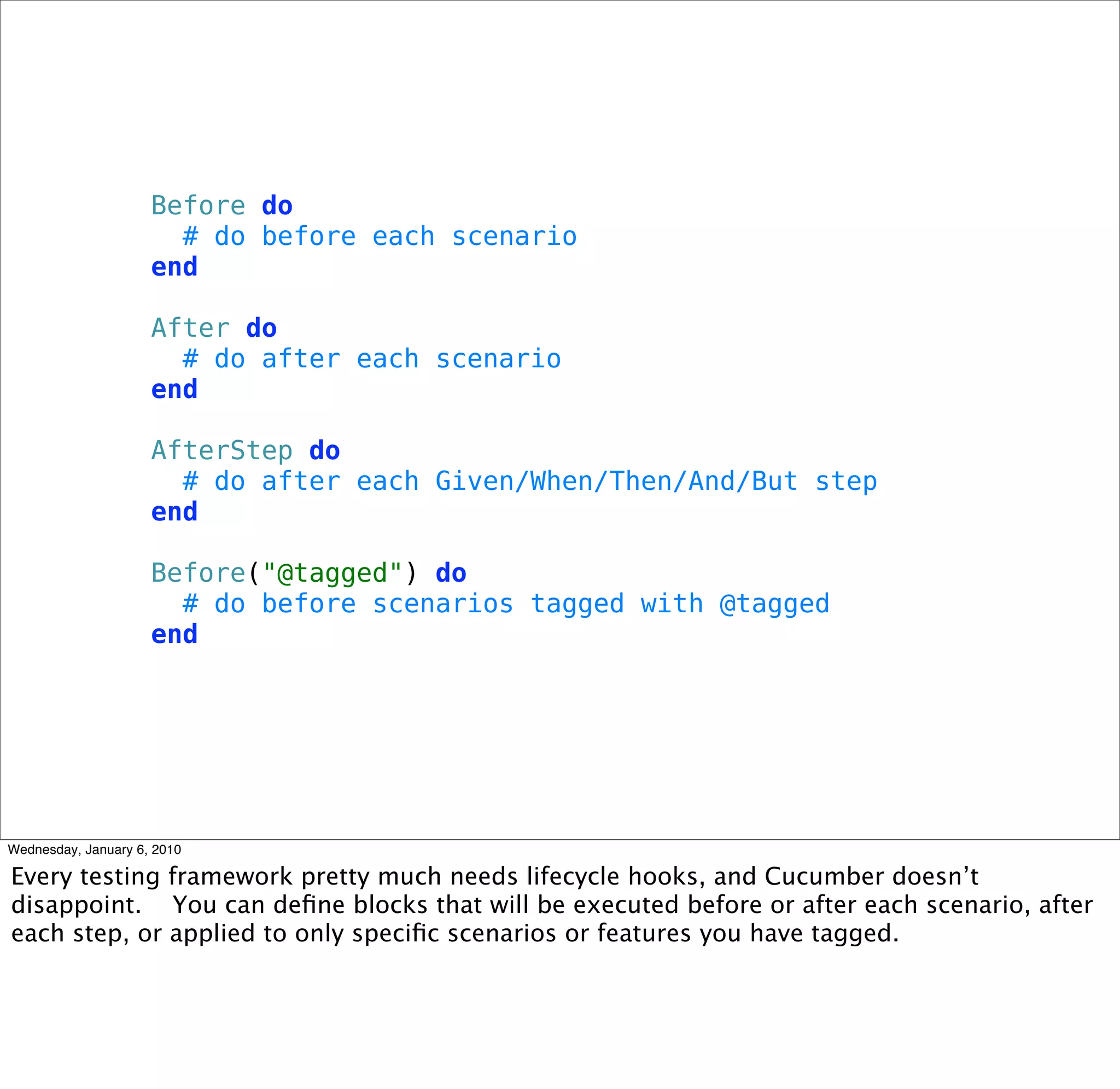
Before do
 # do before each scenario
end

After do
 # do after each scenario
end

AfterStep do
 # do after each Given/When/Then/And/But step
end

Before("@tagged") do
 # do before scenarios tagged with @tagged
end
# features/support/time.rb
module TimeHelpers
 def set_zone(zone_name)
   Time.zone = zone_name
 end
end

World(TimeHelpers)

# features/step_definitions/user_steps.rb
Given /^I am in the "([^"]*)" time zone$/ do |zone|
 set_zone(zone)
end
good stories are
 hard to write
start with the value
    proposition
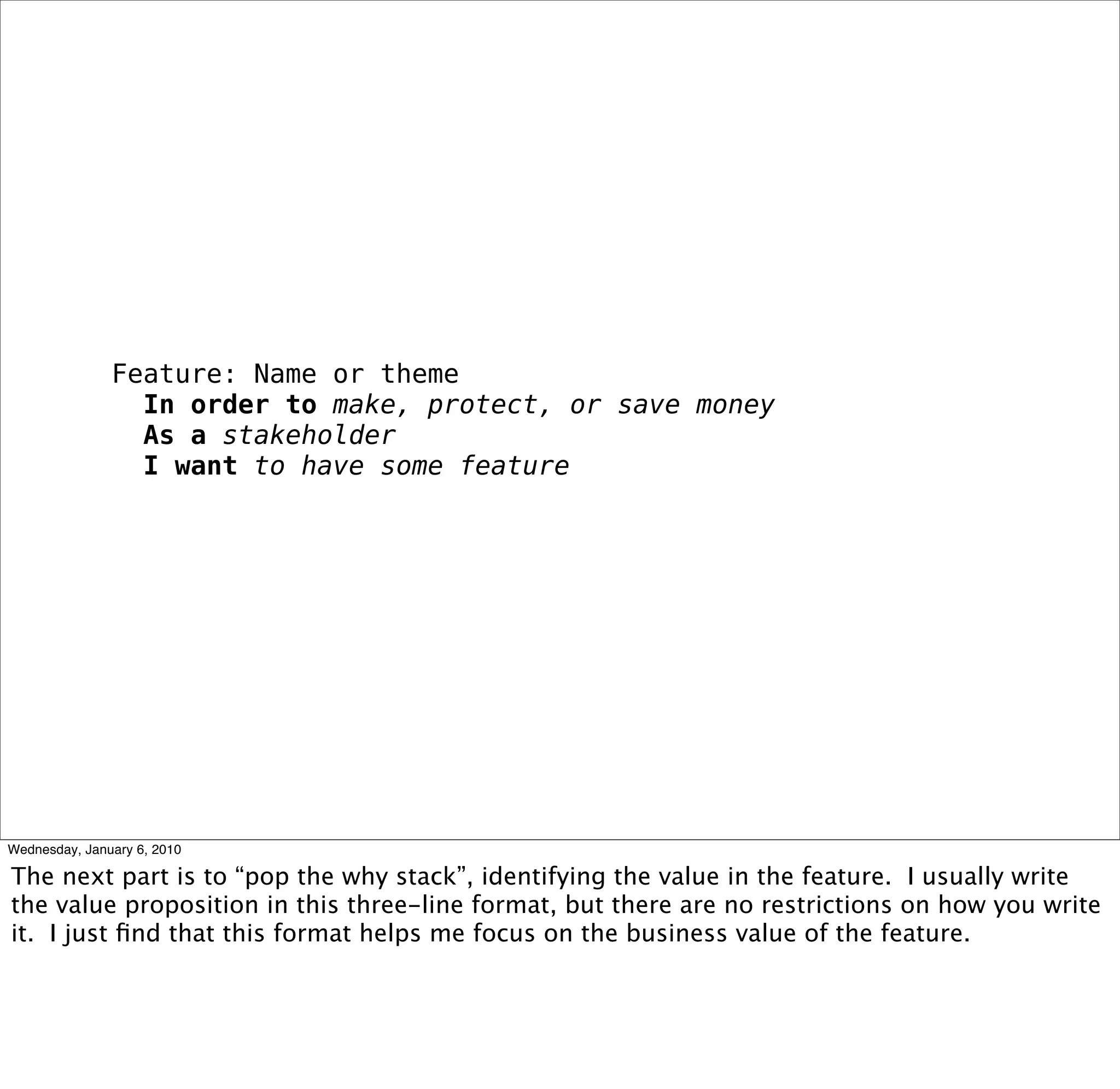
Feature: Name or theme
 In order to make, protect, or save money
 As a stakeholder
 I want to have some feature
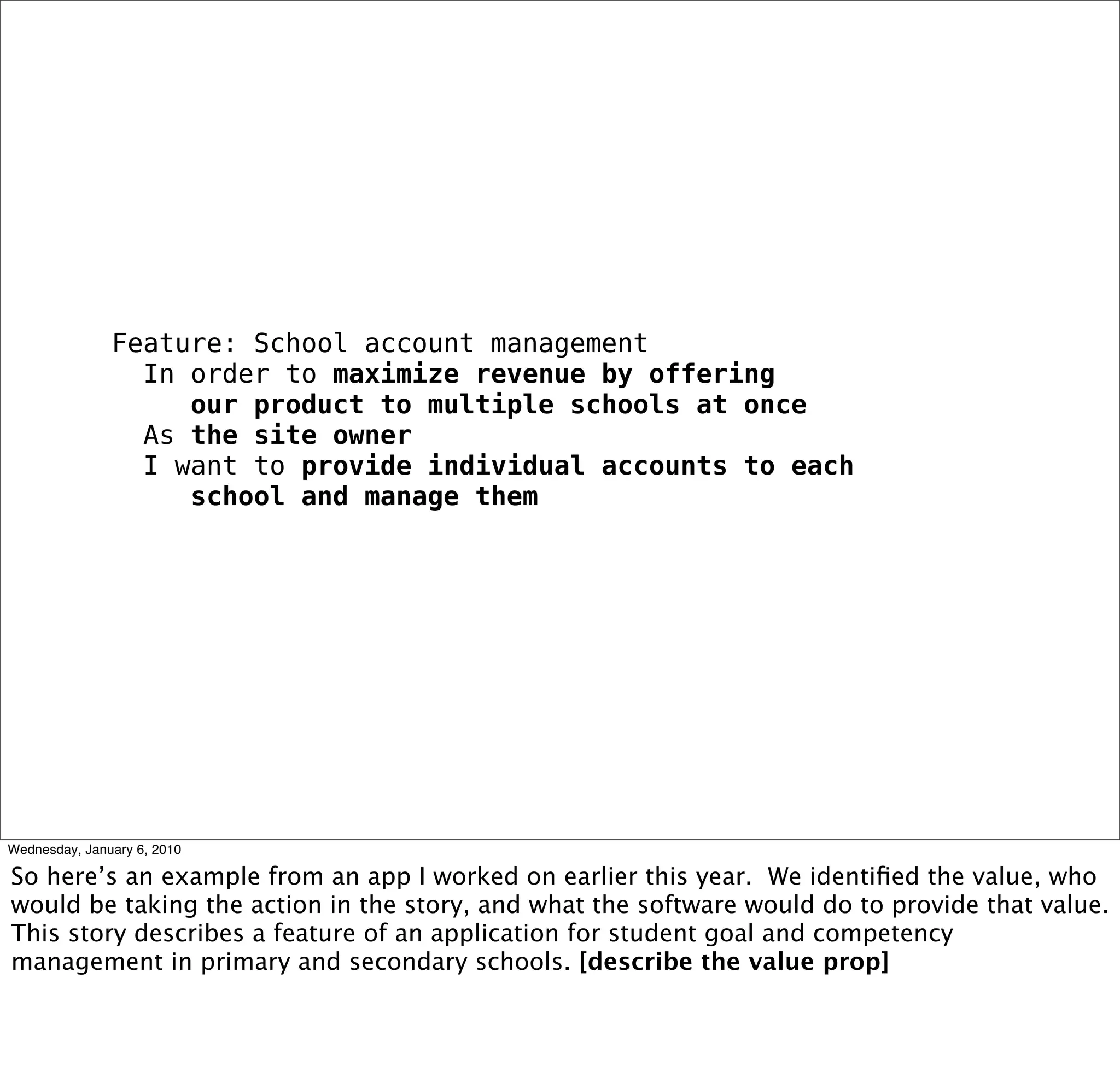
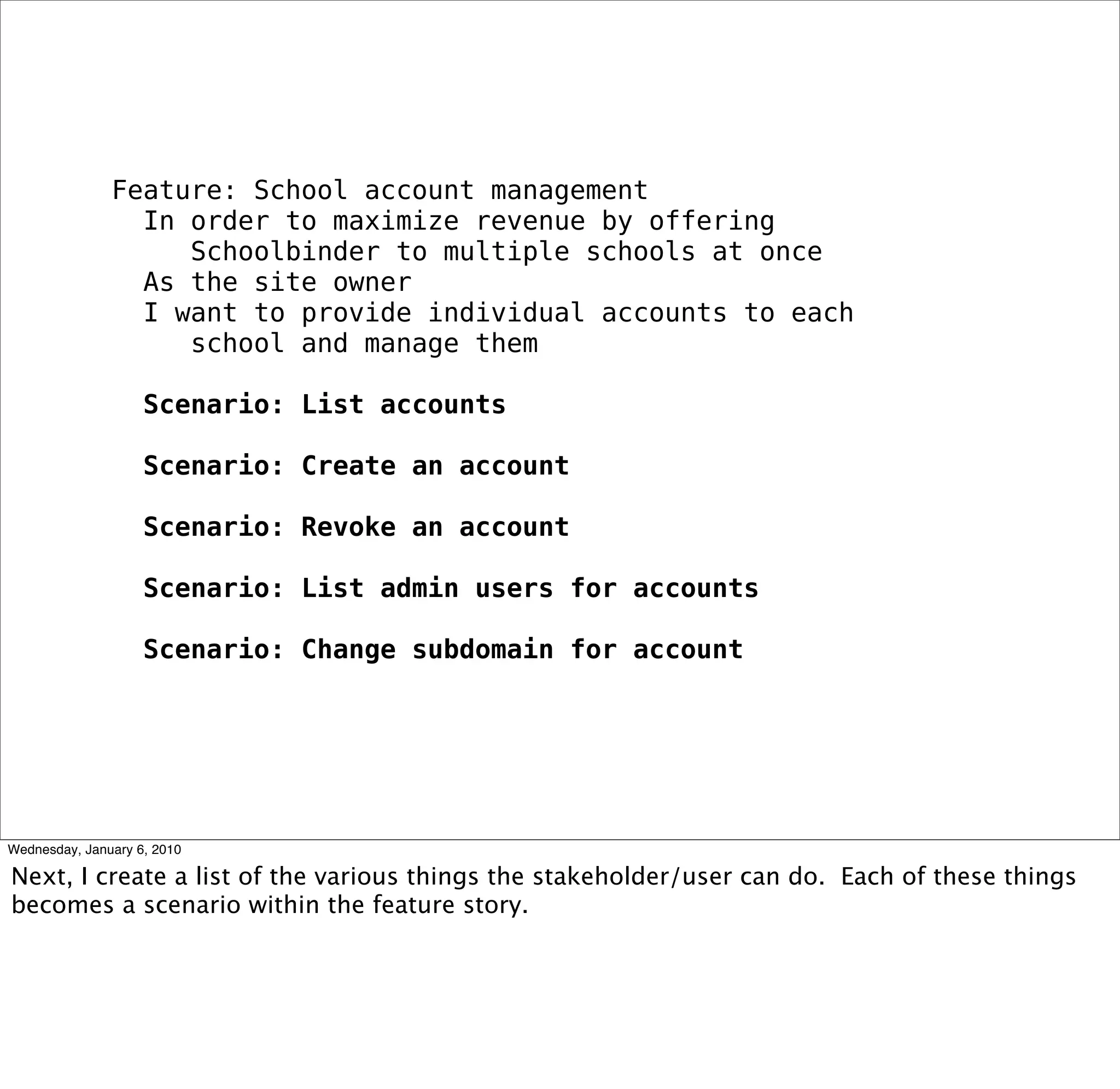
Feature: School account management
 In order to maximize revenue by offering
    our product to multiple schools at once
 As the site owner
 I want to provide individual accounts to each
    school and manage them
Feature: School account management
 In order to maximize revenue by offering
   Schoolbinder to multiple schools at once
 As the site owner
 I want to provide individual accounts to each
   school and manage them

 Scenario: List accounts

 Scenario: Create an account

 Scenario: Revoke an account

 Scenario: List admin users for accounts

 Scenario: Change subdomain for account
Feature: School account management
 In order to maximize revenue by offering
   Schoolbinder to multiple schools at once
 As the site owner
 I want to provide individual accounts to each
   school and manage them

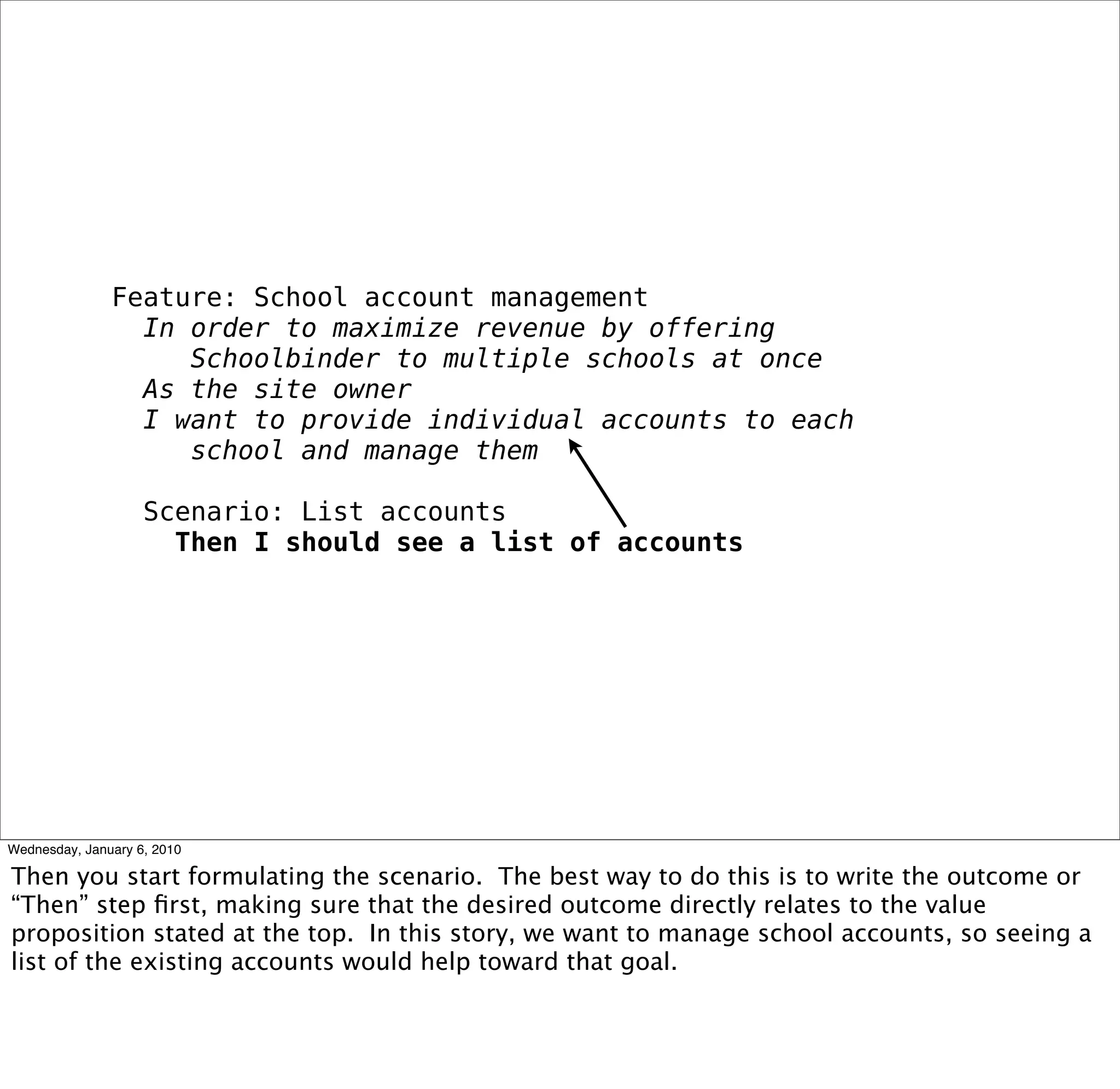
 Scenario: List accounts
  Then I should see a list of accounts
Feature: School account management
 In order to maximize revenue by offering
   Schoolbinder to multiple schools at once
 As the site owner
 I want to provide individual accounts to each
   school and manage them

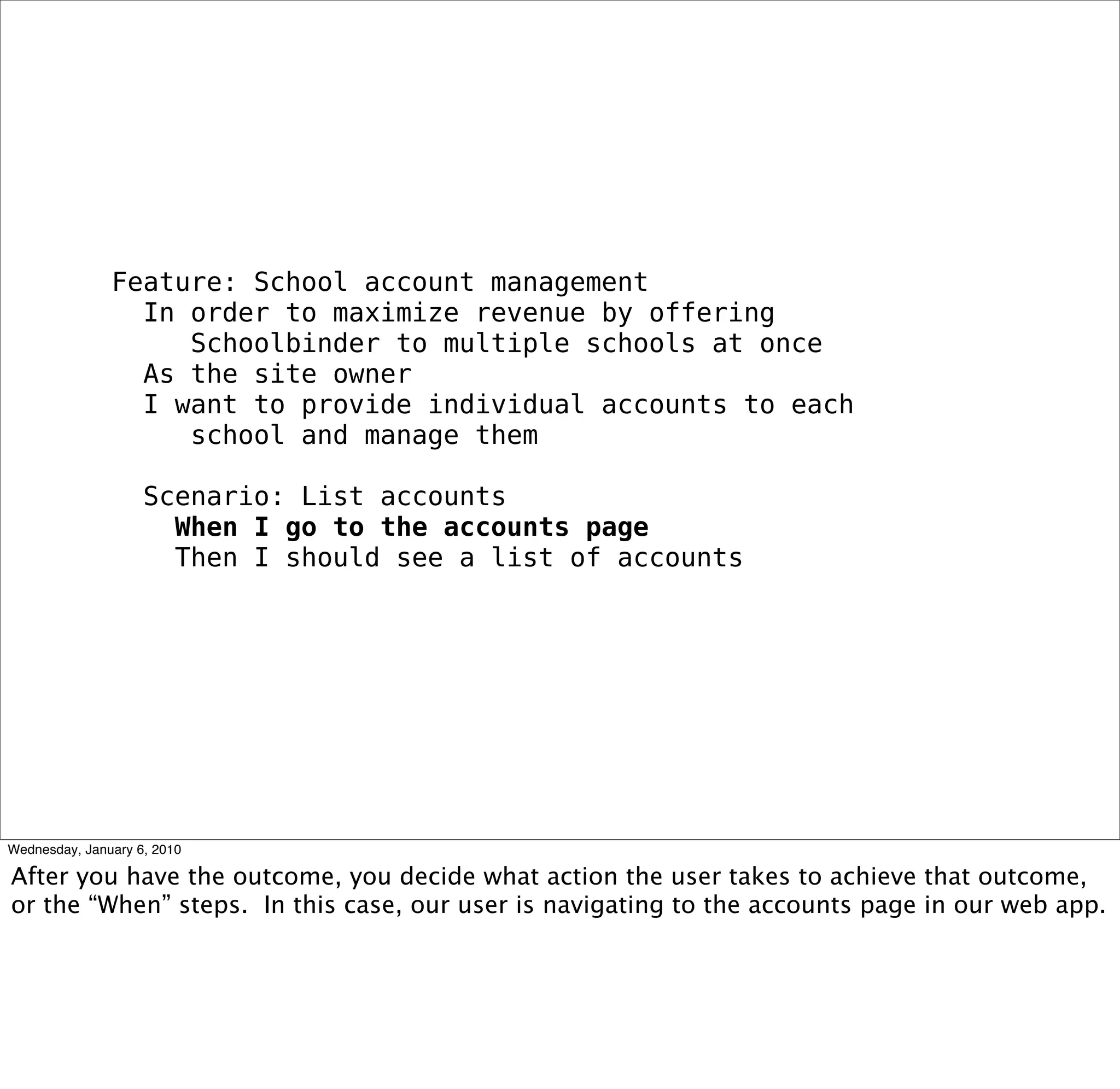
 Scenario: List accounts
  When I go to the accounts page
  Then I should see a list of accounts
Feature: School account management
 In order to maximize revenue by offering
   Schoolbinder to multiple schools at once
 As the site owner
 I want to provide individual accounts to each
   school and manage them

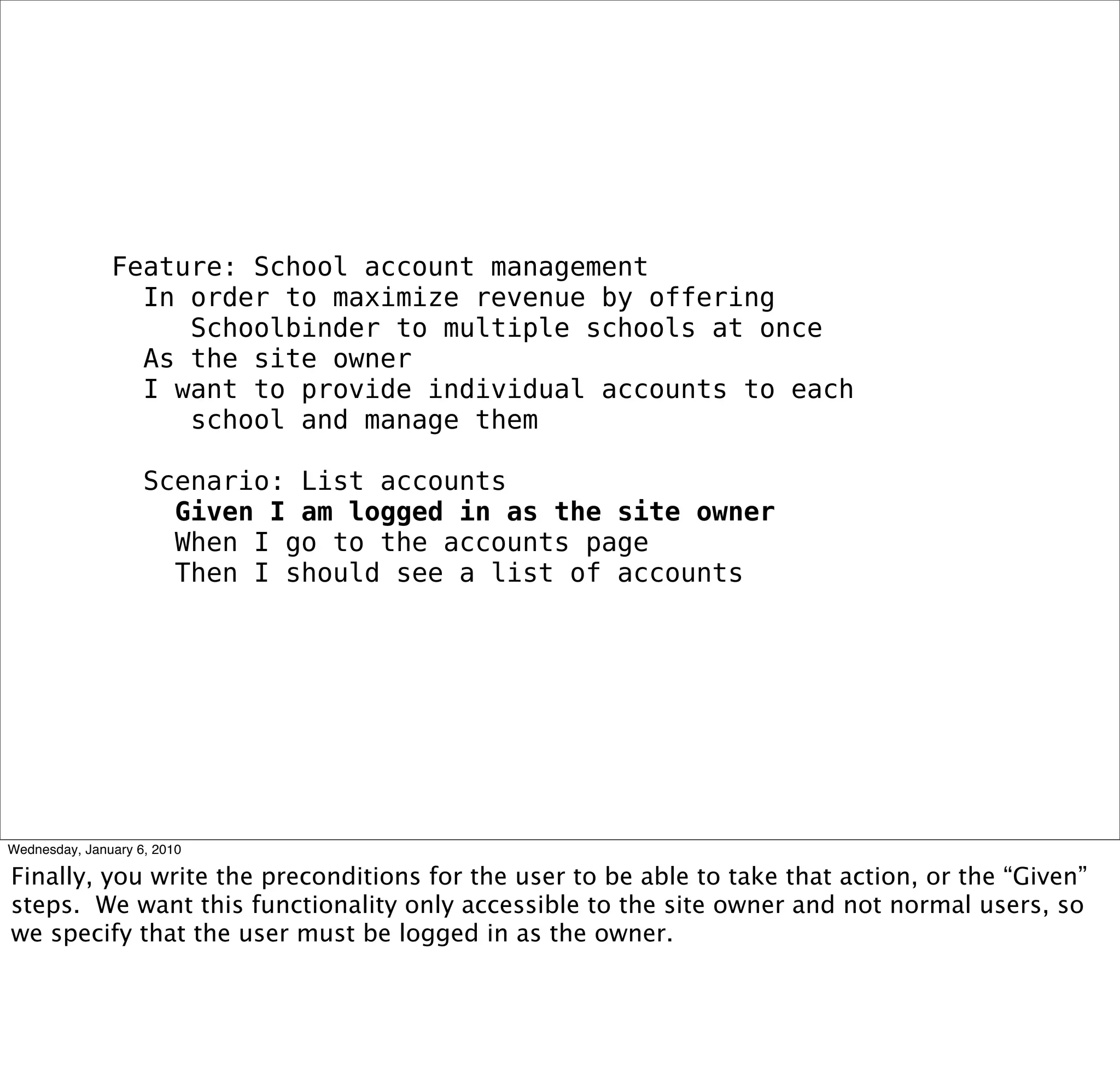
 Scenario: List accounts
  Given I am logged in as the site owner
  When I go to the accounts page
  Then I should see a list of accounts
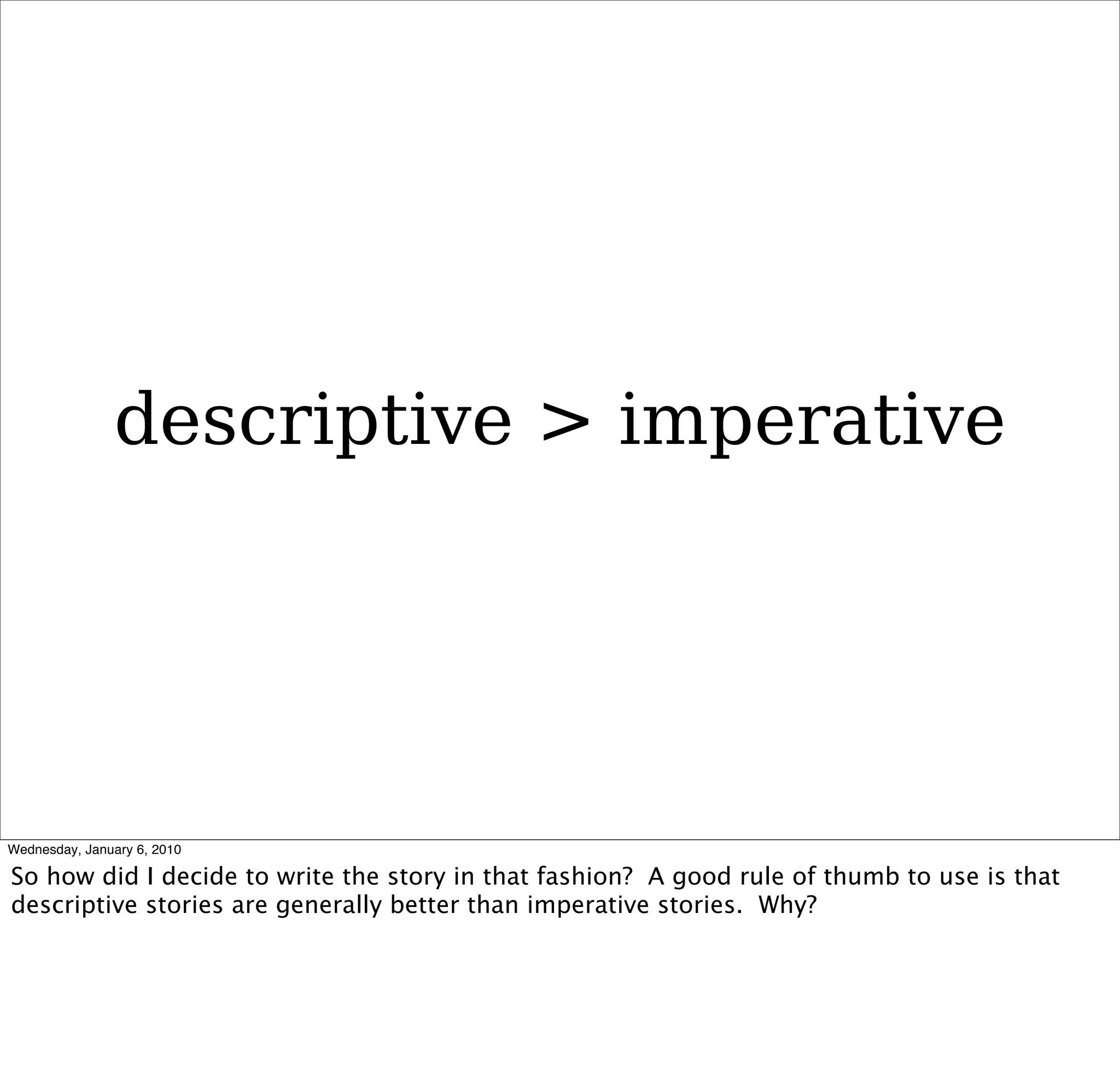
descriptive > imperative
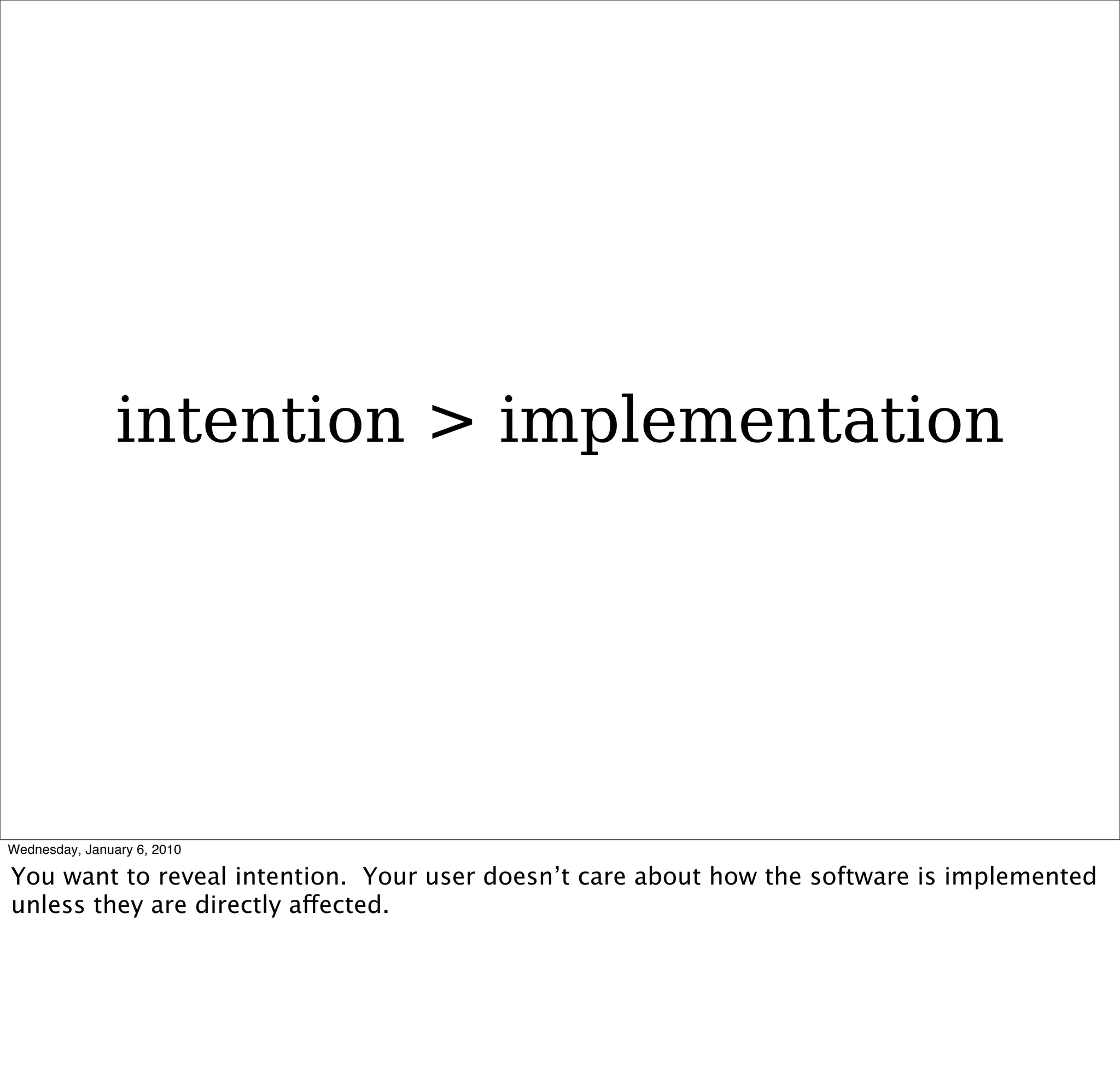
intention > implementation
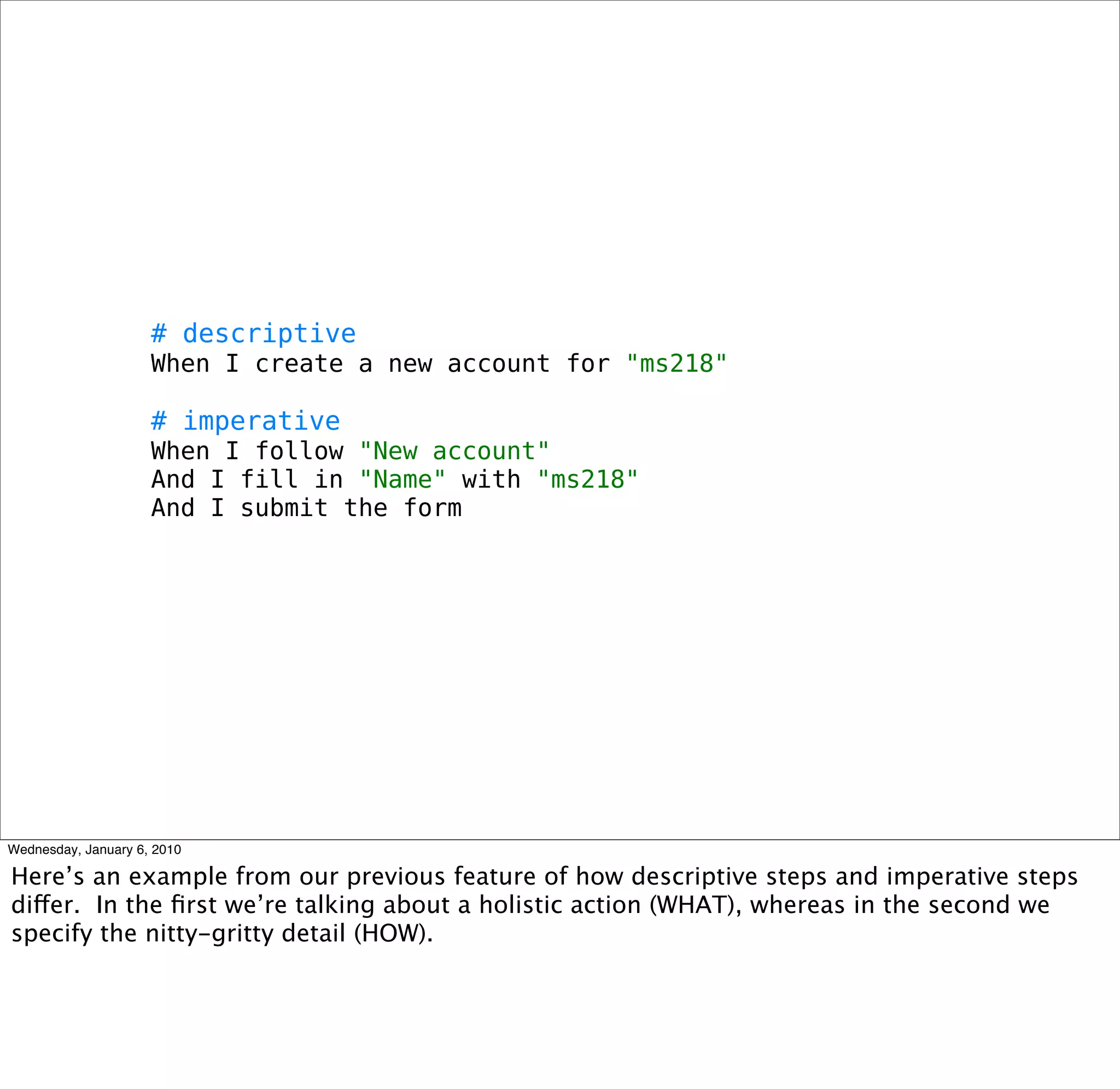
# descriptive
When I create a new account for "ms218"

# imperative
When I follow "New account"
And I fill in "Name" with "ms218"
And I submit the form
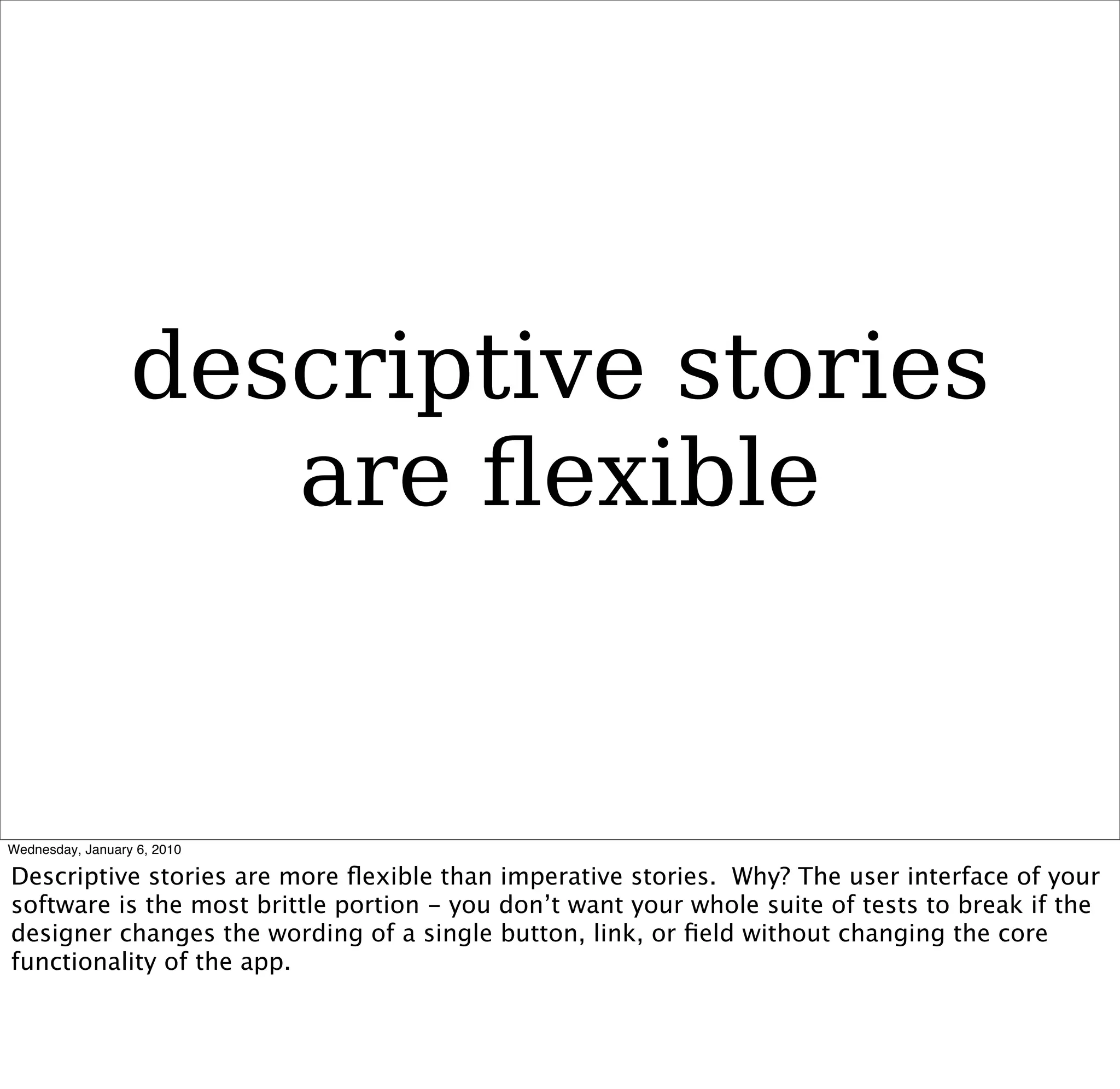
descriptive stories
   are flexible
strike balance
too implicit = vague
avoid conjunctive
   statements
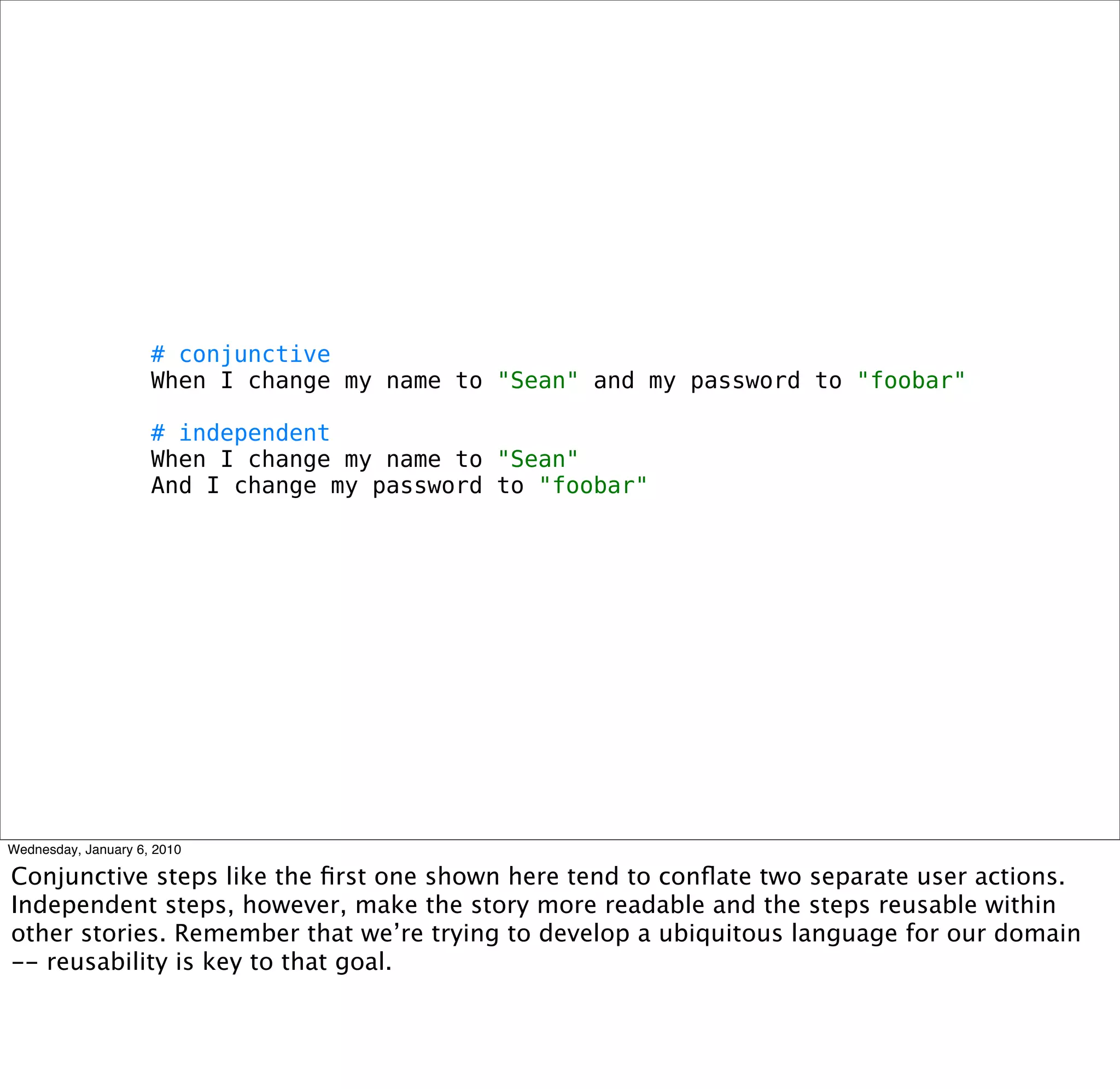
# conjunctive
When I change my name to "Sean" and my password to "foobar"

# independent
When I change my name to "Sean"
And I change my password to "foobar"
strive for
single passes
# conflated scenarios, multiple passes
 Scenario: Bulk comment on short term goals
  Given I have set all short-term goals for "ELA > Writing > Organization" for class
"601"
  When I follow "Edit" for long-term goal "Organization"
  And I follow "Comment" for short-term goal "Coherence"
  Then I should see all students that pertain to this short-term goal
  And I should see the standard comment box and "Post new comment" button
  When I type in the comment box
  And I follow "Post"
  Then I should see that my comment was posted

 # single scenario, single pass
 Scenario: Bulk comment on short term goals
  Given I have set all short-term goals for "ELA > Writing > Organization" for class
"601"
  When post a comment for short-term goal "Coherence"
  Then I should see that my comment was posted
  And all students in class "601" should receive my comment
stay terse
cover corner cases
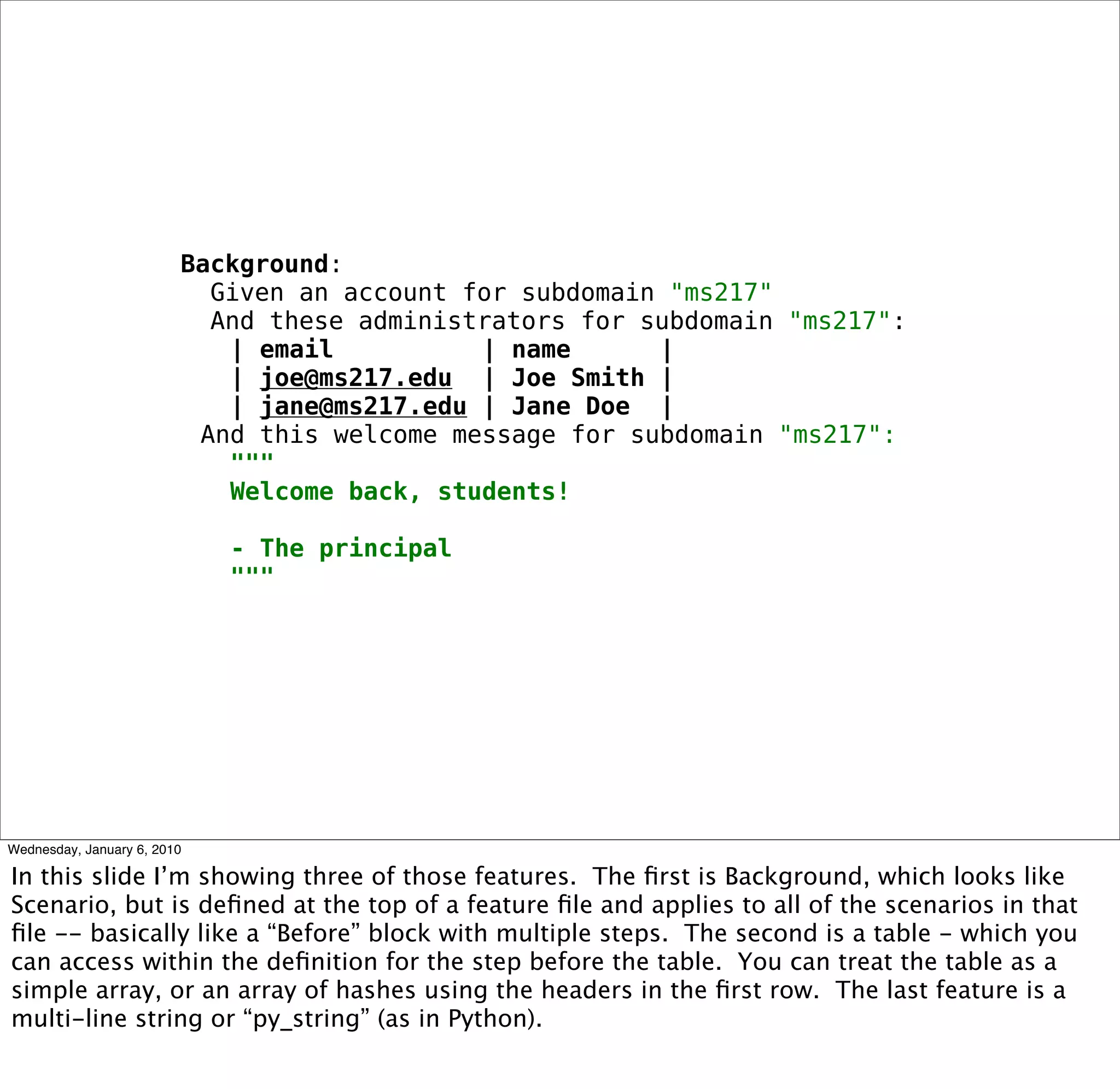
Background:
  Given an account for subdomain "ms217"
  And these administrators for subdomain "ms217":
 | email       | name     |
 | joe@ms217.edu | Joe Smith |
 | jane@ms217.edu | Jane Doe |
And this welcome message for subdomain "ms217":
 """
 Welcome back, students!

 - The principal
 """
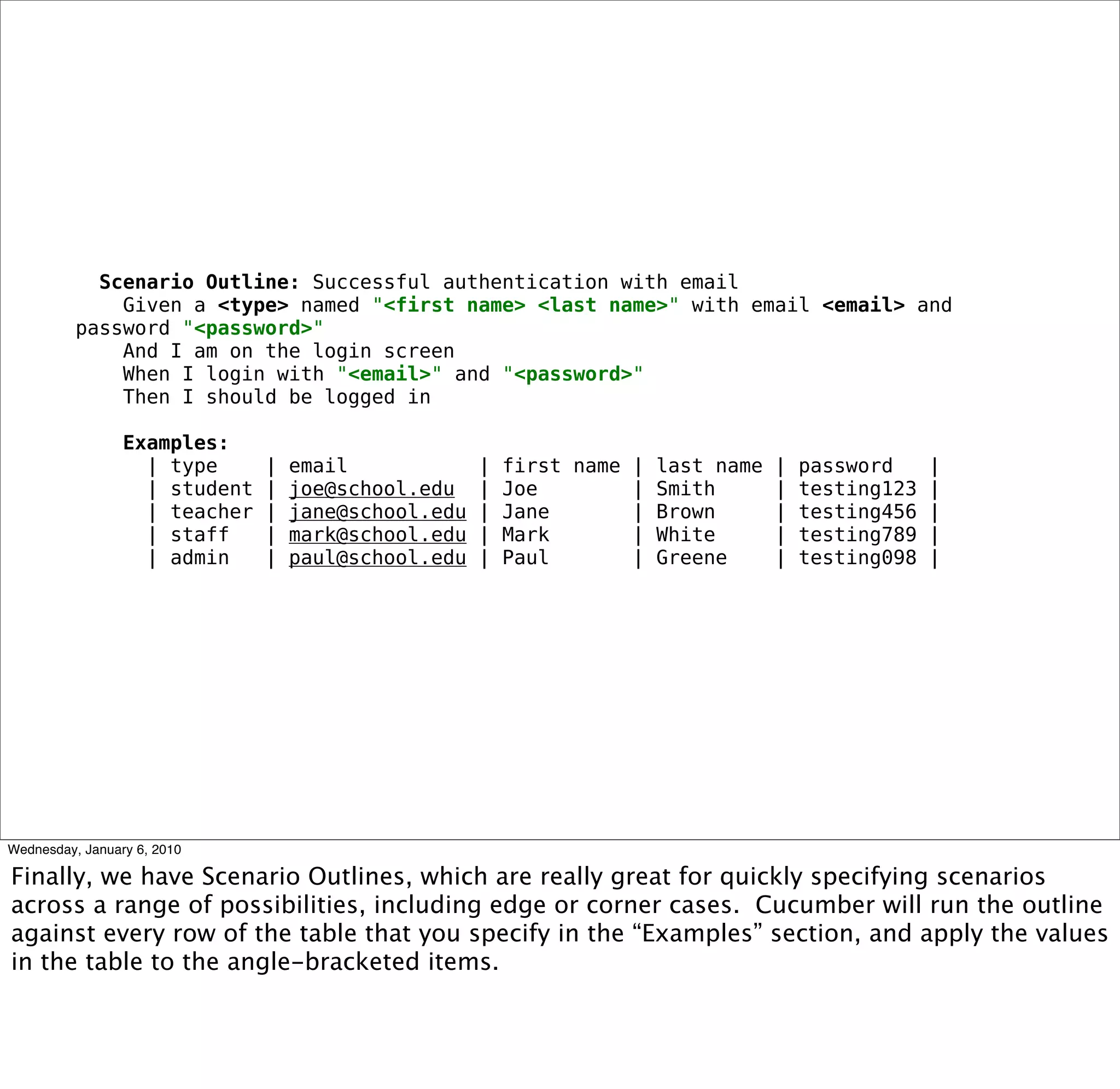
Scenario Outline: Successful authentication with email
  Given a <type> named "<first name> <last name>" with email <email> and password
"<password>"
  And I am on the login screen
  When I login with "<email>" and "<password>"
  Then I should be logged in

  Examples:
   | type | email        | first name | last name | password |
   | student | joe@school.edu | Joe      | Smith   | testing123 |
   | teacher | jane@school.edu | Jane     | Brown    | testing456 |
   | staff | mark@school.edu | Mark       | White   | testing789 |
   | admin | paul@school.edu | Paul       | Greene | testing098 |
<self:promotion>
</self:promotion>
questions?

Story Driven Development With Cucumber

  • 1.
    Story-Driven Development withCucumber Sean Cribbs
  • 2.
    who am i •Freelance Web Consultant • Radiant Lead Dev • Ruby, Javascript, Erlang • Open-source contributor github.com/seancribbs
  • 3.
  • 4.
  • 5.
  • 6.
  • 7.
  • 8.
  • 9.
  • 10.
  • 11.
  • 12.
  • 13.
  • 14.
  • 15.
  • 16.
  • 17.
  • 18.
  • 19.
  • 20.
  • 21.
  • 22.
  • 23.
  • 24.
  • 25.
  • 26.
  • 27.
  • 28.
    Feature: Standard Signup In order to begin using the application As a new user I want to create an account Scenario: Signup with valid email/password combination Given I do not have an account When I signup with email and password Then I should be logged in And my profile details should be filled in
  • 29.
    Feature: Standard Signup In order to begin using the application As a new user I want to create an account Scenario: Signup with valid email/password combination Given I do not have an account When I signup with email and password Then I should be logged in And my profile details should be filled in
  • 30.
    $ cucumber Feature: StandardSignup In order to begin using the application As a new user I want to create an account Scenario: Signup with valid email/password combination Given I do not have an account When I signup with email and password Then I should be logged in And my profile details should be filled in 1 scenario (1 undefined) 4 steps (4 undefined) 0m0.754s
  • 31.
    You can implementstep definitions for undefined steps with these snippets: Given /^I do not have an account$/ do pending end When /^I signup with email and password$/ do pending end Then /^I should be logged in$/ do pending end Then /^my profile details should be filled in$/ do pending end
  • 32.
    Given /^I donot have an account$/ do User.count.should == 0 end
  • 33.
    Feature: Standard Signup In order to begin using the application As a new user I want to create an account Scenario: Signup with valid email/password combination Given I do not have an account uninitialized constant User (NameError) ./features/step_definitions/signup_steps.rb:2:in `/^I do not have an account$/' features/signup.feature:7:in `Given I do not have an account' When I signup with email and password Then I should be logged in And my profile details should be filled in Failing Scenarios: cucumber features/signup.feature:6 # Scenario: Signup with valid email/ password combination 1 scenario (1 failed) 4 steps (1 failed, 3 undefined) 0m0.136s
  • 34.
    $ script/generate modelUser email:string password:string exists app/models/ exists test/unit/ exists test/fixtures/ create app/models/user.rb create test/unit/user_test.rb create test/fixtures/users.yml create db/migrate create db/migrate/20090912024901_create_users.rb $ rake db:migrate db:test:prepare == CreateUsers: migrating ========================= -- create_table(:users) -> 0.0016s == CreateUsers: migrated (0.0017s) ================
  • 35.
    Feature: Standard Signup In order to begin using the application As a new user I want to create an account Scenario: Signup with valid email/password combination Given I do not have an account When I signup with email and password Then I should be logged in And my profile details should be filled in 1 scenario (1 undefined) 4 steps (3 undefined, 1 passed) 0m0.136s
  • 36.
  • 37.
    Feature: Standard Signup In order to begin using the application As a new user I want to create an account Scenario: Signup with valid email/password combination Given I do not have an account When I signup with email and password Then I should be logged in And my profile details should be filled in 1 scenario (1 passed) 4 steps (4 passed) 0m0.138s
  • 38.
    Before do #do before each scenario end After do # do after each scenario end AfterStep do # do after each Given/When/Then/And/But step end Before("@tagged") do # do before scenarios tagged with @tagged end
  • 39.
    # features/support/time.rb module TimeHelpers def set_zone(zone_name) Time.zone = zone_name end end World(TimeHelpers) # features/step_definitions/user_steps.rb Given /^I am in the "([^"]*)" time zone$/ do |zone| set_zone(zone) end
  • 40.
    good stories are hard to write
  • 41.
    start with thevalue proposition
  • 42.
  • 43.
    Feature: Name ortheme In order to make, protect, or save money As a stakeholder I want to have some feature
  • 44.
    Feature: School accountmanagement In order to maximize revenue by offering our product to multiple schools at once As the site owner I want to provide individual accounts to each school and manage them
  • 45.
    Feature: School accountmanagement In order to maximize revenue by offering Schoolbinder to multiple schools at once As the site owner I want to provide individual accounts to each school and manage them Scenario: List accounts Scenario: Create an account Scenario: Revoke an account Scenario: List admin users for accounts Scenario: Change subdomain for account
  • 46.
    Feature: School accountmanagement In order to maximize revenue by offering Schoolbinder to multiple schools at once As the site owner I want to provide individual accounts to each school and manage them Scenario: List accounts Then I should see a list of accounts
  • 47.
    Feature: School accountmanagement In order to maximize revenue by offering Schoolbinder to multiple schools at once As the site owner I want to provide individual accounts to each school and manage them Scenario: List accounts When I go to the accounts page Then I should see a list of accounts
  • 48.
    Feature: School accountmanagement In order to maximize revenue by offering Schoolbinder to multiple schools at once As the site owner I want to provide individual accounts to each school and manage them Scenario: List accounts Given I am logged in as the site owner When I go to the accounts page Then I should see a list of accounts
  • 49.
  • 50.
  • 51.
    # descriptive When Icreate a new account for "ms218" # imperative When I follow "New account" And I fill in "Name" with "ms218" And I submit the form
  • 52.
    descriptive stories are flexible
  • 53.
  • 54.
  • 55.
    # conjunctive When Ichange my name to "Sean" and my password to "foobar" # independent When I change my name to "Sean" And I change my password to "foobar"
  • 56.
  • 57.
    # conflated scenarios,multiple passes Scenario: Bulk comment on short term goals Given I have set all short-term goals for "ELA > Writing > Organization" for class "601" When I follow "Edit" for long-term goal "Organization" And I follow "Comment" for short-term goal "Coherence" Then I should see all students that pertain to this short-term goal And I should see the standard comment box and "Post new comment" button When I type in the comment box And I follow "Post" Then I should see that my comment was posted # single scenario, single pass Scenario: Bulk comment on short term goals Given I have set all short-term goals for "ELA > Writing > Organization" for class "601" When post a comment for short-term goal "Coherence" Then I should see that my comment was posted And all students in class "601" should receive my comment
  • 58.
  • 59.
    Background: Givenan account for subdomain "ms217" And these administrators for subdomain "ms217": | email | name | | joe@ms217.edu | Joe Smith | | jane@ms217.edu | Jane Doe | And this welcome message for subdomain "ms217": """ Welcome back, students! - The principal """
  • 60.
    Scenario Outline: Successfulauthentication with email Given a <type> named "<first name> <last name>" with email <email> and password "<password>" And I am on the login screen When I login with "<email>" and "<password>" Then I should be logged in Examples: | type | email | first name | last name | password | | student | joe@school.edu | Joe | Smith | testing123 | | teacher | jane@school.edu | Jane | Brown | testing456 | | staff | mark@school.edu | Mark | White | testing789 | | admin | paul@school.edu | Paul | Greene | testing098 |
  • 61.
  • 63.
  • 64.

Editor's Notes

  • #4 The root cause of so many problems in software projects is miscommunication.
  • #5 This is largely because so much of software development is abstract - that is, it happens in your brain. Nontechnical people also have ideas and desires about what software can do that are equally abstract.
  • #6 In the course of a project, it&amp;#x2019;s often hard to tell what&amp;#x2019;s really important to its success...
  • #7 ...and who said what, and why you should care.
  • #8 Bottom line, miscommunication is wasteful - in time, money, energy and relationships.
  • #9 Miscommunication causes you to build the wrong feature...
  • #10 ... or to build it incorrectly ...
  • #11 ... or to build unnecessary features.
  • #12 I bet you&amp;#x2019;re saying, &amp;#x201C;hey, aren&amp;#x2019;t you using an Agile process?&amp;#x201D; Why yes, I am, thanks. Agile methodologies have a few tools that we can use to help alleviate these miscommunication problems.
  • #13 The first is user stories. For any feature that needs to be developed, you create a persona and write a story about how that person will use your software, and what things that person will want to accomplish.
  • #14 Agile also gives us one of the top buzzes of the Ruby community since its adoption in the West- TDD. TDD encourages us to write tests for our software before we write the software, often resulting in better designs and greater flexibility as the project evolves. So what if we put these two techniques together?
  • #15 When you do, you get what I call Story-Driven Development. Your agile user stories become the tests for your software. You&amp;#x2019;ll see more of what I mean in a little bit.
  • #16 The focus of SDD is to keep your software lean and to create value with every new feature.
  • #17 That is, at each step you&amp;#x2019;ll be doing the minimum to satisfy the requirements specified by the story...
  • #18 ...and that story will be designed so that it directly affects your project&amp;#x2019;s ability to make new revenue, protect existing revenue, control costs, or alleviate user pain and increase utility (basically protecting revenue).
  • #19 The path to finding the business value in each new feature is to pop the &amp;#x201C;why&amp;#x201D; stack.
  • #20 That is, the person writing the story will query the business expert who is requesting the feature with pointed &amp;#x201C;why&amp;#x201D; questions until the result comes down to money. Along the way, you&amp;#x2019;ll identify who the stakeholders are and what value they receive. We&amp;#x2019;ll see more about how this fits into the process later.
  • #21 By expressing the tests for your software first as user stories, you are greatly increasing the ability for the technical people to communicate with the business people. You start to develop a &amp;#x201C;ubiquitous language&amp;#x201D; for the problem your software addresses that will assist as the project progresses. See also Eric Evans&amp;#x2019; &amp;#x201C;Domain Driven Design&amp;#x201D;.
  • #22 With story-driven development, you can start to bridge Martin Fowler&amp;#x2019;s &amp;#x201C;yawning crevasse of doom&amp;#x201D; between the developers and the suits.
  • #23 Your stories become a living functional specification and documentation for your software. Rather than requirements being handed down etched in a stone tablet, the stories become conversation pieces between all parties in the process -- customers, project managers, designers, and developers.
  • #24 Furthermore, your user stories are executable tests that can be used to verify your software. Hooray for TDD!
  • #25 So how can you implement this process in a Ruby project? You use Cucumber! Now what I&amp;#x2019;ve described before this point is 75% or more of what you&amp;#x2019;ll do in Story-Driven Development. Cucumber is just a tool to take you the last 25% from concept to implementation. So this next section is going to be a little more about the &amp;#x201C;how&amp;#x201D; and not the &amp;#x201C;why&amp;#x201D;. But first, more about Cucumber...
  • #26 Cucumber&amp;#x2019;s first component is a business-readable DSL curiously called &amp;#x201C;gherkin&amp;#x201D;. This is a loose format for structuring your user stories so that they will easily translate to executable tests. Note that I didn&amp;#x2019;t say &amp;#x201C;business-writable&amp;#x201D;! The DSL is meant to be written by somebody who works with the biz person, but is also aware of the technical side.
  • #27 Cucumber is also, unsurprisingly, a Ruby library that runs the stories as tests against your application.
  • #28 Cucumber stories are intended to exercise your application from top-to-bottom, or more accurately, from the perspective of the user. So if you had to classify them, they&amp;#x2019;d be considered integration tests.
  • #29 So here&amp;#x2019;s a pretty typical Cucumber story; this one happens to be about signing up to use the application.
  • #30 The only portions of the story that Cucumber cares about are shown here in bold, so you&amp;#x2019;re pretty free to write the stories as make sense for the domain. &amp;#x201C;Scenario&amp;#x201D; signifies the beginning of a new story, Given/When/Then specify preconditions, user actions, and post-conditions respectively. You can also use &amp;#x201C;And&amp;#x201D; or &amp;#x201C;But&amp;#x201D; to make your story read well.
  • #31 So let&amp;#x2019;s execute that story. Cucumber parses the story and attempts to run the Given/When/Then steps that we defined. Since we haven&amp;#x2019;t written any code yet, all of the steps are pending.
  • #32 Now, you were probably wondering how we can implement one of those steps. Well, Cucumber gives us a hint whenever we have unimplemented steps. You can copy and paste any or all of those blocks out of the terminal into your favorite editor.
  • #33 So let&amp;#x2019;s implement the first step. Given represents preconditions, so in this case, we&amp;#x2019;re just doing a paranoid check that there are no registered users. If this statement makes you uncomfortable, don&amp;#x2019;t worry just yet. Let&amp;#x2019;s run the story again.
  • #34 Well, it failed, DUH! We haven&amp;#x2019;t defined the User class yet. So let&amp;#x2019;s go &amp;#x201C;down a gear&amp;#x201D; and implement what we need to make that step pass.
  • #35 So, since this is a Rails app, we&amp;#x2019;ll use script/generate to create the User model and migrate the database.
  • #36 Now if we run the story again, we see that the step passed. Before we did that, we might want to write some test/unit tests or RSpec examples to exercise our User model. However - remember we&amp;#x2019;re always trying to do the minimum amount possible to make the feature pass. If it wasn&amp;#x2019;t asked for, don&amp;#x2019;t build it!
  • #37 So once you have created a step matcher, written what needs to be written to exercise the application, and filled in your lower layers of tests, you repeat that process until you get...
  • #38 ... all green! At this point, you would pass the feature to other stakeholders who will evaluate and hopefully approve the work. But let&amp;#x2019;s first talk about some more of the features that Cucumber gives you that&amp;#x2019;ll make story-driven development a snap.
  • #39 Every testing framework pretty much needs lifecycle hooks, and Cucumber doesn&amp;#x2019;t disappoint. You can define blocks that will be executed before or after each scenario, after each step, or applied to only specific scenarios or features you have tagged.
  • #40 One feature I use a lot is to extend the Cucumber &amp;#x201C;World&amp;#x201D;, which is the object within which all of your steps execute. Just define a module and pass it to the global &amp;#x201C;World&amp;#x201D; method, and then the module&amp;#x2019;s methods will be available within any step or callback. There are quite a few plugins for Cucumber that use this technique.
  • #41 So far, I&amp;#x2019;ve been speaking about how great this process is. But the ugly truth is that good user stories are really hard to write.
  • #42 So how do you begin? You first write the value proposition. This is the most important part of your story and should answer why you need the described feature at all!
  • #43 I start by writing &amp;#x201C;Feature:&amp;#x201D; and then a descriptive name for the thing that this story will describe, or a vertical aspect of the application that might not have a specific name -- for example, &amp;#x201C;Admin privileges&amp;#x201D;.
  • #44 The next part is to &amp;#x201C;pop the why stack&amp;#x201D;, identifying the value in the feature. I usually write the value proposition in this three-line format, but there are no restrictions on how you write it. I just find that this format helps me focus on the business value of the feature.
  • #45 So here&amp;#x2019;s an example from an app I worked on earlier this year. We identified the value, who would be taking the action in the story, and what the software would do to provide that value. This story describes a feature of an application for student goal and competency management in primary and secondary schools. [describe the value prop]
  • #46 Next, I create a list of the various things the stakeholder/user can do. Each of these things becomes a scenario within the feature story.
  • #47 Then you start formulating the scenario. The best way to do this is to write the outcome or &amp;#x201C;Then&amp;#x201D; step first, making sure that the desired outcome directly relates to the value proposition stated at the top. In this story, we want to manage school accounts, so seeing a list of the existing accounts would help toward that goal.
  • #48 After you have the outcome, you decide what action the user takes to achieve that outcome, or the &amp;#x201C;When&amp;#x201D; steps. In this case, our user is navigating to the accounts page in our web app.
  • #49 Finally, you write the preconditions for the user to be able to take that action, or the &amp;#x201C;Given&amp;#x201D; steps. We want this functionality only accessible to the site owner and not normal users, so we specify that the user must be logged in as the owner.
  • #50 So how did I decide to write the story in that fashion? A good rule of thumb to use is that descriptive stories are generally better than imperative stories. Why?
  • #51 You want to reveal intention. Your user doesn&amp;#x2019;t care about how the software is implemented unless they are directly affected.
  • #52 Here&amp;#x2019;s an example from our previous feature of how descriptive steps and imperative steps differ. In the first we&amp;#x2019;re talking about a holistic action (WHAT), whereas in the second we specify the nitty-gritty detail (HOW).
  • #53 Descriptive stories are more flexible than imperative stories. Why? The user interface of your software is the most brittle portion - you don&amp;#x2019;t want your whole suite of tests to break if the designer changes the wording of a single button, link, or field without changing the core functionality of the app.
  • #54 However, you still need to strike a balance. It&amp;#x2019;s easy to be too vague and have a story cover huge swaths of functionality without intending it. Or the story might be unclear about which of several alternatives to take. Try to be descriptive without being ambiguous. Also, sometimes, especially early in the story-writing process, it&amp;#x2019;s a good thing to have imperative stories. When no code has written, when no design has been drawn, having that extra step-by-step may help flesh out more difficult details. You can always go back and rewrite those stories once everyone has a better grasp on the domain.
  • #55 A common &amp;#x201C;story smell&amp;#x201D; in features are conjunctive statements. This is best illustrated in an example.
  • #56 Conjunctive steps like the first one shown here tend to conflate two separate user actions. Independent steps, however, make the story more readable and the steps reusable within other stories. Remember that we&amp;#x2019;re trying to develop a ubiquitous language for our domain -- reusability is key to that goal.
  • #57 Another &amp;#x201C;story smell&amp;#x201D; are multi-pass scenarios, or scenarios where multiple precondition-action-outcome groups occur. These are especially tempting to write if you are thinking imperatively about the problem.
  • #58 The solution to multi-pass scenarios is to split them into multiple scenarios, or to abstract conditions and actions that are covered by another scenario. In this case, we&amp;#x2019;ve abstracted the concept of posting a comment, encompassing the steps the user took to get to that point. If you&amp;#x2019;ve already defined the offending steps for other stories, Cucumber lets you call them directly from within another step definition, so you can just subsume the steps that you want to abstract out.
  • #59 Cucumber provides a few more features in the DSL that let you keep your stories terse and cover corner or edge cases efficiently.
  • #60 In this slide I&amp;#x2019;m showing three of those features. The first is Background, which looks like Scenario, but is defined at the top of a feature file and applies to all of the scenarios in that file -- basically like a &amp;#x201C;Before&amp;#x201D; block with multiple steps. The second is a table - which you can access within the definition for the step before the table. You can treat the table as a simple array, or an array of hashes using the headers in the first row. The last feature is a multi-line string or &amp;#x201C;py_string&amp;#x201D; (as in Python).
  • #61 Finally, we have Scenario Outlines, which are really great for quickly specifying scenarios across a range of possibilities, including edge or corner cases. Cucumber will run the outline against every row of the table that you specify in the &amp;#x201C;Examples&amp;#x201D; section, and apply the values in the table to the angle-bracketed items.
  • #62 So, that&amp;#x2019;s the overview of Cucumber, and now here comes some shameless self-promotion.
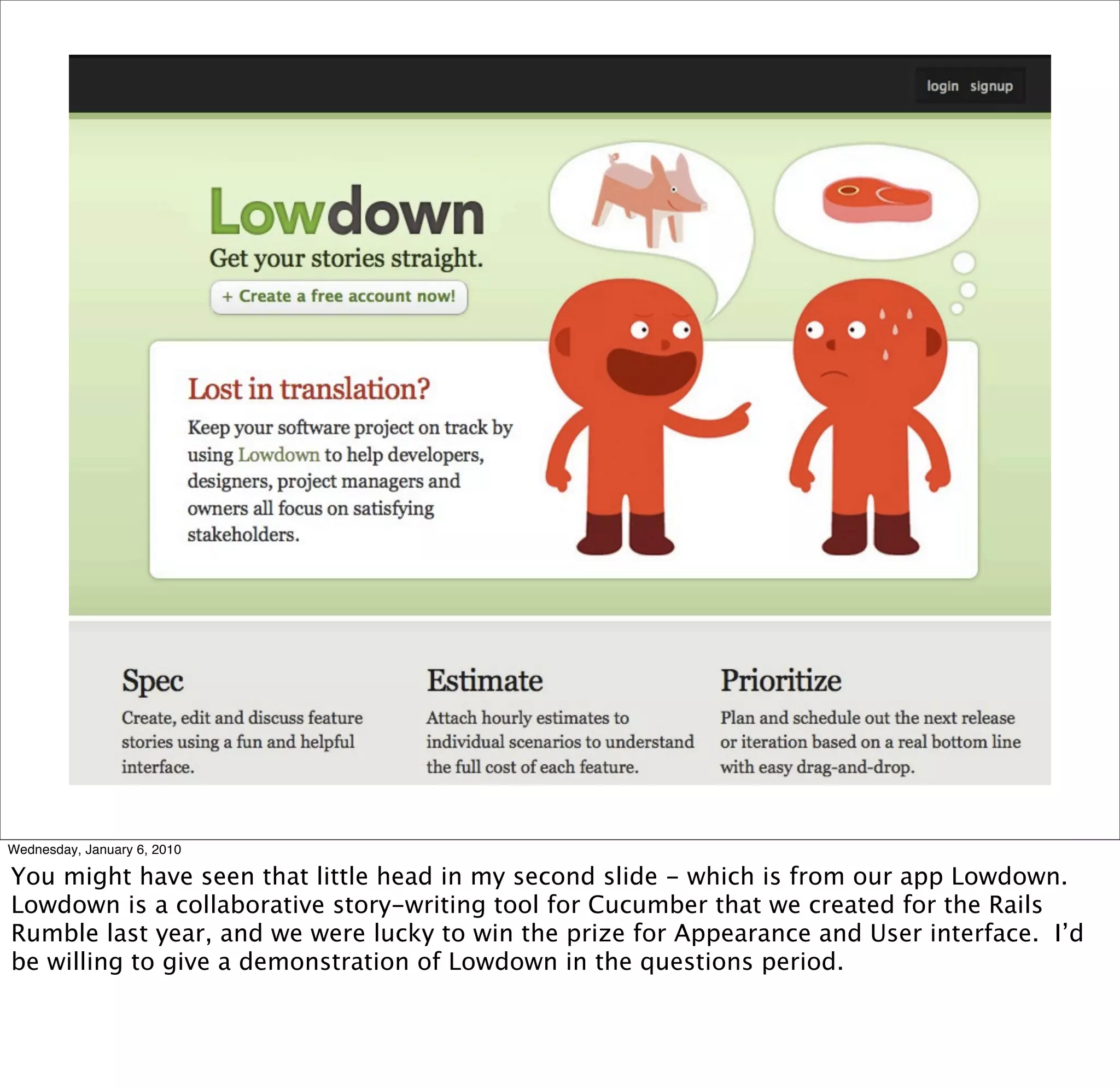
  • #63 You might have seen that little head in my second slide - which is from our app Lowdown. Lowdown is a collaborative story-writing tool for Cucumber that we created for the Rails Rumble last year, and we were lucky to win the prize for Appearance and User interface. I&amp;#x2019;d be willing to give a demonstration of Lowdown in the questions period.
  • #64 Now that that&amp;#x2019;s over...
  • #65 Do you have any questions?