


Thinking Beyond ORM in JPA
Patrycja Wegrzynowicz
JavaOne 2015
About Me
• 15+ professional experience
– Software engineer, architect, head of software R&D
• Author and speaker
– JavaOne, Devoxx, JavaZone, TheServerSide Java
Symposium, Jazoon, OOPSLA, ASE, others
• Finalizing PhD in Computer Science
• Founder and CTO of Yonita
– Bridge the gap between the industry and the academia
– Automated detection and refactoring of software defects
– Security, performance, concurrency, databases
• @yonlabs
Outline
• Motivation
• Why?
– App-centric vs. data-centric
• What?
– Use cases and performance
• How?
– JPA (2.1)
• Conclusion
Database
Database
The Mordor of Java Devs
App-Centric vs. Data-Centric
• App-centric
– Java code drives database design
– One app accesses data
– CRUD more often than complex queries
• Data-centric
– Database design drives Java code
– Several apps access data
– CRUD as often as complex queries
Use Cases
Performance
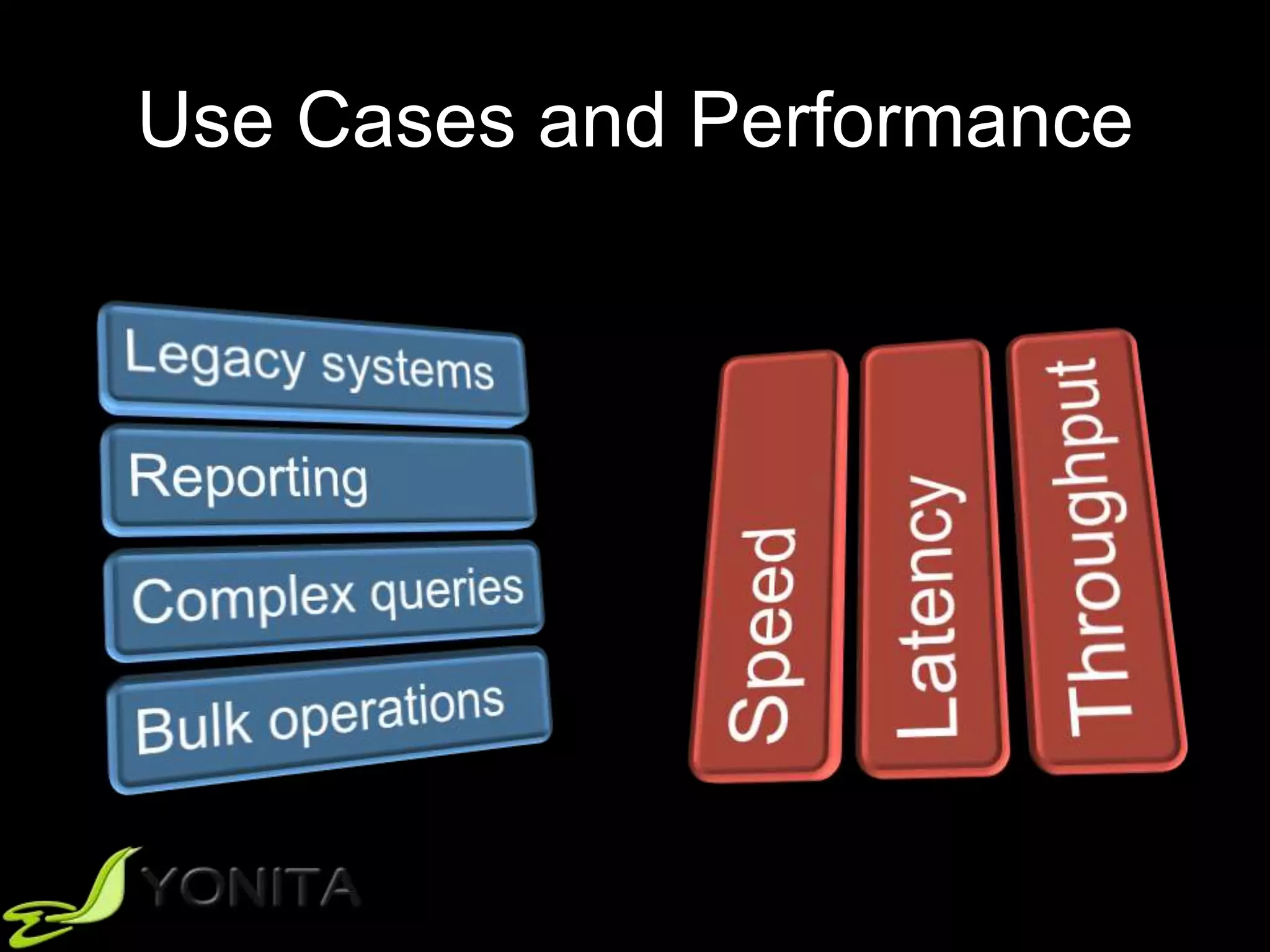
Use Cases and Performance
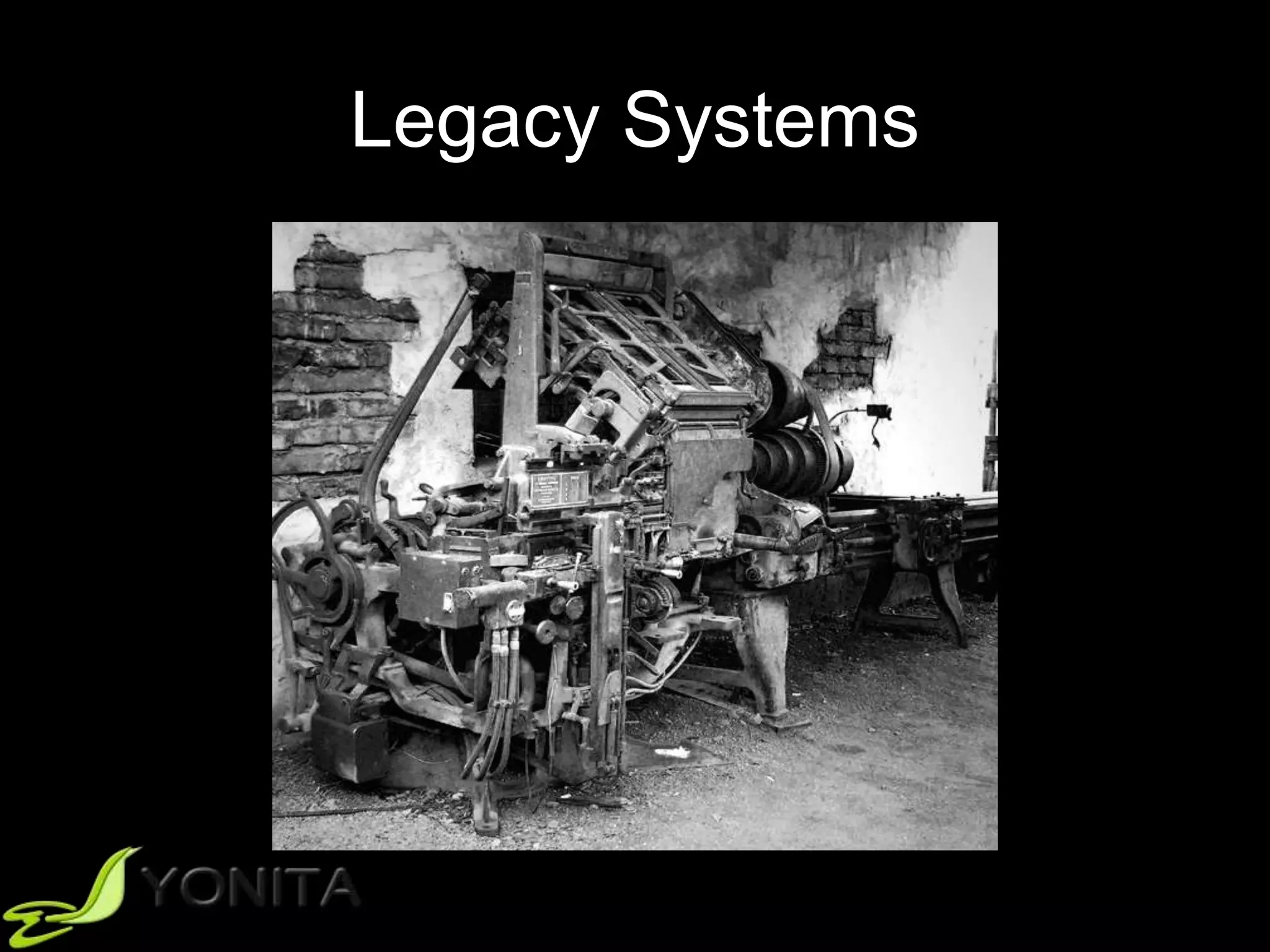
Legacy Systems
Several Apps -> One Source
Database-Level Abstraction
• Views
• Stored procedures
• Triggers
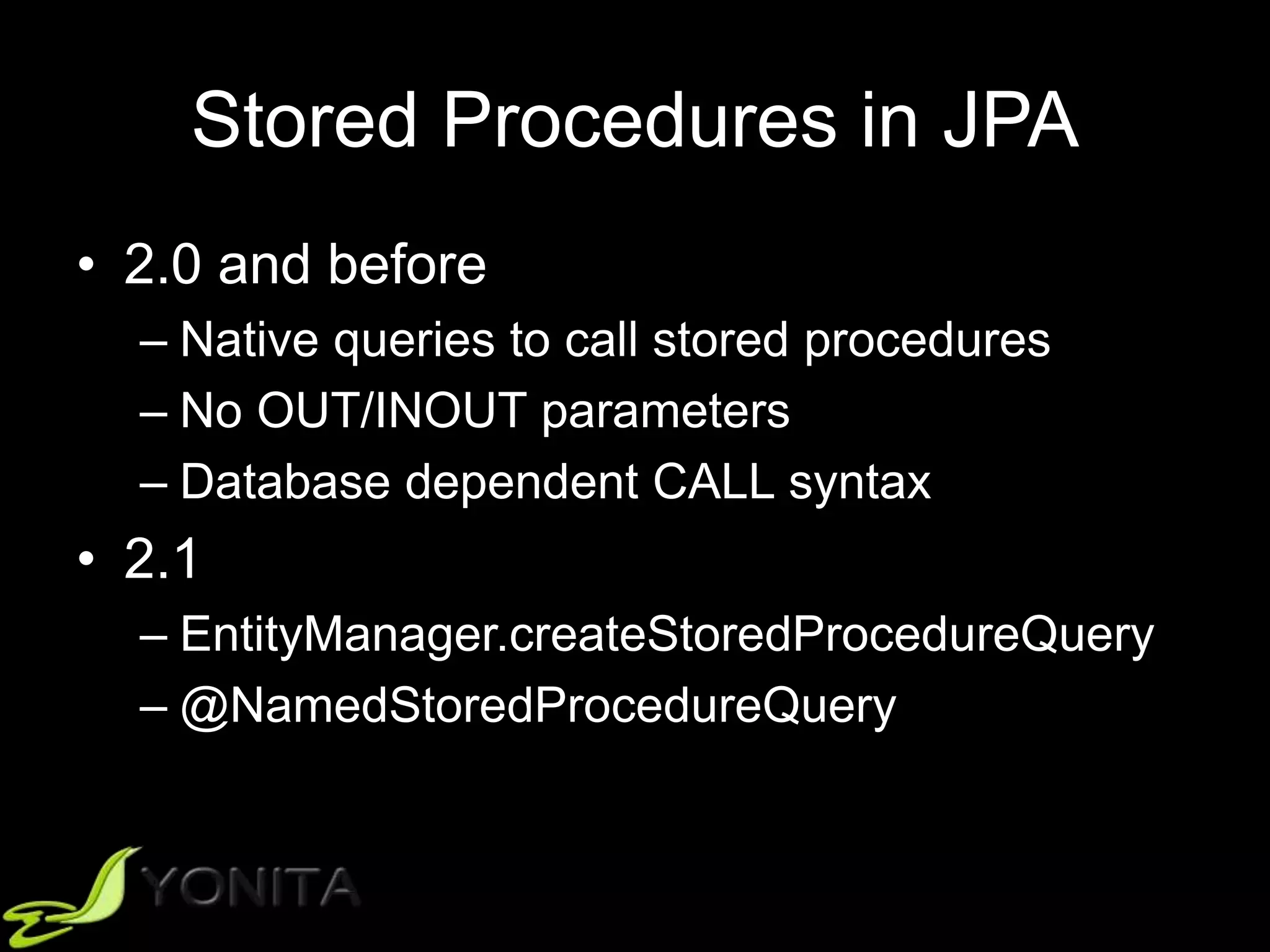
Stored Procedures in JPA
• 2.0 and before
– Native queries to call stored procedures
– No OUT/INOUT parameters
– Database dependent CALL syntax
• 2.1
– EntityManager.createStoredProcedureQuery
– @NamedStoredProcedureQuery
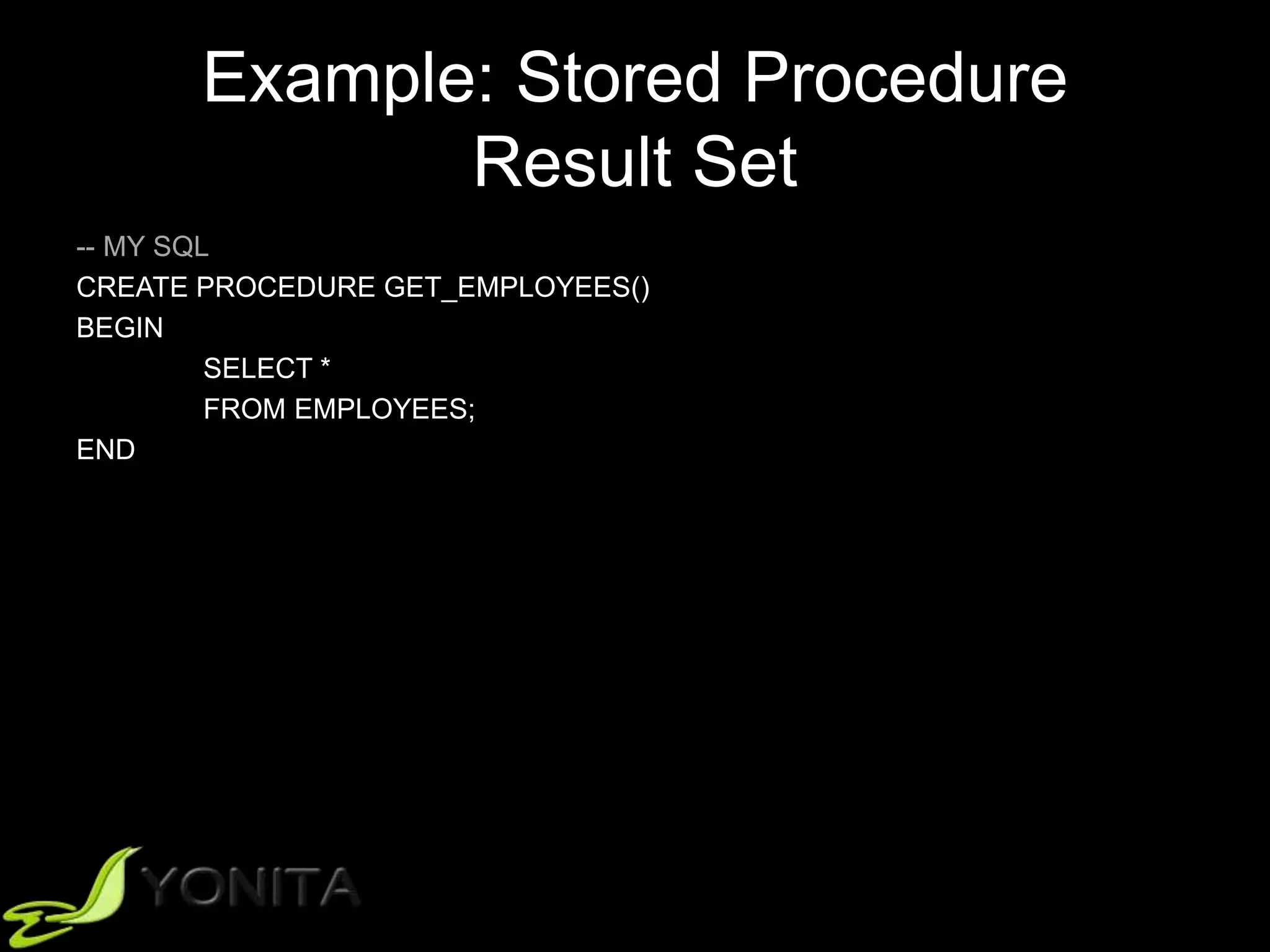
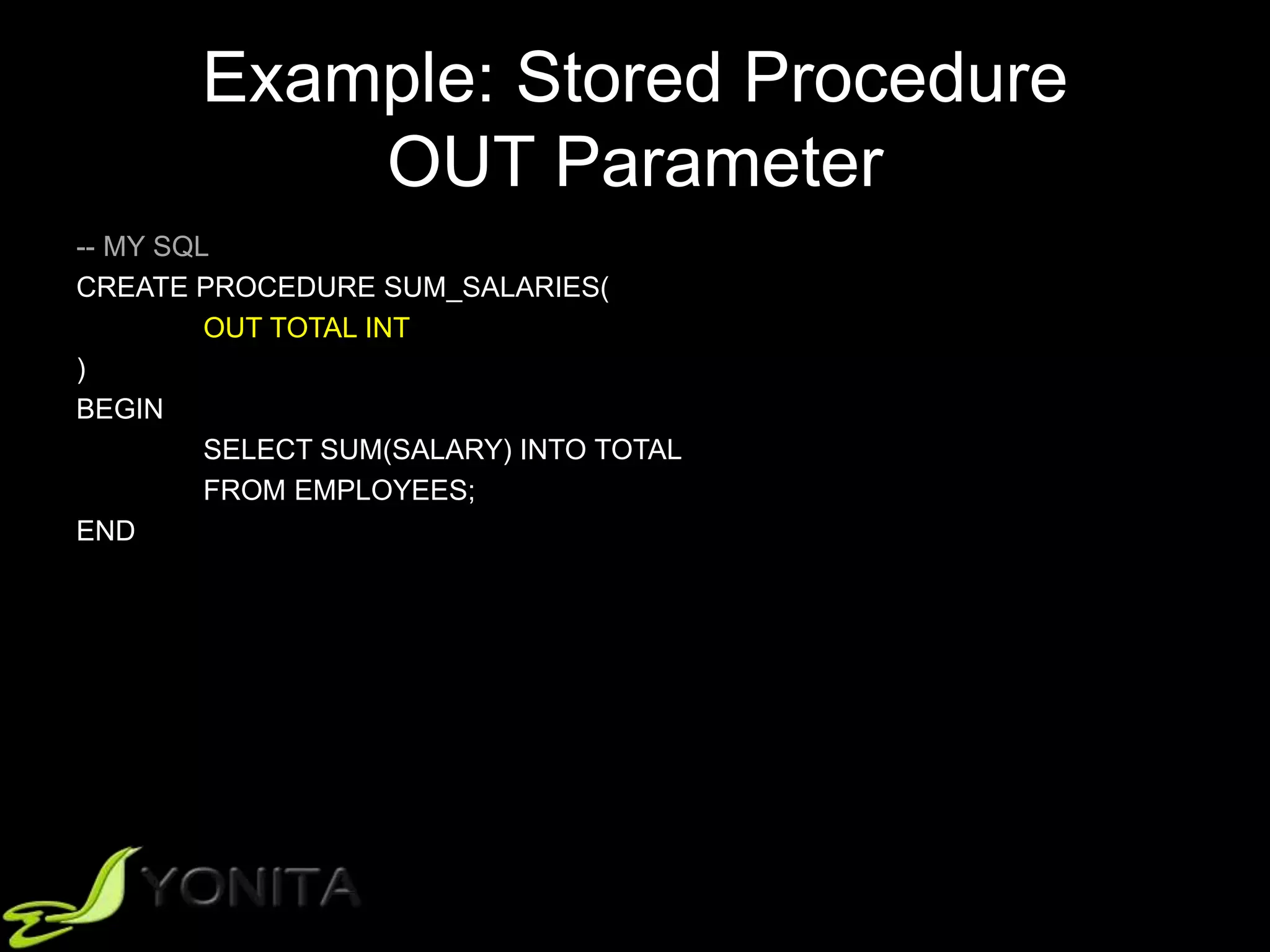
Example: Stored Procedure
Result Set
-- MY SQL
CREATE PROCEDURE GET_EMPLOYEES()
BEGIN
SELECT *
FROM EMPLOYEES;
END
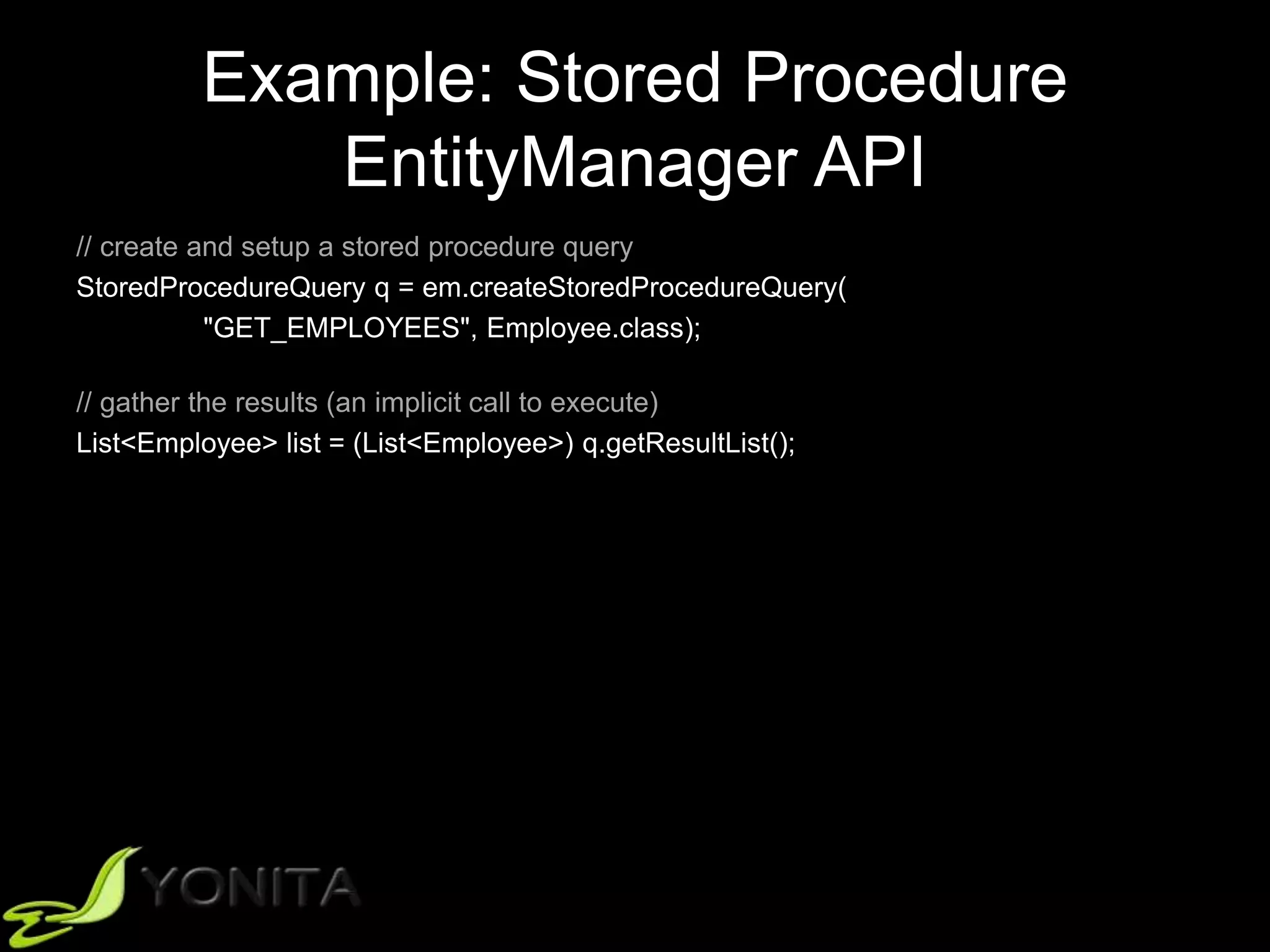
Example: Stored Procedure
EntityManager API
// create and setup a stored procedure query
StoredProcedureQuery q = em.createStoredProcedureQuery(
"GET_EMPLOYEES", Employee.class);
// gather the results (an implicit call to execute)
List<Employee> list = (List<Employee>) q.getResultList();
Example: Stored Procedure
OUT Parameter
-- MY SQL
CREATE PROCEDURE SUM_SALARIES(
OUT TOTAL INT
)
BEGIN
SELECT SUM(SALARY) INTO TOTAL
FROM EMPLOYEES;
END
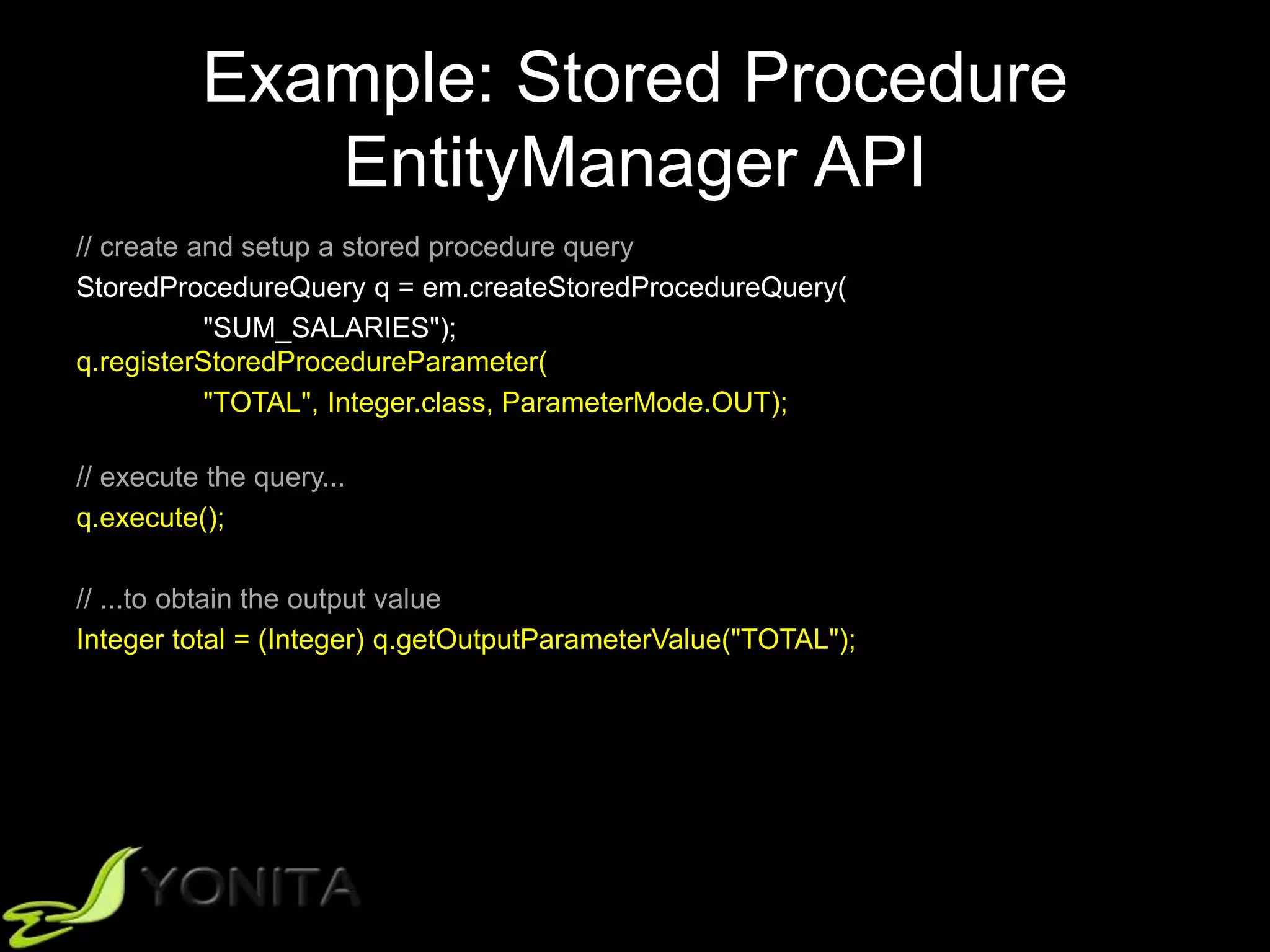
Example: Stored Procedure
EntityManager API
// create and setup a stored procedure query
StoredProcedureQuery q = em.createStoredProcedureQuery(
"SUM_SALARIES");
q.registerStoredProcedureParameter(
"TOTAL", Integer.class, ParameterMode.OUT);
// execute the query...
q.execute();
// ...to obtain the output value
Integer total = (Integer) q.getOutputParameterValue("TOTAL");
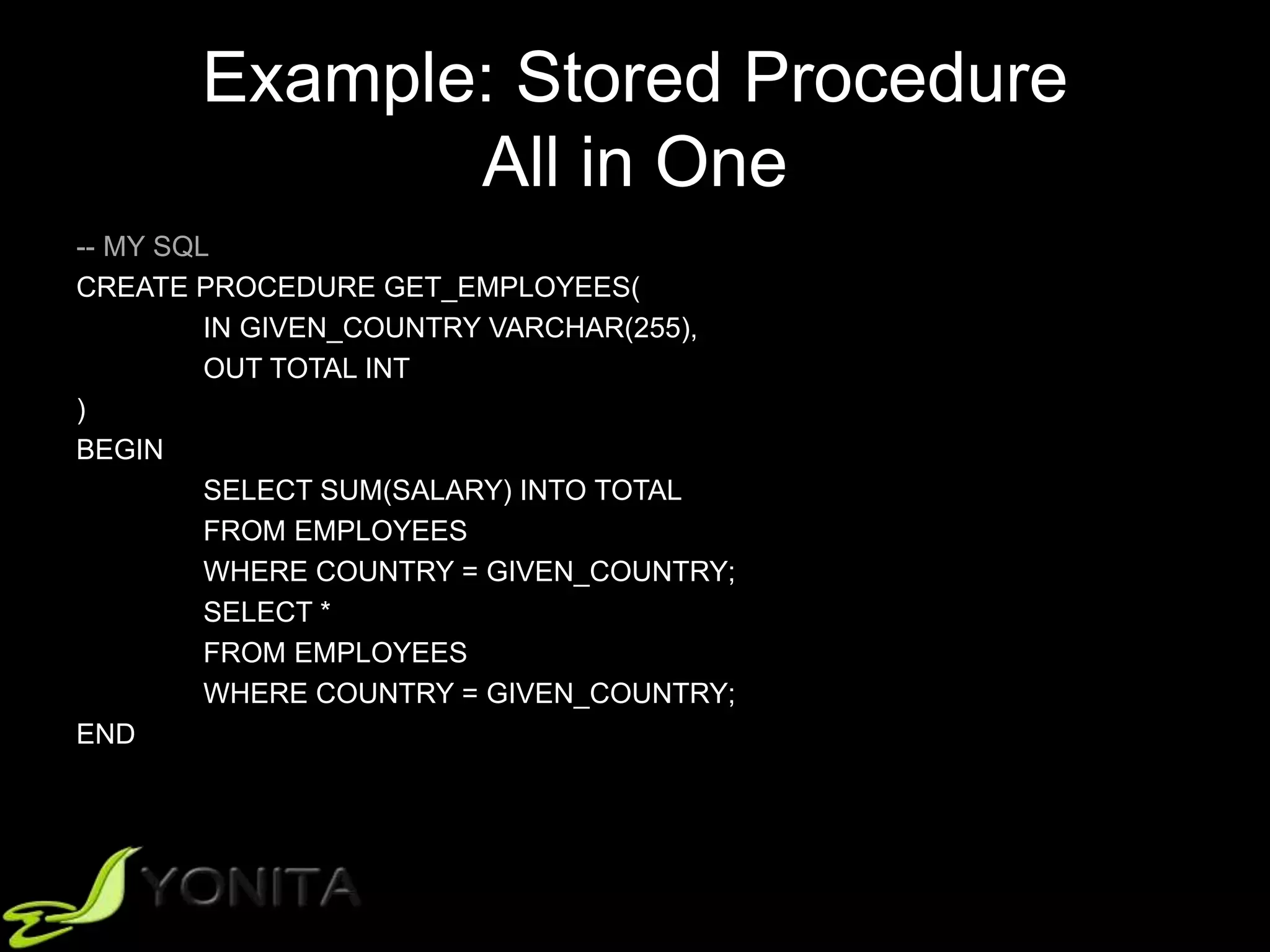
Example: Stored Procedure
All in One
-- MY SQL
CREATE PROCEDURE GET_EMPLOYEES(
IN GIVEN_COUNTRY VARCHAR(255),
OUT TOTAL INT
)
BEGIN
SELECT SUM(SALARY) INTO TOTAL
FROM EMPLOYEES
WHERE COUNTRY = GIVEN_COUNTRY;
SELECT *
FROM EMPLOYEES
WHERE COUNTRY = GIVEN_COUNTRY;
END
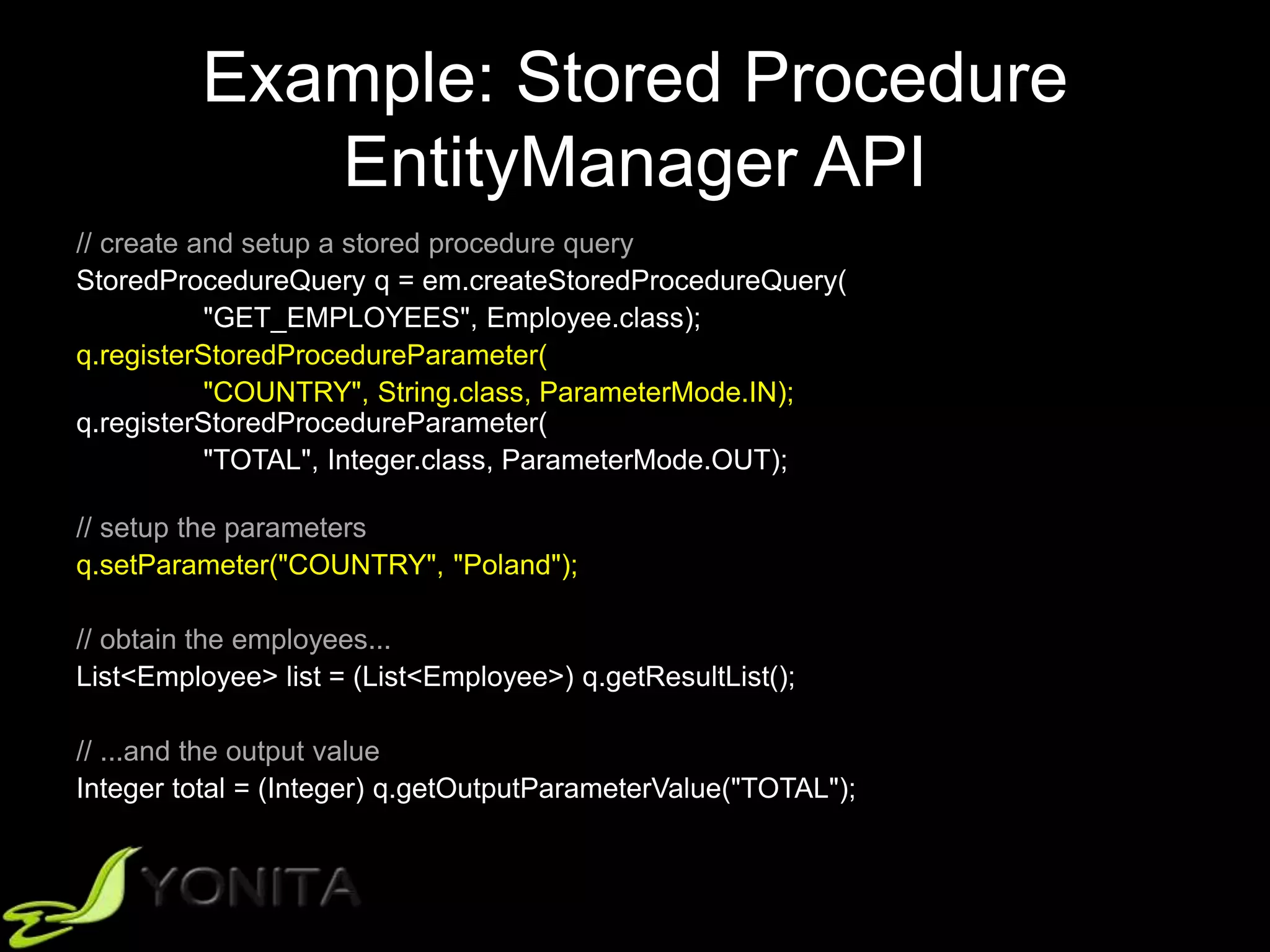
Example: Stored Procedure
EntityManager API
// create and setup a stored procedure query
StoredProcedureQuery q = em.createStoredProcedureQuery(
"GET_EMPLOYEES", Employee.class);
q.registerStoredProcedureParameter(
"COUNTRY", String.class, ParameterMode.IN);
q.registerStoredProcedureParameter(
"TOTAL", Integer.class, ParameterMode.OUT);
// setup the parameters
q.setParameter("COUNTRY", "Poland");
// obtain the employees...
List<Employee> list = (List<Employee>) q.getResultList();
// ...and the output value
Integer total = (Integer) q.getOutputParameterValue("TOTAL");
Example: Stored Procedure
EntityManager API
// create and setup a stored procedure query
StoredProcedureQuery q = em.createStoredProcedureQuery(
"GET_EMPLOYEES", Employee.class);
q.registerStoredProcedureParameter(
"COUNTRY", String.class, ParameterMode.IN);
q.registerStoredProcedureParameter(
"TOTAL", Integer.class, ParameterMode.OUT);
// setup the parameters
q.setParameter("COUNTRY", "Poland");
// obtain the employees
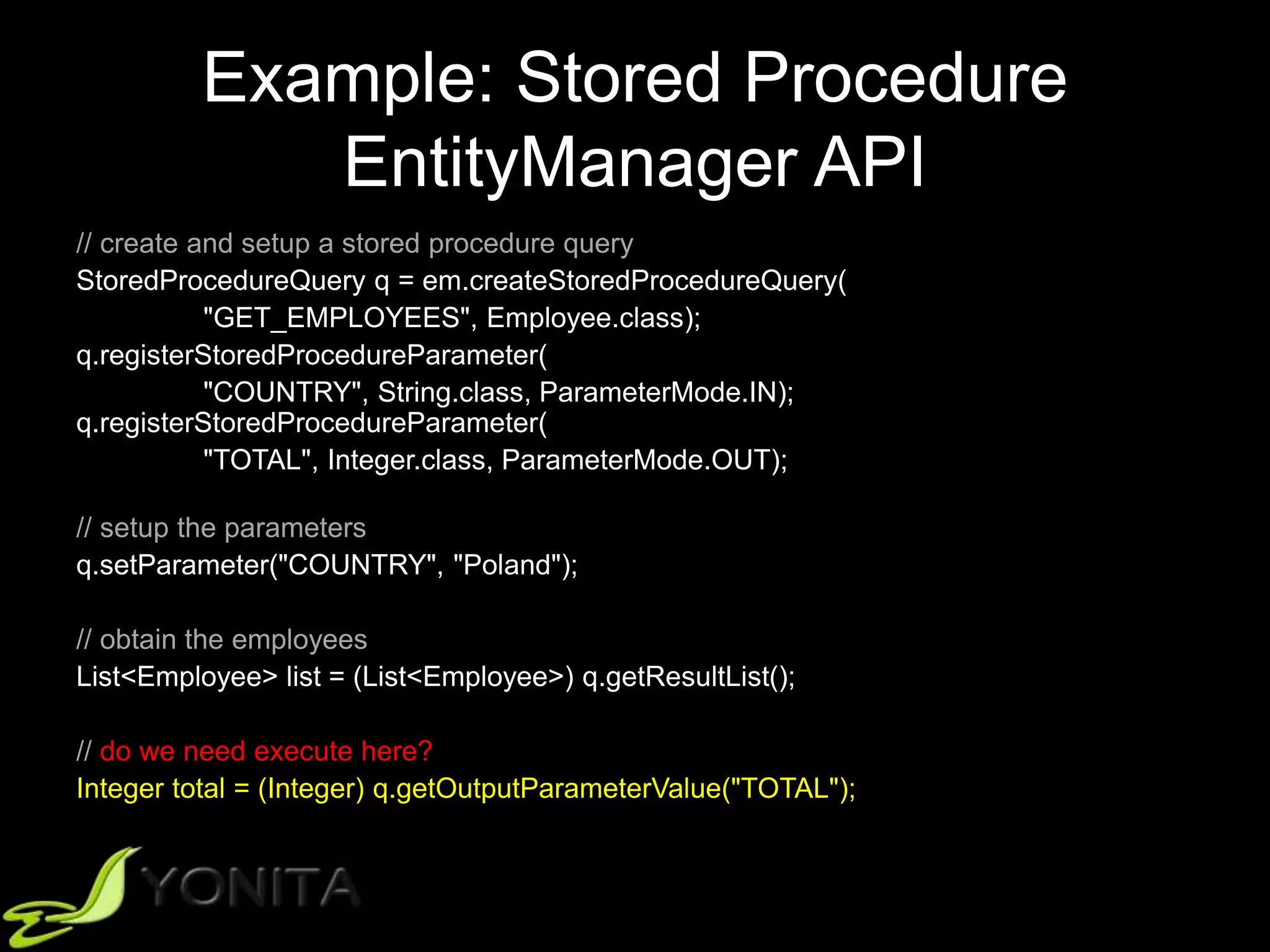
List<Employee> list = (List<Employee>) q.getResultList();
// do we need execute here?
Integer total = (Integer) q.getOutputParameterValue("TOTAL");
Example: Stored Procedure
EntityManager API
// create and setup a stored procedure query
StoredProcedureQuery q = em.createStoredProcedureQuery(
"GET_EMPLOYEES", Employee.class);
q.registerStoredProcedureParameter(
"COUNTRY", String.class, ParameterMode.IN);
q.registerStoredProcedureParameter(
"TOTAL", Integer.class, ParameterMode.OUT);
// setup the parameters
q.setParameter("COUNTRY", "Poland");
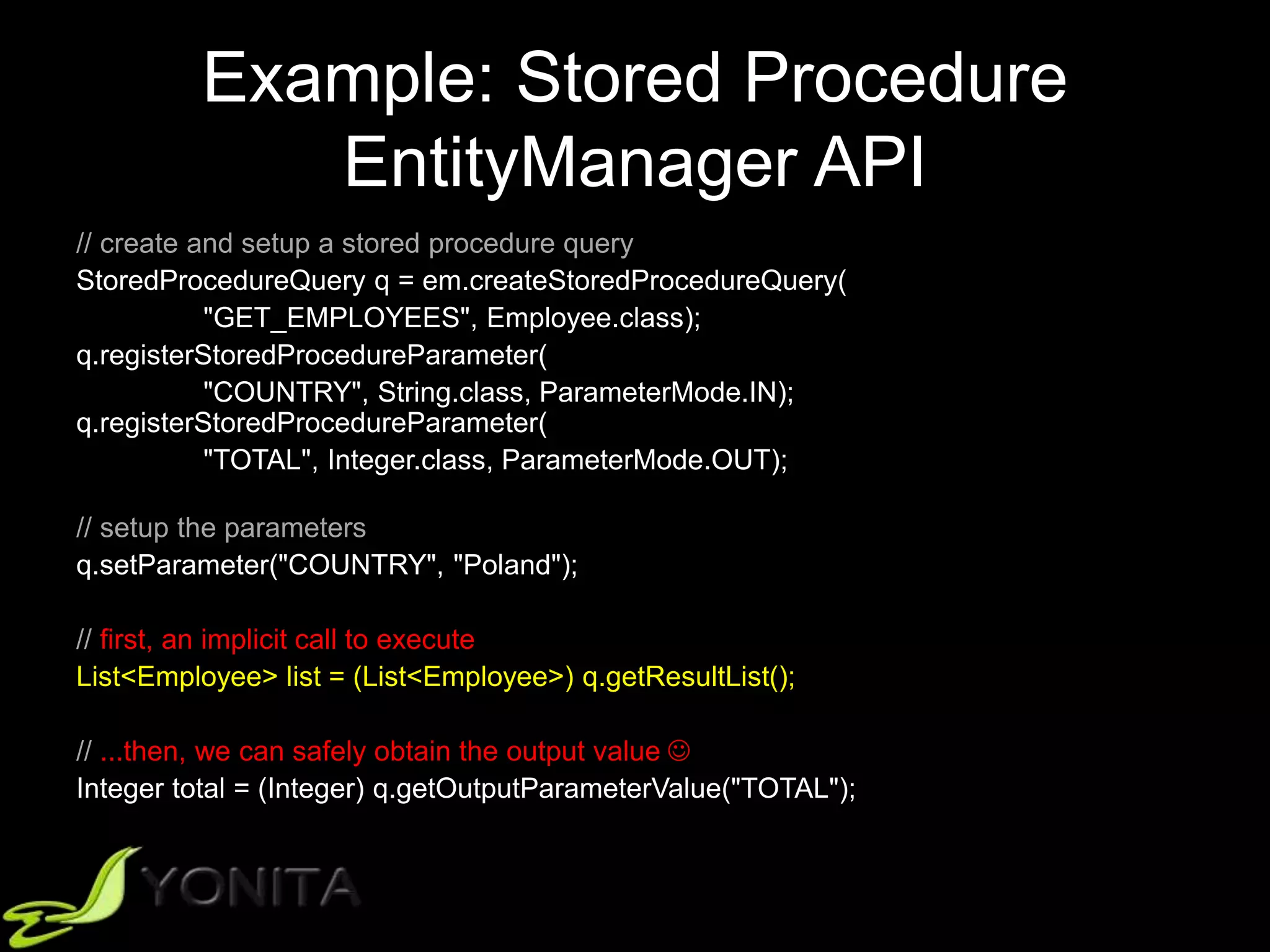
// first, an implicit call to execute
List<Employee> list = (List<Employee>) q.getResultList();
// ...then, we can safely obtain the output value 
Integer total = (Integer) q.getOutputParameterValue("TOTAL");
Example: Stored Procedure
EntityManager API
// create and setup a stored procedure query
StoredProcedureQuery q = em.createStoredProcedureQuery(
"GET_EMPLOYEES", Employee.class);
q.registerStoredProcedureParameter(
"COUNTRY", String.class, ParameterMode.IN);
q.registerStoredProcedureParameter(
"TOTAL", Integer.class, ParameterMode.OUT);
// setup the parameters
q.setParameter("COUNTRY", "Poland");
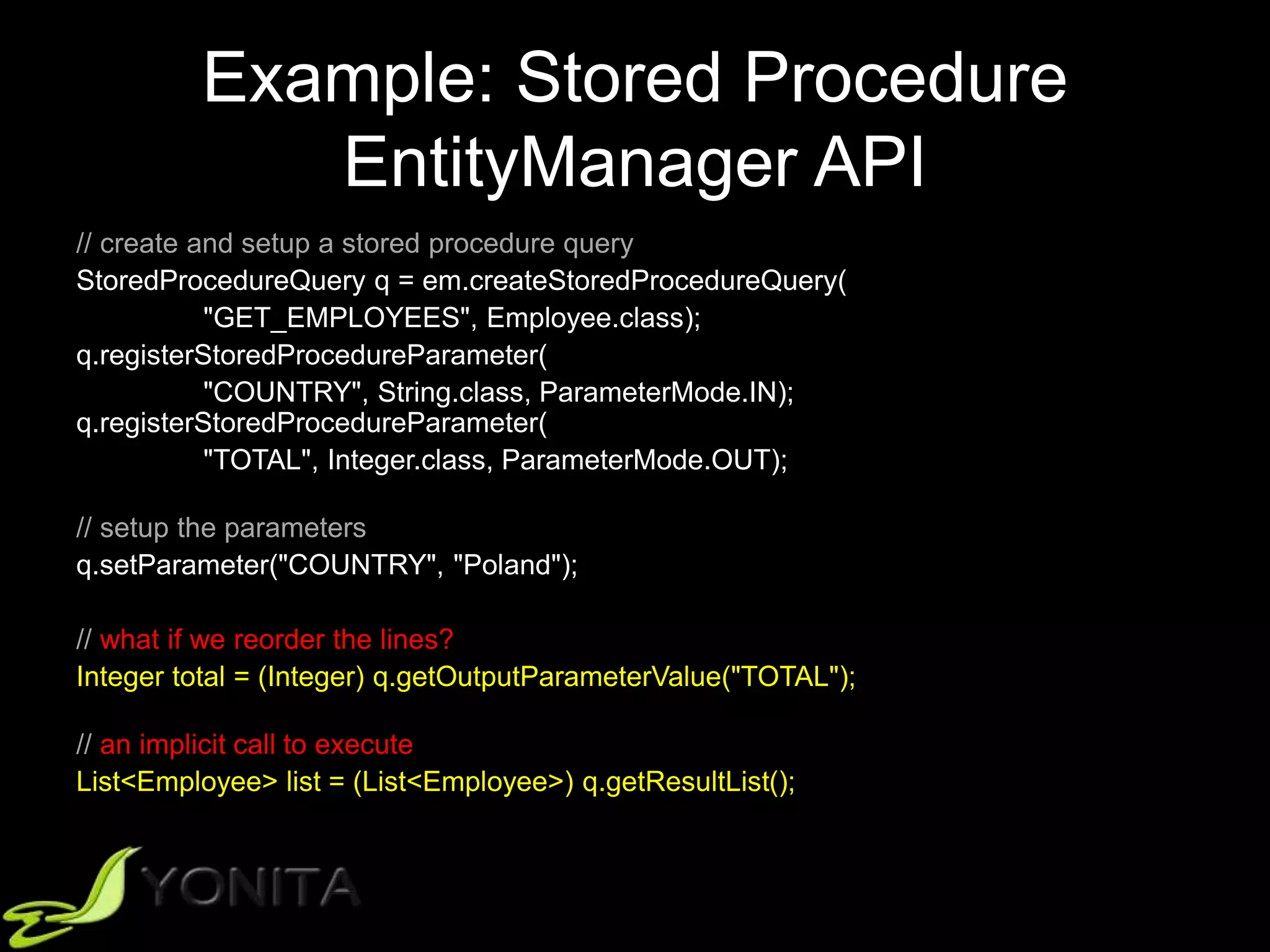
// what if we reorder the lines?
Integer total = (Integer) q.getOutputParameterValue("TOTAL");
// an implicit call to execute
List<Employee> list = (List<Employee>) q.getResultList();
Example: Stored Procedure
EntityManager API
// create and setup a stored procedure query
StoredProcedureQuery q = em.createStoredProcedureQuery(
"GET_EMPLOYEES", Employee.class);
q.registerStoredProcedureParameter(
"COUNTRY", String.class, ParameterMode.IN);
q.registerStoredProcedureParameter(
"TOTAL", Integer.class, ParameterMode.OUT);
// setup the parameters
q.setParameter("COUNTRY", "Poland");
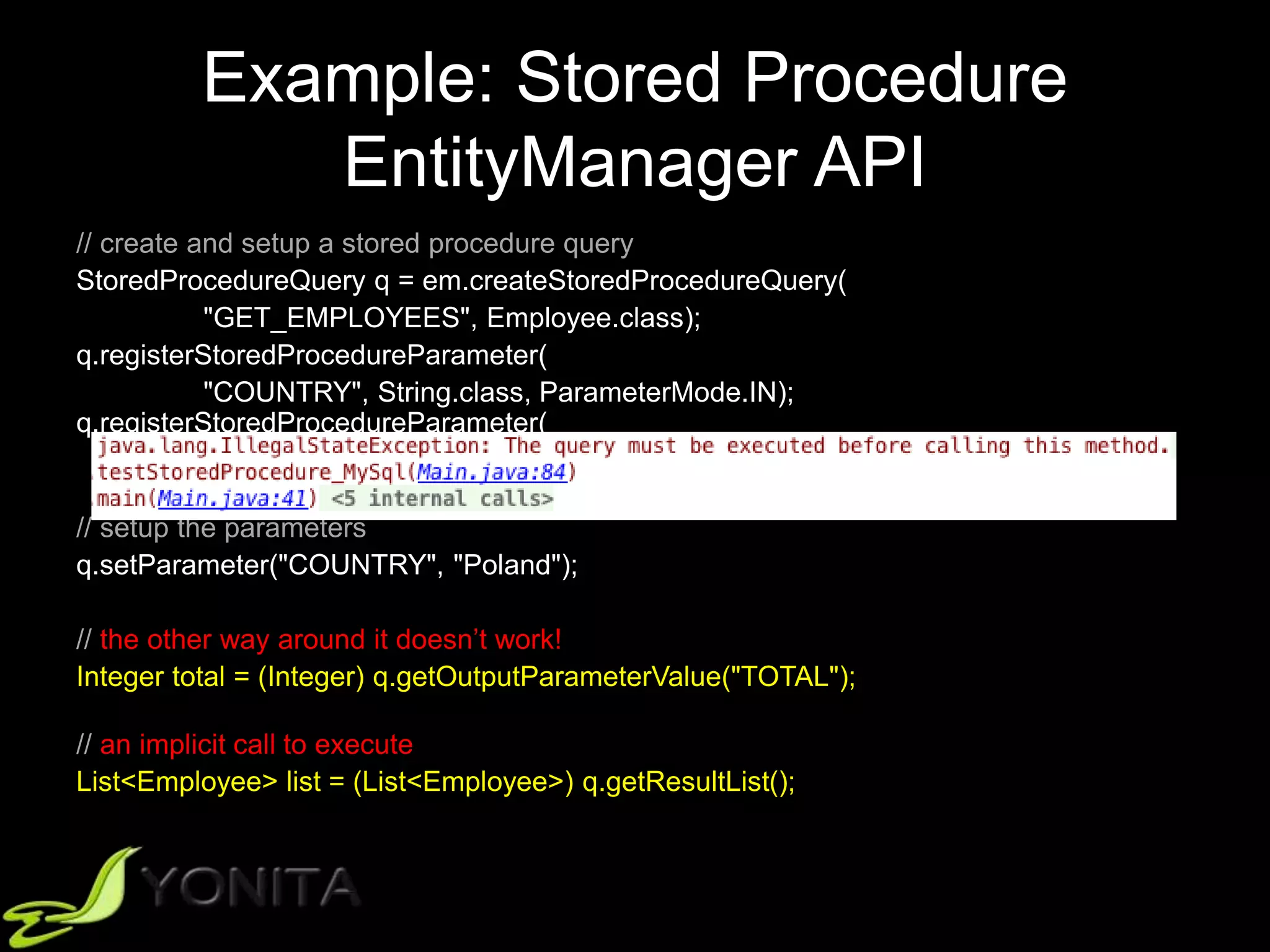
// the other way around it doesn’t work!
Integer total = (Integer) q.getOutputParameterValue("TOTAL");
// an implicit call to execute
List<Employee> list = (List<Employee>) q.getResultList();
Example: Stored Procedure
EntityManager API
// create and setup a stored procedure query
StoredProcedureQuery q = em.createStoredProcedureQuery(
"GET_EMPLOYEES", Employee.class);
q.registerStoredProcedureParameter(
"COUNTRY", String.class, ParameterMode.IN);
q.registerStoredProcedureParameter(
"TOTAL", Integer.class, ParameterMode.OUT);
// setup the parameters
q.setParameter("COUNTRY", "Poland");
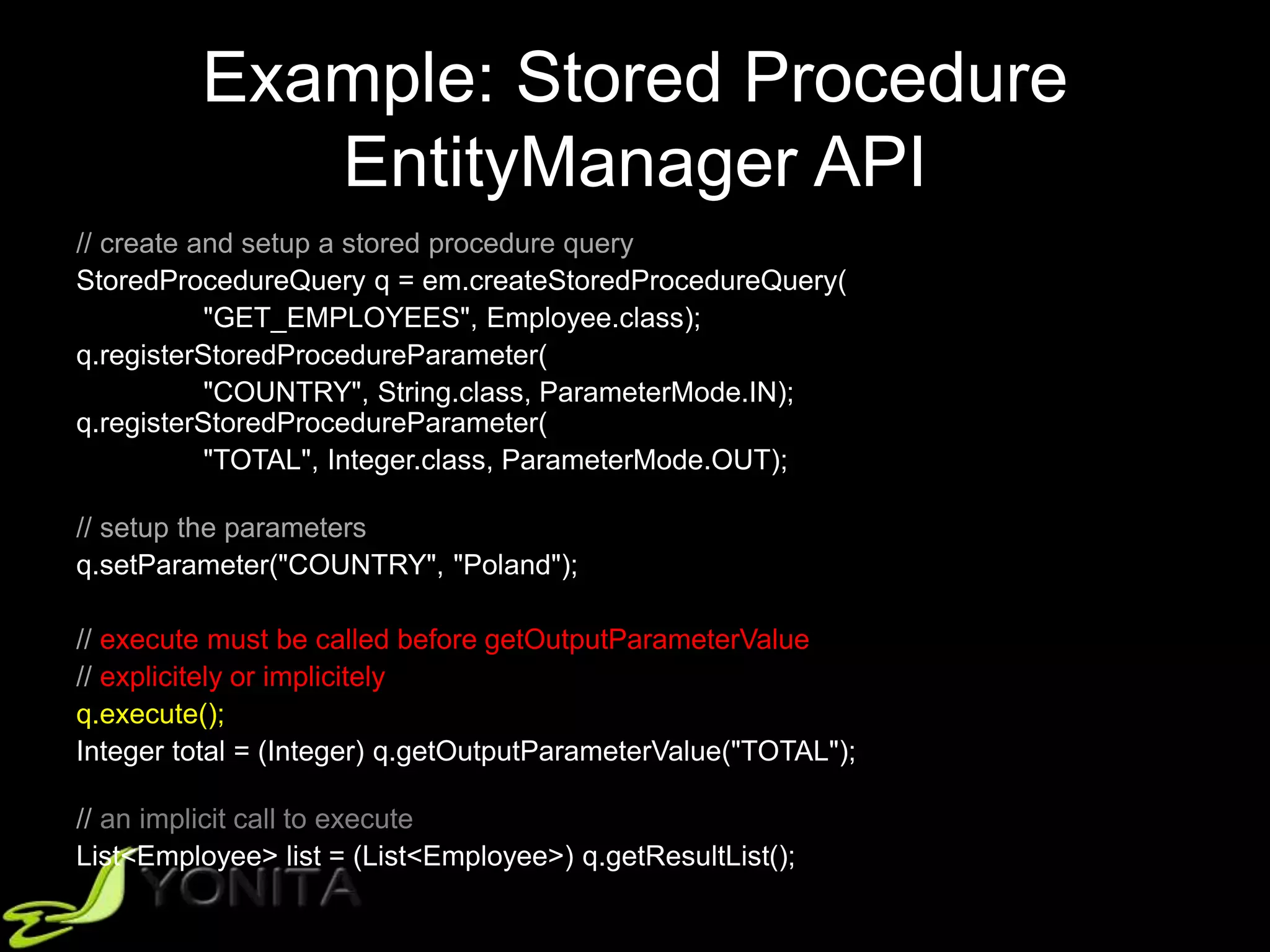
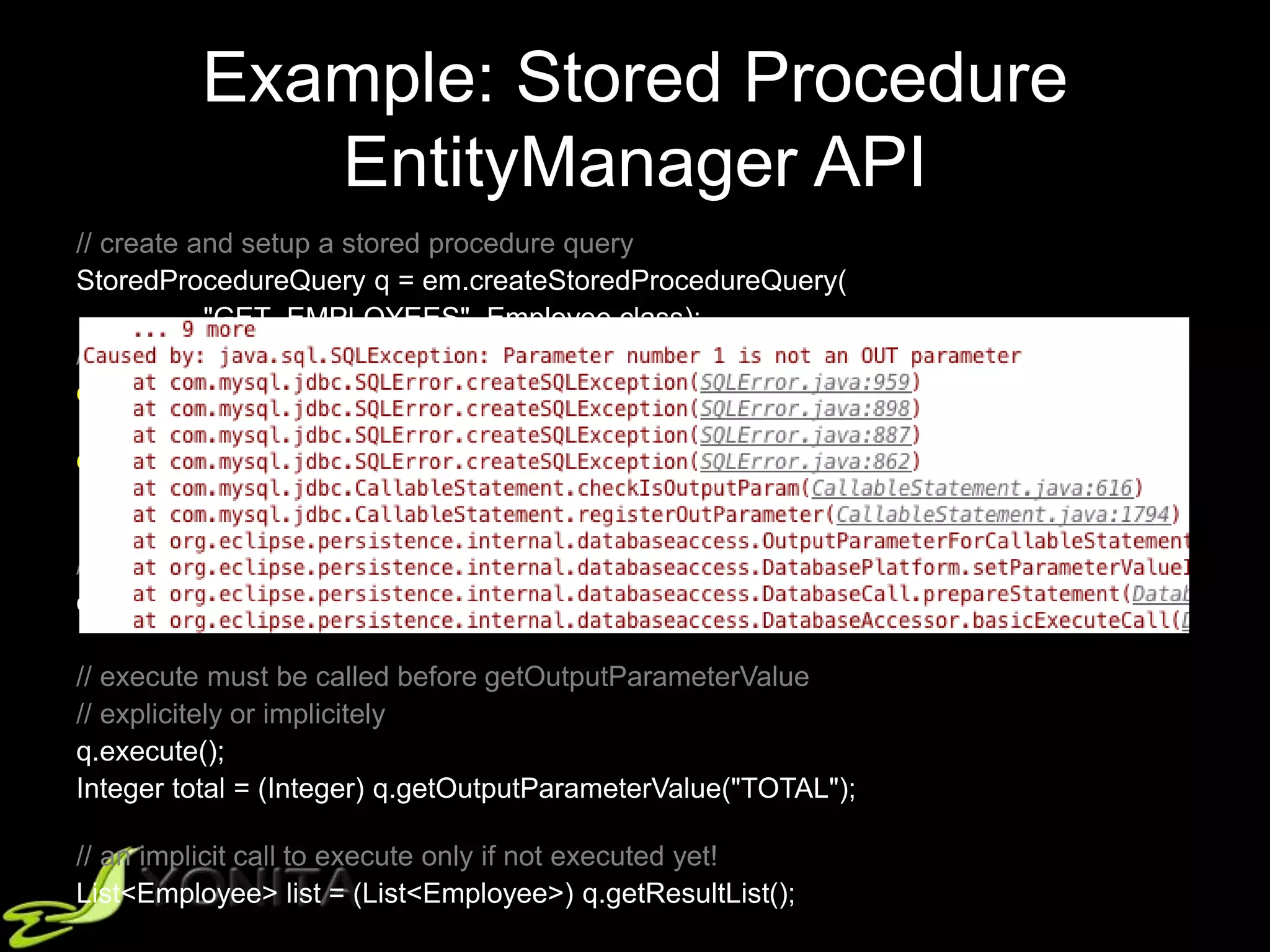
// execute must be called before getOutputParameterValue
// explicitely or implicitely
q.execute();
Integer total = (Integer) q.getOutputParameterValue("TOTAL");
// an implicit call to execute
List<Employee> list = (List<Employee>) q.getResultList();
Example: Stored Procedure
EntityManager API
// create and setup a stored procedure query
StoredProcedureQuery q = em.createStoredProcedureQuery(
"GET_EMPLOYEES", Employee.class);
q.registerStoredProcedureParameter(
"COUNTRY", String.class, ParameterMode.IN);
q.registerStoredProcedureParameter(
"TOTAL", Integer.class, ParameterMode.OUT);
// setup the parameters
q.setParameter("COUNTRY", "Poland");
// execute must be called before getOutputParameterValue
// explicitely or implicitely
q.execute();
Integer total = (Integer) q.getOutputParameterValue("TOTAL");
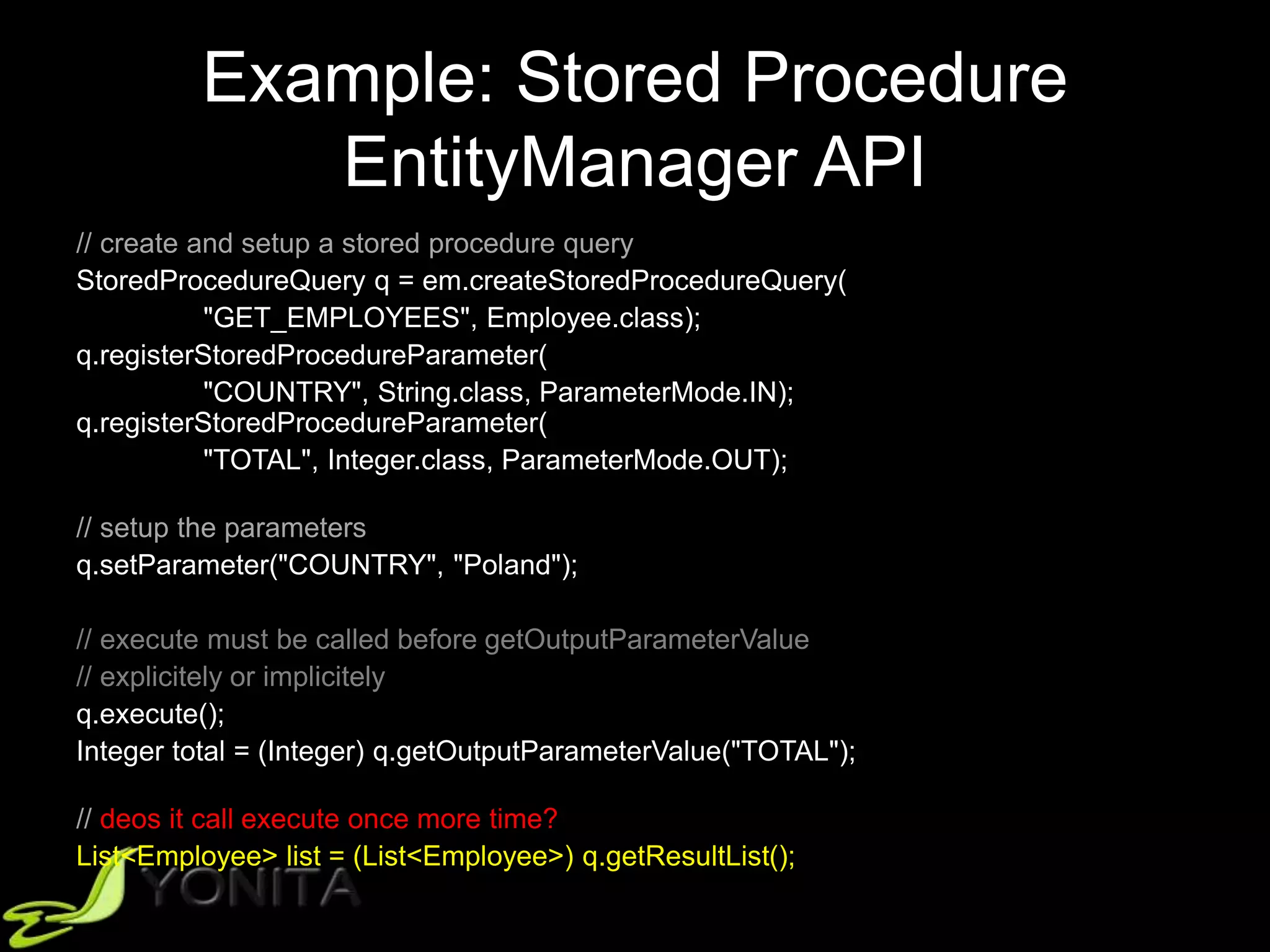
// deos it call execute once more time?
List<Employee> list = (List<Employee>) q.getResultList();
Example: Stored Procedure
EntityManager API
// create and setup a stored procedure query
StoredProcedureQuery q = em.createStoredProcedureQuery(
"GET_EMPLOYEES", Employee.class);
q.registerStoredProcedureParameter(
"COUNTRY", String.class, ParameterMode.IN);
q.registerStoredProcedureParameter(
"TOTAL", Integer.class, ParameterMode.OUT);
// setup the parameters
q.setParameter("COUNTRY", "Poland");
// execute must be called before getOutputParameterValue
// explicitely or implicitely
q.execute();
Integer total = (Integer) q.getOutputParameterValue("TOTAL");
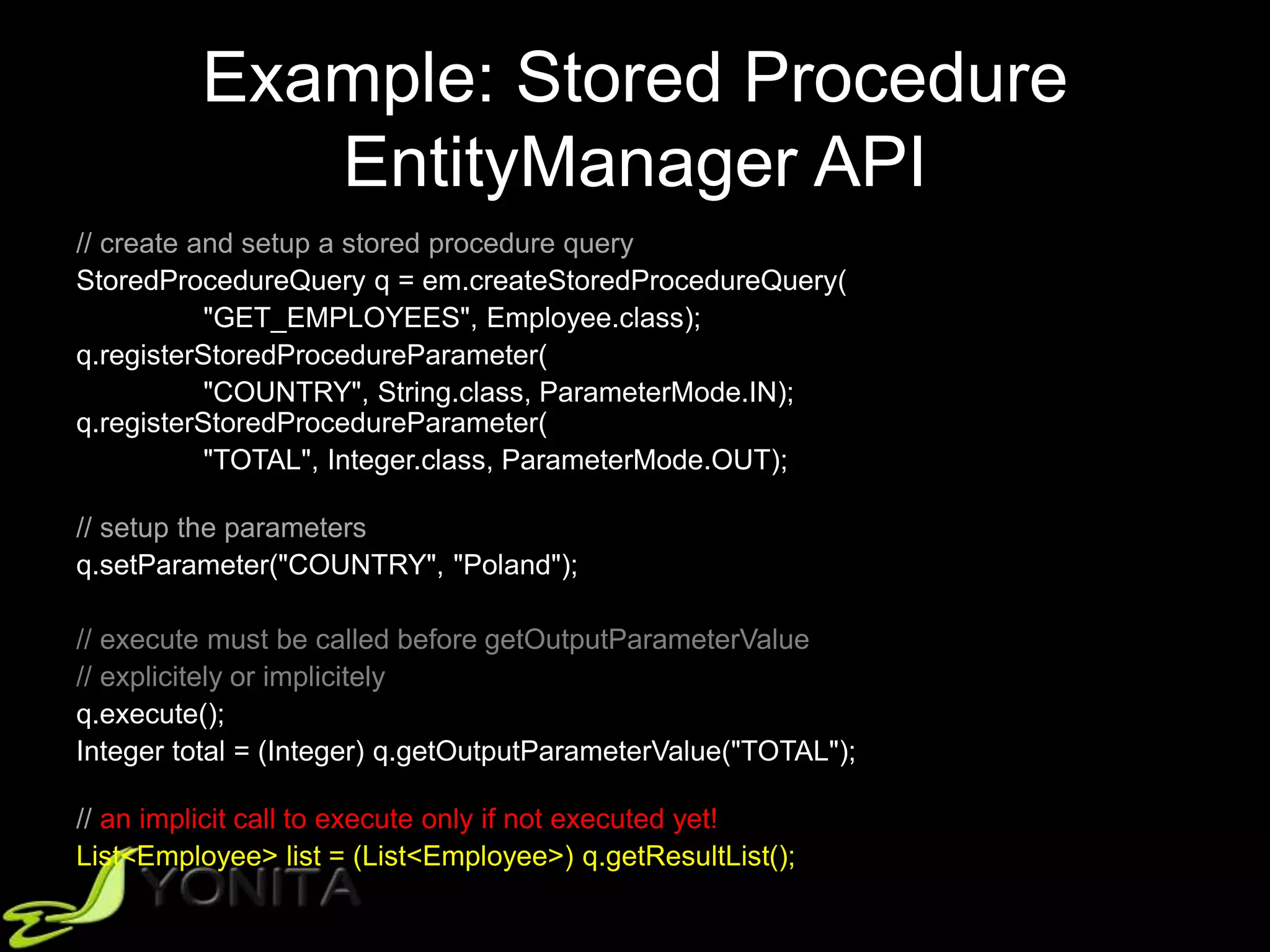
// an implicit call to execute only if not executed yet!
List<Employee> list = (List<Employee>) q.getResultList();
Example: Stored Procedure
EntityManager API
// create and setup a stored procedure query
StoredProcedureQuery q = em.createStoredProcedureQuery(
"GET_EMPLOYEES", Employee.class);
q.registerStoredProcedureParameter(
"COUNTRY", String.class, ParameterMode.IN);
q.registerStoredProcedureParameter(
"TOTAL", Integer.class, ParameterMode.OUT);
// setup the parameters
q.setParameter("COUNTRY", "Poland");
// execute must be called before getOutputParameterValue
// explicitely or implicitely
q.execute();
Integer total = (Integer) q.getOutputParameterValue("TOTAL");
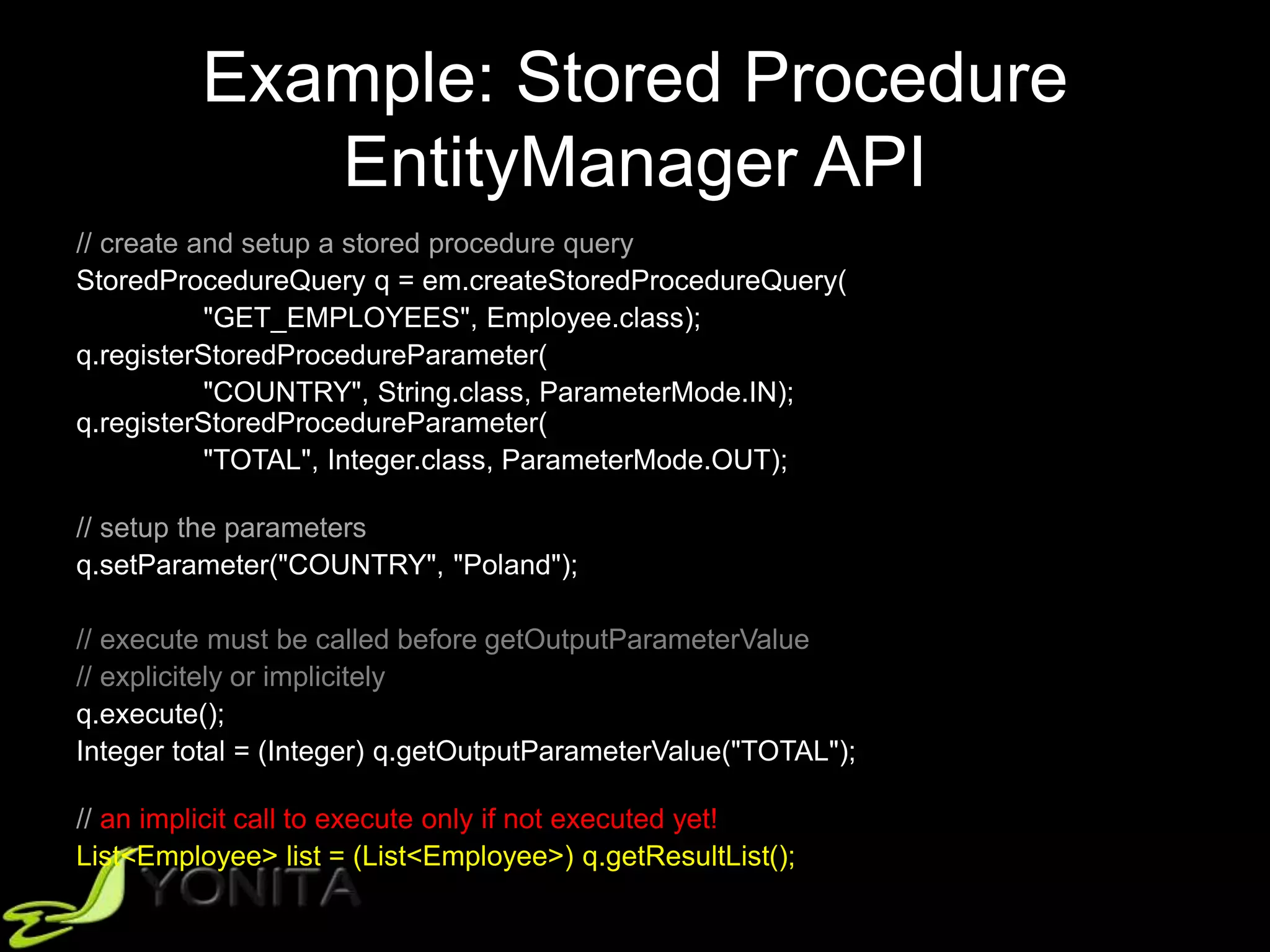
// an implicit call to execute only if not executed yet!
List<Employee> list = (List<Employee>) q.getResultList();
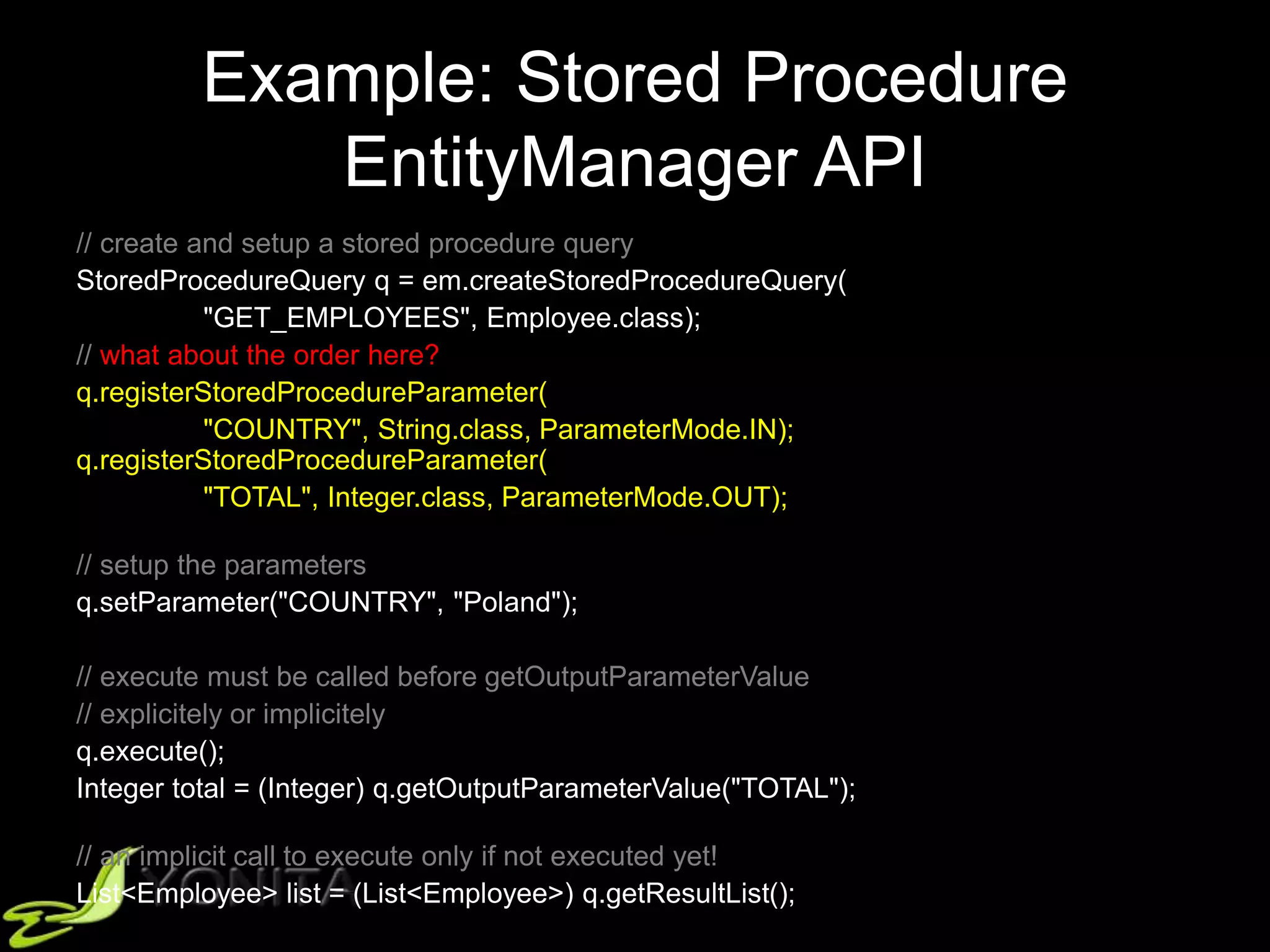
Example: Stored Procedure
EntityManager API
// create and setup a stored procedure query
StoredProcedureQuery q = em.createStoredProcedureQuery(
"GET_EMPLOYEES", Employee.class);
// what about the order here?
q.registerStoredProcedureParameter(
"COUNTRY", String.class, ParameterMode.IN);
q.registerStoredProcedureParameter(
"TOTAL", Integer.class, ParameterMode.OUT);
// setup the parameters
q.setParameter("COUNTRY", "Poland");
// execute must be called before getOutputParameterValue
// explicitely or implicitely
q.execute();
Integer total = (Integer) q.getOutputParameterValue("TOTAL");
// an implicit call to execute only if not executed yet!
List<Employee> list = (List<Employee>) q.getResultList();
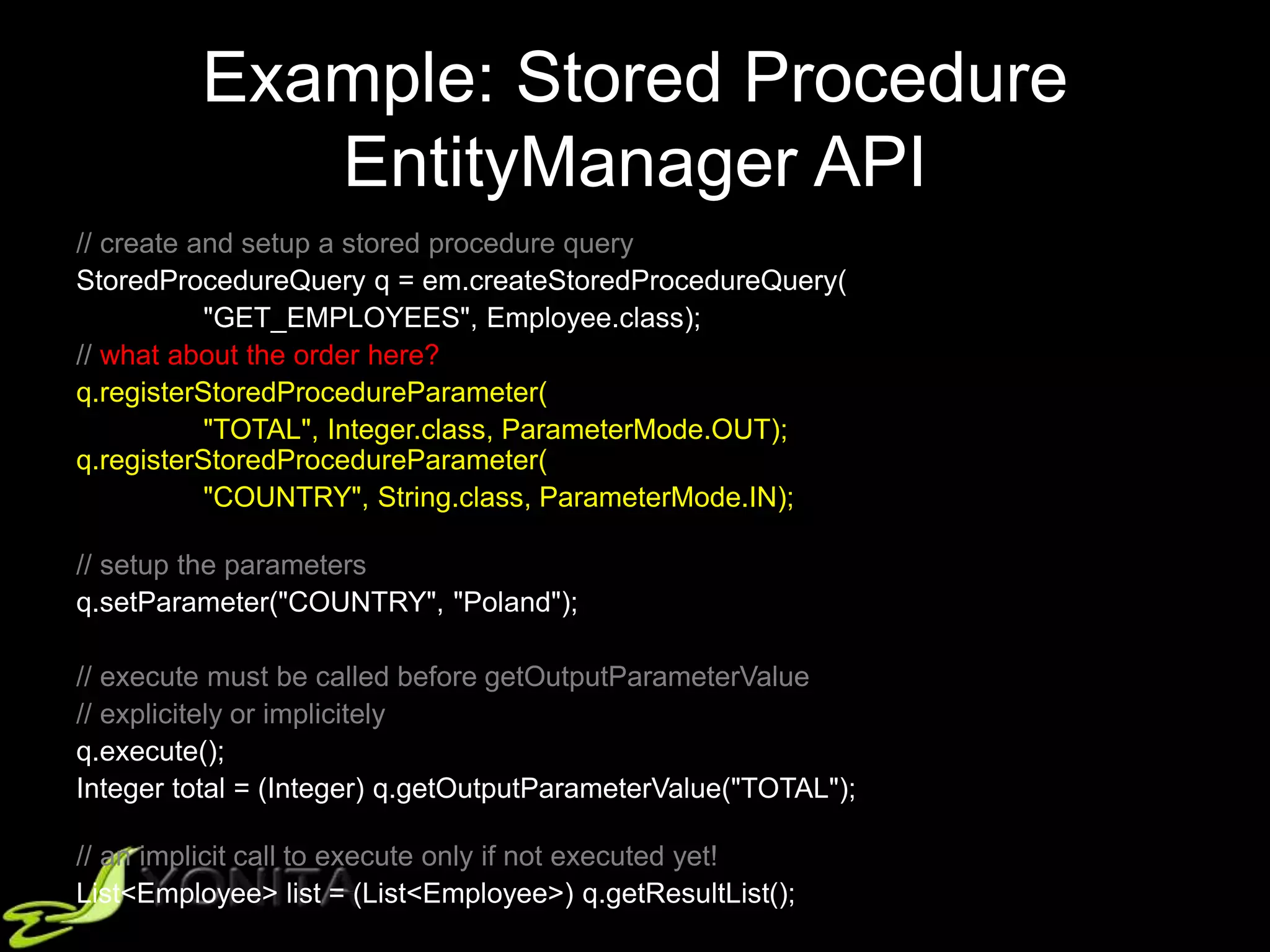
Example: Stored Procedure
EntityManager API
// create and setup a stored procedure query
StoredProcedureQuery q = em.createStoredProcedureQuery(
"GET_EMPLOYEES", Employee.class);
// what about the order here?
q.registerStoredProcedureParameter(
"TOTAL", Integer.class, ParameterMode.OUT);
q.registerStoredProcedureParameter(
"COUNTRY", String.class, ParameterMode.IN);
// setup the parameters
q.setParameter("COUNTRY", "Poland");
// execute must be called before getOutputParameterValue
// explicitely or implicitely
q.execute();
Integer total = (Integer) q.getOutputParameterValue("TOTAL");
// an implicit call to execute only if not executed yet!
List<Employee> list = (List<Employee>) q.getResultList();
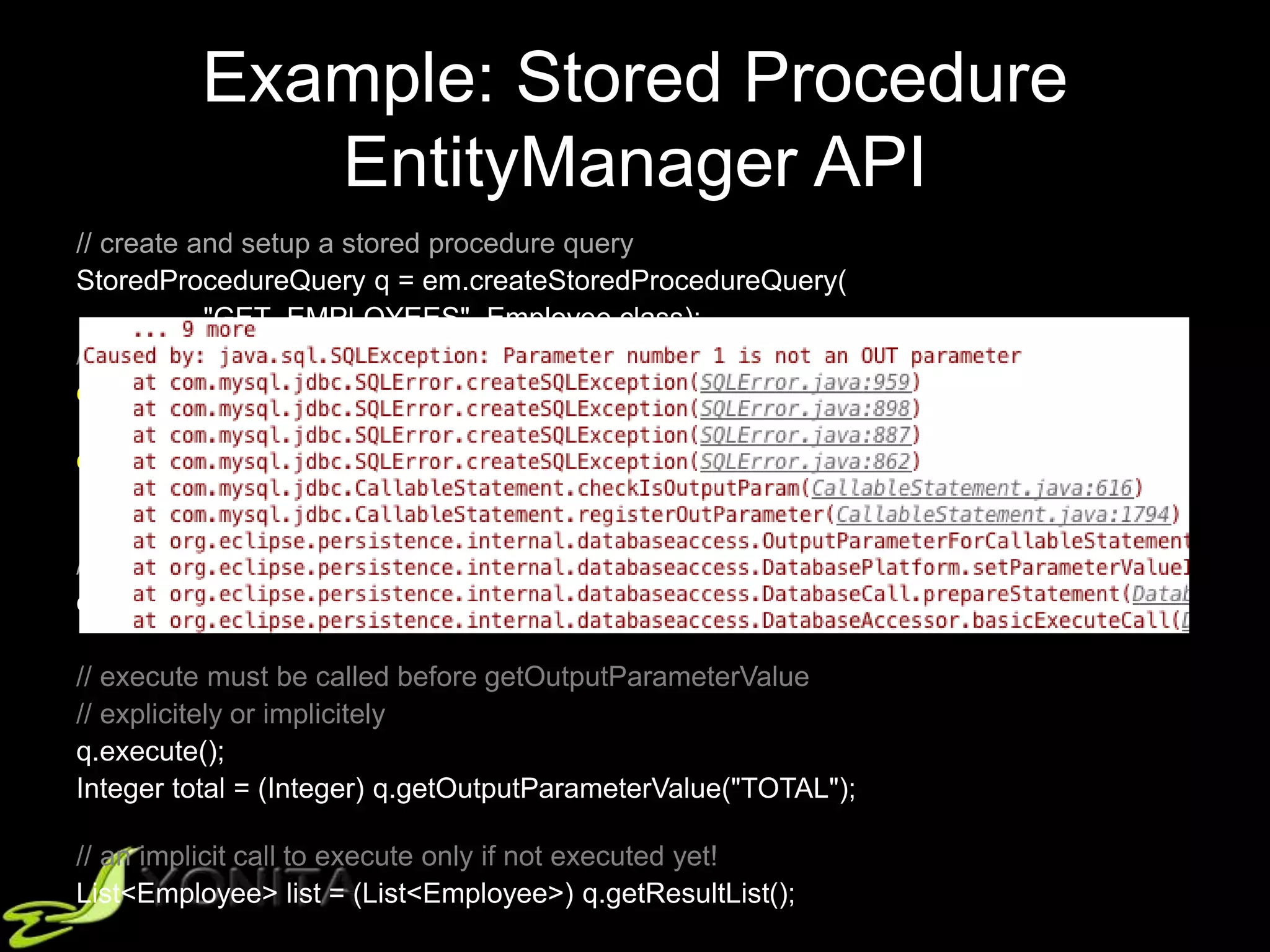
Example: Stored Procedure
EntityManager API
// create and setup a stored procedure query
StoredProcedureQuery q = em.createStoredProcedureQuery(
"GET_EMPLOYEES", Employee.class);
// what about the order here?
q.registerStoredProcedureParameter(
"TOTAL", Integer.class, ParameterMode.OUT);
q.registerStoredProcedureParameter(
"COUNTRY", Integer.class, ParameterMode.IN);
// setup the parameters
q.setParameter("COUNTRY", "Poland");
// execute must be called before getOutputParameterValue
// explicitely or implicitely
q.execute();
Integer total = (Integer) q.getOutputParameterValue("TOTAL");
// an implicit call to execute only if not executed yet!
List<Employee> list = (List<Employee>) q.getResultList();
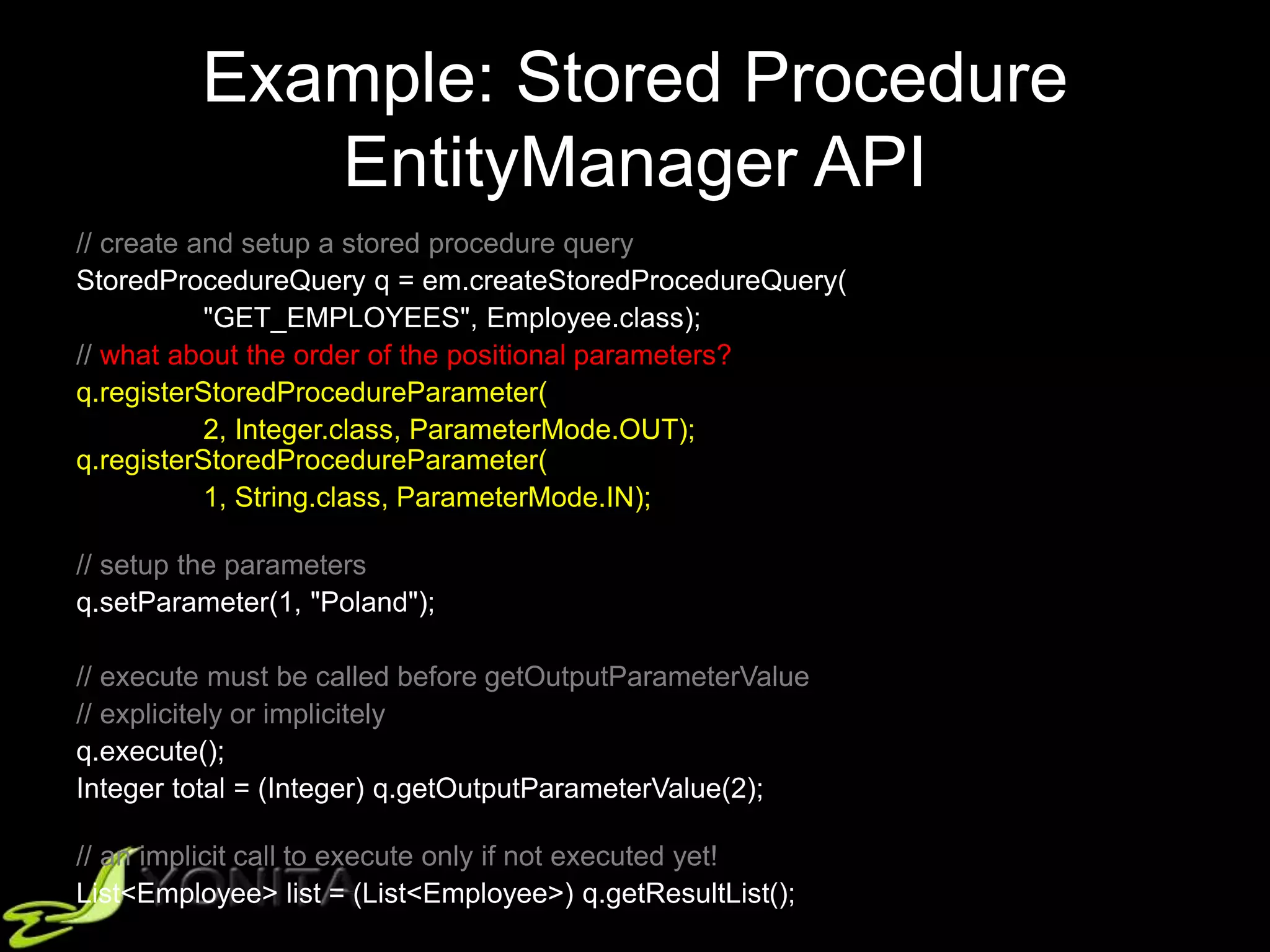
Example: Stored Procedure
EntityManager API
// create and setup a stored procedure query
StoredProcedureQuery q = em.createStoredProcedureQuery(
"GET_EMPLOYEES", Employee.class);
// what about the order of the positional parameters?
q.registerStoredProcedureParameter(
2, Integer.class, ParameterMode.OUT);
q.registerStoredProcedureParameter(
1, String.class, ParameterMode.IN);
// setup the parameters
q.setParameter(1, "Poland");
// execute must be called before getOutputParameterValue
// explicitely or implicitely
q.execute();
Integer total = (Integer) q.getOutputParameterValue(2);
// an implicit call to execute only if not executed yet!
List<Employee> list = (List<Employee>) q.getResultList();
Example: Stored Procedure
EntityManager API
// create and setup a stored procedure query
StoredProcedureQuery q = em.createStoredProcedureQuery(
"GET_EMPLOYEES", Employee.class);
// what about the order of the positional parameters?
q.registerStoredProcedureParameter(
2, Integer.class, ParameterMode.OUT);
q.registerStoredProcedureParameter(
1, String.class, ParameterMode.IN);
// setup the parameters
q.setParameter(1, "Poland");
// execute must be called before getOutputParameterValue
// explicitely or implicitely
q.execute();
Integer total = (Integer) q.getOutputParameterValue("TOTAL");
// an implicit call to execute only if not executed yet!
List<Employee> list = (List<Employee>) q.getResultList();
Example: Stored Procedure
Annotation
@NamedStoredProcedureQuery{
name = "getEmployees",
procedureName = "GET_EMPLOYEES",
resultClasses = Employee.class,
parameters = {
@StoredProcedureParameter(name = "COUNTRY",
mode = ParameterMode.IN, type = String.class),
@StoredProcedureParameter(name = "TOTAL",
mode = ParameterMode.OUT, type = Integer.class), }
}
@Entity
public class Employee {
...
}
Example: Stored Procedure
EntityManager API
// create and setup a stored procedure query
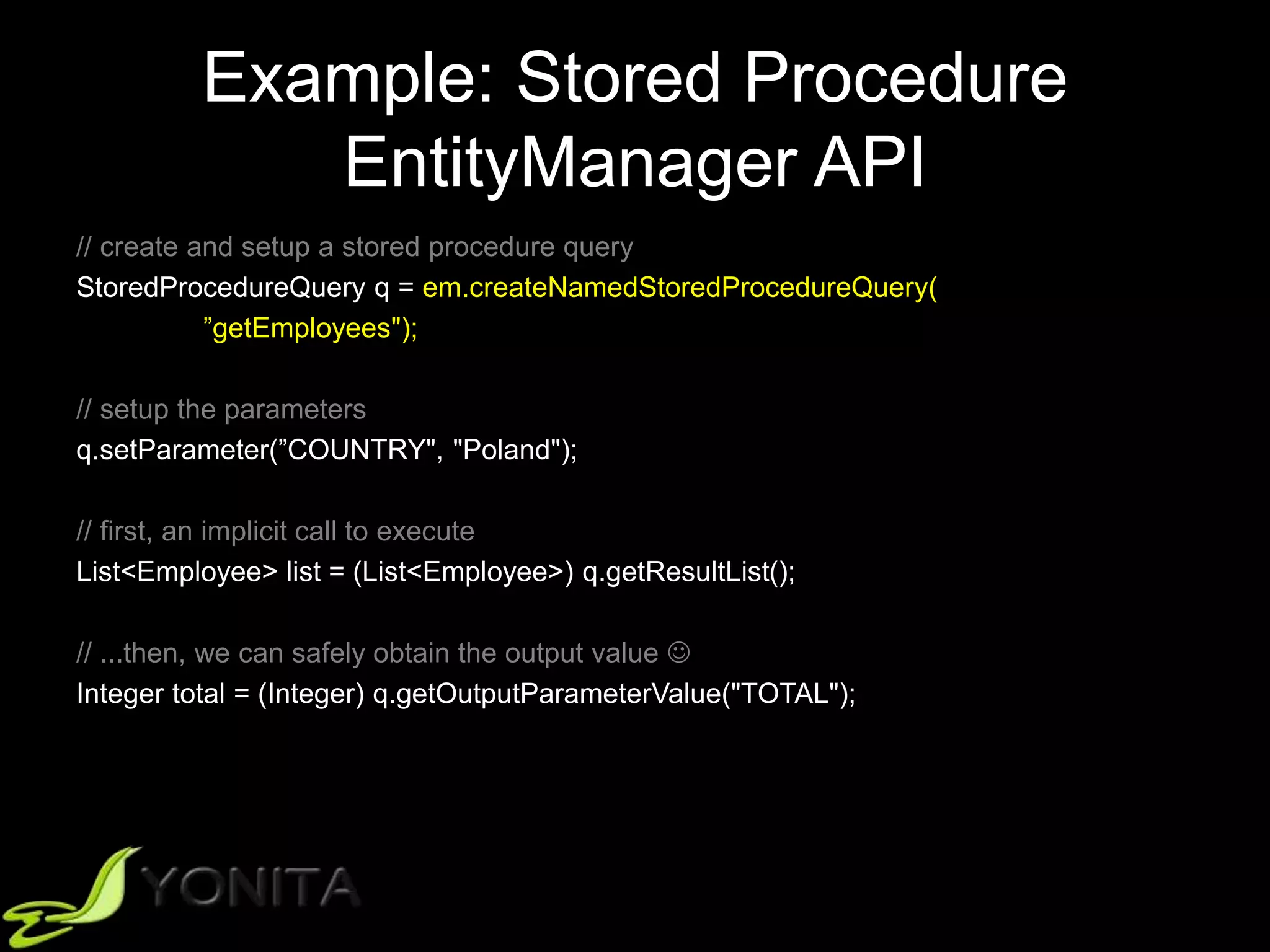
StoredProcedureQuery q = em.createNamedStoredProcedureQuery(
”getEmployees");
// setup the parameters
q.setParameter(”COUNTRY", "Poland");
// first, an implicit call to execute
List<Employee> list = (List<Employee>) q.getResultList();
// ...then, we can safely obtain the output value 
Integer total = (Integer) q.getOutputParameterValue("TOTAL");
Example: Stored Procedure
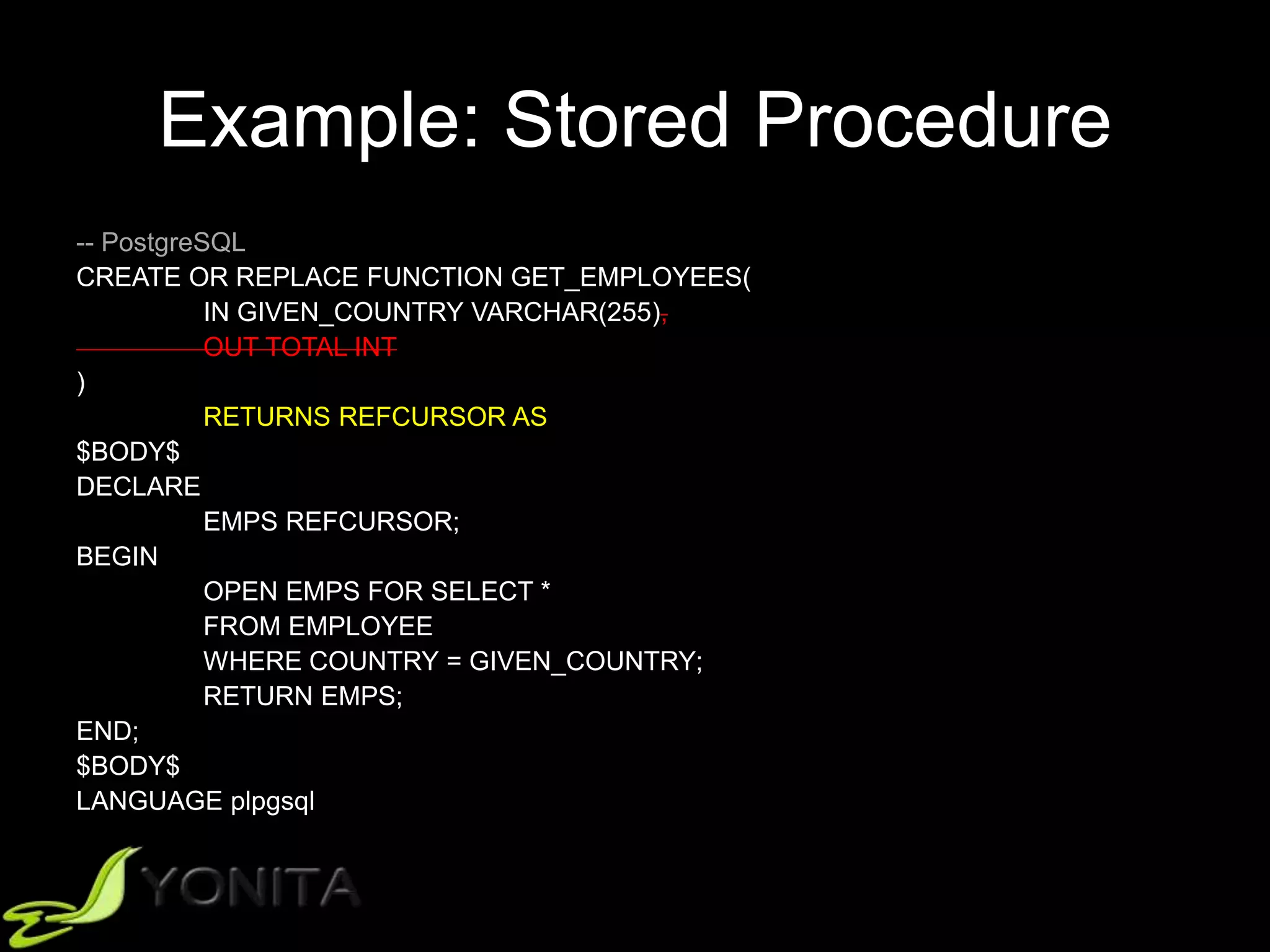
-- PostgreSQL
CREATE OR REPLACE FUNCTION GET_EMPLOYEES(
IN GIVEN_COUNTRY VARCHAR(255),
OUT TOTAL INT
)
RETURNS REFCURSOR AS
$BODY$
DECLARE
EMPS REFCURSOR;
BEGIN
OPEN EMPS FOR SELECT *
FROM EMPLOYEE
WHERE COUNTRY = GIVEN_COUNTRY;
RETURN EMPS;
END;
$BODY$
LANGUAGE plpgsql
Example: Stored Procedure
EntityManager API
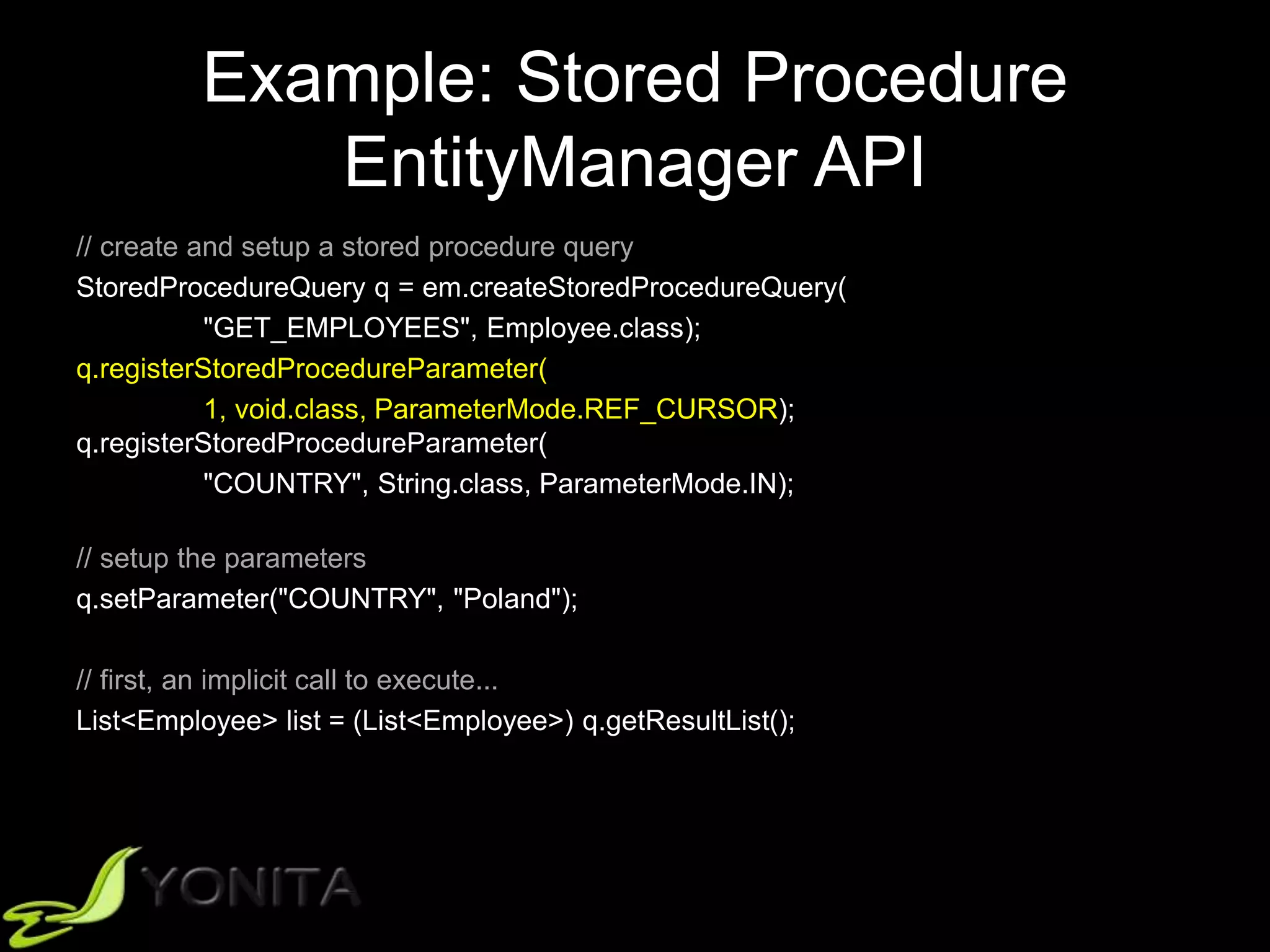
// create and setup a stored procedure query
StoredProcedureQuery q = em.createStoredProcedureQuery(
"GET_EMPLOYEES", Employee.class);
q.registerStoredProcedureParameter(
1, void.class, ParameterMode.REF_CURSOR);
q.registerStoredProcedureParameter(
"COUNTRY", String.class, ParameterMode.IN);
// setup the parameters
q.setParameter("COUNTRY", "Poland");
// first, an implicit call to execute...
List<Employee> list = (List<Employee>) q.getResultList();
Example: Stored Procedure
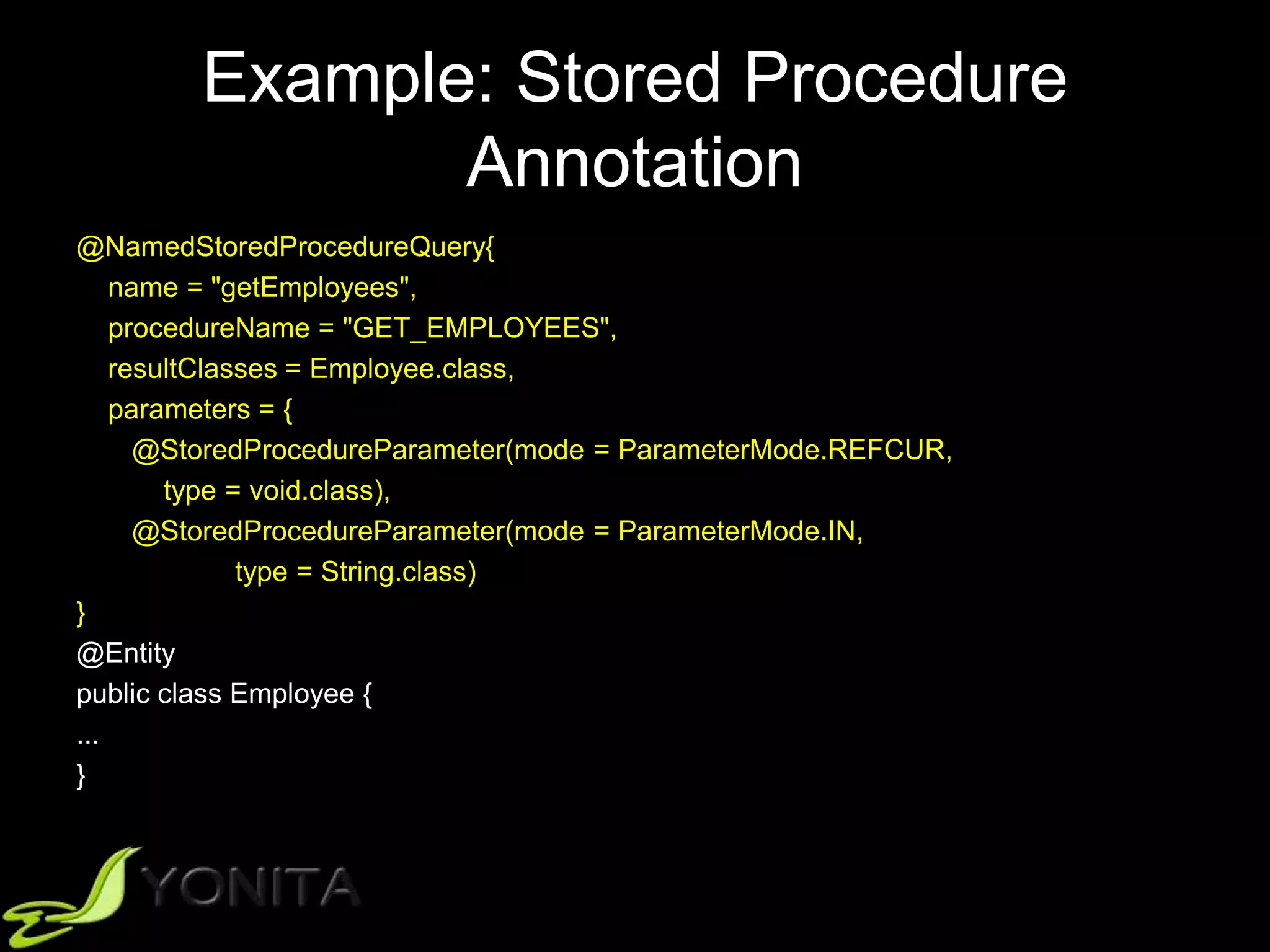
Annotation
@NamedStoredProcedureQuery{
name = "getEmployees",
procedureName = "GET_EMPLOYEES",
resultClasses = Employee.class,
parameters = {
@StoredProcedureParameter(mode = ParameterMode.REFCUR,
type = void.class),
@StoredProcedureParameter(mode = ParameterMode.IN,
type = String.class)
}
@Entity
public class Employee {
...
}
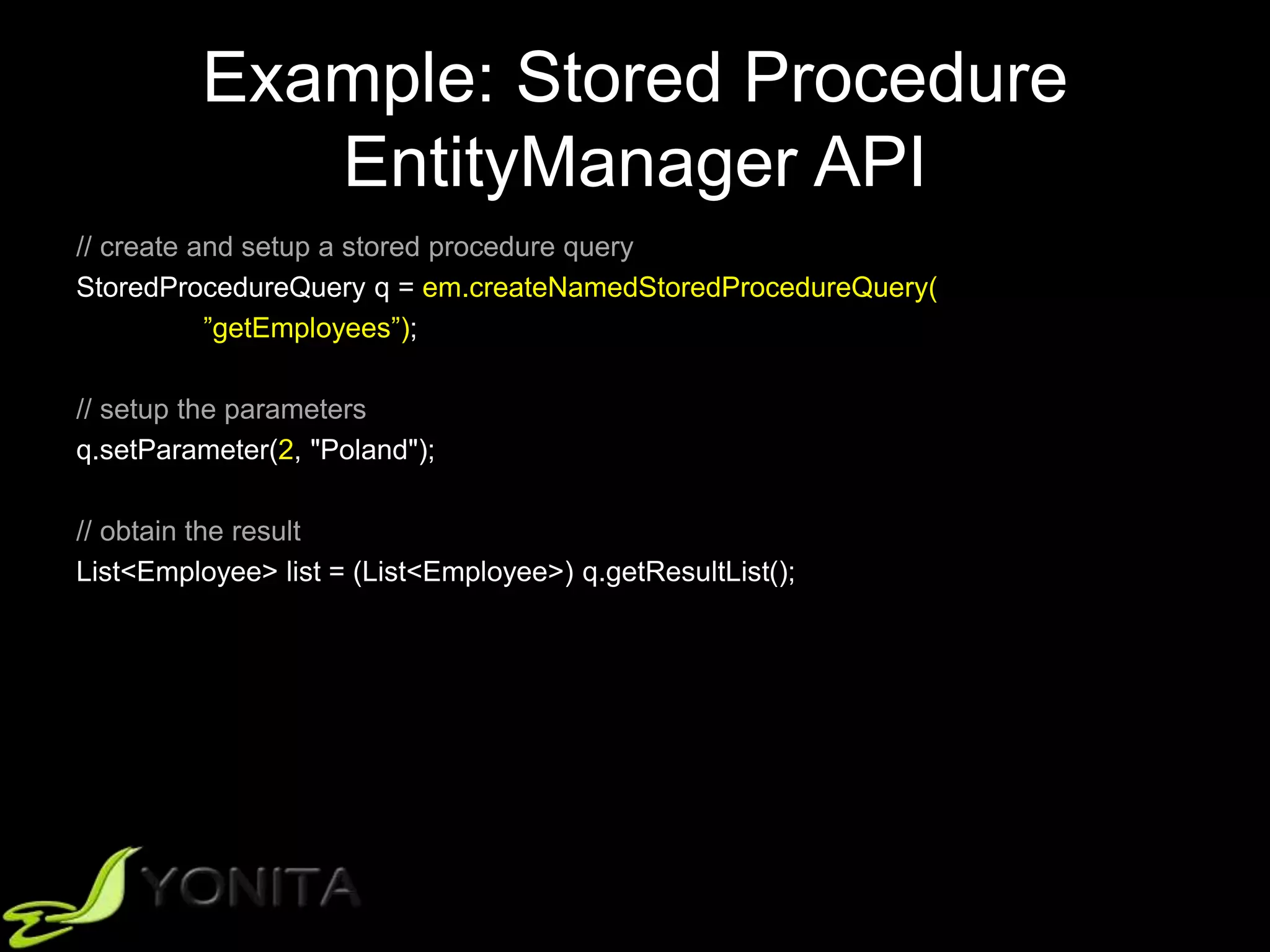
Example: Stored Procedure
EntityManager API
// create and setup a stored procedure query
StoredProcedureQuery q = em.createNamedStoredProcedureQuery(
”getEmployees”);
// setup the parameters
q.setParameter(2, "Poland");
// obtain the result
List<Employee> list = (List<Employee>) q.getResultList();
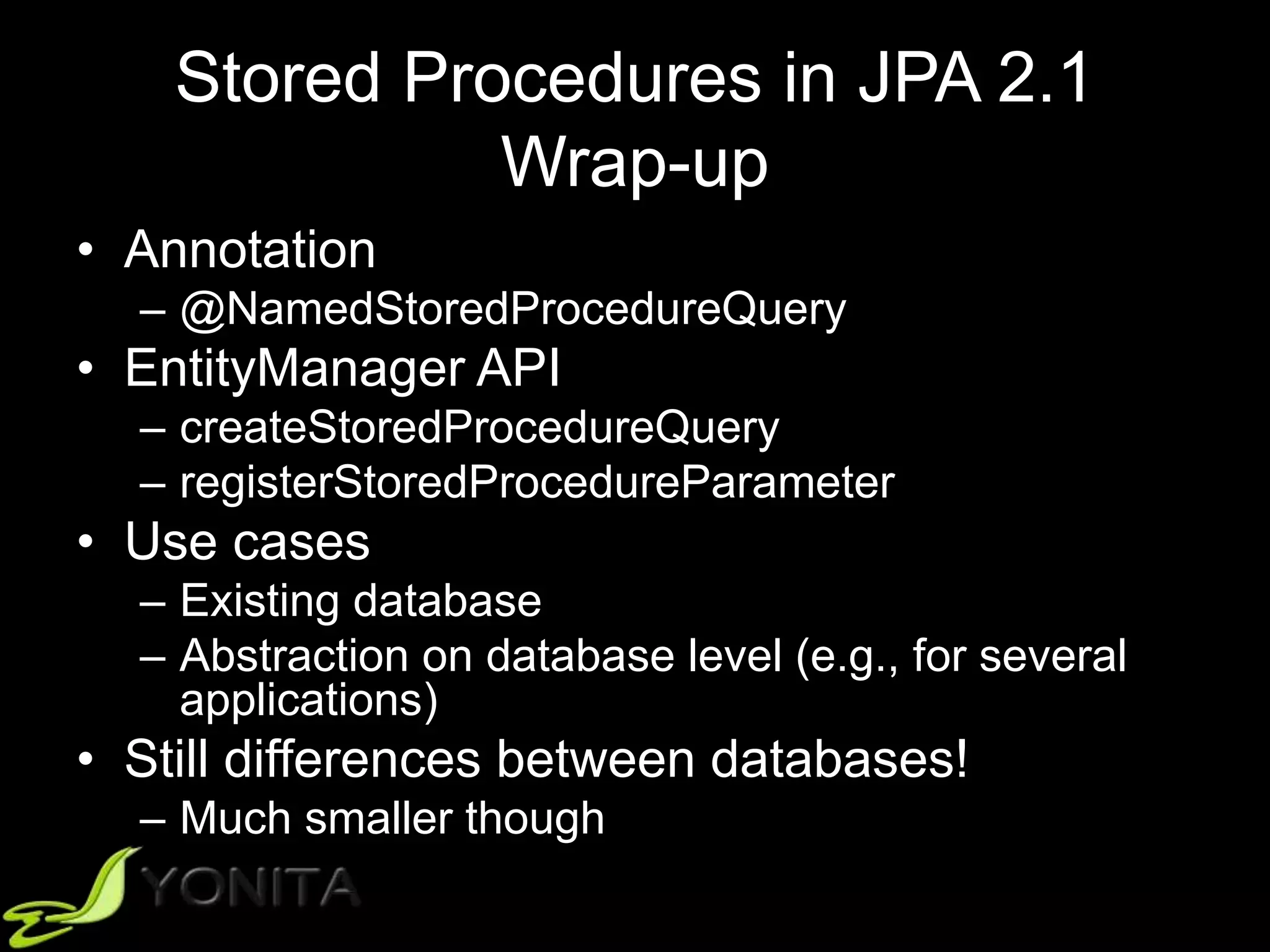
Stored Procedures in JPA 2.1
Wrap-up
• Annotation
– @NamedStoredProcedureQuery
• EntityManager API
– createStoredProcedureQuery
– registerStoredProcedureParameter
• Use cases
– Existing database
– Abstraction on database level (e.g., for several
applications)
• Still differences between databases!
– Much smaller though
Reporting
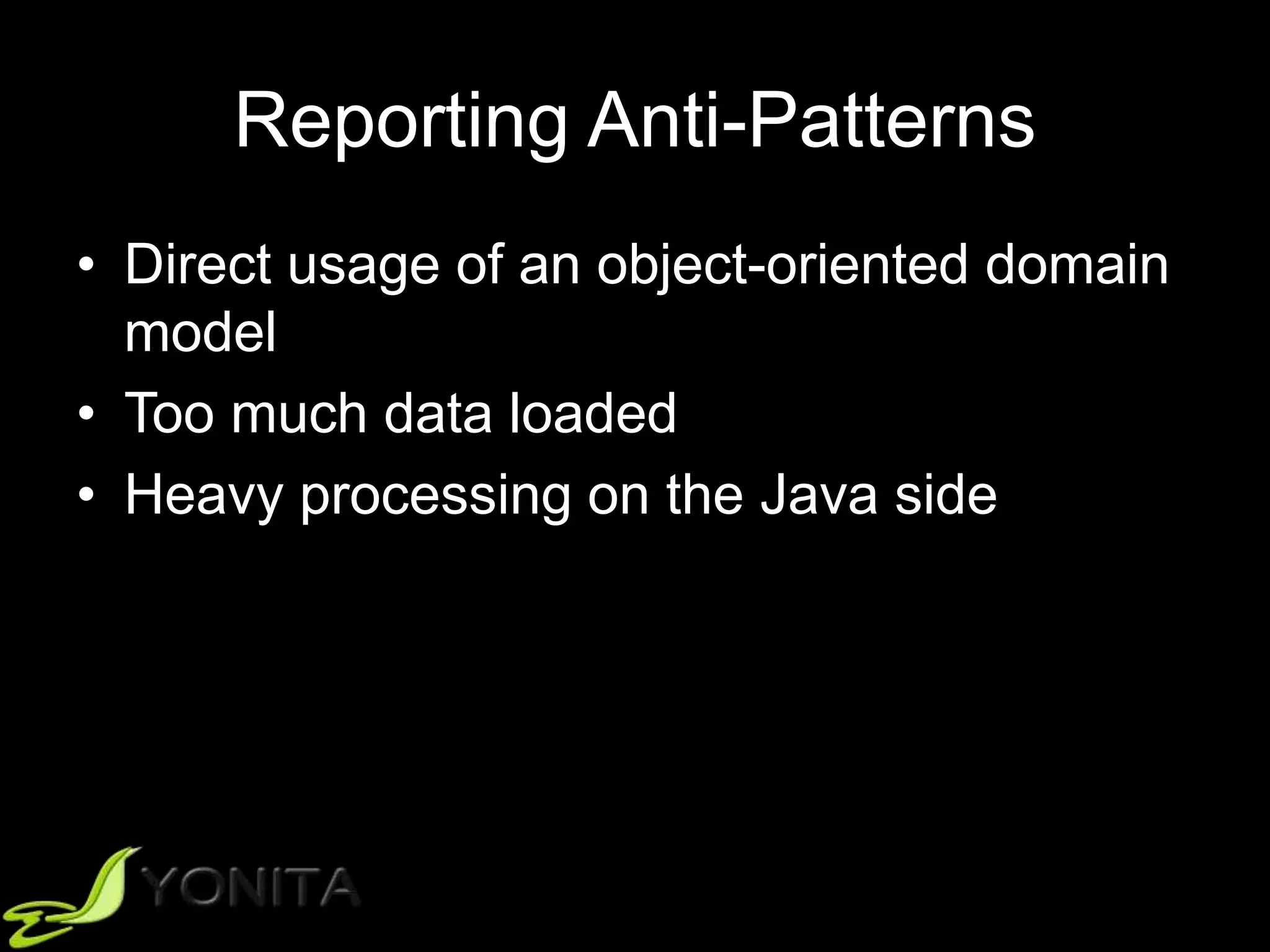
Reporting Anti-Patterns
• Direct usage of an object-oriented domain
model
• Too much data loaded
• Heavy processing on the Java side
Reporting Anti-Patterns
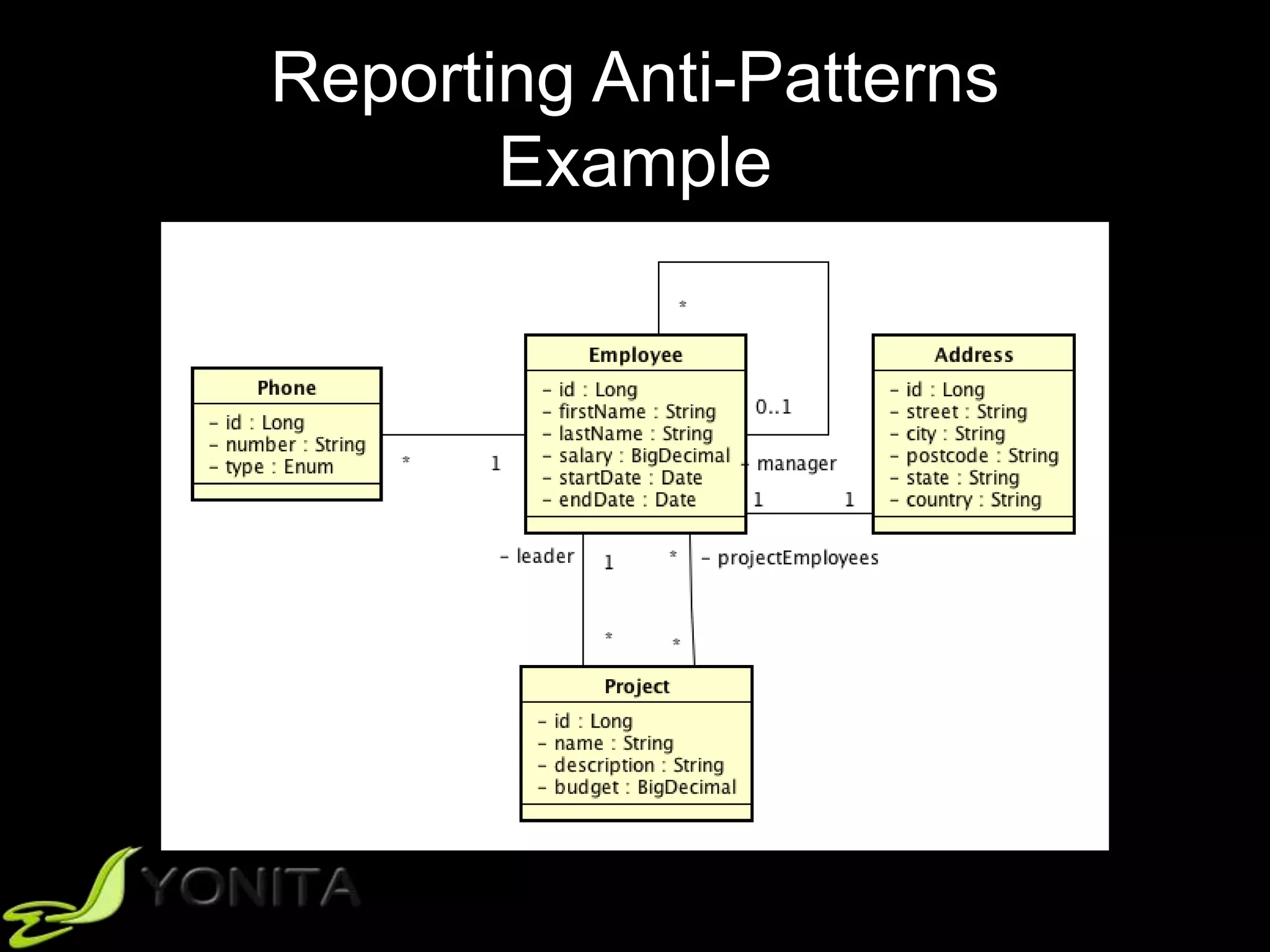
Example
Reporting Anti-Patterns
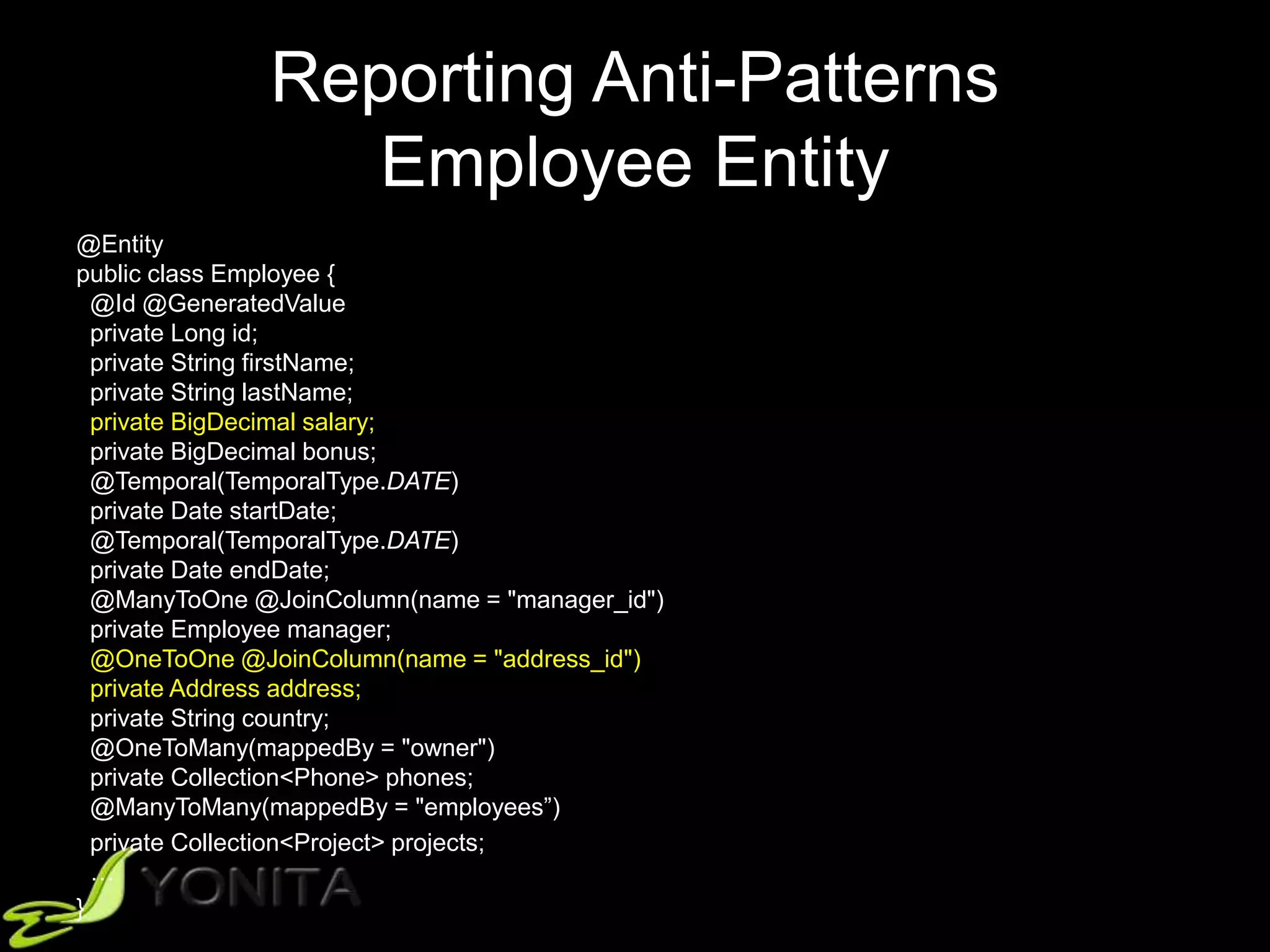
Employee Entity
@Entity
public class Employee {
@Id @GeneratedValue
private Long id;
private String firstName;
private String lastName;
private BigDecimal salary;
private BigDecimal bonus;
@Temporal(TemporalType.DATE)
private Date startDate;
@Temporal(TemporalType.DATE)
private Date endDate;
@ManyToOne @JoinColumn(name = "manager_id")
private Employee manager;
@OneToOne @JoinColumn(name = "address_id")
private Address address;
private String country;
@OneToMany(mappedBy = "owner")
private Collection<Phone> phones;
@ManyToMany(mappedBy = "employees”)
private Collection<Project> projects;
…
}
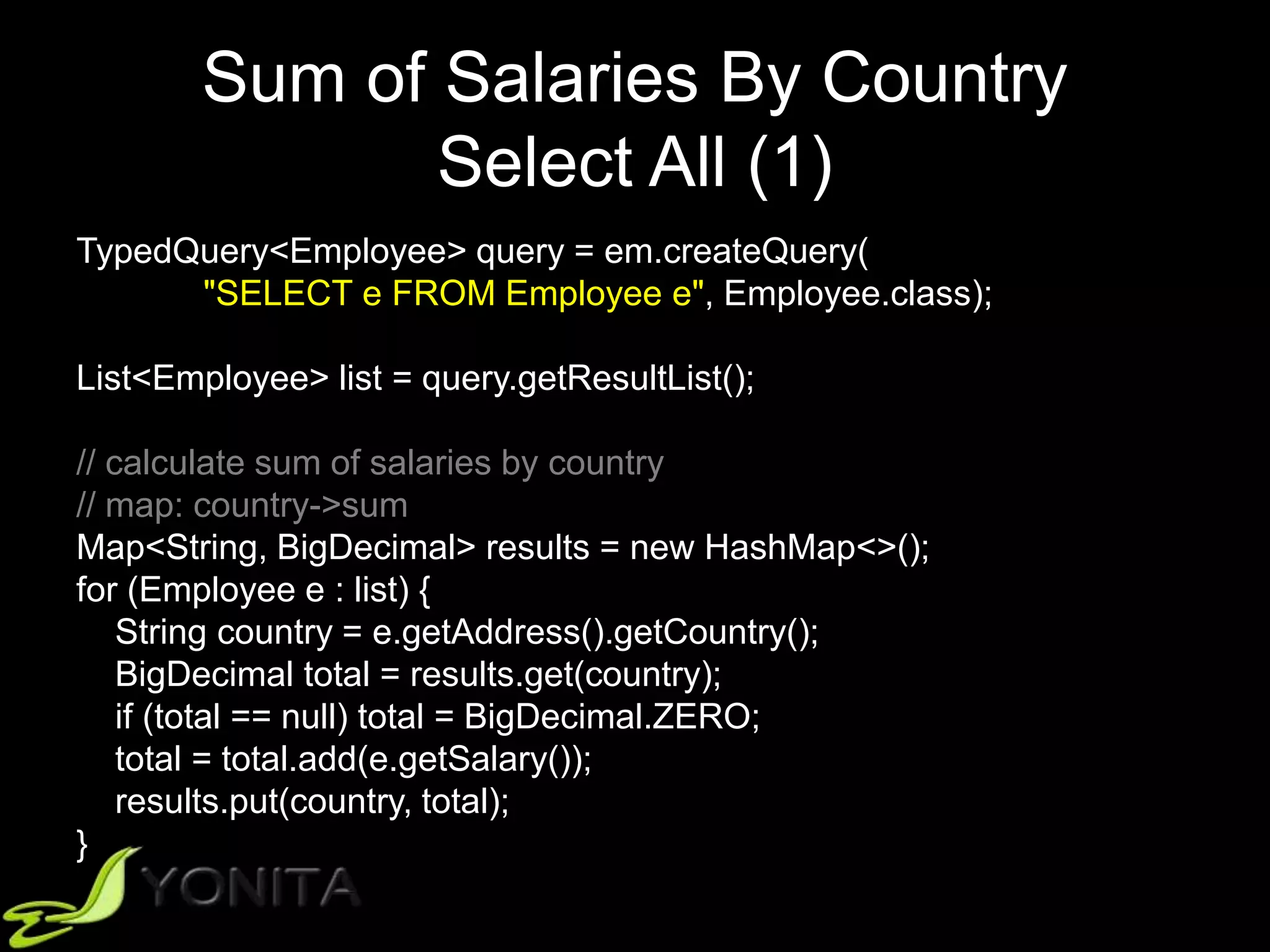
Sum of Salaries By Country
Select All (1)
TypedQuery<Employee> query = em.createQuery(
"SELECT e FROM Employee e", Employee.class);
List<Employee> list = query.getResultList();
// calculate sum of salaries by country
// map: country->sum
Map<String, BigDecimal> results = new HashMap<>();
for (Employee e : list) {
String country = e.getAddress().getCountry();
BigDecimal total = results.get(country);
if (total == null) total = BigDecimal.ZERO;
total = total.add(e.getSalary());
results.put(country, total);
}
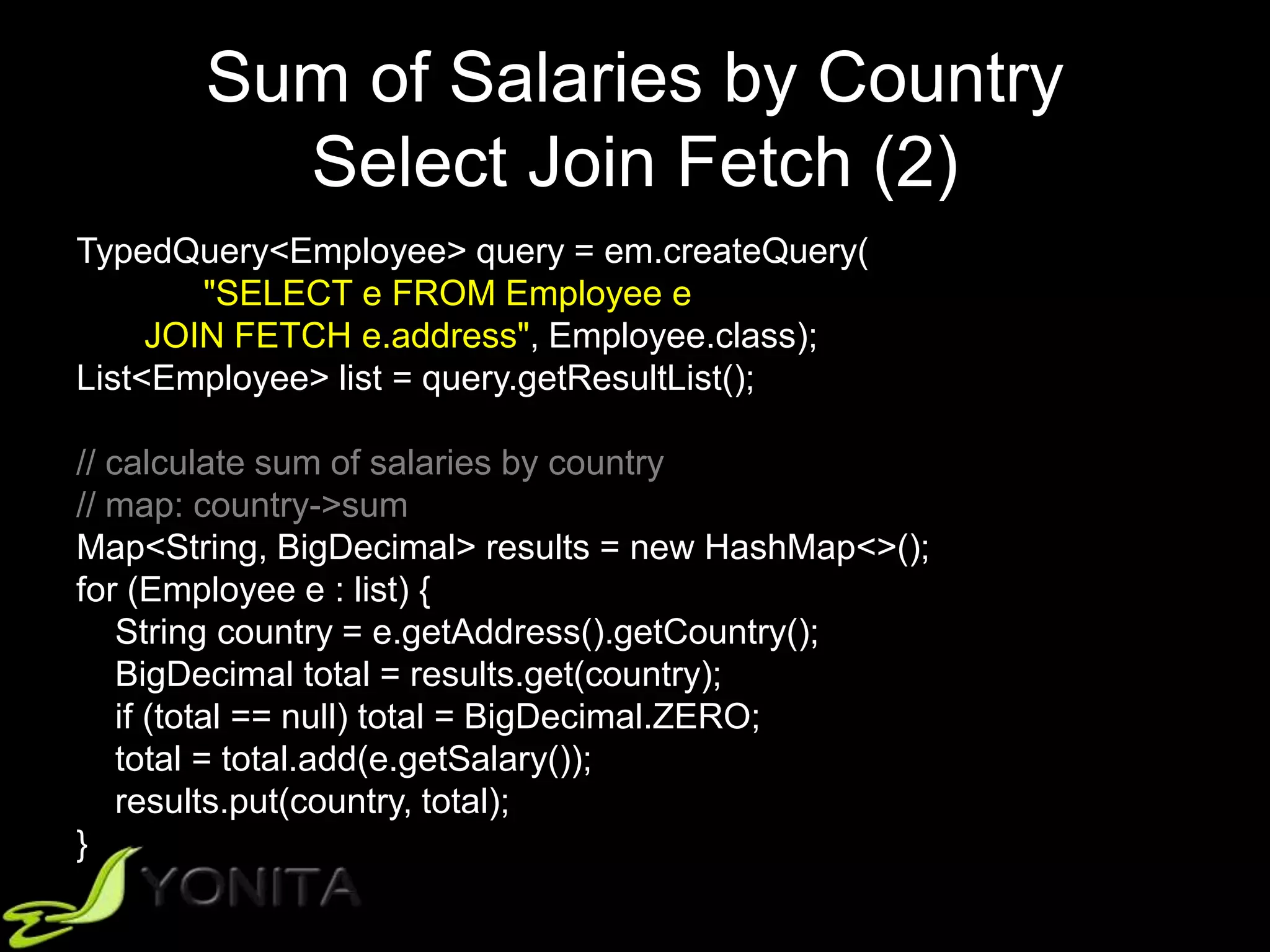
Sum of Salaries by Country
Select Join Fetch (2)
TypedQuery<Employee> query = em.createQuery(
"SELECT e FROM Employee e
JOIN FETCH e.address", Employee.class);
List<Employee> list = query.getResultList();
// calculate sum of salaries by country
// map: country->sum
Map<String, BigDecimal> results = new HashMap<>();
for (Employee e : list) {
String country = e.getAddress().getCountry();
BigDecimal total = results.get(country);
if (total == null) total = BigDecimal.ZERO;
total = total.add(e.getSalary());
results.put(country, total);
}
Reporting Anti-Patterns
Projection (3)
Query query = em.createQuery(
"SELECT e.salary, e.address.country
FROM Employee e”);
List<Object[]> list = query.getResultList();
// calculate sum of salaries by country
// map: country->sum
Map<String, BigDecimal> results = new HashMap<>();
for (Object[] e : list) {
String country = (String) e[1];
BigDecimal total = results.get(country);
if (total == null) total = BigDecimal.ZERO;
total = total.add((BigDecimal) e[0]);
results.put(country, total);
}
Reporting Anti-Patterns
Aggregation JPQL (4)
Query query = em.createQuery(
"SELECT SUM(e.salary), e.address.country
FROM Employee e
GROUP BY e.address.country”);
List<Object[]> list = query.getResultList();
// already calculated!
Reporting Anti-Patterns
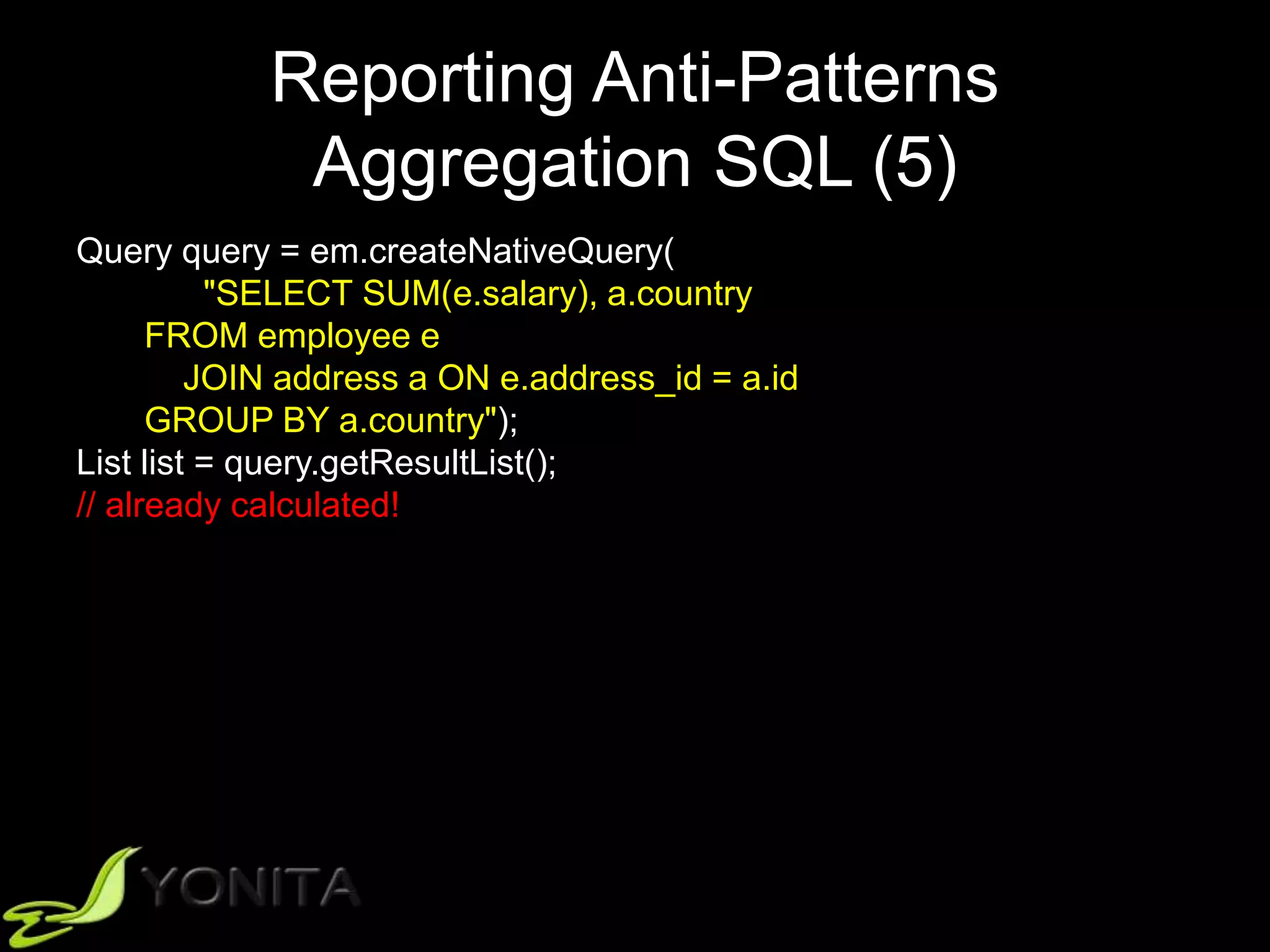
Aggregation SQL (5)
Query query = em.createNativeQuery(
"SELECT SUM(e.salary), a.country
FROM employee e
JOIN address a ON e.address_id = a.id
GROUP BY a.country");
List list = query.getResultList();
// already calculated!
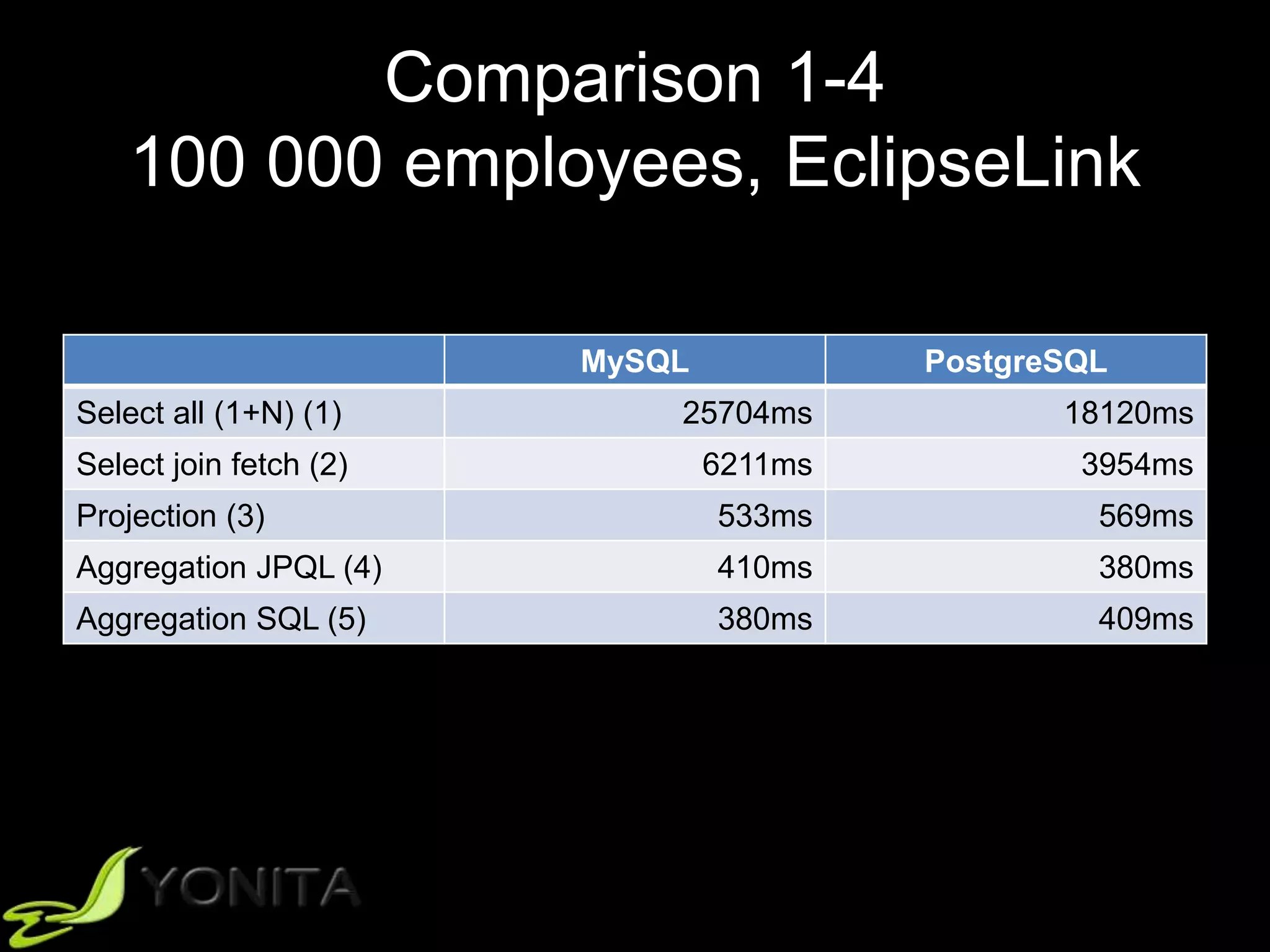
Comparison 1-4
100 000 employees, EclipseLink
MySQL PostgreSQL
Select all (1+N) (1) 25704ms 18120ms
Select join fetch (2) 6211ms 3954ms
Projection (3) 533ms 569ms
Aggregation JPQL (4) 410ms 380ms
Aggregation SQL (5) 380ms 409ms
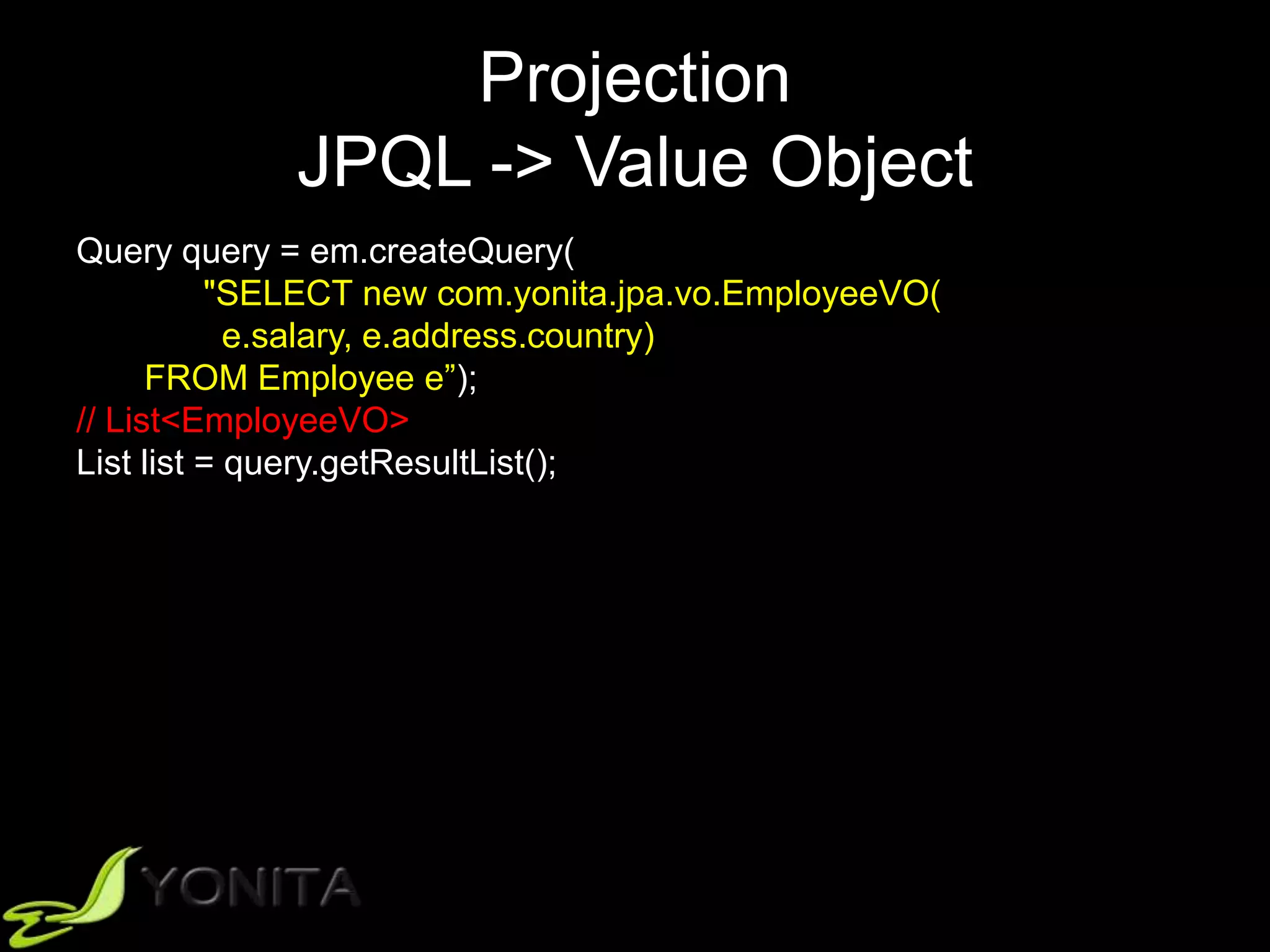
Projection
JPQL -> Value Object
Query query = em.createQuery(
"SELECT new com.yonita.jpa.vo.EmployeeVO(
e.salary, e.address.country)
FROM Employee e”);
// List<EmployeeVO>
List list = query.getResultList();
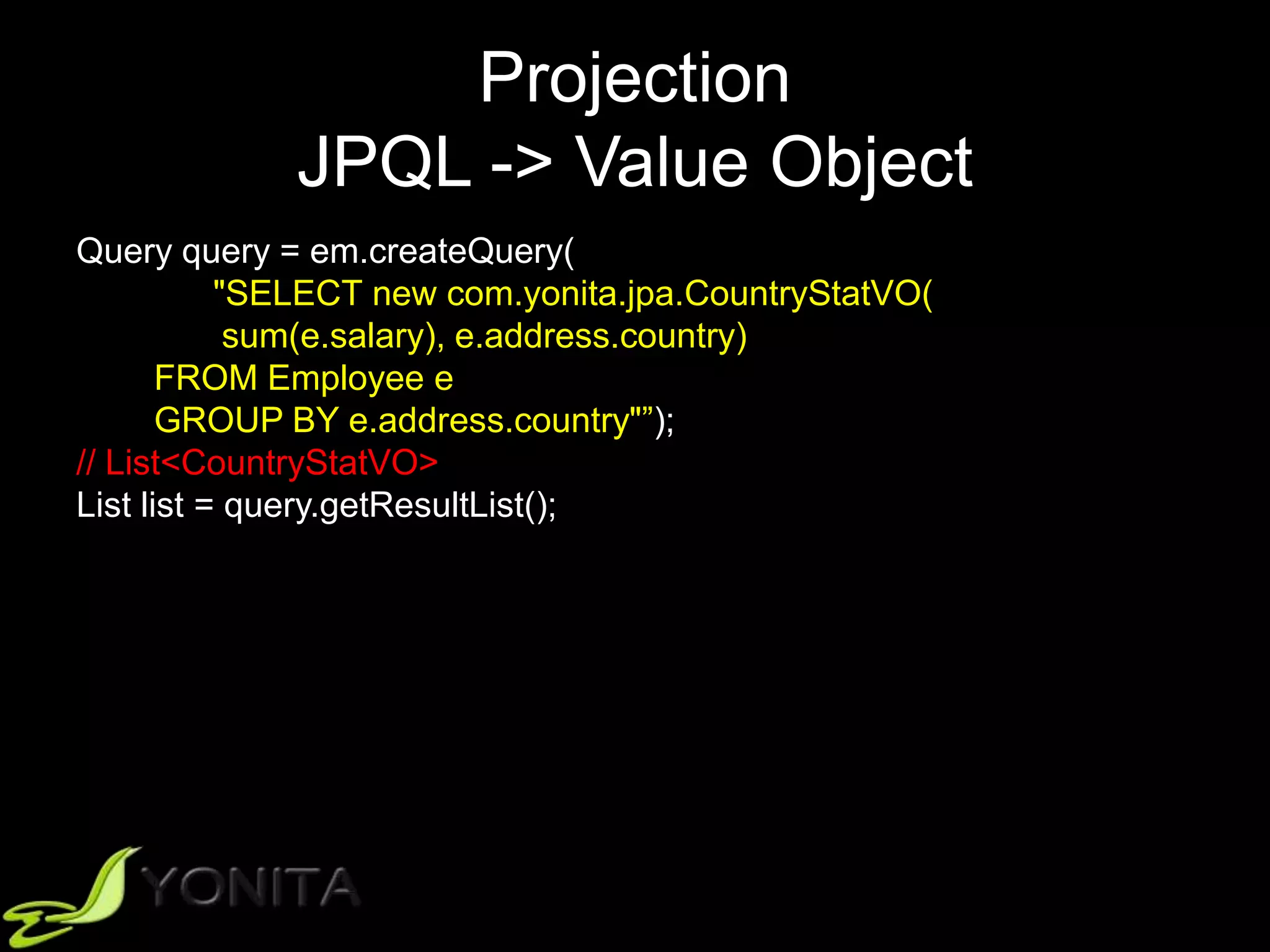
Projection
JPQL -> Value Object
Query query = em.createQuery(
"SELECT new com.yonita.jpa.CountryStatVO(
sum(e.salary), e.address.country)
FROM Employee e
GROUP BY e.address.country"”);
// List<CountryStatVO>
List list = query.getResultList();
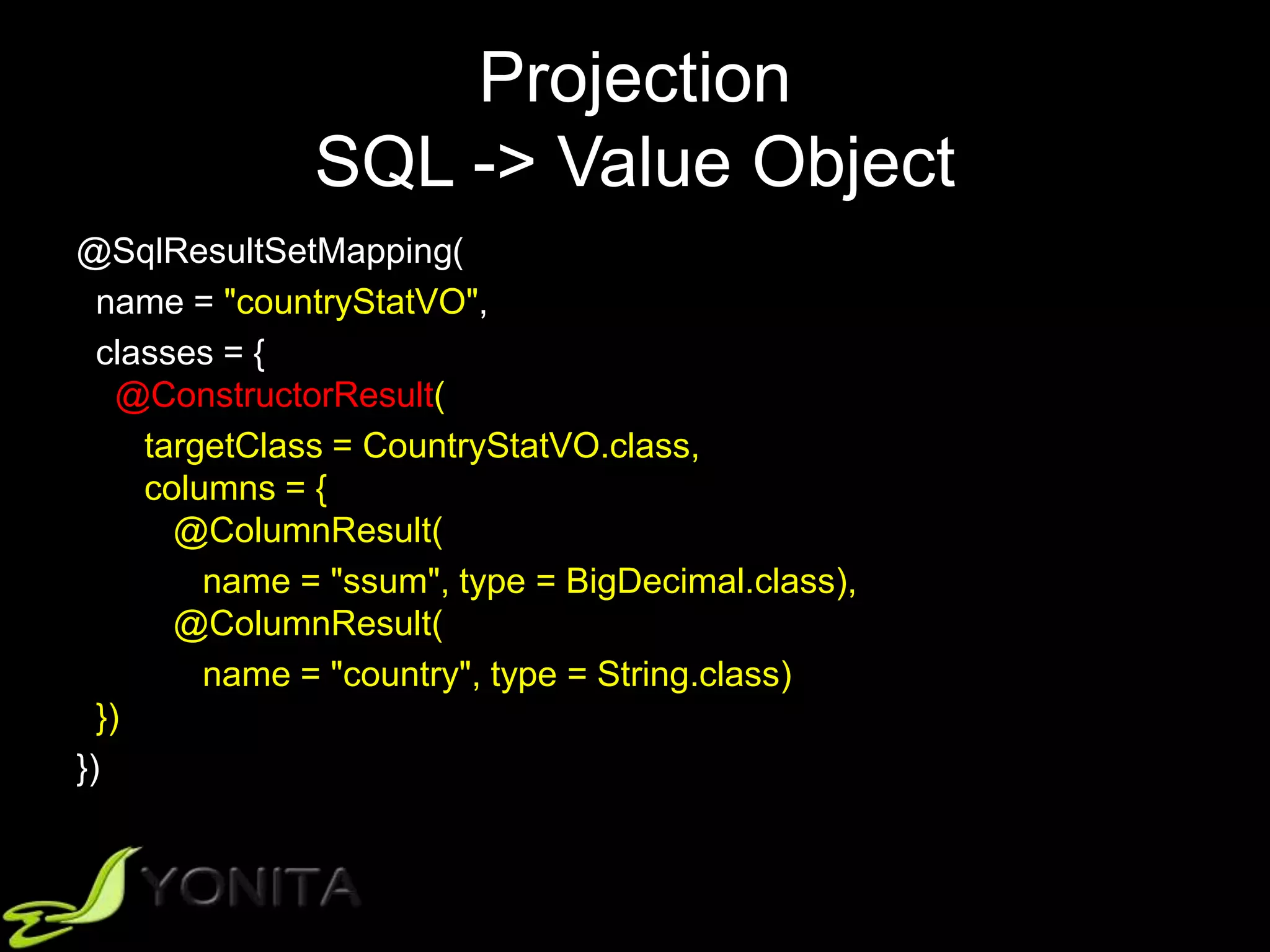
Projection
SQL -> Value Object
@SqlResultSetMapping(
name = "countryStatVO",
classes = {
@ConstructorResult(
targetClass = CountryStatVO.class,
columns = {
@ColumnResult(
name = "ssum", type = BigDecimal.class),
@ColumnResult(
name = "country", type = String.class)
})
})
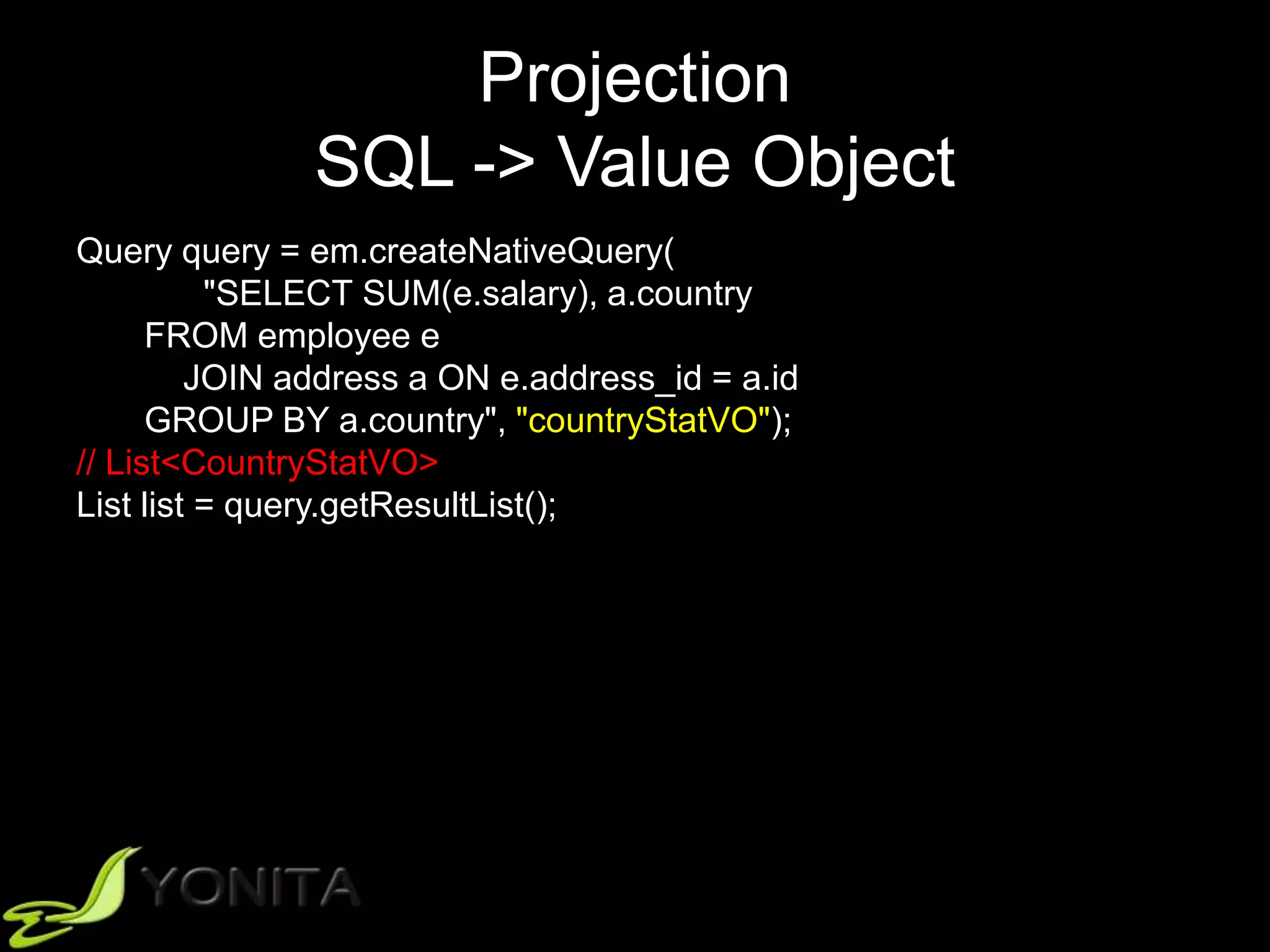
Projection
SQL -> Value Object
Query query = em.createNativeQuery(
"SELECT SUM(e.salary), a.country
FROM employee e
JOIN address a ON e.address_id = a.id
GROUP BY a.country", "countryStatVO");
// List<CountryStatVO>
List list = query.getResultList();
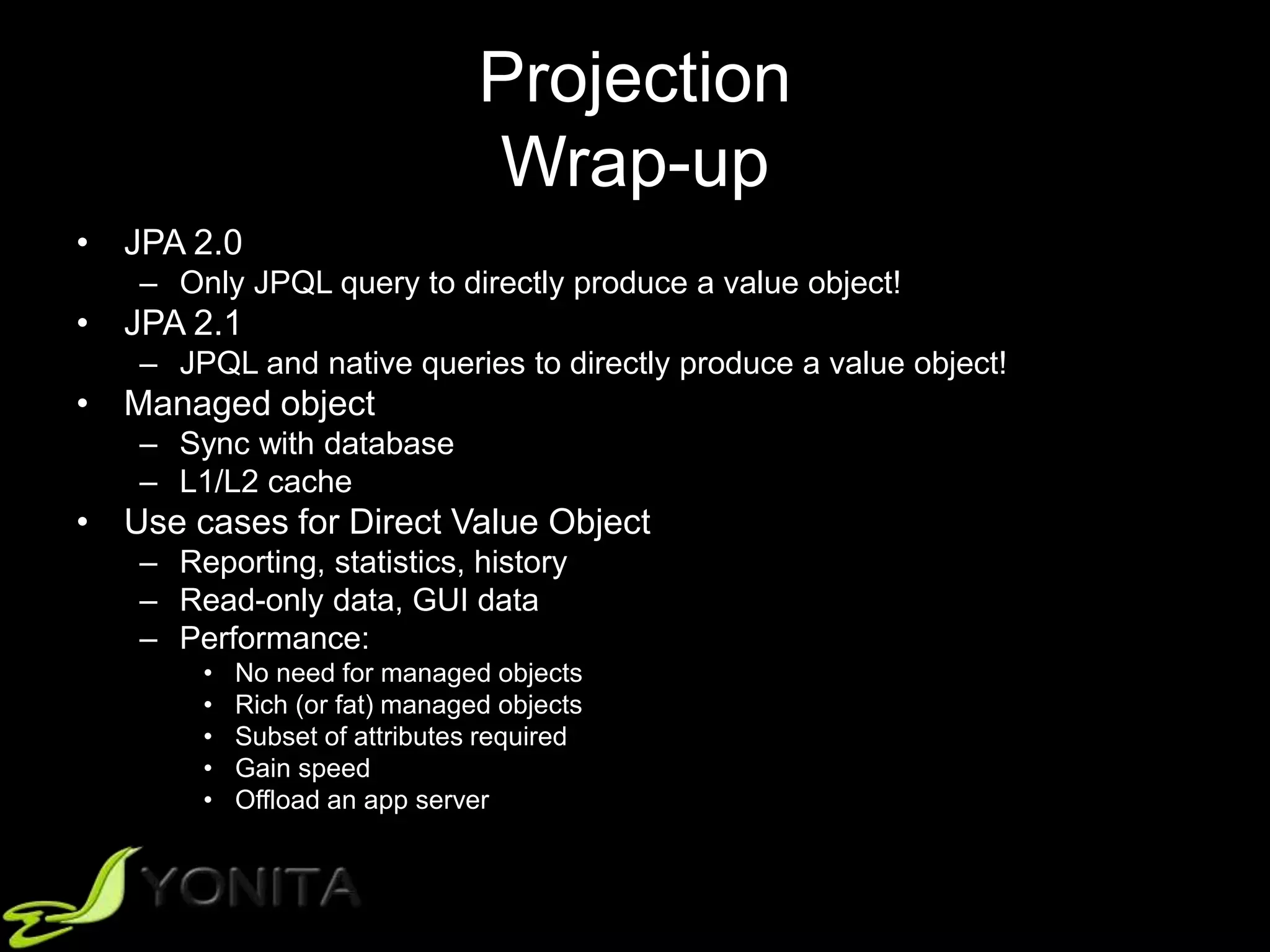
Projection
Wrap-up
• JPA 2.0
– Only JPQL query to directly produce a value object!
• JPA 2.1
– JPQL and native queries to directly produce a value object!
• Managed object
– Sync with database
– L1/L2 cache
• Use cases for Direct Value Object
– Reporting, statistics, history
– Read-only data, GUI data
– Performance:
• No need for managed objects
• Rich (or fat) managed objects
• Subset of attributes required
• Gain speed
• Offload an app server
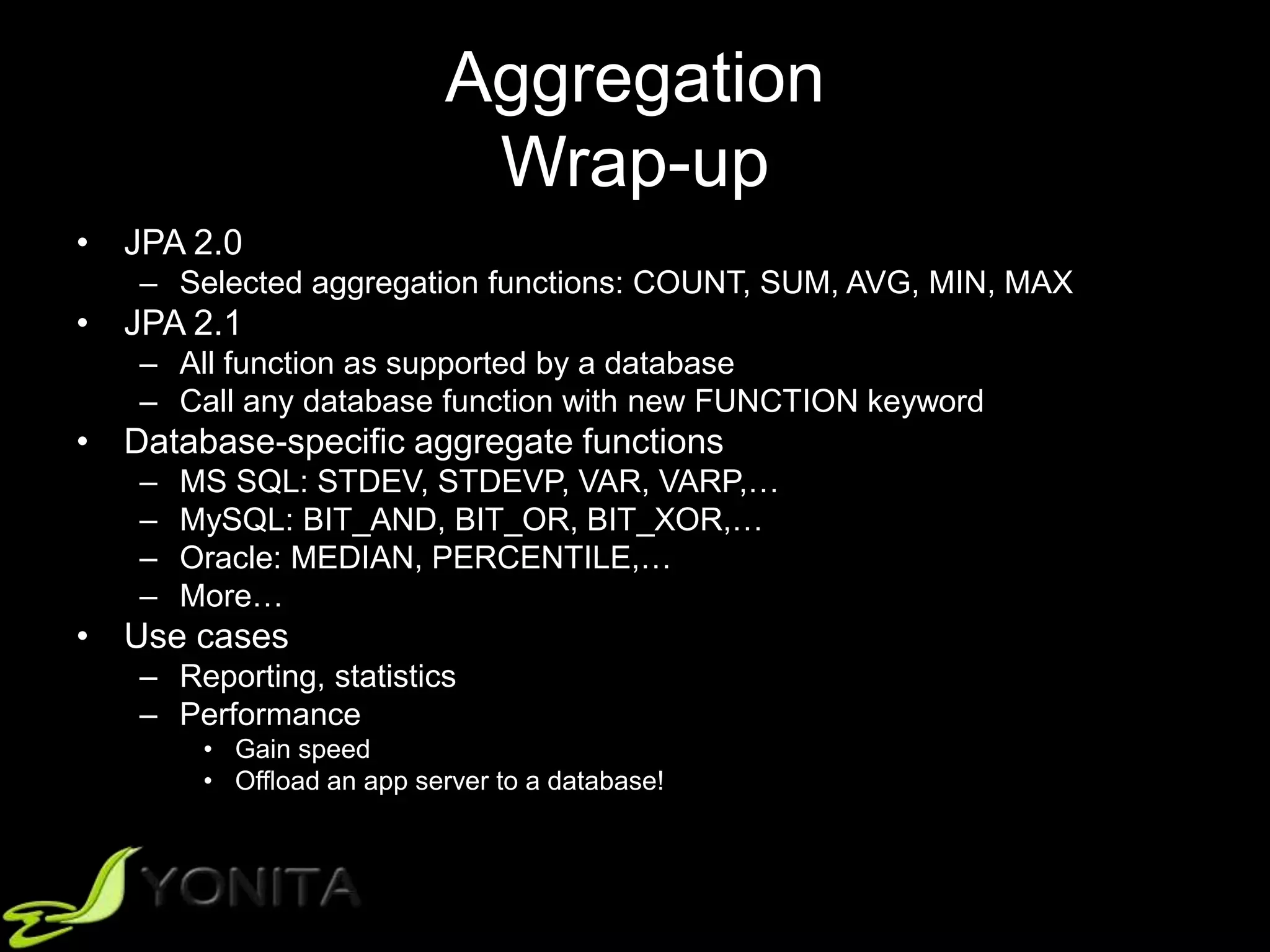
Aggregation
Wrap-up
• JPA 2.0
– Selected aggregation functions: COUNT, SUM, AVG, MIN, MAX
• JPA 2.1
– All function as supported by a database
– Call any database function with new FUNCTION keyword
• Database-specific aggregate functions
– MS SQL: STDEV, STDEVP, VAR, VARP,…
– MySQL: BIT_AND, BIT_OR, BIT_XOR,…
– Oracle: MEDIAN, PERCENTILE,…
– More…
• Use cases
– Reporting, statistics
– Performance
• Gain speed
• Offload an app server to a database!
Complex Queries
JPQL vs. SQL
• Column/table visibility
– JPA 2.0/2.1: Only mapped columns and tables
• Operations on sets
– UNION, INTERSECT, EXCEPT
– JPA 2.0/2.1: No support
• Nested fetch joins
– JPA 2.0: No support
– JPA 2.1: entity graphs for different fetching strategies
• ON
– JPA 2.0: No support
– JPA 2.1: Only on “connected entities”
JPQL vs. SQL
• Database functions
– Aggregate functions
– Conversion functions
– Extraction functions
– Manipulation functions
– Functions, functions, functions…
– JPA 2.0: Selected functions
– JPA 2.1: FUNCTION keyword
Helper Functions JPA 2.1
• String functions:
– CONCAT, SUBSTRING, TRIM, LOWER, UPPER,
LENGTH, LOCATE
• Arithmetic functions:
– ABS, SQRT, MOD, SIZE, INDEX
• Datatime functions:
– CURRENT_DATE, CURRENT_TIME,
CURRENT_TIMESTAMP
• Aggregate functions:
– COUNT, SUM, MIN, MAX, AVG
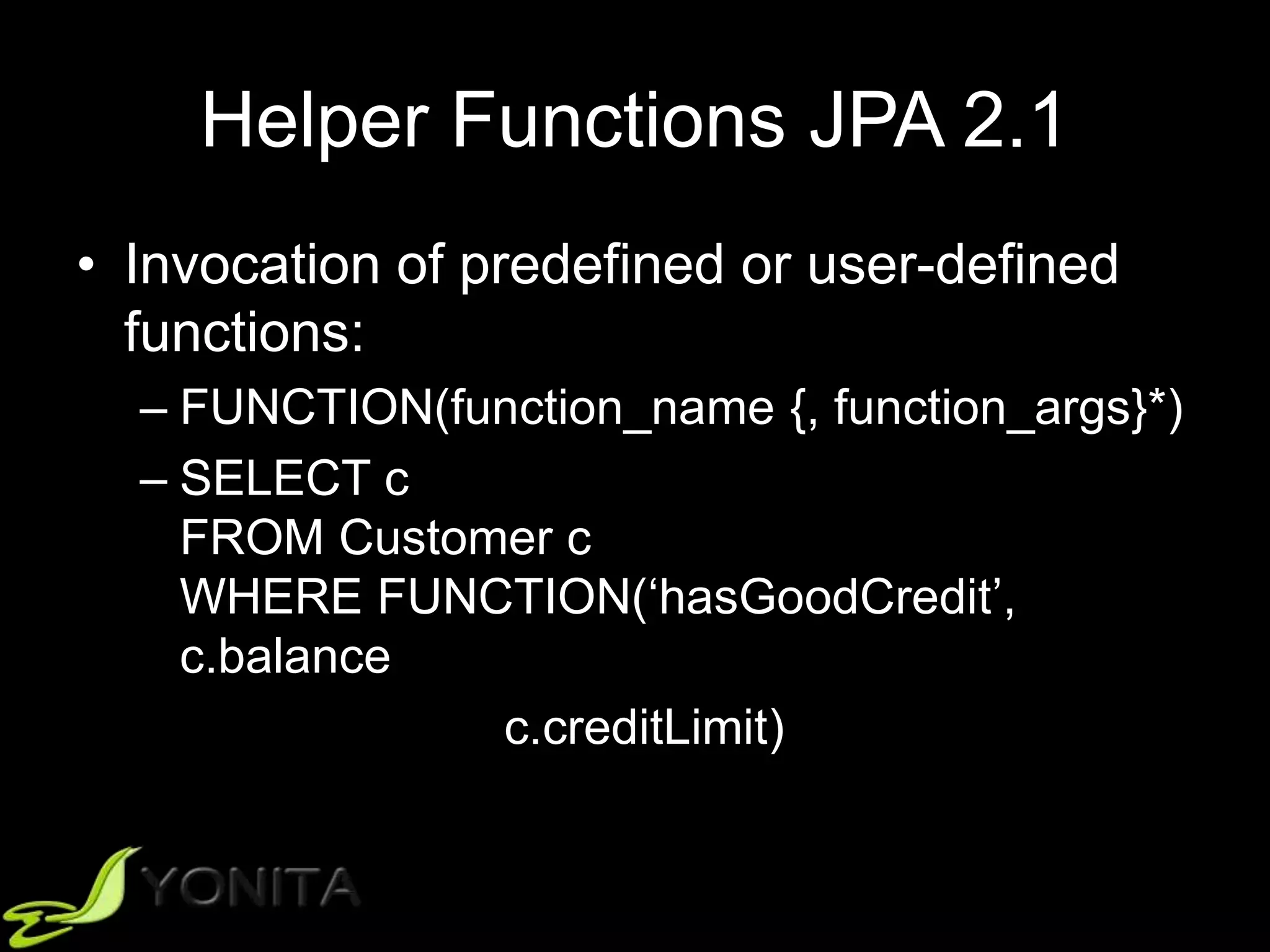
• Invocation of predefined or user-defined functions:
– FUNCTION(function_name {, function_args}*)
Helper Functions JPA 2.1
• Invocation of predefined or user-defined
functions:
– FUNCTION(function_name {, function_args}*)
– SELECT c
FROM Customer c
WHERE FUNCTION(‘hasGoodCredit’,
c.balance
c.creditLimit)
JPA 2.1
Wrap-up
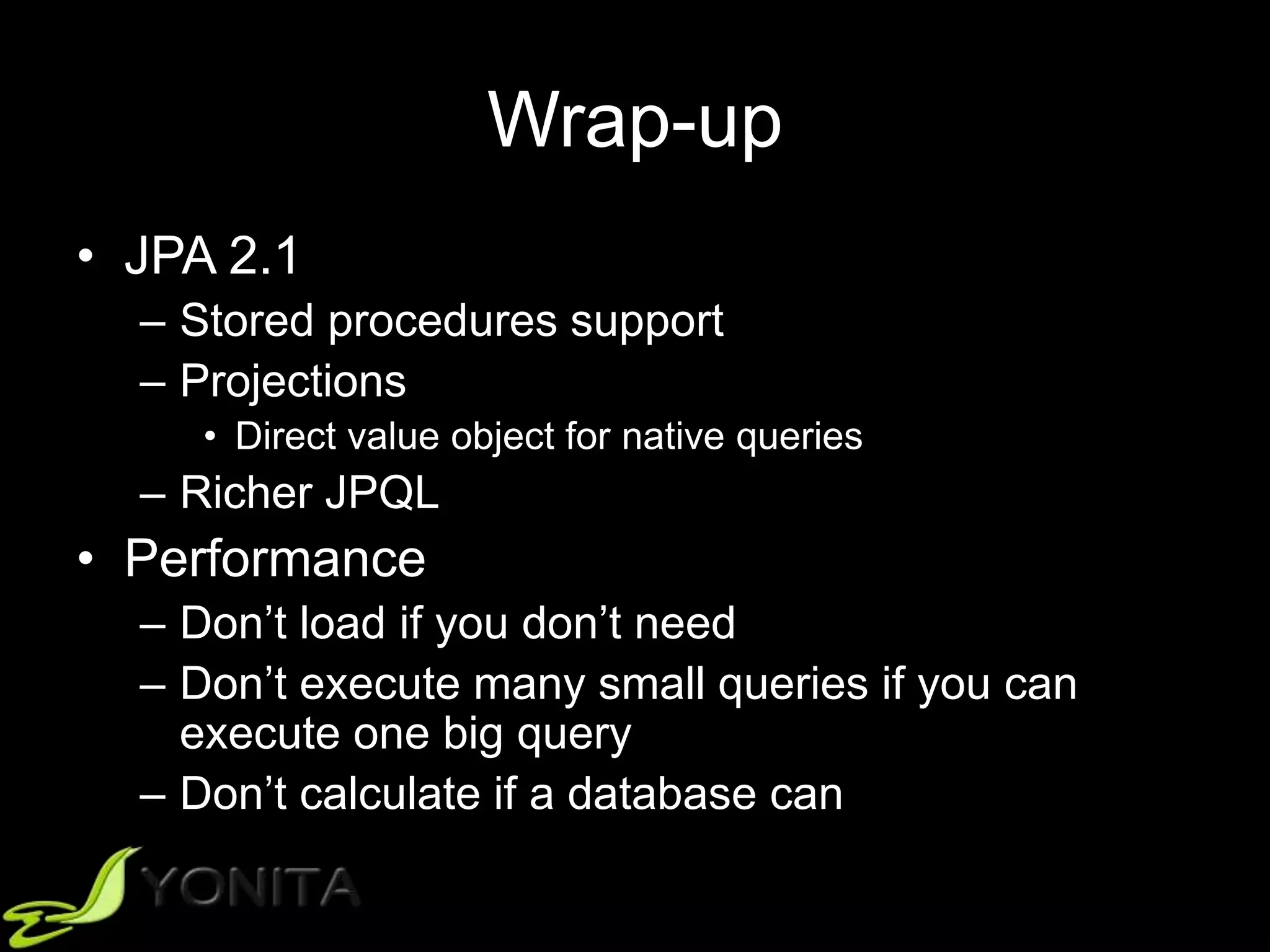
• JPA 2.1
– Stored procedures support
– Projections
• Direct value object for native queries
– Richer JPQL
• Performance
– Don’t load if you don’t need
– Don’t execute many small queries if you can
execute one big query
– Don’t calculate if a database can
Continuous Learning Paradigm
• A fool with a tool is still a fool
• Let’s educate ourselves! 
Q&A
patrycja@yonita.com
@yonlabs

Thinking Beyond ORM in JPA

  • 1.
    Thinking Beyond ORMin JPA Patrycja Wegrzynowicz JavaOne 2015
  • 2.
    About Me • 15+professional experience – Software engineer, architect, head of software R&D • Author and speaker – JavaOne, Devoxx, JavaZone, TheServerSide Java Symposium, Jazoon, OOPSLA, ASE, others • Finalizing PhD in Computer Science • Founder and CTO of Yonita – Bridge the gap between the industry and the academia – Automated detection and refactoring of software defects – Security, performance, concurrency, databases • @yonlabs
  • 3.
    Outline • Motivation • Why? –App-centric vs. data-centric • What? – Use cases and performance • How? – JPA (2.1) • Conclusion
  • 4.
  • 5.
  • 6.
    App-Centric vs. Data-Centric •App-centric – Java code drives database design – One app accesses data – CRUD more often than complex queries • Data-centric – Database design drives Java code – Several apps access data – CRUD as often as complex queries
  • 7.
  • 8.
  • 9.
    Use Cases andPerformance
  • 10.
  • 11.
    Several Apps ->One Source
  • 12.
    Database-Level Abstraction • Views •Stored procedures • Triggers
  • 13.
    Stored Procedures inJPA • 2.0 and before – Native queries to call stored procedures – No OUT/INOUT parameters – Database dependent CALL syntax • 2.1 – EntityManager.createStoredProcedureQuery – @NamedStoredProcedureQuery
  • 14.
    Example: Stored Procedure ResultSet -- MY SQL CREATE PROCEDURE GET_EMPLOYEES() BEGIN SELECT * FROM EMPLOYEES; END
  • 15.
    Example: Stored Procedure EntityManagerAPI // create and setup a stored procedure query StoredProcedureQuery q = em.createStoredProcedureQuery( "GET_EMPLOYEES", Employee.class); // gather the results (an implicit call to execute) List<Employee> list = (List<Employee>) q.getResultList();
  • 16.
    Example: Stored Procedure OUTParameter -- MY SQL CREATE PROCEDURE SUM_SALARIES( OUT TOTAL INT ) BEGIN SELECT SUM(SALARY) INTO TOTAL FROM EMPLOYEES; END
  • 17.
    Example: Stored Procedure EntityManagerAPI // create and setup a stored procedure query StoredProcedureQuery q = em.createStoredProcedureQuery( "SUM_SALARIES"); q.registerStoredProcedureParameter( "TOTAL", Integer.class, ParameterMode.OUT); // execute the query... q.execute(); // ...to obtain the output value Integer total = (Integer) q.getOutputParameterValue("TOTAL");
  • 18.
    Example: Stored Procedure Allin One -- MY SQL CREATE PROCEDURE GET_EMPLOYEES( IN GIVEN_COUNTRY VARCHAR(255), OUT TOTAL INT ) BEGIN SELECT SUM(SALARY) INTO TOTAL FROM EMPLOYEES WHERE COUNTRY = GIVEN_COUNTRY; SELECT * FROM EMPLOYEES WHERE COUNTRY = GIVEN_COUNTRY; END
  • 19.
    Example: Stored Procedure EntityManagerAPI // create and setup a stored procedure query StoredProcedureQuery q = em.createStoredProcedureQuery( "GET_EMPLOYEES", Employee.class); q.registerStoredProcedureParameter( "COUNTRY", String.class, ParameterMode.IN); q.registerStoredProcedureParameter( "TOTAL", Integer.class, ParameterMode.OUT); // setup the parameters q.setParameter("COUNTRY", "Poland"); // obtain the employees... List<Employee> list = (List<Employee>) q.getResultList(); // ...and the output value Integer total = (Integer) q.getOutputParameterValue("TOTAL");
  • 20.
    Example: Stored Procedure EntityManagerAPI // create and setup a stored procedure query StoredProcedureQuery q = em.createStoredProcedureQuery( "GET_EMPLOYEES", Employee.class); q.registerStoredProcedureParameter( "COUNTRY", String.class, ParameterMode.IN); q.registerStoredProcedureParameter( "TOTAL", Integer.class, ParameterMode.OUT); // setup the parameters q.setParameter("COUNTRY", "Poland"); // obtain the employees List<Employee> list = (List<Employee>) q.getResultList(); // do we need execute here? Integer total = (Integer) q.getOutputParameterValue("TOTAL");
  • 21.
    Example: Stored Procedure EntityManagerAPI // create and setup a stored procedure query StoredProcedureQuery q = em.createStoredProcedureQuery( "GET_EMPLOYEES", Employee.class); q.registerStoredProcedureParameter( "COUNTRY", String.class, ParameterMode.IN); q.registerStoredProcedureParameter( "TOTAL", Integer.class, ParameterMode.OUT); // setup the parameters q.setParameter("COUNTRY", "Poland"); // first, an implicit call to execute List<Employee> list = (List<Employee>) q.getResultList(); // ...then, we can safely obtain the output value  Integer total = (Integer) q.getOutputParameterValue("TOTAL");
  • 22.
    Example: Stored Procedure EntityManagerAPI // create and setup a stored procedure query StoredProcedureQuery q = em.createStoredProcedureQuery( "GET_EMPLOYEES", Employee.class); q.registerStoredProcedureParameter( "COUNTRY", String.class, ParameterMode.IN); q.registerStoredProcedureParameter( "TOTAL", Integer.class, ParameterMode.OUT); // setup the parameters q.setParameter("COUNTRY", "Poland"); // what if we reorder the lines? Integer total = (Integer) q.getOutputParameterValue("TOTAL"); // an implicit call to execute List<Employee> list = (List<Employee>) q.getResultList();
  • 23.
    Example: Stored Procedure EntityManagerAPI // create and setup a stored procedure query StoredProcedureQuery q = em.createStoredProcedureQuery( "GET_EMPLOYEES", Employee.class); q.registerStoredProcedureParameter( "COUNTRY", String.class, ParameterMode.IN); q.registerStoredProcedureParameter( "TOTAL", Integer.class, ParameterMode.OUT); // setup the parameters q.setParameter("COUNTRY", "Poland"); // the other way around it doesn’t work! Integer total = (Integer) q.getOutputParameterValue("TOTAL"); // an implicit call to execute List<Employee> list = (List<Employee>) q.getResultList();
  • 24.
    Example: Stored Procedure EntityManagerAPI // create and setup a stored procedure query StoredProcedureQuery q = em.createStoredProcedureQuery( "GET_EMPLOYEES", Employee.class); q.registerStoredProcedureParameter( "COUNTRY", String.class, ParameterMode.IN); q.registerStoredProcedureParameter( "TOTAL", Integer.class, ParameterMode.OUT); // setup the parameters q.setParameter("COUNTRY", "Poland"); // execute must be called before getOutputParameterValue // explicitely or implicitely q.execute(); Integer total = (Integer) q.getOutputParameterValue("TOTAL"); // an implicit call to execute List<Employee> list = (List<Employee>) q.getResultList();
  • 25.
    Example: Stored Procedure EntityManagerAPI // create and setup a stored procedure query StoredProcedureQuery q = em.createStoredProcedureQuery( "GET_EMPLOYEES", Employee.class); q.registerStoredProcedureParameter( "COUNTRY", String.class, ParameterMode.IN); q.registerStoredProcedureParameter( "TOTAL", Integer.class, ParameterMode.OUT); // setup the parameters q.setParameter("COUNTRY", "Poland"); // execute must be called before getOutputParameterValue // explicitely or implicitely q.execute(); Integer total = (Integer) q.getOutputParameterValue("TOTAL"); // deos it call execute once more time? List<Employee> list = (List<Employee>) q.getResultList();
  • 26.
    Example: Stored Procedure EntityManagerAPI // create and setup a stored procedure query StoredProcedureQuery q = em.createStoredProcedureQuery( "GET_EMPLOYEES", Employee.class); q.registerStoredProcedureParameter( "COUNTRY", String.class, ParameterMode.IN); q.registerStoredProcedureParameter( "TOTAL", Integer.class, ParameterMode.OUT); // setup the parameters q.setParameter("COUNTRY", "Poland"); // execute must be called before getOutputParameterValue // explicitely or implicitely q.execute(); Integer total = (Integer) q.getOutputParameterValue("TOTAL"); // an implicit call to execute only if not executed yet! List<Employee> list = (List<Employee>) q.getResultList();
  • 27.
    Example: Stored Procedure EntityManagerAPI // create and setup a stored procedure query StoredProcedureQuery q = em.createStoredProcedureQuery( "GET_EMPLOYEES", Employee.class); q.registerStoredProcedureParameter( "COUNTRY", String.class, ParameterMode.IN); q.registerStoredProcedureParameter( "TOTAL", Integer.class, ParameterMode.OUT); // setup the parameters q.setParameter("COUNTRY", "Poland"); // execute must be called before getOutputParameterValue // explicitely or implicitely q.execute(); Integer total = (Integer) q.getOutputParameterValue("TOTAL"); // an implicit call to execute only if not executed yet! List<Employee> list = (List<Employee>) q.getResultList();
  • 28.
    Example: Stored Procedure EntityManagerAPI // create and setup a stored procedure query StoredProcedureQuery q = em.createStoredProcedureQuery( "GET_EMPLOYEES", Employee.class); // what about the order here? q.registerStoredProcedureParameter( "COUNTRY", String.class, ParameterMode.IN); q.registerStoredProcedureParameter( "TOTAL", Integer.class, ParameterMode.OUT); // setup the parameters q.setParameter("COUNTRY", "Poland"); // execute must be called before getOutputParameterValue // explicitely or implicitely q.execute(); Integer total = (Integer) q.getOutputParameterValue("TOTAL"); // an implicit call to execute only if not executed yet! List<Employee> list = (List<Employee>) q.getResultList();
  • 29.
    Example: Stored Procedure EntityManagerAPI // create and setup a stored procedure query StoredProcedureQuery q = em.createStoredProcedureQuery( "GET_EMPLOYEES", Employee.class); // what about the order here? q.registerStoredProcedureParameter( "TOTAL", Integer.class, ParameterMode.OUT); q.registerStoredProcedureParameter( "COUNTRY", String.class, ParameterMode.IN); // setup the parameters q.setParameter("COUNTRY", "Poland"); // execute must be called before getOutputParameterValue // explicitely or implicitely q.execute(); Integer total = (Integer) q.getOutputParameterValue("TOTAL"); // an implicit call to execute only if not executed yet! List<Employee> list = (List<Employee>) q.getResultList();
  • 30.
    Example: Stored Procedure EntityManagerAPI // create and setup a stored procedure query StoredProcedureQuery q = em.createStoredProcedureQuery( "GET_EMPLOYEES", Employee.class); // what about the order here? q.registerStoredProcedureParameter( "TOTAL", Integer.class, ParameterMode.OUT); q.registerStoredProcedureParameter( "COUNTRY", Integer.class, ParameterMode.IN); // setup the parameters q.setParameter("COUNTRY", "Poland"); // execute must be called before getOutputParameterValue // explicitely or implicitely q.execute(); Integer total = (Integer) q.getOutputParameterValue("TOTAL"); // an implicit call to execute only if not executed yet! List<Employee> list = (List<Employee>) q.getResultList();
  • 31.
    Example: Stored Procedure EntityManagerAPI // create and setup a stored procedure query StoredProcedureQuery q = em.createStoredProcedureQuery( "GET_EMPLOYEES", Employee.class); // what about the order of the positional parameters? q.registerStoredProcedureParameter( 2, Integer.class, ParameterMode.OUT); q.registerStoredProcedureParameter( 1, String.class, ParameterMode.IN); // setup the parameters q.setParameter(1, "Poland"); // execute must be called before getOutputParameterValue // explicitely or implicitely q.execute(); Integer total = (Integer) q.getOutputParameterValue(2); // an implicit call to execute only if not executed yet! List<Employee> list = (List<Employee>) q.getResultList();
  • 32.
    Example: Stored Procedure EntityManagerAPI // create and setup a stored procedure query StoredProcedureQuery q = em.createStoredProcedureQuery( "GET_EMPLOYEES", Employee.class); // what about the order of the positional parameters? q.registerStoredProcedureParameter( 2, Integer.class, ParameterMode.OUT); q.registerStoredProcedureParameter( 1, String.class, ParameterMode.IN); // setup the parameters q.setParameter(1, "Poland"); // execute must be called before getOutputParameterValue // explicitely or implicitely q.execute(); Integer total = (Integer) q.getOutputParameterValue("TOTAL"); // an implicit call to execute only if not executed yet! List<Employee> list = (List<Employee>) q.getResultList();
  • 33.
    Example: Stored Procedure Annotation @NamedStoredProcedureQuery{ name= "getEmployees", procedureName = "GET_EMPLOYEES", resultClasses = Employee.class, parameters = { @StoredProcedureParameter(name = "COUNTRY", mode = ParameterMode.IN, type = String.class), @StoredProcedureParameter(name = "TOTAL", mode = ParameterMode.OUT, type = Integer.class), } } @Entity public class Employee { ... }
  • 34.
    Example: Stored Procedure EntityManagerAPI // create and setup a stored procedure query StoredProcedureQuery q = em.createNamedStoredProcedureQuery( ”getEmployees"); // setup the parameters q.setParameter(”COUNTRY", "Poland"); // first, an implicit call to execute List<Employee> list = (List<Employee>) q.getResultList(); // ...then, we can safely obtain the output value  Integer total = (Integer) q.getOutputParameterValue("TOTAL");
  • 35.
    Example: Stored Procedure --PostgreSQL CREATE OR REPLACE FUNCTION GET_EMPLOYEES( IN GIVEN_COUNTRY VARCHAR(255), OUT TOTAL INT ) RETURNS REFCURSOR AS $BODY$ DECLARE EMPS REFCURSOR; BEGIN OPEN EMPS FOR SELECT * FROM EMPLOYEE WHERE COUNTRY = GIVEN_COUNTRY; RETURN EMPS; END; $BODY$ LANGUAGE plpgsql
  • 36.
    Example: Stored Procedure EntityManagerAPI // create and setup a stored procedure query StoredProcedureQuery q = em.createStoredProcedureQuery( "GET_EMPLOYEES", Employee.class); q.registerStoredProcedureParameter( 1, void.class, ParameterMode.REF_CURSOR); q.registerStoredProcedureParameter( "COUNTRY", String.class, ParameterMode.IN); // setup the parameters q.setParameter("COUNTRY", "Poland"); // first, an implicit call to execute... List<Employee> list = (List<Employee>) q.getResultList();
  • 37.
    Example: Stored Procedure Annotation @NamedStoredProcedureQuery{ name= "getEmployees", procedureName = "GET_EMPLOYEES", resultClasses = Employee.class, parameters = { @StoredProcedureParameter(mode = ParameterMode.REFCUR, type = void.class), @StoredProcedureParameter(mode = ParameterMode.IN, type = String.class) } @Entity public class Employee { ... }
  • 38.
    Example: Stored Procedure EntityManagerAPI // create and setup a stored procedure query StoredProcedureQuery q = em.createNamedStoredProcedureQuery( ”getEmployees”); // setup the parameters q.setParameter(2, "Poland"); // obtain the result List<Employee> list = (List<Employee>) q.getResultList();
  • 39.
    Stored Procedures inJPA 2.1 Wrap-up • Annotation – @NamedStoredProcedureQuery • EntityManager API – createStoredProcedureQuery – registerStoredProcedureParameter • Use cases – Existing database – Abstraction on database level (e.g., for several applications) • Still differences between databases! – Much smaller though
  • 40.
  • 41.
    Reporting Anti-Patterns • Directusage of an object-oriented domain model • Too much data loaded • Heavy processing on the Java side
  • 42.
  • 43.
    Reporting Anti-Patterns Employee Entity @Entity publicclass Employee { @Id @GeneratedValue private Long id; private String firstName; private String lastName; private BigDecimal salary; private BigDecimal bonus; @Temporal(TemporalType.DATE) private Date startDate; @Temporal(TemporalType.DATE) private Date endDate; @ManyToOne @JoinColumn(name = "manager_id") private Employee manager; @OneToOne @JoinColumn(name = "address_id") private Address address; private String country; @OneToMany(mappedBy = "owner") private Collection<Phone> phones; @ManyToMany(mappedBy = "employees”) private Collection<Project> projects; … }
  • 44.
    Sum of SalariesBy Country Select All (1) TypedQuery<Employee> query = em.createQuery( "SELECT e FROM Employee e", Employee.class); List<Employee> list = query.getResultList(); // calculate sum of salaries by country // map: country->sum Map<String, BigDecimal> results = new HashMap<>(); for (Employee e : list) { String country = e.getAddress().getCountry(); BigDecimal total = results.get(country); if (total == null) total = BigDecimal.ZERO; total = total.add(e.getSalary()); results.put(country, total); }
  • 45.
    Sum of Salariesby Country Select Join Fetch (2) TypedQuery<Employee> query = em.createQuery( "SELECT e FROM Employee e JOIN FETCH e.address", Employee.class); List<Employee> list = query.getResultList(); // calculate sum of salaries by country // map: country->sum Map<String, BigDecimal> results = new HashMap<>(); for (Employee e : list) { String country = e.getAddress().getCountry(); BigDecimal total = results.get(country); if (total == null) total = BigDecimal.ZERO; total = total.add(e.getSalary()); results.put(country, total); }
  • 46.
    Reporting Anti-Patterns Projection (3) Queryquery = em.createQuery( "SELECT e.salary, e.address.country FROM Employee e”); List<Object[]> list = query.getResultList(); // calculate sum of salaries by country // map: country->sum Map<String, BigDecimal> results = new HashMap<>(); for (Object[] e : list) { String country = (String) e[1]; BigDecimal total = results.get(country); if (total == null) total = BigDecimal.ZERO; total = total.add((BigDecimal) e[0]); results.put(country, total); }
  • 47.
    Reporting Anti-Patterns Aggregation JPQL(4) Query query = em.createQuery( "SELECT SUM(e.salary), e.address.country FROM Employee e GROUP BY e.address.country”); List<Object[]> list = query.getResultList(); // already calculated!
  • 48.
    Reporting Anti-Patterns Aggregation SQL(5) Query query = em.createNativeQuery( "SELECT SUM(e.salary), a.country FROM employee e JOIN address a ON e.address_id = a.id GROUP BY a.country"); List list = query.getResultList(); // already calculated!
  • 49.
    Comparison 1-4 100 000employees, EclipseLink MySQL PostgreSQL Select all (1+N) (1) 25704ms 18120ms Select join fetch (2) 6211ms 3954ms Projection (3) 533ms 569ms Aggregation JPQL (4) 410ms 380ms Aggregation SQL (5) 380ms 409ms
  • 50.
    Projection JPQL -> ValueObject Query query = em.createQuery( "SELECT new com.yonita.jpa.vo.EmployeeVO( e.salary, e.address.country) FROM Employee e”); // List<EmployeeVO> List list = query.getResultList();
  • 51.
    Projection JPQL -> ValueObject Query query = em.createQuery( "SELECT new com.yonita.jpa.CountryStatVO( sum(e.salary), e.address.country) FROM Employee e GROUP BY e.address.country"”); // List<CountryStatVO> List list = query.getResultList();
  • 52.
    Projection SQL -> ValueObject @SqlResultSetMapping( name = "countryStatVO", classes = { @ConstructorResult( targetClass = CountryStatVO.class, columns = { @ColumnResult( name = "ssum", type = BigDecimal.class), @ColumnResult( name = "country", type = String.class) }) })
  • 53.
    Projection SQL -> ValueObject Query query = em.createNativeQuery( "SELECT SUM(e.salary), a.country FROM employee e JOIN address a ON e.address_id = a.id GROUP BY a.country", "countryStatVO"); // List<CountryStatVO> List list = query.getResultList();
  • 54.
    Projection Wrap-up • JPA 2.0 –Only JPQL query to directly produce a value object! • JPA 2.1 – JPQL and native queries to directly produce a value object! • Managed object – Sync with database – L1/L2 cache • Use cases for Direct Value Object – Reporting, statistics, history – Read-only data, GUI data – Performance: • No need for managed objects • Rich (or fat) managed objects • Subset of attributes required • Gain speed • Offload an app server
  • 55.
    Aggregation Wrap-up • JPA 2.0 –Selected aggregation functions: COUNT, SUM, AVG, MIN, MAX • JPA 2.1 – All function as supported by a database – Call any database function with new FUNCTION keyword • Database-specific aggregate functions – MS SQL: STDEV, STDEVP, VAR, VARP,… – MySQL: BIT_AND, BIT_OR, BIT_XOR,… – Oracle: MEDIAN, PERCENTILE,… – More… • Use cases – Reporting, statistics – Performance • Gain speed • Offload an app server to a database!
  • 56.
  • 57.
    JPQL vs. SQL •Column/table visibility – JPA 2.0/2.1: Only mapped columns and tables • Operations on sets – UNION, INTERSECT, EXCEPT – JPA 2.0/2.1: No support • Nested fetch joins – JPA 2.0: No support – JPA 2.1: entity graphs for different fetching strategies • ON – JPA 2.0: No support – JPA 2.1: Only on “connected entities”
  • 58.
    JPQL vs. SQL •Database functions – Aggregate functions – Conversion functions – Extraction functions – Manipulation functions – Functions, functions, functions… – JPA 2.0: Selected functions – JPA 2.1: FUNCTION keyword
  • 59.
    Helper Functions JPA2.1 • String functions: – CONCAT, SUBSTRING, TRIM, LOWER, UPPER, LENGTH, LOCATE • Arithmetic functions: – ABS, SQRT, MOD, SIZE, INDEX • Datatime functions: – CURRENT_DATE, CURRENT_TIME, CURRENT_TIMESTAMP • Aggregate functions: – COUNT, SUM, MIN, MAX, AVG • Invocation of predefined or user-defined functions: – FUNCTION(function_name {, function_args}*)
  • 60.
    Helper Functions JPA2.1 • Invocation of predefined or user-defined functions: – FUNCTION(function_name {, function_args}*) – SELECT c FROM Customer c WHERE FUNCTION(‘hasGoodCredit’, c.balance c.creditLimit)
  • 61.
  • 62.
    Wrap-up • JPA 2.1 –Stored procedures support – Projections • Direct value object for native queries – Richer JPQL • Performance – Don’t load if you don’t need – Don’t execute many small queries if you can execute one big query – Don’t calculate if a database can
  • 63.
    Continuous Learning Paradigm •A fool with a tool is still a fool • Let’s educate ourselves! 
  • 64.

Editor's Notes

  • #5 I’d like to share a story with you. It was about 20 years ago. I was a student of Computer Science, taking my foreign language exam. We had a small talk with a teacher. And the teacher asked me about my future career. My answer was like: I don’t know yet who I want to be, but I perfectly know who I don’t want to be. I don’t want to be a database engineer. Anyone here who shared my feelings? For us, Java developers, a database is that dull and boring place we don’t want to touch at all. We prefer something more sexy… like high performance computing, sophisticated algorithms or elegant object-oriented design.
  • #6 Unfortunately… we need to go there and get back again. As quickly as we can. No matter how difficult is this journey, we have to make it happen. JPA leveraged the journey with object-relational mappings, taking off the burden of writing dull boilerplate code. But there are still cases where we wouldn’t say no to more help…