



















Frontin' Like
A Back-er
by @frankdejonge
The PHP League
Flysystem
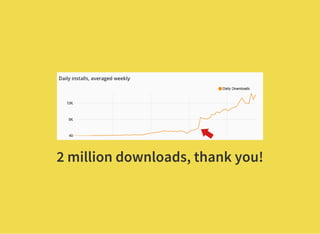
2 million downloads, thank you!
There's no other
option than using
JavaScript.
- most of my friends
JavaScript is a
means to an end.
- almost all of my friends
If JavaScript is
required, I'll hire
somebody.
- my friends who have companies
If we hate something,
why do we do it?
We all like the result:
Snappy UI / UX
I made a server
browser do this!
Loving JavaScript
Hating JavaScript
Dealing with JavaScript
Take a step back.
React Reflect
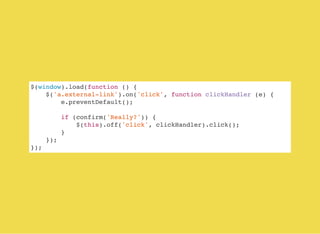
$(window).load(function () {
$('a.external-link').on('click', function clickHandler (e) {
e.preventDefault();
if (confirm('Really?')) {
$(this).off('click', clickHandler).click();
}
});
});
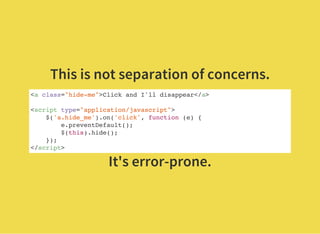
This is not separation of concerns.
<a class="hide-me">Click and I'll disappear</a>
<script type="application/javascript">
$('a.hide_me').on('click', function (e) {
e.preventDefault();
$(this).hide();
});
</script>
It's error-prone.
Result driven
approach.
Just enough code to make it work.
Looks good
at the front.
Not so pretty
at the back.
Not good enough.
Doesn't supply what I
need.
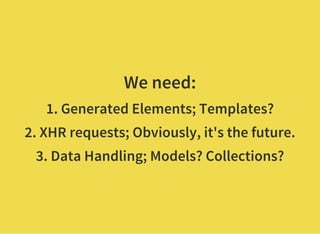
We need:
1. Generated Elements; Templates?
2. XHR requests; Obviously, it's the future.
3. Data Handling; Models? Collections?
Our saviours:
Backbone.js, Ember.js,
Angular.js
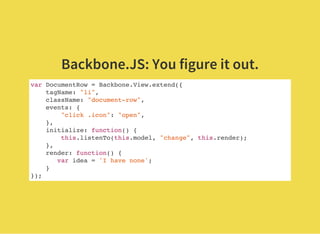
Backbone.JS: You figure it out.
var DocumentRow = Backbone.View.extend({
tagName: "li",
className: "document-row",
events: {
"click .icon": "open",
},
initialize: function() {
this.listenTo(this.model, "change", this.render);
},
render: function() {
var idea = 'I have none';
}
});
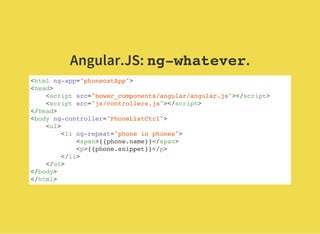
Angular.JS: ng-whatever.
<html ng-app="phonecatApp">
<head>
<script src="bower_components/angular/angular.js"></script>
<script src="js/controllers.js"></script>
</head>
<body ng-controller="PhoneListCtrl">
<ul>
<li ng-repeat="phone in phones">
<span>{{phone.name}}</span>
<p>{{phone.snippet}}</p>
</li>
</ul>
</body>
</html>
Ember.JS: Handlebars / Mustache.
23 page doc needed to
explain views.
You don't like JS and
HTML; here's
something different.
It just doesn't work.
I'm OUT!
Back to HTML.
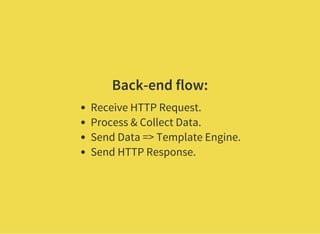
Back-end flow:
Receive HTTP Request.
Process & Collect Data.
Send Data => Template Engine.
Send HTTP Response.
Current Application
State in HTML
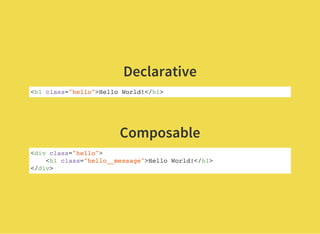
Declarative
<h1 class="hello">Hello World!</h1>
 
Composable
<div class="hello">
<h1 class="hello__message">Hello World!</h1>
</div>
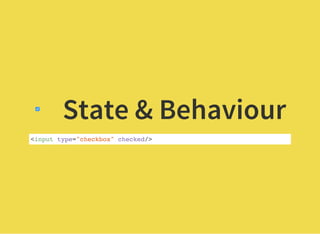
State & Behaviour
<input type="checkbox" checked/>
Why can't it just be like that?
Just the UI
Just like HTML
React (JS)
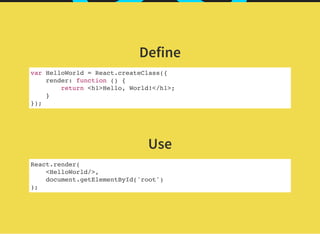
Define
var HelloWorld = React.createClass({
render: function () {
return <h1>Hello, World!</h1>;
}
});
 
Use
React.render(
<HelloWorld/>,
document.getElementById('root')
);
HTML in my JS?!
What The Fudge!
#ProTip: Get over it.
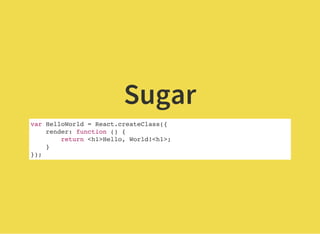
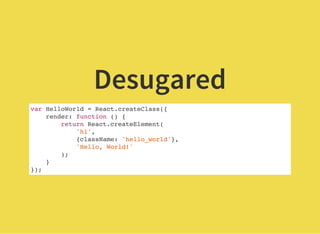
JSX is just a DSL for
HTML in JavaScript
Sugar
var HelloWorld = React.createClass({
render: function () {
return <h1>Hello, World!<h1>;
}
});
Desugared
var HelloWorld = React.createClass({
render: function () {
return React.createElement(
'h1',
{className: 'hello_world'},
'Hello, World!'
);
}
});
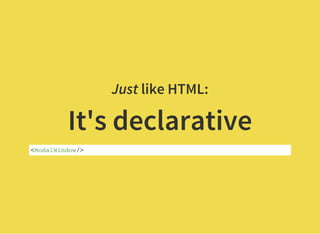
Just like HTML:
It's declarative
<ModalWindow/>
Just like HTML:
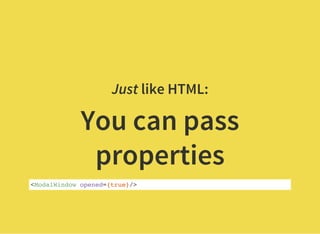
You can pass
properties
<ModalWindow opened={true}/>
Just like HTML:
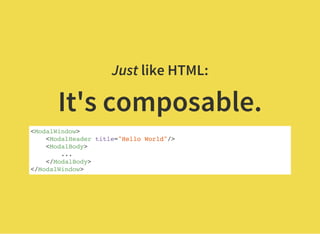
It's composable.
<ModalWindow>
<ModalHeader title="Hello World"/>
<ModalBody>
...
</ModalBody>
</ModalWindow>
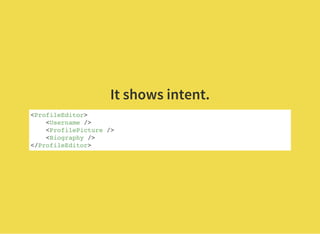
It shows intent.
<ProfileEditor>
<Username />
<ProfilePicture />
<Biography />
</ProfileEditor>
But where do I put my data?
React is all about the bass UI.
What is data in the UI?
Properties & State
Properties
=
External Input
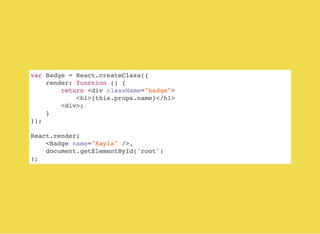
var Badge = React.createClass({
render: function () {
return <div className="badge">
<h1>{this.props.name}</h1>
<div>;
}
});
React.render(
<Badge name="Kayla" />,
document.getElementById('root')
);
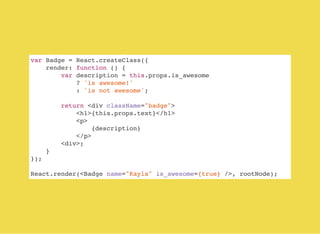
var Badge = React.createClass({
render: function () {
var description = this.props.is_awesome
? 'is awesome!'
: 'is not awesome';
return <div className="badge">
<h1>{this.props.text}</h1>
<p>
{description}
</p>
<div>;
}
});
React.render(<Badge name="Kayla" is_awesome={true} />, rootNode);
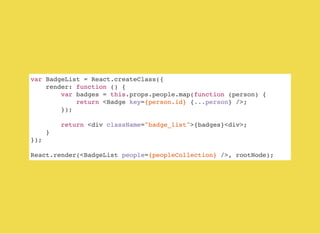
var BadgeList = React.createClass({
render: function () {
var badges = this.props.people.map(function (person) {
return <Badge key={person.id} {...person} />;
});
return <div className="badge_list">{badges}<div>;
}
});
React.render(<BadgeList people={peopleCollection} />, rootNode);
State
=
Internal
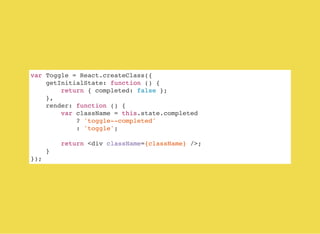
var Toggle = React.createClass({
getInitialState: function () {
return { completed: false };
},
render: function () {
var className = this.state.completed
? 'toggle--completed'
: 'toggle';
return <div className={className} />;
}
});
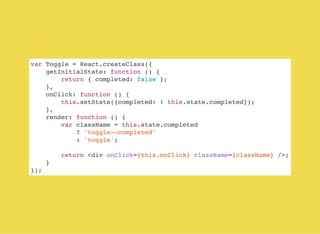
var Toggle = React.createClass({
getInitialState: function () {
return { completed: false };
},
onClick: function () {
this.setState({completed: ! this.state.completed});
},
render: function () {
var className = this.state.completed
? 'toggle--completed'
: 'toggle';
return <div onClick={this.onClick} className={className} />;
}
});
Nice but what about
MY data?
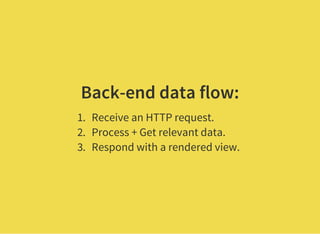
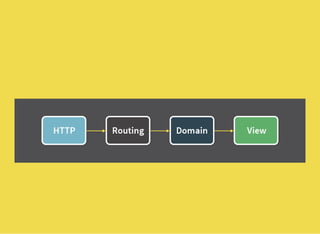
Back-end data flow:
1. Receive an HTTP request.
2. Process + Get relevant data.
3. Respond with a rendered view.
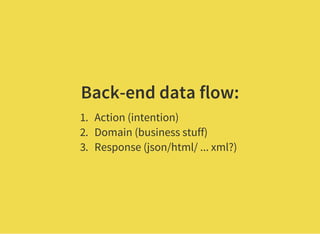
Back-end data flow:
1. Action (intention)
2. Domain (business stuff)
3. Response (json/html/ ... xml?)
How does this map to
JavaScript / React?
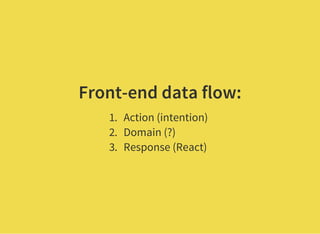
Front-end data flow:
1. Action (intention)
2. Domain (?)
3. Response (React)
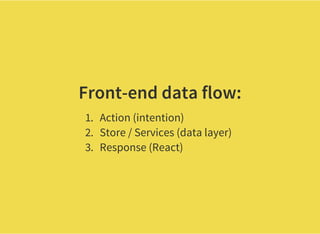
Front-end data flow:
1. Action (intention)
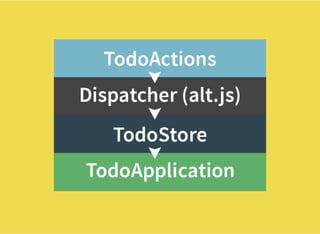
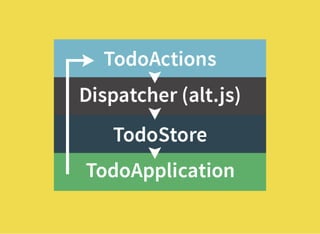
2. Store / Services (data layer)
3. Response (React)
Stores hold the
application state.
Services interact
with APIs.
 
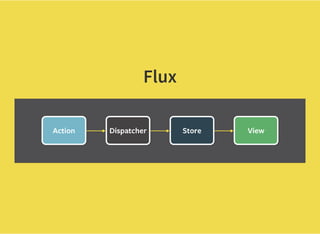
Flux
Flux is only a pattern
There are many implementations already.
Alt.js
Actions & Stores
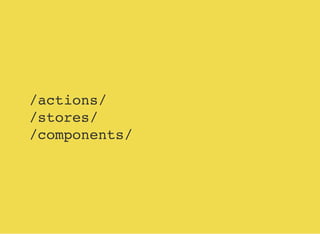
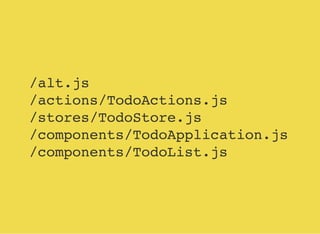
/actions/
/stores/
/components/
/alt.js
/actions/TodoActions.js
/stores/TodoStore.js
/components/TodoApplication.js
/components/TodoList.js
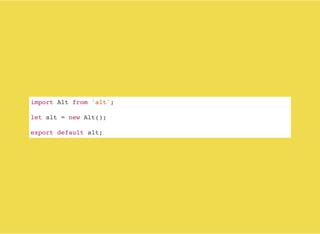
import Alt from 'alt';
let alt = new Alt();
export default alt;
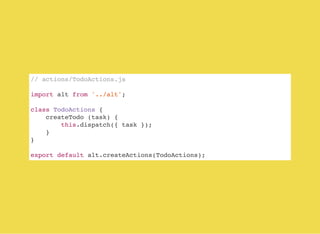
// actions/TodoActions.js
import alt from '../alt';
class TodoActions {
createTodo (task) {
this.dispatch({ task });
}
}
export default alt.createActions(TodoActions);
// stores/TodoStore.js
import alt from '../alt';
import TodoActions from '../actions/TodoActions';
class TodoStore {
constructor() {
this.todos = [];
this.bindListeners({
handleCreatedTodo: TodoActions.CREATE_TODO
});
}
handleCreatedTodo (todo) {
this.todos.push(todo);
}
}
export default alt.createStore(TodoStore, 'TodoStore');
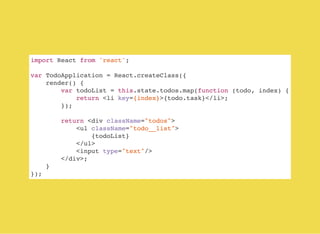
import React from 'react';
var TodoApplication = React.createClass({
render() {
var todoList = this.state.todos.map(function (todo, index) {
return <li key={index}>{todo.task}</li>;
});
return <div className="todos">
<ul className="todo__list">
{todoList}
</ul>
<input type="text"/>
</div>;
}
});
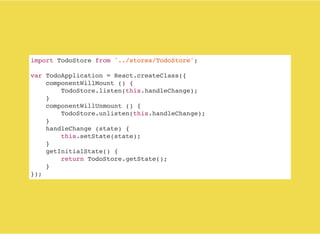
import TodoStore from '../stores/TodoStore';
var TodoApplication = React.createClass({
componentWillMount () {
TodoStore.listen(this.handleChange);
}
componentWillUnmount () {
TodoStore.unlisten(this.handleChange);
}
handleChange (state) {
this.setState(state);
}
getInitialState() {
return TodoStore.getState();
}
});
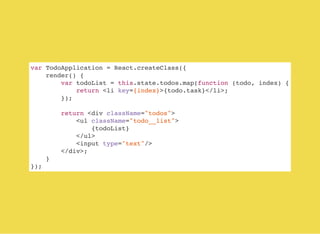
var TodoApplication = React.createClass({
render() {
var todoList = this.state.todos.map(function (todo, index) {
return <li key={index}>{todo.task}</li>;
});
return <div className="todos">
<ul className="todo__list">
{todoList}
</ul>
<input type="text"/>
</div>;
}
});
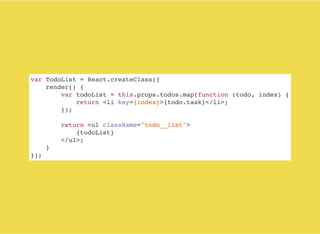
var TodoList = React.createClass({
render() {
var todoList = this.props.todos.map(function (todo, index) {
return <li key={index}>{todo.task}</li>;
});
return <ul className="todo__list">
{todoList}
</ul>;
}
});
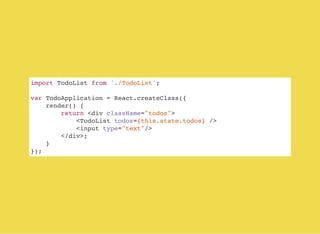
import TodoList from './TodoList';
var TodoApplication = React.createClass({
render() {
return <div className="todos">
<TodoList todos={this.state.todos} />
<input type="text"/>
</div>;
}
});
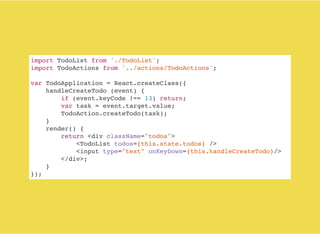
import TodoList from './TodoList';
import TodoActions from '../actions/TodoActions';
var TodoApplication = React.createClass({
handleCreateTodo (event) {
if (event.keyCode !== 13) return;
var task = event.target.value;
TodoAction.createTodo(task);
}
render() {
return <div className="todos">
<TodoList todos={this.state.todos} />
<input type="text" onKeyDown={this.handleCreateTodo}/>
</div>;
}
});
So, what about my
Laravel App?
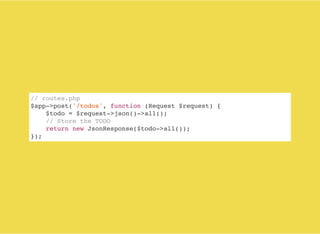
// routes.php
$app->post('/todos', function (Request $request) {
$todo = $request->json()->all();
// Store the TODO
return new JsonResponse($todo->all());
});
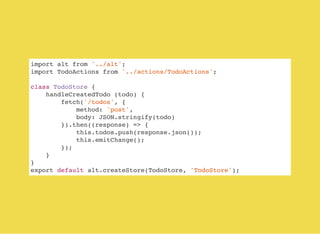
import alt from '../alt';
import TodoActions from '../actions/TodoActions';
class TodoStore {
handleCreatedTodo (todo) {
fetch('/todos', {
method: 'post',
body: JSON.stringify(todo)
}).then((response) => {
this.todos.push(response.json());
this.emitChange();
});
}
}
export default alt.createStore(TodoStore, 'TodoStore');
What do we know so
far?
Writing front-end code, like back-end code.
It's all about data-flow.
Intent is everything.
Complexity should be facilitated.
Choose a tool that
supports it.
React can run
on the server.
Declarative UI
across the board.
Thank you for
your time!

Frontin like-a-backer