Disclaimer 3
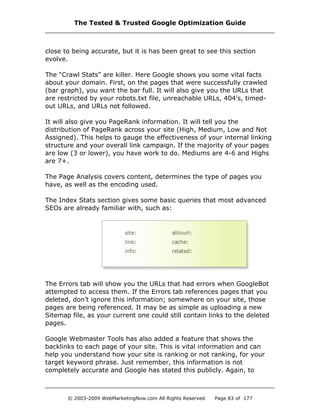
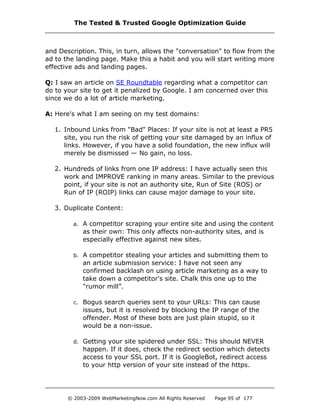
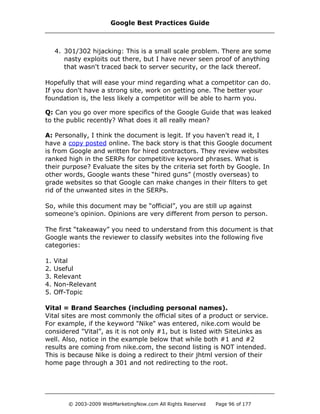
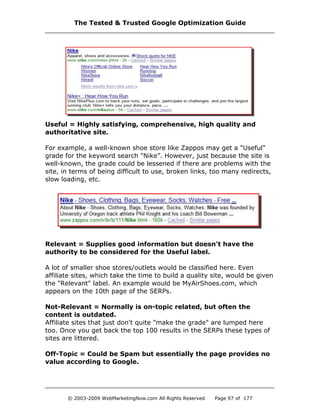
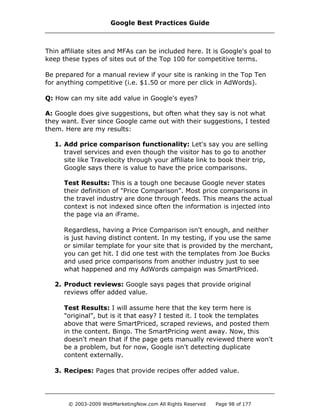
The Tested & Trusted Google Optimization Guide
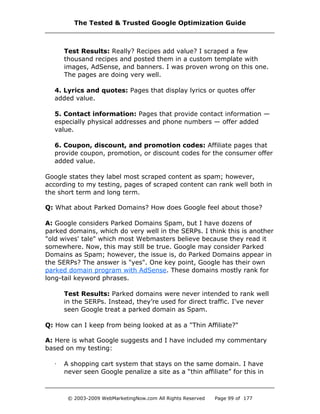
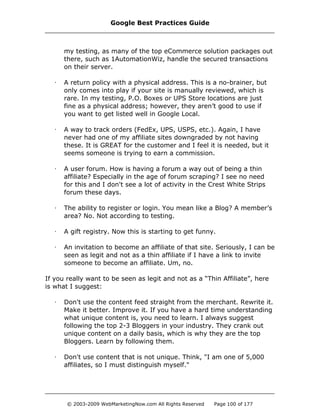
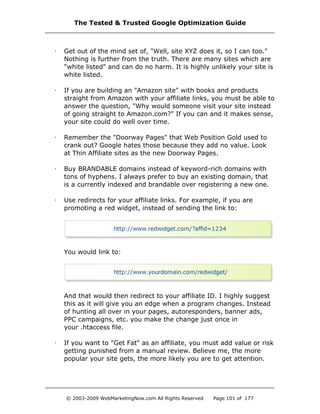
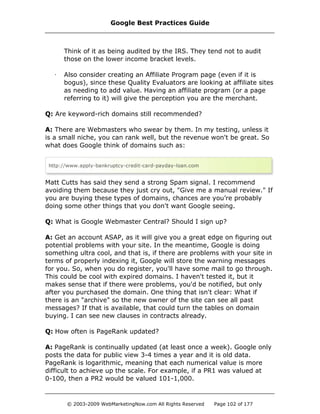
© 2003-2009 WebMarketingNow.com All Rights Reserved Page 1 of 177
U P D A T E D S E P T E M B E R 2 0 0 9
Section One: Introduction
Purpose and the Goal 4
About Google 6
SEO in a Box 7
On & Off Page Factors – Google Algorithm Update 16
On Page Factors Dissected 23
Section Two: Website Development Checklist
How to Set-Up Your Site for Maximum "Google Love" 38
Linking Strategies 59
The Importance of PageRank 63
Using Google Search Filters 69
Section Three: Questions & Tips
What Should I Do If… 71
Section Four: Developed Websites Beware
Stay Out of Supplemental Hell 87
Google Reinclusion 106
Section Five: Google Tools
How to Use Google Tools to Your Advantage 109
Section Six: Staying On Top of the Google Game
Remember “The Big Picture” 117
Trusted Resources 118
About the Author 119
Appendix:
Personal Conversations with Search Engineers 122
Quick Look at Your Market 144
Tutorial: Google Webmaster Tools 156
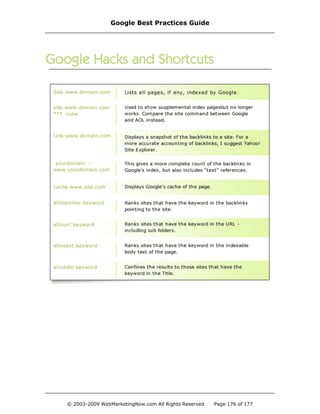
Google Hacks and Shortcuts 176
Google Best Practices Guide
© 2003-2009 WebMarketingNow.com All Rights Reserved Page 2 of 177
This guide is not endorsed, supported or blessed, etc. by Google. All
information contained in this guide is based on my testing results.
It should be noted that there are no theories presented in this guide.
It should also be noted that there are quotes from Matt Cutts and other
engineers from Google. I don’t profess to have a relationship with
any of these individuals over and above any other Webmaster or
SEO who has attended Webmaster World or Search Engine
Strategies. I simply asked questions, wrote down their responses and
then tested their answers.
I can hear you now ... “You tested answers given by Matt Cutts?”
Of course. My number one rule is that I trust no one. I only trust data.
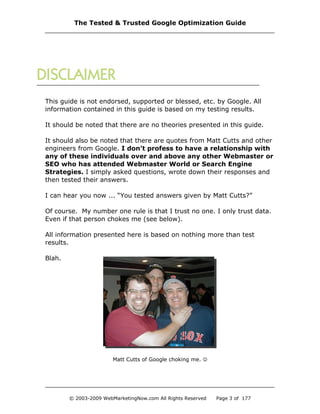
Even if that person chokes me (see below).
All information presented here is based on nothing more than test
results.
Blah.
Matt Cutts of Google choking me. 
The Tested & Trusted Google Optimization Guide
© 2003-2009 WebMarketingNow.com All Rights Reserved Page 3 of 177
Why This Guide Is Different
I’ve been an SEO since 1996 — before the term was cool. This guide is
based on the testing, not theory, of my 500+ test domains. Using
working examples, this guide will help you build organic traffic with
Google to create a long-term traffic solution for your business.
Organic traffic? Isn’t that dead?
No. Organic traffic is alive and well. You probably consulted a “guru”
who stated “SEO is dead.” Anyone who says that doesn’t understand
the simple concepts of SEO and how traffic is driven. Misunderstanding
breeds fear. That fear causes them to try and “kill” SEO.
Many have tried. No one has succeeded.
Why? The Guru’s plan is to quickly turn and pitch to you their new
“silver-bullet-cure-all” marketing package with an inflated price tag. The
end result: that “cure-all” is full of information you already know.
Why is Everyone Obsessed With Google?
Google rules the web. Yahoo! and MSN aren’t in the same ballpark. But
Google isn’t perfect as there are always “exceptions” with Google. You
may see “tests” conducted that reference a new methodology but what
you don’t know is that the theory is often tested on just two domains.
Two domains is a pathetic test.
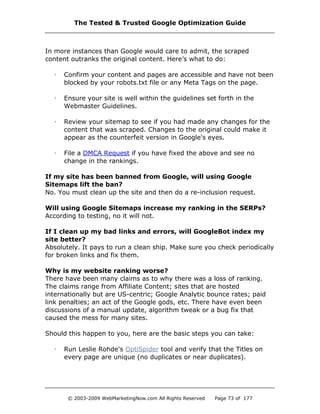
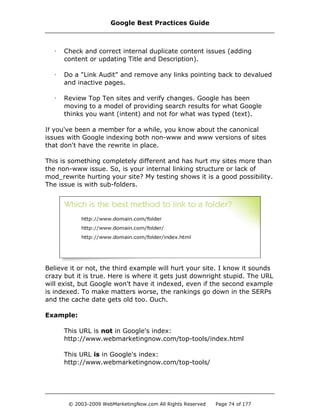
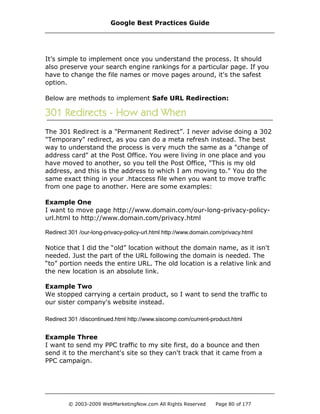
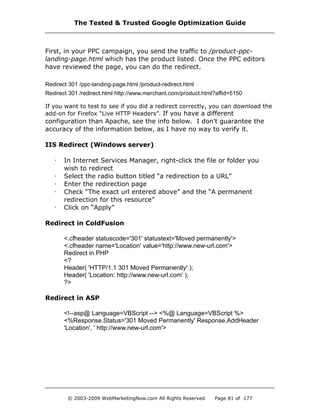
Why is it pathetic? Allow me to illustrate:
Google Best Practices Guide
© 2003-2009 WebMarketingNow.com All Rights Reserved Page 4 of 177
I can show you pages where a #1 ranking can be achieved with a 26%
keyword density, which is essentially Spamming Google. That example
is the exception, not the rule. Ignore exceptions. You should demand
methodologies that work on the MAJORITY of websites. That is the
essence of this guide.
As I previously stated, when it comes to organic traffic, Google rules all.
While MSN and Yahoo! claim to outpace Google in conversion ratio in
the Pay Per Click (PPC) field, they are no match for Google in the
organic arena.
While they may have a better conversion ratio in terms of a percentage,
Google supplies a lot more traffic, which means you are going to make
more money with Google. Isn’t that why you have a business online —
to make money?
This brings us to a vital point. You aren’t reading this document to
increase rankings or traffic; you are reading this guide to increase
your revenue. Increased revenue is where your focus should always
be. Too many SEOs and Webmasters brag about their rankings or traffic
levels, but it all means nothing if sales don’t follow.
Obvious Fact: It doesn’t matter how many people walk into a store. If
the cash register never rings, the business will soon be:
The same is true for your website. Don’t be like other SEOs who fail to
understand this concept. Change your mindset to “top conversion”
instead of “top ranking” and you will be amazed at what you can
accomplish.
The Tested & Trusted Google Optimization Guide
© 2003-2009 WebMarketingNow.com All Rights Reserved Page 5 of 177
Google Control
Google controls over 276 million unique searches per day — more than
11 million searches per hour. And get this; Google earns an average of
nine cents per search. Nine cents times 11 million an hour. Nice.
My estimate places the index at over 39 billion pages. According to
insiders, they want 100 billion pages indexed and will get there. Here
are some of Google’s stats:
Market Share: 72.58%
Click-through Market Share: 75.6%
Primary Results: Own index
Secondary Results: Google Supplemental Index
Inclusion Time: About 4 – 6 weeks by request, 1-10 days by
GoogleBot finding the page/site on its own, including XML
Sitemap
Paid Inclusion: Not available
Indexed Pages: Not posted but estimated at 36 billion pages
Robots.txt Key: GoogleBot
Summary: Google powers Netscape, AOL and others and has a
70+% market reach with their primary search results. Google’s
directory is a direct feed of the Open Directory Project (ODP).
Sponsored Partners Include: Google AdWords, AOL and
Netscape
User Agent: Googlebot/2.1
Frame Support: Yes
Web Media Support: HTML, SHTML, XML, CFM, DOC, XLS, PDF,
ASP, JSP, PPT, RTF, WKS, LWP, WRI and SWF
Google Best Practices Guide
© 2003-2009 WebMarketingNow.com All Rights Reserved Page 6 of 177
I first wrote “SEO in a Box” in February 2008 and it proves one simple
truth: SEO isn’t complicated. In fact, SEO is easier than it was ten years
ago. That’s right, it’s easier. Back then you had to optimize for eight
different search engines. Today, you just need to optimize for one:
Google. Sure, there is more competition today than ten years ago, but
most marketers are lazy and you can use that to your advantage.
If you perform SEO for sites that you own, for clients, or as an affiliate
for merchants then chances are, you have asked the question:
Instead of blabbering about this technique, let me share a real case
study of my own site I did back in 2008. I’ll update the progress with
how the page ranks today at the end of this section. The keyword
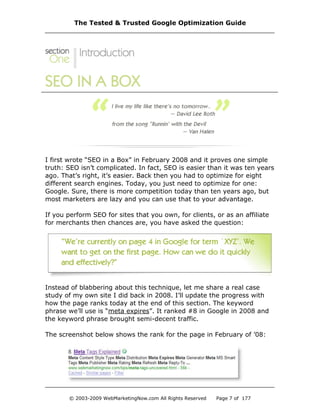
phrase we’ll use is “meta expires”. It ranked #8 in Google in 2008 and
the keyword phrase brought semi-decent traffic.
The screenshot below shows the rank for the page in February of ’08:
The Tested & Trusted Google Optimization Guide
© 2003-2009 WebMarketingNow.com All Rights Reserved Page 7 of 177
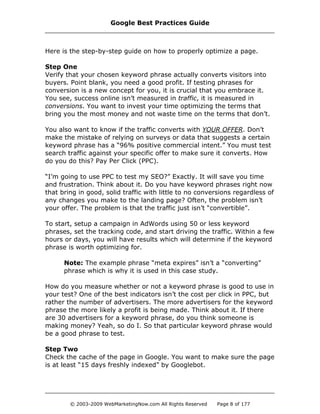
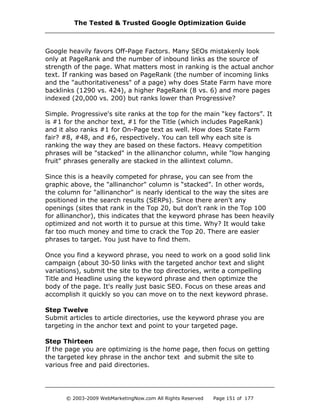
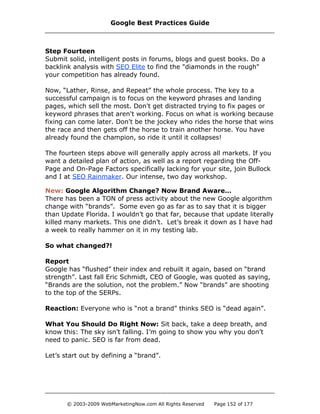
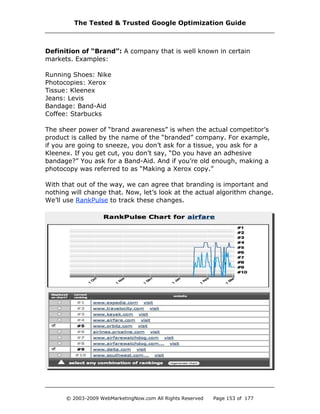
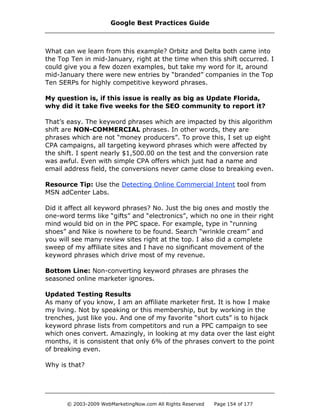
Here is the step-by-step guide on how to properly optimize a page.
Step One
Verify that your chosen keyword phrase actually converts visitors into
buyers. Point blank, you need a good profit. If testing phrases for
conversion is a new concept for you, it is crucial that you embrace it.
You see, success online isn’t measured in traffic, it is measured in
conversions. You want to invest your time optimizing the terms that
bring you the most money and not waste time on the terms that don’t.
You also want to know if the traffic converts with YOUR OFFER. Don’t
make the mistake of relying on surveys or data that suggests a certain
keyword phrase has a “96% positive commercial intent.” You must test
search traffic against your specific offer to make sure it converts. How
do you do this? Pay Per Click (PPC).
“I’m going to use PPC to test my SEO?” Exactly. It will save you time
and frustration. Think about it. Do you have keyword phrases right now
that bring in good, solid traffic with little to no conversions regardless of
any changes you make to the landing page? Often, the problem isn’t
your offer. The problem is that the traffic just isn’t “convertible”.
To start, setup a campaign in AdWords using 50 or less keyword
phrases, set the tracking code, and start driving the traffic. Within a few
hours or days, you will have results which will determine if the keyword
phrase is worth optimizing for.
Note: The example phrase “meta expires” isn’t a “converting”
phrase which is why it is used in this case study.
How do you measure whether or not a keyword phrase is good to use in
your test? One of the best indicators isn’t the cost per click in PPC, but
rather the number of advertisers. The more advertisers for the keyword
phrase the more likely a profit is being made. Think about it. If there
are 30 advertisers for a keyword phrase, do you think someone is
making money? Yeah, so do I. So that particular keyword phrase would
be a good phrase to test.
Step Two
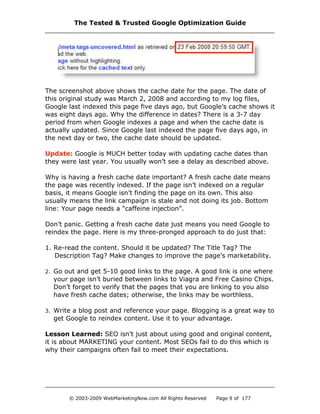
Check the cache of the page in Google. You want to make sure the page
is at least “15 days freshly indexed” by Googlebot.
Google Best Practices Guide
© 2003-2009 WebMarketingNow.com All Rights Reserved Page 8 of 177
The screenshot above shows the cache date for the page. The date of
this original study was March 2, 2008 and according to my log files,
Google last indexed this page five days ago, but Google’s cache shows it
was eight days ago. Why the difference in dates? There is a 3-7 day
period from when Google indexes a page and when the cache date is
actually updated. Since Google last indexed the page five days ago, in
the next day or two, the cache date should be updated.
Update: Google is MUCH better today with updating cache dates than
they were last year. You usually won’t see a delay as described above.
Why is having a fresh cache date important? A fresh cache date means
the page was recently indexed. If the page isn’t indexed on a regular
basis, it means Google isn’t finding the page on its own. This also
usually means the link campaign is stale and not doing its job. Bottom
line: Your page needs a “caffeine injection”.
Don’t panic. Getting a fresh cache date just means you need Google to
reindex the page. Here is my three-pronged approach to do just that:
1. Re-read the content. Should it be updated? The Title Tag? The
Description Tag? Make changes to improve the page’s marketability.
2. Go out and get 5-10 good links to the page. A good link is one where
your page isn’t buried between links to Viagra and Free Casino Chips.
Don’t forget to verify that the pages that you are linking to you also
have fresh cache dates; otherwise, the links may be worthless.
3. Write a blog post and reference your page. Blogging is a great way to
get Google to reindex content. Use it to your advantage.
Lesson Learned: SEO isn’t just about using good and original content,
it is about MARKETING your content. Most SEOs fail to do this which is
why their campaigns often fail to meet their expectations.
The Tested & Trusted Google Optimization Guide
© 2003-2009 WebMarketingNow.com All Rights Reserved Page 9 of 177
Step Three
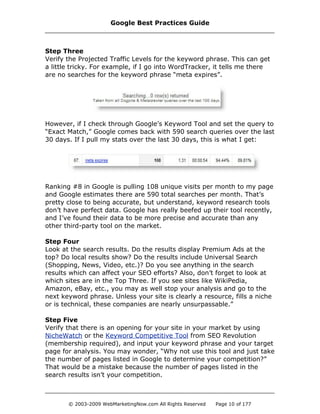
Verify the Projected Traffic Levels for the keyword phrase. This can get
a little tricky. For example, if I go into WordTracker, it tells me there
are no searches for the keyword phrase “meta expires”.
However, if I check through Google’s Keyword Tool and set the query to
“Exact Match,” Google comes back with 590 search queries over the last
30 days. If I pull my stats over the last 30 days, this is what I get:
Ranking #8 in Google is pulling 108 unique visits per month to my page
and Google estimates there are 590 total searches per month. That’s
pretty close to being accurate, but understand, keyword research tools
don’t have perfect data. Google has really beefed up their tool recently,
and I’ve found their data to be more precise and accurate than any
other third-party tool on the market.
Step Four
Look at the search results. Do the results display Premium Ads at the
top? Do local results show? Do the results include Universal Search
(Shopping, News, Video, etc.)? Do you see anything in the search
results which can affect your SEO efforts? Also, don’t forget to look at
which sites are in the Top Three. If you see sites like WikiPedia,
Amazon, eBay, etc., you may as well stop your analysis and go to the
next keyword phrase. Unless your site is clearly a resource, fills a niche
or is technical, these companies are nearly unsurpassable.”
Step Five
Verify that there is an opening for your site in your market by using
NicheWatch or the Keyword Competitive Tool from SEO Revolution
(membership required), and input your keyword phrase and your target
page for analysis. You may wonder, “Why not use this tool and just take
the number of pages listed in Google to determine your competition?”
That would be a mistake because the number of pages listed in the
search results isn’t your competition.
Google Best Practices Guide
© 2003-2009 WebMarketingNow.com All Rights Reserved Page 10 of 177
Let’s use the term “impact words”. Typing the term (without quotations)
into Google returns over 38 million pages. Google returns how many
pages contain both “impact” and “words” but not necessarily together.
So, a page that reads, “The impact of the truck was so intense there
not words to describe the scene” would be counted as a competing page
if you subscribe to that theory. I’m sure you would agree; a page with
that content would NOT be a competitor.
So, who is your actual competition? Your competitors are the pages
listed on Page One of the SERPs (Search Engine Results Pages). Period.
All that matters is that the pages in the Top Ten can be outranked.
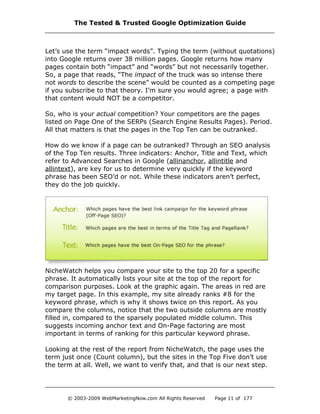
How do we know if a page can be outranked? Through an SEO analysis
of the Top Ten results. Three indicators: Anchor, Title and Text, which
refer to Advanced Searches in Google (allinanchor, allintitle and
allintext), are key for us to determine very quickly if the keyword
phrase has been SEO’d or not. While these indicators aren’t perfect,
they do the job quickly.
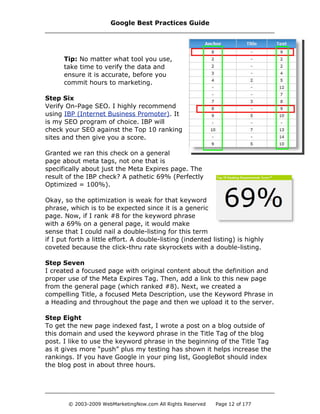
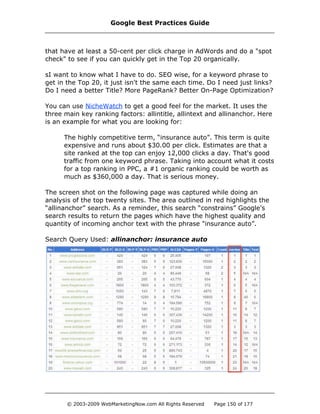
NicheWatch helps you compare your site to the top 20 for a specific
phrase. It automatically lists your site at the top of the report for
comparison purposes. Look at the graphic again. The areas in red are
my target page. In this example, my site already ranks #8 for the
keyword phrase, which is why it shows twice on this report. As you
compare the columns, notice that the two outside columns are mostly
filled in, compared to the sparsely populated middle column. This
suggests incoming anchor text and On-Page factoring are most
important in terms of ranking for this particular keyword phrase.
Looking at the rest of the report from NicheWatch, the page uses the
term just once (Count column), but the sites in the Top Five don’t use
the term at all. Well, we want to verify that, and that is our next step.
The Tested & Trusted Google Optimization Guide
© 2003-2009 WebMarketingNow.com All Rights Reserved Page 11 of 177
Tip: No matter what tool you use,
take time to verify the data and
ensure it is accurate, before you
commit hours to marketing.
Step Six
Verify On-Page SEO. I highly recommend
using IBP (Internet Business Promoter). It
is my SEO program of choice. IBP will
check your SEO against the Top 10 ranking
sites and then give you a score.
Granted we ran this check on a general
page about meta tags, not one that is
specifically about just the Meta Expires page. The
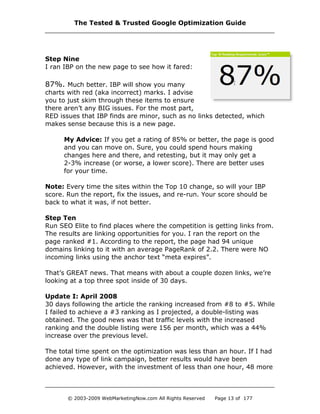
result of the IBP check? A pathetic 69% (Perfectly
Optimized = 100%).
Okay, so the optimization is weak for that keyword
phrase, which is to be expected since it is a generic
page. Now, if I rank #8 for the keyword phrase
with a 69% on a general page, it would make
sense that I could nail a double-listing for this term
if I put forth a little effort. A double-listing (indented listing) is highly
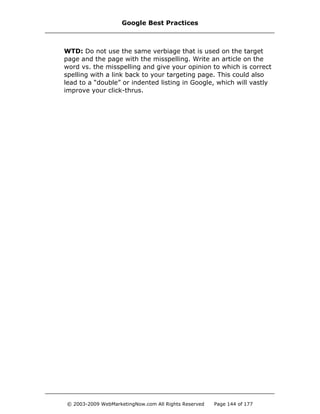
coveted because the click-thru rate skyrockets with a double-listing.
Step Seven
I created a focused page with original content about the definition and
proper use of the Meta Expires Tag. Then, add a link to this new page
from the general page (which ranked #8). Next, we created a
compelling Title, a focused Meta Description, use the Keyword Phrase in
a Heading and throughout the page and then we upload it to the server.
Step Eight
To get the new page indexed fast, I wrote a post on a blog outside of
this domain and used the keyword phrase in the Title Tag of the blog
post. I like to use the keyword phrase in the beginning of the Title Tag
as it gives more “push” plus my testing has shown it helps increase the
rankings. If you have Google in your ping list, GoogleBot should index
the blog post in about three hours.
Google Best Practices Guide
© 2003-2009 WebMarketingNow.com All Rights Reserved Page 12 of 177
Step Nine
I ran IBP on the new page to see how it fared:
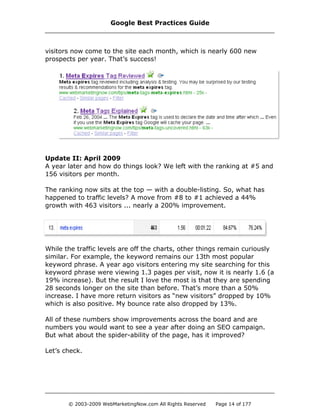
87%. Much better. IBP will show you many
charts with red (aka incorrect) marks. I advise
you to just skim through these items to ensure
there aren’t any BIG issues. For the most part,
RED issues that IBP finds are minor, such as no links detected, which
makes sense because this is a new page.
My Advice: If you get a rating of 85% or better, the page is good
and you can move on. Sure, you could spend hours making
changes here and there, and retesting, but it may only get a
2-3% increase (or worse, a lower score). There are better uses
for your time.
Note: Every time the sites within the Top 10 change, so will your IBP
score. Run the report, fix the issues, and re-run. Your score should be
back to what it was, if not better.
Step Ten
Run SEO Elite to find places where the competition is getting links from.
The results are linking opportunities for you. I ran the report on the
page ranked #1. According to the report, the page had 94 unique
domains linking to it with an average PageRank of 2.2. There were NO
incoming links using the anchor text “meta expires”.
That’s GREAT news. That means with about a couple dozen links, we’re
looking at a top three spot inside of 30 days.
Update I: April 2008
30 days following the article the ranking increased from #8 to #5. While
I failed to achieve a #3 ranking as I projected, a double-listing was
obtained. The good news was that traffic levels with the increased
ranking and the double listing were 156 per month, which was a 44%
increase over the previous level.
The total time spent on the optimization was less than an hour. If I had
done any type of link campaign, better results would have been
achieved. However, with the investment of less than one hour, 48 more
The Tested & Trusted Google Optimization Guide
© 2003-2009 WebMarketingNow.com All Rights Reserved Page 13 of 177
visitors now come to the site each month, which is nearly 600 new
prospects per year. That’s success!
Update II: April 2009
A year later and how do things look? We left with the ranking at #5 and
156 visitors per month.
The ranking now sits at the top — with a double-listing. So, what has
happened to traffic levels? A move from #8 to #1 achieved a 44%
growth with 463 visitors ... nearly a 200% improvement.
While the traffic levels are off the charts, other things remain curiously
similar. For example, the keyword remains our 13th most popular
keyword phrase. A year ago visitors entering my site searching for this
keyword phrase were viewing 1.3 pages per visit, now it is nearly 1.6 (a
19% increase). But the result I love the most is that they are spending
28 seconds longer on the site than before. That’s more than a 50%
increase. I have more return visitors as “new visitors” dropped by 10%
which is also positive. My bounce rate also dropped by 13%.
All of these numbers show improvements across the board and are
numbers you would want to see a year after doing an SEO campaign.
But what about the spider-ability of the page, has it improved?
Let’s check.
Google Best Practices Guide
© 2003-2009 WebMarketingNow.com All Rights Reserved Page 14 of 177
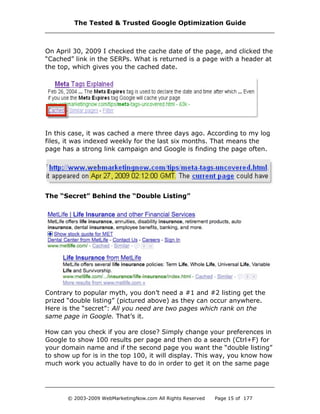
On April 30, 2009 I checked the cache date of the page, and clicked the
“Cached” link in the SERPs. What is returned is a page with a header at
the top, which gives you the cached date.
In this case, it was cached a mere three days ago. According to my log
files, it was indexed weekly for the last six months. That means the
page has a strong link campaign and Google is finding the page often.
The “Secret” Behind the “Double Listing”
Contrary to popular myth, you don’t need a #1 and #2 listing get the
prized “double listing” (pictured above) as they can occur anywhere.
Here is the “secret”: All you need are two pages which rank on the
same page in Google. That’s it.
How can you check if you are close? Simply change your preferences in
Google to show 100 results per page and then do a search (Ctrl+F) for
your domain name and if the second page you want the “double listing”
to show up for is in the top 100, it will display. This way, you know how
much work you actually have to do in order to get it on the same page
The Tested & Trusted Google Optimization Guide
© 2003-2009 WebMarketingNow.com All Rights Reserved Page 15 of 177
as your original listing. This can dramatically increase your click through
rate, and you can get the whole process done in 30 minutes or less.
Testing has proven over the years that the Title Tag has lost a lot of its
power and the real power is incoming links when it comes to ranking
well in Google. When you discuss links, it isn’t always about external
links. Don’t forget the true power of internal linking, which is the
backbone of the SEO in a Box technique, because it plays right into the
strength of your site when seeking that double listing.
STEP ONE: Check if you have a second listing in the Top 100 as
described above. If so, skip to Step Three.
STEP TWO: Create a new page (to be your “second page”) on your site
about the topic with a more specific angle. For example, my page on
“meta tags” was ranking, so I created a specific page for the “meta
expires tag”.
STEP THREE: Verify the Title tag is compelling and contains the target
keyword phrase the beginning of the Title and that it is DIFFERENT than
the page currently ranking. Why? The biggest reason for internal
duplicate content is similar or near-similar Title tags.
STEP FOUR: Do a link exchange between the two pages using the
same anchor text you want to rank for on both pages. This will help
“solidify” the relationship between the pages and help the secondary
page rank better.
STEP FIVE: Use the power of internal links by using the “SEO in a Box”
technique to find which pages of your site or most related to the topic
you are trying to get the double listing for, and then focus the links on
the secondary page.
STEP SIX (Optional): Write a blog post on a blog that gets its blog
posts indexed the same day they are posted. Include a link to your
secondary page with the anchor text you are targeting. This can be your
own blog, a guest post on another blog, or a new blog you create.
STEP SEVEN (Optional): Write an article and submit to a few article
directories including EzineArticles. com. Make sure one of the links you
include is one to your secondary page with the targeted anchor text.
Google Best Practices Guide
© 2003-2009 WebMarketingNow.com All Rights Reserved Page 16 of 177
Reminder: Many article submission sites will not let you post html in
your article. This means the link at the bottom of your article will not
have your typical anchor text included.
Work Around: When you create your second page, name the file the
keyword that you want it to rank for. – www.YourDomain.com/
Keyword-Keyword.html.
Why This Works: The anchor text will be the URL, which will include
the keyword phrase with a dash between each word. Search engines
treat dashes as spaces, so the anchor text would be seen by the search
engine as “keyword keyword” just as you intended with an HTML tag.
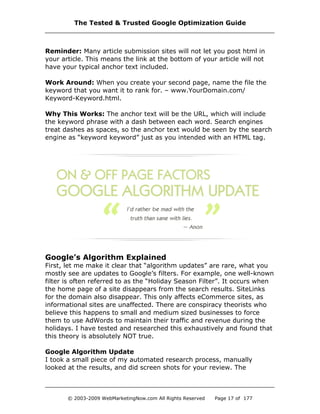
Google’s Algorithm Explained
First, let me make it clear that “algorithm updates” are rare, what you
mostly see are updates to Google’s filters. For example, one well-known
filter is often referred to as the “Holiday Season Filter”. It occurs when
the home page of a site disappears from the search results. SiteLinks
for the domain also disappear. This only affects eCommerce sites, as
informational sites are unaffected. There are conspiracy theorists who
believe this happens to small and medium sized businesses to force
them to use AdWords to maintain their traffic and revenue during the
holidays. I have tested and researched this exhaustively and found that
this theory is absolutely NOT true.
Google Algorithm Update
I took a small piece of my automated research process, manually
looked at the results, and did screen shots for your review. The
The Tested & Trusted Google Optimization Guide
© 2003-2009 WebMarketingNow.com All Rights Reserved Page 17 of 177
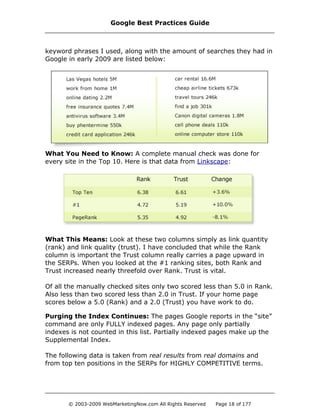
keyword phrases I used, along with the amount of searches they had in
Google in early 2009 are listed below:
What You Need to Know: A complete manual check was done for
every site in the Top 10. Here is that data from Linkscape:
What This Means: Look at these two columns simply as link quantity
(rank) and link quality (trust). I have concluded that while the Rank
column is important the Trust column really carries a page upward in
the SERPs. When you looked at the #1 ranking sites, both Rank and
Trust increased nearly threefold over Rank. Trust is vital.
Of all the manually checked sites only two scored less than 5.0 in Rank.
Also less than two scored less than 2.0 in Trust. If your home page
scores below a 5.0 (Rank) and a 2.0 (Trust) you have work to do.
Purging the Index Continues: The pages Google reports in the “site”
command are only FULLY indexed pages. Any page only partially
indexes is not counted in this list. Partially indexed pages make up the
Supplemental Index.
The following data is taken from real results from real domains and
from top ten positions in the SERPs for HIGHLY COMPETITIVE terms.
Google Best Practices Guide
© 2003-2009 WebMarketingNow.com All Rights Reserved Page 18 of 177
Reminder: THESE RESULTS ARE NOT TAKEN FROM TEST DOMAINS.
Let’s go over a few points on how the information was compiled.
1. Data gathered from the top ten results for competitive keyword
phrases.
2. I “sight verified” 20% of the data (I went to Google, typed in the
query and compared what I saw to what was pulled. If it didn't
match, I dropped it and pulled another keyword phrase).
3. For each top ten data set, I dropped the high and low number.
This was done to remove “abnormalities” in the data sets.
4. I compile the data. The averages I report are across dozens of
industries and hundreds of keyword phrases.
5. I took the figures and I compare them to my affiliate sites and
test domains to verify no data was “outside of the set”.
Aside from the algorithm update, you might ask, “How do you test?”
Due to competitive advantages, I will not give exact specifics, but this
will give you a good overview:
My Testing Setup
· I have five test servers. Note: No Windows servers.
· Each server is located in a different part of the US.
· Each test server has at least 32 test domains.
· Domains are matched in pairs for A/B testing.
· All domains are “.com”; no testing is done with other extensions.
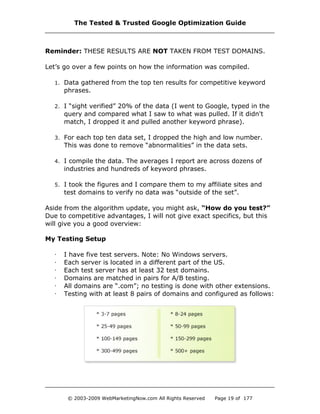
· Testing with at least 8 pairs of domains and configured as follows:
The Tested & Trusted Google Optimization Guide
© 2003-2009 WebMarketingNow.com All Rights Reserved Page 19 of 177
· All the pages on each domain contains real content. The sites
“naturally” grow with new content, and when a site grows from
the 3-7 pages in size to 8 pages, a new test domain is created.
· While performing a test on a pair of domains, one of the domains
in the pair is tested, while the other remains constant. This is A/B
testing. Once I see something unusual, I can verify it, not just on
one testing pair, but across at least a dozen testing pairs. This
method is unlike other testing models on the web and I never
trust the results from just one test. Never.
· Due to varying issues within the algorithms, it can take up to six
weeks in order to formulate an accurate conclusion. This is why
you rarely read “breaking news” from me on a certain topic. Yes, I
have heard about it and I go right to work testing it. For breaking
news, see the SEO Revolution Blog.
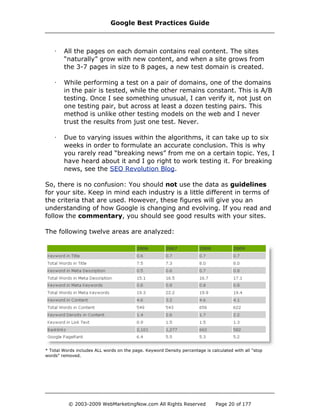
So, there is no confusion: You should not use the data as guidelines
for your site. Keep in mind each industry is a little different in terms of
the criteria that are used. However, these figures will give you an
understanding of how Google is changing and evolving. If you read and
follow the commentary, you should see good results with your sites.
The following twelve areas are analyzed:
* Total Words includes ALL words on the page. Keyword Density percentage is calculated with all "stop
words" removed.
Google Best Practices Guide
© 2003-2009 WebMarketingNow.com All Rights Reserved Page 20 of 177
Legend
Keyword in Title
How many times does the keyword phrase appear as an exact phrase in
the Title? 0.7 indicates that 70% of the top listings have the keyword
phrase in the Title.
Total Words in Title
How many words are in the Title Tag? On average, 7.8 refers to 8
(rounded up) words appearing in the Title Tag in the top listed pages.
Keyword in Meta Description
Does the keyword phrase appear in the Meta Description? 0.6 states
that 60% of the top listings have the keyword phrase in the Meta
Description.
Total Words in Meta Description
How many words are in the Meta Description Tag? On average, 16
words appear in the Meta Description for the top listed pages.
Keyword in Meta Keywords
Does the keyword phrase appear in the Meta Keyword Tag? 0.5
indicates that 50% of the top listings have the keyword phrase in the
Meta Keywords Tag.
Total Words in Meta Keywords
How many words are in the Meta Keywords Tag? On average, 21
(rounded up from 20.9) words appear in the top listed pages for the
Meta Keyword Tag.
Keyword in Content
How many times does the keyword phrase appear in the content? The
results show that the keyword phrase will appear on a top ranking page
at an average of 5 (rounded up) times. This is the content of the page,
based on what you can see.
Total Words in Content
How many words of content are on the page? The actual number of
words counted is 611 (including stop words). The major search engines
do not index the stop words, but they are counted and figured into the
density numbers.
The Tested & Trusted Google Optimization Guide
© 2003-2009 WebMarketingNow.com All Rights Reserved Page 21 of 177
Keyword Density in Content
What density percentage is the keyword phrase in the Content? 2.2
refers to 2%, or one use of the keyword phrase per 100 words of text
(stop words removed).
Keyword in Link Text
Does the keyword phrase appear in the Link/Anchor Text on the page?
1.8 refers to 180% of the top sites contain the keyword phrase in
Anchor text on the page. In other words, it appears more than once on
the page.
Backlinks
How many backlinks does the page have? Google recognizes 512
qualified pages that are linking to the page. Note that this is with the
“link command” which is not as accurate as the link information in
Webmaster Central. Even Webmaster Central does not give a clear
reading of the number of links. We are only using this as a way to
gauge gains and losses in this area.
Google PageRank
What is the Google PageRank of the page? 5.4 indicates a PageRank of
5 as the average PageRank for the top sites.
Google Best Practices Guide
© 2003-2009 WebMarketingNow.com All Rights Reserved Page 22 of 177
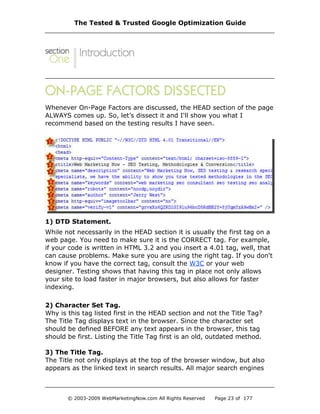
Whenever On-Page Factors are discussed, the HEAD section of the page
ALWAYS comes up. So, let’s dissect it and I'll show you what I
recommend based on the testing results I have seen.
1) DTD Statement.
While not necessarily in the HEAD section it is usually the first tag on a
web page. You need to make sure it is the CORRECT tag. For example,
if your code is written in HTML 3.2 and you insert a 4.01 tag, well, that
can cause problems. Make sure you are using the right tag. If you don't
know if you have the correct tag, consult the W3C or your web
designer. Testing shows that having this tag in place not only allows
your site to load faster in major browsers, but also allows for faster
indexing.
2) Character Set Tag.
Why is this tag listed first in the HEAD section and not the Title Tag?
The Title Tag displays text in the browser. Since the character set
should be defined BEFORE any text appears in the browser, this tag
should be first. Listing the Title Tag first is an old, outdated method.
3) The Title Tag.
The Title not only displays at the top of the browser window, but also
appears as the linked text in search results. All major search engines
The Tested & Trusted Google Optimization Guide
© 2003-2009 WebMarketingNow.com All Rights Reserved Page 23 of 177
index the Title Tag. In terms of SEO, the Title Tag is considered average
importance to Google for competitive phrases and Google displays up to
the first 64 characters. Be succinct, but don't make the mistake of
using your company name. Your Title must grab attention, create
curiosity, and evoke emotion to get the customer to click on the Title.
Hot Tip: Having duplicate, or near duplicate Titles across a site
has been shown to have the same effect as duplicate content,
thus harming a site’s ranking power.
4) Meta Description Tag.
The Description works with the Title to attract prospects. When a
prospect performs a search, the results displayed are usually the Title
Tag and the Description Tag. You should spend the same amount of
time writing your Title and Description as you would spend on an
important ad. If you don’t include a Description, by default, most search
engines will use the first 30-40 words on the page, which could look
very unprofessional. Include your focused keyword phrases, but don’t
keyword stuff. If your Description Tag contains the keyword phrase
being searched Google will use your Description Tag, if it doesn’t, it will
use a snippet. Keep this tag to 165 characters or less.
5) Meta Keyword Tag.
Google still ignores this tag. Use 6-8 keyword phrases in the Meta
Keyword Tag; however, leave all of your “money phrases” (highest
converting phrases) out, since the Keyword Tag is the first place
competitors will often look to steal information. Again, do not keyword
stuff this tag, it doesn’t work like it did ten years ago.
Hot Tip: If you don’t use this tag, there is no change in ranking.
6) Meta Robots Tag.
This tag is used by new or unskilled Webmasters. For example:
This is useless because by default and it is what a search engine does
by default. Using this tag as listed here makes as much sense as
posting a sign that says, “Remember, breathe and blink every few
seconds.” You already do that without even thinking. It is the same with
Google Best Practices Guide
© 2003-2009 WebMarketingNow.com All Rights Reserved Page 24 of 177
a search engine bot. There are other useful variations of the Meta
Robots Tag, such as using the tag to keep a page from being indexed.
7) Meta Author Tag.
This is an area for the author to place their name. The Author Meta Tag
is required to meet Web Accessibility Initiative (WAI) validation. It does
nothing for SEO or usability, but I highly recommend you use it on at
least your home page.
8) Meta Image Toolbar.
This is not a widely used Meta Tag and it isn't required. This tag is
useful if you have larger images. It will remove the “context icons” that
appear in IE so your site looks cleaner. I recommend using this tag if
you have images that are greater than 100 pixels in height or width.
9) Google Webmaster Tools.
This is the best way to get a site crawled and deeply indexed. Using
Google Webmaster Tools allows for more of your site’s pages to be
found, which is a good thing.
The Tested & Trusted Google Optimization Guide
© 2003-2009 WebMarketingNow.com All Rights Reserved Page 25 of 177
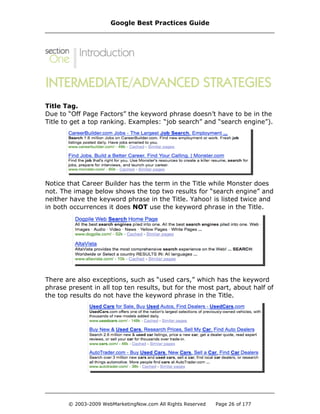
Title Tag.
Due to “Off Page Factors” the keyword phrase doesn’t have to be in the
Title to get a top ranking. Examples: “job search” and “search engine”).
Notice that Career Builder has the term in the Title while Monster does
not. The image below shows the top two results for “search engine” and
neither have the keyword phrase in the Title. Yahoo! is listed twice and
in both occurrences it does NOT use the keyword phrase in the Title.
There are also exceptions, such as “used cars,” which has the keyword
phrase present in all top ten results, but for the most part, about half of
the top results do not have the keyword phrase in the Title.
Google Best Practices Guide
© 2003-2009 WebMarketingNow.com All Rights Reserved Page 26 of 177
So, does this mean you should no longer use the keyword phrase in the
Title? No, of course not. Instead, this is meant for you to think more
“outside the box”. Too many SEOs have the false belief that they're
done with SEO once you throw a keyword phrase in the Title and buy a
couple of links with the phrase in the anchor text.
Total Words In Title
I highly recommend keeping the Title at eight (8) words or less (65-
character limit).
“Why only eight? I can't keyword stuff my Title with just eight words!”
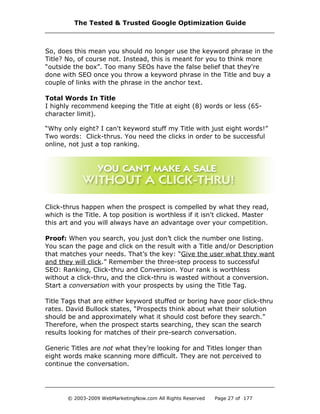
Two words: Click-thrus. You need the clicks in order to be successful
online, not just a top ranking.
Click-thrus happen when the prospect is compelled by what they read,
which is the Title. A top position is worthless if it isn't clicked. Master
this art and you will always have an advantage over your competition.
Proof: When you search, you just don’t click the number one listing.
You scan the page and click on the result with a Title and/or Description
that matches your needs. That’s the key: “Give the user what they want
and they will click.” Remember the three-step process to successful
SEO: Ranking, Click-thru and Conversion. Your rank is worthless
without a click-thru, and the click-thru is wasted without a conversion.
Start a conversation with your prospects by using the Title Tag.
Title Tags that are either keyword stuffed or boring have poor click-thru
rates. David Bullock states, “Prospects think about what their solution
should be and approximately what it should cost before they search.”
Therefore, when the prospect starts searching, they scan the search
results looking for matches of their pre-search conversation.
Generic Titles are not what they’re looking for and Titles longer than
eight words make scanning more difficult. They are not perceived to
continue the conversation.
The Tested & Trusted Google Optimization Guide
© 2003-2009 WebMarketingNow.com All Rights Reserved Page 27 of 177
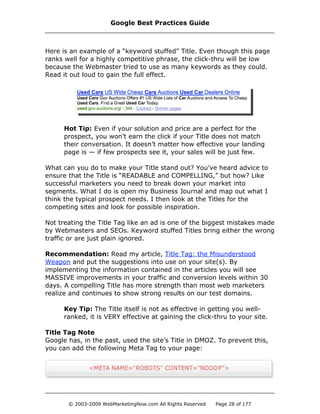
Here is an example of a “keyword stuffed” Title. Even though this page
ranks well for a highly competitive phrase, the click-thru will be low
because the Webmaster tried to use as many keywords as they could.
Read it out loud to gain the full effect.
Hot Tip: Even if your solution and price are a perfect for the
prospect, you won’t earn the click if your Title does not match
their conversation. It doesn’t matter how effective your landing
page is — if few prospects see it, your sales will be just few.
What can you do to make your Title stand out? You’ve heard advice to
ensure that the Title is “READABLE and COMPELLING,” but how? Like
successful marketers you need to break down your market into
segments. What I do is open my Business Journal and map out what I
think the typical prospect needs. I then look at the Titles for the
competing sites and look for possible inspiration.
Not treating the Title Tag like an ad is one of the biggest mistakes made
by Webmasters and SEOs. Keyword stuffed Titles bring either the wrong
traffic or are just plain ignored.
Recommendation: Read my article, Title Tag: the Misunderstood
Weapon and put the suggestions into use on your site(s). By
implementing the information contained in the articles you will see
MASSIVE improvements in your traffic and conversion levels within 30
days. A compelling Title has more strength than most web marketers
realize and continues to show strong results on our test domains.
Key Tip: The Title itself is not as effective in getting you well-
ranked, it is VERY effective at gaining the click-thru to your site.
Title Tag Note
Google has, in the past, used the site’s Title in DMOZ. To prevent this,
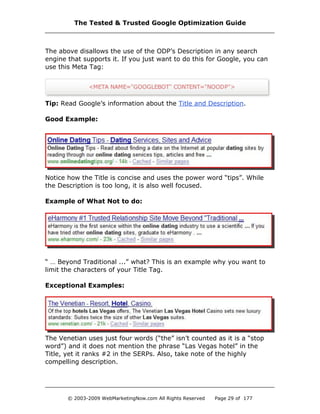
you can add the following Meta Tag to your page:
Google Best Practices Guide
© 2003-2009 WebMarketingNow.com All Rights Reserved Page 28 of 177
The above disallows the use of the ODP’s Description in any search
engine that supports it. If you just want to do this for Google, you can
use this Meta Tag:
Tip: Read Google’s information about the Title and Description.
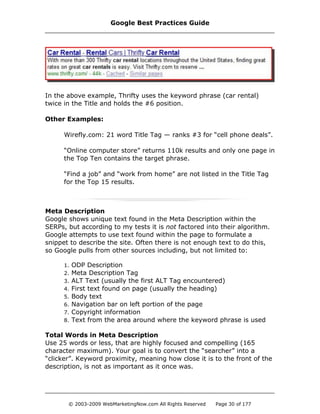
Good Example:
Notice how the Title is concise and uses the power word “tips”. While
the Description is too long, it is also well focused.
Example of What Not to do:
“ … Beyond Traditional ...” what? This is an example why you want to
limit the characters of your Title Tag.
Exceptional Examples:
The Venetian uses just four words (“the” isn’t counted as it is a “stop
word”) and it does not mention the phrase “Las Vegas hotel” in the
Title, yet it ranks #2 in the SERPs. Also, take note of the highly
compelling description.
The Tested & Trusted Google Optimization Guide
© 2003-2009 WebMarketingNow.com All Rights Reserved Page 29 of 177
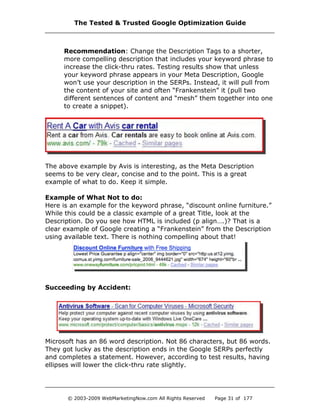
In the above example, Thrifty uses the keyword phrase (car rental)
twice in the Title and holds the #6 position.
Other Examples:
Wirefly.com: 21 word Title Tag — ranks #3 for “cell phone deals”.
“Online computer store” returns 110k results and only one page in
the Top Ten contains the target phrase.
“Find a job” and “work from home” are not listed in the Title Tag
for the Top 15 results.
Meta Description
Google shows unique text found in the Meta Description within the
SERPs, but according to my tests it is not factored into their algorithm.
Google attempts to use text found within the page to formulate a
snippet to describe the site. Often there is not enough text to do this,
so Google pulls from other sources including, but not limited to:
1. ODP Description
2. Meta Description Tag
3. ALT Text (usually the first ALT Tag encountered)
4. First text found on page (usually the heading)
5. Body text
6. Navigation bar on left portion of the page
7. Copyright information
8. Text from the area around where the keyword phrase is used
Total Words in Meta Description
Use 25 words or less, that are highly focused and compelling (165
character maximum). Your goal is to convert the “searcher” into a
“clicker”. Keyword proximity, meaning how close it is to the front of the
description, is not as important as it once was.
Google Best Practices Guide
© 2003-2009 WebMarketingNow.com All Rights Reserved Page 30 of 177
Recommendation: Change the Description Tags to a shorter,
more compelling description that includes your keyword phrase to
increase the click-thru rates. Testing results show that unless
your keyword phrase appears in your Meta Description, Google
won’t use your description in the SERPs. Instead, it will pull from
the content of your site and often “Frankenstein” it (pull two
different sentences of content and “mesh” them together into one
to create a snippet).
The above example by Avis is interesting, as the Meta Description
seems to be very clear, concise and to the point. This is a great
example of what to do. Keep it simple.
Example of What Not to do:
Here is an example for the keyword phrase, “discount online furniture.”
While this could be a classic example of a great Title, look at the
Description. Do you see how HTML is included (p align….)? That is a
clear example of Google creating a “Frankenstein” from the Description
using available text. There is nothing compelling about that!
Succeeding by Accident:
Microsoft has an 86 word description. Not 86 characters, but 86 words.
They got lucky as the description ends in the Google SERPs perfectly
and completes a statement. However, according to test results, having
ellipses will lower the click-thru rate slightly.
The Tested & Trusted Google Optimization Guide
© 2003-2009 WebMarketingNow.com All Rights Reserved Page 31 of 177
Meta Keyword
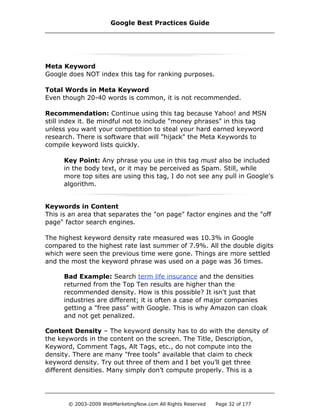
Google does NOT index this tag for ranking purposes.
Total Words in Meta Keyword
Even though 20-40 words is common, it is not recommended.
Recommendation: Continue using this tag because Yahoo! and MSN
still index it. Be mindful not to include "money phrases" in this tag
unless you want your competition to steal your hard earned keyword
research. There is software that will "hijack" the Meta Keywords to
compile keyword lists quickly.
Key Point: Any phrase you use in this tag must also be included
in the body text, or it may be perceived as Spam. Still, while
more top sites are using this tag, I do not see any pull in Google's
algorithm.
Keywords in Content
This is an area that separates the "on page" factor engines and the "off
page" factor search engines.
The highest keyword density rate measured was 10.3% in Google
compared to the highest rate last summer of 7.9%. All the double digits
which were seen the previous time were gone. Things are more settled
and the most the keyword phrase was used on a page was 36 times.
Bad Example: Search term life insurance and the densities
returned from the Top Ten results are higher than the
recommended density. How is this possible? It isn't just that
industries are different; it is often a case of major companies
getting a "free pass" with Google. This is why Amazon can cloak
and not get penalized.
Content Density – The keyword density has to do with the density of
the keywords in the content on the screen. The Title, Description,
Keyword, Comment Tags, Alt Tags, etc., do not compute into the
density. There are many "free tools" available that claim to check
keyword density. Try out three of them and I bet you’ll get three
different densities. Many simply don’t compute properly. This is a
Google Best Practices Guide
© 2003-2009 WebMarketingNow.com All Rights Reserved Page 32 of 177
"warning" if you use one of those tools and a strong argument for why
we still do things manually.
For example, check the #1 listing for the keyword phrase "search
engine optimization" using the free tool from We Build Pages and it
reports the phrase was used twice for a density of .78% on the site
submitexpress.com. However, go to that site and enter "search engine
optimization" in the Google search box located on the Google Toolbar
and then click the Highlighter button, this highlights each occurrence of
"search" and "engine" and "optimization" in a different color. There are
four instances of the keyword phrase that appear in the actual body of
the document, which does NOT equal a .78% keyword density. Be
careful of the tools you use as you might end up using false data.
Hot Tip: A better free keyword density tool is ranks.nl.
For my tests, I performed checks manually to verify accuracy. For
example, if you were using an automated tool, how would you know if
the URL you entered redirected to a different page and analyzed that
page instead? You wouldn’t. During my manual checks, I discovered
massive amounts of redirects with and without JavaScript (browser-side
cloaking). Had I missed this, the data would be incorrect.
When analyzing keyword density, the "words on the page" do not
include the left and right gutters or the top and bottom navigation.
According to my tests, these areas are NOT figured into the density.
What I count as "words on the page" are the same words that are
counted by Google. Also understand that Google can read page design
better than you think. The actual content area is graded at a higher
level than the content in the gutters. This is important to remember
when optimizing, and building/designing your pages. I highly
recommend using the highlighter tool with the Google Toolbar as a
great way to see the on-page factors at work.
If there has been one aspect of SEO that has not changed since I began
in 1996, it is that content, good MARKETABLE content, is vital. High
ranking pages in Google, MSN and Yahoo! average over 400 words.
Based on this information, I give you the following recommendations.
Please note that these recommendations are based on the averages and
may vary by industry:
The Tested & Trusted Google Optimization Guide
© 2003-2009 WebMarketingNow.com All Rights Reserved Page 33 of 177
· Keep your Title Tag compelling and short (8 words or less).
· Use the targeting keyword phrase only once in the Title.
· Use only one Title Tag.
· Use a Meta Description Tag: Make it compelling, 25 words or less.
· Use the keyword phrase only once in the Meta Description.
· Use the Keyword Meta Tag, but be generic with the included
keywords. Remember, your competition may hijack your
keywords from this tag.
· List five or less keyword phrases in the Keyword Meta Tag.
· Avoid unnecessary Meta Tags.
· Build up your viewable content to at least 450 words per page if
you want consistent search engine referral traffic.
· Do not keyword stuff your content. Incorporate the keyword
phrase into your content naturally, so the text flows.
· Use the keyword phrase once in an H1, H2 OR H3 Tag.
· Use of ALT Tags is recommended ONLY to describe the image.
· Don’t use the Comment Tag for SEO purposes.
· Appearance of the keyword phrase in the URL (i.e. domain name,
sub folder, file name) gives only a slight increase in Google.
· Headings, anchor text, bold text, etc. Should be used in
moderation as they produce only slight increases in the SERPs.
Odds and Ends
ALT Tags
Using ALT Tags to boost your positioning is outdated. I recommend
using them only for aesthetics to help the user navigate your site
better. More than half of top ranking pages do not use their keyword in
any ALT Tag on the page. This has been consistent for over four years.
Many claim it works, but my test results show it is only effective with
“low hanging fruit”, and almost anything works for those phrases.
Comment Tags
Comment Tags are overlooked by the Google algorithms. Since they are
indexed in an inconsistent manner, I place them in the "not indexed"
category. Use Comment Tags as they were intended, which was to
leave yourself, or the Webmaster, notes on the building of the website.
Domain Name
Using a keyword-rich domain name is still very overrated. Branding with
a good domain is still a better option. In test results, the increase in a
Google Best Practices Guide
© 2003-2009 WebMarketingNow.com All Rights Reserved Page 34 of 177
keyword-rich domain is so slight that it is barely an increase at all. Sub-
domains are starting to falter as Google has begun treating sub-
domains as part of the root domain.
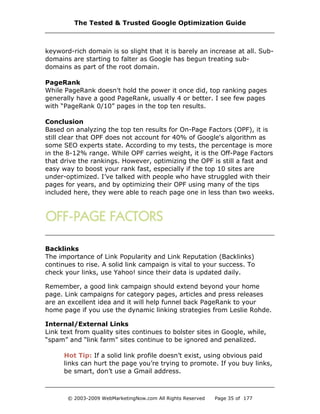
PageRank
While PageRank doesn't hold the power it once did, top ranking pages
generally have a good PageRank, usually 4 or better. I see few pages
with “PageRank 0/10” pages in the top ten results.
Conclusion
Based on analyzing the top ten results for On-Page Factors (OPF), it is
still clear that OPF does not account for 40% of Google's algorithm as
some SEO experts state. According to my tests, the percentage is more
in the 8-12% range. While OPF carries weight, it is the Off-Page Factors
that drive the rankings. However, optimizing the OPF is still a fast and
easy way to boost your rank fast, especially if the top 10 sites are
under-optimized. I’ve talked with people who have struggled with their
pages for years, and by optimizing their OPF using many of the tips
included here, they were able to reach page one in less than two weeks.
Backlinks
The importance of Link Popularity and Link Reputation (Backlinks)
continues to rise. A solid link campaign is vital to your success. To
check your links, use Yahoo! since their data is updated daily.
Remember, a good link campaign should extend beyond your home
page. Link campaigns for category pages, articles and press releases
are an excellent idea and it will help funnel back PageRank to your
home page if you use the dynamic linking strategies from Leslie Rohde.
Internal/External Links
Link text from quality sites continues to bolster sites in Google, while,
“spam” and “link farm” sites continue to be ignored and penalized.
Hot Tip: If a solid link profile doesn’t exist, using obvious paid
links can hurt the page you’re trying to promote. If you buy links,
be smart, don’t use a Gmail address.
The Tested & Trusted Google Optimization Guide
© 2003-2009 WebMarketingNow.com All Rights Reserved Page 35 of 177
From my analysis, here is what I know about the Off-Page factors:
• Ignore backlink numbers as they tell you nothing.
• Don’t allow visible PageRank, on the toolbar, to influence your
decisions, it is old and outdated.
• For SEO, only targeted keyword phrases that convert, cost 50
cents or more per click and get at least ten clicks per day.
• Use NicheWatch to verify if you can get into the Top 20 within
30 days or less. Look for "gaps" in the AllinAnchor column. If
the numbers start falling out of order quickly, it means there
are opportunities for you. If it is "stacked" then you may want
to put that keyword phrase on hold for now.
• Once you have a keyword phrase to target, write down where
your page ranks overall, allinanchor, allintitle and allintext.
• Use SEO Elite to analyze the links (from Google & Yahoo!) of
every site that ranks above you in the AllinAnchor column (five
maximum). Contact the best ones for a link or for advertising.
• Rewrite Your Title Tag (if needed).
• Analyze the top ten sites for your keyword phrase using IBP.
Review how your page stacks up against the Top Ten. Make
adjustments according to the recommendations. Don’t stress
over the keyword density but focus on the proximity.
• After you have made the changes and uploaded them to your
server, completed 10-30 link requests, made blog/forum posts,
sent out a press release, posted articles, placed advertising,
etc., wait 2-3 days and run the NicheWatch report.
If your numbers increased in any of the columns then you should have
also increased your overall ranking. Get more links but wait a week
before re-checking. If your ranking dropped in either the AllinText
column or overall, restore your old page and concentrate on links.
Often, it takes Google 5-7 days to integrate the content they have
indexed and integrate it into the SERPs. Be patient and don’t check your
rankings every day or you could make incorrect decisions. You want to
check your rankings at a maximum of once a week to see where you
are lacking, and then make the necessary changes. You do this over
and over until you are number one. Then you can check the listings
once every two weeks. Just remember, when you are #2 not many
SEOs are gunning for you. When you are #1, every SEO in your
industry is gunning for you and you have to stay on your toes.
Google Best Practices Guide
© 2003-2009 WebMarketingNow.com All Rights Reserved Page 36 of 177
I. Domain Name
Keyword-rich domain names are overrated. In testing, the increase in a
keyword-rich domain is so slight that it is barely measurable for the
“money keyword phrases”. Sub-domains are starting to falter as Google
has started treating sub-domains as one domain.
Buying an Existing Domain
Before you purchase an existing domain for its PageRank value, be sure
to verify it is legit. Domain fraud occurs on a large scale and you need
to be aware and learn how to combat it.
Google performs the update to their toolbar about once every three
months. Due to this gap in the updates, it can be easy for con artists to
fake the PageRank.
Methods include:
· Hijacking the PageRank of another domain so a PR0 page will
show as PR6 (or whatever the con artist wants it to show).
· Buying links from other sites or networks and driving up the
PageRank to a 5, 6 or 7. Then, once the toolbar updates to show
the new higher PR value, the purchased links are cancelled, and
the domain goes on the market.
The Tested & Trusted Google Optimization Guide
© 2003-2009 WebMarketingNow.com All Rights Reserved Page 37 of 177
· The con artist will use an extensive network they have built that
sends hundreds of links to the domain. Once it is sold, all the links
to the domain you purchased are cancelled, thus making the
domain worthless.
In all three examples above, the PageRank for the domain will drop to a
PageRank of zero after the next toolbar update.
To verify the domain's PageRank:
· Always visit the site and check the PageRank yourself.
· Check the Google Cache, if the PageRank is “fake”, you will often
see the cache from another site.
· Verify that the site is live. If it's a placeholder page, chances are
the domain is dead and has lost most if not all of the PageRank.
· Check the history of the site and archive.org (The Way Back
Machine). Know what its past history is. It may have been a child
porn site, a hate site, a gambling site, etc.
· Check Google to see if the site is still indexed. To do so, simply do
a search in Google for:
site:domain.com
You should also check the Google cache (see below) to ensure the
page is the same and not being cloaked or redirected. If the
domain is not in Google's index, the PageRank is probably faked,
or Google recently banned the domain.
Registering a Domain Name
I personally recommend that you register your domain name for
multiple years, not to gain any favor with Google, but to “lock up” your
properties and not have to worry about renewals. I’ve lost more
domains than I care to admit because of expired credit cards on file, a
wrong address and a myriad of other reasons. Lock them up for an
Google Best Practices Guide
© 2003-2009 WebMarketingNow.com All Rights Reserved Page 38 of 177
extended period, you’ll be glad you did.
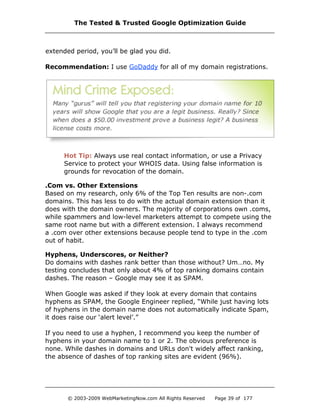
Recommendation: I use GoDaddy for all of my domain registrations.
Hot Tip: Always use real contact information, or use a Privacy
Service to protect your WHOIS data. Using false information is
grounds for revocation of the domain.
.Com vs. Other Extensions
Based on my research, only 6% of the Top Ten results are non-.com
domains. This has less to do with the actual domain extension than it
does with the domain owners. The majority of corporations own .coms,
while spammers and low-level marketers attempt to compete using the
same root name but with a different extension. I always recommend
a .com over other extensions because people tend to type in the .com
out of habit.
Hyphens, Underscores, or Neither?
Do domains with dashes rank better than those without? Um…no. My
testing concludes that only about 4% of top ranking domains contain
dashes. The reason – Google may see it as SPAM.
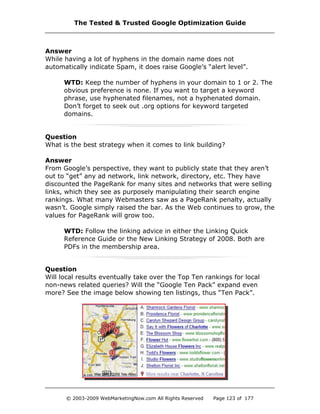
When Google was asked if they look at every domain that contains
hyphens as SPAM, the Google Engineer replied, “While just having lots
of hyphens in the domain name does not automatically indicate Spam,
it does raise our ‘alert level’.”
If you need to use a hyphen, I recommend you keep the number of
hyphens in your domain name to 1 or 2. The obvious preference is
none. While dashes in domains and URLs don't widely affect ranking,
the absence of dashes of top ranking sites are evident (96%).
The Tested & Trusted Google Optimization Guide
© 2003-2009 WebMarketingNow.com All Rights Reserved Page 39 of 177
If you want to target a keyword phrase, use hyphenated filenames. Of
the sub-pages that rank in the Top Ten, 22% of them had hyphens or
underscores in folder and file names of the URL. In the sub folder and/
or file name, it appears to be fine to separate each word with a hyphen.
Bruce Clay mentioned that he tested up to 14 hyphens and Google still
indexed the pages. Just watch the number of hyphens, as it tends to
make the URL look “ugly”.
Subdomains
Should you stop using subdomains as a part of your site structure?
Eleven percent of top ranking pages are from subdomains. Personally I
am moving away from using subdomains. Just a few months ago,
Google's SERPs would contain 4-6 subdomains on average in the Top
Ten. If you have subdomains in use right now, continue to use and
market them. An 11% presence is still solid.
For new sites, I suggest you move away from this structure, as it is
more difficult to manage. Google is taking aggressive measures to
combat the high level of subdomain Spam and has begun to treat sub-
domains and sub-folders the same. If you are questioning which to
choose for your site, go with the sub-folder structure.
Proxy Hijacking
The days of having your domain hijacked through a proxy in Google are
over. This was a huge problem for years and looks like it has been
resolved. All of the domains I have that had the 302 hijack issue are all
responding correctly.
Google and Microsoft have recently released a new supported tag to
allow their spiders to know which “real” version of the page you want
indexed, if you have dynamic content.
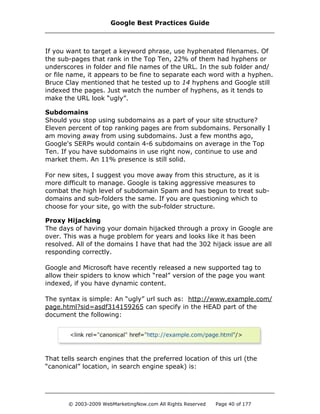
The syntax is simple: An “ugly” url such as: http://www.example.com/
page.html?sid=asdf314159265 can specify in the HEAD part of the
document the following:
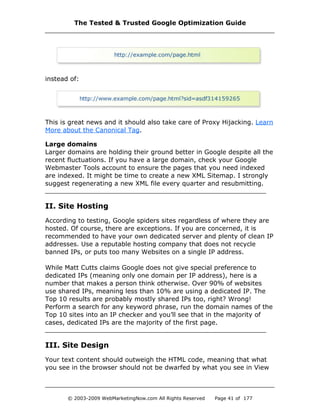
That tells search engines that the preferred location of this url (the
“canonical” location, in search engine speak) is:
Google Best Practices Guide
© 2003-2009 WebMarketingNow.com All Rights Reserved Page 40 of 177
instead of:
This is great news and it should also take care of Proxy Hijacking. Learn
More about the Canonical Tag.
Large domains
Larger domains are holding their ground better in Google despite all the
recent fluctuations. If you have a large domain, check your Google
Webmaster Tools account to ensure the pages that you need indexed
are indexed. It might be time to create a new XML Sitemap. I strongly
suggest regenerating a new XML file every quarter and resubmitting.
II. Site Hosting
According to testing, Google spiders sites regardless of where they are
hosted. Of course, there are exceptions. If you are concerned, it is
recommended to have your own dedicated server and plenty of clean IP
addresses. Use a reputable hosting company that does not recycle
banned IPs, or puts too many Websites on a single IP address.
While Matt Cutts claims Google does not give special preference to
dedicated IPs (meaning only one domain per IP address), here is a
number that makes a person think otherwise. Over 90% of websites
use shared IPs, meaning less than 10% are using a dedicated IP. The
Top 10 results are probably mostly shared IPs too, right? Wrong!
Perform a search for any keyword phrase, run the domain names of the
Top 10 sites into an IP checker and you’ll see that in the majority of
cases, dedicated IPs are the majority of the first page.
III. Site Design
Your text content should outweigh the HTML code, meaning that what
you see in the browser should not be dwarfed by what you see in View
The Tested & Trusted Google Optimization Guide
© 2003-2009 WebMarketingNow.com All Rights Reserved Page 41 of 177
Source. Search engines determine the relevance of a page’s “Text to
Code” ratio. More code can equal more errors.
Check your code using SEO Chat’s Code to Text Ratio Tool. Keep in
mind that 40% or better is good. Anything lower should prompt you to
review your code. Cut down on code bloat by using External CSS and
JavaScript.
Remember, Google can read site structure, so using “table tricks” with
CSS (so the text appears above the navigation) is a waste of time. Yes,
there are sites that rank well while using CSS tricks, but those are the
exceptions, not the rule.
One of the most important factors in getting your site on Google’s good
side is to make sure your code is “search engine compliant. This is
different than being W3C compliant. The W3C is often too restrictive,
and a lot of code they deem “non-HTML” is actually fine.
To be “search engine compliant”, I strongly suggest the following areas:
DTD Statement (Document Type Definition)
This tag will go in or above the <HEAD> section for every page of your
site. According to test results, using a DTD (Document Type Definition)
Statement allows for faster and deeper indexing by GoogleBot.
Using an incorrect DTD Statement can hurt your site. For example, if
you use a 4.01 statement, but your code was written in HTML 3.2, the
engine will make note of it and there is a strong likelihood the page (or
site) will be dropped or penalized.
I strongly recommend the Transitional Tag, as it allows you flexibility
with code, especially with the use of HTML editors.
Don't try to fool GoogleBot. If you don't know what’s good practice or
what’s out of bounds, hire someone who does. It is worth the fee.
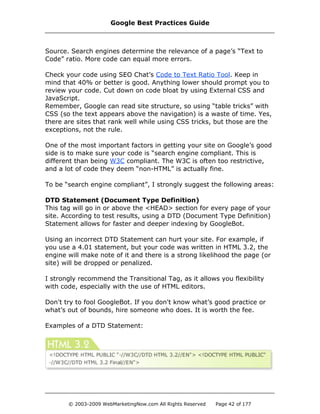
Examples of a DTD Statement:
Google Best Practices Guide
© 2003-2009 WebMarketingNow.com All Rights Reserved Page 42 of 177
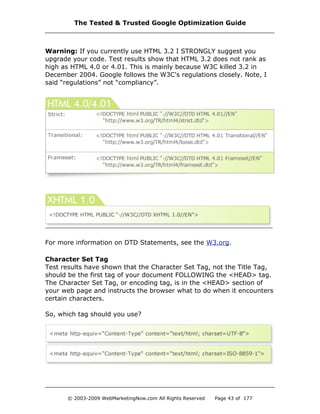
Warning: If you currently use HTML 3.2 I STRONGLY suggest you
upgrade your code. Test results show that HTML 3.2 does not rank as
high as HTML 4.0 or 4.01. This is mainly because W3C killed 3.2 in
December 2004. Google follows the W3C's regulations closely. Note, I
said “regulations” not “compliancy”.
For more information on DTD Statements, see the W3.org.
Character Set Tag
Test results have shown that the Character Set Tag, not the Title Tag,
should be the first tag of your document FOLLOWING the <HEAD> tag.
The Character Set Tag, or encoding tag, is in the <HEAD> section of
your web page and instructs the browser what to do when it encounters
certain characters.
So, which tag should you use?
The Tested & Trusted Google Optimization Guide
© 2003-2009 WebMarketingNow.com All Rights Reserved Page 43 of 177
Most experts recommend the UTF-8 tag, but they can’t tell you why.
Allow me: What if you had someone type foreign characters into your
form? Without the UTF-8 tag, the information would probably be lost.
If you are using MySQL to store your data, upgrade to the latest version
which handles UTF-8 data correctly. Google sends and accepts UTF-8
encoded data. The top web browsers handle UTF-8 properly as well.
Google has an easier time indexing a page with the ISO-8859-1
statement, as GoogleBot will not have to encode any data, which can be
a lengthy process.
Validate your code
Use the HTML validation from W3C, but remember that it is not perfect.
Before making any radical changes, discuss them with your Webmaster.
Remember, there is a difference between “search engine compliancy”
and “W3C compliancy”.
Site Structure
Plan your structure on paper before you start to build your site. Make
sure you will have text links, not just graphical links. You need
something for the search engine spiders to eat. Ensure that each page
is reachable from at least one static text link. Ideally, every page should
be three clicks or less from the home page.
Be spider-able. While it is important that search engines are able to find
you, it’s not the only thing that matters. Rankings don't matter,
conversions do. We all know there are other ways of making a sale
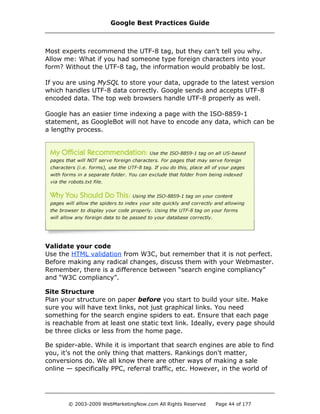
online — specifically PPC, referral traffic, etc. However, in the world of
Google Best Practices Guide
© 2003-2009 WebMarketingNow.com All Rights Reserved Page 44 of 177
SEO, if the search engines can't index you, you've got BIG problems.
· Make sure the DTD statement is present and correct.
· Be sure you have a correct and valid robots.txt file. Check your
Google Webmaster Tools account for errors.
· Run Leslie Rohde’s OptiSpider on your site to confirm it is spider-
able and correct any errors before they become problems. There
is also a Spider Test Tool (available to the full members only)
which will crawl your site and show you what the spiders see. It
isn't as comprehensive as OptiSpider, but if the tool chokes on
your site, you've got spidering problems.
IV. Page Size
I have asked dozens of Google engineers over the years and I have
verified through testing of numerous pages over 500KB across
numerous domains that are fully indexed by Google.
Should you take advantage of the fact that there is no size limit? No.
Keep the page size to around 50KB or below. You want to ensure that
your pages load quickly in your visitor’s browser.
Hot Tip: If your site takes longer than 4 seconds to load, you can
lose up to half of your visitors.
Reduce Your File Size
Moving JavaScript and CSS to external files will not only help your code
to text ratio, it will also help decrease your file size. Why clutter your
code and increase your page size? Using the same JavaScript and CSS
on every page takes up server space, but also increases your transfer
The Tested & Trusted Google Optimization Guide
© 2003-2009 WebMarketingNow.com All Rights Reserved Page 45 of 177
rate, not to mention you’re cluttering up Google’s index.
Hot Tip: You can use the Firefox Extension YSlow to check
variables which are slowing down your load times.
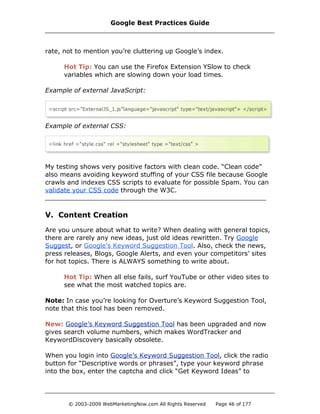
Example of external JavaScript:
Example of external CSS:
My testing shows very positive factors with clean code. “Clean code”
also means avoiding keyword stuffing of your CSS file because Google
crawls and indexes CSS scripts to evaluate for possible Spam. You can
validate your CSS code through the W3C.
V. Content Creation
Are you unsure about what to write? When dealing with general topics,
there are rarely any new ideas, just old ideas rewritten. Try Google
Suggest, or Google’s Keyword Suggestion Tool. Also, check the news,
press releases, Blogs, Google Alerts, and even your competitors’ sites
for hot topics. There is ALWAYS something to write about.
Hot Tip: When all else fails, surf YouTube or other video sites to
see what the most watched topics are.
Note: In case you’re looking for Overture’s Keyword Suggestion Tool,
note that this tool has been removed.
New: Google’s Keyword Suggestion Tool has been upgraded and now
gives search volume numbers, which makes WordTracker and
KeywordDiscovery basically obsolete.
When you login into Google’s Keyword Suggestion Tool, click the radio
button for “Descriptive words or phrases”, type your keyword phrase
into the box, enter the captcha and click “Get Keyword Ideas” to
Google Best Practices Guide
© 2003-2009 WebMarketingNow.com All Rights Reserved Page 46 of 177
continue. If you’re researching adult words, click on the “Filter my
results” link and choose to include adult content.
Now you’ll see various columns, all of which can be either hidden or
displayed, by toggling the “Choose Columns to Display”.
For SEO, all you need are the Keyword, Approximate Avg. Search
Volume, and the Avg. Search Volume Trends. You can also learn
something about the value of a term from the Estimated CPC.
Some experts tell you to ignore the “Advertiser Competition” column, as
it has nothing to do with SEO and refers only to PPC; however, it is still
a strong indicator. The more competitors for a keyword phrase, the
more likely that keyword phrase is making money.
Make sure you set the Match Type to “Exact”, otherwise the search
volume will include phrases and variations of your keyword, not just the
exact keyword or keyword phrase.
Hot Tip: Look at the terms Google is suggesting for new ideas.
They’re giving you free customized advice. As with all keyword
tools, use common sense when evaluating the data, it may be
inaccurate or sometimes even poisoned by other SEOs.
When researching, always look for phrases and variations of your main
terms; do not focus solely on the big two-word term in your industry.
Focus on what makes money, and that is found by testing via PPC first.
Remember, landing page design and copy is NOT universal. What you
think will work, often will not. It is best to use your top three ideas and
test which one the market likes best.
Niche Sites
A niche site is one that focuses solely on a specialized topic within a
category or industry. For example, an mp3 download site is a general
topic. A niche site is one that covers only songs heard in commercials. A
niche site normally has significantly less pages than the average-sized
site in that industry. For example, if the industry average is 1,000
pages, a niche site might have 100 pages, or less.
The Tested & Trusted Google Optimization Guide
© 2003-2009 WebMarketingNow.com All Rights Reserved Page 47 of 177
Headlines
When writing content spend quality time on the headline. It is said that
the best writers spend the same amount of time on the headline as they
do on the actual article.
Good headlines are also known as “scanner stoppers”. This will get the
reader’s attention to read your article.
Consider the following tips:
1) The actual content area is graded at a higher level than the content
contained in the gutters. Remember that when optimizing your pages.
2) Naturally incorporate your main keyword phrase in the first 25 words
of the page. The closer the keyword phrase is to the top of the page,
the better. This isn’t solely for the search engines, but also to register in
the reader’s mind what the article is about.
3) If you use a Content Management System (CMS) the text must be
“seen” by the search engine spiders to index it. Some CMSs make the
text “invisible” to search engines.
4) Content Tagging. This refers to bolding or italicizing your keyword
phrase in the content. Be careful with the overuse of this method. Most
“spammy” sites do this. However, it can be beneficial if used correctly
and in moderation. This also applies to heading tags. I recommend no
more than one H1 and one H2 Tag per page.
Tip: If you are in doubt, have someone else read the page and
give honest feedback to the layout and style of the page.
5) Referencing your own pages as an additional source of information is
highly recommended. I recommend using absolute links. See my article
on Absolute vs Relative Linking.
6) Don’t forget that people will actually read your content, so check for
proper grammar, spelling errors, sentence structure and style.
7) Don’t forget the nuts. A “nut graf” is journalism speak for a sentence
or two that helps focuses the article, draws readers in, and lets them
know what the article/content is about. If done correctly and in the first
paragraph, you can lock a reader in with a solid nut.
Google Best Practices Guide
© 2003-2009 WebMarketingNow.com All Rights Reserved Page 48 of 177
8) Write irresistibly. Tie your content together with anecdotes,
statistics, humor, charts, quotes, and even the horrors of what not to
do. Doing so will keep them reading to get to that next tasty bit.
Google Suggest Tool Recommendation
You’ve probably noticed that when you input a keyword phrase into the
Google search box, a list of suggested terms appears below it. The
Google Suggest tool is now part of Google's Search.
When you enter the keyword phrase “web marketing” into Google also
gives you the following keyword phrase suggestions:
Please note: These lists are updated daily by Google.
The keyword phrases are relevant to a web marketing company. Since
this tool is live in Google Search, it has changed the way people search.
Aggressive steps to market these keyword phrases should be taken.
The Tested & Trusted Google Optimization Guide
© 2003-2009 WebMarketingNow.com All Rights Reserved Page 49 of 177
How?
For example, they may start to input one phrase, but when the drop-
down box appears with a list of “suggested” keyword phrases, the
searcher may see a phrase that makes more sense and select it
instead.
You should be adding at least one new page per day on a highly
relevant topic to your site.
VI. Google Internal Linking Strategy
Google's algorithm is quite simple: Build a solid topic-oriented website
with a relevant Title, text and incoming anchor text, and you can rank
well. Simple in understanding, but complicated, due to the varying
degrees of competition. Sometimes, it can be quite brutal.
The road to the Top Ten is paved with directory submissions, posting
articles in article databases, submitting press releases, reciprocal
linking, etc. Some site linking with your internal pages is important, but
there hasn't been any solid data to indicate which pages. Until now.
In order to maximize the power of my site I need to link the RIGHT
pages together. But which pages? It is as simple as asking Google.
Here’s how:
Step One
In Google, use the site command to search which pages on your site
are relevant for the keyword you are optimizing for. So, if I were
Google Best Practices Guide
© 2003-2009 WebMarketingNow.com All Rights Reserved Page 50 of 177
optimizing for the keyword phrase “professionalism tips” I would search
in Google:
Why did I search for “professionalism” and not “professionalism tips?”
That’s easy. I'm looking for “relevant pages” not “exact pages”. This is
generally helpful if your site is less than 500 pages.
The first page listed in the results should be the target page.
Step Two
Place your targeted keyword phrase as anchor text on the relevant
pages listed in the search results. Target the BODY of the page and not
just in the navigation, breadcrumbs or the footer of the page.
Result: I tested this with 80 keyword phrases across my affiliate
sites and 72 of them increased in ranking in just five days. In the
example above, the page I added the targeted phrase to went
from #12 to #5, and that was just from one link.
Another method that you can use: If you have a Webmaster who wants
to exchange links with you, do the search above using their domain
with the keyword phrase you want to target and Google will tell you
The Tested & Trusted Google Optimization Guide
© 2003-2009 WebMarketingNow.com All Rights Reserved Page 51 of 177
which page(s) on your Webmaster’s site is the best one for your link.
Doing this just takes the guesswork out of linking, which is good.
site:SiteRequestingaLinkExchange.com keyword you want to target.
VII. Keyword Density
I advise using your keyword phrase as follows:
1. Once in the Title (do NOT use two Title Tags)
2. Once in the Description Tag
3. Once in the Heading <H1> and use only one H1 Tag (as there
may be a penalty if more than H1 Tag is used)
4. Once in the URL (as the filename, domain or sub-domain)
5. Use the keyword phrase in bold, but sparingly
6. Overall density should be somewhere between 1-5%
7. Don’t go after misspellings (click-thru have dropped
significantly due to the auto-correction feature)
VIII. ALT Text and Comment Tags
Matt Cutts has previously said to stop using ALT Tags for SEO purposes,
because they don’t work anymore. That advice was echoed for
Comment Tags. While Comment Tags are not indexed, ALT Tags are.
According to a Google engineer, “What you should do is create an ALT
[text] Tag that is relevant to the picture, so it gives the user a good
experience, including the visually impaired.”
According to my testing, the ALT text is indexed, but it is downgraded in
the algorithm. The reason? “We see ALT text as relevant as the
Keyword Meta Tag”, said the Google engineer. Google has never
indexed the Keyword Meta Tag due to the high spam rate of the tag.
IX. Linking Structure
Your internal linking structure should be consistent throughout your
website. I prefer to use absolute links.
Google Best Practices Guide
© 2003-2009 WebMarketingNow.com All Rights Reserved Page 52 of 177
Absolute Link Example:
Relative Link Example:
Links to the following pages — About Us, Contact Us, Privacy
Statement, Terms of Use, etc., — should be assigned as nofollow links
(rel=”nofollow”). You only want to pass PageRank to the traffic pages.
Every important page on your site should link back to your home page
via text and graphic link. The graphic link should be your logo
(compliancy standard).
You should also link to one or two authoritative sites on your topic such
as a directory or portal. The Yahoo! or ODP directories are solid choices
(if you are listed there), or an article on About.com. Don’t always
default to Wikipedia as a place to link. Very important: use anchor text
containing the keyword phrase or theme you are targeting. Don’t use
“click here” or “read more”.
You should link to all of the sites in the Top Ten for your keyword
phrase, right? WRONG! All that does is further solidify THEIR rank in the
Top 10. This “tip” has been passed around for years and is bad advice.
What I recommend is linking to authoritative sites within your industry.
What about linking to your internal pages in your body content?
Yes, absolutely. If your site is about flowers, it would be wise to link
your flower page to your wedding arrangements page. On-topic internal
links are a vital and efficient way of sharing PageRank within your site.
Doing so will boost your site’s overall link reputation.
Remember, you don't want an “All-Star” page that receive all the traffic.
It's better to have 50 pages that get one visitor each, instead of one
page that gets all 50 visitors.
The Tested & Trusted Google Optimization Guide
© 2003-2009 WebMarketingNow.com All Rights Reserved Page 53 of 177
X. Google Webmaster Tools
Google Webmaster Tools have been discussed heavily since Google first
announced the release back in the summer of 2005. The problem most
Webmasters have with Google Sitemaps is the submission format. It
has been estimated that 90% of the Webmasters out there don't know
the proper way to compile an XML feed.
Sad, but true.
I’ve tested nearly all software packages and scripts that claim to create
an XML sitemap file for Google. The solution from Google? They want
you to install Python scripts on your server. Take my advice; you don’t
want to go there. There is an easier solution.
To begin, go to Google Webmaster Central, choose Webmaster Tools
and login to your account. If you don’t have one, create one.
According to testing, the best program for creating sitemaps is
SOFTplus GSiteCrawler. If you don’t want the hassle of installing a
program, use the online version of XML Sitemaps. The free online
version will crawl a maximum of 500 pages. If you choose to use
SOFTplus, install and launch the program. In the lower left-hand corner,
click the "Add" button and choose "Yes" to run the New Site Wizard.
Next, in the Main Address section enter the domain that you want the
sitemap for and then name your project.
The next screen is based on the server check. I highly recommend NOT
skipping the server check. This process helps in compiling the sitemap
correctly. Other programs that do not have this feature often produce
incorrect feeds.
If it detected that you are on a Linux/Unix server, it will automatically
select the “URLs are case sensitive” option. It uses a filter to detect
Session IDs which comes in handy for dynamically generated sites. It
also has an area to include the file extensions you use for web
development. I remove everything except for .htm and .html.
The next section shows “other file extensions”. I uncheck all of these.
Personally, I have no need for any images, videos, or Office files, etc.,
Google Best Practices Guide
© 2003-2009 WebMarketingNow.com All Rights Reserved Page 54 of 177
to be indexed. However, you might. Your images or videos may be
great advertising pieces for your products or services. If so, allow the
appropriate images to be included.
Next, you have the option to upload the new sitemap files to your
server via FTP. I highly recommend this option as it saves you time.
The last screen prior to sitemap creation will check the following:
· Robots.txt
There are some domains that exclude GoogleBot. This ensures
yours aren’t excluded.
· Check for Custom "File Not Found" Error Pages
If you have your domain setup with custom 404 pages, Google
may not verify the sitemap. You may need to disable this function
until the sitemap file is verified.
· Don’t allow the program to pull files already in the index.
Often, you may have older files that you want purged from the
index. Just let the programs find the files on their own.
· Scan Your Website Now.
Make sure this is checked. This is why you came here in the first
place, right?
Click “Finish” to start the process. Although the program has six
crawlers, the time required to crawl your site depends upon your
connection speed and the number of pages on your site.
When the program completes, it saves the files in a project folder:
· The Aborted file is a list of all the URLs that the crawlers
attempted to crawl, but couldn't. These could be bad links, old
pages or just some general housekeeping that needs to be done.
· The Robots.txt file is a copy of your robots.txt file, nothing more.
· The other three files have to do with the Sitemap.
Upload all three files to the root of your server. The sitemap.xml is the
file you want to submit to Google through Webmaster Tools/Google
The Tested & Trusted Google Optimization Guide
© 2003-2009 WebMarketingNow.com All Rights Reserved Page 55 of 177
Sitemaps; however, if your site is HUGE, give Google the compressed
file (sitemap.xml.gz). I would also suggest that you compress the file if
it is over 500kb.
Once the files are uploaded, go into Google Webmaster Tools, click the
“ADD” tab and enter the location of your sitemap.xml file.
If you just signed up for Webmaster Tools, or your sitemap file still
needs to be verified, my suggestion is to choose the “Meta Tag” option
for verification. Google will generate a Meta Tag and you just place the
tag in the Meta area of your index page, and verify. Other verification
options can cause problems.
Once the file has been verified, Google will grab the file and spider it
again, usually every few days to a week. You will start to notice
GoogleBot on your site more frequently and spidering pages that it
hasn't spidered in some time.
If you make constant site changes, I advise you to update the sitemap
file every week. By resubmitting the file to Google, it alerts GoogleBot
of a change and will come back and re-index your site. This is a better
way to get your modified pages re-indexed.
Tip: If getting all of your pages indexed is a challenge, I
recommend changing the “Priority” Levels within your sitemap. As
a default, the index page receives a Priority of 1.0 and every
other page receives a Priority of 0.5. If you assign true Priority to
each page (marketing pages above 0.5 and pages such as
“Privacy” a 0.1) you should see improvement in the way Google
indexes your site.
A word of caution: Don’t become greedy and place high Priority on all
files. Google engineers aren’t kindergartners, they’re smarter than you.
Google Best Practices Guide
© 2003-2009 WebMarketingNow.com All Rights Reserved Page 56 of 177
Suggestion: Download my New Linking Strategies of 2008 from the
membership area (access for members of the SEO Revolution only).
Too many website owners are struggling with their linking campaigns by
following outdated and useless linking strategies. For example:
So, what do we do to get links for new and existing sites?
· Go to ODP or Yahoo!, find your competition, and do a backlinks
check on them.
· Where are they linked? Sites that link to your competition are
the ones you want to contact. If a site is already linking to
competing sites, they’re probably willing to link to your site too.
Create a great offer to either replace the competing link or share
space with it.
· I recommend using Yahoo! rather than Google, since Yahoo!
shows all the backlinks in their index while Google shows only a
sample. I have found SEO Elite to be a very useful tool.
· When sending link request emails, be brief. Make it obvious
you’ve seen their site and that you’re not sending a spam email.
If at all possible, find an error on their site and mention it in your
email. The easiest way to do this is to check their site with a bot
for broken links. Most sites will have a few and you can politely
The Tested & Trusted Google Optimization Guide
© 2003-2009 WebMarketingNow.com All Rights Reserved Page 57 of 177
mention them to the Webmaster as a “way in”. Anytime you help
a Webmaster, they should be more than receptive to your offer.
· If you don’t hear back within a week, pick up the phone and talk
to the Webmaster. You will be surprised at their reaction. It is
almost always very positive.
· Offer to “article swap” with your link partner. Include your
comments in the article (in a different color to distinguish
authors). Disagreeing with the author is okay. It's more important
for you to voice your opinion and be loyal to your visitors since
your link partner will never buy from you. Of course, use good
judgment. You don’t want to offend or lose your new contact.
· Another effective method is body text link exchanges. Linking
from the body text is very effective with Google.
· Verify all links quarterly for quality and ensure they're still live.
· Be sure to remove links to any site that may hurt your rank.
For example, a site that places your link on a page with 100 or
more other links and is NOT an authoritative site.
· According to Traffic Estimate, if a site isn’t getting at least 30,000
visitors per month, consider dropping the link or moving it down
the page. Target links for traffic first and link popularity second.
Backlink Check
Why does Google give different backlinks count with the different
syntax options?
For example:
Google Best Practices Guide
© 2003-2009 WebMarketingNow.com All Rights Reserved Page 58 of 177
Question: Which is Correct?
Answer: Google uses current backlink information for every site in its
index, but it doesn’t show you the current information. What you see is
often 2-3 months old.
Prepare your brain for this: Google has publicly stated that it counts
some links that don’t show in the backlinks count and doesn’t count
some links that do show in the backlinks count. Confused? It’s a
downright riddle. Basically, Google is possessive of the real link count
on any website. Even if you go into your Webmaster Tools account, you
won’t see the true number.
Why the paranoia? It’s a business decision. Unlike MSN and Yahoo!,
Google prefers “quality” links. What does Google consider a quality link?
Ah ha! That is exactly why Google guards links — they don’t want you
to know. That is why they don’t make their “criteria” for accepted links
public. If the information were public, testers like me would figure out
their criteria fairly easily.
Quality Backlinks
Let’s return to “quality links”. According to Google engineers, a “quality
link” is one that is on a page with a solid PageRank of 4/10 or above. A
page that Google engineers see as a PR4 might show on your toolbar as
a PR0. They have the current data and you do not, which is the problem
with their statement.
There have been many times when I approached a site owner with a
PR0 site, gave them some tips, received a link, and a year later their
rank darted up to a PR7. Where is my link? It’s on their home page.
That’s a quality link, right? Now, if I targeted sites with “PR4 or better”
that opportunity would be lost.
Conversely, if I saw a site that was low quality, but had a PR5, would I
want a link from it? No! I want to surround myself with quality sites
because my testing has shown that the majority of high PageRank, low-
quality sites lose their PageRank overtime, making the benefit of linking
with them virtually immeasurable.
I highly recommend using Yahoo! Site Explorer to check the number of
links to your site. To really get aggressive, I suggest SEO Elite.
The Tested & Trusted Google Optimization Guide
© 2003-2009 WebMarketingNow.com All Rights Reserved Page 59 of 177
Here is the syntax for Google:
link: www.domain.com — this is the default link list and the one that
the Google Toolbar uses. This is the approximate number of links that
Google counted for your page (heavy emphasis on “approximate”).
links: www.domain.com — this is improper syntax, and even though
it works once in awhile, most often, the values shown are invalid.
link: *domain.com — this syntax may seem valid because it gives you
a number, but it returns an incorrect number. We know this because it
does not list every link to your site.
Many SEOs will point to the hack below as a way to find ALL the links
Google has to your site (as they openly admit that even the link count
in Webmaster Central isn’t complete):
If I was checking my site, I would type:
Note: Do not type in “link” at all, just follow the example above.
This will give you the complete number of links and references that
Google has in its index to your site. The number is going to be inflated
since any (non-link) text reference to your domain will show in the
results. Since this distorts the number of links, I generally avoid this
option. When I do an analysis, I look at the link counts from Yahoo! and
the Google links listed in Webmaster Central. It isn’t perfect, but I don’t
want to cloud my judgment with “links” that are not real links.
Reminder: According to a Google engineer, there is not a filter
on new sites, nor is there a filter on new links. The number one
reason new sites struggle is their lack of authoritativeness. By
increasing the link authoritativeness of the pages that link to you,
the page will look more authoritative to Google, thus increasing
your value.
Google Best Practices Guide
© 2003-2009 WebMarketingNow.com All Rights Reserved Page 60 of 177
Google puts a tremendous amount of emphasis on link popularity and
link reputation when determining your ranking. This is determined
through their PageRank system. Remember, it is PageRank not
SiteRank, which determines the importance of your site.
In Google, each page has its own PageRank. PageRank is a numerical
rating from 0-10, which signifies it’s importance. “10” is considered the
highest ranking of importance. This number is determined by the
quantity and quality of incoming links. For example, let’s say your page
contains a link from the Yahoo! Directory and a link from an obscure
website. Each link will count as one link; however, there is a difference
in quality.
One quality link can carry the same benefit as a hundred or
more poor quality links.
To gain maximum benefit from a quality link, it is extremely important
to use your keyword phrase in the link text (anchor text) for incoming
links. You want important and related links, not just any links.
Good Anchor Text
Make sure you vary your anchor text. Too many incoming links with the
same anchor text can trigger filters, especially if they have “money
phrases” attached to them.
Make the anchor text, or surrounding text descriptive of both the target
and host sites. (For example: a link from a shoe site to your bed site
should have both “bed” and “shoe” either in the anchor or the text
surrounding it).
The Tested & Trusted Google Optimization Guide
© 2003-2009 WebMarketingNow.com All Rights Reserved Page 61 of 177
You can use links from sites that are not related, as long as they are of
high quality. If you do use unrelated links, make sure the linked page
has a current Google cache date.
Hot Tip: Always check that you’re linked from a page that has a
current Google cache (within three weeks).
Outbound Links and PageRank
According to Google, outbound links to “good” sites don't help you in
link analysis; however, from a search engine standpoint, if your site is
“theme” based — where everything coming in and going out of your site
is focused on one central topic, outbound links may indirectly help.
Key Point: The more outbound links on a page, the less “credit”
each link will be given in terms of link popularity. Focus your time
and effort where it will create the biggest impact. For example, if
your plan is to increase the authoritativeness of your site, then
focusing a link campaign on your sub-pages and article pages is a
great idea. It will boost you and put you on the path to becoming
an authority.
Are Bad Sites Dragging You Down?
If a “bad” site links to you, such as a site that participates in spamming,
can your site be penalized? No, but only if your site has a solid link
profile. Google’s algorithm and filters are designed so you shouldn’t be
penalized by bad links.
Conflicting Advice?:
It may seem to be conflicting advice by recommending you alter your
anchor text, while stating nothing a competitor can do will hurt you, as
a competitor could just fire a bunch of links at your pages, increase the
anchor text percentage and cause your rankings to drop.
Is that true?
Not necessarily. This area is one of the most difficult to test as there are
so many variables to check. However, there are some issues which are
consistent. Let me briefly summarize what makes a “solid link profile”.
• At least 10,000 links per Yahoo! Site Explorer
• mozRank of at least 4.0 in LinkScape
• Listing in the Top Directories
Google Best Practices Guide
© 2003-2009 WebMarketingNow.com All Rights Reserved Page 62 of 177
• No more than an average of ten links per domain to your site
(avoid too many ROS linking opportunities)
PageRank Tested
Ever since Google released their toolbar to show the PageRank in the
browser, Webmasters and SEO professionals alike, have developed
“Green Bar Addiction.” In my view, the addiction has become
unhealthy. Why? Decisions are often based on inaccurate PageRank
data shown in the Google Toolbar. For example, links are sought after
or accepted of sites that appear to have high PageRank when they
really don’t. Looking at the numbers for the last five years, one thing is
clear: PageRank may still be considered a factor in the search results,
but it has far less effect than it once had.
Check out these results from my tests:
Keywords Tracked in Study: 52
Minimum Daily Queries (via WordTracker): 1,100 (per keyword)
The consensus from looking at the data is that PageRank has drastically
changed. This is not a glitch, but an actual change in the way Google is
figuring Link Popularity and Link Reputation. The biggest issue is still
the number of 0/10 PageRank sites that rank well for competitive
terms. That in itself, reflects the drop in PageRank significance.
The Tested & Trusted Google Optimization Guide
© 2003-2009 WebMarketingNow.com All Rights Reserved Page 63 of 177
Basis of the Test
Would content rank faster and/or better if it were placed on an existing
page with established content, in comparison to a brand new page?
Results
There were no measurable differences with either option in terms of
when the pages were spidered (if one was faster than the other), or
how well they ranked; however, new pages had a higher click-thru rate
than existing pages.
Conclusion
If you were craving Mexican food, and a restaurant’s sign says “pizza”
would you stop in or drive on by? You’d drive by. Likewise, if try to
recycle the PageRank of a dead page by adding new, but unrelated
content, no one is going to click it. Why? Your new content might get
you ranked for the keyword it targets, but the old file name (if
unrelated) is “advertising” something else. Users sometimes look at the
filename in the search results, and if it doesn’t match their search,
they’ll think it’s irrelevant and move on.
The next time you have a “dead” page with no relevant content to
replace it with, delete it and all internal references to it. By deleting
dead and irrelevant pages, the internal PageRank which was being fed
to that page will be redistributed to other internal pages.
Is it Wise to Delete a Page That Has PageRank?
Over the last several months, I have been testing the method of never
deleting a page with PageRank. Most people just insert new content,
even if it doesn't match the file name. The thought is, if you delete the
page, you are also deleting the PageRank, especially if there are links
coming in from other sites. My testing shows keeping the page and
simply altering the content isn't a good idea.
Instead of changing the content in a page, use a 301 redirect to your
home page to recapture the incoming links. If 301 redirects make you
nauseous, you should just delete the page and move forward. Of
course, if you delete a page, make sure you have a custom 404 error
page with a "site search" available.
Reminder: Stop the “Green Bar Addiction!”
Google Best Practices Guide
© 2003-2009 WebMarketingNow.com All Rights Reserved Page 64 of 177
New: Google PageRank Update: April 2009
Google just released their “quarterly” PageRank update on the
toolbar. Let’s start with some Q&A:
Q: Since this update just happened, does that mean that I have a
month or two before I start my link building again to get a big push
right before the next update?
A: Just to be clear, PageRank is CONTINUOUSLY updated (which means
daily and probably hourly in some cases). We only see it updated on the
toolbar about once a quarter. Waiting a month or two to build your links
will NOT help you. Also, the information you see on the toolbar is
usually about 2-3 weeks old and stays there until the next update.
Q: My PageRank went down a point and my traffic dropped a ton. What
can I do to get my PageRank back up?
A: First of all, the drop you saw in your traffic is unrelated to your
PageRank. Since the snapshot was taken 2-3 weeks ago, your drop in
traffic was caused by something else. Check your Google Analytics for
possible errors and warnings which may be causing a drop in the traffic.
For example, let’s look at a few updates for my “moving” domains and
see if there is something to worry about in terms of PageRank. Anything
with a PR4 or higher didn’t move and the rest had mixed results. There
wasn’t a strong indication one way or another in regards to the change
in PageRank. Let me show you five examples at random:
Site 1: Web Design Market, aged domain
Before: PR3 185 links
After: PR2 176 links
Conclusion: The site had an incoming link reduction of 5% and it lost
one point of PageRank.
Site 2: Software Sales Market, aged domain
Before: PR1 217 links
After: PR2 245 links
Conclusion: An increase of 13% of the incoming link count raised this
site’s PageRank. Note that this site had more links before the update
than Site 1; yet was two PageRank points below Site 1. This is due to
The Tested & Trusted Google Optimization Guide
© 2003-2009 WebMarketingNow.com All Rights Reserved Page 65 of 177
the QUALITY and POSITION of the links.
Site 3: Financial/Loans Market, newer domain (less than three
years)
Before: PR2 231 links
After: PR1 262 links
Conclusion: The site GAINED 13% of inbound links but LOST a point in
PageRank. Further analysis shows there were no issues with the quality
of links.
Site 4: General Directory/Articles, aged domain
Before: PR1 53 links
After: PR2 80 links
Conclusion: A 51% increase in the amount of links and an increase in
PageRank of one point.
Site 5: Pet Training Site, new site
Before: PR2 123 links
After: PR1 184 links
Conclusion: Again, we have a site which INCREASED their link count, by
41%, but dropped a point in PageRank.
So, what does all of this mean? Nothing really. In looking at all of the
traffic levels of my domains and comparing domains with similar
periods, it is clear that even though sites lost PageRank, the traffic and
ranking levels did not move.
In other words, the “green bar” moved, but the ranking, traffic and
revenue did not change. It is the ranking, traffic and revenue that really
matters.
Google Best Practices Guide
© 2003-2009 WebMarketingNow.com All Rights Reserved Page 66 of 177
Google supports search query filters and if you take advantage of them,
you can pinpoint areas that need improvement on your site.
How to Use the Google Search Filters
By using the filters below, you can determine what areas a page is
lacking in terms of On-Page SEO for any keyword phrase. Most of the
filters will be pinpointing “On Page Factors” and Google is mostly an
“Off Page Factor” engine.
“allintitle:keyword”
Confines the search results to those pages that have the keyword
phrase in the page’s title. By using this filter, you can determine where
your site ranks for the keyword phrase in the Title Tag. For example, if
your site ranked #8 in Google’s index for a keyword phrase, but it ranks
#7 in the “allintitle” filter, this means that the Title is acceptable as it
ranks higher than the site does in the regular search. On the other
hand, if it ranked #14, you'd know the Title was not pulling its SEO
weight. Simply make changes to the Title to improve the ranking.
Changes include length, density, positioning of the keyword phrase, etc.
Look at the number of words in the Title and the Keyword Density
(KWD) in comparison to the sites that rank above yours. Often, just a
slight change will allow your site to climb in the SERPs. A great program
to help you with these calculations and recommendations is IBP.
“allinanchor:keyword”
Ranks sites that have the keyword phrase in anchor text backlink that is
pointing to the site. Even though this advanced search is buggy, it still
provides great insight into how sites are ranked.
The Tested & Trusted Google Optimization Guide
© 2003-2009 WebMarketingNow.com All Rights Reserved Page 67 of 177
This filter will indicate if your anchor text is sufficiently promoting your
keyword phrase. A listing higher than your “straight up” listing means
that it is working well for you. Any listing that is lower shows that your
link popularity and link reputation efforts need to be stepped up. A good
rule of thumb is to target at least a dozen quality links for every
position you want to advance in the Top 20. This is above and beyond
your regular link count.
“allintext:keyword”
Ranks sites that have the keyword phrase in the index-able body text of
the page.
This filter refers to the total number of words on the page and takes
into account the Keyword Density (KWD). The KWD is the number of
times the keyword phrase appears in relation to the total number of
words on the page.
“allinurl:keyword”
Ranks sites that have the keyword phrase in the URL — including sub
folder names.
Not much can be done here, as the domain would need to be changed,
or a subdomain could be created (http://keyword.domain.com), but I
recommend staying away from subdomains unless you have a very
large site.
Google Syntax for Research
Another use for allintitle filters is as a keyword phrase research tool. It
is best to track this with Excel, using four columns and sorting the list.
To start, choose a keyword, retrieve search volume data from Google’s
AdWords tool, locate the amount of pages indexed, and record the
number of pages that were returned for the allintitle query. Look at the
ratios of pages indexed/allintitle. The ideal terms will have low allintitle
counts or larger gaps. This is a great way to compare keyword phrase,
and target those with less competition and decent search volume.
For very large sites, I highly recommend the use of subdomains instead
of acquiring numerous domains. The reason for this has less to do with
Google than it does for organization. For smaller sites, sub-directories
work just as well. In testing I have done, there is virtually no difference
in the gain a site receives between a keyword rich domain, or one with
the same keyword phrase used in a subdomain or sub-directory.
Google Best Practices Guide
© 2003-2009 WebMarketingNow.com All Rights Reserved Page 68 of 177
I'm not satisfied with Google’s search results.
You should scroll down to the bottom of the search results and click on
the link “Dissatisfied? Help us improve.” Fill out the information. It is
NOT advisable to state, “I couldn’t find my site in the top ten.”
New: How Do You Create a Theme-based Page?
One of the biggest issues that most website managers have is: How do
I know my page is theme-based after completion? I have found a
solution, and while not perfect, it gives you a quick and easy way to be
considered theme-based in Google.
Easy Way: Google AdSense. Use the Firefox Plugin for Google AdSense
Preview.
After installing, this plugin will add the “AdSense Preview” to your
FireFox menu. Simply choose which ad size you wish to view and it will
serve ads based on your content. If the ads match your “target theme”,
then you have done your job in creating your page correctly.
Hard Way: Add AdSense code to the page and upload it to your server.
Check the page. The Google media bot is lightning fast and should have
already been to your site, indexed the page, and served relevant
content on the page.
Important Tip: Make sure that you have the following code in
your robots.txt file to ensure the media bot can index your site
properly. It does make a difference, so make sure it is in there.
User-agent: Mediapartners-Google
Disallow:
The Tested & Trusted Google Optimization Guide
© 2003-2009 WebMarketingNow.com All Rights Reserved Page 69 of 177
In Google we Trust, but Does Google Trust us?
Breaking trust with Google is one of the major causes of penalization.
The problem is in knowing exactly what you did to break Google's trust.
If you are guilty of SPAM or black hat tactics, don’t play the victim. The
penalty fits the crime, meaning that if you are guilty of something
major, the penalty will be more severe. It won’t be as easy to get your
rankings back or even be re-listed in the index.
One of the most publicly discussed Google penalties is the -30 Penalty,
where your site takes a dive 30 positions. That’s a stomach tosser.
Penalties will come and go. The bottom line is, as long as you adhere to
my advice from my testing results, you won't get hit with penalties.
Watch for sudden spikes or surges in PageRank or links that are out of
step with your site's history. These can raise a SPAM flag and alert
Google to inspect. During this inspection, some other factors or reasons
for giving your site a penalty, might get noticed. There is link
acquisition, link retention and link removal. If you have two straight
months of massive link acquisition, and then three months of little or no
activity, that isn't good. Neither is a mass link removal at the end of the
month, which indicates expired paid links.
If there is a glitch in Google's index and you do lose rankings for a
period of time, history has shown that the index usually sorts itself out
and rankings come back to normal. That is all well and good, but what
about the loss in traffic? Be sure to bring traffic to your site in more
ways than just the SERPs: blog, PPC, email marketing etc. The more
diverse your business is, the better it will be able to stand up in the
event that rankings are lost for a period of time.
I think Google dropped my site.
First of all, you want to verify it has been dropped. Your first step is to
do a search in Google for site:domain.com (replace “domain” with
your site name). If there are zero results, then your site has been
dropped. Next, login to your Webmaster Tools account. Often there will
be a warning message.
If your site is listed in Google’s index, but doesn’t rank for keyword
phrases as it once did, then your site probably has been penalized. To
verify the penalty, run the search again but this time choose “Advanced
Search” and change the results per page from “10” to “100”. Google
uses a limit of 1,000 on results, so go to page 10. Scroll down to the
Google Best Practices Guide
© 2003-2009 WebMarketingNow.com All Rights Reserved Page 70 of 177
bottom of page 10 and click “repeat the search with the omitted results
included”. If your site appears in these results, you’ve been filtered.
I think I have a duplicate content penalty.
The “duplicate content penalty” only exists on your own site and is
usually caused by duplicate, or near-duplicate Title Tags.
Hot Tip: What may look like a “duplicate content penalty” could
just be “thin content penalty”.
Run OptiSpider and go to the “Pages” tab to do a sort by Page Title.
Look for duplicate or near duplicate Titles and fix them. What does
Google say about duplicate content?
An interesting article by Sven Naumann, from Google's Search Quality
Team, indicates that there are two kinds of duplicate content:
· Internal — Identical content appears in more than one location
on your site.
· External — Your content appears on other sites.
Sven states that the duplicate content, whether internal or external,
doesn't negatively affect a site. My testing results shows otherwise.
Let’s look at an example. Most "duplicate content" issues revolve
around your site and your site only. External duplicate content is rare,
regardless of what Google says. For example, do a search in Google on
a recent news story. Hundreds of results will be displayed in Google's
results carrying the exact word-for-word story from the AP.
If you have two pages on your site with different content, but identical
Titles and Descriptions, Google will mark them as duplicate. On the
other hand, if you have two pages with the exact same content, but
unique Titles and Descriptions, Google will treat the pages as unique.
Here is what you can do to combat internal duplicate content:
· www-Protection: Be sure you have the fix in your .htaccess file.
· Use 301s: If you have modified your site, use 301s in
your .htaccess file to redirect users, Googlebot, and other spiders
to the proper page.
The Tested & Trusted Google Optimization Guide
© 2003-2009 WebMarketingNow.com All Rights Reserved Page 71 of 177
· Block Bots: Never give Google the power to make a decision you
should make. You choose which version of the document you
want indexed and block their bots (with the robots.txt file) from
indexing the other versions, such as "Printer Friendly" versions.
· Link Consistently: Use relative or absolute links for your internal
linking, but not both.
· Top Level Domains (TLD): TLD helps Google serve the best
version of the document for country-specific content. For
example, www.mydomain.de indicates a German document better
than www.mydomain.com/de.
· Preferred Domain Feature: In Webmaster Tools, there is a
feature that allows you to indicate to Google which version you
prefer to show in the SERPs. This is not a replacement for the
non-www redirect.
· Avoid Repetition: If you have a lengthy copyright, disclosure or
other text that is required on every page of your site, think about
putting the text in an image and serving it via external CSS or JS.
· Understand your CMS: Be familiar with how content is displayed
on your site, blog and/or forum. Be aware that your CMS may
show the same content in various formats and locations. Work
with your provider for different ways of solving this duplicate
content problem — whether it is by disallowing bots to spider a
page or removing the option to view in another format altogether.
· Syndicated Content: Include a link back to your site.
· Titles & Descriptions: Confirm that you have unique titles and
descriptions on every page.
For dealing with the latter, Sven claims that Google looks “…at various
signals to determine which site is the original…” and “…that you
shouldn't be very concerned about seeing negative effects on your site's
presence in Google for site scraping.” According to my testing, Google
doesn’t make an attempt to determine the original owner of the
document, the only consideration that matters who markets it better.
Google Best Practices Guide
© 2003-2009 WebMarketingNow.com All Rights Reserved Page 72 of 177
In more instances than Google would care to admit, the scraped
content outranks the original content. Here’s what to do:
· Confirm your content and pages are accessible and have not been
blocked by your robots.txt file or any Meta Tags on the page.
· Ensure your site is well within the guidelines set forth in the
Webmaster Guidelines.
· Review your sitemap to see if you had made any changes for the
content that was scraped. Changes to the original could make it
appear as the counterfeit version in Google's eyes.
· File a DMCA Request if you have fixed the above and see no
change in the rankings.
If my site has been banned from Google, will using Google
Sitemaps lift the ban?
No. You must clean up the site and then do a re-inclusion request.
Will using Google Sitemaps increase my ranking in the SERPs?
According to testing, no it will not.
If I clean up my bad links and errors, will GoogleBot index my
site better?
Absolutely. It pays to run a clean ship. Make sure you check periodically
for broken links and fix them.
Why is my website ranking worse?
There have been many claims as to why there was a loss of ranking.
The claims range from Affiliate Content; sites that are hosted
internationally but are US-centric; Google Analytic bounce rates; paid
link penalties; an act of the Google gods, etc. There have even been
discussions of a manual update, algorithm tweak or a bug fix that
caused the mess for many sites.
Should this happen to you, here are the basic steps you can take:
· Run Leslie Rohde's OptiSpider tool and verify that the Titles on
every page are unique (no duplicates or near duplicates).
The Tested & Trusted Google Optimization Guide
© 2003-2009 WebMarketingNow.com All Rights Reserved Page 73 of 177
· Check and correct internal duplicate content issues (adding
content or updating Title and Description).
· Do a "Link Audit" and remove any links pointing back to devalued
and inactive pages.
· Review Top Ten sites and verify changes. Google has been
moving to a model of providing search results for what Google
thinks you want (intent) and not for what was typed (text).
If you've been a member for a while, you know about the canonical
issues with Google indexing both non-www and www versions of sites
that don't have the rewrite in place.
This is something completely different and has hurt my sites more than
the non-www issue. So, is your internal linking structure or lack of
mod_rewrite hurting your site? My testing shows it is a good possibility.
The issue is with sub-folders.
Believe it or not, the third example will hurt your site. I know it sounds
crazy but it is true. Here is where it gets just downright stupid. The URL
will exist, but Google won't have it indexed, even if the second example
is indexed. To make matters worse, the rankings go down in the SERPs
and the cache date gets old too. Ouch.
Example:
This URL is not in Google's index:
http://www.webmarketingnow.com/top-tools/index.html
This URL is in Google's index:
http://www.webmarketingnow.com/top-tools/
Google Best Practices Guide
© 2003-2009 WebMarketingNow.com All Rights Reserved Page 74 of 177
When I was researching this, the cache date of the page in the index
was nearly 30 days old. The average cache date on the site is less than
two weeks old. What is amazing about this finding is that it doesn't
affect the home page, just the folders. Hmmm.
The problem is that the page loses all of its PageRank and all pages in
that folder also lose PageRank, meaning rankings in the SERPs and
traffic is basically nothing.
Okay, how can you fix it? Well, you could fix it by linking to the root
folder and NOT including the filename (i.e. index.html, index.php,
index.htm, etc.). However, that doesn't fix the issue of other sites
linking to the filename and causing duplicate content on your site.
Here's the global fix. This goes in your .htaccess file (Apache servers):
###### Begin Code ######
Options +FollowSymLinks
RewriteEngine on
RewriteCond %{THE_REQUEST} ^.*/index.html
RewriteRule ^(.*)index.html$ http://www.webmarketingnow.com/$1 [R=301,L]
###### End Code ######
Just replace my domain for yours and you're all set.
Mod_Rewrite Tutorial
I have hijacked most of this information out of books and from different
sites that I have built over the years. What about those on a Windows
server? Sorry, I got rid of mine years ago due to many hacking
attempts. Tell your admin what you want done on your Windows server,
and they should be able to comply quickly.
The .htaccess file needs to be placed in the root directory of your
website (i.e. the same directory where your index file is placed) and can
be created in a program like Notepad.
Now, you may go into your server via FTP and find that you don't see
the .htaccess file. This could be due to the filtering used by the FTP
client. All you need to do is right click in the File Window, choose Filter
and enter "-a" as the filter (minus the quotes of course). You will now
see the .htaccess file.
The Tested & Trusted Google Optimization Guide
© 2003-2009 WebMarketingNow.com All Rights Reserved Page 75 of 177
Problem One
I have a URL that looks like this:
http://www.domain.com/cars.php?toyota.
I want it to look like this instead:
http://www.domain.com/cars/toyota.
Solution One
Use mod_rewrite in the .htaccess file.
RewriteEngine On
RewriteRule ^/cars/(.*) cars.php?$1 [PT]
Why This Works
Anything after /cars/ is removed, stripped and placed as a folder.
Problem Two
I have a URL that look like this:
http://www.domain.com/cgi-bin/product.cgi?bottle=shampoo=oily.
I want it to look like this instead:
http://www.domain.com/product/shampoo/oily.
Solution Two
RewriteEngine On
RewriteRule ^/product/([^/]*)/([^/]*) /cgi-bin/product.cgi?bottle=$1&topic=$2 [PT]
Why This Works
It requires that the requested URL look exactly like the URL that is
described in the pattern. This allows for a cleaner URL for Google
to spider more easily.
Problem Three
I used an HTML editor and it named all of my files .htm but I want to go
to .html as a standard on my site. I need the old URLs to work because
my site is heavily bookmarked, but I don't want to get hit with the
duplicate content penalty.
Google Best Practices Guide
© 2003-2009 WebMarketingNow.com All Rights Reserved Page 76 of 177
Solution Three
RewriteEngine On
RewriteRule (.*).htm $1.html [PT,L]
Why This Works
The "$1" passes the entire URL back and only the extension is
changed. Any query string from a dynamically generated page will
be passed as well.
Problem Four
I want all non-www URLs to go to their www version to protect against
duplicate content issues with Google.
Solution Four
<IfModule mod_rewrite.c>
RewriteEngine On
RewriteBase /
RewriteCond %{HTTP_HOST}!
^www.domain.com [NC]
RewriteRule ^(.*)$ http://www.domain.com/$1
[L,R=301]
<IfModule>
If you have subdomains, you want the following code. You only want to
use one instance of this code, so use either the one above, or the one
below.
RewriteEngine On
RewriteBase /
RewriteCond %{HTTP_HOST} ^domain.com [NC]
RewriteRule ^(.*)$ http://www.domain.com/$1 [L,R=301]
Why This Works
Regardless of what the user types or what another site has linked,
your home page and any subpage will appear with the "www”.
Follow-up
What if you want the exact opposite? You want the www URLs to
redirect to the non-www version? Use the code below:
The Tested & Trusted Google Optimization Guide
© 2003-2009 WebMarketingNow.com All Rights Reserved Page 77 of 177
RewriteEngine on
RewriteCond %{HTTP_HOST} ^www.domin.com
RewriteRule ^(.*)$ http://domain.com/$1 [R=301,L]
Problem Five
I just checked my log files and I am getting a ton of websites that are
hijacking my images and referring to my site for theirs, thus using my
bandwidth for their theft. What can I do?
Solution Five
Block the use of your image files directly on the server.
RewriteEngine on
RewriteCond %{HTTP_REFERER} !^$
RewriteCond %{HTTP_REFERER} !^http://domain.*$ [NC]
RewriteCond %{HTTP_REFERER} !^http://www.domain.com.*$ [NC]
RewriteRule .(gif|jpg|png)$ - [F]
Why This Works
Any image file (gif, jpg, png) is rewritten to a forbidden status
from any outside request, thus protecting your bandwidth. Of
course, the dirty way to solve this is to change out the images to
something that is a huge file and in turn the thief's website will
take forever to load. Jake Baillie was made famous for swapping
the images to porn images, but that got him into trouble with
some attorneys, so be careful out there.
Problem Six: I want to be able to redirect visitors to the root of the
folder, not to the index file. So instead of seeing www.domain.com/
index.html, they would see www.domain.com.
Solution Six:
Options +FollowSymLinks
RewriteEngine on
RewriteCond %{THE_REQUEST} ^.*/index.html
RewriteRule ^(.*)index.html$ http://www.domain.com [R=301,L]
Google Best Practices Guide
© 2003-2009 WebMarketingNow.com All Rights Reserved Page 78 of 177
Why This Works
This takes the "index.html" file and rewrites it to the root. If your
main file was "index.htm" or "index.php" you would put that in
there.
Problem Seven
Google is indexing both our http and https versions of our site. Will this
cause duplicate content issues?
Solution Seven
The problem with allowing GoogleBot to index your secured pages is
that it is more taxing for GoogleBot and on your server. It's never a
good idea. There is no reason to let Googlebot index those pages
anyway. While you could do exclusion in the robots.txt file, I wouldn't
trust it. Instead, use your .htaccess file to redirect anything from
useragent googlebot to "http://" link instead of "https://".
RewriteEngine on
RewriteBase /
RewriteCond %{HTTP_USER_AGENT} ^.*googlebot.*$
RewriteCond %{SERVER_PORT}443
RewriteRule ^(.*)$ http://www.domain.com/$1 [R,L]
The first rewrite condition checks to see if the useragent is Googlebot.
The second rewrite condition checks to see if the port is 443 (the SSL
port), to which Google is trying to get. If both of these match it will
redirect to http://www.domain.com/etc/etc
So, if Google keeps screwing up, in the future this redirect won't allow
them to jump to your secured area anymore.
I am renaming files or changing their extensions on my site.
What can I do so I don’t lose the traffic?
You need to use a 301 Permanent Redirect.
A 301 redirect is the most efficient and Search Engine Friendly
method for web page redirection. The code "301" is interpreted as
“moved permanently” and it informs the search engine that the page is
no longer at this location, but it is over here now. In other words, it is
much like a forwarding address at the post office for your mail.
The Tested & Trusted Google Optimization Guide
© 2003-2009 WebMarketingNow.com All Rights Reserved Page 79 of 177
It’s simple to implement once you understand the process. It should
also preserve your search engine rankings for a particular page. If you
have to change the file names or move pages around, it's the safest
option.
Below are methods to implement Safe URL Redirection:
The 301 Redirect is a "Permanent Redirect”. I never advise doing a 302
"Temporary" redirect, as you can do a meta refresh instead. The best
way to understand the process is very much the same as a "change of
address card" at the Post Office. You were living in one place and you
have moved to another, so you tell the Post Office, "This is my old
address, and this is the address to which I am moving to." You do the
same exact thing in your .htaccess file when you want to move traffic
from one page to another. Here are some examples:
Example One
I want to move page http://www.domain.com/our-long-privacy-policy-
url.html to http://www.domain.com/privacy.html
Redirect 301 /our-long-privacy-policy-url.html http://www.domain.com/privacy.html
Notice that I did the “old” location without the domain name, as it isn't
needed. Just the part of the URL following the domain is needed. The
“to” portion needs the entire URL. The old location is a relative link and
the new location is an absolute link.
Example Two
We stopped carrying a certain product, so I want to send the traffic to
our sister company's website instead.
Redirect 301 /discontinued.html http://www.siscomp.com/current-product.html
Example Three
I want to send my PPC traffic to my site first, do a bounce and then
send it to the merchant's site so they can't track that it came from a
PPC campaign.
Google Best Practices Guide
© 2003-2009 WebMarketingNow.com All Rights Reserved Page 80 of 177
First, in your PPC campaign, you send the traffic to /product-ppc-
landing-page.html which has the product listed. Once the PPC editors
have reviewed the page, you can do the redirect.
Redirect 301 /ppc-landing-page.html /product-redirect.html
Redirect 301 /redirect.html http://www.merchant.com/product.html?affid=5150
If you want to test to see if you did a redirect correctly, you can download the
add-on for Firefox “Live HTTP Headers”. If you have a different
configuration than Apache, see the info below. I don't guarantee the
accuracy of the information below, as I have no way to verify it.
IIS Redirect (Windows server)
· In Internet Services Manager, right-click the file or folder you
wish to redirect
· Select the radio button titled “a redirection to a URL”
· Enter the redirection page
· Check “The exact url entered above” and the “A permanent
redirection for this resource”
· Click on “Apply”
Redirect in ColdFusion
<.cfheader statuscode='301' statustext='Moved permanently'>
<.cfheader name='Location' value='http://www.new-url.com'>
Redirect in PHP
<?
Header( 'HTTP/1.1 301 Moved Permanently' );
Header( 'Location: http://www.new-url.com' );
?>
Redirect in ASP
<!--asp@ Language=VBScript --> <%@ Language=VBScript %>
<%Response.Status='301 Moved Permanently' Response.AddHeader
'Location', ' http://www.new-url.com'>
The Tested & Trusted Google Optimization Guide
© 2003-2009 WebMarketingNow.com All Rights Reserved Page 81 of 177
Redirect in ASP .NET
Redirect Old Domain to New Domain (htaccess redirect)
Create an .htaccess file with the below code, which will ensure that all
your directories and pages of your old domain will get correctly
redirected to your new domain.
Options +FollowSymLinks
RewriteEngine on
RewriteRule (.*) http://www.newdomain.com/$1 [R=301,L]
REPLACE www.newdomain.com in the above code with your actual
domain name.
In addition to the redirect, I would suggest that you contact every
backlinking site to modify their backlink to point to your new website.
Note: This .htaccess method of redirection works ONLY on Linux
servers that have the Apache Mod-Rewrite module enabled.
That's it — all you have to do is a simple cut and paste job with the
code that you want, modify the domain to reflect your own and you are
done! After doing this a few times, you will have full confidence with
the .htaccess file and you will wonder why you didn't do this long ago.
In testing I noticed in testing that the accuracy of Google Sitemaps is,
well, not that accurate; however, the information that it provides really
makes housekeeping a lot easier. The “top searches” section is not
Google Best Practices Guide
© 2003-2009 WebMarketingNow.com All Rights Reserved Page 82 of 177
close to being accurate, but it is has been great to see this section
evolve.
The “Crawl Stats” are killer. Here Google shows you some vital facts
about your domain. First, on the pages that were successfully crawled
(bar graph), you want the bar full. It will also give you the URLs that
are restricted by your robots.txt file, unreachable URLs, 404's, timed-
out URLs, and URLs not followed.
It will also give you PageRank information. It will tell you the
distribution of PageRank across your site (High, Medium, Low and Not
Assigned). This helps to gauge the effectiveness of your internal linking
structure and your overall link campaign. If the majority of your pages
are low (3 or lower), you have work to do. Mediums are 4-6 and Highs
are 7+.
The Page Analysis covers content, determines the type of pages you
have, as well as the encoding used.
The Index Stats section gives some basic queries that most advanced
SEOs are already familiar with, such as:
The Errors tab will show you the URLs that had errors when GoogleBot
attempted to access them. If the Errors tab references pages that you
deleted, don’t ignore this information; somewhere on your site, those
pages are being referenced. It may be as simple as uploading a new
Sitemap file, as your current one could still contain links to the deleted
pages.
Google Webmaster Tools has also added a feature that shows the
backlinks to each page of your site. This is vital information and can
help you understand how your site is ranking or not ranking, for your
target keyword phrase. Just remember, this information is not
completely accurate and Google has stated this publicly. Again, to
The Tested & Trusted Google Optimization Guide
© 2003-2009 WebMarketingNow.com All Rights Reserved Page 83 of 177
protect their algorithm.
Webmaster Tools
New features are being continually added. One of the best Google tools
one which allows you to see the number of subscribers to your feeds or
Blog. It’s a very nice way to easily see how your message is getting out
to the masses.
It is recommended you set aside an hour of time to go through the
process to get your Google Sitemap rolling. This is, hands down, the
best way to get a site crawled and deeply indexed. While I have seen
Google Sitemaps to be effective in regards to a new site, they do NOT
help you avoid the Sandbox, but they do allow for more pages to be
found on a new site than without a Sitemap.
Google Best Practices Guide
© 2003-2009 WebMarketingNow.com All Rights Reserved Page 84 of 177
Google has two indexes: The Main Index and The Supplemental Index.
There are various reasons why a page ends up in the Supplemental
Index. It could be a “stale” page, or it could be due to Google’s
difficulty in completely indexing the page. You can also look at the
Supplemental Index as the last “holding ground” for a page before it
gets dumped from Google’s index completely.
How can you tell if your site has pages listed in the Supplemental
Index? I’ve taken the guess work out of it with my Google
Supplemental Index Locator, or GSI Locator for short.
Let’s clear up a major misconception and talk about what the
Supplemental Index (SI) isn’t: it is NOT the Google Sandbox that new
sites get thrown into. It is something completely different. Sites young
and old get pages thrown into the SI, even I get pages in the SI. and
not always on purpose.
Pages in the SI don’t rank well, period. This is why you want to get your
pages out of the Supplemental Index — especially if you run an
aggressive AdSense campaign. Having just one page in the SI could be
costing you hundreds, if not thousands of dollars a month.
What is one of the main reasons pages get into the SI? A lack of
internal links. For example, when Google performs a deep crawl on your
site, it compares the pages it found with those in its index. If there are
pages in the index that GoogleBot didn’t fetch in the deep crawl, Google
knows that those pages are no longer accessible through an internal
link — therefore, Google sees them as being “phased out” by you.
Those pages are then moved to the SI.
The Tested & Trusted Google Optimization Guide
© 2003-2009 WebMarketingNow.com All Rights Reserved Page 85 of 177
Of course, this is just one of the many ways your pages end up in the
SI, and it is one of the most common based on my testing.
Myth
If you have pages in the SI, those pages contain “SPAM elements”. You
should clean up your site.
Fact
Untrue. Pages do not get placed in the SI for SPAM. They get removed
or penalized from the index for SPAM. The SI is not a SPAM repository.
Here are samples of test results and what you can do in order to get
your pages, or your entire site, out of the SI. I have included the main
reasons why pages get placed in the SI, the methods I used to get the
pages out, and the success rate of each. The success rate is based on
the status of the page 30 days after making the changes.
1. Page not updated.
Pages that have not been updated for one year or more have a 68%
chance of being placed in the SI.
How to get out:
Update the page so the file size changes +/- 1% (42% success
rate). This wasn’t as successful as I thought it would be and it has
gotten worse. There are many forum posts and articles out there
that state this is all you need to do to get out of the SI. Test
results show differently. You have more work to do.
Change the heading tag, update the Title, and add significant changes
to the body content. You may want to invest in a rewrite of the article.
Since the article hasn’t been touched in a year or more, chances are
very good that things have changed and the article is out of date. Now,
what if you do a complete rewrite and there is no change in the file size,
do you need to make more changes? No. File size is not the issue here,
it can be the same and there will be no difference in the success rate.
The issue is new content. (93% success rate).
2. Direct Link Missing.
The page in question no longer has a link directly from the home page
or a main category page. Pages that lost their link within the site itself
(not backlinks) have a 72% chance of being placed in the SI.
Google Best Practices Guide
© 2003-2009 WebMarketingNow.com All Rights Reserved Page 86 of 177
How to get out:
Get a link on the home page or a main category page to the page
in question (95% success rate). If you place a link from a main
category page, verify that the page is listed in the Google index.
3. Complete Prescription
By following the information below, you will have a 96% chance of
getting ALL of your pages out of the SI within 30 days or less. Keep in
mind, this will take a solid effort from you and it is time consuming.
However, it will pay off in a big way as your traffic levels will spike by
getting out of the SI.
Why am I so confident? Because of the 400 Supplemental Pages I
tested on 47 different domains, only 16 pages remained in the SI. That
means I am 96% sure. That is confidence.
Change the Title.
Make it more compelling, update it, and treat it like an advertisement.
Remember, you are after a click-through here. You may consider using
the ‘pipe’ symbol ‘|’ instead of a hyphen in the Title. I have seen some
good movement by doing this, plus, it seems to command attention and
improve click-through rate. Do not have more than one Title Tag and do
not repeat your targeted keyword phrases in the Title.
Domain Name/Server.
Make sure your domain is either on its own IP address, or you control
every domain on that IP. If you still virtually host, kick the habit and
get your own server. Only have one domain? Get with some friends and
go in on a server for all of you to share. If you want to take back
control of your business, this is where it starts. Sharing an IP address
with a mentally disturbed webmaster is just asking for trouble. Don’t
virtually host.
Robots.txt File.
Verify that your robots.txt file is compliant. View my robots.txt to get
an understanding of what your file should contain.
Crawlability.
How easy is it for a search engine to crawl your site? Do you use
dynamically generated content? If your URLs have lots of “&”, “%”, etc.,
then you may have quite a bit of trouble. The good news is there are
The Tested & Trusted Google Optimization Guide
© 2003-2009 WebMarketingNow.com All Rights Reserved Page 87 of 177
mod_rewrite scripts available to handle the problem and make your site
more crawlable. See the Mod_Rewrite Tutorial for more info.
CSS.
Do not place any hidden text, or hidden code in your CSS file. While
GoogleBot can’t detect many CSS tricks, the number one reason for
bans on sites with CSS tricks are competitors filling out SPAM reports.
Don’t take a chance.
Ensure that your CSS file is an external file; place it in a separate folder
and exclude that folder from being spidered in your robots.txt file.
Why? Because Google grabs the CSS files during their indexing.
Heading Tag.
Change your heading tag. If you don’t have a heading tag (either a 1, 2
or 3) add one. Do NOT under any circumstance have more than one H1
Tag. Why? For the same reason the front page of a newspaper will not
have two headlines. It isn’t effective.
Hot Tip: The heading tags should be descriptive of text below it.
Content.
Severely modify the content on the page. Update the text and add new
relevant content. Change the formatting. Make sure you use CSS, so
you don’t have a slew of font and other formatting tags that tend to
bloat the file size. That is a bad thing.
Directory Submissions.
Submit your site to all relevant directories in your category/industry.
Reference my updated directory guide for a complete list and grades.
Review the Top 5 Directories to submit to.
Press Release.
Submit a press release and have the release posted on a major news
feed such as Yahoo! News. Why Yahoo!? Because Google actively
spiders Yahoo! News.
Which press release distribution should you use? The best one for your
money is PRWeb. Don’t get suckered for the free press release
distribution networks. While the statement “promotion can be found
that is free” is true, the statement “all good promotion comes with a
Google Best Practices Guide
© 2003-2009 WebMarketingNow.com All Rights Reserved Page 88 of 177
price tag” is also true. Promote your business the right way; it will pay
off in the long run.
ALT Tags.
Change your ALT Tags so that they are not optimized for the search
engines, but instead describe the graphic.
Meta Description.
Ensure that you have a unique, compelling Description Meta Tag. The
Keyword Tag is optional.
Character Set Tag.
The Character Set Tag is recommended, but does not affect the SI.
XML Sitemap.
Create a Sitemap and use the Google Webmaster Tools.
Link Campaign.
Launch a link campaign which assigns 25 or more links to your home
page and/or subpages. Make them solid links — and not garbage links.
Work at this. Make it pay off. Ever wonder why you do a backlink check
on a solid site and they have a PR6 with 40 links and then you see
another site with 400 links and a PR4? There is a reason for that. It is
called quality.
The above tips will allow for more of your pages to be removed from
the SI and will also give your site great long-term benefits with the
other search engines as well.
Paid Link Alert
If you buy links for PageRank value, here is a major warning: over half
of your ad buys are no longer worth what you’re paying. I highly advise
you to go through your account(s) and look at the new PageRank levels.
With all the testing that I do, we have over 200 paid links going to a
variety of websites through brokers and thousands with direct buys to
the website owner.
Hard Data: Over 85% of the paid links through brokers had a
PageRank reduction. 21% of those brokered links lost ALL of their
PageRank. Only 4% had a PageRank increase. Out of the links I
The Tested & Trusted Google Optimization Guide
© 2003-2009 WebMarketingNow.com All Rights Reserved Page 89 of 177
obtained from the Webmaster, only 37% had a PageRank reduction and
none lost all PageRank. 18% had a PageRank increase.
Non-scientific Conclusion: Don't use a broker to purchase paid links.
Paid links are not a problem as long as you don't go through a Text Link
broker and the site doesn't advertise that they sell links. Contact the
webmasters directly, or use webmaster forums for threads titled “sell
me links” and note who responds.
Q: My site lost one point in PageRank, but I haven't bought any links,
nor do I sell them. What did I do wrong? Was I unfairly punished?
A: If you don’t buy/sell links, then you got nailed with the "trickle down
effect”. Sites that link to you were downgraded for buying or selling
links, thus their lower PageRank doesn’t give you the “juice” it once did.
Collectively, this caused your site to drop.
What to Do: Get more links.
Q: What are ROS links and are they bad?
A: ROS stands for Run of Site. It basically means that your link is
placed on every page of a website. So, if you advertise on a site with
15,000 pages, you are, in essence, getting 15,000 links.
New Testing Data
I’ve taken many top ranking sites with good PageRank and acquired
ROS links from Blog Rolls, appearing as the "Webmaster/Web Designer"
for the site, listed as resource, etc., and there was no case of a penalty
being applied. In fact, each ROS campaign slightly improved the SERPs
positioning for the targeted keyword phrase. The test included being
"smart" about the situation. I ensured that the ROS link would not
count for more than 8% of my total link count. If you have 30% of your
links coming through one IP address this isn't a smart idea.
Distraction Tip: This works very well with MSN.
Q: What is the one thing that I could do that would help me the most?
Google Best Practices Guide
© 2003-2009 WebMarketingNow.com All Rights Reserved Page 90 of 177
A: Perform a Link Audit. I like to use Xenu to do this for me. Essentially
I want to make sure the links on my site are still going to the correct
sites and to places that are live. This will help clear up any "link rot" on
your site. Remove any link that doesn't fit your "quality" guidelines. It is
better to clean your house than try to get someone else to clean theirs.
Q: I heard a new tip on how to get links every day, especially with all
the new Web 2.0 stuff. I know you don't do any Web 2.0 marketing, so
what do you suggest?
A: Web 2.0 has the reputation of generating lots of traffic but the sales
conversion ratio is very poor. I always advise to concentrate on what
sells, not what drives traffic. Test it for your market. Don't apply the
Web 2.0 tip that you read in the back alley of a forum to all of your
sites until you test it. How?
Let's say you want to rank better for the keyword phrase “blue widget
waterproof”. Find out where you rank for that anchor text in Google by
searching: allinanchor:blue widget waterproof. It helps having the
FireFox extension which counts the results and shows 100 per page.
Find your site (you can also use NicheWatch) and record where you
rank. Since this search constrains the results to the best ranking based
on anchor text, you can test any linking strategy.
If you ranked #82, you know that you are the 82nd best site for that
keyword phrase counting only incoming anchor text. So, you go to
social marketing sites and post a paragraph about your new waterproof
blue widget using the correct anchor text. You check the cached date on
the page where your new link appears. Once the page has been cached,
you want to wait another 3-10 days for the link to be calculated in the
formula. If your site doesn't move upward from that #82 position, it is a
strong indication the social marketing site is worthless. Of course, there
are many factors weighing in on this, but you should get the general
idea of what to do here.
Hot Tip: It’s easier to get Digg, Hubpages or WordPress pages to
rank for long-tail keyword phrases than a new site. One simple
solution is to create a few of these Web 2.0 pages, get links, and
then link to your “money page” from the Web 2.0 pages.
Q: You mentioned before about using bloggers to drive both traffic and
links; can you go over that again?
The Tested & Trusted Google Optimization Guide
© 2003-2009 WebMarketingNow.com All Rights Reserved Page 91 of 177
A: Search engines may drive more clicks, but bloggers control more
buyers. Top bloggers are trusted. They can help “frame your offer”
which will greatly help in sales. By getting them to review an article you
wrote and linking to it, the smaller bloggers will follow their lead and
you end up with a few dozen to a few hundred links initially, with about
90% of the links “evaporating” after about four months.
Q: What are some “hidden gems” that you can pass along that helped
your site improve during this last update?
A: Ezine Sponsorship/Advertising (Archived). If an Ezine allows
sponsorship or advertising, check to see if the Webmaster archives old
issues online and whether they have a healthy PageRank (PR4) or
higher. If they do, it is worth sponsorship every quarter or so. That will
get a fresh set of links to your site to be crawled. Make sure their links
are live. Many are not as they send out text-based Ezines.
Q: What is the best tool for getting links?
A: Your phone. It is very effective with link building. About once a
month, I discover a great resource (a webmaster who controls 50+
solid websites). Just one contact can do more positive work for you than
a dozen outsourced link builders who send out “spam” emails
requesting to exchange links. Using DomainTools.com is a solid way to
get the webmaster’s direct phone number, as they are the ones who
often register the domain name and you can by-pass the front desk.
Q: You had an article about targeting keyword phrases with AdWords,
the Title of the ad, and the landing page. Can you be more clear?
A: Absolutely. The advice in the article was:
Create custom titles and descriptions THAT MATCH THE
TITLES & DESCRIPTIONS on your page (you want to test
how they will look in the SERPs).
The Titles and Descriptions in your ads have a lot more constraint than
they do in the organic SERPs. Here is an example. I did a search for
“mortgage insurance”. Here were the top three ads in AdWords.
Google Best Practices Guide
© 2003-2009 WebMarketingNow.com All Rights Reserved Page 92 of 177
Example One
AdWords Title: Mortgage Insurance
Page Title: Mortgage Insurance from the Mortgage Protection
Center at NAA Life
Commentary: PASS. See how Mortgage Insurance appears
in both the Title of the ad and the Title of the page?
AdWords Description: Pays off your mortgage in the event of
your death. Get a free quote!
Page Description: NAA Life is America's top source for mortgage
insurance and mortgage protection. We offer a wide variety of
mortgage protection plans to meet every budget and coverage
need.
Commentary: FAIL. The description of the ad does not
match the description of the page. Even though the page
text also contains the description above the fold, in my
testing group, no one noticed it.
Example Two
AdWords Title: Mortgage Protection
Page Title: Mortgage Protection Center: America's #1 Provider of
Mortgage Life Insurance
Commentary: FAIL. Even though I'm not in the mortgage
business, I know that Mortgage Insurance and Life
Insurance are two different products. Whoever is in charge
here should be fired. Not only is it not a match, but the Title
The Tested & Trusted Google Optimization Guide
© 2003-2009 WebMarketingNow.com All Rights Reserved Page 93 of 177
and Description do not match the search; I searched for
"mortgage insurance" not "mortgage protection”.
AdWords Description: America's top source for mortgage
protection insurance. Free quote.
Page Description: The Mortgage Protection Center is focused on
protecting families against the loss of their home due to illness,
disability or death.
Commentary: PASS. The description of the ad matches the
description of the page. Even though the page text also
contains the description above the fold, in my testing group,
no one noticed it.
Example Three
AdWords Title: Mortgage Insurance
Page Title: Mortgage Protection: A service Mark of Family Direct
Insurance Services, Inc.
Commentary: FAIL. See how they have "Mortgage
Insurance" targeted as a keyword phrase, but the landing
page has "Mortgage Protection" as the Title? And then they
have a plug for their company. This Title fails.
AdWords Description: Affordable Mortgage Insurance. Request
Your Free Quote Today!
Page Description: One of America's Leading Term Life Insurance
specialists. We're committed to making it as easy and convenient
as possible for you to protect your family. To save time, you may
apply over the phone, or through the mail.
Commentary: FAIL. They switch from "Affordable Mortgage
Insurance" in the ad, but then push "Term Life Insurance"
on the page.
The purpose of this exercise was for you to realize that you need
consistency with keyword phrases when creating your ads. Ensure that
the ad matches what is on the landing page — that includes the Title
Google Best Practices Guide
© 2003-2009 WebMarketingNow.com All Rights Reserved Page 94 of 177
and Description. This, in turn, allows the "conversation" to flow from the
ad to the landing page. Make this a habit and you will start writing more
effective ads and landing pages.
Q: I saw an article on SE Roundtable regarding what a competitor can
do to your site to get it penalized by Google. I am concerned over this
since we do a lot of article marketing.
A: Here's what I am seeing on my test domains:
1. Inbound Links from "Bad" Places: If your site is not at least a PR5
site, you run the risk of getting your site damaged by an influx of
links. However, if you have a solid foundation, the new influx will
merely be dismissed — No gain, no loss.
2. Hundreds of links from one IP address: I have actually seen this
work and IMPROVE ranking in many areas. Similar to the previous
point, if your site is not an authority site, Run of Site (ROS) or
Run of IP (ROIP) links can cause major damage to your site.
3. Duplicate Content:
a. A competitor scraping your entire site and using the content
as their own: This only affects non-authority sites, and is
especially effective against new sites.
b. A competitor stealing your articles and submitting them to
an article submission service: I have not seen any
confirmed backlash on using article marketing as a way to
take down a competitor's site. Chalk this one up to the
"rumor mill”.
c. Bogus search queries sent to your URLs: This can cause
issues, but it is resolved by blocking the IP range of the
offender. Most of these bots are just plain stupid, so it
would be a non-issue.
d. Getting your site spidered under SSL: This should NEVER
happen. If it does, check the redirect section which detects
access to your SSL port. If it is GoogleBot, redirect access
to your http version of your site instead of the https.
The Tested & Trusted Google Optimization Guide
© 2003-2009 WebMarketingNow.com All Rights Reserved Page 95 of 177
4. 301/302 hijacking: This is a small scale problem. There are some
nasty exploits out there, but I have never seen proof of anything
that wasn't traced back to server security, or the lack thereof.
Hopefully that will ease your mind regarding what a competitor can do.
If you don't have a strong site, work on getting one. The better your
foundation is, the less likely a competitor will be able to harm you.
Q: Can you go over more specifics of the Google Guide that was leaked
to the public recently? What does it all really mean?
A: Personally, I think the document is legit. If you haven't read it, I
have a copy posted online. The back story is that this Google document
is from Google and written for hired contractors. They review websites
ranked high in the SERPs for competitive keyword phrases. What is
their purpose? Evaluate the sites by the criteria set forth by Google. In
other words, Google wants these “hired guns” (mostly overseas) to
grade websites so that Google can make changes in their filters to get
rid of the unwanted sites in the SERPs.
So, while this document may be “official”, you are still up against
someone’s opinion. Opinions are very different from person to person.
The first “takeaway” you need to understand from this document is that
Google wants the reviewer to classify websites into the following five
categories:
1. Vital
2. Useful
3. Relevant
4. Non-Relevant
5. Off-Topic
Vital = Brand Searches (including personal names).
Vital sites are most commonly the official sites of a product or service.
For example, if the keyword "Nike" was entered, nike.com would be
considered "Vital”, as it is not only #1, but is listed with SiteLinks as
well. Also, notice in the example below that while both #1 and #2
results are coming from nike.com, the second listing is NOT intended.
This is because Nike is doing a redirect to their jhtml version of their
home page through a 301 and not redirecting to the root.
Google Best Practices Guide
© 2003-2009 WebMarketingNow.com All Rights Reserved Page 96 of 177
Useful = Highly satisfying, comprehensive, high quality and
authoritative site.
For example, a well-known shoe store like Zappos may get a "Useful"
grade for the keyword search "Nike”. However, just because the site is
well-known, the grade could be lessened if there are problems with the
site, in terms of being difficult to use, broken links, too many redirects,
slow loading, etc.
Relevant = Supplies good information but doesn't have the
authority to be considered for the Useful label.
A lot of smaller shoe stores/outlets would be classified here. Even
affiliate sites, which take the time to build a quality site, would be given
the "Relevant" label. An example would be MyAirShoes.com, which
appears on the 10th page of the SERPs.
Not-Relevant = Normally is on-topic related, but often the
content is outdated.
Affiliate sites that just don't quite "make the grade" are lumped here
too. Once you get back the top 100 results in the SERPs these types of
sites are littered.
Off-Topic = Could be Spam but essentially the page provides no
value according to Google.
The Tested & Trusted Google Optimization Guide
© 2003-2009 WebMarketingNow.com All Rights Reserved Page 97 of 177
Thin affiliate sites and MFAs can be included here. It is Google's goal to
keep these types of sites out of the Top 100 for competitive terms.
Be prepared for a manual review if your site is ranking in the Top Ten
for anything competitive (i.e. $1.50 or more per click in AdWords).
Q: How can my site add value in Google's eyes?
A: Google does give suggestions, but often what they say is not what
they want. Ever since Google came out with their suggestions, I tested
them. Here are my results:
1. Add price comparison functionality: Let's say you are selling
travel services and even though the visitor has to go to another
site like Travelocity through your affiliate link to book their trip,
Google says there is value to have the price comparisons.
Test Results: This is a tough one because Google never states
their definition of "Price Comparison”. Most price comparisons in
the travel industry are done through feeds. This means the actual
context is not indexed since often the information is injected into
the page via an iFrame.
Regardless, having a Price Comparison isn't enough, and neither
is just having distinct content. In my testing, if you use the same
or similar template for your site that is provided by the merchant,
you can get hit. I did one test with the templates from Joe Bucks
and used price comparisons from another industry just to see
what happened and my AdWords campaign was SmartPriced.
2. Product reviews: Google says pages that provide original
reviews offer added value.
Test Results: I will assume here that the key term here is
"original”, but is it that easy? I tested it. I took the templates
above that were SmartPriced, scraped reviews, and posted them
in the content. Bingo. The SmartPricing went away. Now, this
doesn't mean that if the page gets manually reviewed there won't
be a problem, but for now, Google isn't detecting duplicate
content externally.
3. Recipes: Pages that provide recipes offer added value.
Google Best Practices Guide
© 2003-2009 WebMarketingNow.com All Rights Reserved Page 98 of 177
Test Results: Really? Recipes add value? I scraped a few
thousand recipes and posted them in a custom template with
images, AdSense, and banners. I was proven wrong on this one.
The pages are doing very well.
4. Lyrics and quotes: Pages that display lyrics or quotes offer
added value.
5. Contact information: Pages that provide contact information —
especially physical addresses and phone numbers — offer added
value.
6. Coupon, discount, and promotion codes: Affiliate pages that
provide coupon, promotion, or discount codes for the consumer offer
added value.
Google states they label most scraped content as spam; however,
according to my testing, pages of scraped content can rank well both in
the short term and long term.
Q: What about Parked Domains? How does Google feel about those?
A: Google considers Parked Domains Spam, but I have dozens of
parked domains, which do very well in the SERPs. I think this is another
"old wives' tale" which most Webmasters believe because they read it
somewhere. Now, this may still be true. Google may consider Parked
Domains as Spam; however, the issue is, do Parked Domains appear in
the SERPs? The answer is "yes". One key point, Google has their own
parked domain program with AdSense. These domains mostly rank for
long-tail keyword phrases.
Test Results: Parked domains were never intended to rank well
in the SERPs. Instead, they’re used for direct traffic. I've never
seen Google treat a parked domain as Spam.
Q: How can I keep from being looked at as a "Thin Affiliate?"
A: Here is what Google suggests and I have included my commentary
based on my testing:
· A shopping cart system that stays on the same domain. I have
never seen Google penalize a site as a “thin affiliate” for this in
The Tested & Trusted Google Optimization Guide
© 2003-2009 WebMarketingNow.com All Rights Reserved Page 99 of 177
my testing, as many of the top eCommerce solution packages out
there, such as 1AutomationWiz, handle the secured transactions
on their server.
· A return policy with a physical address. This is a no-brainer, but
only comes into play if your site is manually reviewed, which is
rare. In my testing, P.O. Boxes or UPS Store locations are just
fine as a physical address; however, they aren’t good to use if
you want to get listed well in Google Local.
· A way to track orders (FedEx, UPS, USPS, etc.). Again, I have
never had one of my affiliate sites downgraded by not having
these. It is GREAT for the customer and I feel it is needed, but it
seems someone is trying to earn a commission.
· A user forum. How is having a forum a way out of being a thin
affiliate? Especially in the age of forum scraping? I see no need
for this and I don't see a lot of activity in the Crest White Strips
forum these days.
· The ability to register or login. You mean like a Blog? A member’s
area? No. Not according to testing.
· A gift registry. Now this is starting to get funny.
· An invitation to become an affiliate of that site. Seriously, I can be
seen as legit and not as a thin affiliate if I have a link to invite
someone to become an affiliate. Um, no.
If you really want to be seen as legit and not as a “Thin Affiliate”, here
is what I suggest:
· Don't use the content feed straight from the merchant. Rewrite it.
Make it better. Improve it. If you have a hard time understanding
what unique content is, you need to learn. I always suggest
following the top 2-3 Bloggers in your industry. They crank out
unique content on a daily basis, which is why they are the top
Bloggers. Learn by following them.
· Don't use content that is not unique. Think, "I am one of 5,000
affiliates, so I must distinguish myself."
Google Best Practices Guide
© 2003-2009 WebMarketingNow.com All Rights Reserved Page 100 of 177
· Get out of the mind set of, "Well, site XYZ does it, so I can too."
Nothing is further from the truth. There are many sites which are
"white listed" and can do no harm. It is highly unlikely your site is
white listed.
· If you are building an "Amazon site" with books and products
straight from Amazon with your affiliate links, you must be able to
answer the question, "Why would someone visit your site instead
of going straight to Amazon.com?" If you can and it makes sense,
your site could do well over time.
· Remember the "Doorway Pages" that Web Position Gold used to
crank out? Google hates those because they add no value. Look
at Thin Affiliate sites as the new Doorway Pages.
· Buy BRANDABLE domains instead of keyword-rich domains with
tons of hyphens. I always prefer to buy an existing domain, that
is a currently indexed and brandable over registering a new one.
· Use redirects for your affiliate links. For example, if you are
promoting a red widget, instead of sending the link to:
You would link to:
And that would then redirect to your affiliate ID. I highly suggest
this as it will give you an edge when a program changes. Instead
of hunting all over in your pages, autoresponders, banner ads,
PPC campaigns, etc. you make the change just once in
your .htaccess file.
· If you want to "Get Fat" as an affiliate, you must add value or risk
getting punished from a manual review. Believe me, the more
popular your site gets, the more likely you are to get attention.
The Tested & Trusted Google Optimization Guide
© 2003-2009 WebMarketingNow.com All Rights Reserved Page 101 of 177
Think of it as being audited by the IRS. They tend not to audit
those on the lower income bracket levels.
· Also consider creating an Affiliate Program page (even if it is
bogus), since these Quality Evaluators are looking at affiliate sites
as needing to add value. Having an affiliate program (or a page
referring to it) will give the perception you are the merchant.
Q: Are keyword-rich domains still recommended?
A: There are Webmasters who swear by them. In my testing, unless it
is a small niche, you can rank well, but the revenue won't be great. So
what does Google think of domains such as:
Matt Cutts has said they send a strong Spam signal. I recommend
avoiding them because they just cry out, "Give me a manual review." If
you are buying these types of domains, chances are you’re probably
doing some other things that you don't want Google seeing.
Q: What is Google Webmaster Central? Should I sign up?
A: Get an account ASAP, as it will give you a great edge on figuring out
potential problems with your site. In the meantime, Google is doing
something ultra cool, and that is, if there are problems with your site in
terms of properly indexing it, Google will store the warning messages
for you. So, when you do register, you'll have some mail to go through.
This could be cool with expired domains. I haven't tested it, but it
makes sense that if there were problems, you'd be notified, but only
after you purchased the domain. One thing that isn't clear: What if
there is an "archive" so the new owner of the site can see all past
messages? If that is available, that could turn the tables on domain
buying. I can see new clauses in contracts already.
Q: How often is PageRank updated?
A: PageRank is continually updated (at least once a week). Google only
posts the data for public view 3-4 times a year and it is old data.
PageRank is logarithmic, meaning that each numerical value is more
difficult to achieve up the scale. For example, if a PR1 was valued at
0-100, then a PR2 would be valued 101-1,000.
Google Best Practices Guide
© 2003-2009 WebMarketingNow.com All Rights Reserved Page 102 of 177
Getting nailed and booted from Google is every Webmaster's worst fear.
It doesn't take long for the owner of the business to start asking
questions, and not long after that, the screaming starts.
First, I will define a reinclusion request. According to Matt Cutts, senior
engineer at Google, “If you've been experimenting with SEO, or you
employ an SEO company that might be doing things outside of Google's
guidelines and your site has taken a precipitous drop recently, you may
have a spam penalty. A reinclusion request asks Google to remove any
potential spam penalty.”
How do you check for hidden links?
With malware infections becoming more common online, sites and blogs
are being “compromised” without the webmaster knowing it. Typically,
the Spammer will place dozens, hundreds, or even thousands of links
“hidden” in your code pointing to their Viagra, Casino, Porn, etc., sites.
The Tested & Trusted Google Optimization Guide
© 2003-2009 WebMarketingNow.com All Rights Reserved Page 103 of 177
How can you check? It’s pretty simple. Just do a site command in
Google. For example:
site:patioshoppers.com casino
This will check the domain for any reference to the word “casino”. If you
get a few hundred pages returned and you are NOT in the casino
business, chances are VERY good you’ve been hacked. Other phrases
you should check would be: porn, Viagra and Cialis.
It takes less than two minutes to run the check on four words. If you
find evidence of a hack attempt and this site is a prospect’s site, guess
what? You’ve probably just landed their business. For future searches, I
would highly recommend setting up a Google Alert.
Once you have made the changes, do a reinclusion request. Login to
your Google Webmaster Tools account and on the right side of the main
Dashboard will be a section called “Talk to Google”. Click the “Request
Reconsideration” link and choose the site to reinclude. Acknowledge
that you have read Google’s Guidelines, that the site currently does
NOT violate any guidelines and that you will follow the guidelines in the
future. Basically, Google wants to know you won’t be a repeat offender.
Also, according to Matt, Google wants to know two things:
1) That any spam on the site has been removed or fixed.
2) That it's not going to happen again.
Matt also recommends giving a short explanation of what happened
from your perspective. Include what actions may have led to any
penalties, as well as any corrective actions that you have put in place to
prevent SPAM in the future. If you employed an SEO company, it
indicates good faith if you tell Google specifics about the SEO firm and
what they did. That will help evaluate the reinclusion request.
Note: SEO and mostly-affiliate sites may need to provide more evidence
of good faith before a site will be reincluded; such sites should be quite
familiar with Google’s quality guidelines.
How Long Does Reinclusion Take?
It largely depends when a Google engineer reviews the reinclusion
request. For small stuff like hidden text, you are looking at about 2-3
Google Best Practices Guide
© 2003-2009 WebMarketingNow.com All Rights Reserved Page 104 of 177
weeks, but the heavier stuff can take 6-8 weeks, and this is AFTER it
has been read and dealt with. A big, big issue is if the reinclusion
request is APPROVED! Many are not, so keep that in mind.
Some things that Matt feels you should keep in mind when doing a
reinclusion request:
· Don't bother mentioning that you spend money on AdWords or
are an AdSense publisher. The person who will look at your
reinclusion request doesn't care if you have a business
relationship with Google. Remember, Google needs to know that
the SPAM has been corrected or removed, and that it won’t
happen again.
· I would request reinclusion for one domain at a time. It looks bad
if you had 20+ sites all thrown out at once and you request
reinclusion for 20+ domains.
The second point is a very important one. Only make one reinclusion
request at a time, and make sure you are actually banned or penalized
before you request a reinclusion. As previously stated, be humble,
admit to everything, accept responsibility, and fix the issue before
completing the reinclusion request.
The Tested & Trusted Google Optimization Guide
© 2003-2009 WebMarketingNow.com All Rights Reserved Page 105 of 177
Google Universal Search Uncovered
Universal Search is expanding its reach within Google. When it was first
released, it was only shown in very targeted, niche-type searches. I
have seen it in the eCommerce space more and more.
Universal Search allows Google to inject results from its other
databases, such as Google Video (including You Tube), Google Base,
Google Local, Froogle, etc.
What is the goal of Universal Search? According to Marisa Mayer,
Google's VP of Search Products, it is to create “...a seamless, integrated
experience to [provide] users the best answers.”
What I have witnessed:
· Google Video embedded in the search results — with the ability to
watch the video without leaving the SERPs page.
· Google Local has maps embedded right into the SERPs.
· Google News contains images (if available).
Since these additions are happening right inside the SERPS, it means
that it will affect where your sites are currently positioned. Unless you
jump in, it could mean your sites will more than likely take a fall. If you
notice that Universal Search is being used for your main terms and your
traffic is dropping, you should start looking for keyword phrase
Google Best Practices
© 2003-2009 WebMarketingNow.com All Rights Reserved Page 106 of 177
variations which are not triggering Universal Search results, while you
are working on increasing your ranking.
Google Local
Google Local has hit the mainstream search. On April 6, 2009 Google
announced they were going to integrate Local Search Results into the
regular SERPs more frequently. And they weren’t kidding. While it is far
from perfect in serving true “local results”, it is headed in the right
direction.
Here are some examples:
Google Local Asks for a ZIP Code
Google will give you a “broad” geographical location based on your IP
address. Note that most of the AdWords ads displayed are from areas
200 miles away. You can change your location by clicking on the
“Change Location” link; you will see the ZIP Code entry field, however,
if you input your ZIP code, the results will NOT be all local. They may
include a 200 mile radius, which is ridiculous. This is something they
are still working on and resolving the bugs in the system.
Let’s get more specific and search for just “flowers”:
The Tested & Trusted Google Optimization Guide
© 2003-2009 WebMarketingNow.com All Rights Reserved Page 107 of 177
Even though she only does wedding flowers, my wife’s site is appearing
#5 for the generic term “flowers” but more importantly, she is above
her main competitor — which is always good.
If I search for “shoes” I don’t get any local results, but I do for pizza,
dentist, doctor, and even “indian food”. What does this mean?
Well, if you are selling ANYTHING, you can now get in the main search
results with your local listing and using my Local BluePrint is even more
valuable than before.
My Local BluePrint
This is my system in getting a good listing in Google Local. This method
has always succeeded in getting any business I have targeted for a local
market in the top grouping, and often the top spot.
1. Find a great market. If you don’t know how to do this, learn.
2. Pinpoint a hot local area for the market that you chose. It does NOT
have to be your local city. You want the best possible location for your
market. Use Google Trends to find hot countries or cities to market to.
3. Locate the City Center by going to Google Maps and typing in the city
you are targeting. Note: While Google used to designate with a red
arrow where the “City Center” is, they now designate it with a balloon
“A” as shown below when I do a search for “Seattle, Washington”.
Google Best Practices
© 2003-2009 WebMarketingNow.com All Rights Reserved Page 108 of 177
You can’t really see too well what the “City Center” is so let’s zoom in.
The Tested & Trusted Google Optimization Guide
© 2003-2009 WebMarketingNow.com All Rights Reserved Page 109 of 177
Notice what Google has marked for the City Center of Seattle. Of
course, the first thing that is obvious is it is right next to Seattle Center.
Now, not every city is going to have a plaza called City Center but
Google does a good job of targeting the main area of a city. While there
are going to be exceptions, the rule is, where Google marks as the City
Center is where you want to concentrate your marketing efforts.
Note: The second best area to concentrate on after the Google
“marked” City Center is the area which is marked “Downtown.”
4. Do the following:
- Go to Google Local and type in the main keyword phrase with the
local city (e.g. seattle mortgages).
- Note the top three listings.
- Print out the map.
- Draw a triangle connecting the top three listings on the map.
- Note where the red “A” bubble is.
- Find where the post office is located for the main ZIP code of the
city.
- You want to be as close as you can to the red “A” bubble and the
post office, while also being ‘centered’ in the triangle.
While this isn’t an exact science, I have “hit” far more than I have
“missed” using the above strategy.
Note: If you are traveling and if you don’t have a printer, or access to a
printer, you can visit a local Kinkos or fax the page (using eFax) to your
hotel’s fax line. They may charge you $10.00 per page, but it will be
worth it.
5. If you haven’t already, register your site with Google Local Business
Center. You must have an active Google Account to do so.
6. Wait about 2-3 weeks for your listing to show in the Google Local
index and possibly the regular index as a Google Universal Search
inclusion.
Google Image Search
While the use of images on your site for illustrating your products and
services is a no-brainer, can you use them to get traffic? Many say
“Yes.” Since Google has their own image database they will tell you to
Google Best Practices
© 2003-2009 WebMarketingNow.com All Rights Reserved Page 110 of 177
optimize your images with descriptive, keyword-rich file names and ALT
Tags. This will index your images properly by the image bots and allow
for your images to appear on the first page when an image search is
done. Sounds great, doesn’t it?
You think... “Someone will search for an image, see my cool widget and
buy it!” While that is a nice dream, the chances are about as likely as a
lightning bolt striking on your head.
Unless you are in the porn industry, people searching for images are
NOT your customers. Just as visitors who arrive at your site by typing
the "site:" command are not your customers. Remember, this is not
about traffic, but about conversions. Image traffic doesn’t convert.
Advice: Deny Google and the other search engines access to your
images by excluding them through your robots.txt file. Here is the entry
you want:
User-agent:*
Disallow: /images/
However, if there is an image that you would like Google to showcase
for your site, place it in another folder, such as “appimages”, and allow
the folder to be indexed. This way, you are in control of what images
Google can and cannot index.
Google Video
From the testing I have done in the past, it is easy to get a great deal
of views using video, but very difficult to convert the traffic into sales.
For example, I took the keyword phrase that converted the best for an
affiliate program and I created a video, optimized it, and uploaded it. It
was short and showed a great use for the product.
When doing a search for the product, my affiliate site ranks #2 (right
behind the merchant) and my video ranks #6. Conversions are up
nearly threefold. Based on what I did, the key is optimizing the video
for a keyword phrase that converts the best through a search to ensure
that those who typed in that particular query are the most qualified
buyers. Sounds simple enough, but search alone wasn't doing it.
The Tested & Trusted Google Optimization Guide
© 2003-2009 WebMarketingNow.com All Rights Reserved Page 111 of 177
In the example below, you will notice the keyword phrase “evolution of
dance”, which at this time is the #1 all-time video watched on YouTube;
it is embedded as the #2 and #6 listings. Not in a “One Box” off by
itself, but embedded in the search results. You can see the #2 result
contains a link “Watch Video” that will allow you to watch it without
leaving the SERP page, and it even includes the length of the video.
Now, what I did was this: I used a descriptive, keyword-rich file name
using dashes between the words for my video file. I spent a lot of time
on my Title Tag, just as I do with my web pages, and the Description
Tag fully supported the Title. Essentially, I optimized the video page as
I would any other page. I then submitted it to Google Video and
YouTube.
Advice: If you use video as a way to promote your business or
your products, make sure that you have your logo and/or your
website URL in plain sight at the beginning and end of the video.
Since there is no way to push the visitor automatically to a URL like
Camtasia does, you will have to rely on “branding”. If you have
software that can “watermark” your logo, URL, or something to
distinguish ownership, I highly recommend using it. I made the mistake
of recording some videos for affiliate products without doing that, and
they are now hosted on competing affiliate sites.
If you keep your videos branded, you can become an authority and do a
lot with videos to help increase your conversion. For example, I did a
two minute video on a product where, at the end, I mentioned if they
Google Best Practices
© 2003-2009 WebMarketingNow.com All Rights Reserved Page 112 of 177
wanted to see the best feature of the product they should go to the
website on the screen and signup to see the full video for free. That
way, I was able to do a huge name capture. The follow-up resulted in a
conversion of 6.3%. The key is to have a “Call to Action” at the end of
the video and give them a reason to come to your site and get more.
I was still offering the video for free (pushing the free line to the
visitor’s favor), but I was also using a name squeeze page for future
follow-up. The process was good as it led to a very good conversion
ratio. The feedback received indicated the information presented in the
"full version" of the video was excellent and they wanted the product
right then and there. Of course, the full version allowed me to push
them to the order page after the video finished.
In my opinion, the tutorial or teaching industry is wide open. Very few
good companies are taking the time to teach their customers how to
best use their product. Create “how to” or “tutorial” videos on tasks
made easier by your product. With a simple video camera, the right
knowledge, and a connection to the web, you can increase your market
share and become recognized as the residing expert in your field.
Also, since you are hosting the “full version” of the video, can you
imagine how many links you could obtain? This could solidify your hold
in your market. The full version of the video that I was offering received
over 700 one-way links just ten days after it was launched. That
number continues to grow even months after it was released.
Google News
Google News is one way you can become a trusted source of
information. It will come to you every day, scrape content and post it
on the front page of the category you are targeting. While you can
submit your press releases for display as “news” and subsequent
indexing, that is the lazy way to approach it. There have been too many
Spammers who take this approach, causing “clogging” in the system.
Get your site known, become an authority and provide real news, not
just regurgitated information. Separate yourself from the masses and
the Google editors will take note.
Google only accepts multi-author sites, and they have requirements on
the URL structure before inclusion is possible. Each URL must have a
unique number (three digits or more) in the file path.
The Tested & Trusted Google Optimization Guide
© 2003-2009 WebMarketingNow.com All Rights Reserved Page 113 of 177
Let's see how Universal Search effectively implements Google News.
In the example below, you will see that a search for “Paris Hilton”
brings back Google News results first. You can tell this by the
"newspaper icon" along with the numerous references to the latest
news and when it was posted. The first listing was 59 minutes before.
The next handy feature is located near the bottom of the page where
Google offers “related searches”. This is an excellent place to go and
research other possible keyword phrases to target, just as you do with
Google Suggest. This would be a good companion.
This next example shows how pictures are incorporated into the search
results in a search for “George Bush”.
Google Best Practices
© 2003-2009 WebMarketingNow.com All Rights Reserved Page 114 of 177
Google Maps
This is a vertical engine that has been included in Google search results
for quite awhile. If you aren't listed yet, just go to Google Local and
follow the steps. It's easy. You should be very familiar with how Google
Maps and Google Local work, so I didn't include screen shots.
Google Blog Search
If you don’t have a blog on your site, get one. It is NEVER too late to
get started. As the Chinese proverb states, "The best time to plant a
tree is 20 years ago. The next best time is today." It doesn't matter if it
is on its own domain, a subdomain or a folder, just get it out there and
start blogging. You'll be glad you did.
Make sure you get images, video, etc., integrated into your blog. This
will allow for additional ways of your multimedia files to be indexed and
used in the new Universal Search. Linking videos from blogs is the
fastest way I have seen for videos to get indexed by Google. If you
have submitted videos to YouTube, those with a lot of comments make
it in quicker as well.
So, here is what you should do:
1. Analyze your top producing keyword phrases; rank the top five.
2. Look for ways you can use Video, Blogs, Local, News, etc., to
further your exposure in the market.
3. If you have a blog, write a post on each of the top five key terms
and have it “drip” every other day on your blog.
4. Make sure you are setup on the “pinging” services, so people will
know when you have new posts.
5. If you are a local business, get listed in Google Local.
The Tested & Trusted Google Optimization Guide
© 2003-2009 WebMarketingNow.com All Rights Reserved Page 115 of 177
6. Start writing a script for a short video (2-6 minutes) on a “how
to” or instructional subject regarding a product or service you sell.
Plan on having it live on YouTube one week from today.
7. Read other blogs in your market and post comments which add
value to the topic and/or conversation.
8. Write posts referring to other blogs.
9. Disable comments on your blog until you have a steady flow of
readers, as “no comments” looks like a dead blog, and getting
that “first comment” is often difficult.
10. Get to know the “A-List Bloggers” in your market. Do them a
favor, request an interview, follow them on Twitter, etc., basically
anything to get their attention. Don’t just jump in and ask for a
link, work on the relationship first.
11. Get the blog listed on Technorati and other blog search engines.
12. Consider using WordPress as a platform. It is free, easy to use,
fairly SEO friendly, has a ton of plug-ins, and a huge, active
community.
Google Best Practices
© 2003-2009 WebMarketingNow.com All Rights Reserved Page 116 of 177
Remember the following items and keep “the big picture in mind”:
· Google uses an incremental index — expect changes on a daily
basis.
· Google does a lot of testing during the summer months and over
US holiday weekends.
· Visible backlink updates occurs every 3-5 weeks.
· Visible PageRank updates occurs every 3-4 months.
· The Visible PageRank and backlinks numbers are often months
old, and they have NO effect on the current ranking in the SERPs.
· There is no penalty for the use of iFrames or JavaScript.
· Focus less on ranking and more on quality traffic and conversions.
· Build a site with your target market in mind.
· Focus on Web Analytics parameters (bounce rates, page views,
time on site), as these will help your SEO efforts, as well as your
overall marketing efforts. By knowing which keyword phrases are
causing the most “stickiness” of your site, you will know where to
concentrate your SEO efforts.
The Tested & Trusted Google Optimization Guide
© 2003-2009 WebMarketingNow.com All Rights Reserved Page 117 of 177
The following is a list of “Must Have Links and References” :
Webmaster Information — Review this page once per quarter.
Webmaster World — The best forum, hands down.
Webmaster Guidelines — Great tips and information from Google.
Matt Cutts Blog — The “Spam Czar” at Google.
Facts & Fiction — Many “Google Myths” are dispelled here.
SEO Information — Google’s advice & warnings about hiring SEO firms.
GoogleBot — Solid information about GoogleBot.
Google Removal — How to remove your site or pages from the index.
Google Spam Report — How to report a site.
AdWords Blog — The official blog for Google AdWords.
Google's Official AdSense Blog — Enough said.
Browser Cam — View your site in every browser imaginable.
Copyscape — Search to see if your content has been plagiarized.
Search Engine Roundtable — Barry Schwartz’ Blog.
Search Engine Watch — Danny Sullivan’s site.
Dr. Nunley — Get your press releases written here.
Google Best Practices
© 2003-2009 WebMarketingNow.com All Rights Reserved Page 118 of 177
I was born and raised in San Jose, California.
My technical career began at General Electric in
their nuclear division. That was very cool, as
“spare parts” for nuclear plants ran in the $4-$6
million range. Makes you wonder what the “big
stuff” costs. Following a move to Utah, I began
to work for WordPerfect where I served as a
software tester.
While working on a new add-on to the product
called the Internet Publisher, I came up with
some ground-breaking ideas. The result was the
seamless export of a WordPerfect document to
not just HTML, but it also built an entire site out
of the document, or a group of documents,
including links.
At the time (1995), it was a great development.
This prompted one of the developers to suggest that I do web
publishing and design on the side. He saw a talent in me that I hadn’t.
I started my first company a short while later. I called it West Web
Design, but I didn’t register the domain name for a couple of years.
Why? Because, I didn’t know I could! I did the design work for local
businesses and all was going well.
The Tested & Trusted Google Optimization Guide
© 2003-2009 WebMarketingNow.com All Rights Reserved Page 119 of 177
Then it happened. One of my clients asked me if I could get them
ranked higher in the search engines. I told them, “No problem.”
The truth is: I had no idea.
I started devouring pages on the Web, but there wasn’t much
information available. In fact, it was 1997 and there was very little out
there. At the time, Alta Vista was the king of search engines and had
the largest index of about 80 million pages. Wow! Think of that.
Estimates are that Google has over 30 BILLION pages indexed.
With nowhere to look, I turned to myself and decided I would use my
skills as a software tester to determine what search engines were doing
and how they rank pages.
If you weren’t around back then, it was pretty cool. Infoseek, which had
a great share of the market, offered “instant indexing”, which allowed
you to submit your page to its index and within two minutes it would be
live. So, I created my testing grid, started uploading pages like a crazy
fool, checked the rankings, performed A/B testing — the works.
The testing paid off. My client achieved hundreds of top rankings and
went from an 8-person company to 30 in 90 days. They were thrilled
and someone said to me, “Looks like you have a new career.”
Cool.
About two years later, I landed my first big corporate client. I
remember clearly hanging up the phone after finalizing the contract and
out loud saying: “What am I going to do now?”
I didn’t feel I had the skills to work with a large company.
I searched the Internet looking for answers. When I couldn’t find any, I
called Brent Winters, President of First Place Software (makers of Web
Position) and explained my situation. He recommended a training
course and a short while later, I earned my certification in SEO.
In just one month, leads were pouring into the company. In two
months, they were literally drowning in leads. My client had top
rankings across the board and their website traffic had never been
higher.
Google Best Practices
© 2003-2009 WebMarketingNow.com All Rights Reserved Page 120 of 177
I later discovered that the Senior Vice President over Sales had three
years to achieve a certain level of sales. With the help of the SEO work
I did, he achieved that level in seven months, was given a large bonus
and released from his contract. He was hired to do the same job with
the Internet startup company, Netgateway. He made me his first hire
and paid me my first six-figure salary. I had reached my dream: Doing
SEO full-time and getting paid well for it. Web Marketing Now started as
a sub-set of Netgateway in 1999.
The ride didn’t last long, as the “dot com” bubble burst in February
2000. The company’s stock dropped below a dollar a share. In June of
2000, I was laid off on a Tuesday and served divorce papers, from my
then wife of twelve years, on Thursday — just two days later.
I remember vividly, I woke up the day after, both unemployed and
living with my parents, and said, “I’ve become George Costanza.” I
knew right then and there, I had to make a choice. I could either feel
sorry for myself, or I could believe in myself and do things on my own.
I chose the latter.
As part of my severance, I was given Web Marketing Now. I moved into
a killer apartment and started out on my own, full-time, and haven’t
looked back since.
We all go through difficult times in our lives, and we always have
choices. The easy choice is always to lie down and wait for someone to
pick us up and help us. The hard choice is to work when you don’t want
to, wake up when you are tired, and complete a task when you would
rather be doing something else.
Effective SEO isn’t about “hard work” or “working smart”. Those are just
masks for excuses. Effective SEO is about accomplishment and results!
I now not only own and run Web Marketing Now, but I am also the
author of SEO Revolution, a paid membership site geared towards
sharing my testing results with my subscribers, so that my subscribers
can benefit, grow, and prosper.
I obtain the information for the SEO Revolution in the same manner I
compiled information for this guide. How was it obtained? Testing.
The Tested & Trusted Google Optimization Guide
© 2003-2009 WebMarketingNow.com All Rights Reserved Page 121 of 177
The following is a compilation of conversations that I have had
personally with Google engineers at Webmaster World Conferences.
Note that only current, relevant information is included.
I spoke in depth with two engineers from Google regarding the accuracy
of the Toolbar PageRank. They didn't go into a lot of detail, which is
always expected, but they did state that more than ever the PageRank
shown on the Toolbar is not accurate. They have expanded their manual
editors and the use of more and more "hand editing" is happening
online. When I asked if that included directories, they responded, "If
you are referring to the second-tier and lower directories, then yes."
Here is what I gathered from the conversation:
- Toolbar PageRank is not accurate.
- PageRank information in Webmaster Central is quite accurate.
- Google is adding more "eyes" to "hand edit" many sites.
- Google's filters and algorithm aren't doing the job they once did
and holes are being exploited.
- Second-tier and lower directories are basically "dead”.
- New filters and checks have been put into place to get rid of
"Spam" networks and the like.
Due to the increased ability of Google to detect click fraud, it is no
longer necessary to have multiple AdSense accounts, even if you run
aggressive affiliate programs in highly competitive industries.
Question
How many hyphens can a domain have and still be indexed by Google?
Google Best Practices
© 2003-2009 WebMarketingNow.com All Rights Reserved Page 122 of 177
Answer
While having a lot of hyphens in the domain name does not
automatically indicate Spam, it does raise Google’s “alert level”.
WTD: Keep the number of hyphens in your domain to 1 or 2. The
obvious preference is none. If you want to target a keyword
phrase, use hyphenated filenames, not a hyphenated domain.
Don’t forget to seek out .org options for keyword targeted
domains.
Question
What is the best strategy when it comes to link building?
Answer
From Google’s perspective, they want to publicly state that they aren’t
out to “get” any ad network, link network, directory, etc. They have
discounted the PageRank for many sites and networks that were selling
links, which they see as purposely manipulating their search engine
rankings. What many Webmasters saw as a PageRank penalty, actually
wasn’t. Google simply raised the bar. As the Web continues to grow, the
values for PageRank will grow too.
WTD: Follow the linking advice in either the Linking Quick
Reference Guide or the New Linking Strategy of 2008. Both are
PDFs in the membership area.
Question
Will local results eventually take over the Top Ten rankings for local
non-news related queries? Will the “Google Ten Pack” expand even
more? See the image below showing ten listings, thus “Ten Pack”.
The Tested & Trusted Google Optimization Guide
© 2003-2009 WebMarketingNow.com All Rights Reserved Page 123 of 177
Answer
Google doesn’t have any plans to expand the local listings beyond the
top ten. It should be noted that for most smaller communities, they
keep the listings to 3-5 local results.
WTD: That is an interesting answer because they said the same
thing back when there were 3-5 listings and they didn’t have
plans to expand them — yet, they did just that. Just a reminder: I
have previously tested a theory that the listings were tied to
locations near a US Post Office.
While there are always exceptions, the majority of the time it was
dead on. The business closest to the post office, without actually
being “in” the Post Office came up first. For example, my wife’s
wedding floral business was buried at position #18 in the local
listings when she was running the business out of our home. Her
business is now located downtown in an office building we
purchased. In the screen shot image, our building is represented
as “A”, while the Post Office is located approximately where the
letter “i” in Hickory is. Nothing else changed except for her
physical location. She shot up from #18 to #1. Not too shabby.
If you are looking to get additional local traffic, you may want to
look at options to move the “location” of your business in order to
improve your position in the SERPs.
Google Best Practices
© 2003-2009 WebMarketingNow.com All Rights Reserved Page 124 of 177
Question
In Google Maps/Google Local there is an option to show an image.
Sometimes the image is large and sometimes it is small. How can this
be controlled?
Answer
This is done completely by the algorithm.
Question
What is the best way to file a SPAM complaint so that it will be read and
acted upon?
Answer
Login to your Google Webmaster Central account and enter it there.
Since your identity has been verified, SPAM complaints filed there are
more likely to be read and action taken.
WTD: I have been frustrated with submitting through GWC as
more often than not, my SPAM reports are ignored. Instead, I
have been posting in the Webmaster Central Help Forum. Usually,
an engineer will see the SPAM post in 2-3 days. Not every one
gets attention, but I have a better record of getting sites removed
from the index by going through the forum rather than through
Webmaster Central.
Question
Do links from Social Marketing sites count for PageRank?
Answer
While Google cannot comment on specific sites and whether they do or
do not pass PageRank, the high rate of SPAM that Google detects from
Social Marketing sites is a concern.
WTD: I have heard a lot of “talk” about Google supposedly
detecting specific SPAM with Social Marketing and either
discounting it, or removing it completely. I even heard a few
“rumblings” that Google would discount all social marketing sites
within six months.
The Tested & Trusted Google Optimization Guide
© 2003-2009 WebMarketingNow.com All Rights Reserved Page 125 of 177
Don’t believe it. First, guestbook spam was used to boost
rankings in Google. Then Google blocked guest books. The next
rage was blog spam. The “nofollow” tag was introduced, killing
blog spam. Now it is Social Media...
Did you catch the misinformation? Has blog spam been killed? No.
Can you increase your rankings by submitting to certain guest
books? Of course. What often changes, is the perception in your
mind of the effectiveness of the marketing message, but on paper
it continues to work.
Question
Does Google treat a subdomain (http://keyword.domain.com/)
differently than a subfolder (http://www.domain.com/keyword)?
Answer
This has been asked for years and the answer is the same. Subdomains
are treated the same as subfolders. They are a part of the same domain
and are treated as such.
WTD: Testing and simple searching shows that while Google may
want to move in this direction, it isn’t a reality. Matt Cutts stated
that Google has treated subdomains as a separate domain, but
they were moving to include them under the same “domain
umbrella”. To date, we see subdomain ranking in Google, ranking
fairly well in Yahoo!, and dominating in MSN/Live.
The bottom line: Subdomains still work well and if you want to do
well by owning multiple spots in the top ten, creating subdomains
is a good idea. “But, it is going to change in the future, should we
still do it?” As Dan Thies says, “In the future, I will have a flying
car, but right now I don’t. So, I will live my life as if I don’t have
one.” Don’t let the threat of the future discourage you from
marketing properly today. You will suffer ZERO penalty for having
a subdomain. I have never had any indexing issues.
Question
Does Google allow for business owners to own more than one site per
niche?
Google Best Practices
© 2003-2009 WebMarketingNow.com All Rights Reserved Page 126 of 177
Answer
As long as the sites have unique content and give a benefit to the
visitor, it isn’t a problem.
WTD: The Reality — sites can have duplicate content in the body
of the page, but as long as the Titles and Descriptions are unique,
the sites will be indexed. Google will attempt to “force” you to
create “unique” sites or follow their strict rules, even though they
themselves do not follow the same set of rules. Do what is best
for your business.
Question
Can a site “lose” its history if it has a “noindex” tag on the home page
for an extended period of time?
Answer
Yes. I have tested this, including a PR6 site last year. I took the site
down so Google had nothing to index for four straight months. Then, I
put it back online and Google has treated it like a brand new site ever
since. After 19 months, the site holds steady with a PR2.
WTD: How long has the site been in the Google index? When was
it first indexed? I have also proven, through testing, that you can
register a domain name and sit on it for years, but Google doesn’t
count its “age” until it indexes the home page.
Question
What penalty could there be if I used the “nofollow” tag to funnel
PageRank internally? What is the preferred method, "nofollow" or
relative links? Does PageRank Sculpting really work?
Answer
Many engineers disagree whether “PageRank Sculpting” works or not
and at the recent SMX in Seattle, Matt Cutts was misquoted in various
blogs to say that it doesn’t work.
“NoFollow” is recommended over relative links, as it is easier to manage
from a Webmaster’s point of view. According to Matt there wouldn’t be
The Tested & Trusted Google Optimization Guide
© 2003-2009 WebMarketingNow.com All Rights Reserved Page 127 of 177
a penalty regardless of how "aggressive" you used the "nofollow" tag —
even if used for funneling PageRank in a site.
Here is the code for the “nofollow:
<a href="http://www.linked-domain.com/" rel="nofollow">Anchor Text</a>
The “nofollow” process has been a nightmare for Google, as most
Webmasters don’t exactly get what it does. Most Webmasters look at
“nofollow” to mean that Google won’t “follow” the link and index the
page on the other side. Wrong. It will. The “nofollow” actually means
“don’t pass PageRank” to the page this link references, but I have test
results that show that it does pass PageRank in some cases.
Commentary: If you have a large site, PageRank Sculpting
works very well to allow you to use the “nofollow” tag to funnel
your PageRank to specific pages with internal links. However, with
smaller sites, my testing concludes that it is less effective.
Question
What is the maximum page size that Google will spider?
Answer
Right now, there is no maximum page size. Google can index any page
they wish.
Commentary: This isn't an invitation to go nuts on file size or
length of page. Keep your visitor's best interest in mind.
Remember, people buy from you, not search engines. This puts to
rest the 101kb indexing limit as a false tip.
Question
What can I do about duplicate content? My article that was reprinted on
another site is ranking well, but the same article on my site has been
dropped from the index. What can I do?
Answer
Duplicate content can be a major problem. Since it isn’t always spotted
right way, there will be a period where the same page will appear twice
or more, in the index. Google then makes the best guess on which page
should belong in the index and which one should be dropped.
Google Best Practices
© 2003-2009 WebMarketingNow.com All Rights Reserved Page 128 of 177
Follow-up Question
Is that determination by PageRank?
Answer
That is difficult to determine. The decision is based on the complexity of
the algorithm.
Commentary: Despite what is said by Matt Cutts and others,
testing shows that it is very difficult for Google to spot duplicate
content across domains; however, they can spot duplicate content
easily within your domain. Make sure each of your pages have
unique Title Tags as that seems to be the trigger of Google
detecting duplicate content.
The best way to avoid duplicate content is to ensure that your
subpages receives equal attention in your linking campaigns. If
you are “ultra paranoid” you should include your commentary
within the article.
Question
What are some of the “best” spam attempts you’ve seen?
Answer
One sneaky redirect had the text “enter your hidden text here” in the
“name div” tag. Those don’t count and most people who use templates
like these are amateurs. Since these people believe the hype that you
can make a six-figure income with AdSense in 30 days with these
garbage templates, on the average they're in the business for six
months or less. They don't have a long-term plan.
If you have a site that contains off-topic spam, Trojans, viruses,
payloads, etc., you should know that Google is actively fighting these
sites. They do not just ban the domain, but may also ban the other
domains owned by the same owner. They are taking this very seriously
and are fighting back hard. It doesn't matter if you think it's okay, or if
you think you are serving the customer something worthwhile. If you go
outside the guidelines that Google has set forth, you will get nailed. It's
just a matter of time.
The Tested & Trusted Google Optimization Guide
© 2003-2009 WebMarketingNow.com All Rights Reserved Page 129 of 177
Question
Some of my pages inadvertently still have really high keyword densities
of 8% or more. I’m concerned that Google is going to Sandbox my site
because of this.
Answer
Unless you are Spamming, keyword density isn’t something you need to
worry about.
Commentary: Tracking keyword density is a thing of the past. I
haven’t done it in years. Based on my writing style and SEO
experience, it is rare for me to have a page which has a keyword
density in double-digits. However, if you find that your ranking is
not improving, check the keyword density and if it is in double-
figures, make adjustments so it drops to single-digits.
Question
What about three-way links: Site A links to Site B, Site B links to Site C,
Site C links to Site A?
Answer
Google has a "network graph" in scoring which shows the linking
structure of a site. Granted, there are instances of when a three-way
link will naturally occur, and that is fine. What is not fine is when there
are dozens, hundreds, or even thousands of these occurring. While the
average person may think, "This is great, Google will never know." They
can see it. Don't do it.
Question
How often is PageRank updated?
Answer
PageRank is continually updated, but the toolbar only updates every 3-4
months or so. Google always shows you information that is outdated
because they don't want people to figure out how their algorithm works.
Question
Is "ethical" cloaking okay?
Google Best Practices
© 2003-2009 WebMarketingNow.com All Rights Reserved Page 130 of 177
Answer
Is there such a thing as "Ethical Cloaking?" User-base agent, IP
detection, etc., any type of cloaking is a gamble. I would never gamble
with my business. Despite what forums state, they do parse JavaScript
and look for redirects and cloaking.
Commentary: While cloaking still works with Google, because of
the PageRank factor and other issues, the amount of traffic that
can be gained through cloaking is a fraction of what it was just a
few years ago. Personally, I would not recommend cloaking for
organic traffic because getting a positive ROI is difficult, even for
experienced cloakers.
Question
Do you use the data you get from the Google Toolbar to determine how
things get crawled?
Answer
Google doesn't use the toolbar data to determine how often a site or a
page is crawled. If they did, there would be spammy tools out the next
day on how to spam the toolbar.
Note: According to testing results, visiting pages with the toolbar
on does put them in sequence to get spidered.
Question
What is better, dashes or underscores in domain names or filenames?
Answer
Dashes are better, as they will allow for a broader search. While Google
will read underscores as word separators, Matt Cutts suggests, and
testing confirms, that filenames with dashes perform better in search.
Question
Is a "printable version" of a page duplicate content?
Answer
Simply place the printable version of the file in a separate folder and
exclude the folder from being indexed by the spider in your robots.txt.
The Tested & Trusted Google Optimization Guide
© 2003-2009 WebMarketingNow.com All Rights Reserved Page 131 of 177
Question: For a site translated into different languages, is using a
subdomain for the sites of the other languages a good idea? Like
www.domain.com for the English site, fr.domain.com for the French
site, hu.domain.com for the Hungarian site, etc?
Answer: Using subdomains in that manner would be recommended. If
the content is the same, but in a different language, it is NOT
considered duplicate content since it is in another language.
Question
If I have a Canadian and a US site with a slightly different spelling, will
I get hit with the duplicate content penalty?
Answer
According to Google: If you have two very similar sites with “color” and
“colour” as the only changes in text, you want only one indexed by
Google. There is no reason to have them both indexed. Make your
choice of which one you want indexed and deny GoogleBot the other
domain.
However, if you want both of them indexed, just make sure the Titles
and Descriptions are unique.
Question
Do I need to host my site in the same country that I want to be ranked
in? For example, I’m in the UK, can I host in the US?
Answer
Where you host has no benefit for ranking despite rumors that you hear
to the contrary. What will help you the most is the TLD (Top Level
Domain), for example, using domain.co.uk.
Question
What is the best way to optimize for local search in Google?
Google Best Practices
© 2003-2009 WebMarketingNow.com All Rights Reserved Page 132 of 177
Answer
You can't optimize for Local Search. Google constantly updates the way
they present local listings in search results. Too many companies try to
SPAM the local listings when they don’t necessarily have a local office.
Question
Are there advantages or disadvantages to publishing topically related
content on subdomain sites vs. publishing topically related content on
separate domains?
Answer
It is preferred that you keep all content on one domain by using sub-
domains.
Question
For SEO, is it better to put a new blog in a subdirectory of your site, on
a separate domain, or host the blog on a blog hosting service?
Answer
Any of the three is fine. There is no SEO push from the choices listed.
Question
Is content ever “tagged” as coming from a site that has been previously
banned?
Answer
Yes, banned sites can carry forward a penalty.
Commentary: Google has been pushed to release a domain from
being penalized if it expires and then is bought by another party,
but Google has not changed its stance. The engineer I spoke with
stated that it would open a “new game”, where banned sites
would “expire” and be purchased by another company (of course
owned by the original) and the ban would be lifted. Then. if it gets
banned, they just repeat the process. Google would rather place
the responsibility on the purchaser of an expired domain to
ensure that there is not a current ban on the domain.
The Tested & Trusted Google Optimization Guide
© 2003-2009 WebMarketingNow.com All Rights Reserved Page 133 of 177
Question
Does Google have new minimal unique content filters?
Answer
New filters are constantly created and upgraded based on the results
that Google sees and the spam reports that are submitted. While they
cannot comment directly on what the filters exactly do, it is best that
you review their Webmaster guidelines from time to time.
Question
Is it necessary to put your main keyword phrases as the first and last
words on the page for a boost in the SERPs?
Answer
Google’s algorithm does not reward EXACT placement of keyword
phrases; however, if your keyword density, relevance score and
incoming links all match the algorithm, then your site would receive a
boost. Sheer placement on the page will not directly assist you.
Question
What is the advantage of being listed in the international versions of the
Google index?
Answer
Mostly for localized search. They try to only allow sites that are hosted
in the region, or have regional domain extensions to be listed in each
internationally flavored index, but sometimes other sites creep in.
Question
If you have a main database that feeds content to many different
domains, what can you do when Google begins to delist these sites
because of duplicate content?
Answer
First of all, you need to ask yourself the reasons for the multiple
domains. What purpose are they serving? If it is feeding the same
content, you want to pick the domain that you want listed in Google and
deny Google access to the other domains with a robots.txt file.
Google Best Practices
© 2003-2009 WebMarketingNow.com All Rights Reserved Page 134 of 177
Question
Is Google using click-thrus on the SERPs as a measure in the algorithm?
Answer
The Google reps said that all they could say is that using just pure link
popularity will only take you so far with a quality search and spam sites
can make their way in.
Using click-thrus in the SERPs is just an invitation for click spam, so
that probably isn't going to happen. Using many measures, they feel
that they will be able to provide better and cleaner results; however,
this is all in testing and not part of the current algorithm.
I have seen actual “click tracking” code in the SERPs; however, I have
determined that this was not tracking clicks to reward those sites that
are clicked more, but rather to track searcher’s behavior.
Question
What are the most important areas webmasters should be aware of?
Answer
1. Mod_rewrite will be vital for the Webmaster to know in order to
take advantage of much that will be a part of the Web in the very
near future. This is especially true with the non-www rewrite to
limit the amount of duplicate content Google detects on your site.
2. Spamming the Title Tag is a very bad thing. Google can detect it
and will penalize for it.
3. The new system understands web page layout, it can detect spam
easier and penalizes sites faster.
4. Heading spam has been a big issue and there are filters in place
to catch most of it. So only have one <H1> Tag per page.
The Tested & Trusted Google Optimization Guide
© 2003-2009 WebMarketingNow.com All Rights Reserved Page 135 of 177
5. They are looking at the text in the body of the page a lot more
now and comparing it to other factors to verify the theme of the
page.
6. PageRank is more of a “trust” factor than “ranking” factor. We
have seen this occur with sites with low PageRank out ranking
sites with high PageRank. The biggest benefit you will gain with a
high PageRank site is that Google will spider the site more often
and deeper.
7. There are a number of directories that they trust and can get you
spidered quickly by GoogleBot (i.e. Yahoo! & Best of the Web).
While the PageRank of many directories has gone down recently,
the “trust” remains.
8. They know about “link baiting” and “Frankenstein Content”. They
are working on ways to control it.
9. It is better to be “Google Compliant” than “W3C Compliant” —
read the Webmaster guidelines!
Question
Has the old GoogleBot been retired?
Answer
Yes, it has. Look for a new one with Mozilla. It is bigger and faster. Look
for User-Agent Mozilla/5.0.
Question
What is the best way or ways to get WordPress Blogs indexed
completely?
Answer
Getting a blog indexed is no different than getting a regular page
indexed. They recommended the following:
· Custom page Title
· Relevant Meta information
· Proper Headings
· Indexable Navigational Links
Google Best Practices
© 2003-2009 WebMarketingNow.com All Rights Reserved Page 136 of 177
· Relevant Bolded Text
· Internal Text Links to Relevant Pages
· Quality incoming links from relevant, quality external domains
Most forget that using Google Webmaster Tools for blogs is
recommended, just the same as it is for regular sites. You can also ping
GoogleBot when you create a new post within your blog software.
Question
Is there a "best practices" for blogs and indexing?
Answer
Your main issue is duplicate content as most blogs, like WordPress, can
have the same post appear in the regular subject area and the calendar
area (if you have that feature turned on). It is recommended to have
the subject pages indexed because they will have more descriptive
URLs. You could insert a "noindex,follow" meta tag for the calendar
pages. You should also probably block the bots from indexing your
archived content, as that could cause problems as well.
Personally, I don’t think the “no index,follow” is a wise move. It was
clunky to setup in WordPress and a royal pain. Instead, setting up a
301 redirect from the calendar page to the subject page is the best
move. This way, the viewers are all seeing the same page and in the
same format. That, I feel, is the best solution as it gives consistency to
the user as well as to the search engine.
Regardless of WordPress being the most popular blog software, there
continues to be problems on a small scale with proper indexing by
Google. Don’t take a chance and hope that Google indexes your blog
properly. Don’t wait for Google to correct the issue. It is best to take
care of the issues yourself.
I spoke with an expert blogger and his main beef with WordPress is
their sidebar. He says the first thing he does is to edit the code for the
sidebar to remove the categories and the archived links. He then
creates an Archive Template and places a link to it on the side bar.
While this may be more advanced for some users, getting familiar with
WordPress is vital if you are going to blog professionally. According to
this person, it takes a day or two going through the WordPress
The Tested & Trusted Google Optimization Guide
© 2003-2009 WebMarketingNow.com All Rights Reserved Page 137 of 177
information and having access to a good system admin if you don't
know server admin concepts yourself.
It is highly recommend to sign-up with Technorati and other blogging
services, so readers are notified when your blog has been updated.
Question
Is there a better Blogging software for indexing?
Answer
As long as the software is spider friendly and can be modified by the
user, it is fine. For example, Matt Cutts uses WordPress instead of
Google-owned Blogger. Why? Matt finds it is easier to use for him. Hats
off to Google for not forcing Matt to use its own product. No matter who
I spoke with, there doesn’t seem to be a blogging software that has an
"indexing advantage" in Google over the others.
Question
What is the best way to manipulate internal linking to maximize
PageRank value?
Answer
Using the "nofollow" attribute for your non-marketing pages (i.e. About
Us, Privacy, Terms of Use, Contact Us, etc.). is the new standard.
Question
Is deep linking rewarded in Google? How?
Answer
I will assume that you are referring to acquiring links to pages OTHER
than the home page. If this is the case, Google rewards this behavior in
a positive way. Since each sub page is linked back to the home page,
the PageRank value is also shared back to the home page. While it may
not be great in number, due to the collective nature it will have a great
effect. Since there are many links coming into many pages, the
reputation of the site will see an increase.
Google Best Practices
© 2003-2009 WebMarketingNow.com All Rights Reserved Page 138 of 177
The most effective method is link text in a paragraph, found in the body
text of a page that is both authoritative and on-topic. The least effective
is on a “links” page that is neither authoritative or on-topic.
Question
New sites struggle getting anything but the home page indexed. Why?
Answer
There is probably a lack of authoritative links coming into the site. It is
recommended that you do a press release, paid directory submissions
to the top directories, and create content that other Webmasters would
want to link to.
Commentary: Each engineer recommended the same basic,
foundational things to try, including the use of Google Sitemaps.
The bottom line is, if you have a new site and only the home page
is indexed, you need to do a better job in getting links to your
site. It is as simple as that.
Question
If I am not using a domain, should I forward it? How? 301? 302?
Answer
You should always use a 301 redirect to a domain you are currently
using. From an SEO perspective, do not use domain forwarding, Meta
Refresh tag, etc. Instead, use a 301 Redirect.
Question
What is the best way to switch between a good ranking site and a good
domain name site?
Answer
We will assume that you have a site that is currently ranking very well
and you want to transfer it to a domain name that is easier to
remember.
The Tested & Trusted Google Optimization Guide
© 2003-2009 WebMarketingNow.com All Rights Reserved Page 139 of 177
Commentary: I have done this many times and while I have had
a few problems, I have been able to do it successfully. The steps
I took can be found in an article I wrote about moving a domain
to a different server. (Paid Membership Required)
Use a 301 redirect from the old domain to the new one. Leave the
old domain up for at least 90 days and monitor it closely. Add
301s as needed, like when traffic comes through that isn't being
routed properly. You may have to add the 301s to the config file
instead of the .htaccess file due to the number of redirects. I
don't recommend doing “global” redirects, as a “global” redirect
will not account for any deep links going to your site.
Once the change has occurred, you will want to contact all the
Webmasters of the old links and request for them to manually
change their link to point to the new site. You want to do this for
branding purposes, not for link popularity (as that is being taken
care of by the 301).
Question
How important is a domain name?
Answer
From an SEO perspective, a domain name isn't that vital. You need to
always remember that while SEO is how you get traffic, your site and
your domain name is how you get sales or conversions. Spammy
looking domains tend not to do as well as solid branded type of
domains; while there are always exceptions, sites with brandable
domains perform better in the long term.
Question
Can others besides Domain Registrars search WHOIS information of a
privately registered domain?
Answer
No. Only the registrar can see the WHOIS information on a privately
registered domain. So, even though Google is a registrar, they can only
view the WHOIS on the domains that have registered for their service.
Currently, Google does not offer this service publicly.
Google Best Practices
© 2003-2009 WebMarketingNow.com All Rights Reserved Page 140 of 177
Question
Which character set is better to use 8859-1 or UTF-8?
Answer
This depends on what you want to do, as this is generally referenced for
multilingual sites. The biggest advantage for UTF-8 is their extended
character set, meaning it has a higher number of foreign characters it
can display. If you are mainly using "Western European Languages”,
which is translated to include: English, French, and German, then you
want to use 8859-1. If you want to take Japanese or Chinese
characters, then using 8859-1 is out of the question — you must use
UTF-8. For more information, you should read the UTF-8 White Paper.
Commentary: As I stated earlier in this guide, the 8859-1
character set is recommended.
Question
Mini-nets and their effectiveness?
Answer
Every Google engineer that I spoke with discounted the use of mini-
nets, but many of our affiliate programs use Michael Campbell's mini-
net strategy, which is still proving to be effective on certain levels.
Question
Run of site (ROS) links and home page site links, are they penalized?
Answer
Google has been tracking known paid link brokers for some time and
has been discounting the "PR Juice" from these networks. If Run of Site
(ROS) links are used, it is highly recommended for the advertiser to
request the “nofollow” tag. Doing this, of course, discounts all link
popularity to the site and if that is what you want, it makes the link
purchase worthless to you.
Commentary: Personally, in the testing I have done, purchasing
deep links (links to other than the home page or main category
pages) is preferable. You must focus on one aspect of the
business and a few really good links, instead of a massive
quantity of links to the home page.
The Tested & Trusted Google Optimization Guide
© 2003-2009 WebMarketingNow.com All Rights Reserved Page 141 of 177
As one engineer stated, “...if you look and analyze the really good
sites out there, you will see they don't just have links to the home
page, they have links deep within the site.”
Question
According to Google Webmaster Tools, my site hasn't had a deep crawl
in months. How come?
Answer
It is probably because you are using the default priority in the XML file
you have posted. This was discussed in a video that I did on about
Google Sitemaps with information that was gained from a Google
engineer. You can learn more in the expanded article that I did on
Google Sitemaps. (Premium Members Only.)
Question
How long does it take to get PageRank assigned?
Answer
If your site is crawled on a regular basis, PageRank is usually factored
within ten days or less. Of course, this varies and isn’t absolute. Also,
remember the toolbar will only update every 3-4 months.
If you are using Google Webmaster Tools and you see the section that
states, "PageRank not yet assigned" you may wonder why that
sometimes grows instead of shrinks over time. That is due to the pages
that have been discovered on your site since the last PageRank update.
Once the PageRank updates, you will see that section drop. If you see it
growing over time, that is good because you are either adding new
content, or new pages are being found.
Question
What is the range in Google Site Maps for High, Medium and Low Page
Rank?
Answer
High = 8-10; Medium = 5-7; Low = 1-4.
Google Best Practices
© 2003-2009 WebMarketingNow.com All Rights Reserved Page 142 of 177
Question
Should I be concerned with the increase of sites which have Double
Listings or Site Inlinks with Google?
Data
Only 3.5% of sites in the Top Ten have Double Listings and only 2%
have Site Inlinks, which doesn’t indicate a strong increase.
Commentary: The perception that lots of sites have been getting
Double Listings is highly exaggerated. According to my test
results, it just isn't happening. The same is true with Site Inlinks.
Getting a “Double Listing” is not overly difficult. Just have two
relevant pages for the search term which interlink together.
Typically, the main category page and the product page work very
well for the Double Listing.
A unique Title Tag on sub-pages is a must.
Commentary: Content, Title Tags, Meta Tags, etc., must all be unique
on a page otherwise the page can get lost in the search engines. Of
these, unique Title Tags for subpages holds the most weight. Duplicate
Title Tags are the leading cause of duplicate content penalties according
to my testing.
Misspellings in Google — “Did you mean” is starting to
disappear. The index is getting smarter. When you type in a
misspelled word and you get the “did you mean” result which indicates
the corrected version has more pages listed in Google's results than
what you typed in. So, if there are more pages indexed by the
misspelled word, Google will suggest the misspelling. You will most
likely want to be ranked with the way most people type it into the
search bar.
Commentary: If you choose to be ranked well for what is being
searched in the Search Engines and not what is technically correct, be
aware that the weight may shift as new pages are added to the index. I
suggest always targeting the correct way and having a secondary page
for the misspelling.
The Tested & Trusted Google Optimization Guide
© 2003-2009 WebMarketingNow.com All Rights Reserved Page 143 of 177
WTD: Do not use the same verbiage that is used on the target
page and the page with the misspelling. Write an article on the
word vs. the misspelling and give your opinion to which is correct
spelling with a link back to your targeting page. This could also
lead to a “double” or indented listing in Google, which will vastly
improve your click-thrus.
Google Best Practices
© 2003-2009 WebMarketingNow.com All Rights Reserved Page 144 of 177
Back in 2007, David Bullock and I basically mapped out our combined
strategy for getting into and dominating a market. It was so successful
I wanted to share what we went over, the Off-Page Factor Test Results
from Google and how they nicely tie in together.
Step One
Do you know the “language” of your market? Do you know your
prospects’ “hot buttons?” Do you know what frustrates and keeps them
up at night? You should. While you can do an online survey with
Zoomerang, or another survey company, I recommend you to get out of
the office, away from your laptop and just go talk to people.
Taverns are often the best places to find people since there are always
groups of people sitting around having a few beers and talking. Offer to
buy the next round if you could get their opinion on a project you're
doing. Be honest. My favorite approach is, “Hey, I'd like to buy the next
round if I can get your opinion on a project I'm doing for work. I swear
I'm not selling anything. I'm just stuck. My friends are no help. All they
say is how good it is. I really need some honest feedback.”
Not many say no to that. Make sure you buy the round AFTER you get
the feedback. If you buy the drinks first, what often happens is that the
table clears out fast and you end up feeling stupid. I speak from
experience. Sometimes you get lucky and the group is very friendly. If
the ideas are flowing, keep up the pace. It's okay if you buy a few
rounds. As long as the ideas are great, keep the drinks coming!
However, I highly advise you not to drink. You want to remain alert and
focused.
Why This Approach Works
You get better information from the people with whom you can interact
and spend $50.00 for a couple of rounds of drinks, than you can by
spending $2k for an online survey. Sure, it isn't scientific, but you don't
care — this isn't the Presidential Race — you want ideas you can test in
your PPC campaign. Some ideas will fail and some will be golden. Some
The Tested & Trusted Google Optimization Guide
© 2003-2009 WebMarketingNow.com All Rights Reserved Page 145 of 177
you may rework and turn into gold. For the time it takes to get an
online survey setup and approved, I could be back from the tavern with
my feedback.
Tip: Don't just walk into the tavern with a blank pad of paper. If you're
considering an affiliate offer, print out the merchant's sales copy and
bring it with you along with a couple of Sharpies. You want to lay them
out in front of everyone and have them tear it apart. If you are doing
different landing pages, bring the pages (three max), lay them out and
let them rip those apart. If you are just performing market research,
bring an article or a printout of a site you like. You need to have
something for them on which to concentrate, besides you.
Non-Bar Example: If I were looking to sell a house-training guide
for dog owners, I’d skip the bar and go to a city park. Dog owners
frequent the park. If you have a dog yourself, bring him/her along. If
you don't, go with the intention of asking about their dog because
“you are in the market for one”. Ask the dog owners in a non-survey
manner about their dog.
· Who trained their dog?
· What was frustrating about the training process?
· What they would do differently?
Step Two
Take the feedback you received and begin to write your headlines. Look
for 2-3 problems that were expressed by multiple dog owners and then
look at your product and find a way you can solve each problem. Look
for stress points. As one of my mentors said, "Find their pain and apply
sufficient pressure until they buy." It sounds bad, but most marketing is
built around this concept.
For example, a dog owner said a reason he was so frustrated training
his dog was because all of the dog training guides were too difficult to
understand. He complained that there weren't any pictures. He talked
about how the live trainers were too expensive and what he really
wanted was a step-by-step process. The follow-up on that complaint
could be, “Would videos have helped?” His face would have lit up and
he would have responded, “That would have been great.” Do you see
how this process works now? Your headlines just came together with
very little effort.
Google Best Practices Guide
© 2003-2009 WebMarketingNow.com All Rights Reserved Page 146 of 177
The headline could be:
Maybe it is a little long, but it is a work in progress and I can test it
pretty easily to see if it is effective. The key is to take the frustration
that the market is dealing and offer the market a solution. It's really
that simple. Think about it. If every time you complained about
something and a person with a solution to that very complaint rang
your doorbell, would you slam the door shut? Of course not. You want
your problem to go away. They would have your attention. That is
effective marketing.
Real World Example: My daughter ran for Class President when
she was in the Fifth Grade. I was so proud. She asked me for
some advice and I taught her about the “Points of Difference” in
what sets her apart from those she is running against. She told
me about a great idea of collecting “Box Tops” from cereal boxes
so the school could get new playground equipment. To adults it
sounds good, but to a fellow classmate? Not so much. Box Tops —
who cares?
Then, the moment happened.
At recess, some kids in another 5th grade class who didn't know
my daughter well, were playing with a ball and it suddenly went
flat. "I hate this!" One student yelled. "This always happens!" My
daughter walked up, introduced herself and said that she had an
idea to get new playground equipment, including new balls, which
won't go flat. Did she get their attention? Yes. She learned that
people are more likely to listen to you when you have a solution
to their problem. While she didn’t win, it was a close race.
Step Three
“Speak Your Copy”. This is a phrase that David came up with and I love
it. Don't get bogged down with writing copy. Sometimes, you can spend
The Tested & Trusted Google Optimization Guide
© 2003-2009 WebMarketingNow.com All Rights Reserved Page 147 of 177
days and accomplish very little. Did you know some of the most
successful copywriters on the web today are successful because they
write the same way they speak? It's true. While that could get a few
people into serious trouble, for most of us, we know if we could just talk
to the prospects, we'd sell them. This is your chance to do just that,
using your sales copy.
Note: Be sure to read my “Kitchen Table Copy” which outlines some
simple, yet effective techniques for writing copy.
Step Four
Keyword Phrase Research. Why do the keyword phrase research AFTER
you have written your copy? Simple. Your mind can be tainted to what
the market wants. Don't fool yourself into thinking you are too smart to
ask the public what they want. I still make this mistake from time to
time and I pay for it in failed campaigns.
Use tools such as WordTracker, SpyFu, KeywordSpy, or the keyword
tool in Google AdWords. My testing shows that SpyFu data may be
tainted. It seems the more the keyword market grows, the more
difficult it is to get reliable data. This is why it is always smart to use at
least two sources.
Step Five
Take your keyword phrase list (you can also hijack your competitor's
keyword phrases) and setup a PPC campaign. (Recommended: Google
AdWords) Be mindful of what type of budget you have and the bids you
make. Don’t go completely nuts, because you can go through a lot of
money quickly if you aren't careful.
Step Six
Create landing pages based on the keyword groups you've compiled.
Don't send the traffic to your home page; you need to have landing
pages created so your Quality Score is high. The higher your quality
scores, the lower your CPC.
Step Seven
Install your analytics code on your “thank you” page to track sales/
conversions. According to Bullock, 97% of PPC advertisers don't do this.
Yes, 97%. If you want an easy advantage over your competitors, get
the code on your “thank you” page. This is vital because, you want to
Google Best Practices Guide
© 2003-2009 WebMarketingNow.com All Rights Reserved Page 148 of 177
know exactly which keyword phrases convert so you can concentrate on
those and ignore the rest.
Step Eight
Install “heat mapping software”. David recommends CrazyEgg to test
and track your main web pages. Yeah, I know Google has an overlay on
their Analytics, but let's face it; their Analytics lacks key features. The
“heat map” is one of them.
Set the heat map so you can accurately see — through color — what
areas of your site are attracting the most attention and which are being
ignored. You may be in for the shock of your life. “You mean the great
graphic I paid a lot for isn't attracting anyone?” The truth hurts.
Tip: Get the free version first. If you like it, expand to more pages.
The free version allows you to track up to four pages. You don’t need
the heavy-duty version until you have used it and can commit to using
it at least every other day. If you can't commit to that schedule, don't
do it. Analytics only works when you take time to look at the numbers,
make a decision based on the figures and then follow-through. If you
don't follow through, you are just wasting time.
Step Nine
Watch the campaign for any “out of control” keyword phrases and
pause the campaign to analyze and make changes. David suggests
having a minimum of 100 clicks per keyword phrase to get fairly
accurate data. I agree. The more clicks, the more reliable the data will
be. Never make a decision based on 10-12 clicks. It just isn't enough.
Step Ten
Keep the profitable keyword phrases. Test and tweak the marginal
ones, if you have time. Kill (or pause) the ones that aren't making any
sales. You can always come back later and make adjustments. For now,
focus your energy on what is working and look for ways to make it even
better. Look at rewriting a better Title, improving the headline, the
landing page, the offer, etc.
Step Eleven
Now it is time to start the SEO campaign on the site. Take your five
most profitable keyword phrases (not by percentage, but by dollars)
The Tested & Trusted Google Optimization Guide
© 2003-2009 WebMarketingNow.com All Rights Reserved Page 149 of 177
that have at least a 50-cent per click charge in AdWords and do a "spot
check" to see if you can quickly get in the Top 20 organically.
sI want to know what I have to do. SEO wise, for a keyword phrase to
get in the Top 20, it just isn't the same each time. Do I need just links?
Do I need a better Title? More PageRank? Better On-Page Optimization?
You can use NicheWatch to get a good feel for the market. It uses the
three main key ranking factors: allintitle, allintext and allinanchor. Here
is an example for what you are looking for:
The highly competitive term, “insurance auto”. This term is quite
expensive and runs about $30.00 per click. Estimates are that a
site ranked at the top can enjoy 12,000 clicks a day. That's good
traffic from one keyword phrase. Taking into account what it costs
for a top ranking in PPC, a #1 organic ranking could be worth as
much as $360,000 a day. That is serious money.
The screen shot on the following page was captured while doing an
analysis of the top twenty sites. The area outlined in red highlights the
“allinanchor” search. As a reminder, this search “constrains” Google's
search results to return the pages which have the highest quality and
quantity of incoming anchor text with the phrase "insurance auto”.
Search Query Used: allinanchor: insurance auto
Google Best Practices Guide
© 2003-2009 WebMarketingNow.com All Rights Reserved Page 150 of 177
Google heavily favors Off-Page Factors. Many SEOs mistakenly look
only at PageRank and the number of inbound links as the source of
strength of the page. What matters most in ranking is the actual anchor
text. If ranking was based on PageRank (the number of incoming links
and the "authoritativeness" of a page) why does State Farm have more
backlinks (1290 vs. 424), a higher PageRank (8 vs. 6) and more pages
indexed (20,000 vs. 200) but ranks lower than Progressive?
Simple. Progressive's site ranks at the top for the main “key factors”. It
is #1 for the anchor text, #1 for the Title (which includes PageRank)
and it also ranks #1 for On-Page text as well. How does State Farm
fair? #8, #48, and #6, respectively. You can tell why each site is
ranking the way they are based on these factors. Heavy competition
phrases will be "stacked" in the allinanchor column, while "low hanging
fruit" phrases generally are stacked in the allintext column.
Since this is a heavily competed for phrase, you can see from the
graphic above, the "allinanchor" column is “stacked”. In other words,
the column for "allinanchor" is nearly identical to the way the sites are
positioned in the search results (SERPs). Since there aren't any
openings (sites that rank in the Top 20, but don't rank in the Top 100
for allinanchor), this indicates that the keyword phrase has been heavily
optimized and not worth it to pursue at this time. Why? It would take
far too much money and time to crack the Top 20. There are easier
phrases to target. You just have to find them.
Once you find a keyword phrase, you need to work on a good solid link
campaign (about 30-50 links with the targeted anchor text and slight
variations), submit the site to the top directories, write a compelling
Title and Headline using the keyword phrase and then optimize the
body of the page. It's really just basic SEO. Focus on these areas and
accomplish it quickly so you can move on to the next keyword phrase.
Step Twelve
Submit articles to article directories, use the keyword phrase you are
targeting in the anchor text and point to your targeted page.
Step Thirteen
If the page you are optimizing is the home page, then focus on getting
the targeted key phrase in the anchor text and submit the site to
various free and paid directories.
The Tested & Trusted Google Optimization Guide
© 2003-2009 WebMarketingNow.com All Rights Reserved Page 151 of 177
Step Fourteen
Submit solid, intelligent posts in forums, blogs and guest books. Do a
backlink analysis with SEO Elite to find the "diamonds in the rough"
your competition has already found.
Now, “Lather, Rinse, and Repeat” the whole process. The key to a
successful campaign is to focus on the keyword phrases and landing
pages, which sell the most. Don't get distracted trying to fix pages or
keyword phrases that aren't working. Focus on what is working because
fixing can come later. Don't be the jockey who rides the horse that wins
the race and then gets off the horse to train another horse. You have
already found the champion, so ride it until it collapses!
The fourteen steps above will generally apply across all markets. If you
want a detailed plan of action, as well as a report regarding the Off-
Page and On-Page Factors specifically lacking for your site, join Bullock
and I at SEO Rainmaker. Our intense, two day workshop.
New: Google Algorithm Change? Now Brand Aware…
There has been a TON of press activity about the new Google algorithm
change with “brands”. Some even go as far as to say that it is bigger
than Update Florida. I wouldn’t go that far, because that update literally
killed many markets. This one didn’t. Let’s break it down as I have had
a week to really hammer on it in my testing lab.
So what changed?!
Report
Google has “flushed” their index and rebuilt it again, based on “brand
strength”. Last fall Eric Schmidt, CEO of Google, was quoted as saying,
“Brands are the solution, not the problem.” Now “brands” are shooting
to the top of the SERPs.
Reaction: Everyone who is “not a brand” thinks SEO is “dead again”.
What You Should Do Right Now: Sit back, take a deep breath, and
know this: The sky isn’t falling. I’m going to show you why you don’t
need to panic. SEO is far from dead.
Let’s start out by defining a “brand”.
Google Best Practices Guide
© 2003-2009 WebMarketingNow.com All Rights Reserved Page 152 of 177
Definition of “Brand”: A company that is well known in certain
markets. Examples:
Running Shoes: Nike
Photocopies: Xerox
Tissue: Kleenex
Jeans: Levis
Bandage: Band-Aid
Coffee: Starbucks
The sheer power of “brand awareness” is when the actual competitor’s
product is called by the name of the “branded” company. For example,
if you are going to sneeze, you don’t ask for a tissue, you ask for a
Kleenex. If you get cut, you don’t say, “Do you have an adhesive
bandage?” You ask for a Band-Aid. And if you’re old enough, making a
photocopy was referred to as “Making a Xerox copy.”
With that out of the way, we can agree that branding is important and
nothing will change that. Now, let’s look at the actual algorithm change.
We’ll use RankPulse to track these changes.
The Tested & Trusted Google Optimization Guide
© 2003-2009 WebMarketingNow.com All Rights Reserved Page 153 of 177
What can we learn from this example? Orbitz and Delta both came into
the Top Ten in mid-January, right at the time when this shift occurred. I
could give you a few dozen examples, but take my word for it, around
mid-January there were new entries by “branded” companies in the Top
Ten SERPs for highly competitive keyword phrases.
My question is, if this issue is really as big as Update Florida,
why did it take five weeks for the SEO community to report it?
That’s easy. The keyword phrases which are impacted by this algorithm
shift are NON-COMMERCIAL phrases. In other words, they are
phrases which are not “money producers”. To prove this, I set up eight
CPA campaigns, all targeting keyword phrases which were affected by
the shift. I spent nearly $1,500.00 on the test and the conversion rate
was awful. Even with simple CPA offers which just had a name and
email address field, the conversions never came close to breaking even.
Resource Tip: Use the Detecting Online Commercial Intent tool from
MSN adCenter Labs.
Did it affect all keyword phrases? No. Just the big ones and mostly the
one-word terms like “gifts” and “electronics”, which no one in their right
mind would bid on in the PPC space. For example, type in “running
shoes” and Nike is nowhere to be found. Search “wrinkle cream” and
you will see many review sites right at the top. I also did a complete
sweep of my affiliate sites and I have no significant movement of the
keyword phrases which drive most of my revenue.
Bottom Line: Non-converting keyword phrases are phrases the
seasoned online marketer ignores.
Updated Testing Results
As many of you know, I am an affiliate marketer first. It is how I make
my living. Not by speaking or this membership, but by working in the
trenches, just like you. And one of my favorite “short cuts” is to hijack
keyword phrase lists from competitors and run a PPC campaign to see
which ones convert. Amazingly, in looking at my data over the last eight
months, it is consistent that only 6% of the phrases convert to the point
of breaking even.
Why is that?
Google Best Practices Guide
© 2003-2009 WebMarketingNow.com All Rights Reserved Page 154 of 177
There are lots of reasons. As David Bullock says, it has a lot to do with
your offer. A keyword phrase which converts for another site, may not
convert for your site because you have a different offer, a different price
point, or even a different product. Dan Thies, on the other hand, says
that anything that can be measured can be improved. So just because
it failed, doesn’t mean it can’t work if you send it to another page or to
another offer.
All good points, so why am I harping on this? Simple, I don’t want to
see you get distracted by the “noise” in the marketplace, especially
during a fragile economic period. Concentrate on what works, on what
sells, and how you are delivering your revenue. Maximize it and slowly
spread to other areas and test new options.
Other “Take Aways”
40% or more of your traffic should be from non-search engine referrals.
Work on your list building. Are you continually building your list and
contacting them at least once per week with solid information, followed
up with an offer? If not, you need to be doing this consistently.
Relationships. Do you have solid relationships built with at least three
high-profile bloggers who could send out a plug for you within 72
hours? Do you have relationships in place where you could survive the
short term until you figured out your ranking issue?
Do you contact your current customers at least once a month with
additional information/uses of the product they purchased or to up-sell
offers for additional products?
While this algorithm shift isn’t going to affect your business, it should
force you to sit down and ensure that you have a plan in place, just in
case your Google traffic blows up. You can then continue “business as
usual”. Don’t tell me you have good rankings with Yahoo! and MSN as
your backup. 15% of the organic click-through market is not going to
replace 75%. You need a good plan — a realistic one.
The Tested & Trusted Google Optimization Guide
© 2003-2009 WebMarketingNow.com All Rights Reserved Page 155 of 177
This tutorial will show you how to best use Google Webmaster Tools
(GWT) so you can get maximum return from your site.
If you don’t know about this tool yet, GWT helps your site more “Google
friendly” and improves your site’s performance. If you currently use
this tool, you’ll learn how to take advantage of it.
GWT shows detailed reports about how Google crawls your site and
alerts you to any problems. It even keeps a history, so if you have a
severe drop in ranking, you can pinpoint when it happened and analyze
why it happened. If you don’t have an account and Google found a
problem with your site, say 8 months ago, a message from Google will
be waiting for you once you create an account and sign in the first time.
Set up a Google Webmaster Tools Account
Setting up an account is easy. Go to Webmaster Tools, click “Create an
Account Now” under the sign up box and follow the on-screen steps:
enter email, password, location, verification code, etc. and submit.
Add Your Site
Next, check your email and verify the sign-up request. This will redirect
you to your “Dashboard”. We’ll get into that more a little later, but for
now, since this is a new account, your Dashboard lists no domains. To
add one, look at the upper-left hand corner of the page for the “Add a
Site” section (as seen in the screenshot to the right). Enter one of your
URLs in the box and click “Add Site”.
Google Best Practices Guide
© 2003-2009 WebMarketingNow.com All Rights Reserved Page 156 of 177
Verify Your Site
Once added, you will be taken to a page with a message that reads,
“Your site has been added to your account. Verify your ownership to
view detailed statistics and errors for it.” Click “Verify your site”.
You will be taken to a page that will have a drop-down menu with two
methods to verify your site:
1. Upload a page with a specific file name
2. Insert a specific Meta Tag
I suggest option number two (Insert a specific Meta Tag). Select the
option from the drop-down menu and Google will generate code for you
to insert in the <head></head> section of your home page. Place this
code near the end of your Meta Tags and upload it to your server. Once
you have done this, click the “Verify” button (screenshot below). If done
correctly, Google will be able to verify that you are indeed the owner
and data collection will begin.
The Tested & Trusted Google Optimization Guide
© 2003-2009 WebMarketingNow.com All Rights Reserved Page 157 of 177
Create and Upload a Sitemap
An XML Sitemap is not required to use Webmaster Tools; however, if
you want to get the most out of their data, you need one. The XML
format is different than HTML, but creating one is easy.
Go to XML-Sitemaps.com and use their free sitemap generator. You can
also search for “GSite Crawler” or for “google xml sitemap” and find
another solution.
Google Guidelines has a good article that further details sitemaps and
why they recommend them.
After you have created the sitemap, upload it to your server and add it
to Webmaster Tools for that specific domain.
Top Five Reports to Check
I am going to cover the “Top Five Reports to Check” and then we’ll get
into the rest of the tools. As always, I want to arm you with what will
give your site the biggest boost with the least amount of effort.
Take a look at the screenshot above. This is called the Dashboard View.
It is what you see when you login to Google’s Webmaster Tools. This is
a screenshot of one of my accounts, and since I love to test, I “broke” a
few things for this walk-through. The left-side column of the Dashboard
Google Best Practices Guide
© 2003-2009 WebMarketingNow.com All Rights Reserved Page 158 of 177
lists your sites, the middle column lists the number of sitemaps
associated with that domain and the right-side column shows if the
account has been verified.
Warning Mr. Robinson!
In the forums, a member often makes an “SOS Post” if their rankings
go down. Shortly after they post I will ask, “Are there any Warnings in
your Webmaster Tools account?” The response is generally, “How do I
tell if there are warnings?”
Here is an example. Like I said, I “broke” one of my sites to show
examples of what can happen. If you look at the screenshot below,
you’ll see that Google “hides” this information behind the red text
“WARNINGS”.
The word, “WARNINGS” in red caps next to your URL is hard to ignore,
but it is good to see where it appears in the Dashboard so you can be
on the lookout next time you log in.
Dealing With Warnings
Okay, so let’s walk you through what to do if you get a “WARNINGS”.
First, click on the “warning” text link and you will come to a screen
similar to the one below.
The Tested & Trusted Google Optimization Guide
© 2003-2009 WebMarketingNow.com All Rights Reserved Page 159 of 177
This is the “pre-warning” screen. Some Webmasters get confused by
this because specific warnings are not listed on this page, they are on
the next page. But hold on! Before you rush off to the next page, write
down the last date your sitemap was downloaded. You want this date to
be within the last 5-10 days. The date was Feb. 9th at the time of this
writing, which was two days after the last download, so we’re in good
shape. To see the actual warnings click on “Details”, which I’ve
highlighted in red on the right-side of the screen above.
Warnings come in many varieties.
This warning message states that a URL in the sitemap is now a 301
redirect. All that means is a page which was once indexed, is now
redirecting to another location. Google is fine with a redirect, but they
prefer to have the final destination file in the sitemap. The fix is easy,
just recompile the sitemap and upload the new file. The next time the
site is indexed, the warning will go away.
You will experience that the majority of warnings in your account are
issues similar to the one we just discussed. (A page that was once
Google Best Practices Guide
© 2003-2009 WebMarketingNow.com All Rights Reserved Page 160 of 177
important now registers as deleted or moved, even though it remains in
the XML sitemap file.)
Stern Warnings
Once in awhile, you may get a more serious warning. This is for issues
such as using text which is too small or too similar in color to your
background, making it “invisible” or “near invisible”. Google considers
this to be an attempt to hide text, which is known to be “Spam”. If left
uncorrected, you may be penalized, which could have damaging effects
on your Google organic traffic. Don’t ignore these types of messages or
let them go unfixed. Doing so can have serious consequences.
Unverified Accounts
After checking for warnings, the next step is to check for any unverified
accounts. If you have a new site or a new account, it would stand to
reason that the account needs to be verified. What if you were happily
verified with Google for years and then suddenly the verified status for
that domain goes from the comforting green “Verified” check mark to
the cold blue “Verify” message. What could cause that?
The main cause is inadvertently removing the Meta Tag originally used
to verify the site. This may have been done accidentally during an
update, or perhaps you’re using a new Web design or SEO firm that
replaced their verification tag with yours to track results. Removing
your code is a rookie’s mistake. Your designer or SEO specialist
probably didn’t know you could use more than one verification tag per
domain. This way you, your Web designer, and SEO firm can all access
the information, each with a unique verification tag. This is also good
The Tested & Trusted Google Optimization Guide
© 2003-2009 WebMarketingNow.com All Rights Reserved Page 161 of 177
because then you don’t have to share your account information (billing
details, passwords, etc.) with someone outside of the company.
Analyze Top Search Queries
The next step, Step Three, is to analyze the Top Search Queries.
Here is a screenshot of the Top Search Queries, one of the most
powerful features of Webmaster Tools. Let’s break it down.
Default Settings.
The search queries default shows data from last week. You
can change this, as well as the location of the data, by
clicking the down arrow. (Locate #1 in the image above and
look to the right for the arrow.) If this is your first time, I
recommend spending some time analyzing how the
impressions and traffic have changed over the months. You
can review data over the last six months. You can also
check the data from ten countries including: U.S.A, UK,
France, Canada, Germany, India and others.
Impressions.
This refers to how often your site appears in the SERPs
when queries (searches) for the specific keywords/phrases.
The data runs deep, having results show whether your site
appeared as number one or one thousand. If you ranked
number #99 for a highly searched keyword phrase, it could
show up in this list.
Traffic.
This refers to actual clicks. People who searched, saw your
listing and clicked on your result.
Google Best Practices Guide
© 2003-2009 WebMarketingNow.com All Rights Reserved Page 162 of 177
It has been said that ranking matters little if you don’t get the click.
Some Webmasters will shrug their shoulders and say, “Well, I have no
way of tracking that.” Oh yes you do! That is why this report is so vital.
Look at the Top Search Queries screenshot again and see the keyword
phrase “google meta tags” outlined in red. As seen in the Impressions
column to the left, this keyword phrase represents 11% of all
impressions and ranks #1. In the Traffic column on the right you’ll see
the phrase accounts for 20% of the click traffic. This means the listing is
performing better than expected. How so? Let’s look in the SERPs:
The Title Tags are extremely focused. Wait, did I say Title Tags plural?
Yes, I did. You’re probably saying, “Wait a minute! I thought you said
never use more than one Title Tag per page.” That’s right, I did. The
reason two appear here is because I obtained a double-listing in Google
as shown above (two different pages, each with a unique Title) and the
process still works. The best part is this: a double-listing can increase
your click-thru rate by as much as 24%.
Okay, back to the Title Tags. Look at the screenshot above. Do you see
how the Titles are highly focused? Do you see how they are formatted?
They are written in initial caps (capitalizing the first letter of each word)
making them easier to read. Also, they don’t ramble. They give
searchers exactly what they want: “Google Meta Tags Explained &
Analyzed”. Boom. That is a click right there.
The Tested & Trusted Google Optimization Guide
© 2003-2009 WebMarketingNow.com All Rights Reserved Page 163 of 177
That is one of my mottos and with this example, you’ll see why.
When Good Data Goes Bad
Okay, what if something isn’t right? What if the numbers are off,
indicating a problem? Below is a report from another site, which is
hurting pretty badly. I highlighted six phrases that get impressions and
rank within the Top Five, yet get NO (aka zero, zip, zilch) clicks. Look at
line #7. I was about to write that there is something VERY wrong if your
page ranks #2 and doesn’t get any clicks, when I realized the phrase
showing reads, “how to house train a man” instead of “a dog”. (I
wonder if that was a search done by my wife. Ha Ha.) Well, that is
certainly a solid reason for getting no clicks, but the other phrases
highlighted in red should have clicks. What should you do?
Easy. First, click on one of the keyword phrases in the report that you
want to fix. This will launch Google and show you the SERPs for that
term or phrase. What does the competition look like? Are there any
double listings (two pages from the same site, indented)? Now, find
your site and read your Title aloud. Do the same for the sites that rank
ABOVE you. Chances are, your Title is extremely weak and not
compelling enough to win the click. Now, read the Titles of the sites
BELOW you. It could also be that the site below you has a double-
Google Best Practices Guide
© 2003-2009 WebMarketingNow.com All Rights Reserved Page 164 of 177
listing. If you don’t have a double-listing, they are getting the eyeballs
and the clicks even though you rank higher (definitely a “Marsha,
Marsha, Marsha” moment).
The bottom line, if you have a keyword phrase that appears high on the
“Impressions” list and lower on the “Traffic” list, you need to check it
and find out why. Often, with a few simple changes you can greatly
increase your click-thru rate, which in turn boosts your traffic without
having to increase your rank one spot! That is always awesome!
Content Analysis
Next on our quick list is Content Analysis. We want to ensure our
content is behaving properly. To get to the Content Analysis page:
1. Login to Webmaster Tools
2. Click your chosen domain
3. Click “Diagnostics” in the Overview menu (top left)
4. Click the “Content Analysis” link
The next screenshot shows an example of the Content Analysis page.
The Content Analysis page is vital to check, as my experience has
shown that everything can be fine one week and then Google finds a
bunch of “duplicate” stuff the next week. Even though they were always
there, Google finally figures out that they are duplicate. Just thinking
The Tested & Trusted Google Optimization Guide
© 2003-2009 WebMarketingNow.com All Rights Reserved Page 165 of 177
out loud here, but if it is hard for Google to detect duplicate content on
your own site, imagine how difficult or impossible it is to detect across
hundreds of millions of sites.
Food for thought—feast on it.
Okay, so looking at the screenshot above, it is reporting some duplicate
Meta Descriptions, short Meta Descriptions and some duplicate Title
Tags. Why Google listed the Meta Description above the Title Tag
information, I have no idea, but they should be flip-flopped. The Title
Tag information is one of the key ways Google determines duplicate
content on your site. It is recommended you fix those issues first,
regardless of which column is showing problems. To see which pages
are affected, simply click the link.
What if you have limited time and a ton of pages with issues — where
should you start?
Easy.
Start in the Title section: Fix missing Title Tags (those should increase
clicks as soon as they are re-indexed), Duplicate Title Tags (this will
help you avoid internal duplicate content), Long Title Tags (avoiding
lower click rates), Short Title Tags (making Titles more compelling) and
Non-informative Title Tags (increasing click-thru rates). Lastly, there is
a section for non-indexable content issues. You may never see any
pages listed here because it is rare to trip this filter.
Do You See What I See?
The last report of the “Top Five Reports to Check” in Google Webmaster
Tools is the “What Googlebot sees” section.
To get to the “What Googlebot sees” page:
1. Login to Webmaster Tools
2. Click your chosen domain
3. Click “Statistics” in the Overview menu (top left)
4. Click the “What Googlebot sees” link
This section refers to your incoming link campaign. We know that
incoming links play a major role in how pages are ranked. It matters
Google Best Practices Guide
© 2003-2009 WebMarketingNow.com All Rights Reserved Page 166 of 177
little the total number of links a site or a page has; what matters is
what those links say (anchor text).
For example, a site with 500,000 links with anchor text that reads “Click
Here” will do little to drive traffic for the keyword phrase “Red Widget”.
There are three areas that we will examine on this page: Phrases,
Keywords and Content. The first box on this page contains the Top 6
incoming anchor texts. A screenshot is shown above. As a quick review,
the anchor text is the text link a Web visitor clicks on to go from one
page to another or one site to another. While Google has publicly stated
that the information displayed in this report is accurate based on what
they have indexed, keep in mind that all links are not necessarily
counted or factored into the ranking criteria. Despite this disclaimer,
you should ensure your link campaigns are on the right track.
For example, if your targeted keyword phrase was “Search Engine
God”, the fact that it isn’t listed in the top phrases would indicate a
problem. Searching the list would show where the phrase actually
ranked amongst all incoming anchor text Google knows about.
This is also a great indicator of how the link building company you hired
is doing. Alter the phrase slightly. Using our example, you could target
“Search Engine God Articles”. This report will separate the two phrases
(Search Engine God and Search Engine God Articles) and you will know
if the job they are doing is actually getting picked up by Google.
What Googlebot sees: Keywords in Content
The next section on this page focuses on keyword phrases within your
content. This will show you the overall “theme” of your site based on
The Tested & Trusted Google Optimization Guide
© 2003-2009 WebMarketingNow.com All Rights Reserved Page 167 of 177
Google’s ability to properly index and “read” it.
My suggestion is to skim through the first 20 keyword phrase results to
make sure the majority of them are on your theme. In the above
screenshot, with the exception of “careers” and “hire”, every word on
the list is within the theme the site is targeting. That’s good. If the
report shows keyword phrases that are not part of your theme, the best
method to fix the problem is to add more content. For a quick fix, check
your internal linking navigation for any “out of place” words.
What Googlebot sees: External Links
The next area on this page deals with keyword phrases in external links
to your site. While they are broken down as single words (as shown
below) instead of phrases, this information is still important to know.
Again, you want to skim the Top 20 terms and ensure your campaigns
are not targeting “stop words” or words that don’t influence traffic or
rankings for your site.
You might wonder what the “Content” section located at the bottom of
the report is all about? You can ignore it. Most of your pages will be
HTML instead of TXT (text). Unless you have a warning to check your
encodings, you should never have to make it down that far.
Okay, that’s it. That is the quick and effective version of checking your
Google Webmaster Tools account.
Let me review all the screens in Webmaster Tools and explain what to
look for to further improve your site.
Webmaster Tools: Overview Page
Google Best Practices Guide
© 2003-2009 WebMarketingNow.com All Rights Reserved Page 168 of 177
Surprise surprise, this screenshot gives you an Overview of your
account. The area you go to first in this section is highlighted above:
“Not Found”. These are pages which are linked from OTHER sites and
are currently 404 errors on your site. Often these are older links and
the “link juice” is not being captured by your site. I suggest either doing
a 301 redirect to the home page or an even better option, create a sub-
page that could convert the visitor based on the old content. You could
also recreate the page with new or updated content.
If you have URLs that are listed in the “Restricted by Robots.txt” then
you want to double check that you really don’t want those pages
crawled. All too often, former employees or Webmasters will do dirty
things to your code to keep your top pages from getting indexed.
The other sections will list various errors that will depend on your server
setup and the type of pages you upload.
Webmaster Tools: Links
The screenshot below is an example of the “Pages with External Links”
page. To find this go to “Overview”, “Links” and then choose “Pages
With External Links”. Basically, it is showing you how many links each
page of the site has from external sources.
Many SEOs do a “backlink check” in Google to see how well a site is
being marketed. In this example, if you use the “link command,” 340
links to the example home page are returned. A far cry to the 5,900
links you’d see in this Google report if it was shown in its entirety.
The Tested & Trusted Google Optimization Guide
© 2003-2009 WebMarketingNow.com All Rights Reserved Page 169 of 177
Google is protective of the information they display to the public, even
on your behalf.
So, how can you use this information to better improve your site? First
of all, you can find your main “sales funnel” pages to see how many
links Google is counting for each page. The page could be struggling
based on the simple fact that it lacks links. Be careful though, looks can
be deceiving. In the above example, pages with a clear link campaign
are outlined in RED, while pages that haven’t had a link campaign are
marked in GREEN. There is quite a difference in those numbers.
However, if I do a search in Google for “meta content” or “meta rating”
the site ranks #1 for both phrases, even though they show two and
three incoming external links respectively. This just goes to show you
that doing “just enough” to be #1 is what you want to accomplish, so
you aren’t wasting time and resources in “over kill”.
How can you utilize this particular report to improve your site? First, go
through the list, download it to Excel and find 3-5 “sales funnel” pages
that have fewer than ten links. Next, schedule a decent link campaign
for each page with the goal of adding 5-25 links to each page. In one
month, check this report and record any changes in the number of links
it reports. Record any improvements after tracking the traffic and rank.
There should be a strong correlation between improved link count with
targeted anchor text and improved rank and traffic.
This is a just one example of why you want to target your link
campaigns on your sub-pages. A lot of site owners focus linking efforts
solely on the home page. This is a mistake. First of all, your sub-pages
are built with conversion in mind, where your home page is not.
Sending all links to the home page hurts the overall potential of your
site. You want a minimum of 30% of your links aimed at subpages. I’m
hitting the minimum here with 5,900 of the 8,400 total to my home
page. A better ratio would be 40%. That would mean a campaign of
1,000 links is needed for the sub-pages in order to achieve that ratio.
Diversify.
Why is this important? You would rather have 50 pages receiving 10
visitors per day instead of one page receiving 500. The reason is
diversity. If one page controls the livelihood of your business and that
page loses its ranking for any reason, your business is in big trouble.
Google Best Practices Guide
© 2003-2009 WebMarketingNow.com All Rights Reserved Page 170 of 177
Now, if one page out of 50 loses its ranking, the business marches on.
Check External Links.
You aren’t done yet. Next, check out the sites that link to you. You can
do this by clicking the “See Details” button as shown below.
Once you click the “See Details” button, you will be taken to the
following page which shows external pages linking to your page.
This is another report that I would advise downloading so you can
analyze the sites that link to you. Pay attention to the date in the right-
side column under “Last Found”. This is the last time Google recorded
the link from the external site to your site. If you look above at the
example I marked in red, the link was found back on Oct. 24th, over
three months ago. That’s not good. We want all links to be found within
the last 30 days. One of the tasks I give my outsourced team is to
The Tested & Trusted Google Optimization Guide
© 2003-2009 WebMarketingNow.com All Rights Reserved Page 171 of 177
manually check the Google cache data for any link listed in this report
with a “Last Found” date of more than 30 days. If the cache date is less
than two weeks old, odds are the data in Webmaster Tools isn’t
updated, so they move onto to the next one.
If the cache date is older than 30 days, then there is something wrong
with the page linking to mine. Often, all that is needed are some fresh
links to their page, so I will do a small link campaign for them. Yes,
that’s for them (because ultimately, that benefits my site too). Often a
few blog posts or Web 2.0 pages pointing to their page is sufficient. The
majority of the time, a small effort like that will get the page re-indexed
and your link will be “found” and counted again.
I strongly suggest you use the method I just described. I’ve been doing
link campaigns for sites that link to me since 2001, and it’s very
effective.
What if I check a link that was last found months ago, but the cache
date is recent? The problem is your link is too far down on the page and
Google is only partially indexing the page. This is common with long link
pages. You will need to request your link be moved up. If there is no
cache date, meaning the page is no longer in the index, then the page
may no longer be linked on their site. Informing the Webmaster of this
find would be well received and in the same email you could request for
higher placement on the page.
Pages With Internal Links
The second option under the “Links” menu in Webmaster Tools is
“Pages With Internal Links”. In my testing, I have found this report to
be less than accurate. Make this report a low priority. The numbers
simply are not consistent. For example, if you have internal links in the
footer, they likely appear on every page of the site; however, the
Google Best Practices Guide
© 2003-2009 WebMarketingNow.com All Rights Reserved Page 172 of 177
number of actual internal links on your site and the number shown in
this report often do not correspond. Additionally, even though all links
in the footer appear the same number of times, some links are counted
more times than others. As with the external links report, you can click
the “See Details” button and view when the links were last found.
Sitelinks
The last menu option under “Links” is “Sitelinks”. These are ultra cool if
you can get them for your main keyword phrase, but most sites have
them for either their company name or their straight URL. The
screenshot below shows how Sitelinks look in the Google SERPs.
To check if you have Sitelinks attached to your domain, click “Sitelinks”
under “Links” in the Webmaster Tools left-side menu. This will show you
which links it has determined to best represent your site and the last
time they were updated. An example is shown below.
Webmaster Tools: The Tools
The last menu option in the left-side menu is “Tools”. The screenshot
below breaks down each section and explains how to use it.
The Tested & Trusted Google Optimization Guide
© 2003-2009 WebMarketingNow.com All Rights Reserved Page 173 of 177
Analyze robots.txt
Check the last time Googlebot accessed your robots.txt file.
You can also test proposed changes to your robots.txt file
before you go live with it to ensure it won’t conflict with the
indexing of your site.
Generate robots.txt
If you don’t have a robots.txt file, use this feature to help
generate one. If you want to set up a generic one, this tool
is great, but for customization you should hire a consultant,
unless you know what you are doing. You don’t want to
accidentally block Google, Yahoo! or Microsoft. That would
be bad.
Enhance 404 pages (Page Not Found)
This is cool. Google includes JavaScript code for a 404
widget. If you have a site which gets decent traffic and is
well indexed, Google will give the closest match, alternative
URL and sitemap suggestions for any 404 error on your site.
Manage Site Verification
This shows the Meta Tag you entered when verifying your
site. This section also shows all verified users who are
accessing the site data.
Google Best Practices Guide
© 2003-2009 WebMarketingNow.com All Rights Reserved Page 174 of 177
Remove URLs
This was a feature that Google added after a lot of pressure
from the Webmaster community. Before you can request a
page be removed from Google’s index, you have to block
Google from indexing that page in your robots.txt file. Once
you make the request, Google states it will take 3-5
business days. (You should actually give it about 7-10
days.)
Gadgets
You can add an icon on your home page to access your
account information via iGoogle.
Every serious Webmaster and site owner needs to take advantage of
Google’s Webmaster Tools. While some of the tools are worth passing
on (internal links page), others are extremely helpful in increasing your
rank, click-thru rate and traffic—all of which help reach our ultimate
goal of increased revenue.
The Tested & Trusted Google Optimization Guide
© 2003-2009 WebMarketingNow.com All Rights Reserved Page 175 of 177
Google Best Practices Guide
© 2003-2009 WebMarketingNow.com All Rights Reserved Page 176 of 177
You’ve made it throught the guide, now what?
Of course you need to take action, but where to start? Personally, I
recommend starting where you will get the most results, and that
usually is where you are currently making money. But what if you aren’t
making money yet? I cover both below:
If You’re Making Money: Take the three keyword phrases that you
are making the most money with which are NOT ranking in the Top
Three organically and use the “SEO in a Box” technique to get to the
top of the SERPs in less than a month.
If You’re Not Making Money: Go through the “Google Love” and the
“Quick Test of a Market” sections and get your site up to speed quickly,
and then tackle each section until your site is meeting your
expectations.
The key is to do something everyday to continue to the progress of your
site. Analyze. Track. Make changes. Lather. Rinse. Repeat.
This isn’t difficult, but it needs constant attention from you. As I said at
the beginning, there is no “big red button” to push. There isn’t a magic
pill to swallow to get your site traffic that will make you money. It takes
work and dedication, the same as any successful business.
If you get stuck, I am available for consulting sessions, just email me.
And I also have a private membership site, the SEO Revolution, which
includes a forum where you can ask questions and they are answered
by me personally, as well as other members.
The bottom line is you can do this, you know you can. Success can be
yours. As Thomas Edison once said, “Many of life’s failures are people
who did not realize how close they were to success when they gave up.”
Failure only happens when you quit and with this guide, there will be no
reason to quit.
- Jerry West
The Tested & Trusted Google Optimization Guide
© 2003-2009 WebMarketingNow.com All Rights Reserved Page 177 of 177

Thegooglebestpracticesguide 121231052000-phpapp02

  • 1.
    Disclaimer 3 The Tested& Trusted Google Optimization Guide © 2003-2009 WebMarketingNow.com All Rights Reserved Page 1 of 177
  • 2.
    U P DA T E D S E P T E M B E R 2 0 0 9 Section One: Introduction Purpose and the Goal 4 About Google 6 SEO in a Box 7 On & Off Page Factors – Google Algorithm Update 16 On Page Factors Dissected 23 Section Two: Website Development Checklist How to Set-Up Your Site for Maximum "Google Love" 38 Linking Strategies 59 The Importance of PageRank 63 Using Google Search Filters 69 Section Three: Questions & Tips What Should I Do If… 71 Section Four: Developed Websites Beware Stay Out of Supplemental Hell 87 Google Reinclusion 106 Section Five: Google Tools How to Use Google Tools to Your Advantage 109 Section Six: Staying On Top of the Google Game Remember “The Big Picture” 117 Trusted Resources 118 About the Author 119 Appendix: Personal Conversations with Search Engineers 122 Quick Look at Your Market 144 Tutorial: Google Webmaster Tools 156 Google Hacks and Shortcuts 176 Google Best Practices Guide © 2003-2009 WebMarketingNow.com All Rights Reserved Page 2 of 177
  • 3.
    This guide isnot endorsed, supported or blessed, etc. by Google. All information contained in this guide is based on my testing results. It should be noted that there are no theories presented in this guide. It should also be noted that there are quotes from Matt Cutts and other engineers from Google. I don’t profess to have a relationship with any of these individuals over and above any other Webmaster or SEO who has attended Webmaster World or Search Engine Strategies. I simply asked questions, wrote down their responses and then tested their answers. I can hear you now ... “You tested answers given by Matt Cutts?” Of course. My number one rule is that I trust no one. I only trust data. Even if that person chokes me (see below). All information presented here is based on nothing more than test results. Blah. Matt Cutts of Google choking me.  The Tested & Trusted Google Optimization Guide © 2003-2009 WebMarketingNow.com All Rights Reserved Page 3 of 177
  • 4.
    Why This GuideIs Different I’ve been an SEO since 1996 — before the term was cool. This guide is based on the testing, not theory, of my 500+ test domains. Using working examples, this guide will help you build organic traffic with Google to create a long-term traffic solution for your business. Organic traffic? Isn’t that dead? No. Organic traffic is alive and well. You probably consulted a “guru” who stated “SEO is dead.” Anyone who says that doesn’t understand the simple concepts of SEO and how traffic is driven. Misunderstanding breeds fear. That fear causes them to try and “kill” SEO. Many have tried. No one has succeeded. Why? The Guru’s plan is to quickly turn and pitch to you their new “silver-bullet-cure-all” marketing package with an inflated price tag. The end result: that “cure-all” is full of information you already know. Why is Everyone Obsessed With Google? Google rules the web. Yahoo! and MSN aren’t in the same ballpark. But Google isn’t perfect as there are always “exceptions” with Google. You may see “tests” conducted that reference a new methodology but what you don’t know is that the theory is often tested on just two domains. Two domains is a pathetic test. Why is it pathetic? Allow me to illustrate: Google Best Practices Guide © 2003-2009 WebMarketingNow.com All Rights Reserved Page 4 of 177
  • 5.
    I can showyou pages where a #1 ranking can be achieved with a 26% keyword density, which is essentially Spamming Google. That example is the exception, not the rule. Ignore exceptions. You should demand methodologies that work on the MAJORITY of websites. That is the essence of this guide. As I previously stated, when it comes to organic traffic, Google rules all. While MSN and Yahoo! claim to outpace Google in conversion ratio in the Pay Per Click (PPC) field, they are no match for Google in the organic arena. While they may have a better conversion ratio in terms of a percentage, Google supplies a lot more traffic, which means you are going to make more money with Google. Isn’t that why you have a business online — to make money? This brings us to a vital point. You aren’t reading this document to increase rankings or traffic; you are reading this guide to increase your revenue. Increased revenue is where your focus should always be. Too many SEOs and Webmasters brag about their rankings or traffic levels, but it all means nothing if sales don’t follow. Obvious Fact: It doesn’t matter how many people walk into a store. If the cash register never rings, the business will soon be: The same is true for your website. Don’t be like other SEOs who fail to understand this concept. Change your mindset to “top conversion” instead of “top ranking” and you will be amazed at what you can accomplish. The Tested & Trusted Google Optimization Guide © 2003-2009 WebMarketingNow.com All Rights Reserved Page 5 of 177
  • 6.
    Google Control Google controlsover 276 million unique searches per day — more than 11 million searches per hour. And get this; Google earns an average of nine cents per search. Nine cents times 11 million an hour. Nice. My estimate places the index at over 39 billion pages. According to insiders, they want 100 billion pages indexed and will get there. Here are some of Google’s stats: Market Share: 72.58% Click-through Market Share: 75.6% Primary Results: Own index Secondary Results: Google Supplemental Index Inclusion Time: About 4 – 6 weeks by request, 1-10 days by GoogleBot finding the page/site on its own, including XML Sitemap Paid Inclusion: Not available Indexed Pages: Not posted but estimated at 36 billion pages Robots.txt Key: GoogleBot Summary: Google powers Netscape, AOL and others and has a 70+% market reach with their primary search results. Google’s directory is a direct feed of the Open Directory Project (ODP). Sponsored Partners Include: Google AdWords, AOL and Netscape User Agent: Googlebot/2.1 Frame Support: Yes Web Media Support: HTML, SHTML, XML, CFM, DOC, XLS, PDF, ASP, JSP, PPT, RTF, WKS, LWP, WRI and SWF Google Best Practices Guide © 2003-2009 WebMarketingNow.com All Rights Reserved Page 6 of 177
  • 7.
    I first wrote“SEO in a Box” in February 2008 and it proves one simple truth: SEO isn’t complicated. In fact, SEO is easier than it was ten years ago. That’s right, it’s easier. Back then you had to optimize for eight different search engines. Today, you just need to optimize for one: Google. Sure, there is more competition today than ten years ago, but most marketers are lazy and you can use that to your advantage. If you perform SEO for sites that you own, for clients, or as an affiliate for merchants then chances are, you have asked the question: Instead of blabbering about this technique, let me share a real case study of my own site I did back in 2008. I’ll update the progress with how the page ranks today at the end of this section. The keyword phrase we’ll use is “meta expires”. It ranked #8 in Google in 2008 and the keyword phrase brought semi-decent traffic. The screenshot below shows the rank for the page in February of ’08: The Tested & Trusted Google Optimization Guide © 2003-2009 WebMarketingNow.com All Rights Reserved Page 7 of 177
  • 8.
    Here is thestep-by-step guide on how to properly optimize a page. Step One Verify that your chosen keyword phrase actually converts visitors into buyers. Point blank, you need a good profit. If testing phrases for conversion is a new concept for you, it is crucial that you embrace it. You see, success online isn’t measured in traffic, it is measured in conversions. You want to invest your time optimizing the terms that bring you the most money and not waste time on the terms that don’t. You also want to know if the traffic converts with YOUR OFFER. Don’t make the mistake of relying on surveys or data that suggests a certain keyword phrase has a “96% positive commercial intent.” You must test search traffic against your specific offer to make sure it converts. How do you do this? Pay Per Click (PPC). “I’m going to use PPC to test my SEO?” Exactly. It will save you time and frustration. Think about it. Do you have keyword phrases right now that bring in good, solid traffic with little to no conversions regardless of any changes you make to the landing page? Often, the problem isn’t your offer. The problem is that the traffic just isn’t “convertible”. To start, setup a campaign in AdWords using 50 or less keyword phrases, set the tracking code, and start driving the traffic. Within a few hours or days, you will have results which will determine if the keyword phrase is worth optimizing for. Note: The example phrase “meta expires” isn’t a “converting” phrase which is why it is used in this case study. How do you measure whether or not a keyword phrase is good to use in your test? One of the best indicators isn’t the cost per click in PPC, but rather the number of advertisers. The more advertisers for the keyword phrase the more likely a profit is being made. Think about it. If there are 30 advertisers for a keyword phrase, do you think someone is making money? Yeah, so do I. So that particular keyword phrase would be a good phrase to test. Step Two Check the cache of the page in Google. You want to make sure the page is at least “15 days freshly indexed” by Googlebot. Google Best Practices Guide © 2003-2009 WebMarketingNow.com All Rights Reserved Page 8 of 177
  • 9.
    The screenshot aboveshows the cache date for the page. The date of this original study was March 2, 2008 and according to my log files, Google last indexed this page five days ago, but Google’s cache shows it was eight days ago. Why the difference in dates? There is a 3-7 day period from when Google indexes a page and when the cache date is actually updated. Since Google last indexed the page five days ago, in the next day or two, the cache date should be updated. Update: Google is MUCH better today with updating cache dates than they were last year. You usually won’t see a delay as described above. Why is having a fresh cache date important? A fresh cache date means the page was recently indexed. If the page isn’t indexed on a regular basis, it means Google isn’t finding the page on its own. This also usually means the link campaign is stale and not doing its job. Bottom line: Your page needs a “caffeine injection”. Don’t panic. Getting a fresh cache date just means you need Google to reindex the page. Here is my three-pronged approach to do just that: 1. Re-read the content. Should it be updated? The Title Tag? The Description Tag? Make changes to improve the page’s marketability. 2. Go out and get 5-10 good links to the page. A good link is one where your page isn’t buried between links to Viagra and Free Casino Chips. Don’t forget to verify that the pages that you are linking to you also have fresh cache dates; otherwise, the links may be worthless. 3. Write a blog post and reference your page. Blogging is a great way to get Google to reindex content. Use it to your advantage. Lesson Learned: SEO isn’t just about using good and original content, it is about MARKETING your content. Most SEOs fail to do this which is why their campaigns often fail to meet their expectations. The Tested & Trusted Google Optimization Guide © 2003-2009 WebMarketingNow.com All Rights Reserved Page 9 of 177
  • 10.
    Step Three Verify theProjected Traffic Levels for the keyword phrase. This can get a little tricky. For example, if I go into WordTracker, it tells me there are no searches for the keyword phrase “meta expires”. However, if I check through Google’s Keyword Tool and set the query to “Exact Match,” Google comes back with 590 search queries over the last 30 days. If I pull my stats over the last 30 days, this is what I get: Ranking #8 in Google is pulling 108 unique visits per month to my page and Google estimates there are 590 total searches per month. That’s pretty close to being accurate, but understand, keyword research tools don’t have perfect data. Google has really beefed up their tool recently, and I’ve found their data to be more precise and accurate than any other third-party tool on the market. Step Four Look at the search results. Do the results display Premium Ads at the top? Do local results show? Do the results include Universal Search (Shopping, News, Video, etc.)? Do you see anything in the search results which can affect your SEO efforts? Also, don’t forget to look at which sites are in the Top Three. If you see sites like WikiPedia, Amazon, eBay, etc., you may as well stop your analysis and go to the next keyword phrase. Unless your site is clearly a resource, fills a niche or is technical, these companies are nearly unsurpassable.” Step Five Verify that there is an opening for your site in your market by using NicheWatch or the Keyword Competitive Tool from SEO Revolution (membership required), and input your keyword phrase and your target page for analysis. You may wonder, “Why not use this tool and just take the number of pages listed in Google to determine your competition?” That would be a mistake because the number of pages listed in the search results isn’t your competition. Google Best Practices Guide © 2003-2009 WebMarketingNow.com All Rights Reserved Page 10 of 177
  • 11.
    Let’s use theterm “impact words”. Typing the term (without quotations) into Google returns over 38 million pages. Google returns how many pages contain both “impact” and “words” but not necessarily together. So, a page that reads, “The impact of the truck was so intense there not words to describe the scene” would be counted as a competing page if you subscribe to that theory. I’m sure you would agree; a page with that content would NOT be a competitor. So, who is your actual competition? Your competitors are the pages listed on Page One of the SERPs (Search Engine Results Pages). Period. All that matters is that the pages in the Top Ten can be outranked. How do we know if a page can be outranked? Through an SEO analysis of the Top Ten results. Three indicators: Anchor, Title and Text, which refer to Advanced Searches in Google (allinanchor, allintitle and allintext), are key for us to determine very quickly if the keyword phrase has been SEO’d or not. While these indicators aren’t perfect, they do the job quickly. NicheWatch helps you compare your site to the top 20 for a specific phrase. It automatically lists your site at the top of the report for comparison purposes. Look at the graphic again. The areas in red are my target page. In this example, my site already ranks #8 for the keyword phrase, which is why it shows twice on this report. As you compare the columns, notice that the two outside columns are mostly filled in, compared to the sparsely populated middle column. This suggests incoming anchor text and On-Page factoring are most important in terms of ranking for this particular keyword phrase. Looking at the rest of the report from NicheWatch, the page uses the term just once (Count column), but the sites in the Top Five don’t use the term at all. Well, we want to verify that, and that is our next step. The Tested & Trusted Google Optimization Guide © 2003-2009 WebMarketingNow.com All Rights Reserved Page 11 of 177
  • 12.
    Tip: No matterwhat tool you use, take time to verify the data and ensure it is accurate, before you commit hours to marketing. Step Six Verify On-Page SEO. I highly recommend using IBP (Internet Business Promoter). It is my SEO program of choice. IBP will check your SEO against the Top 10 ranking sites and then give you a score. Granted we ran this check on a general page about meta tags, not one that is specifically about just the Meta Expires page. The result of the IBP check? A pathetic 69% (Perfectly Optimized = 100%). Okay, so the optimization is weak for that keyword phrase, which is to be expected since it is a generic page. Now, if I rank #8 for the keyword phrase with a 69% on a general page, it would make sense that I could nail a double-listing for this term if I put forth a little effort. A double-listing (indented listing) is highly coveted because the click-thru rate skyrockets with a double-listing. Step Seven I created a focused page with original content about the definition and proper use of the Meta Expires Tag. Then, add a link to this new page from the general page (which ranked #8). Next, we created a compelling Title, a focused Meta Description, use the Keyword Phrase in a Heading and throughout the page and then we upload it to the server. Step Eight To get the new page indexed fast, I wrote a post on a blog outside of this domain and used the keyword phrase in the Title Tag of the blog post. I like to use the keyword phrase in the beginning of the Title Tag as it gives more “push” plus my testing has shown it helps increase the rankings. If you have Google in your ping list, GoogleBot should index the blog post in about three hours. Google Best Practices Guide © 2003-2009 WebMarketingNow.com All Rights Reserved Page 12 of 177
  • 13.
    Step Nine I ranIBP on the new page to see how it fared: 87%. Much better. IBP will show you many charts with red (aka incorrect) marks. I advise you to just skim through these items to ensure there aren’t any BIG issues. For the most part, RED issues that IBP finds are minor, such as no links detected, which makes sense because this is a new page. My Advice: If you get a rating of 85% or better, the page is good and you can move on. Sure, you could spend hours making changes here and there, and retesting, but it may only get a 2-3% increase (or worse, a lower score). There are better uses for your time. Note: Every time the sites within the Top 10 change, so will your IBP score. Run the report, fix the issues, and re-run. Your score should be back to what it was, if not better. Step Ten Run SEO Elite to find places where the competition is getting links from. The results are linking opportunities for you. I ran the report on the page ranked #1. According to the report, the page had 94 unique domains linking to it with an average PageRank of 2.2. There were NO incoming links using the anchor text “meta expires”. That’s GREAT news. That means with about a couple dozen links, we’re looking at a top three spot inside of 30 days. Update I: April 2008 30 days following the article the ranking increased from #8 to #5. While I failed to achieve a #3 ranking as I projected, a double-listing was obtained. The good news was that traffic levels with the increased ranking and the double listing were 156 per month, which was a 44% increase over the previous level. The total time spent on the optimization was less than an hour. If I had done any type of link campaign, better results would have been achieved. However, with the investment of less than one hour, 48 more The Tested & Trusted Google Optimization Guide © 2003-2009 WebMarketingNow.com All Rights Reserved Page 13 of 177
  • 14.
    visitors now cometo the site each month, which is nearly 600 new prospects per year. That’s success! Update II: April 2009 A year later and how do things look? We left with the ranking at #5 and 156 visitors per month. The ranking now sits at the top — with a double-listing. So, what has happened to traffic levels? A move from #8 to #1 achieved a 44% growth with 463 visitors ... nearly a 200% improvement. While the traffic levels are off the charts, other things remain curiously similar. For example, the keyword remains our 13th most popular keyword phrase. A year ago visitors entering my site searching for this keyword phrase were viewing 1.3 pages per visit, now it is nearly 1.6 (a 19% increase). But the result I love the most is that they are spending 28 seconds longer on the site than before. That’s more than a 50% increase. I have more return visitors as “new visitors” dropped by 10% which is also positive. My bounce rate also dropped by 13%. All of these numbers show improvements across the board and are numbers you would want to see a year after doing an SEO campaign. But what about the spider-ability of the page, has it improved? Let’s check. Google Best Practices Guide © 2003-2009 WebMarketingNow.com All Rights Reserved Page 14 of 177
  • 15.
    On April 30,2009 I checked the cache date of the page, and clicked the “Cached” link in the SERPs. What is returned is a page with a header at the top, which gives you the cached date. In this case, it was cached a mere three days ago. According to my log files, it was indexed weekly for the last six months. That means the page has a strong link campaign and Google is finding the page often. The “Secret” Behind the “Double Listing” Contrary to popular myth, you don’t need a #1 and #2 listing get the prized “double listing” (pictured above) as they can occur anywhere. Here is the “secret”: All you need are two pages which rank on the same page in Google. That’s it. How can you check if you are close? Simply change your preferences in Google to show 100 results per page and then do a search (Ctrl+F) for your domain name and if the second page you want the “double listing” to show up for is in the top 100, it will display. This way, you know how much work you actually have to do in order to get it on the same page The Tested & Trusted Google Optimization Guide © 2003-2009 WebMarketingNow.com All Rights Reserved Page 15 of 177
  • 16.
    as your originallisting. This can dramatically increase your click through rate, and you can get the whole process done in 30 minutes or less. Testing has proven over the years that the Title Tag has lost a lot of its power and the real power is incoming links when it comes to ranking well in Google. When you discuss links, it isn’t always about external links. Don’t forget the true power of internal linking, which is the backbone of the SEO in a Box technique, because it plays right into the strength of your site when seeking that double listing. STEP ONE: Check if you have a second listing in the Top 100 as described above. If so, skip to Step Three. STEP TWO: Create a new page (to be your “second page”) on your site about the topic with a more specific angle. For example, my page on “meta tags” was ranking, so I created a specific page for the “meta expires tag”. STEP THREE: Verify the Title tag is compelling and contains the target keyword phrase the beginning of the Title and that it is DIFFERENT than the page currently ranking. Why? The biggest reason for internal duplicate content is similar or near-similar Title tags. STEP FOUR: Do a link exchange between the two pages using the same anchor text you want to rank for on both pages. This will help “solidify” the relationship between the pages and help the secondary page rank better. STEP FIVE: Use the power of internal links by using the “SEO in a Box” technique to find which pages of your site or most related to the topic you are trying to get the double listing for, and then focus the links on the secondary page. STEP SIX (Optional): Write a blog post on a blog that gets its blog posts indexed the same day they are posted. Include a link to your secondary page with the anchor text you are targeting. This can be your own blog, a guest post on another blog, or a new blog you create. STEP SEVEN (Optional): Write an article and submit to a few article directories including EzineArticles. com. Make sure one of the links you include is one to your secondary page with the targeted anchor text. Google Best Practices Guide © 2003-2009 WebMarketingNow.com All Rights Reserved Page 16 of 177
  • 17.
    Reminder: Many articlesubmission sites will not let you post html in your article. This means the link at the bottom of your article will not have your typical anchor text included. Work Around: When you create your second page, name the file the keyword that you want it to rank for. – www.YourDomain.com/ Keyword-Keyword.html. Why This Works: The anchor text will be the URL, which will include the keyword phrase with a dash between each word. Search engines treat dashes as spaces, so the anchor text would be seen by the search engine as “keyword keyword” just as you intended with an HTML tag. Google’s Algorithm Explained First, let me make it clear that “algorithm updates” are rare, what you mostly see are updates to Google’s filters. For example, one well-known filter is often referred to as the “Holiday Season Filter”. It occurs when the home page of a site disappears from the search results. SiteLinks for the domain also disappear. This only affects eCommerce sites, as informational sites are unaffected. There are conspiracy theorists who believe this happens to small and medium sized businesses to force them to use AdWords to maintain their traffic and revenue during the holidays. I have tested and researched this exhaustively and found that this theory is absolutely NOT true. Google Algorithm Update I took a small piece of my automated research process, manually looked at the results, and did screen shots for your review. The The Tested & Trusted Google Optimization Guide © 2003-2009 WebMarketingNow.com All Rights Reserved Page 17 of 177
  • 18.
    keyword phrases Iused, along with the amount of searches they had in Google in early 2009 are listed below: What You Need to Know: A complete manual check was done for every site in the Top 10. Here is that data from Linkscape: What This Means: Look at these two columns simply as link quantity (rank) and link quality (trust). I have concluded that while the Rank column is important the Trust column really carries a page upward in the SERPs. When you looked at the #1 ranking sites, both Rank and Trust increased nearly threefold over Rank. Trust is vital. Of all the manually checked sites only two scored less than 5.0 in Rank. Also less than two scored less than 2.0 in Trust. If your home page scores below a 5.0 (Rank) and a 2.0 (Trust) you have work to do. Purging the Index Continues: The pages Google reports in the “site” command are only FULLY indexed pages. Any page only partially indexes is not counted in this list. Partially indexed pages make up the Supplemental Index. The following data is taken from real results from real domains and from top ten positions in the SERPs for HIGHLY COMPETITIVE terms. Google Best Practices Guide © 2003-2009 WebMarketingNow.com All Rights Reserved Page 18 of 177
  • 19.
    Reminder: THESE RESULTSARE NOT TAKEN FROM TEST DOMAINS. Let’s go over a few points on how the information was compiled. 1. Data gathered from the top ten results for competitive keyword phrases. 2. I “sight verified” 20% of the data (I went to Google, typed in the query and compared what I saw to what was pulled. If it didn't match, I dropped it and pulled another keyword phrase). 3. For each top ten data set, I dropped the high and low number. This was done to remove “abnormalities” in the data sets. 4. I compile the data. The averages I report are across dozens of industries and hundreds of keyword phrases. 5. I took the figures and I compare them to my affiliate sites and test domains to verify no data was “outside of the set”. Aside from the algorithm update, you might ask, “How do you test?” Due to competitive advantages, I will not give exact specifics, but this will give you a good overview: My Testing Setup · I have five test servers. Note: No Windows servers. · Each server is located in a different part of the US. · Each test server has at least 32 test domains. · Domains are matched in pairs for A/B testing. · All domains are “.com”; no testing is done with other extensions. · Testing with at least 8 pairs of domains and configured as follows: The Tested & Trusted Google Optimization Guide © 2003-2009 WebMarketingNow.com All Rights Reserved Page 19 of 177
  • 20.
    · All thepages on each domain contains real content. The sites “naturally” grow with new content, and when a site grows from the 3-7 pages in size to 8 pages, a new test domain is created. · While performing a test on a pair of domains, one of the domains in the pair is tested, while the other remains constant. This is A/B testing. Once I see something unusual, I can verify it, not just on one testing pair, but across at least a dozen testing pairs. This method is unlike other testing models on the web and I never trust the results from just one test. Never. · Due to varying issues within the algorithms, it can take up to six weeks in order to formulate an accurate conclusion. This is why you rarely read “breaking news” from me on a certain topic. Yes, I have heard about it and I go right to work testing it. For breaking news, see the SEO Revolution Blog. So, there is no confusion: You should not use the data as guidelines for your site. Keep in mind each industry is a little different in terms of the criteria that are used. However, these figures will give you an understanding of how Google is changing and evolving. If you read and follow the commentary, you should see good results with your sites. The following twelve areas are analyzed: * Total Words includes ALL words on the page. Keyword Density percentage is calculated with all "stop words" removed. Google Best Practices Guide © 2003-2009 WebMarketingNow.com All Rights Reserved Page 20 of 177
  • 21.
    Legend Keyword in Title Howmany times does the keyword phrase appear as an exact phrase in the Title? 0.7 indicates that 70% of the top listings have the keyword phrase in the Title. Total Words in Title How many words are in the Title Tag? On average, 7.8 refers to 8 (rounded up) words appearing in the Title Tag in the top listed pages. Keyword in Meta Description Does the keyword phrase appear in the Meta Description? 0.6 states that 60% of the top listings have the keyword phrase in the Meta Description. Total Words in Meta Description How many words are in the Meta Description Tag? On average, 16 words appear in the Meta Description for the top listed pages. Keyword in Meta Keywords Does the keyword phrase appear in the Meta Keyword Tag? 0.5 indicates that 50% of the top listings have the keyword phrase in the Meta Keywords Tag. Total Words in Meta Keywords How many words are in the Meta Keywords Tag? On average, 21 (rounded up from 20.9) words appear in the top listed pages for the Meta Keyword Tag. Keyword in Content How many times does the keyword phrase appear in the content? The results show that the keyword phrase will appear on a top ranking page at an average of 5 (rounded up) times. This is the content of the page, based on what you can see. Total Words in Content How many words of content are on the page? The actual number of words counted is 611 (including stop words). The major search engines do not index the stop words, but they are counted and figured into the density numbers. The Tested & Trusted Google Optimization Guide © 2003-2009 WebMarketingNow.com All Rights Reserved Page 21 of 177
  • 22.
    Keyword Density inContent What density percentage is the keyword phrase in the Content? 2.2 refers to 2%, or one use of the keyword phrase per 100 words of text (stop words removed). Keyword in Link Text Does the keyword phrase appear in the Link/Anchor Text on the page? 1.8 refers to 180% of the top sites contain the keyword phrase in Anchor text on the page. In other words, it appears more than once on the page. Backlinks How many backlinks does the page have? Google recognizes 512 qualified pages that are linking to the page. Note that this is with the “link command” which is not as accurate as the link information in Webmaster Central. Even Webmaster Central does not give a clear reading of the number of links. We are only using this as a way to gauge gains and losses in this area. Google PageRank What is the Google PageRank of the page? 5.4 indicates a PageRank of 5 as the average PageRank for the top sites. Google Best Practices Guide © 2003-2009 WebMarketingNow.com All Rights Reserved Page 22 of 177
  • 23.
    Whenever On-Page Factorsare discussed, the HEAD section of the page ALWAYS comes up. So, let’s dissect it and I'll show you what I recommend based on the testing results I have seen. 1) DTD Statement. While not necessarily in the HEAD section it is usually the first tag on a web page. You need to make sure it is the CORRECT tag. For example, if your code is written in HTML 3.2 and you insert a 4.01 tag, well, that can cause problems. Make sure you are using the right tag. If you don't know if you have the correct tag, consult the W3C or your web designer. Testing shows that having this tag in place not only allows your site to load faster in major browsers, but also allows for faster indexing. 2) Character Set Tag. Why is this tag listed first in the HEAD section and not the Title Tag? The Title Tag displays text in the browser. Since the character set should be defined BEFORE any text appears in the browser, this tag should be first. Listing the Title Tag first is an old, outdated method. 3) The Title Tag. The Title not only displays at the top of the browser window, but also appears as the linked text in search results. All major search engines The Tested & Trusted Google Optimization Guide © 2003-2009 WebMarketingNow.com All Rights Reserved Page 23 of 177
  • 24.
    index the TitleTag. In terms of SEO, the Title Tag is considered average importance to Google for competitive phrases and Google displays up to the first 64 characters. Be succinct, but don't make the mistake of using your company name. Your Title must grab attention, create curiosity, and evoke emotion to get the customer to click on the Title. Hot Tip: Having duplicate, or near duplicate Titles across a site has been shown to have the same effect as duplicate content, thus harming a site’s ranking power. 4) Meta Description Tag. The Description works with the Title to attract prospects. When a prospect performs a search, the results displayed are usually the Title Tag and the Description Tag. You should spend the same amount of time writing your Title and Description as you would spend on an important ad. If you don’t include a Description, by default, most search engines will use the first 30-40 words on the page, which could look very unprofessional. Include your focused keyword phrases, but don’t keyword stuff. If your Description Tag contains the keyword phrase being searched Google will use your Description Tag, if it doesn’t, it will use a snippet. Keep this tag to 165 characters or less. 5) Meta Keyword Tag. Google still ignores this tag. Use 6-8 keyword phrases in the Meta Keyword Tag; however, leave all of your “money phrases” (highest converting phrases) out, since the Keyword Tag is the first place competitors will often look to steal information. Again, do not keyword stuff this tag, it doesn’t work like it did ten years ago. Hot Tip: If you don’t use this tag, there is no change in ranking. 6) Meta Robots Tag. This tag is used by new or unskilled Webmasters. For example: This is useless because by default and it is what a search engine does by default. Using this tag as listed here makes as much sense as posting a sign that says, “Remember, breathe and blink every few seconds.” You already do that without even thinking. It is the same with Google Best Practices Guide © 2003-2009 WebMarketingNow.com All Rights Reserved Page 24 of 177
  • 25.
    a search enginebot. There are other useful variations of the Meta Robots Tag, such as using the tag to keep a page from being indexed. 7) Meta Author Tag. This is an area for the author to place their name. The Author Meta Tag is required to meet Web Accessibility Initiative (WAI) validation. It does nothing for SEO or usability, but I highly recommend you use it on at least your home page. 8) Meta Image Toolbar. This is not a widely used Meta Tag and it isn't required. This tag is useful if you have larger images. It will remove the “context icons” that appear in IE so your site looks cleaner. I recommend using this tag if you have images that are greater than 100 pixels in height or width. 9) Google Webmaster Tools. This is the best way to get a site crawled and deeply indexed. Using Google Webmaster Tools allows for more of your site’s pages to be found, which is a good thing. The Tested & Trusted Google Optimization Guide © 2003-2009 WebMarketingNow.com All Rights Reserved Page 25 of 177
  • 26.
    Title Tag. Due to“Off Page Factors” the keyword phrase doesn’t have to be in the Title to get a top ranking. Examples: “job search” and “search engine”). Notice that Career Builder has the term in the Title while Monster does not. The image below shows the top two results for “search engine” and neither have the keyword phrase in the Title. Yahoo! is listed twice and in both occurrences it does NOT use the keyword phrase in the Title. There are also exceptions, such as “used cars,” which has the keyword phrase present in all top ten results, but for the most part, about half of the top results do not have the keyword phrase in the Title. Google Best Practices Guide © 2003-2009 WebMarketingNow.com All Rights Reserved Page 26 of 177
  • 27.
    So, does thismean you should no longer use the keyword phrase in the Title? No, of course not. Instead, this is meant for you to think more “outside the box”. Too many SEOs have the false belief that they're done with SEO once you throw a keyword phrase in the Title and buy a couple of links with the phrase in the anchor text. Total Words In Title I highly recommend keeping the Title at eight (8) words or less (65- character limit). “Why only eight? I can't keyword stuff my Title with just eight words!” Two words: Click-thrus. You need the clicks in order to be successful online, not just a top ranking. Click-thrus happen when the prospect is compelled by what they read, which is the Title. A top position is worthless if it isn't clicked. Master this art and you will always have an advantage over your competition. Proof: When you search, you just don’t click the number one listing. You scan the page and click on the result with a Title and/or Description that matches your needs. That’s the key: “Give the user what they want and they will click.” Remember the three-step process to successful SEO: Ranking, Click-thru and Conversion. Your rank is worthless without a click-thru, and the click-thru is wasted without a conversion. Start a conversation with your prospects by using the Title Tag. Title Tags that are either keyword stuffed or boring have poor click-thru rates. David Bullock states, “Prospects think about what their solution should be and approximately what it should cost before they search.” Therefore, when the prospect starts searching, they scan the search results looking for matches of their pre-search conversation. Generic Titles are not what they’re looking for and Titles longer than eight words make scanning more difficult. They are not perceived to continue the conversation. The Tested & Trusted Google Optimization Guide © 2003-2009 WebMarketingNow.com All Rights Reserved Page 27 of 177
  • 28.
    Here is anexample of a “keyword stuffed” Title. Even though this page ranks well for a highly competitive phrase, the click-thru will be low because the Webmaster tried to use as many keywords as they could. Read it out loud to gain the full effect. Hot Tip: Even if your solution and price are a perfect for the prospect, you won’t earn the click if your Title does not match their conversation. It doesn’t matter how effective your landing page is — if few prospects see it, your sales will be just few. What can you do to make your Title stand out? You’ve heard advice to ensure that the Title is “READABLE and COMPELLING,” but how? Like successful marketers you need to break down your market into segments. What I do is open my Business Journal and map out what I think the typical prospect needs. I then look at the Titles for the competing sites and look for possible inspiration. Not treating the Title Tag like an ad is one of the biggest mistakes made by Webmasters and SEOs. Keyword stuffed Titles bring either the wrong traffic or are just plain ignored. Recommendation: Read my article, Title Tag: the Misunderstood Weapon and put the suggestions into use on your site(s). By implementing the information contained in the articles you will see MASSIVE improvements in your traffic and conversion levels within 30 days. A compelling Title has more strength than most web marketers realize and continues to show strong results on our test domains. Key Tip: The Title itself is not as effective in getting you well- ranked, it is VERY effective at gaining the click-thru to your site. Title Tag Note Google has, in the past, used the site’s Title in DMOZ. To prevent this, you can add the following Meta Tag to your page: Google Best Practices Guide © 2003-2009 WebMarketingNow.com All Rights Reserved Page 28 of 177
  • 29.
    The above disallowsthe use of the ODP’s Description in any search engine that supports it. If you just want to do this for Google, you can use this Meta Tag: Tip: Read Google’s information about the Title and Description. Good Example: Notice how the Title is concise and uses the power word “tips”. While the Description is too long, it is also well focused. Example of What Not to do: “ … Beyond Traditional ...” what? This is an example why you want to limit the characters of your Title Tag. Exceptional Examples: The Venetian uses just four words (“the” isn’t counted as it is a “stop word”) and it does not mention the phrase “Las Vegas hotel” in the Title, yet it ranks #2 in the SERPs. Also, take note of the highly compelling description. The Tested & Trusted Google Optimization Guide © 2003-2009 WebMarketingNow.com All Rights Reserved Page 29 of 177
  • 30.
    In the aboveexample, Thrifty uses the keyword phrase (car rental) twice in the Title and holds the #6 position. Other Examples: Wirefly.com: 21 word Title Tag — ranks #3 for “cell phone deals”. “Online computer store” returns 110k results and only one page in the Top Ten contains the target phrase. “Find a job” and “work from home” are not listed in the Title Tag for the Top 15 results. Meta Description Google shows unique text found in the Meta Description within the SERPs, but according to my tests it is not factored into their algorithm. Google attempts to use text found within the page to formulate a snippet to describe the site. Often there is not enough text to do this, so Google pulls from other sources including, but not limited to: 1. ODP Description 2. Meta Description Tag 3. ALT Text (usually the first ALT Tag encountered) 4. First text found on page (usually the heading) 5. Body text 6. Navigation bar on left portion of the page 7. Copyright information 8. Text from the area around where the keyword phrase is used Total Words in Meta Description Use 25 words or less, that are highly focused and compelling (165 character maximum). Your goal is to convert the “searcher” into a “clicker”. Keyword proximity, meaning how close it is to the front of the description, is not as important as it once was. Google Best Practices Guide © 2003-2009 WebMarketingNow.com All Rights Reserved Page 30 of 177
  • 31.
    Recommendation: Change theDescription Tags to a shorter, more compelling description that includes your keyword phrase to increase the click-thru rates. Testing results show that unless your keyword phrase appears in your Meta Description, Google won’t use your description in the SERPs. Instead, it will pull from the content of your site and often “Frankenstein” it (pull two different sentences of content and “mesh” them together into one to create a snippet). The above example by Avis is interesting, as the Meta Description seems to be very clear, concise and to the point. This is a great example of what to do. Keep it simple. Example of What Not to do: Here is an example for the keyword phrase, “discount online furniture.” While this could be a classic example of a great Title, look at the Description. Do you see how HTML is included (p align….)? That is a clear example of Google creating a “Frankenstein” from the Description using available text. There is nothing compelling about that! Succeeding by Accident: Microsoft has an 86 word description. Not 86 characters, but 86 words. They got lucky as the description ends in the Google SERPs perfectly and completes a statement. However, according to test results, having ellipses will lower the click-thru rate slightly. The Tested & Trusted Google Optimization Guide © 2003-2009 WebMarketingNow.com All Rights Reserved Page 31 of 177
  • 32.
    Meta Keyword Google doesNOT index this tag for ranking purposes. Total Words in Meta Keyword Even though 20-40 words is common, it is not recommended. Recommendation: Continue using this tag because Yahoo! and MSN still index it. Be mindful not to include "money phrases" in this tag unless you want your competition to steal your hard earned keyword research. There is software that will "hijack" the Meta Keywords to compile keyword lists quickly. Key Point: Any phrase you use in this tag must also be included in the body text, or it may be perceived as Spam. Still, while more top sites are using this tag, I do not see any pull in Google's algorithm. Keywords in Content This is an area that separates the "on page" factor engines and the "off page" factor search engines. The highest keyword density rate measured was 10.3% in Google compared to the highest rate last summer of 7.9%. All the double digits which were seen the previous time were gone. Things are more settled and the most the keyword phrase was used on a page was 36 times. Bad Example: Search term life insurance and the densities returned from the Top Ten results are higher than the recommended density. How is this possible? It isn't just that industries are different; it is often a case of major companies getting a "free pass" with Google. This is why Amazon can cloak and not get penalized. Content Density – The keyword density has to do with the density of the keywords in the content on the screen. The Title, Description, Keyword, Comment Tags, Alt Tags, etc., do not compute into the density. There are many "free tools" available that claim to check keyword density. Try out three of them and I bet you’ll get three different densities. Many simply don’t compute properly. This is a Google Best Practices Guide © 2003-2009 WebMarketingNow.com All Rights Reserved Page 32 of 177
  • 33.
    "warning" if youuse one of those tools and a strong argument for why we still do things manually. For example, check the #1 listing for the keyword phrase "search engine optimization" using the free tool from We Build Pages and it reports the phrase was used twice for a density of .78% on the site submitexpress.com. However, go to that site and enter "search engine optimization" in the Google search box located on the Google Toolbar and then click the Highlighter button, this highlights each occurrence of "search" and "engine" and "optimization" in a different color. There are four instances of the keyword phrase that appear in the actual body of the document, which does NOT equal a .78% keyword density. Be careful of the tools you use as you might end up using false data. Hot Tip: A better free keyword density tool is ranks.nl. For my tests, I performed checks manually to verify accuracy. For example, if you were using an automated tool, how would you know if the URL you entered redirected to a different page and analyzed that page instead? You wouldn’t. During my manual checks, I discovered massive amounts of redirects with and without JavaScript (browser-side cloaking). Had I missed this, the data would be incorrect. When analyzing keyword density, the "words on the page" do not include the left and right gutters or the top and bottom navigation. According to my tests, these areas are NOT figured into the density. What I count as "words on the page" are the same words that are counted by Google. Also understand that Google can read page design better than you think. The actual content area is graded at a higher level than the content in the gutters. This is important to remember when optimizing, and building/designing your pages. I highly recommend using the highlighter tool with the Google Toolbar as a great way to see the on-page factors at work. If there has been one aspect of SEO that has not changed since I began in 1996, it is that content, good MARKETABLE content, is vital. High ranking pages in Google, MSN and Yahoo! average over 400 words. Based on this information, I give you the following recommendations. Please note that these recommendations are based on the averages and may vary by industry: The Tested & Trusted Google Optimization Guide © 2003-2009 WebMarketingNow.com All Rights Reserved Page 33 of 177
  • 34.
    · Keep yourTitle Tag compelling and short (8 words or less). · Use the targeting keyword phrase only once in the Title. · Use only one Title Tag. · Use a Meta Description Tag: Make it compelling, 25 words or less. · Use the keyword phrase only once in the Meta Description. · Use the Keyword Meta Tag, but be generic with the included keywords. Remember, your competition may hijack your keywords from this tag. · List five or less keyword phrases in the Keyword Meta Tag. · Avoid unnecessary Meta Tags. · Build up your viewable content to at least 450 words per page if you want consistent search engine referral traffic. · Do not keyword stuff your content. Incorporate the keyword phrase into your content naturally, so the text flows. · Use the keyword phrase once in an H1, H2 OR H3 Tag. · Use of ALT Tags is recommended ONLY to describe the image. · Don’t use the Comment Tag for SEO purposes. · Appearance of the keyword phrase in the URL (i.e. domain name, sub folder, file name) gives only a slight increase in Google. · Headings, anchor text, bold text, etc. Should be used in moderation as they produce only slight increases in the SERPs. Odds and Ends ALT Tags Using ALT Tags to boost your positioning is outdated. I recommend using them only for aesthetics to help the user navigate your site better. More than half of top ranking pages do not use their keyword in any ALT Tag on the page. This has been consistent for over four years. Many claim it works, but my test results show it is only effective with “low hanging fruit”, and almost anything works for those phrases. Comment Tags Comment Tags are overlooked by the Google algorithms. Since they are indexed in an inconsistent manner, I place them in the "not indexed" category. Use Comment Tags as they were intended, which was to leave yourself, or the Webmaster, notes on the building of the website. Domain Name Using a keyword-rich domain name is still very overrated. Branding with a good domain is still a better option. In test results, the increase in a Google Best Practices Guide © 2003-2009 WebMarketingNow.com All Rights Reserved Page 34 of 177
  • 35.
    keyword-rich domain isso slight that it is barely an increase at all. Sub- domains are starting to falter as Google has begun treating sub- domains as part of the root domain. PageRank While PageRank doesn't hold the power it once did, top ranking pages generally have a good PageRank, usually 4 or better. I see few pages with “PageRank 0/10” pages in the top ten results. Conclusion Based on analyzing the top ten results for On-Page Factors (OPF), it is still clear that OPF does not account for 40% of Google's algorithm as some SEO experts state. According to my tests, the percentage is more in the 8-12% range. While OPF carries weight, it is the Off-Page Factors that drive the rankings. However, optimizing the OPF is still a fast and easy way to boost your rank fast, especially if the top 10 sites are under-optimized. I’ve talked with people who have struggled with their pages for years, and by optimizing their OPF using many of the tips included here, they were able to reach page one in less than two weeks. Backlinks The importance of Link Popularity and Link Reputation (Backlinks) continues to rise. A solid link campaign is vital to your success. To check your links, use Yahoo! since their data is updated daily. Remember, a good link campaign should extend beyond your home page. Link campaigns for category pages, articles and press releases are an excellent idea and it will help funnel back PageRank to your home page if you use the dynamic linking strategies from Leslie Rohde. Internal/External Links Link text from quality sites continues to bolster sites in Google, while, “spam” and “link farm” sites continue to be ignored and penalized. Hot Tip: If a solid link profile doesn’t exist, using obvious paid links can hurt the page you’re trying to promote. If you buy links, be smart, don’t use a Gmail address. The Tested & Trusted Google Optimization Guide © 2003-2009 WebMarketingNow.com All Rights Reserved Page 35 of 177
  • 36.
    From my analysis,here is what I know about the Off-Page factors: • Ignore backlink numbers as they tell you nothing. • Don’t allow visible PageRank, on the toolbar, to influence your decisions, it is old and outdated. • For SEO, only targeted keyword phrases that convert, cost 50 cents or more per click and get at least ten clicks per day. • Use NicheWatch to verify if you can get into the Top 20 within 30 days or less. Look for "gaps" in the AllinAnchor column. If the numbers start falling out of order quickly, it means there are opportunities for you. If it is "stacked" then you may want to put that keyword phrase on hold for now. • Once you have a keyword phrase to target, write down where your page ranks overall, allinanchor, allintitle and allintext. • Use SEO Elite to analyze the links (from Google & Yahoo!) of every site that ranks above you in the AllinAnchor column (five maximum). Contact the best ones for a link or for advertising. • Rewrite Your Title Tag (if needed). • Analyze the top ten sites for your keyword phrase using IBP. Review how your page stacks up against the Top Ten. Make adjustments according to the recommendations. Don’t stress over the keyword density but focus on the proximity. • After you have made the changes and uploaded them to your server, completed 10-30 link requests, made blog/forum posts, sent out a press release, posted articles, placed advertising, etc., wait 2-3 days and run the NicheWatch report. If your numbers increased in any of the columns then you should have also increased your overall ranking. Get more links but wait a week before re-checking. If your ranking dropped in either the AllinText column or overall, restore your old page and concentrate on links. Often, it takes Google 5-7 days to integrate the content they have indexed and integrate it into the SERPs. Be patient and don’t check your rankings every day or you could make incorrect decisions. You want to check your rankings at a maximum of once a week to see where you are lacking, and then make the necessary changes. You do this over and over until you are number one. Then you can check the listings once every two weeks. Just remember, when you are #2 not many SEOs are gunning for you. When you are #1, every SEO in your industry is gunning for you and you have to stay on your toes. Google Best Practices Guide © 2003-2009 WebMarketingNow.com All Rights Reserved Page 36 of 177
  • 37.
    I. Domain Name Keyword-richdomain names are overrated. In testing, the increase in a keyword-rich domain is so slight that it is barely measurable for the “money keyword phrases”. Sub-domains are starting to falter as Google has started treating sub-domains as one domain. Buying an Existing Domain Before you purchase an existing domain for its PageRank value, be sure to verify it is legit. Domain fraud occurs on a large scale and you need to be aware and learn how to combat it. Google performs the update to their toolbar about once every three months. Due to this gap in the updates, it can be easy for con artists to fake the PageRank. Methods include: · Hijacking the PageRank of another domain so a PR0 page will show as PR6 (or whatever the con artist wants it to show). · Buying links from other sites or networks and driving up the PageRank to a 5, 6 or 7. Then, once the toolbar updates to show the new higher PR value, the purchased links are cancelled, and the domain goes on the market. The Tested & Trusted Google Optimization Guide © 2003-2009 WebMarketingNow.com All Rights Reserved Page 37 of 177
  • 38.
    · The conartist will use an extensive network they have built that sends hundreds of links to the domain. Once it is sold, all the links to the domain you purchased are cancelled, thus making the domain worthless. In all three examples above, the PageRank for the domain will drop to a PageRank of zero after the next toolbar update. To verify the domain's PageRank: · Always visit the site and check the PageRank yourself. · Check the Google Cache, if the PageRank is “fake”, you will often see the cache from another site. · Verify that the site is live. If it's a placeholder page, chances are the domain is dead and has lost most if not all of the PageRank. · Check the history of the site and archive.org (The Way Back Machine). Know what its past history is. It may have been a child porn site, a hate site, a gambling site, etc. · Check Google to see if the site is still indexed. To do so, simply do a search in Google for: site:domain.com You should also check the Google cache (see below) to ensure the page is the same and not being cloaked or redirected. If the domain is not in Google's index, the PageRank is probably faked, or Google recently banned the domain. Registering a Domain Name I personally recommend that you register your domain name for multiple years, not to gain any favor with Google, but to “lock up” your properties and not have to worry about renewals. I’ve lost more domains than I care to admit because of expired credit cards on file, a wrong address and a myriad of other reasons. Lock them up for an Google Best Practices Guide © 2003-2009 WebMarketingNow.com All Rights Reserved Page 38 of 177
  • 39.
    extended period, you’llbe glad you did. Recommendation: I use GoDaddy for all of my domain registrations. Hot Tip: Always use real contact information, or use a Privacy Service to protect your WHOIS data. Using false information is grounds for revocation of the domain. .Com vs. Other Extensions Based on my research, only 6% of the Top Ten results are non-.com domains. This has less to do with the actual domain extension than it does with the domain owners. The majority of corporations own .coms, while spammers and low-level marketers attempt to compete using the same root name but with a different extension. I always recommend a .com over other extensions because people tend to type in the .com out of habit. Hyphens, Underscores, or Neither? Do domains with dashes rank better than those without? Um…no. My testing concludes that only about 4% of top ranking domains contain dashes. The reason – Google may see it as SPAM. When Google was asked if they look at every domain that contains hyphens as SPAM, the Google Engineer replied, “While just having lots of hyphens in the domain name does not automatically indicate Spam, it does raise our ‘alert level’.” If you need to use a hyphen, I recommend you keep the number of hyphens in your domain name to 1 or 2. The obvious preference is none. While dashes in domains and URLs don't widely affect ranking, the absence of dashes of top ranking sites are evident (96%). The Tested & Trusted Google Optimization Guide © 2003-2009 WebMarketingNow.com All Rights Reserved Page 39 of 177
  • 40.
    If you wantto target a keyword phrase, use hyphenated filenames. Of the sub-pages that rank in the Top Ten, 22% of them had hyphens or underscores in folder and file names of the URL. In the sub folder and/ or file name, it appears to be fine to separate each word with a hyphen. Bruce Clay mentioned that he tested up to 14 hyphens and Google still indexed the pages. Just watch the number of hyphens, as it tends to make the URL look “ugly”. Subdomains Should you stop using subdomains as a part of your site structure? Eleven percent of top ranking pages are from subdomains. Personally I am moving away from using subdomains. Just a few months ago, Google's SERPs would contain 4-6 subdomains on average in the Top Ten. If you have subdomains in use right now, continue to use and market them. An 11% presence is still solid. For new sites, I suggest you move away from this structure, as it is more difficult to manage. Google is taking aggressive measures to combat the high level of subdomain Spam and has begun to treat sub- domains and sub-folders the same. If you are questioning which to choose for your site, go with the sub-folder structure. Proxy Hijacking The days of having your domain hijacked through a proxy in Google are over. This was a huge problem for years and looks like it has been resolved. All of the domains I have that had the 302 hijack issue are all responding correctly. Google and Microsoft have recently released a new supported tag to allow their spiders to know which “real” version of the page you want indexed, if you have dynamic content. The syntax is simple: An “ugly” url such as: http://www.example.com/ page.html?sid=asdf314159265 can specify in the HEAD part of the document the following: That tells search engines that the preferred location of this url (the “canonical” location, in search engine speak) is: Google Best Practices Guide © 2003-2009 WebMarketingNow.com All Rights Reserved Page 40 of 177
  • 41.
    instead of: This isgreat news and it should also take care of Proxy Hijacking. Learn More about the Canonical Tag. Large domains Larger domains are holding their ground better in Google despite all the recent fluctuations. If you have a large domain, check your Google Webmaster Tools account to ensure the pages that you need indexed are indexed. It might be time to create a new XML Sitemap. I strongly suggest regenerating a new XML file every quarter and resubmitting. II. Site Hosting According to testing, Google spiders sites regardless of where they are hosted. Of course, there are exceptions. If you are concerned, it is recommended to have your own dedicated server and plenty of clean IP addresses. Use a reputable hosting company that does not recycle banned IPs, or puts too many Websites on a single IP address. While Matt Cutts claims Google does not give special preference to dedicated IPs (meaning only one domain per IP address), here is a number that makes a person think otherwise. Over 90% of websites use shared IPs, meaning less than 10% are using a dedicated IP. The Top 10 results are probably mostly shared IPs too, right? Wrong! Perform a search for any keyword phrase, run the domain names of the Top 10 sites into an IP checker and you’ll see that in the majority of cases, dedicated IPs are the majority of the first page. III. Site Design Your text content should outweigh the HTML code, meaning that what you see in the browser should not be dwarfed by what you see in View The Tested & Trusted Google Optimization Guide © 2003-2009 WebMarketingNow.com All Rights Reserved Page 41 of 177
  • 42.
    Source. Search enginesdetermine the relevance of a page’s “Text to Code” ratio. More code can equal more errors. Check your code using SEO Chat’s Code to Text Ratio Tool. Keep in mind that 40% or better is good. Anything lower should prompt you to review your code. Cut down on code bloat by using External CSS and JavaScript. Remember, Google can read site structure, so using “table tricks” with CSS (so the text appears above the navigation) is a waste of time. Yes, there are sites that rank well while using CSS tricks, but those are the exceptions, not the rule. One of the most important factors in getting your site on Google’s good side is to make sure your code is “search engine compliant. This is different than being W3C compliant. The W3C is often too restrictive, and a lot of code they deem “non-HTML” is actually fine. To be “search engine compliant”, I strongly suggest the following areas: DTD Statement (Document Type Definition) This tag will go in or above the <HEAD> section for every page of your site. According to test results, using a DTD (Document Type Definition) Statement allows for faster and deeper indexing by GoogleBot. Using an incorrect DTD Statement can hurt your site. For example, if you use a 4.01 statement, but your code was written in HTML 3.2, the engine will make note of it and there is a strong likelihood the page (or site) will be dropped or penalized. I strongly recommend the Transitional Tag, as it allows you flexibility with code, especially with the use of HTML editors. Don't try to fool GoogleBot. If you don't know what’s good practice or what’s out of bounds, hire someone who does. It is worth the fee. Examples of a DTD Statement: Google Best Practices Guide © 2003-2009 WebMarketingNow.com All Rights Reserved Page 42 of 177
  • 43.
    Warning: If youcurrently use HTML 3.2 I STRONGLY suggest you upgrade your code. Test results show that HTML 3.2 does not rank as high as HTML 4.0 or 4.01. This is mainly because W3C killed 3.2 in December 2004. Google follows the W3C's regulations closely. Note, I said “regulations” not “compliancy”. For more information on DTD Statements, see the W3.org. Character Set Tag Test results have shown that the Character Set Tag, not the Title Tag, should be the first tag of your document FOLLOWING the <HEAD> tag. The Character Set Tag, or encoding tag, is in the <HEAD> section of your web page and instructs the browser what to do when it encounters certain characters. So, which tag should you use? The Tested & Trusted Google Optimization Guide © 2003-2009 WebMarketingNow.com All Rights Reserved Page 43 of 177
  • 44.
    Most experts recommendthe UTF-8 tag, but they can’t tell you why. Allow me: What if you had someone type foreign characters into your form? Without the UTF-8 tag, the information would probably be lost. If you are using MySQL to store your data, upgrade to the latest version which handles UTF-8 data correctly. Google sends and accepts UTF-8 encoded data. The top web browsers handle UTF-8 properly as well. Google has an easier time indexing a page with the ISO-8859-1 statement, as GoogleBot will not have to encode any data, which can be a lengthy process. Validate your code Use the HTML validation from W3C, but remember that it is not perfect. Before making any radical changes, discuss them with your Webmaster. Remember, there is a difference between “search engine compliancy” and “W3C compliancy”. Site Structure Plan your structure on paper before you start to build your site. Make sure you will have text links, not just graphical links. You need something for the search engine spiders to eat. Ensure that each page is reachable from at least one static text link. Ideally, every page should be three clicks or less from the home page. Be spider-able. While it is important that search engines are able to find you, it’s not the only thing that matters. Rankings don't matter, conversions do. We all know there are other ways of making a sale online — specifically PPC, referral traffic, etc. However, in the world of Google Best Practices Guide © 2003-2009 WebMarketingNow.com All Rights Reserved Page 44 of 177
  • 45.
    SEO, if thesearch engines can't index you, you've got BIG problems. · Make sure the DTD statement is present and correct. · Be sure you have a correct and valid robots.txt file. Check your Google Webmaster Tools account for errors. · Run Leslie Rohde’s OptiSpider on your site to confirm it is spider- able and correct any errors before they become problems. There is also a Spider Test Tool (available to the full members only) which will crawl your site and show you what the spiders see. It isn't as comprehensive as OptiSpider, but if the tool chokes on your site, you've got spidering problems. IV. Page Size I have asked dozens of Google engineers over the years and I have verified through testing of numerous pages over 500KB across numerous domains that are fully indexed by Google. Should you take advantage of the fact that there is no size limit? No. Keep the page size to around 50KB or below. You want to ensure that your pages load quickly in your visitor’s browser. Hot Tip: If your site takes longer than 4 seconds to load, you can lose up to half of your visitors. Reduce Your File Size Moving JavaScript and CSS to external files will not only help your code to text ratio, it will also help decrease your file size. Why clutter your code and increase your page size? Using the same JavaScript and CSS on every page takes up server space, but also increases your transfer The Tested & Trusted Google Optimization Guide © 2003-2009 WebMarketingNow.com All Rights Reserved Page 45 of 177
  • 46.
    rate, not tomention you’re cluttering up Google’s index. Hot Tip: You can use the Firefox Extension YSlow to check variables which are slowing down your load times. Example of external JavaScript: Example of external CSS: My testing shows very positive factors with clean code. “Clean code” also means avoiding keyword stuffing of your CSS file because Google crawls and indexes CSS scripts to evaluate for possible Spam. You can validate your CSS code through the W3C. V. Content Creation Are you unsure about what to write? When dealing with general topics, there are rarely any new ideas, just old ideas rewritten. Try Google Suggest, or Google’s Keyword Suggestion Tool. Also, check the news, press releases, Blogs, Google Alerts, and even your competitors’ sites for hot topics. There is ALWAYS something to write about. Hot Tip: When all else fails, surf YouTube or other video sites to see what the most watched topics are. Note: In case you’re looking for Overture’s Keyword Suggestion Tool, note that this tool has been removed. New: Google’s Keyword Suggestion Tool has been upgraded and now gives search volume numbers, which makes WordTracker and KeywordDiscovery basically obsolete. When you login into Google’s Keyword Suggestion Tool, click the radio button for “Descriptive words or phrases”, type your keyword phrase into the box, enter the captcha and click “Get Keyword Ideas” to Google Best Practices Guide © 2003-2009 WebMarketingNow.com All Rights Reserved Page 46 of 177
  • 47.
    continue. If you’reresearching adult words, click on the “Filter my results” link and choose to include adult content. Now you’ll see various columns, all of which can be either hidden or displayed, by toggling the “Choose Columns to Display”. For SEO, all you need are the Keyword, Approximate Avg. Search Volume, and the Avg. Search Volume Trends. You can also learn something about the value of a term from the Estimated CPC. Some experts tell you to ignore the “Advertiser Competition” column, as it has nothing to do with SEO and refers only to PPC; however, it is still a strong indicator. The more competitors for a keyword phrase, the more likely that keyword phrase is making money. Make sure you set the Match Type to “Exact”, otherwise the search volume will include phrases and variations of your keyword, not just the exact keyword or keyword phrase. Hot Tip: Look at the terms Google is suggesting for new ideas. They’re giving you free customized advice. As with all keyword tools, use common sense when evaluating the data, it may be inaccurate or sometimes even poisoned by other SEOs. When researching, always look for phrases and variations of your main terms; do not focus solely on the big two-word term in your industry. Focus on what makes money, and that is found by testing via PPC first. Remember, landing page design and copy is NOT universal. What you think will work, often will not. It is best to use your top three ideas and test which one the market likes best. Niche Sites A niche site is one that focuses solely on a specialized topic within a category or industry. For example, an mp3 download site is a general topic. A niche site is one that covers only songs heard in commercials. A niche site normally has significantly less pages than the average-sized site in that industry. For example, if the industry average is 1,000 pages, a niche site might have 100 pages, or less. The Tested & Trusted Google Optimization Guide © 2003-2009 WebMarketingNow.com All Rights Reserved Page 47 of 177
  • 48.
    Headlines When writing contentspend quality time on the headline. It is said that the best writers spend the same amount of time on the headline as they do on the actual article. Good headlines are also known as “scanner stoppers”. This will get the reader’s attention to read your article. Consider the following tips: 1) The actual content area is graded at a higher level than the content contained in the gutters. Remember that when optimizing your pages. 2) Naturally incorporate your main keyword phrase in the first 25 words of the page. The closer the keyword phrase is to the top of the page, the better. This isn’t solely for the search engines, but also to register in the reader’s mind what the article is about. 3) If you use a Content Management System (CMS) the text must be “seen” by the search engine spiders to index it. Some CMSs make the text “invisible” to search engines. 4) Content Tagging. This refers to bolding or italicizing your keyword phrase in the content. Be careful with the overuse of this method. Most “spammy” sites do this. However, it can be beneficial if used correctly and in moderation. This also applies to heading tags. I recommend no more than one H1 and one H2 Tag per page. Tip: If you are in doubt, have someone else read the page and give honest feedback to the layout and style of the page. 5) Referencing your own pages as an additional source of information is highly recommended. I recommend using absolute links. See my article on Absolute vs Relative Linking. 6) Don’t forget that people will actually read your content, so check for proper grammar, spelling errors, sentence structure and style. 7) Don’t forget the nuts. A “nut graf” is journalism speak for a sentence or two that helps focuses the article, draws readers in, and lets them know what the article/content is about. If done correctly and in the first paragraph, you can lock a reader in with a solid nut. Google Best Practices Guide © 2003-2009 WebMarketingNow.com All Rights Reserved Page 48 of 177
  • 49.
    8) Write irresistibly.Tie your content together with anecdotes, statistics, humor, charts, quotes, and even the horrors of what not to do. Doing so will keep them reading to get to that next tasty bit. Google Suggest Tool Recommendation You’ve probably noticed that when you input a keyword phrase into the Google search box, a list of suggested terms appears below it. The Google Suggest tool is now part of Google's Search. When you enter the keyword phrase “web marketing” into Google also gives you the following keyword phrase suggestions: Please note: These lists are updated daily by Google. The keyword phrases are relevant to a web marketing company. Since this tool is live in Google Search, it has changed the way people search. Aggressive steps to market these keyword phrases should be taken. The Tested & Trusted Google Optimization Guide © 2003-2009 WebMarketingNow.com All Rights Reserved Page 49 of 177
  • 50.
    How? For example, theymay start to input one phrase, but when the drop- down box appears with a list of “suggested” keyword phrases, the searcher may see a phrase that makes more sense and select it instead. You should be adding at least one new page per day on a highly relevant topic to your site. VI. Google Internal Linking Strategy Google's algorithm is quite simple: Build a solid topic-oriented website with a relevant Title, text and incoming anchor text, and you can rank well. Simple in understanding, but complicated, due to the varying degrees of competition. Sometimes, it can be quite brutal. The road to the Top Ten is paved with directory submissions, posting articles in article databases, submitting press releases, reciprocal linking, etc. Some site linking with your internal pages is important, but there hasn't been any solid data to indicate which pages. Until now. In order to maximize the power of my site I need to link the RIGHT pages together. But which pages? It is as simple as asking Google. Here’s how: Step One In Google, use the site command to search which pages on your site are relevant for the keyword you are optimizing for. So, if I were Google Best Practices Guide © 2003-2009 WebMarketingNow.com All Rights Reserved Page 50 of 177
  • 51.
    optimizing for thekeyword phrase “professionalism tips” I would search in Google: Why did I search for “professionalism” and not “professionalism tips?” That’s easy. I'm looking for “relevant pages” not “exact pages”. This is generally helpful if your site is less than 500 pages. The first page listed in the results should be the target page. Step Two Place your targeted keyword phrase as anchor text on the relevant pages listed in the search results. Target the BODY of the page and not just in the navigation, breadcrumbs or the footer of the page. Result: I tested this with 80 keyword phrases across my affiliate sites and 72 of them increased in ranking in just five days. In the example above, the page I added the targeted phrase to went from #12 to #5, and that was just from one link. Another method that you can use: If you have a Webmaster who wants to exchange links with you, do the search above using their domain with the keyword phrase you want to target and Google will tell you The Tested & Trusted Google Optimization Guide © 2003-2009 WebMarketingNow.com All Rights Reserved Page 51 of 177
  • 52.
    which page(s) onyour Webmaster’s site is the best one for your link. Doing this just takes the guesswork out of linking, which is good. site:SiteRequestingaLinkExchange.com keyword you want to target. VII. Keyword Density I advise using your keyword phrase as follows: 1. Once in the Title (do NOT use two Title Tags) 2. Once in the Description Tag 3. Once in the Heading <H1> and use only one H1 Tag (as there may be a penalty if more than H1 Tag is used) 4. Once in the URL (as the filename, domain or sub-domain) 5. Use the keyword phrase in bold, but sparingly 6. Overall density should be somewhere between 1-5% 7. Don’t go after misspellings (click-thru have dropped significantly due to the auto-correction feature) VIII. ALT Text and Comment Tags Matt Cutts has previously said to stop using ALT Tags for SEO purposes, because they don’t work anymore. That advice was echoed for Comment Tags. While Comment Tags are not indexed, ALT Tags are. According to a Google engineer, “What you should do is create an ALT [text] Tag that is relevant to the picture, so it gives the user a good experience, including the visually impaired.” According to my testing, the ALT text is indexed, but it is downgraded in the algorithm. The reason? “We see ALT text as relevant as the Keyword Meta Tag”, said the Google engineer. Google has never indexed the Keyword Meta Tag due to the high spam rate of the tag. IX. Linking Structure Your internal linking structure should be consistent throughout your website. I prefer to use absolute links. Google Best Practices Guide © 2003-2009 WebMarketingNow.com All Rights Reserved Page 52 of 177
  • 53.
    Absolute Link Example: RelativeLink Example: Links to the following pages — About Us, Contact Us, Privacy Statement, Terms of Use, etc., — should be assigned as nofollow links (rel=”nofollow”). You only want to pass PageRank to the traffic pages. Every important page on your site should link back to your home page via text and graphic link. The graphic link should be your logo (compliancy standard). You should also link to one or two authoritative sites on your topic such as a directory or portal. The Yahoo! or ODP directories are solid choices (if you are listed there), or an article on About.com. Don’t always default to Wikipedia as a place to link. Very important: use anchor text containing the keyword phrase or theme you are targeting. Don’t use “click here” or “read more”. You should link to all of the sites in the Top Ten for your keyword phrase, right? WRONG! All that does is further solidify THEIR rank in the Top 10. This “tip” has been passed around for years and is bad advice. What I recommend is linking to authoritative sites within your industry. What about linking to your internal pages in your body content? Yes, absolutely. If your site is about flowers, it would be wise to link your flower page to your wedding arrangements page. On-topic internal links are a vital and efficient way of sharing PageRank within your site. Doing so will boost your site’s overall link reputation. Remember, you don't want an “All-Star” page that receive all the traffic. It's better to have 50 pages that get one visitor each, instead of one page that gets all 50 visitors. The Tested & Trusted Google Optimization Guide © 2003-2009 WebMarketingNow.com All Rights Reserved Page 53 of 177
  • 54.
    X. Google WebmasterTools Google Webmaster Tools have been discussed heavily since Google first announced the release back in the summer of 2005. The problem most Webmasters have with Google Sitemaps is the submission format. It has been estimated that 90% of the Webmasters out there don't know the proper way to compile an XML feed. Sad, but true. I’ve tested nearly all software packages and scripts that claim to create an XML sitemap file for Google. The solution from Google? They want you to install Python scripts on your server. Take my advice; you don’t want to go there. There is an easier solution. To begin, go to Google Webmaster Central, choose Webmaster Tools and login to your account. If you don’t have one, create one. According to testing, the best program for creating sitemaps is SOFTplus GSiteCrawler. If you don’t want the hassle of installing a program, use the online version of XML Sitemaps. The free online version will crawl a maximum of 500 pages. If you choose to use SOFTplus, install and launch the program. In the lower left-hand corner, click the "Add" button and choose "Yes" to run the New Site Wizard. Next, in the Main Address section enter the domain that you want the sitemap for and then name your project. The next screen is based on the server check. I highly recommend NOT skipping the server check. This process helps in compiling the sitemap correctly. Other programs that do not have this feature often produce incorrect feeds. If it detected that you are on a Linux/Unix server, it will automatically select the “URLs are case sensitive” option. It uses a filter to detect Session IDs which comes in handy for dynamically generated sites. It also has an area to include the file extensions you use for web development. I remove everything except for .htm and .html. The next section shows “other file extensions”. I uncheck all of these. Personally, I have no need for any images, videos, or Office files, etc., Google Best Practices Guide © 2003-2009 WebMarketingNow.com All Rights Reserved Page 54 of 177
  • 55.
    to be indexed.However, you might. Your images or videos may be great advertising pieces for your products or services. If so, allow the appropriate images to be included. Next, you have the option to upload the new sitemap files to your server via FTP. I highly recommend this option as it saves you time. The last screen prior to sitemap creation will check the following: · Robots.txt There are some domains that exclude GoogleBot. This ensures yours aren’t excluded. · Check for Custom "File Not Found" Error Pages If you have your domain setup with custom 404 pages, Google may not verify the sitemap. You may need to disable this function until the sitemap file is verified. · Don’t allow the program to pull files already in the index. Often, you may have older files that you want purged from the index. Just let the programs find the files on their own. · Scan Your Website Now. Make sure this is checked. This is why you came here in the first place, right? Click “Finish” to start the process. Although the program has six crawlers, the time required to crawl your site depends upon your connection speed and the number of pages on your site. When the program completes, it saves the files in a project folder: · The Aborted file is a list of all the URLs that the crawlers attempted to crawl, but couldn't. These could be bad links, old pages or just some general housekeeping that needs to be done. · The Robots.txt file is a copy of your robots.txt file, nothing more. · The other three files have to do with the Sitemap. Upload all three files to the root of your server. The sitemap.xml is the file you want to submit to Google through Webmaster Tools/Google The Tested & Trusted Google Optimization Guide © 2003-2009 WebMarketingNow.com All Rights Reserved Page 55 of 177
  • 56.
    Sitemaps; however, ifyour site is HUGE, give Google the compressed file (sitemap.xml.gz). I would also suggest that you compress the file if it is over 500kb. Once the files are uploaded, go into Google Webmaster Tools, click the “ADD” tab and enter the location of your sitemap.xml file. If you just signed up for Webmaster Tools, or your sitemap file still needs to be verified, my suggestion is to choose the “Meta Tag” option for verification. Google will generate a Meta Tag and you just place the tag in the Meta area of your index page, and verify. Other verification options can cause problems. Once the file has been verified, Google will grab the file and spider it again, usually every few days to a week. You will start to notice GoogleBot on your site more frequently and spidering pages that it hasn't spidered in some time. If you make constant site changes, I advise you to update the sitemap file every week. By resubmitting the file to Google, it alerts GoogleBot of a change and will come back and re-index your site. This is a better way to get your modified pages re-indexed. Tip: If getting all of your pages indexed is a challenge, I recommend changing the “Priority” Levels within your sitemap. As a default, the index page receives a Priority of 1.0 and every other page receives a Priority of 0.5. If you assign true Priority to each page (marketing pages above 0.5 and pages such as “Privacy” a 0.1) you should see improvement in the way Google indexes your site. A word of caution: Don’t become greedy and place high Priority on all files. Google engineers aren’t kindergartners, they’re smarter than you. Google Best Practices Guide © 2003-2009 WebMarketingNow.com All Rights Reserved Page 56 of 177
  • 57.
    Suggestion: Download myNew Linking Strategies of 2008 from the membership area (access for members of the SEO Revolution only). Too many website owners are struggling with their linking campaigns by following outdated and useless linking strategies. For example: So, what do we do to get links for new and existing sites? · Go to ODP or Yahoo!, find your competition, and do a backlinks check on them. · Where are they linked? Sites that link to your competition are the ones you want to contact. If a site is already linking to competing sites, they’re probably willing to link to your site too. Create a great offer to either replace the competing link or share space with it. · I recommend using Yahoo! rather than Google, since Yahoo! shows all the backlinks in their index while Google shows only a sample. I have found SEO Elite to be a very useful tool. · When sending link request emails, be brief. Make it obvious you’ve seen their site and that you’re not sending a spam email. If at all possible, find an error on their site and mention it in your email. The easiest way to do this is to check their site with a bot for broken links. Most sites will have a few and you can politely The Tested & Trusted Google Optimization Guide © 2003-2009 WebMarketingNow.com All Rights Reserved Page 57 of 177
  • 58.
    mention them tothe Webmaster as a “way in”. Anytime you help a Webmaster, they should be more than receptive to your offer. · If you don’t hear back within a week, pick up the phone and talk to the Webmaster. You will be surprised at their reaction. It is almost always very positive. · Offer to “article swap” with your link partner. Include your comments in the article (in a different color to distinguish authors). Disagreeing with the author is okay. It's more important for you to voice your opinion and be loyal to your visitors since your link partner will never buy from you. Of course, use good judgment. You don’t want to offend or lose your new contact. · Another effective method is body text link exchanges. Linking from the body text is very effective with Google. · Verify all links quarterly for quality and ensure they're still live. · Be sure to remove links to any site that may hurt your rank. For example, a site that places your link on a page with 100 or more other links and is NOT an authoritative site. · According to Traffic Estimate, if a site isn’t getting at least 30,000 visitors per month, consider dropping the link or moving it down the page. Target links for traffic first and link popularity second. Backlink Check Why does Google give different backlinks count with the different syntax options? For example: Google Best Practices Guide © 2003-2009 WebMarketingNow.com All Rights Reserved Page 58 of 177
  • 59.
    Question: Which isCorrect? Answer: Google uses current backlink information for every site in its index, but it doesn’t show you the current information. What you see is often 2-3 months old. Prepare your brain for this: Google has publicly stated that it counts some links that don’t show in the backlinks count and doesn’t count some links that do show in the backlinks count. Confused? It’s a downright riddle. Basically, Google is possessive of the real link count on any website. Even if you go into your Webmaster Tools account, you won’t see the true number. Why the paranoia? It’s a business decision. Unlike MSN and Yahoo!, Google prefers “quality” links. What does Google consider a quality link? Ah ha! That is exactly why Google guards links — they don’t want you to know. That is why they don’t make their “criteria” for accepted links public. If the information were public, testers like me would figure out their criteria fairly easily. Quality Backlinks Let’s return to “quality links”. According to Google engineers, a “quality link” is one that is on a page with a solid PageRank of 4/10 or above. A page that Google engineers see as a PR4 might show on your toolbar as a PR0. They have the current data and you do not, which is the problem with their statement. There have been many times when I approached a site owner with a PR0 site, gave them some tips, received a link, and a year later their rank darted up to a PR7. Where is my link? It’s on their home page. That’s a quality link, right? Now, if I targeted sites with “PR4 or better” that opportunity would be lost. Conversely, if I saw a site that was low quality, but had a PR5, would I want a link from it? No! I want to surround myself with quality sites because my testing has shown that the majority of high PageRank, low- quality sites lose their PageRank overtime, making the benefit of linking with them virtually immeasurable. I highly recommend using Yahoo! Site Explorer to check the number of links to your site. To really get aggressive, I suggest SEO Elite. The Tested & Trusted Google Optimization Guide © 2003-2009 WebMarketingNow.com All Rights Reserved Page 59 of 177
  • 60.
    Here is thesyntax for Google: link: www.domain.com — this is the default link list and the one that the Google Toolbar uses. This is the approximate number of links that Google counted for your page (heavy emphasis on “approximate”). links: www.domain.com — this is improper syntax, and even though it works once in awhile, most often, the values shown are invalid. link: *domain.com — this syntax may seem valid because it gives you a number, but it returns an incorrect number. We know this because it does not list every link to your site. Many SEOs will point to the hack below as a way to find ALL the links Google has to your site (as they openly admit that even the link count in Webmaster Central isn’t complete): If I was checking my site, I would type: Note: Do not type in “link” at all, just follow the example above. This will give you the complete number of links and references that Google has in its index to your site. The number is going to be inflated since any (non-link) text reference to your domain will show in the results. Since this distorts the number of links, I generally avoid this option. When I do an analysis, I look at the link counts from Yahoo! and the Google links listed in Webmaster Central. It isn’t perfect, but I don’t want to cloud my judgment with “links” that are not real links. Reminder: According to a Google engineer, there is not a filter on new sites, nor is there a filter on new links. The number one reason new sites struggle is their lack of authoritativeness. By increasing the link authoritativeness of the pages that link to you, the page will look more authoritative to Google, thus increasing your value. Google Best Practices Guide © 2003-2009 WebMarketingNow.com All Rights Reserved Page 60 of 177
  • 61.
    Google puts atremendous amount of emphasis on link popularity and link reputation when determining your ranking. This is determined through their PageRank system. Remember, it is PageRank not SiteRank, which determines the importance of your site. In Google, each page has its own PageRank. PageRank is a numerical rating from 0-10, which signifies it’s importance. “10” is considered the highest ranking of importance. This number is determined by the quantity and quality of incoming links. For example, let’s say your page contains a link from the Yahoo! Directory and a link from an obscure website. Each link will count as one link; however, there is a difference in quality. One quality link can carry the same benefit as a hundred or more poor quality links. To gain maximum benefit from a quality link, it is extremely important to use your keyword phrase in the link text (anchor text) for incoming links. You want important and related links, not just any links. Good Anchor Text Make sure you vary your anchor text. Too many incoming links with the same anchor text can trigger filters, especially if they have “money phrases” attached to them. Make the anchor text, or surrounding text descriptive of both the target and host sites. (For example: a link from a shoe site to your bed site should have both “bed” and “shoe” either in the anchor or the text surrounding it). The Tested & Trusted Google Optimization Guide © 2003-2009 WebMarketingNow.com All Rights Reserved Page 61 of 177
  • 62.
    You can uselinks from sites that are not related, as long as they are of high quality. If you do use unrelated links, make sure the linked page has a current Google cache date. Hot Tip: Always check that you’re linked from a page that has a current Google cache (within three weeks). Outbound Links and PageRank According to Google, outbound links to “good” sites don't help you in link analysis; however, from a search engine standpoint, if your site is “theme” based — where everything coming in and going out of your site is focused on one central topic, outbound links may indirectly help. Key Point: The more outbound links on a page, the less “credit” each link will be given in terms of link popularity. Focus your time and effort where it will create the biggest impact. For example, if your plan is to increase the authoritativeness of your site, then focusing a link campaign on your sub-pages and article pages is a great idea. It will boost you and put you on the path to becoming an authority. Are Bad Sites Dragging You Down? If a “bad” site links to you, such as a site that participates in spamming, can your site be penalized? No, but only if your site has a solid link profile. Google’s algorithm and filters are designed so you shouldn’t be penalized by bad links. Conflicting Advice?: It may seem to be conflicting advice by recommending you alter your anchor text, while stating nothing a competitor can do will hurt you, as a competitor could just fire a bunch of links at your pages, increase the anchor text percentage and cause your rankings to drop. Is that true? Not necessarily. This area is one of the most difficult to test as there are so many variables to check. However, there are some issues which are consistent. Let me briefly summarize what makes a “solid link profile”. • At least 10,000 links per Yahoo! Site Explorer • mozRank of at least 4.0 in LinkScape • Listing in the Top Directories Google Best Practices Guide © 2003-2009 WebMarketingNow.com All Rights Reserved Page 62 of 177
  • 63.
    • No morethan an average of ten links per domain to your site (avoid too many ROS linking opportunities) PageRank Tested Ever since Google released their toolbar to show the PageRank in the browser, Webmasters and SEO professionals alike, have developed “Green Bar Addiction.” In my view, the addiction has become unhealthy. Why? Decisions are often based on inaccurate PageRank data shown in the Google Toolbar. For example, links are sought after or accepted of sites that appear to have high PageRank when they really don’t. Looking at the numbers for the last five years, one thing is clear: PageRank may still be considered a factor in the search results, but it has far less effect than it once had. Check out these results from my tests: Keywords Tracked in Study: 52 Minimum Daily Queries (via WordTracker): 1,100 (per keyword) The consensus from looking at the data is that PageRank has drastically changed. This is not a glitch, but an actual change in the way Google is figuring Link Popularity and Link Reputation. The biggest issue is still the number of 0/10 PageRank sites that rank well for competitive terms. That in itself, reflects the drop in PageRank significance. The Tested & Trusted Google Optimization Guide © 2003-2009 WebMarketingNow.com All Rights Reserved Page 63 of 177
  • 64.
    Basis of theTest Would content rank faster and/or better if it were placed on an existing page with established content, in comparison to a brand new page? Results There were no measurable differences with either option in terms of when the pages were spidered (if one was faster than the other), or how well they ranked; however, new pages had a higher click-thru rate than existing pages. Conclusion If you were craving Mexican food, and a restaurant’s sign says “pizza” would you stop in or drive on by? You’d drive by. Likewise, if try to recycle the PageRank of a dead page by adding new, but unrelated content, no one is going to click it. Why? Your new content might get you ranked for the keyword it targets, but the old file name (if unrelated) is “advertising” something else. Users sometimes look at the filename in the search results, and if it doesn’t match their search, they’ll think it’s irrelevant and move on. The next time you have a “dead” page with no relevant content to replace it with, delete it and all internal references to it. By deleting dead and irrelevant pages, the internal PageRank which was being fed to that page will be redistributed to other internal pages. Is it Wise to Delete a Page That Has PageRank? Over the last several months, I have been testing the method of never deleting a page with PageRank. Most people just insert new content, even if it doesn't match the file name. The thought is, if you delete the page, you are also deleting the PageRank, especially if there are links coming in from other sites. My testing shows keeping the page and simply altering the content isn't a good idea. Instead of changing the content in a page, use a 301 redirect to your home page to recapture the incoming links. If 301 redirects make you nauseous, you should just delete the page and move forward. Of course, if you delete a page, make sure you have a custom 404 error page with a "site search" available. Reminder: Stop the “Green Bar Addiction!” Google Best Practices Guide © 2003-2009 WebMarketingNow.com All Rights Reserved Page 64 of 177
  • 65.
    New: Google PageRankUpdate: April 2009 Google just released their “quarterly” PageRank update on the toolbar. Let’s start with some Q&A: Q: Since this update just happened, does that mean that I have a month or two before I start my link building again to get a big push right before the next update? A: Just to be clear, PageRank is CONTINUOUSLY updated (which means daily and probably hourly in some cases). We only see it updated on the toolbar about once a quarter. Waiting a month or two to build your links will NOT help you. Also, the information you see on the toolbar is usually about 2-3 weeks old and stays there until the next update. Q: My PageRank went down a point and my traffic dropped a ton. What can I do to get my PageRank back up? A: First of all, the drop you saw in your traffic is unrelated to your PageRank. Since the snapshot was taken 2-3 weeks ago, your drop in traffic was caused by something else. Check your Google Analytics for possible errors and warnings which may be causing a drop in the traffic. For example, let’s look at a few updates for my “moving” domains and see if there is something to worry about in terms of PageRank. Anything with a PR4 or higher didn’t move and the rest had mixed results. There wasn’t a strong indication one way or another in regards to the change in PageRank. Let me show you five examples at random: Site 1: Web Design Market, aged domain Before: PR3 185 links After: PR2 176 links Conclusion: The site had an incoming link reduction of 5% and it lost one point of PageRank. Site 2: Software Sales Market, aged domain Before: PR1 217 links After: PR2 245 links Conclusion: An increase of 13% of the incoming link count raised this site’s PageRank. Note that this site had more links before the update than Site 1; yet was two PageRank points below Site 1. This is due to The Tested & Trusted Google Optimization Guide © 2003-2009 WebMarketingNow.com All Rights Reserved Page 65 of 177
  • 66.
    the QUALITY andPOSITION of the links. Site 3: Financial/Loans Market, newer domain (less than three years) Before: PR2 231 links After: PR1 262 links Conclusion: The site GAINED 13% of inbound links but LOST a point in PageRank. Further analysis shows there were no issues with the quality of links. Site 4: General Directory/Articles, aged domain Before: PR1 53 links After: PR2 80 links Conclusion: A 51% increase in the amount of links and an increase in PageRank of one point. Site 5: Pet Training Site, new site Before: PR2 123 links After: PR1 184 links Conclusion: Again, we have a site which INCREASED their link count, by 41%, but dropped a point in PageRank. So, what does all of this mean? Nothing really. In looking at all of the traffic levels of my domains and comparing domains with similar periods, it is clear that even though sites lost PageRank, the traffic and ranking levels did not move. In other words, the “green bar” moved, but the ranking, traffic and revenue did not change. It is the ranking, traffic and revenue that really matters. Google Best Practices Guide © 2003-2009 WebMarketingNow.com All Rights Reserved Page 66 of 177
  • 67.
    Google supports searchquery filters and if you take advantage of them, you can pinpoint areas that need improvement on your site. How to Use the Google Search Filters By using the filters below, you can determine what areas a page is lacking in terms of On-Page SEO for any keyword phrase. Most of the filters will be pinpointing “On Page Factors” and Google is mostly an “Off Page Factor” engine. “allintitle:keyword” Confines the search results to those pages that have the keyword phrase in the page’s title. By using this filter, you can determine where your site ranks for the keyword phrase in the Title Tag. For example, if your site ranked #8 in Google’s index for a keyword phrase, but it ranks #7 in the “allintitle” filter, this means that the Title is acceptable as it ranks higher than the site does in the regular search. On the other hand, if it ranked #14, you'd know the Title was not pulling its SEO weight. Simply make changes to the Title to improve the ranking. Changes include length, density, positioning of the keyword phrase, etc. Look at the number of words in the Title and the Keyword Density (KWD) in comparison to the sites that rank above yours. Often, just a slight change will allow your site to climb in the SERPs. A great program to help you with these calculations and recommendations is IBP. “allinanchor:keyword” Ranks sites that have the keyword phrase in anchor text backlink that is pointing to the site. Even though this advanced search is buggy, it still provides great insight into how sites are ranked. The Tested & Trusted Google Optimization Guide © 2003-2009 WebMarketingNow.com All Rights Reserved Page 67 of 177
  • 68.
    This filter willindicate if your anchor text is sufficiently promoting your keyword phrase. A listing higher than your “straight up” listing means that it is working well for you. Any listing that is lower shows that your link popularity and link reputation efforts need to be stepped up. A good rule of thumb is to target at least a dozen quality links for every position you want to advance in the Top 20. This is above and beyond your regular link count. “allintext:keyword” Ranks sites that have the keyword phrase in the index-able body text of the page. This filter refers to the total number of words on the page and takes into account the Keyword Density (KWD). The KWD is the number of times the keyword phrase appears in relation to the total number of words on the page. “allinurl:keyword” Ranks sites that have the keyword phrase in the URL — including sub folder names. Not much can be done here, as the domain would need to be changed, or a subdomain could be created (http://keyword.domain.com), but I recommend staying away from subdomains unless you have a very large site. Google Syntax for Research Another use for allintitle filters is as a keyword phrase research tool. It is best to track this with Excel, using four columns and sorting the list. To start, choose a keyword, retrieve search volume data from Google’s AdWords tool, locate the amount of pages indexed, and record the number of pages that were returned for the allintitle query. Look at the ratios of pages indexed/allintitle. The ideal terms will have low allintitle counts or larger gaps. This is a great way to compare keyword phrase, and target those with less competition and decent search volume. For very large sites, I highly recommend the use of subdomains instead of acquiring numerous domains. The reason for this has less to do with Google than it does for organization. For smaller sites, sub-directories work just as well. In testing I have done, there is virtually no difference in the gain a site receives between a keyword rich domain, or one with the same keyword phrase used in a subdomain or sub-directory. Google Best Practices Guide © 2003-2009 WebMarketingNow.com All Rights Reserved Page 68 of 177
  • 69.
    I'm not satisfiedwith Google’s search results. You should scroll down to the bottom of the search results and click on the link “Dissatisfied? Help us improve.” Fill out the information. It is NOT advisable to state, “I couldn’t find my site in the top ten.” New: How Do You Create a Theme-based Page? One of the biggest issues that most website managers have is: How do I know my page is theme-based after completion? I have found a solution, and while not perfect, it gives you a quick and easy way to be considered theme-based in Google. Easy Way: Google AdSense. Use the Firefox Plugin for Google AdSense Preview. After installing, this plugin will add the “AdSense Preview” to your FireFox menu. Simply choose which ad size you wish to view and it will serve ads based on your content. If the ads match your “target theme”, then you have done your job in creating your page correctly. Hard Way: Add AdSense code to the page and upload it to your server. Check the page. The Google media bot is lightning fast and should have already been to your site, indexed the page, and served relevant content on the page. Important Tip: Make sure that you have the following code in your robots.txt file to ensure the media bot can index your site properly. It does make a difference, so make sure it is in there. User-agent: Mediapartners-Google Disallow: The Tested & Trusted Google Optimization Guide © 2003-2009 WebMarketingNow.com All Rights Reserved Page 69 of 177
  • 70.
    In Google weTrust, but Does Google Trust us? Breaking trust with Google is one of the major causes of penalization. The problem is in knowing exactly what you did to break Google's trust. If you are guilty of SPAM or black hat tactics, don’t play the victim. The penalty fits the crime, meaning that if you are guilty of something major, the penalty will be more severe. It won’t be as easy to get your rankings back or even be re-listed in the index. One of the most publicly discussed Google penalties is the -30 Penalty, where your site takes a dive 30 positions. That’s a stomach tosser. Penalties will come and go. The bottom line is, as long as you adhere to my advice from my testing results, you won't get hit with penalties. Watch for sudden spikes or surges in PageRank or links that are out of step with your site's history. These can raise a SPAM flag and alert Google to inspect. During this inspection, some other factors or reasons for giving your site a penalty, might get noticed. There is link acquisition, link retention and link removal. If you have two straight months of massive link acquisition, and then three months of little or no activity, that isn't good. Neither is a mass link removal at the end of the month, which indicates expired paid links. If there is a glitch in Google's index and you do lose rankings for a period of time, history has shown that the index usually sorts itself out and rankings come back to normal. That is all well and good, but what about the loss in traffic? Be sure to bring traffic to your site in more ways than just the SERPs: blog, PPC, email marketing etc. The more diverse your business is, the better it will be able to stand up in the event that rankings are lost for a period of time. I think Google dropped my site. First of all, you want to verify it has been dropped. Your first step is to do a search in Google for site:domain.com (replace “domain” with your site name). If there are zero results, then your site has been dropped. Next, login to your Webmaster Tools account. Often there will be a warning message. If your site is listed in Google’s index, but doesn’t rank for keyword phrases as it once did, then your site probably has been penalized. To verify the penalty, run the search again but this time choose “Advanced Search” and change the results per page from “10” to “100”. Google uses a limit of 1,000 on results, so go to page 10. Scroll down to the Google Best Practices Guide © 2003-2009 WebMarketingNow.com All Rights Reserved Page 70 of 177
  • 71.
    bottom of page10 and click “repeat the search with the omitted results included”. If your site appears in these results, you’ve been filtered. I think I have a duplicate content penalty. The “duplicate content penalty” only exists on your own site and is usually caused by duplicate, or near-duplicate Title Tags. Hot Tip: What may look like a “duplicate content penalty” could just be “thin content penalty”. Run OptiSpider and go to the “Pages” tab to do a sort by Page Title. Look for duplicate or near duplicate Titles and fix them. What does Google say about duplicate content? An interesting article by Sven Naumann, from Google's Search Quality Team, indicates that there are two kinds of duplicate content: · Internal — Identical content appears in more than one location on your site. · External — Your content appears on other sites. Sven states that the duplicate content, whether internal or external, doesn't negatively affect a site. My testing results shows otherwise. Let’s look at an example. Most "duplicate content" issues revolve around your site and your site only. External duplicate content is rare, regardless of what Google says. For example, do a search in Google on a recent news story. Hundreds of results will be displayed in Google's results carrying the exact word-for-word story from the AP. If you have two pages on your site with different content, but identical Titles and Descriptions, Google will mark them as duplicate. On the other hand, if you have two pages with the exact same content, but unique Titles and Descriptions, Google will treat the pages as unique. Here is what you can do to combat internal duplicate content: · www-Protection: Be sure you have the fix in your .htaccess file. · Use 301s: If you have modified your site, use 301s in your .htaccess file to redirect users, Googlebot, and other spiders to the proper page. The Tested & Trusted Google Optimization Guide © 2003-2009 WebMarketingNow.com All Rights Reserved Page 71 of 177
  • 72.
    · Block Bots:Never give Google the power to make a decision you should make. You choose which version of the document you want indexed and block their bots (with the robots.txt file) from indexing the other versions, such as "Printer Friendly" versions. · Link Consistently: Use relative or absolute links for your internal linking, but not both. · Top Level Domains (TLD): TLD helps Google serve the best version of the document for country-specific content. For example, www.mydomain.de indicates a German document better than www.mydomain.com/de. · Preferred Domain Feature: In Webmaster Tools, there is a feature that allows you to indicate to Google which version you prefer to show in the SERPs. This is not a replacement for the non-www redirect. · Avoid Repetition: If you have a lengthy copyright, disclosure or other text that is required on every page of your site, think about putting the text in an image and serving it via external CSS or JS. · Understand your CMS: Be familiar with how content is displayed on your site, blog and/or forum. Be aware that your CMS may show the same content in various formats and locations. Work with your provider for different ways of solving this duplicate content problem — whether it is by disallowing bots to spider a page or removing the option to view in another format altogether. · Syndicated Content: Include a link back to your site. · Titles & Descriptions: Confirm that you have unique titles and descriptions on every page. For dealing with the latter, Sven claims that Google looks “…at various signals to determine which site is the original…” and “…that you shouldn't be very concerned about seeing negative effects on your site's presence in Google for site scraping.” According to my testing, Google doesn’t make an attempt to determine the original owner of the document, the only consideration that matters who markets it better. Google Best Practices Guide © 2003-2009 WebMarketingNow.com All Rights Reserved Page 72 of 177
  • 73.
    In more instancesthan Google would care to admit, the scraped content outranks the original content. Here’s what to do: · Confirm your content and pages are accessible and have not been blocked by your robots.txt file or any Meta Tags on the page. · Ensure your site is well within the guidelines set forth in the Webmaster Guidelines. · Review your sitemap to see if you had made any changes for the content that was scraped. Changes to the original could make it appear as the counterfeit version in Google's eyes. · File a DMCA Request if you have fixed the above and see no change in the rankings. If my site has been banned from Google, will using Google Sitemaps lift the ban? No. You must clean up the site and then do a re-inclusion request. Will using Google Sitemaps increase my ranking in the SERPs? According to testing, no it will not. If I clean up my bad links and errors, will GoogleBot index my site better? Absolutely. It pays to run a clean ship. Make sure you check periodically for broken links and fix them. Why is my website ranking worse? There have been many claims as to why there was a loss of ranking. The claims range from Affiliate Content; sites that are hosted internationally but are US-centric; Google Analytic bounce rates; paid link penalties; an act of the Google gods, etc. There have even been discussions of a manual update, algorithm tweak or a bug fix that caused the mess for many sites. Should this happen to you, here are the basic steps you can take: · Run Leslie Rohde's OptiSpider tool and verify that the Titles on every page are unique (no duplicates or near duplicates). The Tested & Trusted Google Optimization Guide © 2003-2009 WebMarketingNow.com All Rights Reserved Page 73 of 177
  • 74.
    · Check andcorrect internal duplicate content issues (adding content or updating Title and Description). · Do a "Link Audit" and remove any links pointing back to devalued and inactive pages. · Review Top Ten sites and verify changes. Google has been moving to a model of providing search results for what Google thinks you want (intent) and not for what was typed (text). If you've been a member for a while, you know about the canonical issues with Google indexing both non-www and www versions of sites that don't have the rewrite in place. This is something completely different and has hurt my sites more than the non-www issue. So, is your internal linking structure or lack of mod_rewrite hurting your site? My testing shows it is a good possibility. The issue is with sub-folders. Believe it or not, the third example will hurt your site. I know it sounds crazy but it is true. Here is where it gets just downright stupid. The URL will exist, but Google won't have it indexed, even if the second example is indexed. To make matters worse, the rankings go down in the SERPs and the cache date gets old too. Ouch. Example: This URL is not in Google's index: http://www.webmarketingnow.com/top-tools/index.html This URL is in Google's index: http://www.webmarketingnow.com/top-tools/ Google Best Practices Guide © 2003-2009 WebMarketingNow.com All Rights Reserved Page 74 of 177
  • 75.
    When I wasresearching this, the cache date of the page in the index was nearly 30 days old. The average cache date on the site is less than two weeks old. What is amazing about this finding is that it doesn't affect the home page, just the folders. Hmmm. The problem is that the page loses all of its PageRank and all pages in that folder also lose PageRank, meaning rankings in the SERPs and traffic is basically nothing. Okay, how can you fix it? Well, you could fix it by linking to the root folder and NOT including the filename (i.e. index.html, index.php, index.htm, etc.). However, that doesn't fix the issue of other sites linking to the filename and causing duplicate content on your site. Here's the global fix. This goes in your .htaccess file (Apache servers): ###### Begin Code ###### Options +FollowSymLinks RewriteEngine on RewriteCond %{THE_REQUEST} ^.*/index.html RewriteRule ^(.*)index.html$ http://www.webmarketingnow.com/$1 [R=301,L] ###### End Code ###### Just replace my domain for yours and you're all set. Mod_Rewrite Tutorial I have hijacked most of this information out of books and from different sites that I have built over the years. What about those on a Windows server? Sorry, I got rid of mine years ago due to many hacking attempts. Tell your admin what you want done on your Windows server, and they should be able to comply quickly. The .htaccess file needs to be placed in the root directory of your website (i.e. the same directory where your index file is placed) and can be created in a program like Notepad. Now, you may go into your server via FTP and find that you don't see the .htaccess file. This could be due to the filtering used by the FTP client. All you need to do is right click in the File Window, choose Filter and enter "-a" as the filter (minus the quotes of course). You will now see the .htaccess file. The Tested & Trusted Google Optimization Guide © 2003-2009 WebMarketingNow.com All Rights Reserved Page 75 of 177
  • 76.
    Problem One I havea URL that looks like this: http://www.domain.com/cars.php?toyota. I want it to look like this instead: http://www.domain.com/cars/toyota. Solution One Use mod_rewrite in the .htaccess file. RewriteEngine On RewriteRule ^/cars/(.*) cars.php?$1 [PT] Why This Works Anything after /cars/ is removed, stripped and placed as a folder. Problem Two I have a URL that look like this: http://www.domain.com/cgi-bin/product.cgi?bottle=shampoo=oily. I want it to look like this instead: http://www.domain.com/product/shampoo/oily. Solution Two RewriteEngine On RewriteRule ^/product/([^/]*)/([^/]*) /cgi-bin/product.cgi?bottle=$1&topic=$2 [PT] Why This Works It requires that the requested URL look exactly like the URL that is described in the pattern. This allows for a cleaner URL for Google to spider more easily. Problem Three I used an HTML editor and it named all of my files .htm but I want to go to .html as a standard on my site. I need the old URLs to work because my site is heavily bookmarked, but I don't want to get hit with the duplicate content penalty. Google Best Practices Guide © 2003-2009 WebMarketingNow.com All Rights Reserved Page 76 of 177
  • 77.
    Solution Three RewriteEngine On RewriteRule(.*).htm $1.html [PT,L] Why This Works The "$1" passes the entire URL back and only the extension is changed. Any query string from a dynamically generated page will be passed as well. Problem Four I want all non-www URLs to go to their www version to protect against duplicate content issues with Google. Solution Four <IfModule mod_rewrite.c> RewriteEngine On RewriteBase / RewriteCond %{HTTP_HOST}! ^www.domain.com [NC] RewriteRule ^(.*)$ http://www.domain.com/$1 [L,R=301] <IfModule> If you have subdomains, you want the following code. You only want to use one instance of this code, so use either the one above, or the one below. RewriteEngine On RewriteBase / RewriteCond %{HTTP_HOST} ^domain.com [NC] RewriteRule ^(.*)$ http://www.domain.com/$1 [L,R=301] Why This Works Regardless of what the user types or what another site has linked, your home page and any subpage will appear with the "www”. Follow-up What if you want the exact opposite? You want the www URLs to redirect to the non-www version? Use the code below: The Tested & Trusted Google Optimization Guide © 2003-2009 WebMarketingNow.com All Rights Reserved Page 77 of 177
  • 78.
    RewriteEngine on RewriteCond %{HTTP_HOST}^www.domin.com RewriteRule ^(.*)$ http://domain.com/$1 [R=301,L] Problem Five I just checked my log files and I am getting a ton of websites that are hijacking my images and referring to my site for theirs, thus using my bandwidth for their theft. What can I do? Solution Five Block the use of your image files directly on the server. RewriteEngine on RewriteCond %{HTTP_REFERER} !^$ RewriteCond %{HTTP_REFERER} !^http://domain.*$ [NC] RewriteCond %{HTTP_REFERER} !^http://www.domain.com.*$ [NC] RewriteRule .(gif|jpg|png)$ - [F] Why This Works Any image file (gif, jpg, png) is rewritten to a forbidden status from any outside request, thus protecting your bandwidth. Of course, the dirty way to solve this is to change out the images to something that is a huge file and in turn the thief's website will take forever to load. Jake Baillie was made famous for swapping the images to porn images, but that got him into trouble with some attorneys, so be careful out there. Problem Six: I want to be able to redirect visitors to the root of the folder, not to the index file. So instead of seeing www.domain.com/ index.html, they would see www.domain.com. Solution Six: Options +FollowSymLinks RewriteEngine on RewriteCond %{THE_REQUEST} ^.*/index.html RewriteRule ^(.*)index.html$ http://www.domain.com [R=301,L] Google Best Practices Guide © 2003-2009 WebMarketingNow.com All Rights Reserved Page 78 of 177
  • 79.
    Why This Works Thistakes the "index.html" file and rewrites it to the root. If your main file was "index.htm" or "index.php" you would put that in there. Problem Seven Google is indexing both our http and https versions of our site. Will this cause duplicate content issues? Solution Seven The problem with allowing GoogleBot to index your secured pages is that it is more taxing for GoogleBot and on your server. It's never a good idea. There is no reason to let Googlebot index those pages anyway. While you could do exclusion in the robots.txt file, I wouldn't trust it. Instead, use your .htaccess file to redirect anything from useragent googlebot to "http://" link instead of "https://". RewriteEngine on RewriteBase / RewriteCond %{HTTP_USER_AGENT} ^.*googlebot.*$ RewriteCond %{SERVER_PORT}443 RewriteRule ^(.*)$ http://www.domain.com/$1 [R,L] The first rewrite condition checks to see if the useragent is Googlebot. The second rewrite condition checks to see if the port is 443 (the SSL port), to which Google is trying to get. If both of these match it will redirect to http://www.domain.com/etc/etc So, if Google keeps screwing up, in the future this redirect won't allow them to jump to your secured area anymore. I am renaming files or changing their extensions on my site. What can I do so I don’t lose the traffic? You need to use a 301 Permanent Redirect. A 301 redirect is the most efficient and Search Engine Friendly method for web page redirection. The code "301" is interpreted as “moved permanently” and it informs the search engine that the page is no longer at this location, but it is over here now. In other words, it is much like a forwarding address at the post office for your mail. The Tested & Trusted Google Optimization Guide © 2003-2009 WebMarketingNow.com All Rights Reserved Page 79 of 177
  • 80.
    It’s simple toimplement once you understand the process. It should also preserve your search engine rankings for a particular page. If you have to change the file names or move pages around, it's the safest option. Below are methods to implement Safe URL Redirection: The 301 Redirect is a "Permanent Redirect”. I never advise doing a 302 "Temporary" redirect, as you can do a meta refresh instead. The best way to understand the process is very much the same as a "change of address card" at the Post Office. You were living in one place and you have moved to another, so you tell the Post Office, "This is my old address, and this is the address to which I am moving to." You do the same exact thing in your .htaccess file when you want to move traffic from one page to another. Here are some examples: Example One I want to move page http://www.domain.com/our-long-privacy-policy- url.html to http://www.domain.com/privacy.html Redirect 301 /our-long-privacy-policy-url.html http://www.domain.com/privacy.html Notice that I did the “old” location without the domain name, as it isn't needed. Just the part of the URL following the domain is needed. The “to” portion needs the entire URL. The old location is a relative link and the new location is an absolute link. Example Two We stopped carrying a certain product, so I want to send the traffic to our sister company's website instead. Redirect 301 /discontinued.html http://www.siscomp.com/current-product.html Example Three I want to send my PPC traffic to my site first, do a bounce and then send it to the merchant's site so they can't track that it came from a PPC campaign. Google Best Practices Guide © 2003-2009 WebMarketingNow.com All Rights Reserved Page 80 of 177
  • 81.
    First, in yourPPC campaign, you send the traffic to /product-ppc- landing-page.html which has the product listed. Once the PPC editors have reviewed the page, you can do the redirect. Redirect 301 /ppc-landing-page.html /product-redirect.html Redirect 301 /redirect.html http://www.merchant.com/product.html?affid=5150 If you want to test to see if you did a redirect correctly, you can download the add-on for Firefox “Live HTTP Headers”. If you have a different configuration than Apache, see the info below. I don't guarantee the accuracy of the information below, as I have no way to verify it. IIS Redirect (Windows server) · In Internet Services Manager, right-click the file or folder you wish to redirect · Select the radio button titled “a redirection to a URL” · Enter the redirection page · Check “The exact url entered above” and the “A permanent redirection for this resource” · Click on “Apply” Redirect in ColdFusion <.cfheader statuscode='301' statustext='Moved permanently'> <.cfheader name='Location' value='http://www.new-url.com'> Redirect in PHP <? Header( 'HTTP/1.1 301 Moved Permanently' ); Header( 'Location: http://www.new-url.com' ); ?> Redirect in ASP <!--asp@ Language=VBScript --> <%@ Language=VBScript %> <%Response.Status='301 Moved Permanently' Response.AddHeader 'Location', ' http://www.new-url.com'> The Tested & Trusted Google Optimization Guide © 2003-2009 WebMarketingNow.com All Rights Reserved Page 81 of 177
  • 82.
    Redirect in ASP.NET Redirect Old Domain to New Domain (htaccess redirect) Create an .htaccess file with the below code, which will ensure that all your directories and pages of your old domain will get correctly redirected to your new domain. Options +FollowSymLinks RewriteEngine on RewriteRule (.*) http://www.newdomain.com/$1 [R=301,L] REPLACE www.newdomain.com in the above code with your actual domain name. In addition to the redirect, I would suggest that you contact every backlinking site to modify their backlink to point to your new website. Note: This .htaccess method of redirection works ONLY on Linux servers that have the Apache Mod-Rewrite module enabled. That's it — all you have to do is a simple cut and paste job with the code that you want, modify the domain to reflect your own and you are done! After doing this a few times, you will have full confidence with the .htaccess file and you will wonder why you didn't do this long ago. In testing I noticed in testing that the accuracy of Google Sitemaps is, well, not that accurate; however, the information that it provides really makes housekeeping a lot easier. The “top searches” section is not Google Best Practices Guide © 2003-2009 WebMarketingNow.com All Rights Reserved Page 82 of 177
  • 83.
    close to beingaccurate, but it is has been great to see this section evolve. The “Crawl Stats” are killer. Here Google shows you some vital facts about your domain. First, on the pages that were successfully crawled (bar graph), you want the bar full. It will also give you the URLs that are restricted by your robots.txt file, unreachable URLs, 404's, timed- out URLs, and URLs not followed. It will also give you PageRank information. It will tell you the distribution of PageRank across your site (High, Medium, Low and Not Assigned). This helps to gauge the effectiveness of your internal linking structure and your overall link campaign. If the majority of your pages are low (3 or lower), you have work to do. Mediums are 4-6 and Highs are 7+. The Page Analysis covers content, determines the type of pages you have, as well as the encoding used. The Index Stats section gives some basic queries that most advanced SEOs are already familiar with, such as: The Errors tab will show you the URLs that had errors when GoogleBot attempted to access them. If the Errors tab references pages that you deleted, don’t ignore this information; somewhere on your site, those pages are being referenced. It may be as simple as uploading a new Sitemap file, as your current one could still contain links to the deleted pages. Google Webmaster Tools has also added a feature that shows the backlinks to each page of your site. This is vital information and can help you understand how your site is ranking or not ranking, for your target keyword phrase. Just remember, this information is not completely accurate and Google has stated this publicly. Again, to The Tested & Trusted Google Optimization Guide © 2003-2009 WebMarketingNow.com All Rights Reserved Page 83 of 177
  • 84.
    protect their algorithm. WebmasterTools New features are being continually added. One of the best Google tools one which allows you to see the number of subscribers to your feeds or Blog. It’s a very nice way to easily see how your message is getting out to the masses. It is recommended you set aside an hour of time to go through the process to get your Google Sitemap rolling. This is, hands down, the best way to get a site crawled and deeply indexed. While I have seen Google Sitemaps to be effective in regards to a new site, they do NOT help you avoid the Sandbox, but they do allow for more pages to be found on a new site than without a Sitemap. Google Best Practices Guide © 2003-2009 WebMarketingNow.com All Rights Reserved Page 84 of 177
  • 85.
    Google has twoindexes: The Main Index and The Supplemental Index. There are various reasons why a page ends up in the Supplemental Index. It could be a “stale” page, or it could be due to Google’s difficulty in completely indexing the page. You can also look at the Supplemental Index as the last “holding ground” for a page before it gets dumped from Google’s index completely. How can you tell if your site has pages listed in the Supplemental Index? I’ve taken the guess work out of it with my Google Supplemental Index Locator, or GSI Locator for short. Let’s clear up a major misconception and talk about what the Supplemental Index (SI) isn’t: it is NOT the Google Sandbox that new sites get thrown into. It is something completely different. Sites young and old get pages thrown into the SI, even I get pages in the SI. and not always on purpose. Pages in the SI don’t rank well, period. This is why you want to get your pages out of the Supplemental Index — especially if you run an aggressive AdSense campaign. Having just one page in the SI could be costing you hundreds, if not thousands of dollars a month. What is one of the main reasons pages get into the SI? A lack of internal links. For example, when Google performs a deep crawl on your site, it compares the pages it found with those in its index. If there are pages in the index that GoogleBot didn’t fetch in the deep crawl, Google knows that those pages are no longer accessible through an internal link — therefore, Google sees them as being “phased out” by you. Those pages are then moved to the SI. The Tested & Trusted Google Optimization Guide © 2003-2009 WebMarketingNow.com All Rights Reserved Page 85 of 177
  • 86.
    Of course, thisis just one of the many ways your pages end up in the SI, and it is one of the most common based on my testing. Myth If you have pages in the SI, those pages contain “SPAM elements”. You should clean up your site. Fact Untrue. Pages do not get placed in the SI for SPAM. They get removed or penalized from the index for SPAM. The SI is not a SPAM repository. Here are samples of test results and what you can do in order to get your pages, or your entire site, out of the SI. I have included the main reasons why pages get placed in the SI, the methods I used to get the pages out, and the success rate of each. The success rate is based on the status of the page 30 days after making the changes. 1. Page not updated. Pages that have not been updated for one year or more have a 68% chance of being placed in the SI. How to get out: Update the page so the file size changes +/- 1% (42% success rate). This wasn’t as successful as I thought it would be and it has gotten worse. There are many forum posts and articles out there that state this is all you need to do to get out of the SI. Test results show differently. You have more work to do. Change the heading tag, update the Title, and add significant changes to the body content. You may want to invest in a rewrite of the article. Since the article hasn’t been touched in a year or more, chances are very good that things have changed and the article is out of date. Now, what if you do a complete rewrite and there is no change in the file size, do you need to make more changes? No. File size is not the issue here, it can be the same and there will be no difference in the success rate. The issue is new content. (93% success rate). 2. Direct Link Missing. The page in question no longer has a link directly from the home page or a main category page. Pages that lost their link within the site itself (not backlinks) have a 72% chance of being placed in the SI. Google Best Practices Guide © 2003-2009 WebMarketingNow.com All Rights Reserved Page 86 of 177
  • 87.
    How to getout: Get a link on the home page or a main category page to the page in question (95% success rate). If you place a link from a main category page, verify that the page is listed in the Google index. 3. Complete Prescription By following the information below, you will have a 96% chance of getting ALL of your pages out of the SI within 30 days or less. Keep in mind, this will take a solid effort from you and it is time consuming. However, it will pay off in a big way as your traffic levels will spike by getting out of the SI. Why am I so confident? Because of the 400 Supplemental Pages I tested on 47 different domains, only 16 pages remained in the SI. That means I am 96% sure. That is confidence. Change the Title. Make it more compelling, update it, and treat it like an advertisement. Remember, you are after a click-through here. You may consider using the ‘pipe’ symbol ‘|’ instead of a hyphen in the Title. I have seen some good movement by doing this, plus, it seems to command attention and improve click-through rate. Do not have more than one Title Tag and do not repeat your targeted keyword phrases in the Title. Domain Name/Server. Make sure your domain is either on its own IP address, or you control every domain on that IP. If you still virtually host, kick the habit and get your own server. Only have one domain? Get with some friends and go in on a server for all of you to share. If you want to take back control of your business, this is where it starts. Sharing an IP address with a mentally disturbed webmaster is just asking for trouble. Don’t virtually host. Robots.txt File. Verify that your robots.txt file is compliant. View my robots.txt to get an understanding of what your file should contain. Crawlability. How easy is it for a search engine to crawl your site? Do you use dynamically generated content? If your URLs have lots of “&”, “%”, etc., then you may have quite a bit of trouble. The good news is there are The Tested & Trusted Google Optimization Guide © 2003-2009 WebMarketingNow.com All Rights Reserved Page 87 of 177
  • 88.
    mod_rewrite scripts availableto handle the problem and make your site more crawlable. See the Mod_Rewrite Tutorial for more info. CSS. Do not place any hidden text, or hidden code in your CSS file. While GoogleBot can’t detect many CSS tricks, the number one reason for bans on sites with CSS tricks are competitors filling out SPAM reports. Don’t take a chance. Ensure that your CSS file is an external file; place it in a separate folder and exclude that folder from being spidered in your robots.txt file. Why? Because Google grabs the CSS files during their indexing. Heading Tag. Change your heading tag. If you don’t have a heading tag (either a 1, 2 or 3) add one. Do NOT under any circumstance have more than one H1 Tag. Why? For the same reason the front page of a newspaper will not have two headlines. It isn’t effective. Hot Tip: The heading tags should be descriptive of text below it. Content. Severely modify the content on the page. Update the text and add new relevant content. Change the formatting. Make sure you use CSS, so you don’t have a slew of font and other formatting tags that tend to bloat the file size. That is a bad thing. Directory Submissions. Submit your site to all relevant directories in your category/industry. Reference my updated directory guide for a complete list and grades. Review the Top 5 Directories to submit to. Press Release. Submit a press release and have the release posted on a major news feed such as Yahoo! News. Why Yahoo!? Because Google actively spiders Yahoo! News. Which press release distribution should you use? The best one for your money is PRWeb. Don’t get suckered for the free press release distribution networks. While the statement “promotion can be found that is free” is true, the statement “all good promotion comes with a Google Best Practices Guide © 2003-2009 WebMarketingNow.com All Rights Reserved Page 88 of 177
  • 89.
    price tag” isalso true. Promote your business the right way; it will pay off in the long run. ALT Tags. Change your ALT Tags so that they are not optimized for the search engines, but instead describe the graphic. Meta Description. Ensure that you have a unique, compelling Description Meta Tag. The Keyword Tag is optional. Character Set Tag. The Character Set Tag is recommended, but does not affect the SI. XML Sitemap. Create a Sitemap and use the Google Webmaster Tools. Link Campaign. Launch a link campaign which assigns 25 or more links to your home page and/or subpages. Make them solid links — and not garbage links. Work at this. Make it pay off. Ever wonder why you do a backlink check on a solid site and they have a PR6 with 40 links and then you see another site with 400 links and a PR4? There is a reason for that. It is called quality. The above tips will allow for more of your pages to be removed from the SI and will also give your site great long-term benefits with the other search engines as well. Paid Link Alert If you buy links for PageRank value, here is a major warning: over half of your ad buys are no longer worth what you’re paying. I highly advise you to go through your account(s) and look at the new PageRank levels. With all the testing that I do, we have over 200 paid links going to a variety of websites through brokers and thousands with direct buys to the website owner. Hard Data: Over 85% of the paid links through brokers had a PageRank reduction. 21% of those brokered links lost ALL of their PageRank. Only 4% had a PageRank increase. Out of the links I The Tested & Trusted Google Optimization Guide © 2003-2009 WebMarketingNow.com All Rights Reserved Page 89 of 177
  • 90.
    obtained from theWebmaster, only 37% had a PageRank reduction and none lost all PageRank. 18% had a PageRank increase. Non-scientific Conclusion: Don't use a broker to purchase paid links. Paid links are not a problem as long as you don't go through a Text Link broker and the site doesn't advertise that they sell links. Contact the webmasters directly, or use webmaster forums for threads titled “sell me links” and note who responds. Q: My site lost one point in PageRank, but I haven't bought any links, nor do I sell them. What did I do wrong? Was I unfairly punished? A: If you don’t buy/sell links, then you got nailed with the "trickle down effect”. Sites that link to you were downgraded for buying or selling links, thus their lower PageRank doesn’t give you the “juice” it once did. Collectively, this caused your site to drop. What to Do: Get more links. Q: What are ROS links and are they bad? A: ROS stands for Run of Site. It basically means that your link is placed on every page of a website. So, if you advertise on a site with 15,000 pages, you are, in essence, getting 15,000 links. New Testing Data I’ve taken many top ranking sites with good PageRank and acquired ROS links from Blog Rolls, appearing as the "Webmaster/Web Designer" for the site, listed as resource, etc., and there was no case of a penalty being applied. In fact, each ROS campaign slightly improved the SERPs positioning for the targeted keyword phrase. The test included being "smart" about the situation. I ensured that the ROS link would not count for more than 8% of my total link count. If you have 30% of your links coming through one IP address this isn't a smart idea. Distraction Tip: This works very well with MSN. Q: What is the one thing that I could do that would help me the most? Google Best Practices Guide © 2003-2009 WebMarketingNow.com All Rights Reserved Page 90 of 177
  • 91.
    A: Perform aLink Audit. I like to use Xenu to do this for me. Essentially I want to make sure the links on my site are still going to the correct sites and to places that are live. This will help clear up any "link rot" on your site. Remove any link that doesn't fit your "quality" guidelines. It is better to clean your house than try to get someone else to clean theirs. Q: I heard a new tip on how to get links every day, especially with all the new Web 2.0 stuff. I know you don't do any Web 2.0 marketing, so what do you suggest? A: Web 2.0 has the reputation of generating lots of traffic but the sales conversion ratio is very poor. I always advise to concentrate on what sells, not what drives traffic. Test it for your market. Don't apply the Web 2.0 tip that you read in the back alley of a forum to all of your sites until you test it. How? Let's say you want to rank better for the keyword phrase “blue widget waterproof”. Find out where you rank for that anchor text in Google by searching: allinanchor:blue widget waterproof. It helps having the FireFox extension which counts the results and shows 100 per page. Find your site (you can also use NicheWatch) and record where you rank. Since this search constrains the results to the best ranking based on anchor text, you can test any linking strategy. If you ranked #82, you know that you are the 82nd best site for that keyword phrase counting only incoming anchor text. So, you go to social marketing sites and post a paragraph about your new waterproof blue widget using the correct anchor text. You check the cached date on the page where your new link appears. Once the page has been cached, you want to wait another 3-10 days for the link to be calculated in the formula. If your site doesn't move upward from that #82 position, it is a strong indication the social marketing site is worthless. Of course, there are many factors weighing in on this, but you should get the general idea of what to do here. Hot Tip: It’s easier to get Digg, Hubpages or WordPress pages to rank for long-tail keyword phrases than a new site. One simple solution is to create a few of these Web 2.0 pages, get links, and then link to your “money page” from the Web 2.0 pages. Q: You mentioned before about using bloggers to drive both traffic and links; can you go over that again? The Tested & Trusted Google Optimization Guide © 2003-2009 WebMarketingNow.com All Rights Reserved Page 91 of 177
  • 92.
    A: Search enginesmay drive more clicks, but bloggers control more buyers. Top bloggers are trusted. They can help “frame your offer” which will greatly help in sales. By getting them to review an article you wrote and linking to it, the smaller bloggers will follow their lead and you end up with a few dozen to a few hundred links initially, with about 90% of the links “evaporating” after about four months. Q: What are some “hidden gems” that you can pass along that helped your site improve during this last update? A: Ezine Sponsorship/Advertising (Archived). If an Ezine allows sponsorship or advertising, check to see if the Webmaster archives old issues online and whether they have a healthy PageRank (PR4) or higher. If they do, it is worth sponsorship every quarter or so. That will get a fresh set of links to your site to be crawled. Make sure their links are live. Many are not as they send out text-based Ezines. Q: What is the best tool for getting links? A: Your phone. It is very effective with link building. About once a month, I discover a great resource (a webmaster who controls 50+ solid websites). Just one contact can do more positive work for you than a dozen outsourced link builders who send out “spam” emails requesting to exchange links. Using DomainTools.com is a solid way to get the webmaster’s direct phone number, as they are the ones who often register the domain name and you can by-pass the front desk. Q: You had an article about targeting keyword phrases with AdWords, the Title of the ad, and the landing page. Can you be more clear? A: Absolutely. The advice in the article was: Create custom titles and descriptions THAT MATCH THE TITLES & DESCRIPTIONS on your page (you want to test how they will look in the SERPs). The Titles and Descriptions in your ads have a lot more constraint than they do in the organic SERPs. Here is an example. I did a search for “mortgage insurance”. Here were the top three ads in AdWords. Google Best Practices Guide © 2003-2009 WebMarketingNow.com All Rights Reserved Page 92 of 177
  • 93.
    Example One AdWords Title:Mortgage Insurance Page Title: Mortgage Insurance from the Mortgage Protection Center at NAA Life Commentary: PASS. See how Mortgage Insurance appears in both the Title of the ad and the Title of the page? AdWords Description: Pays off your mortgage in the event of your death. Get a free quote! Page Description: NAA Life is America's top source for mortgage insurance and mortgage protection. We offer a wide variety of mortgage protection plans to meet every budget and coverage need. Commentary: FAIL. The description of the ad does not match the description of the page. Even though the page text also contains the description above the fold, in my testing group, no one noticed it. Example Two AdWords Title: Mortgage Protection Page Title: Mortgage Protection Center: America's #1 Provider of Mortgage Life Insurance Commentary: FAIL. Even though I'm not in the mortgage business, I know that Mortgage Insurance and Life Insurance are two different products. Whoever is in charge here should be fired. Not only is it not a match, but the Title The Tested & Trusted Google Optimization Guide © 2003-2009 WebMarketingNow.com All Rights Reserved Page 93 of 177
  • 94.
    and Description donot match the search; I searched for "mortgage insurance" not "mortgage protection”. AdWords Description: America's top source for mortgage protection insurance. Free quote. Page Description: The Mortgage Protection Center is focused on protecting families against the loss of their home due to illness, disability or death. Commentary: PASS. The description of the ad matches the description of the page. Even though the page text also contains the description above the fold, in my testing group, no one noticed it. Example Three AdWords Title: Mortgage Insurance Page Title: Mortgage Protection: A service Mark of Family Direct Insurance Services, Inc. Commentary: FAIL. See how they have "Mortgage Insurance" targeted as a keyword phrase, but the landing page has "Mortgage Protection" as the Title? And then they have a plug for their company. This Title fails. AdWords Description: Affordable Mortgage Insurance. Request Your Free Quote Today! Page Description: One of America's Leading Term Life Insurance specialists. We're committed to making it as easy and convenient as possible for you to protect your family. To save time, you may apply over the phone, or through the mail. Commentary: FAIL. They switch from "Affordable Mortgage Insurance" in the ad, but then push "Term Life Insurance" on the page. The purpose of this exercise was for you to realize that you need consistency with keyword phrases when creating your ads. Ensure that the ad matches what is on the landing page — that includes the Title Google Best Practices Guide © 2003-2009 WebMarketingNow.com All Rights Reserved Page 94 of 177
  • 95.
    and Description. This,in turn, allows the "conversation" to flow from the ad to the landing page. Make this a habit and you will start writing more effective ads and landing pages. Q: I saw an article on SE Roundtable regarding what a competitor can do to your site to get it penalized by Google. I am concerned over this since we do a lot of article marketing. A: Here's what I am seeing on my test domains: 1. Inbound Links from "Bad" Places: If your site is not at least a PR5 site, you run the risk of getting your site damaged by an influx of links. However, if you have a solid foundation, the new influx will merely be dismissed — No gain, no loss. 2. Hundreds of links from one IP address: I have actually seen this work and IMPROVE ranking in many areas. Similar to the previous point, if your site is not an authority site, Run of Site (ROS) or Run of IP (ROIP) links can cause major damage to your site. 3. Duplicate Content: a. A competitor scraping your entire site and using the content as their own: This only affects non-authority sites, and is especially effective against new sites. b. A competitor stealing your articles and submitting them to an article submission service: I have not seen any confirmed backlash on using article marketing as a way to take down a competitor's site. Chalk this one up to the "rumor mill”. c. Bogus search queries sent to your URLs: This can cause issues, but it is resolved by blocking the IP range of the offender. Most of these bots are just plain stupid, so it would be a non-issue. d. Getting your site spidered under SSL: This should NEVER happen. If it does, check the redirect section which detects access to your SSL port. If it is GoogleBot, redirect access to your http version of your site instead of the https. The Tested & Trusted Google Optimization Guide © 2003-2009 WebMarketingNow.com All Rights Reserved Page 95 of 177
  • 96.
    4. 301/302 hijacking:This is a small scale problem. There are some nasty exploits out there, but I have never seen proof of anything that wasn't traced back to server security, or the lack thereof. Hopefully that will ease your mind regarding what a competitor can do. If you don't have a strong site, work on getting one. The better your foundation is, the less likely a competitor will be able to harm you. Q: Can you go over more specifics of the Google Guide that was leaked to the public recently? What does it all really mean? A: Personally, I think the document is legit. If you haven't read it, I have a copy posted online. The back story is that this Google document is from Google and written for hired contractors. They review websites ranked high in the SERPs for competitive keyword phrases. What is their purpose? Evaluate the sites by the criteria set forth by Google. In other words, Google wants these “hired guns” (mostly overseas) to grade websites so that Google can make changes in their filters to get rid of the unwanted sites in the SERPs. So, while this document may be “official”, you are still up against someone’s opinion. Opinions are very different from person to person. The first “takeaway” you need to understand from this document is that Google wants the reviewer to classify websites into the following five categories: 1. Vital 2. Useful 3. Relevant 4. Non-Relevant 5. Off-Topic Vital = Brand Searches (including personal names). Vital sites are most commonly the official sites of a product or service. For example, if the keyword "Nike" was entered, nike.com would be considered "Vital”, as it is not only #1, but is listed with SiteLinks as well. Also, notice in the example below that while both #1 and #2 results are coming from nike.com, the second listing is NOT intended. This is because Nike is doing a redirect to their jhtml version of their home page through a 301 and not redirecting to the root. Google Best Practices Guide © 2003-2009 WebMarketingNow.com All Rights Reserved Page 96 of 177
  • 97.
    Useful = Highlysatisfying, comprehensive, high quality and authoritative site. For example, a well-known shoe store like Zappos may get a "Useful" grade for the keyword search "Nike”. However, just because the site is well-known, the grade could be lessened if there are problems with the site, in terms of being difficult to use, broken links, too many redirects, slow loading, etc. Relevant = Supplies good information but doesn't have the authority to be considered for the Useful label. A lot of smaller shoe stores/outlets would be classified here. Even affiliate sites, which take the time to build a quality site, would be given the "Relevant" label. An example would be MyAirShoes.com, which appears on the 10th page of the SERPs. Not-Relevant = Normally is on-topic related, but often the content is outdated. Affiliate sites that just don't quite "make the grade" are lumped here too. Once you get back the top 100 results in the SERPs these types of sites are littered. Off-Topic = Could be Spam but essentially the page provides no value according to Google. The Tested & Trusted Google Optimization Guide © 2003-2009 WebMarketingNow.com All Rights Reserved Page 97 of 177
  • 98.
    Thin affiliate sitesand MFAs can be included here. It is Google's goal to keep these types of sites out of the Top 100 for competitive terms. Be prepared for a manual review if your site is ranking in the Top Ten for anything competitive (i.e. $1.50 or more per click in AdWords). Q: How can my site add value in Google's eyes? A: Google does give suggestions, but often what they say is not what they want. Ever since Google came out with their suggestions, I tested them. Here are my results: 1. Add price comparison functionality: Let's say you are selling travel services and even though the visitor has to go to another site like Travelocity through your affiliate link to book their trip, Google says there is value to have the price comparisons. Test Results: This is a tough one because Google never states their definition of "Price Comparison”. Most price comparisons in the travel industry are done through feeds. This means the actual context is not indexed since often the information is injected into the page via an iFrame. Regardless, having a Price Comparison isn't enough, and neither is just having distinct content. In my testing, if you use the same or similar template for your site that is provided by the merchant, you can get hit. I did one test with the templates from Joe Bucks and used price comparisons from another industry just to see what happened and my AdWords campaign was SmartPriced. 2. Product reviews: Google says pages that provide original reviews offer added value. Test Results: I will assume here that the key term here is "original”, but is it that easy? I tested it. I took the templates above that were SmartPriced, scraped reviews, and posted them in the content. Bingo. The SmartPricing went away. Now, this doesn't mean that if the page gets manually reviewed there won't be a problem, but for now, Google isn't detecting duplicate content externally. 3. Recipes: Pages that provide recipes offer added value. Google Best Practices Guide © 2003-2009 WebMarketingNow.com All Rights Reserved Page 98 of 177
  • 99.
    Test Results: Really?Recipes add value? I scraped a few thousand recipes and posted them in a custom template with images, AdSense, and banners. I was proven wrong on this one. The pages are doing very well. 4. Lyrics and quotes: Pages that display lyrics or quotes offer added value. 5. Contact information: Pages that provide contact information — especially physical addresses and phone numbers — offer added value. 6. Coupon, discount, and promotion codes: Affiliate pages that provide coupon, promotion, or discount codes for the consumer offer added value. Google states they label most scraped content as spam; however, according to my testing, pages of scraped content can rank well both in the short term and long term. Q: What about Parked Domains? How does Google feel about those? A: Google considers Parked Domains Spam, but I have dozens of parked domains, which do very well in the SERPs. I think this is another "old wives' tale" which most Webmasters believe because they read it somewhere. Now, this may still be true. Google may consider Parked Domains as Spam; however, the issue is, do Parked Domains appear in the SERPs? The answer is "yes". One key point, Google has their own parked domain program with AdSense. These domains mostly rank for long-tail keyword phrases. Test Results: Parked domains were never intended to rank well in the SERPs. Instead, they’re used for direct traffic. I've never seen Google treat a parked domain as Spam. Q: How can I keep from being looked at as a "Thin Affiliate?" A: Here is what Google suggests and I have included my commentary based on my testing: · A shopping cart system that stays on the same domain. I have never seen Google penalize a site as a “thin affiliate” for this in The Tested & Trusted Google Optimization Guide © 2003-2009 WebMarketingNow.com All Rights Reserved Page 99 of 177
  • 100.
    my testing, asmany of the top eCommerce solution packages out there, such as 1AutomationWiz, handle the secured transactions on their server. · A return policy with a physical address. This is a no-brainer, but only comes into play if your site is manually reviewed, which is rare. In my testing, P.O. Boxes or UPS Store locations are just fine as a physical address; however, they aren’t good to use if you want to get listed well in Google Local. · A way to track orders (FedEx, UPS, USPS, etc.). Again, I have never had one of my affiliate sites downgraded by not having these. It is GREAT for the customer and I feel it is needed, but it seems someone is trying to earn a commission. · A user forum. How is having a forum a way out of being a thin affiliate? Especially in the age of forum scraping? I see no need for this and I don't see a lot of activity in the Crest White Strips forum these days. · The ability to register or login. You mean like a Blog? A member’s area? No. Not according to testing. · A gift registry. Now this is starting to get funny. · An invitation to become an affiliate of that site. Seriously, I can be seen as legit and not as a thin affiliate if I have a link to invite someone to become an affiliate. Um, no. If you really want to be seen as legit and not as a “Thin Affiliate”, here is what I suggest: · Don't use the content feed straight from the merchant. Rewrite it. Make it better. Improve it. If you have a hard time understanding what unique content is, you need to learn. I always suggest following the top 2-3 Bloggers in your industry. They crank out unique content on a daily basis, which is why they are the top Bloggers. Learn by following them. · Don't use content that is not unique. Think, "I am one of 5,000 affiliates, so I must distinguish myself." Google Best Practices Guide © 2003-2009 WebMarketingNow.com All Rights Reserved Page 100 of 177
  • 101.
    · Get outof the mind set of, "Well, site XYZ does it, so I can too." Nothing is further from the truth. There are many sites which are "white listed" and can do no harm. It is highly unlikely your site is white listed. · If you are building an "Amazon site" with books and products straight from Amazon with your affiliate links, you must be able to answer the question, "Why would someone visit your site instead of going straight to Amazon.com?" If you can and it makes sense, your site could do well over time. · Remember the "Doorway Pages" that Web Position Gold used to crank out? Google hates those because they add no value. Look at Thin Affiliate sites as the new Doorway Pages. · Buy BRANDABLE domains instead of keyword-rich domains with tons of hyphens. I always prefer to buy an existing domain, that is a currently indexed and brandable over registering a new one. · Use redirects for your affiliate links. For example, if you are promoting a red widget, instead of sending the link to: You would link to: And that would then redirect to your affiliate ID. I highly suggest this as it will give you an edge when a program changes. Instead of hunting all over in your pages, autoresponders, banner ads, PPC campaigns, etc. you make the change just once in your .htaccess file. · If you want to "Get Fat" as an affiliate, you must add value or risk getting punished from a manual review. Believe me, the more popular your site gets, the more likely you are to get attention. The Tested & Trusted Google Optimization Guide © 2003-2009 WebMarketingNow.com All Rights Reserved Page 101 of 177
  • 102.
    Think of itas being audited by the IRS. They tend not to audit those on the lower income bracket levels. · Also consider creating an Affiliate Program page (even if it is bogus), since these Quality Evaluators are looking at affiliate sites as needing to add value. Having an affiliate program (or a page referring to it) will give the perception you are the merchant. Q: Are keyword-rich domains still recommended? A: There are Webmasters who swear by them. In my testing, unless it is a small niche, you can rank well, but the revenue won't be great. So what does Google think of domains such as: Matt Cutts has said they send a strong Spam signal. I recommend avoiding them because they just cry out, "Give me a manual review." If you are buying these types of domains, chances are you’re probably doing some other things that you don't want Google seeing. Q: What is Google Webmaster Central? Should I sign up? A: Get an account ASAP, as it will give you a great edge on figuring out potential problems with your site. In the meantime, Google is doing something ultra cool, and that is, if there are problems with your site in terms of properly indexing it, Google will store the warning messages for you. So, when you do register, you'll have some mail to go through. This could be cool with expired domains. I haven't tested it, but it makes sense that if there were problems, you'd be notified, but only after you purchased the domain. One thing that isn't clear: What if there is an "archive" so the new owner of the site can see all past messages? If that is available, that could turn the tables on domain buying. I can see new clauses in contracts already. Q: How often is PageRank updated? A: PageRank is continually updated (at least once a week). Google only posts the data for public view 3-4 times a year and it is old data. PageRank is logarithmic, meaning that each numerical value is more difficult to achieve up the scale. For example, if a PR1 was valued at 0-100, then a PR2 would be valued 101-1,000. Google Best Practices Guide © 2003-2009 WebMarketingNow.com All Rights Reserved Page 102 of 177
  • 103.
    Getting nailed andbooted from Google is every Webmaster's worst fear. It doesn't take long for the owner of the business to start asking questions, and not long after that, the screaming starts. First, I will define a reinclusion request. According to Matt Cutts, senior engineer at Google, “If you've been experimenting with SEO, or you employ an SEO company that might be doing things outside of Google's guidelines and your site has taken a precipitous drop recently, you may have a spam penalty. A reinclusion request asks Google to remove any potential spam penalty.” How do you check for hidden links? With malware infections becoming more common online, sites and blogs are being “compromised” without the webmaster knowing it. Typically, the Spammer will place dozens, hundreds, or even thousands of links “hidden” in your code pointing to their Viagra, Casino, Porn, etc., sites. The Tested & Trusted Google Optimization Guide © 2003-2009 WebMarketingNow.com All Rights Reserved Page 103 of 177
  • 104.
    How can youcheck? It’s pretty simple. Just do a site command in Google. For example: site:patioshoppers.com casino This will check the domain for any reference to the word “casino”. If you get a few hundred pages returned and you are NOT in the casino business, chances are VERY good you’ve been hacked. Other phrases you should check would be: porn, Viagra and Cialis. It takes less than two minutes to run the check on four words. If you find evidence of a hack attempt and this site is a prospect’s site, guess what? You’ve probably just landed their business. For future searches, I would highly recommend setting up a Google Alert. Once you have made the changes, do a reinclusion request. Login to your Google Webmaster Tools account and on the right side of the main Dashboard will be a section called “Talk to Google”. Click the “Request Reconsideration” link and choose the site to reinclude. Acknowledge that you have read Google’s Guidelines, that the site currently does NOT violate any guidelines and that you will follow the guidelines in the future. Basically, Google wants to know you won’t be a repeat offender. Also, according to Matt, Google wants to know two things: 1) That any spam on the site has been removed or fixed. 2) That it's not going to happen again. Matt also recommends giving a short explanation of what happened from your perspective. Include what actions may have led to any penalties, as well as any corrective actions that you have put in place to prevent SPAM in the future. If you employed an SEO company, it indicates good faith if you tell Google specifics about the SEO firm and what they did. That will help evaluate the reinclusion request. Note: SEO and mostly-affiliate sites may need to provide more evidence of good faith before a site will be reincluded; such sites should be quite familiar with Google’s quality guidelines. How Long Does Reinclusion Take? It largely depends when a Google engineer reviews the reinclusion request. For small stuff like hidden text, you are looking at about 2-3 Google Best Practices Guide © 2003-2009 WebMarketingNow.com All Rights Reserved Page 104 of 177
  • 105.
    weeks, but theheavier stuff can take 6-8 weeks, and this is AFTER it has been read and dealt with. A big, big issue is if the reinclusion request is APPROVED! Many are not, so keep that in mind. Some things that Matt feels you should keep in mind when doing a reinclusion request: · Don't bother mentioning that you spend money on AdWords or are an AdSense publisher. The person who will look at your reinclusion request doesn't care if you have a business relationship with Google. Remember, Google needs to know that the SPAM has been corrected or removed, and that it won’t happen again. · I would request reinclusion for one domain at a time. It looks bad if you had 20+ sites all thrown out at once and you request reinclusion for 20+ domains. The second point is a very important one. Only make one reinclusion request at a time, and make sure you are actually banned or penalized before you request a reinclusion. As previously stated, be humble, admit to everything, accept responsibility, and fix the issue before completing the reinclusion request. The Tested & Trusted Google Optimization Guide © 2003-2009 WebMarketingNow.com All Rights Reserved Page 105 of 177
  • 106.
    Google Universal SearchUncovered Universal Search is expanding its reach within Google. When it was first released, it was only shown in very targeted, niche-type searches. I have seen it in the eCommerce space more and more. Universal Search allows Google to inject results from its other databases, such as Google Video (including You Tube), Google Base, Google Local, Froogle, etc. What is the goal of Universal Search? According to Marisa Mayer, Google's VP of Search Products, it is to create “...a seamless, integrated experience to [provide] users the best answers.” What I have witnessed: · Google Video embedded in the search results — with the ability to watch the video without leaving the SERPs page. · Google Local has maps embedded right into the SERPs. · Google News contains images (if available). Since these additions are happening right inside the SERPS, it means that it will affect where your sites are currently positioned. Unless you jump in, it could mean your sites will more than likely take a fall. If you notice that Universal Search is being used for your main terms and your traffic is dropping, you should start looking for keyword phrase Google Best Practices © 2003-2009 WebMarketingNow.com All Rights Reserved Page 106 of 177
  • 107.
    variations which arenot triggering Universal Search results, while you are working on increasing your ranking. Google Local Google Local has hit the mainstream search. On April 6, 2009 Google announced they were going to integrate Local Search Results into the regular SERPs more frequently. And they weren’t kidding. While it is far from perfect in serving true “local results”, it is headed in the right direction. Here are some examples: Google Local Asks for a ZIP Code Google will give you a “broad” geographical location based on your IP address. Note that most of the AdWords ads displayed are from areas 200 miles away. You can change your location by clicking on the “Change Location” link; you will see the ZIP Code entry field, however, if you input your ZIP code, the results will NOT be all local. They may include a 200 mile radius, which is ridiculous. This is something they are still working on and resolving the bugs in the system. Let’s get more specific and search for just “flowers”: The Tested & Trusted Google Optimization Guide © 2003-2009 WebMarketingNow.com All Rights Reserved Page 107 of 177
  • 108.
    Even though sheonly does wedding flowers, my wife’s site is appearing #5 for the generic term “flowers” but more importantly, she is above her main competitor — which is always good. If I search for “shoes” I don’t get any local results, but I do for pizza, dentist, doctor, and even “indian food”. What does this mean? Well, if you are selling ANYTHING, you can now get in the main search results with your local listing and using my Local BluePrint is even more valuable than before. My Local BluePrint This is my system in getting a good listing in Google Local. This method has always succeeded in getting any business I have targeted for a local market in the top grouping, and often the top spot. 1. Find a great market. If you don’t know how to do this, learn. 2. Pinpoint a hot local area for the market that you chose. It does NOT have to be your local city. You want the best possible location for your market. Use Google Trends to find hot countries or cities to market to. 3. Locate the City Center by going to Google Maps and typing in the city you are targeting. Note: While Google used to designate with a red arrow where the “City Center” is, they now designate it with a balloon “A” as shown below when I do a search for “Seattle, Washington”. Google Best Practices © 2003-2009 WebMarketingNow.com All Rights Reserved Page 108 of 177
  • 109.
    You can’t reallysee too well what the “City Center” is so let’s zoom in. The Tested & Trusted Google Optimization Guide © 2003-2009 WebMarketingNow.com All Rights Reserved Page 109 of 177
  • 110.
    Notice what Googlehas marked for the City Center of Seattle. Of course, the first thing that is obvious is it is right next to Seattle Center. Now, not every city is going to have a plaza called City Center but Google does a good job of targeting the main area of a city. While there are going to be exceptions, the rule is, where Google marks as the City Center is where you want to concentrate your marketing efforts. Note: The second best area to concentrate on after the Google “marked” City Center is the area which is marked “Downtown.” 4. Do the following: - Go to Google Local and type in the main keyword phrase with the local city (e.g. seattle mortgages). - Note the top three listings. - Print out the map. - Draw a triangle connecting the top three listings on the map. - Note where the red “A” bubble is. - Find where the post office is located for the main ZIP code of the city. - You want to be as close as you can to the red “A” bubble and the post office, while also being ‘centered’ in the triangle. While this isn’t an exact science, I have “hit” far more than I have “missed” using the above strategy. Note: If you are traveling and if you don’t have a printer, or access to a printer, you can visit a local Kinkos or fax the page (using eFax) to your hotel’s fax line. They may charge you $10.00 per page, but it will be worth it. 5. If you haven’t already, register your site with Google Local Business Center. You must have an active Google Account to do so. 6. Wait about 2-3 weeks for your listing to show in the Google Local index and possibly the regular index as a Google Universal Search inclusion. Google Image Search While the use of images on your site for illustrating your products and services is a no-brainer, can you use them to get traffic? Many say “Yes.” Since Google has their own image database they will tell you to Google Best Practices © 2003-2009 WebMarketingNow.com All Rights Reserved Page 110 of 177
  • 111.
    optimize your imageswith descriptive, keyword-rich file names and ALT Tags. This will index your images properly by the image bots and allow for your images to appear on the first page when an image search is done. Sounds great, doesn’t it? You think... “Someone will search for an image, see my cool widget and buy it!” While that is a nice dream, the chances are about as likely as a lightning bolt striking on your head. Unless you are in the porn industry, people searching for images are NOT your customers. Just as visitors who arrive at your site by typing the "site:" command are not your customers. Remember, this is not about traffic, but about conversions. Image traffic doesn’t convert. Advice: Deny Google and the other search engines access to your images by excluding them through your robots.txt file. Here is the entry you want: User-agent:* Disallow: /images/ However, if there is an image that you would like Google to showcase for your site, place it in another folder, such as “appimages”, and allow the folder to be indexed. This way, you are in control of what images Google can and cannot index. Google Video From the testing I have done in the past, it is easy to get a great deal of views using video, but very difficult to convert the traffic into sales. For example, I took the keyword phrase that converted the best for an affiliate program and I created a video, optimized it, and uploaded it. It was short and showed a great use for the product. When doing a search for the product, my affiliate site ranks #2 (right behind the merchant) and my video ranks #6. Conversions are up nearly threefold. Based on what I did, the key is optimizing the video for a keyword phrase that converts the best through a search to ensure that those who typed in that particular query are the most qualified buyers. Sounds simple enough, but search alone wasn't doing it. The Tested & Trusted Google Optimization Guide © 2003-2009 WebMarketingNow.com All Rights Reserved Page 111 of 177
  • 112.
    In the examplebelow, you will notice the keyword phrase “evolution of dance”, which at this time is the #1 all-time video watched on YouTube; it is embedded as the #2 and #6 listings. Not in a “One Box” off by itself, but embedded in the search results. You can see the #2 result contains a link “Watch Video” that will allow you to watch it without leaving the SERP page, and it even includes the length of the video. Now, what I did was this: I used a descriptive, keyword-rich file name using dashes between the words for my video file. I spent a lot of time on my Title Tag, just as I do with my web pages, and the Description Tag fully supported the Title. Essentially, I optimized the video page as I would any other page. I then submitted it to Google Video and YouTube. Advice: If you use video as a way to promote your business or your products, make sure that you have your logo and/or your website URL in plain sight at the beginning and end of the video. Since there is no way to push the visitor automatically to a URL like Camtasia does, you will have to rely on “branding”. If you have software that can “watermark” your logo, URL, or something to distinguish ownership, I highly recommend using it. I made the mistake of recording some videos for affiliate products without doing that, and they are now hosted on competing affiliate sites. If you keep your videos branded, you can become an authority and do a lot with videos to help increase your conversion. For example, I did a two minute video on a product where, at the end, I mentioned if they Google Best Practices © 2003-2009 WebMarketingNow.com All Rights Reserved Page 112 of 177
  • 113.
    wanted to seethe best feature of the product they should go to the website on the screen and signup to see the full video for free. That way, I was able to do a huge name capture. The follow-up resulted in a conversion of 6.3%. The key is to have a “Call to Action” at the end of the video and give them a reason to come to your site and get more. I was still offering the video for free (pushing the free line to the visitor’s favor), but I was also using a name squeeze page for future follow-up. The process was good as it led to a very good conversion ratio. The feedback received indicated the information presented in the "full version" of the video was excellent and they wanted the product right then and there. Of course, the full version allowed me to push them to the order page after the video finished. In my opinion, the tutorial or teaching industry is wide open. Very few good companies are taking the time to teach their customers how to best use their product. Create “how to” or “tutorial” videos on tasks made easier by your product. With a simple video camera, the right knowledge, and a connection to the web, you can increase your market share and become recognized as the residing expert in your field. Also, since you are hosting the “full version” of the video, can you imagine how many links you could obtain? This could solidify your hold in your market. The full version of the video that I was offering received over 700 one-way links just ten days after it was launched. That number continues to grow even months after it was released. Google News Google News is one way you can become a trusted source of information. It will come to you every day, scrape content and post it on the front page of the category you are targeting. While you can submit your press releases for display as “news” and subsequent indexing, that is the lazy way to approach it. There have been too many Spammers who take this approach, causing “clogging” in the system. Get your site known, become an authority and provide real news, not just regurgitated information. Separate yourself from the masses and the Google editors will take note. Google only accepts multi-author sites, and they have requirements on the URL structure before inclusion is possible. Each URL must have a unique number (three digits or more) in the file path. The Tested & Trusted Google Optimization Guide © 2003-2009 WebMarketingNow.com All Rights Reserved Page 113 of 177
  • 114.
    Let's see howUniversal Search effectively implements Google News. In the example below, you will see that a search for “Paris Hilton” brings back Google News results first. You can tell this by the "newspaper icon" along with the numerous references to the latest news and when it was posted. The first listing was 59 minutes before. The next handy feature is located near the bottom of the page where Google offers “related searches”. This is an excellent place to go and research other possible keyword phrases to target, just as you do with Google Suggest. This would be a good companion. This next example shows how pictures are incorporated into the search results in a search for “George Bush”. Google Best Practices © 2003-2009 WebMarketingNow.com All Rights Reserved Page 114 of 177
  • 115.
    Google Maps This isa vertical engine that has been included in Google search results for quite awhile. If you aren't listed yet, just go to Google Local and follow the steps. It's easy. You should be very familiar with how Google Maps and Google Local work, so I didn't include screen shots. Google Blog Search If you don’t have a blog on your site, get one. It is NEVER too late to get started. As the Chinese proverb states, "The best time to plant a tree is 20 years ago. The next best time is today." It doesn't matter if it is on its own domain, a subdomain or a folder, just get it out there and start blogging. You'll be glad you did. Make sure you get images, video, etc., integrated into your blog. This will allow for additional ways of your multimedia files to be indexed and used in the new Universal Search. Linking videos from blogs is the fastest way I have seen for videos to get indexed by Google. If you have submitted videos to YouTube, those with a lot of comments make it in quicker as well. So, here is what you should do: 1. Analyze your top producing keyword phrases; rank the top five. 2. Look for ways you can use Video, Blogs, Local, News, etc., to further your exposure in the market. 3. If you have a blog, write a post on each of the top five key terms and have it “drip” every other day on your blog. 4. Make sure you are setup on the “pinging” services, so people will know when you have new posts. 5. If you are a local business, get listed in Google Local. The Tested & Trusted Google Optimization Guide © 2003-2009 WebMarketingNow.com All Rights Reserved Page 115 of 177
  • 116.
    6. Start writinga script for a short video (2-6 minutes) on a “how to” or instructional subject regarding a product or service you sell. Plan on having it live on YouTube one week from today. 7. Read other blogs in your market and post comments which add value to the topic and/or conversation. 8. Write posts referring to other blogs. 9. Disable comments on your blog until you have a steady flow of readers, as “no comments” looks like a dead blog, and getting that “first comment” is often difficult. 10. Get to know the “A-List Bloggers” in your market. Do them a favor, request an interview, follow them on Twitter, etc., basically anything to get their attention. Don’t just jump in and ask for a link, work on the relationship first. 11. Get the blog listed on Technorati and other blog search engines. 12. Consider using WordPress as a platform. It is free, easy to use, fairly SEO friendly, has a ton of plug-ins, and a huge, active community. Google Best Practices © 2003-2009 WebMarketingNow.com All Rights Reserved Page 116 of 177
  • 117.
    Remember the followingitems and keep “the big picture in mind”: · Google uses an incremental index — expect changes on a daily basis. · Google does a lot of testing during the summer months and over US holiday weekends. · Visible backlink updates occurs every 3-5 weeks. · Visible PageRank updates occurs every 3-4 months. · The Visible PageRank and backlinks numbers are often months old, and they have NO effect on the current ranking in the SERPs. · There is no penalty for the use of iFrames or JavaScript. · Focus less on ranking and more on quality traffic and conversions. · Build a site with your target market in mind. · Focus on Web Analytics parameters (bounce rates, page views, time on site), as these will help your SEO efforts, as well as your overall marketing efforts. By knowing which keyword phrases are causing the most “stickiness” of your site, you will know where to concentrate your SEO efforts. The Tested & Trusted Google Optimization Guide © 2003-2009 WebMarketingNow.com All Rights Reserved Page 117 of 177
  • 118.
    The following isa list of “Must Have Links and References” : Webmaster Information — Review this page once per quarter. Webmaster World — The best forum, hands down. Webmaster Guidelines — Great tips and information from Google. Matt Cutts Blog — The “Spam Czar” at Google. Facts & Fiction — Many “Google Myths” are dispelled here. SEO Information — Google’s advice & warnings about hiring SEO firms. GoogleBot — Solid information about GoogleBot. Google Removal — How to remove your site or pages from the index. Google Spam Report — How to report a site. AdWords Blog — The official blog for Google AdWords. Google's Official AdSense Blog — Enough said. Browser Cam — View your site in every browser imaginable. Copyscape — Search to see if your content has been plagiarized. Search Engine Roundtable — Barry Schwartz’ Blog. Search Engine Watch — Danny Sullivan’s site. Dr. Nunley — Get your press releases written here. Google Best Practices © 2003-2009 WebMarketingNow.com All Rights Reserved Page 118 of 177
  • 119.
    I was bornand raised in San Jose, California. My technical career began at General Electric in their nuclear division. That was very cool, as “spare parts” for nuclear plants ran in the $4-$6 million range. Makes you wonder what the “big stuff” costs. Following a move to Utah, I began to work for WordPerfect where I served as a software tester. While working on a new add-on to the product called the Internet Publisher, I came up with some ground-breaking ideas. The result was the seamless export of a WordPerfect document to not just HTML, but it also built an entire site out of the document, or a group of documents, including links. At the time (1995), it was a great development. This prompted one of the developers to suggest that I do web publishing and design on the side. He saw a talent in me that I hadn’t. I started my first company a short while later. I called it West Web Design, but I didn’t register the domain name for a couple of years. Why? Because, I didn’t know I could! I did the design work for local businesses and all was going well. The Tested & Trusted Google Optimization Guide © 2003-2009 WebMarketingNow.com All Rights Reserved Page 119 of 177
  • 120.
    Then it happened.One of my clients asked me if I could get them ranked higher in the search engines. I told them, “No problem.” The truth is: I had no idea. I started devouring pages on the Web, but there wasn’t much information available. In fact, it was 1997 and there was very little out there. At the time, Alta Vista was the king of search engines and had the largest index of about 80 million pages. Wow! Think of that. Estimates are that Google has over 30 BILLION pages indexed. With nowhere to look, I turned to myself and decided I would use my skills as a software tester to determine what search engines were doing and how they rank pages. If you weren’t around back then, it was pretty cool. Infoseek, which had a great share of the market, offered “instant indexing”, which allowed you to submit your page to its index and within two minutes it would be live. So, I created my testing grid, started uploading pages like a crazy fool, checked the rankings, performed A/B testing — the works. The testing paid off. My client achieved hundreds of top rankings and went from an 8-person company to 30 in 90 days. They were thrilled and someone said to me, “Looks like you have a new career.” Cool. About two years later, I landed my first big corporate client. I remember clearly hanging up the phone after finalizing the contract and out loud saying: “What am I going to do now?” I didn’t feel I had the skills to work with a large company. I searched the Internet looking for answers. When I couldn’t find any, I called Brent Winters, President of First Place Software (makers of Web Position) and explained my situation. He recommended a training course and a short while later, I earned my certification in SEO. In just one month, leads were pouring into the company. In two months, they were literally drowning in leads. My client had top rankings across the board and their website traffic had never been higher. Google Best Practices © 2003-2009 WebMarketingNow.com All Rights Reserved Page 120 of 177
  • 121.
    I later discoveredthat the Senior Vice President over Sales had three years to achieve a certain level of sales. With the help of the SEO work I did, he achieved that level in seven months, was given a large bonus and released from his contract. He was hired to do the same job with the Internet startup company, Netgateway. He made me his first hire and paid me my first six-figure salary. I had reached my dream: Doing SEO full-time and getting paid well for it. Web Marketing Now started as a sub-set of Netgateway in 1999. The ride didn’t last long, as the “dot com” bubble burst in February 2000. The company’s stock dropped below a dollar a share. In June of 2000, I was laid off on a Tuesday and served divorce papers, from my then wife of twelve years, on Thursday — just two days later. I remember vividly, I woke up the day after, both unemployed and living with my parents, and said, “I’ve become George Costanza.” I knew right then and there, I had to make a choice. I could either feel sorry for myself, or I could believe in myself and do things on my own. I chose the latter. As part of my severance, I was given Web Marketing Now. I moved into a killer apartment and started out on my own, full-time, and haven’t looked back since. We all go through difficult times in our lives, and we always have choices. The easy choice is always to lie down and wait for someone to pick us up and help us. The hard choice is to work when you don’t want to, wake up when you are tired, and complete a task when you would rather be doing something else. Effective SEO isn’t about “hard work” or “working smart”. Those are just masks for excuses. Effective SEO is about accomplishment and results! I now not only own and run Web Marketing Now, but I am also the author of SEO Revolution, a paid membership site geared towards sharing my testing results with my subscribers, so that my subscribers can benefit, grow, and prosper. I obtain the information for the SEO Revolution in the same manner I compiled information for this guide. How was it obtained? Testing. The Tested & Trusted Google Optimization Guide © 2003-2009 WebMarketingNow.com All Rights Reserved Page 121 of 177
  • 122.
    The following isa compilation of conversations that I have had personally with Google engineers at Webmaster World Conferences. Note that only current, relevant information is included. I spoke in depth with two engineers from Google regarding the accuracy of the Toolbar PageRank. They didn't go into a lot of detail, which is always expected, but they did state that more than ever the PageRank shown on the Toolbar is not accurate. They have expanded their manual editors and the use of more and more "hand editing" is happening online. When I asked if that included directories, they responded, "If you are referring to the second-tier and lower directories, then yes." Here is what I gathered from the conversation: - Toolbar PageRank is not accurate. - PageRank information in Webmaster Central is quite accurate. - Google is adding more "eyes" to "hand edit" many sites. - Google's filters and algorithm aren't doing the job they once did and holes are being exploited. - Second-tier and lower directories are basically "dead”. - New filters and checks have been put into place to get rid of "Spam" networks and the like. Due to the increased ability of Google to detect click fraud, it is no longer necessary to have multiple AdSense accounts, even if you run aggressive affiliate programs in highly competitive industries. Question How many hyphens can a domain have and still be indexed by Google? Google Best Practices © 2003-2009 WebMarketingNow.com All Rights Reserved Page 122 of 177
  • 123.
    Answer While having alot of hyphens in the domain name does not automatically indicate Spam, it does raise Google’s “alert level”. WTD: Keep the number of hyphens in your domain to 1 or 2. The obvious preference is none. If you want to target a keyword phrase, use hyphenated filenames, not a hyphenated domain. Don’t forget to seek out .org options for keyword targeted domains. Question What is the best strategy when it comes to link building? Answer From Google’s perspective, they want to publicly state that they aren’t out to “get” any ad network, link network, directory, etc. They have discounted the PageRank for many sites and networks that were selling links, which they see as purposely manipulating their search engine rankings. What many Webmasters saw as a PageRank penalty, actually wasn’t. Google simply raised the bar. As the Web continues to grow, the values for PageRank will grow too. WTD: Follow the linking advice in either the Linking Quick Reference Guide or the New Linking Strategy of 2008. Both are PDFs in the membership area. Question Will local results eventually take over the Top Ten rankings for local non-news related queries? Will the “Google Ten Pack” expand even more? See the image below showing ten listings, thus “Ten Pack”. The Tested & Trusted Google Optimization Guide © 2003-2009 WebMarketingNow.com All Rights Reserved Page 123 of 177
  • 124.
    Answer Google doesn’t haveany plans to expand the local listings beyond the top ten. It should be noted that for most smaller communities, they keep the listings to 3-5 local results. WTD: That is an interesting answer because they said the same thing back when there were 3-5 listings and they didn’t have plans to expand them — yet, they did just that. Just a reminder: I have previously tested a theory that the listings were tied to locations near a US Post Office. While there are always exceptions, the majority of the time it was dead on. The business closest to the post office, without actually being “in” the Post Office came up first. For example, my wife’s wedding floral business was buried at position #18 in the local listings when she was running the business out of our home. Her business is now located downtown in an office building we purchased. In the screen shot image, our building is represented as “A”, while the Post Office is located approximately where the letter “i” in Hickory is. Nothing else changed except for her physical location. She shot up from #18 to #1. Not too shabby. If you are looking to get additional local traffic, you may want to look at options to move the “location” of your business in order to improve your position in the SERPs. Google Best Practices © 2003-2009 WebMarketingNow.com All Rights Reserved Page 124 of 177
  • 125.
    Question In Google Maps/GoogleLocal there is an option to show an image. Sometimes the image is large and sometimes it is small. How can this be controlled? Answer This is done completely by the algorithm. Question What is the best way to file a SPAM complaint so that it will be read and acted upon? Answer Login to your Google Webmaster Central account and enter it there. Since your identity has been verified, SPAM complaints filed there are more likely to be read and action taken. WTD: I have been frustrated with submitting through GWC as more often than not, my SPAM reports are ignored. Instead, I have been posting in the Webmaster Central Help Forum. Usually, an engineer will see the SPAM post in 2-3 days. Not every one gets attention, but I have a better record of getting sites removed from the index by going through the forum rather than through Webmaster Central. Question Do links from Social Marketing sites count for PageRank? Answer While Google cannot comment on specific sites and whether they do or do not pass PageRank, the high rate of SPAM that Google detects from Social Marketing sites is a concern. WTD: I have heard a lot of “talk” about Google supposedly detecting specific SPAM with Social Marketing and either discounting it, or removing it completely. I even heard a few “rumblings” that Google would discount all social marketing sites within six months. The Tested & Trusted Google Optimization Guide © 2003-2009 WebMarketingNow.com All Rights Reserved Page 125 of 177
  • 126.
    Don’t believe it.First, guestbook spam was used to boost rankings in Google. Then Google blocked guest books. The next rage was blog spam. The “nofollow” tag was introduced, killing blog spam. Now it is Social Media... Did you catch the misinformation? Has blog spam been killed? No. Can you increase your rankings by submitting to certain guest books? Of course. What often changes, is the perception in your mind of the effectiveness of the marketing message, but on paper it continues to work. Question Does Google treat a subdomain (http://keyword.domain.com/) differently than a subfolder (http://www.domain.com/keyword)? Answer This has been asked for years and the answer is the same. Subdomains are treated the same as subfolders. They are a part of the same domain and are treated as such. WTD: Testing and simple searching shows that while Google may want to move in this direction, it isn’t a reality. Matt Cutts stated that Google has treated subdomains as a separate domain, but they were moving to include them under the same “domain umbrella”. To date, we see subdomain ranking in Google, ranking fairly well in Yahoo!, and dominating in MSN/Live. The bottom line: Subdomains still work well and if you want to do well by owning multiple spots in the top ten, creating subdomains is a good idea. “But, it is going to change in the future, should we still do it?” As Dan Thies says, “In the future, I will have a flying car, but right now I don’t. So, I will live my life as if I don’t have one.” Don’t let the threat of the future discourage you from marketing properly today. You will suffer ZERO penalty for having a subdomain. I have never had any indexing issues. Question Does Google allow for business owners to own more than one site per niche? Google Best Practices © 2003-2009 WebMarketingNow.com All Rights Reserved Page 126 of 177
  • 127.
    Answer As long asthe sites have unique content and give a benefit to the visitor, it isn’t a problem. WTD: The Reality — sites can have duplicate content in the body of the page, but as long as the Titles and Descriptions are unique, the sites will be indexed. Google will attempt to “force” you to create “unique” sites or follow their strict rules, even though they themselves do not follow the same set of rules. Do what is best for your business. Question Can a site “lose” its history if it has a “noindex” tag on the home page for an extended period of time? Answer Yes. I have tested this, including a PR6 site last year. I took the site down so Google had nothing to index for four straight months. Then, I put it back online and Google has treated it like a brand new site ever since. After 19 months, the site holds steady with a PR2. WTD: How long has the site been in the Google index? When was it first indexed? I have also proven, through testing, that you can register a domain name and sit on it for years, but Google doesn’t count its “age” until it indexes the home page. Question What penalty could there be if I used the “nofollow” tag to funnel PageRank internally? What is the preferred method, "nofollow" or relative links? Does PageRank Sculpting really work? Answer Many engineers disagree whether “PageRank Sculpting” works or not and at the recent SMX in Seattle, Matt Cutts was misquoted in various blogs to say that it doesn’t work. “NoFollow” is recommended over relative links, as it is easier to manage from a Webmaster’s point of view. According to Matt there wouldn’t be The Tested & Trusted Google Optimization Guide © 2003-2009 WebMarketingNow.com All Rights Reserved Page 127 of 177
  • 128.
    a penalty regardlessof how "aggressive" you used the "nofollow" tag — even if used for funneling PageRank in a site. Here is the code for the “nofollow: <a href="http://www.linked-domain.com/" rel="nofollow">Anchor Text</a> The “nofollow” process has been a nightmare for Google, as most Webmasters don’t exactly get what it does. Most Webmasters look at “nofollow” to mean that Google won’t “follow” the link and index the page on the other side. Wrong. It will. The “nofollow” actually means “don’t pass PageRank” to the page this link references, but I have test results that show that it does pass PageRank in some cases. Commentary: If you have a large site, PageRank Sculpting works very well to allow you to use the “nofollow” tag to funnel your PageRank to specific pages with internal links. However, with smaller sites, my testing concludes that it is less effective. Question What is the maximum page size that Google will spider? Answer Right now, there is no maximum page size. Google can index any page they wish. Commentary: This isn't an invitation to go nuts on file size or length of page. Keep your visitor's best interest in mind. Remember, people buy from you, not search engines. This puts to rest the 101kb indexing limit as a false tip. Question What can I do about duplicate content? My article that was reprinted on another site is ranking well, but the same article on my site has been dropped from the index. What can I do? Answer Duplicate content can be a major problem. Since it isn’t always spotted right way, there will be a period where the same page will appear twice or more, in the index. Google then makes the best guess on which page should belong in the index and which one should be dropped. Google Best Practices © 2003-2009 WebMarketingNow.com All Rights Reserved Page 128 of 177
  • 129.
    Follow-up Question Is thatdetermination by PageRank? Answer That is difficult to determine. The decision is based on the complexity of the algorithm. Commentary: Despite what is said by Matt Cutts and others, testing shows that it is very difficult for Google to spot duplicate content across domains; however, they can spot duplicate content easily within your domain. Make sure each of your pages have unique Title Tags as that seems to be the trigger of Google detecting duplicate content. The best way to avoid duplicate content is to ensure that your subpages receives equal attention in your linking campaigns. If you are “ultra paranoid” you should include your commentary within the article. Question What are some of the “best” spam attempts you’ve seen? Answer One sneaky redirect had the text “enter your hidden text here” in the “name div” tag. Those don’t count and most people who use templates like these are amateurs. Since these people believe the hype that you can make a six-figure income with AdSense in 30 days with these garbage templates, on the average they're in the business for six months or less. They don't have a long-term plan. If you have a site that contains off-topic spam, Trojans, viruses, payloads, etc., you should know that Google is actively fighting these sites. They do not just ban the domain, but may also ban the other domains owned by the same owner. They are taking this very seriously and are fighting back hard. It doesn't matter if you think it's okay, or if you think you are serving the customer something worthwhile. If you go outside the guidelines that Google has set forth, you will get nailed. It's just a matter of time. The Tested & Trusted Google Optimization Guide © 2003-2009 WebMarketingNow.com All Rights Reserved Page 129 of 177
  • 130.
    Question Some of mypages inadvertently still have really high keyword densities of 8% or more. I’m concerned that Google is going to Sandbox my site because of this. Answer Unless you are Spamming, keyword density isn’t something you need to worry about. Commentary: Tracking keyword density is a thing of the past. I haven’t done it in years. Based on my writing style and SEO experience, it is rare for me to have a page which has a keyword density in double-digits. However, if you find that your ranking is not improving, check the keyword density and if it is in double- figures, make adjustments so it drops to single-digits. Question What about three-way links: Site A links to Site B, Site B links to Site C, Site C links to Site A? Answer Google has a "network graph" in scoring which shows the linking structure of a site. Granted, there are instances of when a three-way link will naturally occur, and that is fine. What is not fine is when there are dozens, hundreds, or even thousands of these occurring. While the average person may think, "This is great, Google will never know." They can see it. Don't do it. Question How often is PageRank updated? Answer PageRank is continually updated, but the toolbar only updates every 3-4 months or so. Google always shows you information that is outdated because they don't want people to figure out how their algorithm works. Question Is "ethical" cloaking okay? Google Best Practices © 2003-2009 WebMarketingNow.com All Rights Reserved Page 130 of 177
  • 131.
    Answer Is there sucha thing as "Ethical Cloaking?" User-base agent, IP detection, etc., any type of cloaking is a gamble. I would never gamble with my business. Despite what forums state, they do parse JavaScript and look for redirects and cloaking. Commentary: While cloaking still works with Google, because of the PageRank factor and other issues, the amount of traffic that can be gained through cloaking is a fraction of what it was just a few years ago. Personally, I would not recommend cloaking for organic traffic because getting a positive ROI is difficult, even for experienced cloakers. Question Do you use the data you get from the Google Toolbar to determine how things get crawled? Answer Google doesn't use the toolbar data to determine how often a site or a page is crawled. If they did, there would be spammy tools out the next day on how to spam the toolbar. Note: According to testing results, visiting pages with the toolbar on does put them in sequence to get spidered. Question What is better, dashes or underscores in domain names or filenames? Answer Dashes are better, as they will allow for a broader search. While Google will read underscores as word separators, Matt Cutts suggests, and testing confirms, that filenames with dashes perform better in search. Question Is a "printable version" of a page duplicate content? Answer Simply place the printable version of the file in a separate folder and exclude the folder from being indexed by the spider in your robots.txt. The Tested & Trusted Google Optimization Guide © 2003-2009 WebMarketingNow.com All Rights Reserved Page 131 of 177
  • 132.
    Question: For asite translated into different languages, is using a subdomain for the sites of the other languages a good idea? Like www.domain.com for the English site, fr.domain.com for the French site, hu.domain.com for the Hungarian site, etc? Answer: Using subdomains in that manner would be recommended. If the content is the same, but in a different language, it is NOT considered duplicate content since it is in another language. Question If I have a Canadian and a US site with a slightly different spelling, will I get hit with the duplicate content penalty? Answer According to Google: If you have two very similar sites with “color” and “colour” as the only changes in text, you want only one indexed by Google. There is no reason to have them both indexed. Make your choice of which one you want indexed and deny GoogleBot the other domain. However, if you want both of them indexed, just make sure the Titles and Descriptions are unique. Question Do I need to host my site in the same country that I want to be ranked in? For example, I’m in the UK, can I host in the US? Answer Where you host has no benefit for ranking despite rumors that you hear to the contrary. What will help you the most is the TLD (Top Level Domain), for example, using domain.co.uk. Question What is the best way to optimize for local search in Google? Google Best Practices © 2003-2009 WebMarketingNow.com All Rights Reserved Page 132 of 177
  • 133.
    Answer You can't optimizefor Local Search. Google constantly updates the way they present local listings in search results. Too many companies try to SPAM the local listings when they don’t necessarily have a local office. Question Are there advantages or disadvantages to publishing topically related content on subdomain sites vs. publishing topically related content on separate domains? Answer It is preferred that you keep all content on one domain by using sub- domains. Question For SEO, is it better to put a new blog in a subdirectory of your site, on a separate domain, or host the blog on a blog hosting service? Answer Any of the three is fine. There is no SEO push from the choices listed. Question Is content ever “tagged” as coming from a site that has been previously banned? Answer Yes, banned sites can carry forward a penalty. Commentary: Google has been pushed to release a domain from being penalized if it expires and then is bought by another party, but Google has not changed its stance. The engineer I spoke with stated that it would open a “new game”, where banned sites would “expire” and be purchased by another company (of course owned by the original) and the ban would be lifted. Then. if it gets banned, they just repeat the process. Google would rather place the responsibility on the purchaser of an expired domain to ensure that there is not a current ban on the domain. The Tested & Trusted Google Optimization Guide © 2003-2009 WebMarketingNow.com All Rights Reserved Page 133 of 177
  • 134.
    Question Does Google havenew minimal unique content filters? Answer New filters are constantly created and upgraded based on the results that Google sees and the spam reports that are submitted. While they cannot comment directly on what the filters exactly do, it is best that you review their Webmaster guidelines from time to time. Question Is it necessary to put your main keyword phrases as the first and last words on the page for a boost in the SERPs? Answer Google’s algorithm does not reward EXACT placement of keyword phrases; however, if your keyword density, relevance score and incoming links all match the algorithm, then your site would receive a boost. Sheer placement on the page will not directly assist you. Question What is the advantage of being listed in the international versions of the Google index? Answer Mostly for localized search. They try to only allow sites that are hosted in the region, or have regional domain extensions to be listed in each internationally flavored index, but sometimes other sites creep in. Question If you have a main database that feeds content to many different domains, what can you do when Google begins to delist these sites because of duplicate content? Answer First of all, you need to ask yourself the reasons for the multiple domains. What purpose are they serving? If it is feeding the same content, you want to pick the domain that you want listed in Google and deny Google access to the other domains with a robots.txt file. Google Best Practices © 2003-2009 WebMarketingNow.com All Rights Reserved Page 134 of 177
  • 135.
    Question Is Google usingclick-thrus on the SERPs as a measure in the algorithm? Answer The Google reps said that all they could say is that using just pure link popularity will only take you so far with a quality search and spam sites can make their way in. Using click-thrus in the SERPs is just an invitation for click spam, so that probably isn't going to happen. Using many measures, they feel that they will be able to provide better and cleaner results; however, this is all in testing and not part of the current algorithm. I have seen actual “click tracking” code in the SERPs; however, I have determined that this was not tracking clicks to reward those sites that are clicked more, but rather to track searcher’s behavior. Question What are the most important areas webmasters should be aware of? Answer 1. Mod_rewrite will be vital for the Webmaster to know in order to take advantage of much that will be a part of the Web in the very near future. This is especially true with the non-www rewrite to limit the amount of duplicate content Google detects on your site. 2. Spamming the Title Tag is a very bad thing. Google can detect it and will penalize for it. 3. The new system understands web page layout, it can detect spam easier and penalizes sites faster. 4. Heading spam has been a big issue and there are filters in place to catch most of it. So only have one <H1> Tag per page. The Tested & Trusted Google Optimization Guide © 2003-2009 WebMarketingNow.com All Rights Reserved Page 135 of 177
  • 136.
    5. They arelooking at the text in the body of the page a lot more now and comparing it to other factors to verify the theme of the page. 6. PageRank is more of a “trust” factor than “ranking” factor. We have seen this occur with sites with low PageRank out ranking sites with high PageRank. The biggest benefit you will gain with a high PageRank site is that Google will spider the site more often and deeper. 7. There are a number of directories that they trust and can get you spidered quickly by GoogleBot (i.e. Yahoo! & Best of the Web). While the PageRank of many directories has gone down recently, the “trust” remains. 8. They know about “link baiting” and “Frankenstein Content”. They are working on ways to control it. 9. It is better to be “Google Compliant” than “W3C Compliant” — read the Webmaster guidelines! Question Has the old GoogleBot been retired? Answer Yes, it has. Look for a new one with Mozilla. It is bigger and faster. Look for User-Agent Mozilla/5.0. Question What is the best way or ways to get WordPress Blogs indexed completely? Answer Getting a blog indexed is no different than getting a regular page indexed. They recommended the following: · Custom page Title · Relevant Meta information · Proper Headings · Indexable Navigational Links Google Best Practices © 2003-2009 WebMarketingNow.com All Rights Reserved Page 136 of 177
  • 137.
    · Relevant BoldedText · Internal Text Links to Relevant Pages · Quality incoming links from relevant, quality external domains Most forget that using Google Webmaster Tools for blogs is recommended, just the same as it is for regular sites. You can also ping GoogleBot when you create a new post within your blog software. Question Is there a "best practices" for blogs and indexing? Answer Your main issue is duplicate content as most blogs, like WordPress, can have the same post appear in the regular subject area and the calendar area (if you have that feature turned on). It is recommended to have the subject pages indexed because they will have more descriptive URLs. You could insert a "noindex,follow" meta tag for the calendar pages. You should also probably block the bots from indexing your archived content, as that could cause problems as well. Personally, I don’t think the “no index,follow” is a wise move. It was clunky to setup in WordPress and a royal pain. Instead, setting up a 301 redirect from the calendar page to the subject page is the best move. This way, the viewers are all seeing the same page and in the same format. That, I feel, is the best solution as it gives consistency to the user as well as to the search engine. Regardless of WordPress being the most popular blog software, there continues to be problems on a small scale with proper indexing by Google. Don’t take a chance and hope that Google indexes your blog properly. Don’t wait for Google to correct the issue. It is best to take care of the issues yourself. I spoke with an expert blogger and his main beef with WordPress is their sidebar. He says the first thing he does is to edit the code for the sidebar to remove the categories and the archived links. He then creates an Archive Template and places a link to it on the side bar. While this may be more advanced for some users, getting familiar with WordPress is vital if you are going to blog professionally. According to this person, it takes a day or two going through the WordPress The Tested & Trusted Google Optimization Guide © 2003-2009 WebMarketingNow.com All Rights Reserved Page 137 of 177
  • 138.
    information and havingaccess to a good system admin if you don't know server admin concepts yourself. It is highly recommend to sign-up with Technorati and other blogging services, so readers are notified when your blog has been updated. Question Is there a better Blogging software for indexing? Answer As long as the software is spider friendly and can be modified by the user, it is fine. For example, Matt Cutts uses WordPress instead of Google-owned Blogger. Why? Matt finds it is easier to use for him. Hats off to Google for not forcing Matt to use its own product. No matter who I spoke with, there doesn’t seem to be a blogging software that has an "indexing advantage" in Google over the others. Question What is the best way to manipulate internal linking to maximize PageRank value? Answer Using the "nofollow" attribute for your non-marketing pages (i.e. About Us, Privacy, Terms of Use, Contact Us, etc.). is the new standard. Question Is deep linking rewarded in Google? How? Answer I will assume that you are referring to acquiring links to pages OTHER than the home page. If this is the case, Google rewards this behavior in a positive way. Since each sub page is linked back to the home page, the PageRank value is also shared back to the home page. While it may not be great in number, due to the collective nature it will have a great effect. Since there are many links coming into many pages, the reputation of the site will see an increase. Google Best Practices © 2003-2009 WebMarketingNow.com All Rights Reserved Page 138 of 177
  • 139.
    The most effectivemethod is link text in a paragraph, found in the body text of a page that is both authoritative and on-topic. The least effective is on a “links” page that is neither authoritative or on-topic. Question New sites struggle getting anything but the home page indexed. Why? Answer There is probably a lack of authoritative links coming into the site. It is recommended that you do a press release, paid directory submissions to the top directories, and create content that other Webmasters would want to link to. Commentary: Each engineer recommended the same basic, foundational things to try, including the use of Google Sitemaps. The bottom line is, if you have a new site and only the home page is indexed, you need to do a better job in getting links to your site. It is as simple as that. Question If I am not using a domain, should I forward it? How? 301? 302? Answer You should always use a 301 redirect to a domain you are currently using. From an SEO perspective, do not use domain forwarding, Meta Refresh tag, etc. Instead, use a 301 Redirect. Question What is the best way to switch between a good ranking site and a good domain name site? Answer We will assume that you have a site that is currently ranking very well and you want to transfer it to a domain name that is easier to remember. The Tested & Trusted Google Optimization Guide © 2003-2009 WebMarketingNow.com All Rights Reserved Page 139 of 177
  • 140.
    Commentary: I havedone this many times and while I have had a few problems, I have been able to do it successfully. The steps I took can be found in an article I wrote about moving a domain to a different server. (Paid Membership Required) Use a 301 redirect from the old domain to the new one. Leave the old domain up for at least 90 days and monitor it closely. Add 301s as needed, like when traffic comes through that isn't being routed properly. You may have to add the 301s to the config file instead of the .htaccess file due to the number of redirects. I don't recommend doing “global” redirects, as a “global” redirect will not account for any deep links going to your site. Once the change has occurred, you will want to contact all the Webmasters of the old links and request for them to manually change their link to point to the new site. You want to do this for branding purposes, not for link popularity (as that is being taken care of by the 301). Question How important is a domain name? Answer From an SEO perspective, a domain name isn't that vital. You need to always remember that while SEO is how you get traffic, your site and your domain name is how you get sales or conversions. Spammy looking domains tend not to do as well as solid branded type of domains; while there are always exceptions, sites with brandable domains perform better in the long term. Question Can others besides Domain Registrars search WHOIS information of a privately registered domain? Answer No. Only the registrar can see the WHOIS information on a privately registered domain. So, even though Google is a registrar, they can only view the WHOIS on the domains that have registered for their service. Currently, Google does not offer this service publicly. Google Best Practices © 2003-2009 WebMarketingNow.com All Rights Reserved Page 140 of 177
  • 141.
    Question Which character setis better to use 8859-1 or UTF-8? Answer This depends on what you want to do, as this is generally referenced for multilingual sites. The biggest advantage for UTF-8 is their extended character set, meaning it has a higher number of foreign characters it can display. If you are mainly using "Western European Languages”, which is translated to include: English, French, and German, then you want to use 8859-1. If you want to take Japanese or Chinese characters, then using 8859-1 is out of the question — you must use UTF-8. For more information, you should read the UTF-8 White Paper. Commentary: As I stated earlier in this guide, the 8859-1 character set is recommended. Question Mini-nets and their effectiveness? Answer Every Google engineer that I spoke with discounted the use of mini- nets, but many of our affiliate programs use Michael Campbell's mini- net strategy, which is still proving to be effective on certain levels. Question Run of site (ROS) links and home page site links, are they penalized? Answer Google has been tracking known paid link brokers for some time and has been discounting the "PR Juice" from these networks. If Run of Site (ROS) links are used, it is highly recommended for the advertiser to request the “nofollow” tag. Doing this, of course, discounts all link popularity to the site and if that is what you want, it makes the link purchase worthless to you. Commentary: Personally, in the testing I have done, purchasing deep links (links to other than the home page or main category pages) is preferable. You must focus on one aspect of the business and a few really good links, instead of a massive quantity of links to the home page. The Tested & Trusted Google Optimization Guide © 2003-2009 WebMarketingNow.com All Rights Reserved Page 141 of 177
  • 142.
    As one engineerstated, “...if you look and analyze the really good sites out there, you will see they don't just have links to the home page, they have links deep within the site.” Question According to Google Webmaster Tools, my site hasn't had a deep crawl in months. How come? Answer It is probably because you are using the default priority in the XML file you have posted. This was discussed in a video that I did on about Google Sitemaps with information that was gained from a Google engineer. You can learn more in the expanded article that I did on Google Sitemaps. (Premium Members Only.) Question How long does it take to get PageRank assigned? Answer If your site is crawled on a regular basis, PageRank is usually factored within ten days or less. Of course, this varies and isn’t absolute. Also, remember the toolbar will only update every 3-4 months. If you are using Google Webmaster Tools and you see the section that states, "PageRank not yet assigned" you may wonder why that sometimes grows instead of shrinks over time. That is due to the pages that have been discovered on your site since the last PageRank update. Once the PageRank updates, you will see that section drop. If you see it growing over time, that is good because you are either adding new content, or new pages are being found. Question What is the range in Google Site Maps for High, Medium and Low Page Rank? Answer High = 8-10; Medium = 5-7; Low = 1-4. Google Best Practices © 2003-2009 WebMarketingNow.com All Rights Reserved Page 142 of 177
  • 143.
    Question Should I beconcerned with the increase of sites which have Double Listings or Site Inlinks with Google? Data Only 3.5% of sites in the Top Ten have Double Listings and only 2% have Site Inlinks, which doesn’t indicate a strong increase. Commentary: The perception that lots of sites have been getting Double Listings is highly exaggerated. According to my test results, it just isn't happening. The same is true with Site Inlinks. Getting a “Double Listing” is not overly difficult. Just have two relevant pages for the search term which interlink together. Typically, the main category page and the product page work very well for the Double Listing. A unique Title Tag on sub-pages is a must. Commentary: Content, Title Tags, Meta Tags, etc., must all be unique on a page otherwise the page can get lost in the search engines. Of these, unique Title Tags for subpages holds the most weight. Duplicate Title Tags are the leading cause of duplicate content penalties according to my testing. Misspellings in Google — “Did you mean” is starting to disappear. The index is getting smarter. When you type in a misspelled word and you get the “did you mean” result which indicates the corrected version has more pages listed in Google's results than what you typed in. So, if there are more pages indexed by the misspelled word, Google will suggest the misspelling. You will most likely want to be ranked with the way most people type it into the search bar. Commentary: If you choose to be ranked well for what is being searched in the Search Engines and not what is technically correct, be aware that the weight may shift as new pages are added to the index. I suggest always targeting the correct way and having a secondary page for the misspelling. The Tested & Trusted Google Optimization Guide © 2003-2009 WebMarketingNow.com All Rights Reserved Page 143 of 177
  • 144.
    WTD: Do notuse the same verbiage that is used on the target page and the page with the misspelling. Write an article on the word vs. the misspelling and give your opinion to which is correct spelling with a link back to your targeting page. This could also lead to a “double” or indented listing in Google, which will vastly improve your click-thrus. Google Best Practices © 2003-2009 WebMarketingNow.com All Rights Reserved Page 144 of 177
  • 145.
    Back in 2007,David Bullock and I basically mapped out our combined strategy for getting into and dominating a market. It was so successful I wanted to share what we went over, the Off-Page Factor Test Results from Google and how they nicely tie in together. Step One Do you know the “language” of your market? Do you know your prospects’ “hot buttons?” Do you know what frustrates and keeps them up at night? You should. While you can do an online survey with Zoomerang, or another survey company, I recommend you to get out of the office, away from your laptop and just go talk to people. Taverns are often the best places to find people since there are always groups of people sitting around having a few beers and talking. Offer to buy the next round if you could get their opinion on a project you're doing. Be honest. My favorite approach is, “Hey, I'd like to buy the next round if I can get your opinion on a project I'm doing for work. I swear I'm not selling anything. I'm just stuck. My friends are no help. All they say is how good it is. I really need some honest feedback.” Not many say no to that. Make sure you buy the round AFTER you get the feedback. If you buy the drinks first, what often happens is that the table clears out fast and you end up feeling stupid. I speak from experience. Sometimes you get lucky and the group is very friendly. If the ideas are flowing, keep up the pace. It's okay if you buy a few rounds. As long as the ideas are great, keep the drinks coming! However, I highly advise you not to drink. You want to remain alert and focused. Why This Approach Works You get better information from the people with whom you can interact and spend $50.00 for a couple of rounds of drinks, than you can by spending $2k for an online survey. Sure, it isn't scientific, but you don't care — this isn't the Presidential Race — you want ideas you can test in your PPC campaign. Some ideas will fail and some will be golden. Some The Tested & Trusted Google Optimization Guide © 2003-2009 WebMarketingNow.com All Rights Reserved Page 145 of 177
  • 146.
    you may reworkand turn into gold. For the time it takes to get an online survey setup and approved, I could be back from the tavern with my feedback. Tip: Don't just walk into the tavern with a blank pad of paper. If you're considering an affiliate offer, print out the merchant's sales copy and bring it with you along with a couple of Sharpies. You want to lay them out in front of everyone and have them tear it apart. If you are doing different landing pages, bring the pages (three max), lay them out and let them rip those apart. If you are just performing market research, bring an article or a printout of a site you like. You need to have something for them on which to concentrate, besides you. Non-Bar Example: If I were looking to sell a house-training guide for dog owners, I’d skip the bar and go to a city park. Dog owners frequent the park. If you have a dog yourself, bring him/her along. If you don't, go with the intention of asking about their dog because “you are in the market for one”. Ask the dog owners in a non-survey manner about their dog. · Who trained their dog? · What was frustrating about the training process? · What they would do differently? Step Two Take the feedback you received and begin to write your headlines. Look for 2-3 problems that were expressed by multiple dog owners and then look at your product and find a way you can solve each problem. Look for stress points. As one of my mentors said, "Find their pain and apply sufficient pressure until they buy." It sounds bad, but most marketing is built around this concept. For example, a dog owner said a reason he was so frustrated training his dog was because all of the dog training guides were too difficult to understand. He complained that there weren't any pictures. He talked about how the live trainers were too expensive and what he really wanted was a step-by-step process. The follow-up on that complaint could be, “Would videos have helped?” His face would have lit up and he would have responded, “That would have been great.” Do you see how this process works now? Your headlines just came together with very little effort. Google Best Practices Guide © 2003-2009 WebMarketingNow.com All Rights Reserved Page 146 of 177
  • 147.
    The headline couldbe: Maybe it is a little long, but it is a work in progress and I can test it pretty easily to see if it is effective. The key is to take the frustration that the market is dealing and offer the market a solution. It's really that simple. Think about it. If every time you complained about something and a person with a solution to that very complaint rang your doorbell, would you slam the door shut? Of course not. You want your problem to go away. They would have your attention. That is effective marketing. Real World Example: My daughter ran for Class President when she was in the Fifth Grade. I was so proud. She asked me for some advice and I taught her about the “Points of Difference” in what sets her apart from those she is running against. She told me about a great idea of collecting “Box Tops” from cereal boxes so the school could get new playground equipment. To adults it sounds good, but to a fellow classmate? Not so much. Box Tops — who cares? Then, the moment happened. At recess, some kids in another 5th grade class who didn't know my daughter well, were playing with a ball and it suddenly went flat. "I hate this!" One student yelled. "This always happens!" My daughter walked up, introduced herself and said that she had an idea to get new playground equipment, including new balls, which won't go flat. Did she get their attention? Yes. She learned that people are more likely to listen to you when you have a solution to their problem. While she didn’t win, it was a close race. Step Three “Speak Your Copy”. This is a phrase that David came up with and I love it. Don't get bogged down with writing copy. Sometimes, you can spend The Tested & Trusted Google Optimization Guide © 2003-2009 WebMarketingNow.com All Rights Reserved Page 147 of 177
  • 148.
    days and accomplishvery little. Did you know some of the most successful copywriters on the web today are successful because they write the same way they speak? It's true. While that could get a few people into serious trouble, for most of us, we know if we could just talk to the prospects, we'd sell them. This is your chance to do just that, using your sales copy. Note: Be sure to read my “Kitchen Table Copy” which outlines some simple, yet effective techniques for writing copy. Step Four Keyword Phrase Research. Why do the keyword phrase research AFTER you have written your copy? Simple. Your mind can be tainted to what the market wants. Don't fool yourself into thinking you are too smart to ask the public what they want. I still make this mistake from time to time and I pay for it in failed campaigns. Use tools such as WordTracker, SpyFu, KeywordSpy, or the keyword tool in Google AdWords. My testing shows that SpyFu data may be tainted. It seems the more the keyword market grows, the more difficult it is to get reliable data. This is why it is always smart to use at least two sources. Step Five Take your keyword phrase list (you can also hijack your competitor's keyword phrases) and setup a PPC campaign. (Recommended: Google AdWords) Be mindful of what type of budget you have and the bids you make. Don’t go completely nuts, because you can go through a lot of money quickly if you aren't careful. Step Six Create landing pages based on the keyword groups you've compiled. Don't send the traffic to your home page; you need to have landing pages created so your Quality Score is high. The higher your quality scores, the lower your CPC. Step Seven Install your analytics code on your “thank you” page to track sales/ conversions. According to Bullock, 97% of PPC advertisers don't do this. Yes, 97%. If you want an easy advantage over your competitors, get the code on your “thank you” page. This is vital because, you want to Google Best Practices Guide © 2003-2009 WebMarketingNow.com All Rights Reserved Page 148 of 177
  • 149.
    know exactly whichkeyword phrases convert so you can concentrate on those and ignore the rest. Step Eight Install “heat mapping software”. David recommends CrazyEgg to test and track your main web pages. Yeah, I know Google has an overlay on their Analytics, but let's face it; their Analytics lacks key features. The “heat map” is one of them. Set the heat map so you can accurately see — through color — what areas of your site are attracting the most attention and which are being ignored. You may be in for the shock of your life. “You mean the great graphic I paid a lot for isn't attracting anyone?” The truth hurts. Tip: Get the free version first. If you like it, expand to more pages. The free version allows you to track up to four pages. You don’t need the heavy-duty version until you have used it and can commit to using it at least every other day. If you can't commit to that schedule, don't do it. Analytics only works when you take time to look at the numbers, make a decision based on the figures and then follow-through. If you don't follow through, you are just wasting time. Step Nine Watch the campaign for any “out of control” keyword phrases and pause the campaign to analyze and make changes. David suggests having a minimum of 100 clicks per keyword phrase to get fairly accurate data. I agree. The more clicks, the more reliable the data will be. Never make a decision based on 10-12 clicks. It just isn't enough. Step Ten Keep the profitable keyword phrases. Test and tweak the marginal ones, if you have time. Kill (or pause) the ones that aren't making any sales. You can always come back later and make adjustments. For now, focus your energy on what is working and look for ways to make it even better. Look at rewriting a better Title, improving the headline, the landing page, the offer, etc. Step Eleven Now it is time to start the SEO campaign on the site. Take your five most profitable keyword phrases (not by percentage, but by dollars) The Tested & Trusted Google Optimization Guide © 2003-2009 WebMarketingNow.com All Rights Reserved Page 149 of 177
  • 150.
    that have atleast a 50-cent per click charge in AdWords and do a "spot check" to see if you can quickly get in the Top 20 organically. sI want to know what I have to do. SEO wise, for a keyword phrase to get in the Top 20, it just isn't the same each time. Do I need just links? Do I need a better Title? More PageRank? Better On-Page Optimization? You can use NicheWatch to get a good feel for the market. It uses the three main key ranking factors: allintitle, allintext and allinanchor. Here is an example for what you are looking for: The highly competitive term, “insurance auto”. This term is quite expensive and runs about $30.00 per click. Estimates are that a site ranked at the top can enjoy 12,000 clicks a day. That's good traffic from one keyword phrase. Taking into account what it costs for a top ranking in PPC, a #1 organic ranking could be worth as much as $360,000 a day. That is serious money. The screen shot on the following page was captured while doing an analysis of the top twenty sites. The area outlined in red highlights the “allinanchor” search. As a reminder, this search “constrains” Google's search results to return the pages which have the highest quality and quantity of incoming anchor text with the phrase "insurance auto”. Search Query Used: allinanchor: insurance auto Google Best Practices Guide © 2003-2009 WebMarketingNow.com All Rights Reserved Page 150 of 177
  • 151.
    Google heavily favorsOff-Page Factors. Many SEOs mistakenly look only at PageRank and the number of inbound links as the source of strength of the page. What matters most in ranking is the actual anchor text. If ranking was based on PageRank (the number of incoming links and the "authoritativeness" of a page) why does State Farm have more backlinks (1290 vs. 424), a higher PageRank (8 vs. 6) and more pages indexed (20,000 vs. 200) but ranks lower than Progressive? Simple. Progressive's site ranks at the top for the main “key factors”. It is #1 for the anchor text, #1 for the Title (which includes PageRank) and it also ranks #1 for On-Page text as well. How does State Farm fair? #8, #48, and #6, respectively. You can tell why each site is ranking the way they are based on these factors. Heavy competition phrases will be "stacked" in the allinanchor column, while "low hanging fruit" phrases generally are stacked in the allintext column. Since this is a heavily competed for phrase, you can see from the graphic above, the "allinanchor" column is “stacked”. In other words, the column for "allinanchor" is nearly identical to the way the sites are positioned in the search results (SERPs). Since there aren't any openings (sites that rank in the Top 20, but don't rank in the Top 100 for allinanchor), this indicates that the keyword phrase has been heavily optimized and not worth it to pursue at this time. Why? It would take far too much money and time to crack the Top 20. There are easier phrases to target. You just have to find them. Once you find a keyword phrase, you need to work on a good solid link campaign (about 30-50 links with the targeted anchor text and slight variations), submit the site to the top directories, write a compelling Title and Headline using the keyword phrase and then optimize the body of the page. It's really just basic SEO. Focus on these areas and accomplish it quickly so you can move on to the next keyword phrase. Step Twelve Submit articles to article directories, use the keyword phrase you are targeting in the anchor text and point to your targeted page. Step Thirteen If the page you are optimizing is the home page, then focus on getting the targeted key phrase in the anchor text and submit the site to various free and paid directories. The Tested & Trusted Google Optimization Guide © 2003-2009 WebMarketingNow.com All Rights Reserved Page 151 of 177
  • 152.
    Step Fourteen Submit solid,intelligent posts in forums, blogs and guest books. Do a backlink analysis with SEO Elite to find the "diamonds in the rough" your competition has already found. Now, “Lather, Rinse, and Repeat” the whole process. The key to a successful campaign is to focus on the keyword phrases and landing pages, which sell the most. Don't get distracted trying to fix pages or keyword phrases that aren't working. Focus on what is working because fixing can come later. Don't be the jockey who rides the horse that wins the race and then gets off the horse to train another horse. You have already found the champion, so ride it until it collapses! The fourteen steps above will generally apply across all markets. If you want a detailed plan of action, as well as a report regarding the Off- Page and On-Page Factors specifically lacking for your site, join Bullock and I at SEO Rainmaker. Our intense, two day workshop. New: Google Algorithm Change? Now Brand Aware… There has been a TON of press activity about the new Google algorithm change with “brands”. Some even go as far as to say that it is bigger than Update Florida. I wouldn’t go that far, because that update literally killed many markets. This one didn’t. Let’s break it down as I have had a week to really hammer on it in my testing lab. So what changed?! Report Google has “flushed” their index and rebuilt it again, based on “brand strength”. Last fall Eric Schmidt, CEO of Google, was quoted as saying, “Brands are the solution, not the problem.” Now “brands” are shooting to the top of the SERPs. Reaction: Everyone who is “not a brand” thinks SEO is “dead again”. What You Should Do Right Now: Sit back, take a deep breath, and know this: The sky isn’t falling. I’m going to show you why you don’t need to panic. SEO is far from dead. Let’s start out by defining a “brand”. Google Best Practices Guide © 2003-2009 WebMarketingNow.com All Rights Reserved Page 152 of 177
  • 153.
    Definition of “Brand”:A company that is well known in certain markets. Examples: Running Shoes: Nike Photocopies: Xerox Tissue: Kleenex Jeans: Levis Bandage: Band-Aid Coffee: Starbucks The sheer power of “brand awareness” is when the actual competitor’s product is called by the name of the “branded” company. For example, if you are going to sneeze, you don’t ask for a tissue, you ask for a Kleenex. If you get cut, you don’t say, “Do you have an adhesive bandage?” You ask for a Band-Aid. And if you’re old enough, making a photocopy was referred to as “Making a Xerox copy.” With that out of the way, we can agree that branding is important and nothing will change that. Now, let’s look at the actual algorithm change. We’ll use RankPulse to track these changes. The Tested & Trusted Google Optimization Guide © 2003-2009 WebMarketingNow.com All Rights Reserved Page 153 of 177
  • 154.
    What can welearn from this example? Orbitz and Delta both came into the Top Ten in mid-January, right at the time when this shift occurred. I could give you a few dozen examples, but take my word for it, around mid-January there were new entries by “branded” companies in the Top Ten SERPs for highly competitive keyword phrases. My question is, if this issue is really as big as Update Florida, why did it take five weeks for the SEO community to report it? That’s easy. The keyword phrases which are impacted by this algorithm shift are NON-COMMERCIAL phrases. In other words, they are phrases which are not “money producers”. To prove this, I set up eight CPA campaigns, all targeting keyword phrases which were affected by the shift. I spent nearly $1,500.00 on the test and the conversion rate was awful. Even with simple CPA offers which just had a name and email address field, the conversions never came close to breaking even. Resource Tip: Use the Detecting Online Commercial Intent tool from MSN adCenter Labs. Did it affect all keyword phrases? No. Just the big ones and mostly the one-word terms like “gifts” and “electronics”, which no one in their right mind would bid on in the PPC space. For example, type in “running shoes” and Nike is nowhere to be found. Search “wrinkle cream” and you will see many review sites right at the top. I also did a complete sweep of my affiliate sites and I have no significant movement of the keyword phrases which drive most of my revenue. Bottom Line: Non-converting keyword phrases are phrases the seasoned online marketer ignores. Updated Testing Results As many of you know, I am an affiliate marketer first. It is how I make my living. Not by speaking or this membership, but by working in the trenches, just like you. And one of my favorite “short cuts” is to hijack keyword phrase lists from competitors and run a PPC campaign to see which ones convert. Amazingly, in looking at my data over the last eight months, it is consistent that only 6% of the phrases convert to the point of breaking even. Why is that? Google Best Practices Guide © 2003-2009 WebMarketingNow.com All Rights Reserved Page 154 of 177
  • 155.
    There are lotsof reasons. As David Bullock says, it has a lot to do with your offer. A keyword phrase which converts for another site, may not convert for your site because you have a different offer, a different price point, or even a different product. Dan Thies, on the other hand, says that anything that can be measured can be improved. So just because it failed, doesn’t mean it can’t work if you send it to another page or to another offer. All good points, so why am I harping on this? Simple, I don’t want to see you get distracted by the “noise” in the marketplace, especially during a fragile economic period. Concentrate on what works, on what sells, and how you are delivering your revenue. Maximize it and slowly spread to other areas and test new options. Other “Take Aways” 40% or more of your traffic should be from non-search engine referrals. Work on your list building. Are you continually building your list and contacting them at least once per week with solid information, followed up with an offer? If not, you need to be doing this consistently. Relationships. Do you have solid relationships built with at least three high-profile bloggers who could send out a plug for you within 72 hours? Do you have relationships in place where you could survive the short term until you figured out your ranking issue? Do you contact your current customers at least once a month with additional information/uses of the product they purchased or to up-sell offers for additional products? While this algorithm shift isn’t going to affect your business, it should force you to sit down and ensure that you have a plan in place, just in case your Google traffic blows up. You can then continue “business as usual”. Don’t tell me you have good rankings with Yahoo! and MSN as your backup. 15% of the organic click-through market is not going to replace 75%. You need a good plan — a realistic one. The Tested & Trusted Google Optimization Guide © 2003-2009 WebMarketingNow.com All Rights Reserved Page 155 of 177
  • 156.
    This tutorial willshow you how to best use Google Webmaster Tools (GWT) so you can get maximum return from your site. If you don’t know about this tool yet, GWT helps your site more “Google friendly” and improves your site’s performance. If you currently use this tool, you’ll learn how to take advantage of it. GWT shows detailed reports about how Google crawls your site and alerts you to any problems. It even keeps a history, so if you have a severe drop in ranking, you can pinpoint when it happened and analyze why it happened. If you don’t have an account and Google found a problem with your site, say 8 months ago, a message from Google will be waiting for you once you create an account and sign in the first time. Set up a Google Webmaster Tools Account Setting up an account is easy. Go to Webmaster Tools, click “Create an Account Now” under the sign up box and follow the on-screen steps: enter email, password, location, verification code, etc. and submit. Add Your Site Next, check your email and verify the sign-up request. This will redirect you to your “Dashboard”. We’ll get into that more a little later, but for now, since this is a new account, your Dashboard lists no domains. To add one, look at the upper-left hand corner of the page for the “Add a Site” section (as seen in the screenshot to the right). Enter one of your URLs in the box and click “Add Site”. Google Best Practices Guide © 2003-2009 WebMarketingNow.com All Rights Reserved Page 156 of 177
  • 157.
    Verify Your Site Onceadded, you will be taken to a page with a message that reads, “Your site has been added to your account. Verify your ownership to view detailed statistics and errors for it.” Click “Verify your site”. You will be taken to a page that will have a drop-down menu with two methods to verify your site: 1. Upload a page with a specific file name 2. Insert a specific Meta Tag I suggest option number two (Insert a specific Meta Tag). Select the option from the drop-down menu and Google will generate code for you to insert in the <head></head> section of your home page. Place this code near the end of your Meta Tags and upload it to your server. Once you have done this, click the “Verify” button (screenshot below). If done correctly, Google will be able to verify that you are indeed the owner and data collection will begin. The Tested & Trusted Google Optimization Guide © 2003-2009 WebMarketingNow.com All Rights Reserved Page 157 of 177
  • 158.
    Create and Uploada Sitemap An XML Sitemap is not required to use Webmaster Tools; however, if you want to get the most out of their data, you need one. The XML format is different than HTML, but creating one is easy. Go to XML-Sitemaps.com and use their free sitemap generator. You can also search for “GSite Crawler” or for “google xml sitemap” and find another solution. Google Guidelines has a good article that further details sitemaps and why they recommend them. After you have created the sitemap, upload it to your server and add it to Webmaster Tools for that specific domain. Top Five Reports to Check I am going to cover the “Top Five Reports to Check” and then we’ll get into the rest of the tools. As always, I want to arm you with what will give your site the biggest boost with the least amount of effort. Take a look at the screenshot above. This is called the Dashboard View. It is what you see when you login to Google’s Webmaster Tools. This is a screenshot of one of my accounts, and since I love to test, I “broke” a few things for this walk-through. The left-side column of the Dashboard Google Best Practices Guide © 2003-2009 WebMarketingNow.com All Rights Reserved Page 158 of 177
  • 159.
    lists your sites,the middle column lists the number of sitemaps associated with that domain and the right-side column shows if the account has been verified. Warning Mr. Robinson! In the forums, a member often makes an “SOS Post” if their rankings go down. Shortly after they post I will ask, “Are there any Warnings in your Webmaster Tools account?” The response is generally, “How do I tell if there are warnings?” Here is an example. Like I said, I “broke” one of my sites to show examples of what can happen. If you look at the screenshot below, you’ll see that Google “hides” this information behind the red text “WARNINGS”. The word, “WARNINGS” in red caps next to your URL is hard to ignore, but it is good to see where it appears in the Dashboard so you can be on the lookout next time you log in. Dealing With Warnings Okay, so let’s walk you through what to do if you get a “WARNINGS”. First, click on the “warning” text link and you will come to a screen similar to the one below. The Tested & Trusted Google Optimization Guide © 2003-2009 WebMarketingNow.com All Rights Reserved Page 159 of 177
  • 160.
    This is the“pre-warning” screen. Some Webmasters get confused by this because specific warnings are not listed on this page, they are on the next page. But hold on! Before you rush off to the next page, write down the last date your sitemap was downloaded. You want this date to be within the last 5-10 days. The date was Feb. 9th at the time of this writing, which was two days after the last download, so we’re in good shape. To see the actual warnings click on “Details”, which I’ve highlighted in red on the right-side of the screen above. Warnings come in many varieties. This warning message states that a URL in the sitemap is now a 301 redirect. All that means is a page which was once indexed, is now redirecting to another location. Google is fine with a redirect, but they prefer to have the final destination file in the sitemap. The fix is easy, just recompile the sitemap and upload the new file. The next time the site is indexed, the warning will go away. You will experience that the majority of warnings in your account are issues similar to the one we just discussed. (A page that was once Google Best Practices Guide © 2003-2009 WebMarketingNow.com All Rights Reserved Page 160 of 177
  • 161.
    important now registersas deleted or moved, even though it remains in the XML sitemap file.) Stern Warnings Once in awhile, you may get a more serious warning. This is for issues such as using text which is too small or too similar in color to your background, making it “invisible” or “near invisible”. Google considers this to be an attempt to hide text, which is known to be “Spam”. If left uncorrected, you may be penalized, which could have damaging effects on your Google organic traffic. Don’t ignore these types of messages or let them go unfixed. Doing so can have serious consequences. Unverified Accounts After checking for warnings, the next step is to check for any unverified accounts. If you have a new site or a new account, it would stand to reason that the account needs to be verified. What if you were happily verified with Google for years and then suddenly the verified status for that domain goes from the comforting green “Verified” check mark to the cold blue “Verify” message. What could cause that? The main cause is inadvertently removing the Meta Tag originally used to verify the site. This may have been done accidentally during an update, or perhaps you’re using a new Web design or SEO firm that replaced their verification tag with yours to track results. Removing your code is a rookie’s mistake. Your designer or SEO specialist probably didn’t know you could use more than one verification tag per domain. This way you, your Web designer, and SEO firm can all access the information, each with a unique verification tag. This is also good The Tested & Trusted Google Optimization Guide © 2003-2009 WebMarketingNow.com All Rights Reserved Page 161 of 177
  • 162.
    because then youdon’t have to share your account information (billing details, passwords, etc.) with someone outside of the company. Analyze Top Search Queries The next step, Step Three, is to analyze the Top Search Queries. Here is a screenshot of the Top Search Queries, one of the most powerful features of Webmaster Tools. Let’s break it down. Default Settings. The search queries default shows data from last week. You can change this, as well as the location of the data, by clicking the down arrow. (Locate #1 in the image above and look to the right for the arrow.) If this is your first time, I recommend spending some time analyzing how the impressions and traffic have changed over the months. You can review data over the last six months. You can also check the data from ten countries including: U.S.A, UK, France, Canada, Germany, India and others. Impressions. This refers to how often your site appears in the SERPs when queries (searches) for the specific keywords/phrases. The data runs deep, having results show whether your site appeared as number one or one thousand. If you ranked number #99 for a highly searched keyword phrase, it could show up in this list. Traffic. This refers to actual clicks. People who searched, saw your listing and clicked on your result. Google Best Practices Guide © 2003-2009 WebMarketingNow.com All Rights Reserved Page 162 of 177
  • 163.
    It has beensaid that ranking matters little if you don’t get the click. Some Webmasters will shrug their shoulders and say, “Well, I have no way of tracking that.” Oh yes you do! That is why this report is so vital. Look at the Top Search Queries screenshot again and see the keyword phrase “google meta tags” outlined in red. As seen in the Impressions column to the left, this keyword phrase represents 11% of all impressions and ranks #1. In the Traffic column on the right you’ll see the phrase accounts for 20% of the click traffic. This means the listing is performing better than expected. How so? Let’s look in the SERPs: The Title Tags are extremely focused. Wait, did I say Title Tags plural? Yes, I did. You’re probably saying, “Wait a minute! I thought you said never use more than one Title Tag per page.” That’s right, I did. The reason two appear here is because I obtained a double-listing in Google as shown above (two different pages, each with a unique Title) and the process still works. The best part is this: a double-listing can increase your click-thru rate by as much as 24%. Okay, back to the Title Tags. Look at the screenshot above. Do you see how the Titles are highly focused? Do you see how they are formatted? They are written in initial caps (capitalizing the first letter of each word) making them easier to read. Also, they don’t ramble. They give searchers exactly what they want: “Google Meta Tags Explained & Analyzed”. Boom. That is a click right there. The Tested & Trusted Google Optimization Guide © 2003-2009 WebMarketingNow.com All Rights Reserved Page 163 of 177
  • 164.
    That is oneof my mottos and with this example, you’ll see why. When Good Data Goes Bad Okay, what if something isn’t right? What if the numbers are off, indicating a problem? Below is a report from another site, which is hurting pretty badly. I highlighted six phrases that get impressions and rank within the Top Five, yet get NO (aka zero, zip, zilch) clicks. Look at line #7. I was about to write that there is something VERY wrong if your page ranks #2 and doesn’t get any clicks, when I realized the phrase showing reads, “how to house train a man” instead of “a dog”. (I wonder if that was a search done by my wife. Ha Ha.) Well, that is certainly a solid reason for getting no clicks, but the other phrases highlighted in red should have clicks. What should you do? Easy. First, click on one of the keyword phrases in the report that you want to fix. This will launch Google and show you the SERPs for that term or phrase. What does the competition look like? Are there any double listings (two pages from the same site, indented)? Now, find your site and read your Title aloud. Do the same for the sites that rank ABOVE you. Chances are, your Title is extremely weak and not compelling enough to win the click. Now, read the Titles of the sites BELOW you. It could also be that the site below you has a double- Google Best Practices Guide © 2003-2009 WebMarketingNow.com All Rights Reserved Page 164 of 177
  • 165.
    listing. If youdon’t have a double-listing, they are getting the eyeballs and the clicks even though you rank higher (definitely a “Marsha, Marsha, Marsha” moment). The bottom line, if you have a keyword phrase that appears high on the “Impressions” list and lower on the “Traffic” list, you need to check it and find out why. Often, with a few simple changes you can greatly increase your click-thru rate, which in turn boosts your traffic without having to increase your rank one spot! That is always awesome! Content Analysis Next on our quick list is Content Analysis. We want to ensure our content is behaving properly. To get to the Content Analysis page: 1. Login to Webmaster Tools 2. Click your chosen domain 3. Click “Diagnostics” in the Overview menu (top left) 4. Click the “Content Analysis” link The next screenshot shows an example of the Content Analysis page. The Content Analysis page is vital to check, as my experience has shown that everything can be fine one week and then Google finds a bunch of “duplicate” stuff the next week. Even though they were always there, Google finally figures out that they are duplicate. Just thinking The Tested & Trusted Google Optimization Guide © 2003-2009 WebMarketingNow.com All Rights Reserved Page 165 of 177
  • 166.
    out loud here,but if it is hard for Google to detect duplicate content on your own site, imagine how difficult or impossible it is to detect across hundreds of millions of sites. Food for thought—feast on it. Okay, so looking at the screenshot above, it is reporting some duplicate Meta Descriptions, short Meta Descriptions and some duplicate Title Tags. Why Google listed the Meta Description above the Title Tag information, I have no idea, but they should be flip-flopped. The Title Tag information is one of the key ways Google determines duplicate content on your site. It is recommended you fix those issues first, regardless of which column is showing problems. To see which pages are affected, simply click the link. What if you have limited time and a ton of pages with issues — where should you start? Easy. Start in the Title section: Fix missing Title Tags (those should increase clicks as soon as they are re-indexed), Duplicate Title Tags (this will help you avoid internal duplicate content), Long Title Tags (avoiding lower click rates), Short Title Tags (making Titles more compelling) and Non-informative Title Tags (increasing click-thru rates). Lastly, there is a section for non-indexable content issues. You may never see any pages listed here because it is rare to trip this filter. Do You See What I See? The last report of the “Top Five Reports to Check” in Google Webmaster Tools is the “What Googlebot sees” section. To get to the “What Googlebot sees” page: 1. Login to Webmaster Tools 2. Click your chosen domain 3. Click “Statistics” in the Overview menu (top left) 4. Click the “What Googlebot sees” link This section refers to your incoming link campaign. We know that incoming links play a major role in how pages are ranked. It matters Google Best Practices Guide © 2003-2009 WebMarketingNow.com All Rights Reserved Page 166 of 177
  • 167.
    little the totalnumber of links a site or a page has; what matters is what those links say (anchor text). For example, a site with 500,000 links with anchor text that reads “Click Here” will do little to drive traffic for the keyword phrase “Red Widget”. There are three areas that we will examine on this page: Phrases, Keywords and Content. The first box on this page contains the Top 6 incoming anchor texts. A screenshot is shown above. As a quick review, the anchor text is the text link a Web visitor clicks on to go from one page to another or one site to another. While Google has publicly stated that the information displayed in this report is accurate based on what they have indexed, keep in mind that all links are not necessarily counted or factored into the ranking criteria. Despite this disclaimer, you should ensure your link campaigns are on the right track. For example, if your targeted keyword phrase was “Search Engine God”, the fact that it isn’t listed in the top phrases would indicate a problem. Searching the list would show where the phrase actually ranked amongst all incoming anchor text Google knows about. This is also a great indicator of how the link building company you hired is doing. Alter the phrase slightly. Using our example, you could target “Search Engine God Articles”. This report will separate the two phrases (Search Engine God and Search Engine God Articles) and you will know if the job they are doing is actually getting picked up by Google. What Googlebot sees: Keywords in Content The next section on this page focuses on keyword phrases within your content. This will show you the overall “theme” of your site based on The Tested & Trusted Google Optimization Guide © 2003-2009 WebMarketingNow.com All Rights Reserved Page 167 of 177
  • 168.
    Google’s ability toproperly index and “read” it. My suggestion is to skim through the first 20 keyword phrase results to make sure the majority of them are on your theme. In the above screenshot, with the exception of “careers” and “hire”, every word on the list is within the theme the site is targeting. That’s good. If the report shows keyword phrases that are not part of your theme, the best method to fix the problem is to add more content. For a quick fix, check your internal linking navigation for any “out of place” words. What Googlebot sees: External Links The next area on this page deals with keyword phrases in external links to your site. While they are broken down as single words (as shown below) instead of phrases, this information is still important to know. Again, you want to skim the Top 20 terms and ensure your campaigns are not targeting “stop words” or words that don’t influence traffic or rankings for your site. You might wonder what the “Content” section located at the bottom of the report is all about? You can ignore it. Most of your pages will be HTML instead of TXT (text). Unless you have a warning to check your encodings, you should never have to make it down that far. Okay, that’s it. That is the quick and effective version of checking your Google Webmaster Tools account. Let me review all the screens in Webmaster Tools and explain what to look for to further improve your site. Webmaster Tools: Overview Page Google Best Practices Guide © 2003-2009 WebMarketingNow.com All Rights Reserved Page 168 of 177
  • 169.
    Surprise surprise, thisscreenshot gives you an Overview of your account. The area you go to first in this section is highlighted above: “Not Found”. These are pages which are linked from OTHER sites and are currently 404 errors on your site. Often these are older links and the “link juice” is not being captured by your site. I suggest either doing a 301 redirect to the home page or an even better option, create a sub- page that could convert the visitor based on the old content. You could also recreate the page with new or updated content. If you have URLs that are listed in the “Restricted by Robots.txt” then you want to double check that you really don’t want those pages crawled. All too often, former employees or Webmasters will do dirty things to your code to keep your top pages from getting indexed. The other sections will list various errors that will depend on your server setup and the type of pages you upload. Webmaster Tools: Links The screenshot below is an example of the “Pages with External Links” page. To find this go to “Overview”, “Links” and then choose “Pages With External Links”. Basically, it is showing you how many links each page of the site has from external sources. Many SEOs do a “backlink check” in Google to see how well a site is being marketed. In this example, if you use the “link command,” 340 links to the example home page are returned. A far cry to the 5,900 links you’d see in this Google report if it was shown in its entirety. The Tested & Trusted Google Optimization Guide © 2003-2009 WebMarketingNow.com All Rights Reserved Page 169 of 177
  • 170.
    Google is protectiveof the information they display to the public, even on your behalf. So, how can you use this information to better improve your site? First of all, you can find your main “sales funnel” pages to see how many links Google is counting for each page. The page could be struggling based on the simple fact that it lacks links. Be careful though, looks can be deceiving. In the above example, pages with a clear link campaign are outlined in RED, while pages that haven’t had a link campaign are marked in GREEN. There is quite a difference in those numbers. However, if I do a search in Google for “meta content” or “meta rating” the site ranks #1 for both phrases, even though they show two and three incoming external links respectively. This just goes to show you that doing “just enough” to be #1 is what you want to accomplish, so you aren’t wasting time and resources in “over kill”. How can you utilize this particular report to improve your site? First, go through the list, download it to Excel and find 3-5 “sales funnel” pages that have fewer than ten links. Next, schedule a decent link campaign for each page with the goal of adding 5-25 links to each page. In one month, check this report and record any changes in the number of links it reports. Record any improvements after tracking the traffic and rank. There should be a strong correlation between improved link count with targeted anchor text and improved rank and traffic. This is a just one example of why you want to target your link campaigns on your sub-pages. A lot of site owners focus linking efforts solely on the home page. This is a mistake. First of all, your sub-pages are built with conversion in mind, where your home page is not. Sending all links to the home page hurts the overall potential of your site. You want a minimum of 30% of your links aimed at subpages. I’m hitting the minimum here with 5,900 of the 8,400 total to my home page. A better ratio would be 40%. That would mean a campaign of 1,000 links is needed for the sub-pages in order to achieve that ratio. Diversify. Why is this important? You would rather have 50 pages receiving 10 visitors per day instead of one page receiving 500. The reason is diversity. If one page controls the livelihood of your business and that page loses its ranking for any reason, your business is in big trouble. Google Best Practices Guide © 2003-2009 WebMarketingNow.com All Rights Reserved Page 170 of 177
  • 171.
    Now, if onepage out of 50 loses its ranking, the business marches on. Check External Links. You aren’t done yet. Next, check out the sites that link to you. You can do this by clicking the “See Details” button as shown below. Once you click the “See Details” button, you will be taken to the following page which shows external pages linking to your page. This is another report that I would advise downloading so you can analyze the sites that link to you. Pay attention to the date in the right- side column under “Last Found”. This is the last time Google recorded the link from the external site to your site. If you look above at the example I marked in red, the link was found back on Oct. 24th, over three months ago. That’s not good. We want all links to be found within the last 30 days. One of the tasks I give my outsourced team is to The Tested & Trusted Google Optimization Guide © 2003-2009 WebMarketingNow.com All Rights Reserved Page 171 of 177
  • 172.
    manually check theGoogle cache data for any link listed in this report with a “Last Found” date of more than 30 days. If the cache date is less than two weeks old, odds are the data in Webmaster Tools isn’t updated, so they move onto to the next one. If the cache date is older than 30 days, then there is something wrong with the page linking to mine. Often, all that is needed are some fresh links to their page, so I will do a small link campaign for them. Yes, that’s for them (because ultimately, that benefits my site too). Often a few blog posts or Web 2.0 pages pointing to their page is sufficient. The majority of the time, a small effort like that will get the page re-indexed and your link will be “found” and counted again. I strongly suggest you use the method I just described. I’ve been doing link campaigns for sites that link to me since 2001, and it’s very effective. What if I check a link that was last found months ago, but the cache date is recent? The problem is your link is too far down on the page and Google is only partially indexing the page. This is common with long link pages. You will need to request your link be moved up. If there is no cache date, meaning the page is no longer in the index, then the page may no longer be linked on their site. Informing the Webmaster of this find would be well received and in the same email you could request for higher placement on the page. Pages With Internal Links The second option under the “Links” menu in Webmaster Tools is “Pages With Internal Links”. In my testing, I have found this report to be less than accurate. Make this report a low priority. The numbers simply are not consistent. For example, if you have internal links in the footer, they likely appear on every page of the site; however, the Google Best Practices Guide © 2003-2009 WebMarketingNow.com All Rights Reserved Page 172 of 177
  • 173.
    number of actualinternal links on your site and the number shown in this report often do not correspond. Additionally, even though all links in the footer appear the same number of times, some links are counted more times than others. As with the external links report, you can click the “See Details” button and view when the links were last found. Sitelinks The last menu option under “Links” is “Sitelinks”. These are ultra cool if you can get them for your main keyword phrase, but most sites have them for either their company name or their straight URL. The screenshot below shows how Sitelinks look in the Google SERPs. To check if you have Sitelinks attached to your domain, click “Sitelinks” under “Links” in the Webmaster Tools left-side menu. This will show you which links it has determined to best represent your site and the last time they were updated. An example is shown below. Webmaster Tools: The Tools The last menu option in the left-side menu is “Tools”. The screenshot below breaks down each section and explains how to use it. The Tested & Trusted Google Optimization Guide © 2003-2009 WebMarketingNow.com All Rights Reserved Page 173 of 177
  • 174.
    Analyze robots.txt Check thelast time Googlebot accessed your robots.txt file. You can also test proposed changes to your robots.txt file before you go live with it to ensure it won’t conflict with the indexing of your site. Generate robots.txt If you don’t have a robots.txt file, use this feature to help generate one. If you want to set up a generic one, this tool is great, but for customization you should hire a consultant, unless you know what you are doing. You don’t want to accidentally block Google, Yahoo! or Microsoft. That would be bad. Enhance 404 pages (Page Not Found) This is cool. Google includes JavaScript code for a 404 widget. If you have a site which gets decent traffic and is well indexed, Google will give the closest match, alternative URL and sitemap suggestions for any 404 error on your site. Manage Site Verification This shows the Meta Tag you entered when verifying your site. This section also shows all verified users who are accessing the site data. Google Best Practices Guide © 2003-2009 WebMarketingNow.com All Rights Reserved Page 174 of 177
  • 175.
    Remove URLs This wasa feature that Google added after a lot of pressure from the Webmaster community. Before you can request a page be removed from Google’s index, you have to block Google from indexing that page in your robots.txt file. Once you make the request, Google states it will take 3-5 business days. (You should actually give it about 7-10 days.) Gadgets You can add an icon on your home page to access your account information via iGoogle. Every serious Webmaster and site owner needs to take advantage of Google’s Webmaster Tools. While some of the tools are worth passing on (internal links page), others are extremely helpful in increasing your rank, click-thru rate and traffic—all of which help reach our ultimate goal of increased revenue. The Tested & Trusted Google Optimization Guide © 2003-2009 WebMarketingNow.com All Rights Reserved Page 175 of 177
  • 176.
    Google Best PracticesGuide © 2003-2009 WebMarketingNow.com All Rights Reserved Page 176 of 177
  • 177.
    You’ve made itthrought the guide, now what? Of course you need to take action, but where to start? Personally, I recommend starting where you will get the most results, and that usually is where you are currently making money. But what if you aren’t making money yet? I cover both below: If You’re Making Money: Take the three keyword phrases that you are making the most money with which are NOT ranking in the Top Three organically and use the “SEO in a Box” technique to get to the top of the SERPs in less than a month. If You’re Not Making Money: Go through the “Google Love” and the “Quick Test of a Market” sections and get your site up to speed quickly, and then tackle each section until your site is meeting your expectations. The key is to do something everyday to continue to the progress of your site. Analyze. Track. Make changes. Lather. Rinse. Repeat. This isn’t difficult, but it needs constant attention from you. As I said at the beginning, there is no “big red button” to push. There isn’t a magic pill to swallow to get your site traffic that will make you money. It takes work and dedication, the same as any successful business. If you get stuck, I am available for consulting sessions, just email me. And I also have a private membership site, the SEO Revolution, which includes a forum where you can ask questions and they are answered by me personally, as well as other members. The bottom line is you can do this, you know you can. Success can be yours. As Thomas Edison once said, “Many of life’s failures are people who did not realize how close they were to success when they gave up.” Failure only happens when you quit and with this guide, there will be no reason to quit. - Jerry West The Tested & Trusted Google Optimization Guide © 2003-2009 WebMarketingNow.com All Rights Reserved Page 177 of 177