Page 0©2008 Clark Nuber. All rights reserved
Paperless Best
Practices
March, 2014
Page 1
Information
• Create
• Capture
• Add value, or repurpose
• Publish – private and public
• Save securely & highly available
• Browse and search
Page 2
Paper Disadvantages
• Space requirements
• Expensive to move volumes – $
• Expensive to move sheets – time
• Can’t be accessed remotely
• Unsearchable
Page 3
Paperless Initiatives
• Faster billing, better collections
• Streamline administrative workflow
• Recover space from file cabinets
• Timing:
– Large remodel project
– Business is physically moving
Page 4
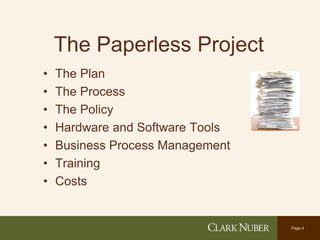
The Paperless Project
• The Plan
• The Process
• The Policy
• Hardware and Software Tools
• Business Process Management
• Training
• Costs
Page 5
The Plan
• Begin with the end in mind
• Clear and concise, state objectives
• Establish phases and measurements
• Set due dates
• Assign responsibilities
• Printed on one page and laminated
Page 6
The Process
• Stop printing & copying. No new file cabinets
– Inventory processes
– Minimal business disruption
• Scan new paper. Always use optical
character recognition (OCR)
• Hardware and software training
• Decision to back-scan or not
• Browsing, searching, remote access
Page 7
The Policy
• Starts at the top
• Build consensus
• Training
• Hold people accountable
• Use paper, don’t save it
• Retention limits same as paper
• Consistent metadata – tags
Page 8
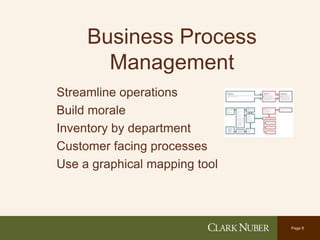
Business Process
Management
Streamline operations
Build morale
Inventory by department
Customer facing processes
Use a graphical mapping tool
Page 9
Hardware
• Multipurpose copiers
• Scanners
• Dual monitors
• Faxing
• File storage
• Database storage
• Backup, synchronization
• Cloud
Page 10
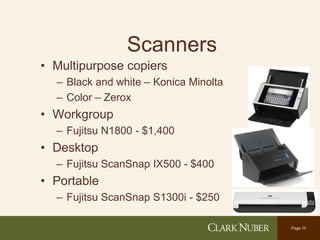
Scanners
• Multipurpose copiers
– Black and white – Konica Minolta
– Color – Zerox
• Workgroup
– Fujitsu N1800 - $1,400
• Desktop
– Fujitsu ScanSnap IX500 - $400
• Portable
– Fujitsu ScanSnap S1300i - $250
Page 11
Storage - Hardware
• File servers – virtual, SATA drives
• High availability
– Equalogic synchronized boxes
• Backup
– DataDomain
– Disk to Disk (no tape)
– Cloud synchronization
Page 12
Storage - Software
Document management system
• Record retention policy
• Better searching
• File can be in 2 “places” at once
• Consistent metadata – tags
• Remote access
Page 13
Storage - Software
File Synchronization
• Dropbox
• Box
• Egnyte
• ShareFile
• Microsoft OneDrive
• Google Drive
• SugarSync
Page 14
Software
• Intranet – SharePoint
• Portals - ShareFile
• Electronic signatures – DocuSign
• PDF Conversion – Nuance PDF Converter
• Server OCR – Kofax
• Microsoft OneNote
Page 15
Software
• Xero – Better choice than QuickBooks
• Bill.com – Accounts Payable
• Concur – A/P, Expense
• Kwik Tag – A/P, Dynamics integration
• Nexonia – Expenses
Page 16
Adobe Acrobat
• Created – “Print to Acrobat”
• Scanner format (OCR)
• Bookmarks
• Annotations
• Page management
• Security – password to open not edit
Page 17
Document Management
Systems
• Microsoft SharePoint
• Interwoven
• Filenet
• Cabinet
• ShareFile
• Windows Explorer
Page 18
• Slideshare.net/peterhenley
• phenley@clarknuber.com
• 425-635-7426

Paperless Best Practices 2014

  • 1.
    Page 0©2008 ClarkNuber. All rights reserved Paperless Best Practices March, 2014
  • 2.
    Page 1 Information • Create •Capture • Add value, or repurpose • Publish – private and public • Save securely & highly available • Browse and search
  • 3.
    Page 2 Paper Disadvantages •Space requirements • Expensive to move volumes – $ • Expensive to move sheets – time • Can’t be accessed remotely • Unsearchable
  • 4.
    Page 3 Paperless Initiatives •Faster billing, better collections • Streamline administrative workflow • Recover space from file cabinets • Timing: – Large remodel project – Business is physically moving
  • 5.
    Page 4 The PaperlessProject • The Plan • The Process • The Policy • Hardware and Software Tools • Business Process Management • Training • Costs
  • 6.
    Page 5 The Plan •Begin with the end in mind • Clear and concise, state objectives • Establish phases and measurements • Set due dates • Assign responsibilities • Printed on one page and laminated
  • 7.
    Page 6 The Process •Stop printing & copying. No new file cabinets – Inventory processes – Minimal business disruption • Scan new paper. Always use optical character recognition (OCR) • Hardware and software training • Decision to back-scan or not • Browsing, searching, remote access
  • 8.
    Page 7 The Policy •Starts at the top • Build consensus • Training • Hold people accountable • Use paper, don’t save it • Retention limits same as paper • Consistent metadata – tags
  • 9.
    Page 8 Business Process Management Streamlineoperations Build morale Inventory by department Customer facing processes Use a graphical mapping tool
  • 10.
    Page 9 Hardware • Multipurposecopiers • Scanners • Dual monitors • Faxing • File storage • Database storage • Backup, synchronization • Cloud
  • 11.
    Page 10 Scanners • Multipurposecopiers – Black and white – Konica Minolta – Color – Zerox • Workgroup – Fujitsu N1800 - $1,400 • Desktop – Fujitsu ScanSnap IX500 - $400 • Portable – Fujitsu ScanSnap S1300i - $250
  • 12.
    Page 11 Storage -Hardware • File servers – virtual, SATA drives • High availability – Equalogic synchronized boxes • Backup – DataDomain – Disk to Disk (no tape) – Cloud synchronization
  • 13.
    Page 12 Storage -Software Document management system • Record retention policy • Better searching • File can be in 2 “places” at once • Consistent metadata – tags • Remote access
  • 14.
    Page 13 Storage -Software File Synchronization • Dropbox • Box • Egnyte • ShareFile • Microsoft OneDrive • Google Drive • SugarSync
  • 15.
    Page 14 Software • Intranet– SharePoint • Portals - ShareFile • Electronic signatures – DocuSign • PDF Conversion – Nuance PDF Converter • Server OCR – Kofax • Microsoft OneNote
  • 16.
    Page 15 Software • Xero– Better choice than QuickBooks • Bill.com – Accounts Payable • Concur – A/P, Expense • Kwik Tag – A/P, Dynamics integration • Nexonia – Expenses
  • 17.
    Page 16 Adobe Acrobat •Created – “Print to Acrobat” • Scanner format (OCR) • Bookmarks • Annotations • Page management • Security – password to open not edit
  • 18.
    Page 17 Document Management Systems •Microsoft SharePoint • Interwoven • Filenet • Cabinet • ShareFile • Windows Explorer
  • 19.
    Page 18 • Slideshare.net/peterhenley •phenley@clarknuber.com • 425-635-7426