What Students can do 
This presentation is about students – members of twinspace 
Petros Michailidis 
eTwinning Ambassador for the 
East Macedonia and Thrace 
Greece
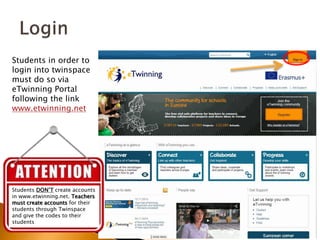
Students in order to 
login into twinspace 
must do so via 
eTwinning Portal 
following the link 
www.etwinning.net 
Students DON’T create accounts 
in www.etwinning.net. Teachers 
must create accounts for their 
students through Twinspace 
and give the codes to their 
students
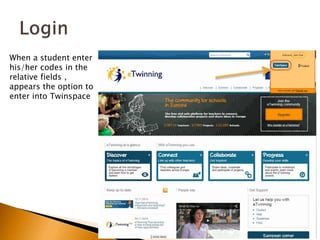
When a student enter 
his/her codes in the 
relative fields , 
appears the option to 
enter into Twinspace
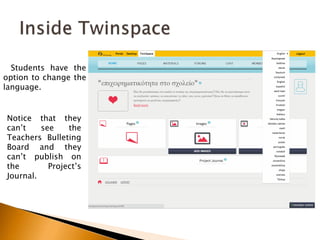
Students have the 
option to change the 
language. 
Notice that they 
can’t see the 
Teachers Bulleting 
Board and they 
can’t publish on 
the Project’s 
Journal.
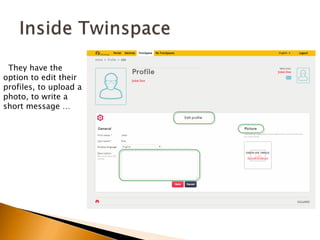
They have the 
option to edit their 
profiles, to upload a 
photo, to write a 
short message …
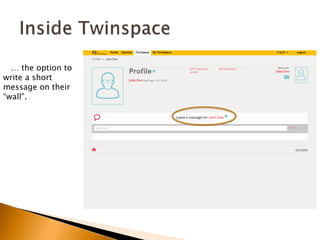
… the option to 
write a short 
message on their 
“wall”.
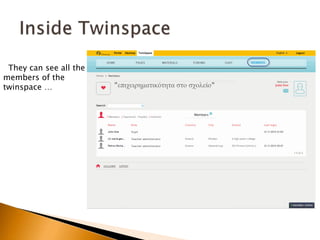
They can see all the 
members of the 
twinspace …
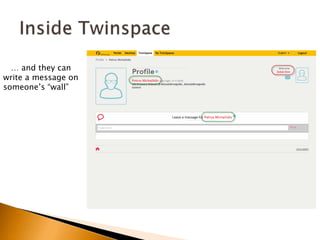
… and they can 
write a message on 
someone’s “wall”
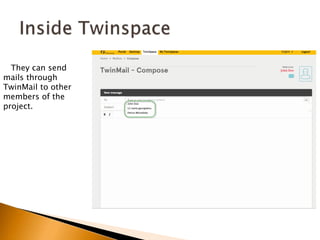
They can send 
mails through 
TwinMail to other 
members of the 
project.
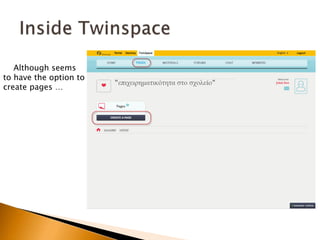
Although seems 
to have the option to 
create pages …
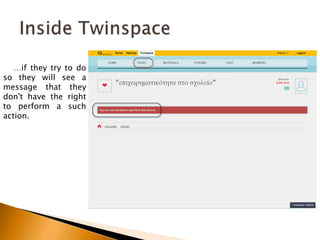
…if they try to do 
so they will see a 
message that they 
don't have the right 
to perform a such 
action.
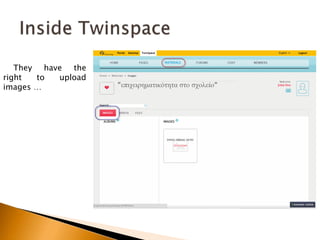
They have the 
right to upload 
images …
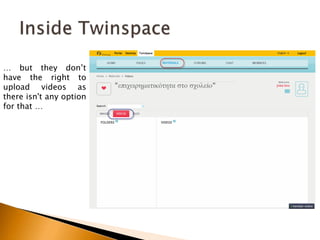
… but they don’t 
have the right to 
upload videos as 
there isn't any option 
for that …
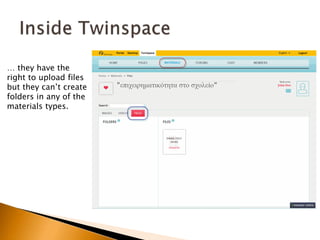
… they have the 
right to upload files 
but they can’t create 
folders in any of the 
materials types.
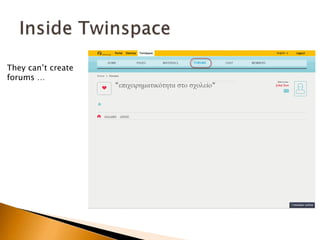
They can’t create 
forums …
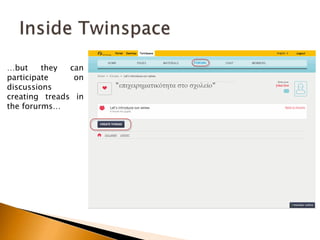
…but they can 
participate on 
discussions 
creating treads in 
the forurms…
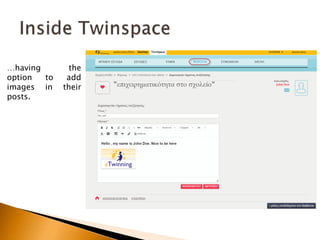
…having the 
option to add 
images in their 
posts.
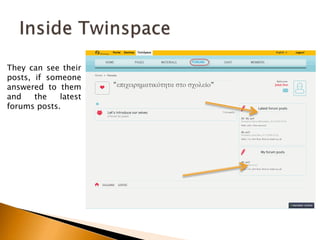
They can see their 
posts, if someone 
answered to them 
and the latest 
forums posts.
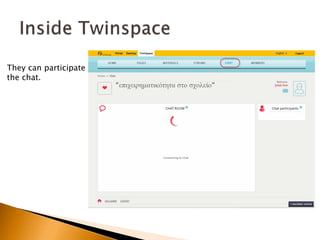
They can participate 
the chat.
For the students – members of the twinspace 
Good Luck to your projects. 
Petros Michailidis 
eTwinning Ambassador for the 
East Macedonia and Thrace 
Greece

The new twinspace

  • 1.
    What Students cando This presentation is about students – members of twinspace Petros Michailidis eTwinning Ambassador for the East Macedonia and Thrace Greece
  • 2.
    Students in orderto login into twinspace must do so via eTwinning Portal following the link www.etwinning.net Students DON’T create accounts in www.etwinning.net. Teachers must create accounts for their students through Twinspace and give the codes to their students
  • 3.
    When a studententer his/her codes in the relative fields , appears the option to enter into Twinspace
  • 4.
    Students have the option to change the language. Notice that they can’t see the Teachers Bulleting Board and they can’t publish on the Project’s Journal.
  • 5.
    They have the option to edit their profiles, to upload a photo, to write a short message …
  • 6.
    … the optionto write a short message on their “wall”.
  • 7.
    They can seeall the members of the twinspace …
  • 8.
    … and theycan write a message on someone’s “wall”
  • 9.
    They can send mails through TwinMail to other members of the project.
  • 10.
    Although seems tohave the option to create pages …
  • 11.
    …if they tryto do so they will see a message that they don't have the right to perform a such action.
  • 12.
    They have the right to upload images …
  • 13.
    … but theydon’t have the right to upload videos as there isn't any option for that …
  • 14.
    … they havethe right to upload files but they can’t create folders in any of the materials types.
  • 15.
  • 16.
    …but they can participate on discussions creating treads in the forurms…
  • 17.
    …having the optionto add images in their posts.
  • 18.
    They can seetheir posts, if someone answered to them and the latest forums posts.
  • 19.
  • 20.
    For the students– members of the twinspace Good Luck to your projects. Petros Michailidis eTwinning Ambassador for the East Macedonia and Thrace Greece