!// The hidden and new parts of JS
@ritz078
let/const
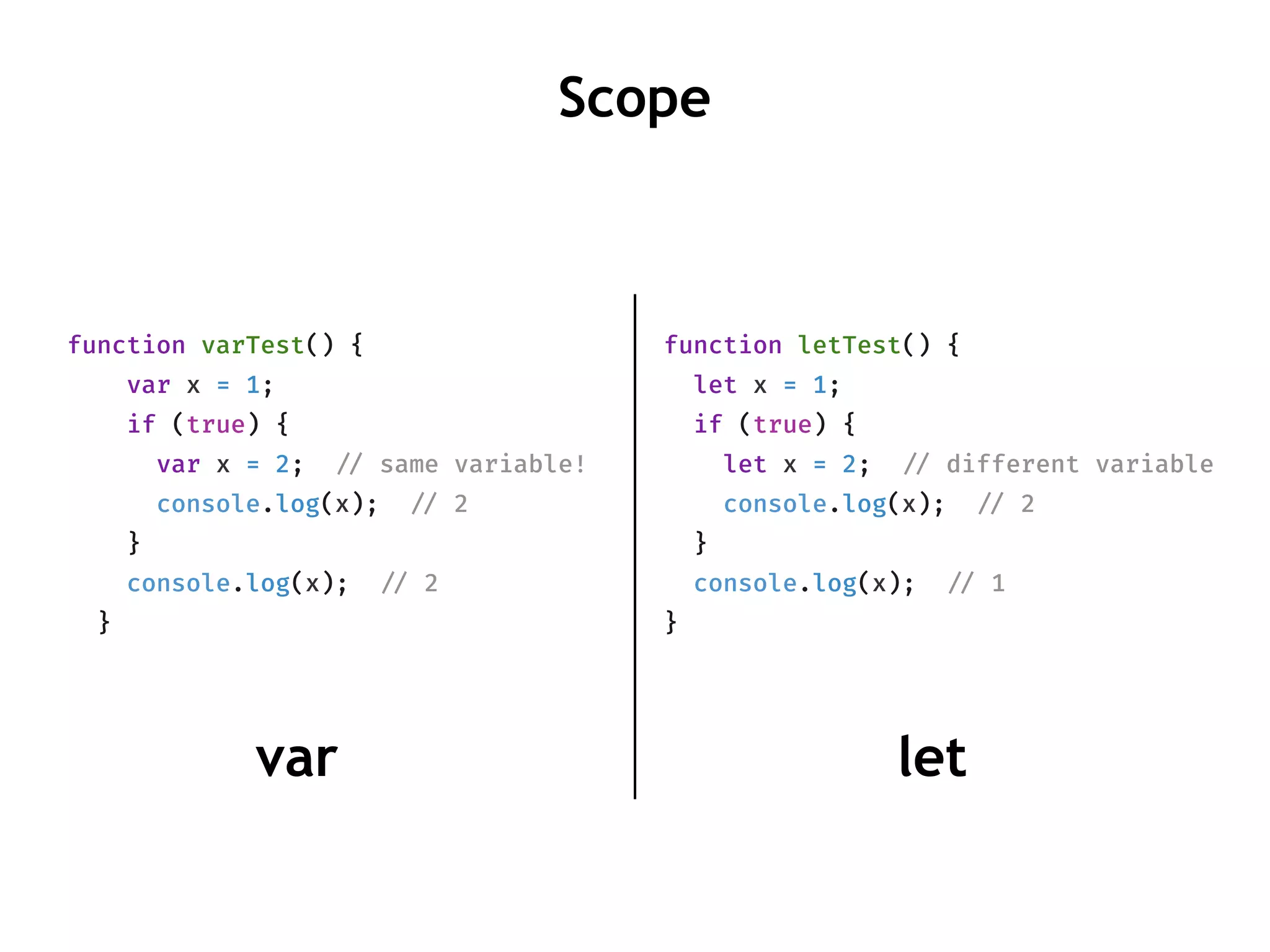
function varTest() {
var x = 1;
if (true) {
var x = 2; !// same variable!
console.log(x); !// 2
}
console.log(x); !// 2
}
function letTest() {
let x = 1;
if (true) {
let x = 2; !// different variable
console.log(x); !// 2
}
console.log(x); !// 1
}
Scope
letvar
!// SyntaxError: Missing initializer in const declaration
const a;
const
const b = [1, 2, 3];
!// Modification without changing reference allowed.
b.push(4); !// b = [1, 2, 3, 4]
!// throws an error. reassigning not allowed.
b = [2, 3];
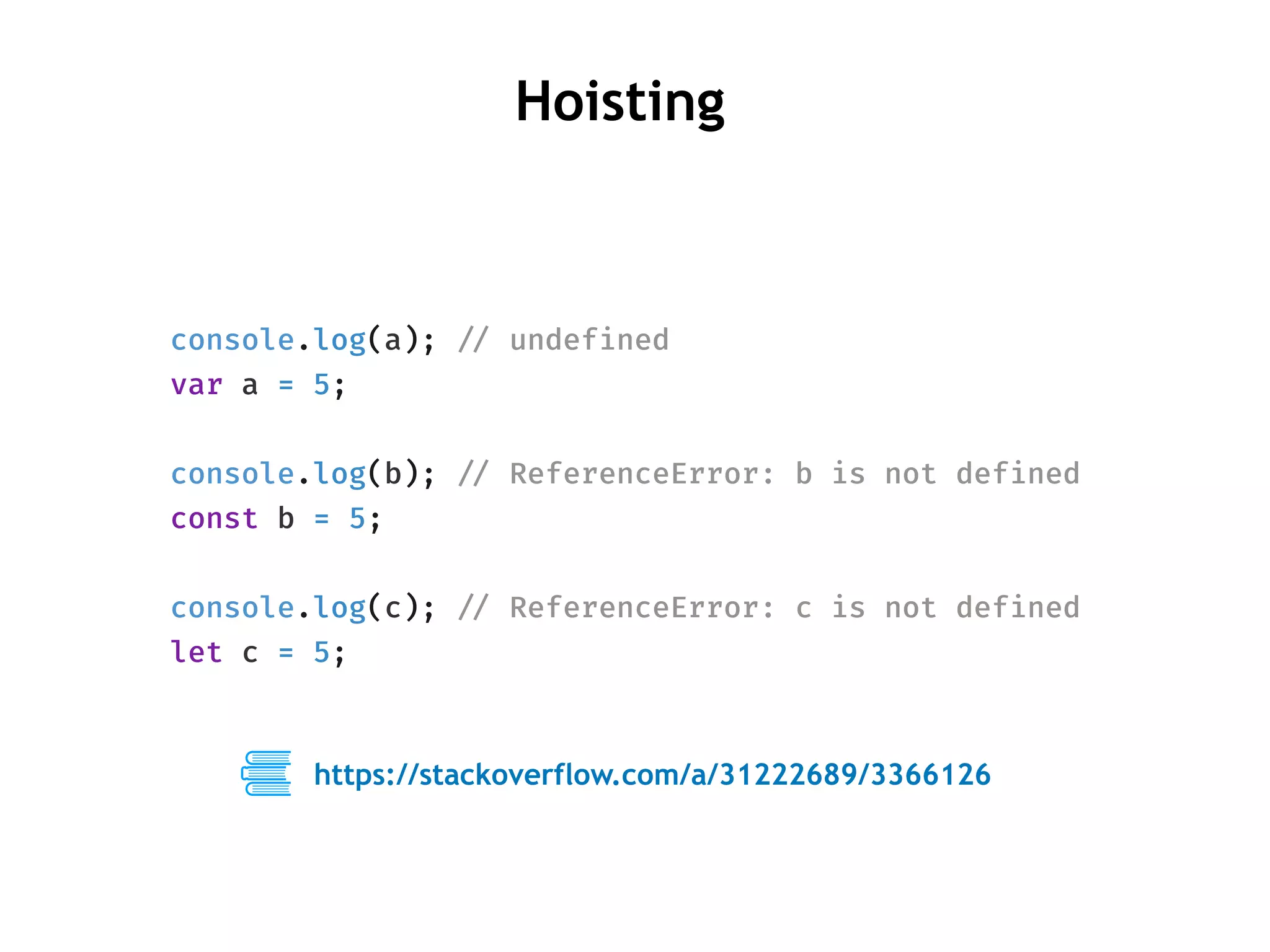
console.log(a); !// undefined
var a = 5;
console.log(b); !// ReferenceError: b is not defined
const b = 5;
console.log(c); !// ReferenceError: c is not defined
let c = 5;
Hoisting
https://stackoverflow.com/a/31222689/3366126
{
"plugins": [
["transform-es2015-block-scoping", {"tdz": true}]
]
}
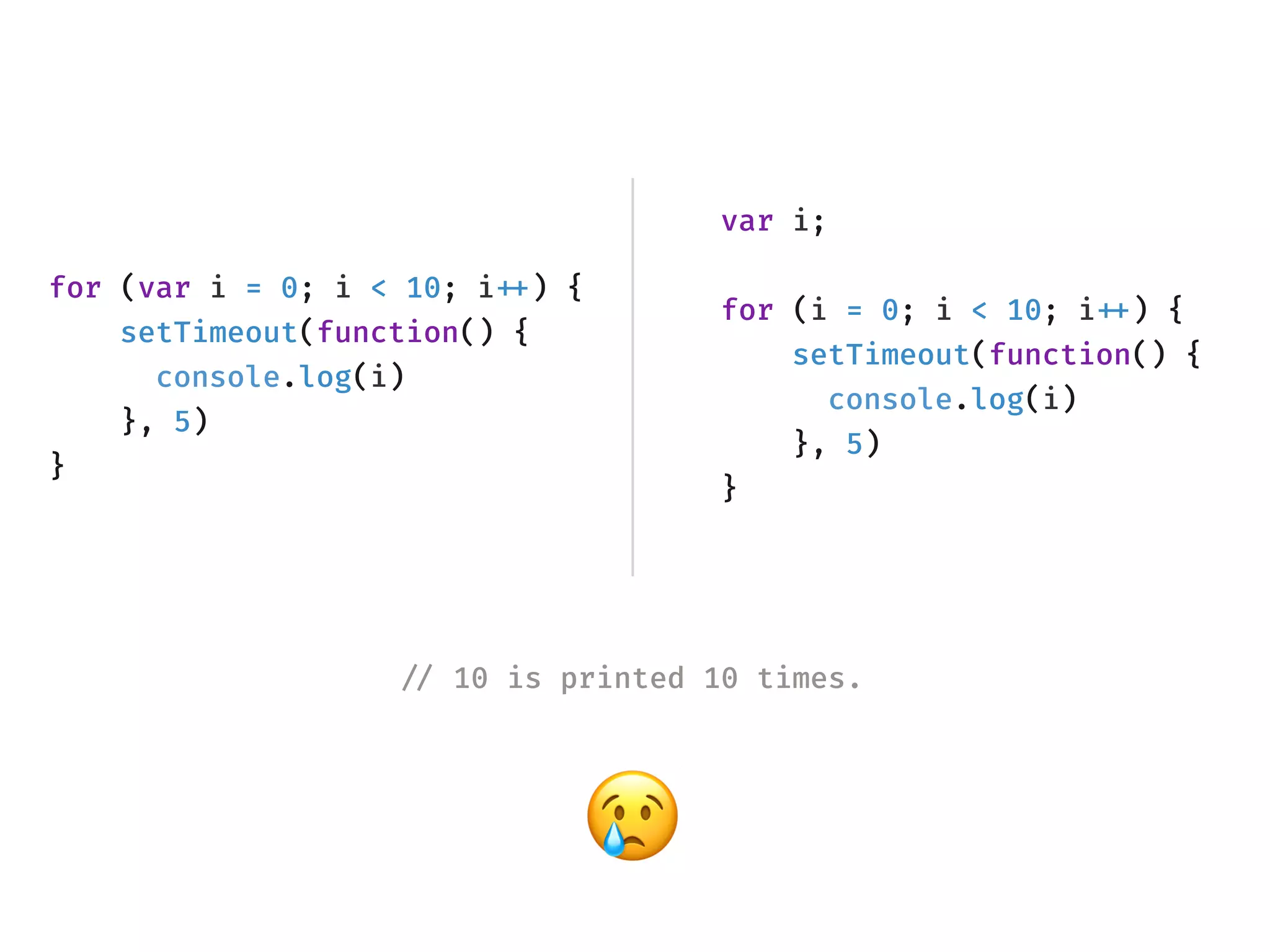
for (var i = 0; i < 10; i!++) {
setTimeout(function() {
console.log(i)
}, 5)
}
var i;
for (i = 0; i < 10; i!++) {
setTimeout(function() {
console.log(i)
}, 5)
}
!// 10 is printed 10 times.
😢
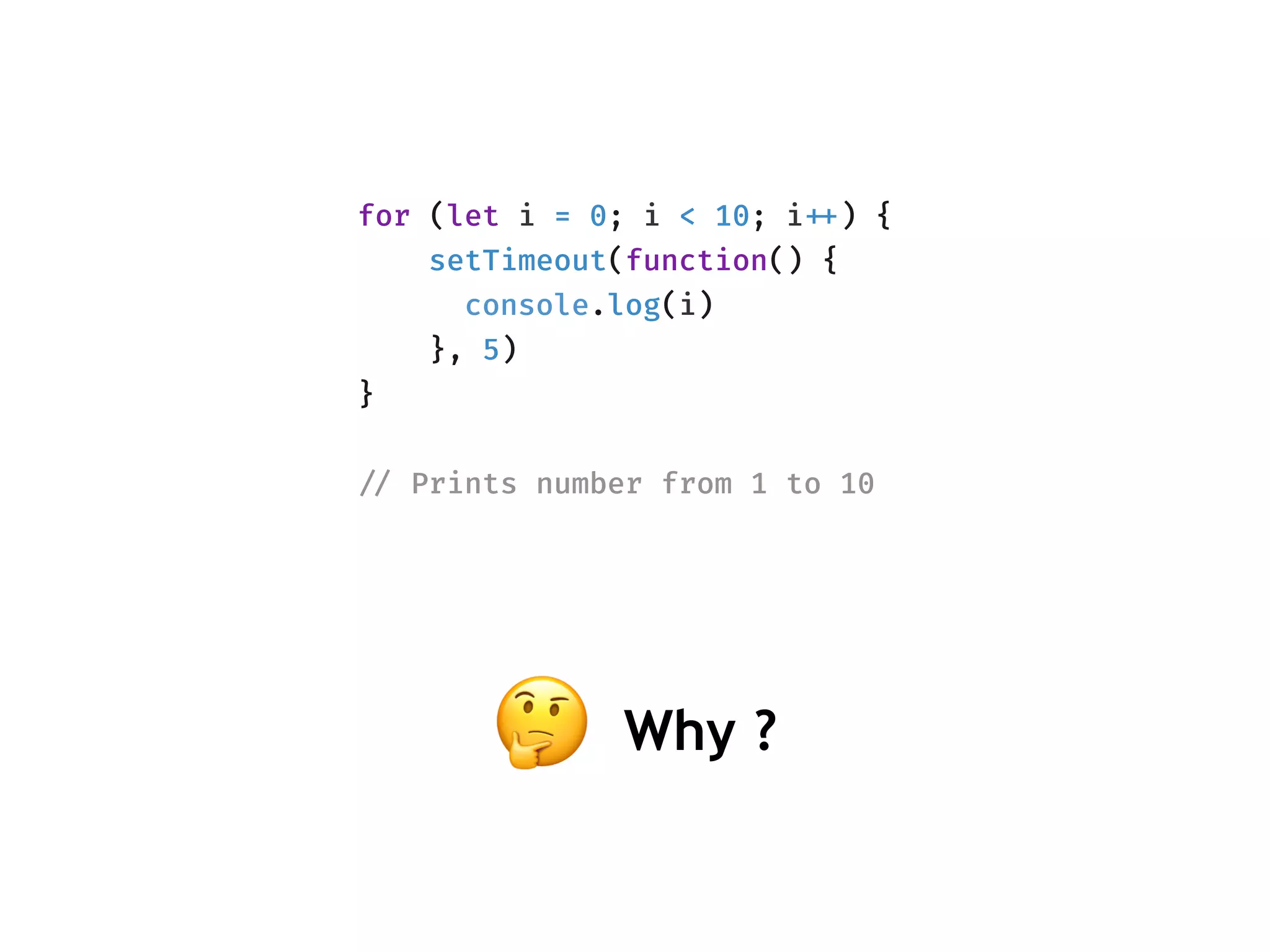
for (let i = 0; i < 10; i!++) {
setTimeout(function() {
console.log(i)
}, 5)
}
!// Prints number from 1 to 10
🤔 Why ?
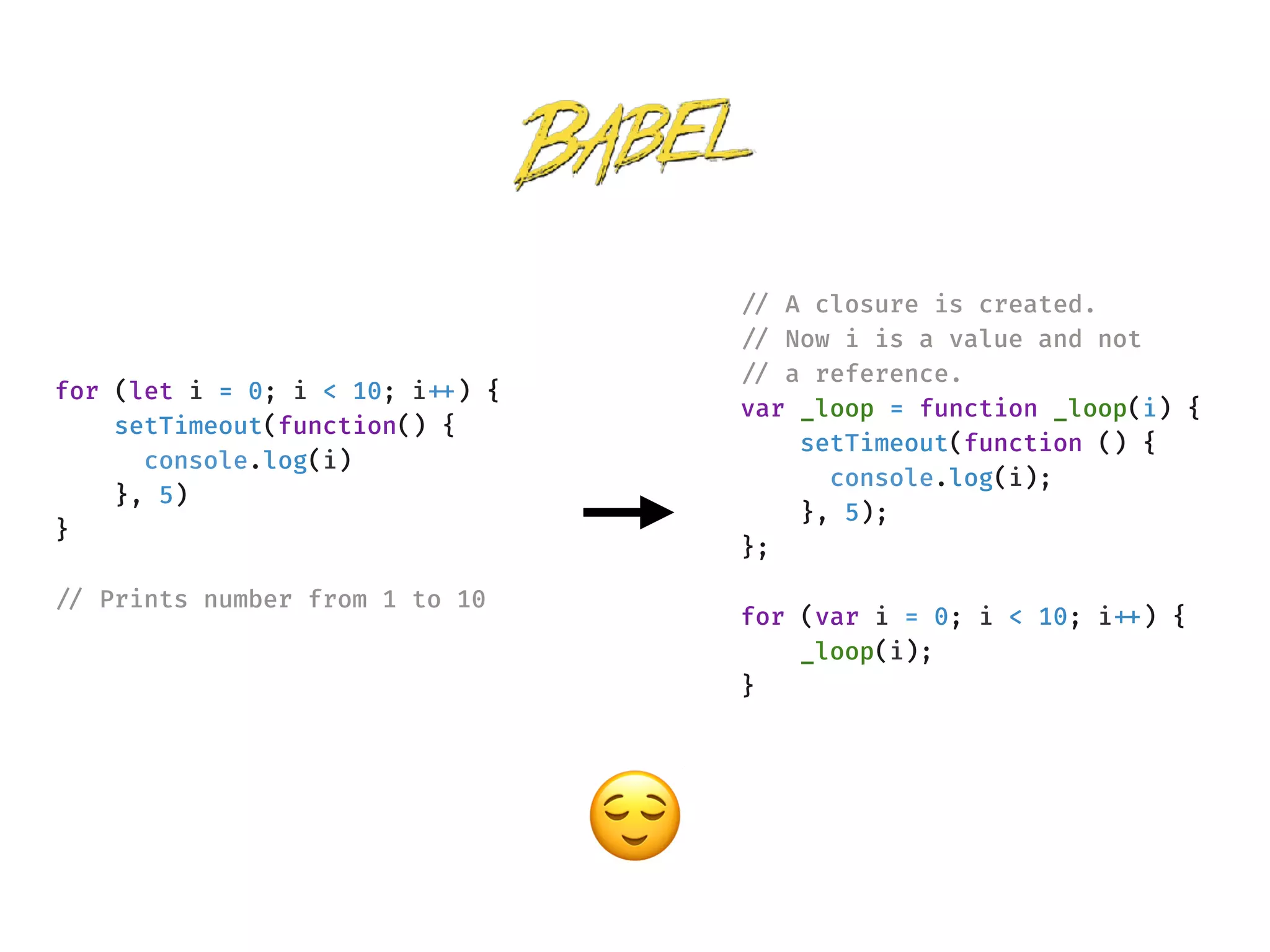
!// A closure is created.
!// Now i is a value and not
!// a reference.
var _loop = function _loop(i) {
setTimeout(function () {
console.log(i);
}, 5);
};
for (var i = 0; i < 10; i!++) {
_loop(i);
}
for (let i = 0; i < 10; i!++) {
setTimeout(function() {
console.log(i)
}, 5)
}
!// Prints number from 1 to 10
😌
{
"plugins": [
["transform-es2015-block-scoping", {
"throwIfClosureRequired": true
}]
]
}
Array
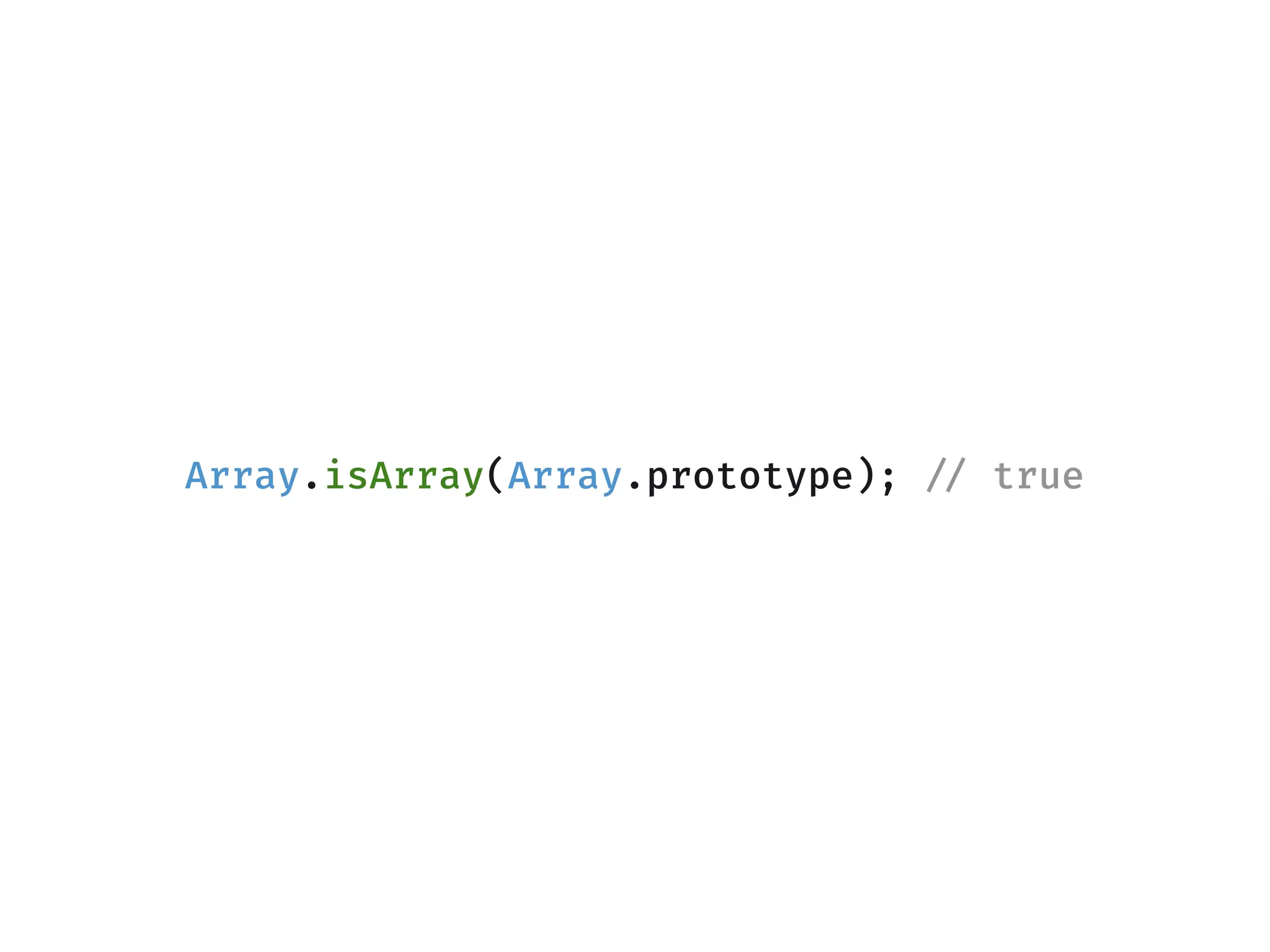
Array.isArray(Array.prototype); !// true
.sort( )
const arr = [10, 3, 100]
const sortedArray = arr.sort();
!// it doesn't correctly sort an array of numbers. 🤔
console.log(sortedArray) !// [10, 100, 3]
!// also sorting changes the original array
console.log(arr) !// [10, 100, 3]
The default sort order is according to string Unicode code points.
const arr = [10, 3, 100]
!// passing a comparator function
const sortedArray = arr.sort((a, b) !=> a - b);
console.log(sortedArray) !// [3, 10 100]
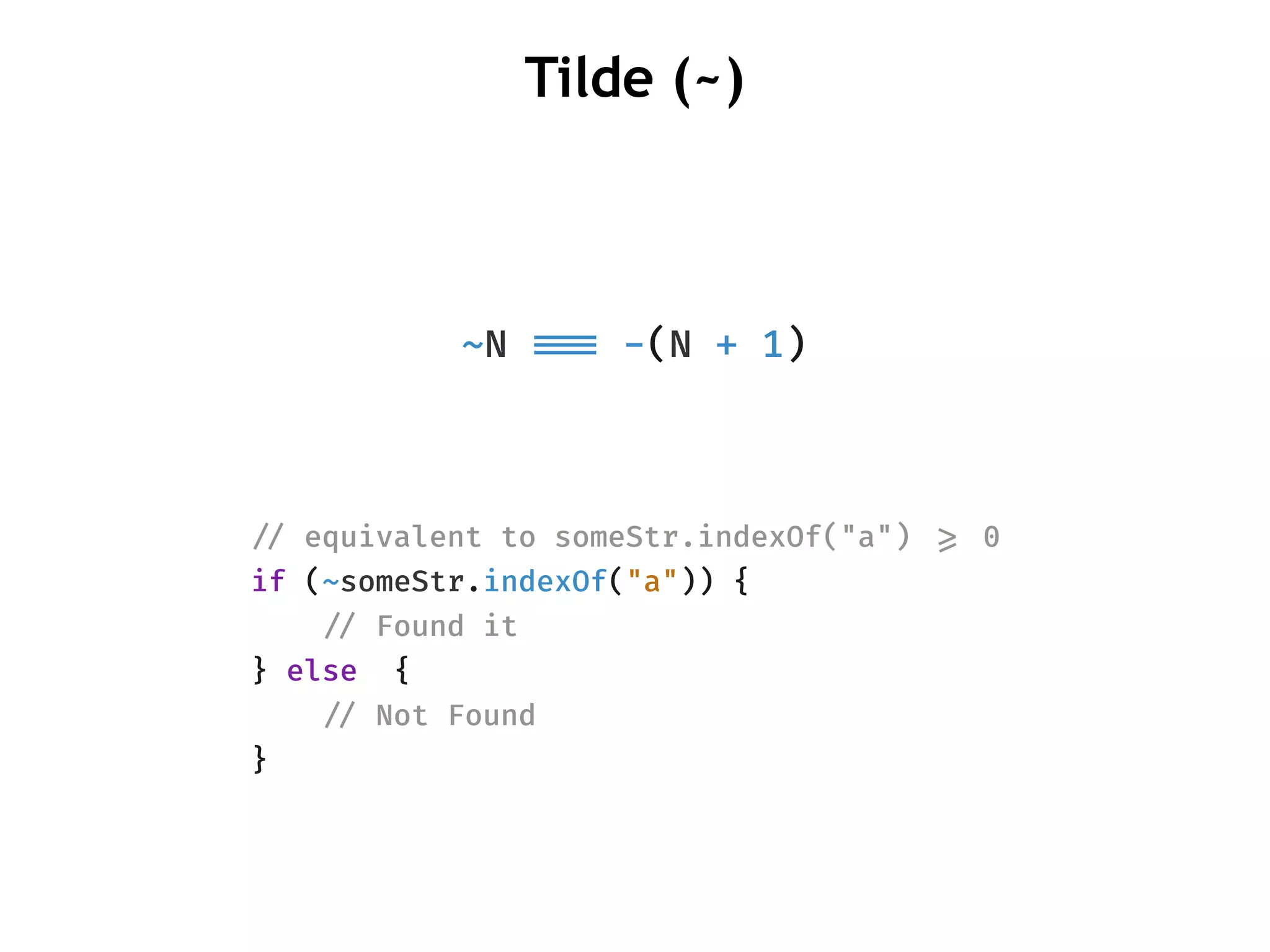
~N !!=== -(N + 1)
Tilde (~)
!// equivalent to someStr.indexOf("a") !>= 0
if (~someStr.indexOf("a")) {
    !// Found it
} else {
    !// Not Found
}
.includes ()
const arr = [1, 2, 3, NaN];
arr.includes(3) !// true
!// uses same value zero comparison
!// just like map and set.
arr.includes(NaN) !// true
!// uses Strict Equality Comparison "!!==="
arr.indexOf(NaN) !// -1
Array-like objects
!// !|> Indexed access to elements
!// !|> Has length property
!// !|> Does not have array methods such as push, 
!// forEach and indexOf
const arrayLikeObject = {
0: "hello",
1: "world",
length: 2
}
console.log(arrayLikeObject[1]) !// hello
!// throws error
console.log(arrayLikeObject.indexOf("hello"))
!// Arguments are array like objects
function a () {
console.log(Array.isArray(arguments)) !// false
console.log(arguments[0]) !// 1
console.log(arguments.length) !// 3
}
a(1, 2, 3)
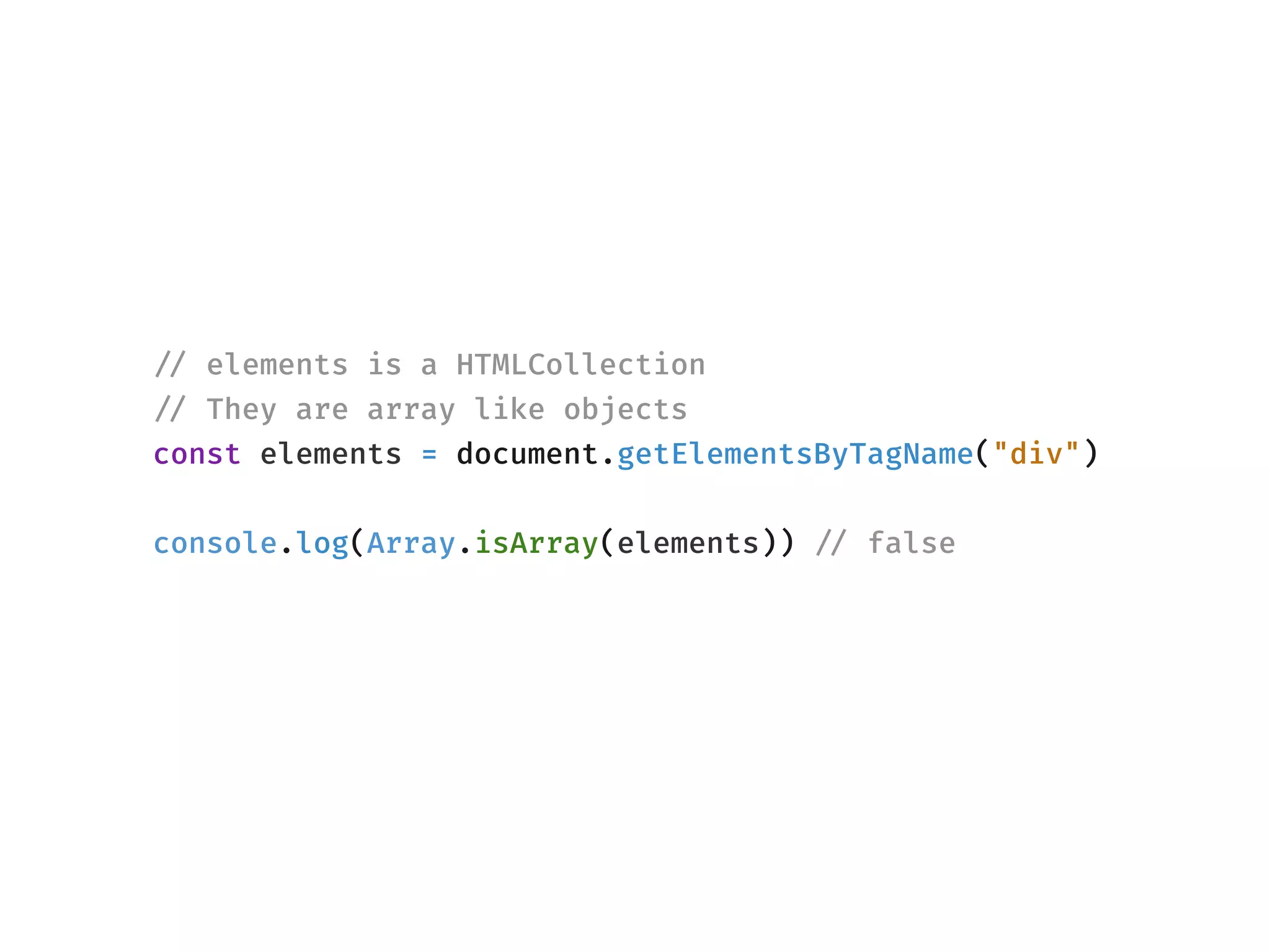
!// elements is a HTMLCollection
!// They are array like objects
const elements = document.getElementsByTagName("div")
console.log(Array.isArray(elements)) !// false
Converting array like objects to an array
!// Can convert array like objects and string into
!// an array.
Array.from(arguments);
!// Borrowing a method from Array
Array.prototype.slice.call(arguments);
!// Node treats arguments and array like objects differently.
!// Anyways, you shouldn't be spreading arguments, it's going
!// to cause an engine to deoptimize the entire function.
!// https:!//github.com/petkaantonov/bluebird/wiki/Optimization-
killers#3-managing-arguments
[!!...arguments]
Object
length
!// array-like-object
const a = {
0: 1,
1: 2,
2: 3,
length: 3
}
console.log(Object.keys(a))
!// ["0", "1", "2", "length"]
function a () {
arguments.length !// 3
Object.keys(arguments)
!// ["0", "1", “2"]
}
a(1,2,3)
no length
.defineProperty()
const a = {
0: 1,
1: 2,
2: 3
}
Object.defineProperty(a, "length", {
enumerable: false,
writable: true, !// can value be modified ?
configurable: true, !// can property be deleted ?
value: 3
})
console.log(a.length) !// 3
console.log(Object.keys(a)) !// ["0", "1", "2"]
Function
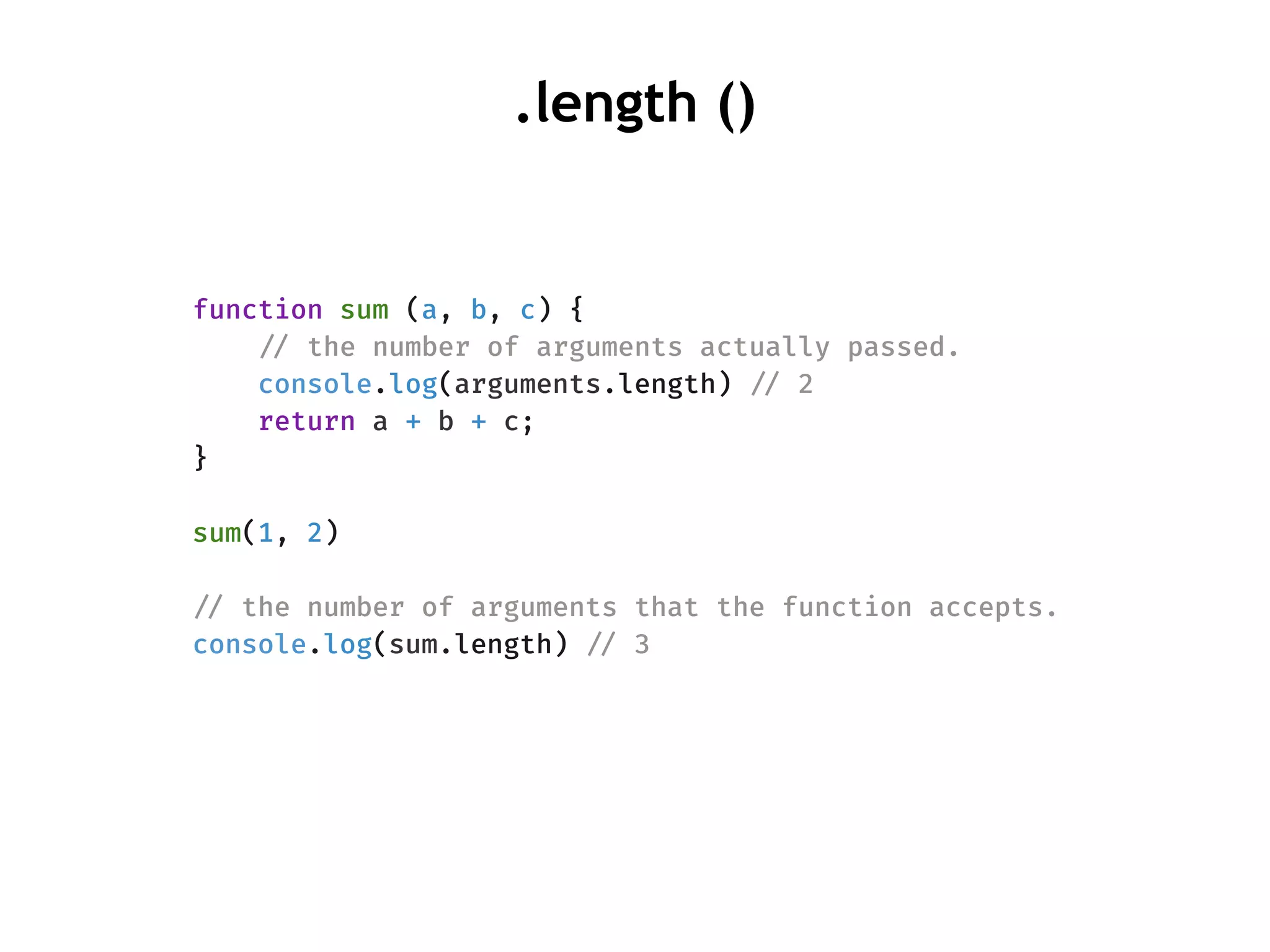
function sum (a, b, c) {
!// the number of arguments actually passed.
console.log(arguments.length) !// 2
return a + b + c;
}
sum(1, 2)
!// the number of arguments that the function accepts.
console.log(sum.length) !// 3
.length ()
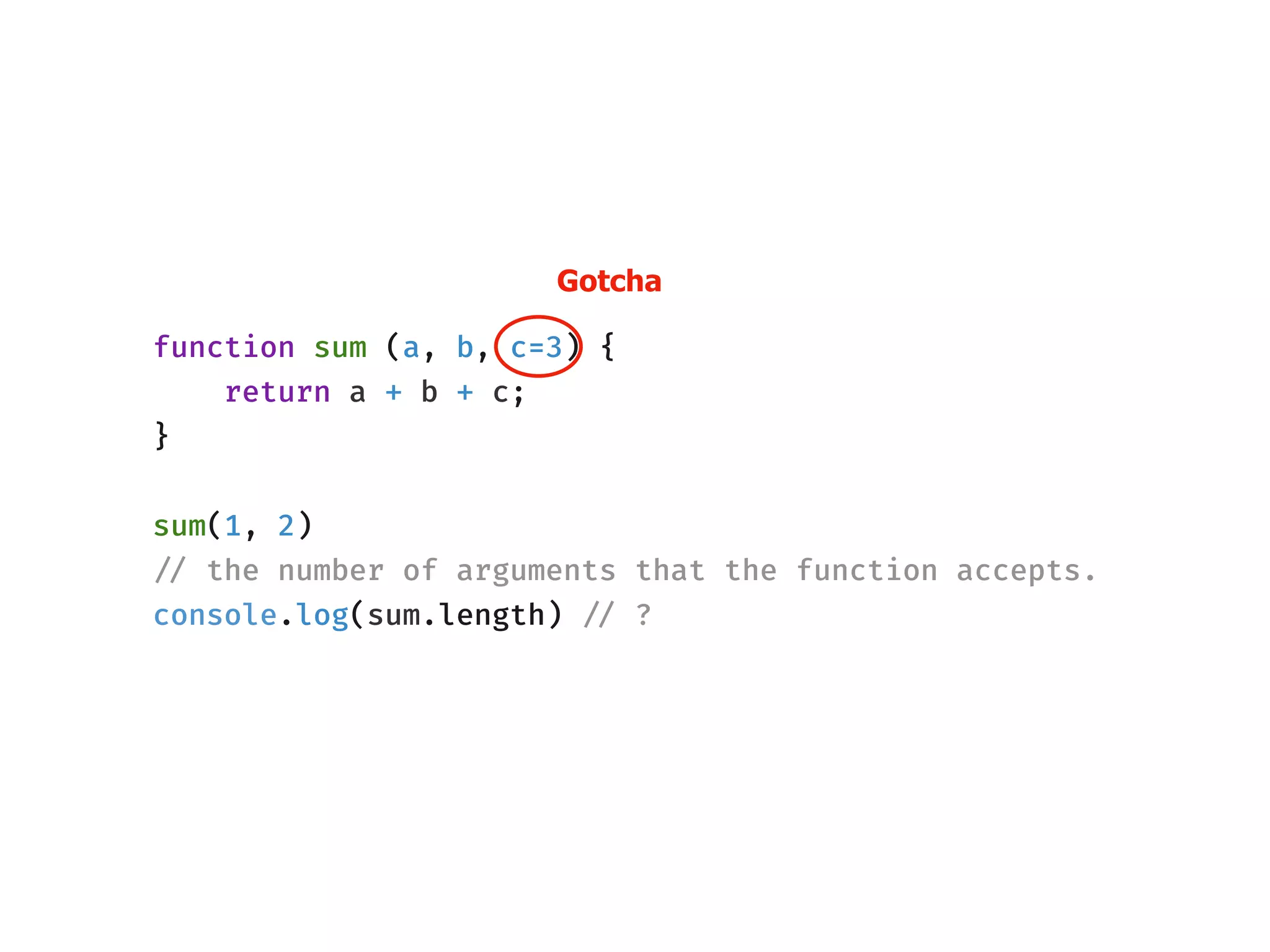
function sum (a, b, c=3) {
return a + b + c;
}
sum(1, 2)
!// the number of arguments that the function accepts.
console.log(sum.length) !// ?
Gotcha
!// There is no c here. Now sum.length makes better sense. 😀
function sum(a, b) {
var c = arguments.length > 2 !&& arguments[2] !!!== undefined ?
arguments[2] : 3;
return a + b + c;
}
sum(1, 2)
console.log(sum.length) !// 2
Dependency Injection
var app = angular.module('myApp', []);
!// works as expected
app.controller('myCtrl', function($scope, $timeout) {
$scope.firstName = "John";
$scope.lastName = "Doe";
});
!// works as expected
app.controller('myCtrl', function($timeout, $scope) {
$scope.firstName = "John";
$scope.lastName = "Doe";
});
In this case, position of argument doesn’t matter but name does.
🤔
function a($scope, $timeout) {
!// your code here
}
const code = a.toString()
!// "function a($scope, $timeout) {
!// !// your logic here
!// }"
const match = code
.match(/^functions{0,}[a-zA-Zd_]{0,}(([^)]+))/)[1];
console.log(match.split(", ")) !// ["$scope", "$timeout"]
.toString()
If the argument name changes after minification, this fails.
async/await
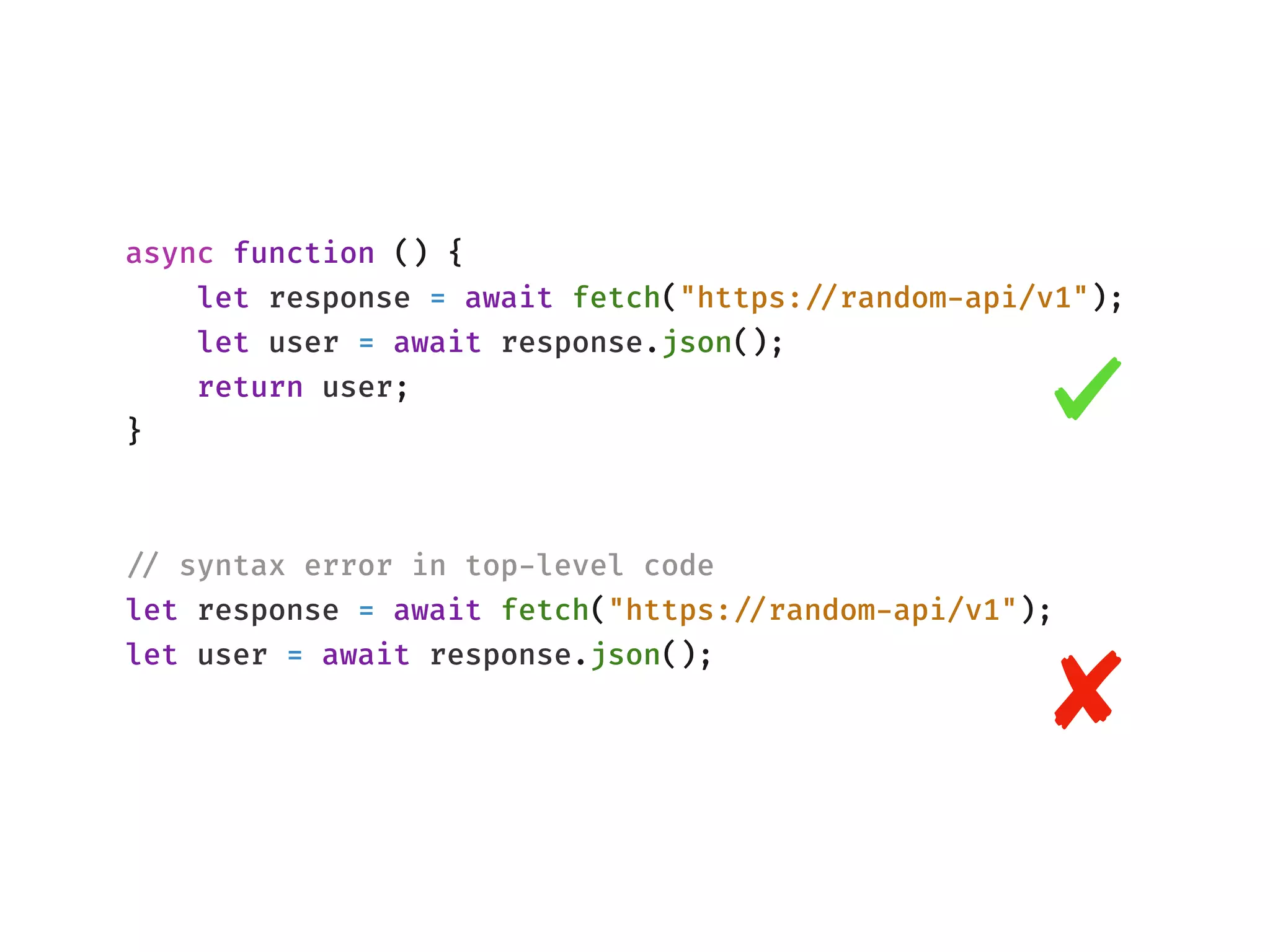
async function () {
let response = await fetch("https:!//random-api/v1");
let user = await response.json();
return user;
}
!// syntax error in top-level code
let response = await fetch("https:!//random-api/v1");
let user = await response.json();
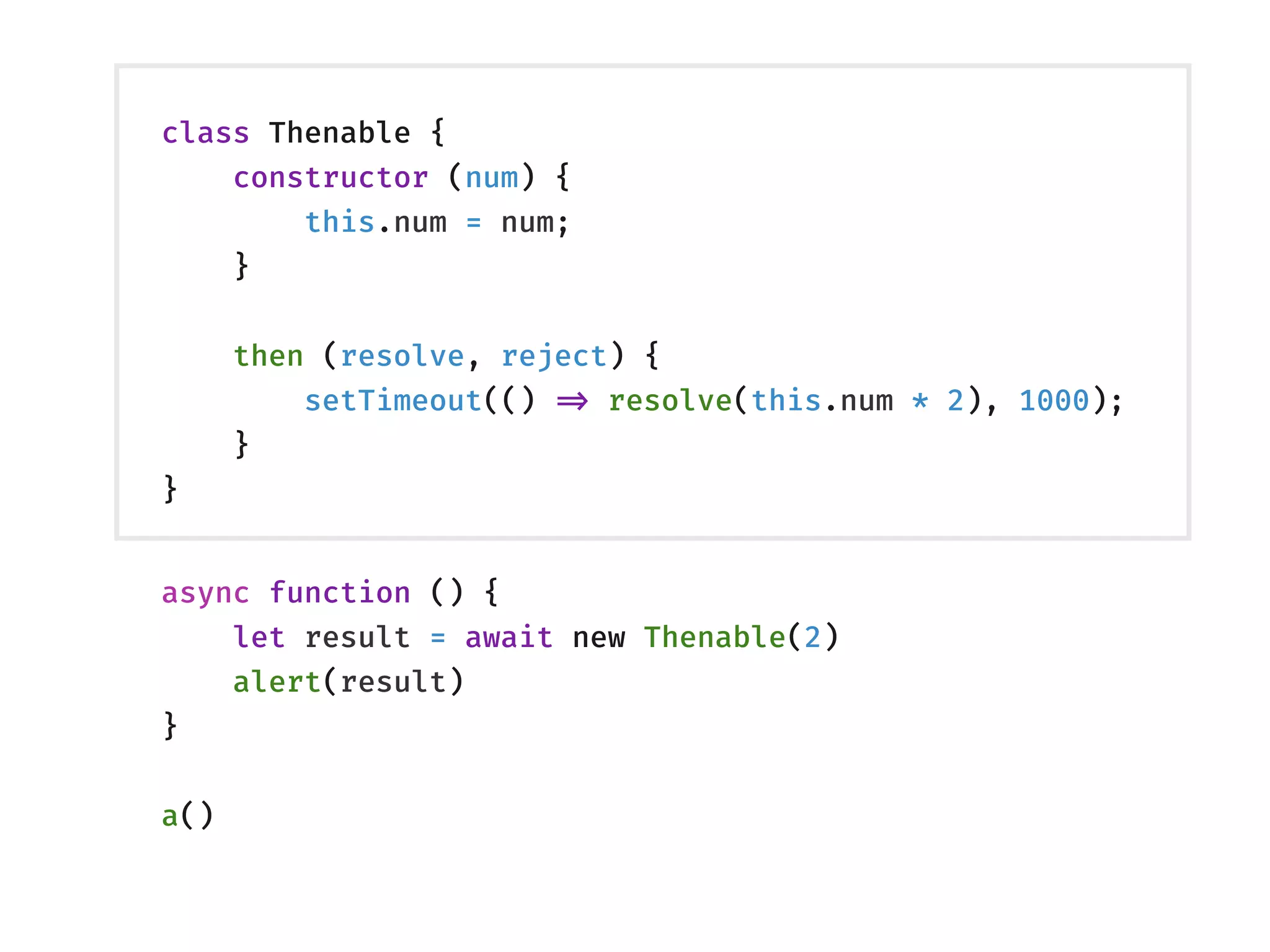
class Thenable {
constructor (num) {
this.num = num;
}
then (resolve, reject) {
setTimeout(() !=> resolve(this.num * 2), 1000);
}
}
async function () {
let result = await new Thenable(2)
alert(result)
}
a()
const data = [
fetch("/a"),
fetch("/b"),
fetch("/c")
]
for await (const x of data) {
console.log(x)
}
ES2018: async-for-of
Async for-of statements are only allowed within async functions and
async generator functions.
new Map ()
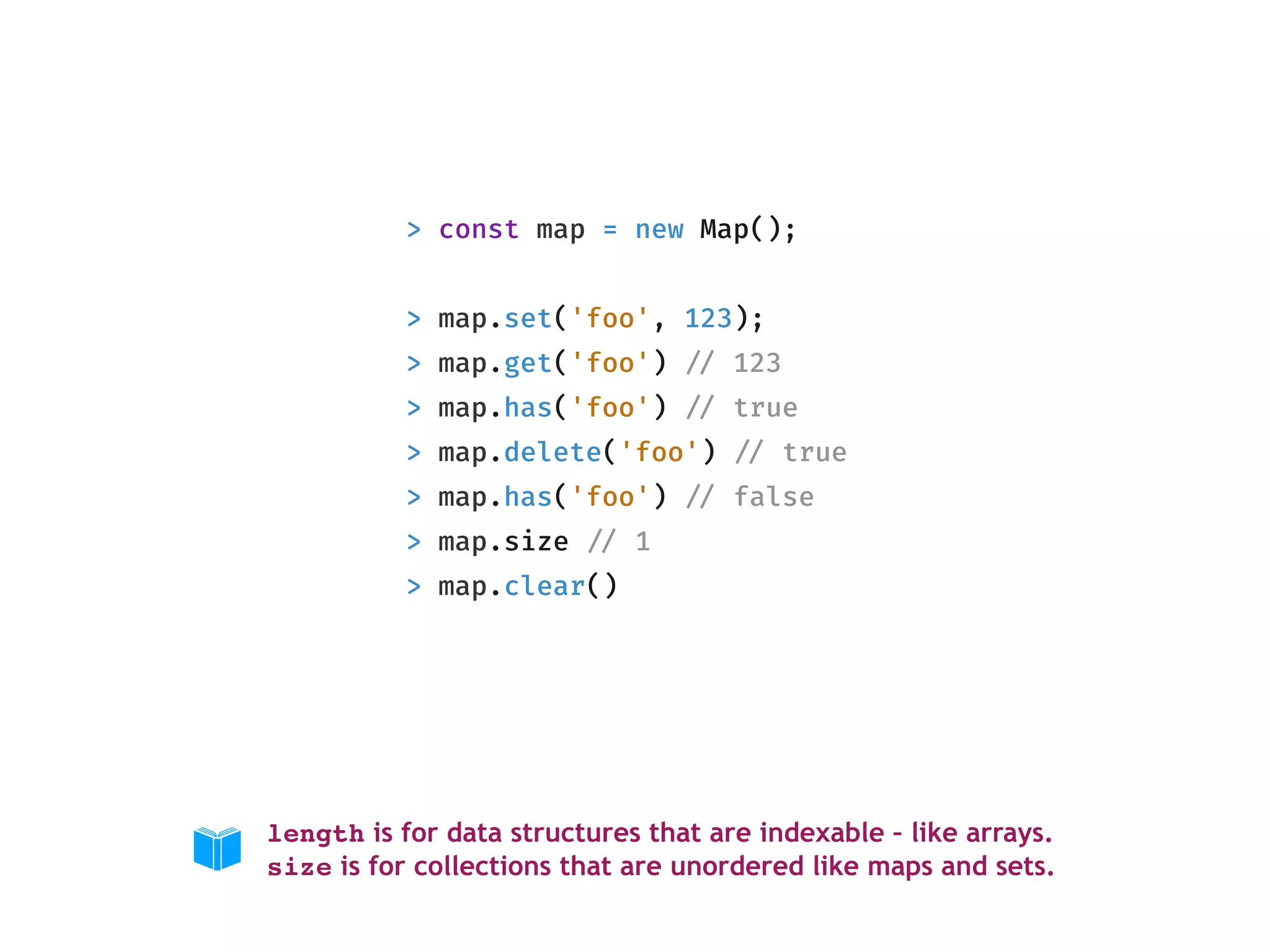
> const map = new Map();
> map.set('foo', 123);
> map.get('foo') !// 123
> map.has('foo') !// true
> map.delete('foo') !// true
> map.has('foo') !// false
> map.size !// 1
> map.clear()
length is for data structures that are indexable – like arrays. 
size is for collections that are unordered like maps and sets.
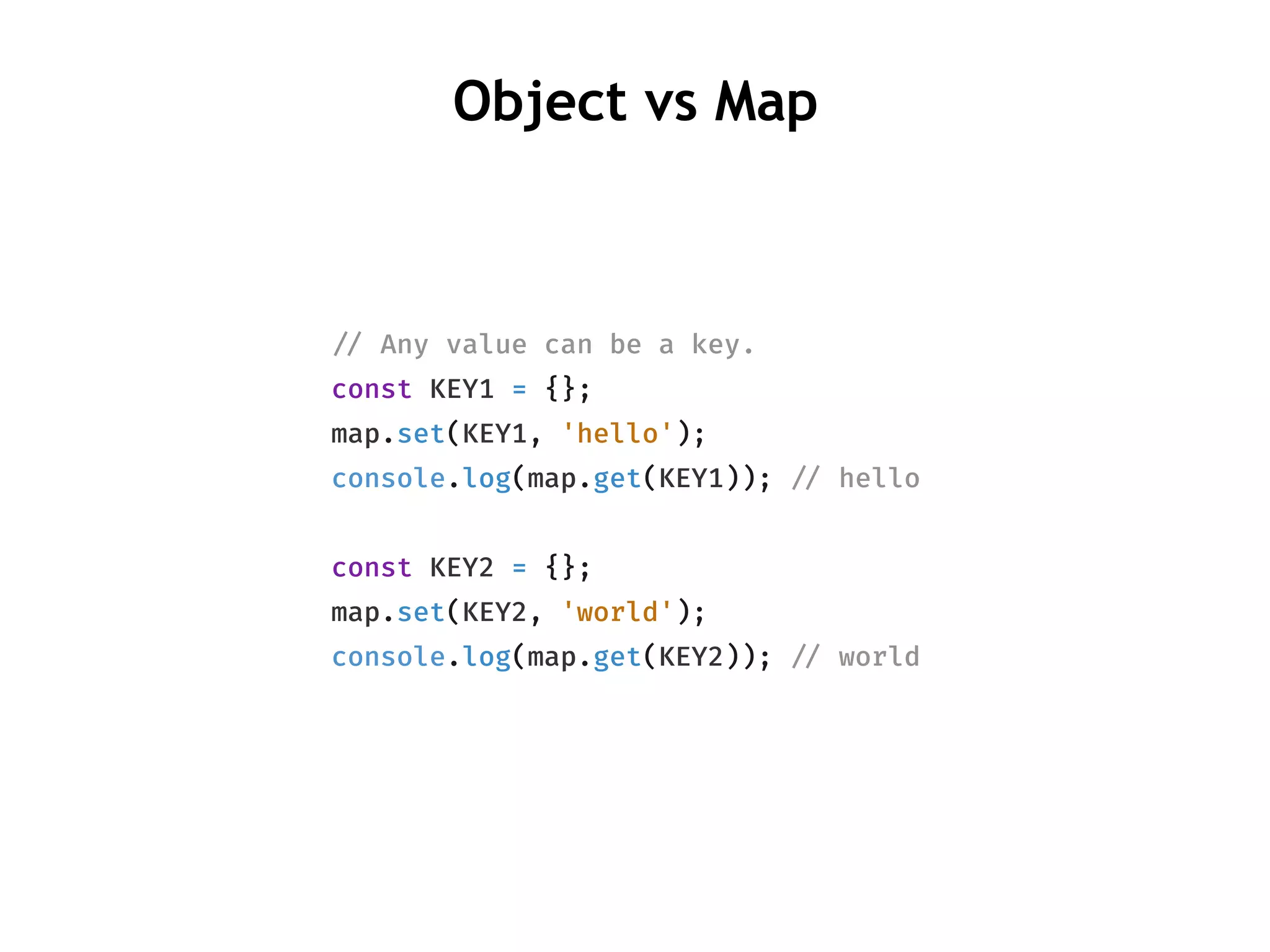
!// Any value can be a key.
const KEY1 = {};
map.set(KEY1, 'hello');
console.log(map.get(KEY1)); !// hello
const KEY2 = {};
map.set(KEY2, 'world');
console.log(map.get(KEY2)); !// world
Object vs Map
Object vs Map
const map = new Map ();
!// typeof keys is preserved
map.set(1, "hello")
console.log([!!...map.keys()]) !// [1]
const obj = {}
!// typeof keys is string
obj[1] = "world"
console.log(Object.keys(obj)) !// ["1"]
Object vs Map
!// Map
const map = new Map ();
!// Doesn't override prototype methods
map.set("get", "world")
console.log(map.get) !// function get() { [native code] }
!// Object
const obj = {}
!// overrides prototype methods
obj['toString'] = "override"
console.log(obj.toString) !// "override"
new Set ()
Array vs Set
const arr = [1, 2, "3", 3, 3];
const set = new Set(arr);
!// O(1) lookup
set.has(3)
!// only unique values are present.
!// They are unique by both type
!// and value.
set.size !// 4
Array.from(set.values())
!// [1, 2, "3", 3]
const arr = [1, 2, "3", 3, 3];
!// O(n) lookup
arr.indexOf(3)
!// all elements preserved
arr.length !// 5
ES2018
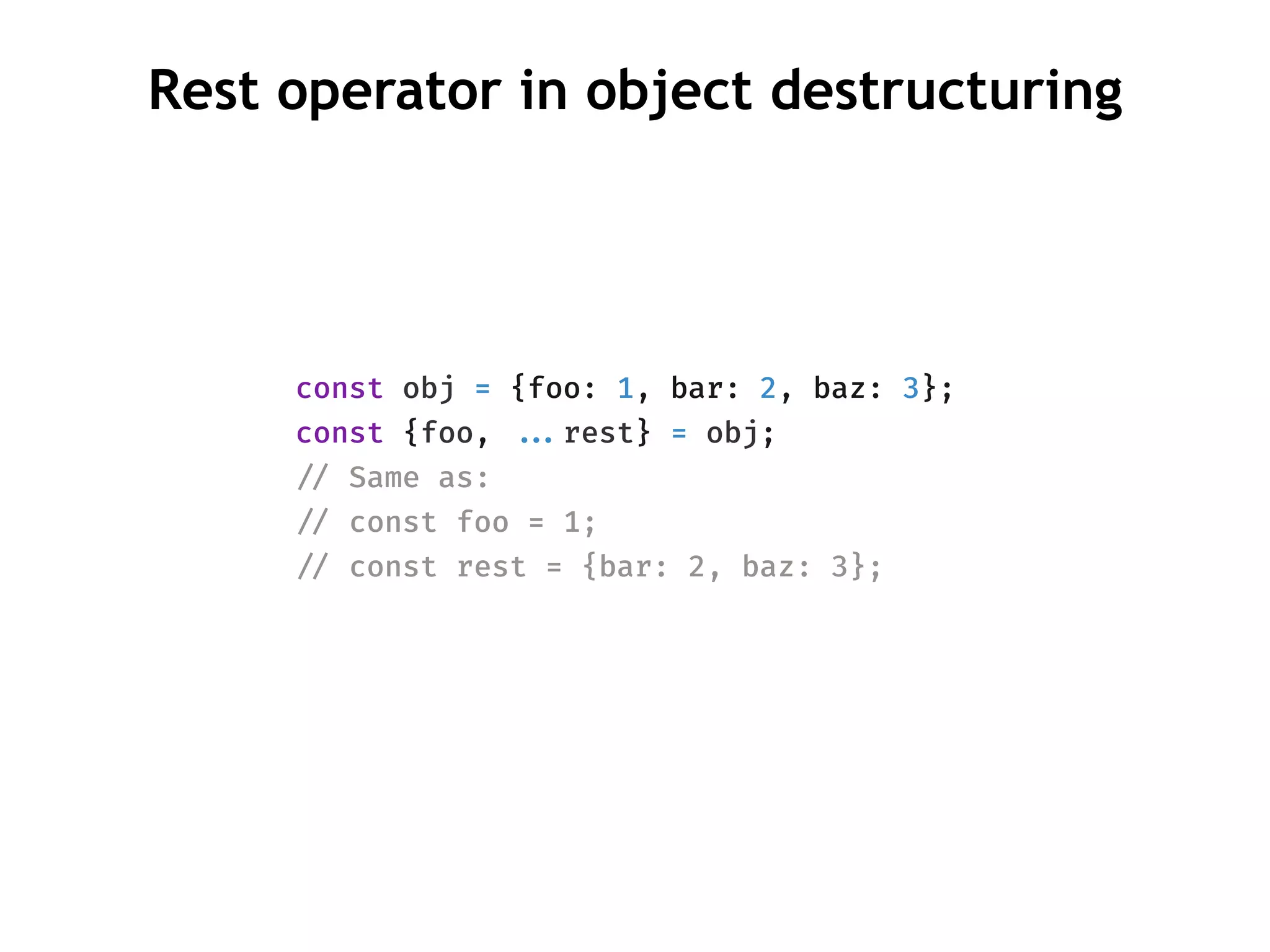
Rest operator in object destructuring
const obj = {foo: 1, bar: 2, baz: 3};
const {foo, !!...rest} = obj;
!// Same as:
!// const foo = 1;
!// const rest = {bar: 2, baz: 3};
RegExp capture groups
const RE_DATE = /(?<year>[0-9]{4})-(?<month>[0-9]
{2})-(?<day>[0-9]{2})/;
const matchObj = RE_DATE.exec('1999-12-31');
const year = matchObj.groups.year; !// 1999
const month = matchObj.groups.month; !// 12
const day = matchObj.groups.day; !// 31
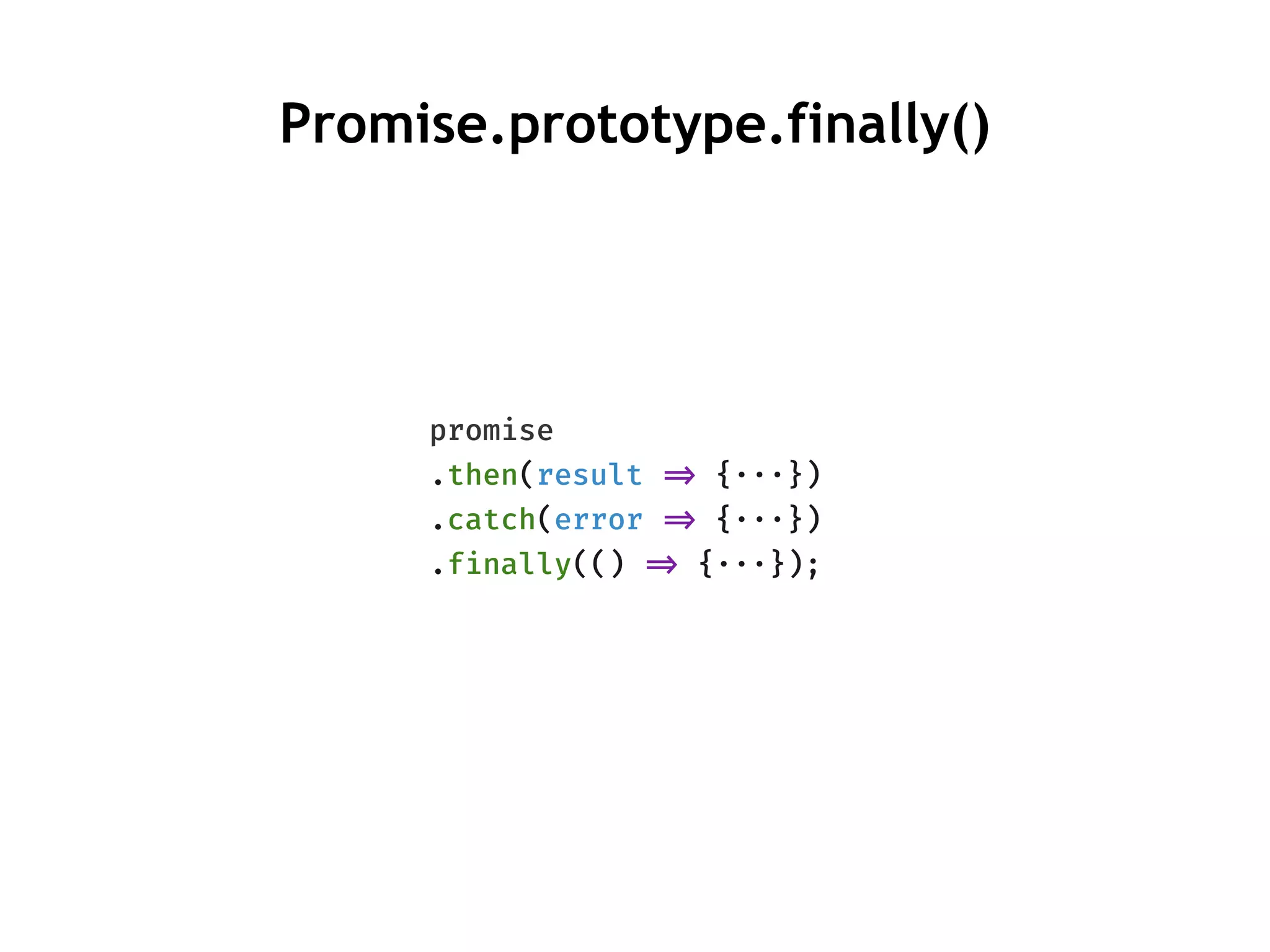
promise
.then(result !=> {···})
.catch(error !=> {···})
.finally(() !=> {···});
Promise.prototype.finally()
Thank You
@ritz078

The hidden and new parts of JS

  • 1.
    !// The hiddenand new parts of JS @ritz078
  • 2.
  • 3.
    function varTest() { varx = 1; if (true) { var x = 2; !// same variable! console.log(x); !// 2 } console.log(x); !// 2 } function letTest() { let x = 1; if (true) { let x = 2; !// different variable console.log(x); !// 2 } console.log(x); !// 1 } Scope letvar
  • 4.
    !// SyntaxError: Missinginitializer in const declaration const a; const const b = [1, 2, 3]; !// Modification without changing reference allowed. b.push(4); !// b = [1, 2, 3, 4] !// throws an error. reassigning not allowed. b = [2, 3];
  • 5.
    console.log(a); !// undefined vara = 5; console.log(b); !// ReferenceError: b is not defined const b = 5; console.log(c); !// ReferenceError: c is not defined let c = 5; Hoisting https://stackoverflow.com/a/31222689/3366126
  • 6.
  • 7.
    for (var i= 0; i < 10; i!++) { setTimeout(function() { console.log(i) }, 5) } var i; for (i = 0; i < 10; i!++) { setTimeout(function() { console.log(i) }, 5) } !// 10 is printed 10 times. 😢
  • 8.
    for (let i= 0; i < 10; i!++) { setTimeout(function() { console.log(i) }, 5) } !// Prints number from 1 to 10 🤔 Why ?
  • 9.
    !// A closureis created. !// Now i is a value and not !// a reference. var _loop = function _loop(i) { setTimeout(function () { console.log(i); }, 5); }; for (var i = 0; i < 10; i!++) { _loop(i); } for (let i = 0; i < 10; i!++) { setTimeout(function() { console.log(i) }, 5) } !// Prints number from 1 to 10 😌
  • 10.
  • 11.
  • 12.
  • 13.
    .sort( ) const arr= [10, 3, 100] const sortedArray = arr.sort(); !// it doesn't correctly sort an array of numbers. 🤔 console.log(sortedArray) !// [10, 100, 3] !// also sorting changes the original array console.log(arr) !// [10, 100, 3] The default sort order is according to string Unicode code points.
  • 14.
    const arr =[10, 3, 100] !// passing a comparator function const sortedArray = arr.sort((a, b) !=> a - b); console.log(sortedArray) !// [3, 10 100]
  • 15.
    ~N !!=== -(N+ 1) Tilde (~) !// equivalent to someStr.indexOf("a") !>= 0 if (~someStr.indexOf("a")) {     !// Found it } else {     !// Not Found }
  • 16.
    .includes () const arr= [1, 2, 3, NaN]; arr.includes(3) !// true !// uses same value zero comparison !// just like map and set. arr.includes(NaN) !// true !// uses Strict Equality Comparison "!!===" arr.indexOf(NaN) !// -1
  • 17.
  • 18.
    !// !|> Indexedaccess to elements !// !|> Has length property !// !|> Does not have array methods such as push,  !// forEach and indexOf const arrayLikeObject = { 0: "hello", 1: "world", length: 2 } console.log(arrayLikeObject[1]) !// hello !// throws error console.log(arrayLikeObject.indexOf("hello"))
  • 19.
    !// Arguments arearray like objects function a () { console.log(Array.isArray(arguments)) !// false console.log(arguments[0]) !// 1 console.log(arguments.length) !// 3 } a(1, 2, 3)
  • 20.
    !// elements isa HTMLCollection !// They are array like objects const elements = document.getElementsByTagName("div") console.log(Array.isArray(elements)) !// false
  • 21.
    Converting array likeobjects to an array !// Can convert array like objects and string into !// an array. Array.from(arguments); !// Borrowing a method from Array Array.prototype.slice.call(arguments); !// Node treats arguments and array like objects differently. !// Anyways, you shouldn't be spreading arguments, it's going !// to cause an engine to deoptimize the entire function. !// https:!//github.com/petkaantonov/bluebird/wiki/Optimization- killers#3-managing-arguments [!!...arguments]
  • 22.
  • 23.
    length !// array-like-object const a= { 0: 1, 1: 2, 2: 3, length: 3 } console.log(Object.keys(a)) !// ["0", "1", "2", "length"]
  • 24.
    function a (){ arguments.length !// 3 Object.keys(arguments) !// ["0", "1", “2"] } a(1,2,3) no length
  • 25.
    .defineProperty() const a ={ 0: 1, 1: 2, 2: 3 } Object.defineProperty(a, "length", { enumerable: false, writable: true, !// can value be modified ? configurable: true, !// can property be deleted ? value: 3 }) console.log(a.length) !// 3 console.log(Object.keys(a)) !// ["0", "1", "2"]
  • 26.
  • 27.
    function sum (a,b, c) { !// the number of arguments actually passed. console.log(arguments.length) !// 2 return a + b + c; } sum(1, 2) !// the number of arguments that the function accepts. console.log(sum.length) !// 3 .length ()
  • 28.
    function sum (a,b, c=3) { return a + b + c; } sum(1, 2) !// the number of arguments that the function accepts. console.log(sum.length) !// ? Gotcha
  • 29.
    !// There isno c here. Now sum.length makes better sense. 😀 function sum(a, b) { var c = arguments.length > 2 !&& arguments[2] !!!== undefined ? arguments[2] : 3; return a + b + c; } sum(1, 2) console.log(sum.length) !// 2
  • 30.
    Dependency Injection var app= angular.module('myApp', []); !// works as expected app.controller('myCtrl', function($scope, $timeout) { $scope.firstName = "John"; $scope.lastName = "Doe"; }); !// works as expected app.controller('myCtrl', function($timeout, $scope) { $scope.firstName = "John"; $scope.lastName = "Doe"; }); In this case, position of argument doesn’t matter but name does. 🤔
  • 31.
    function a($scope, $timeout){ !// your code here } const code = a.toString() !// "function a($scope, $timeout) { !// !// your logic here !// }" const match = code .match(/^functions{0,}[a-zA-Zd_]{0,}(([^)]+))/)[1]; console.log(match.split(", ")) !// ["$scope", "$timeout"] .toString() If the argument name changes after minification, this fails.
  • 32.
  • 33.
    async function (){ let response = await fetch("https:!//random-api/v1"); let user = await response.json(); return user; } !// syntax error in top-level code let response = await fetch("https:!//random-api/v1"); let user = await response.json();
  • 34.
    class Thenable { constructor(num) { this.num = num; } then (resolve, reject) { setTimeout(() !=> resolve(this.num * 2), 1000); } } async function () { let result = await new Thenable(2) alert(result) } a()
  • 35.
    const data =[ fetch("/a"), fetch("/b"), fetch("/c") ] for await (const x of data) { console.log(x) } ES2018: async-for-of Async for-of statements are only allowed within async functions and async generator functions.
  • 36.
  • 37.
    > const map= new Map(); > map.set('foo', 123); > map.get('foo') !// 123 > map.has('foo') !// true > map.delete('foo') !// true > map.has('foo') !// false > map.size !// 1 > map.clear() length is for data structures that are indexable – like arrays.  size is for collections that are unordered like maps and sets.
  • 38.
    !// Any valuecan be a key. const KEY1 = {}; map.set(KEY1, 'hello'); console.log(map.get(KEY1)); !// hello const KEY2 = {}; map.set(KEY2, 'world'); console.log(map.get(KEY2)); !// world Object vs Map
  • 39.
    Object vs Map constmap = new Map (); !// typeof keys is preserved map.set(1, "hello") console.log([!!...map.keys()]) !// [1] const obj = {} !// typeof keys is string obj[1] = "world" console.log(Object.keys(obj)) !// ["1"]
  • 40.
    Object vs Map !//Map const map = new Map (); !// Doesn't override prototype methods map.set("get", "world") console.log(map.get) !// function get() { [native code] } !// Object const obj = {} !// overrides prototype methods obj['toString'] = "override" console.log(obj.toString) !// "override"
  • 41.
  • 42.
    Array vs Set constarr = [1, 2, "3", 3, 3]; const set = new Set(arr); !// O(1) lookup set.has(3) !// only unique values are present. !// They are unique by both type !// and value. set.size !// 4 Array.from(set.values()) !// [1, 2, "3", 3] const arr = [1, 2, "3", 3, 3]; !// O(n) lookup arr.indexOf(3) !// all elements preserved arr.length !// 5
  • 43.
  • 44.
    Rest operator inobject destructuring const obj = {foo: 1, bar: 2, baz: 3}; const {foo, !!...rest} = obj; !// Same as: !// const foo = 1; !// const rest = {bar: 2, baz: 3};
  • 45.
    RegExp capture groups constRE_DATE = /(?<year>[0-9]{4})-(?<month>[0-9] {2})-(?<day>[0-9]{2})/; const matchObj = RE_DATE.exec('1999-12-31'); const year = matchObj.groups.year; !// 1999 const month = matchObj.groups.month; !// 12 const day = matchObj.groups.day; !// 31
  • 46.
    promise .then(result !=> {···}) .catch(error!=> {···}) .finally(() !=> {···}); Promise.prototype.finally()
  • 47.