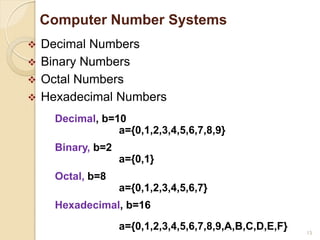
4
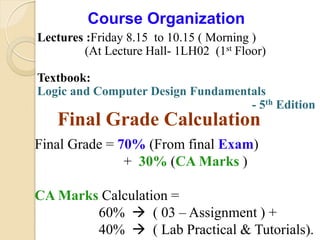
Course Organization
Lectures :Friday8.15 to 10.15 ( Morning )
(At Lecture Hall- 1LH02 (1st Floor)
Textbook:
Logic and Computer Design Fundamentals
- 5th Edition
Final Grade Calculation
Final Grade = 70% (From final Exam)
+ 30% (CA Marks )
CA Marks Calculation =
60% ( 03 – Assignment ) +
40% ( Lab Practical & Tutorials).
5.
5
Course Organization
This ismy email address: harshanag@uom.lk.
Contact Number: 0716-130233 / 0773-606860
My office room : 1st Floor – Department of IT
Course Moodle website: http://moodle.itfac.mrt.ac.lk/
• Extra Lecture schedule , Subject details, etc. posted.
• A tentative set of lecture notes will be posted.
• Modifications may take place right up to, or during
lecture.
• Therefore you should download the class notes after a
lesson.
6.
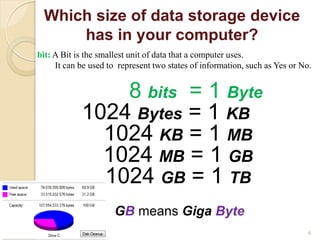
Which size ofdata storage device
has in your computer?
8 bits = 1 Byte
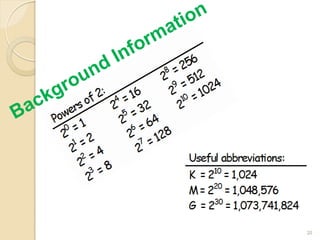
1024 Bytes = 1 KB
1024 KB = 1 MB
1024 MB = 1 GB
1024 GB = 1 TB
GB means Giga Byte
6
bit: A Bit is the smallest unit of data that a computer uses.
It can be used to represent two states of information, such as Yes or No.
7.
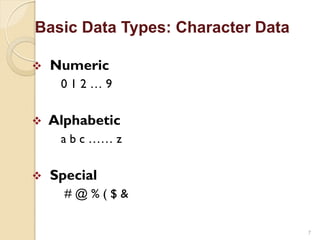
Basic Data Types:Character Data
7
Numeric
0 1 2 … 9
Alphabetic
a b c …… z
Special
# @ % ( $ &
8.
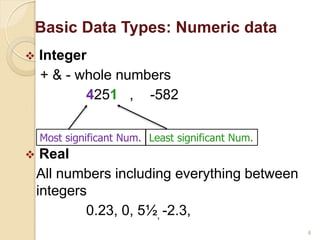
Basic Data Types:Numeric data
8
Integer
+ & - whole numbers
4251 , -582
Real
All numbers including everything between
integers
0.23, 0, 5½, -2.3,
Least significant Num.
Most significant Num.
9.
Data Representation in
Computers
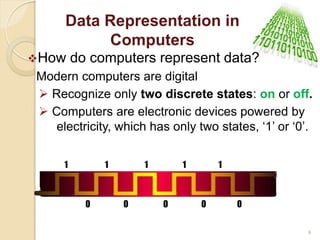
Howdo computers represent data?
Modern computers are digital
Recognize only two discrete states: on or off.
Computers are electronic devices powered by
electricity, which has only two states, „1‟ or „0‟.
1 1 1 1 1
0 0 0 0 0
9
10.
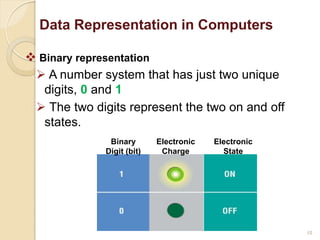
Binary representation
A number system that has just two unique
digits, 0 and 1
The two digits represent the two on and off
states.
Binary
Digit (bit)
Electronic
Charge
Electronic
State
Data Representation in Computers
10
11.
Data Representation inComputers
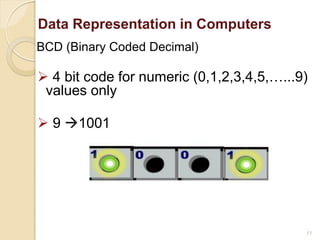
BCD (Binary Coded Decimal)
4 bit code for numeric (0,1,2,3,4,5,…...9)
values only
9 1001
11
12.
Data Representation inComputers
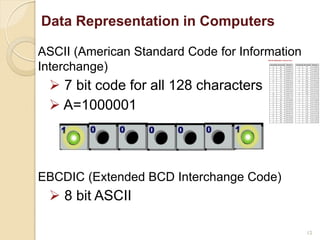
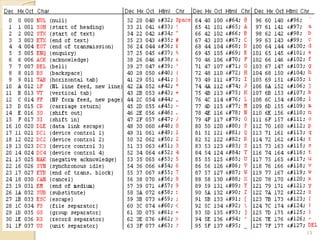
ASCII (American Standard Code for Information
Interchange)
7 bit code for all 128 characters
A=1000001
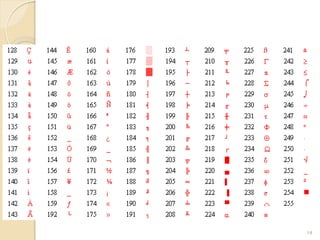
EBCDIC (Extended BCD Interchange Code)
8 bit ASCII
12
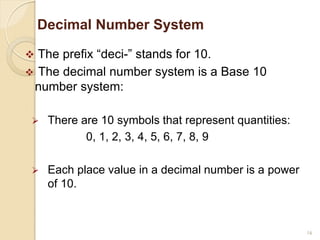
Decimal Number System
The prefix “deci-” stands for 10.
The decimal number system is a Base 10
number system:
There are 10 symbols that represent quantities:
0, 1, 2, 3, 4, 5, 6, 7, 8, 9
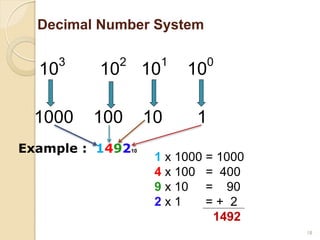
Each place value in a decimal number is a power
of 10.
16
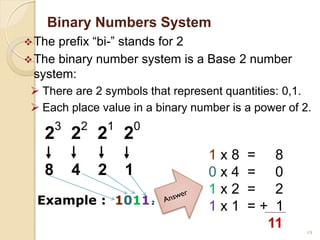
Binary Numbers System
Theprefix “bi-” stands for 2
The binary number system is a Base 2 number
system:
There are 2 symbols that represent quantities: 0,1.
Each place value in a binary number is a power of 2.
8 4 2 1
2
3
2
2
2
1
2
0
19
Example : 10112
1 x 8 = 8
0 x 4 = 0
1 x 2 = 2
1 x 1 = + 1
11
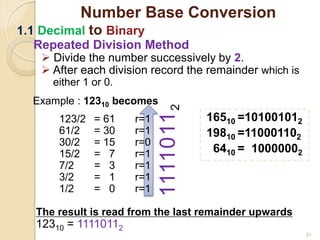
Repeated Division Method
Divide the number successively by 2.
After each division record the remainder which is
either 1 or 0.
Example : 12310 becomes
123/2 = 61 r=1
61/2 = 30 r=1
30/2 = 15 r=0
15/2 = 7 r=1
7/2 = 3 r=1
3/2 = 1 r=1
1/2 = 0 r=1
The result is read from the last remainder upwards
12310 = 11110112
16510 =101001012
19810 =110001102
6410 = 10000002
21
1111011
2
Number Base Conversion
1.1 Decimal to Binary
22.
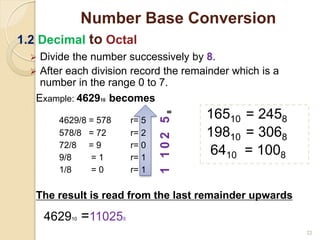
Divide thenumber successively by 8.
After each division record the remainder which is a
number in the range 0 to 7.
Example: 462910 becomes
4629/8 = 578 r= 5
578/8 = 72 r= 2
72/8 = 9 r= 0
9/8 = 1 r= 1
1/8 = 0 r= 1
The result is read from the last remainder upwards
462910 =110258
Number Base Conversion
22
1.2 Decimal to Octal
1
1
0
2
5
8
16510 = 2458
19810 = 3068
6410 = 1008
23.
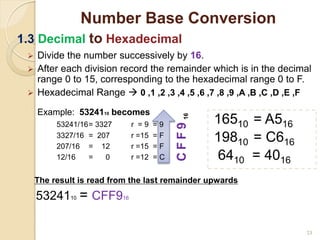
Divide thenumber successively by 16.
After each division record the remainder which is in the decimal
range 0 to 15, corresponding to the hexadecimal range 0 to F.
Hexadecimal Range 0 ,1 ,2 ,3 ,4 ,5 ,6 ,7 ,8 ,9 ,A ,B ,C ,D ,E ,F
Example: 5324110 becomes
53241/16= 3327 r = 9 = 9
3327/16 = 207 r =15 = F
207/16 = 12 r =15 = F
12/16 = 0 r =12 = C
The result is read from the last remainder upwards
5324110 = CFF916
23
Number Base Conversion
1.3 Decimal to Hexadecimal
C
F
F
9
16
16510 = A516
19810 = C616
6410 = 4016
24.
24
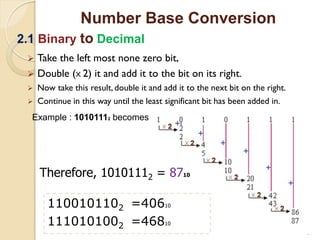
Take theleft most none zero bit,
Double (X 2) it and add it to the bit on its right.
Now take this result, double it and add it to the next bit on the right.
Continue in this way until the least significant bit has been added in.
Number Base Conversion
2.1 Binary to Decimal
Example : 10101112 becomes
Therefore, 10101112 = 8710
1100101102 =40610
1110101002 =46810
25.
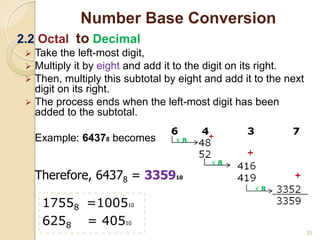
Take theleft-most digit,
Multiply it by eight and add it to the digit on its right.
Then, multiply this subtotal by eight and add it to the next
digit on its right.
The process ends when the left-most digit has been
added to the subtotal.
Example: 64378 becomes
25
Number Base Conversion
2.2 Octal to Decimal
Therefore, 64378 = 335910
17558 =100510
6258 = 40510
26.
26
Number Base Conversion
2.3Hexadecimal to Decimal
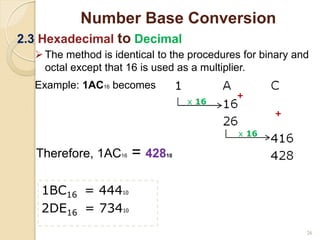
Therefore, 1AC16 = 42810
1BC16 = 44410
2DE16 = 73410
The method is identical to the procedures for binary and
octal except that 16 is used as a multiplier.
Example: 1AC16 becomes
27.
27
Number Base Conversion
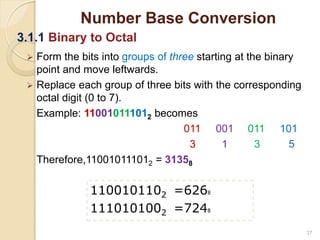
3.1.1Binary to Octal
1100101102 =6268
1110101002 =7248
Form the bits into groups of three starting at the binary
point and move leftwards.
Replace each group of three bits with the corresponding
octal digit (0 to 7).
Example: 110010111012 becomes
011 001 011 101
3 1 3 5
Therefore,110010111012 = 31358
28.
28
Number Base Conversion
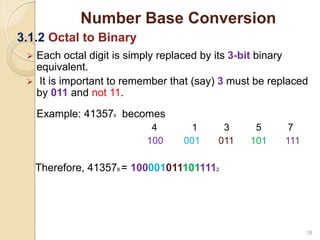
3.1.2Octal to Binary
Each octal digit is simply replaced by its 3-bit binary
equivalent.
It is important to remember that (say) 3 must be replaced
by 011 and not 11.
Example: 413578 becomes
4 1 3 5 7
100 001 011 101 111
Therefore, 413578 = 1000010111011112
29.
29
Number Base Conversion
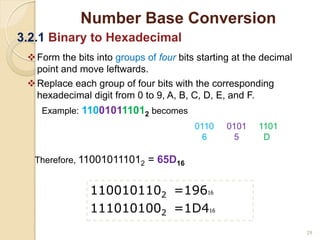
3.2.1Binary to Hexadecimal
1100101102 =19616
1110101002 =1D416
Form the bits into groups of four bits starting at the decimal
point and move leftwards.
Replace each group of four bits with the corresponding
hexadecimal digit from 0 to 9, A, B, C, D, E, and F.
Example: 110010111012 becomes
0110 0101 1101
6 5 D
Therefore, 110010111012 = 65D16
30.
30
Number Base Conversion
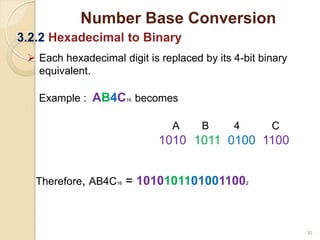
3.2.2Hexadecimal to Binary
Each hexadecimal digit is replaced by its 4-bit binary
equivalent.
Example : AB4C16 becomes
A B 4 C
1010 1011 0100 1100
Therefore, AB4C16 = 10101011010011002
31.
31
Summary
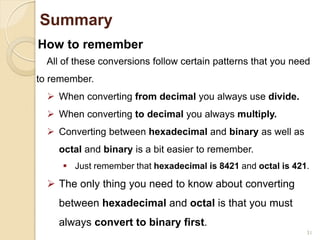
How to remember
Allof these conversions follow certain patterns that you need
to remember.
When converting from decimal you always use divide.
When converting to decimal you always multiply.
Converting between hexadecimal and binary as well as
octal and binary is a bit easier to remember.
Just remember that hexadecimal is 8421 and octal is 421.
The only thing you need to know about converting
between hexadecimal and octal is that you must
always convert to binary first.