HOW BROWSER ENGINES
      WORK?

         Anthony Ricaud, @rik24d
PARDON MY FRENCH


http://www.flickr.com/photos/nitot/6537065859/
PARDON MY FRENCH


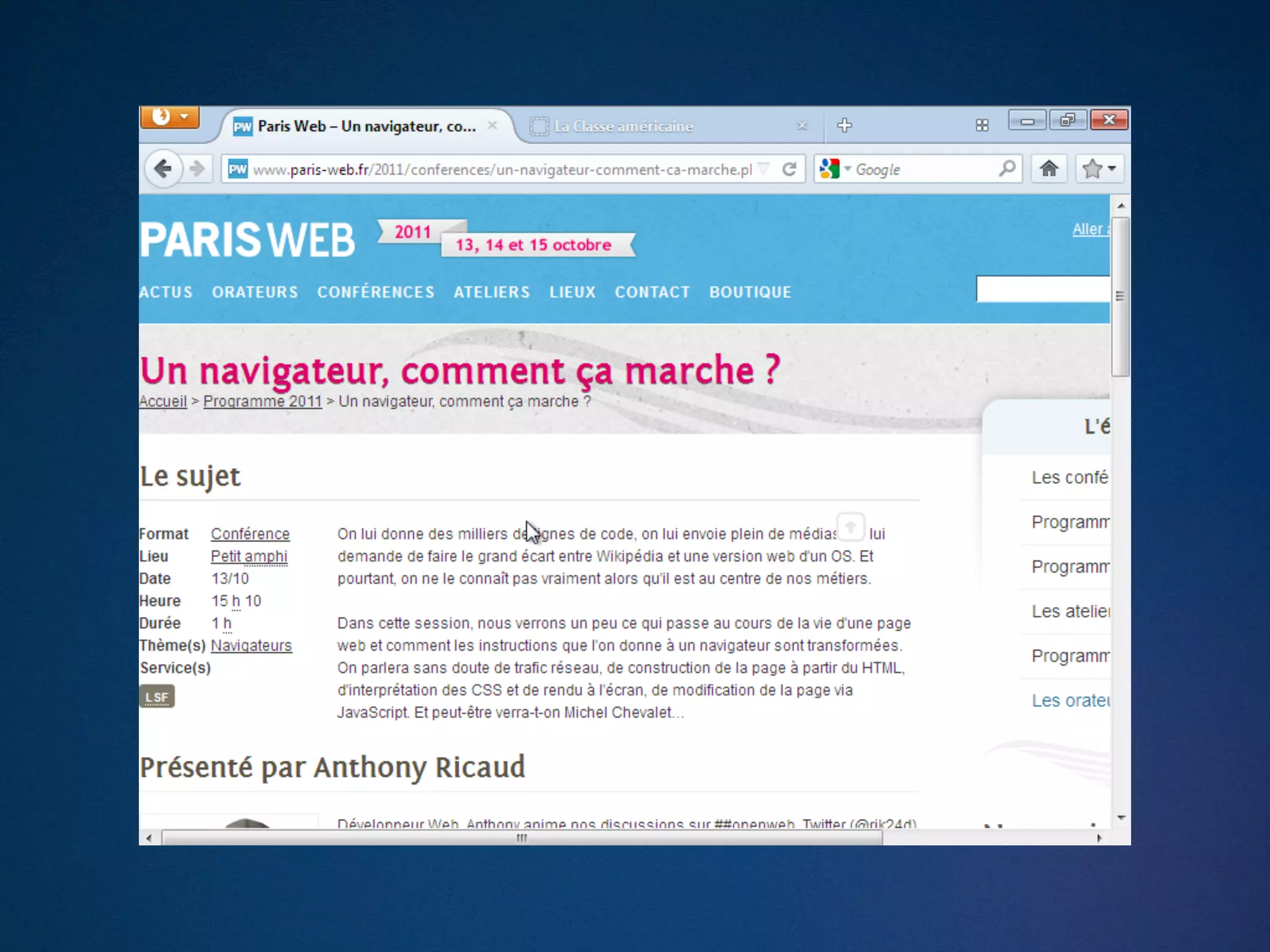
- http://www.paris-web.fr/2011/conferences/
  un-navigateur-comment-ca-marche.php
THIS IS ONLY AN
 INTRODUCTION
WHO ?

- Web developer at Mozilla but
- 2 patches in Firefox
- 23 in WebKit
STANDING ON THE SHOULDERS OF GIANTS
 - Robert O’Callahan, Boris Zbarsky, David Baron
   (Mozilla)
 - Dave Hyatt, Simon Fraser (Apple)
 - Paul Irish, Alex Russell, Tony Gentilcore, (Google)
 - Anne Van Kersteren (Opera)
 - Nicholas Zakas (ex-Yahoo), Eric Law (Microsoft)
STANDING ON THE SHOULDERS OF GIANTS


  - List of documents to prepare this talk
  - http://ricaud.me/nav-marche
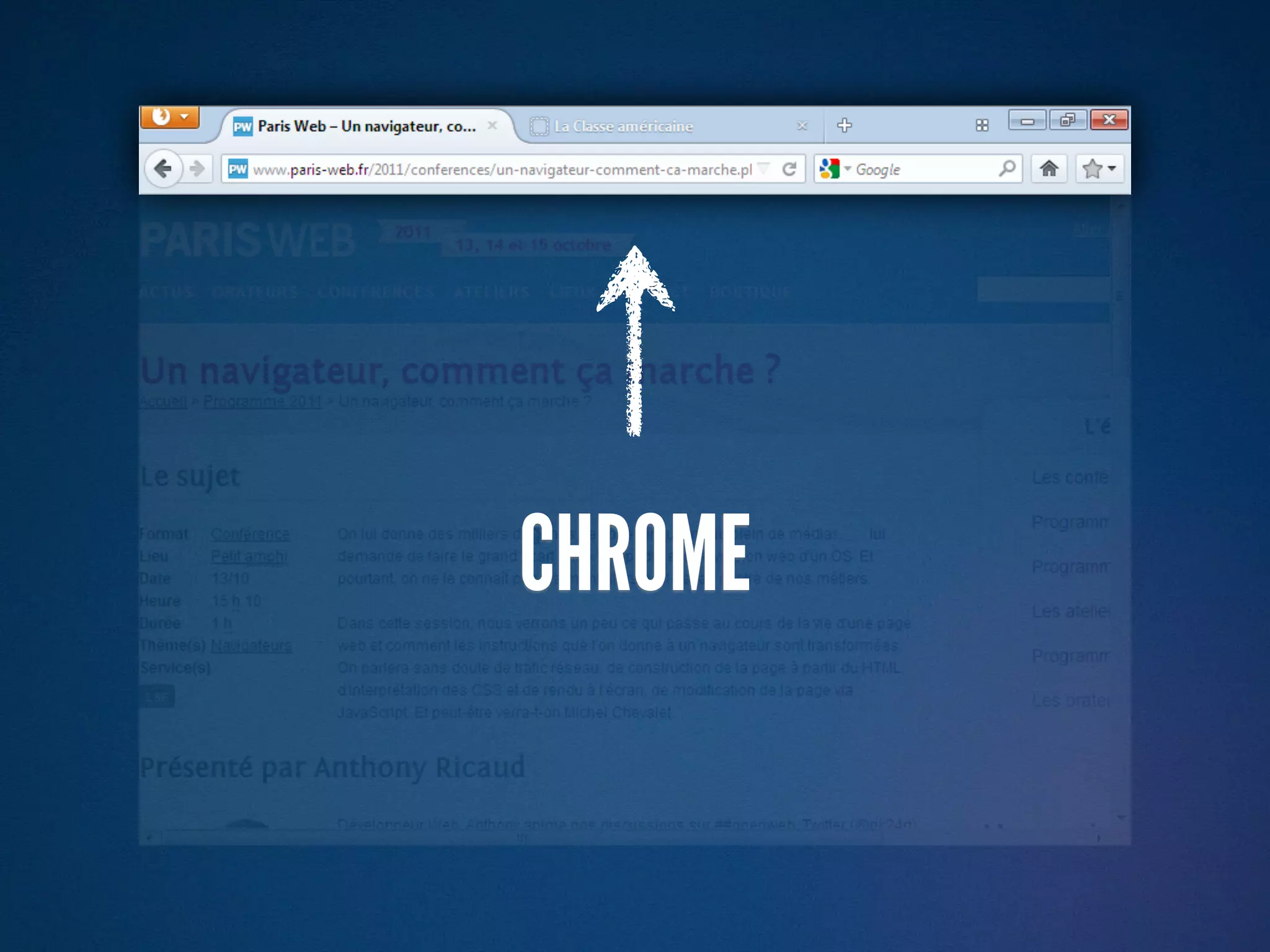
CHROME
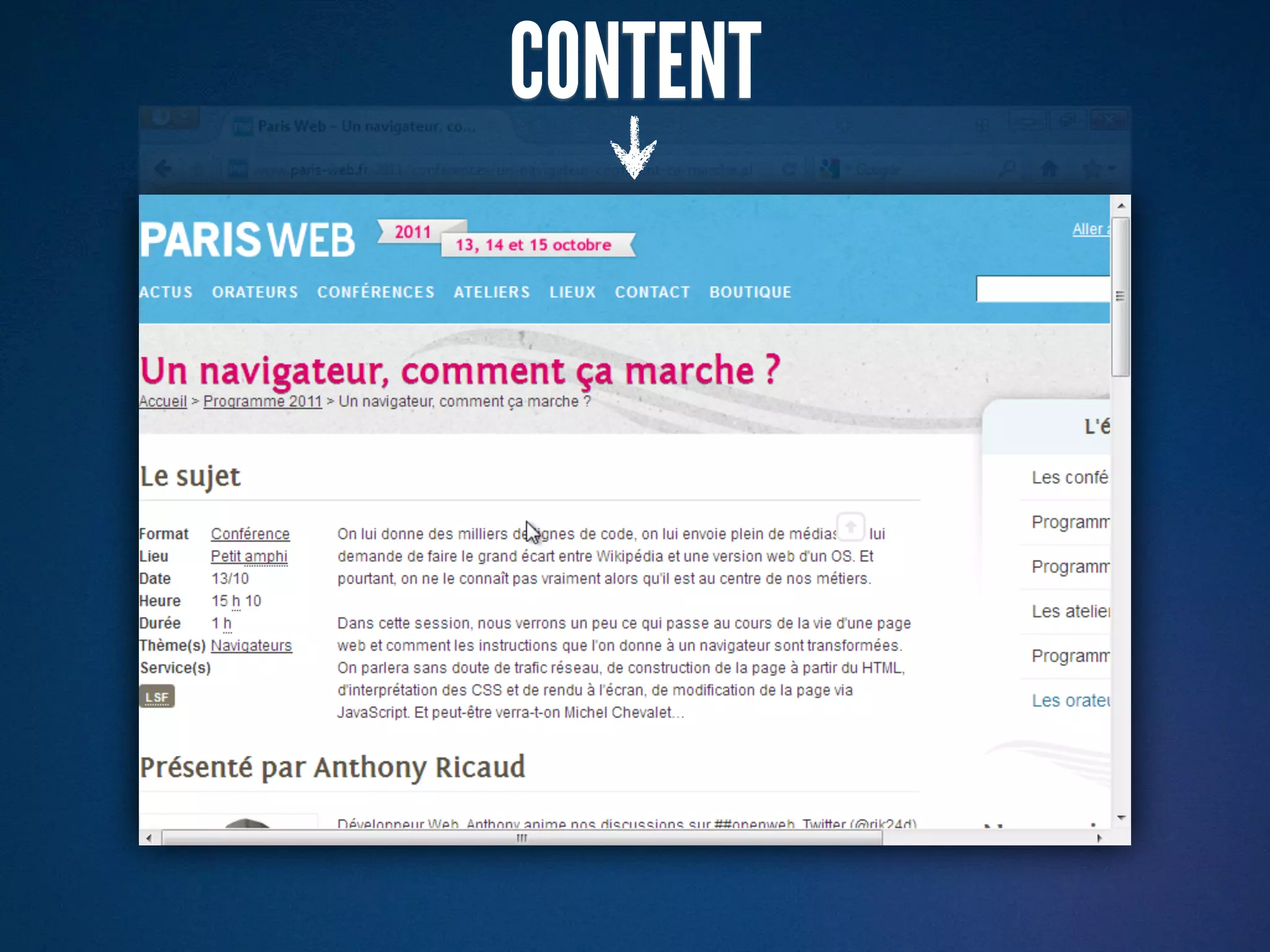
CONTENT
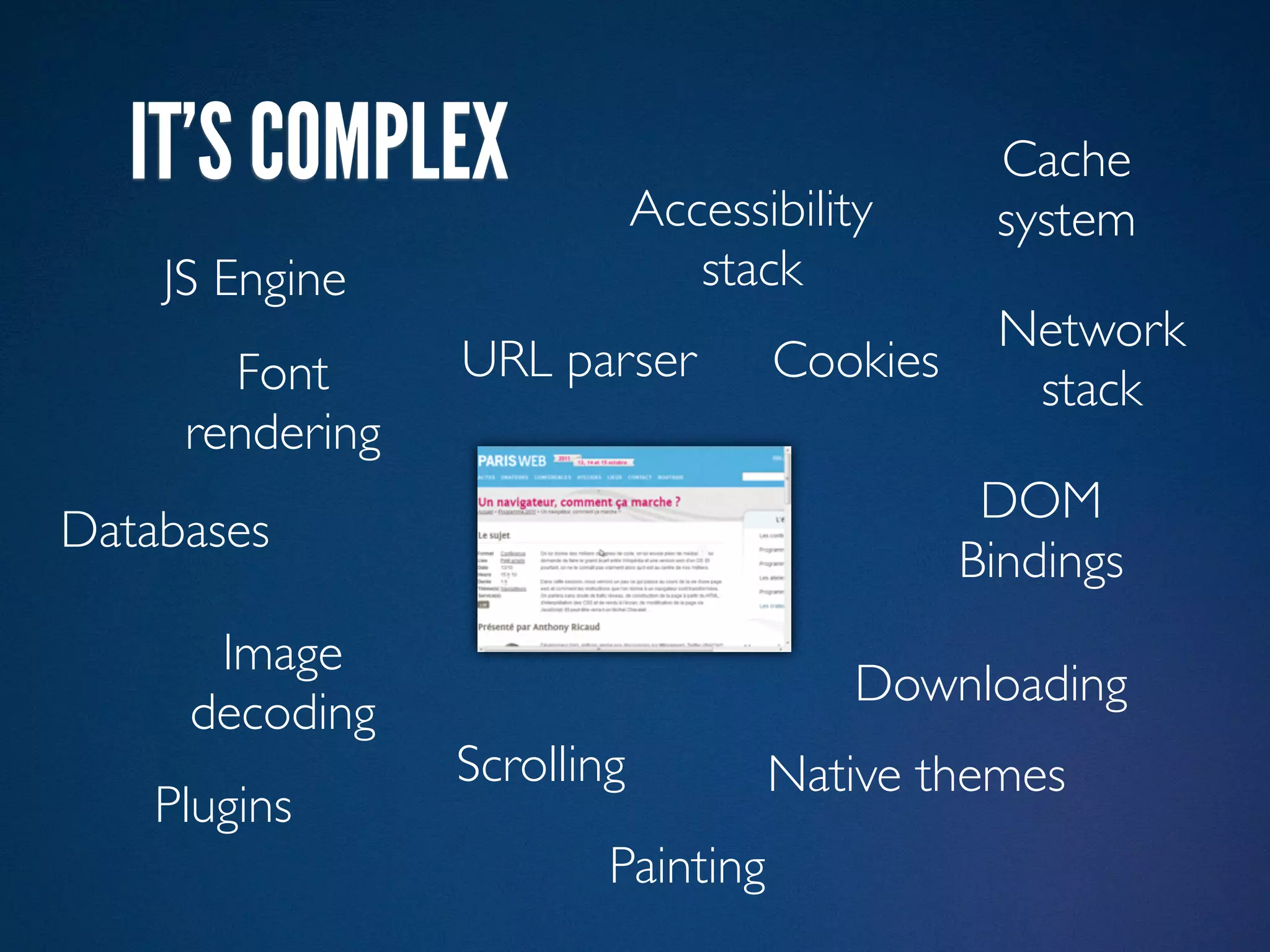
IT’S COMPLEX
IT’S COMPLEX               Accessibility
                                               Cache
                                               system
    JS Engine                   stack
                                               Network
       Font      URL parser         Cookies
                                                stack
     rendering
                                               DOM
Databases
                                              Bindings
      Image
                                         Downloading
     decoding
                 Scrolling          Native themes
    Plugins
                         Painting
PRESTO GECKO   WEBKIT   TRIDENT
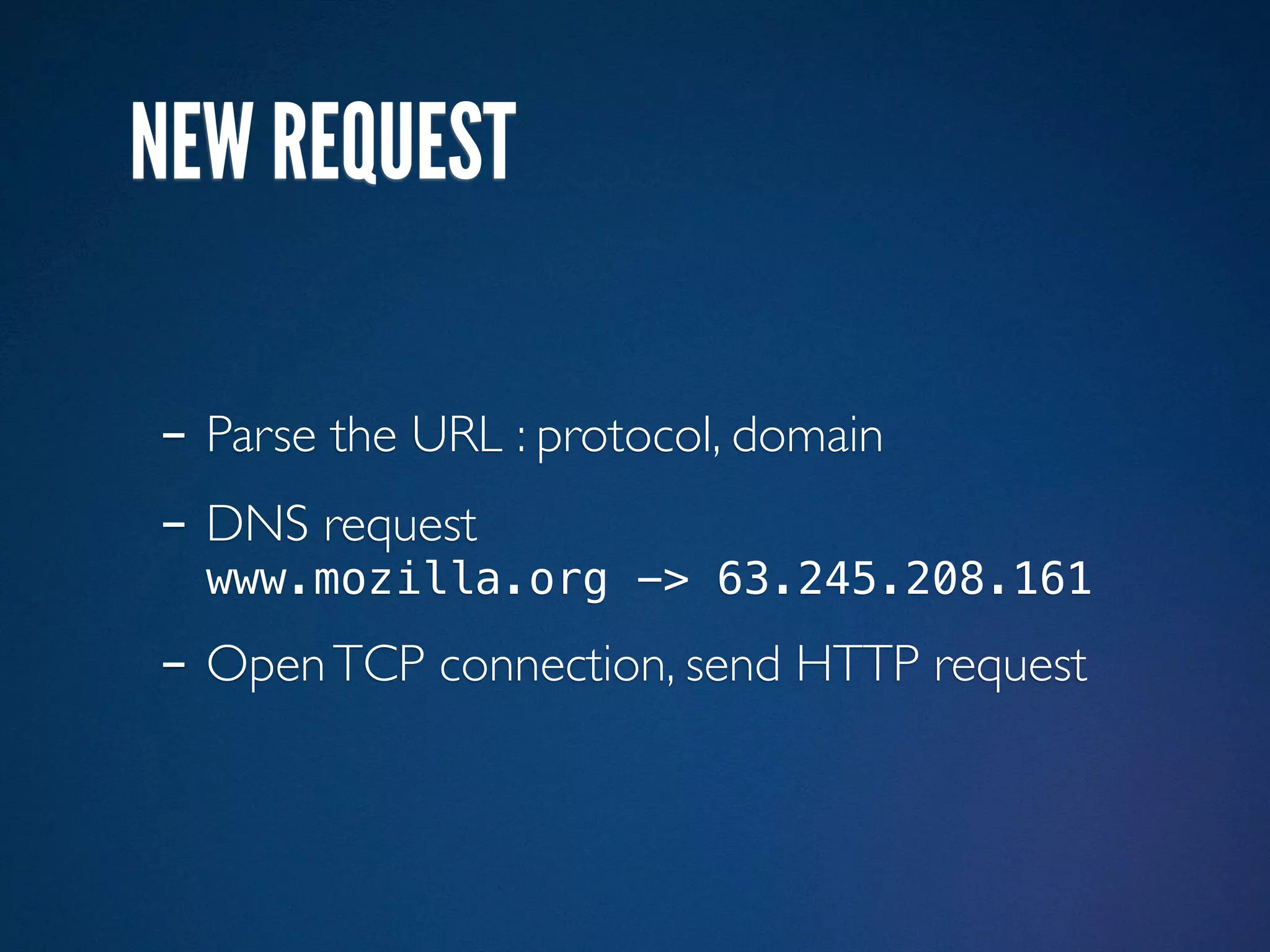
NEW REQUEST

- Parse the URL : protocol, domain
- DNS request
  www.mozilla.org -> 63.245.208.161

- Open TCP connection, send HTTP request
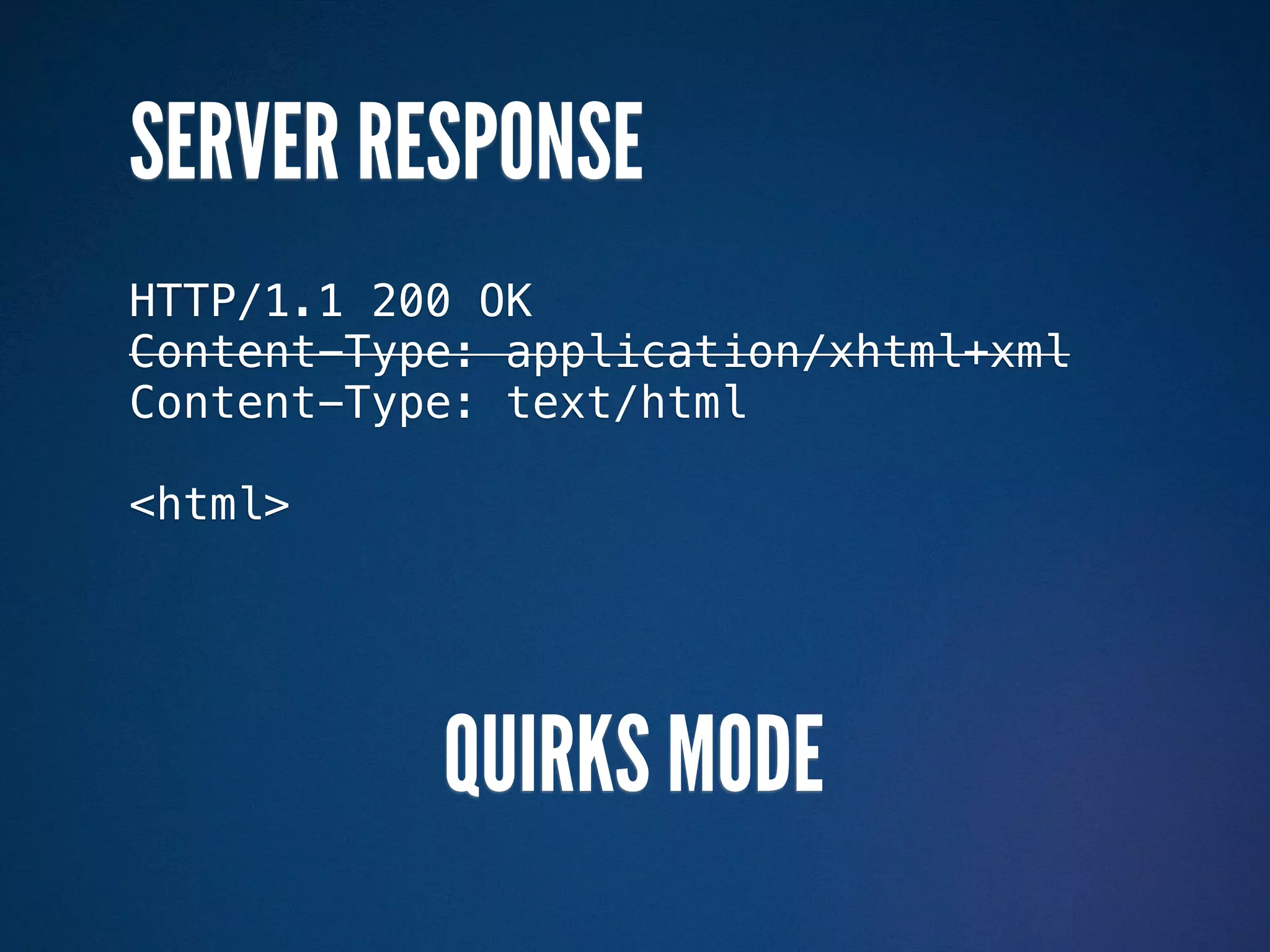
SERVER RESPONSE
HTTP/1.1 200 OK
Content-Type: application/xhtml+xml
SERVER RESPONSE
HTTP/1.1 200 OK
Content-Type: application/xhtml+xml


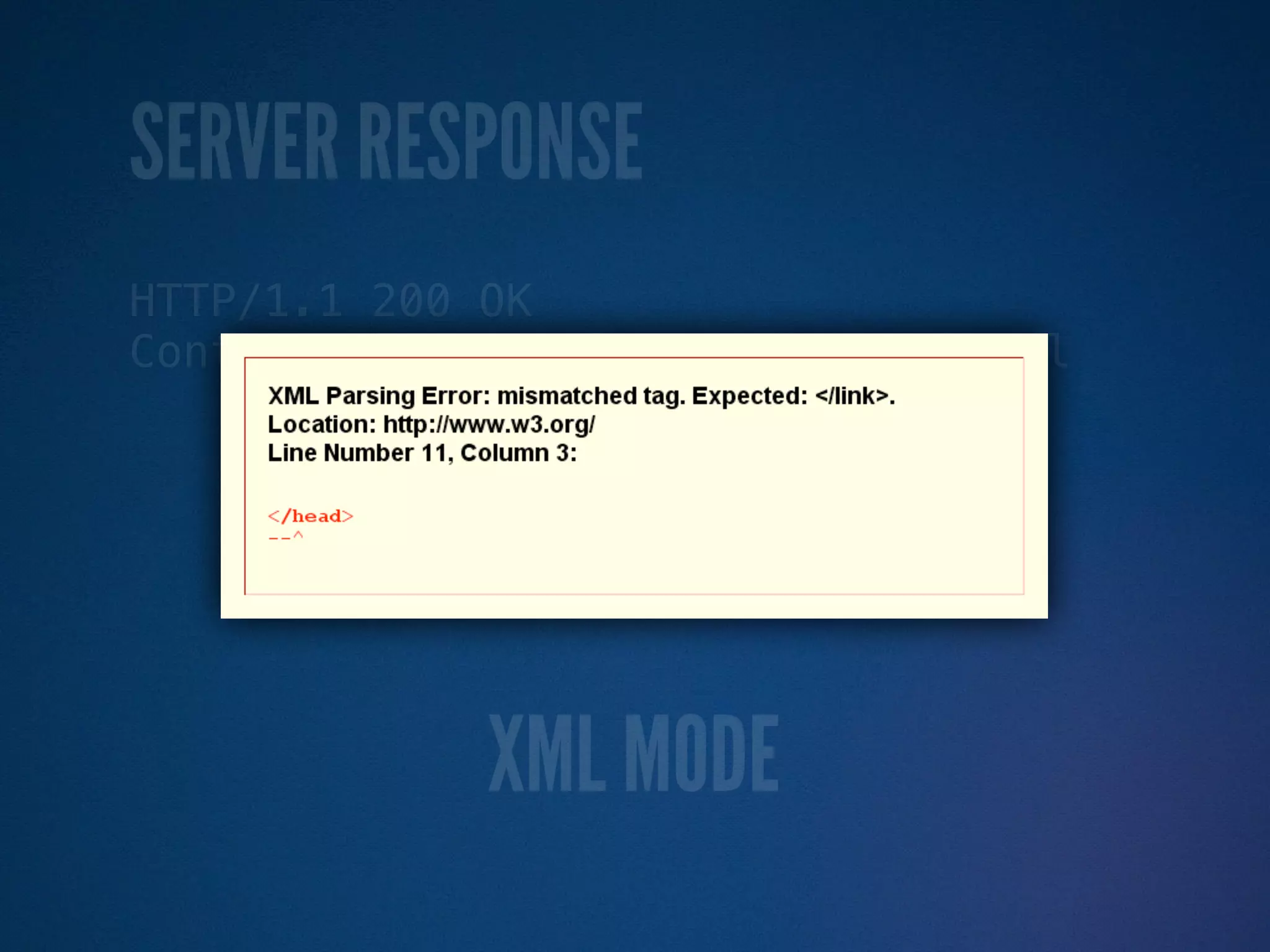
             XML MODE
SERVER RESPONSE
HTTP/1.1 200 OK
Content-Type: application/xhtml+xml


             XML MODE
SERVER RESPONSE
HTTP/1.1 200 OK
Content-Type: application/xhtml+xml


             XML MODE
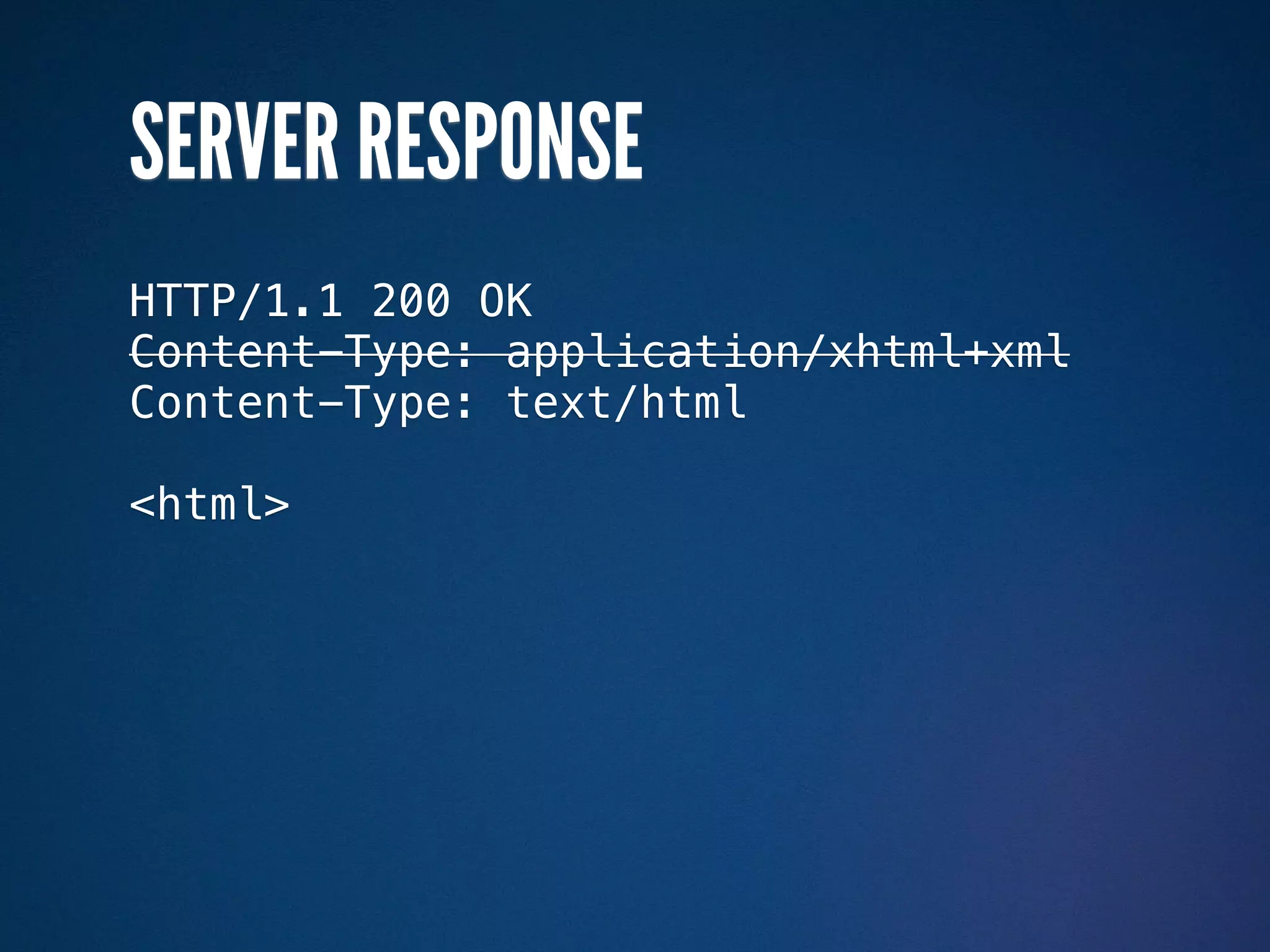
SERVER RESPONSE
HTTP/1.1 200 OK
Content-Type: application/xhtml+xml
Content-Type: text/html

<html>
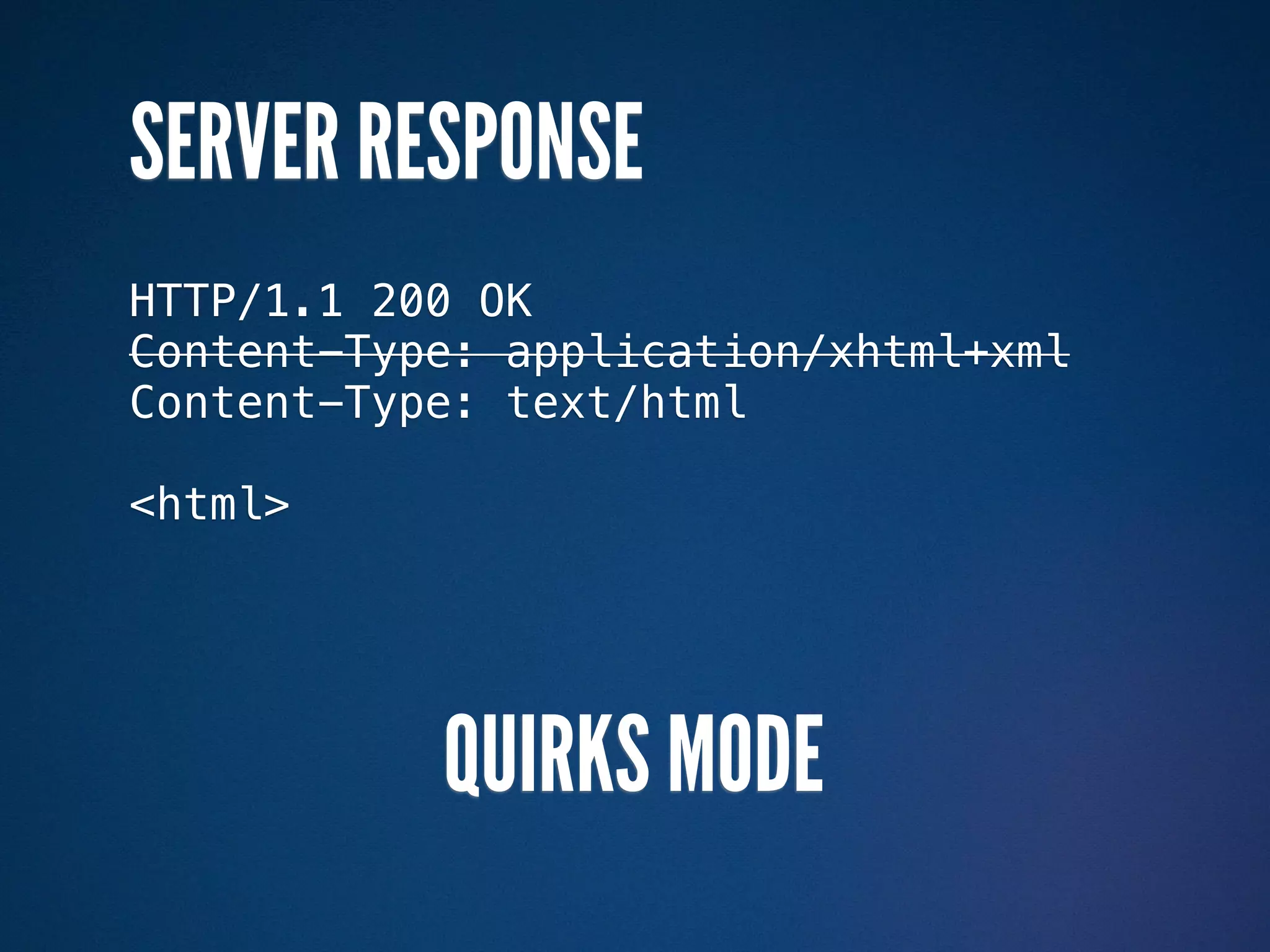
SERVER RESPONSE
HTTP/1.1 200 OK
Content-Type: application/xhtml+xml
Content-Type: text/html

<html>


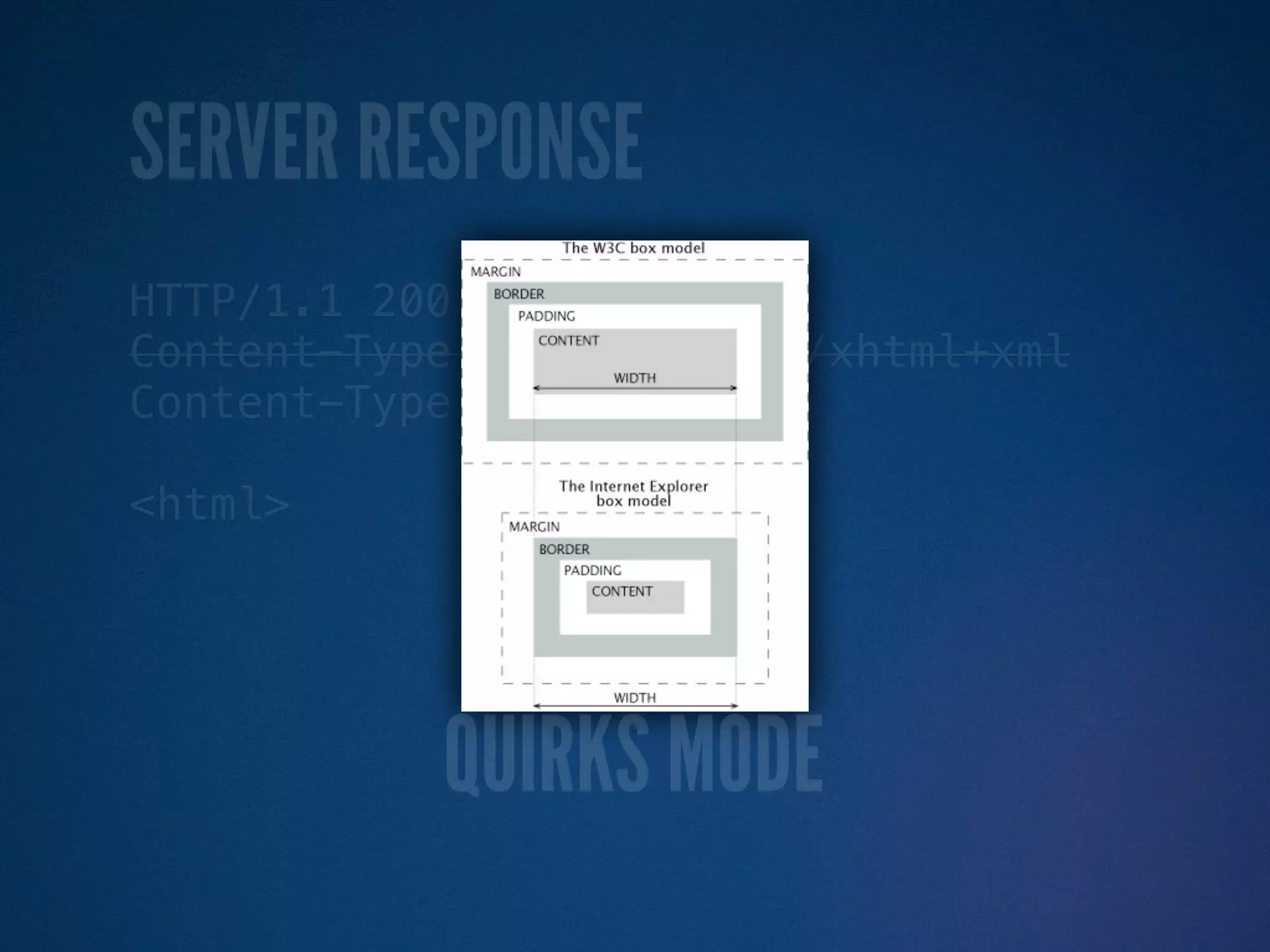
           QUIRKS MODE
SERVER RESPONSE
HTTP/1.1 200 OK
Content-Type: application/xhtml+xml
Content-Type: text/html

<html>


           QUIRKS MODE
SERVER RESPONSE
HTTP/1.1 200 OK
Content-Type: application/xhtml+xml
Content-Type: text/html

<html>


           QUIRKS MODE
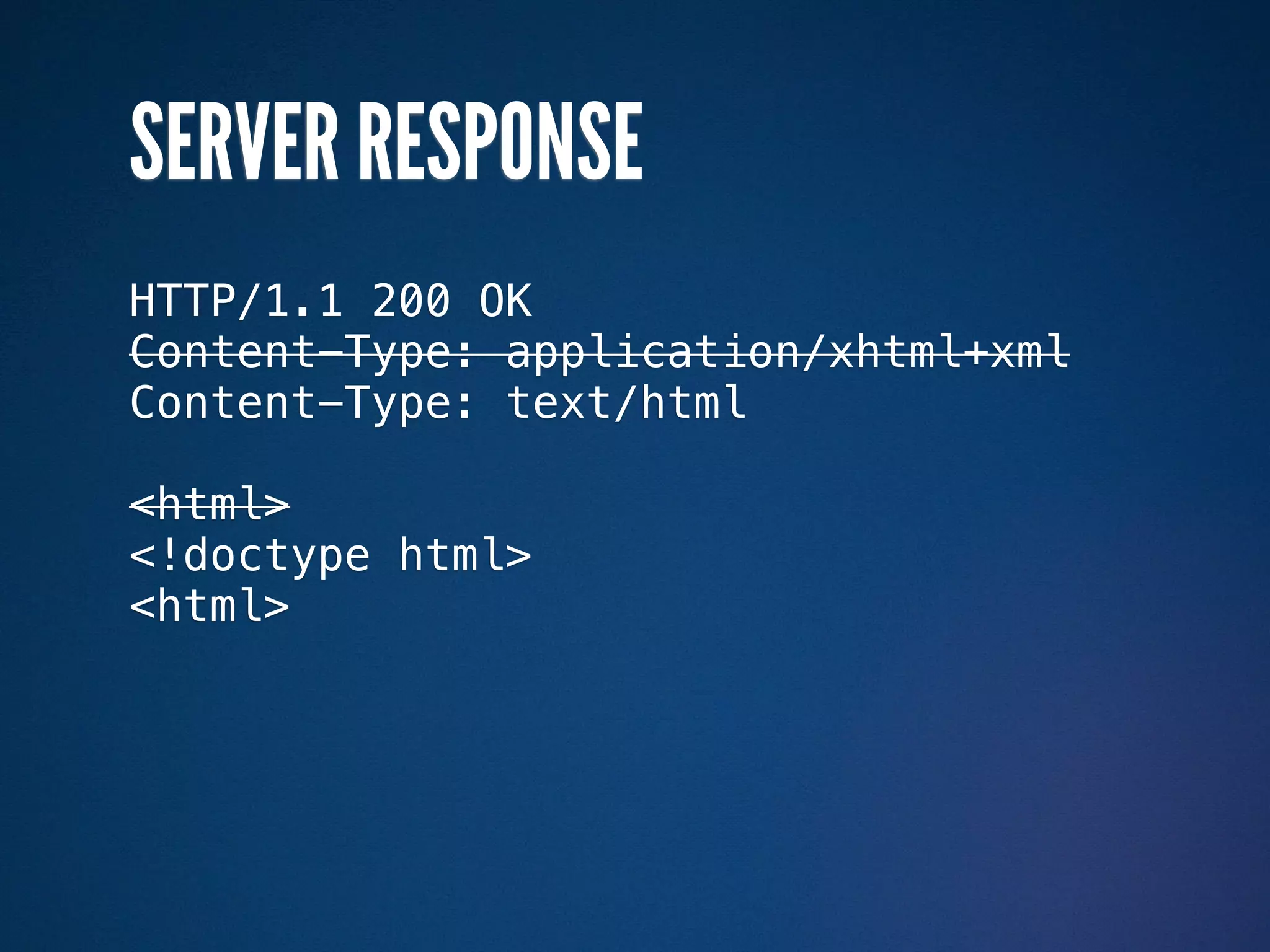
SERVER RESPONSE
HTTP/1.1 200 OK
Content-Type: application/xhtml+xml
Content-Type: text/html

<html>
<!doctype html>
<html>
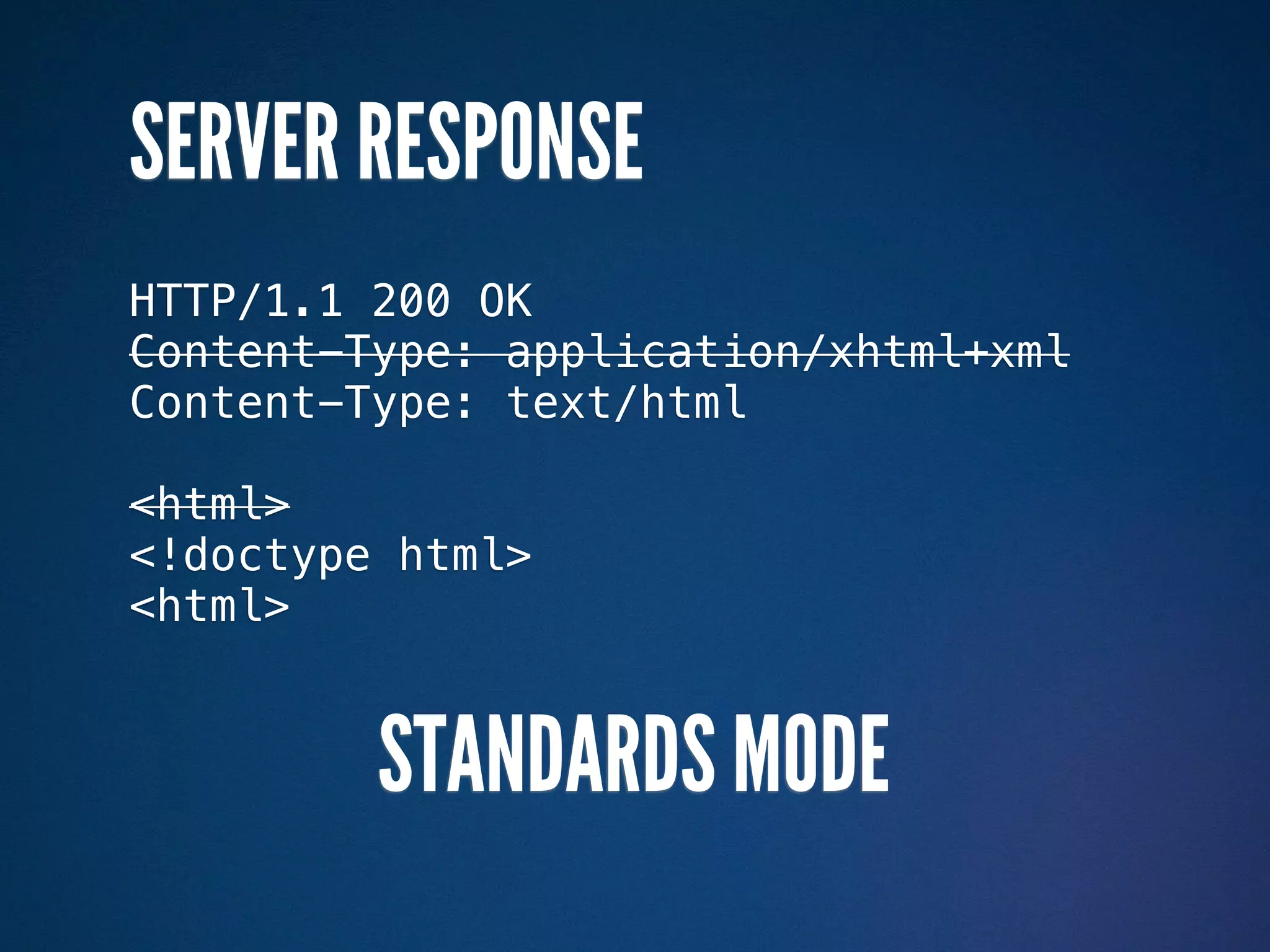
SERVER RESPONSE
HTTP/1.1 200 OK
Content-Type: application/xhtml+xml
Content-Type: text/html

<html>
<!doctype html>
<html>


         STANDARDS MODE
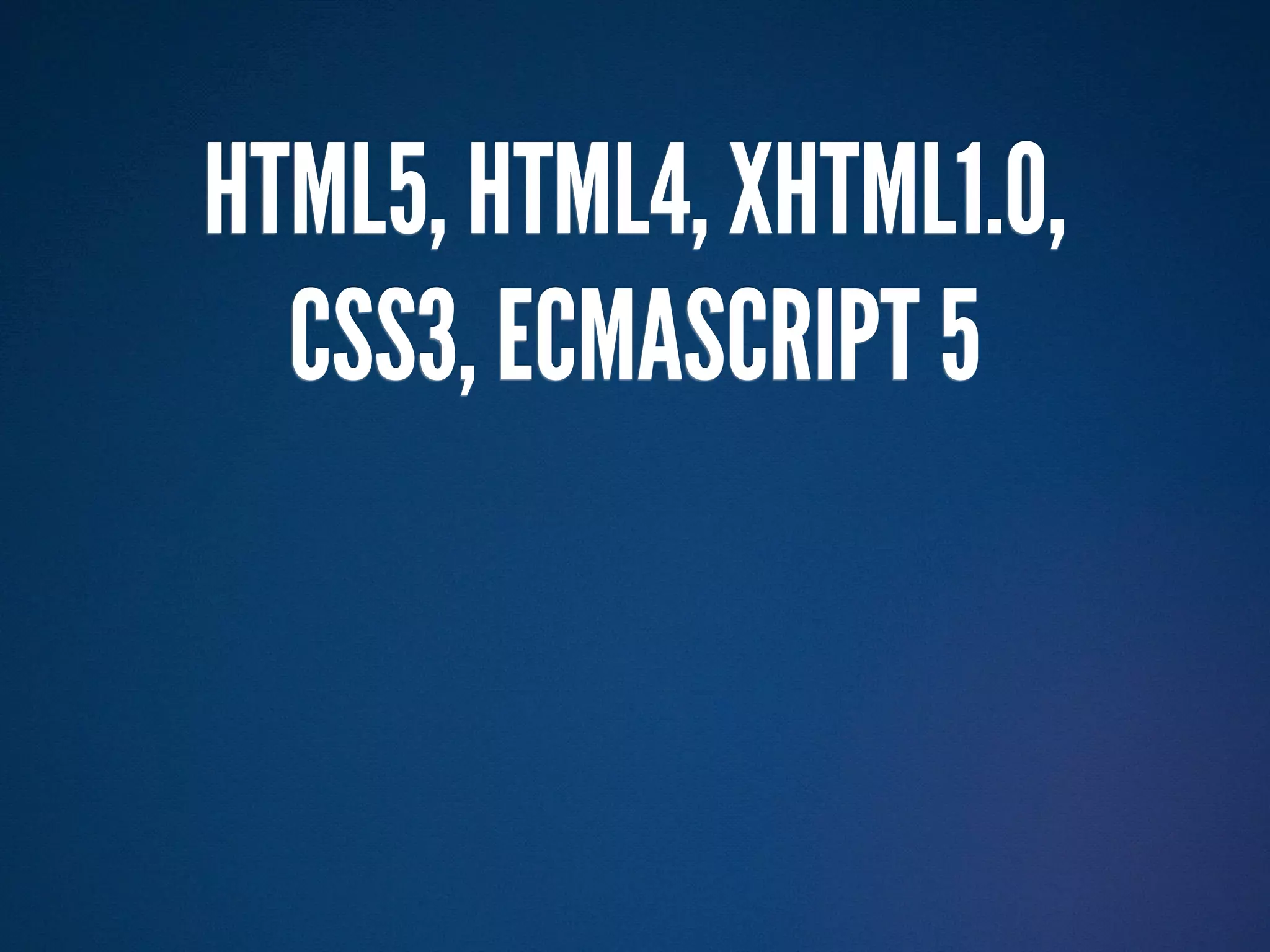
HTML5, HTML4, XHTML1.0,
  CSS3, ECMASCRIPT 5
HTML5, HTML4, XHTML1.0,
  CSS3, ECMASCRIPT 5

   THEY DON’T CARE
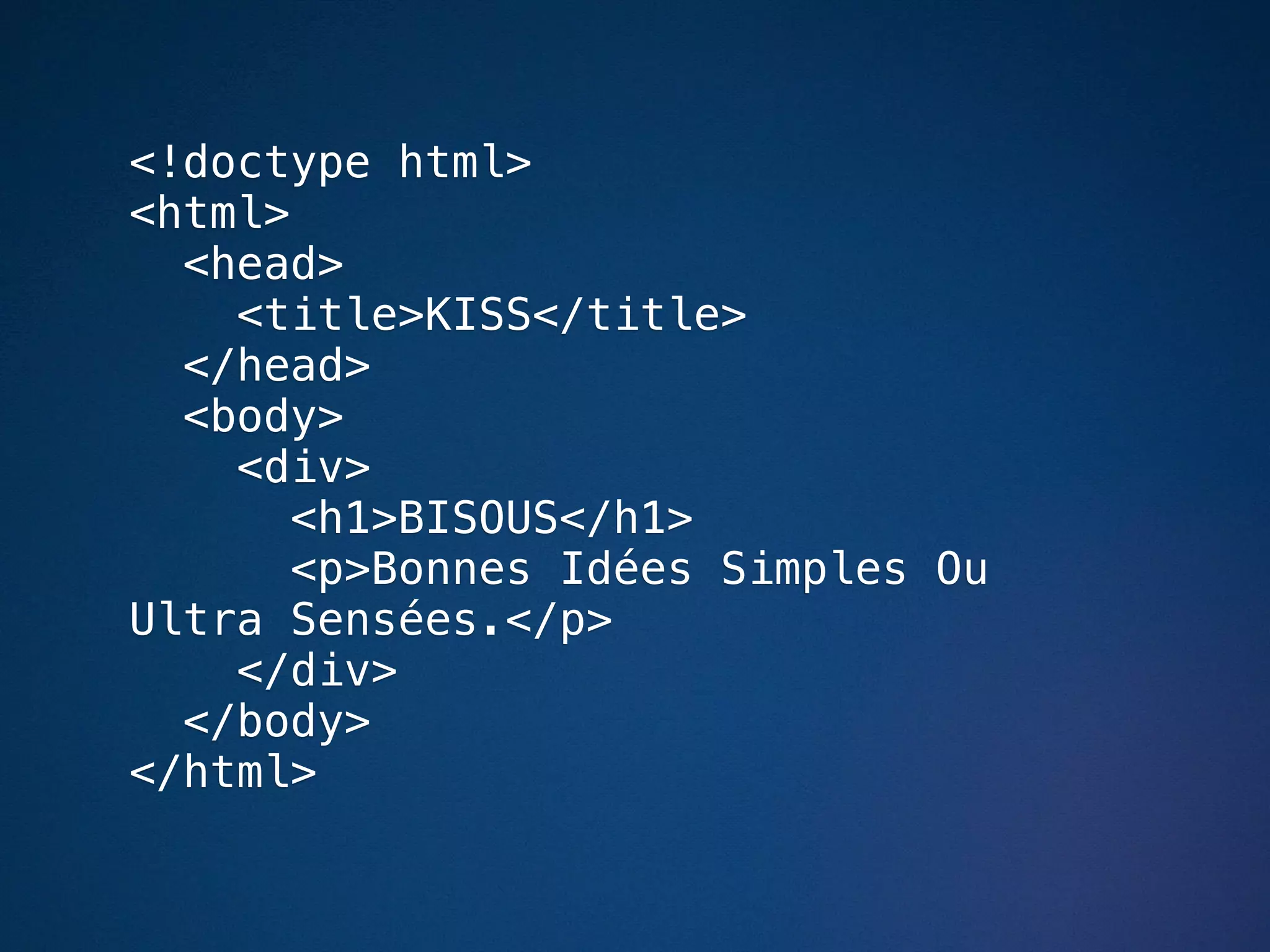
<!doctype html>
<html>
  <head>
    <title>KISS</title>
  </head>
  <body>
    <div>
       <h1>BISOUS</h1>
       <p>Bonnes Idées Simples Ou
Ultra Sensées.</p>
    </div>
  </body>
</html>
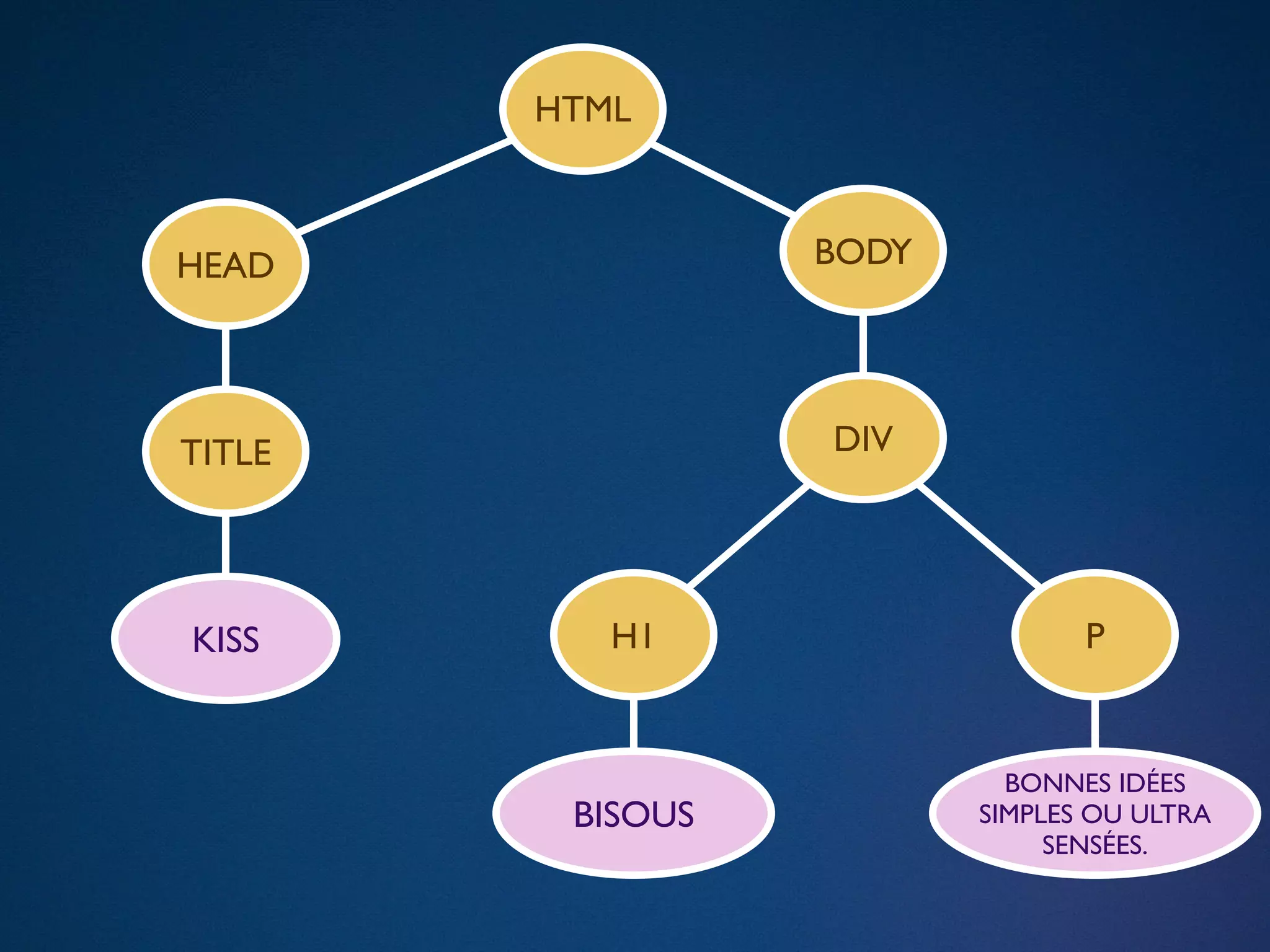
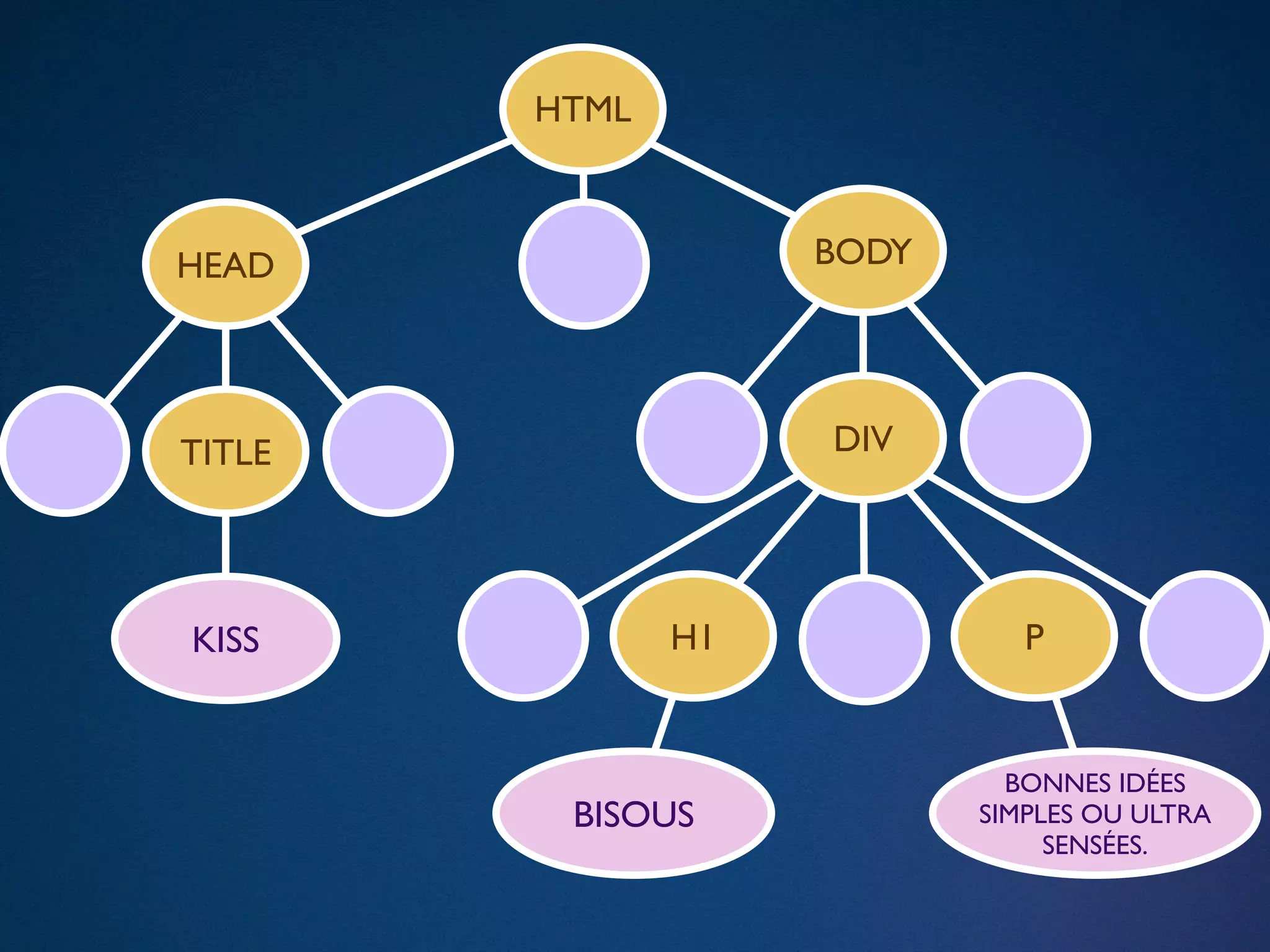
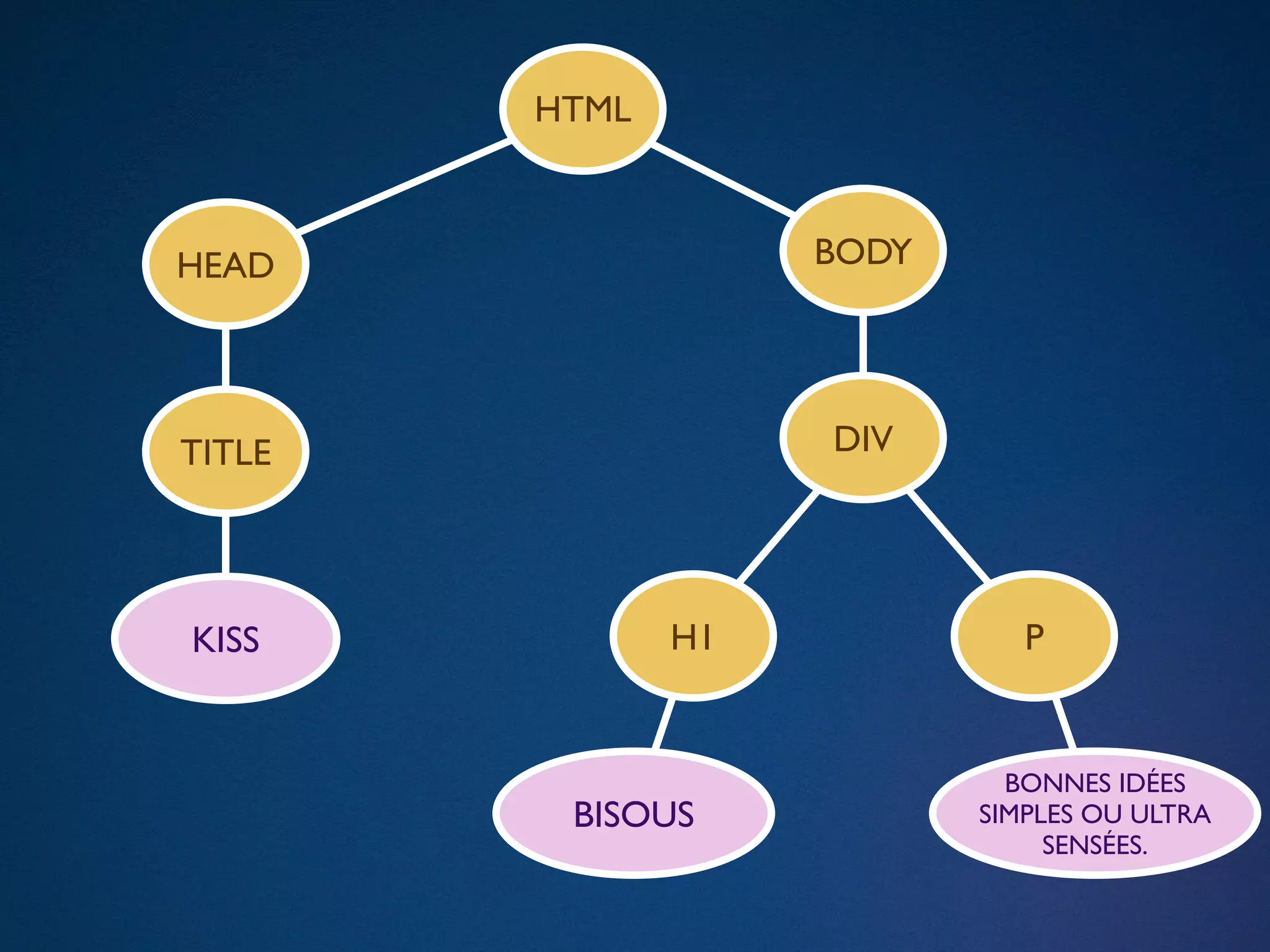
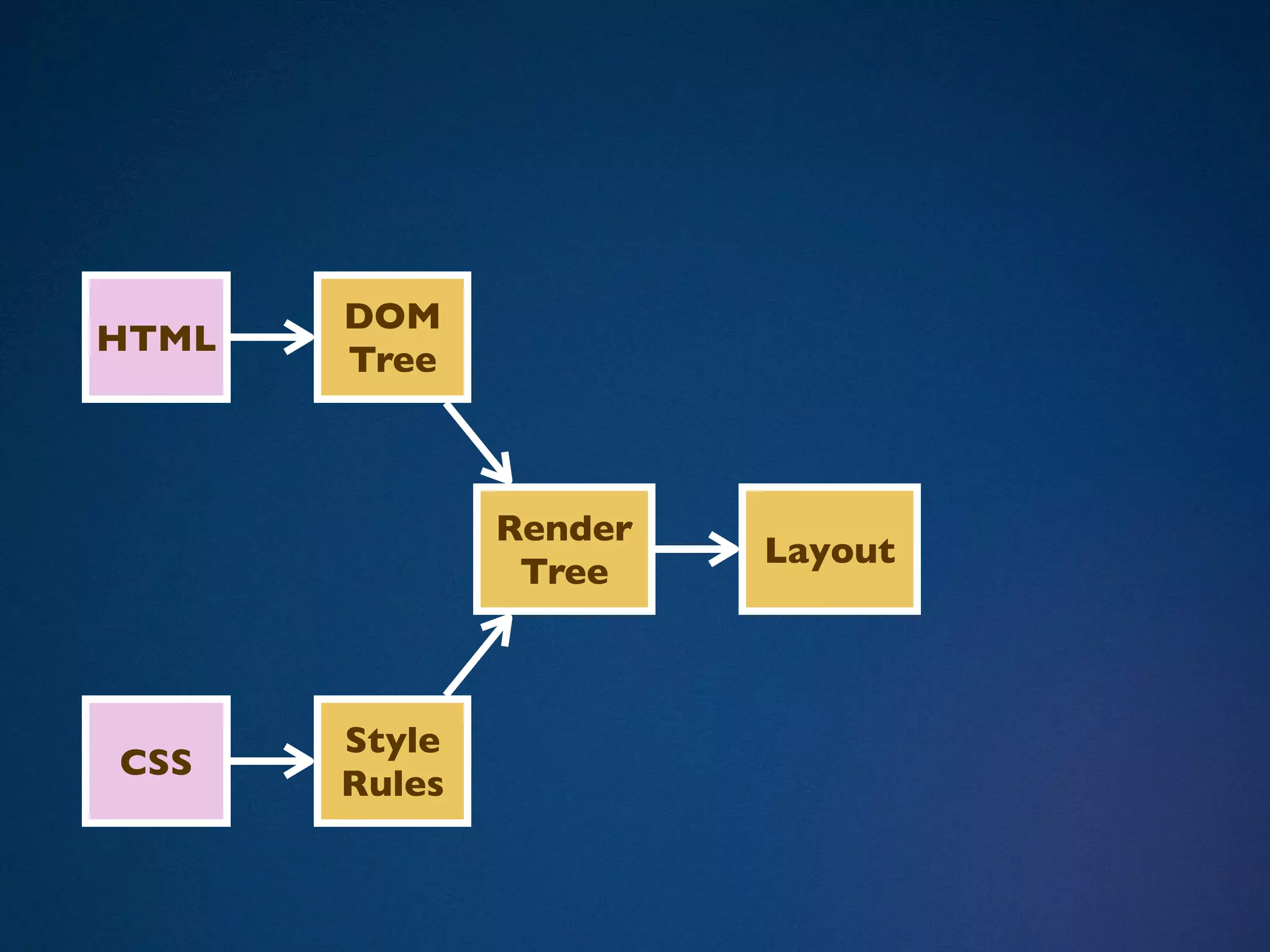
HTML


HEAD              BODY


TITLE             DIV


KISS       H1                   P


                           BONNES IDÉES
         BISOUS          SIMPLES OU ULTRA
                              SENSÉES.
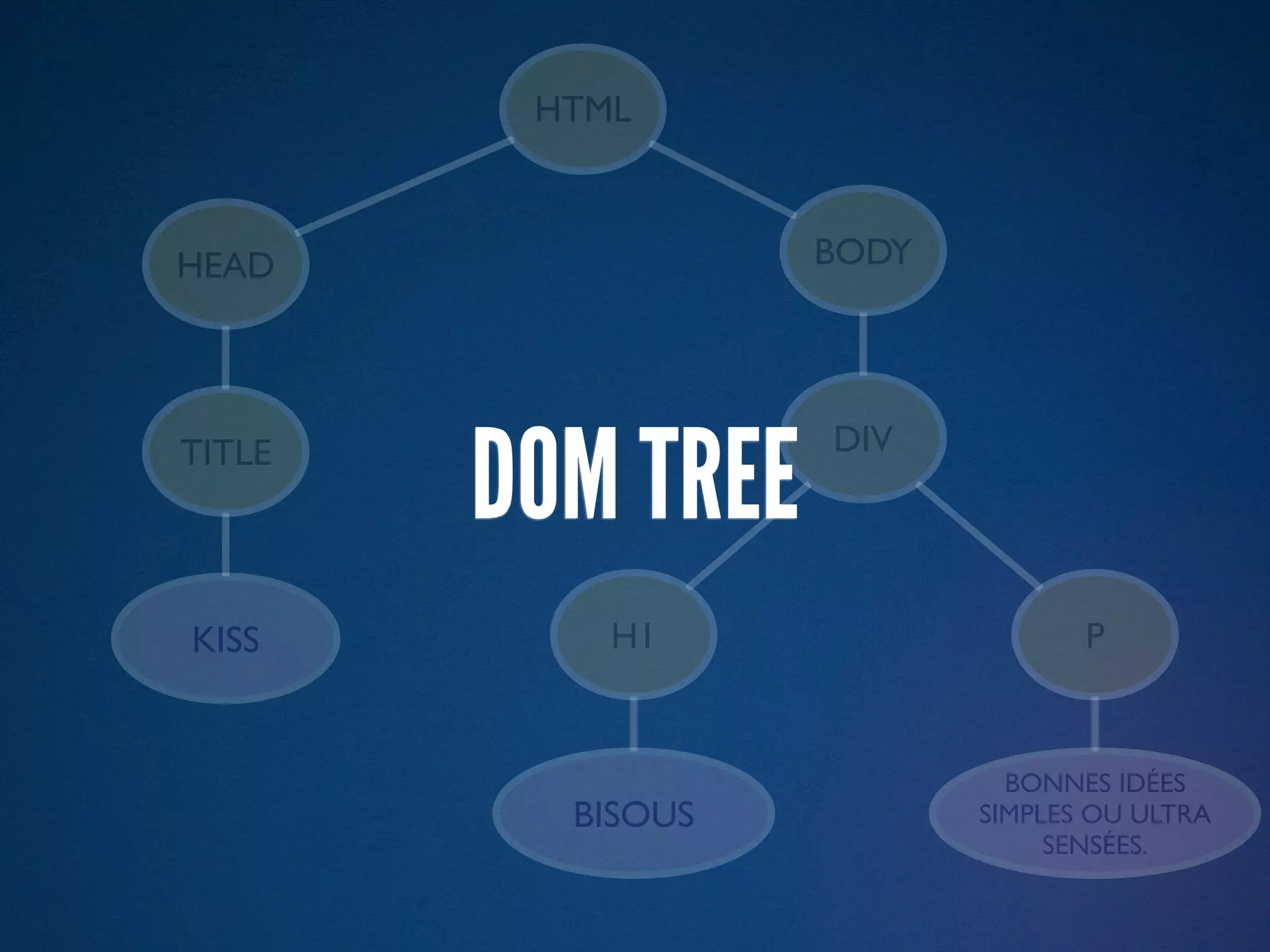
HTML


HEAD               BODY


        DOM TREE
TITLE              DIV


KISS        H1                   P


                            BONNES IDÉES
          BISOUS          SIMPLES OU ULTRA
                               SENSÉES.
HTML


HEAD                BODY


TITLE               DIV


KISS           H1             P


                             BONNES IDÉES
         BISOUS            SIMPLES OU ULTRA
                                SENSÉES.
HTML


HEAD                BODY


TITLE               DIV


KISS           H1             P


                             BONNES IDÉES
         BISOUS            SIMPLES OU ULTRA
                                SENSÉES.
SUB-RESOURCES
SUB-RESOURCES
- Image
SUB-RESOURCES
- Image
 - Launch a download, non-blocking
SUB-RESOURCES
- Image
 - Launch a download, non-blocking
 - Runs an image decoder
SUB-RESOURCES
- Image
 - Launch a download, non-blocking
 - Runs an image decoder
- CSS
SUB-RESOURCES
- Image
 - Launch a download, non-blocking
 - Runs an image decoder
- CSS
 - Launch a download, non-blocking
SUB-RESOURCES
- Image
 - Launch a download, non-blocking
 - Runs an image decoder
- CSS
 - Launch a download, non-blocking
 - Then it gets interesting…
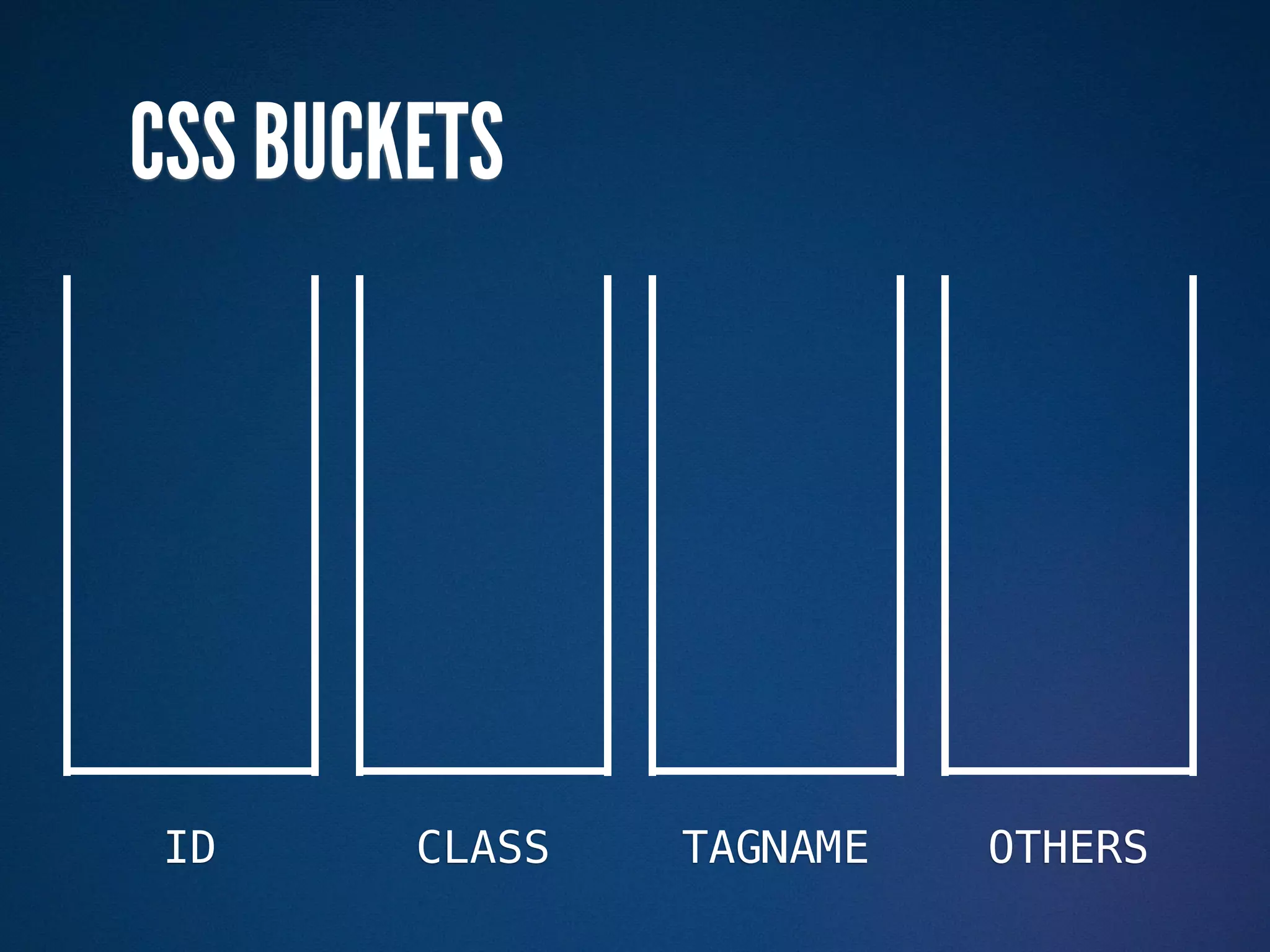
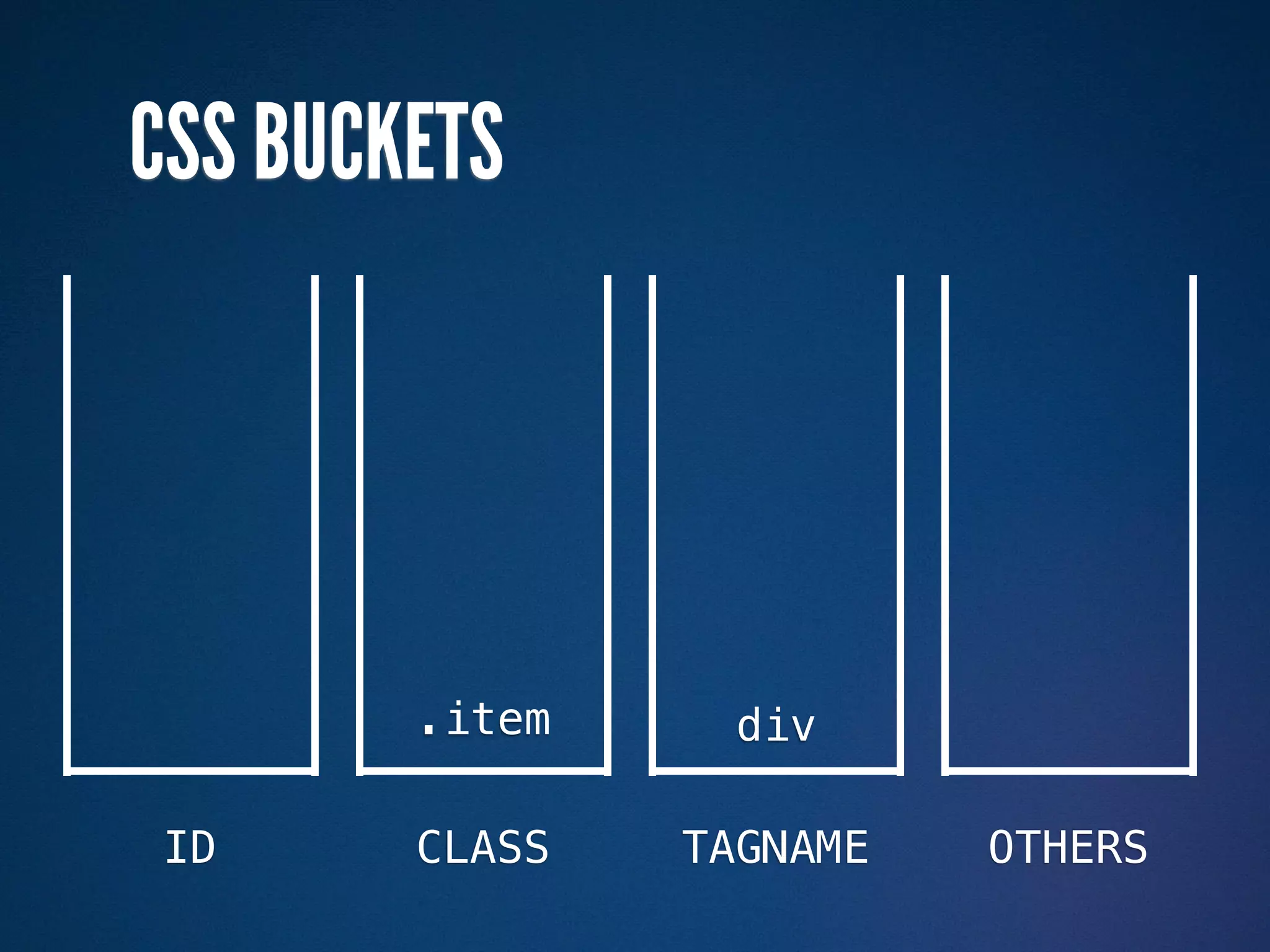
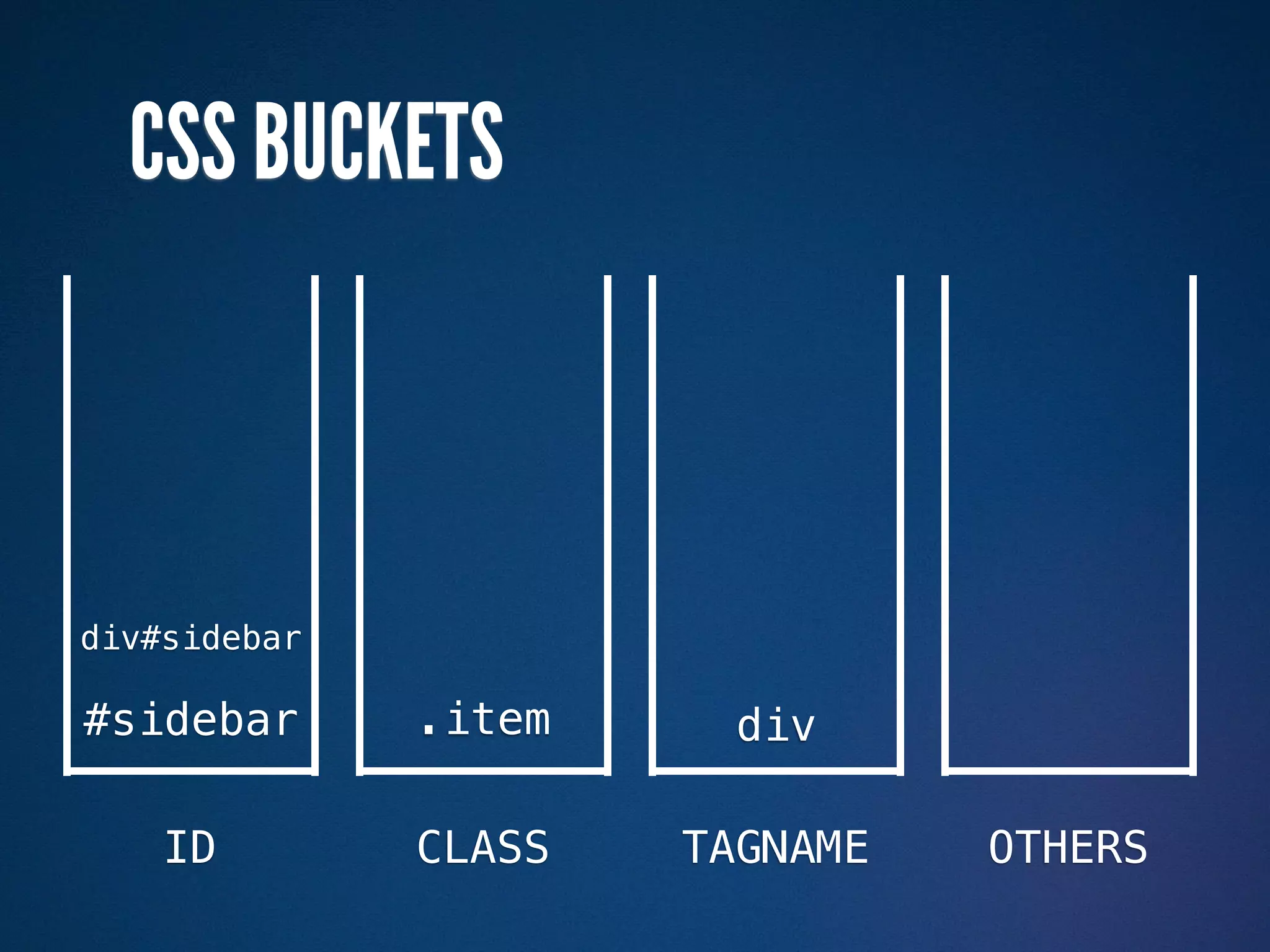
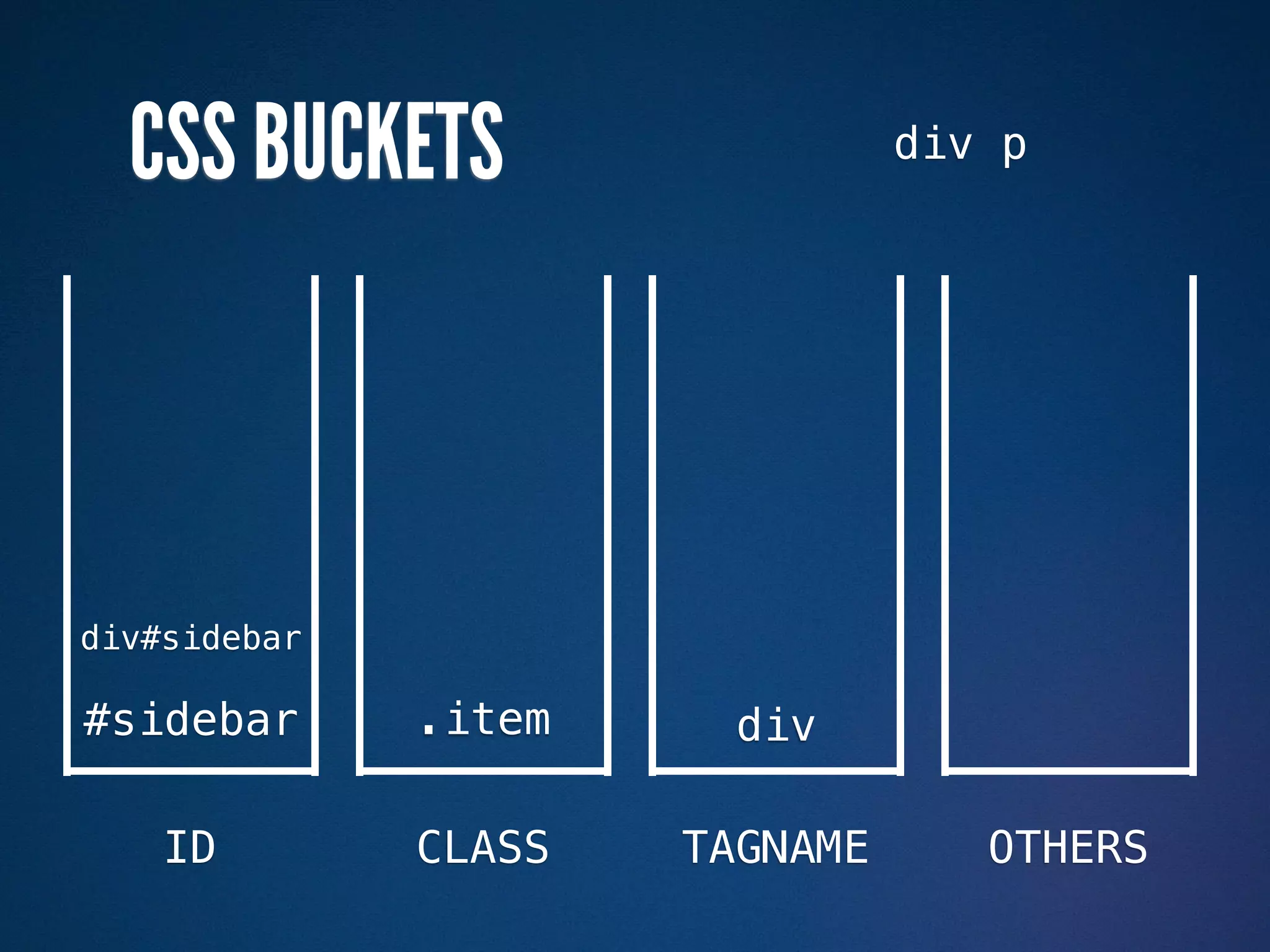
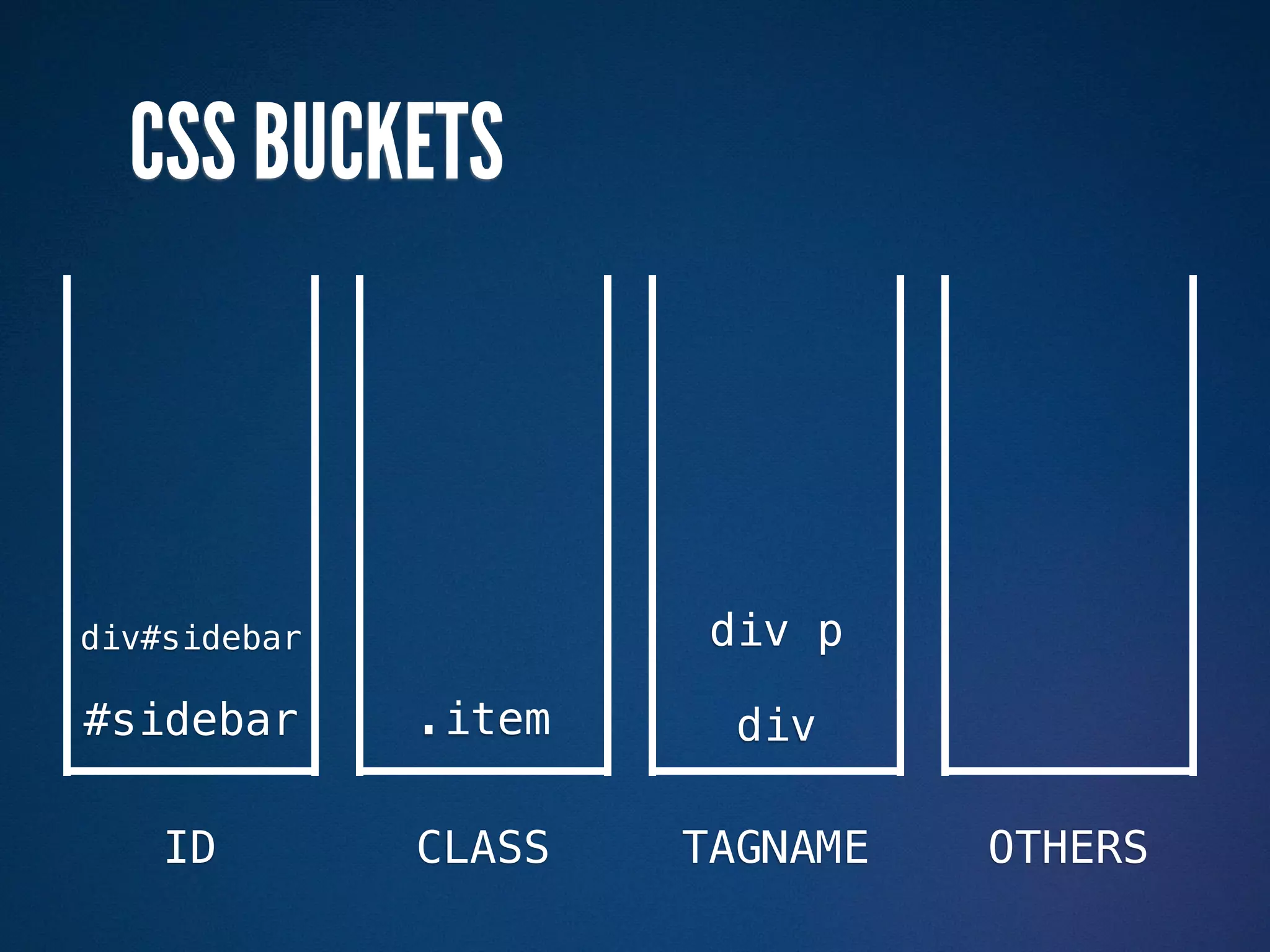
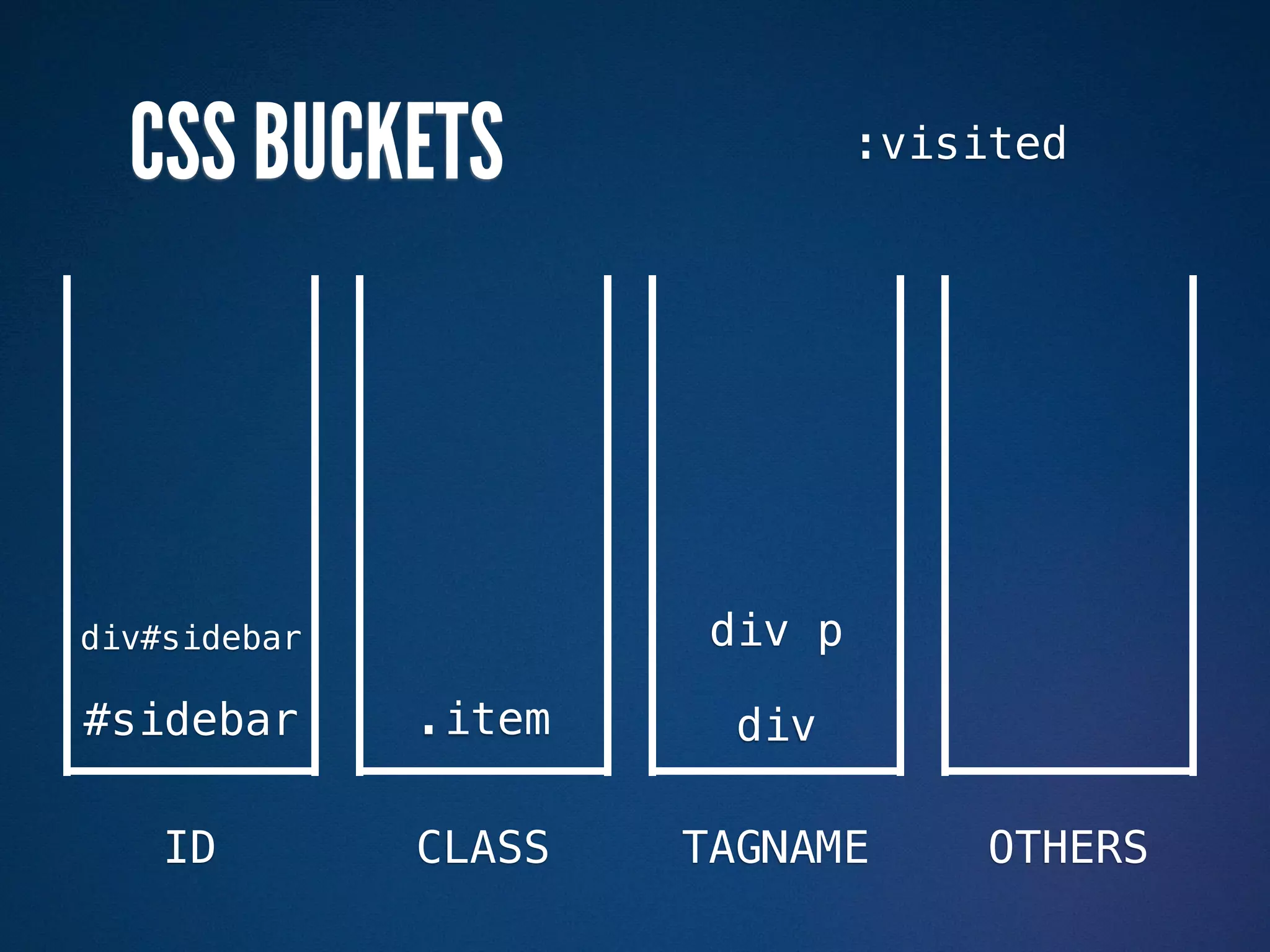
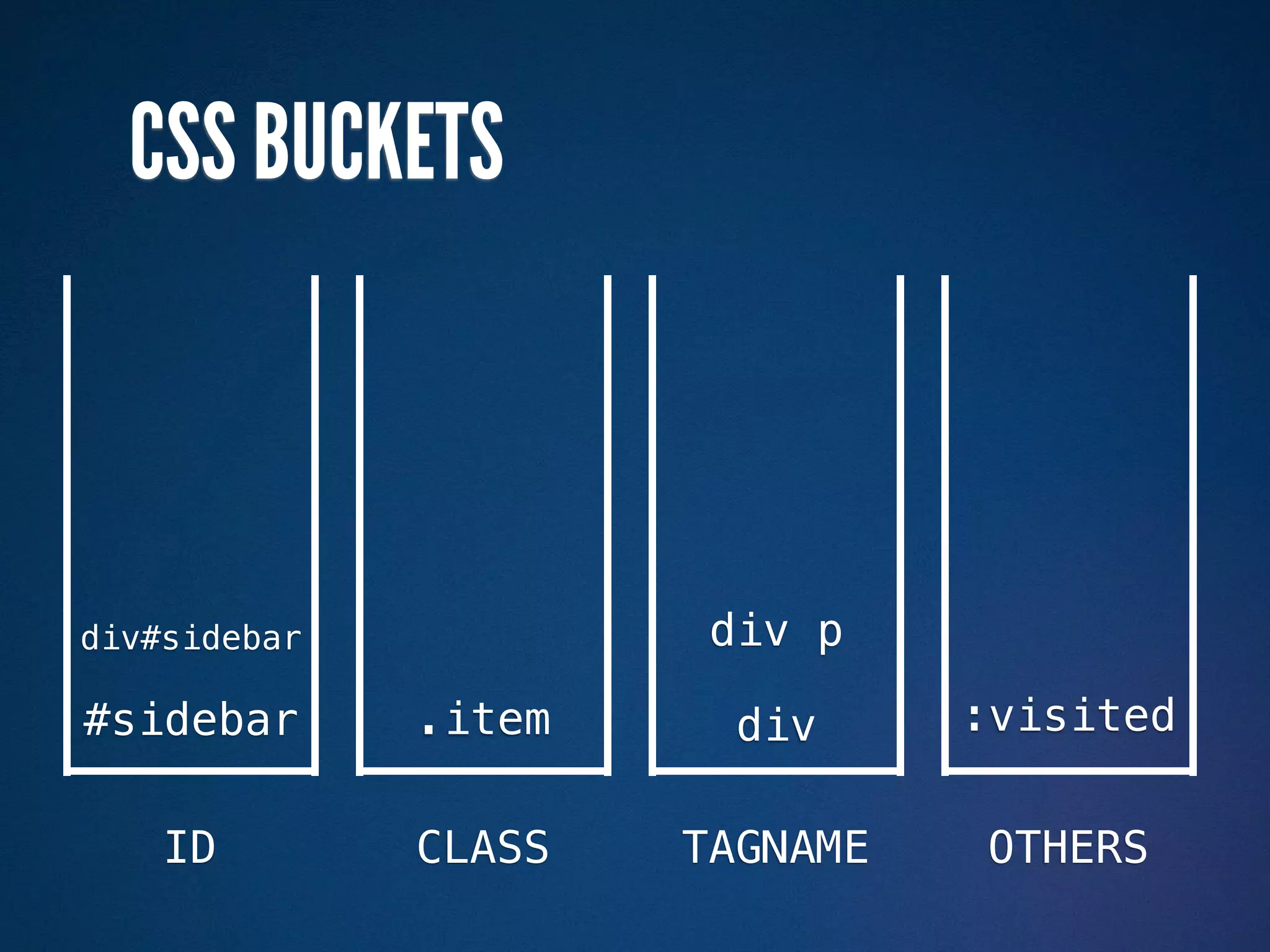
CSS BUCKETS


ID      CLASS   TAGNAME   OTHERS
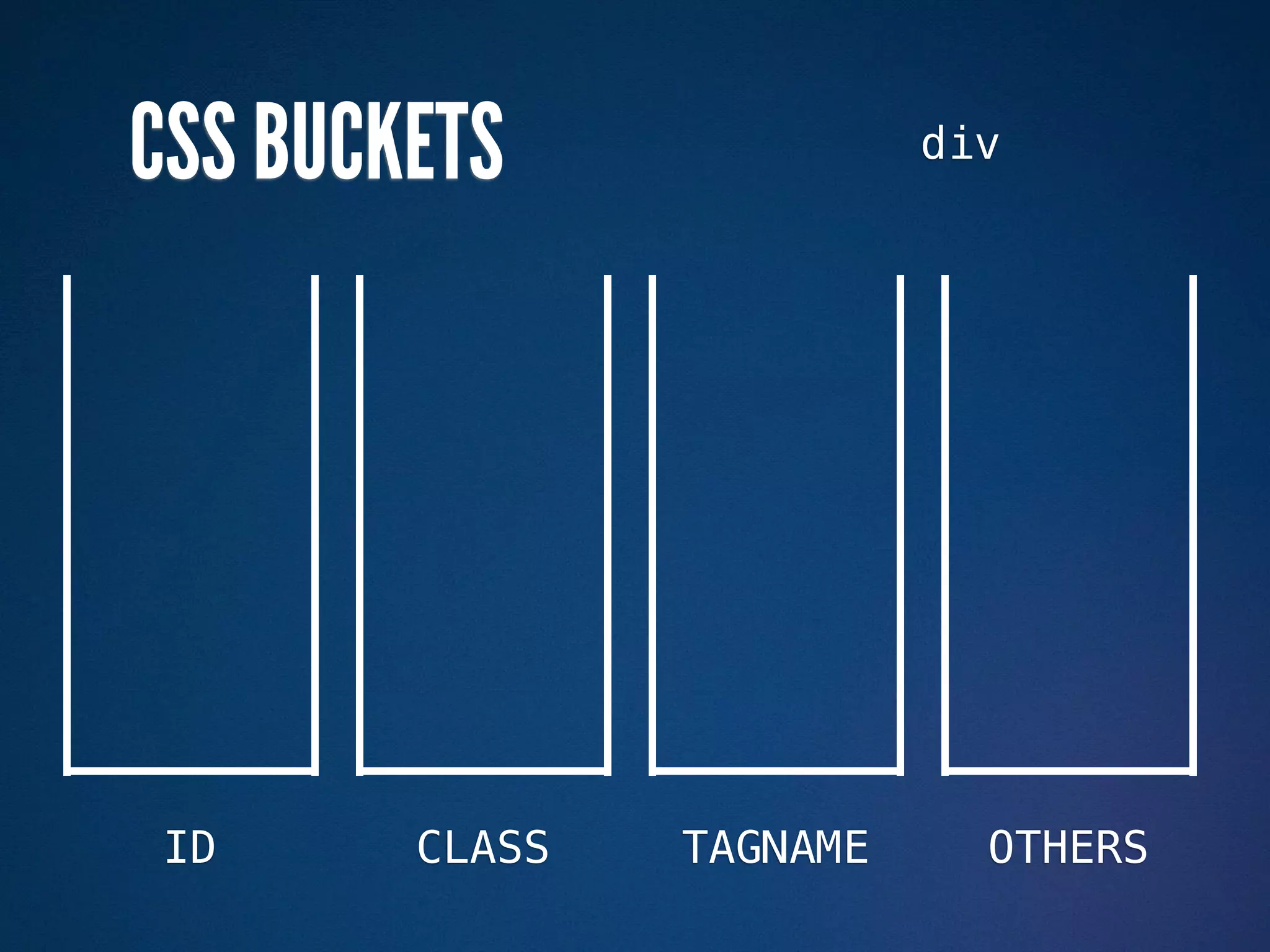
CSS BUCKETS               div


ID      CLASS   TAGNAME     OTHERS
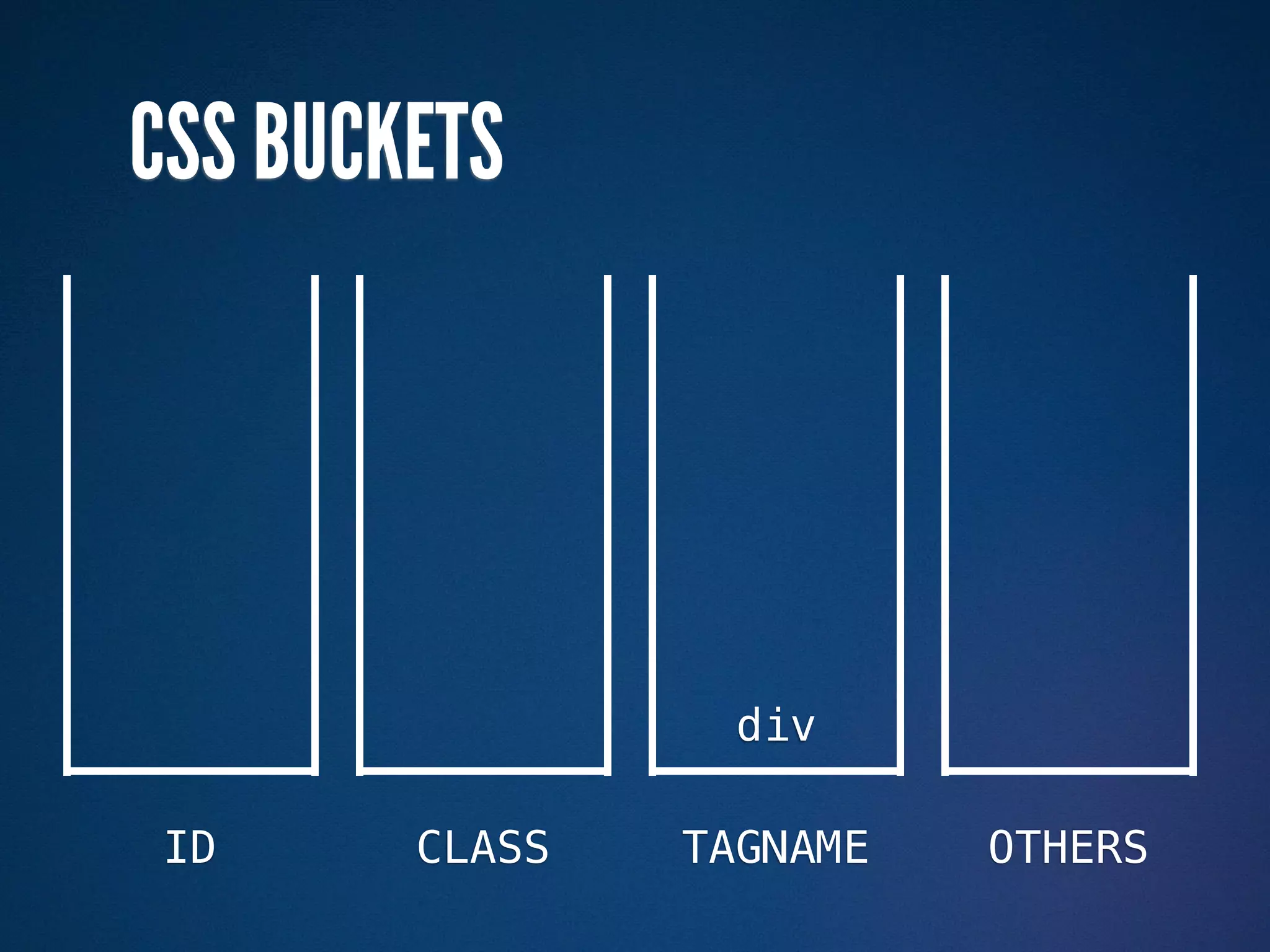
CSS BUCKETS


                  div

ID      CLASS   TAGNAME   OTHERS
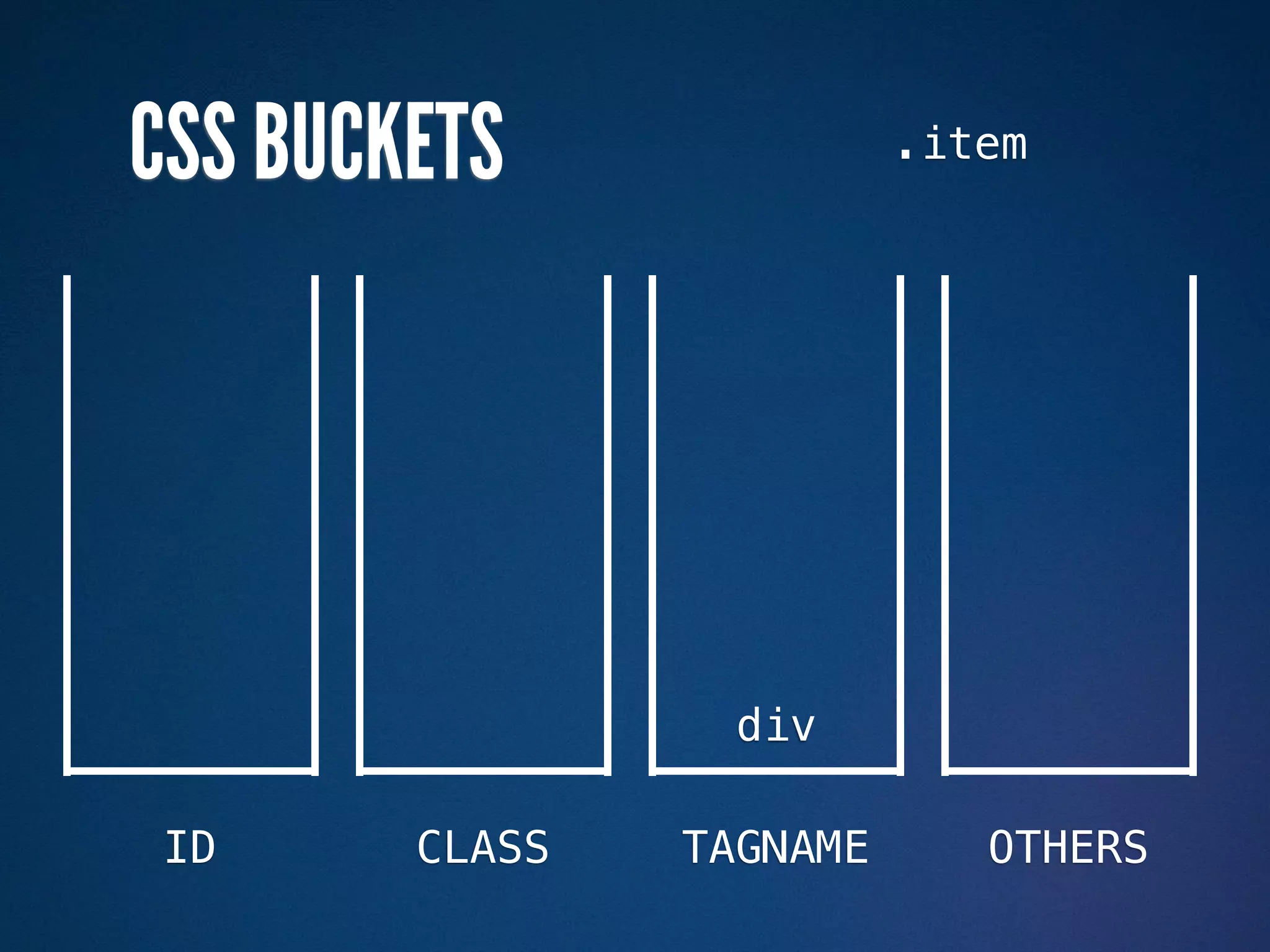
CSS BUCKETS               .item


                  div

ID      CLASS   TAGNAME      OTHERS
CSS BUCKETS


        .item     div

ID      CLASS   TAGNAME   OTHERS
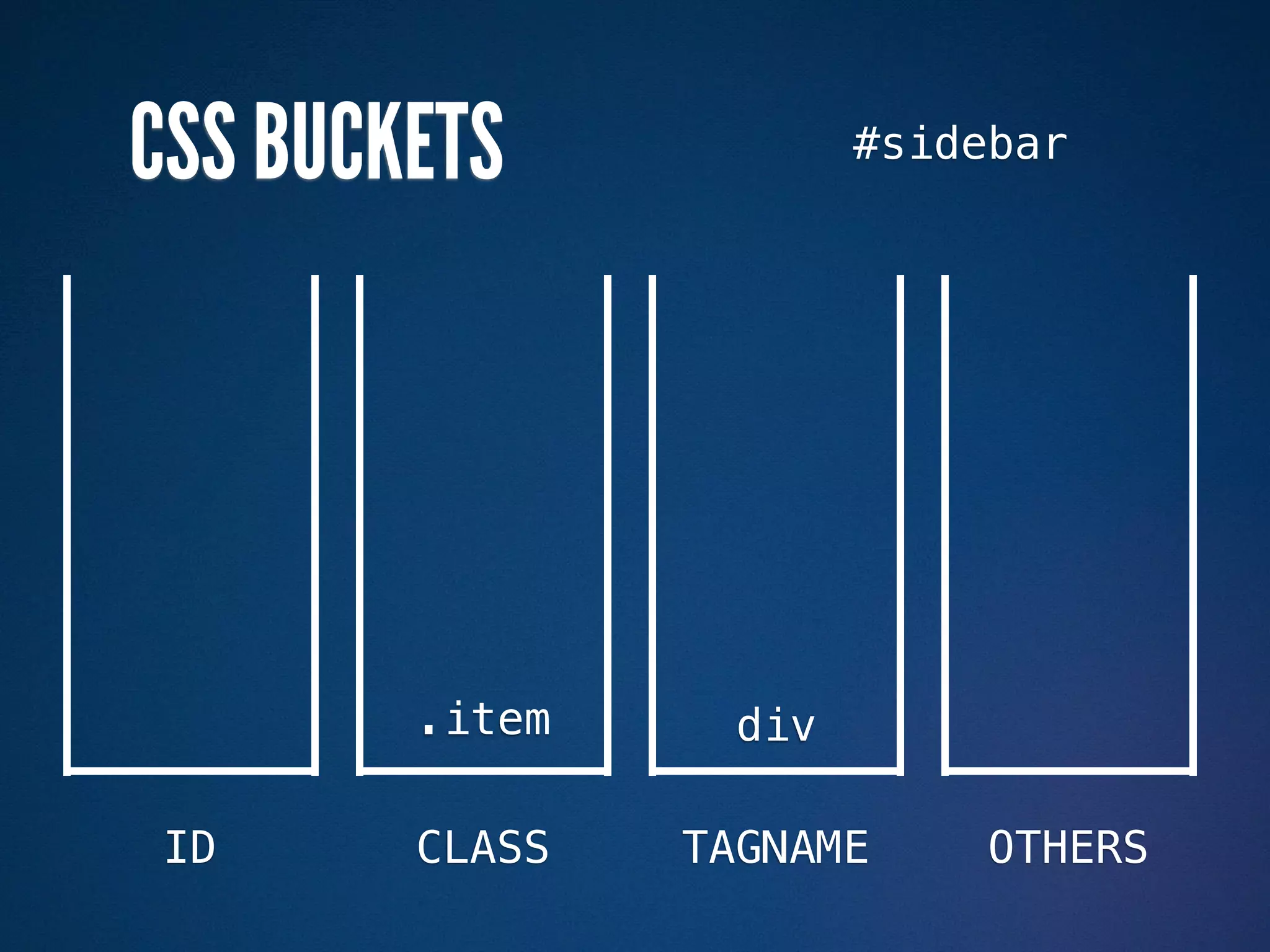
CSS BUCKETS             #sidebar


        .item     div

ID      CLASS   TAGNAME      OTHERS
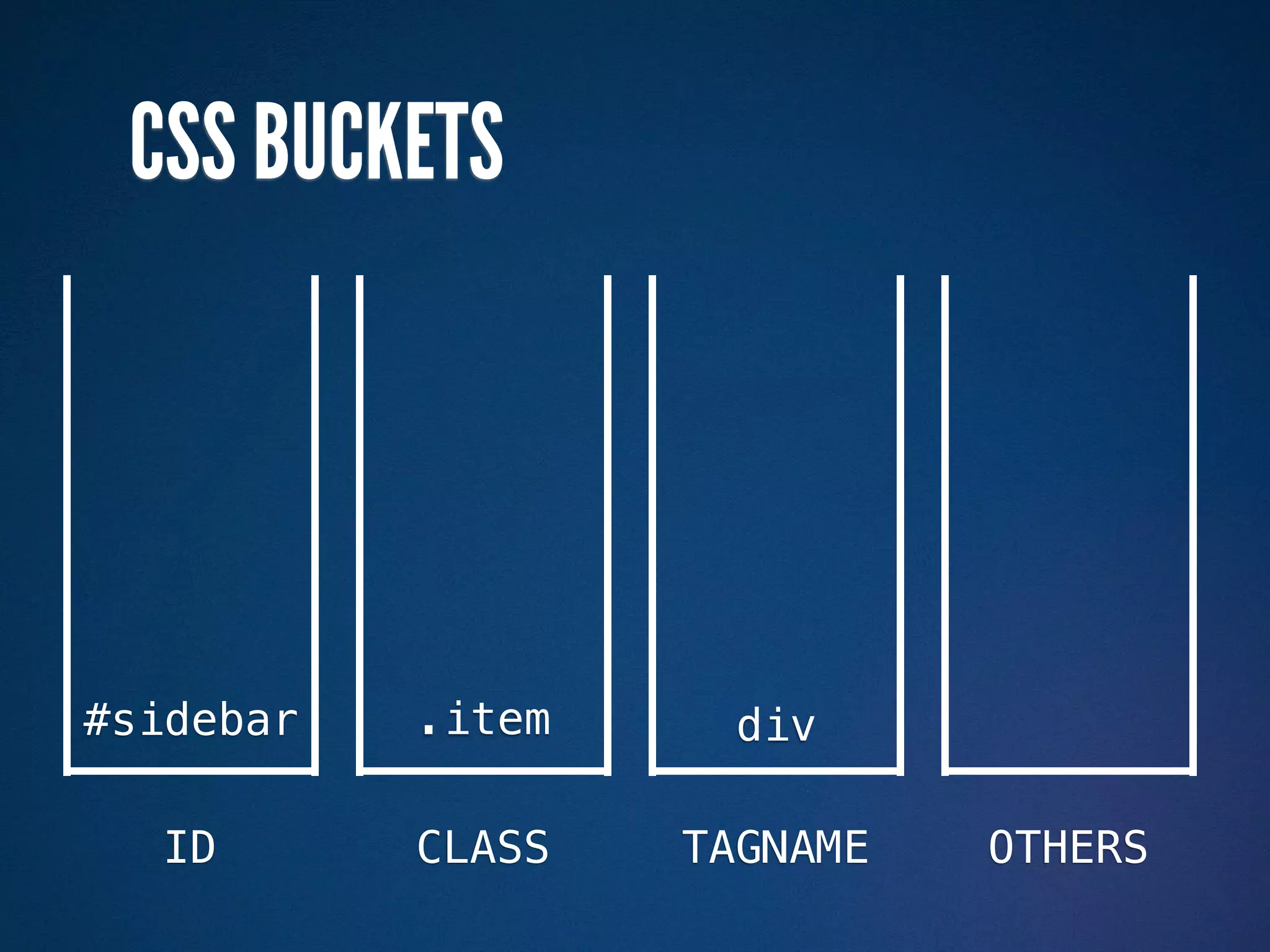
CSS BUCKETS


#sidebar   .item     div

  ID       CLASS   TAGNAME   OTHERS
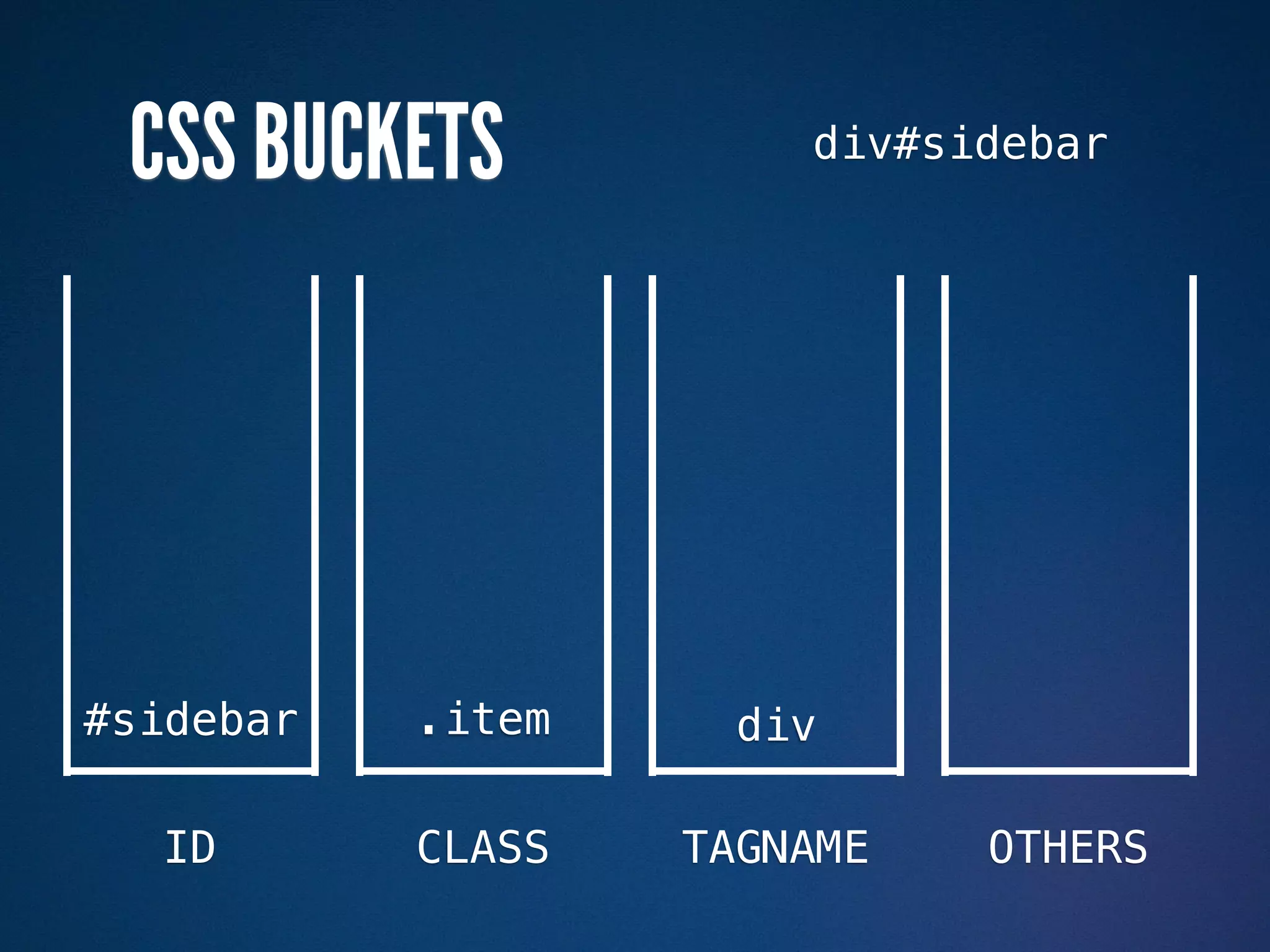
CSS BUCKETS           div#sidebar


#sidebar   .item     div

  ID       CLASS   TAGNAME   OTHERS
CSS BUCKETS


div#sidebar

#sidebar      .item     div

    ID        CLASS   TAGNAME   OTHERS
CSS BUCKETS                   div p


div#sidebar

#sidebar      .item     div

    ID        CLASS   TAGNAME      OTHERS
CSS BUCKETS


div#sidebar            div p

#sidebar      .item     div

    ID        CLASS   TAGNAME   OTHERS
CSS BUCKETS                  :visited


div#sidebar            div p

#sidebar      .item     div

    ID        CLASS   TAGNAME       OTHERS
CSS BUCKETS


div#sidebar            div p

#sidebar      .item     div     :visited

    ID        CLASS   TAGNAME   OTHERS
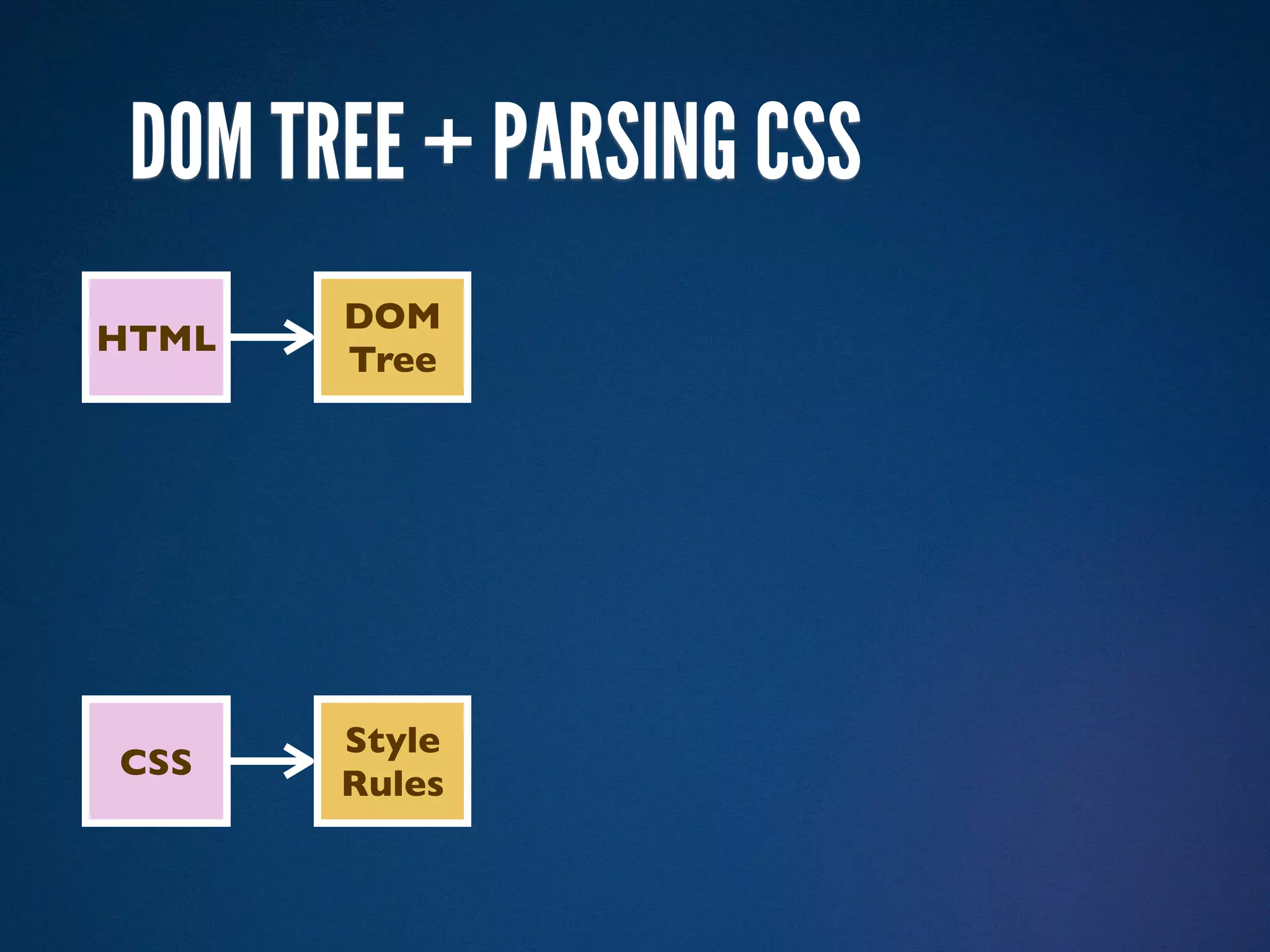
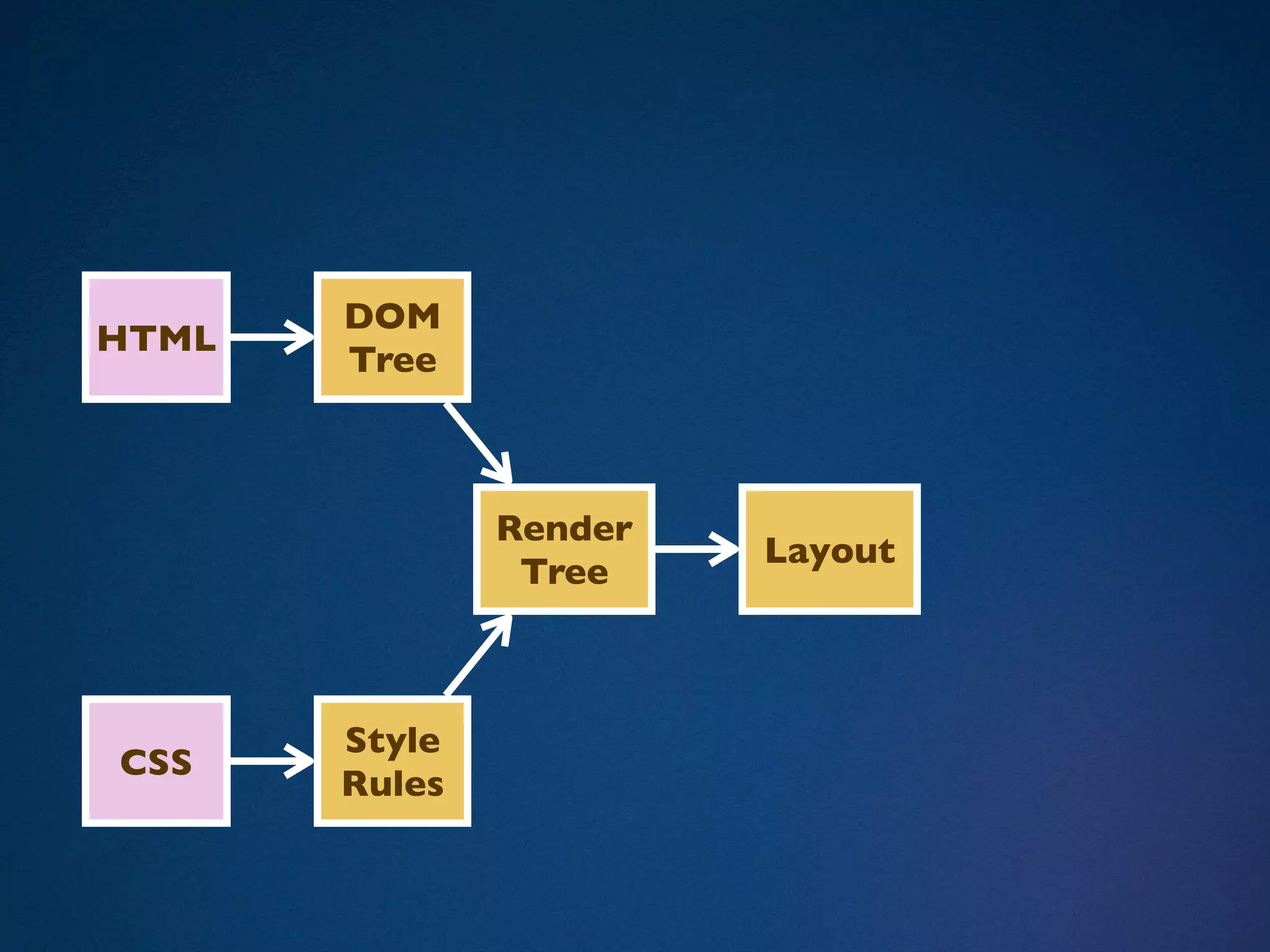
DOM TREE + PARSING CSS
       DOM
HTML
       Tree


       Style
CSS
       Rules
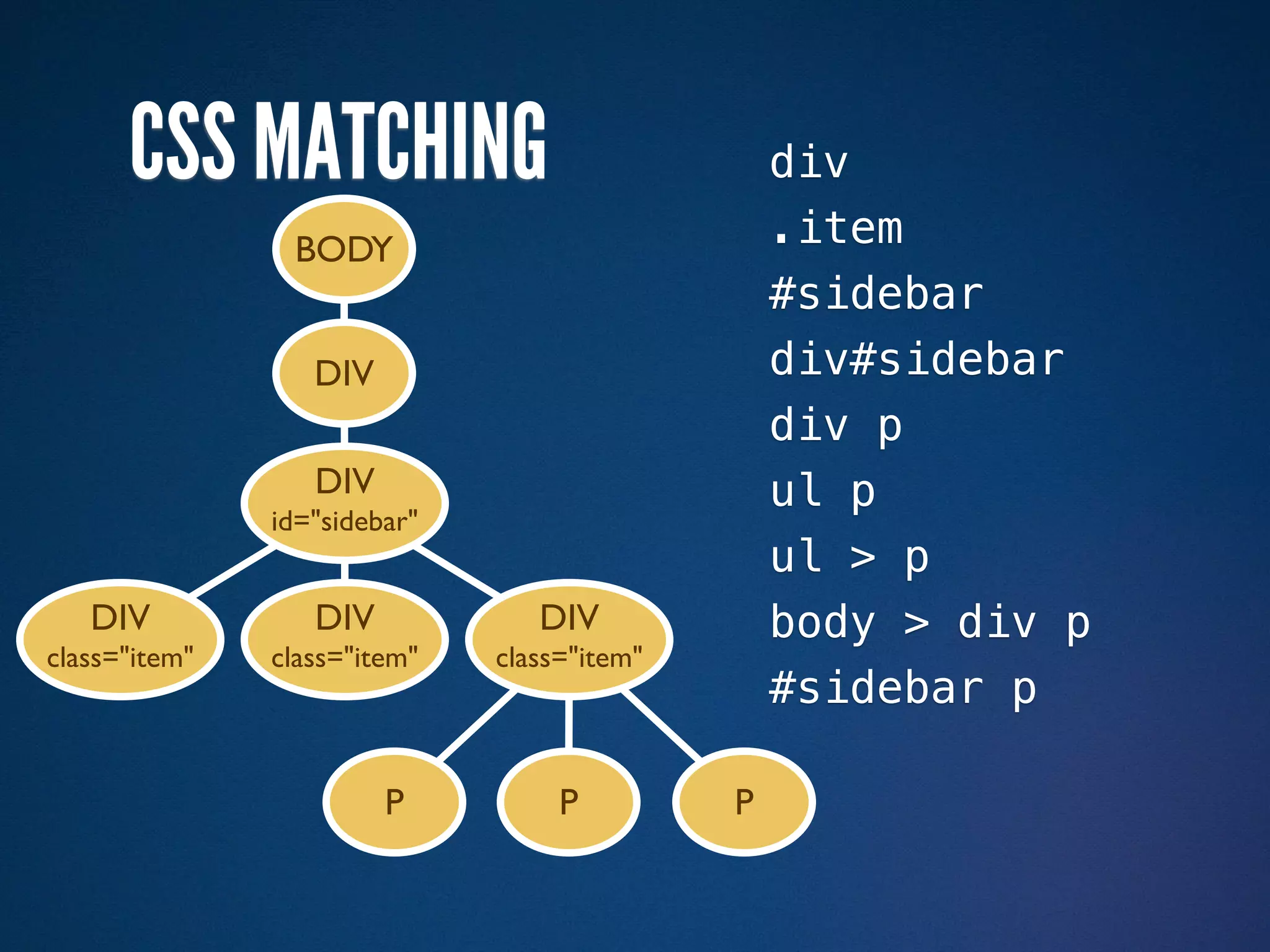
CSS MATCHING                               div
                BODY                             .item
                                                 #sidebar
                  DIV                            div#sidebar
                                                 div p
                  DIV                            ul p
               id="sidebar"
                                                 ul > p
   DIV            DIV            DIV             body > div p
class="item"   class="item"   class="item"
                                                 #sidebar p

                        P          P         P
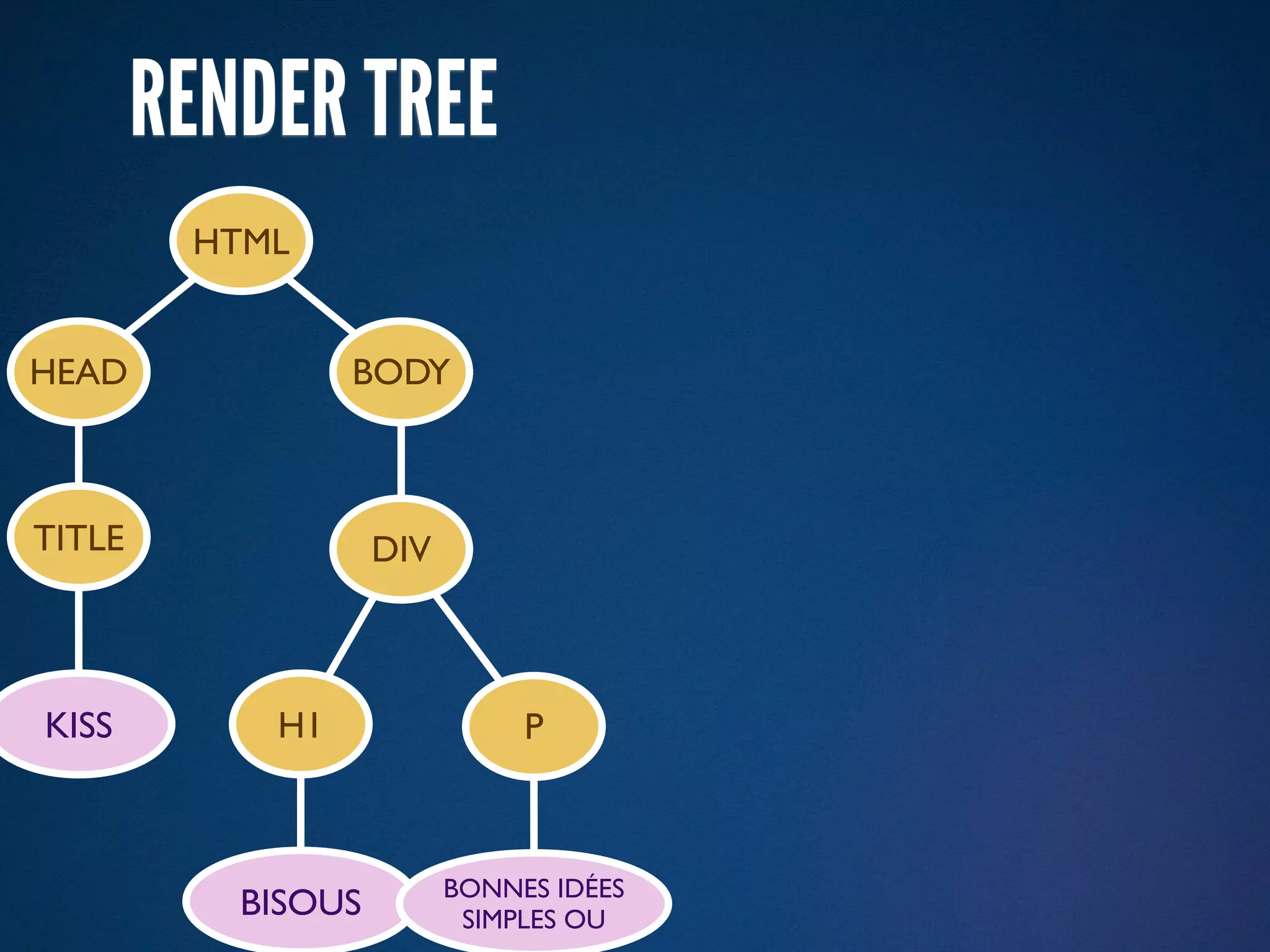
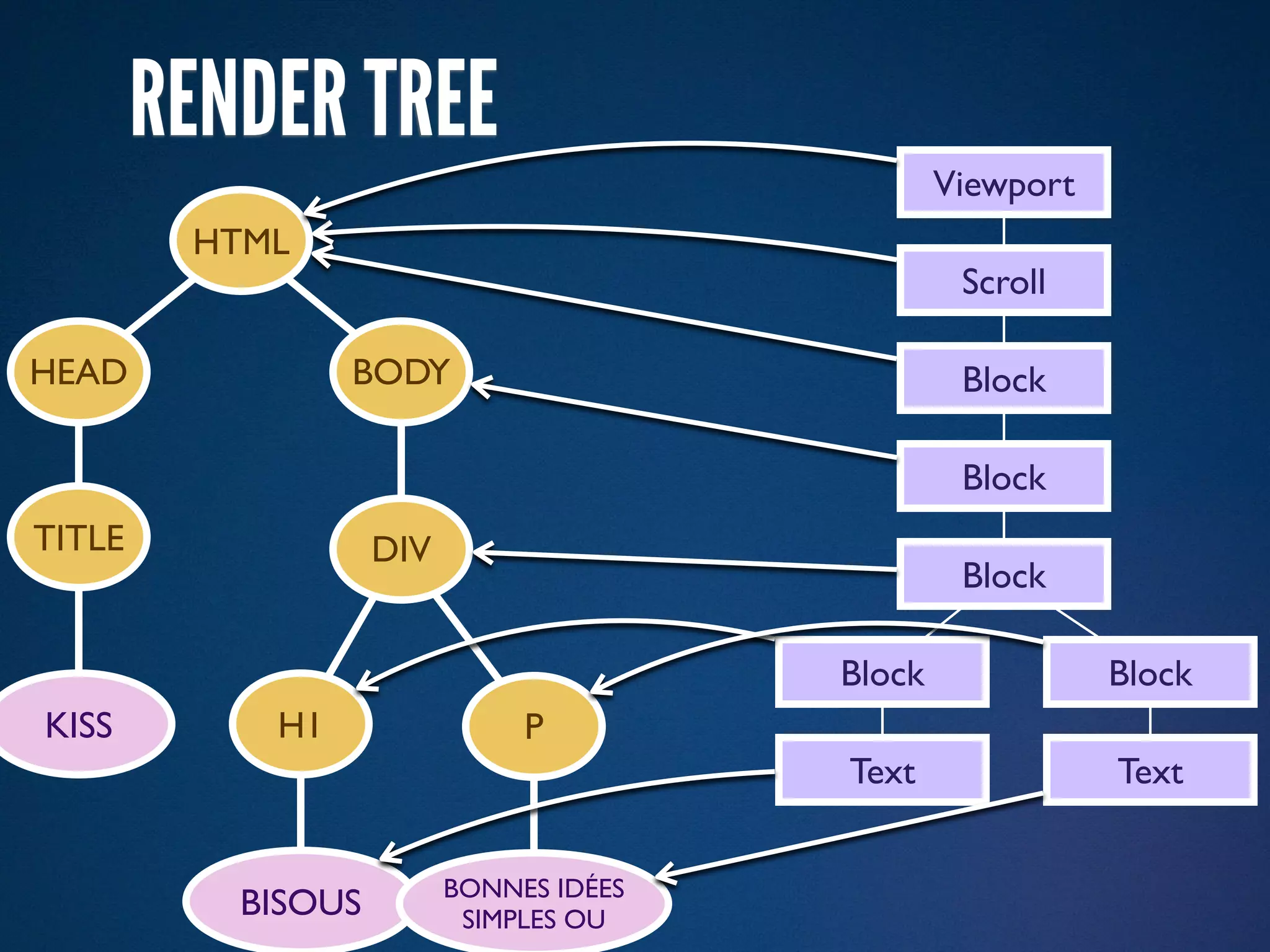
RENDER TREE
         HTML


HEAD             BODY


TITLE               DIV


KISS        H1                 P


                          BONNES IDÉES
           BISOUS          SIMPLES OU
RENDER TREE
                                                 Viewport
         HTML
                                                  Scroll

HEAD             BODY                             Block

                                                  Block
TITLE               DIV
                                                  Block

                                         Block              Block
KISS        H1                 P
                                         Text               Text


                          BONNES IDÉES
           BISOUS          SIMPLES OU
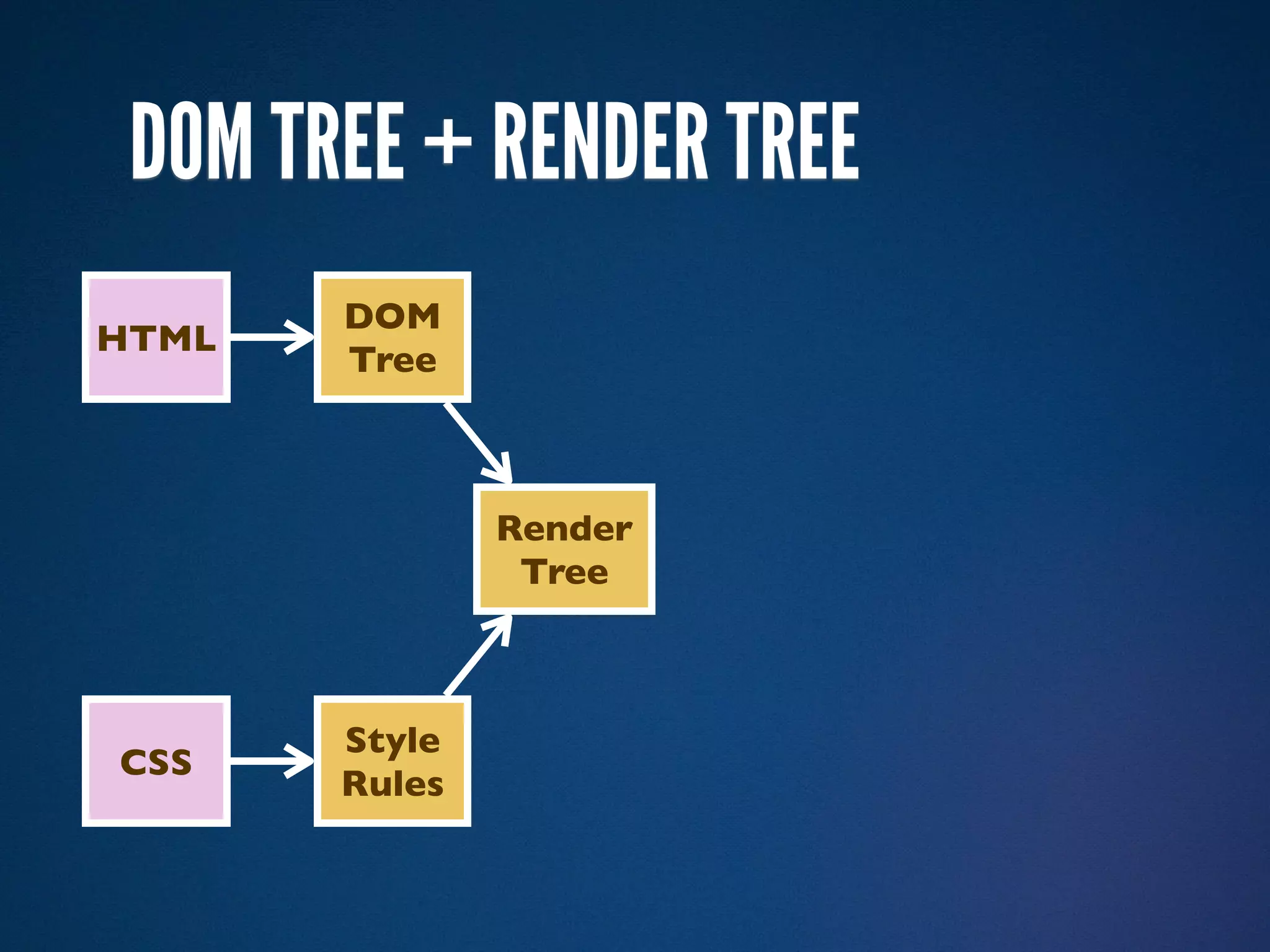
DOM TREE + RENDER TREE
       DOM
HTML
       Tree


               Render
                Tree


       Style
CSS
       Rules
A REFLOW OR LAYOUT
A REFLOW OR LAYOUT
DOM
HTML
       Tree


               Render
                        Layout
                Tree


       Style
CSS
       Rules
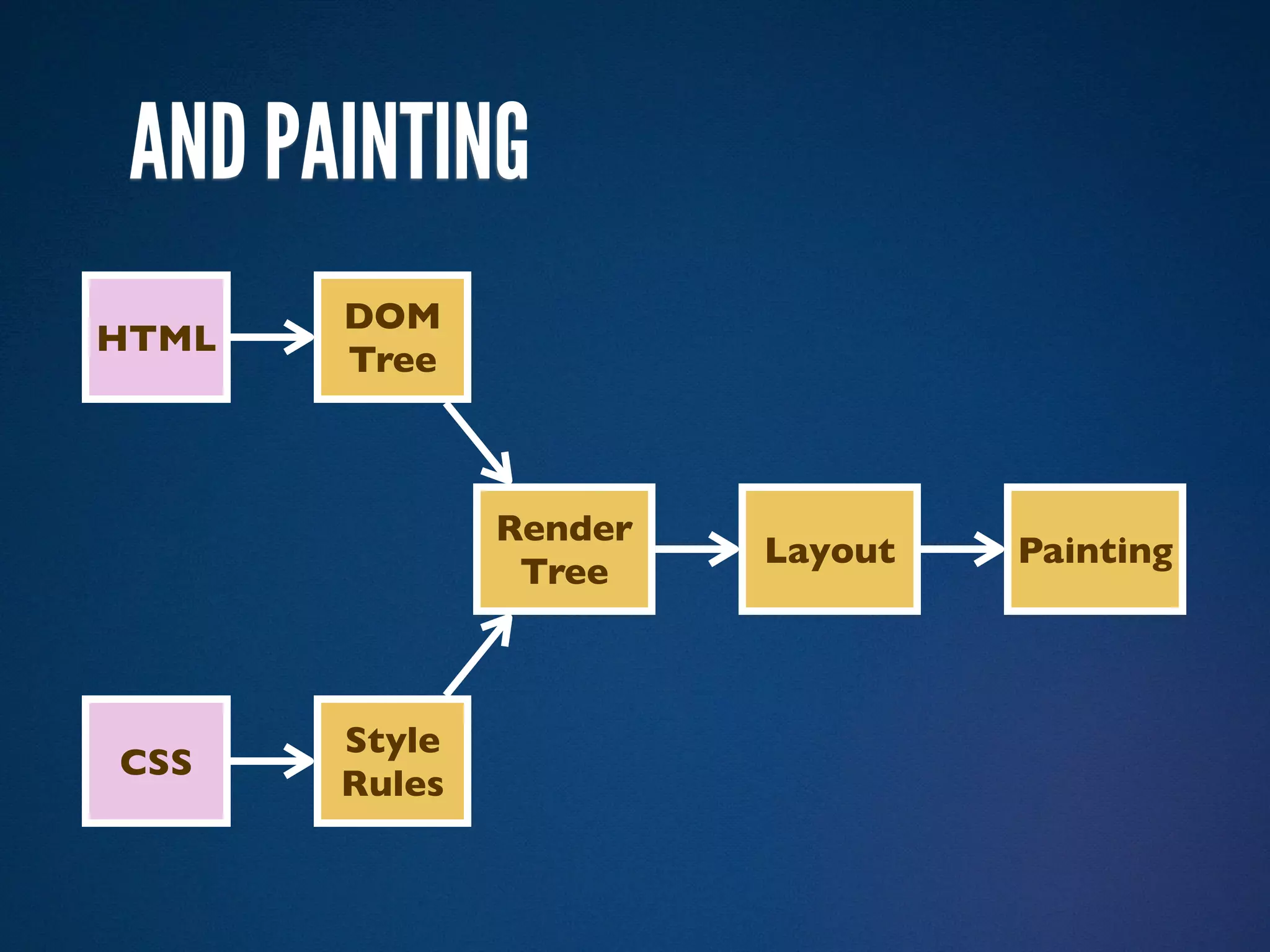
AND PAINTING
       DOM
HTML
       Tree


               Render
                        Layout   Painting
                Tree


       Style
CSS
       Rules
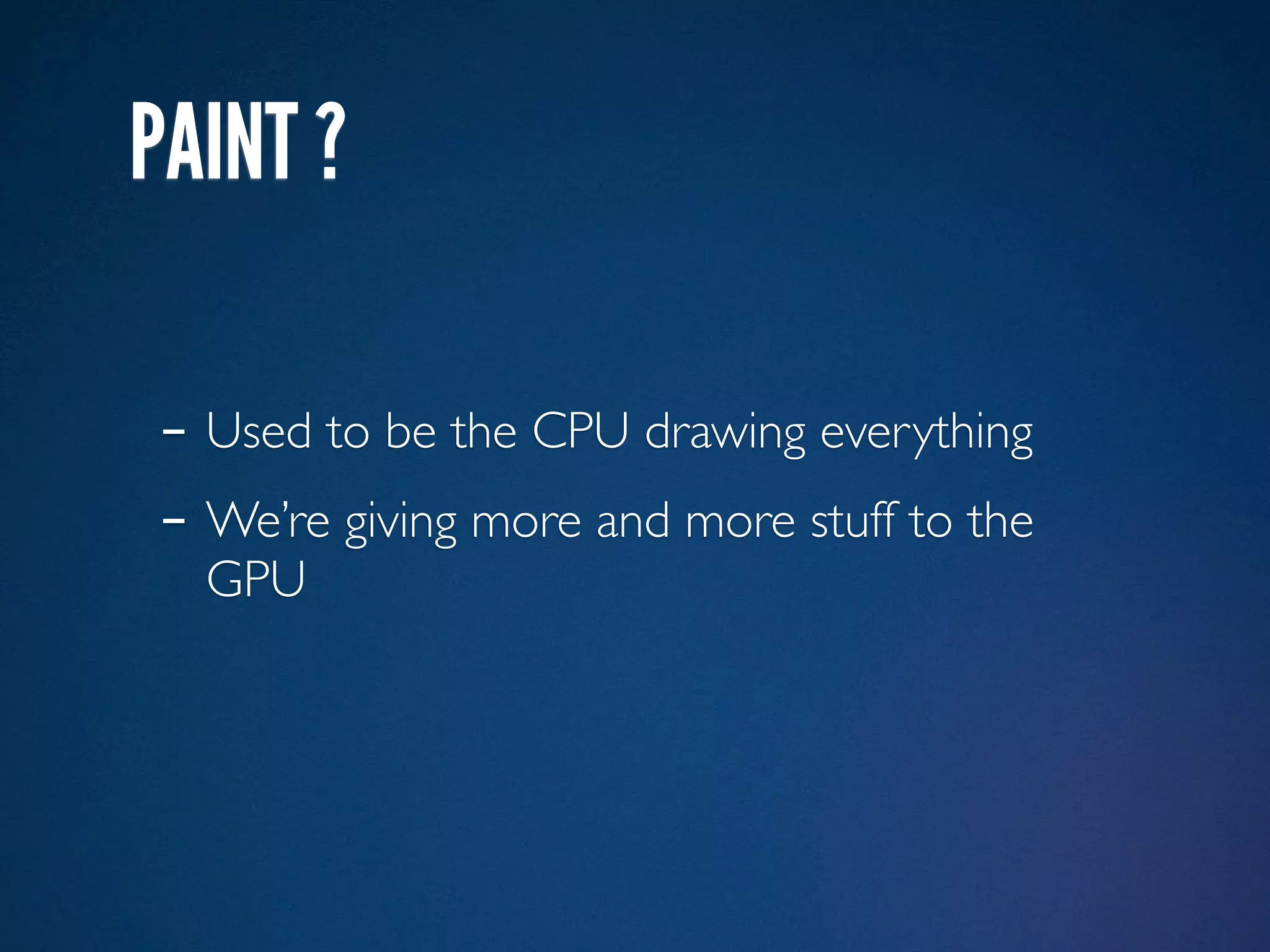
PAINT ?
PAINT ?

- Used to be the CPU drawing everything
PAINT ?

- Used to be the CPU drawing everything
- We’re giving more and more stuff to the
  GPU
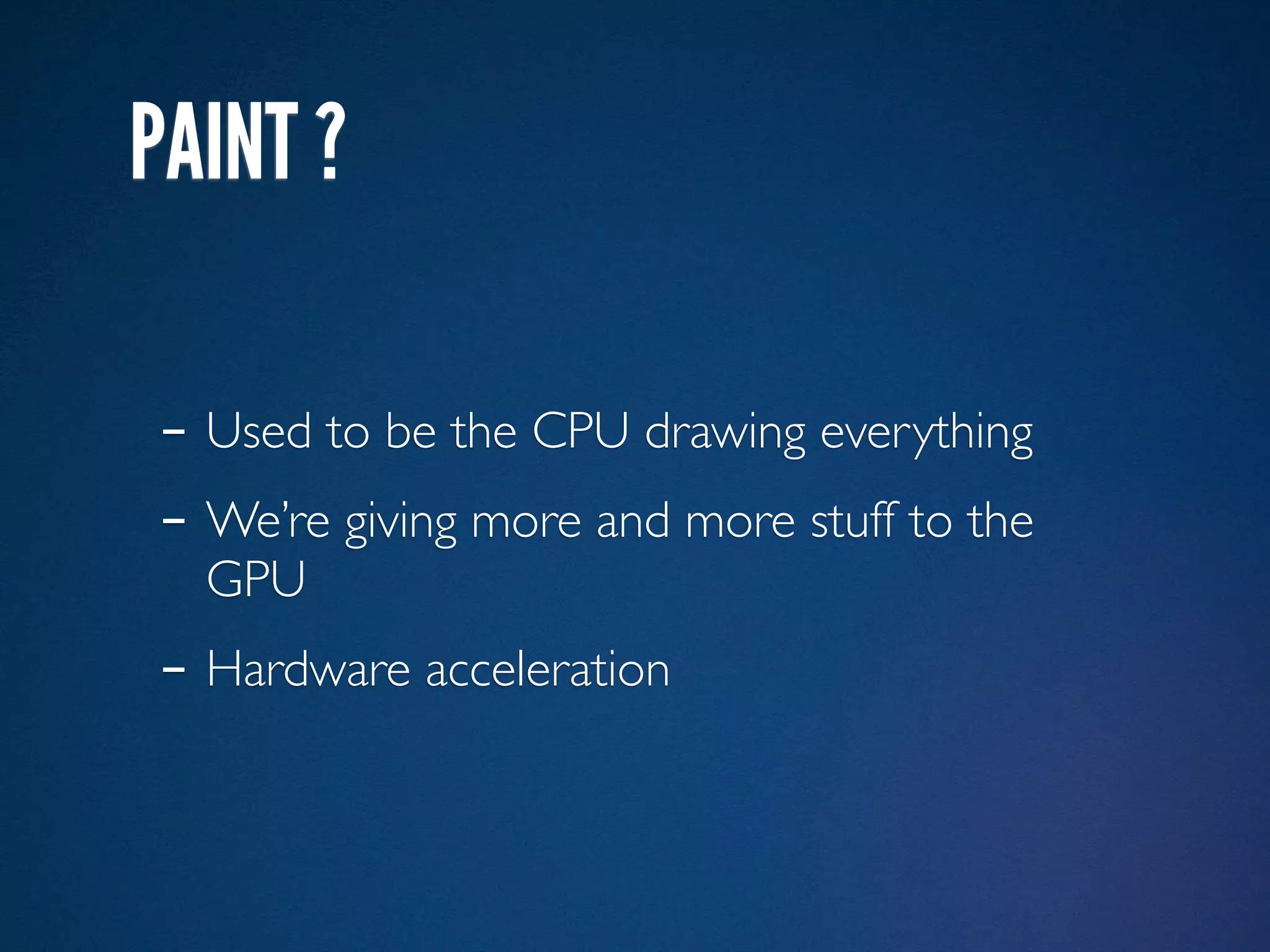
PAINT ?

- Used to be the CPU drawing everything
- We’re giving more and more stuff to the
  GPU
- Hardware acceleration
SUB-RESOURCES
- Image
  - Launch a download, non-blocking
  - Runs an image decoder
- CSS
  - Launch a download, non-blocking
  - Then it gets interesting…
SUB-RESOURCES
- Image
  - Launch a download, non-blocking
  - Runs an image decoder
- CSS
  - Launch a download, non-blocking
  - Then it gets interesting…
- JS
  - Launch a download, almost blocking
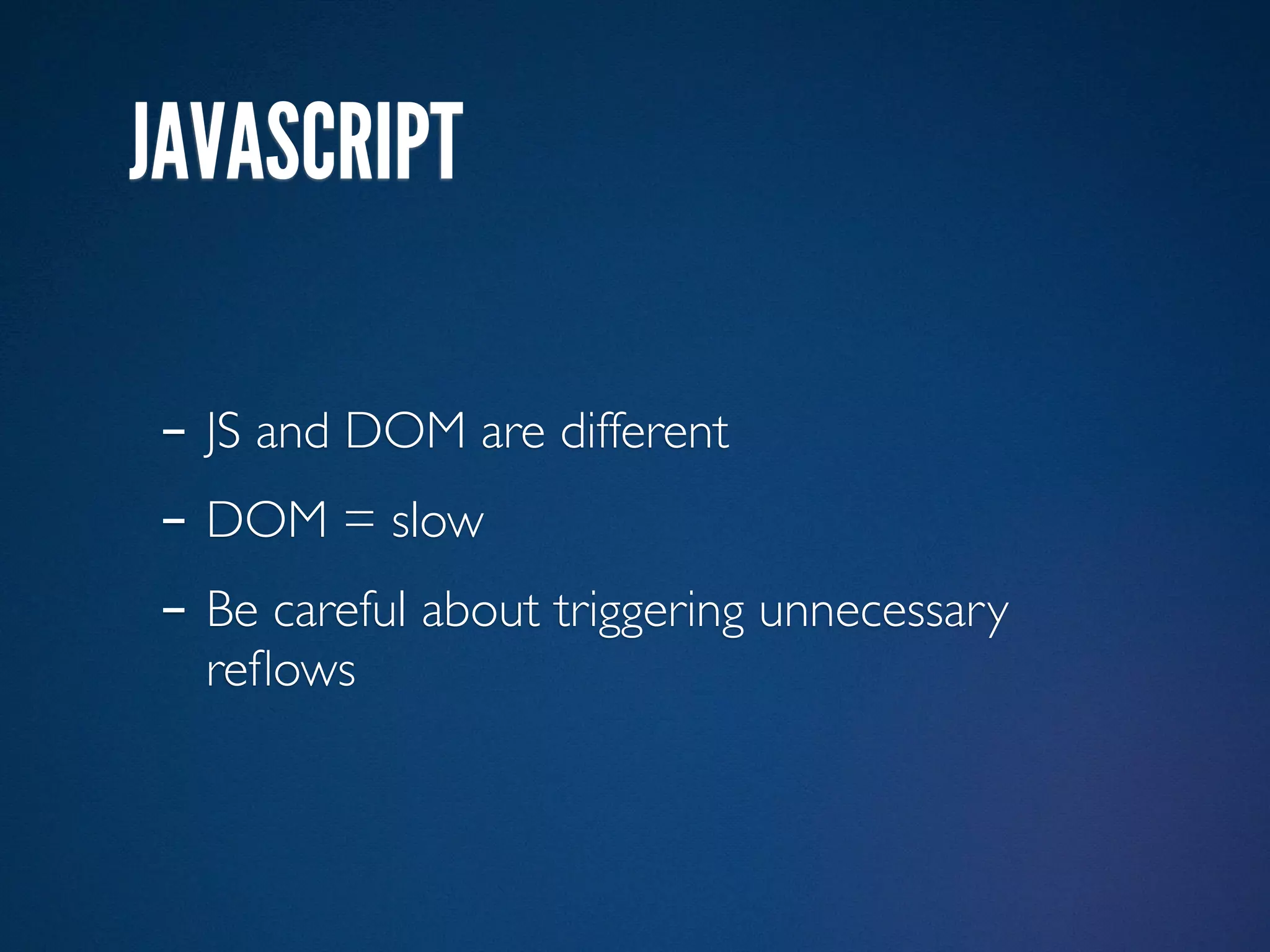
JAVASCRIPT

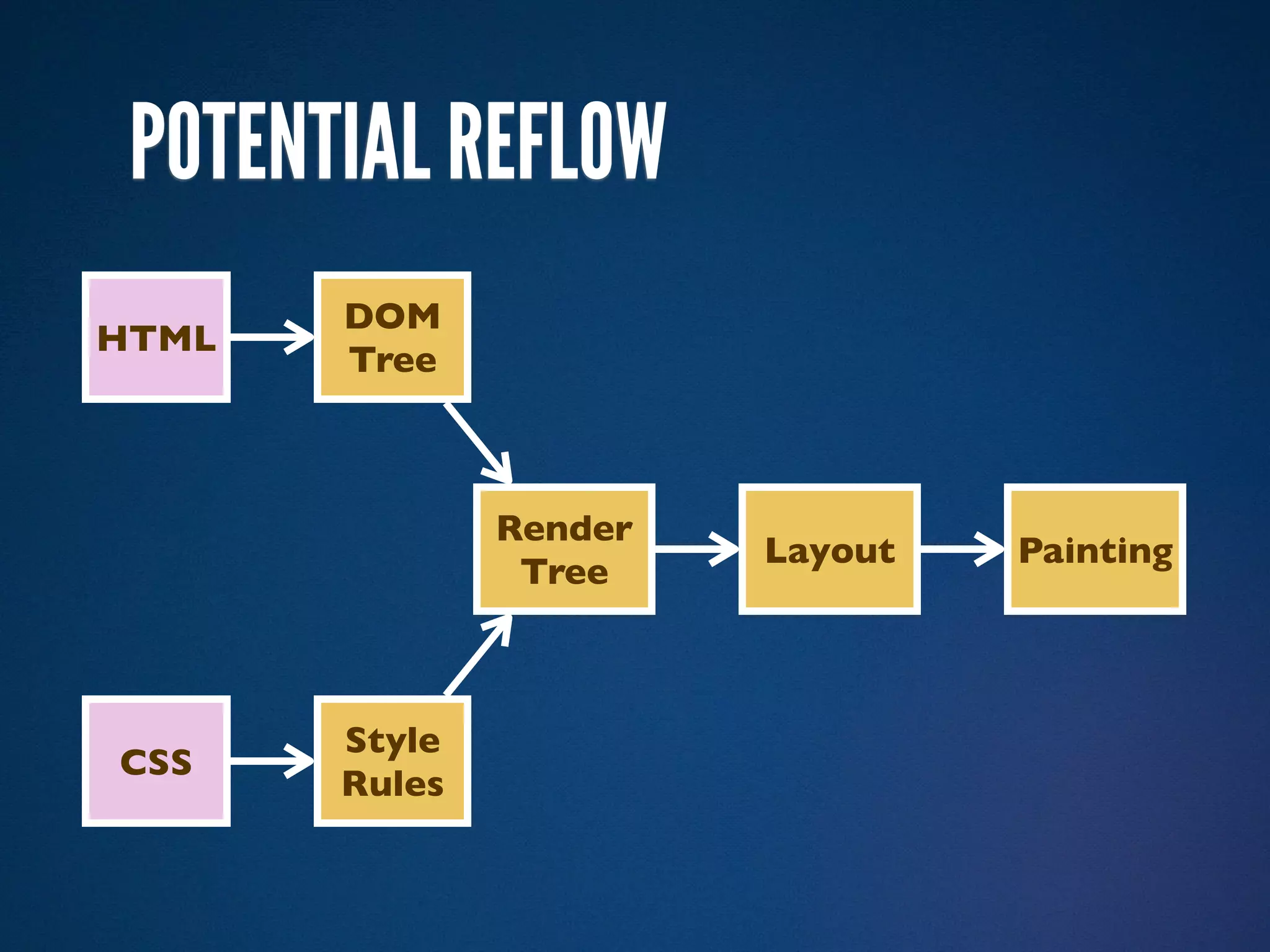
- JS and DOM are different
- DOM = slow
- Be careful about triggering unnecessary
  reflows
DOM
HTML
       Tree


               Render
                        Layout
                Tree


       Style
CSS
       Rules
POTENTIAL REFLOW
       DOM
HTML
       Tree


               Render
                        Layout   Painting
                Tree


       Style
CSS
       Rules
NEW JAVASCRIPT ENGINES


- Storing info about the code to compute it
  only once
NEW JAVASCRIPT ENGINES


- Storing info about the code to compute it
  only once
- Watch David Mandelin
- http://ricaud.me/nav-marche
- @rik24d
- anthony@mozilla.com
- Merci Mauriz
QUESTIONS ?

- http://ricaud.me/nav-marche
- @rik24d
- anthony@mozilla.com
- Merci Mauriz

How browser engines work?

Editor's Notes

  • #2 \n
  • #3 So as you may have already notice, I&amp;#x2019;m French so I apologize for my weird accent.\n
  • #4 The good news is, you can see the french version of this talk. I gave it at ParisWeb last year and I recommend anyone to attend this year.\n
  • #5 This is only an introduction so I might take shortcuts. If you are a Gecko developer and you think I said something stupid, please come talk to me afterwards.\n
  • #6 \n
  • #7 \n
  • #8 I&amp;#x2019;ve compiled a list of all the stuff I&amp;#x2019;ve read to prepare this. I highly recommend to read and watch those.\n
  • #9 Not Google Chrome.\nInterface = Chrome, we won&amp;#x2019;t talk about it today\n
  • #10 \n
  • #11 \n
  • #12 And I&amp;#x2019;m missing some\n
  • #13 And I&amp;#x2019;m missing some\n
  • #14 And I&amp;#x2019;m missing some\n
  • #15 And I&amp;#x2019;m missing some\n
  • #16 And I&amp;#x2019;m missing some\n
  • #17 And I&amp;#x2019;m missing some\n
  • #18 And I&amp;#x2019;m missing some\n
  • #19 And I&amp;#x2019;m missing some\n
  • #20 And I&amp;#x2019;m missing some\n
  • #21 And I&amp;#x2019;m missing some\n
  • #22 And I&amp;#x2019;m missing some\n
  • #23 And I&amp;#x2019;m missing some\n
  • #24 And I&amp;#x2019;m missing some\n
  • #25 And I&amp;#x2019;m missing some\n
  • #26 And I&amp;#x2019;m missing some\n
  • #27 We&amp;#x2019;re gonna focus on Gecko and WebKit. They are open source so there is more litterature available.\nBut most of the principles apply to any engine. And interoperability make some of the algorithms mandatory.\n
  • #28 We&amp;#x2019;re gonna focus on Gecko and WebKit. They are open source so there is more litterature available.\nBut most of the principles apply to any engine. And interoperability make some of the algorithms mandatory.\n
  • #29 We&amp;#x2019;re gonna go from the moment we enter a new address to the moment when the page is displayed.\nFirst, the static case (no JS)\n
  • #30 bip\nThis content-type will trigger the XML Mode.\nNot used a lot because\nbip\nDraconian error handling, a mistake can trigger this screen\nbip\nbut also because of no IE support before version 9\n
  • #31 bip\nThis content-type will trigger the XML Mode.\nNot used a lot because\nbip\nDraconian error handling, a mistake can trigger this screen\nbip\nbut also because of no IE support before version 9\n
  • #32 bip\nThis content-type will trigger the XML Mode.\nNot used a lot because\nbip\nDraconian error handling, a mistake can trigger this screen\nbip\nbut also because of no IE support before version 9\n
  • #33 bip\nThis content-type will trigger the XML Mode.\nNot used a lot because\nbip\nDraconian error handling, a mistake can trigger this screen\nbip\nbut also because of no IE support before version 9\n
  • #34 bip\nThis content-type will trigger the XML Mode.\nNot used a lot because\nbip\nDraconian error handling, a mistake can trigger this screen\nbip\nbut also because of no IE support before version 9\n
  • #35 bip\nThis content-type will trigger the XML Mode.\nNot used a lot because\nbip\nDraconian error handling, a mistake can trigger this screen\nbip\nbut also because of no IE support before version 9\n
  • #36 bip\nThis content-type will trigger the XML Mode.\nNot used a lot because\nbip\nDraconian error handling, a mistake can trigger this screen\nbip\nbut also because of no IE support before version 9\n
  • #37 bip\nThis content-type will trigger the XML Mode.\nNot used a lot because\nbip\nDraconian error handling, a mistake can trigger this screen\nbip\nbut also because of no IE support before version 9\n
  • #38 bip\nThis content-type will trigger the XML Mode.\nNot used a lot because\nbip\nDraconian error handling, a mistake can trigger this screen\nbip\nbut also because of no IE support before version 9\n
  • #39 Let&amp;#x2019;s use another content type\nWe start the HTML code and there is no doctype\nbip\nThat&amp;#x2019;s quirks mode\nbip\nThe main difference is the box model.\nbip\nThere are other differences\n
  • #40 Let&amp;#x2019;s use another content type\nWe start the HTML code and there is no doctype\nbip\nThat&amp;#x2019;s quirks mode\nbip\nThe main difference is the box model.\nbip\nThere are other differences\n
  • #41 Let&amp;#x2019;s use another content type\nWe start the HTML code and there is no doctype\nbip\nThat&amp;#x2019;s quirks mode\nbip\nThe main difference is the box model.\nbip\nThere are other differences\n
  • #42 Let&amp;#x2019;s use another content type\nWe start the HTML code and there is no doctype\nbip\nThat&amp;#x2019;s quirks mode\nbip\nThe main difference is the box model.\nbip\nThere are other differences\n
  • #43 Let&amp;#x2019;s use another content type\nWe start the HTML code and there is no doctype\nbip\nThat&amp;#x2019;s quirks mode\nbip\nThe main difference is the box model.\nbip\nThere are other differences\n
  • #44 Let&amp;#x2019;s use another content type\nWe start the HTML code and there is no doctype\nbip\nThat&amp;#x2019;s quirks mode\nbip\nThe main difference is the box model.\nbip\nThere are other differences\n
  • #45 Let&amp;#x2019;s use another content type\nWe start the HTML code and there is no doctype\nbip\nThat&amp;#x2019;s quirks mode\nbip\nThe main difference is the box model.\nbip\nThere are other differences\n
  • #46 Let&amp;#x2019;s use another content type\nWe start the HTML code and there is no doctype\nbip\nThat&amp;#x2019;s quirks mode\nbip\nThe main difference is the box model.\nbip\nThere are other differences\n
  • #47 Let&amp;#x2019;s use another content type\nWe start the HTML code and there is no doctype\nbip\nThat&amp;#x2019;s quirks mode\nbip\nThe main difference is the box model.\nbip\nThere are other differences\n
  • #48 Let&amp;#x2019;s add a doctype\nbip\nThat will trigger the standards mode. That&amp;#x2019;s where you want to be.\nQuick note about what we call the &amp;#x201C;HTML5 doctype&amp;#x201D;: it works everywhere because it was reverse engineered. &amp;#x201C;What&amp;#x2019;s the shortest doctype that triggers standards mode&amp;#x201D;\n
  • #49 We&amp;#x2019;ve never mentioned versions of the specs. That&amp;#x2019;s because browser engines don&amp;#x2019;t care about them. bip\nThe important thing is do they understand it or not.\n
  • #50 We receive the HTML. As it is received, the parser will construct a tree representing this HTML. bip\n
  • #51 This is the DOM. Document Object Model.\nThis is the tree that we manipulate through JS or what we see in the devtools like Firebug, WebKit inspector, Dragonfly.\n\nOne of the great efforts of HTML5 is to explain exactly how this process works.\n
  • #52 This is the DOM. Document Object Model.\nThis is the tree that we manipulate through JS or what we see in the devtools like Firebug, WebKit inspector, Dragonfly.\n\nOne of the great efforts of HTML5 is to explain exactly how this process works.\n
  • #53 This is the DOM. Document Object Model.\nThis is the tree that we manipulate through JS or what we see in the devtools like Firebug, WebKit inspector, Dragonfly.\n\nOne of the great efforts of HTML5 is to explain exactly how this process works.\n
  • #54 This is the DOM. Document Object Model.\nThis is the tree that we manipulate through JS or what we see in the devtools like Firebug, WebKit inspector, Dragonfly.\n\nOne of the great efforts of HTML5 is to explain exactly how this process works.\n
  • #55 This is the DOM. Document Object Model.\nThis is the tree that we manipulate through JS or what we see in the devtools like Firebug, WebKit inspector, Dragonfly.\n\nOne of the great efforts of HTML5 is to explain exactly how this process works.\n
  • #56 This is the DOM. Document Object Model.\nThis is the tree that we manipulate through JS or what we see in the devtools like Firebug, WebKit inspector, Dragonfly.\n\nOne of the great efforts of HTML5 is to explain exactly how this process works.\n
  • #57 This is the DOM. Document Object Model.\nThis is the tree that we manipulate through JS or what we see in the devtools like Firebug, WebKit inspector, Dragonfly.\n\nOne of the great efforts of HTML5 is to explain exactly how this process works.\n
  • #58 This is the DOM. Document Object Model.\nThis is the tree that we manipulate through JS or what we see in the devtools like Firebug, WebKit inspector, Dragonfly.\n\nOne of the great efforts of HTML5 is to explain exactly how this process works.\n
  • #59 This is the DOM. Document Object Model.\nThis is the tree that we manipulate through JS or what we see in the devtools like Firebug, WebKit inspector, Dragonfly.\n\nOne of the great efforts of HTML5 is to explain exactly how this process works.\n
  • #60 This is the DOM. Document Object Model.\nThis is the tree that we manipulate through JS or what we see in the devtools like Firebug, WebKit inspector, Dragonfly.\n\nOne of the great efforts of HTML5 is to explain exactly how this process works.\n
  • #61 This is the DOM. Document Object Model.\nThis is the tree that we manipulate through JS or what we see in the devtools like Firebug, WebKit inspector, Dragonfly.\n\nOne of the great efforts of HTML5 is to explain exactly how this process works.\n
  • #62 This is the DOM. Document Object Model.\nThis is the tree that we manipulate through JS or what we see in the devtools like Firebug, WebKit inspector, Dragonfly.\n\nOne of the great efforts of HTML5 is to explain exactly how this process works.\n
  • #63 This is the DOM. Document Object Model.\nThis is the tree that we manipulate through JS or what we see in the devtools like Firebug, WebKit inspector, Dragonfly.\n\nOne of the great efforts of HTML5 is to explain exactly how this process works.\n
  • #64 This is the DOM. Document Object Model.\nThis is the tree that we manipulate through JS or what we see in the devtools like Firebug, WebKit inspector, Dragonfly.\n\nOne of the great efforts of HTML5 is to explain exactly how this process works.\n
  • #65 This is the DOM. Document Object Model.\nThis is the tree that we manipulate through JS or what we see in the devtools like Firebug, WebKit inspector, Dragonfly.\n\nOne of the great efforts of HTML5 is to explain exactly how this process works.\n
  • #66 This is the DOM. Document Object Model.\nThis is the tree that we manipulate through JS or what we see in the devtools like Firebug, WebKit inspector, Dragonfly.\n\nOne of the great efforts of HTML5 is to explain exactly how this process works.\n
  • #67 This is the DOM. Document Object Model.\nThis is the tree that we manipulate through JS or what we see in the devtools like Firebug, WebKit inspector, Dragonfly.\n\nOne of the great efforts of HTML5 is to explain exactly how this process works.\n
  • #68 This is the DOM. Document Object Model.\nThis is the tree that we manipulate through JS or what we see in the devtools like Firebug, WebKit inspector, Dragonfly.\n\nOne of the great efforts of HTML5 is to explain exactly how this process works.\n
  • #69 This is the DOM. Document Object Model.\nThis is the tree that we manipulate through JS or what we see in the devtools like Firebug, WebKit inspector, Dragonfly.\n\nOne of the great efforts of HTML5 is to explain exactly how this process works.\n
  • #70 This is the DOM. Document Object Model.\nThis is the tree that we manipulate through JS or what we see in the devtools like Firebug, WebKit inspector, Dragonfly.\n\nOne of the great efforts of HTML5 is to explain exactly how this process works.\n
  • #71 Actually, it looks like this. Those are empty text nodes.\n\nBut they are not important for the rest of the talk. bip\n
  • #72 so let&amp;#x2019;s remove them\n
  • #73 As it reads the HTML, the engine will try to fetch other resources\nbip bip bip\n
  • #74 As it reads the HTML, the engine will try to fetch other resources\nbip bip bip\n
  • #75 As it reads the HTML, the engine will try to fetch other resources\nbip bip bip\n
  • #76 As it reads the HTML, the engine will try to fetch other resources\nbip bip bip\n
  • #77 As it reads the HTML, the engine will try to fetch other resources\nbip bip bip\n
  • #78 As it reads the HTML, the engine will try to fetch other resources\nbip bip bip\n
  • #79 When it reads the CSS, first the engine will try to triage them into buckets\nWe only look at the rightmost part of the selector\n
  • #80 When it reads the CSS, first the engine will try to triage them into buckets\nWe only look at the rightmost part of the selector\n
  • #81 When it reads the CSS, first the engine will try to triage them into buckets\nWe only look at the rightmost part of the selector\n
  • #82 When it reads the CSS, first the engine will try to triage them into buckets\nWe only look at the rightmost part of the selector\n
  • #83 When it reads the CSS, first the engine will try to triage them into buckets\nWe only look at the rightmost part of the selector\n
  • #84 When it reads the CSS, first the engine will try to triage them into buckets\nWe only look at the rightmost part of the selector\n
  • #85 When it reads the CSS, first the engine will try to triage them into buckets\nWe only look at the rightmost part of the selector\n
  • #86 When it reads the CSS, first the engine will try to triage them into buckets\nWe only look at the rightmost part of the selector\n
  • #87 When it reads the CSS, first the engine will try to triage them into buckets\nWe only look at the rightmost part of the selector\n
  • #88 When it reads the CSS, first the engine will try to triage them into buckets\nWe only look at the rightmost part of the selector\n
  • #89 When it reads the CSS, first the engine will try to triage them into buckets\nWe only look at the rightmost part of the selector\n
  • #90 When it reads the CSS, first the engine will try to triage them into buckets\nWe only look at the rightmost part of the selector\n
  • #91 When it reads the CSS, first the engine will try to triage them into buckets\nWe only look at the rightmost part of the selector\n
  • #92 We have this DOM tree and we know have those style rules into buckets.\n\nTime to put them together\n
  • #93 The matching part is not like JS libs. We start from the DOM tree and find matching selectors.\n\nTODO\n
  • #94 We have the list of rules that apply for every DOM node, now let&amp;#x2019;s compute the frames. \n
  • #95 We have the list of rules that apply for every DOM node, now let&amp;#x2019;s compute the frames. \n
  • #96 We have the list of rules that apply for every DOM node, now let&amp;#x2019;s compute the frames. \n
  • #97 We have the list of rules that apply for every DOM node, now let&amp;#x2019;s compute the frames. \n
  • #98 We have the list of rules that apply for every DOM node, now let&amp;#x2019;s compute the frames. \n
  • #99 We have the list of rules that apply for every DOM node, now let&amp;#x2019;s compute the frames. \n
  • #100 We have the list of rules that apply for every DOM node, now let&amp;#x2019;s compute the frames. \n
  • #101 We have the list of rules that apply for every DOM node, now let&amp;#x2019;s compute the frames. \n
  • #102 We have the list of rules that apply for every DOM node, now let&amp;#x2019;s compute the frames. \n
  • #103 We have the list of rules that apply for every DOM node, now let&amp;#x2019;s compute the frames. \n
  • #104 We have the list of rules that apply for every DOM node, now let&amp;#x2019;s compute the frames. \n
  • #105 We have the list of rules that apply for every DOM node, now let&amp;#x2019;s compute the frames. \n
  • #106 We have the list of rules that apply for every DOM node, now let&amp;#x2019;s compute the frames. \n
  • #107 We have the list of rules that apply for every DOM node, now let&amp;#x2019;s compute the frames. \n
  • #108 We have the list of rules that apply for every DOM node, now let&amp;#x2019;s compute the frames. \n
  • #109 We have the list of rules that apply for every DOM node, now let&amp;#x2019;s compute the frames. \n
  • #110 We have the list of rules that apply for every DOM node, now let&amp;#x2019;s compute the frames. \n
  • #111 We have the list of rules that apply for every DOM node, now let&amp;#x2019;s compute the frames. \n
  • #112 We have the list of rules that apply for every DOM node, now let&amp;#x2019;s compute the frames. \n
  • #113 We have the list of rules that apply for every DOM node, now let&amp;#x2019;s compute the frames. \n
  • #114 We have the list of rules that apply for every DOM node, now let&amp;#x2019;s compute the frames. \n
  • #115 We have the list of rules that apply for every DOM node, now let&amp;#x2019;s compute the frames. \n
  • #116 We have the list of rules that apply for every DOM node, now let&amp;#x2019;s compute the frames. \n
  • #117 We have the list of rules that apply for every DOM node, now let&amp;#x2019;s compute the frames. \n
  • #118 We have the list of rules that apply for every DOM node, now let&amp;#x2019;s compute the frames. \n
  • #119 We have the list of rules that apply for every DOM node, now let&amp;#x2019;s compute the frames. \n
  • #120 \n
  • #121 With the frame styles, we compute the dimensions and positions of all elements. It depends on stuff like width, margins but also font size, how the text is rendered, etc. That&amp;#x2019;s called a reflow or layout.\n\nWe&amp;#x2019;re gonna see one example of this. It&amp;#x2019;s a special build of Gecko done by a Japanese student I think, a few years back. It will only render the size of the elements as they are computed. It&amp;#x2019;s a very recognizable website, You can try to guess.\nbip\n\nAlso, see how it&amp;#x2019;s doing the layout a second time? Anyone has a guess why it happens?\n\nThis is because the page does not fit in one screen so it has to add a scrollbar and then recompute with a smaller viewport width\n
  • #122 \n
  • #123 \n
  • #124 \n
  • #125 \nExemple avec position: fixed\n
  • #126 \nExemple avec position: fixed\n
  • #127 \nExemple avec position: fixed\n
  • #128 With JavaScript, we cannot construct the DOM tree. That&amp;#x2019;s because of document.write that could modify the rest of the document.\nBrowsers now read the rest of the document to start downloads.\nYou can tell the browser to continue parsing by using defer or async attribute\n
  • #129 DOM is an API. Think about the difference in performance between PHP code and a MySQL query.\nYou should touch the DOM as little as possible.\nIf you need to touch the DOM, you should do all the reads at once and them all the writes.\n\n
  • #130 \n
  • #131 \n
  • #132 \n
  • #133 \n
  • #134 \n
  • #135 \n