PROJECT MANAGEMENT
WITH TFS 2013
Hossein Sarshar
Senior Software Engineer
Saman Salamat Pajoh
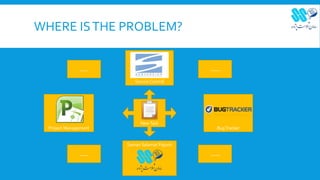
WHERE ISTHE PROBLEM?
Source Control
Project Management BugTracker
NewTask
Saman Salamat Pajouh
..... .....
..........
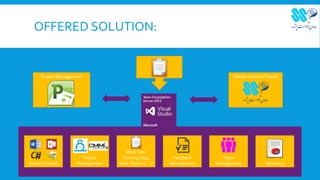
OFFERED SOLUTION:
Version Control
Project
Management Reporting
Team
Management
Feedback
Management
Work Item
Tracking (Bug,
Task, Feature, …)
Saman Salamat PajouhProject Management
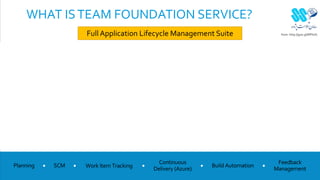
WHAT ISTEAM FOUNDATION SERVICE?
Full Application Lifecycle Management Suite from: http://goo.gl/NPhsf7
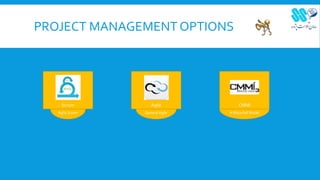
PROJECT MANAGEMENT OPTIONS
Agile Scrum
Scrum
GeneralAgile
Agile
AWaterfall Model
CMMI
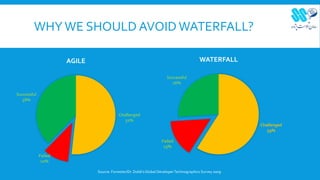
WHYWE SHOULD AVOIDWATERFALL?
Challenged
52%
Failed
10%
Successful
38%
AGILE
Source: Forrester/Dr. Dobb'sGlobal DeveloperTechnographics Survey 2009
Challenged
59%
Failed
15%
Successful
26%
WATERFALL
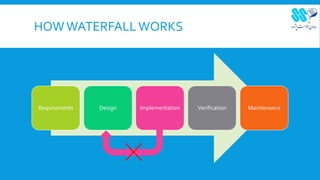
HOWWATERFALLWORKS
Requirements Design Implementation Verification Maintenance
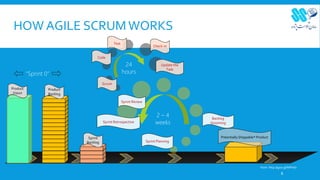
HOW AGILE SCRUM WORKS
8
Sprint Planning
Sprint Review
Scrum
Update the
Task
Code
Check-in
Product
Vision
Product
Backlog
Sprint
Backlog
2 – 4
weeks
24
hours
Sprint Retrospective
Test
Potentially Shippable* Product
Backlog
Grooming
“Sprint 0”
from: http://goo.gl/NPhsf7
WHAT TFS OFFERS FOR PROJECT
MANAGEMENT
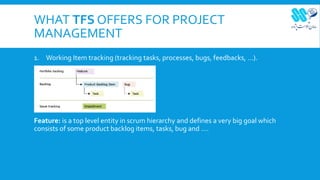
1. Working Item tracking (tracking tasks, processes, bugs, feedbacks, …).
Feature: is a top level entity in scrum hierarchy and defines a very big goal which

consists of some product backlog items, tasks, bug and ….
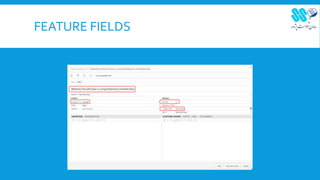
FEATURE FIELDS
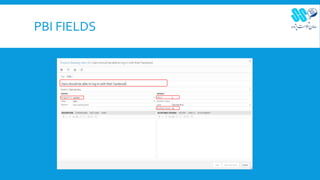
PRODUCT BACKLOG ITEM
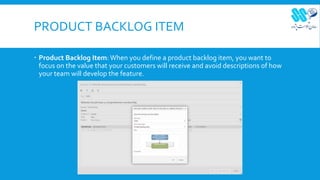
 Product Backlog Item: When you define a product backlog item, you want to
focus on the value that your customers will receive and avoid descriptions of how
your team will develop the feature.
PBI FIELDS
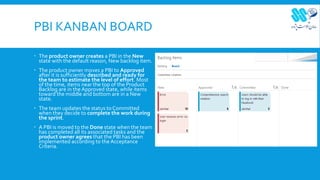
PBI KANBAN BOARD
 The product owner creates a PBI in the New
state with the default reason, New backlog item.
 The product owner moves a PBI to Approved
after it is sufficiently described and ready for
the team to estimate the level of effort. Most
of the time, items near the top of the Product
Backlog are in theApproved state, while items
toward the middle and bottom are in a New
state.
 The team updates the status to Committed
when they decide to complete the work during
the sprint.
 A PBI is moved to the Done state when the team
has completed all its associated tasks and the
product owner agrees that the PBI has been
implemented according to the Acceptance
Criteria.
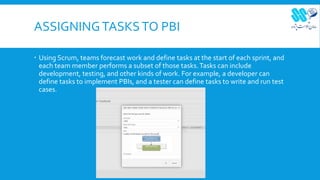
ASSIGNINGTASKSTO PBI
 Using Scrum, teams forecast work and define tasks at the start of each sprint, and
each team member performs a subset of those tasks.Tasks can include
development, testing, and other kinds of work. For example, a developer can
define tasks to implement PBIs, and a tester can define tasks to write and run test
cases.
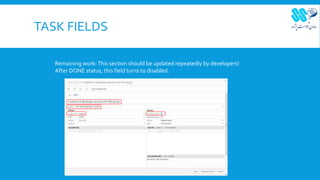
TASK FIELDS
Remaining work:This section should be updated repeatedly by developers!
After DONE status, this field turns to disabled.
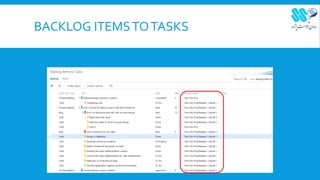
BACKLOG ITEMSTOTASKS
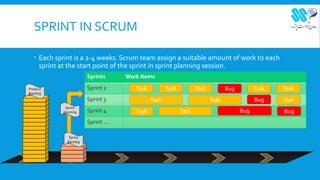
SPRINT IN SCRUM
 Each sprint is a 2-4 weeks. Scrum team assign a suitable amount of work to each
sprint at the start point of the sprint in sprint planning session.
Product
Backlog
Sprint
Backlog
Sprints Work Items
Sprint 2
Sprint 3
Sprint 4
Sprint ….
Task Task Task Bug Task Task
Task Task Bug Task
Task Task Bug Bug
Sprint
planning
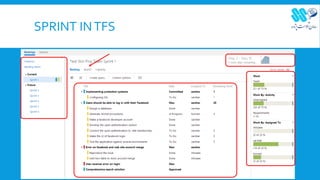
SPRINT INTFS
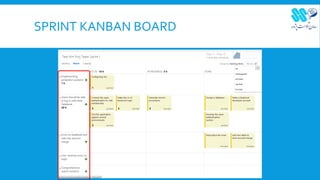
SPRINT KANBAN BOARD
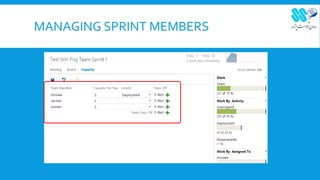
MANAGING SPRINT MEMBERS
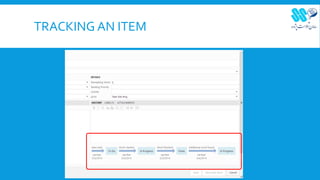
TRACKING AN ITEM
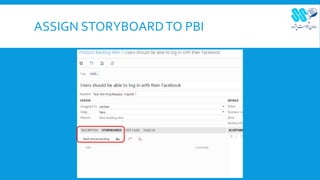
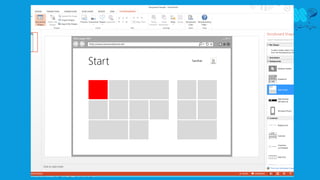
ASSIGN STORYBOARDTO PBI
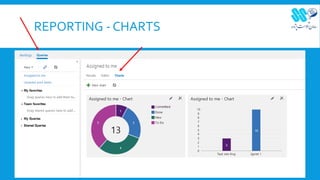
REPORTING - CHARTS
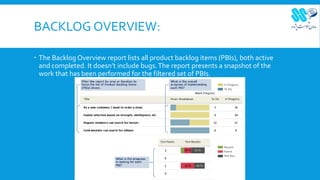
BACKLOG OVERVIEW:
 The Backlog Overview report lists all product backlog items (PBIs), both active
and completed. It doesn’t include bugs.The report presents a snapshot of the
work that has been performed for the filtered set of PBIs.
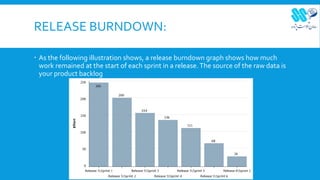
RELEASE BURNDOWN:
 As the following illustration shows, a release burndown graph shows how much
work remained at the start of each sprint in a release.The source of the raw data is
your product backlog
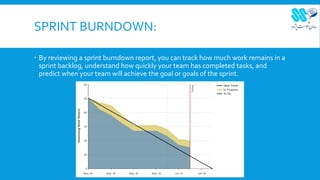
SPRINT BURNDOWN:
 By reviewing a sprint burndown report, you can track how much work remains in a
sprint backlog, understand how quickly your team has completed tasks, and
predict when your team will achieve the goal or goals of the sprint.
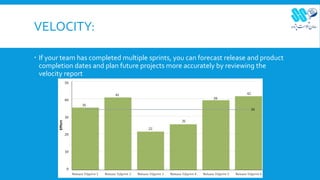
VELOCITY:
 If your team has completed multiple sprints, you can forecast release and product
completion dates and plan future projects more accurately by reviewing the
velocity report
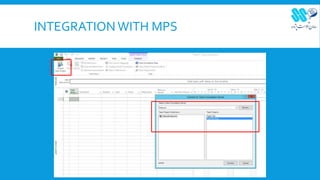
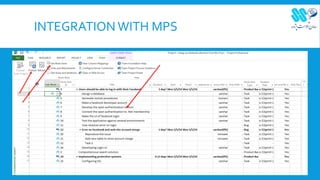
INTEGRATION WITH MPS
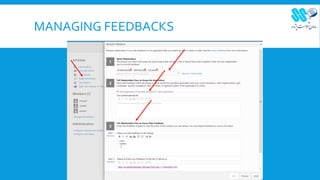
MANAGING FEEDBACKS
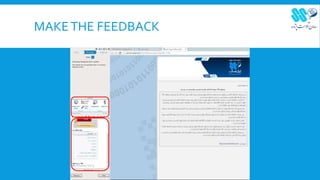
MAKETHE FEEDBACK
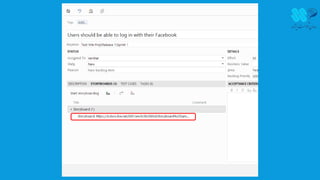
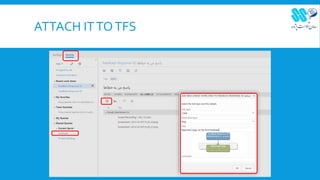
ATTACH ITTOTFS
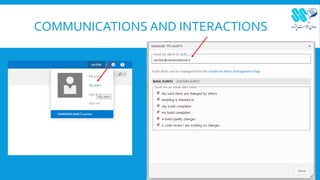
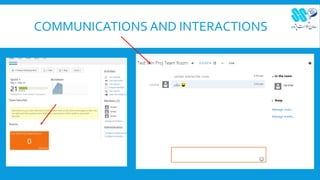
COMMUNICATIONS AND INTERACTIONS
Thanks for your attention

Managing software projects with Team Foundation Server 2013 in Agile Scrum

  • 1.
    PROJECT MANAGEMENT WITH TFS2013 Hossein Sarshar Senior Software Engineer Saman Salamat Pajoh
  • 2.
    WHERE ISTHE PROBLEM? SourceControl Project Management BugTracker NewTask Saman Salamat Pajouh ..... ..... ..........
  • 3.
    OFFERED SOLUTION: Version Control Project ManagementReporting Team Management Feedback Management Work Item Tracking (Bug, Task, Feature, …) Saman Salamat PajouhProject Management
  • 4.
    WHAT ISTEAM FOUNDATIONSERVICE? Full Application Lifecycle Management Suite from: http://goo.gl/NPhsf7
  • 5.
    PROJECT MANAGEMENT OPTIONS AgileScrum Scrum GeneralAgile Agile AWaterfall Model CMMI
  • 6.
    WHYWE SHOULD AVOIDWATERFALL? Challenged 52% Failed 10% Successful 38% AGILE Source:Forrester/Dr. Dobb'sGlobal DeveloperTechnographics Survey 2009 Challenged 59% Failed 15% Successful 26% WATERFALL
  • 7.
  • 8.
    HOW AGILE SCRUMWORKS 8 Sprint Planning Sprint Review Scrum Update the Task Code Check-in Product Vision Product Backlog Sprint Backlog 2 – 4 weeks 24 hours Sprint Retrospective Test Potentially Shippable* Product Backlog Grooming “Sprint 0” from: http://goo.gl/NPhsf7
  • 9.
    WHAT TFS OFFERSFOR PROJECT MANAGEMENT 1. Working Item tracking (tracking tasks, processes, bugs, feedbacks, …). Feature: is a top level entity in scrum hierarchy and defines a very big goal which consists of some product backlog items, tasks, bug and ….
  • 10.
  • 11.
    PRODUCT BACKLOG ITEM Product Backlog Item: When you define a product backlog item, you want to focus on the value that your customers will receive and avoid descriptions of how your team will develop the feature.
  • 12.
  • 13.
    PBI KANBAN BOARD The product owner creates a PBI in the New state with the default reason, New backlog item.  The product owner moves a PBI to Approved after it is sufficiently described and ready for the team to estimate the level of effort. Most of the time, items near the top of the Product Backlog are in theApproved state, while items toward the middle and bottom are in a New state.  The team updates the status to Committed when they decide to complete the work during the sprint.  A PBI is moved to the Done state when the team has completed all its associated tasks and the product owner agrees that the PBI has been implemented according to the Acceptance Criteria.
  • 14.
    ASSIGNINGTASKSTO PBI  UsingScrum, teams forecast work and define tasks at the start of each sprint, and each team member performs a subset of those tasks.Tasks can include development, testing, and other kinds of work. For example, a developer can define tasks to implement PBIs, and a tester can define tasks to write and run test cases.
  • 15.
    TASK FIELDS Remaining work:Thissection should be updated repeatedly by developers! After DONE status, this field turns to disabled.
  • 16.
  • 17.
    SPRINT IN SCRUM Each sprint is a 2-4 weeks. Scrum team assign a suitable amount of work to each sprint at the start point of the sprint in sprint planning session. Product Backlog Sprint Backlog Sprints Work Items Sprint 2 Sprint 3 Sprint 4 Sprint …. Task Task Task Bug Task Task Task Task Bug Task Task Task Bug Bug Sprint planning
  • 18.
  • 19.
  • 20.
  • 21.
  • 22.
  • 25.
  • 26.
    BACKLOG OVERVIEW:  TheBacklog Overview report lists all product backlog items (PBIs), both active and completed. It doesn’t include bugs.The report presents a snapshot of the work that has been performed for the filtered set of PBIs.
  • 27.
    RELEASE BURNDOWN:  Asthe following illustration shows, a release burndown graph shows how much work remained at the start of each sprint in a release.The source of the raw data is your product backlog
  • 28.
    SPRINT BURNDOWN:  Byreviewing a sprint burndown report, you can track how much work remains in a sprint backlog, understand how quickly your team has completed tasks, and predict when your team will achieve the goal or goals of the sprint.
  • 29.
    VELOCITY:  If yourteam has completed multiple sprints, you can forecast release and product completion dates and plan future projects more accurately by reviewing the velocity report
  • 30.
  • 31.
  • 32.
  • 33.
  • 34.
  • 35.
  • 36.
  • 37.
    Thanks for yourattention