


Connect, Organize, and Empower:
   Google Apps for Supervisors and Teachers


                           Heidi Laidemitt
                                and
                            Katie Dutcher


                          Monterey Institute
                           of International
                                Studies
Outline
1. Audience Poll

2. What: Our IEP's use of Google sites, calendar, docs

3. Benefits: Connection, Organization, Empowerment

4. How: Using these tools
   • Small group discussion of current uses and needs
   • More detailed “how to”


            All participants will receive...
                  Our site template
      Detailed tutorial for creating Google site
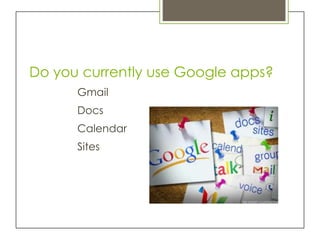
Do you currently use Google apps?
      Gmail
      Docs
      Calendar
      Sites
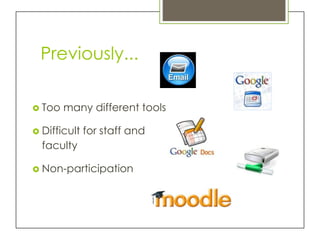
Previously...

 Too   many different tools

 Difficult   for staff and
  faculty

 Non-participation
Move to Google apps!
Site combining calendar, docs,
         and more…
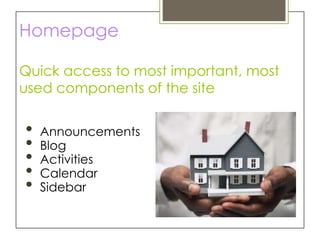
Homepage

Quick access to most important, most
used components of the site


•   Announcements
•   Blog
•   Activities
•   Calendar
•   Sidebar
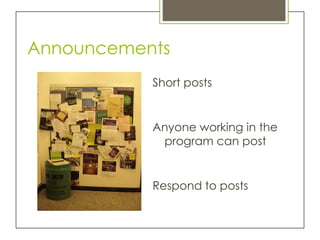
Announcements
           Short posts


           Anyone working in the
            program can post


           Respond to posts
Blog

Same type of page
  as announcements

Used for longer
  posts...mostly
  meeting notes!

Anyone can post and
 reply to posts
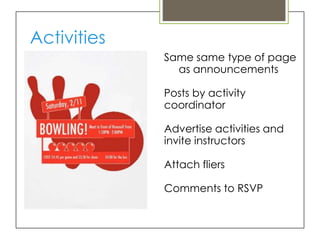
Activities
             Same same type of page
               as announcements

             Posts by activity
             coordinator

             Advertise activities and
             invite instructors

             Attach fliers

             Comments to RSVP
Program Calendar
     (with class schedule)
Classes set to repeat until end of
session

Activity coordinator adds activities
as they are planned

Graduate assistant adds student,
instructor, staff birthdays

Coordinator notes holidays/vacation
days

View on homepage, make
   changes on main
   calendar page
Links (and Embedded Google Docs)
                 Link to other sites

                 Resources and tools for the
                   team

                 “One-stop-shopping”
                 Have a document and
                   want to link to it?

                      Embed a Google doc
Sharing the Site
Add email addresses of
 team members
  Gmail accounts work best


Set permissions
  View vs. edit


“Subscribe to site
  changes”
Maintaining the Site
                 No maintenance
                  during session


                 Between sessions…
                   update sharing
                   add/remove staff profile
                   pages
                   update class offerings
Benefits
Connection, Organization, Empowerment
Connection
             Communication between
              team members working
              different hours


             Stay in touch anywhere


             Include entire team in
               ongoing conversations
Organization
All tools in one place
  Google apps work
  together
  Result: better participation


Record of information and
  decisions (archived)


Email inbox not overloaded
  with saved emails
Empowerment
              Transparent: everyone has
                access to all info

              Shared decision making 
                involvement, satisfaction,
                commitment
                (Christison and Stoller 1997)
                (Bolman and Deal 2002)

              Ability to raise discussion
               topics encourages
               autonomy
Conclusion
Initial transition time


Change for the better in our program
  Team members better informed
  Increased collaboration
How…

 What tools do you use in your
 program/classes?

 What are you considering doing
 with Google apps?

 What would you like further
 assistance with?
Follow-up…
Make sure that we have your email address!


               We’ll send links to
            customizable site template
                   presentation
  detailed tutorial    evaluation of presentation


            Our contact information:
                 kdutcher@miis.edu
                hlaidemitt@miis.edu

TESOL 2012 Presentation Slides

  • 1.
    Connect, Organize, andEmpower: Google Apps for Supervisors and Teachers Heidi Laidemitt and Katie Dutcher Monterey Institute of International Studies
  • 2.
    Outline 1. Audience Poll 2.What: Our IEP's use of Google sites, calendar, docs 3. Benefits: Connection, Organization, Empowerment 4. How: Using these tools • Small group discussion of current uses and needs • More detailed “how to” All participants will receive... Our site template Detailed tutorial for creating Google site
  • 3.
    Do you currentlyuse Google apps? Gmail Docs Calendar Sites
  • 4.
    Previously...  Too many different tools  Difficult for staff and faculty  Non-participation
  • 5.
    Move to Googleapps! Site combining calendar, docs, and more…
  • 6.
    Homepage Quick access tomost important, most used components of the site • Announcements • Blog • Activities • Calendar • Sidebar
  • 7.
    Announcements Short posts Anyone working in the program can post Respond to posts
  • 8.
    Blog Same type ofpage as announcements Used for longer posts...mostly meeting notes! Anyone can post and reply to posts
  • 9.
    Activities Same same type of page as announcements Posts by activity coordinator Advertise activities and invite instructors Attach fliers Comments to RSVP
  • 10.
    Program Calendar (with class schedule) Classes set to repeat until end of session Activity coordinator adds activities as they are planned Graduate assistant adds student, instructor, staff birthdays Coordinator notes holidays/vacation days View on homepage, make changes on main calendar page
  • 11.
    Links (and EmbeddedGoogle Docs) Link to other sites Resources and tools for the team “One-stop-shopping” Have a document and want to link to it? Embed a Google doc
  • 12.
    Sharing the Site Addemail addresses of team members Gmail accounts work best Set permissions View vs. edit “Subscribe to site changes”
  • 13.
    Maintaining the Site No maintenance during session Between sessions… update sharing add/remove staff profile pages update class offerings
  • 14.
  • 15.
    Connection Communication between team members working different hours Stay in touch anywhere Include entire team in ongoing conversations
  • 16.
    Organization All tools inone place Google apps work together Result: better participation Record of information and decisions (archived) Email inbox not overloaded with saved emails
  • 17.
    Empowerment Transparent: everyone has access to all info Shared decision making  involvement, satisfaction, commitment (Christison and Stoller 1997) (Bolman and Deal 2002) Ability to raise discussion topics encourages autonomy
  • 18.
    Conclusion Initial transition time Changefor the better in our program Team members better informed Increased collaboration
  • 20.
    How… What toolsdo you use in your program/classes? What are you considering doing with Google apps? What would you like further assistance with?
  • 21.
    Follow-up… Make sure thatwe have your email address! We’ll send links to customizable site template presentation detailed tutorial evaluation of presentation Our contact information: kdutcher@miis.edu hlaidemitt@miis.edu

Editor's Notes

  • #4 KatieHow many of you have a Gmail account?How many of you have used Google calendar before?Google documents?How many have used or built a Google site?
  • #6 KatieWe’re going to talk about our site, which pulls together a variety of tools—combination already used and newThis kindsite could also be used for a classSlightly different site for instructor handbook (more information, less collaboration)
  • #13 Katie
  • #14 Heidi
  • #15 Heidi
  • #19 While there is an initial transition time, buy in, consistency…
  • #22 HeidiContact us if you don’t receive an email from us within two weeks!