
From Chalkboard to Web Site: The Shifting Semiosis of Learning A Presentation by Joan Vinall-Cox, Ph.D. Candidate OISE/UT
Agenda Current Practices Snapshots of the Present Landscape Writing Tools Classrooms and Pedagogy Perspectives and Possibilities
Current Practices Who has been on a computer already today? When you compose, where do you start?  Paper or screen? And 10 years ago? Do you have anything up on the web? A site you created? A blog? Do you use a computer in planning your classes?
Snapshots of the Landscape 1 Word-processing Any aspects of word-processing that affect the  process  of writing? Spellchecker Cut & Paste Outline View Styles Academic papers Use of word-processing shortcuts? Tables of Contents, Lists of Figures? Use of software supports Inspiration EndNote
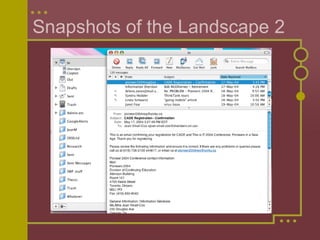
Snapshots of the Landscape 2
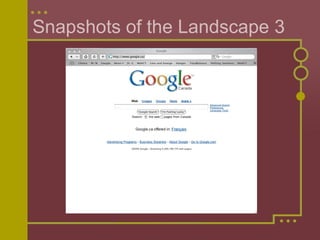
Snapshots of the Landscape 3
Snapshots of the Landscape 4
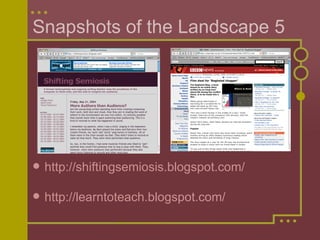
Snapshots of the Landscape 5 http://shiftingsemiosis.blogspot.com/ http://learntoteach.blogspot.com/
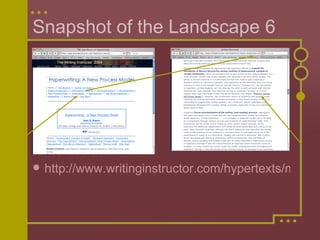
Snapshot of the Landscape 6 http://www.writinginstructor.com/hypertexts/mason/
Writing Tools - Public Incising in stone Traces -  serifs Hand instruments and parchment etc. Text with art - Religious texts Slow production & limited readership Gutenberg & the printing press Multiple reproduction Privileged authors Development and growth of audience
Writing Tools - Unpublished Cursive handwriting - 16th century Developed in Italy  same era as printing press Typewriter - 19th century Business Resembled printed materials  looked “official” Computers & word-processing - late 20th century Fonts, colours, etc.
Phenomenological  Practices   A New Communications Landscape To be acquired  Kinesthetic skills Mousing  keyboarding Conceptual frameworks Design & Patterns Tipping points Experimenting - e.g. right-clicking
New Patterns & Problems My writing Email breaks Google breaks Editing skills Some students in class, writing Also taking breaks Email, messaging, games Also searching Plagiarism problems Editing weaknesses Spellchecker Grammar checker Little  revision -  according to current research
Privileging Differences Different writing skills Support for unconventional spellers Support for those who get bored with small details -  Table of Contents /  EndNote Different process approaches supported Outline View  for already organized Cut & Paste  for stream-of-consciousness Frequent revision supported Ease of changing & reprinting Word & layout/design skills more important than penmanship
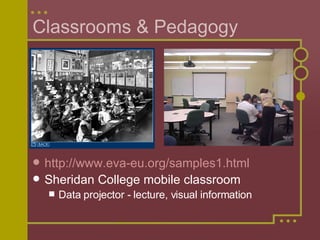
Classrooms & Pedagogy http://www.eva-eu.org/samples1.html   Sheridan College mobile classroom Data projector - lecture, visual information
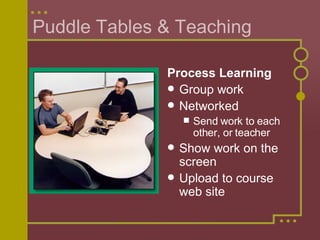
Puddle Tables & Teaching Process Learning Group work Networked Send work to each other, or teacher Show work on the screen Upload to course web site
Sheridan’s Experience 6000 on laptops in 5 years / almost half the students May 1998 - computer program - 55 Programs choose to opt-in Criteria based on suitability for future profession and faculty commitment, not on technical orientation - e.g. Interior Design IT - committed to support Developed scalable processes for distribution etc. Very supportive of teachers & students
Sheridan’s Experience,  continued Laptops issued to teachers Leader - from computer faculty, very pragmatically inventive Found and developed grassroots support Learning community - DELTA 3  PD Show & Share, Make It So Excitement & beautiful classrooms Tech Tutors - knowledgeable students for set up and first few classes each term
Sheridan’s Experience,  continued 2004 course management software So enamored, I used it even with non-mobile courses One space for all class-associated information and records Available 24/7 with a networked computer
Sheridan’s Experience,  continued Two Committees! - Mutual Respect DELTA 3  PD Teachers, with & without computer knowledge and pedagogical know-how  Planning 3 PD days a year Creating courses on aspects of teaching with laptops, web-use, etc. Sharing - a true learning community! WebCT Steering Teachers and IT staff Working out practicalities together
Sheridan’s Experience,  continued I’m an advocate - but some teachers I respect don’t like the laptop initiative My Position After initial technophobia, I discovered how much I could easily do with computers E.g. Netscape’s  Composer Classroom power of visual aspect Students can produce much more professional-appearing work Ease of communicating with students
Sheridan’s Experience,  continued Problems Students can easily distract themselves in class Testing and cheating - both easier  Some students resent the cost  Don’t see the value of the software  Don’t think the tax refund is significant enough Want to keep the laptop But many students “bond” with their computers & appreciate the fuller learning
Perspectives Computers -  the  thinking tool for both learning and future work  (as well as entertainment.) Software for many, many purposes Complex need to learn how to think with/through software  Computers and the web central to our culture - unavoidable
Possibilities Increasingly computers “user-friendly,”  Helps to find a learning community to help you “get it.”  Free tutorials sometimes available on web. Course management software still in a pioneer state,  Pedagogical knowledge about how to use the web for courses - pioneer state too. Teachers need to partner with their students learn what they already do with computers and the web incorporate those aspects into our teaching
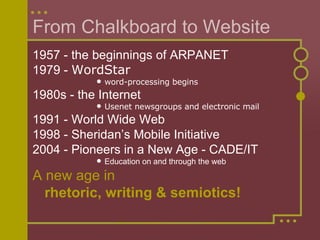
From Chalkboard to Website 1957 - the beginnings of ARPANET 1979 -  WordStar word-processing begins 1980s - the Internet Usenet newsgroups and electronic mail 1991 - World Wide Web 1998 - Sheridan’s Mobile Initiative  2004 - Pioneers in a New Age - CADE/IT Education on and through the web A new age in   rhetoric, writing & semiotics!
The Shifting Semiosis of Learning For more information about Sheridan’s learning adventure, circa 2004 -  http://www.sheridanc.on.ca/   http://www.sheridaninstitute.ca/delta3/main.html   http://www.sheridanc.on.ca/~vinall/Journal/journal1.htm And about my learning adventures - http://www.sheridanc.on.ca/~vinall/Essays_on_School.htm
Thanks for your attention, Joan Vinall-Cox

Shifting Sem2004

  • 1.
    From Chalkboard toWeb Site: The Shifting Semiosis of Learning A Presentation by Joan Vinall-Cox, Ph.D. Candidate OISE/UT
  • 2.
    Agenda Current PracticesSnapshots of the Present Landscape Writing Tools Classrooms and Pedagogy Perspectives and Possibilities
  • 3.
    Current Practices Whohas been on a computer already today? When you compose, where do you start? Paper or screen? And 10 years ago? Do you have anything up on the web? A site you created? A blog? Do you use a computer in planning your classes?
  • 4.
    Snapshots of theLandscape 1 Word-processing Any aspects of word-processing that affect the process of writing? Spellchecker Cut & Paste Outline View Styles Academic papers Use of word-processing shortcuts? Tables of Contents, Lists of Figures? Use of software supports Inspiration EndNote
  • 5.
    Snapshots of theLandscape 2
  • 6.
    Snapshots of theLandscape 3
  • 7.
    Snapshots of theLandscape 4
  • 8.
    Snapshots of theLandscape 5 http://shiftingsemiosis.blogspot.com/ http://learntoteach.blogspot.com/
  • 9.
    Snapshot of theLandscape 6 http://www.writinginstructor.com/hypertexts/mason/
  • 10.
    Writing Tools -Public Incising in stone Traces - serifs Hand instruments and parchment etc. Text with art - Religious texts Slow production & limited readership Gutenberg & the printing press Multiple reproduction Privileged authors Development and growth of audience
  • 11.
    Writing Tools -Unpublished Cursive handwriting - 16th century Developed in Italy same era as printing press Typewriter - 19th century Business Resembled printed materials looked “official” Computers & word-processing - late 20th century Fonts, colours, etc.
  • 12.
    Phenomenological Practices A New Communications Landscape To be acquired Kinesthetic skills Mousing keyboarding Conceptual frameworks Design & Patterns Tipping points Experimenting - e.g. right-clicking
  • 13.
    New Patterns &Problems My writing Email breaks Google breaks Editing skills Some students in class, writing Also taking breaks Email, messaging, games Also searching Plagiarism problems Editing weaknesses Spellchecker Grammar checker Little revision - according to current research
  • 14.
    Privileging Differences Differentwriting skills Support for unconventional spellers Support for those who get bored with small details - Table of Contents / EndNote Different process approaches supported Outline View for already organized Cut & Paste for stream-of-consciousness Frequent revision supported Ease of changing & reprinting Word & layout/design skills more important than penmanship
  • 15.
    Classrooms & Pedagogyhttp://www.eva-eu.org/samples1.html Sheridan College mobile classroom Data projector - lecture, visual information
  • 16.
    Puddle Tables &Teaching Process Learning Group work Networked Send work to each other, or teacher Show work on the screen Upload to course web site
  • 17.
    Sheridan’s Experience 6000on laptops in 5 years / almost half the students May 1998 - computer program - 55 Programs choose to opt-in Criteria based on suitability for future profession and faculty commitment, not on technical orientation - e.g. Interior Design IT - committed to support Developed scalable processes for distribution etc. Very supportive of teachers & students
  • 18.
    Sheridan’s Experience, continued Laptops issued to teachers Leader - from computer faculty, very pragmatically inventive Found and developed grassroots support Learning community - DELTA 3 PD Show & Share, Make It So Excitement & beautiful classrooms Tech Tutors - knowledgeable students for set up and first few classes each term
  • 19.
    Sheridan’s Experience, continued 2004 course management software So enamored, I used it even with non-mobile courses One space for all class-associated information and records Available 24/7 with a networked computer
  • 20.
    Sheridan’s Experience, continued Two Committees! - Mutual Respect DELTA 3 PD Teachers, with & without computer knowledge and pedagogical know-how Planning 3 PD days a year Creating courses on aspects of teaching with laptops, web-use, etc. Sharing - a true learning community! WebCT Steering Teachers and IT staff Working out practicalities together
  • 21.
    Sheridan’s Experience, continued I’m an advocate - but some teachers I respect don’t like the laptop initiative My Position After initial technophobia, I discovered how much I could easily do with computers E.g. Netscape’s Composer Classroom power of visual aspect Students can produce much more professional-appearing work Ease of communicating with students
  • 22.
    Sheridan’s Experience, continued Problems Students can easily distract themselves in class Testing and cheating - both easier Some students resent the cost Don’t see the value of the software Don’t think the tax refund is significant enough Want to keep the laptop But many students “bond” with their computers & appreciate the fuller learning
  • 23.
    Perspectives Computers - the thinking tool for both learning and future work (as well as entertainment.) Software for many, many purposes Complex need to learn how to think with/through software Computers and the web central to our culture - unavoidable
  • 24.
    Possibilities Increasingly computers“user-friendly,” Helps to find a learning community to help you “get it.” Free tutorials sometimes available on web. Course management software still in a pioneer state, Pedagogical knowledge about how to use the web for courses - pioneer state too. Teachers need to partner with their students learn what they already do with computers and the web incorporate those aspects into our teaching
  • 25.
    From Chalkboard toWebsite 1957 - the beginnings of ARPANET 1979 - WordStar word-processing begins 1980s - the Internet Usenet newsgroups and electronic mail 1991 - World Wide Web 1998 - Sheridan’s Mobile Initiative 2004 - Pioneers in a New Age - CADE/IT Education on and through the web A new age in rhetoric, writing & semiotics!
  • 26.
    The Shifting Semiosisof Learning For more information about Sheridan’s learning adventure, circa 2004 - http://www.sheridanc.on.ca/ http://www.sheridaninstitute.ca/delta3/main.html http://www.sheridanc.on.ca/~vinall/Journal/journal1.htm And about my learning adventures - http://www.sheridanc.on.ca/~vinall/Essays_on_School.htm
  • 27.
    Thanks for yourattention, Joan Vinall-Cox